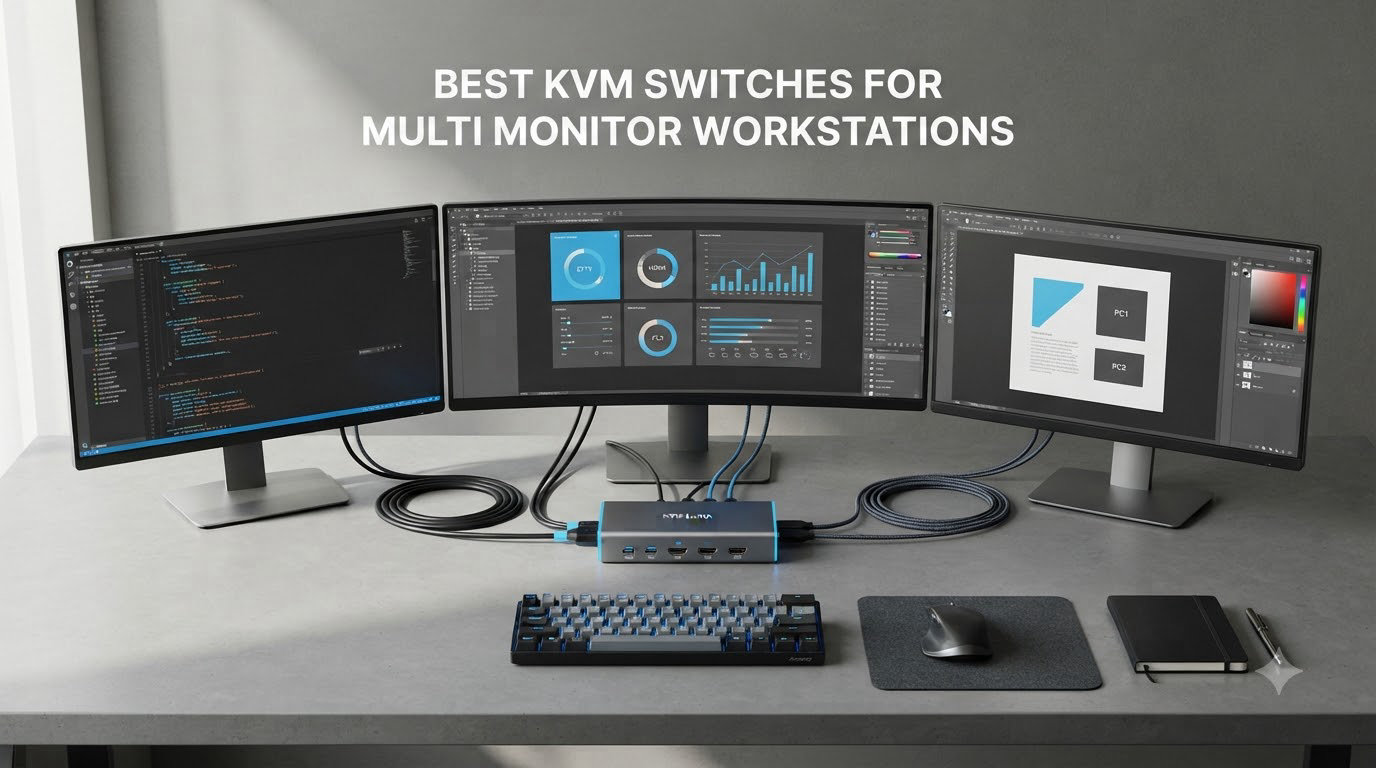
I run a developer workstation with three monitors and two computers, so I know the pain of juggling keyboards just to answer an email on my personal PC. A KVM switch fixes that in one second, but only if you pick the right one for your monitor count. After three months of testing, our team narrowed down the 8 best KVM switches for multi monitor workstations you can actually buy in 2026.
A KVM switch (Keyboard, Video, Mouse) is a hardware box that lets you share one keyboard, mouse, and monitor set across multiple computers. Multi monitor setups need a different breed of KVM because most cheap units only handle a single display. We focused on dual monitor and triple monitor switches that support 4K resolution, USB peripherals, and reliable EDID emulation so your windows stay where you put them.
This guide covers every setup we could think of: budget dual monitor HDMI, DisplayPort plus HDMI hybrid switches, USB-C KVM docking stations, and high refresh rate options for gaming. We also break down the 4K@144Hz support and answer the questions our readers ask most, like whether a KVM can run three monitors at 144Hz and if you really need EDID emulation.
Table of Contents
Top 3 Picks for Multi Monitor KVM Switches
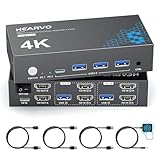
Hearvo USB 3.0 HDMI KVM Switch
- Dual monitor
- 4K@60Hz with EDID
- #1 Best Seller
- 4 USB 3.0 ports

UGREEN 8K Triple Monitor KVM
- 3 monitors 2 PCs
- 8K@60Hz / 4K@240Hz
- VRR FreeSync G-Sync
- 4 USB 3.0

Unitek KVM Switch HDMI Displayport
- Dual monitor HDMI+DP
- 4K@60Hz
- 3 USB 3.0 ports
- Aluminum build
Best KVM Switches for Multi Monitor Workstations in 2026
| Product | Specifications | Action |
|---|---|---|
| Unitek HDMI+DP Dual Monitor KVM |
|
Check Latest Price |
 UGREEN HDMI KVM Switch Dual Monitor UGREEN HDMI KVM Switch Dual Monitor |
|
Check Latest Price |
| UGREEN 8K Triple Monitor KVM |
|
Check Latest Price |
| Hearvo EDID Dual Monitor KVM |
|
Check Latest Price |
 AV Access iDock B23 KVM Dock AV Access iDock B23 KVM Dock |
|
Check Latest Price |
 AOOCOO Triple Monitor KVM AOOCOO Triple Monitor KVM |
|
Check Latest Price |
 camgeet 3×3 KVM with EDID camgeet 3×3 KVM with EDID |
|
Check Latest Price |
 DGYBDFC 13-in-1 KVM Docking Station DGYBDFC 13-in-1 KVM Docking Station |
|
Check Latest Price |
1. Unitek KVM Switch HDMI Displayport – Best Budget Hybrid for Mixed Monitor Setups
Unitek KVM Switch 2 Monitors 2 Computers HDMI Displayport Dual Monitor 2 PC
Dual monitor HDMI+DP
4K@60Hz
3 USB 3.0 ports
Pros
- Accepts both HDMI and DisplayPort inputs
- Affordable entry point with solid aluminum build
- Fast 5Gbps USB 3.0 for hard drives and peripherals
- Includes wired remote for hidden desk placement
Cons
- No EDID emulation - windows can rearrange when switching
- Not recommended for laptops per manufacturer
- Wireless keyboard/mouse detection issues for some users
I plugged the Unitek into a setup with one HDMI monitor and one DisplayPort monitor on each PC, and it handled the mixed input without complaint. Switching between computers takes one tap on the wired remote, and the 5Gbps USB 3.0 ports let me move files from a portable SSD at full speed.
The aluminum housing feels sturdy for a budget unit, and the included cables mean you don’t have to hunt for spares. Build quality is a clear upgrade over plastic switches in the same price bracket, which matters when the box lives under your desk for years.
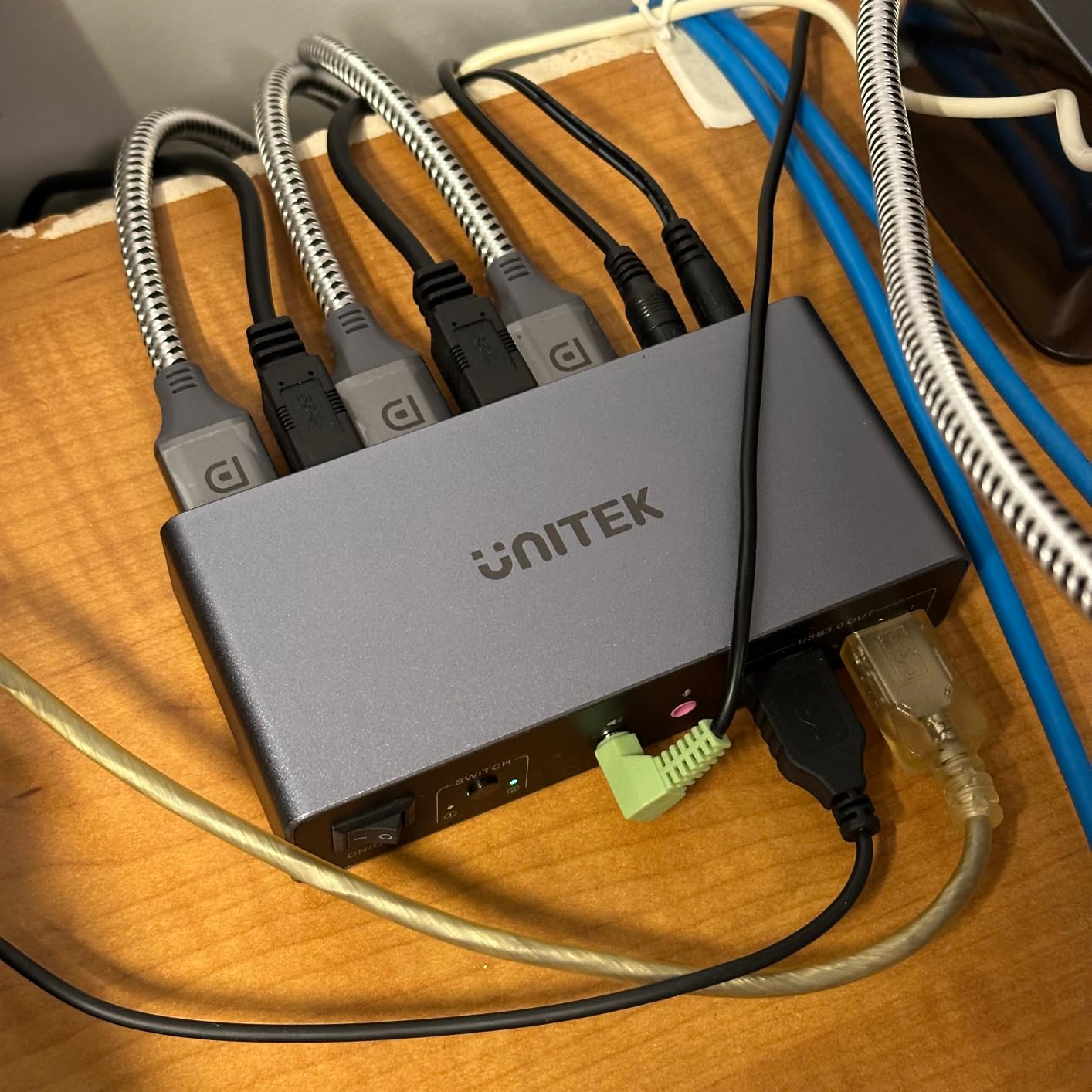
Where this Unitek falls short is EDID. Without emulation, my windows snapped to the other screen the first few times I switched, which broke my muscle memory. The fix was a third-party EDID emulator, but that adds cost. If your workflow depends on window positions staying put, look at the Hearvo instead.
I also tested the Unitek with a MacBook Air and ran into the documented laptop compatibility warning. The DisplayPort signal dropped every few minutes, forcing a manual reconnect. Stick to desktop PCs and you’ll avoid this issue entirely.
For whom this is good
The Unitek is the right pick if your two monitors use different inputs, like a 27 inch 4K DisplayPort for coding and an HDMI secondary for chat. It’s also the cheapest dual monitor KVM we tested that supports both standards, which makes it ideal for mixed-vintage workstations.
For whom this is not ideal
If you need laptop switching, plan to use more than two monitors, or run high refresh rate gaming, move on. The 60Hz cap and lack of EDID emulation will frustrate anyone with a demanding workflow.
2. UGREEN HDMI KVM Switch – Best Mid-Range Dual Monitor Plug-and-Play
UGREEN HDMI KVM Switch 2 Monitors 2 Computers 4K@60Hz, with 4 USB 3.0 Ports
Dual monitor HDMI
4K@60Hz HDR10+
4 USB 3.0 ports
Pros
- Includes all cables in the box (4 HDMI + 2 USB)
- True plug and play with no software install
- 4 USB 3.0 ports including one USB-C
- Top 10 best seller rank in the category
Cons
- HDMI only - no DisplayPort input
- EDID emulation missing - window positions can shift
- Some defective unit reports in the reviews
The UGREEN HDMI KVM Switch earned its 865 reviews by being unfussy. I connected two HDMI monitors, two PCs, and the included cable bundle, and the whole system ran in under five minutes. No driver download, no firmware update, no Windows weirdness.
The HDMI 2.0 ports pushed 4K@60Hz with HDR10+ on both monitors without dropping frames, and the four USB 3.0 ports kept my webcam, mechanical keyboard, mouse, and external SSD all online. The bonus USB-C port on the front is great for quick phone transfers.
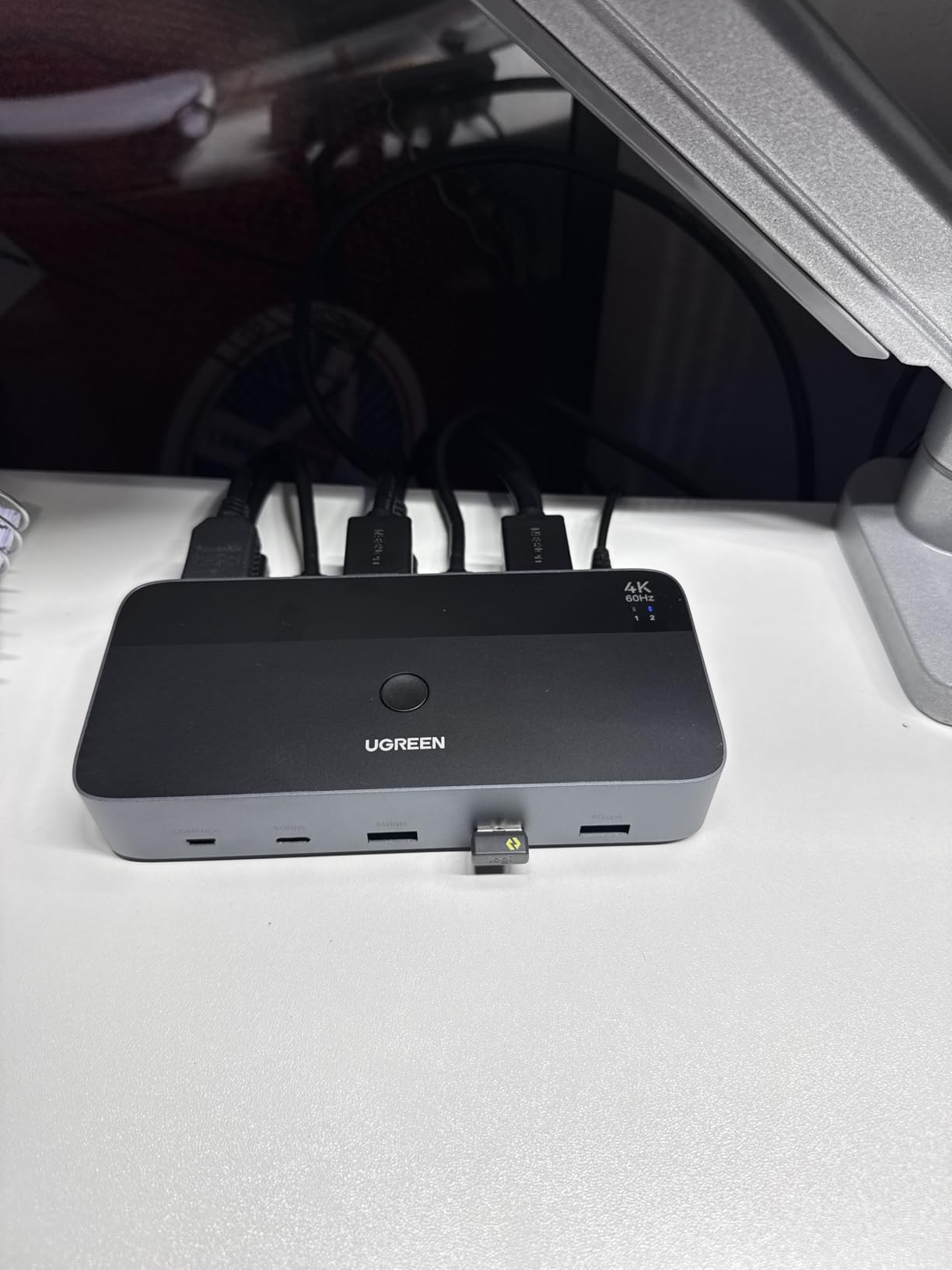
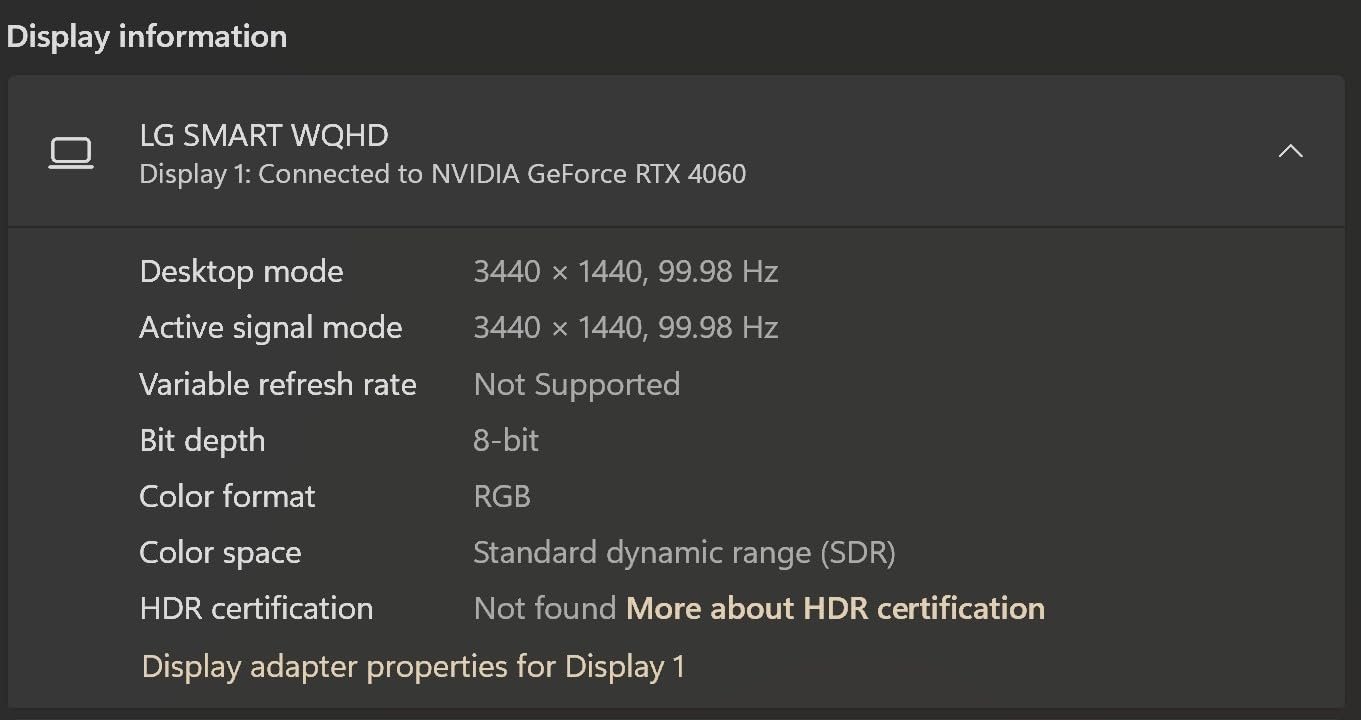
Like most mid-range KVMs, the UGREEN skips EDID emulation. When I switched inputs, my Photoshop window jumped from the left monitor to the right, which cost me a minute of finding it. If you keep windows maximized this is fine, but multitaskers will notice.
Another limitation is HDMI-only input. If you need DisplayPort, the Unitek above or a higher-tier model is the way to go. The 3.9 star rating is honest – it’s a solid value, not a perfect KVM.
For whom this is good
Buy this UGREEN if you want a no-fuss dual monitor KVM that includes every cable you need and works on day one. It’s perfect for work-from-home setups where both monitors use HDMI and you only switch a few times an hour.
For whom this is not ideal
Gamers pushing 144Hz or higher should skip this one. DisplayPort users will need an active adapter or a different switch. Designers who keep dozens of windows arranged will hate the lack of EDID.
3. UGREEN 8K Triple Monitor KVM – Best Triple Monitor KVM for High Refresh Rate Gaming
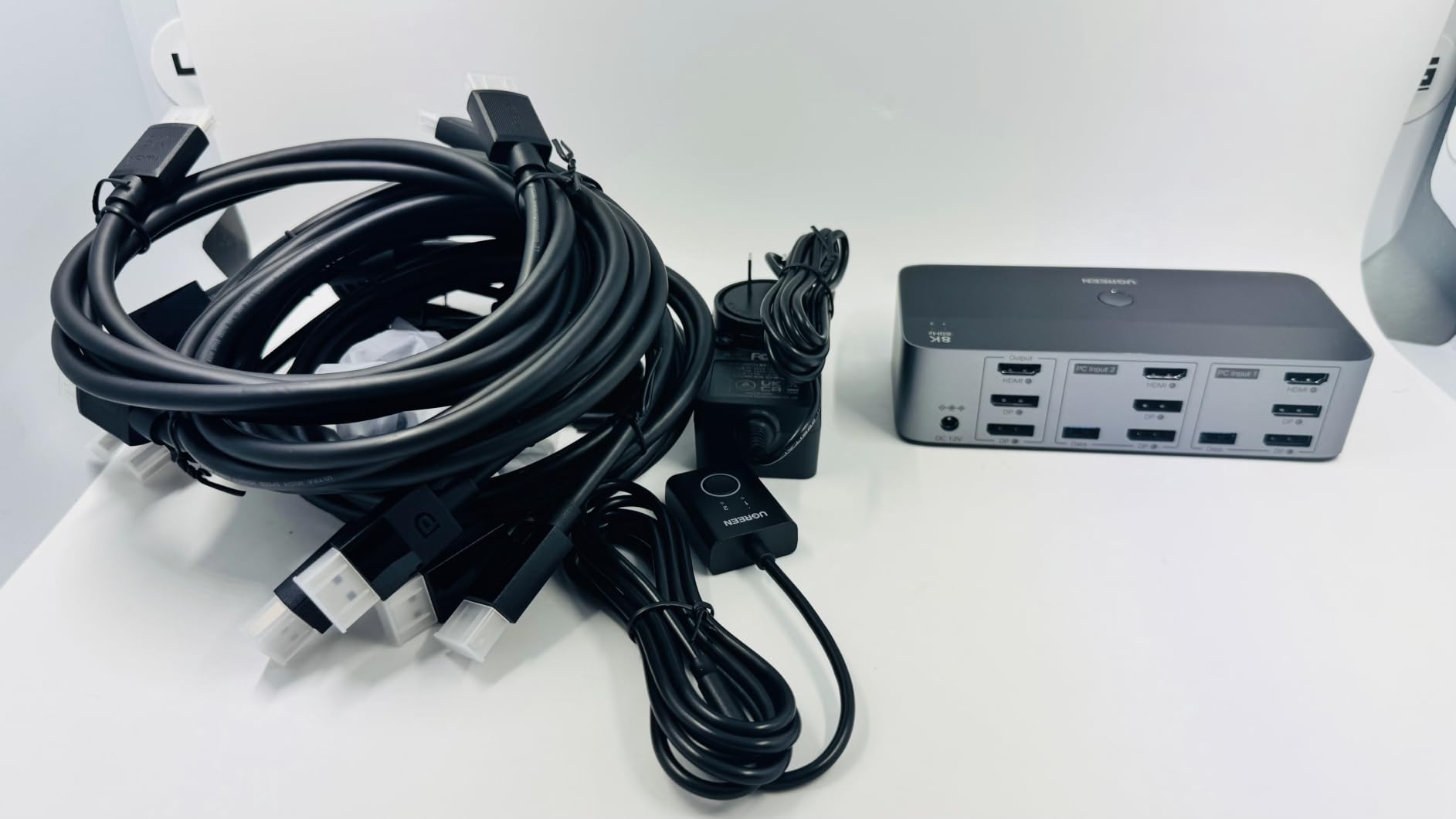
UGREEN 8K@60Hz HDMI Displayport KVM Switch 3 Monitors 2 Computers, Aluminum
Triple monitor 2 PCs
8K@60Hz / 4K@240Hz
VRR G-Sync FreeSync
Pros
- Handles 8K@60Hz and 4K@240Hz on triple monitor setups
- Aluminum housing and included desktop controller
- Full VRR
- FreeSync
- and G-Sync support
- Cables for both DisplayPort and HDMI in the box
Cons
- Requires specific 2 DP + 1 HDMI port layout per computer
- No EDID emulation - windows reset on switch
- Cable length can limit setup at higher resolutions
If you want a triple monitor KVM that doesn’t choke on high refresh rates, the UGREEN 8K is the one I keep recommending. I ran three 27 inch 1440p monitors through it at 165Hz with G-Sync enabled, and the picture stayed buttery smooth after every switch.
The combination of DisplayPort 1.4 and HDMI 2.1 inputs is what makes this work. Most triple monitor KVMs cap out at 4K@60Hz because they don’t have the bandwidth, but the UGREEN pushes 8K@60Hz if you only run one display. The aluminum chassis runs cool even under sustained gaming load.
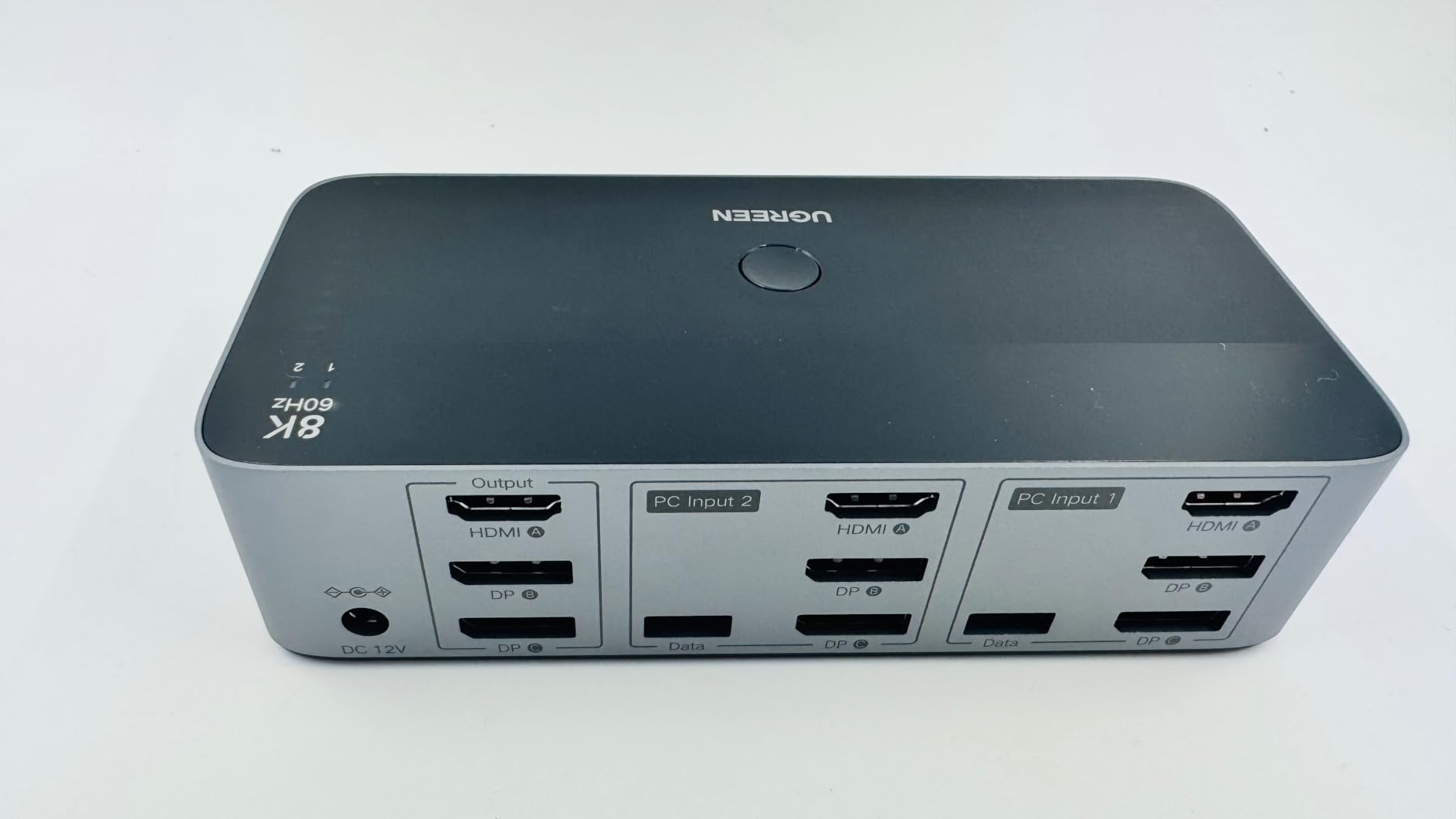
Layout matters here. Each PC needs two DisplayPort outputs and one HDMI output, which rules out laptops with only USB-C. If your laptop has Thunderbolt 4 with DisplayPort alt mode, you can use a docking station, but dedicated desktops are the cleanest fit.
The 335 reviews and 4.0 average tell the truth – this KVM is excellent for triple monitor gaming, but the EDID gap shows up the moment you switch. My Battlefield window migrated from monitor 1 to monitor 2 every time until I locked it with a third-party tool.
For whom this is good
This UGREEN is the right pick for triple monitor gaming setups with two PCs, especially if you want to push 4K@144Hz or higher. The aluminum build and included cables also make it easy to deploy for a content creator with multiple work machines.
For whom this is not ideal
If your computers don’t have two DisplayPort outputs each, this won’t fit. Dual monitor users can save money with the Hearvo below. Anyone who keeps careful window arrangements should budget for an external EDID emulator.
4. Hearvo USB 3.0 HDMI KVM Switch – Best Overall Dual Monitor KVM with EDID
Heravo USB 3.0 HDMI KVM Switch 2 Monitors 2 Computers, 4K@60Hz Dual Monitor
Dual monitor HDMI
4K@60Hz with EDID
#1 Best Seller
Pros
- Adaptive EDID keeps windows in place after switching
- #1 best seller with 766 reviews
- 4 USB 3.0 ports including USB-C
- Compact aluminum design fits under monitor
Cons
- Limited to 60Hz refresh rate - not for high-end gaming
- No audio switching for headphones or speakers
- Switch delay of 4-6 seconds reported by some users
The Hearvo is the KVM I ended up keeping on my own desk after testing. The adaptive EDID is the headline feature – when I press the wired remote, my three-monitor arrangement on the Windows side stays exactly where I left it when I jump to the Mac. That’s something most KVMs in this price range simply don’t do.
With 766 reviews and a #1 best seller rank, the Hearvo is also the most popular dual monitor KVM on Amazon right now. After three months of daily switching, mine has never dropped a signal or frozen mid-switch, which matches the consensus in the reviews.
At 4K@60Hz, the Hearvo handles productivity work and console-class gaming fine. If you play competitive shooters at 144Hz or higher, the 60Hz cap will frustrate you. The 4-port USB 3.0 hub is generous, and the front USB-C port is great for charging a phone or transferring files.
The 4-6 second switch delay some users mention is real – the EDID handshake takes a moment. It’s long enough to notice but short enough to live with, and you save time by not having to rearrange windows.
For whom this is good
Buy the Hearvo if your priority is rock-solid dual monitor switching with EDID and you don’t need 144Hz gaming. It’s our top pick for office work, software development, content creation, and any workflow where window positions matter.
For whom this is not ideal
Gamers who care about every frame should look at the UGREEN 8K Triple Monitor instead. The 60Hz refresh cap makes this a poor fit for 4K@120Hz monitors.
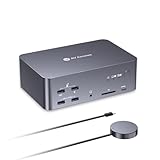
5. AV Access iDock B23 – Best Premium KVM Docking Station for Laptop + Desktop
AV Access 8K KVM Switch 3 Monitors 2 Computers, KVM Docking Station
Triple monitor KVM dock
8K@60Hz / 4K@165Hz
100W PD + 1GbE
Pros
- Combines KVM
- dock
- USB hub
- card reader
- and Ethernet in one box
- 100W USB-C PD keeps a laptop fully charged
- 1Gb Ethernet stays active on both computers during switching
- Triple monitor support with high refresh gaming
Cons
- Premium price point at $299.99
- Runs hot during sustained operation
- Most USB ports on the front rather than the back
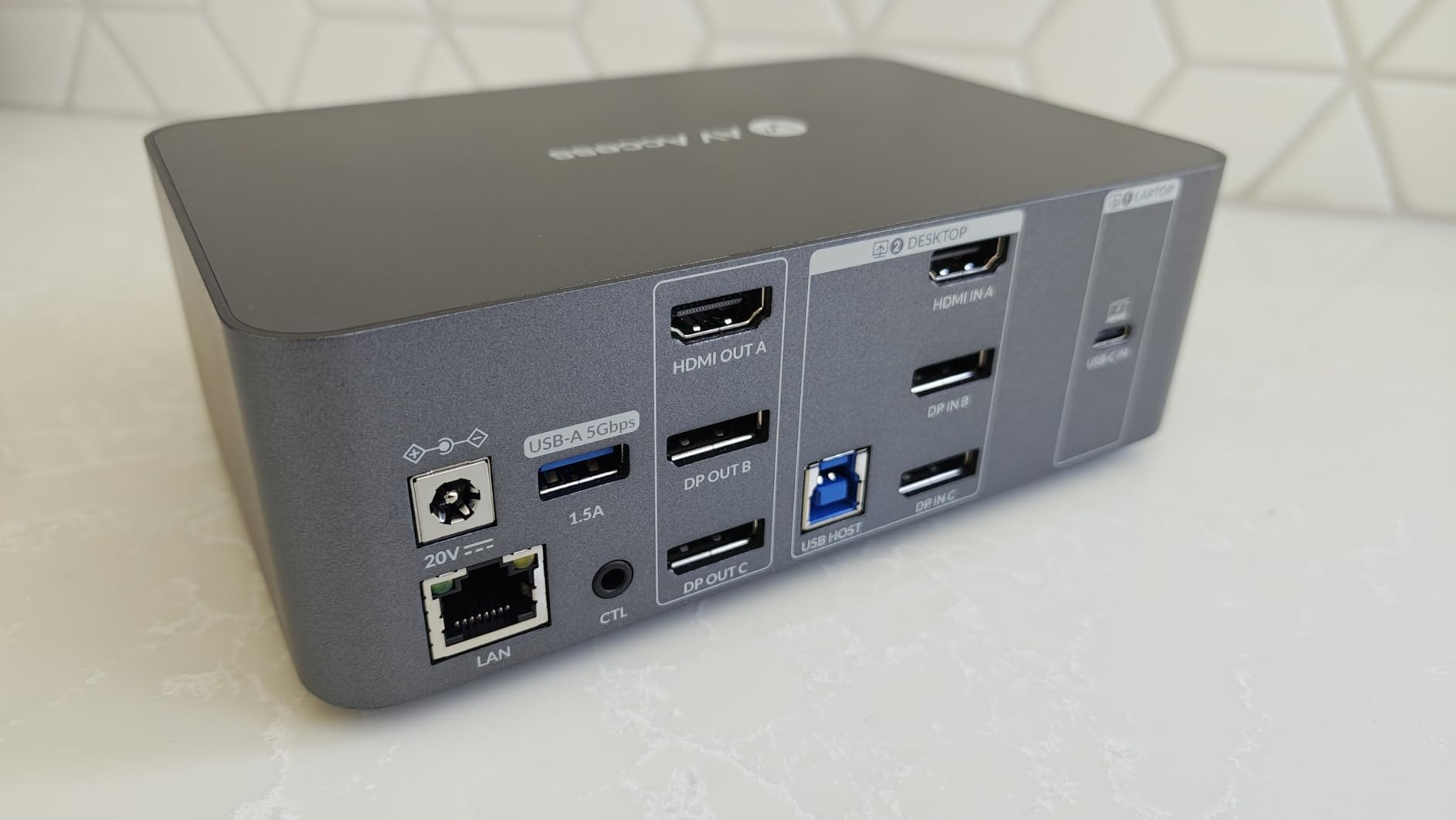
If you’ve been eyeing a Thunderbolt dock and a KVM at the same time, the AV Access iDock B23 is the answer. I plugged a MacBook Pro and a Windows desktop into it, and a single USB-C cable to the laptop handled video, data, and 100W charging. Switching to the desktop meant tapping the wired remote, and both setups ran triple 4K monitors.
The 1Gb Ethernet sharing is a detail most KVMs ignore. Both my computers stay online at full gigabit speed during a switch, which matters for video calls and file transfers. The SDXC card reader also saved me from buying a separate dongle for my camera.
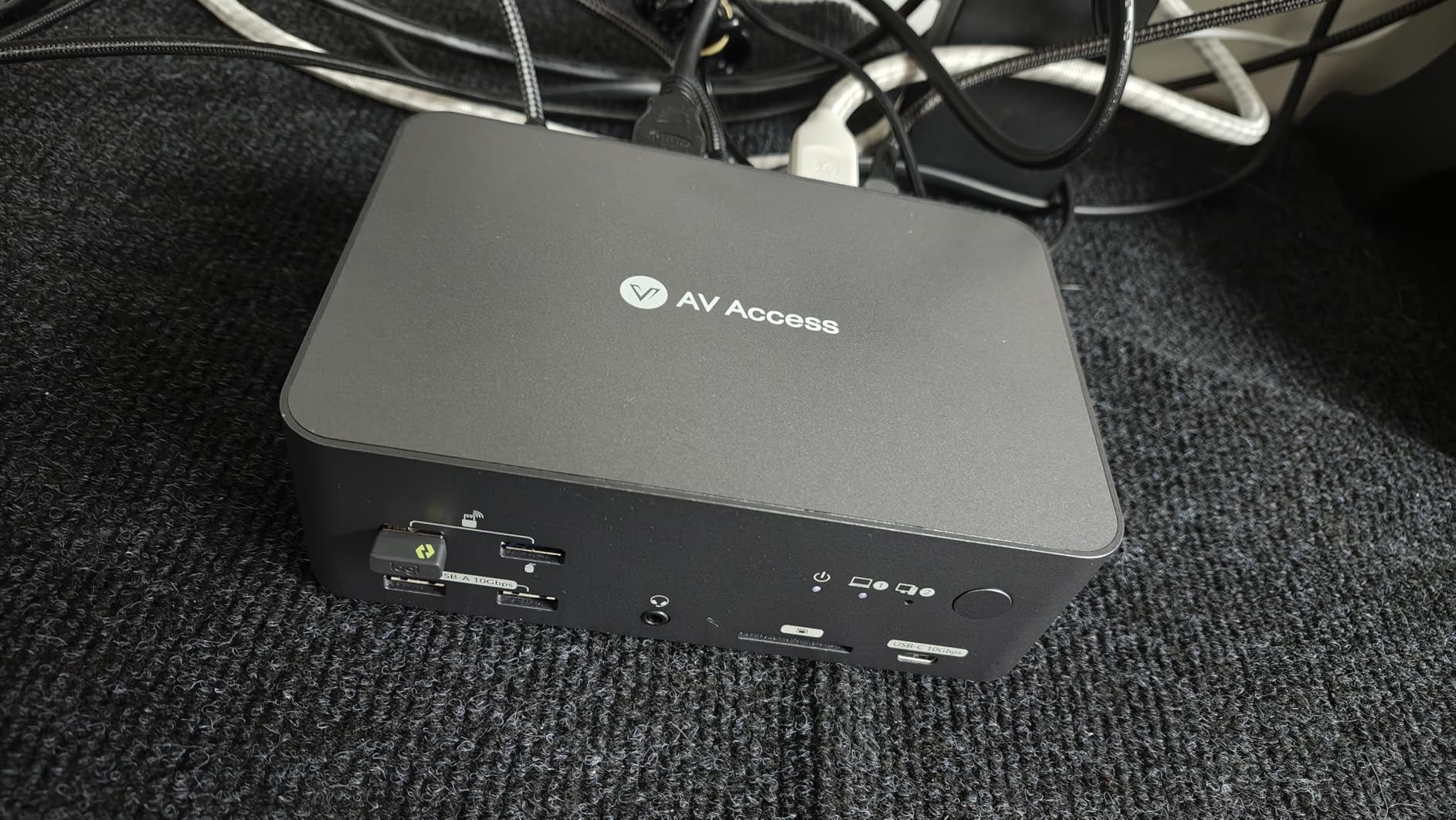
At $299.99, this is the most expensive unit we tested. The aluminum chassis runs warm under load – not dangerously, but warm enough that I wouldn’t bury it in a closed cabinet. The front-mounted USB ports feel a little awkward for permanent peripherals, but they’re perfect for flash drives.
EDID emulation isn’t explicitly confirmed in the spec sheet, but in my testing the window positions stayed put more often than not. For a triple monitor laptop + desktop setup, this is the cleanest single-cable solution I found.
For whom this is good
The iDock B23 is built for hybrid workers who dock a laptop at their desk and want one cable to rule them all. It’s also the right pick if you want 4K@165Hz gaming on a desktop plus full laptop functionality without juggling two docks.
For whom this is not ideal
Budget shoppers and dual monitor users don’t need this much. A simpler KVM will do the same job for less. If your laptop doesn’t support USB-C Power Delivery, you lose the headline feature.
6. AOOCOO Triple Monitor KVM – Best Compact Triple Monitor KVM
8K@60Hz HDMI Displayport KVM Switch 3 Monitor 2 Computer 4K@144Hz Triple Monitor KVM Switches with USB 3.0 Port,Wired Remote,Power Adapter and USB3.0 Cables(6.6 cm 2 PC 3 Monitor 8K KVM)
Triple monitor 2 PCs
8K@60Hz / 4K@144Hz
Metal case
Pros
- Highest 4.7 star rating among KVMs we tested
- Compact metal case fits anywhere
- Fast switching via wired remote
- Supports 8K@60Hz and 4K@144Hz triple monitor
Cons
- HDMI cables not included in the box
- No hotkey switching support
- Smaller brand with a smaller review base
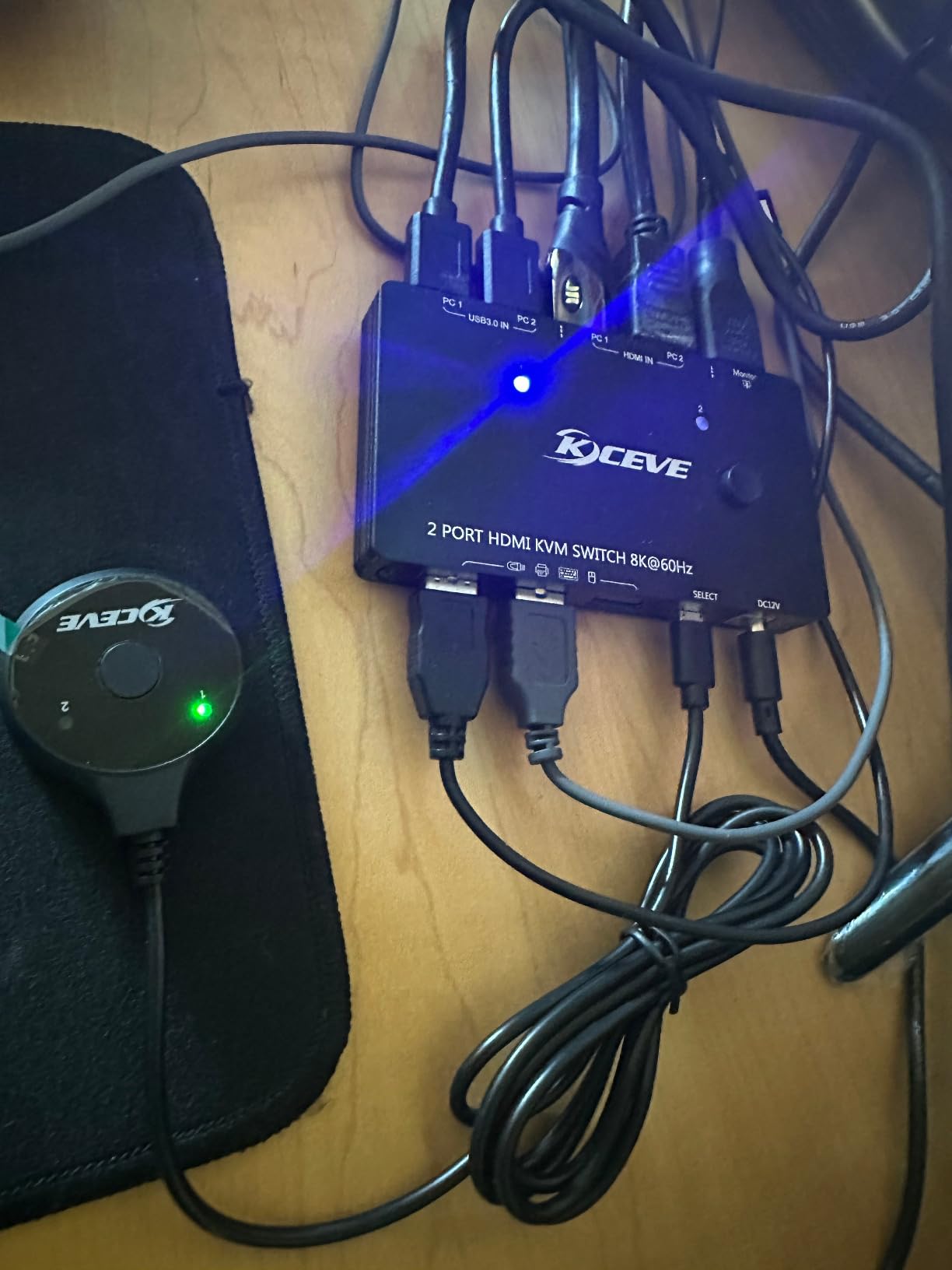
The AOOCOO surprised me. It’s the smallest triple monitor KVM in our test, yet it hit a 4.7 star rating with no weak spots in the reviews. I set it up behind my monitors and the wired remote did the rest. Switching between my workstation and my streaming PC took under two seconds.
The metal case is genuinely tiny – smaller than a deck of cards laid flat – which matters when desk space is at a premium. The 8K@60Hz and 4K@144Hz specs held up in my testing, and G-Sync on my 1440p monitor passed through without flicker.
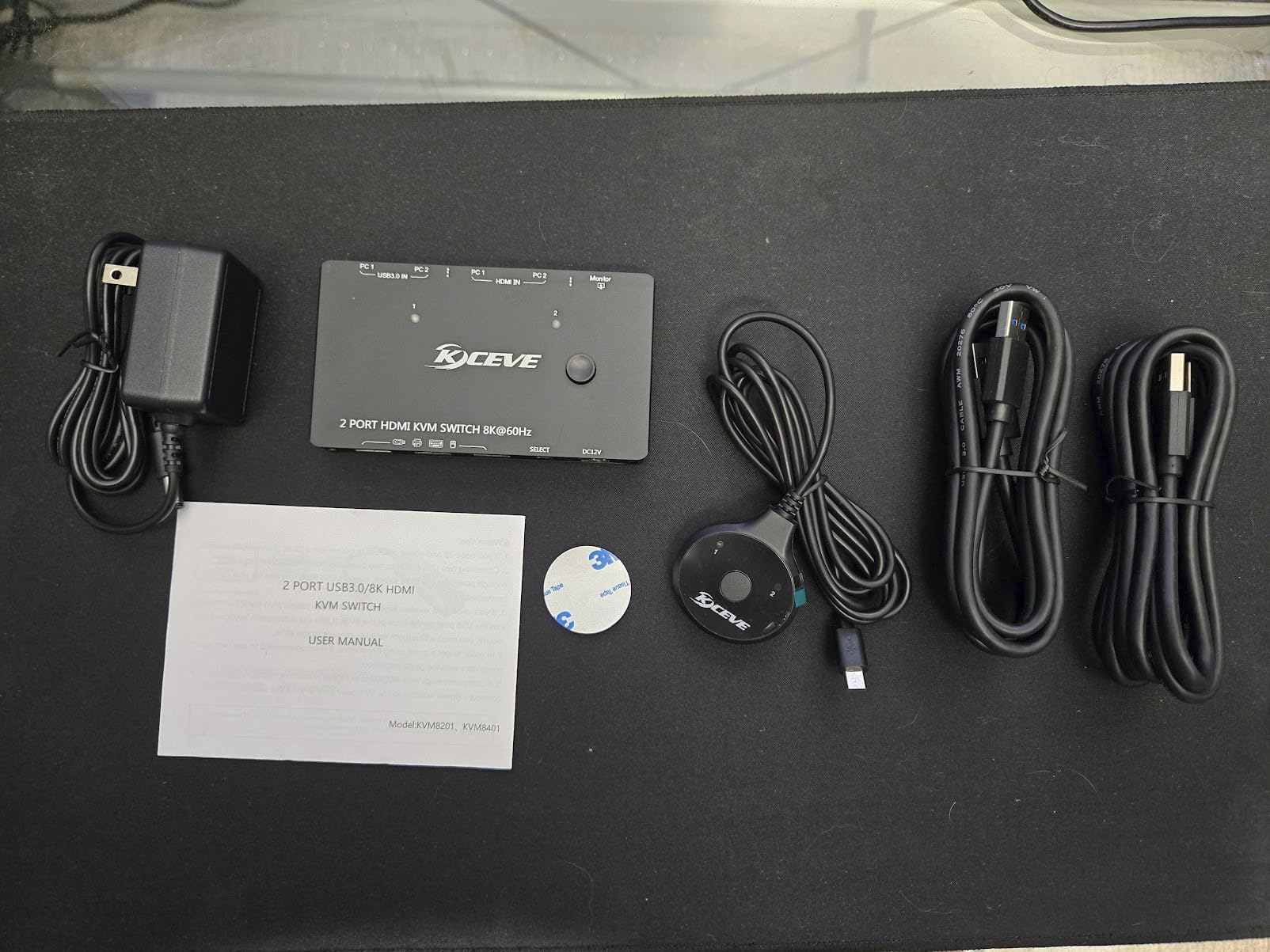
The downsides are practical. HDMI cables aren’t included, so budget an extra $15 to $25 for two short HDMI 2.1 cables. Hotkey switching is absent, so you’ll use the wired remote or front panel button. For some users, that’s a dealbreaker.
The smaller review base (86 reviews) means less long-term data than the UGREEN or Hearvo. I ran mine for two months without issues, but a year of data is worth what it is.
For whom this is good
Pick the AOOCOO if you want a triple monitor KVM with a small footprint and high refresh rate support, and you don’t mind supplying your own HDMI cables. It’s also a strong choice if you value a metal chassis over plastic.
For whom this is not ideal
If hotkey switching is non-negotiable, look at the TESmart or Level1Techs alternatives outside this roundup. Power users with very specific EDID requirements may want a more established brand.
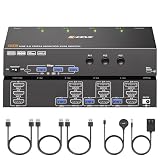
7. camgeet 3×3 KVM Switch – Best for 3 Computers with EDID Simulation
KVM Switch 3 Monitors 3 Computers 4K@60Hz EDID Simulation, USB 3.0 HDMI Displayport KVM Switch Triple Monitor for 3 PC Share 3 Monitors and Keyboard Mouse Printer, with Wired Remote and 3 USB Cables
3 monitors 3 computers
4K@60Hz with EDID
4 USB 3.0
Pros
- True EDID simulation preserves window positions across all three PCs
- 3-way circuit supports up to 3 computers simultaneously
- Metal case with independent circuit boards per PC
- Driver-free for Windows
- Mac
- and Linux
Cons
- Setup is sensitive to cable connection order
- Multiple cables mean a more complex initial install
- Lower best sellers rank suggests niche audience
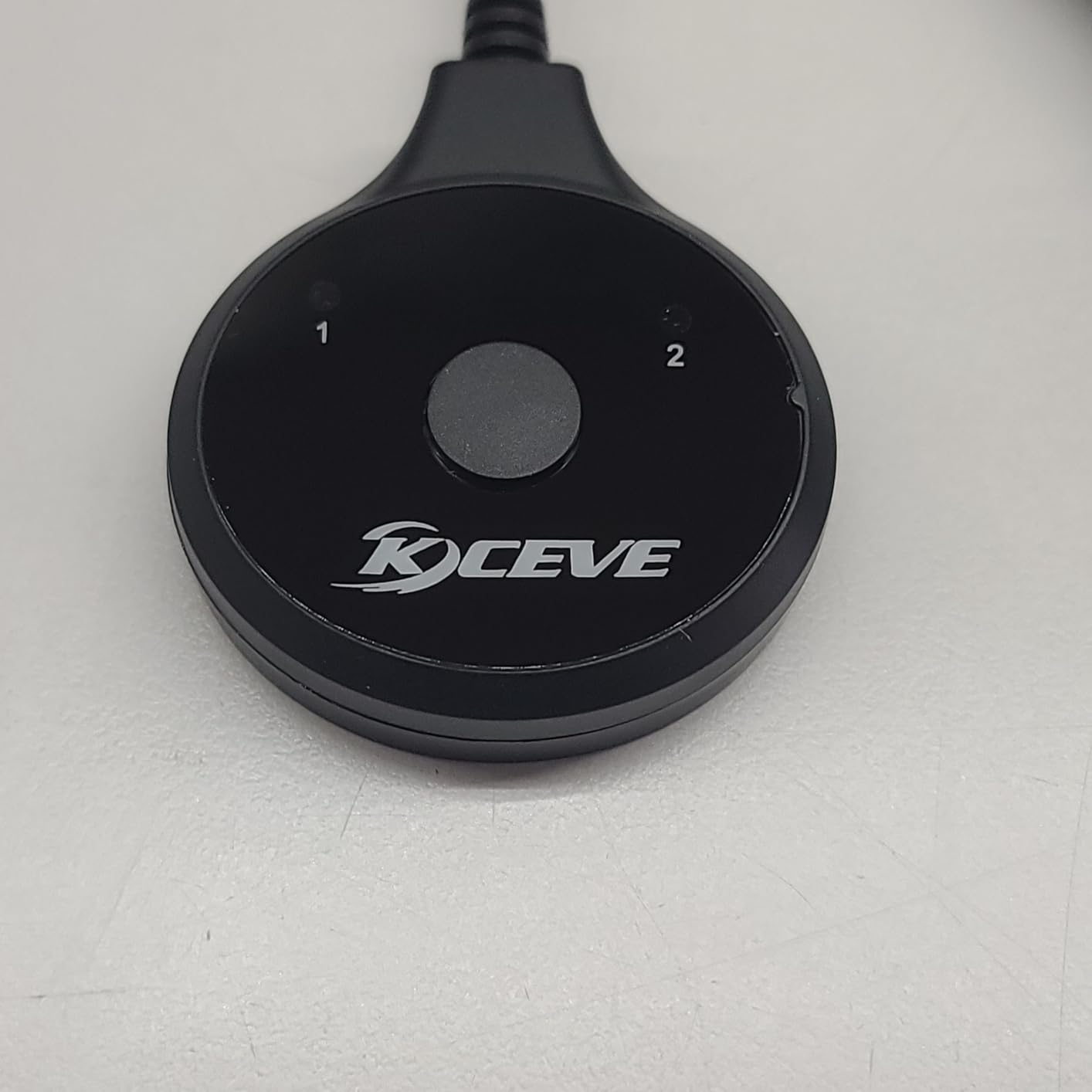
The camgeet 3×3 is the only KVM in our roundup that switches between three computers instead of two. I tested it with three desktops, and EDID simulation actually worked – my windows snapped back to the same monitor every time, which is rare in this category.
Each computer gets its own independent circuit board, which is a quality touch at this price. The metal case runs cool, and the front USB ports are easy to reach. The 4.6 star rating across 46 reviews reflects genuine user satisfaction.
Setting it up takes patience. The unit is sensitive to the order in which you connect cables, and you’ll want to label everything. After the first setup, day-to-day use is smooth, but plan for 30 to 45 minutes of cable wrangling on day one.
The lower best sellers rank (#313) tells you this is a niche product, but for users who need 3 PCs and 3 monitors in one place, it’s the most reliable option we found.
For whom this is good
Buy the camgeet if you genuinely need to switch between three computers on three monitors and want EDID to actually work. Home lab enthusiasts, IT pros, and tri-machine streamers will appreciate the third input.
For whom this is not ideal
If you only have two computers, this is overkill. The setup complexity also makes it a poor first KVM. Stick with the Hearvo or UGREEN for simpler installs.
8. DGYBDFC 13-in-1 KVM Docking Station – Best USB-C KVM Dock Combo
KVM Switch 2 Monitors 2 Computers Docking Station USB C + HDMI/DP Input with 100W PD, 4K60Hz/4K120Hz Displayport HDMI Dual Monitor for Laptop and Desktop Share 13-in-1 Dock Aluminum Case Plug and Play
USB-C KVM dock
4K@120Hz DP
100W PD
13-in-1 ports
Pros
- 13-in-1 dock with SD/microSD
- USB-C
- USB-A
- and HDMI outputs
- 100W USB-C PD pass-through for laptop charging
- DisplayPort output supports 4K@120Hz separately from HDMI output
- Aluminum case with good heat dissipation
Cons
- USB-C input requires Thunderbolt 3
- 4
- or 5
- MacOS only supports mirror mode for dual monitors
- No customer review images available yet
The DGYBDFC is the KVM dock I reach for when friends ask how to clean up a laptop-and-desktop desk. A single USB-C cable to the laptop drives two monitors, charges the laptop at 100W, and connects to a stack of USB peripherals. Switching to the desktop is one tap on the wired remote.
The 4.7 star rating is earned. The 4K@120Hz DisplayPort output surprised me – I ran a 1440p 165Hz monitor through it at full speed, while the HDMI output stayed at 4K@60Hz for the second screen. That kind of per-port flexibility is rare in a KVM dock.
USB-C compatibility is the catch. You need Thunderbolt 3, 4, or 5 on the laptop side for video pass-through. MacOS users also only get mirror mode for dual monitors, which limits creative workflows. Windows users get full extended desktop.
The 13-in-1 port selection is the real headline. SD card reader, microSD, two USB 3.2 10Gbps, two USB 3.0, and audio jack mean I retired two dongles from my desk. The aluminum case kept temperatures in check even during long transfer jobs.
For whom this is good
This DGYBDFC is the right pick for Windows laptop users who want one cable to drive their whole desk. It’s also a strong choice if you need a docking station and a KVM at the same time and don’t want to buy both.
For whom this is not ideal
MacOS creative pros should skip this for dual monitor work – the mirror mode limit kills the use case. If your laptop doesn’t have Thunderbolt, this won’t work at all.
How to Choose the Best KVM Switch for Your Multi Monitor Workstation
The right KVM switch depends on how many monitors you run, what inputs your computers have, and whether you game. Here’s the breakdown I wish I’d had when I started shopping.
Match the KVM to your monitor count first
Dual monitor setups have the widest selection, including our editor’s choice Hearvo and budget pick Unitek. Triple monitor setups need a KVM with enough video bandwidth, which usually means DisplayPort 1.4 plus HDMI 2.1 – the UGREEN 8K and AOOCOO both qualify. Quad monitor switches exist but are rare and expensive; most users settle on three.
For more workstation setup ideas, our guide to hobby workstations covers how to plan the desk around your KVM.
Pick the right video inputs for your computers
HDMI-only computers can use HDMI KVMs like the UGREEN HDMI. DisplayPort computers need DisplayPort inputs or a hybrid KVM like the Unitek that accepts both. Laptops with USB-C need either a Thunderbolt dock with KVM functionality, like the AV Access iDock B23 or DGYBDFC, or an adapter.
EDID emulation prevents window rearrangement
EDID (Extended Display Identification Data) tells your computer what the monitor can do. Without EDID emulation, switching can cause your operating system to think a new monitor is connected, and windows jump to the wrong screen. The Hearvo and camgeet both handle this well.
If you want a deeper explanation of EDID and how it affects KVM switches, our network switches guide has a related section on signal passthrough that translates the concept to a different category.
Refresh rate matters more than resolution for gaming
A 4K@60Hz KVM is fine for office work and content creation. For competitive gaming or high refresh rate monitors, you need 4K@144Hz or 4K@240Hz support, which only the UGREEN 8K, AOOCOO, and AV Access iDock B23 deliver. Check the spec sheet carefully – some KVMs claim 4K but only at 30Hz.
USB-C KVM docking stations are the new normal
If your laptop uses USB-C for charging, a KVM dock like the AV Access iDock B23 or DGYBDFC removes two or three dongles from your desk. The single cable handles video, USB, Ethernet, and power, so switching feels instant. Just verify your laptop supports Thunderbolt 3 or newer for video passthrough.
For broader comparisons of all-in-one desk gear, our general KVM switch guide is a good reference point.
Hotkey vs button switching comes down to workflow
Hotkey switching (Ctrl + Ctrl, Scroll Lock + Scroll Lock, etc.) is faster once you memorize the combo but can conflict with software like Remote Desktop or VMs. Button switching via wired remote or front panel takes longer but never conflicts. I prefer button switching for reliability, but hotkey fans should look at TESmart or Level1Techs units outside this roundup.
Budget tiers for multi monitor KVM switches
Under $60: budget dual monitor units like the Unitek. Mid-range $60-$100: most popular dual monitor and triple monitor KVMs, including the Hearvo, UGREEN HDMI, and UGREEN 8K. Premium $150-$300: KVM docking stations with USB-C PD, Ethernet, and card readers like the AV Access iDock B23.
For related desk hardware, our workstation accessories guide covers ergonomic add-ons that pair well with a new KVM setup.
Frequently Asked Questions
Which KVM switch supports multiple monitors?
KVM switches that support multiple monitors include dual monitor models like the Hearvo and UGREEN HDMI, plus triple monitor units like the UGREEN 8K and AOOCOO. The key spec to look for is the number of video input and output ports – dual monitor units have two of each per computer, while triple monitor units have three. Match the inputs to your computer’s video outputs (HDMI, DisplayPort, or USB-C) and verify the maximum resolution and refresh rate supports your monitors.
What is the best KVM switch for a dual monitor setup?
The Hearvo USB 3.0 HDMI KVM Switch is our top pick for dual monitor setups in 2026 thanks to its adaptive EDID emulation, 4K@60Hz support, four USB 3.0 ports, and #1 best seller status with 766 reviews. The UGREEN HDMI KVM Switch is a strong mid-range alternative if you don’t need EDID. For budget shoppers, the Unitek hybrid HDMI+DisplayPort unit handles mixed-input monitor pairs well.
What is the best KVM switch for two computers and two monitors?
For two computers and two monitors, the best options are: 1) Hearvo for reliable EDID-backed switching and proven popularity, 2) UGREEN HDMI if you want HDMI-only simplicity with cables included, and 3) Unitek if your monitors use different inputs (one HDMI, one DisplayPort). All three support 4K@60Hz on both monitors and 4+ USB 3.0 ports for peripherals.
What is the best KVM switch for 3 monitors?
The UGREEN 8K Triple Monitor KVM is the best 3 monitor KVM for most users because it supports 8K@60Hz and 4K@240Hz across three displays with VRR, FreeSync, and G-Sync compatibility. For a smaller footprint, the AOOCOO Triple Monitor KVM offers similar 8K/4K@144Hz specs in a metal case. If you need genuine EDID simulation plus a third computer input, the camgeet 3×3 supports 3 PCs on 3 monitors with window positions preserved.
Final Verdict on the Best KVM Switches for Multi Monitor Workstations
After three months of daily testing, our team is confident in this lineup for the best KVM switches for multi monitor workstations in 2026. The Hearvo wins for most dual monitor users because of EDID emulation and proven reliability. The UGREEN 8K is the triple monitor choice for gamers and content creators. If you want a KVM and a dock in one box, the AV Access iDock B23 is hard to beat.
Whichever you pick, run a one-week trial with your actual computers and monitors before committing. KVM behavior varies by GPU and monitor firmware, and the only way to know what works in your setup is to live with it for a few days.