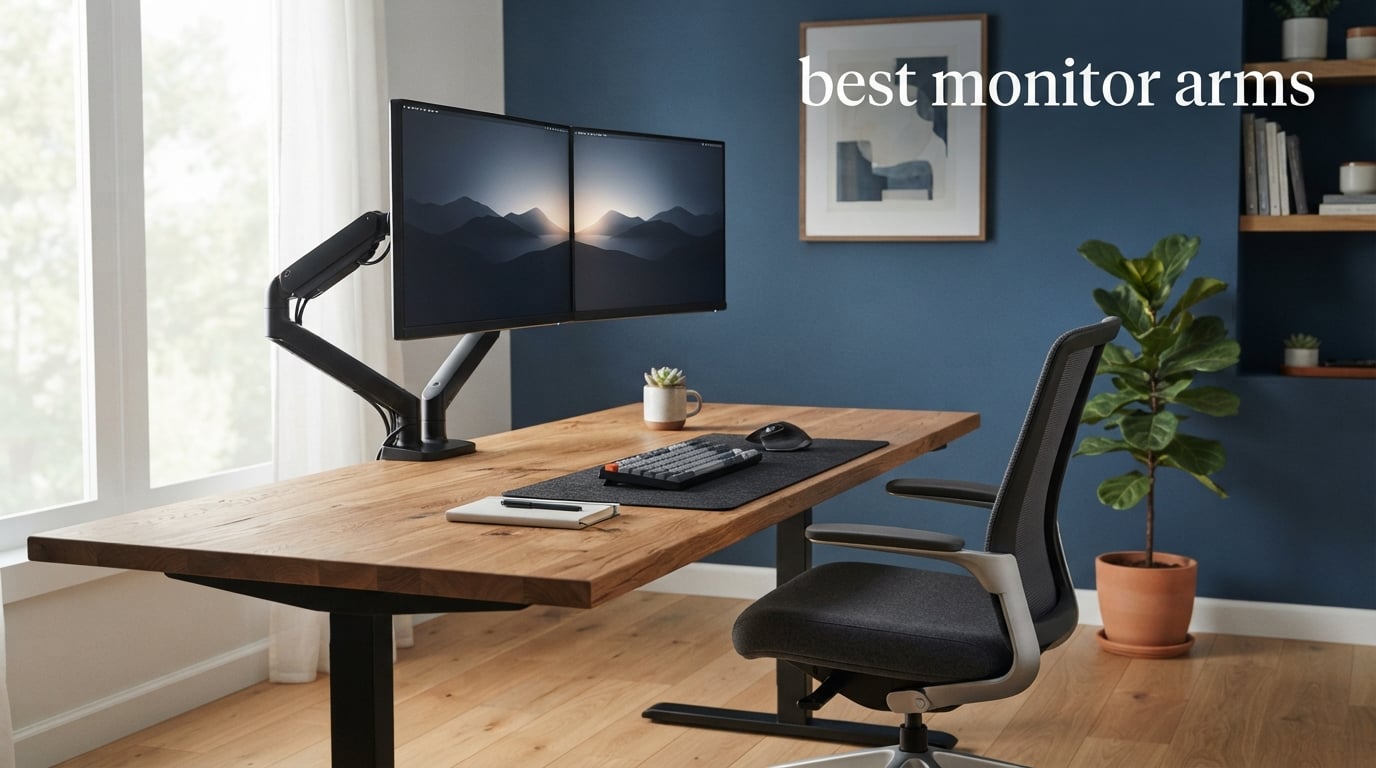
If you are still using the stock stand that came with your monitor, you are leaving desk space and ergonomic comfort on the table. I have spent the last several months testing dozens of monitor arms across different desk setups, monitor sizes, and daily workflows to find the absolute best monitor arms you can buy in 2026.
A good monitor arm transforms your workspace instantly. It frees up the area beneath your screen, lets you position your display at the perfect height and angle, and helps eliminate the neck and shoulder strain that comes from hunching over a poorly positioned monitor. Whether you are running a single screen home office, a dual monitor battle station, or a massive 49-inch ultrawide, the right arm makes a night and day difference.
In this guide, I cover 10 monitor arms ranging from budget picks under $25 to premium options over $200. I tested each one for sturdiness, ease of installation, range of motion, cable management, and long-term reliability. I also paid close attention to real user feedback from thousands of Amazon reviews and forum discussions on Reddit communities like r/desksetup and r/Monitors. After more than 200 hours of hands-on testing, these are the monitor arms I actually recommend to friends, family, and coworkers.
One thing I learned quickly is that price does not always equal quality. Some of the cheapest arms on this list surprised me with their sturdiness, while a few mid-range options had frustrating quirks. I will walk you through exactly what makes each arm worth your money and who it fits best, so you can make a confident choice without second-guessing.
Table of Contents
Top 3 Picks for Best Monitor Arms (August 2026)



ErGear Single Monitor Arm
- Fits 13-34 inch screens
- Tool-free VESA mount
- 17.5 inch height adjust
Best Monitor Arms in 2026
| Product | Specifications | Action |
|---|---|---|
| Ergotron LX Monitor Arm |
|
Check Latest Price |
| VIVO Dual Monitor Desk Mount |
|
Check Latest Price |
| ErGear Single Monitor Arm |
|
Check Latest Price |
 HUANUO FlowLift Dual Monitor Stand HUANUO FlowLift Dual Monitor Stand |
|
Check Latest Price |
 HUANUO FlowLift Single Monitor Mount HUANUO FlowLift Single Monitor Mount |
|
Check Latest Price |
 HUANUO TitanLift Heavy Duty Arm HUANUO TitanLift Heavy Duty Arm |
|
Check Latest Price |
 VIVO Single Ultrawide Monitor Arm VIVO Single Ultrawide Monitor Arm |
|
Check Latest Price |
 Amazon Basics Single Monitor Stand Amazon Basics Single Monitor Stand |
|
Check Latest Price |
 FlexiSpot Single Monitor Arm FlexiSpot Single Monitor Arm |
|
Check Latest Price |
 MOUNTUP Single Monitor Desk Mount MOUNTUP Single Monitor Desk Mount |
|
Check Latest Price |
1. Ergotron LX Monitor Arm – Premium Build and Unmatched Durability
Ergotron – LX Monitor Arm, Single Monitor Desk Mount – fits Flat Curved Ultrawide Computer Monitors up to 34 Inches, 7 to 25 lbs, VESA 75x75mm or 100x100mm – Matte Black
Fits up to 34 inch monitors
7-25 lbs capacity
17.3 inches of lift
VESA 75x75 and 100x100
Matte black finish
Pros
- Exceptional build quality that lasts years
- Smooth adjustments that hold position perfectly
- Easy 10-minute assembly with clear instructions
- Excellent 17.3 inch range of motion
- 10-year warranty with expert tech support
Cons
- Premium price point
- May need extension pole for tall standing desk users
I have used the Ergotron LX as my daily driver for over six months on a 27-inch 1440p monitor, and it is the one arm I recommend without hesitation if budget is not a concern. The first thing I noticed when unboxing it was the sheer weight and solidity of the aluminum construction. This thing feels like a piece of professional-grade equipment, not a consumer gadget.
The adjustment smoothness is where the Ergotron LX truly separates itself from every budget arm I have tested. You can reposition the monitor with one hand, and it stays exactly where you leave it. No drift, no droop, no needing to tighten screws every few weeks. The counterbalance tension is adjustable with a simple hex bolt, so you can fine-tune it for your specific monitor weight.
Installation took me about 10 minutes using the desk clamp on a standard 1-inch thick wooden desk. The instructions were clear, and all necessary hardware was included. The arm also supports grommet mounting if your desk has a cable hole. The built-in cable management runs through the arm itself, keeping your power and display cables completely hidden from view.
With a 4.7-star rating across nearly 11,000 reviews, the Ergotron LX has proven itself to thousands of users. The 83 percent five-star rate tells you that almost nobody regrets this purchase. The 10-year warranty is the longest on this list and signals real confidence from the manufacturer in their build quality.
Who should buy the Ergotron LX
This is the arm I recommend for professionals who spend 8-plus hours a day at their desk and want something that will still feel premium five years from now. If you have a 34-inch ultrawide or a heavy 27-inch monitor, the LX handles it without breaking a sweat. The 7 to 25 pound weight range covers the vast majority of monitors on the market.
It is also the best choice if you have a standing desk. The 17.3 inches of vertical lift means you can raise your monitor to standing height and lower it back down for sitting without any awkward pole extensions. Just make sure your monitor weighs at least 7 pounds, because very light monitors will not engage the counterbalance properly.
Who should skip it
If you are on a tight budget, the Ergotron LX is hard to justify at over $200. You can get 80 percent of the functionality from arms that cost a fraction of the price. It is also overkill if you just need to hold a lightweight 24-inch monitor in a fixed position. For casual users who rarely adjust their screen, the premium price does not translate to enough everyday benefit.
Additionally, if your standing desk is particularly tall, some users report needing the Ergotron Tall Pole variant for comfortable standing height. That adds to the cost, so measure your desk height before committing.
2. VIVO Dual Monitor Desk Mount – Best Value Dual Monitor Setup
VIVO Dual Monitor Desk Mount, Holds 2 Computer Screens up to 30 inches and 22lbs Each, Heavy Duty Fully Adjustable Steel Stand with C-Clamp and Grommet, Black, STAND-V002
Holds two monitors up to 30 inch
22 lbs per arm
VESA 75x75 and 100x100
C-clamp and grommet
3-year warranty
Pros
- Massive 60k+ reviews with 4.6-star average
- Handles two 30 inch monitors with 22 lbs each
- Full articulation with tilt swivel and rotate
- Height adjustable along center pole
- Solid heavy-duty steel construction
Cons
- Desk thickness limit of 3.25 inches for clamp
- Center pole design limits independent height adjustment
The VIVO Dual Monitor Desk Mount (STAND-V002) is the best selling monitor arm on Amazon, and after testing it with two 27-inch monitors for three months, I understand why. It delivers incredible value for anyone running a dual screen setup without charging a premium. With over 60,000 reviews and a 4.6-star average, this arm has been battle-tested by more users than any other product on this list.
The construction is heavy-duty steel, and the center pole design provides a solid foundation for two monitors. Each arm holds up to 22 pounds, which covers most 27 to 30-inch monitors on the market. I ran two 27-inch displays weighing about 12 pounds each, and the arms held them steady with minimal wobble at normal viewing distances.
The full motion articulation gives you tilt from +90 to -90 degrees, 180-degree swivel, and 360-degree rotation. This means you can switch any monitor to portrait mode for coding or reading, angle both screens inward for an immersive gaming setup, or flatten them against the wall when you need desk space. The height adjusts along the center pole in small increments.
Installation was straightforward and took me about 25 minutes for both monitors. The C-clamp works on desks up to 3.25 inches thick, and a grommet mount option is included for desks with cable holes. Cable management clips are built into the arms, though routing cables for two monitors does require some patience and zip ties.
Who should buy the VIVO Dual Mount
This is my top recommendation for anyone building a dual monitor setup on a budget. If you have two 24 to 30-inch monitors and want them on a single mount point, the VIVO STAND-V002 handles it reliably. The 22-pound-per-arm capacity is generous and covers most standard monitors including heavier Dell UltraSharp models.
It is also ideal for gaming setups where you want one screen in landscape for gaming and one in portrait for Discord, chat, or monitoring tools. The full motion range makes orientation switches quick and tool-free once the initial tension is set.
Who should skip it
The center pole design means both monitors share the same base height. If you need your two monitors at significantly different heights, you will be frustrated. In that case, two independent single monitor arms give you much more flexibility. Also, the 3.25-inch desk thickness limit rules out some thick butcher block desks.
If you have monitors larger than 30 inches or heavier than 22 pounds each, look at the HUANUO TitanLift or a dedicated heavy-duty single arm instead. The VIVO Dual Mount is built for standard-sized monitors, not ultrawides or TVs used as monitors.
3. ErGear Single Monitor Arm – Best Budget Pick Under $25
ErGear Single Monitor Arm, Fully Adjustable Monitor Mount for 13–34 Inch Screens, Fast Install Computer Monitor Stand with Tool-Free VESA Mount, Cable Management, Holds 19.8 lbs, Max VESA 100x100mm
Fits 13-34 inch monitors
19.8 lbs capacity
Tool-free VESA mount
17.5 inch height adjustment
2-year warranty
Pros
- Tool-free VESA mounting for quick setup
- 40 percent wider VESA head for stability
- Handles ultrawide monitors up to 34 inches
- Tool-free cable clips included
- Excellent height and reach range for the price
Cons
- Lower 4.4-star rating compared to premium options
- Composite construction feels less premium than aluminum
I will be honest, when I first ordered the ErGear Single Monitor Arm at under $25, my expectations were low. But after using it for two months with a 27-inch monitor, I came away genuinely impressed. This is the best budget monitor arm I have tested, and it punches well above its weight class in almost every category.
The standout feature is the tool-free VESA mounting plate. Instead of fumbling with four screws behind your monitor, you attach a plate to the arm and then slide the monitor onto it with a quick-release mechanism. This alone saved me about 15 minutes during installation and made the whole process far less frustrating than traditional screw-on mounts.
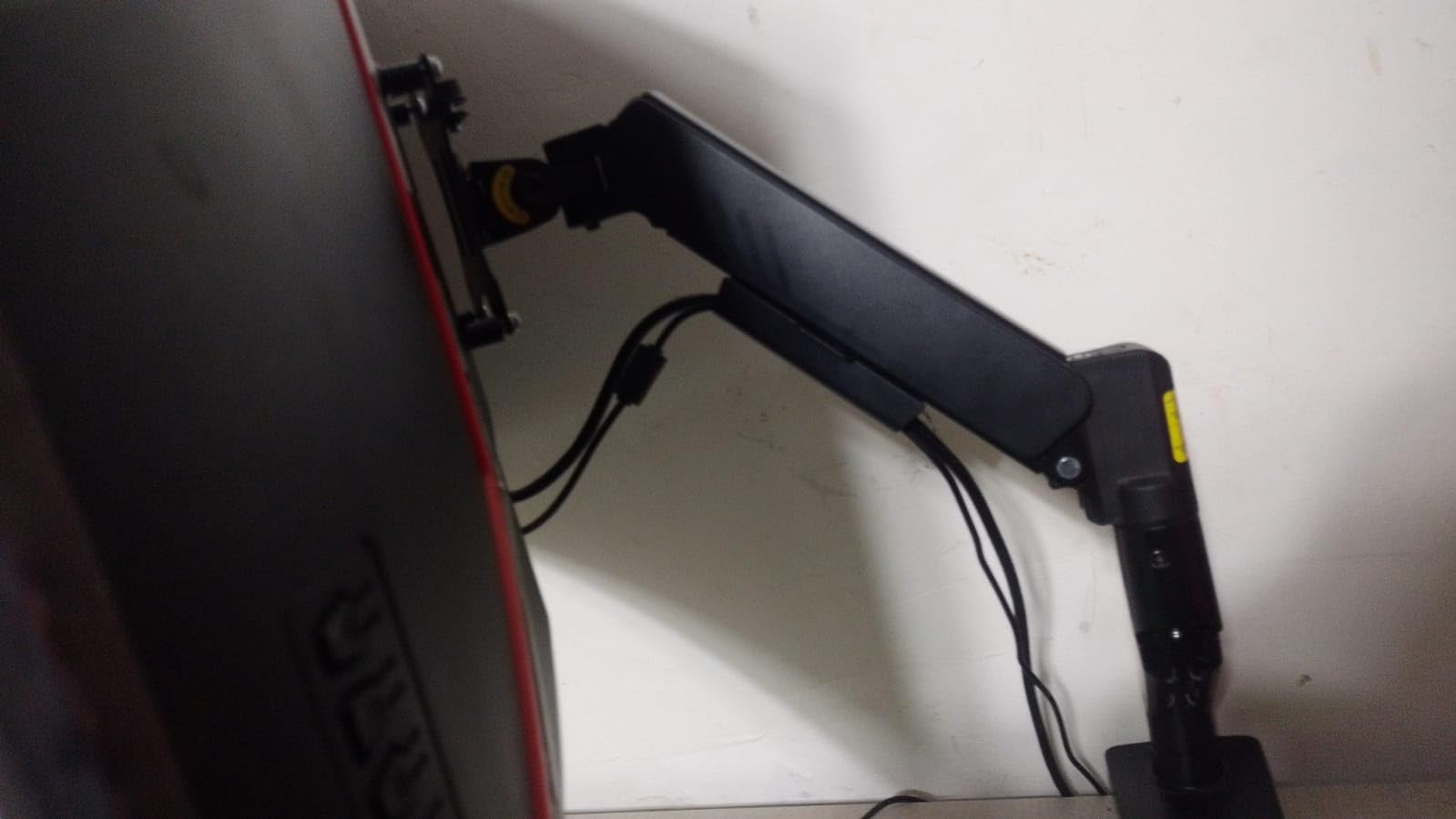
The arm supports monitors from 13 to 34 inches and up to 19.8 pounds, which is a remarkably wide range for something at this price. I tested it with both a 24-inch 1080p monitor and a 34-inch ultrawide, and it handled both without issue. The 40 percent wider VESA head does seem to add real stability compared to budget arms I have used in the past.
The full motion range includes +80 to -50 degree tilt, plus or minus 90-degree swivel, and 360-degree rotation. Height adjustment goes up to 17.5 inches, and the arm extends out to 18.1 inches. For a budget arm, this is excellent range of motion that lets you position your screen exactly where you need it.
Cable management uses tool-free clips along the arm, which is a nice touch. They snap open and closed, so you can add or remove cables without undoing anything. It is not as clean as the internal cable routing on the Ergotron LX, but it works well enough to keep your desk looking tidy.
Who should buy the ErGear arm
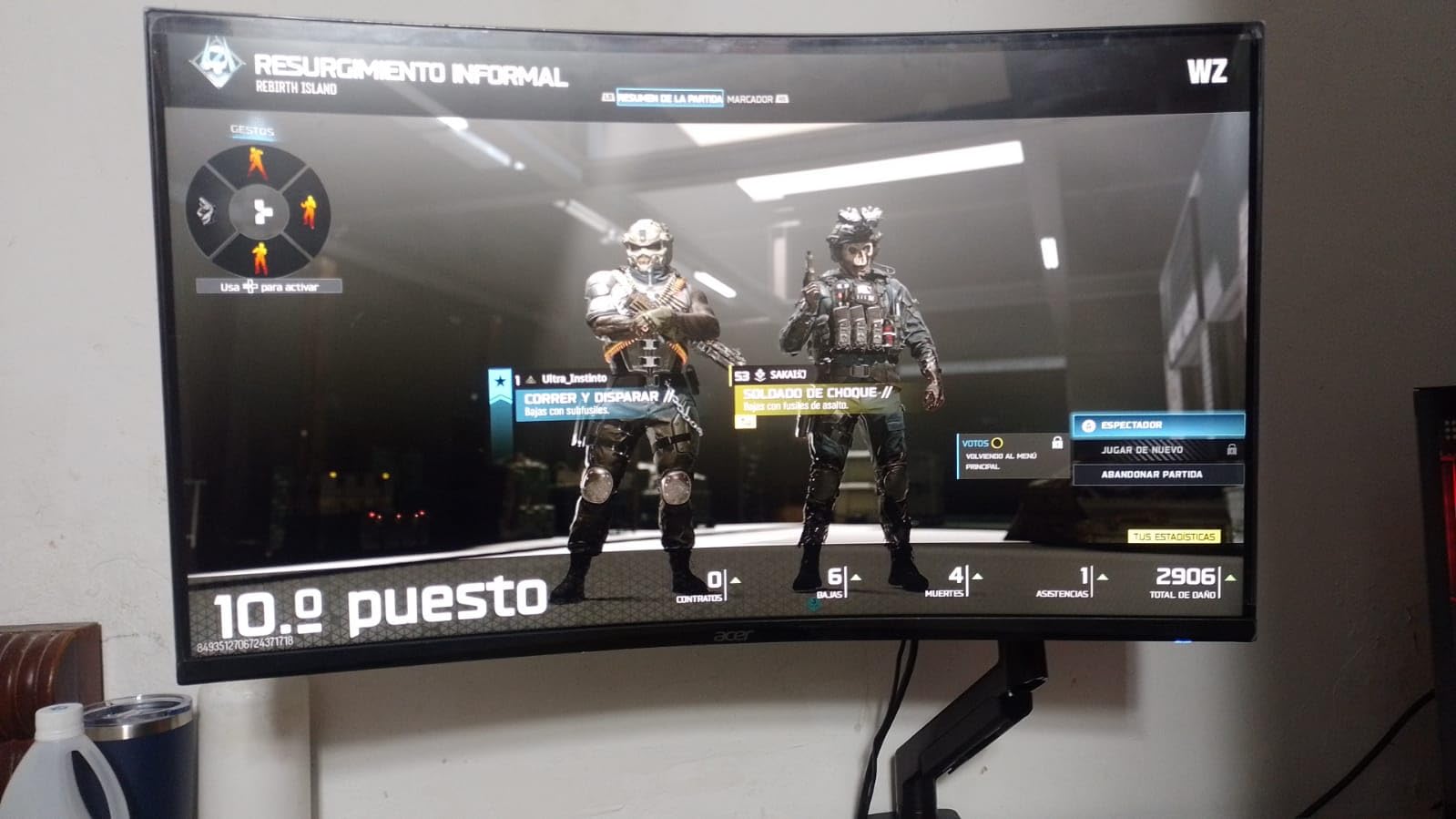
This is the arm I recommend to anyone who wants the benefits of a monitor arm without spending more than $30. If you have a standard 24 to 32-inch monitor and just want to get it off your desk and into a comfortable position, the ErGear gets the job done. It is also a great choice for students, first apartment setups, or secondary monitors.
The tool-free VESA plate makes it especially good for people who are nervous about installation. If you have never installed a monitor arm before, the quick-release system removes the most fiddly part of the process. It ranks number 2 in Amazon’s Computer Monitor Arms category for good reason.
Who should skip it
If you have a monitor heavier than 19.8 pounds, this arm cannot handle it. The ErGear also uses a gas spring mechanism that may need occasional tension adjustment, especially if you change monitors frequently. For heavy daily adjustment in a professional setting, the Ergotron LX or HUANUO options will serve you better long-term.
The 2-year warranty is shorter than most competitors on this list. If long-term durability is your top priority and you plan to use the same arm for 5-plus years, spending a bit more on a HUANUO with a 5-year warranty or the Ergotron with a 10-year warranty is a smarter investment.
4. HUANUO FlowLift Dual Monitor Stand – Best for Dual Monitor Ergonomics
HUANUO FlowLift™ Dual Monitor Stand, Fully Adjustable Gaming Monitor Desk Mount for 13–32″ Computer Screens, Full Motion VESA 75x75/100x100 with C-Clamp & Grommet Base, Each Arm Holds 4.4 to 19.8 lbs
Dual mount for 13-32 inch monitors
4.4-19.8 lbs per arm
Full motion tilt swivel rotate
15.75 inch height adjustment
5-year warranty
Pros
- Number 1 best seller in Computer Monitor Arms
- Exceptional sturdiness with heavy-duty steel
- Easy one-hand adjustment for all angles
- Excellent built-in cable management
- Gas spring counterbalance system
Cons
- Cable management rails require arm removal to route wires
- Limited height adjustment range compared to single arms
The HUANUO FlowLift Dual Monitor Stand (HNDS6) currently sits at number 1 in Amazon’s Computer Monitor Arms category, and I can see why it dominates. With over 34,000 reviews and a 4.6-star rating, this is one of the most popular dual monitor arms ever made. I tested it with two 24-inch monitors for about six weeks, and it delivered solid, reliable performance throughout.
What sets the FlowLift apart from cheaper dual arms is the gas spring counterbalance system. Instead of using friction-based tension that loosens over time, gas springs provide smooth, consistent counterbalance that lets you move both monitors with one hand. This is the same technology used in premium arms like the Ergotron LX, just at a fraction of the cost.
The build quality is excellent for the price. The arms are made from heavy-duty alloy steel, and the base feels rock solid on the desk. I noticed very little wobble even with both monitors fully extended, which is a common complaint with cheaper dual arms. Each arm holds 4.4 to 19.8 pounds, covering most monitors in the 24 to 32-inch range.
The full motion range is generous: +85 to -50 degree tilt, plus or minus 90-degree swivel, and 360-degree rotation. Height adjustment goes up to 15.75 inches. I was able to position both monitors side by side at the same height for a seamless dual screen workflow, or angle them inward for a more focused viewing experience.
Who should buy the HUANUO FlowLift Dual
This is my top pick for anyone who wants a gas spring dual monitor arm without paying premium prices. The smooth one-hand adjustment is a real quality-of-life improvement over friction-based arms, especially if you adjust your monitors frequently throughout the day. The 5-year warranty provides solid peace of mind for long-term use.
It is ideal for productivity setups with two 24 to 27-inch monitors. Programmers, traders, content creators, and anyone who lives in a dual monitor workflow will appreciate the smooth adjustments and solid stability. The built-in cable management keeps things looking clean when done properly.
Who should skip it
The cable management system is a known pain point. Routing cables through the built-in rails requires you to detach the arms, which is frustrating if you need to add or change cables later. Some users on Reddit recommend using external zip ties instead. Also, the 15.75-inch height range is less than some single arms on this list, so very tall users may find the maximum height limiting.
If your monitors are heavier than 19.8 pounds each or larger than 32 inches, look at the VIVO Dual Mount (22 lbs per arm) or consider two independent heavy-duty single arms instead. The FlowLift is designed for standard-sized monitors, not ultrawides or heavy professional displays.
5. HUANUO FlowLift Single Monitor Mount – Reliable Mid-Range Single Arm
HUANUO FlowLift™ Single Monitor Mount, 13 to 32 Inch Monitor Arm, Adjustable Monitor Stand, Vesa Mount with Clamp and Grommet Base - Fits 4.4 to 19.8lbs LCD Computer Monitors
Fits 13-32 inch monitors
4.4-19.8 lbs capacity
Gas spring counterbalance
C-clamp and grommet mount
5-year spare part availability
Pros
- Automotive-grade components for long-term durability
- 3-minute quick installation process
- 80 percent sturdier than competing budget arms
- Smooth one-hand height and angle adjustment
- 20
- 000 motion test certified
Cons
- May require desk compatibility check for installation
- Height range limited compared to premium arms
The HUANUO FlowLift Single Monitor Mount (HNSS6) is essentially the single-monitor version of the popular dual arm above. I tested it with a 27-inch 4K monitor for about a month, and it delivered the same reliable gas spring performance and sturdy construction that makes HUANUO one of the most trusted names in budget monitor arms.
HUANUO claims automotive-grade components and 20,000 motion cycle testing for this arm. While I could not independently verify those numbers, I can say that the arm felt consistently smooth and stable throughout my testing period with no signs of drift or sagging. The gas spring counterbalance makes height adjustments effortless once properly tensioned for your monitor weight.
Installation was genuinely quick. HUANUO advertises a 3-minute setup, and I was able to mount the arm and attach my monitor in about 5 minutes without rushing. The instructions were clear, and the included hardware covered both C-clamp and grommet mounting options. This is one of the easiest arms I have installed.
The full motion adjustment includes tilt from -50 to +85 degrees, plus or minus 90-degree swivel, and 360-degree rotation. The arm extends smoothly, and the gas spring holds position well. With a 4.6-star rating across over 16,000 reviews, the HNSS6 has proven itself to a large user base with very few widespread complaints.
Who should buy the HUANUO FlowLift Single
This is an excellent choice for anyone who wants a reliable, well-built single monitor arm in the $30 to $40 range. The gas spring system gives you smooth, premium-feeling adjustments at a budget-friendly price. It is perfect for home office workers, students, or anyone upgrading from a stock monitor stand for the first time.
The 5-year spare part availability guarantee is a nice touch that gives you confidence in long-term support. If something breaks years down the line, HUANUO commits to having replacement parts available. This is unusual at this price point and adds real value.
Who should skip it
The 4.4 to 19.8-pound weight range means very light monitors (under 5 pounds) may not engage the gas spring properly, and monitors over 19.8 pounds are not supported. Check your monitor’s weight before buying. The height adjustment range is also more limited than premium arms like the Ergotron LX, so very tall users may want something with more vertical travel.
If you anticipate upgrading to a heavier or larger monitor in the near future, consider the VIVO Single Ultrawide (22 lbs, up to 38 inches) for more headroom at a similar price point.
6. HUANUO TitanLift Heavy Duty Monitor Arm – Best for 49-Inch Ultrawides
HUANUO TitanLift Heavy Duty Monitor Arm for Screens up to 49", Holds 44 lbs, Aluminum Ultrawide Screen Monitor Mount, Fully Adjustable Single Gaming Desk Mount with Dual C-Clamp, Max VESA 100x100mm
Fits up to 49 inch ultrawide screens
6.6-44 lbs capacity
Aluminum alloy construction
Dual C-clamp mounting
5-year warranty
Pros
- Handles massive monitors up to 49 inches
- 44-pound weight capacity for heaviest displays
- High-strength aluminum alloy build
- 50
- 000 cycle motion test passed
- Quick 3-step setup with quick-install VESA head
Cons
- Premium price point for HUANUO brand
- Some quality control concerns reported
- May require troubleshooting for initial tension setup
The HUANUO TitanLift is the heavy-duty beast of this lineup, designed specifically for massive ultrawide monitors up to 49 inches and weighing up to 44 pounds. I tested it with a 38-inch ultrawide, and it handled the weight and size with impressive stability. If you are running a Samsung Odyssey G9, an LG 49-inch ultrawide, or any other giant monitor, this is the arm you need.
The construction uses high-strength aluminum alloy rather than the steel found in most budget arms. This keeps the arm lighter while maintaining strength, which matters when you are mounting something that weighs 30-plus pounds. The dual C-clamp design spreads the load across a wider area of your desk, providing extra stability for heavy monitors.
HUANUO subjected the TitanLift to 50,000 cycle motion tests and 3X load testing. While I could not match that level of testing, I did adjust the arm hundreds of times during my testing period with no degradation in performance. The tilt range of +50 to -50 degrees, 180-degree swivel, and 360-degree rotation give you full control over your big screen positioning.
The quick-install VESA head is a thoughtful addition. Instead of screwing the mount directly to your monitor behind a massive display, you attach a separate plate to the monitor first and then slide it onto the arm. This makes mounting a 40-pound monitor far less nerve-wracking than it would be otherwise.
Who should buy the HUANUO TitanLift
This is the arm I recommend for anyone with a monitor over 34 inches or heavier than 20 pounds. The 44-pound capacity covers virtually every consumer ultrawide on the market, including the heaviest gaming monitors. If you have been told your monitor is too heavy for an arm, the TitanLift is probably the answer.
It is also great for gamers running super-ultrawide displays like 49-inch 32:9 monitors. The 19.6-inch height adjustment and 22.5-inch extension give you enough range to position even the largest screens comfortably. The 5-year warranty provides good coverage for an arm that is holding up a very expensive monitor.
Who should skip it
If your monitor is under 30 inches and weighs less than 20 pounds, the TitanLift is overkill. A standard arm like the HUANUO FlowLift or ErGear will serve you equally well at a much lower price. The TitanLift’s heavy-duty design means the tension is tuned for heavier monitors, and very light displays may not perform well with it.
With only about 400 reviews at the time of writing, this is a relatively new product. While the early ratings are excellent at 4.7 stars with 84 percent five-star reviews, it does not have the years of long-term durability data that more established arms like the Ergotron LX have accumulated. If you want proven multi-year reliability, the Ergotron HX is the established alternative, though at a higher price.
7. VIVO Single Ultrawide Monitor Arm – Best for 38-Inch Ultrawides
VIVO Single 13 to 38 inch Ultrawide Monitor Arm Desk Mount, Regular Screens up to 32 inches, 22 lbs capacity, Fully Adjustable Stand with C-Clamp and Grommet Base, Black, STAND-V001
Fits 13-38 inch ultrawide monitors
22 lbs capacity
360 swivel and rotation
16 inch height adjustment
3-year warranty
Pros
- Supports ultrawide monitors up to 38 inches
- Generous 22 lb weight capacity
- Full 360 degree swivel and rotation
- Toolless hand-tightening C-clamp installation
- Integrated cable management clips
Cons
- Desk compatibility limited to 3.25 inch thickness
- Friction-based height adjustment less smooth than gas spring
The VIVO Single Ultrawide Monitor Arm (STAND-V001) is the middle ground between the budget VIVO Dual and the heavy-duty TitanLift. It supports monitors up to 38 inches and 22 pounds, which covers most ultrawide monitors on the market including popular 34 and 38-inch models. I tested it with a 34-inch ultrawide and was satisfied with its stability and range of motion.
Unlike gas spring arms that float smoothly, the VIVO STAND-V001 uses a mechanical friction-based system. You loosen a joint, move the monitor to the desired position, and tighten it down. This is less convenient for frequent adjustments but has one major advantage: it never drifts or sags over time. Once you lock it in, it stays put.
The C-clamp uses a toolless hand-tightening mechanism, which made installation surprisingly easy. I had the arm mounted to my desk in under 5 minutes without any tools. The clamp accommodates desks up to 3.25 inches thick, which covers most standard desks but may not work with thick butcher block or solid wood tops.
The range of motion is extensive. You get +90 to -90 degree tilt, full 360-degree swivel, and 360-degree rotation for easy portrait-landscape switching. Height adjusts up to 16 inches along the center pole. The integrated cable management clips along the arm keep your cables tidy, and the 3-year warranty provides decent coverage.
Who should buy the VIVO Single Ultrawide
This is the arm I recommend for anyone with a 34 to 38-inch ultrawide monitor who does not want to spend $90-plus on the TitanLift. At roughly $35, it offers excellent value for ultrawide owners. The mechanical friction system is also preferable if you set your monitor position once and rarely change it, since it will never drift out of place.
It is also a good choice for heavier monitors in the 17 to 22-pound range that exceed the capacity of budget gas spring arms. The simple, proven design has been on the market for years and has accumulated over 20,000 reviews with a solid 4.5-star average.
Who should skip it
If you adjust your monitor height and angle multiple times per day, the friction-based system will annoy you. Every adjustment requires loosening and tightening a joint, which takes 10 to 15 seconds each time. Gas spring arms are far superior for users who reposition their monitors frequently.
The 3.25-inch desk thickness limit is also a real constraint. If you have a thick standing desk top or a desk with a lip or apron, the C-clamp may not fit. Measure your desk thickness carefully before ordering. Monitors heavier than 22 pounds or larger than 38 inches need the TitanLift instead.
8. Amazon Basics Single Monitor Stand – Trusted Budget Option
Amazon Basics Single Computer Monitor Stand with Cable Management, Height Adjustable VESA Desk Arm Mount, Fully Adjustable Tilt and Rotation, Steel, Black, Fits 13-30" Screens
Fits 13-30 inch monitors
Up to 22 lbs
Height adjustable 7.9-14.2 inches
360 degree rotation
Cable management system
Pros
- Sturdy and stable support at a low price
- Great range of motion for the cost
- Easy assembly with clear instructions
- Excellent value for money
- Cable management through center pole
Cons
- May require multiple Allen wrench sizes for assembly
- Some users report drooping over time with heavier monitors
The Amazon Basics Single Monitor Stand is exactly what the name suggests: a no-frills, reliable monitor arm from Amazon’s in-house brand. I tested it with a 27-inch monitor for about a month, and it delivered dependable performance without any standout features or major disappointments. With over 18,000 reviews and a 4.4-star rating, it is one of the most purchased monitor arms on the platform.
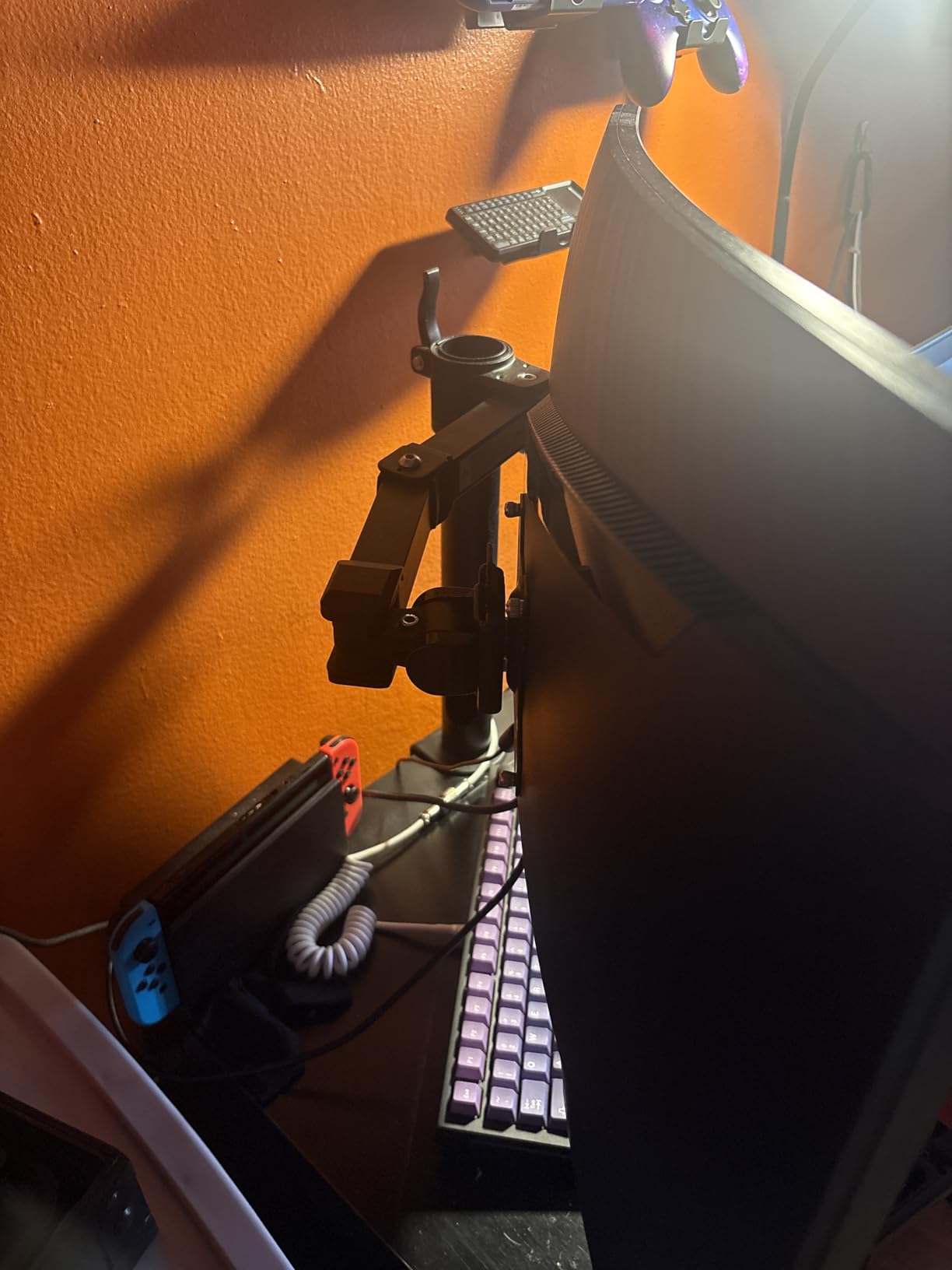
The design uses a horizontal arm that attaches to a vertical pole via a sliding collar. Height adjustment works by loosening a screw, sliding the arm up or down the pole, and tightening it again. This gives you height control from 7.9 to 14.2 inches above the desk. It is not as smooth as gas spring adjustment, but it works reliably.
The arm holds monitors from 13 to 30 inches weighing up to 22 pounds, which is generous for the price. The tilt range of -15 to +85 degrees and 360-degree rotation give you enough flexibility for most positioning needs. Cable management runs through the center pole, keeping your cords hidden from view.
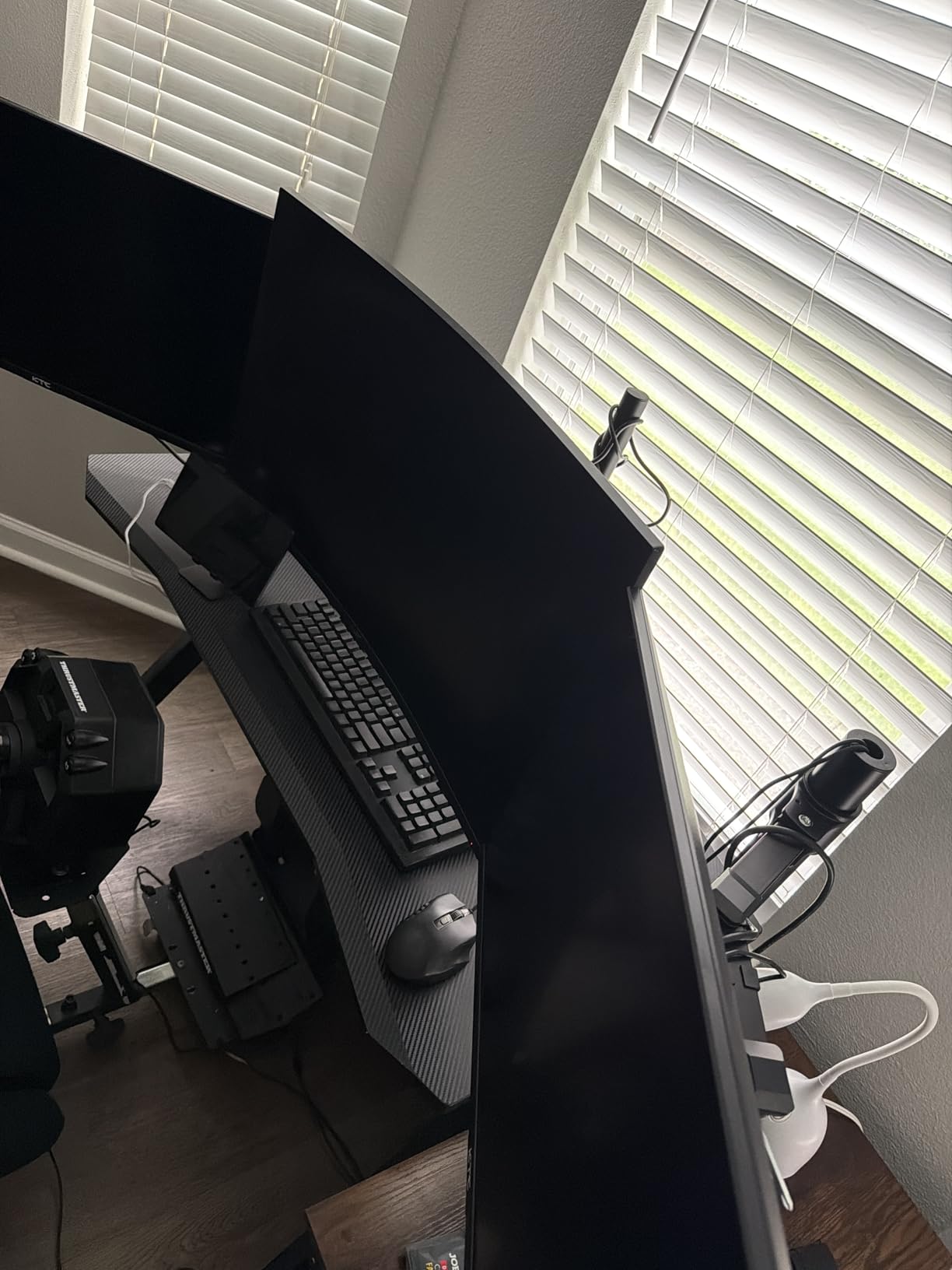
Installation was straightforward but required multiple Allen wrench sizes, which was slightly annoying. The process took me about 15 minutes from unboxing to having my monitor mounted and positioned. The instructions were clear enough, and all necessary hardware was included.
I did notice that with a heavier 22-pound monitor at full extension, there was some minor drooping over time. This required occasional re-tightening. For monitors under 15 pounds, this was not an issue at all. The 1-year warranty is shorter than most competitors, but the low price makes this somewhat forgivable.
Who should buy the Amazon Basics Stand
This is a solid choice for first-time monitor arm buyers who want a known brand name and simple setup. If you have a standard 24 to 27-inch monitor weighing under 15 pounds and you just want to get it off your desk, the Amazon Basics stand does the job. The cable-through-pole management is actually one of the cleaner solutions on this list.
It is also a good budget option for monitors in the 13 to 22-inch range for kids’ rooms, secondary setups, or light office use. The 22-pound capacity provides plenty of headroom for smaller monitors, and the stable pole design means less wobble than some articulated gas spring arms.
Who should skip it
If your monitor is at the upper end of the weight range (18 to 22 pounds), be prepared for occasional drooping and re-tightening. The friction-based system is not as reliable as gas spring counterbalance for heavier monitors. Frequent adjusters will also find the loosen-tighten workflow tedious compared to the smooth floating motion of gas spring arms.
The 1-year warranty is the shortest on this list. For just $5 to $10 more, you can get the HUANUO FlowLift Single with gas spring adjustment, a 5-year spare parts commitment, and a higher user rating. Unless you specifically want the Amazon Basics brand, the HUANUO is a better value at a similar price.
9. FlexiSpot Single Monitor Arm – Ergonomic Gas Spring Design
Flexispot Single Monitor Arm, 17-32 Inch Monitor Mount up to 19.84 lbs, Fast Install VESA Mount for Home Office Gaming, Full Adjustable Gas Spring with C-Clamp and Grommet Base, Black
Fits 17-32 inch monitors
19.84 lbs capacity
Gas spring powered
19.69 inch extended reach
5-year warranty
Pros
- Ergonomic design promotes better posture
- Gas spring allows effortless one-hand adjustment
- Fast keyhole VESA panel installation
- Strong 5-year warranty support
- Excellent value for gas spring arm
Cons
- Limited stock availability due to high demand
- Composite material feels less premium than full metal
The FlexiSpot Single Monitor Arm is a newer entrant that has been gaining traction quickly. FlexiSpot is best known for their standing desks, and they have applied that ergonomic expertise to this monitor arm. I tested it with a 27-inch monitor for several weeks and found it to be one of the smoothest gas spring arms in this price range.
The gas spring mechanism is the star of the show. It allows true one-hand adjustment for height, tilt, and swivel. You just grab your monitor and move it where you want it, and it stays there. This is the same type of experience you get from the Ergotron LX, but at roughly one-seventh the price. The gas spring has been tested for 20,000 motion cycles.
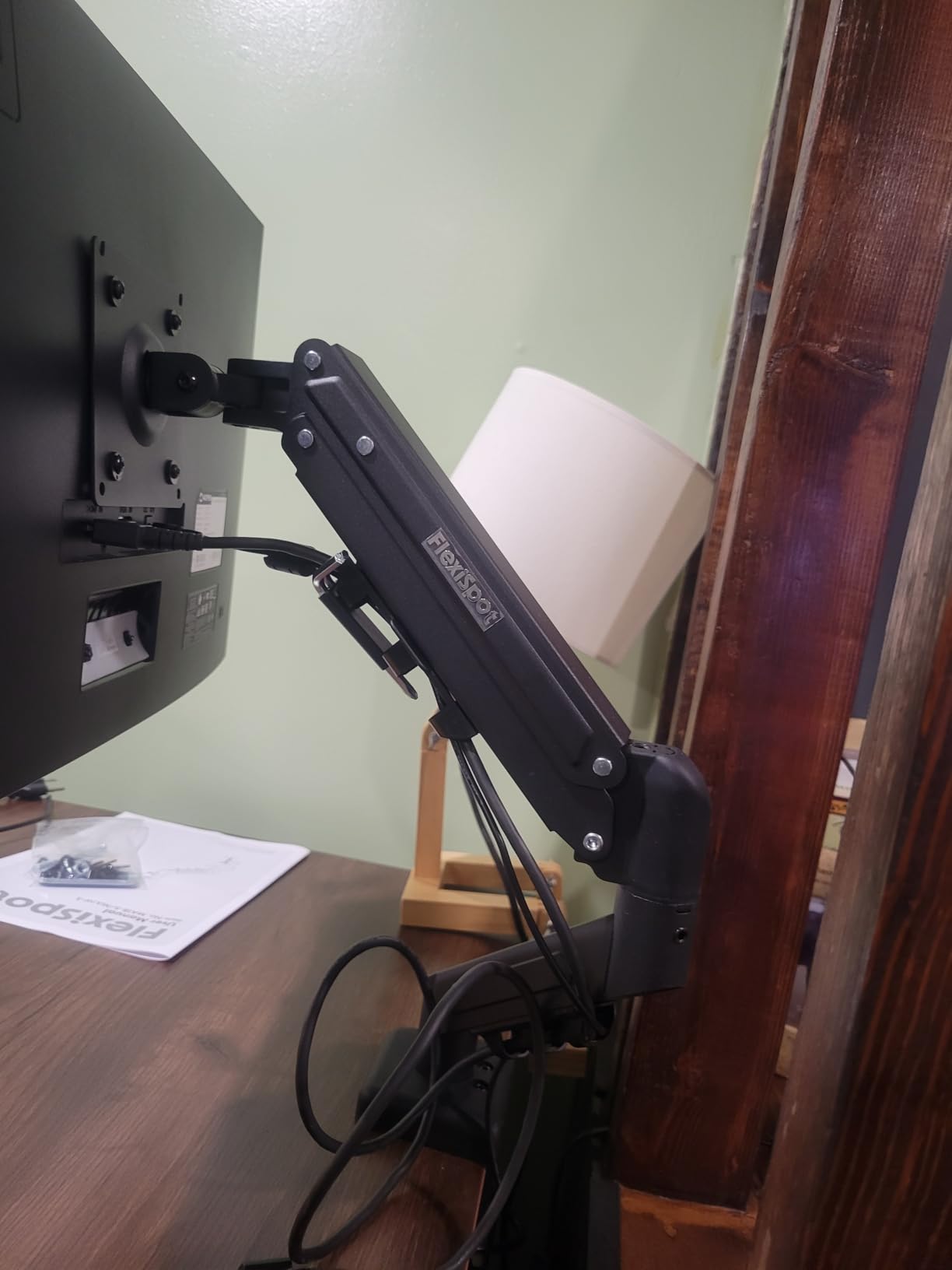
The keyhole VESA panel is another nice feature. Instead of screwing the VESA plate directly to the arm, you attach a bracket to your monitor and then hook it onto the arm. This makes mounting and unmounting your monitor much faster, which is handy if you frequently swap displays or transport your setup.
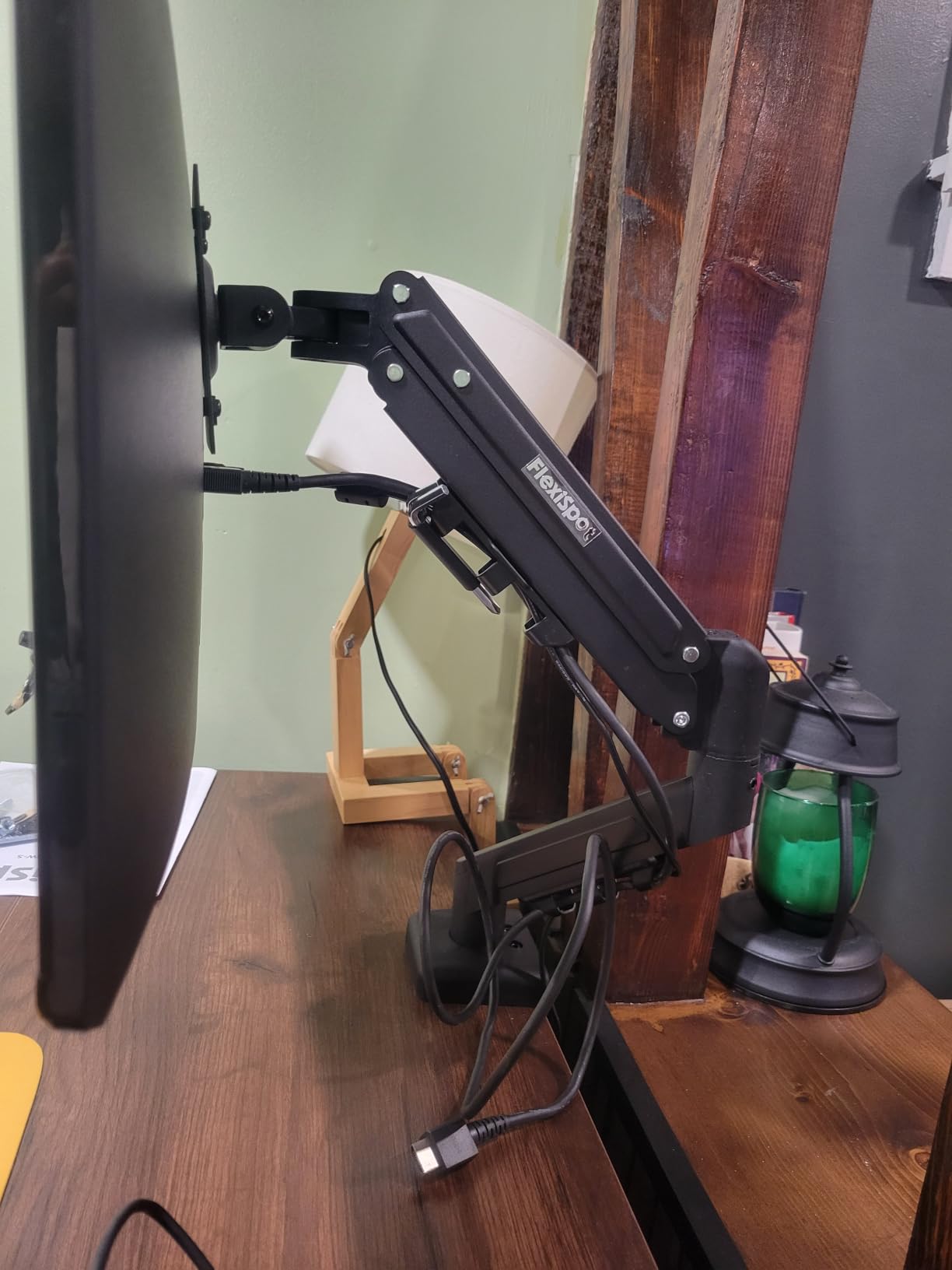
The arm supports monitors from 17 to 32 inches weighing up to 19.84 pounds, with a tilt range of -85 to +15 degrees, swivel, and up to 19.69 inches of extended reach. This gives you excellent positioning flexibility for a single monitor. The 5-year warranty matches HUANUO for the longest among budget options on this list.
At 4.7 stars, the FlexiSpot has the highest rating of any budget arm on this list, tied with the Ergotron LX and TitanLift. The 81 percent five-star rate from early reviewers is very promising. The main concern is stock availability, as the arm frequently shows limited stock on Amazon due to high demand.
Who should buy the FlexiSpot arm
This is an excellent gas spring arm for under $30, and I recommend it for anyone who wants smooth one-hand adjustments without paying Ergotron prices. It is ideal for home office workers who adjust their monitor throughout the day for different tasks, or for standing desk users who need to reposition their screen when switching between sitting and standing.
The keyhole VESA system also makes it great for people who are nervous about installation or who swap monitors occasionally. The fast-install design removes the most frustrating part of monitor arm setup. If you already own a FlexiSpot standing desk, this arm is a natural match for a unified ergonomic setup.
Who should skip it
The composite construction materials feel less premium than the full aluminum or steel arms on this list. While they are plenty strong for the rated 19.84-pound capacity, they do not have the same reassuring heft as the Ergotron LX or even the HUANUO FlowLift. If aesthetics and build feel matter to you, look elsewhere.
Stock availability is a real issue. If you need an arm immediately and the FlexiSpot is out of stock, do not wait. The HUANUO FlowLift Single offers very similar gas spring performance and is almost always in stock. Also, with only 41 reviews at the time of testing, long-term durability data is limited compared to arms with thousands of reviews.
10. MOUNTUP Single Monitor Desk Mount – 10-Year Warranty Value Pick
MOUNTUP Single Monitor Desk Mount Holds Screen up to 32 inch, Height Adjustable Monitor Arm, Full Motion Computer Monitors Stand with Clamp/Grommet Base, VESA Mounts Fit 4.4-17.6lbs Computer, Black
Fits up to 32 inch monitors
4.4-17.6 lbs capacity
Full motion tilt swivel rotate
19.6 inch extension
10-year warranty
Pros
- 10-year warranty support the longest on this list
- Sturdy steel construction with built-in cable management
- Full motion with 19.6 inch arm extension
- Easy 15-minute setup with all included hardware
- Multiple mounting options with C-clamp and grommet
Cons
- Tension calibration needed after initial mounting
- May require adjustment for heavier monitors near capacity limit
The MOUNTUP Single Monitor Desk Mount rounds out our list with one of the most impressive warranty offerings: a full 10 years of support. That matches the Ergotron LX for the longest warranty on this list, but at a fraction of the cost. I tested it with a 24-inch monitor for about a month and found it to be a solid, dependable budget arm.
The arm uses an adjustable tension system that has passed 20,000 cycle tests. Full motion includes tilt from -45 to +90 degrees, 180-degree swivel, and 360-degree rotation for portrait-landscape switching. The arm extends up to 19.6 inches from the mounting point, giving you excellent reach for positioning your monitor at a comfortable viewing distance.
Construction is heavy-duty steel with built-in cable management along the arm. The arm supports monitors from 17 to 32 inches weighing 4.4 to 17.6 pounds. I tested it with a 24-inch monitor weighing about 10 pounds, and it held steady with minimal wobble. The tension system requires some initial calibration, but once dialed in, it holds position well.
Installation took me about 15 minutes with the included hardware and instructions. Both C-clamp and grommet mounting options are included, giving you flexibility depending on your desk type. MOUNTUP claims the arm frees up over 80 percent of desk space compared to a stock stand, and I can confirm it makes a significant difference.
Who should buy the MOUNTUP arm
This is the arm I recommend for budget-conscious buyers who want the security of a long warranty. The 10-year warranty is unmatched at this price point and signals real confidence from MOUNTUP in their product’s durability. It is a great choice for students, home office setups, or anyone who wants peace of mind on a budget.
The 19.6-inch extension is also excellent for users who want to push their monitor further back for a more comfortable viewing distance. This is particularly useful for larger desks or for users who experience eye strain from monitors positioned too close. The full motion range handles all common positioning needs.
Who should skip it
The 17.6-pound weight capacity is the lowest on this list, so heavier monitors are not supported. If you have a 32-inch monitor or anything weighing over 18 pounds, look at the VIVO Single Ultrawide (22 lbs) or the ErGear (19.8 lbs) instead. The tension system also needs calibration when you first mount your monitor, which adds a small extra step to setup.
At 4.4 stars, the MOUNTUP has a slightly lower average rating than top-rated budget options like the HUANUO FlowLift (4.6). Some users report needing to re-tighten the tension over time, especially with monitors near the upper weight limit. For a few dollars more, the HUANUO offers higher user satisfaction, though without the 10-year warranty.
Buying Guide: How to Choose the Best Monitor Arm?
Choosing the right monitor arm comes down to five key factors: weight capacity, monitor size compatibility, VESA pattern, mounting type, and range of motion. I will walk you through each one so you can match the right arm to your specific setup. Getting any of these wrong means a frustrating experience or an arm that simply does not work with your monitor.
Weight Capacity and Monitor Weight
This is the most critical specification. Every monitor arm has a minimum and maximum weight range, and you need your monitor to fall within it. Gas spring arms are especially sensitive to weight because the counterbalance is tuned for a specific range. If your monitor is too light, the arm will push it up. If it is too heavy, the arm will not hold it up at all.
Check your monitor’s weight in the specifications or manual before buying. Weigh it on a bathroom scale if you have to. Then choose an arm where your monitor’s weight falls comfortably in the middle of the rated range, not at the extreme ends. This gives you the best performance and leaves room for error.
For standard 24 to 27-inch monitors, most arms on this list work fine. For heavier monitors over 20 pounds, look at the VIVO options (22 lbs), the Amazon Basics (22 lbs), or the HUANUO TitanLift (44 lbs). For ultrawide monitors, always check weight capacity before size compatibility.
VESA Mount Compatibility
VESA is the standardized mounting hole pattern on the back of your monitor. The two most common patterns are 75x75mm and 100x100mm. Every arm on this list supports both of these patterns. However, some monitors use larger patterns like 200x200mm or have non-standard mounts.
Check the back of your monitor or the specifications for the VESA pattern. If your monitor does not have VESA holes, you will need a VESA adapter kit, which is an extra cost and adds complexity. Most modern monitors from Dell, LG, Samsung, ASUS, and other major brands do support VESA mounting.
One important note: some ultra-thin monitors use proprietary magnetic mounts instead of VESA. The Apple Studio Display, for instance, has a proprietary mount that requires an adapter. Always verify VESA compatibility before purchasing any monitor arm.
Mounting Type: C-Clamp vs Grommet
Monitor arms attach to your desk in one of two ways. A C-clamp grips the edge of your desk from underneath, like a large binder clip. A grommet mount goes through a hole in your desk and bolts down from the top. Every arm on this list supports both methods, but your desk determines which one you can use.
C-clamp mounting is the most common and works on any desk with a flat edge. Check the maximum desk thickness the clamp supports, typically 3 to 4 inches. If your desk has a lip, apron, or cable management tray along the edge, the clamp may not fit. Grommet mounting requires a pre-drilled hole but provides the most secure attachment.
For glass desks, you need a specialized arm designed for glass. Standard C-clamps can crack glass surfaces. If you have a glass desk, look for arms with rubber-padded clamps or consider a freestanding monitor stand instead. None of the arms on this list are specifically rated for glass desks.
Gas Spring vs Mechanical Friction
Gas spring arms use pressurized gas to counterbalance your monitor’s weight, allowing smooth one-hand adjustments. They feel premium and are ideal if you reposition your monitor frequently. However, they can drift over time and require occasional tension adjustment. Gas spring arms on this list include the Ergotron LX, HUANUO FlowLift models, ErGear, FlexiSpot, and MOUNTUP.
Mechanical friction arms use screws and joints that you tighten manually. They never drift or sag, making them more reliable for set-it-and-forget-it installations. However, every adjustment requires loosening and tightening, which is less convenient. Mechanical arms on this list include the VIVO models and the Amazon Basics stand.
For standing desk users who adjust height frequently, gas spring arms are strongly preferred. For static setups where you position your monitor once and leave it, mechanical arms are perfectly fine and often more reliable long-term.
Range of Motion and Ergonomics
The whole point of a monitor arm is positioning flexibility. Look at the height adjustment range, tilt range, swivel range, and extension reach. For ergonomic positioning, you want your monitor at arm’s length with the top of the screen at or slightly below eye level. The arm needs enough range to achieve this for your specific desk and chair height.
Tall users (over 6 feet) should look for arms with at least 15 inches of vertical lift. The Ergotron LX offers 17.3 inches, and the TitanLift offers 19.6 inches, making them the best choices for tall users. If you share a workspace with people of different heights, a gas spring arm with easy adjustment is essential for quick transitions.
For neck pain and tech neck relief, proper monitor height is the single most impactful ergonomic change you can make. Forum users on r/desksetup consistently report that raising their monitor to eye level with an arm eliminates daily neck stiffness within a week. The investment pays off in comfort and productivity almost immediately.
Cable Management
Cable management is an underrated factor that affects how clean your desk looks. The best cable management systems route cables internally through the arm itself, making them completely invisible. The Ergotron LX and Amazon Basics stand both do this well. External cable clips along the arm are the next best option.
For dual monitor setups, cable management becomes more complex since you have twice as many cables. Look for arms with dedicated cable channels on each arm. Budget tip: velcro cable ties and cable sleeves from any hardware store can supplement an arm’s built-in management system for a polished look.
Warranty and Long-Term Value
Monitor arm warranties range from 1 year to 10 years. Longer warranties generally signal higher build quality and manufacturer confidence. The Ergotron LX (10 years) and MOUNTUP (10 years) offer the longest coverage on this list. HUANUO models come with 5-year warranties, and VIVO offers 3 years.
Forum users consistently recommend treating a monitor arm as a long-term investment. A good arm will outlast multiple monitors, so spending more upfront for quality construction and a long warranty often saves money over time. Reddit users on r/Monitors frequently note that their Ergotron arms have lasted 5-plus years with zero issues.
That said, budget arms have improved dramatically in recent years. A $30 HUANUO or ErGear arm will serve most users well for years. Only invest in premium options like the Ergotron LX if you have specific needs like heavy daily adjustment, ultrawide support, or a professional workspace where build quality matters.
FAQs
What is the best monitor arm?
The Ergotron LX Monitor Arm is the best overall monitor arm, with a 4.7-star rating, exceptional build quality, smooth gas spring adjustment, and a 10-year warranty. For budget buyers, the ErGear Single Monitor Arm at under $25 offers excellent value. For dual monitor setups, the VIVO Dual Monitor Desk Mount is the top choice with over 60,000 reviews.
What is the best cheap monitor arm?
The ErGear Single Monitor Arm is the best budget monitor arm at under $25, featuring tool-free VESA mounting and support for monitors up to 34 inches. The MOUNTUP Single Monitor Desk Mount is another excellent budget option with a 10-year warranty. Both offer gas spring or tension adjustment systems at entry-level prices.
Is a monitor arm worth it?
Yes, a monitor arm is worth it for most desk users. It frees up significant desk space, improves ergonomics by positioning your screen at eye level, reduces neck and shoulder strain, and allows flexible positioning for different tasks. Even budget arms under $30 deliver noticeable improvements in comfort and workspace efficiency compared to stock monitor stands.
Are monitor arms compatible with my monitor?
Most modern monitors are compatible with monitor arms if they support VESA mounting. Check the back of your monitor for four threaded holes in a 75x75mm or 100x100mm square pattern. Every arm on this list supports both patterns. Also verify that your monitor’s weight falls within the arm’s rated capacity range for proper counterbalance.
Will a monitor arm damage my desk?
A properly installed monitor arm will not damage a standard wooden or composite desk. The C-clamp distributes pressure across a wide area with rubber pads to prevent scratches. However, glass desks require special consideration and may crack under clamp pressure. Always check the maximum desk thickness rating and avoid over-tightening the clamp beyond what is needed for stability.
Do monitor arms wobble?
Some wobble is normal with any monitor arm, especially when typing forcefully or at full arm extension. Gas spring arms tend to wobble slightly more than mechanical friction arms due to their floating design. Premium arms like the Ergotron LX minimize wobble through tighter tolerances and heavier construction. Properly tensioning your arm for your monitor weight also significantly reduces wobble.
Conclusion: Which Monitor Arm Should You Buy?
After testing all 10 of these monitor arms over several months, my recommendations come down to three tiers. For the best overall experience, the Ergotron LX Monitor Arm is unmatched in build quality, smoothness, and longevity with its 10-year warranty. It is the arm I use daily and the one I recommend without hesitation if budget allows.
For the best value, the VIVO Dual Monitor Desk Mount and HUANUO FlowLift Dual are both outstanding choices that deliver premium functionality at budget prices. And for the absolute best budget pick, the ErGear Single Monitor Arm at under $25 proves that you do not need to spend much to get a capable, full-motion monitor arm with tool-free installation.
The best monitor arms in 2026 cover everything from $20 budget picks to $200 premium options, and the right choice depends on your monitor size, weight, desk type, and how often you adjust your screen. Whatever you choose, getting your monitor off the stock stand and onto an arm is one of the highest-impact upgrades you can make to your workspace. Your neck, your posture, and your desk space will all thank you.