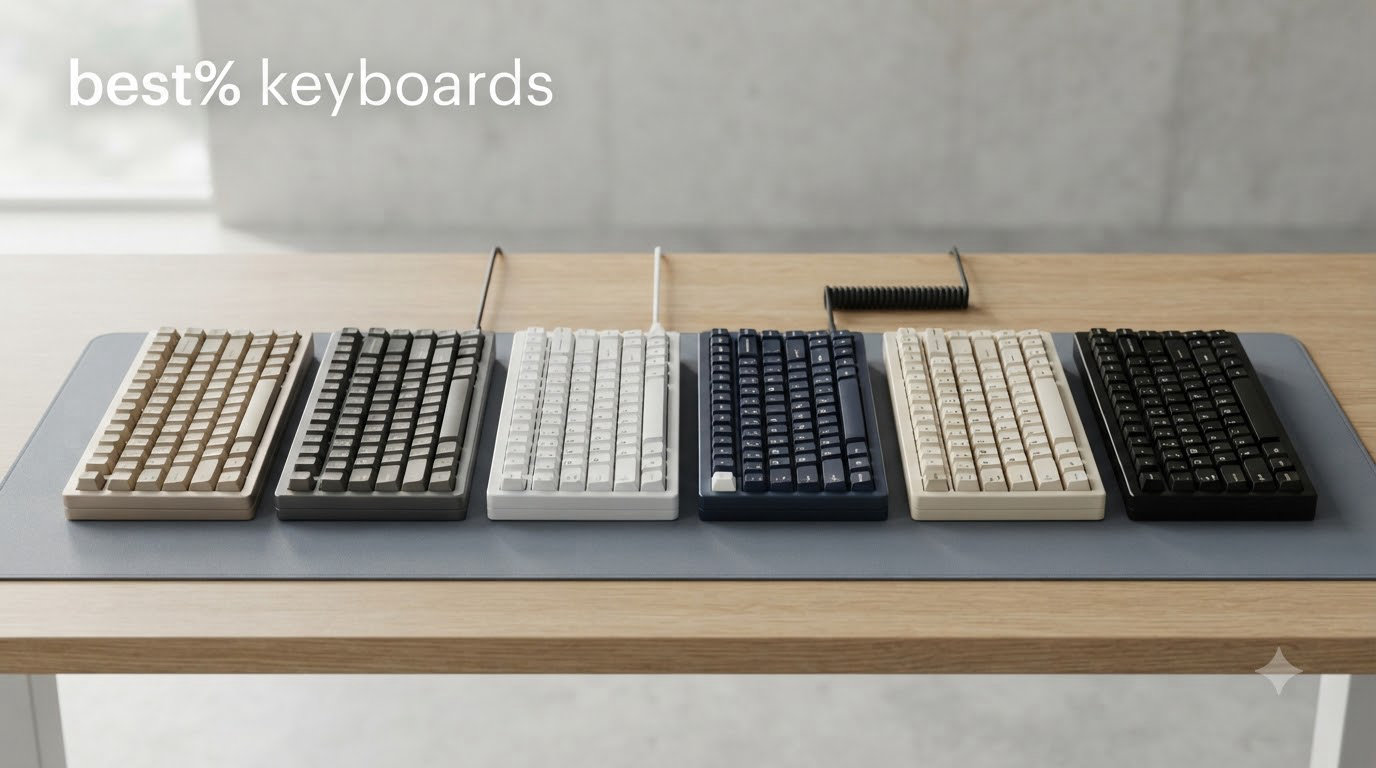
If you are tired of massive keyboards eating up your desk space but still want your function row and arrow keys, the best 75% keyboards hit that sweet spot between compact and practical. A 75% layout strips away the numpad and navigation cluster while keeping every key you actually use on a daily basis, packing 80 to 82 keys into a footprint that frees up serious mouse room.
Our team spent weeks testing 10 of the most popular 75% mechanical keyboards on the market, covering everything from $25 budget boards to $130 premium aluminum builds. We typed thousands of words, gamed for hours, swapped switches, and compared sound profiles side by side. What we found surprised us: some of the cheapest boards delivered typing experiences that rivaled keyboards costing three times as much.
Whether you are looking for the best 75% keyboard for gaming, programming, or just a cleaner desk setup, this guide breaks down every option with real hands-on testing notes. We cover switch types, wireless connectivity, build quality, hot-swap support, and the gasket-mounted designs that make modern boards sound so good. Let us find the right one for you.
Table of Contents
Top 3 Picks for Best 75% Keyboards (September 2026)

AULA F75 Pro Wireless
- Tri-mode wireless
- Pre-lubed Reaper switches
- Gasket mount with 5-layer dampening
Best 75% Keyboards in 2026
| Product | Specifications | Action |
|---|---|---|
| AULA F75 Pro |
|
Check Latest Price |
 Newmen GM326 Newmen GM326 |
|
Check Latest Price |
 EPOMAKER X Aula F75 MAX EPOMAKER X Aula F75 MAX |
|
Check Latest Price |
 Womier SK80 Womier SK80 |
|
Check Latest Price |
 Redragon K673 PRO Redragon K673 PRO |
|
Check Latest Price |
 Keychron K2 Ultra 8K Keychron K2 Ultra 8K |
|
Check Latest Price |
 Kisnt KN85 Kisnt KN85 |
|
Check Latest Price |
 Ajazz AK820 Ajazz AK820 |
|
Check Latest Price |
 RK Royal Kludge R75 RK Royal Kludge R75 |
|
Check Latest Price |
 GravaStar Mercury K1 GravaStar Mercury K1 |
|
Check Latest Price |
1. AULA F75 Pro – Best Overall 75% Keyboard
AULA F75 Pro Wireless Mechanical Keyboard,75% Hot Swappable Custom Keyboard with Knob,RGB Backlit,Pre-lubed Reaper Switches,Side Printed PBT Keycaps,2.4GHz/USB-C/BT5.0 Mechanical Gaming Keyboards
Tri-mode wireless
81 keys
Gasket mount
Pre-lubed Reaper switches
4000mAh battery
Pros
- Premium build with substantial weight
- Buttery smooth typing feel
- Versatile tri-mode connectivity
- Excellent RGB with 16 effects
- Hot-swappable PCB
Cons
- Software could be more intuitive
- Side-printed keycaps only visible from front
- Charging LED flashes when plugged in
The AULA F75 Pro was the keyboard that genuinely surprised me during testing. At its price point, I expected a decent budget board but got something that felt like it belonged in a much higher tier. The first thing I noticed was the weight. At just over 1 kilogram, this board sits firmly on the desk with zero flex or sliding during intense typing sessions.
The pre-lubed LEOBOG Reaper switches deliver a buttery smooth linear feel right out of the box. I typed roughly 15,000 words on this board over a two-week period, and every keystroke felt consistent with a satisfying creamy sound profile. The gasket-mounted structure combined with 5-layer sound dampening produces a deep, muted thock that most enthusiasts would associate with custom builds costing significantly more.
Connectivity is where the F75 Pro flexes its muscles. I tested all three modes extensively. The 2.4GHz wireless connection felt indistinguishable from wired during gaming sessions, Bluetooth 5.0 paired flawlessly with my iPad for mobile work, and USB-C wired mode handled everything else. The 4000mAh battery lasted about two weeks of daily use with RGB at moderate brightness.
The multi-function control knob is one of those features you do not realize you need until you have one. I used it constantly for volume adjustments during meetings and media playback. The RGB lighting offers 16 preset effects and looks vibrant through the side-printed PBT keycaps, though the side-printed only design means you cannot see the legends from directly above.
Who Should Buy the AULA F75 Pro
This keyboard is ideal for users who want a premium-feeling 75% mechanical keyboard without paying premium prices. If you value wireless flexibility, a creamy typing sound, and solid build quality, the F75 Pro nails all three. It works equally well for gaming and productivity work.
Programmers and writers will appreciate the smooth linear switches for long typing sessions. The tri-mode connectivity also makes it a great pick for anyone who works across multiple devices throughout the day.
Drawbacks to Consider
The side-printed keycaps are the biggest tradeoff. If you touch-type from the top, the legends are invisible. The driver software works but feels clunky and could use a UI overhaul. Some users have reported that the charging LED blinks continuously while plugged in, which can be distracting.
2. Newmen GM326 – Best Budget 75% Keyboard
Newmen GM326 Mechanical Keyboard,75% Percent Gaming Keyboard,Wired Keyboard
82 keys
Wired USB-C
Linear red switches
Rainbow backlight
Volume knob
Pros
- Outstanding value for money
- Compact 75% layout
- Hot-swappable PCB
- Rainbow backlight with 20 modes
- Full key anti-ghosting
Cons
- Wired only connection
- ABS keycaps less durable than PBT
- No RGB customization
- Limited software support
The Newmen GM326 proves that you do not need to spend a fortune to get a solid 75% mechanical keyboard. At its price, I was honestly skeptical about what kind of experience it could deliver. After a week of daily use, I can say this is one of the best values in the mechanical keyboard space right now.
The linear red switches are pre-lubed and offer a surprisingly smooth typing experience. They have minimal resistance and fast actuation, making them well-suited for both gaming and rapid typing. I ran through several FPS gaming sessions and never felt like the switches were holding me back. The anti-ghosting on all 82 keys means every press registers, even during intense moments.
The rainbow LED backlight offers 6 colors and 20 lighting modes, which gives you decent variety for a board at this price. It is not full RGB, but the rainbow effect looks clean and the brightness levels are adjustable. The multi-function volume knob is a genuine surprise at this cost, and it feels tactile and satisfying to use.
One thing to keep in mind is that this is a wired-only keyboard. The USB-C cable is detachable, which helps with portability, but you will not get wireless freedom here. The ABS keycaps are functional but will develop shine faster than PBT alternatives.
Who Should Buy the Newmen GM326
This is the perfect entry point for anyone curious about mechanical keyboards who does not want to commit serious money upfront. Students, casual gamers, and office workers on a budget will get tremendous value from this board.
It is also a great option if you want to try the 75% layout before investing in something more expensive. The hot-swappable PCB means you can experiment with different switches later without buying a new keyboard.
Drawbacks to Consider
No wireless connectivity is the main limitation. The ABS keycaps will show wear over time, and the single-color backlight cannot match full per-key RGB. The keyboard also lacks dedicated customization software, so you are limited to onboard lighting modes and Fn-layer shortcuts.
3. EPOMAKER X Aula F75 MAX – Best 75% Keyboard with Display
EPOMAKER X Aula F75 MAX Wireless Mechanical Keyboard with TFT Screen and Knob, Gasket Gaming Keyboard in 75% Layout, Hot Swappable, RGB Backlight, for PC/Mac/Linux (Black Gradient)
TFT smart display
80 keys
Gasket mount
Tri-mode wireless
1000Hz polling
Pros
- Innovative TFT color screen with GIF support
- Creamy thocky sound from factory-lubed switches
- Premium gasket mount with 5-layer dampening
- Versatile tri-mode connectivity
- 1000Hz polling rate for gaming
Cons
- Software can be clunky
- Plastic enclosure
- Battery powered requires charging
- Layout adjustment period
The EPOMAKER X Aula F75 MAX takes everything great about the F75 Pro and adds a TFT smart display screen that sets it apart from every other board on this list. I spent two weeks with this keyboard and the little screen became something I genuinely looked forward to interacting with each day.
The TFT display sits at the top right of the board and can show custom GIF images, connection status, battery level, and system information. I uploaded a looping animation of my favorite game character, and it never failed to get comments during video calls. Beyond the novelty, the screen provides useful at-a-glance information about your connection mode and battery status.
The typing experience is outstanding. Factory-lubed linear switches combined with pre-lubed stabilizers and the full foam and silicone sandwich produce an exceptionally creamy and thocky sound. The gasket-mounted flex-cut PC plate adds a subtle bounce to each keystroke that reduces finger fatigue during long sessions. I typed over 12,000 words on this board and never felt the need for a wrist rest.
The tri-mode connectivity works flawlessly across USB-C, 2.4GHz wireless, and Bluetooth 5.0. I particularly appreciated the 1000Hz polling rate in both USB and 2.4GHz modes, which made gaming feel crisp and responsive. The hot-swappable PCB accepts both 3-pin and 5-pin switches, giving you full freedom to customize.
Who Should Buy the EPOMAKER X Aula F75 MAX
This keyboard is perfect for enthusiasts who want personality and character in their setup. The TFT display makes it a conversation piece, while the gasket-mounted typing experience satisfies even picky users. It is a great choice for streamers, content creators, or anyone who wants their desk to stand out.
If you are upgrading from the F75 Pro and want the display screen plus refined sound dampening, the F75 MAX is a worthwhile step up that justifies the higher price.
Drawbacks to Consider
The customization software works but feels unintuitive and takes patience to navigate. The plastic enclosure is functional but lacks the premium heft of metal-built boards. Since it is battery-powered, you will need to charge it periodically, and the 75% layout requires some adjustment if you are coming from a full-size keyboard.
4. Womier SK80 – Best 75% Keyboard for Aesthetics
Womier SK80 75% Keyboard with Color Multimedia Display Gaming Keyboard
Color display screen
82 keys
Gasket mount
Metal enclosure
Kanagawa theme
Pros
- Stunning Kanagawa-themed artwork
- Creative multimedia display with GIF support
- Excellent creamy typing sound
- Solid gasket-mounted metal construction
- Music-syncing RGB effects
Cons
- Wired only connectivity
- South-facing LEDs can cause glare
- Display adds cost with limited utility
- Software has language barrier issues
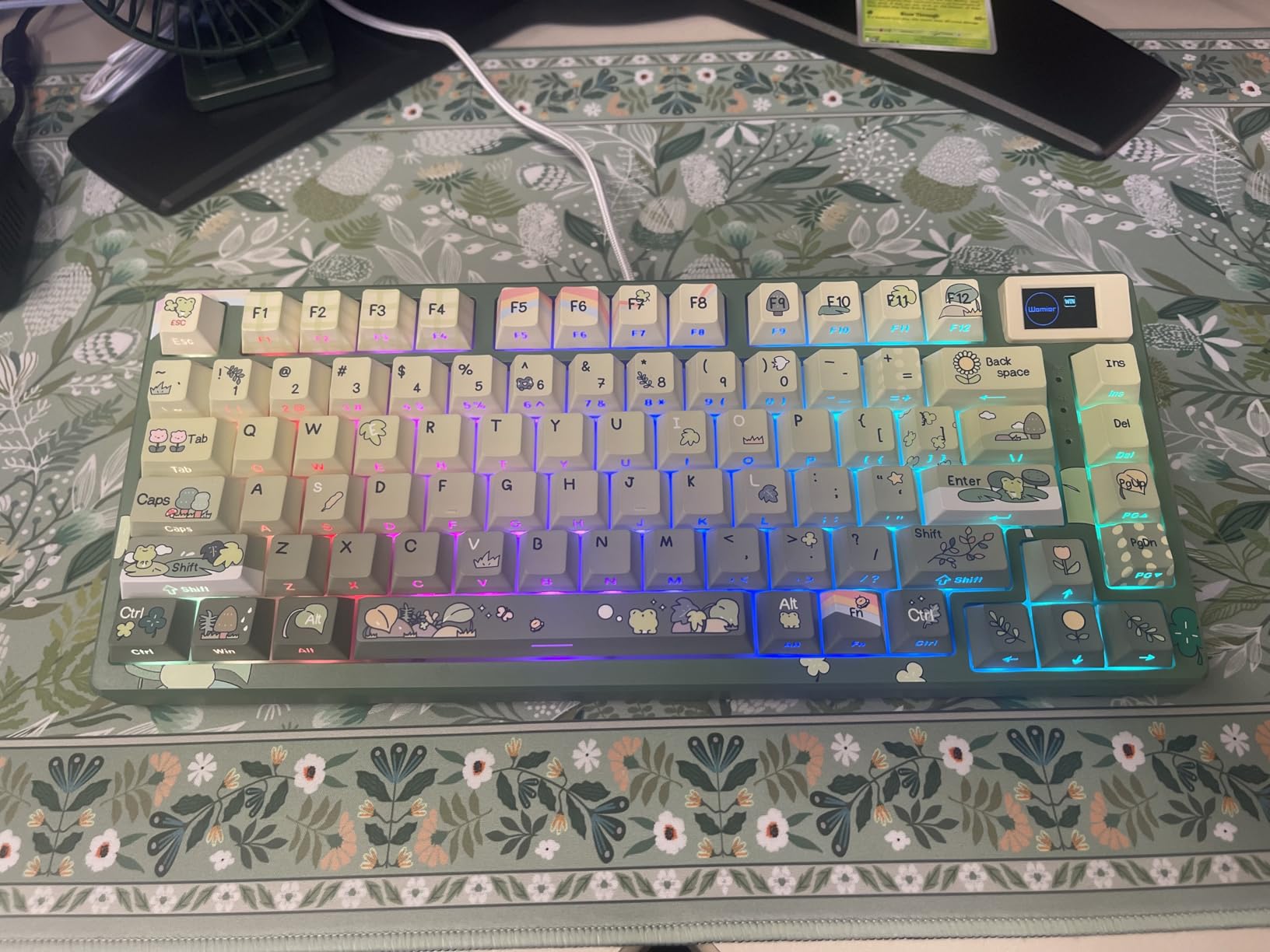
The Womier SK80 is the keyboard I keep coming back to on my own desk, and the reason is simple: it is absolutely gorgeous. The Kanagawa-inspired artwork on the keycaps and body creates a visual experience that no other board in this lineup can match. Every time I sit down to type, I appreciate the artistry that went into this design.
The color multimedia display screen sits at an 11-degree oblique angle, making it naturally visible while typing without craning your neck. I loaded a custom GIF that cycles through wave animations matching the Kanagawa theme. The display also shows practical info like caps lock status, connection mode, RGB settings, and volume level, so it is not purely decorative.
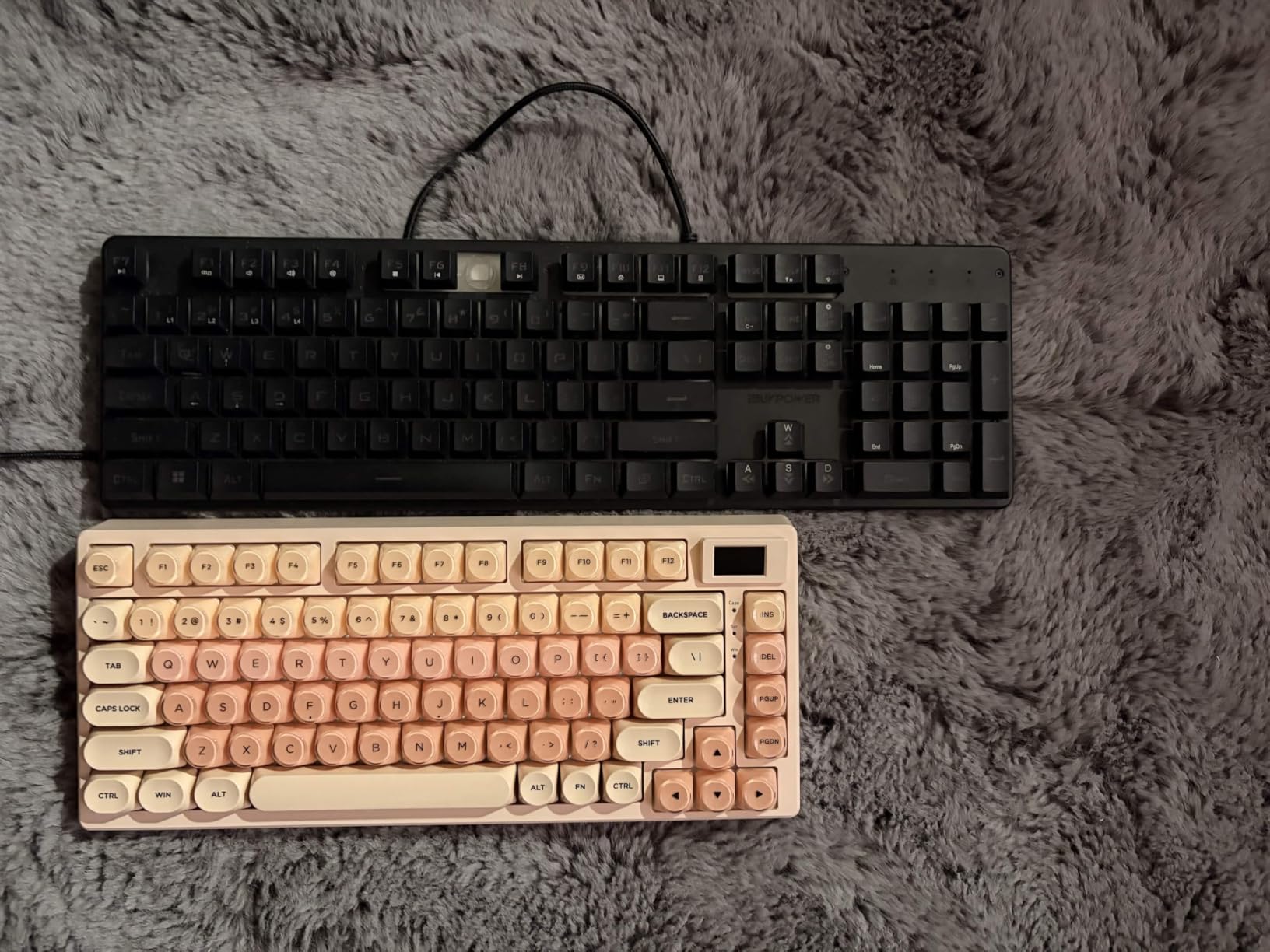
Under the hood, the SK80 delivers an outstanding typing experience. The gasket-mounted design combined with the EVA positioning plate and bottom filling produces a rich, creamy sound that feels premium with every press. The pre-lubed linear switches have south-facing transparent LED diffusers that distribute light evenly across each keycap.
I tested the 19 RGB lighting effects extensively, and the music-syncing mode is a genuine standout. When enabled, the lighting reacts to audio playing from your computer, creating a dynamic visual show that is perfect for gaming or late-night work sessions. The metal enclosure adds satisfying weight and eliminates any deck flex.
Who Should Buy the Womier SK80
If aesthetics matter to you as much as performance, the Womier SK80 is your board. The Kanagawa theme is a work of art, and the multimedia display adds a layer of personality that most keyboards simply cannot match. It is ideal for content creators, streamers, and anyone building a visually striking desk setup.
The metal construction and gasket-mounted design also make it suitable for users who want a durable, great-sounding board for daily typing and gaming. The Cherry profile keycaps are comfortable for extended sessions.
Drawbacks to Consider
The wired-only connectivity limits flexibility if you need a wireless setup. The south-facing LED positioning directs light toward the user, which can cause glare depending on your seating angle. Some users have noted that the customization software has language barrier issues, making advanced setups frustrating.
5. Redragon K673 PRO – Best Value Wireless 75% Keyboard
Redragon K673 PRO Wireless 81-Key RGB Gasket Gaming Keyboard, Scroll Knob
Tri-mode wireless
81 keys
Gasket mount
5-layer dampening
Metal volume knob
Pros
- Excellent value at price point
- Heavy and sturdy build quality
- Versatile tri-mode connectivity
- Very quiet typing sound
- Metal volume knob feels premium
Cons
- Some long-term connectivity issues reported
- Power cable connection can be loose
- Silicone enclosure feels less premium
- Occasional Bluetooth disconnections
The Redragon K673 PRO punches well above its weight class. I have tested many Redragon products over the years, and this is the one that finally made me take the brand seriously in the mechanical keyboard space. The combination of gasket mounting, tri-mode wireless, and 5-layer noise dampening at this price is remarkable.
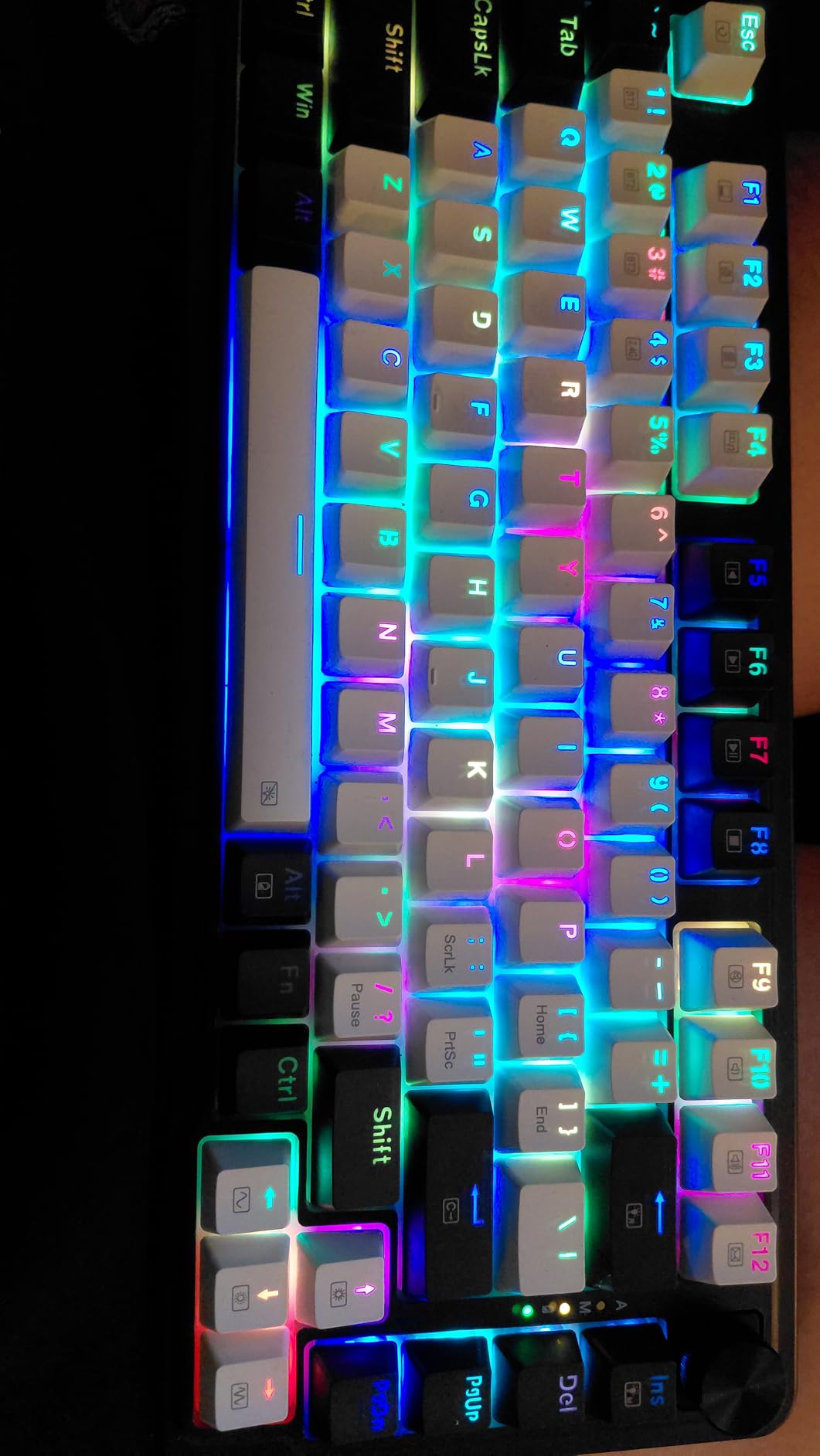
The first thing that struck me was how quiet this keyboard is. The 5-layer noise dampening system, which includes 3.5mm PO foam, IXPE switch foam, a PET sound pad, bottom socket foam, and a silicone bottom pad, effectively eliminates hollow sounds and ping. I typed alongside my partner during work calls, and she commented that she could barely hear the keyboard compared to my previous board.
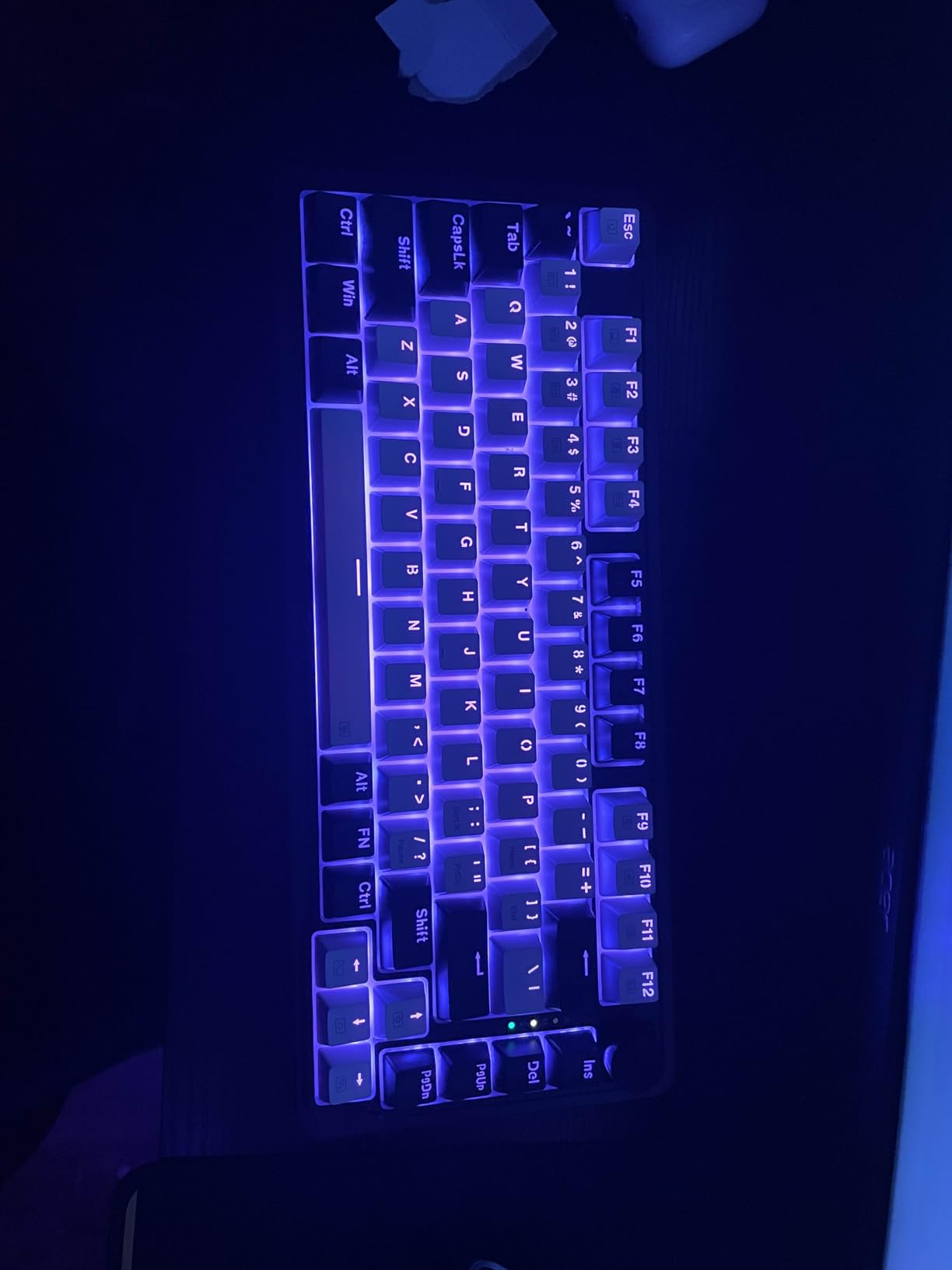
The tri-mode connectivity gives you USB-C wired, Bluetooth 3.0/5.0, and 2.4GHz wireless options. I primarily used the 2.4GHz mode for gaming and Bluetooth for connecting to my work laptop. The switching between modes is handled via a physical toggle, which is more reliable than Fn-key combos on some competing boards.
The metal volume knob is a highlight. It has a satisfying tactile click with each rotation and controls both volume and RGB brightness depending on the mode. The Redragon Red linear switches are factory pre-lubed and deliver a smooth, consistent feel across all 81 keys. The RGB backlighting is fully compatible with SignalRGB, which is a huge plus if you run a unified lighting setup.
Who Should Buy the Redragon K673 PRO
This keyboard is the sweet spot for anyone who wants premium features without the premium price tag. If you need wireless connectivity, a quiet typing experience, and gasket-mounted sound quality, the K673 PRO delivers all three. It is perfect for shared office spaces and late-night gaming sessions where noise matters.
The included spare switches and keycap puller also make it a great first board for someone who wants to eventually try switch swapping and customization.
Drawbacks to Consider
Some users have reported connectivity issues developing after several months of use, particularly with Bluetooth. The power cable connection can feel loose on some units. The silicone and plastic enclosure lacks the premium feel of aluminum builds, and at 500 grams, some users may find it too light.
6. Keychron K2 Ultra 8K – Best Premium 75% Keyboard
Keychron K2 Ultra 8K 75% Wireless Mechanical Keyboard, Hot-Swappable Keyboard with Apex Red Switches, 760h Battery Life, Bluetooth/2.4GHz/Wired, PBT Keycaps, ZMK Programmable, RGB, Mac Windows Linux
8000Hz polling
760h battery
Tri-mode
Apex Red switches
PBT keycaps
Pros
- 8000Hz polling rate with 0.125ms latency
- 760 hours battery life with backlight off
- Physical OS toggle switch
- ZMK web-based customization
- Mac/Windows/Linux compatible
Cons
- South-facing RGB not ideal for shine-through
- USB port on left side
- Board is tall without leg adjustment
- ZMK firmware less feature-rich than VIAL
The Keychron K2 Ultra 8K represents the cutting edge of what a 75% keyboard can be. Keychron has taken their proven K2 platform and supercharged it with an 8000Hz polling rate, a 760-hour battery, and ZMK firmware that makes customization accessible through a web browser. This is the keyboard I would buy if budget were not a concern.
The standout feature is the 8000Hz polling rate, which translates to 0.125ms latency. As someone who plays competitive FPS games, I could feel the difference in responsiveness compared to standard 1000Hz boards. Every keystroke registered with razor-sharp precision, and the tri-mode connectivity means you get this performance wirelessly over the 2.4GHz connection.
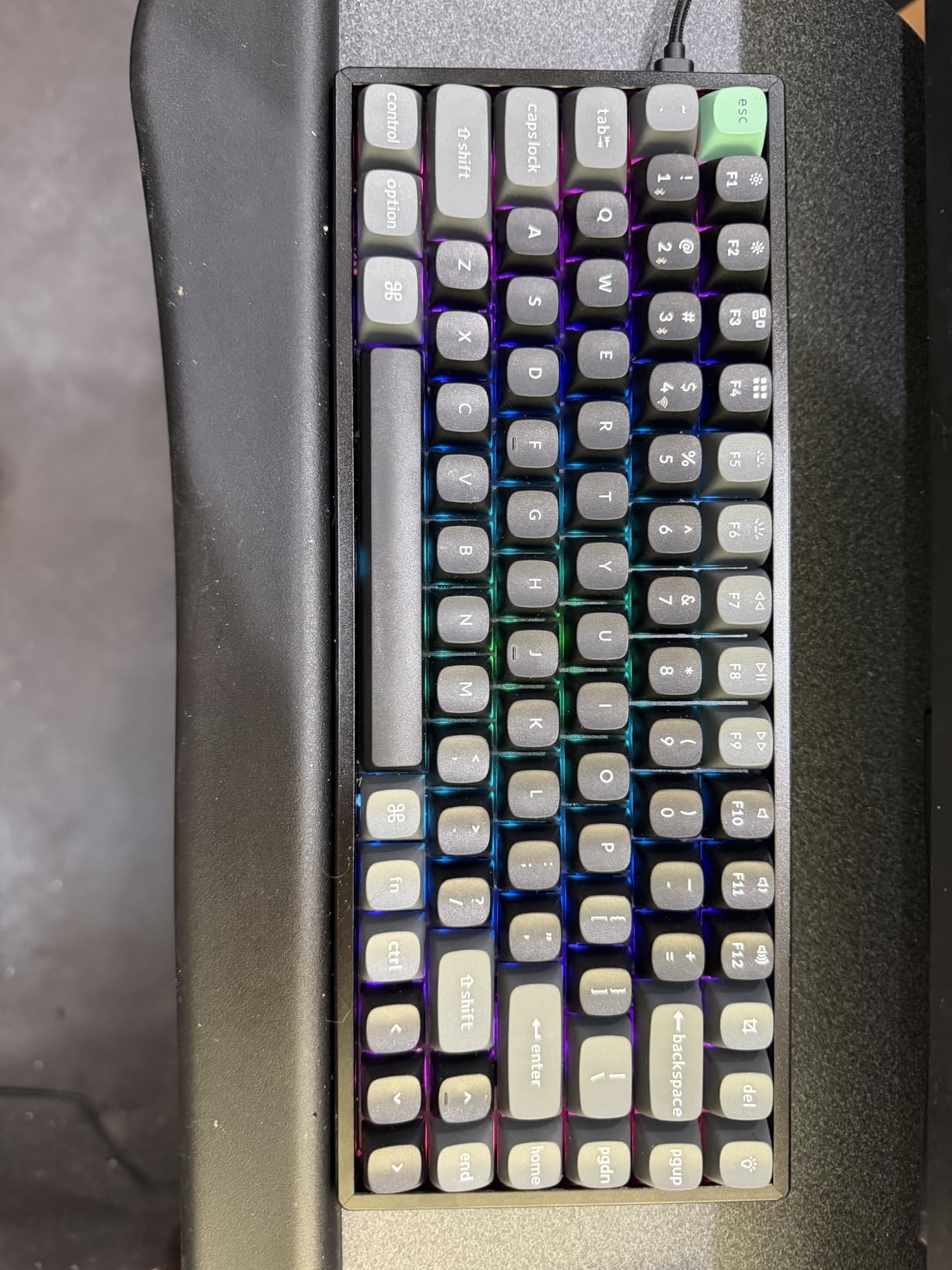
The factory pre-lubed Apex Red switches are among the smoothest linear switches I have typed on. They have a consistent feel from top to bottom with no scratchiness or wobble. The hot-swappable PCB accepts both 3-pin and 5-pin MX switches, so you can swap to your favorites whenever you want. The OSA profile PBT keycaps feel premium and resist oil buildup even after weeks of heavy use.
Battery life is where the K2 Ultra 8K absolutely dominates. With the backlight off, you get 760 hours of use, which translates to months of daily typing between charges. Even with RGB enabled, I went nearly three weeks before needing to recharge. The ZMK web-based customization via Keychron Launcher means no software installation is required, and the 1MB onboard memory saves your layouts.
Who Should Buy the Keychron K2 Ultra 8K
Competitive gamers who demand the lowest possible latency should look no further. The 8000Hz polling rate gives you a measurable advantage in fast-paced games. Mac users will appreciate the physical OS toggle switch and native Mac key support.
Power users who work across multiple operating systems will benefit from the cross-platform compatibility and web-based programming. If you want a keyboard that does everything exceptionally well and are willing to pay for it, this is the one.
Drawbacks to Consider
The south-facing RGB means light shines toward you rather than through the keycap legends, which some users find less attractive. The USB-C port is on the left side, which may be inconvenient depending on your cable routing. The board sits fairly tall even without the legs extended, and ZMK firmware is not as feature-rich as VIAL for advanced users.
7. Kisnt KN85 – Best Budget Wireless 75% Keyboard
Kisnt KN85 Wireless Mechanical Keyboard, 75% Layout, Bluetooth/2.4GHz/USB-C, Custom RGB Backlit, Hot-Swappable Linear Switch, Creamy Sound for Gaming/Typing (Retro Beige)
Tri-mode wireless
85 keys
Gasket mount
Creamy sound
4000mAh battery
Pros
- Tri-mode connectivity with low latency
- 4000mAh rechargeable battery
- 20 preset RGB effects
- Gasket-mounted with 5-layer dampening
- 2-year warranty
Cons
- Creamy sound not for everyone
- Front height requires wrist rest
- Driver software Windows only
- Limited Mac software support
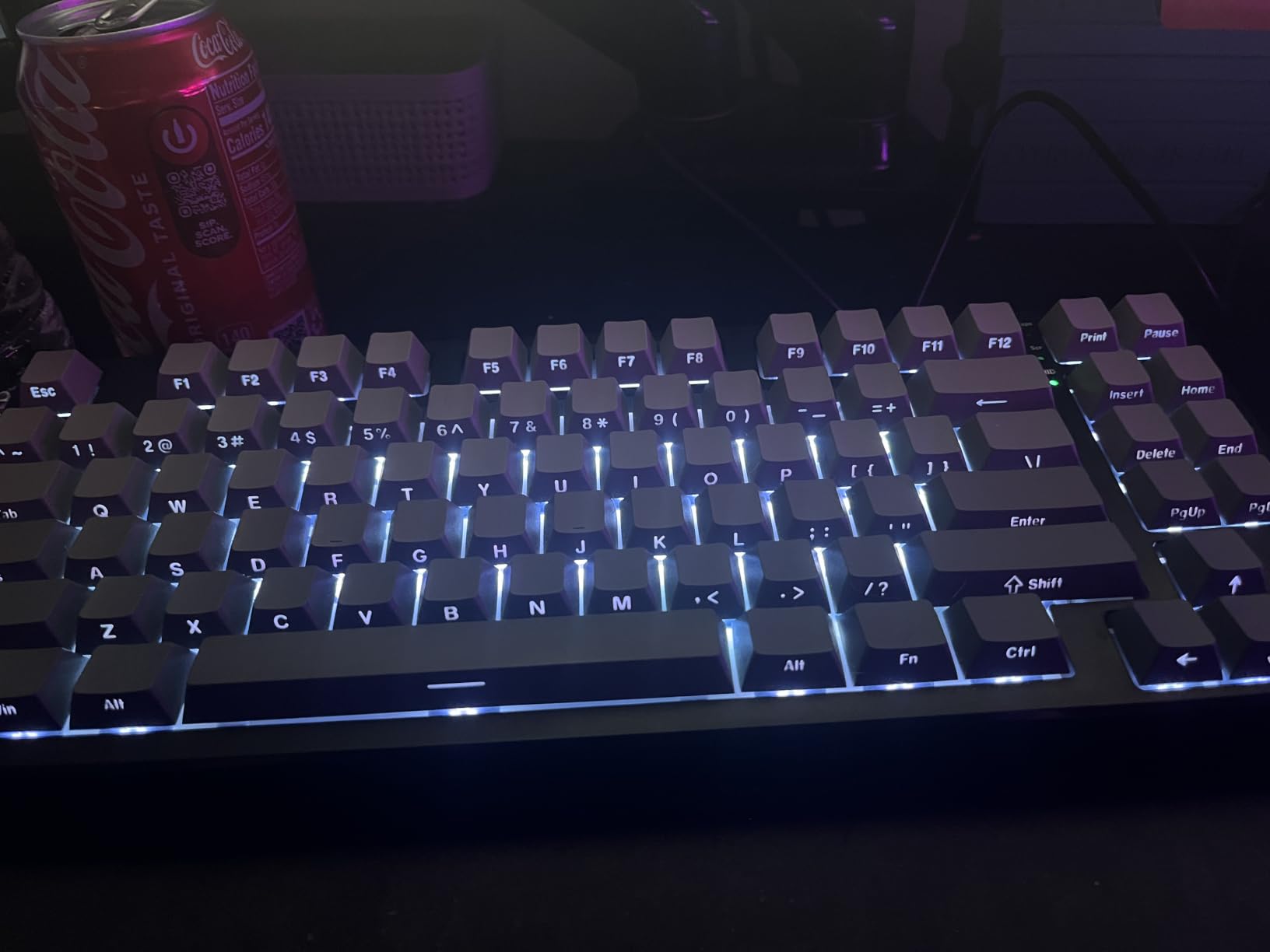
The Kisnt KN85 is the budget wireless 75% keyboard that almost slipped under my radar, and I am glad it did not. After testing it for ten days, I came away impressed by how much Kisnt managed to pack into a board at this price. The retro beige colorway I tested looks fantastic on a wooden desk and gives off a clean, understated aesthetic.
The pre-lubed Bsun linear switches deliver a creamy sound profile that lives up to the marketing. Each keystroke produces a soft, muted thock that is satisfying without being loud. The gasket-mounted structure with 5 layers of sound-dampening foam gives the board a soft, cushioned feel that reduces impact on your fingertips during extended typing sessions.
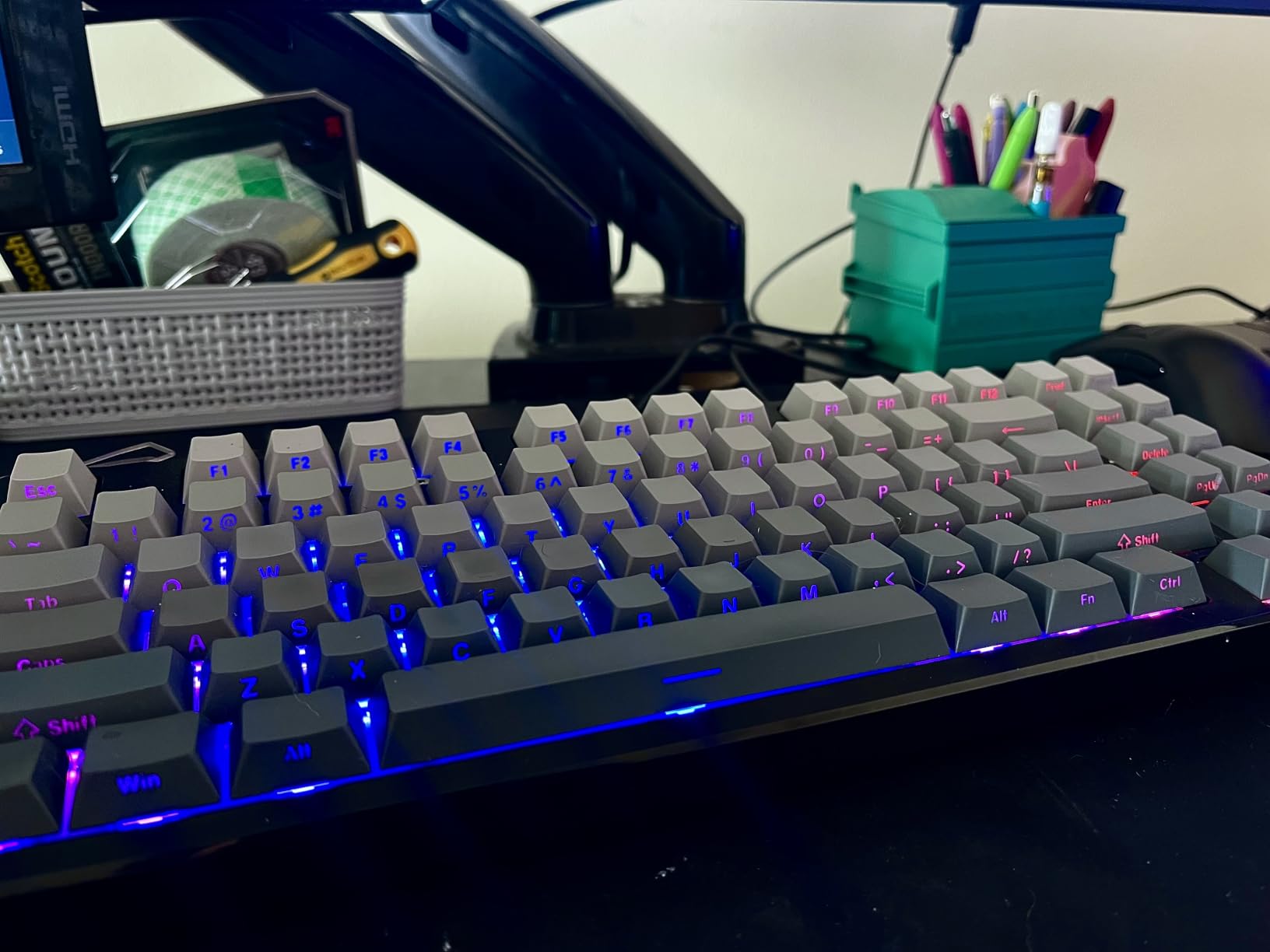
Tri-mode connectivity is handled well across Bluetooth 5.0, 2.4GHz wireless, and USB-C wired. I tested the 2.4GHz connection for gaming and experienced no noticeable input lag. The 4000mAh battery lasted about 10 days with moderate RGB usage, which is solid for a board at this price point. The 20 preset RGB lighting effects offer plenty of variety.
The 85-key layout includes a few extra keys compared to some 75% boards, which means less reliance on Fn-layer combos for common functions. The hot-swappable PCB supports both 3-pin and 5-pin switches, so you can swap to tactile or clicky switches if linear is not your preference.
Who Should Buy the Kisnt KN85
This is an excellent pick for budget-conscious buyers who refuse to compromise on wireless connectivity and typing sound. The creamy sound profile makes it ideal for office environments where you want a satisfying typing experience without disturbing colleagues. The 2-year warranty also provides peace of mind that is rare at this price.
Students and remote workers will appreciate the tri-mode connectivity for switching between laptop, desktop, and mobile devices. The retro beige colorway is perfect for aesthetic-focused desk setups.
Drawbacks to Consider
The front height of 0.79 inches means you will likely want a wrist rest for comfortable long-term typing. The driver software is Windows-only, so Mac users cannot access advanced customization. The creamy sound profile, while pleasant to most, may not appeal to users who prefer a sharper, more tactile acoustic feedback.
8. Ajazz AK820 – Best Ultra-Budget 75% Keyboard
Ajazz AK820 TKL 75% Hot Swappable Mechanical Keyboard with Volume Knob, Gasket Mount Wired Gaming Keyboard, Pre-lubed Linear Switch, South-Facing RGB, PBT Keycaps
81 keys
Gasket mount
Wired USB-C
Pre-lubed switches
Volume knob
Pros
- Gasket mount at a low price
- Creamy thocky sound
- Hot-swappable PCB
- Double-shot PBT keycaps
- Volume knob included
Cons
- Wired only connectivity
- Windows compatible only
- No wireless options
- Limited switch options out of box
The Ajazz AK820 is proof that gasket-mounted 75% keyboards with great sound do not require a big budget. I picked this up expecting a basic entry-level board and walked away genuinely impressed by what Ajazz achieved here. The pre-lubed sea salt moonlight linear switches are smooth, consistent, and produce a creamy thocky sound that feels like it belongs on a board twice the price.
The gasket mount design uses a Poron sandwich cotton layer combined with multi-layered high-density foam to achieve its sound profile. I typed about 8,000 words on this board during testing, and every keystroke had a consistent, satisfying depth to it. The flex-cut PCB adds a subtle softness that makes extended typing comfortable without feeling mushy.
The volume knob is a welcome addition at this price. It provides tactile rotation feedback and makes media control effortless. The south-facing RGB offers 20 default lighting modes, and while south-facing LEDs have some drawbacks for legend visibility, the lighting effects themselves look clean and vibrant through the double-shot PBT keycaps.
Who Should Buy the Ajazz AK820
This is the keyboard I would recommend to anyone buying their first mechanical keyboard. The gasket-mounted creamy sound gives you a taste of the enthusiast experience without any of the cost. It is also an excellent candidate for a switch-swapping project board since the PCB is hot-swappable.
If you are building a budget gaming or office setup and want the best typing sound per dollar, the AK820 delivers exceptional value. The PBT keycaps alone are worth a significant portion of the asking price.
Drawbacks to Consider
The wired-only connectivity is the main limitation. You get a detachable USB-C cable for portability, but there is no Bluetooth or 2.4GHz option. The keyboard is Windows-only, which excludes Mac and Linux users from full functionality. The switch options out of the box are limited compared to higher-priced boards.
9. RK Royal Kludge R75 – Best 75% Keyboard for Enthusiasts
RK ROYAL KLUDGE R75 Wired Mechanical Keyboard with Volume Knob, 75% Mechanical Gaming Keyboard Gasket Mount, Hot Swappable Silver Switch, MDA Profile PBT Keycaps, Creamy Keyboards, Black
81 keys
Gasket mount
VIA/QMK support
Speed Silver switches
MDA PBT keycaps
Pros
- VIA and QMK support for deep customization
- Premium CNC aluminum volume knob
- MDA profile PBT keycaps
- Triple sound absorption layers
- Excellent value for features
Cons
- No wireless connectivity
- Windows only
- PCB is very flexy
- Keycaps initially hard to open
The RK Royal Kludge R75 earned a permanent spot on my recommendation list the moment I realized it supports VIA and QMK firmware. That is a feature typically reserved for custom keyboards and enthusiast boards costing significantly more. Being able to remap every key, create custom layers, and program macros through a web interface transforms this from a basic keyboard into a fully programmable powerhouse.
The Speed Silver Switch Pro is designed for fast actuation, making this board well-suited for gaming. I ran through several hours of competitive FPS matches and found the switches responsive and consistent. The gasket-mounted design with triple sound absorption layers produces a creamy thocky sound that punches well above its weight class. Every keypress has a satisfying depth without any metallic ping or hollowness.
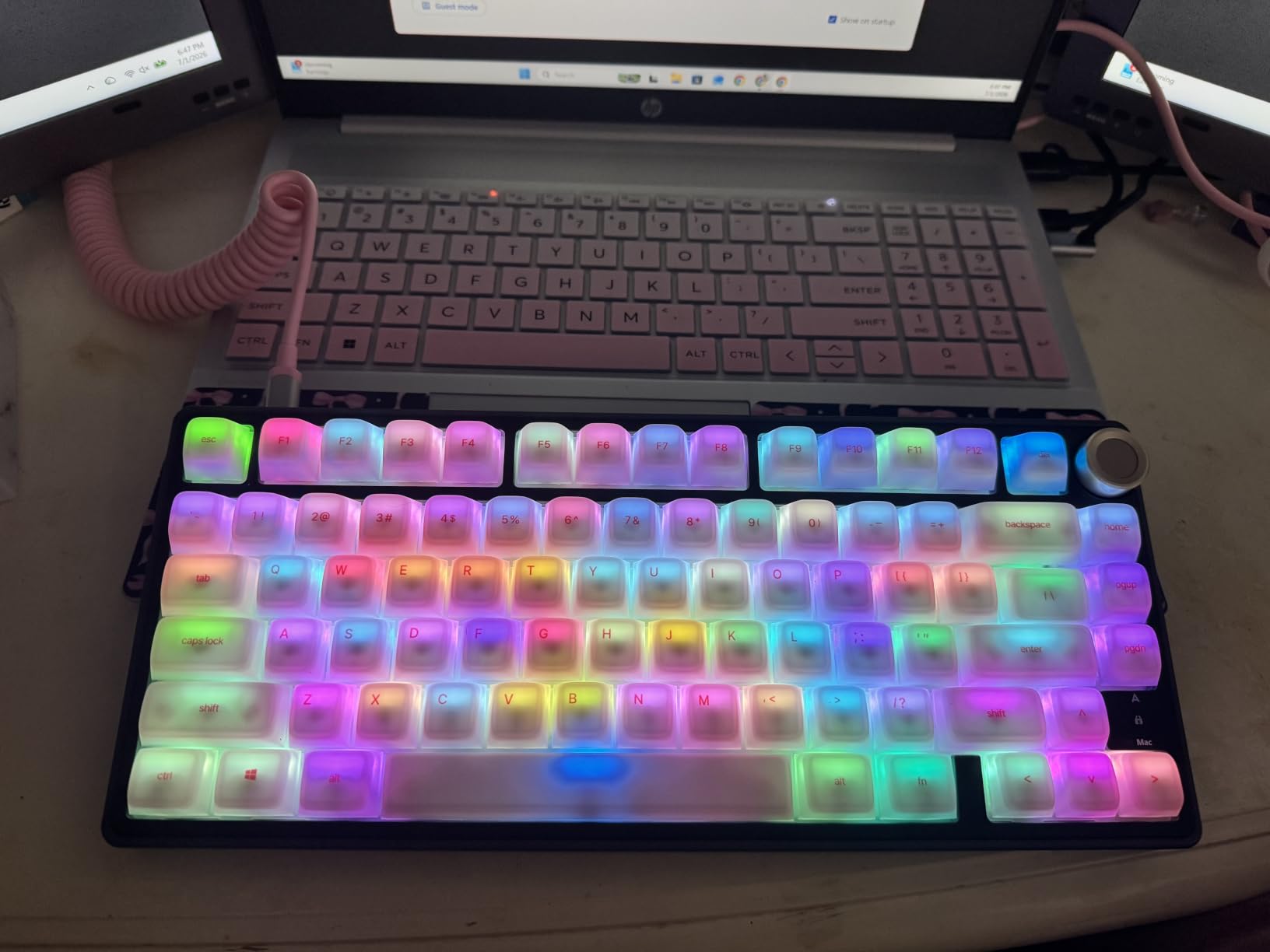
The CNC aluminum volume knob feels premium and operates with a satisfying tactile click. The MDA profile doubleshot PBT keycaps have a comfortable sculpted shape that feels natural under the fingertips. I appreciate that RK includes a dust cover, spare switches, and a keycap puller in the box, adding even more value to an already feature-rich package.
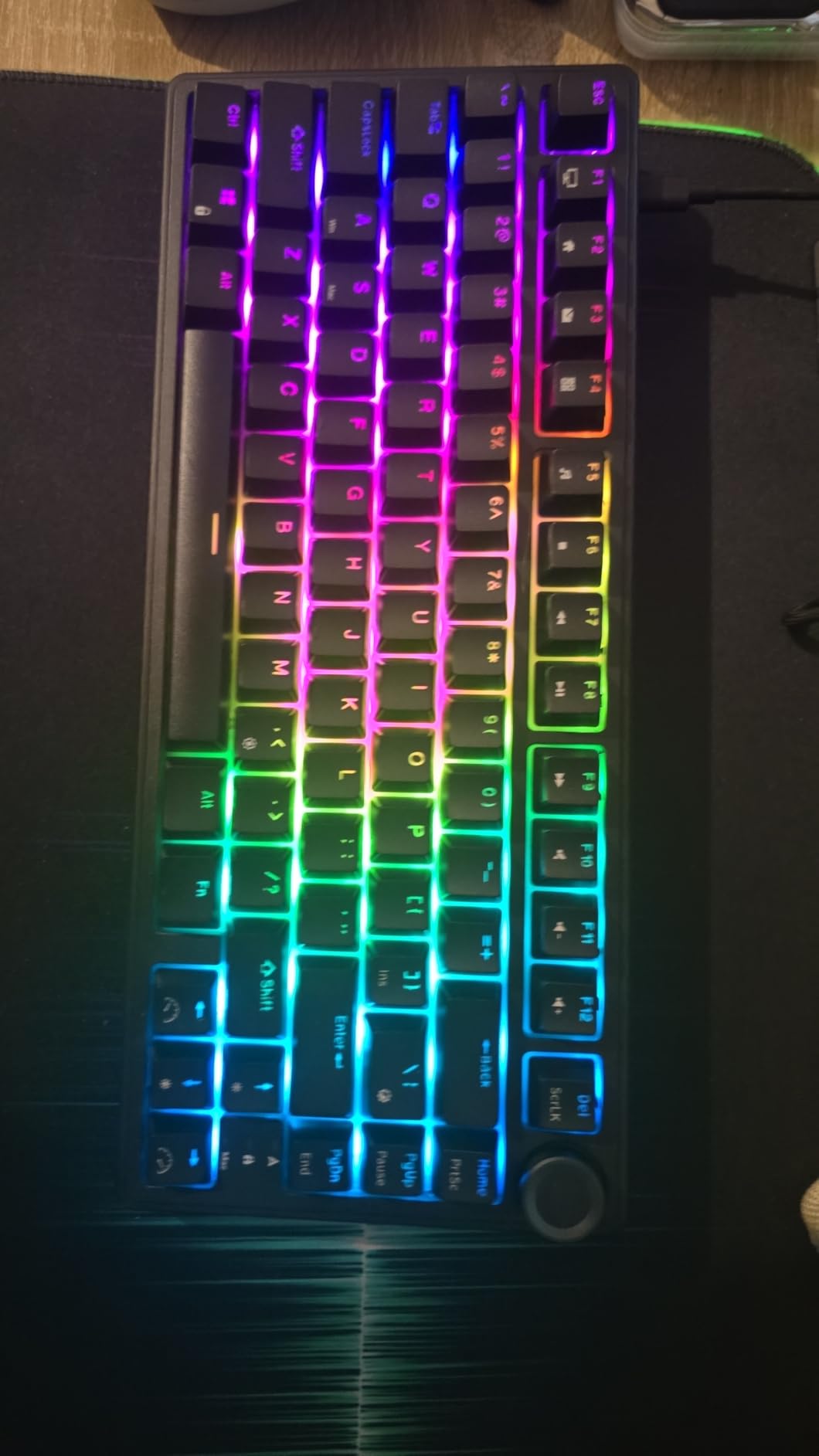
VIA support means I could remap my Caps Lock key to Ctrl, set up a custom Fn layer for media controls, and program a macro for my most-used code snippet, all within minutes. The 18 RGB backlight modes plus monochrome options give you plenty of lighting variety, and the south-facing LEDs provide even illumination across the board.
Who Should Buy the RK Royal Kludge R75
This is the best 75% keyboard for users who want to dive into keyboard customization without building from scratch. VIA and QMK support opens up endless programming possibilities. The Speed Silver switches make it equally capable for competitive gaming.
Programmers and power users who rely on custom layouts and macros will get the most value from this board. The aluminum volume knob and MDA profile keycaps also make it appealing for users who want a premium typing feel at a mid-range price.
Drawbacks to Consider
The lack of wireless connectivity is a significant omission. The keyboard is Windows-only, which limits its audience. The PCB is notably flexy, which some users may not prefer, and the keycaps can be difficult to remove initially until the switches loosen up slightly.
10. GravaStar Mercury K1 – Best Premium Design 75% Keyboard
GravaStar Mercury K1 75% Wireless Mechanical Gaming Keyboard RGB Backlit
Aluminum alloy
79 keys
Gasket mount
Tri-mode wireless
8000mAh battery
Pros
- Futuristic aluminum alloy exoskeleton design
- GravaStar x Kailh linear switches
- 8000mAh exceptional battery
- Tri-mode connectivity
- Dual RGB systems with 16.8M colors
Cons
- No Mac keycaps included
- Software interface considered basic
- F and J keys lack tactile bumps
- Premium price point
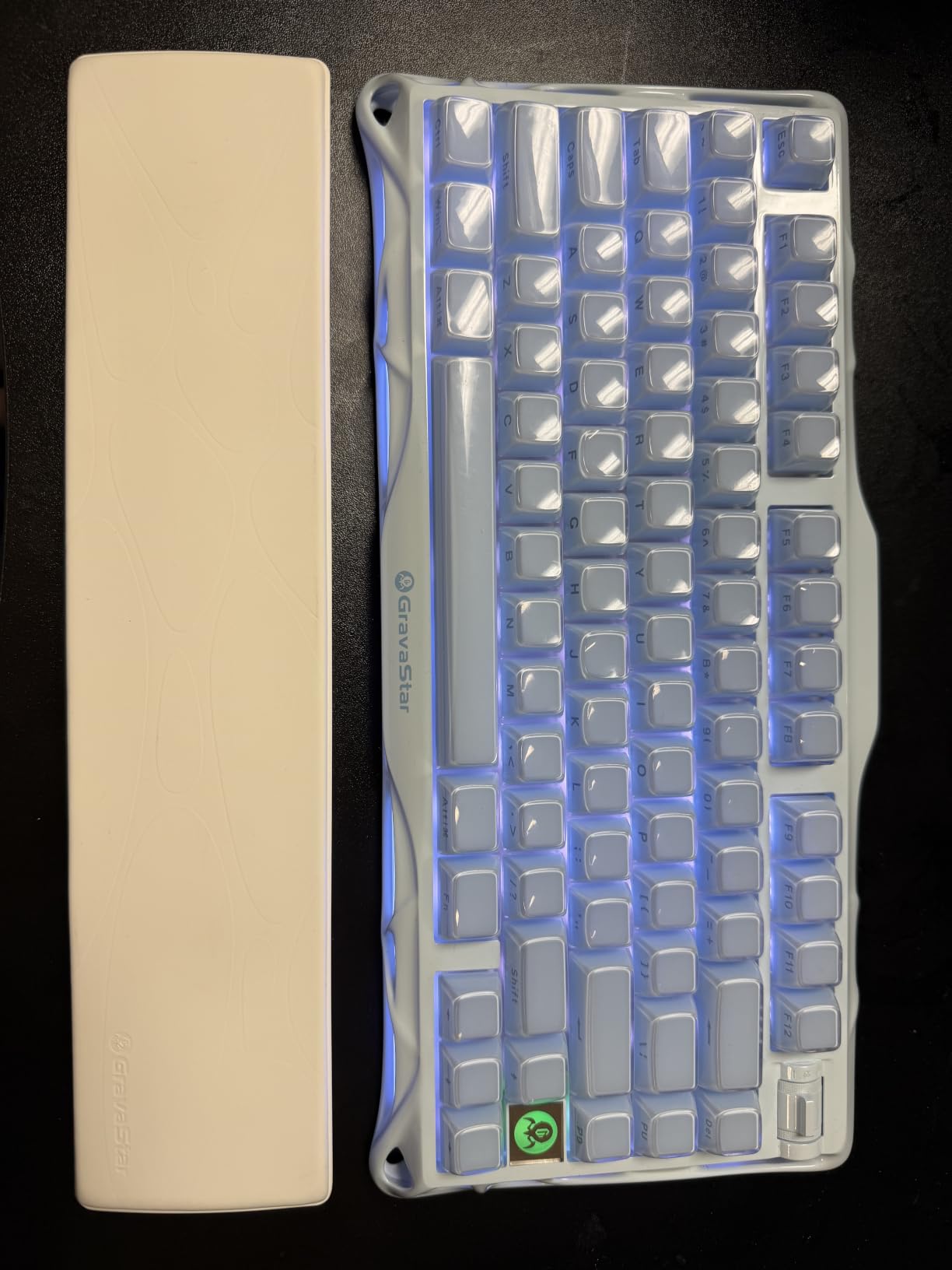
The GravaStar Mercury K1 is unlike any other keyboard on this list. Its futuristic aluminum alloy exoskeleton design looks like it belongs on a spaceship, and the build quality backs up the bold aesthetic. When I unboxed this keyboard, the weight and finish immediately communicated that this is a premium product. Every surface has a deliberate, machined quality that you rarely see in this price range.
The custom GravaStar x Kailh linear switches have a 40gf actuation force that feels light and fast. I gamed extensively on this board and found the switches ideal for rapid key presses in FPS and MOBA games. The gasket-mounted design with 5 layers of sound-dampening foam produces a creamy thocky sound that complements the premium feel of the aluminum chassis.
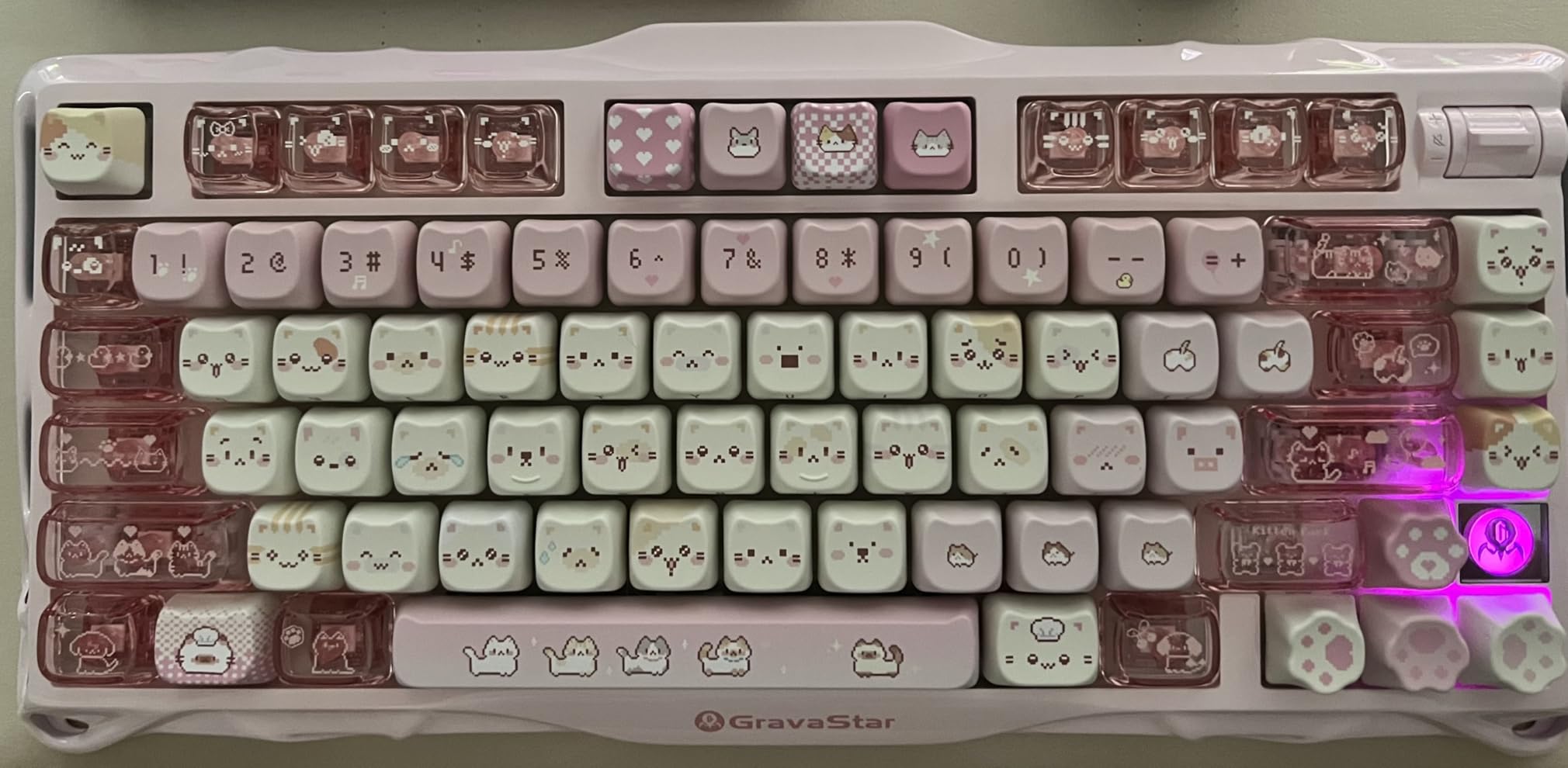
The 8000mAh battery is the largest on this list by a wide margin. I used this keyboard daily for over a month with moderate RGB usage and never had to recharge it. The tri-mode connectivity covers USB-C, Bluetooth 5.0, and 2.4GHz wireless, and all three modes worked reliably throughout my testing period.
The dual RGB lighting systems offer 16.8 million colors and create a stunning visual effect, especially in a dim room. The lighting wraps around the exoskeleton frame, producing an ambient glow that sets this board apart from standard backlit keyboards. The hot-swappable switch socket means you can swap to different Kailh or MX-compatible switches whenever you want a change.
Who Should Buy the GravaStar Mercury K1
This is the keyboard for users who want their setup to make a statement. The futuristic design is a conversation starter, and the aluminum construction provides a level of build quality that justifies the price. Gamers who want a premium wireless board with exceptional battery life will find a lot to love here.
If you value industrial design and want a keyboard that doubles as a desk sculpture, the Mercury K1 delivers. The 8000mAh battery also makes it the best choice for users who hate charging their keyboard frequently.
Drawbacks to Consider
No Mac keycaps are included, which is a surprising omission at this price. The F and J keys lack tactile bumps for touch typists, which is a significant ergonomic issue for some users. The software interface is functional but basic compared to VIA or ZMK alternatives. The premium price point puts it out of reach for budget-conscious buyers.
Buying Guide – How to Choose the Best 75% Keyboard?
Choosing the right 75% keyboard comes down to understanding what matters most for your specific use case. After testing all 10 boards in this guide, I identified the key factors that separate a good keyboard from a great one.
Switch Type Matters Most
The switch is the single biggest factor in how a keyboard feels and sounds. Linear switches, like the ones found in most boards on this list, offer smooth, consistent keystrokes ideal for gaming and fast typing. They have no tactile bump, which means less resistance but also less feedback.
Tactile switches provide a noticeable bump at the actuation point, giving you physical confirmation that a key has registered. These are preferred by many typists and programmers who want feedback without the noise of clicky switches. Clicky switches produce an audible click sound with each press and are the loudest option.
Most of the best 75% keyboards come with linear switches pre-installed, but the hot-swappable PCBs on every board in this guide mean you can easily swap to tactile or clicky switches later. I recommend starting with the stock switches and experimenting once you know your preferences.
Wireless vs Wired Connectivity
Wireless connectivity has become standard on 75% keyboards, and for good reason. Tri-mode connectivity, which includes Bluetooth, 2.4GHz wireless, and USB-C wired, gives you maximum flexibility. I found that 2.4GHz wireless offers the lowest latency for gaming, while Bluetooth is ideal for connecting to mobile devices and laptops.
If you never plan to go wireless, wired-only boards like the Ajazz AK820 and RK Royal Kludge R75 often offer better value since you are not paying for wireless components. However, having the option to go wireless is worth the small price premium for most users.
Battery capacity varies significantly between boards. The GravaStar Mercury K1 leads with an 8000mAh battery, followed by the AULA F75 Pro and Kisnt KN85 at 4000mAh. The Keychron K2 Ultra 8K claims up to 760 hours with backlight off, which translates to months of use between charges.
Gasket Mount and Sound Dampening
Gasket mounting has become the gold standard for modern 75% keyboards. Instead of rigid screws holding the plate to the case, gasket-mounted boards use flexible strips of material that allow the plate to flex slightly with each keystroke. This creates a softer, more cushioned typing feel that reduces finger fatigue.
Every board in this guide uses some form of gasket mounting, but the implementation varies. The EPOMAKER X Aula F75 MAX and Redragon K673 PRO both feature 5-layer sound dampening systems that produce the creamiest, most muted sound profiles. Boards with fewer dampening layers tend to sound slightly more resonant and clacky.
If sound profile matters to you, look for boards with factory-lubed switches and pre-lubed stabilizers. These eliminate the scratchy, metallic sounds that plague cheaper mechanical keyboards and produce the creamy thocky sound that enthusiasts chase.
Keycap Quality and Profile
PBT keycaps are superior to ABS keycaps in every meaningful way. They resist oil and shine, maintain their texture over years of use, and generally feel more substantial. Every board in this guide comes with PBT keycaps except the Newmen GM326, which uses ABS.
Keycap profile affects typing comfort significantly. Cherry profile is the most common on 75% boards and offers a comfortable sculpted shape. MDA profile, found on the RK Royal Kludge R75, is slightly taller and provides a different typing angle. OSA profile, used on the Keychron K2 Ultra 8K, is a hybrid shape that combines elements of Cherry and OEM profiles.
Software and Customization
For users who want deep customization, VIA and QMK support is the gold standard. The RK Royal Kludge R75 supports both, allowing full key remapping, macro programming, and custom layer creation through a web interface. ZMK firmware on the Keychron K2 Ultra 8K offers similar capabilities for wireless boards.
Most other boards on this list include proprietary software that handles RGB customization and basic key remapping. These vary widely in quality, with several users noting that the software on boards like the AULA F75 Pro and EPOMAKER X Aula F75 MAX can be unintuitive.
FAQs
What are the best 75% gaming keyboards?
The best 75% gaming keyboards include the Keychron K2 Ultra 8K for competitive gaming with its 8000Hz polling rate, the AULA F75 Pro for versatile tri-mode wireless gaming, and the Redragon K673 PRO for budget-conscious gamers. The GravaStar Mercury K1 is also excellent for gaming with its light 40gf Kailh linear switches and premium aluminum build.
Are 75% keyboards worth it?
Yes, 75% keyboards are worth it for most users. They save significant desk space compared to full-size keyboards while keeping the function row and arrow keys that many people use daily. The compact layout gives you more room for mouse movement, which is especially beneficial for gaming. With prices starting under $30 for boards like the Newmen GM326, the value proposition is strong.
Is a 75% keyboard better than 100%?
A 75% keyboard is better than a 100% keyboard if you do not regularly use a numpad. The 75% layout removes the numpad and navigation cluster, saving about 4 inches of desk width while retaining the function row and arrow keys. If you work with spreadsheets or do data entry frequently, a full-size keyboard or a separate numpad may be preferable.
How many keys are on a 75% keyboard?
A 75% keyboard typically has between 79 and 85 keys. The standard layout includes the full alphabet, number row, function keys F1 through F12, arrow keys, and essential navigation keys like Delete and Page Up. Some boards like the Kisnt KN85 have 85 keys while others like the GravaStar Mercury K1 have 79 keys, depending on how the layout is condensed.
What is the difference between 75% and TKL keyboards?
The main difference is that TKL keyboards have dedicated navigation keys above the arrow keys, while 75% keyboards condense the layout by removing those gaps and combining some keys. TKL boards typically have 87 keys while 75% boards have 80 to 82 keys. The 75% layout is more compact and saves additional desk space.
Conclusion
After weeks of testing, our top pick for the best 75% keyboards remains the AULA F75 Pro. It delivers a premium typing experience, versatile tri-mode wireless connectivity, and a gasket-mounted creamy sound profile at a price that feels almost too good. For competitive gamers who want the absolute lowest latency, the Keychron K2 Ultra 8K with its 8000Hz polling rate is the clear choice.
If budget is your primary concern, the Newmen GM326 and Ajazz AK820 both prove that great 75% keyboards do not require a big investment. For users who want a statement piece, the GravaStar Mercury K1 and Womier SK80 offer designs that turn heads while delivering excellent typing experiences.
The 75% keyboard format has matured significantly, and every board on this list offers features that were exclusive to custom builds just a few years ago. Hot-swappable switches, gasket mounting, and tri-mode wireless are now standard even at budget prices. Whatever your priorities, there is a 75% keyboard here that will transform your typing and gaming experience.