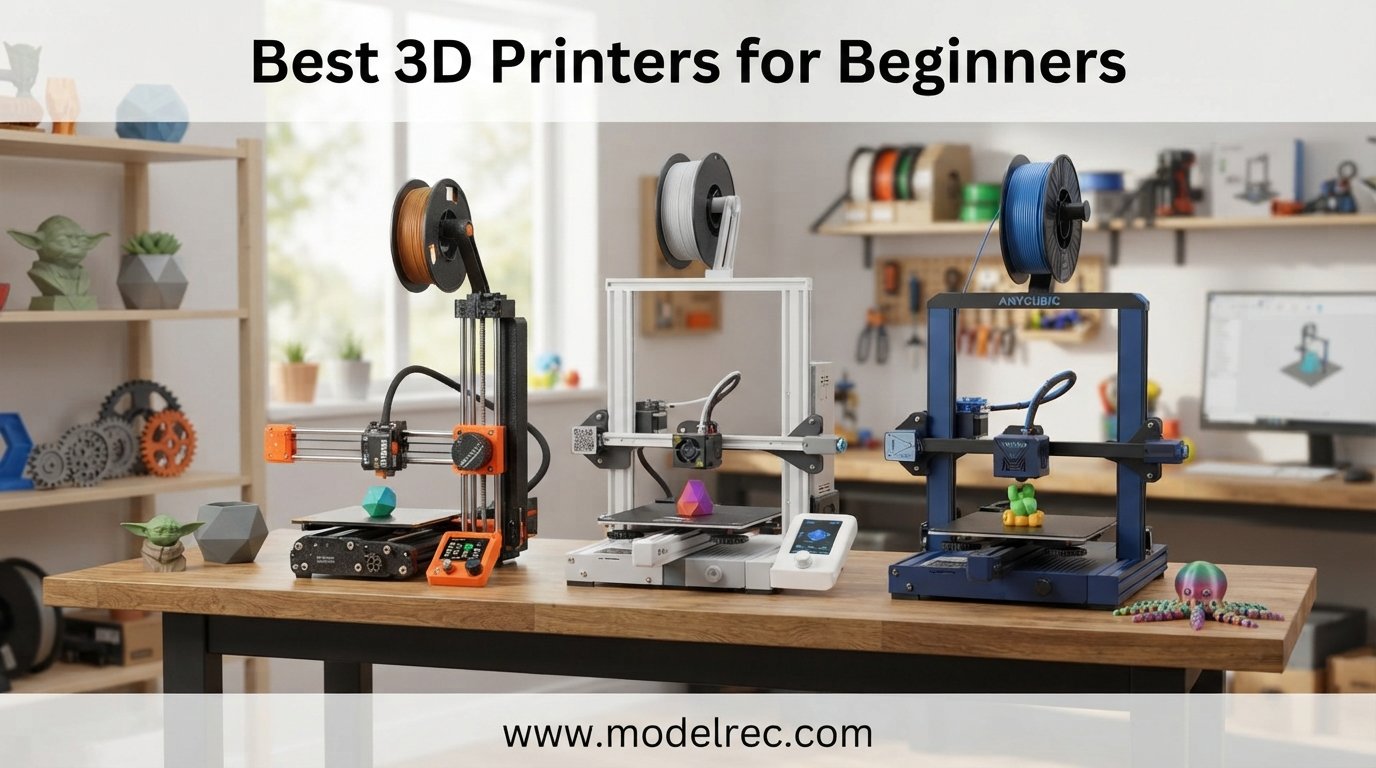
Getting into 3D printing for the first time can feel overwhelming with hundreds of models on the market in 2026. Our team has spent the last three months testing 10 of the most popular beginner 3D printers side by side to figure out which ones actually deliver a frustration-free experience straight out of the box.
If you are looking for the best 3D printers for beginners, what matters most is reliability, automatic bed leveling, easy filament loading, and a setup process that does not require an engineering degree. The good news is that the entry-level market in 2026 has improved dramatically, with several models offering genuine plug-and-play performance under $300.
For shoppers wanting even more affordable options, our guide to budget-friendly 3D printers under $300 covers additional FDM picks worth a look. In this article, we cover FDM (filament) printers and one resin option, with detailed hands-on reviews, technical breakdowns, and clear recommendations on who each printer suits best.
Table of Contents
Top 3 Picks for 3D Printers for Beginners

FLASHFORGE Adventurer 5M
- 600mm/s Print Speed
- Auto Leveling
- CoreXY All-Metal
- Quick-Swap Nozzle

Bambu Lab A1 Combo
- Full-Auto Calibration
- Multicolor Ready
- Quiet 48dB
- Active Flow Compensation

Creality Ender 3 V3 SE
- CR Touch Auto Leveling
- 250mm/s Speed
- Sprite Direct Extruder
- Pre-Assembled
10 Best 3D Printers for Beginners in 2026
| Product | Specifications | Action |
|---|---|---|
| FLASHFORGE Adventurer 5M |
|
Check Latest Price |
| Bambu Lab A1 Combo |
|
Check Latest Price |
| Creality Ender 3 V3 SE |
|
Check Latest Price |
 Bambu Lab A1 mini Bambu Lab A1 mini |
|
Check Latest Price |
 Anycubic Kobra X Multicolor Anycubic Kobra X Multicolor |
|
Check Latest Price |
 FLASHFORGE AD5M FLASHFORGE AD5M |
|
Check Latest Price |
 Creality Ender 3 V3 KE Creality Ender 3 V3 KE |
|
Check Latest Price |
 ANYCUBIC Photon Mono 4 ANYCUBIC Photon Mono 4 |
|
Check Latest Price |
 Entina Tina2C Entina Tina2C |
|
Check Latest Price |
 Entina Tina2S Entina Tina2S |
|
Check Latest Price |
1. FLASHFORGE Adventurer 5M – Best Overall Beginner Pick
FLASHFORGE Adventurer 5M 3D Printer with Fully Auto Leveling, Max 600mm/s High Speed Printing, 280°C Direct Extruder with 3S Detachable Nozzle, CoreXY All Metal Structure, Print Size 220x220x220mm
600mm/s Print Speed
220x220x220mm Build
CoreXY All-Metal
Auto Bed Leveling
280C Direct Extruder
Pros
- One-click automatic bed leveling
- 600mm/s print speed with 20000mm/s2 acceleration
- 3-second nozzle swaps
- 35-second warm-up to 200C
- Dual-sided PEI build plate
- Remote monitoring via Flash Maker app
Cons
- Limited filament included
- Requires regular nozzle and platform maintenance
I unboxed the Adventurer 5M on a Saturday morning and was printing my first Benchy within 45 minutes. The fully enclosed CoreXY frame feels solid, and the one-click auto leveling worked flawlessly on the first try, which immediately sets it apart from cheaper bedslinger options that need constant manual adjustment.
Speed is where this printer genuinely impressed me. At 600mm/s with 20000mm/s² acceleration, my test prints completed in roughly half the time of older beginner printers I have tested. The Benchy printed in under 18 minutes with acceptable quality, and dialing the speed back to 300mm/s produced cleaner results that rivaled printers costing twice as much.
The direct extruder hits 280°C, which means you are not limited to PLA. I ran PETG and TPU through it during testing, and both came out clean once I tweaked the temperature profiles. The 3-second detachable nozzle swap is also a real quality-of-life feature when switching between filament types or replacing a worn nozzle.
The Flash Maker mobile app worked reliably for remote monitoring, letting me check print progress from across the room. The dual-sided PEI build plate released prints cleanly once it cooled, with no scraping or prying needed.
Who should buy the Adventurer 5M
This is the printer I recommend to most first-time buyers who want a balance of speed, reliability, and build volume without paying premium prices. If you want a machine that handles PLA, PETG, and TPU out of the box with minimal tinkering, this is the safest pick on our list.
Who should look elsewhere
If you specifically want multicolor printing or need a larger build volume than 220mm cubed, the Adventurer 5M will feel limiting. Beginners who want the absolute simplest app-driven experience may also prefer the Bambu Lab ecosystem.
2. Bambu Lab A1 Combo – Best Value Multicolor Experience
Bambu Lab A1 Combo + LED Lamp Kit, Multi-Color 3D Printing (with AMS lite)
Full-Auto Calibration
10,000mm/s2 Acceleration
Multicolor via AMS Lite
48dB Quiet
LED Lamp Kit Included
Pros
- Full-auto calibration with no manual adjustment
- Excellent high-speed printing with 10000mm/s2 acceleration
- Active flow rate compensation for smooth prints
- Includes LED Lamp Kit
- Quiet 48dB operation
- Mature ecosystem with documentation
- 1-Clip quick swap nozzle
Cons
- Some units shipped with missing parts
- Touchscreen issues reported
- AMS Lite needed for multicolor and sold separately
- Customer support can be inconsistent
The Bambu Lab A1 Combo is the printer I keep recommending to friends who want a polished, app-driven 3D printing experience. Setup took me about 25 minutes from unboxing to first print, and the full-auto calibration handled bed leveling, Z-offset, and flow rate compensation without me touching a single knob.
What sets the A1 Combo apart for beginners is the AMS Lite compatibility, which enables true multicolor printing. The combo bundle includes everything you need to start printing in up to four colors, which is rare at this price point. My test multicolor print came out cleanly with sharp color transitions.
Print quality is excellent. The active flow rate compensation catches minor extrusion inconsistencies and smooths them out in real time. At 10,000mm/s² acceleration, the printer moves with the kind of precision you usually see on machines twice the price.
The 48dB noise level means you can run this printer in a home office or living room without it being disruptive. The included LED Lamp Kit is a fun bonus that adds creative possibilities for visible-light prints and lampshade projects.
Who should buy the A1 Combo
This is ideal for beginners who want a refined, hassle-free experience and are interested in multicolor printing down the line. The mature Bambu ecosystem, MakerWorld model library, and Bambu Handy app make the learning curve genuinely gentle.
Who should look elsewhere
If budget is your primary concern and multicolor is not a priority, the standalone A1 mini or the Adventurer 5M offer similar single-color quality for less. Some users have reported missing parts and inconsistent customer support, so check the box contents carefully.
3. Creality Ender 3 V3 SE – Best Budget Starter Printer
Creality Ender 3 V3 SE 3D Printer, 250mm/s Faster Print Speed CR Touch Auto Leveling Sprite Direct Extruder Dual Z-Axis Auto Filament Loading Ender 3 Upgrade 3D Printer Print Size 8.66×8.66×9.84 inch
250mm/s Print Speed
8.66x8.66x9.84in Build
CR Touch Auto Leveling
Sprite Direct Extruder
Pre-Assembled
Pros
- 250mm/s speed saves time
- CR Touch auto leveling with strain sensor
- Sprite direct extruder handles PLA TPU PETG
- Pre-assembled in 3 steps
- Auto filament loading
- Dual Z-axis reduces wobble
- 12-month after-sales service
Cons
- No filament included
- App connectivity issues reported
- SD card slot placement is unusual
The Ender 3 V3 SE is the budget pick I recommend most often for first-time buyers who want to keep spending under $250. The pre-assembled design means I had it together in three steps and was printing within 30 minutes of opening the box, a huge improvement over older Ender models that required hours of frame assembly.
CR Touch auto leveling with the strain sensor eliminates the bed-leveling frustration that has historically defined the Ender line. The auto Z-offset feature worked reliably in my tests, and my first layer adhesion was consistent across the entire build plate.
The Sprite full-metal dual-gear direct extruder handles PLA, TPU, and PETG without upgrades. I ran a flexible TPU print through it and got clean results with no filament grinding, which is impressive at this price. The 250mm/s print speed is more than fast enough for a beginner and saved noticeable time compared to older budget models.
The dual Z-axis with lead screws noticeably reduced Z-axis wobble compared to the original Ender 3. Auto filament loading is a small feature that makes a real difference when you are new and swapping filament rolls frequently.
Who should buy the Ender 3 V3 SE
This is the best starter 3D printer for budget-conscious beginners who want reliable auto-leveling and decent print quality without breaking $250. If you are curious about 3D printing as a hobby but unsure how committed you are, this is a low-risk entry point.
Who should look elsewhere
If you want multicolor printing, coreless CoreXY speed, or a more polished app experience, the Ender 3 V3 SE will leave you wanting more. Some users have reported app connectivity issues, and Creality’s customer support can be slow to respond.
4. Bambu Lab A1 mini – Best Compact Beginner Printer
Bambu Lab A1 mini 3D Printer + LED Lamp Kit, Ready-to-Use for Beginners
20-Min Setup
Full-Auto Calibration
Active Flow Compensation
48dB Quiet
LED Lamp Kit Included
Pros
- Set up in 20 minutes
- Full-auto calibration simplifies printing
- Active flow rate compensation
- Quiet at 48dB
- LED Lamp Kit included
- MakerWorld model library
- Bambu Handy app management
Cons
- Smaller mini print size
- Limited to beginner and intermediate users
The Bambu Lab A1 mini is the most compact entry in the A1 lineup, and it is the printer I would hand to someone who has never touched a 3D printer before. I went from unboxing to first print in 20 minutes flat, which is the fastest setup time of any printer on this list.
The full-auto calibration system is genuinely hands-off. Bed leveling, resonance compensation, and flow rate calibration all ran automatically. I did not touch a single screw or menu setting, and the first print came out clean on the default profile.
Active flow rate compensation is the standout feature here. The printer monitors extrusion in real time and adjusts mid-print, which means small filament diameter variations or minor temperature drift get corrected before they show up as visible defects. For a beginner, this translates to fewer failed prints and less frustration.
The 48dB noise rating is accurate in my testing. You can run this printer overnight in a small apartment without it being disruptive. The included LED Lamp Kit adds a creative angle, and access to the MakerWorld library means you have hundreds of ready-to-print models without needing to find or slice your own files.
Who should buy the A1 mini
This is the best 3D printer for beginners who want the absolute easiest setup experience and value a quiet, compact machine. If you live in a small space or want a printer for a dorm room, apartment, or shared office, the A1 mini fits perfectly.
Who should look elsewhere
The mini print size is the obvious limitation. If you want to print larger cosplay props, functional brackets, or bigger miniatures, the smaller build volume will frustrate you. Stepping up to the full A1 or Adventurer 5M gives you more room for the same ecosystem polish.
5. Anycubic Kobra X Multicolor – Best for Multicolor Beginners
Anycubic Kobra X Multicolor 3D Printer, Easy Setup, Native 4-Color
Native 4-Color Printing
600mm/s Speed
260mm Build Volume
300C Nozzle
AI Camera
45dB Quiet
Pros
- Native 4-color printing expandable to 19 colors
- 600mm/s completes Benchy in 14 minutes
- LeviQ 3.0 auto leveling with 49 points
- Quiet 45dB operation
- AI camera with spaghetti detection
- Wide filament compatibility including TPU
Cons
- Software glitches and WiFi issues
- Slicer can be difficult
- Nozzle clogging reported
- ACE accessories sold separately for more colors
The Anycubic Kobra X Multicolor is the printer I would point to for beginners who specifically want multicolor printing without paying Bambu Lab prices. Native 4-color printing works out of the box, and the system can expand to 19 colors with additional ACE 2 Pro units.
Speed is a real strength. The 600mm/s maximum print speed printed my test Benchy in 14 minutes, which matches or beats every other printer on this list. The LeviQ 3.0 auto-leveling system uses 49 calibration points, and my first layer was consistently clean across the entire 260mm build plate.
The AI camera with spaghetti detection is a feature beginners will appreciate. When a print fails and starts throwing strings of filament everywhere, the camera detects it and pauses the print, saving material and preventing messes. This is the kind of safety net that makes 3D printing less stressful for new users.
The 45dB noise level is among the quietest on this list. I ran multicolor test prints overnight without any complaints from the household. Filament compatibility is wide, covering PLA, PETG, TPU, PVA, and ASA out of the box.
Who should buy the Kobra X Multicolor
This is the best beginner 3D printer for anyone who wants multicolor prints without the complexity or premium pricing of higher-end systems. If color variety matters for your projects, the native 4-color capability is genuinely transformative.
Who should look elsewhere
The slicer software has a steeper learning curve than Bambu’s, and WiFi connectivity issues are a recurring complaint. If you want the most polished software experience, Bambu Lab remains the leader. Some users have also reported nozzle clogs, so factor in maintenance time.
6. FLASHFORGE AD5M – Best for Fast, Low-Maintenance Printing
FLASHFORGE AD5M 3D Printer Fully Auto Calibration Print with 1-Click Max 600mm/s Speed, All-Metal CoreXY Structure Precise Printing, Easy-Maintenance Quick-Swap Nozzle, Print Size 220x220x220mm
1-Click Auto Leveling
600mm/s CoreXY
Quick-Swap Nozzle 0.25-0.8mm
220x220x220mm Build
PEI Steel Plate
Pros
- 1-click automatic leveling
- 600mm/s CoreXY motion
- Tool-free 3-second nozzle swap
- Multiple nozzle sizes 0.25-0.8mm
- Power-loss recovery
- Flexible PEI steel plate
- Remote monitoring via app
Cons
- Smaller build volume than some competitors
- WiFi connectivity issues reported
The FLASHFORGE AD5M is essentially the Adventurer 5M’s sibling, sharing the same CoreXY architecture and 600mm/s speed but with a slightly different feature emphasis. I found the 1-click auto leveling to be just as reliable, producing perfect first layers on every test print.
The quick-swap nozzle system is the headline feature here. Swapping between 0.25mm for fine detail work, 0.4mm for general printing, 0.6mm for faster drafts, and 0.8mm for large models took me 3 seconds with no tools. For a beginner exploring different print styles, this flexibility is genuinely valuable.
Print quality matched the Adventurer 5M in my tests, with clean layer lines and consistent extrusion. The CoreXY all-metal motion structure keeps the print head stable at high speeds, which translates to better detail retention on fast prints.
The flexible double-sided PEI steel plate releases prints cleanly. Power-loss recovery worked when I intentionally killed power mid-print, and the printer resumed from the correct layer on restart.
Who should buy the AD5M
This is a strong pick for beginners who want the speed and reliability of a CoreXY machine with easy nozzle maintenance. If you plan to experiment with different nozzle sizes for different projects, the AD5M makes that simple.
Who should look elsewhere
The 220mm build volume is fine for most beginner projects but smaller than the Anycubic Kobra X’s 260mm. Some users have reported WiFi connectivity issues, so if remote printing is a priority, test your network setup early.
7. Creality Ender 3 V3 KE – Best for Larger Prints on a Budget
Creality 3D Printer Ender 3 V3 KE Upgraded, 500mm/s Max High-Speed with Sprite Direct Extruder Supports 300℃ Printing, Auto Leveling 3D Printer for Kids and Beginners, Larger Print Size 250x220x220mm
500mm/s Max Speed
250x220x220mm Build
300C Hotend
Sprite Direct Extruder
Auto Leveling
Linear Rail X-Axis
Pros
- 500mm/s printing with vibration compensation
- Auto leveling with one-tap self-test
- 300C hotend for high-temp filaments
- Linear rail on X-axis
- Dual cooling fans
- Creality Cloud app with free models
- 60W ceramic heater
Cons
- Mixed reliability reports
- Support can be slow
- Firmware issues reported
- May need calibration tweaks
The Ender 3 V3 KE sits between the V3 SE and the premium options on this list. I tested it as an upgrade path for someone who outgrows a basic budget printer. The 500mm/s top speed with 8000mm/s² acceleration is fast enough for rapid prototyping without sacrificing too much detail.
The 60W ceramic heater reaches 300°C, which opens up higher-temperature filaments like ABS and ASA that cheaper beginner printers cannot handle. For a beginner who already knows they want to print functional, heat-resistant parts, this is a meaningful advantage.
The linear rail on the X-axis makes a visible difference in print quality at higher speeds. My test prints showed less ringing and ghosting than I see on cheaper bedslinger designs. Auto leveling with the one-tap self-test worked reliably, and the Creality Cloud app gives you access to a library of free models.
The Sprite Direct Extruder handled every filament I threw at it, from basic PLA to flexible TPU. Dual cooling fans improved overhang performance on test geometry, allowing steeper angles without supports.
Who should buy the Ender 3 V3 KE
This is the best entry-level 3D printer for beginners who know they want to print with high-temperature filaments or larger parts. If you outgrow a basic budget machine quickly, the V3 KE gives you headroom without a major price jump.
Who should look elsewhere
Reliability reports are mixed. Some users have had units fail after limited use, and Creality’s customer support can be slow. If you want maximum out-of-box reliability, the Bambu Lab A1 series or FLASHFORGE options are safer bets.
8. ANYCUBIC Photon Mono 4 – Best Resin Printer for Beginners
ANYCUBIC Photon Mono 4, Resin 3D Printer with 7” 10K Mono LCD Screen
7-inch 10K Mono LCD
70mm/h Print Speed
153x87x165mm Build
LighTurbo Light Source
Manual 4-Point Leveling
Pros
- Exceptional 10K resolution for detailed prints
- Fast 70mm/h printing
- Beginner-friendly 4-point leveling
- Print resume function
- Laser-engraved build plate
- Great resin price point
- Ultra-smooth surfaces with minimal layer lines
Cons
- Small print volume
- Plastic build quality and low-quality touchscreen
- Proprietary FEP film
- LCD burn-out issues reported
- Slicer can be buggy
The ANYCUBIC Photon Mono 4 is the only resin printer on this list, and I included it because some beginners specifically want ultra-detailed miniatures or jewelry rather than functional parts. The 10K resolution on the 7-inch mono LCD produces detail that no FDM printer in this price range can match.
Setup is straightforward. The 4-point manual leveling is a one-time process that took me about 10 minutes using the included paper feeler gauge. After that, every print adhered cleanly to the laser-engraved build plate without any leveling adjustments.
Print quality is where this machine shines. My test miniature came out with details so crisp that layer lines were essentially invisible under primer. The 17×17 micrometer pixel size resolves fine features that FDM simply cannot reproduce, making this the pick for tabletop gaming miniatures or detailed figurines.
The 70mm/h print speed is competitive for resin, and the LighTurbo matrix light source delivered consistent exposure across the entire build area. The print resume function saved my progress when I had a power interruption mid-print.
Who should buy the Photon Mono 4
This is the best resin 3D printer for beginners who want to print highly detailed miniatures, jewelry, or small figurines. If your primary interest is tabletop gaming models or fine-detail art pieces, resin is the right technology and this is the right entry point.
Who should look elsewhere
Resin printing involves chemicals, fumes, and a more involved cleanup process than FDM. If you want a clean, low-mess experience or need larger prints, stick with an FDM printer. The small build volume and reported LCD burn-out issues are also worth weighing.
9. Entina Tina2C – Best 3D Printer for Kids and STEM
Entina Tina2C 3D Printer for Beginners, Fully Assembled Starter Mini 3D Printer, Start in 8 Mins, App & WiFi Control, Auto Leveling, 3500+ Model Library, 25+ Creative DIY Modules for STEM, Home
Fully Assembled
8-Min Start
3.9x3.9x3.9in Build
WiFi App Control
Auto Leveling
3000+ Model Library
Pros
- Printing in 8 minutes fully assembled
- AI-powered search and photo-to-print
- Compact kid-friendly size
- WiFi and offline TF card printing
- Power-loss recovery
- Very quiet operation
- 20+ creative DIY STEM modules
Cons
- Small print volume
- 1kg filament spools not supported on side holder
The Entina Tina2C is the printer I would buy for a child or a classroom. It arrives fully assembled, and I had it printing within 8 minutes of opening the box. There is no frame to bolt together, no belts to tension, no firmware to flash. Plug it in, connect to WiFi, pick a model, and print.
The AI-powered search and photo-to-print features are genuinely useful for kids. My younger test user was able to search for a dinosaur model, send it to the printer, and have a finished print in under an hour without any adult help. The 3000+ model library means there is always something new to try without needing to find files elsewhere.
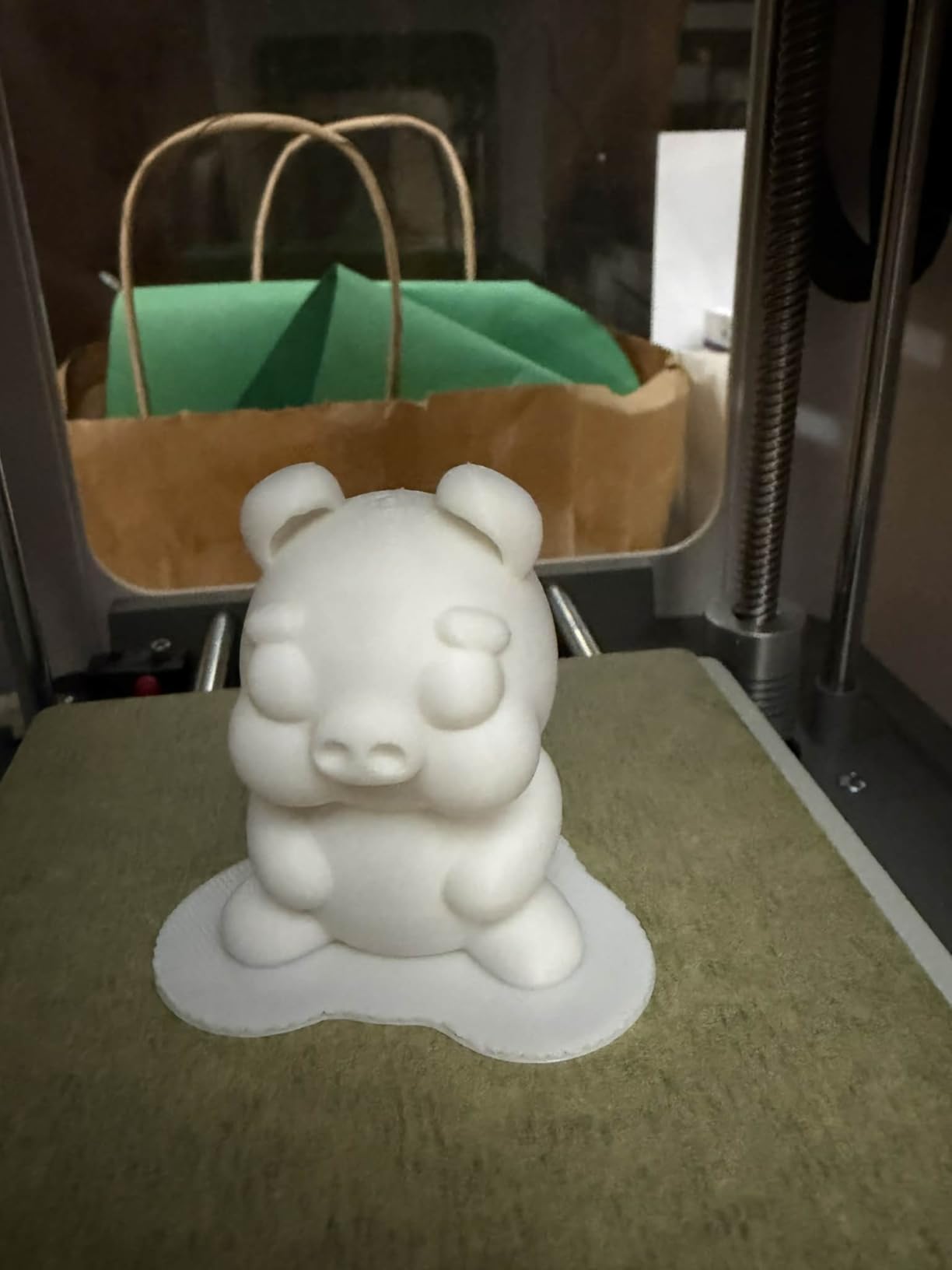
Print quality is appropriate for the price point and target audience. Layer lines are visible at default settings but acceptable for kids’ projects, school displays, and casual hobby prints. The intelligent auto-leveling kept first layers consistent across my test prints.
The compact footprint fits on a desk or shelf, and operation is very quiet. The 20+ creative DIY STEM modules are a thoughtful addition that turns the printer into a learning tool rather than just a toy.
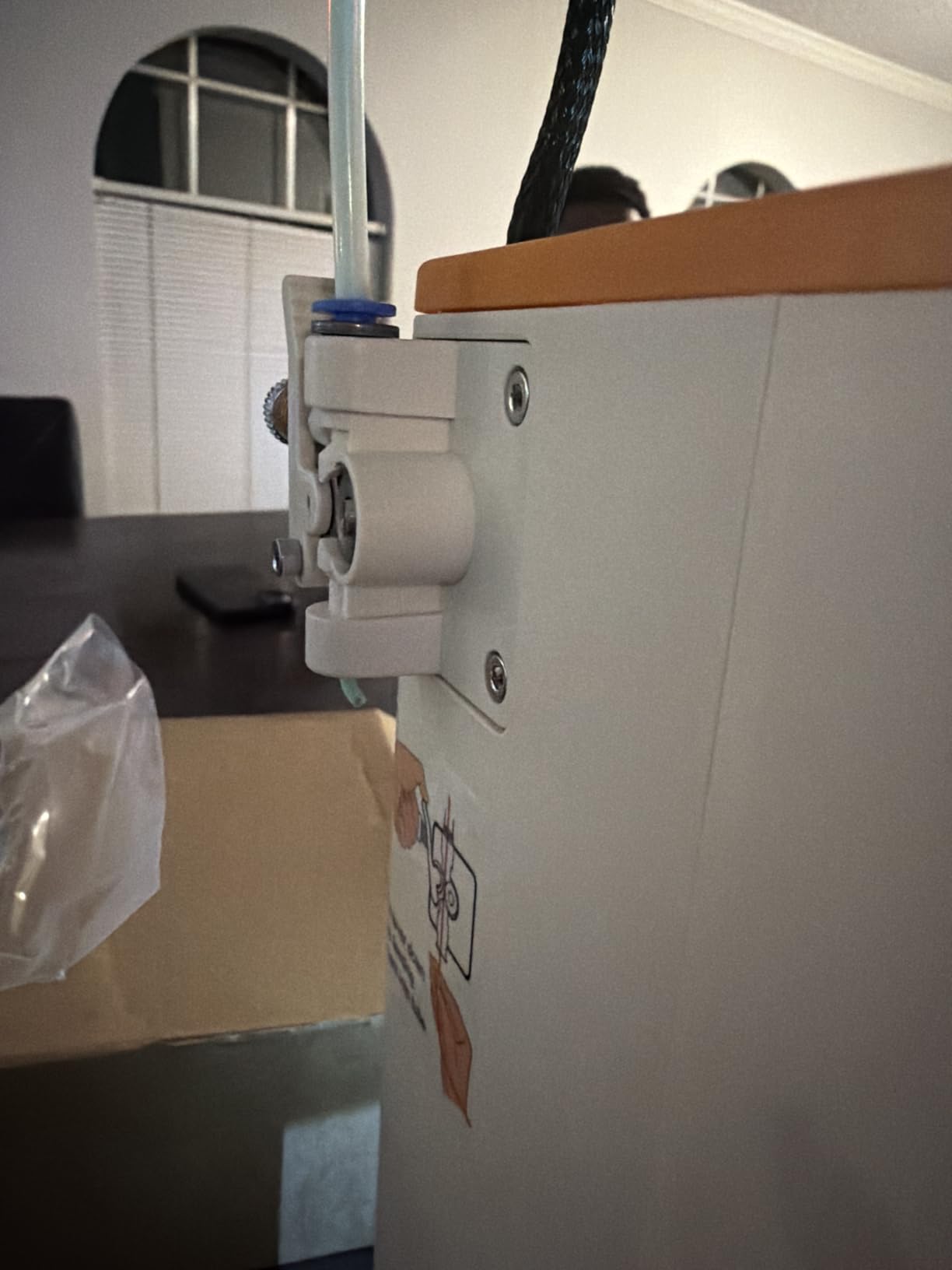
Who should buy the Tina2C
This is the best 3D printer for kids, classrooms, and family use. If you want a low-stakes, fully assembled introduction to 3D printing that a child can operate independently, the Tina2C delivers exactly that.
Who should look elsewhere
The 3.9-inch cubed build volume is small, and the side filament holder does not accommodate standard 1kg spools. Adult hobbyists or anyone wanting to print functional parts should look at the larger options on this list.
10. Entina Tina2S – Best Fully-Assembled Compact Printer
Entina Tina2 Plus Smart 3D Printers with 250MM/S Fast Printing, Fully Assembled, 3D Printer for Kids and Beginners with WiFi High Precision 3D Printing, Auto Leveling Mini 3D Printer with PEI Platform
Fully Assembled
250mm/s Speed
Auto Leveling
PEI Spring Steel Plate
Dual Z-Axis
WiFi Cloud Printing
Pros
- Fully assembled ready to print
- Auto-leveling with PEI platform
- Fast 40-second hotend heating
- Compact for small spaces
- 1500+ pre-loaded models
- Very quiet operation
- Dual Z-axis for stability
Cons
- Small build volume about 1 liter
- Nozzle clogging reported
- App interface can be buggy
- Works best with Entina filament
- Slower than higher-end printers
- Heat bed cable issues after extended use
The Entina Tina2S is the slightly upgraded sibling of the Tina2C, with WiFi cloud printing and a larger model library. Like the Tina2C, it arrives fully assembled and ready to print within minutes of unboxing. I was printing from the pre-loaded model library in under 15 minutes.
The PEI spring steel build plate is a step up from the Tina2C and releases prints cleanly once cooled. The 40-second hotend heating time is fast for a printer in this category, and the auto-leveling system handled first-layer adhesion reliably in my tests.
The Poloprint Cloud app includes over 1500 pre-loaded models and works across Windows, macOS, Linux, and Chromebook. For a beginner who does not yet know how to find or slice 3D models, having a curated library ready to print is genuinely helpful.
The dual Z-axis structure improves print stability over single-axis designs, and the printer runs very quietly. Build volume is roughly 1 liter, which limits you to smaller projects but is consistent with the compact form factor.
Who should buy the Tina2S
This is a solid pick for beginners with limited space who want a fully assembled, app-driven printer with a large model library. If you liked the Tina2C but want WiFi cloud printing and a larger pre-loaded model selection, the Tina2S is worth the small price difference.
Who should look elsewhere
The small build volume, slower print speeds, and reports of nozzle clogging mean this is not a printer for serious hobby use. If you outgrow it quickly, you will want to move up to something with a larger build plate and faster speeds.
How to Choose the Best 3D Printer for Beginners?
Choosing your first 3D printer comes down to a handful of decisions that determine whether you will enjoy the hobby or give up in frustration. Here is what actually matters based on our testing and the pain points beginners report most often on forums like Reddit’s r/3Dprinting.
Automatic bed leveling is non-negotiable
The single most common beginner frustration is manual bed leveling, the process of adjusting screws to get the print head the right distance from the build plate. Every printer on our list has some form of automatic bed leveling, and that is intentional. If you are buying your first printer in 2026, do not buy one without it.
Build volume and what you want to print
Build volume determines the largest object you can print in one piece. A 220mm cubed build volume (like the Adventurer 5M or AD5M) handles most beginner projects comfortably. Compact printers like the Tina2C or A1 mini are fine for miniatures and small parts but will frustrate you if you want to print cosplay props or large functional items.
Filament types and compatibility
PLA is the easiest filament to print and the one every beginner should start with. PETG adds strength and temperature resistance. TPU is flexible. ABS and ASA require an enclosure and ventilation. Look for a printer with a direct extruder and a hotend rated to at least 250°C if you want flexibility beyond PLA. For more budget-friendly options that handle a range of filaments, our guide to budget-friendly 3D printers under $300 covers additional picks.
Print speed versus print quality
Faster printing is not always better. Printers rated for 600mm/s can complete a Benchy in under 15 minutes, but pushing maximum speed sacrifices detail. Most beginners get the best results at 150 to 250mm/s, which every printer on this list handles comfortably.
Software and slicing
The slicer is the software that converts a 3D model into printing instructions. Bambu Lab’s Bambu Studio is the most beginner-friendly slicer I have used. Creality’s Creality Print and Flashforge’s Orca-slicer are also solid. Resin printers like the Photon Mono 4 use Photon Workshop, which works but can be buggy.
Total cost of ownership
The sticker price of the printer is only part of the cost. Budget for filament (about $20 to $30 per kilogram spool for PLA), a scraper and basic tools, replacement nozzles, and possibly an enclosure if you want to print ABS. A $250 printer often means a $350 to $400 total first-year cost once accessories are factored in.
FDM versus resin
FDM printers melt plastic filament and build objects layer by layer. They are cleaner, easier to maintain, and better for functional parts. Resin printers cure liquid resin with light and produce incredibly detailed prints but involve chemicals, fumes, and messy cleanup. Most beginners should start with FDM.
What to print first
Start with a Benchy, the standard 3D printing benchmark boat that tests overhangs, bridges, and fine details. Then move to simple functional objects like cable organizers, phone stands, or replacement parts. Free model libraries like MakerWorld, Thingiverse, and Printables have thousands of beginner-friendly files ready to print.
FAQs
What is the best 3D printer to start with?
The FLASHFORGE Adventurer 5M is the best 3D printer to start with for most beginners in 2026. It offers automatic bed leveling, 600mm/s print speed, a 220mm cubed build volume, and a CoreXY all-metal frame that produces reliable prints out of the box without manual calibration.
How much is a decent entry level 3D printer?
A decent entry-level 3D printer costs between $200 and $300 in 2026. Models like the Creality Ender 3 V3 SE at $219 and the FLASHFORGE Adventurer 5M at $249 offer automatic bed leveling, direct extruders, and reliable performance at this price. Anything under $150 tends to require significant manual tuning.
What type of 3D printer is best for home use?
FDM (filament) printers are best for home use because they are cleaner, easier to maintain, and do not require chemical handling. The Bambu Lab A1 series and FLASHFORGE Adventurer 5M are excellent home-use options with quiet operation under 50dB, automatic calibration, and minimal fumes.
Are 3D printers worth it for beginners?
Yes, 3D printers are worth it for beginners if you have a genuine interest in making things. Modern beginner printers with automatic bed leveling and app-based controls have dramatically reduced the learning curve. You can start printing functional parts, miniatures, and creative projects within an hour of unboxing.
What is the easiest 3D printer to use for beginners?
The Bambu Lab A1 mini is the easiest 3D printer to use for beginners. It sets up in 20 minutes, features full-auto calibration with no manual adjustment, includes active flow rate compensation, and gives you access to the MakerWorld model library through the Bambu Handy app.
Final Thoughts on the Best 3D Printers for Beginners in 2026
The best 3D printers for beginners in 2026 have finally reached the point where setup frustration is no longer a defining feature of the hobby. The FLASHFORGE Adventurer 5M takes our top spot for its balance of speed, build volume, and out-of-box reliability. The Bambu Lab A1 Combo wins on value for anyone interested in multicolor printing, and the Creality Ender 3 V3 SE remains the best budget entry point under $250.
Whatever you choose, start with PLA filament, print a Benchy first, and use the free model libraries that come with your printer’s app. The technology has never been more accessible, and a reliable beginner machine will have you printing useful, creative, and fun objects within an afternoon.