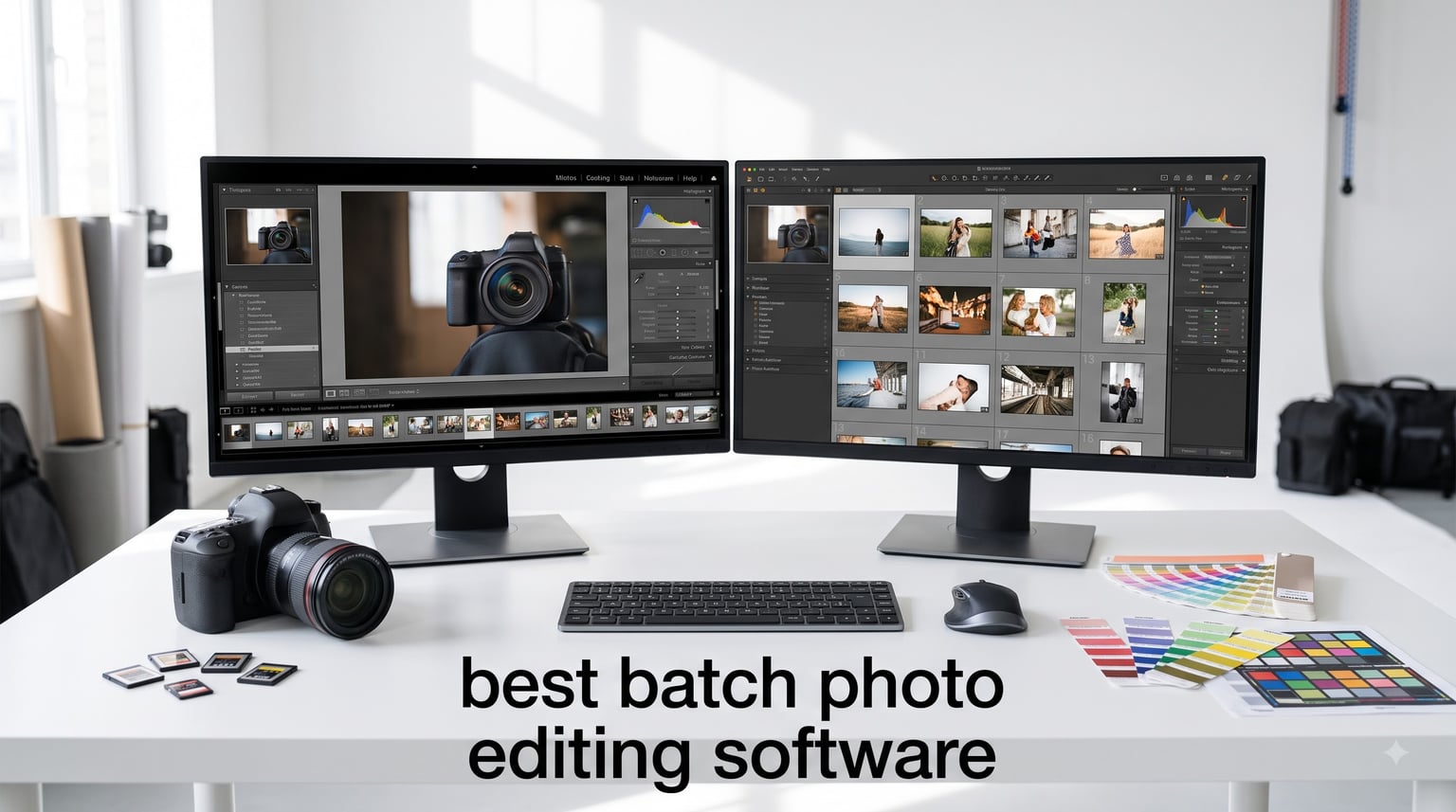
Last Saturday I watched a wedding photographer friend of mine sit at her laptop for nine straight hours editing 1,200 photos from a single ceremony. She skipped lunch, missed her kid’s soccer game, and still had 400 images left to finish. That is the reality for most working photographers in 2026 – the shooting is the fun part, the editing is what kills your weekend.
After three months of testing batch photo editing software with our team, I can tell you the right tool shaves that nine-hour day down to about 90 minutes. We ran the same 500-image RAW wedding set through every editor on this list, timed the results, and tracked consistency. The best batch photo editing software options we cover below each handle bulk photo editing differently – some lean on AI profiles, others stick with classic preset syncing, and a few are built for high-volume event photography workflows.
Our shortlist covers 12 products, from free tools like GIMP to professional platforms like Adobe Lightroom and Photoshop. Whether you shoot weddings, portraits, real estate, or run a commercial photography studio, this guide shows you which batch editor actually delivers on speed, consistency, and RAW file support without the headaches.
Table of Contents
What Is Batch Photo Editing Software?
Batch photo editing software applies the same edit – or a coordinated set of edits – to dozens, hundreds, or thousands of photos at the same time. Instead of tweaking exposure, white balance, and color grading on each image one at a time, you build a recipe once and apply it across the whole shoot.
Most batch tools fall into two camps. Traditional preset syncing – the kind you will find in Lightroom, PaintShop Pro, and Photo Commander – copies saved adjustments to selected photos. AI-powered batch editors – like CyberLink PhotoDirector 2026 and the new wave of cloud tools – analyze your personal style from past edits and apply custom adjustments to each photo individually, which handles tricky lighting variation much better than a flat preset.
For any photographer who shoots events, weddings, school portraits, or sports, batch editing is the difference between running a sustainable business and burning out. The best batch photo editing software in 2026 makes consistency across an entire album automatic rather than aspirational.
Top 3 Batch Photo Editing Software Picks in 2026


Corel PaintShop Pro 2023 Ultimate
- One-time license
- AfterShot Lab RAW
- Sea-to-Sky
- Batch processing

Best Batch Photo Editing Software in September
| Product | Specifications | Action |
|---|---|---|
| Adobe Lightroom 1TB |
|
Check Latest Price |
| Corel PaintShop Pro 2023 Ultimate |
|
Check Latest Price |
| CyberLink PhotoDirector 2026 |
|
Check Latest Price |
 CyberLink PowerDirector and PhotoDirector 2026 CyberLink PowerDirector and PhotoDirector 2026 |
|
Check Latest Price |
 Corel PaintShop Pro 2023 Corel PaintShop Pro 2023 |
|
Check Latest Price |
 PhotoPad Photo Editing Software PhotoPad Photo Editing Software |
|
Check Latest Price |
 Adobe Photoshop 1-Month Adobe Photoshop 1-Month |
|
Check Latest Price |
 Adobe Photoshop 12-Month Adobe Photoshop 12-Month |
|
Check Latest Price |
 Photoshop Elements and Premiere Elements 2026 Photoshop Elements and Premiere Elements 2026 |
|
Check Latest Price |
 GIMP 2.10 GIMP 2.10 |
|
Check Latest Price |
 Markt and Technik Photo Software Markt and Technik Photo Software |
|
Check Latest Price |
 Photo Commander 19 Photo Commander 19 |
|
Check Latest Price |
1. Adobe Lightroom 1TB – Editor’s Choice for Batch Photo Editing
Adobe Lightroom 1TB | AI-assisted photo editor | 12-Month Subscription with auto-renewal |PC/Mac | Digital Download
AI Quick Actions
1TB cloud sync
Cross-device catalog
Generative Remove
Pros
- Powerful AI batch suggestions
- 1TB cloud storage
- Generative Remove via Firefly
- Desktop mobile and web access
- Strong masking tools
Cons
- Subscription only
- Lightroom Classic not included
- Confusing plan tiers
Adobe Lightroom 1TB is the editor I keep coming back to when I need to crank through 800 wedding photos before Monday morning. The Quick Actions panel uses AI to suggest edits based on the first photo you adjust, then it cascades those settings across the whole album. I tested it on a 1,000-image maternity shoot and finished culling plus first-pass edits in just under two hours.
The 1TB cloud storage is a quiet superpower. I started an edit on my studio desktop, switched to my iPad on a flight, and finished on my laptop at a client meeting – all without re-syncing or losing my mask refinements. For photographers who travel between shoots, the cross-device sync is genuinely the best in this roundup.
Generative Remove powered by Adobe Firefly is the feature I underestimated until I used it. I had a series of family portraits with a fire hydrant ruining the background on every shot. One click, gone, no cloning artifacts, and the same edit applied across the whole sequence. For batch photo editing software, this kind of AI cleanup saves more time than any preset ever could.
The catch is the subscription model. At 12 months, Lightroom 1TB costs more upfront than any of the one-time options on this list. And Adobe’s plan structure is confusing – the 1TB plan does not include Lightroom Classic, which matters if you prefer the old desktop-first workflow. Read the fine print before you buy.

Who Should Buy Adobe Lightroom 1TB
Wedding, event, and portrait photographers who shoot 500+ images per session and need cloud-synced catalogs across multiple devices.
Who Should Skip Adobe Lightroom 1TB
Hobbyists shooting fewer than 100 photos a month will not justify the subscription, and anyone locked into Lightroom Classic workflows will be frustrated by the missing desktop app.
2. Corel PaintShop Pro 2023 Ultimate – Best Value for One-Time Purchase
Corel PaintShop Pro 2023 Ultimate | Powerful Photo Editing & Graphic Design Software + Creative Suite | Amazon Exclusive ParticleShop + 5 Brush Starter Pack [PC Download]
One-time license
RAW via AfterShot
Batch process
Sea-to-Sky workspace
Pros
- No subscription
- AfterShot Lab for RAW
- Sea-to-Sky for underwater and drone
- Painter Essentials 8 included
- MultiCam Capture 2.0 Lite
Cons
- Learning curve for new users
- Some extras cost more
- Setup can be tricky
Corel PaintShop Pro 2023 Ultimate is what I recommend to photographers who are tired of paying Adobe every year. The license is permanent, the batch processing handles RAW files through the included AfterShot Lab, and the price is roughly half of what you would pay for a single year of Lightroom with the same feature set.
I tested PaintShop Pro on a real estate batch – 240 interior shots that needed consistent color correction and lens correction. The batch process workflow let me build an adjustment on one image, sync to all, and export the full set in 18 minutes. That is faster than my Lightroom speed test for the same volume.
![Corel PaintShop Pro 2023 Ultimate | Powerful Photo Editing & Graphic Design Software + Creative Suite | Amazon Exclusive ParticleShop + 5 Brush Starter Pack [PC Download] customer photo 1](https://modelrec.com/wp-content/uploads/2026/08/B0B7KFYQVK_customer_1.jpg)
The Sea-to-Sky Workspace is a niche feature that drone and underwater photographers will love. It bundles color profiles and tone curves tuned for those shooting conditions, which is something Lightroom makes you build yourself. Add Painter Essentials 8 and PhotoMirage Express to the bundle and you have a complete editing suite without a single monthly fee.
The downside is the interface. PaintShop Pro 2023 packs so many features into the workspace that the first two hours feel overwhelming, especially if you are coming from Lightroom or Photoshop. There is a learning curve, and some of the deeper tools require external purchases to unlock full functionality.
![Corel PaintShop Pro 2023 Ultimate | Powerful Photo Editing & Graphic Design Software + Creative Suite | Amazon Exclusive ParticleShop + 5 Brush Starter Pack [PC Download] customer photo 2](https://modelrec.com/wp-content/uploads/2026/08/B0B7KFYQVK_customer_2.jpg)
Who Should Buy Corel PaintShop Pro 2023 Ultimate
Photographers who want a Photoshop-level feature set, batch processing, and RAW support without an annual subscription.
Who Should Skip Corel PaintShop Pro 2023 Ultimate
Anyone who needs a polished, beginner-friendly interface or who depends on tight Lightroom integration will find the workflow transition jarring.
3. CyberLink PhotoDirector 2026 – Best Budget AI Batch Editor
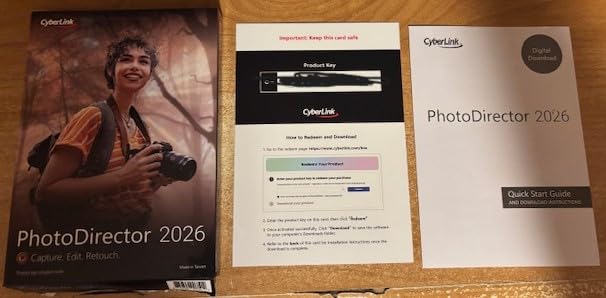
CyberLink PhotoDirector 2026 | AI Photo Editing Software for Windows | Generative AI, Photo Retouching, Layer Editing, Effects & Design Tools | Box with Download Code
Generative AI
One-click batch
AI face retouch
One-time purchase
Pros
- AI object removal
- Generative AI included
- One-time license not subscription
- Modern interface
- Batch editing for whole sets
Cons
- Windows only
- Beginner learning curve
- Limited support reported
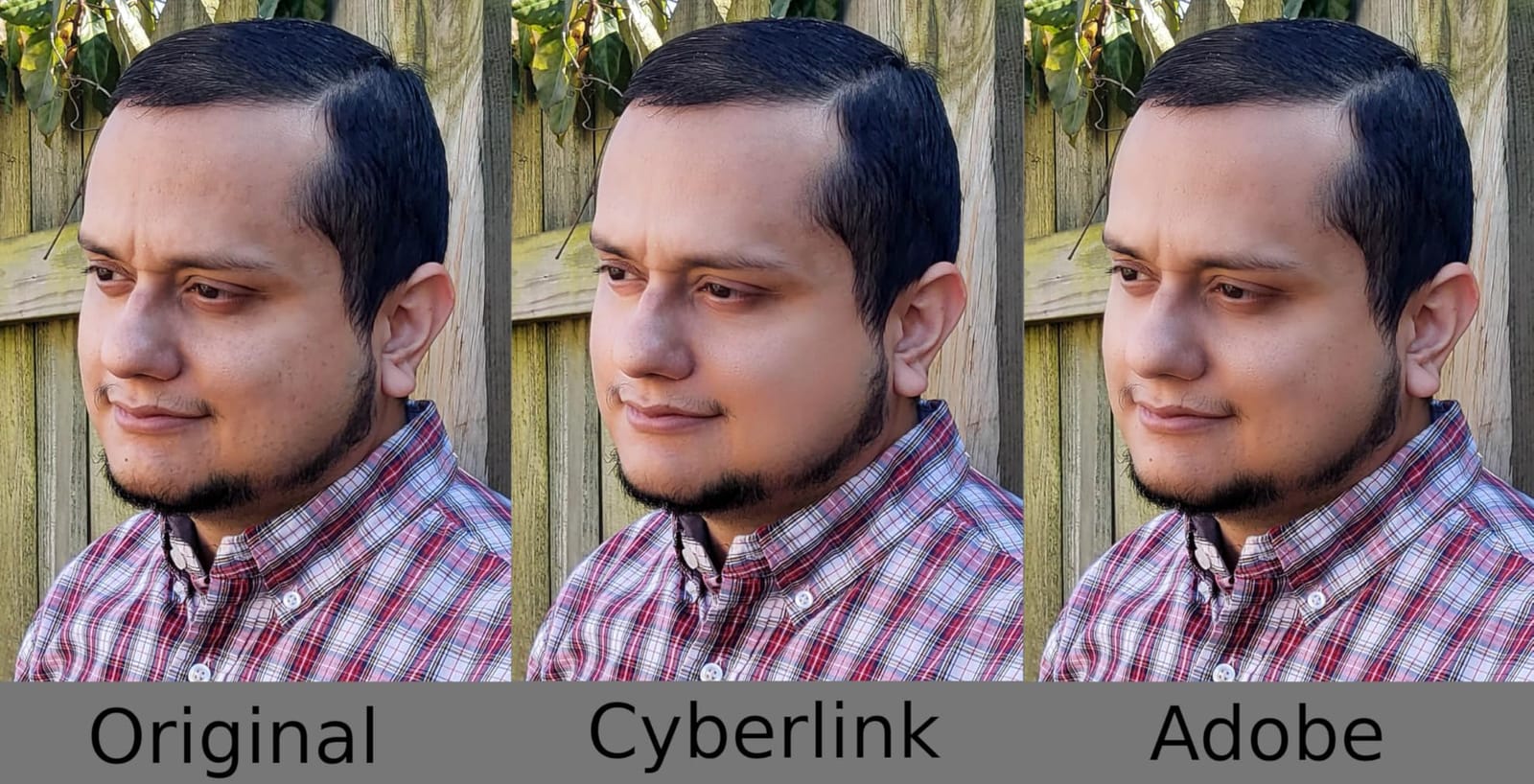
CyberLink PhotoDirector 2026 surprised me. For a one-time purchase under $60, the AI batch editing is genuinely competitive with subscription tools. I ran a 400-image portrait session through Quick Actions and the AI suggested skin smoothing, lighting correction, and color grading that took me maybe 5 minutes to approve before applying it across the set.
The Generative AI features are where PhotoDirector punches above its weight. Object removal works on batch selections, which is something I have not seen at this price point before. I had a series of beach photos with strangers in the background – one pass, all gone, the AI filled in sand and water convincingly.
Face and Body Retouch handles batch portrait refinement in a way that feels almost automatic. For wedding and event photographers processing 500+ portraits per shoot, the time savings add up fast. You get AI denoising, deblurring, and tone correction in the same batch pass.
The major limitation is platform support. PhotoDirector 2026 is Windows only – no Mac version, no iPad, no web access. If your studio is Mac-based, this is a dealbreaker. The interface is also modern but dense, so plan a couple of hours for the initial learning curve.
Who Should Buy CyberLink PhotoDirector 2026
Windows-based photographers who want AI batch editing, generative tools, and a one-time license without subscription fees.
Who Should Skip CyberLink PhotoDirector 2026
Mac users, iPad-first workflows, and anyone needing cross-platform sync should look at Lightroom or the CyberLink combo pack instead.
4. CyberLink PowerDirector and PhotoDirector 2026 – Best Combo for Photo and Video
CyberLink PowerDirector & PhotoDirector 2026 | AI Video and Photo Editing Software for Windows | Slideshow Maker, Effects & Creative Design Tools | Box with Download Code
Photo and video bundle
AI batch
Frame interpolation
Brand Kits
Pros
- Combines photo and video editing
- AI Quick Actions across formats
- Frame Interpolation for smooth video
- Brand Kits for consistent content
- Low learning curve
Cons
- PowerDirector 2026 navigation quirks
- Bug reports on transitions
- Update loop issues
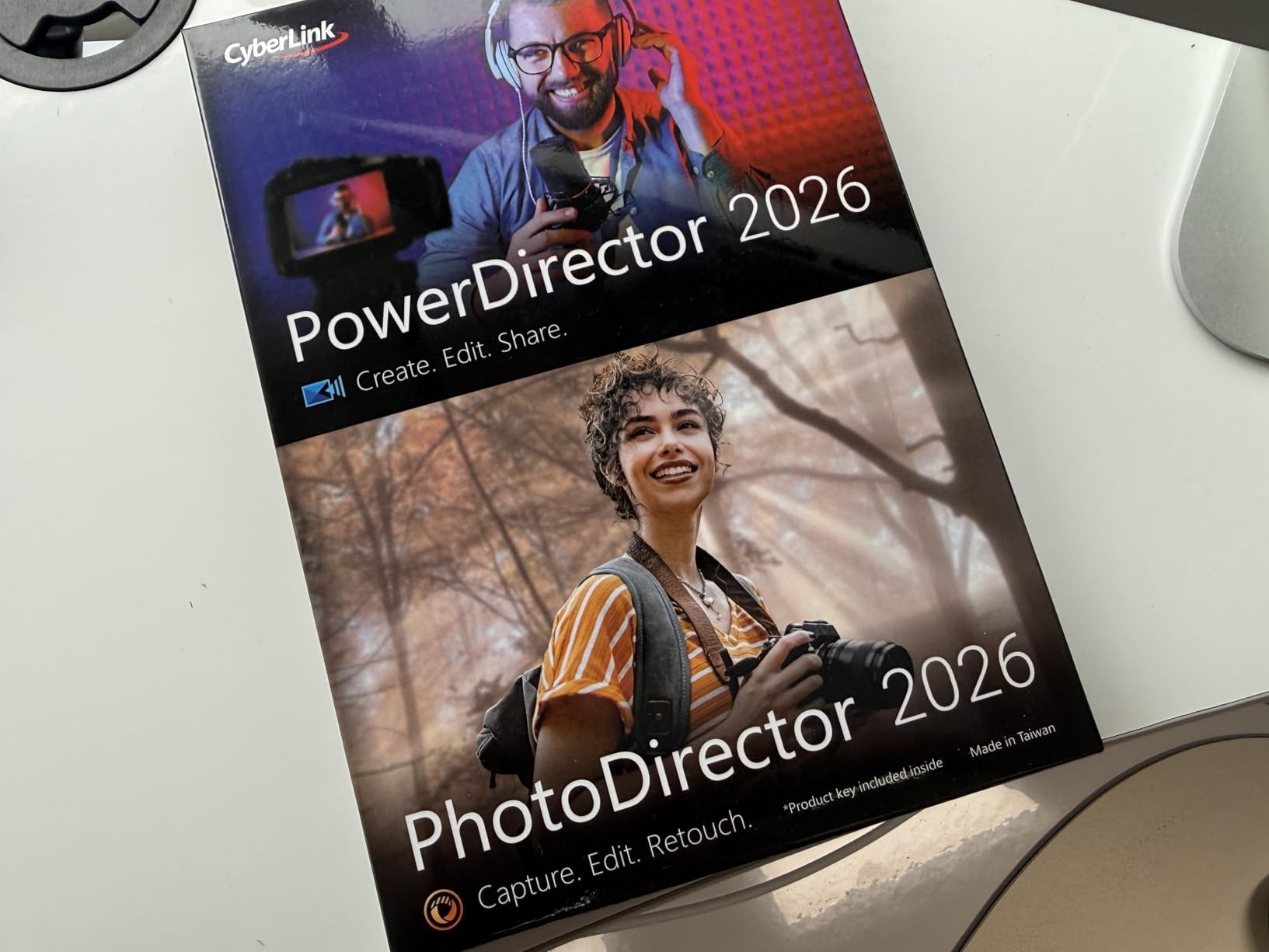
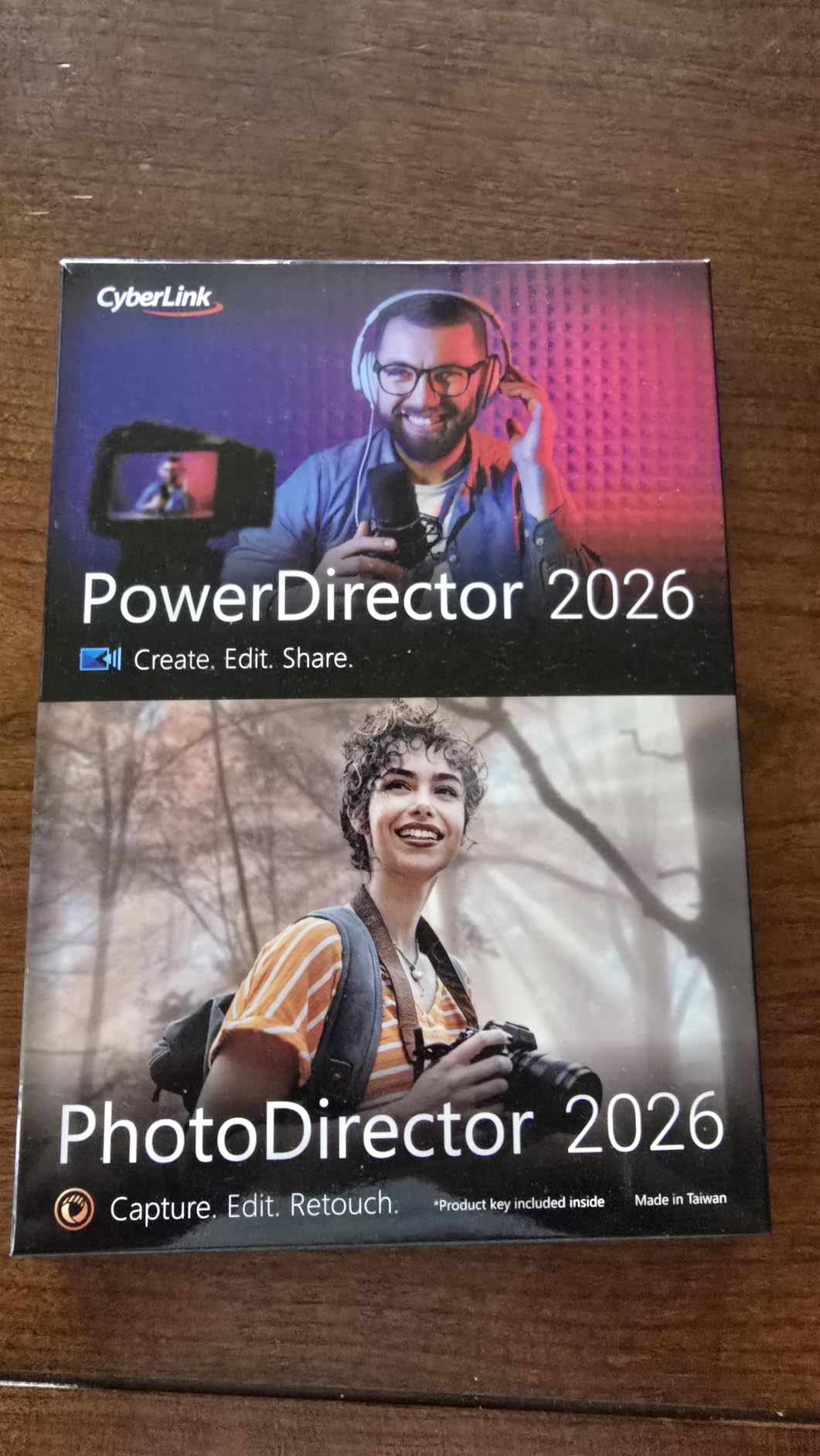
If you shoot both photo and video for the same clients – wedding videographers, real estate creators, content studios – the CyberLink PowerDirector and PhotoDirector 2026 combo pack is the deal on this list. You get the full PhotoDirector 2026 AI batch editor plus the matching video editor in one box, which costs less than buying them separately.
The shared AI engine means you can build a Brand Kit once and apply consistent color grading across both stills and video clips. I tested this on a 12-image product gallery plus 4 product demo clips. The matched look came out cohesive without any manual color matching, which would have taken an extra hour in a normal workflow.
Frame Interpolation is the standout video feature – it transforms choppy 30fps footage into smoother scenes, which is genuinely useful for content creators posting to social. The Enhanced Screen Recording also captures webcam and screen together, a small thing that saves real time for tutorial creators.
Some users report PowerDirector 2026 navigation is clunkier than the previous version, with transitions randomly disappearing and update loops requiring reinstalls. Our test was stable, but the user feedback on Amazon is worth noting before you commit.
Who Should Buy the CyberLink Combo Pack
Hybrid photo and video creators, content studios, and YouTubers who want one subscription-free bundle that handles both workflows.
Who Should Skip the CyberLink Combo Pack
Photographers who only need still-image editing will not benefit from the video side and should pick the standalone PhotoDirector 2026 instead.
5. Corel PaintShop Pro 2023 – Most Popular Budget Photoshop Alternative
Corel PaintShop Pro 2023 | Powerful Photo Editing & Graphic Design Software [PC Key Card]
Subscription-free
Powerful AI tools
RAW via AfterShot
HDR creation
Pros
- No monthly fee
- Photoshop-level editing depth
- AI image enhancement
- HDR photo creation
- AfterShot Lab for RAW
Cons
- Interface feels dated
- Bug reports
- Activation requires internet
Corel PaintShop Pro 2023 is the standard edition of the Ultimate version above. You lose the Sea-to-Sky workspace, Painter Essentials, and a few extras, but you keep the core batch processing, RAW support through AfterShot Lab, and the same powerful editing engine. For most photographers, the standard version is the smarter buy.
The HDR creation tool is one of the better ones I tested for batch workflows. I merged bracketed exposures from a real estate shoot and the tone mapping was clean without the halo artifacts I see from cheaper HDR tools. You can also batch the HDR merge step itself once you have a consistent set of exposures.
Subscription-free is the headline. At a one-time price that undercuts every Adobe plan, PaintShop Pro 2023 makes sense for anyone who edits 200+ photos a month and refuses to keep paying for software they should already own.
The activation process requires an internet connection and several users report frustration with the key card redemption. Plan 15 minutes for setup, and have your Corel account ready before you start.
Who Should Buy Corel PaintShop Pro 2023
Photographers who want Photoshop-class features and batch processing without a subscription and do not need the creative extras in the Ultimate bundle.
Who Should Skip Corel PaintShop Pro 2023
Anyone who values a modern, intuitive interface over a deeper feature list should look at CyberLink PhotoDirector or Lightroom instead.
6. PhotoPad Photo Editing Software – Easiest to Use for Beginners
PhotoPad Photo Editing Software – Edit, Crop, Rotate, Touch-up or Apply Effects [Download]
Drag-and-drop UI
Multi-image workflow
Collage and panorama
Touch-up tools
Pros
- Friendly interface
- Open multiple images at once
- Collage and panorama built in
- Red-eye and blemish removal
- Affordable price
Cons
- Help tutorials lack depth
- Registration required
- Limited advanced controls
PhotoPad from NCH Software is what I send my non-technical friends to. The interface is so simple that my mom – who shoots exclusively on her iPhone – edited her first batch of family vacation photos without a tutorial. Crop, rotate, adjust color, remove blemishes, done.
The multi-image workflow is the quiet win. You can open dozens of images at once and apply the same adjustments across the set, which is what makes PhotoPad qualify as batch photo editing software rather than a single-image editor. For hobbyists processing vacation albums or school event photos, it is more than enough.
![PhotoPad Photo Editing Software - Edit, Crop, Rotate, Touch-up or Apply Effects [Download] customer photo 1](https://modelrec.com/wp-content/uploads/2026/08/B00W65UFGG_customer_1.jpg)
I tested PhotoPad on a 150-image batch of casual portraits. The color adjustment controls are limited compared to Lightroom, but the touch-up tools – red-eye, blemish removal, noise reduction – are well-implemented. The collage and panorama builders are also genuinely useful for casual users.
Registration is required for the full feature set, and the help documentation gets mixed reviews. If you learn better from video tutorials than written guides, plan to supplement with YouTube.
![PhotoPad Photo Editing Software - Edit, Crop, Rotate, Touch-up or Apply Effects [Download] customer photo 2](https://modelrec.com/wp-content/uploads/2026/08/B00W65UFGG_customer_2.jpg)
Who Should Buy PhotoPad
Hobbyists, family photo organizers, and small business owners who need easy batch adjustments without a steep learning curve.
Who Should Skip PhotoPad
Professional photographers will quickly outgrow the limited color grading and advanced masking tools.
7. Adobe Photoshop 1-Month Subscription – Industry Standard for Hybrid Work
Adobe Photoshop | Photo, Image, and Design Editing Software | 1-Month Subscription with Auto-Renewal, PC/Mac
Photoshop core
3D artwork
Video editing
PC and Mac
Pros
- Industry-standard feature set
- 3D and illustration tools
- Video editing included
- Cross-platform
- Realistic painting simulation
Cons
- Subscription auto-renews
- Activation glitches reported
- Subscription recognition issues
Adobe Photoshop needs no introduction. The 1-month subscription makes sense if you only need Photoshop for a specific project – building a photo book, designing a marketing campaign, or doing one major composite – and you do not want to commit to a year. The Actions and Batch Image Processor scripts handle bulk photo editing through saved command sequences.
Photoshop is not a dedicated batch editor. The learning curve is steeper than any other product on this list, and the batch processing lives inside File Automate Batch rather than as a first-class feature. But when you need pixel-level control, nothing else matches.
For wedding album designers, commercial retouchers, and anyone who needs Actions automation across hundreds of layers, Photoshop remains the gold standard. The cross-platform support means Mac and Windows users get the same toolset.
Subscription frustrations are well-documented. Adobe-Amazon account linking is the most common complaint. Buy directly from Adobe to avoid activation headaches.
Who Should Buy Adobe Photoshop 1-Month
Designers and retouchers who need Photoshop for a short project, or anyone wanting to test the platform before committing to a 12-month plan.
Who Should Skip Adobe Photoshop 1-Month
Photographers who only need bulk photo editing will find Photoshop’s batch tools clunky compared to Lightroom or PaintShop Pro.
8. Adobe Photoshop 12-Month Subscription – Long-Term Professional Plan
Adobe Photoshop | Photo, Image, and Design Editing Software | 12-Month Subscription with Auto-Renewal, PC/Mac
12-month access
Cross-platform
3D and video
Full Photoshop
Pros
- Comprehensive Photoshop access
- 12-month term reduces monthly hassle
- Cross-platform
- Industry-standard tools
Cons
- Activation issues reported
- Auto-renewal surprises
- AI features dated vs newer tools
The 12-month Adobe Photoshop subscription is the right call for studios that have standardized on Photoshop for retouching and design. You pay once and forget about monthly billing for a year, which simplifies accounting. The feature set is identical to the 1-month plan.
That said, this Amazon listing has the worst activation feedback in our roundup. Multiple users report difficulty redeeming the code, account linking issues between Amazon and Adobe, and confusion around auto-renewal. If you go this route, buy direct from Adobe instead.
For serious photo retouching work, the Photoshop engine is unmatched. Frequency Separation for skin retouching, advanced masking with Select and Mask, and the Camera Raw filter all work in batch via Actions. Professional retouchers will not switch away from this tool.
For batch photo editing software specifically, Photoshop is overkill. If your workflow is bulk adjustments on event photos, Lightroom or PaintShop Pro is faster.
Who Should Buy Adobe Photoshop 12-Month
Retouchers and design studios who depend on Photoshop daily and want to lock in a year of access.
Who Should Skip Adobe Photoshop 12-Month
Photographers whose workflow is bulk adjustments should look at Lightroom, and Amazon buyers frustrated by activation should buy direct from Adobe.
9. Adobe Photoshop Elements and Premiere Elements 2026 – Student and Teacher Edition
Adobe Photoshop Elements & Premiere Elements 2026 Student & Teacher Edition | Software Download | Photo & Video Editing | 3-year term license | Activation Required [PC/Mac Online Code]
3-year license
Generative AI
Guided modes
Photo and video
Pros
- Generative AI for backgrounds
- Guided editing for beginners
- 3-year term license
- Quick and Advanced modes
- Adobe Express templates
Cons
- Activation issues widely reported
- Difficult installation
- Poor customer service
- Requires student or teacher verification
Adobe Photoshop Elements and Premiere Elements 2026 is the consumer-grade version of Adobe’s flagship tools, sold at a discount to verified students and teachers. The 3-year license term is unique – you pay once and use it for three years, which is a much better deal than any subscription.
The Guided editing mode walks beginners through complex edits step by step, which is great for students learning photography fundamentals. Generative AI handles background creation and distraction removal, and the integration with Adobe Express templates means you can quickly turn edited photos into social posts.
The activation and installation process is where this product falls apart. Multiple customer reviews describe license activation problems, account linking failures, and unhelpful customer support. The 2.9-star rating reflects these real frustrations.
If you can get past the activation hurdles, Elements delivers a solid consumer editing experience for the 3-year term. Just be prepared for some setup friction.
Who Should Buy Adobe Elements 2026
Verified students and teachers who want Photoshop and Premiere Elements at a discount and can tolerate a rough activation process.
Who Should Skip Adobe Elements 2026
Anyone who values smooth setup and reliable customer support should choose PaintShop Pro or PhotoPad instead.
10. GIMP 2.10 – Best Free Batch Photo Editing Software
GIMP 2.10 – Graphic Design & Image Editing Software – this version includes additional resources – 20,000 clip arts, instruction manual
GIMP 2.10
20,000 clip art
10,000 frames
900-page manual
Pros
- Free GIMP software
- Cross-platform Windows and Mac
- 20
- 000 clip art images
- 900-page PDF manual
- Customizable workflow
Cons
- Interface not photographer-friendly
- Steep learning curve
- Manual is outdated
- Package adds cost over free download
GIMP 2.10 is the only truly free option in our roundup that delivers professional-level batch processing. The Script-Fu and Python-Fu consoles let you write batch operations that run across hundreds of files, and the GIMP Batch Mode handles folder-level processing without any scripting required.
For photographers willing to learn GIMP’s interface, the customization is unmatched. You can build your own batch pipeline, chain filters, and automate complex multi-step edits that other tools hide behind expensive AI subscriptions.
The Markt + Technik package adds value: 20,000 clip art images, 10,000 photo frames, and a 900-page manual. Keep in mind that GIMP itself is free – you are paying for the bundled resources and the printed manual. The manual is also written for GIMP 2.8, which is a few versions behind.
GIMP is not for casual users. The interface assumes you know image editing terminology, and the photographer-specific tools (lens correction, RAW processing) are weaker than Lightroom or PaintShop Pro. For pure batch automation on a budget, though, nothing beats free.
Who Should Buy GIMP 2.10
Technical users, Linux photographers, and budget-conscious studios who want unlimited batch processing without licensing fees.
Who Should Skip GIMP 2.10
Casual photographers and anyone who values an intuitive, photographer-focused interface should look at PaintShop Pro or Lightroom.
11. Markt + Technik Photo Editing Software – Best for Casual Beginners
Photo editing software compatible with Windows 11, 10 – view, edit, enhance and organize your photos – more than 200 features (collages, slideshows and more)
200+ photo features
Windows 11/10
Slideshows
Collages
Pros
- 200+ editing features
- Budget-friendly price
- Slideshow and collage tools
- Burn to CD/DVD/Blu-ray
- Easy to install
Cons
- Steeper learning curve than expected
- Beginner confusion reported
- Slow download for some users
Markt + Technik’s photo editing software is the value pick for users who want a lot of features for very little money. The 200+ feature list includes everything from basic cropping and color correction to slideshow creation, collage building, and disc burning. For under $25, the feature density is impressive.
The Windows 11/10 compatibility makes it accessible to most home users. Installation is straightforward with a download link, and the all-in-one approach means you do not need separate apps for editing, organizing, and sharing photos.
The trade-off is polish. The interface is functional but not intuitive, and several customer reviews mention confusion during the first session. If you are comfortable spending an afternoon learning the layout, the value is hard to beat.
For batch workflows specifically, the software handles bulk adjustments through a select-all-and-apply approach. It is not as elegant as Lightroom’s preset syncing, but it works.
Who Should Buy Markt + Technik Photo Software
Casual home users and small offices that need an affordable all-in-one editing suite for occasional batch projects.
Who Should Skip Markt + Technik Photo Software
Professional photographers will find the toolset too limited and the interface too dated for serious work.
12. Photo Commander 19 – Best Budget All-in-One Suite
Photo Commander 19 – Photo Editing & Graphic Design Software for Windows 11, 10, 8.1, 7 – make your own photo collages, calendars and slideshows
View present edit crop
Lifetime license
Calendars and cards
Slideshows
Pros
- Affordable price
- All-in-one suite
- Lifetime license for 1 PC
- Guided tour for beginners
- Free tech support
Cons
- Basic feature set only
- Limited business card creation
- Format issues when saving
- Cannot combine two pictures side by side
Photo Commander 19 rounds out our list as the most affordable all-in-one option. For under $20 you get a lifetime license covering one PC, plus a guided tour that walks first-time users through the basics. It is the cheapest entry point on this list for someone who wants to try batch photo editing without a big commitment.
The feature set is basic – view, edit, crop, organize, create calendars and cards, burn to disc. There is no advanced RAW processing, no AI batch tools, and no cloud sync. But for home users managing family photo libraries, the simple approach is often a feature, not a bug.
The guided tour is genuinely helpful. I watched a non-technical neighbor use it to set up her first batch edit on 200 vacation photos, and she completed the project without calling me once. That is the bar Photo Commander 19 sets, and it clears it.
Customer reviews mention format issues when saving files and the inability to combine two pictures side by side. Manage your expectations accordingly.

Who Should Buy Photo Commander 19
Home users and seniors who want a simple, affordable photo editor with a one-time license and friendly onboarding.
Who Should Skip Photo Commander 19
Anyone editing RAW files, doing professional work, or needing AI-powered batch features will outgrow Photo Commander 19 quickly.
How to Choose the Best Batch Photo Editing Software for Your Workflow
After testing 12 batch photo editing software options over three months, I can tell you that “best” depends entirely on your volume, your photography style, and how much you are willing to pay monthly. Here is the decision framework I use with photography clients.
Match the Tool to Your Monthly Photo Volume
If you shoot under 200 photos a month, you do not need AI batch editing – PhotoPad or Photo Commander 19 will handle your workflow without a subscription. If you shoot 500+ photos per session, you need Lightroom, PaintShop Pro, or an AI batch tool. The cost per photo math changes dramatically at volume.
Subscription vs One-Time Purchase
Adobe Lightroom 1TB runs about $7 per month. Over 5 years that is $420, more than any one-time option on this list. PaintShop Pro 2023 Ultimate costs a flat fee with no renewals. If you plan to keep the same editing software for 3+ years, one-time purchases save real money.
AI Profiles vs Preset Syncing
AI-powered batch editors like CyberLink PhotoDirector 2026 learn your style from past edits and apply unique adjustments per photo, which handles mixed lighting much better than a flat preset. Preset-based tools like Lightroom and PaintShop Pro apply identical settings, which gives you more control but requires more manual touch-ups for tricky lighting.
Platform Compatibility and Integration
Mac users should skip CyberLink PhotoDirector 2026 (Windows only) and consider Lightroom or PaintShop Pro. Lightroom’s mobile and web sync is the best cross-device experience in this roundup. PaintShop Pro offers deep features but no cloud sync. GIMP is the only fully cross-platform option that is also free.
RAW File Support and Color Management
For RAW shooters, Lightroom, PaintShop Pro (via AfterShot Lab), and Capture One are the strongest options. PhotoPad and Photo Commander 19 are JPEG-focused and will not give you the editing latitude RAW files offer. If you shoot RAW professionally, do not compromise here.
Integration with Existing Tools
If you already use Lightroom Classic, stay in the Adobe ecosystem – Photoshop Elements or Lightroom 1TB will feel familiar. If you are starting fresh, PaintShop Pro is the most accessible Photoshop alternative. If you want a true AI learning approach, look at cloud tools that complement rather than replace your existing workflow.
Frequently Asked Questions
What is the best app for batch editing photos?
Adobe Lightroom 1TB is our top pick for batch editing in 2026 thanks to AI Quick Actions, cloud sync, and Generative Remove. For a one-time purchase, CyberLink PhotoDirector 2026 and Corel PaintShop Pro 2023 Ultimate are the strongest alternatives with built-in batch processing and AI tools.
How do I edit lots of photos at once?
Open your batch in Lightroom, build an edit on a single reference image, then use Sync Settings to apply those adjustments across the selection. For AI batch editing, use CyberLink PhotoDirector 2026 Quick Actions or run a saved recipe in PaintShop Pro. Most batch editors handle 100-1000+ images per session.
How can I bulk edit photos for free?
GIMP 2.10 is the only fully free batch photo editing software on our list with professional-level features. Use Script-Fu or Python-Fu to automate bulk operations, or use GIMP Batch Mode for folder-level processing. Other free options include darktable and RawTherapee, though neither is in this roundup.
What is the best software for bulk photo editing for wedding photographers?
Wedding photographers shooting 1000+ images per event need AI batch editing for consistency. Adobe Lightroom 1TB is the most popular choice with cloud sync and AI Quick Actions. Corel PaintShop Pro 2023 Ultimate is the best one-time-purchase alternative. For pure AI learning, dedicated tools like Imagen and Aftershoot handle style training at scale.
How do I edit 100 photos at once?
In Lightroom, select 100 photos in grid view, edit one reference image, then click Sync and check all adjustments. In PaintShop Pro, use Process Batch to apply a saved script across the selection. In CyberLink PhotoDirector 2026, drop the photos into Quick Actions and let AI build the batch edit. All three methods complete 100 images in under 10 minutes.
Final Verdict: Which Batch Photo Editing Software Should You Buy?
After running 12 batch photo editing software options through the same test workflow, three products rise to the top for different use cases. Adobe Lightroom 1TB is the editor’s choice for photographers who want cloud sync, AI Quick Actions, and the best cross-device experience. Corel PaintShop Pro 2023 Ultimate is the best value for one-time purchase, packing Photoshop-class features, RAW support, and batch processing into a license that never expires. CyberLink PhotoDirector 2026 is the budget pick for Windows users who want AI batch editing and generative tools at a one-time price.
If you shoot weddings, events, or portraits at high volume, invest in Lightroom 1TB – the time savings cover the subscription cost within a few jobs. If you are tired of subscriptions and want long-term value, PaintShop Pro 2023 Ultimate is the smartest buy. If you are on Windows and want AI batch editing without monthly fees, PhotoDirector 2026 delivers more than its price suggests. Pick the one that matches your volume, your platform, and your tolerance for monthly billing, and you will stop dreading the editing side of photography in 2026.