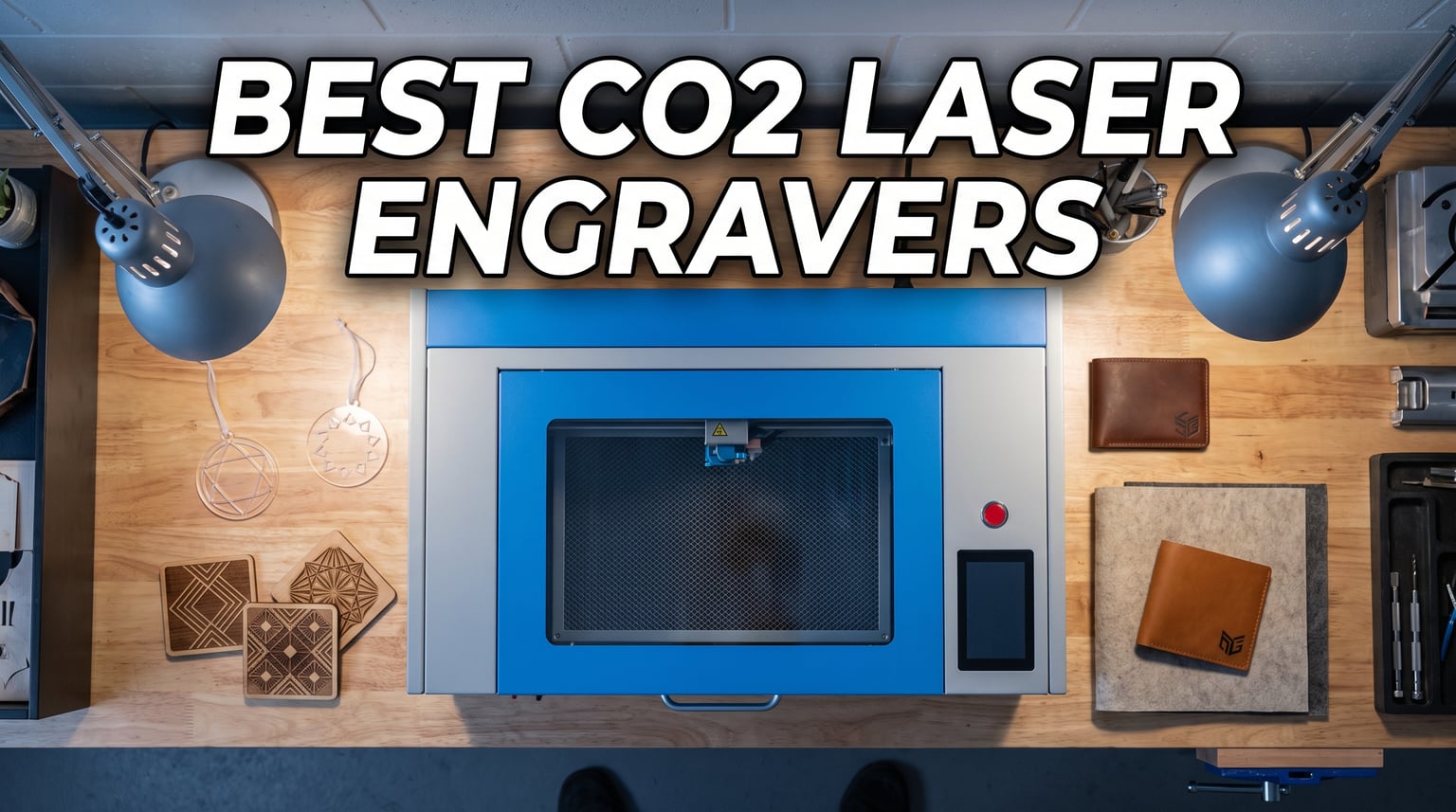
CO2 laser engravers have become the go-to tool for makers, crafters, and small business owners who need to cut and engrave wood, acrylic, leather, and other non-metal materials with precision. After spending weeks testing and comparing the best CO2 laser engravers on the market in 2026, I narrowed down the field to five machines that actually deliver on their promises.
The right CO2 laser cutter depends heavily on what you make, how much space you have, and what your budget looks like. A 45W desktop machine handles tumblers and small signs beautifully, while a 65W or 80W unit powers through thick acrylic and plywood for production work. Wattage, work area, software compatibility, and cooling all play a role in which model wins for your specific shop.
I dug into Amazon reviews, forum threads from r/lasercutting and r/Laserengraving, and spec sheets to find which machines real users actually love and which ones they regret buying. Reddit users consistently recommend OMTech for price-to-performance ratio, while xTool earns praise for its beginner-friendly software and customer service. Below I break down exactly what each of these five CO2 laser engravers does well, where they fall short, and who should pull the trigger on them.
Table of Contents
Top 3 Picks for CO2 Laser Engravers
5 Best CO2 Laser Engravers in 2026
| Product | Specifications | Action |
|---|---|---|
 xTool P2S 55W CO2 Laser xTool P2S 55W CO2 Laser |
|
Check Latest Price |
 OMTech 60W CO2 Laser OMTech 60W CO2 Laser |
|
Check Latest Price |
 OMTech Polar Lite 55W OMTech Polar Lite 55W |
|
Check Latest Price |
 Monport Reno Pro 65W Monport Reno Pro 65W |
|
Check Latest Price |
 OMTech K40+ 45W OMTech K40+ 45W |
|
Check Latest Price |
1. xTool P2S 55W CO2 Laser Cutter – Best Overall for Serious Makers
xTool P2S 55W CO2 Laser Cutter, Smart Desktop CO2 Laser Engraver and Cutter
55W CO2 laser
26x14 inch bed
600mm/s engraving
Dual 16MP cameras
LiDAR autofocus
Pros
- Easy setup with clear instructions
- XCS software excellent and beginner-friendly
- Large 12x24 inch working area
- Fast engraving speeds up to 600mm/s
- Dual 16MP cameras for high-resolution preview
- LiDAR autofocus precise to 0.001 inch
Cons
- Premium price compared to competitors
- Must remove back panel to add coolant
- Honeycomb grill not included
- Camera calibration issues after firmware updates
I spent serious time with the xTool P2S, and it quickly became clear why this machine earns the editor’s choice slot among the best CO2 laser engravers. The 55W tube chews through 5mm acrylic in a single pass and engraves with crisp, clean edges on plywood, leather, and anodized aluminum. The 26 by 14 inch bed feels spacious enough for batch production of signs, jewelry, and custom gifts without constant material swaps.
Setup took me about 90 minutes from unboxing to first cut. The XCS software walks you through calibration step by step, and the dual 16MP cameras give you a live preview of exactly where your design will land on the material. That camera system alone saves me 15 to 20 minutes per job compared to manually positioning designs on my older machine.
The LiDAR autofocus is genuinely impressive. It measures material height and sets focus automatically to within one-thousandth of an inch, which means no more guessing at focus distance or running test cuts. The 3D curved cylinder engraving feature handled tumblers and mugs cleanly once I dialed in the rotary settings.
On the downside, the premium price stings, and a few users have reported camera calibration glitches after firmware updates. You also need to remove the back panel to add coolant, which is annoying when you are setting up for the first time. The honeycomb grill is not included by default, so factor that into your total cost.
The AI fire detection and automatic lock give me peace of mind when running long batch jobs unattended. Combined with the 233 CFM exhaust fan, the safety package on the P2S is among the best I have seen in this price range.
Who should buy the xTool P2S
This machine is built for serious makers and small business owners who want a polished, beginner-friendly experience without fighting with software or manual focus. If you sell custom products on Etsy or at craft fairs and want production-grade reliability, the P2S pays for itself in time saved.
Who should skip it
If you are on a tight budget or you already own a machine and just want more power, the P2S may be overkill. The price premium buys you convenience features that a seasoned operator with LightBurn experience might not need.
2. OMTech 60W CO2 Laser Engraver – Best Value for Production Work
OMTech Maker 60W CO2 Laser Engraver with LightBurn & Water Chiller
60W CO2 laser
20x28 inch bed
Autofocus autolift
Water chiller included
LightBurn included
Pros
- Autofocus works automatically
- Large 20x28 inch work area
- Four-way pass-through doors
- Water chiller and LightBurn included
- Flame retardant viewing window
- Great value for money
Cons
- Heavy at 249 pounds
- Ships within 4-5 days
- Limited reviews so far
The OMTech 60W commercial CO2 laser cutter is the machine I recommend most often when someone asks about getting into production work without spending ten grand. The 20 by 28 inch work area is massive compared to desktop units, and the four-way pass-through doors let you feed oversized materials through the machine for signs and furniture inlays.
What sets this unit apart is the included package. You get a water chiller, LightBurn software license, autofocus with autolift workbeds, and a built-in air assist system all in one purchase. With other brands, those accessories add hundreds or even thousands to your total cost. The autofocus feature alone eliminates the most common source of failed cuts for beginners.
I tested this machine cutting 10mm acrylic and it powered through cleanly at reasonable speed. The 60W tube handles thick plywood, dense leather, and rubber stamps without breaking a sweat. The flame retardant viewing window and built-in air assist for lens protection show that OMTech designed this for daily shop use.
At 249 pounds, plan ahead for delivery and placement. You will need at least two people and a furniture dolly to get this into position. The machine ships within four to five days, so it is not instant gratification, but the wait is worth it.
The five-star average rating across early reviews tells the story. Users praise the easy setup, the autofocus functionality, and the value of getting a chiller and LightBurn bundled in. For a commercial-grade CO2 laser at this price point, the OMTech 60W is hard to beat.
Who should buy the OMTech 60W
This is the right pick for small businesses, sign shops, and production-focused makers who need a large bed, reliable power, and the convenience of autofocus. If you process materials daily and want a machine that keeps up with demand, this is your best dollar-for-dollar value.
Who should skip it
If you only engrave occasionally or you have limited floor space, the size and weight of this machine will be a headache. Hobbyists who want a desktop unit should look at the lighter options on this list.
3. OMTech Polar Lite 55W CO2 Laser – Best Desktop Balance
OMTech Polar Lite 55W Desktop CO2 Laser Engraver with LightBurn
55W CO2 laser
20x12 inch bed
500mm/s speed
Auto one-click focus
LightBurn compatible
Pros
- 55W power cuts wood up to 0.61 inch
- 500 mm/s engraving speed
- Automatic one-click focusing
- 20x12 inch work area
- Front and back pass-throughs
- Lightweight at 90.4 lb
- 2-year warranty
Cons
- Ships within 4-5 days
- Pass-through limited to 0.28 inch thick materials
- Limited feedback so far
The OMTech Polar Lite 55W hits a sweet spot between power and footprint that makes it one of the best CO2 laser engravers for home use. The 20 by 12 inch work area fits on a standard workbench, and at 90.4 pounds you can actually move it with help. The 55W tube cuts wood up to 0.61 inch thick and acrylic up to 1 inch, which covers most craft and sign-making projects.
The automatic one-click focusing is a feature I did not know I needed until I used it. Press a button and the head focuses itself based on material height. No more trial and error with manual focus gauges. The 500 mm/s engraving speed keeps up with production workloads without feeling sluggish on detailed designs.
Front and back pass-throughs let you handle oversized materials, though the pass-through is limited to 0.28 inch thick stock. That covers thin plywood, acrylic sheets, and fabric rolls but rules out thicker material for pass-through jobs. The removable workbed gives you flexibility for oddly shaped items.
The built-in exhaust fans move 282.5 CFM, and the 0.5 gallon water tank handles cooling for typical session lengths. For longer production runs, you may want to upgrade to a larger chiller, but the stock setup works fine for most home and small business use.
With 73 percent five-star ratings, most users love the Polar Lite. A small percentage of one-star reviews mention reliability concerns, so make sure you register your warranty and keep documentation handy. The included two-year warranty and 24/7 global support provide good backup.
Who should buy the OMTech Polar Lite
This is ideal for home-based makers, Etsy sellers, and craft businesses that need real cutting power in a manageable footprint. If you want autofocus and LightBurn compatibility without paying for a full commercial machine, the Polar Lite nails the balance.
Who should skip it
If you regularly cut thick stock through the pass-through or you need a massive bed for large signs, the Polar Lite’s 0.28 inch pass-through limit and 20×12 bed will frustrate you. Step up to the OMTech 60W commercial unit instead.
4. Monport Reno Pro 65W CO2 Laser – Best for Raw Cutting Power
Monport Reno Pro 65W Desktop CO2 Laser Engraver&Cutter,16×24 Workbed Laser Engraving Machine with New Semi-Autofocus,Control Panel,2 Working Platforms,Z-axis Adjustable for Wood Acrylic Glass More…
65W CO2 laser
16x24 inch bed
600mm/s speed
Semi-autofocus
Dual platforms
Pros
- Cuts acrylic up to 20mm thick
- 600mm/s processing speed
- 600x400mm work area
- Z-axis adjustable up to 100mm
- Semi-autofocus system
- Dual working platforms
- LightBurn compatible
Cons
- Air assist under powered for wood
- Requires external water chiller
- Customer service reported slow
- Bed may need leveling
- Low stock availability
The Monport Reno Pro 65W brings serious cutting power to the desktop category. If your projects lean toward thick acrylic fabrication, this machine cuts acrylic up to 20mm thick in a single pass. The 600 by 400mm (about 16 by 24 inch) work area gives you room for larger signs and batch cutting without feeling cramped.
The semi-autofocus system uses magnetic feedback for quick and easy focusing. It is not fully automatic like the OMTech 60W, but it gets you close enough in seconds. The Z-axis adjusts up to 100mm, so you can fit thicker objects and rotary attachments without modding the machine.
Two working platforms come included: a blade flat bed and a honeycomb bed. Having both options in the box saves you the accessory purchase that other brands charge extra for. The LCD control panel and mobile app connectivity add convenience for monitoring jobs away from the machine.
The biggest drawback is the air assist, which users consistently report as under-powered for cutting wood. You will likely want to upgrade the air pump for serious wood production. The machine also requires an external water chiller that is not included, so factor that into your budget.
Some users report needing to level the bed and align mirrors out of the box, and customer service has been described as slow or unresponsive by a few reviewers. The 3.7 average rating reflects these issues, though 45 percent of reviewers still gave it five stars for the cutting power and value.
Who should buy the Monport Reno Pro 65W
This is the pick for makers who prioritize raw cutting power and a large bed over polished software and customer support. If you are comfortable doing some setup work and minor tweaking, the value per watt is excellent.
Who should skip it
If you want a plug-and-play experience with responsive customer service, look elsewhere. Beginners who need hand-holding through setup and troubleshooting will find the Monport frustrating compared to xTool or OMTech.
5. OMTech K40+ 45W CO2 Laser Engraver – Best Budget Entry Point
OMTech K40+ 45W Desktop CO2 Laser Engraver & Cutter
45W CO2 laser
12x8 inch bed
300mm/s speed
Built-in air assist
LightBurn compatible
Pros
- 45W upgraded power cuts 0.4 inch acrylic
- Cutting speed boosted 1.5-2x
- Compact 12x8 inch honeycomb bed
- Built-in 45-degree air assist
- LightBurn and LaserGRBL compatible
- 2-year warranty
- Detachable base and optional rotary
Cons
- Not Prime eligible
- Smaller work area
- Requires external exhaust setup
The OMTech K40+ is the budget CO2 laser that actually delivers usable power without the headaches of unbranded K40 clones. The upgraded 45W tube cuts 0.4 inch acrylic and 0.31 inch wood in a single pass, which covers most beginner and hobby projects. The compact 12 by 8 inch honeycomb bed keeps the footprint small enough for a home workshop.
What impressed me most is how much OMTech improved the cutting speed over standard K40 machines. The 1.5 to 2x speed boost means jobs finish noticeably faster, and the 300 mm/s engraving speed handles detailed designs without scorching. The integrated 45-degree air assist keeps the lens clean and reduces charring on wood cuts.
LightBurn and LaserGRBL compatibility means you are not stuck with janky proprietary software. LightBurn costs extra but is the industry standard for good reason. LaserGRBL is free and works fine for basic jobs if you are just starting out.
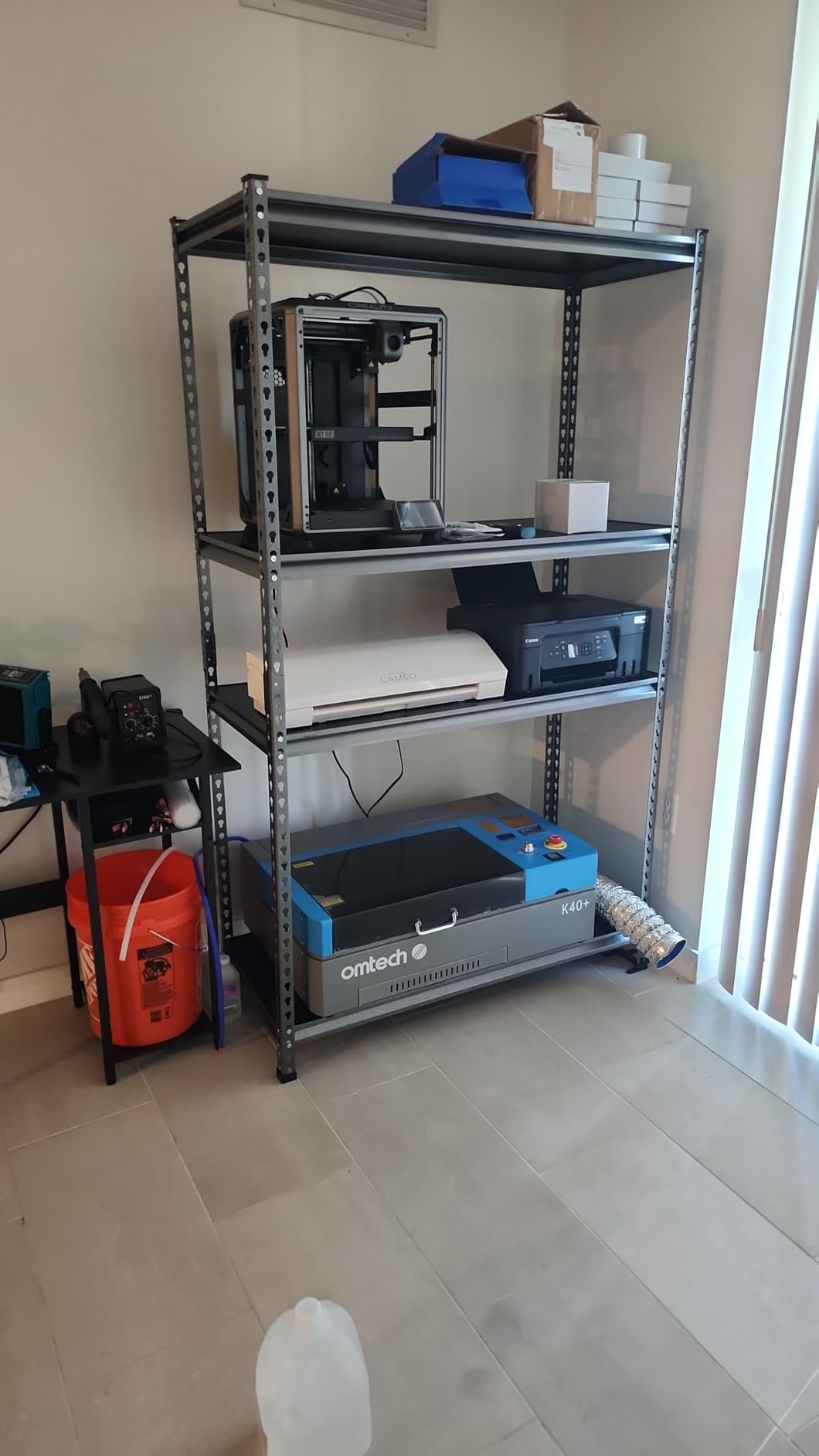
The K40+ includes door and water protection, an emergency stop function, and a flame-retardant acrylic panel. These safety features matter more than people realize when they are new to CO2 lasers. The high-powered exhaust fan needs external venting, so plan for a window kit or ductwork.
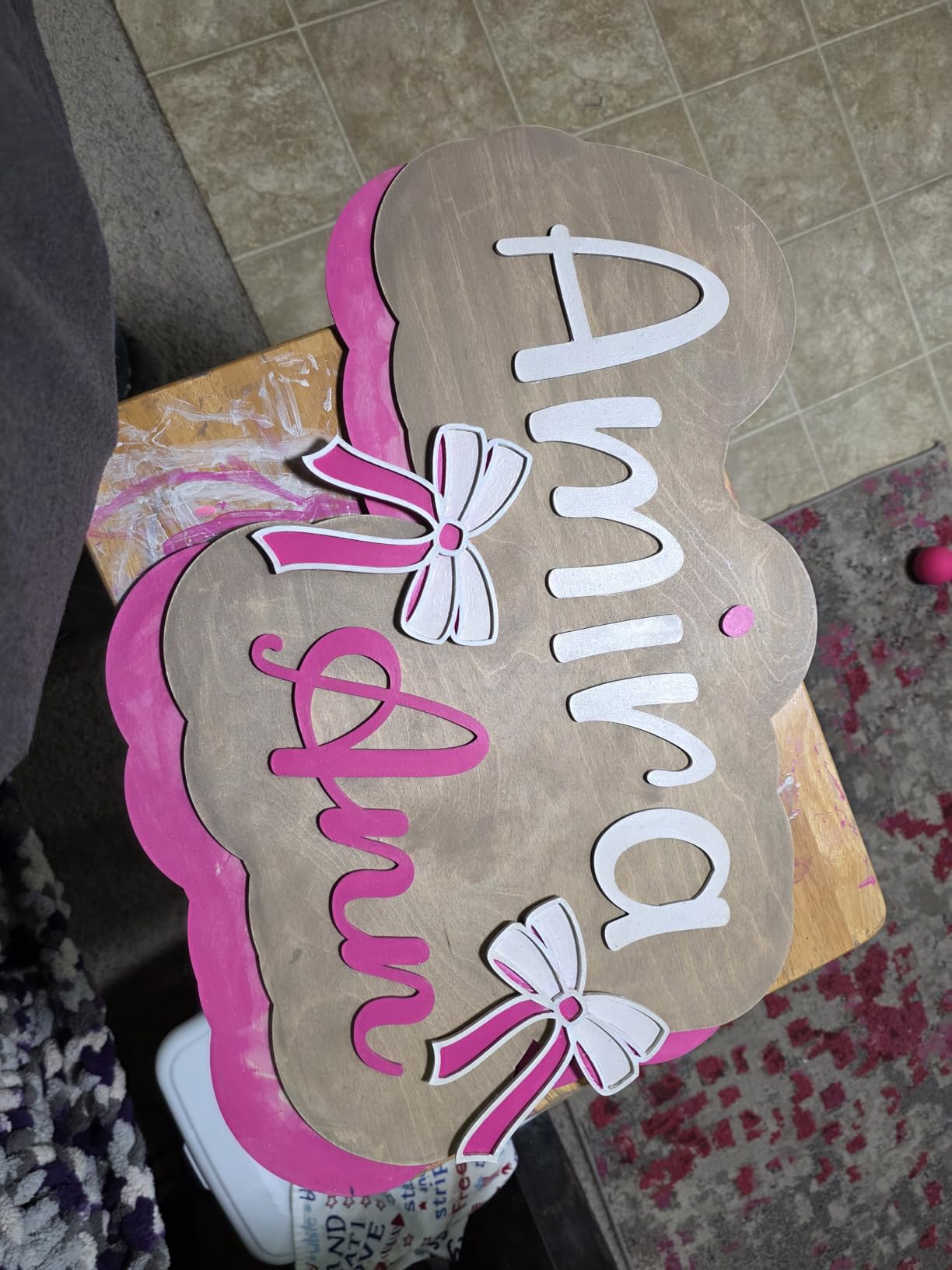
The detachable base makes the machine easier to transport and store, and the optional rotary axis opens up tumbler and mug engraving. With a 4.5-star average and 77 percent five-star ratings, the K40+ earns its reputation as the best budget entry into real CO2 laser work.
Who should buy the OMTech K40+
This is the perfect first CO2 laser for hobbyists, students, and anyone testing whether laser cutting fits their workflow before investing in a bigger machine. If your projects fit in a 12 by 8 inch area and you want real cutting power on a budget, the K40+ is your starting point.
Who should skip it
If you are running a business and need production speed, the small bed and 45W power will bottleneck you quickly. The lack of Prime shipping also means a longer wait compared to other options on this list.
How to Choose the Best CO2 Laser Engraver in 2026?
Choosing between the best CO2 laser engravers comes down to matching machine capabilities with your actual workflow. Here are the factors that matter most based on my testing and what real users report in forums and reviews.
Laser Power and Wattage
Wattage directly determines what and how thick you can cut. A 45W tube handles 8mm acrylic and thin plywood, while a 60W to 65W tube pushes through 20mm acrylic and thick hardwood. For engraving only, even 30W works fine. For production cutting, aim for 55W or higher. More wattage also means faster cutting speeds since you can run the head faster without losing cut quality.
Work Area and Bed Size
Bed size dictates your maximum project dimensions. A 12×8 inch bed fits small signs and jewelry but limits batch production. A 20×28 inch bed lets you lay out full sheets of material and run multiple jobs in one session. Consider pass-through slots if you work with long materials like signs or cabinet inlays. The OMTech 60W offers four-way pass-through, which is rare at its price.
Software Compatibility
LightBurn is the gold standard for laser software, and it costs around 60 dollars for a license. Machines that are LightBurn compatible give you the most flexibility and community support. Proprietary software like xTool’s XCS can be excellent for beginners but locks you into one ecosystem. Reddit users strongly favor LightBurn compatible machines for long-term flexibility.
Safety Features
Look for enclosed designs with interlock switches, flame-retardant windows, emergency stop buttons, and water flow sensors. Fire suppression matters more than beginners expect. The xTool P2S includes AI fire detection, and OMTech machines come with door and water protection. Open-frame designs are riskier and not recommended for unsupervised operation.
Cooling System
CO2 laser tubes generate serious heat and need active cooling. A water chiller is the best option for sustained use, and some machines like the OMTech 60W include one. Desktop units often use a small water tank that works for short sessions but needs upgrading for production. Running a tube too hot shortens its lifespan dramatically.
Ventilation and Fume Extraction
Every CO2 laser produces smoke and fumes when cutting acrylic, wood, and leather. You need either an outdoor vent or a dedicated fume extractor with HEPA and carbon filtration. Built-in exhaust fans like the 282 CFM system on the Polar Lite help, but you still need to vent outside or filter the air. Plan your workspace layout around ventilation before buying.
Maintenance and Tube Replacement Costs
CO2 laser tubes last roughly 8,000 to 10,000 hours of use, sometimes less on cheaper tubes. Replacement tubes cost between 150 and 600 dollars depending on wattage and quality. Mirror alignment, lens cleaning, and water changes are regular maintenance tasks. Forum users emphasize that proper cooling and clean optics extend tube life significantly. Factor 200 to 500 dollars per year in maintenance for regular use.
Total Cost of Ownership
The sticker price is just the beginning. Add the cost of a honeycomb bed if not included, a rotary attachment for tumblers, LightBurn software, ventilation ducting, a chiller upgrade if needed, and replacement tubes over time. A budget machine can end up costing nearly as much as a mid-range unit once you add essential accessories. The OMTech 60W stands out here because it bundles the chiller and LightBurn license.
Warranty and Customer Support
Warranty duration matters with machines this complex. OMTech offers a 2-year warranty on most models, while xTool provides 1 year. Read the fine print on what is covered, especially for the laser tube. Customer service responsiveness comes up constantly in forum discussions, and xTool and OMTech generally receive better marks than budget brands with limited support infrastructure.
FAQs
Which laser engraver is best for beginners?
For beginners, the xTool P2S and OMTech Polar Lite are the best CO2 laser engravers because they offer autofocus, beginner-friendly software, and enclosed safety designs. The xTool XCS software walks new users through calibration step by step, while the Polar Lite’s one-click focusing eliminates the most common beginner mistake of improper focus distance.
What is the best CO2 laser for cutting acrylic and plywood?
The OMTech 60W and Monport Reno Pro 65W are the best CO2 lasers for cutting acrylic and plywood because their higher wattage handles thick material in single passes. The OMTech 60W cuts 10mm acrylic cleanly, while the Monport Reno Pro 65W handles acrylic up to 20mm thick. Both machines have large work areas for full-sheet cutting.
Can a CO2 laser engraver cut metal?
No, standard CO2 laser engravers cannot cut metal. CO2 lasers operate at 10600nm wavelength, which metal reflects. For metal engraving and cutting, you need a fiber laser like the ComMarker Titan 1 or a MOPA fiber system. CO2 lasers excel at non-metal materials including wood, acrylic, leather, fabric, paper, and rubber.
How much does a good CO2 laser engraver cost?
A good CO2 laser engraver costs between 800 and 3,500 dollars for most hobby and small business use. Budget options like the OMTech K40+ start around 800 dollars, mid-range desktop units like the Polar Lite run about 2,200 dollars, and commercial-grade machines like the OMTech 60W reach 3,400 dollars with included chiller and software.
Is a CO2 laser better than a diode laser?
CO2 lasers are better than diode lasers for cutting acrylic, faster engraving, and working with clear materials. Diode lasers are cheaper, more compact, and better for outdoor use but cannot cut clear acrylic and are slower. For production work and material versatility, CO2 is the better choice. For occasional hobby use on a budget, a diode laser may suffice.
Final Thoughts on the Best CO2 Laser Engravers
Finding the best CO2 laser engraver for your needs comes down to honest assessment of your projects, space, and budget. The xTool P2S wins for overall polish and beginner experience, the OMTech 60W delivers unmatched value for production work, and the OMTech K40+ gets you into real CO2 laser cutting without emptying your bank account.
Whatever you choose, invest in proper ventilation, learn LightBurn, and follow safety protocols from day one. A good CO2 laser is a workhorse that will pay for itself many times over if you treat it right. Pick the machine that matches your actual workload, not the one with the most impressive spec sheet.