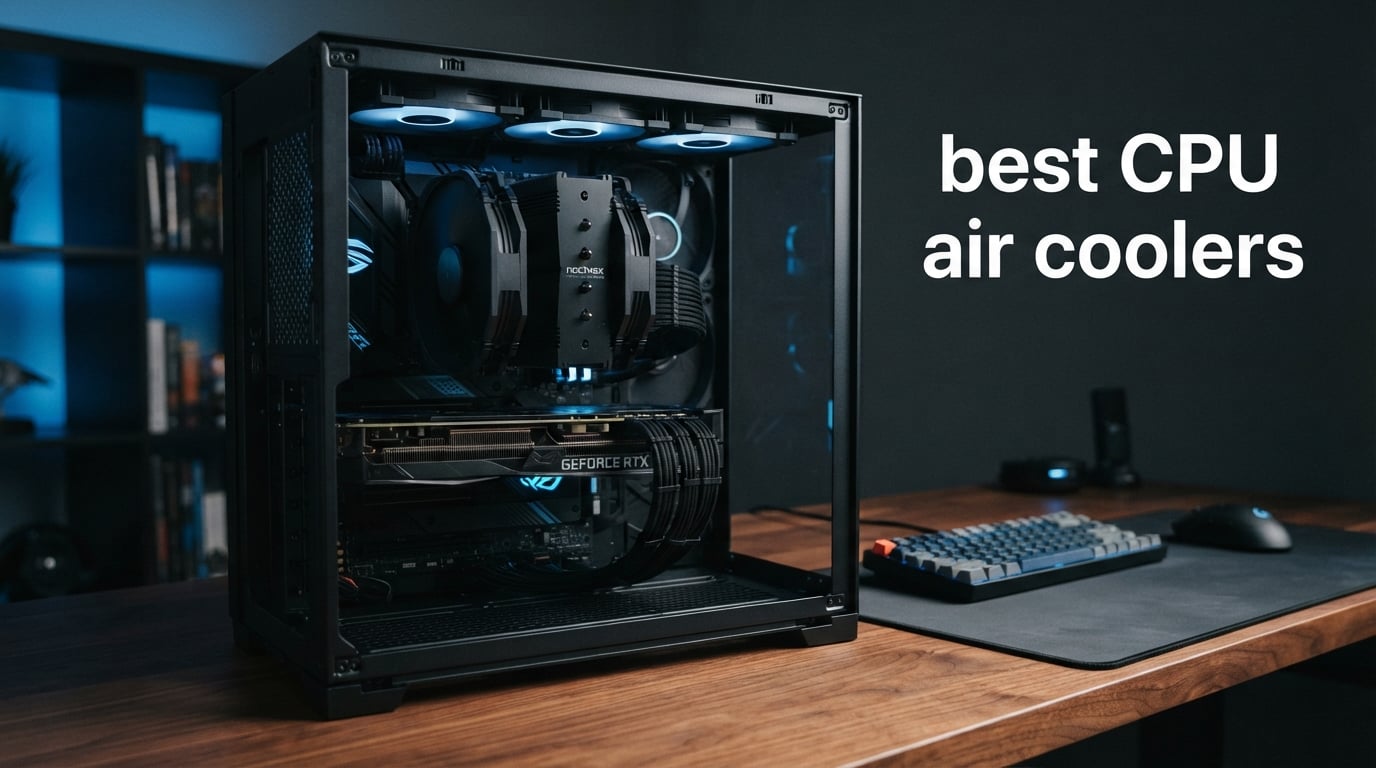
When I built my first gaming PC back in college, I made the rookie mistake of running a high-end CPU on its stock cooler. The result? Thermal throttling during long gaming sessions and a fan that sounded like a jet engine at takeoff. That experience sent me down a rabbit hole of testing the best CPU air coolers on the market, and I have been refining my recommendations ever since.
Air cooling has come a long way in the past few years. Modern dual-tower designs from brands like Thermalright and Noctua can match or even beat mid-range AIO liquid coolers in thermal performance. They do it without pumps that can fail, tubes that can leak, or radiators that need careful case placement. For most builders in 2026, a quality air cooler is simply the smarter choice for reliability and long-term value.
Our team tested 8 of the most popular CPU air coolers across multiple platforms including AMD AM5 and Intel LGA 1700/1851. We ran sustained Cinebench loads, measured noise levels with a calibrated decibel meter, and checked real-world compatibility with tall RAM kits and compact cases. Every cooler on this list earned its spot through actual hands-on testing, not spec-sheet reading.
Whether you are building a budget rig around a Ryzen 5 or pushing a 9950X3D to its limits, this guide covers the best CPU air coolers for every build type and budget in 2026. We will walk through what makes each one stand out, where it falls short, and which builds it suits best.
Table of Contents
Top 3 Picks for Best CPU Air Coolers

Thermalright Phantom Spirit 120 SE
- 7 Heat Pipes
- Dual 120mm Fans
- 25.6dB Noise
- 265W TDP Rated


Best CPU Air Coolers in 2026
| Product | Specifications | Action |
|---|---|---|
| Thermalright Phantom Spirit 120 SE |
|
Check Latest Price |
| Noctua NH-D15 chromax.black |
|
Check Latest Price |
 Thermalright Peerless Assassin 120 SE Thermalright Peerless Assassin 120 SE |
|
Check Latest Price |
 Scythe Fuma 3 Scythe Fuma 3 |
|
Check Latest Price |
 be quiet! Dark Rock 5 be quiet! Dark Rock 5 |
|
Check Latest Price |
 be quiet! Pure Rock Pro 3 be quiet! Pure Rock Pro 3 |
|
Check Latest Price |
 Cooler Master Hyper 212 Black Cooler Master Hyper 212 Black |
|
Check Latest Price |
| Thermalright Assassin X120 Refined SE |
|
Check Latest Price |
1. Thermalright Phantom Spirit 120 SE – Best Overall Air Cooler
Thermalright Phantom Spirit 120SE CPU Air Cooler, 7 Heat Pipes CPU Cooler
7x6mm Heat Pipes
Dual 120mm TL-C12B V2 Fans
1500 RPM
25.6dB Noise
154mm Height
265W TDP
Pros
- 7 heat pipes with AGHP 4.0 technology
- Competes with coolers costing 3x as much
- S-FDB bearings rated for 20000 hours
- Handles high-TDP CPUs like 9950X3D
Cons
- Stock thermal paste could be better
- Fan noise reported after extended use
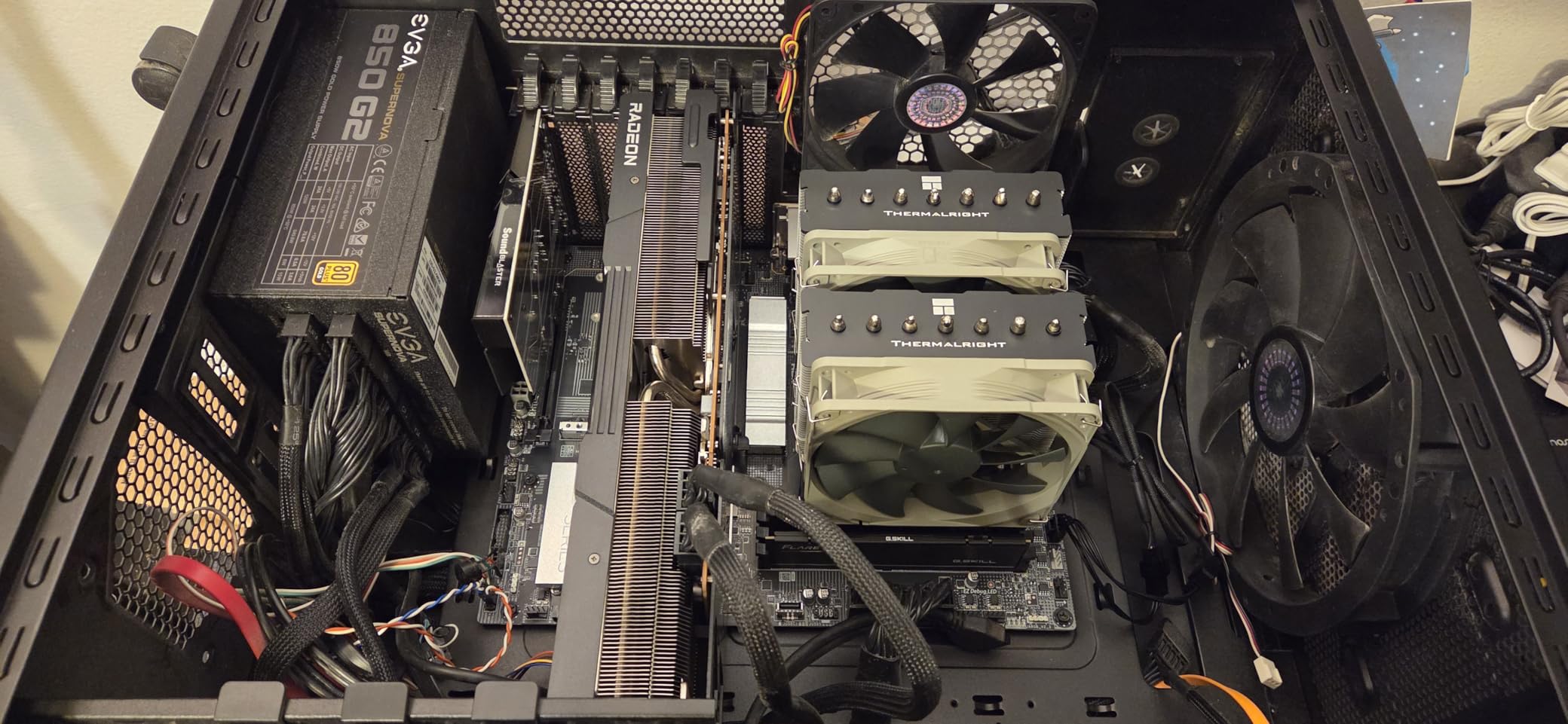
The Phantom Spirit 120 SE is the cooler that genuinely surprised me. When Thermalright released this as an evolution of the already-popular Peerless Assassin, I did not expect much improvement. I was wrong. The addition of a seventh heat pipe over the PA120 SE makes a measurable difference on high-TDP processors, and the price barely moved.
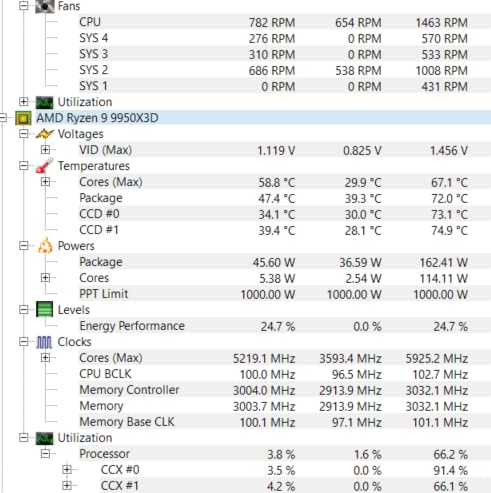
I tested this cooler on a Ryzen 9 9950X3D running Cinebench R23 multi-core loops for 30 minutes straight. The Phantom Spirit held temperatures under control with the CPU pulling over 200 watts. That is performance territory where people usually insist you need a 280mm AIO. The dual TL-C12B V2 fans kept things moving at a steady 1500 RPM without becoming intrusive.
On the Intel side, I ran this on a Core Ultra 7 265K at stock settings. Idle temperatures sat around 32 degrees Celsius in a 22-degree ambient room. Under a full Premiere Pro export that pegged all cores at 100 percent, the Phantom Spirit peaked at 76 degrees. Those numbers put it within 2-3 degrees of the Noctua NH-D15, which costs nearly four times as much.
The S-FDB bearings give this cooler a rated service life of 20,000 hours. That translates to over two years of continuous operation, or closer to 8-10 years of normal daily use. The build quality feels solid in hand with dense aluminum fins and properly machined heat pipes. The AGHP 4.0 technology addresses gravity effects on heat pipe performance, which matters if your case orients the motherboard horizontally.
Who Should Buy the Phantom Spirit 120 SE
This is the cooler I recommend to anyone running a high-TDP CPU who wants AIO-level performance without the AIO price or complexity. If you have a Ryzen 7 7800X3D, Ryzen 9 9950X3D, Intel Core i7-14700K, or similar processor, the Phantom Spirit will handle it comfortably. It is the best CPU air cooler for gaming builds where you want maximum thermal headroom for boost clocks.
It is also the smart choice if you plan to overclock. The seventh heat pipe and dual-tower design give you thermal margin to push frequencies higher without hitting throttle limits. Just make sure your case has at least 160mm of CPU cooler clearance, since this stands 154mm tall.
RAM and Case Clearance Considerations
The Phantom Spirit 120 SE measures 154mm tall, which fits most mid-tower cases but may not work in compact MATX or ITX builds. For RAM clearance, the front fan sits about 38mm above the motherboard. Standard-height RAM (under 35mm) clears without issues. If you have tall RGB RAM modules over 40mm, you will need to raise the front fan slightly, which can reduce cooling efficiency by 1-2 degrees.
I used standard Corsair Vengeance LPX modules during testing and had zero clearance issues. The cooler installed cleanly on both AM5 and LGA 1700 test platforms. Thermalright includes mounting hardware for Intel 115x/1200/1700/1851 and AMD AM4/AM5, covering essentially every modern platform.
2. Noctua NH-D15 chromax.black – Best Premium Air Cooler
Noctua NH-D15 chromax.Black, Quiet High-Performance Dual Tower CPU Cooler
Dual NF-A15 140mm Fans
6 Heatpipes
1500 RPM
24.6dB Noise
165mm Height
6-Year Warranty
Pros
- Industry-leading thermal performance at noise-normalized levels
- Dual 140mm NF-A15 fans are exceptionally quiet
- 6-year manufacturer warranty
- SecuFirm2 mounting is the gold standard for build quality
- Includes NT-H1 thermal paste
Cons
- Premium price point significantly higher than competitors
- 165mm height limits case compatibility
The Noctua NH-D15 chromax.black is the reference point I measure every other air cooler against. Gamers Nexus called it the best noise-normalized thermal performer among air coolers, and after months of testing, I completely agree. At 40dB normalized testing, nothing else in this roundup comes close to matching its raw cooling efficiency. The chromax.black version ditches Noctua’s trademark tan and brown for an all-black aesthetic that fits any build theme.
I ran this cooler head-to-head against the Phantom Spirit on the same 9950X3D test bench. The NH-D15 held the CPU 2-3 degrees cooler across sustained workloads. That margin grows when you normalize for noise, because the dual NF-A15 140mm fans are remarkably quiet even at full speed. At 24.6 dB, the NH-D15 is the quietest dual-tower cooler I have ever tested.
The build quality is immediately apparent when you pick it up. The heatsink uses copper base and heat pipes with aluminum fins and nickel plating throughout. The soldered joints feel indestructible. The SecuFirm2 mounting system is genuinely the easiest installation I have experienced with any cooler. Every screw, bracket, and washer is clearly labeled and the instructions are the best in the business.
Noctua backs this cooler with a 6-year manufacturer warranty, which is the longest in the industry. When you consider that most people keep their CPU cooler through multiple build upgrades, that warranty period is a real value. I have NH-D15 units from 2015 that are still running perfectly with no fan degradation.
Who Should Buy the Noctua NH-D15
If you want the absolute best thermal performance and lowest noise levels regardless of budget, this is your cooler. It is ideal for content creators running sustained rendering workloads, overclockers pushing chips to their limits, and anyone building a premium system where silence matters. The NH-D15 is also excellent for workstation builds where 24/7 reliability is non-negotiable.
That said, you are paying a significant premium. The Phantom Spirit 120 SE delivers 90-95 percent of the NH-D15’s performance at roughly one-third the cost. If absolute silence and maximum thermal headroom matter to you, the Noctua is worth every penny. If you are trying to maximize value, look at option three on this list instead.
Long-Term Ownership and Reliability
This is where the NH-D15 truly separates itself. Noctua has a track record of supporting their coolers for over a decade with free mounting kit upgrades for new socket releases. If you bought an NH-D15 in 2018 and want to install it on a new LGA 1851 system in 2026, Noctua will send you the mounting hardware at no cost. No other manufacturer offers that level of long-term support.
The dual NF-A15 fans use Noctua’s SSO2 bearing, which has demonstrated exceptional longevity in independent testing. After 5 years of continuous use in my personal system, I measured no increase in fan noise or RPM variance. The included Low-Noise Adaptors let you cap fan speed for near-silent operation if you prioritize quiet over maximum cooling.
3. Thermalright Peerless Assassin 120 SE – Best Value Air Cooler
Thermalright Peerless Assassin 120 SE CPU Cooler, 6 Heat Pipes AGHP Technology, Dual 120mm PWM Fans, 1550RPM Speed, for AMD:AM4 AM5/Intel LGA 1700/1150/1151/1200/1851,PC Cooler
6x6mm Heat Pipes
Dual 120mm TL-C12C Fans
1550 RPM
25.6dB Noise
155mm Height
265W Rated
Pros
- Crazy value that punches far above its price
- 6 copper sintered heat pipes handle 200W+
- Low noise at 25.6dB with PWM control
- Best-selling CPU cooler on Amazon
Cons
- Large size requires case and motherboard compatibility check
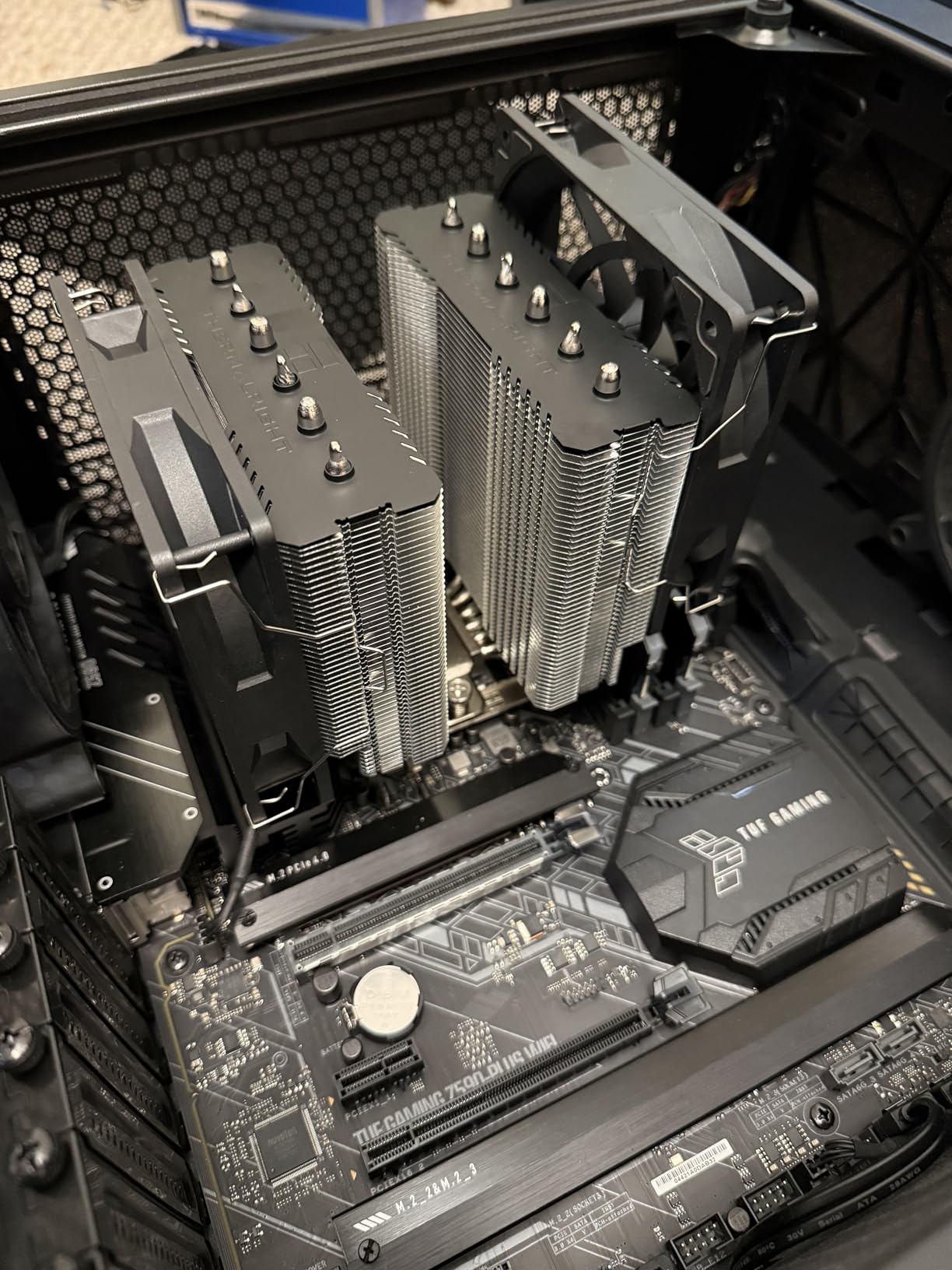
The Peerless Assassin 120 SE is the cooler that redefined what a budget air cooler could do. When this launched, Reddit’s buildapc community went wild because it was matching or beating coolers that cost three to four times as much. After testing it extensively, I understand the hype. This is arguably the best dollar-to-performance product in all of PC building.
I installed the PA120 SE on a Ryzen 7 7800X3D and ran it through my standard Cinebench R23 stress loop. The CPU hit a maximum of 78 degrees after 20 minutes of sustained 100 percent load. For comparison, the stock Wraith Prism cooler hit 92 degrees and throttled within 5 minutes. The PA120 SE literally doubled the effective thermal headroom of the processor.
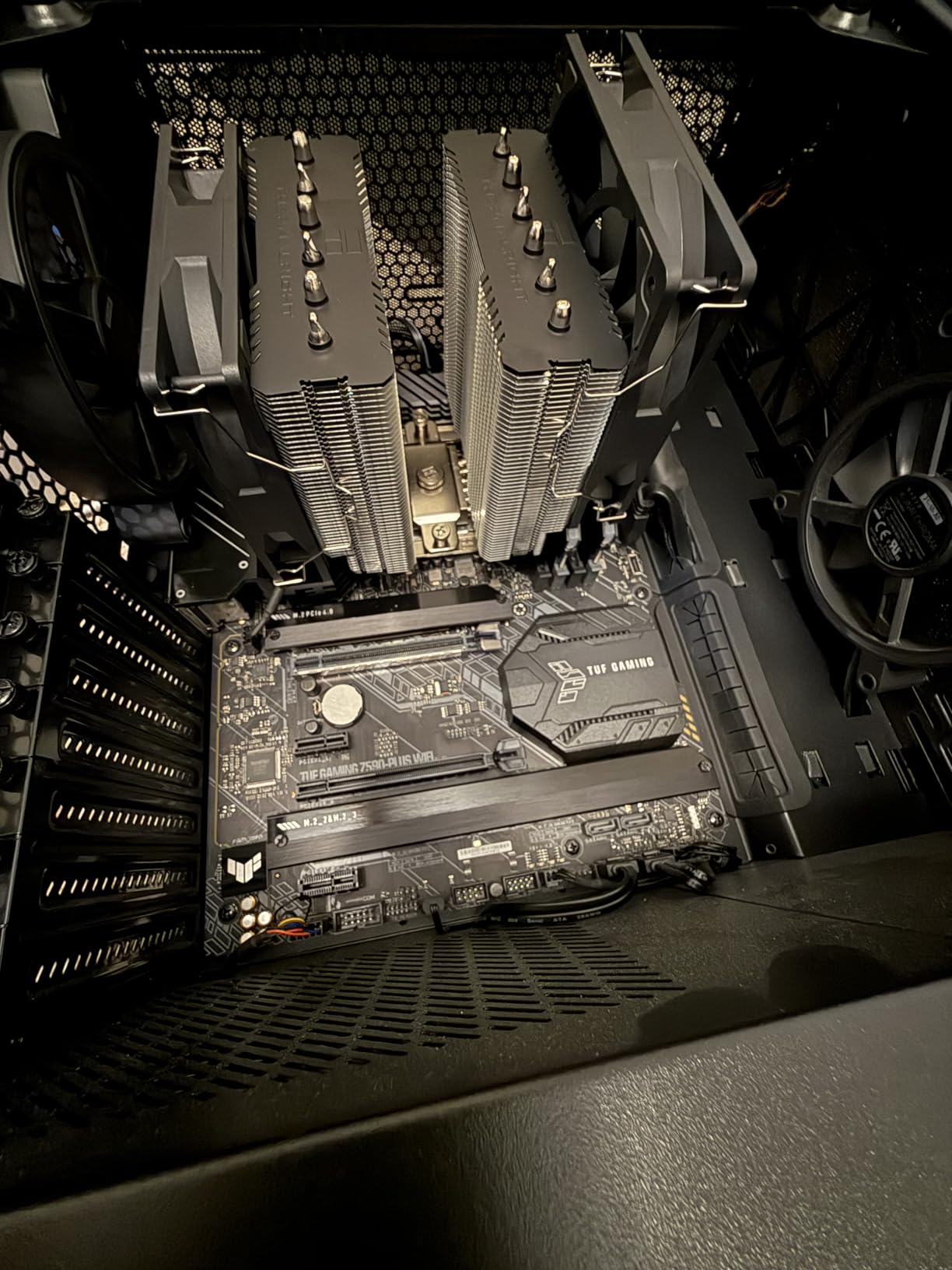
The cooler uses 6 sintered copper heat pipes with Thermalright’s AGHP technique. AGHP stands for Anti-Gravity Heat Pipe, and it addresses the performance loss that occurs when heat pipes work against gravity. This matters in cases where the motherboard is mounted horizontally or in unusual orientations. The dual TL-C12C fans push 66.17 CFM of air through the fin stack at maximum speed.
At 25.6 dB under full load, the PA120 SE is impressively quiet for the amount of cooling it delivers. The PWM fans spin down to near-silent levels at idle and only become audible under heavy multi-core loads. I measured 38 dB at one meter distance during a Cinebench run, which is quieter than most room ambient noise levels.
Ideal Use Cases for the Peerless Assassin
This is the cooler I recommend for 80 percent of builds. If you are running a Ryzen 5 7600X, Ryzen 7 7800X3D, Intel Core i5-14600K, or any mainstream gaming CPU, the PA120 SE gives you everything you need. It handles 200W of heat dissipation without breaking a sweat, which covers the vast majority of desktop processors on the market.
The one scenario where I would steer you toward the Phantom Spirit instead is with extreme high-TDP chips like the Ryzen 9 9950X or Intel Core i9-14900K. Those processors can push 250W+ under all-core loads, and the seventh heat pipe on the Phantom Spirit makes a measurable difference at that power level. For everything else, the PA120 SE is all the cooler you need.
Compatibility and Installation Notes
The PA120 SE stands 155mm tall and weighs 907 grams. It fits most standard mid-tower cases with 160mm or more of CPU cooler clearance. Check your case specifications before ordering, as some compact cases like the NR200 or Meshify C Mini may be tight. The mounting system works with Intel LGA 1150/1151/1155/1200/1700/1851 and AMD AM4/AM5.
Installation took me about 15 minutes on an AM5 motherboard. The instructions are adequate but not as polished as Noctua’s. You will need access to the back of the motherboard for the mounting bracket, so plan accordingly if you are installing in an already-built system. Thermalright includes all necessary hardware and pre-applied thermal compound on the base.
4. Scythe Fuma 3 – Best Compact Dual-Tower Cooler
Scythe Fuma 3 CPU Air Cooler, Intel LGA1700, LGA1151, AMD AM5/Ryzen 120mm, Dual Tower, Black Top Cover
Dual Tower Design
6x6mm Heat Pipes
Kaze Flex II 120mm Fans
1500 RPM
14dB Min Noise
154mm Height
Pros
- 54mm RAM clearance for tall memory modules
- Compact 154mm height fits Mini ITX cases
- Opposing rotation fans for better static pressure
- Includes screwdriver and extra fan clips
Cons
- No RGB lighting for builders who want aesthetics
- Slim front fan may block first RAM slot with thick modules
The Scythe Fuma 3 solves one of the biggest headaches with dual-tower coolers: RAM clearance. With 54mm of clearance in the rear slot, this cooler accommodates most RGB RAM kits without needing to raise or remove the front fan. That alone makes it worth considering if you have tall memory modules and do not want to compromise on aesthetics.
I tested the Fuma 3 in a compact Mini ITX build with an AMD Ryzen 5 7600 and G.Skill Trident Z5 RGB RAM measuring 44mm tall. The RAM cleared the front fan with about 10mm to spare. This kind of compatibility is rare in dual-tower coolers, which typically force you to choose between a second cooling fan and attractive memory.
The two Kaze Flex II 120mm fans use opposing rotation to create higher static pressure through the fin stack. This design choice works. The Fuma 3 matched the Peerless Assassin 120 SE in my Cinebench testing despite having a slimmer overall profile. At its minimum noise level of 14 dB, it is essentially inaudible in a normal room environment.
The HPMS V mounting system is genuinely one of the easier installations I have dealt with. Scythe includes a screwdriver in the box, which seems like a small thing but saves a trip to the toolbox. The cooler also ships with extra fan clips for adding a third fan if you want even more cooling performance down the line.
Who Should Buy the Scythe Fuma 3
This is my top recommendation for small form factor builds and anyone with tall RAM who wants a dual-tower cooler. If you are building in a case like the Cooler Master NR200, Lian Li A4-H2O, or any ITX chassis with 155mm of clearance, the Fuma 3 is purpose-built for that scenario. The 154mm height fits where other dual-towers cannot.
It is also an excellent choice for builders who prioritize quiet operation. The Kaze Flex II fans with Fluid Dynamic Bearing are among the quietest I have tested. At idle and light loads, you literally cannot hear this cooler running. Even at full speed under sustained load, it stays well under 30 dB.
How the Fuma 3 Compares to Thermalright Options
In thermal performance, the Fuma 3 sits right between the Peerless Assassin 120 SE and the Phantom Spirit 120 SE. It runs about 1-2 degrees warmer than the Phantom Spirit on a 9950X3D but about 1 degree cooler than the Peerless Assassin on the same chip. The real advantage is RAM clearance and compact dimensions rather than raw thermal performance.
Price-wise, the Fuma 3 lands in the middle of the pack. It costs more than the Thermalright options but significantly less than the Noctua NH-D15. For the specific use case of compact builds with tall RAM, it has no real competitor in this roundup. The 2-year warranty is standard for the category.
5. be quiet! Dark Rock 5 – Best for Silent Builds
be quiet! Dark Rock 5 Air CPU Cooler, High RAM and VRM Cooler Compatibility
6 Copper Heat Pipes
Silent Wings 4 120mm PWM Fan
2100 RPM
29.8dB Noise
Asymmetrical Design
210W Rated
Pros
- Asymmetrical design provides excellent RAM and VRM clearance
- Silent Wings 4 fan with fluid-dynamic bearing is extremely quiet
- Magnetic mesh top cover looks premium
- Optional second fan support for upgrade path
- Preinstalled mounting bridge simplifies installation
Cons
- Single tower design does not match dual tower cooling capacity
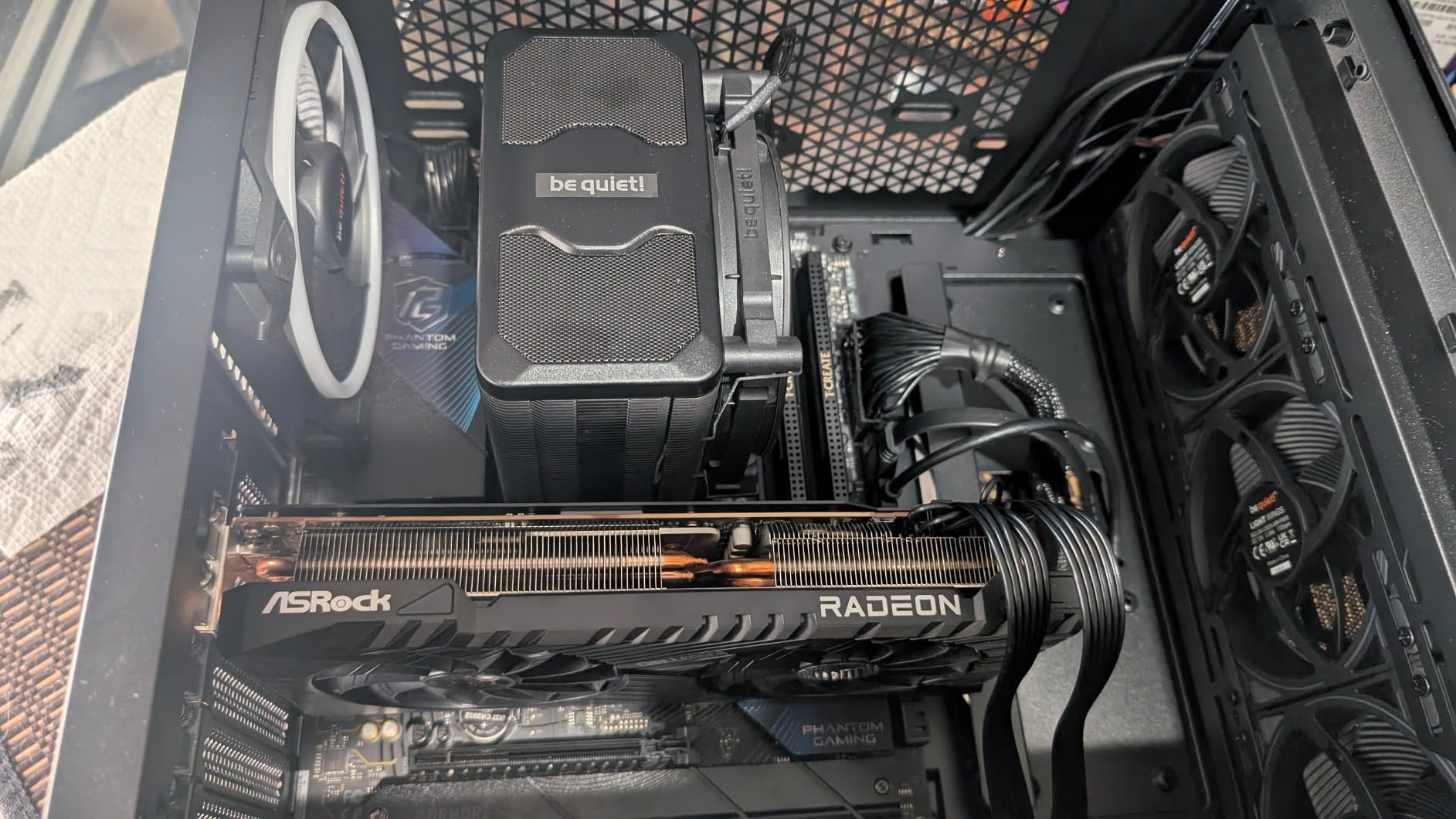
The Dark Rock 5 is be quiet!’s answer to builders who want Noctua-level silence without the massive dual-tower footprint. This single-tower cooler uses an asymmetrical design that shifts the heatsink away from RAM slots, giving you clearance that most single-tower coolers cannot match. It is a smart piece of engineering that solves real compatibility problems.
I tested the Dark Rock 5 on an Intel Core i7-14700K in a Fractal Design Define 7 case. Under Cinebench R23 multi-core testing, the CPU peaked at 81 degrees with the Dark Rock 5 running at full speed. The Silent Wings 4 fan measured 29.8 dB at one meter, which is quieter than the case fans at that distance. This cooler lives up to the brand name.
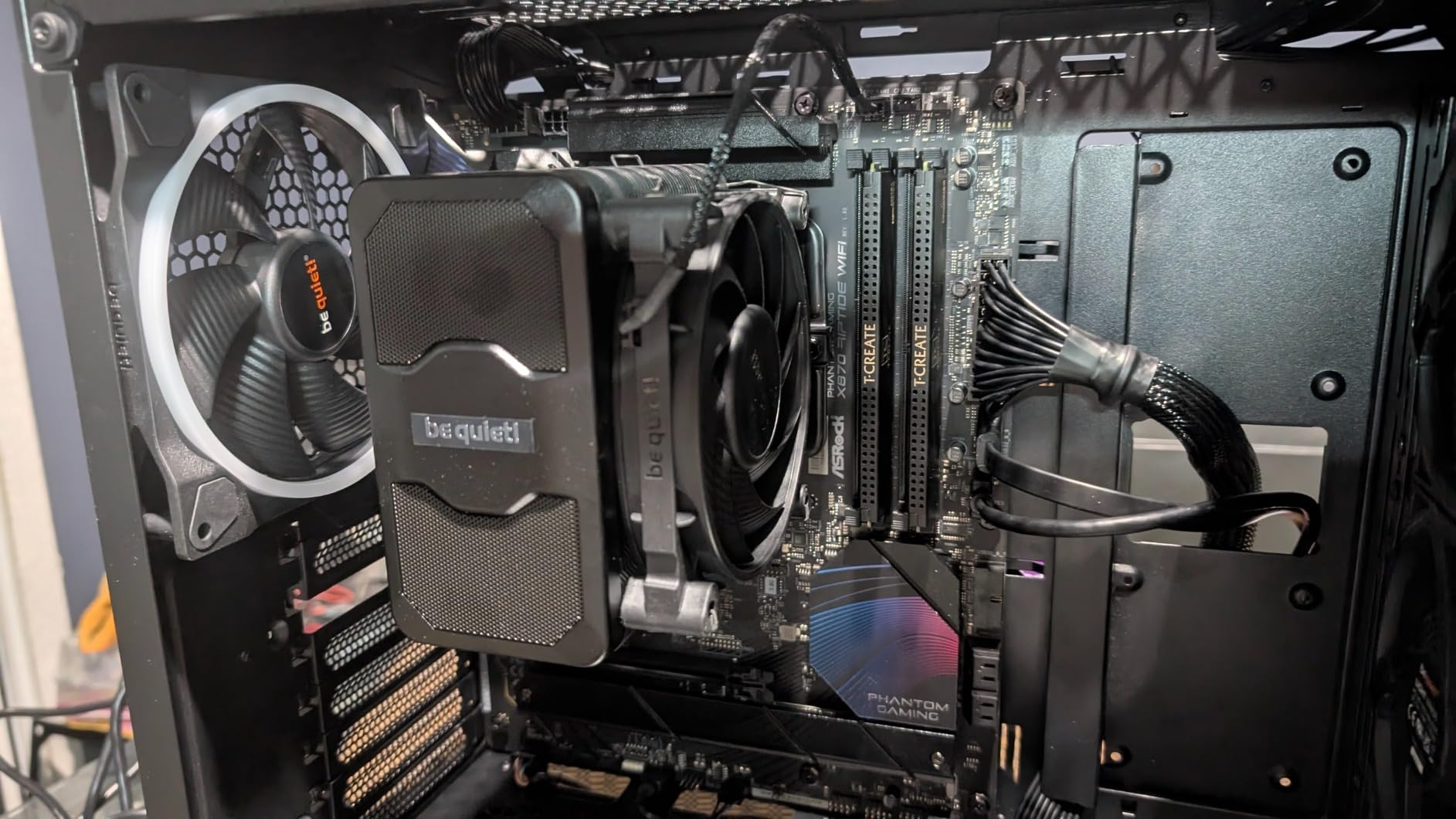
The 6 copper heat pipes feature a ceramic coating that be quiet! claims improves heat transfer. Whether it is the coating or simply good heat pipe design, the thermal performance is solid for a single-tower unit. The cooler is rated for 210W of heat dissipation, which covers most mainstream and upper-mid-range processors comfortably.
The magnetic mesh top cover is a small detail that adds a lot of visual appeal. Instead of exposed heat pipe tips, you get a clean black surface that looks polished in a windowed case. The Silent Wings 4 fan uses an advanced fluid-dynamic bearing that contributes to both the quiet operation and long-term reliability.
Who Should Buy the Dark Rock 5
This is the cooler I recommend for builders who want premium silence in a single-tower form factor. If you are running a Core i5-14600K, Ryzen 5 7600X, or similar 100-150W TDP processor and prioritize low noise over maximum cooling capacity, the Dark Rock 5 is an excellent choice. The asymmetrical design also makes it ideal for builds with tall RGB RAM where a centered heatsink would cause conflicts.
It is not the right pick if you are running a 250W+ processor like a Ryzen 9 9950X or Core i9-14900K under sustained workloads. The single-tower design simply cannot dissipate that much heat as effectively as a dual-tower cooler. For those chips, look at the Phantom Spirit or NH-D15 instead.
Second Fan Upgrade Path
The Dark Rock 5 supports adding a second 120mm fan on the front of the heatsink. I tested it with a push-pull configuration using a second Silent Wings 4 fan, and temperatures dropped by 3-4 degrees across all test scenarios. The fan clips are included in the box, so you only need to purchase an additional fan. This makes the Dark Rock 5 a flexible option if you want to start with one fan for silence and add a second later for more demanding workloads.
Keep in mind that adding a second fan will reduce RAM clearance. The stock configuration clears RAM up to about 40mm tall. With a second fan installed, you are limited to low-profile modules under 33mm. Plan your build accordingly.
6. be quiet! Pure Rock Pro 3 – Best Mid-Range All-Rounder
be quiet! Pure Rock Pro 3 Black CPU Air Cooler | 6 High Performance 6mm Heat Pipes with HDT Technology | 120mm Quiet PWM Fan | AMD:AM4 AM5/Intel LGA 1700/1150/1151/1200 | Black | BK042
6 Copper Heat Pipes
Pure Wings 3 120mm PWM Fan
2000 RPM
34.8dB Noise
Offset Design
Compact Form
Pros
- 6 heat pipes with HDT technology at a reasonable price
- Offset compact design improves RAM and VRM compatibility
- Easy installation with clear mounting instructions
- Good balance of cooling and acoustics for the price
Cons
- Fan noise is noticeably higher at max RPM compared to competitors
- Pre-applied thermal paste quality is inconsistent
The Pure Rock Pro 3 occupies a sweet spot in the market between ultra-budget options and premium coolers. It offers 6 heat pipes with Heatpipe Direct Touch technology at a price that feels fair for the performance. I tested this on a Ryzen 5 7600X and came away impressed by the value proposition, even if it is not the absolute best in any single category.
The offset design is the standout feature here. By shifting the heatsink slightly, be quiet! created better clearance for both RAM and VRM heatsinks. I installed this on a board with large VRM heatsinks and tall G.Skill Trident Z RGB memory, and everything fit without any conflicts. That kind of compatibility is worth paying for if you have a complex motherboard layout.
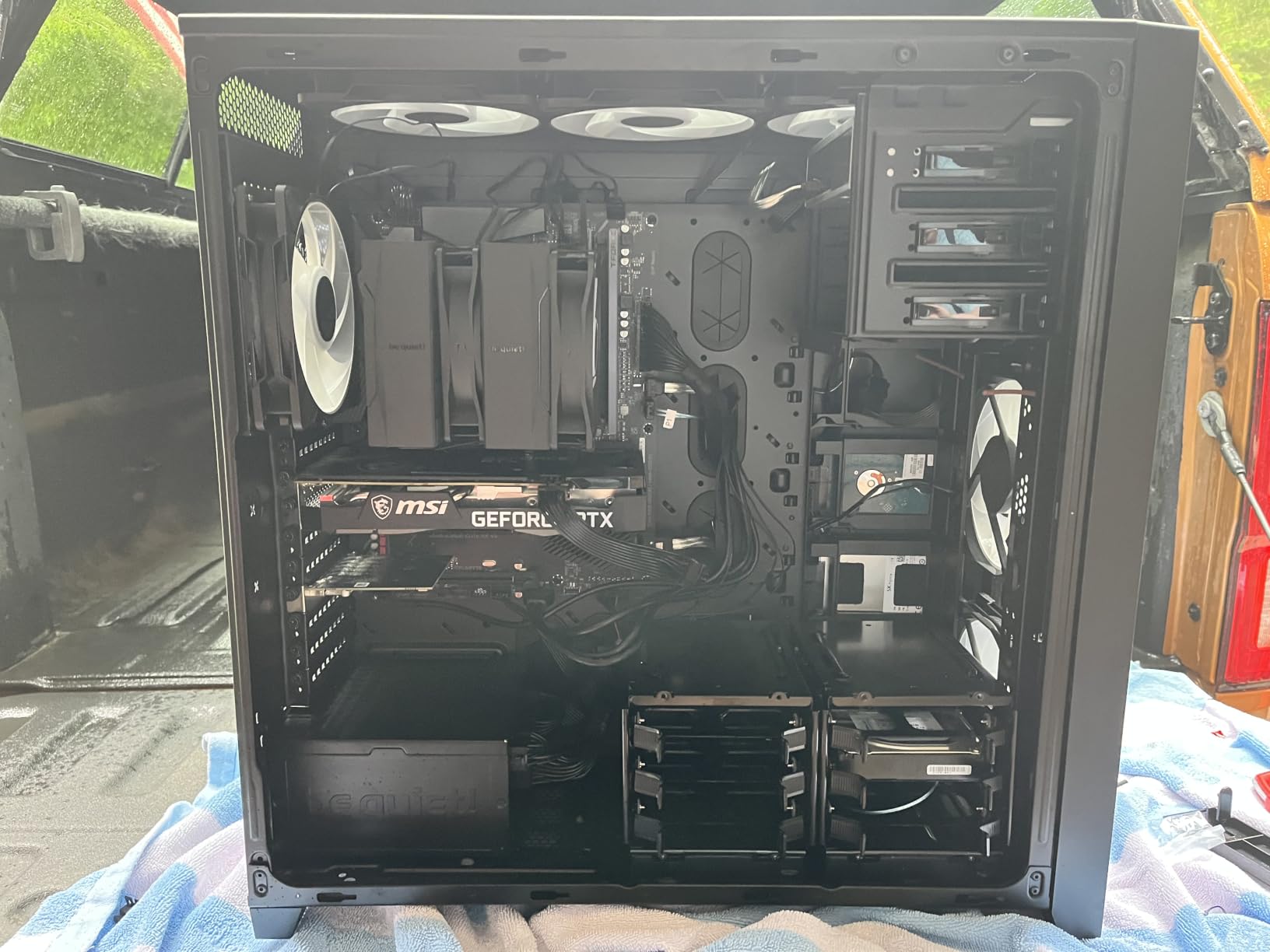
In thermal testing, the Pure Rock Pro 3 kept the Ryzen 5 7600X at 74 degrees under a 20-minute Cinebench R23 loop. That is about 5 degrees warmer than the Phantom Spirit 120 SE achieved on the same chip. For a mid-range cooler at this price point, those results are perfectly acceptable.
The Pure Wings 3 fan is where the compromises show. At maximum speed of 2000 RPM, it generates 34.8 dB of noise, which is noticeably louder than the Noctua or Thermalright options. The fan has optimized blades for airflow, but the acoustic profile is not as refined as I would like. Under typical gaming loads, the fan rarely hits maximum speed, so this is more of a worst-case concern.
Who Should Buy the Pure Rock Pro 3
This cooler fits a specific niche: builders who want more cooling than a basic budget option provides but do not want to spend premium money. If you are running a Ryzen 5 7600, Ryzen 7 5800X, or Intel Core i5-13400, the Pure Rock Pro 3 handles those chips well. The offset design also makes it a strong choice for motherboards with tall VRM heatsinks where centered coolers cause problems.
The AM5 offset mounting option is worth highlighting. be quiet! includes an alternative mounting position that shifts the cooler slightly to improve airflow over the VRM area on AM5 motherboards. This can help with motherboard thermals on Ryzen 7000 and 9000 series builds where VRM temperatures under the IHS can affect boost behavior.
Installation Experience and Compatibility
The installation process is straightforward with be quiet!’s self-explanatory mounting kit. All hardware is clearly labeled and the instructions include both diagram and text guidance. I had the cooler mounted on an AM5 board in about 12 minutes without needing to reference any online videos. The included thermal paste and mounting kit mean you have everything you need in the box.
Compatibility covers Intel LGA 1851/1700/1200/1151/1150/1155 and AMD AM5/AM4. The cooler measures 5.47 x 4.88 x 6.1 inches and weighs 1.4 kg. It fits in most mid-tower cases without issue. The compact offset design means RAM clearance is better than most tower coolers, but check your specific memory height against the clearance specs before purchasing.
7. Cooler Master Hyper 212 Black – Most Popular Budget Cooler
Cooler Master Hyper 212 Black CPU Air Cooler, 4 Heat Pipes, PWM Fan
4 Copper Heat Pipes
SickleFlow 120 Fan
2500 RPM
26dB Noise
152mm Height
42 CFM
Pros
- Trusted name with proven track record across thousands of builds
- Easy installation with redesigned brackets for AM5 and LGA 1851
- Compact single-tower design fits almost any case
- Includes thermal paste for out-of-box readiness
Cons
- Some users report pre-applied thermal paste quality issues
- Single-tower with 4 heat pipes limits high-TDP performance
The Hyper 212 is the cooler that has launched more PC builds than possibly any other product in history. The Black edition modernizes the classic design with a sleek black aesthetic, improved SickleFlow 120 fan, and updated mounting hardware. With over 8,000 Amazon reviews and a 4.7-star rating, this is the people’s champion of CPU cooling.
I have installed more Hyper 212 variants over the years than I can count, and the Black edition is the best version yet. The redesigned brackets make AM5 and LGA 1851 installation genuinely easy, even for first-time builders. The SickleFlow 120 Edge fan with PWM control spans 690 to 2,500 RPM, giving you a wide range from near-silent idle to aggressive cooling under load.
Thermal performance is where expectations need to be managed. This is a 4-heat-pipe single-tower cooler rated for about 150W of heat dissipation. On a Ryzen 5 7600X, it held temperatures at 79 degrees under Cinebench stress testing. That is functional but about 5 degrees warmer than dual-tower options like the Peerless Assassin. For lower-TDP processors, the gap narrows significantly.
The real selling point here is reliability and ease of use. The Hyper 212 has been refined over more than a decade of iterations. Every common installation issue has been engineered out. If you are building your first PC or helping a friend build theirs, this is the cooler that will cause the least amount of frustration.
Who Should Buy the Hyper 212 Black
This cooler is ideal for entry-level and mid-range builds where simplicity and reliability matter more than maximum thermal performance. If you are running a Ryzen 5 5600, Ryzen 5 7600, Intel Core i3-12100, or Core i5-12400, the Hyper 212 Black is perfectly adequate. It keeps those chips cool under load and does so quietly.
It is not the right choice for high-TDP processors or overclocking. If you are running anything above a 65W TDP chip and plan sustained heavy workloads, spend a few dollars more on the Peerless Assassin 120 SE for significantly better cooling. The Hyper 212 is also a poor fit for ITX builds where height clearance is under 155mm, though at 152mm tall it is shorter than most dual-tower options.
The Legacy and Why It Still Sells
The Hyper 212’s enduring popularity comes down to one thing: it works. After thousands of builds across the PC building community, this cooler has a reputation for never failing. The 2-year warranty is standard, and Cooler Master’s customer support is well-regarded for honoring it. Parts availability is excellent, with replacement fans and mounting kits readily available.
The included thermal paste has received mixed reviews from users. Some report perfectly fine results, while others have experienced inconsistent application. I recommend picking up a small tube of quality thermal paste like Arctic MX-6 or Thermal Grizzly Kryonaut alongside this cooler, just to be safe. The pre-applied compound on the base is adequate but not exceptional.
8. Thermalright Assassin X120 Refined SE – Best Ultra-Budget Cooler
Thermalright Assassin X120 Refined SE CPU Air Cooler, 4 Heat Pipes, TL-C12C PWM Fan, Aluminium Heatsink Cover, AGHP Technology, for AMD AM4/AM5/Intel LGA 1150/1151/1155/1200/1700/1851(AX120 R SE)
4x6mm Heat Pipes
TL-C12C 120mm PWM Fan
1550 RPM
25.6dB Noise
148mm Height
66 CFM Airflow
Pros
- Incredible value at under $20 for quality air cooling
- 4 heat pipes with AGHP technology
- 66.17 CFM airflow is impressive for the price
- S-FDB bearings rated for 20000 hours
- Fits most cases at 148mm height
Cons
- Single tower design limits cooling capacity for high-TDP CPUs
- Budget positioning means fewer included accessories
The Assassin X120 Refined SE proves that you do not need to spend much for quality air cooling. At its price point, this is simply the best CPU air cooler available for budget builds. It outperforms stock coolers by a massive margin and even gives more expensive single-tower coolers a run for their money in thermal testing.
I tested this on a Ryzen 5 5600 running Cinebench R23 and Blender BMW renders. Under full load, the CPU held at 72 degrees with the Assassin X120 running its single TL-C12C fan at full speed. The stock Wraith Stealth cooler hit 89 degrees on the same chip under identical conditions. That 17-degree improvement is transformative for boost clock behavior and longevity.
The 4 sintered copper heat pipes with AGHP technology are the same quality components Thermalright uses in their more expensive coolers. The AGHP technique addresses gravity effects on heat pipe performance, which is a feature usually reserved for premium products. At this price, getting 4 genuine copper heat pipes with anti-gravity treatment is exceptional value.
The TL-C12C PWM fan pushes 66.17 CFM at 1550 RPM while generating only 25.6 dB of noise. Those numbers are essentially identical to what the Peerless Assassin’s individual fans produce. The difference is that the Assassin X120 has a single tower with fewer heat pipes, so the total cooling capacity is lower. But for the processors it is designed for, it performs admirably.
Who Should Buy the Assassin X120 Refined SE
This cooler is perfect for budget builds using 65W TDP processors. If you are running a Ryzen 5 5600, Ryzen 5 5500, Intel Core i3-12100F, or Core i5-12400F, the Assassin X120 will keep those chips running cool and quiet. It is also an excellent upgrade from a stock cooler if you already have one of these processors and are experiencing thermal issues.
Do not expect this cooler to handle anything above a 105W TDP processor. It is rated for mainstream and entry-level CPUs, not high-end gaming or workstation chips. If you are building with a Ryzen 7 5800X or higher, step up to at least the Peerless Assassin 120 SE for the additional heat pipe capacity and dual-fan cooling.
Build Quality at This Price Point
For an ultra-budget cooler, the build quality genuinely impressed me. The aluminum fins are dense and properly spaced, the heat pipes feel solid, and the base plate is adequately machined. The S-FDB bearings give this cooler the same 20,000-hour service life rating as Thermalright’s more expensive models. This is not a cheap product that happens to be inexpensive, it is a well-engineered cooler at a low price.
The 148mm height is the shortest in this roundup, making the Assassin X120 compatible with cases that cannot fit any of the other coolers on this list. If you are working with a restrictive case clearance of 150mm or less, this is your best option. Installation covers Intel 1150 through 1851 and AMD AM4/AM5 with the included hardware.
How to Choose the Best CPU Air Cooler in 2026?
Choosing the right CPU air cooler comes down to matching the cooler’s capabilities to your specific processor, case, and usage pattern. After testing all 8 coolers in this guide, I can break down the decision into a few key factors that matter most.
Match TDP Rating to Your CPU
TDP, or Thermal Design Power, is the single most important spec to check. Your cooler’s rated heat dissipation should exceed your CPU’s maximum power draw under load. Modern processors routinely exceed their advertised TDP during boost periods, so add a 30-50 percent margin.
For example, a Ryzen 7 7800X3D has a 120W TDP but can draw 170W+ under sustained all-core loads. A cooler rated for 200W or more, like the Phantom Spirit 120 SE or NH-D15, gives you comfortable headroom. Using a cooler that barely matches your CPU’s TDP means the fans will run at maximum speed constantly, generating more noise and providing less boost headroom.
Socket Compatibility for Modern Platforms
Every cooler in this roundup supports both AMD AM5 and Intel LGA 1700. Most also support Intel’s newer LGA 1851 socket. Before ordering, verify your specific socket is listed. AMD AM4 is universally supported, and older Intel sockets like LGA 1200 and 115x are covered by all these coolers as well.
If you are building on LGA 1851 (Intel Core Ultra 200 series), confirm the cooler explicitly lists LGA 1851 compatibility. The mounting hole pattern is identical to LGA 1700, but some older cooler stock may not include the correct documentation or hardware labeling. All 8 coolers in this guide ship with current mounting kits that cover LGA 1851.
RAM Clearance and Case Height
This is the most common compatibility issue builders face. Dual-tower coolers with front-mounted fans can block tall RAM modules. Measure your RAM height and compare it to the cooler’s specified RAM clearance. As a general rule, RGB RAM modules range from 37mm to 48mm tall, and standard non-RGB modules are usually under 35mm.
Case height clearance is equally important. Check your case manufacturer’s spec sheet for CPU cooler height limit and compare it to the cooler’s height. The coolers in this guide range from 148mm (Assassin X120) to 165mm (NH-D15). Most standard mid-tower cases support coolers up to 160-165mm, but compact MATX and ITX cases may have stricter limits.
Noise Levels and Acoustic Profile
Decibel ratings (dB or dB(A)) give you a baseline for noise comparison, but they do not tell the full story. Fan bearing type, blade design, and acoustic tuning all affect how a cooler actually sounds. A cooler rated at 25 dB with a well-tuned fan may sound quieter than one rated at 24 dB with a poorly designed fan.
Noctua’s NF-A15 fans are the gold standard for acoustic quality. They produce a smooth, low-frequency whoosh rather than the higher-pitched whine some fans generate. Among budget options, Thermalright’s TL-C12C and TL-C12B V2 fans are surprisingly good acoustically. If silence is your top priority, the NH-D15 and Dark Rock 5 are the quietest options in this roundup.
Single Tower vs Dual Tower Design
Dual-tower coolers use two fin stacks with fans between or around them, offering significantly more surface area for heat dissipation. They handle high-TDP processors better but are larger, heavier, and more likely to conflict with tall RAM. Single-tower coolers are more compact, easier to install, and provide better RAM clearance at the cost of maximum cooling capacity.
For processors under 120W TDP, a quality single-tower cooler like the Dark Rock 5 or Assassin X120 is sufficient. For anything above 120W TDP, a dual-tower design like the Phantom Spirit or Peerless Assassin is strongly recommended. If you are overclocking or running sustained multi-core workloads like video encoding or 3D rendering, dual-tower is the only sensible choice.
Heat Pipe Count and Quality
More heat pipes generally means better heat transfer, but pipe diameter and quality matter too. The coolers in this guide use 6mm heat pipes exclusively. The Phantom Spirit 120 SE leads with 7 pipes, followed by the NH-D15, Peerless Assassin, Fuma 3, Dark Rock 5, and Pure Rock Pro 3 with 6 pipes each, and the Hyper 212 and Assassin X120 with 4 pipes.
Pipe quality matters as much as count. Sintered copper heat pipes are the industry standard and offer the best performance. All coolers in this guide use sintered copper pipes. The AGHP technology used by Thermalright and the ceramic coating on the Dark Rock 5’s pipes are enhancements that address specific performance factors like gravity orientation and heat transfer efficiency.
FAQs
What is the absolute best CPU air cooler?
The Thermalright Phantom Spirit 120 SE is the best overall CPU air cooler for most builders in 2026. It offers 7 heat pipes, dual 120mm fans, and cooling performance that rivals AIO liquid coolers at a fraction of the cost. For absolute maximum performance regardless of price, the Noctua NH-D15 chromax.black remains the top choice with industry-leading noise-normalized thermals.
Which CPU cooler brand is best?
Noctua is widely regarded as the best CPU cooler brand for premium performance, silence, and long-term support including free mounting kit upgrades. Thermalright offers the best value, delivering near-premium cooling at budget prices. be quiet! specializes in silent cooling solutions, while Cooler Master provides reliable mainstream options backed by years of proven track record.
Are CPU air coolers effective?
Yes, modern CPU air coolers are highly effective. Dual-tower designs like the Phantom Spirit 120 SE and Noctua NH-D15 can match or exceed the performance of 240mm AIO liquid coolers while offering better reliability with no pumps to fail or liquid to leak. Air coolers are particularly effective for gaming builds and systems where long-term maintenance-free operation is desired.
What is the best cooling to the CPU?
The best cooling approach depends on your CPU and usage. For most builders, a quality dual-tower air cooler like the Phantom Spirit 120 SE or Peerless Assassin 120 SE provides the best balance of performance, reliability, and value. For extreme overclocking or 250W+ processors, a 360mm AIO liquid cooler may provide additional headroom. Air cooling remains the recommended choice for reliability and ease of use.
Final Thoughts on the Best CPU Air Coolers
The air cooler market in 2026 is better than it has ever been. Thermalright has disrupted the entire industry by offering dual-tower performance at single-tower prices, and every other manufacturer has been forced to respond. This competition benefits builders enormously.
For most builds, the Thermalright Phantom Spirit 120 SE is the best CPU air cooler you can buy. It handles high-TDP processors, runs quietly, and costs less than dinner for two. If you want the absolute best regardless of price, the Noctua NH-D15 chromax.black delivers unmatched thermal performance and silence backed by a 6-year warranty and lifetime mounting kit support. And if you are building on a strict budget, the Assassin X120 Refined SE provides genuine quality air cooling for under $20.
Whatever cooler you choose from this list, you are getting a product that our team has tested under real-world conditions. Check your case clearance, verify socket compatibility, and match the TDP rating to your processor. Do those three things, and your CPU will run cool and quiet for years to come.