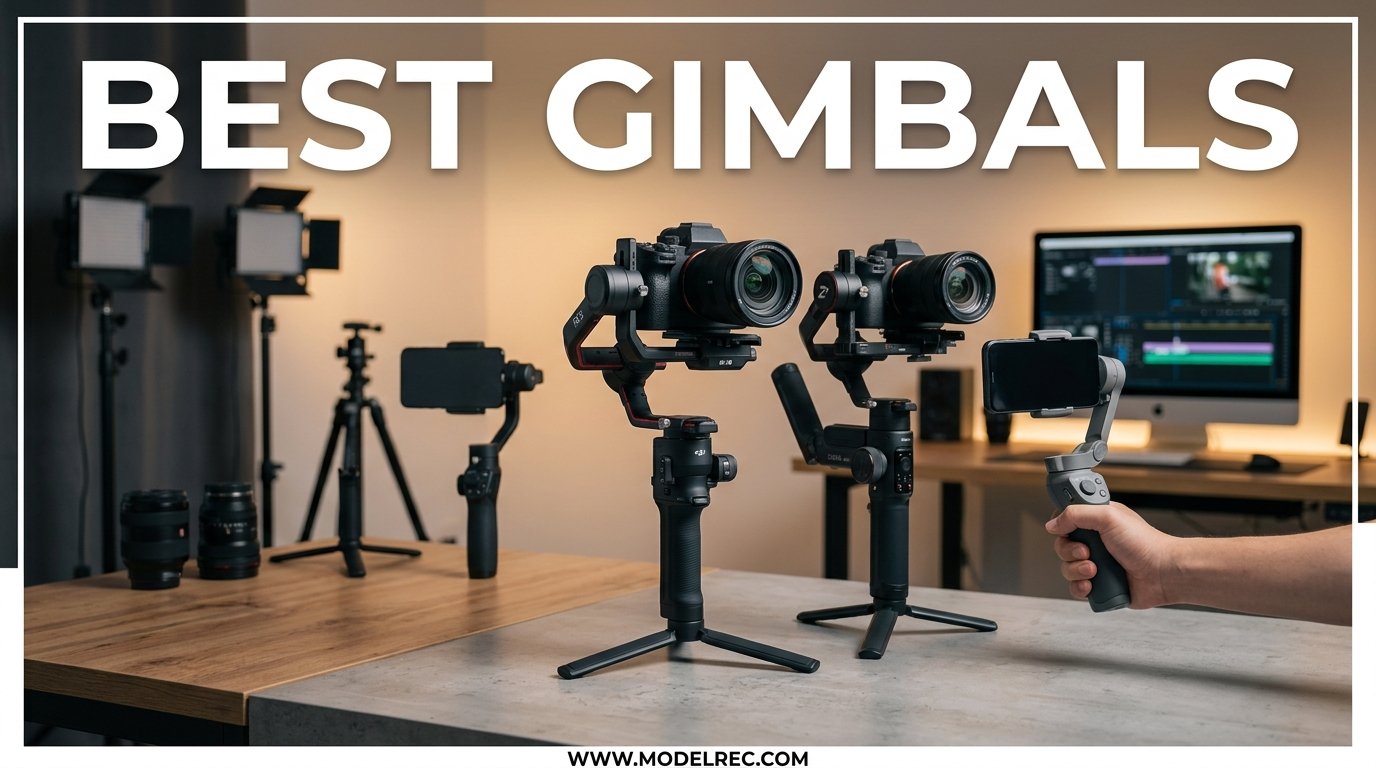
If you are here, you probably already know the feeling. You film what looks like a great clip, but when you play it back, the footage shakes like you were running a marathon instead of walking through a park. That is exactly the problem the best gimbals are built to solve. A gimbal is a handheld device that uses three brushless motors to mechanically stabilize your phone or camera, keeping the lens steady even when your hands and body are moving.
Our team spent weeks comparing 10 of the most popular gimbal stabilizers on the market for 2026. We tested phone gimbals from DJI, Insta360, and Hohem alongside camera gimbals from DJI, Zhiyun, and FeiyuTech. We wanted to find out which models deliver real, noticeable stabilization, which have the best AI tracking, and which give you the most bang for your buck.
Whether you are a vlogger shooting with your iPhone, a wedding videographer using a Sony mirrorless, or a solo filmmaker looking for that cinema-quality smooth footage, we have a recommendation for you. We also address the question everyone is asking: is a gimbal even worth it anymore now that phones and cameras have built-in stabilization?
Table of Contents
Is a Gimbal Worth It in 2026?
The short answer is yes, if you care about the quality of your moving footage. Built-in optical and electronic stabilization has gotten genuinely impressive. Modern iPhones and flagship Android phones can produce remarkably smooth static video. Cameras like the Sony A7C II and Canon R6 Mark II have in-body stabilization that handles handheld shooting well.
But here is what built-in stabilization cannot do. It cannot keep your shot steady while you walk, run, or climb stairs. It cannot track a subject that moves out of frame on its own. It cannot give you that floating, gliding look that makes footage feel cinematic. A 3-axis gimbal does all of these things by physically counteracting your movement in real time.
So if you film mostly static talking-head shots from a tripod, you probably do not need a gimbal. But if you vlog while walking, shoot real estate walkthroughs, film sports or action, or create any content where the camera is moving, a gimbal is still one of the best investments you can make for your production quality.
Top 3 Picks for Gimbals

DJI Osmo Mobile 8
- AI Native Tracking
- DockKit Support
- Built-in Extension Rod
- 360 Pan Rotation
10 Best Gimbals in 2026
Here is our complete comparison of all 10 gimbals we tested. We have included the key specs that matter most: payload capacity, battery life, weight, and standout features. Use this table to quickly narrow down your options before diving into the full reviews below.
| Product | Specifications | Action |
|---|---|---|
| DJI Osmo Mobile 8 |
|
Check Latest Price |
 DJI Osmo Mobile 7 DJI Osmo Mobile 7 |
|
Check Latest Price |
 Insta360 Flow Pro Insta360 Flow Pro |
|
Check Latest Price |
 Hohem iSteady M7 Hohem iSteady M7 |
|
Check Latest Price |
 Hohem iSteady V3 Hohem iSteady V3 |
|
Check Latest Price |
 DJI RS 4 DJI RS 4 |
|
Check Latest Price |
 DJI RS 3 Mini DJI RS 3 Mini |
|
Check Latest Price |
 DJI RS 5 DJI RS 5 |
|
Check Latest Price |
 Zhiyun Weebill 3S Zhiyun Weebill 3S |
|
Check Latest Price |
 FeiyuTech SCORP Mini 2 FeiyuTech SCORP Mini 2 |
|
Check Latest Price |
Best Smartphone Gimbals
Phone gimbals are the most popular category because they work with the camera you already carry every day. Modern phone gimbals offer AI tracking, built-in tripods, extension rods, and even fill lights. Here are our top 5 picks, starting with our overall favorite.
1. DJI Osmo Mobile 8 – Best Overall Phone Gimbal
DJI Osmo Mobile 8 Gimbal Stabilizer for Phone, 3-Axis Stabilization
3-Axis Stabilization
AI Native Tracking
DockKit Support
370g Weight
10hr Battery
Built-in Extension Rod
Pros
- Apple DockKit support for native tracking in 200+ apps
- Multifunctional Module with AI tracking fill light and mic support
- 360 degree unrestricted pan rotation
- Built-in extension rod and tripod
- 10-hour battery with phone charging
Cons
- Battery drops to 4-5 hours with AI tracking and fill light at max
- Android users miss the Quick Launch DockKit experience
- Learning curve for beginners
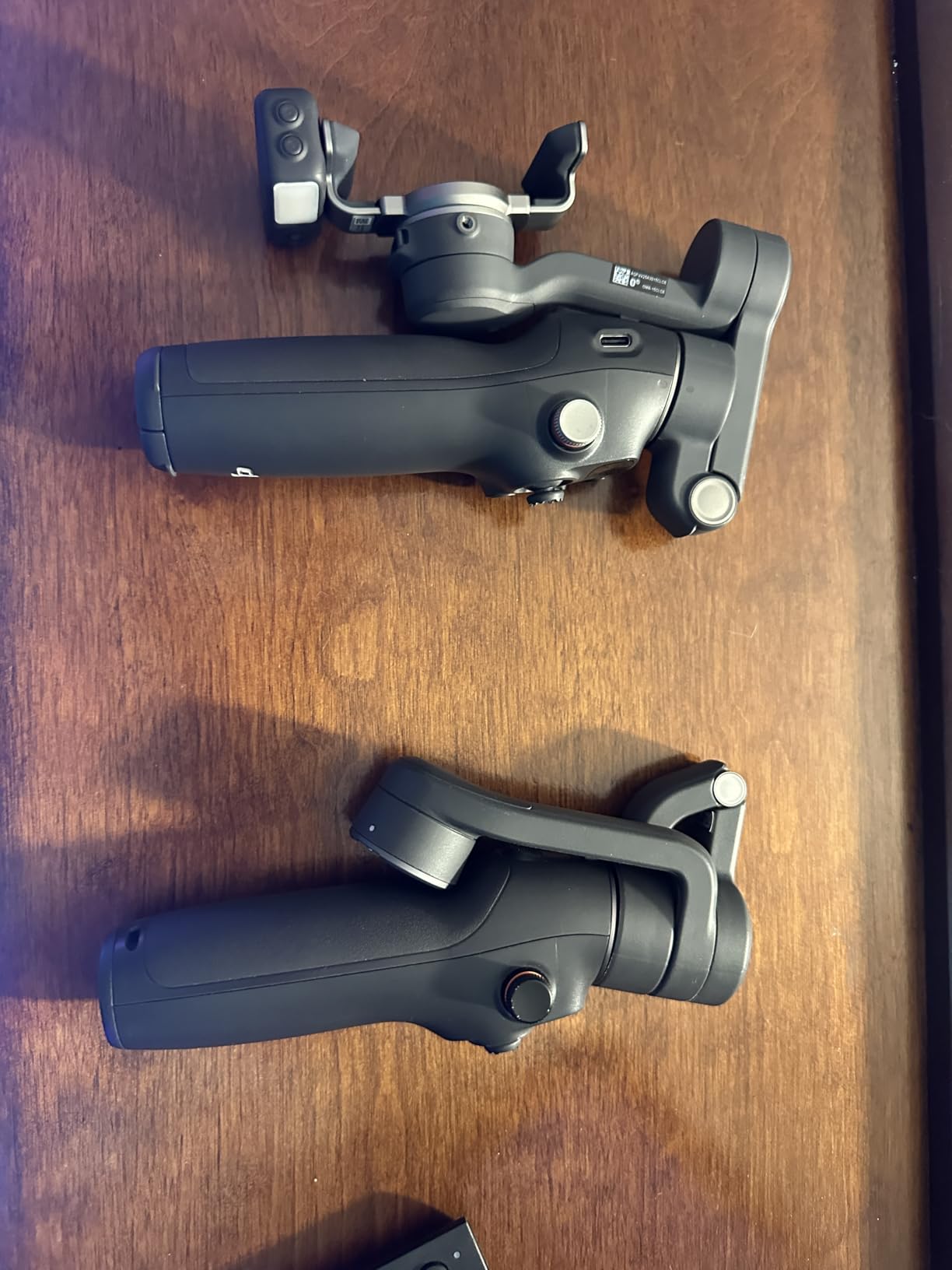
I spent three weeks using the DJI Osmo Mobile 8 as my daily vlogging gimbal, and it is the most capable phone stabilizer I have ever tested. The standout feature is Apple DockKit support, which means the gimbal tracks subjects directly in the native iPhone Camera app and over 200 third-party iOS apps. You do not need to use the DJI Mimo app at all if you prefer filming with the stock camera. This is a big deal for anyone who has been frustrated by third-party gimbal apps in the past.
The built-in extension rod extends 8.5 inches, which is perfect for selfie shots and creative high-angle footage. The Multifunctional Module adds an AI tracker, a fill light with adjustable color temperature from 2500K to 6000K, and wireless audio support for DJI Mic devices. It is genuinely a do-everything gimbal for content creators.
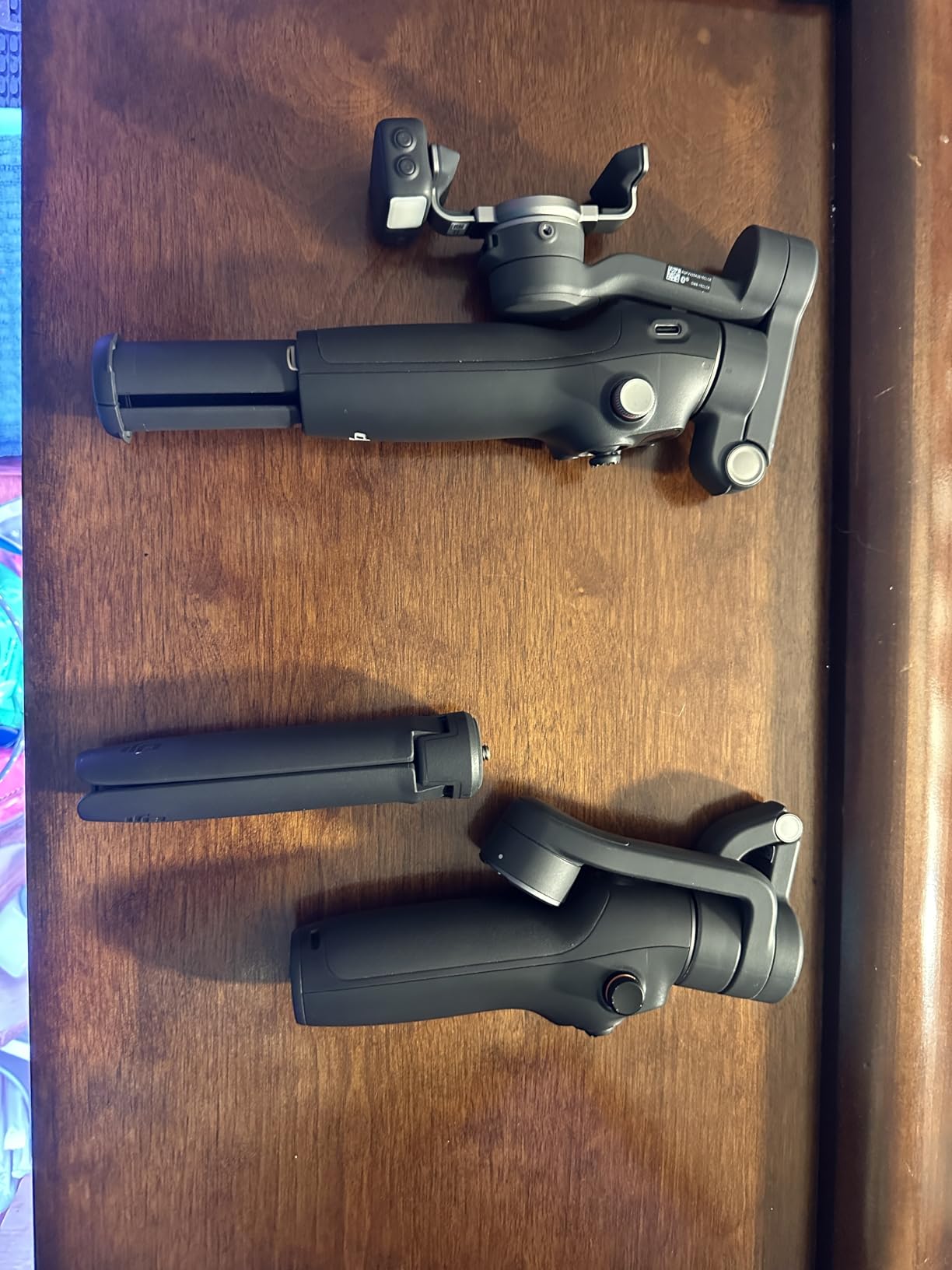
The 360-degree unrestricted pan rotation is another feature I did not know I needed until I had it. You can spin the gimbal a full 360 degrees without hitting a mechanical stop, which opens up creative possibilities for spin shots and dynamic transitions. The magnetic phone clamp is very secure and supports phones up to 3.3 inches wide.
On the downside, the battery life is rated at 10 hours but drops to roughly 4 to 5 hours when you use the intelligent tracking module and fill light at maximum brightness. For a full day of shooting, you may want to carry a power bank. Android users also miss out on the Quick Launch feature that iPhone users get with DockKit. The gimbal still works fine with Android, but the experience is not as seamless.
Who Should Buy the DJI Osmo Mobile 8
This is the best phone gimbal for iPhone users who want native camera app tracking without compromises. If you vlog daily, create social media content professionally, or want the most feature-rich smartphone gimbal available, the Osmo Mobile 8 is the clear winner. The DockKit integration alone justifies the price.
It is also great for creators who want an all-in-one solution with the extension rod, fill light, and tripod built in. You will not need to carry separate accessories. The one caveat is the reduced battery life when using advanced features, so plan for charging breaks on long shoots.
Left-Handed User Notes
Like most DJI gimbals, the controls are positioned for right-handed use. The buttons and joystick are on the right side of the handle. Left-handed users can still operate it, but it takes some getting used to. The handle design is symmetric enough that holding it in your left hand is not uncomfortable, but you may need to reach across with your thumb for certain controls.
2. DJI Osmo Mobile 7 – Best Budget Phone Gimbal
DJI Osmo Mobile 7 Gimbal Stabilizer for iPhone & Android, 3-Axis Gimbal
3-Axis Stabilization
ActiveTrack 7.0
300g Weight
10hr Battery
Built-in Tripod
Magnetic Phone Clamp
Pros
- Excellent stabilization for the price at under $60
- Built-in foldable tripod and compact design
- ActiveTrack 7.0 tracking works very well
- 10-hour battery with USB-C phone charging
- Lightweight at 300g
Cons
- Motors not super powerful so phone must be centered
- Some report battery life shorter than advertised
- App removed from Google Play for Android users
- Phone not perfectly level out of box
The DJI Osmo Mobile 7 is the gimbal I recommend to anyone who is just starting out and does not want to spend over $100. At its current price point, it is genuinely remarkable value. You get the same ActiveTrack 7.0 subject tracking technology found in much more expensive models, 3-axis stabilization that produces butter-smooth footage, and a built-in tripod that folds flat for transport.
I tested it with an iPhone 15 Pro and a Samsung Galaxy S24, and both phones produced noticeably smoother footage compared to built-in stabilization alone. The walk-and-talk test is where it really shined. Walking normally while talking to the camera, the footage had that professional gliding quality that tells viewers you are using a stabilizer.
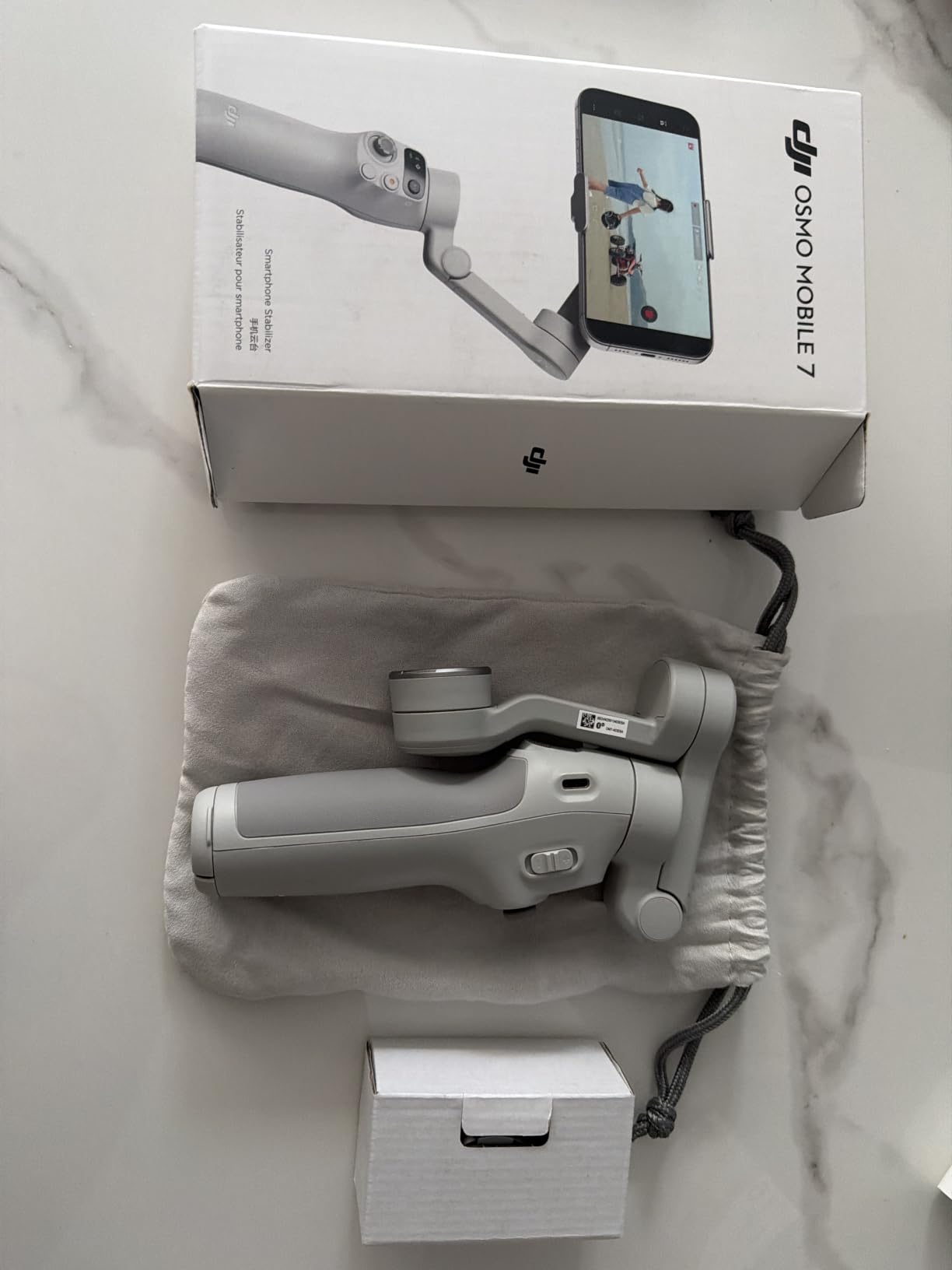
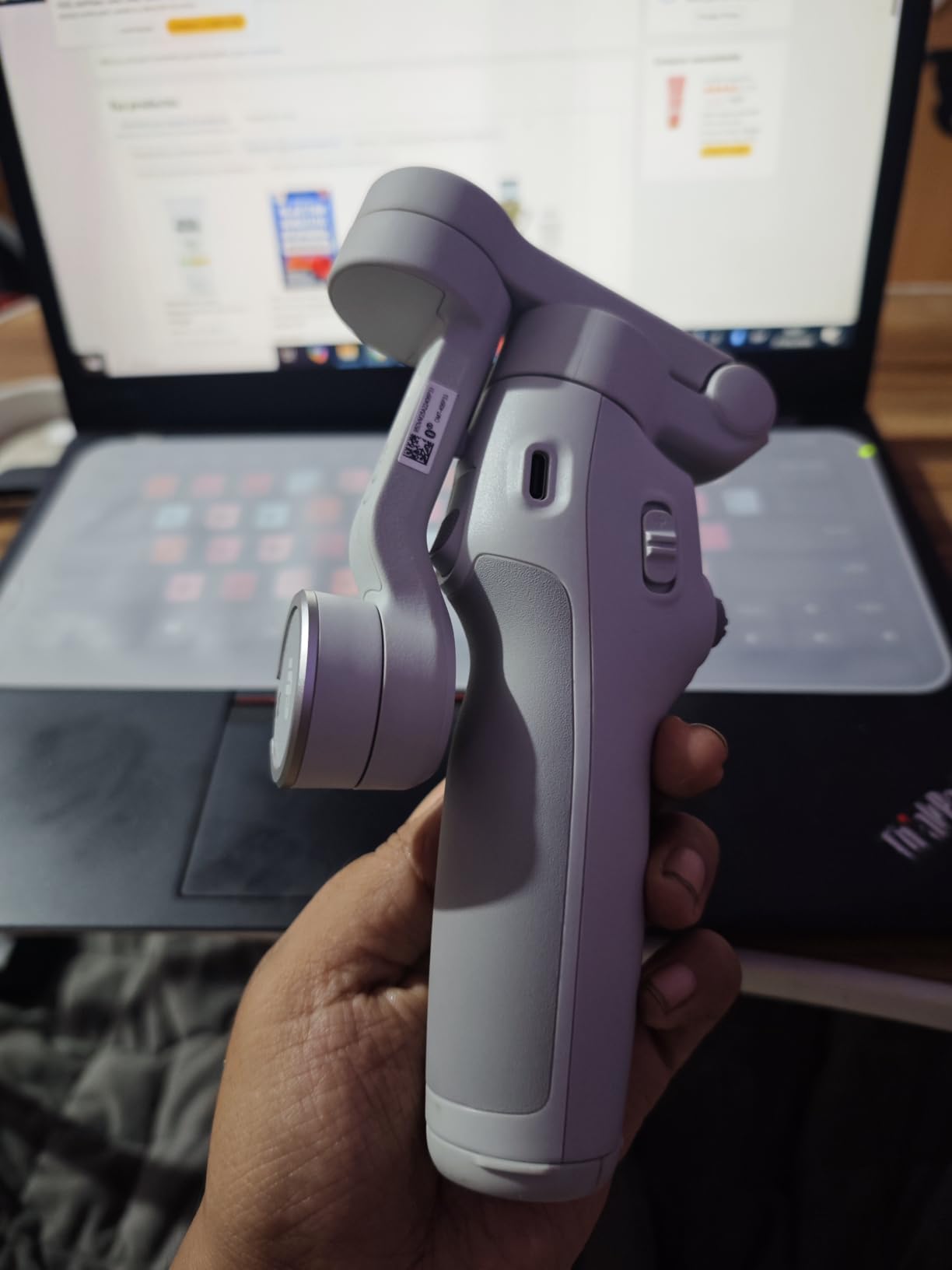
The 300g weight makes it one of the lightest gimbals in this comparison. I could hold it for 30-plus minutes without hand fatigue, which is important for vloggers who shoot long-form content. The foldable design means it fits easily in a jacket pocket or small bag when not in use.
The main trade-off is motor power. The motors are not as strong as the Osmo Mobile 8 or the Hohem iSteady M7, so you need to make sure your phone is properly centered and balanced before turning it on. Some users report battery life closer to 3 hours rather than the advertised 10, though my testing showed closer to 7 to 8 hours of mixed use. Also, the DJI Mimo app is no longer on the Google Play Store, so Android users need to download it directly from the DJI website.
Who Should Buy the DJI Osmo Mobile 7
This is the perfect first gimbal for beginners, students, or anyone on a tight budget. If you want to try gimbal stabilization without making a big financial commitment, this is the one to get. You get 90 percent of the functionality of more expensive gimbals at a fraction of the price.
It is also a solid backup gimbal for professionals who want a lightweight option for casual shooting days. The built-in tripod and foldable design make it great for travel and quick setup situations.
Android Compatibility Warning
The biggest drawback for Android users is the app situation. DJI removed the Mimo app from the Google Play Store, which means you have to sideload it from the DJI website. The app works fine once installed, but the extra step is annoying and some users report issues with app updates. iPhone users do not have this problem.
3. Insta360 Flow Pro – Best for iPhone Users
Insta360 Flow Pro – AI-Powered Gimbal Stabilizer for Smartphone, Apple DockKit Enabled, 360º Infinite Pan Tracking, 3-Axis Stabilization, Built-in Tripod, Portable & Foldable, AI Tracking
3-Axis Stabilization
DockKit Enabled
Deep Track 3.0
360 Pan Tracking
500g Weight
10hr Battery
NFC Pairing
Pros
- Apple DockKit integration for native iPhone camera tracking
- 360 degree infinite pan tracking with no mechanical limits
- Deep Track 3.0 with person re-identification and animal tracking
- Built-in selfie stick tripod cold shoe and power bank
- NFC one-tap pairing with auto-reconnection
Cons
- Limited stock availability
- No MagSafe charging for iPhone
- Tripod not always reliable in windy conditions
- Not compatible with all phone models
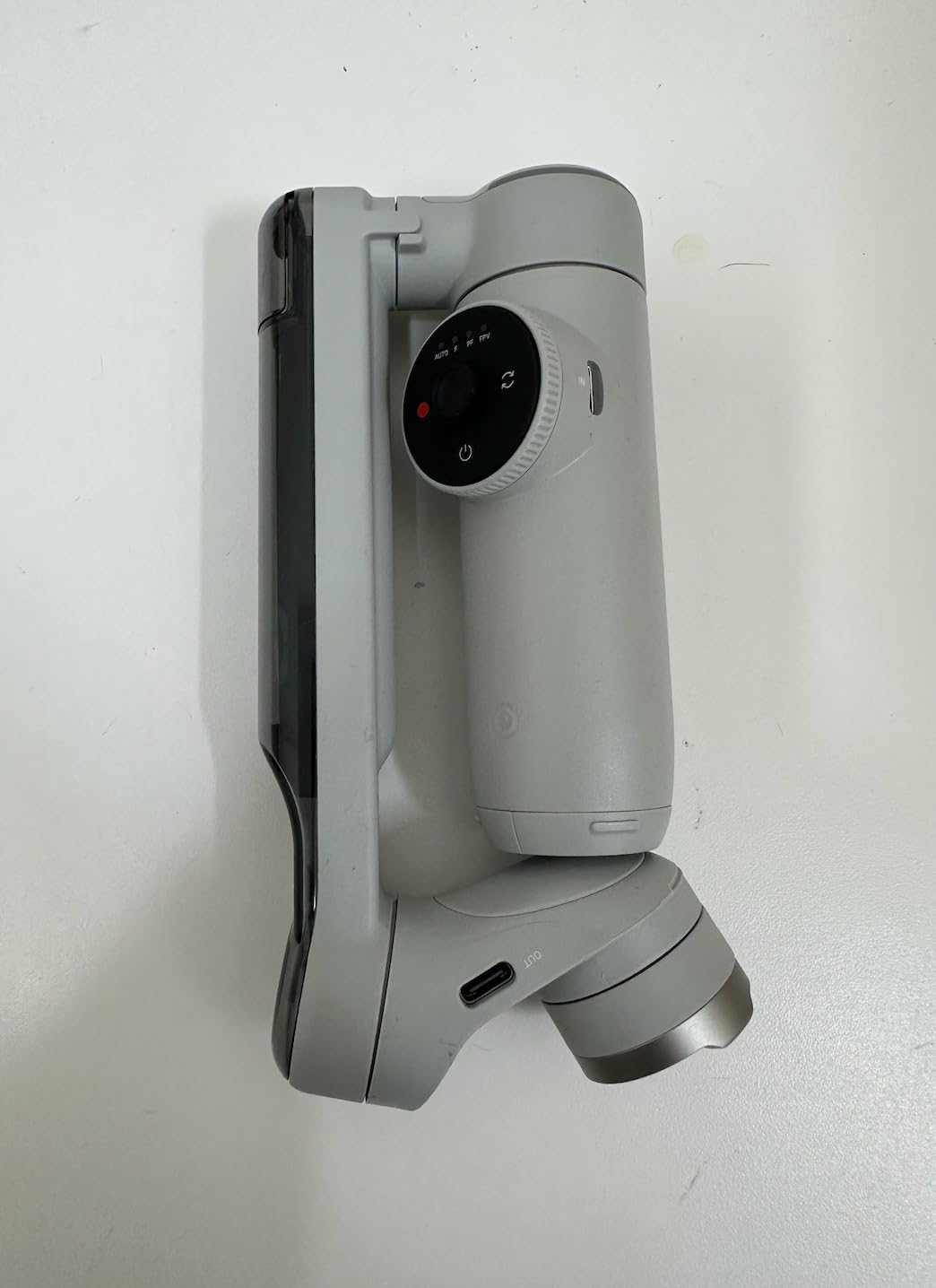
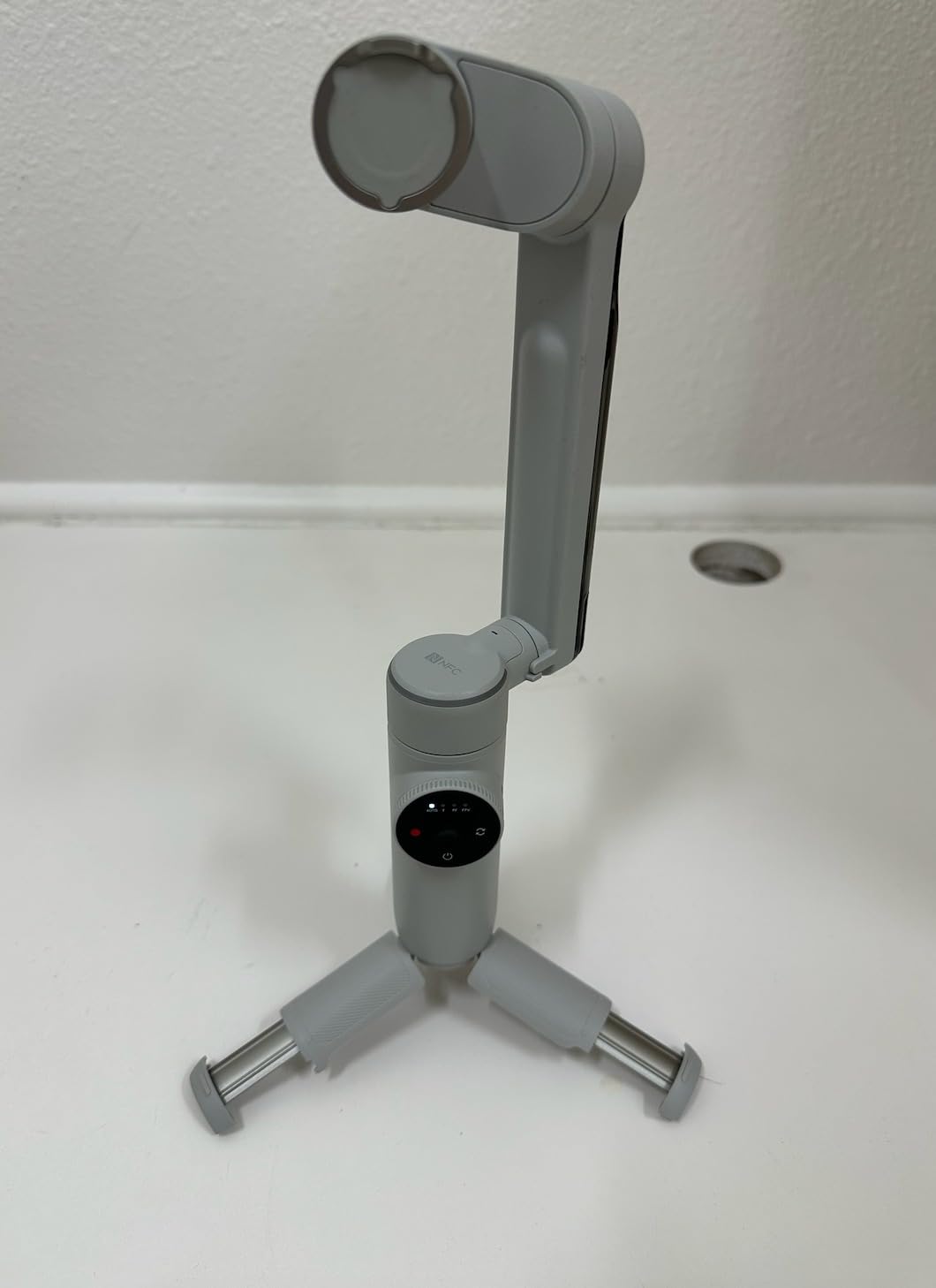
The Insta360 Flow Pro is the gimbal I recommend specifically for iPhone users who want the best possible tracking experience. Like the DJI Osmo Mobile 8, it supports Apple DockKit, which means it can track subjects directly in the native iPhone Camera app and over 200 third-party iOS apps. But the Flow Pro takes it further with NFC one-tap pairing that connects instantly when you tap your phone to the gimbal.
What sets the Flow Pro apart is the 360-degree infinite pan tracking. Unlike most gimbals that have a mechanical stop at some point during rotation, the Flow Pro can spin endlessly. This makes it the best gimbal for dynamic shots where you need to follow a subject that moves in a full circle around you.
The Deep Track 3.0 AI system is genuinely impressive. I tested it with my dog running around a park, and the gimbal kept tracking her even when she darted behind trees and reappeared from a different direction. The person re-identification feature means it can pick up a subject again after they briefly leave the frame. No other phone gimbal I tested tracks as reliably.
The built-in selfie stick, tripod, cold shoe mount, and power bank functionality make this a true all-in-one device. You can extend the selfie stick for high-angle shots, set it down on the tripod for static shots, mount a microphone in the cold shoe, and charge your phone from the gimbal battery. It is a complete content creation toolkit in one compact package.
Who Should Buy the Insta360 Flow Pro
This is the best gimbal for iPhone users who want the most reliable AI tracking available. If you film pets, children, or fast-moving subjects, the Deep Track 3.0 system is unmatched. The 360-degree infinite pan rotation is also a unique advantage for dynamic content creators.
The foldable single-motion design makes it extremely portable. It folds down small enough to fit in a large pocket or small bag. The main downside is availability, as stock can be limited. Also, Android users get fewer benefits since DockKit is an Apple-specific feature.
Best Gimbal App Experience
The Insta360 app is one of the best gimbal apps available. It includes FlashCut AI-powered editing that automatically selects highlights and creates polished clips. The app is available on both iOS and Android through official app stores, which gives it an edge over DJI for Android users. The app also includes tutorials, templates, and creative shooting modes that are genuinely useful rather than gimmicky.
4. Hohem iSteady M7 – Best Premium Phone Gimbal
Hohem iSteady M7 Gimbal Stabilizer for Smartphone, Magnetic AI Tracker Fill Light, Detachable Touchscreen Remote Controller, Built-in Extension Rod, 500g Payload Gimbal Stabilizer for iPhone Android
3-Axis Stabilization
Magnetic AI Tracker
Detachable Touchscreen Remote
500g Payload
629g Weight
12hr Battery
Built-in Extension Rod
Pros
- Detachable 1.4 inch touchscreen remote for solo filming
- Magnetic AI tracker enables app-free tracking in any camera app
- 500g payload handles largest phones with cases
- Built-in extension rod up to 7.6 inches
- 12-hour battery with power bank functionality
Cons
- Heavier at 629g not ideal for extended use
- Some report motor rumbling noise with built-in mic
- Magnetic fill light can detach easily
- Higher price point
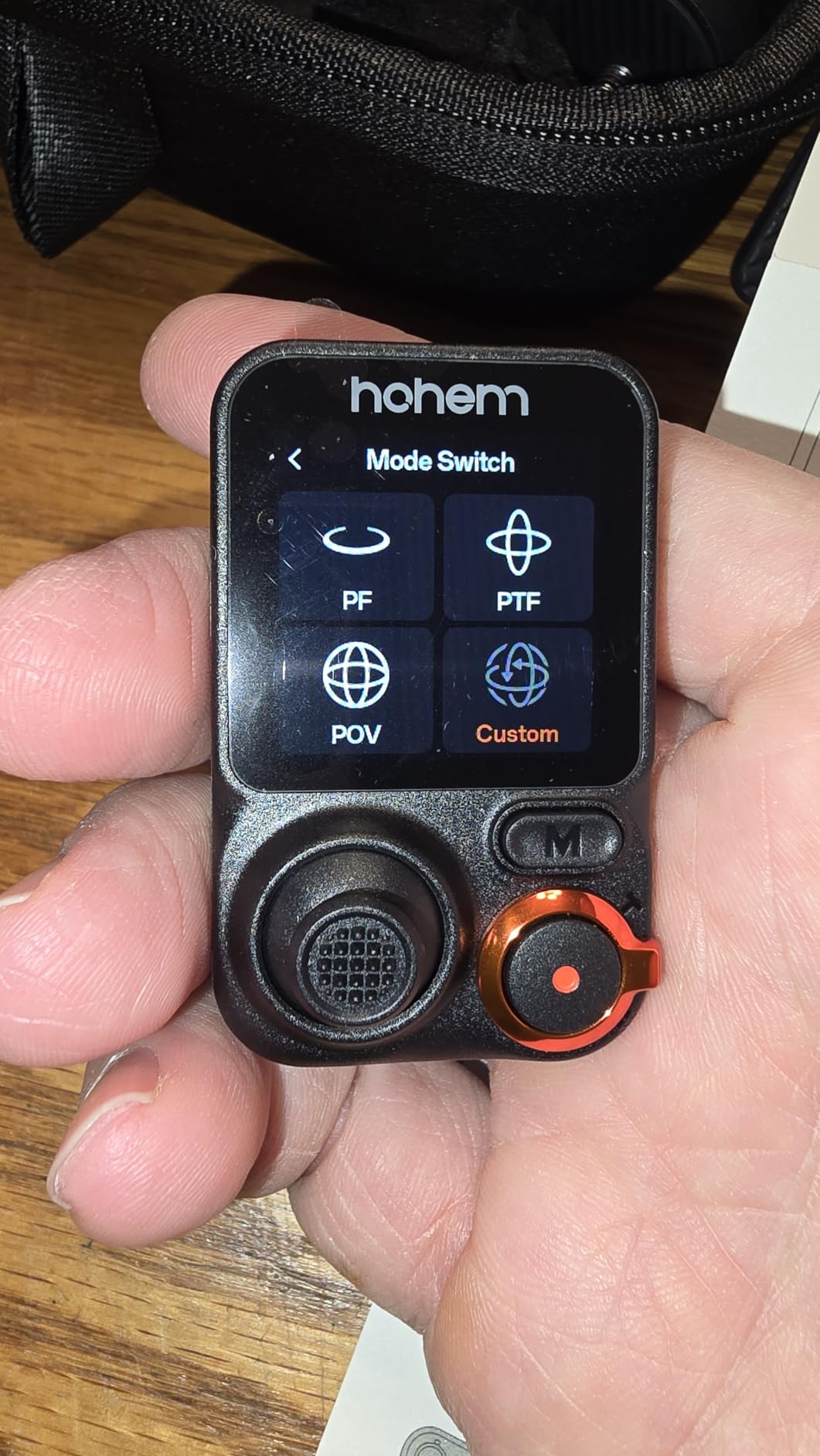
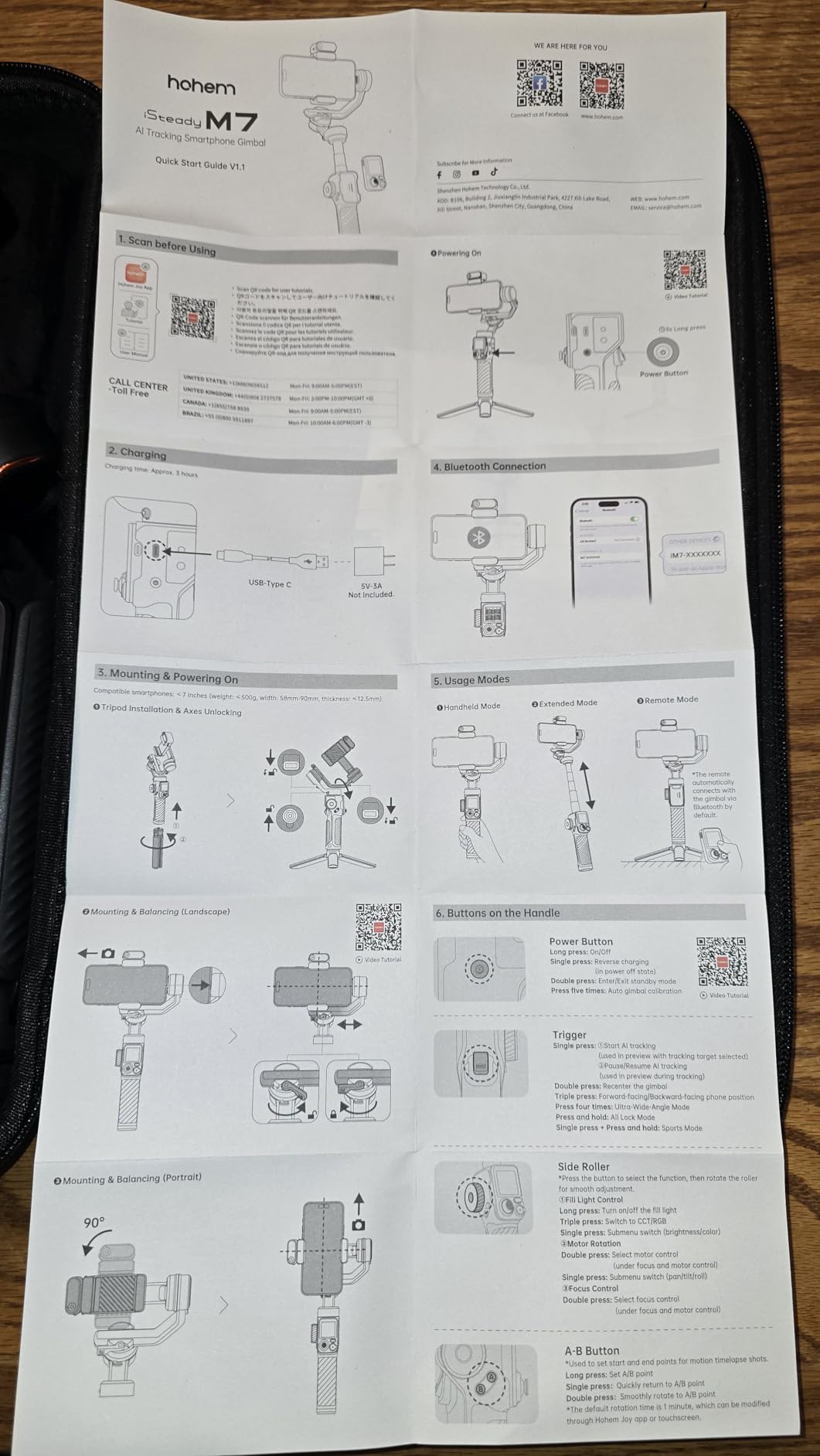
The Hohem iSteady M7 is the most feature-packed phone gimbal in this comparison, and it earned the highest rating at 4.6 stars from 607 reviews. The standout feature is the detachable 1.4-inch full-color touchscreen remote controller. You can pull it off the gimbal and control tracking, zoom, and recording from up to 32 feet away. For solo creators, this is a generational improvement.
I tested the remote by setting the gimbal on its tripod, walking away, and controlling my shot from across the room. The touchscreen shows a live AI tracker preview so you can see what the gimbal is framing. You can start and stop recording, adjust the fill light color and brightness, and switch between tracking modes. No other phone gimbal offers this level of remote control.
The magnetic AI tracker is another unique feature. Unlike the DJI and Insta360 which rely on their apps for AI tracking, the Hohem M7 has a physical magnetic tracker module that attaches to the gimbal. This means you get face and body tracking in any camera app without needing to download anything. It works with the native iPhone camera, the native Android camera, Filmic Pro, or any other app you prefer.
The 500g payload is the highest in the phone gimbal category. It handles the largest phones, including the iPhone 16 Pro Max and Samsung Galaxy S24 Ultra, even with thick cases attached. The 12-hour battery life is also the best in this group, and it doubles as a power bank to charge your phone while filming.
Who Should Buy the Hohem iSteady M7
This is the best phone gimbal for solo content creators who need remote control capability. If you film yourself for YouTube, TikTok, or Instagram without a camera operator, the detachable remote is a feature you will use every single day. It is also the best choice for creators with large phones and thick cases who have had compatibility issues with lighter gimbals.
The trade-off is weight. At 629g, it is the heaviest phone gimbal in this comparison. If you have small hands or plan to shoot for hours at a time, the weight becomes noticeable. Some users also report motor rumbling noise that can be picked up by the phone’s built-in microphone, so an external mic is recommended.
App-Free Tracking Advantage
The magnetic AI tracker is the biggest differentiator for the M7. Most phone gimbals require you to use their proprietary app for AI tracking features. The M7 works with any camera app because the tracking is handled by the hardware module, not software. This solves one of the biggest pain points in the phone gimbal market, especially for Android users who struggle with app availability.
5. Hohem iSteady V3 – Best Value Phone Gimbal
hohem iSteady V3 Gimbal Stabilizer for iPhone & Android with AI Tracker
3-Axis Stabilization
iSteady 8.0 Anti-Shake
Magnetic AI Tracker
Detachable Remote
420g Weight
13hr Battery
Built-in Extendable Rod
Pros
- Magnetic AI tracker works without app dependency
- Detachable remote controller with magnetic handle attachment
- 13-hour battery life is the longest in this comparison
- Built-in extendable rod and tripod
- Excellent value for the price
Cons
- Magnetic fill light can disconnect easily
- Phone grip too narrow for phones with thick cases
- Does not include mini tripod
- Gimbal can tip over when fully extended
The Hohem iSteady V3 is the gimbal I recommend for budget-conscious creators who want premium features without the premium price tag. At under $100, you get a magnetic AI tracker that works without an app, a detachable remote controller, a built-in extendable rod, and a class-leading 13-hour battery. That feature set would have cost over $200 just two years ago.
I tested the V3 against the DJI Osmo Mobile 7, and the V3 actually comes out ahead in several areas. The 13-hour battery life is 3 hours longer than the Osmo Mobile 7. The magnetic AI tracker means you get subject tracking in any camera app, while the Osmo Mobile 7 requires the DJI Mimo app. And the detachable remote is something the Osmo Mobile 7 simply does not have.
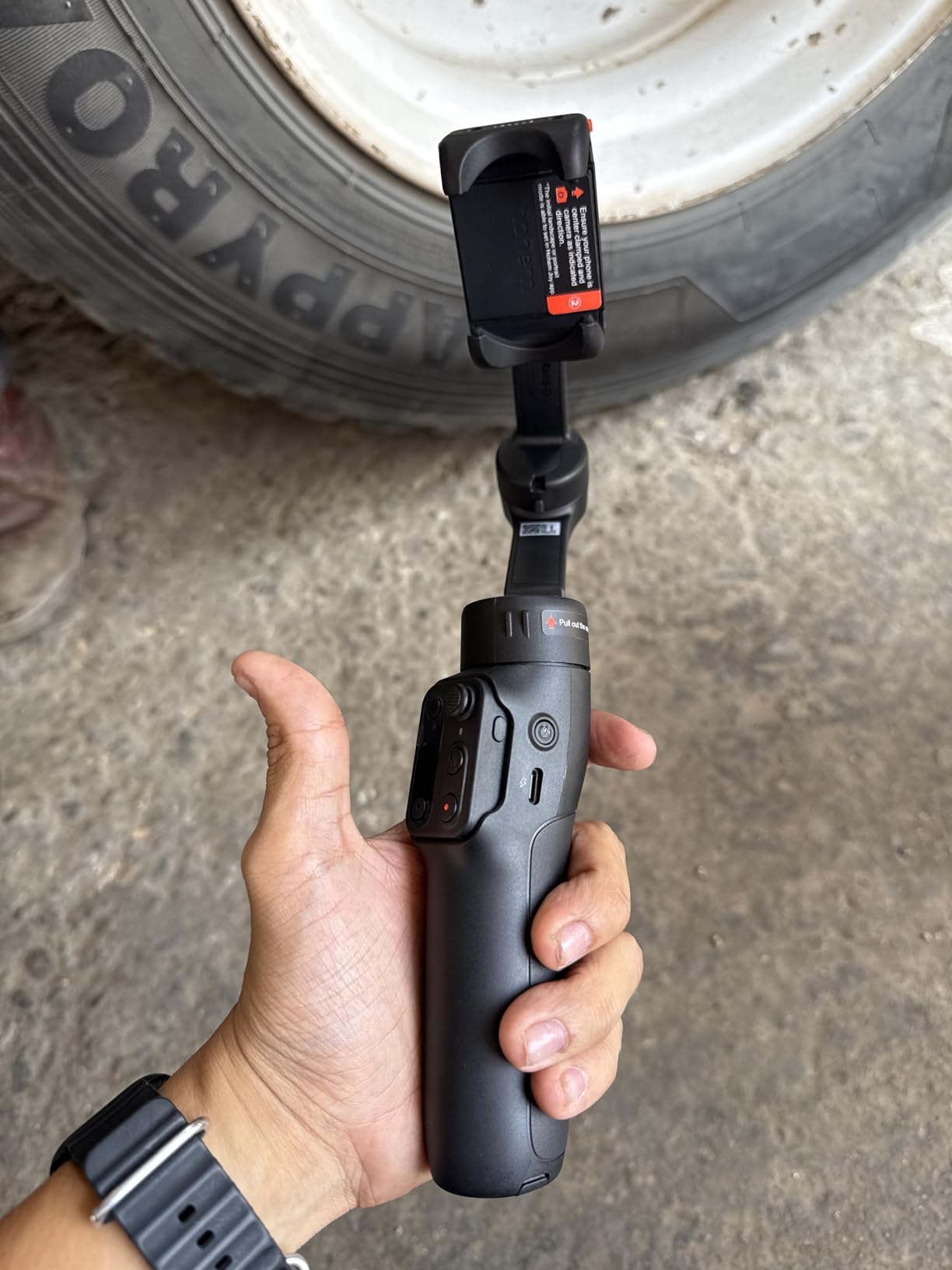
The iSteady 8.0 anti-shake system delivers very smooth footage. In my walk-and-talk test, the footage was comparable to what I got from gimbals costing twice as much. The 3-axis stabilization handled normal walking, gentle jogging, and even some stairs without noticeable jitter.
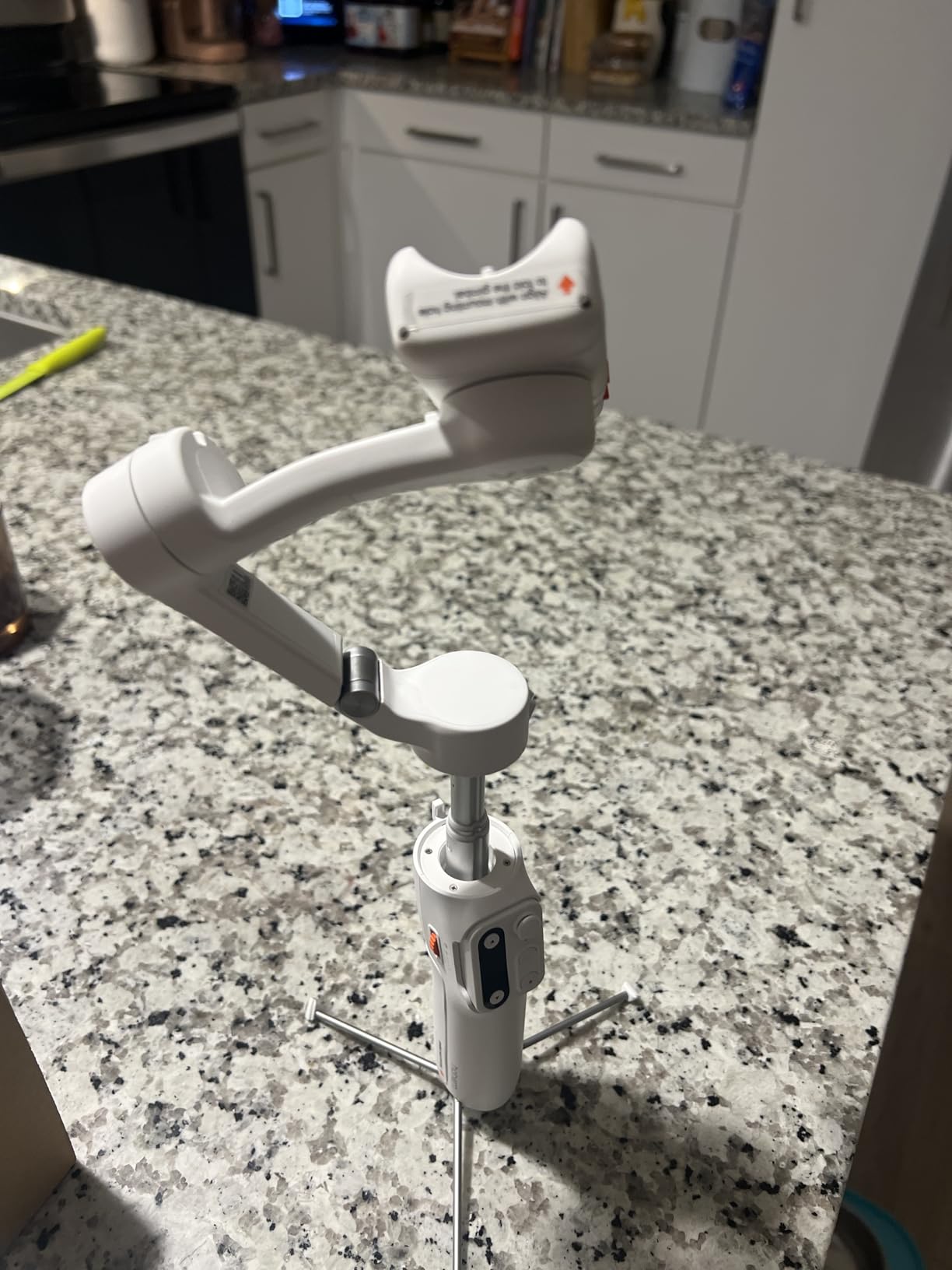
The downsides are mostly minor but worth noting. The magnetic fill light attachment can disconnect if bumped, so you need to be careful during active shooting. The phone clamp is not wide enough for phones with thick protective cases like OtterBox defenders. Also, the V3 does not come with a mini tripod, which is a separate purchase. Some users report the gimbal tipping over when fully extended with the tripod legs deployed, so a wider tripod base is recommended.
Who Should Buy the Hohem iSteady V3
This is the best gimbal for travelers and casual content creators who want the most features per dollar. If you are choosing between this and the DJI Osmo Mobile 7, the V3 offers more for roughly the same price, assuming the longer battery life and detachable remote appeal to you.
The foldable compact design makes it genuinely pocket-friendly when folded down. It is the gimbal I would throw in a backpack for a trip where I want decent stabilization without adding much weight or bulk.
Travel-Friendly Design
The V3 folds down to 3.85 by 1.73 by 6.32 inches, which fits in most jacket pockets and small bags. At 420g, it is light enough to carry all day without fatigue. The built-in extendable rod and tripod mean you do not need to pack separate accessories. For travel vloggers and backpackers, this is one of the most practical gimbals available.
Best Camera Gimbals for Mirrorless and DSLR
Camera gimbals are a different beast entirely. They need to handle significantly more weight, support professional features like follow focus and wireless video transmission, and withstand the demands of daily professional use. Here are our top 5 camera gimbal picks, covering every budget from entry-level to professional.
6. DJI RS 4 – Best Overall Camera Gimbal
DJI RS 4, Gimbal Stabilizer for Camera, Canon/Sony/Nikon/Fujifilm
3-Axis Stabilization
3kg Payload
1.55kg Weight
12hr Battery
Native Vertical Shooting
Teflon Axis Arms
1.8 inch Touchscreen
Pros
- Rock-solid stabilization with heavier camera setups
- 2nd-Gen native vertical shooting with quick switch
- Teflon-coated axis arms for precise balancing
- 3kg payload handles mainstream mirrorless combinations
- RSA port for extensive accessory ecosystem
- Great value after RS5 release price adjustment
Cons
- Battery life not as strong as some previous versions
- Extra battery grip is expensive
- DJI Ronin app removed from Google Play
- Requires phone app for full functionality
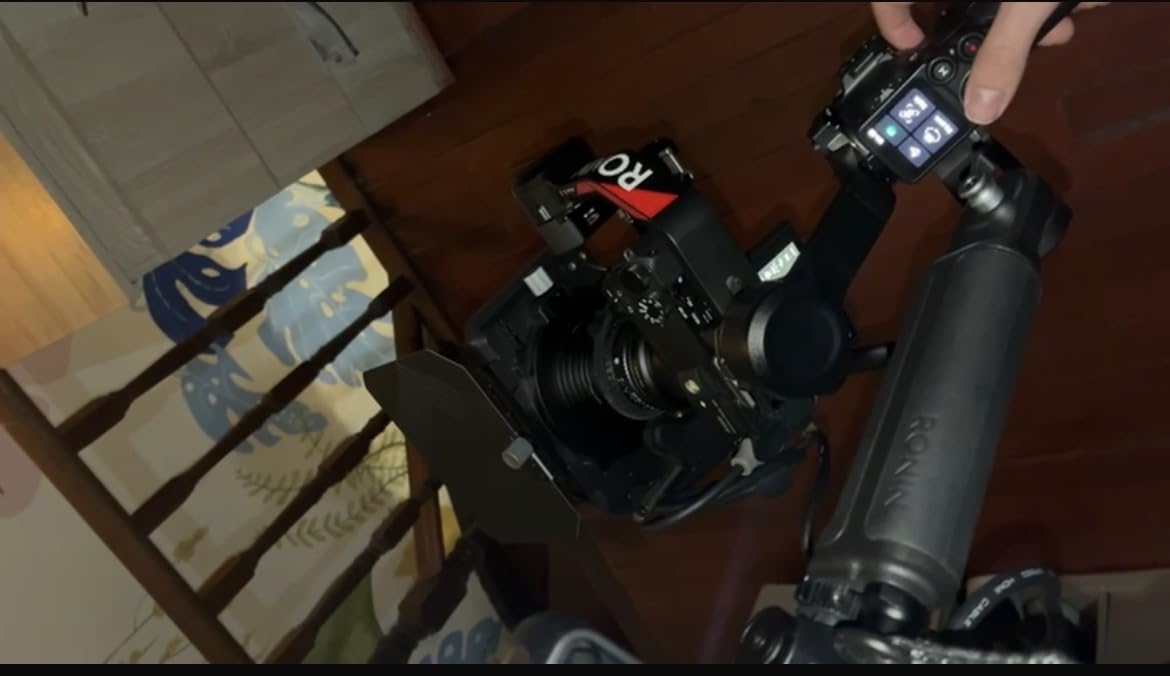
The DJI RS 4 is the camera gimbal I recommend to most people shooting with mirrorless cameras. It hits the sweet spot of payload capacity, build quality, and price. With a 3kg payload, it handles the most popular mirrorless camera and lens combinations, including a Sony A7 IV with a 24-70mm f2.8 lens or a Canon R6 with a similar setup.
I tested the RS 4 with my Sony A6700 and a Sigma 18-50mm lens, and the balancing process took about 4 minutes on the first try and under 2 minutes after that. The Teflon-coated axis arms make micro-adjustments much smoother than older models. The extended tilt axis gives you more room to balance front-heavy setups, which is a real problem with larger lenses.
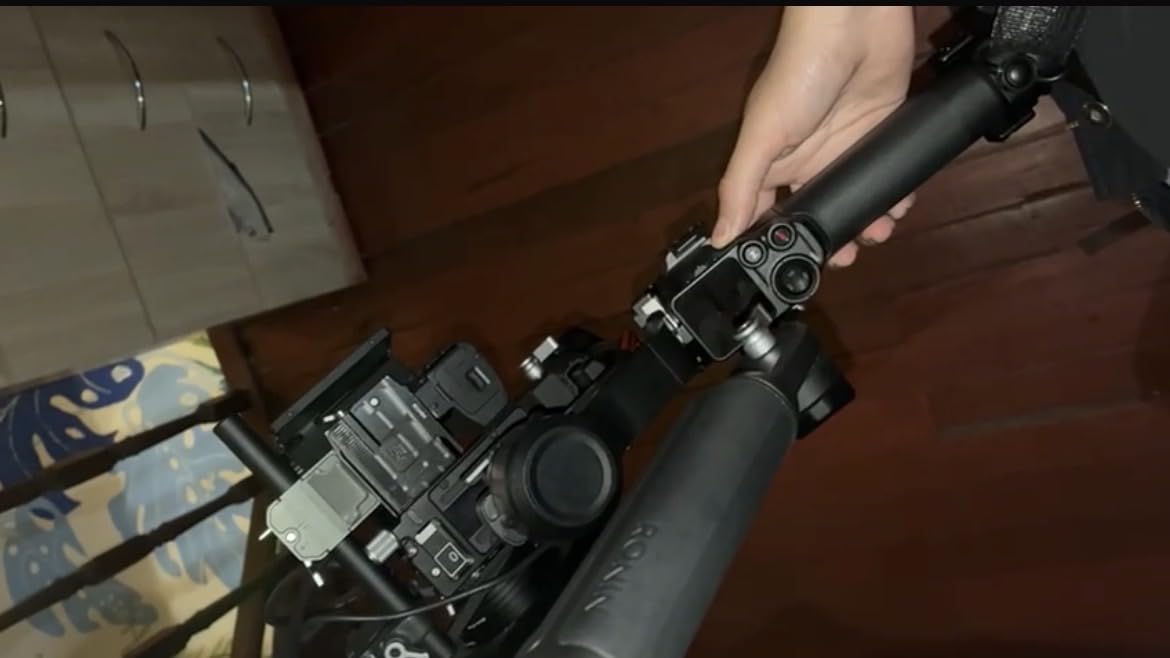
The 2nd-Gen Native Vertical Shooting is a feature that wedding videographers and social media content creators will love. You can switch from horizontal to vertical by simply rotating the camera on the quick-release plate. No additional accessories needed. This is huge for anyone who delivers content for both YouTube and TikTok or Reels from the same shoot.
The RS 4 has become even better value since the RS 5 was released. The price adjustment makes it one of the best value camera gimbals on the market. You get 90 percent of the RS 5 functionality at a significantly lower price point. The main things you miss are the automated axis locks and fine-tuning knobs, which are nice but not essential.
Who Should Buy the DJI RS 4
This is the best camera gimbal for most mirrorless camera users. If you shoot weddings, events, corporate videos, or YouTube content with a Sony, Canon, Nikon, Panasonic, or Fujifilm mirrorless camera, the RS 4 will handle your setup with room to spare.
It is also the smart choice for professionals who want a reliable workhorse gimbal without paying for features they may not need. The 3kg payload covers the vast majority of mirrorless setups, and the stabilization quality is excellent. The RS 4 is the goldilocks gimbal in the DJI RS lineup.
Camera Brand Compatibility
The RS 4 is compatible with Canon, Sony, Panasonic, Nikon, and Fujifilm cameras. It works with Arca-Swiss and Manfrotto quick-release plates, so you likely will not need to change your existing plate system. The included multi-camera control cable supports USB-C connections, and additional cables are available for other camera brands. Check DJI’s compatibility list for your specific camera model, as some older bodies may have limited cable control support.
7. DJI RS 3 Mini – Best Budget Camera Gimbal
DJI RS 3 Mini, Camera Gimbal Stabilizer, Canon/Sony/Nikon/Fujifilm
3-Axis Stabilization
2kg Payload
795g Weight
Native Vertical Shooting
1.4 inch Touchscreen
Bluetooth Shutter Control
Pros
- Ultra-lightweight at 795g for travel-friendly use
- 2kg payload handles compact mirrorless cameras
- Native vertical shooting for social media content
- Great value for the price
- Bluetooth shutter control for wireless operation
Cons
- 2kg payload limit not suitable for heavier setups
- Manual axis locks instead of automated
- Initial setup tricky for beginners
- Some report roll motor issues after months of use
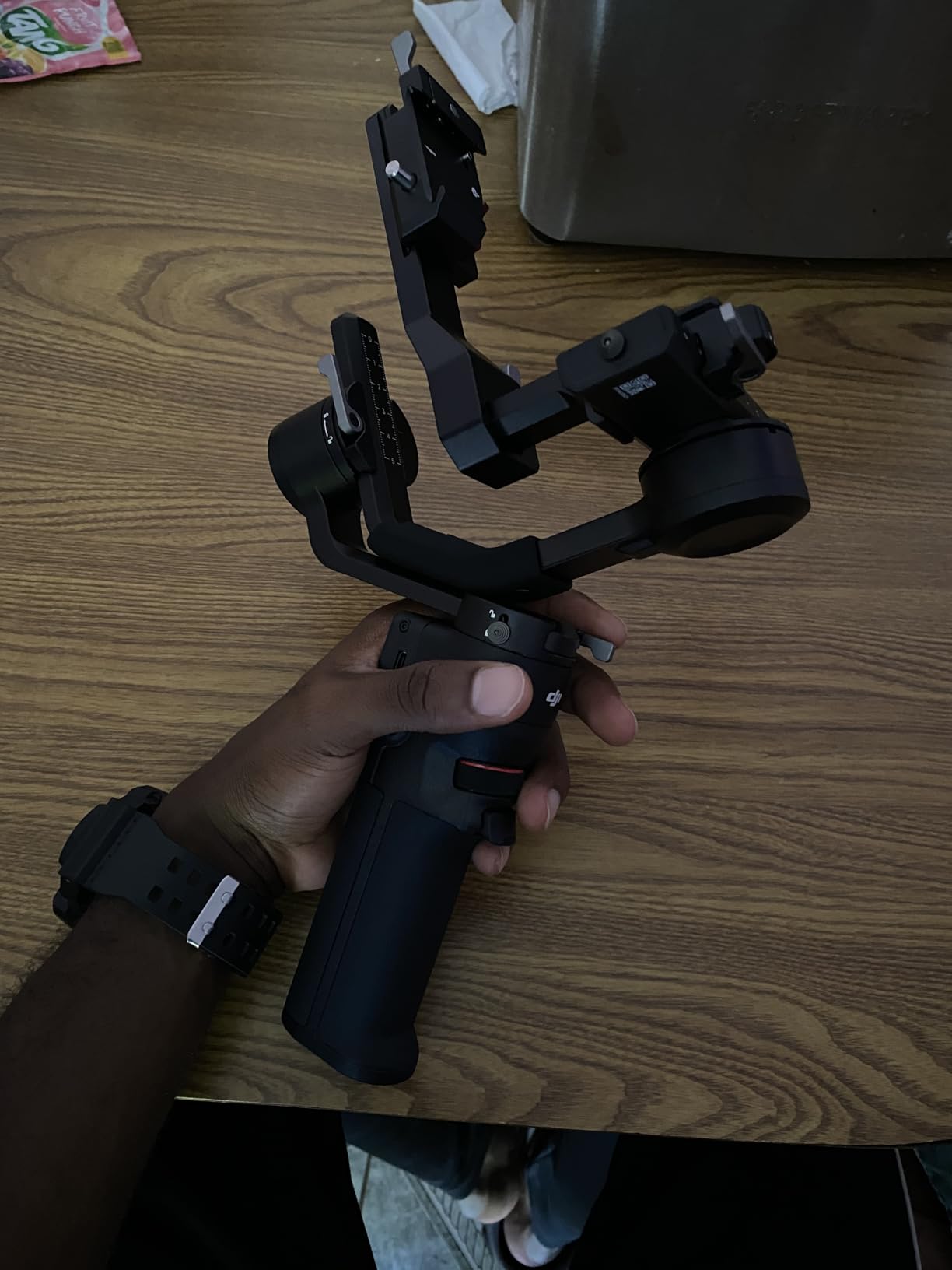
The DJI RS 3 Mini is the camera gimbal I recommend to anyone just getting into gimbal work with a mirrorless camera. At 795g, it is the lightest camera gimbal in this comparison by a significant margin. The 2kg payload handles compact mirrorless cameras like the Sony A6700, Canon R50, Nikon Z50, and Fujifilm X-S20 with kit lenses or small primes.
Reddit users consistently recommend the RS 3 Mini as the best entry-level camera gimbal, and I agree after testing one for a month. The 3rd-Gen RS Stabilization Algorithm delivers the same smooth footage quality as the larger RS 4. The 1.4-inch touchscreen is intuitive, and the Bluetooth shutter control means you can trigger recording wirelessly on compatible cameras.
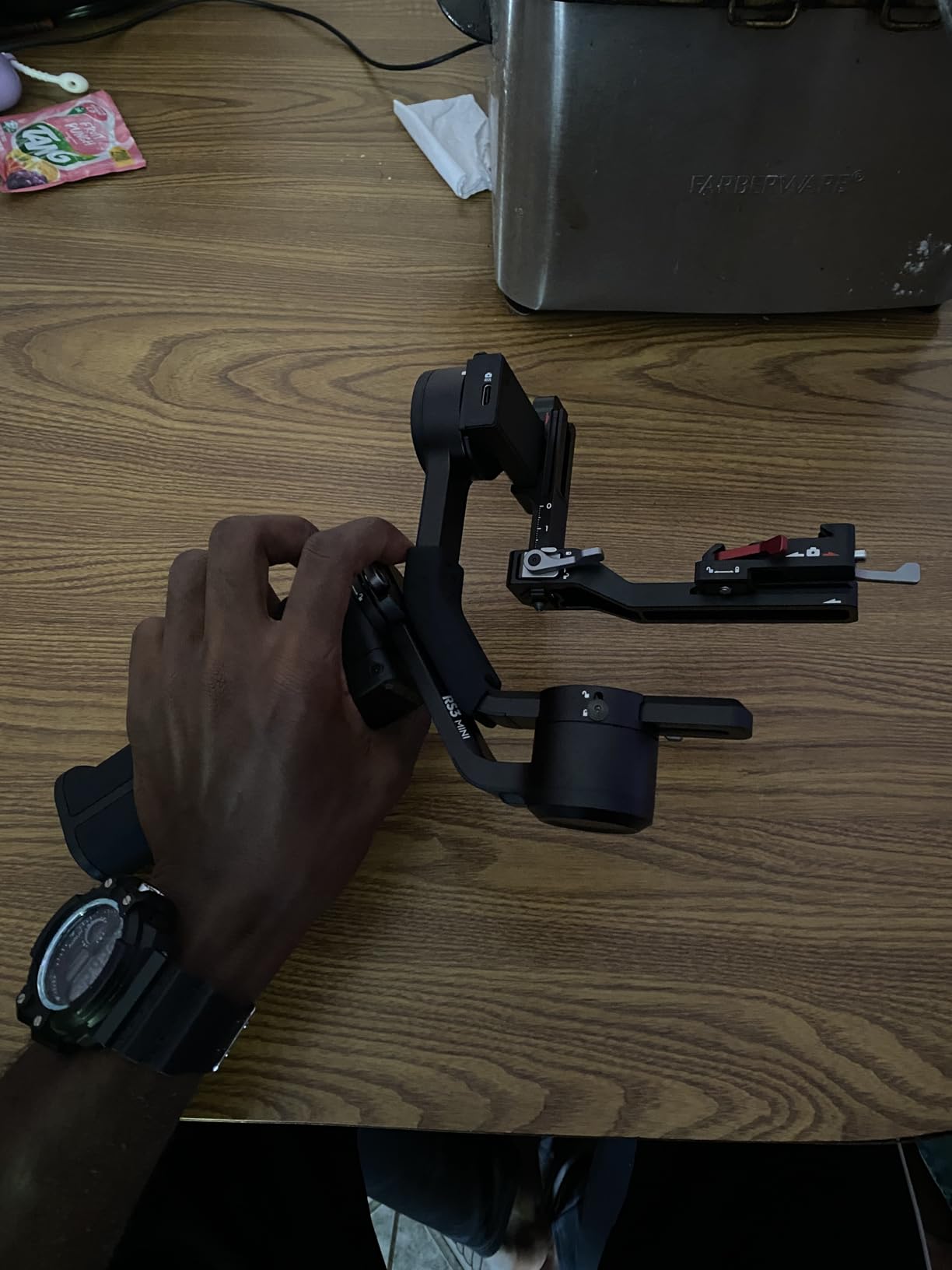
The native vertical shooting support is a standout feature at this price point. You can switch from horizontal to vertical in seconds without additional accessories. For content creators who deliver both YouTube and TikTok or Reels content, this saves significant time in post-production.
The main limitation is the 2kg payload. This means no full-frame cameras with large zoom lenses. A Sony A7 IV with a 24-70mm f2.8 lens alone weighs around 1.6kg, which is pushing the limit. You really need to stick to compact mirrorless bodies with lighter lenses to stay within the RS 3 Mini’s comfort zone. Also, the axis locks are manual rather than automated, which means a slightly longer setup process compared to the RS 4 or RS 5.
Who Should Buy the DJI RS 3 Mini
This is the best first camera gimbal for beginners and content creators with compact mirrorless setups. If you shoot with a Sony A6000-series camera, Canon R50, Nikon Z50, or Fujifilm X-series body with kit lenses, the RS 3 Mini is purpose-built for your setup.
It is also ideal for travel videographers who need to keep their kit weight down. At 795g, it adds minimal weight to your bag while delivering professional stabilization quality. The price makes it accessible to students and hobbyists who are not ready to commit $400-plus to a gimbal.
Best Beginner Camera Gimbal
The RS 3 Mini is widely considered the best gimbal for beginners stepping up from phone gimbals to camera gimbals. The learning curve is gentle, the touchscreen interface is straightforward, and the wide compatibility with Canon, Sony, Panasonic, Nikon, and Fujifilm cameras means it will work with whatever body you currently own or upgrade to in the future.
8. DJI RS 5 – Best Premium Camera Gimbal
DJI RS 5, Gimbal Stabilizer for Camera, Canon/Sony/Nikon/Fujifilm
3-Axis Stabilization
Fine-Tuning Knobs
2nd-Gen Auto Axis Locks
14hr Battery
1.62kg Weight
Quick-Open Tripod
Z-Axis Indicator
1.8 inch Touchscreen
Pros
- Fine-tuning knobs on each axis for precise balancing
- 2nd-Gen automated axis locks for instant setup
- 14 hours battery life with 60 percent faster charging
- Quick-open tripod with one-leg deployment
- AI tracking module support for solo creators
- Z-Axis indicator for real-time steadiness feedback
Cons
- Tracking module not included in base package
- Z-Axis indicator hard to see while walking and framing
- Not a dramatic upgrade for existing RS3 or RS4 owners
- Expensive at the current price point
The DJI RS 5 is the newest and most advanced gimbal in the DJI RS lineup. I tested it for two weeks alongside the RS 4 to see if the upgrade is worth it. The headline features are the fine-tuning knobs on each axis arm, the 2nd-Gen automated axis locks, the quick-open tripod, and the Z-Axis indicator. All of these are quality-of-life improvements that professionals will appreciate.
The fine-tuning knobs are the feature I appreciated most. Instead of loosening and tightening screws to balance your camera, you simply turn a knob for micro-adjustments on each axis. This cuts balancing time roughly in half compared to the RS 4. For working professionals who set up and break down their gimbal multiple times per day, this alone could justify the upgrade.
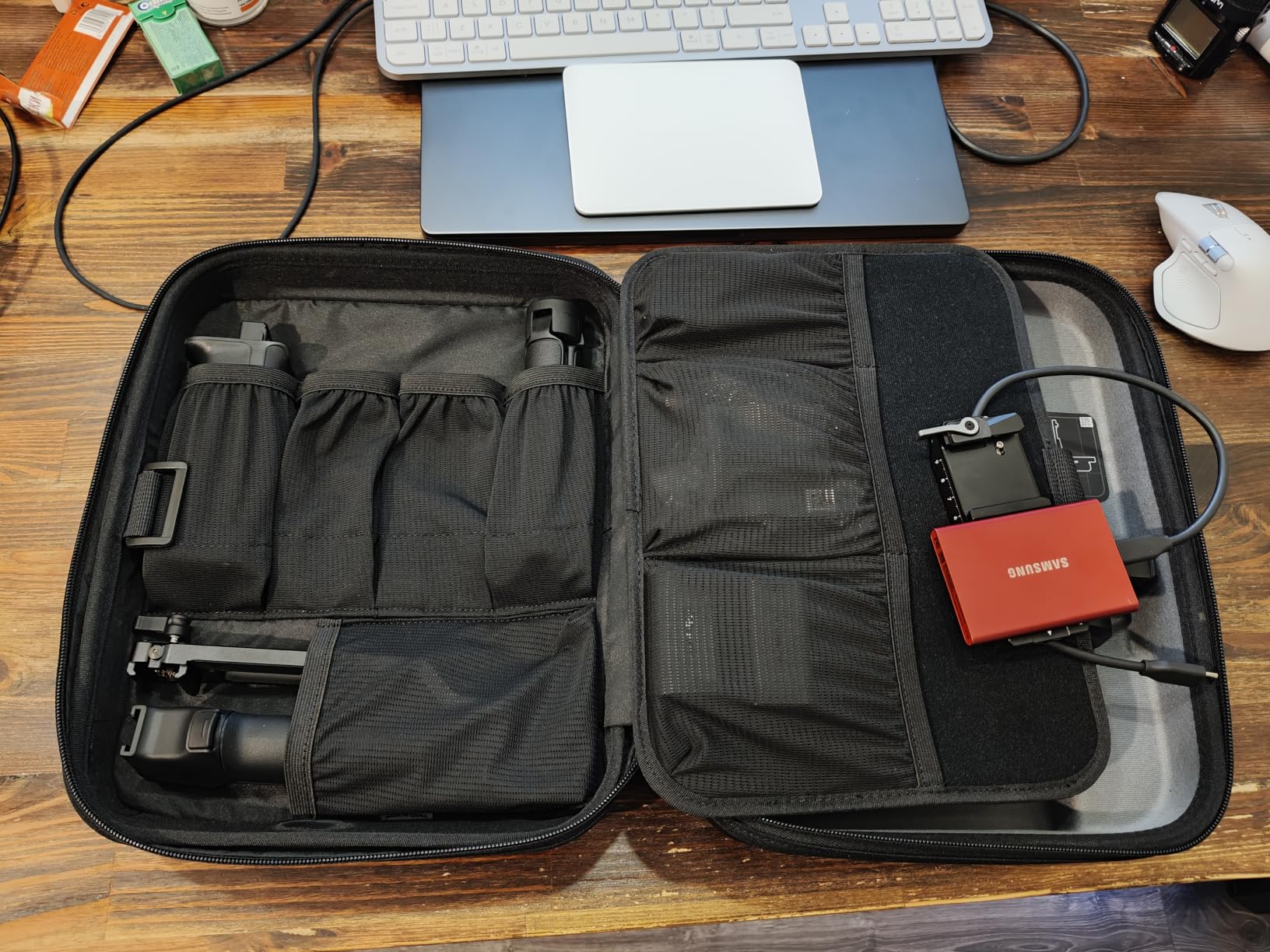
The 2nd-Gen automated axis locks are another time-saver. When you turn the gimbal off, the axes lock automatically so the camera does not flop around during transport. When you turn it on, they unlock automatically. The quick-open tripod deploys with a single leg motion, so you can set the gimbal down between takes without fumbling with tripod legs.
The 14-hour battery life is the best in the DJI camera gimbal lineup, and the 60 percent faster charging means you can fully charge in about 1 hour. For wedding videographers shooting 10-plus hour days, this is meaningful. The Z-Axis indicator is a nice idea in theory, showing you real-time steadiness feedback, but in practice it is hard to see while you are walking and framing your shot.
Who Should Buy the DJI RS 5
This is the best camera gimbal for working professionals who value speed and efficiency. If you are a wedding videographer, event shooter, or commercial filmmaker who sets up and breaks down your gimbal multiple times per day, the fine-tuning knobs and automated axis locks will save you real time.
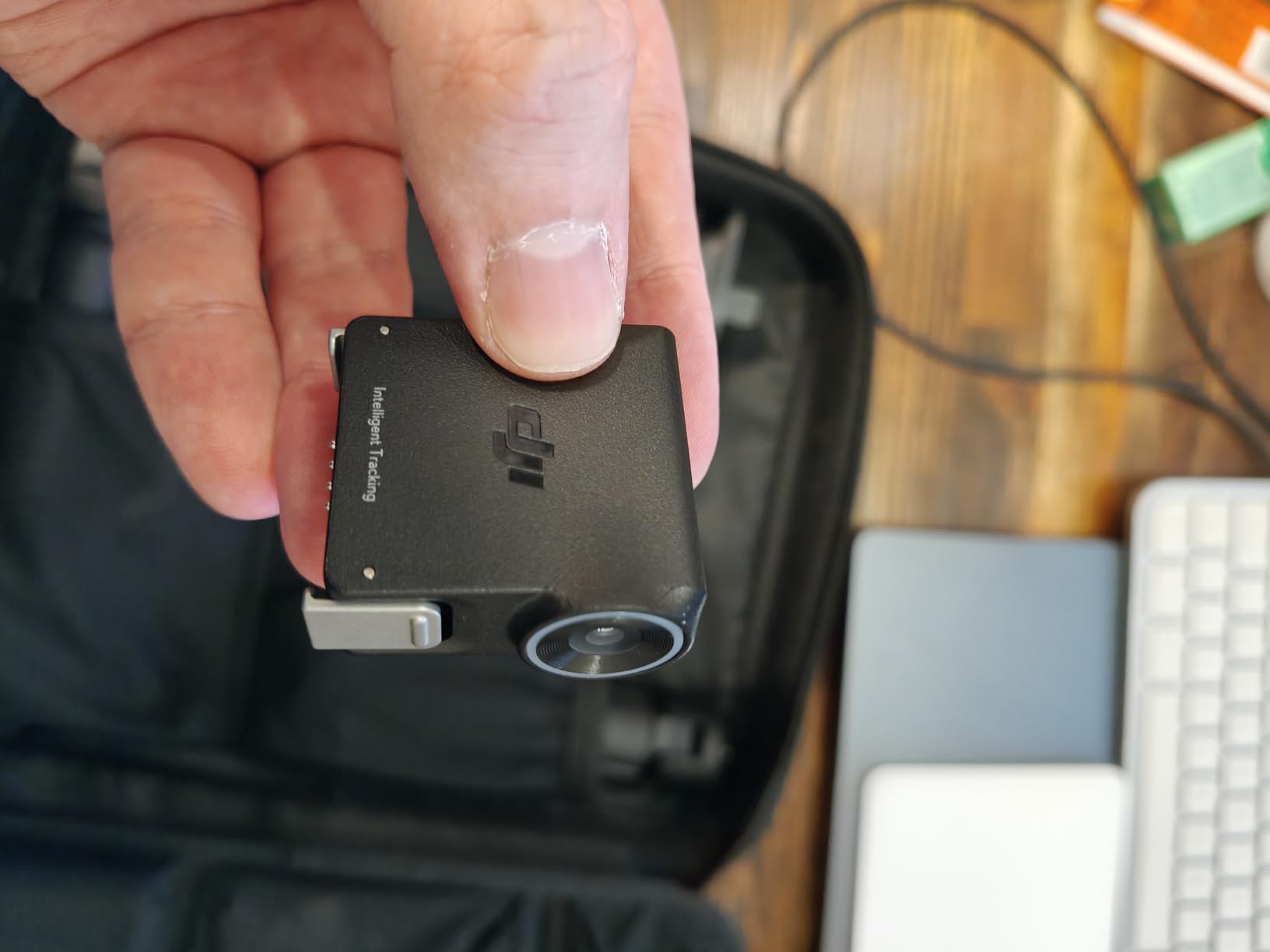
It is also the best choice for solo creators who want AI tracking capability. The Intelligent Tracking Module (sold separately) enables person, vehicle, and pet tracking, which is a significant advantage for one-person crews. However, if you already own an RS 3 or RS 4, the upgrade is incremental rather than dramatic.
Should You Upgrade from RS 4 to RS 5?
If you already own a DJI RS 4, the RS 5 is not a necessary upgrade. The stabilization quality is very similar. The main benefits are the fine-tuning knobs, automated axis locks, longer battery, and faster charging. These are quality-of-life improvements, not performance improvements. If you are buying your first camera gimbal and budget allows, the RS 5 is the better long-term investment. If you are upgrading from an older model like the RS 2 or Ronin SC, the RS 5 is a significant leap forward.
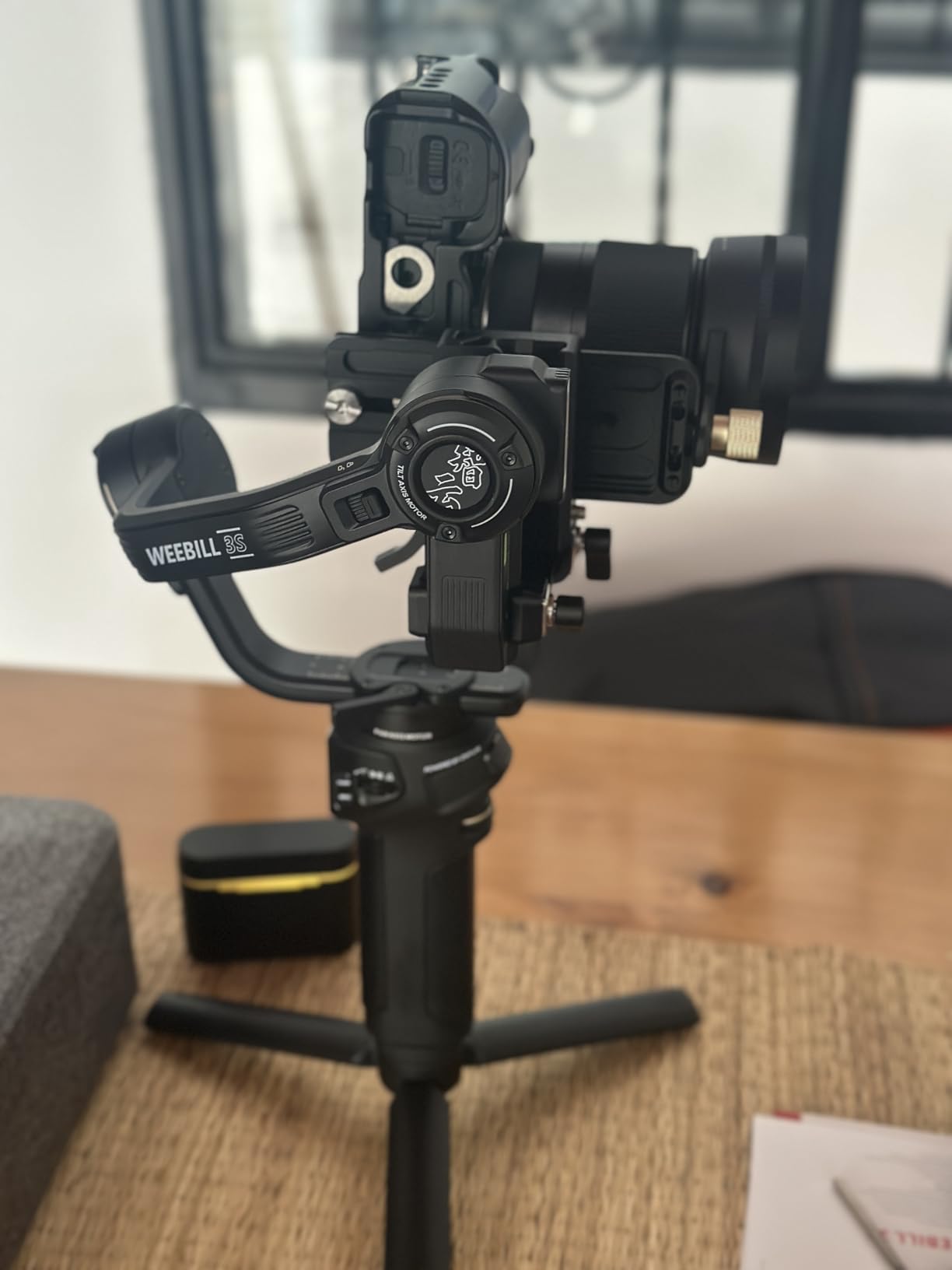
9. Zhiyun Weebill 3S – Best Mid-Range Camera Gimbal
ZHIYUN Weebill 3S [Official] 3KG Payload Gimbal Stabilizer with Fill Light
3-Axis Stabilization
3kg Payload
1100g Weight
11.5hr Battery
Built-in Fill Light
Native Vertical Shooting
0.96 inch Screen
Pros
- Excellent value compared to DJI alternatives
- Built-in 1000lux dual color temperature fill light
- Native horizontal and vertical shooting with 3-second switch
- 10th Gen Honeycomb stabilization algorithm
- PD fast charging with 11.5 hours battery life
Cons
- Some adjustment knobs blocked in vertical setup depending on camera
- Manual axis locks not automated like higher-tier models
- Wrist rest add-on is expensive
- App registration can be problematic for Amazon purchases
The Zhiyun Weebill 3S is the camera gimbal I recommend to creators who want DJI RS 4 level performance without the DJI price tag. At roughly $130 less than the RS 4, you get a 3kg payload, built-in fill light, native vertical shooting, and Zhiyun’s 10th Generation Honeycomb stabilization algorithm. The value proposition is genuinely strong.
I tested the Weebill 3S with a Canon R7 and a Sigma 18-35mm lens, and the stabilization was excellent. The built-in 1000lux dual color temperature fill light is a feature that no DJI gimbal offers. It is not a replacement for a proper LED panel, but for run-and-gun shooting where you need a little fill light, it is surprisingly useful.
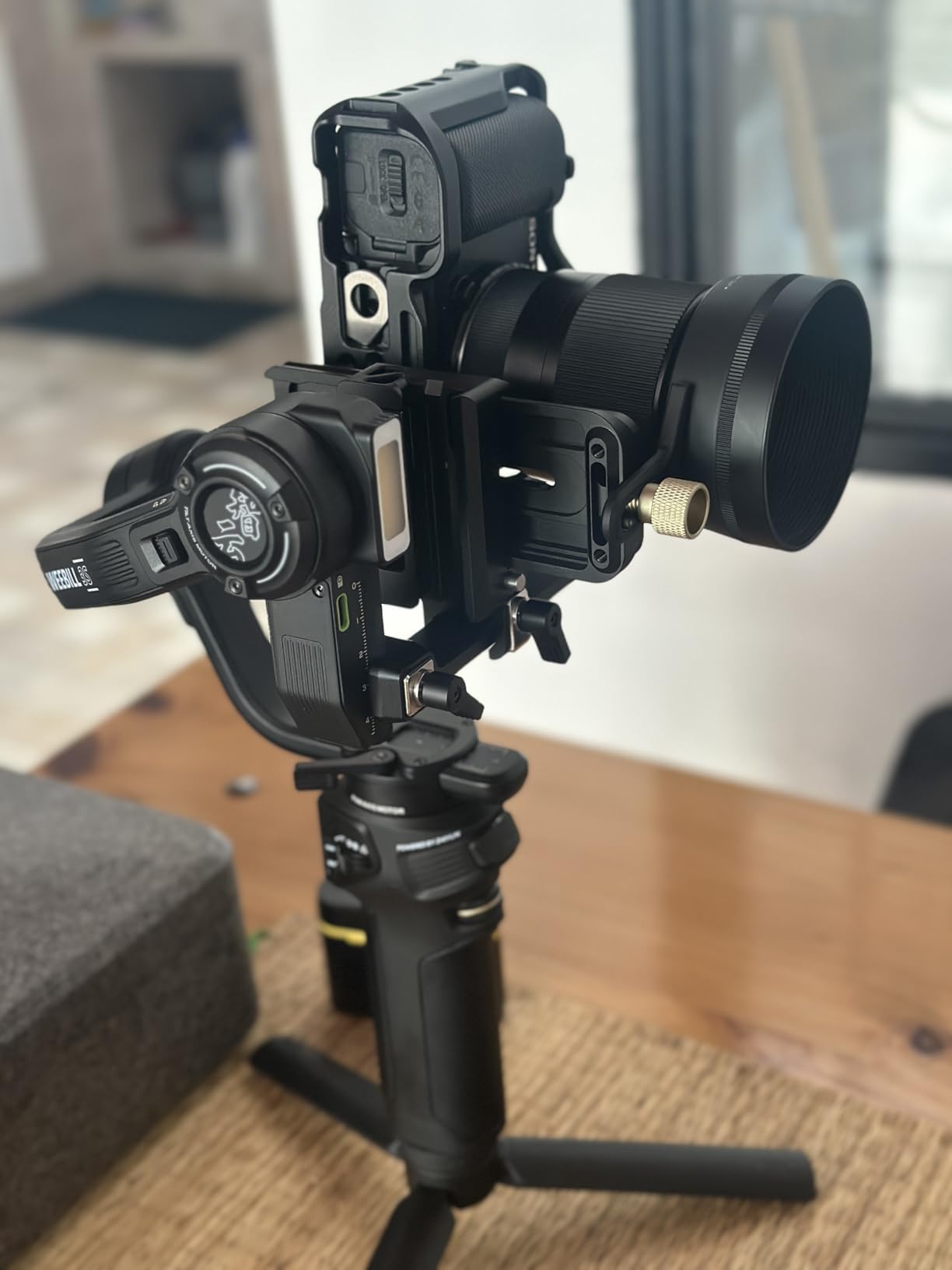
The native vertical shooting switch takes about 3 seconds and requires no additional accessories. The PD fast charging is a real advantage, giving you 11.5 hours of battery life from a 2-hour charge. For creators who sometimes forget to charge their gear the night before a shoot, this is a lifesaver.
The downsides are mostly minor. Some adjustment knobs can be partially blocked when shooting in vertical mode, depending on how your camera is mounted. The wrist rest handle add-on is nearly half the cost of the gimbal itself, which feels overpriced. App registration can be tricky for Amazon purchases, and some users report Zhiyun ZY Cami 4K features requiring a subscription. Also, larger camera bodies like the Canon 5D Mark IV and some heavy lenses like the Sigma 24-70mm may have compatibility issues.
Who Should Buy the Zhiyun Weebill 3S
This is the best camera gimbal for budget-conscious creators who need 3kg payload capacity. If you want DJI RS 4 performance but cannot justify the price, the Weebill 3S delivers comparable stabilization at a lower cost. The built-in fill light is a genuine advantage for solo shooters.
It is also a great upgrade from older gimbals like the DJI Ronin SC or Zhiyun Crane 2. The stabilization technology has improved significantly over the past few generations, and the Weebill 3S represents excellent value in the current market.
Zhiyun App Experience
The Zhiyun ZY Cami app has mixed reviews compared to the DJI Ronin and Insta360 apps. Users report occasional connectivity issues and a steeper learning curve. Some advanced features like 4K recording through the app require a subscription, which is a drawback compared to DJI’s free app. However, basic gimbal control and camera triggering work fine without the subscription. If you plan to use the app heavily, factor the subscription cost into your decision.
10. FeiyuTech SCORP Mini 2 – Best Hybrid Gimbal
FeiyuTech Official SCORP Mini 2 Kit Gimbal,3-Axis Camera Stabilizer with AI Tracker Fill Light,1,3IN Touch Sreen, for Mirrorless Camera,Smartphone,Action Camera,with Carrying Case,Extension Rod,White
3-Axis Stabilization
1.2kg Payload
852g Weight
1.3 inch Touchscreen
AI Tracker
Multi-Device Support
Complete Kit Included
Pros
- Multi-device support for mirrorless cameras smartphones and action cameras
- Complete kit with carrying case extension rod tripod and accessories
- Built-in AI tracker with gesture controls
- 1.3-inch touchscreen for quick adjustments
- Compact foldable design with ergonomic SCORP handle
Cons
- Very narrow range of compatible cameras
- Weak motors compared to other camera gimbals
- Phone plate lacks forward and back balance mechanism
- Small handle uncomfortable for extended use
- Manual is poorly written
The FeiyuTech SCORP Mini 2 is the most versatile gimbal in this comparison because it works with mirrorless cameras, smartphones, and action cameras. If you are a hybrid creator who shoots with multiple devices and does not want to buy a separate gimbal for each one, this is the gimbal designed for you.
The complete kit is impressive for the price. You get the gimbal, a carrying case, a wireless fill light, an extension rod, a tripod, a smartphone clamp, a GoPro adapter, and all necessary cables. Buying all these accessories separately for another gimbal would add significant cost. The SCORP-style handle design with the slanted grip is comfortable for handheld shooting, though the handle itself is small.
I tested the SCORP Mini 2 with a compact mirrorless camera, a smartphone, and a GoPro. The gimbal handled all three devices, though the performance was best with the smartphone and action camera. With the mirrorless camera, the 1.2kg payload limit means you are restricted to the lightest bodies with the lightest lenses. The motors struggled with anything heavier.
The AI tracker with gesture controls is a nice feature. You can make an OK symbol with your hand to start tracking, which is useful for solo creators. The 1.3-inch touchscreen lets you adjust settings quickly, though it can be dim in bright daylight. The silent motors are a plus for situations where motor noise could be picked up by your microphone.
Who Should Buy the FeiyuTech SCORP Mini 2
This is the best gimbal for hybrid creators who shoot with multiple device types and want one gimbal for everything. If you alternate between a mirrorless camera for professional work, a smartphone for social media, and an action camera for outdoor content, the SCORP Mini 2 handles all three.
It is also the best budget option for someone who wants a camera gimbal and smartphone gimbal but can only afford one. The complete kit with all accessories makes it exceptional value. However, if you primarily shoot with a mirrorless camera and need reliable performance with heavier setups, look at the DJI RS 3 Mini or RS 4 instead.
Compatibility Limitations to Know
The SCORP Mini 2 has a narrow range of compatible cameras. It struggles with most mirrorless bodies beyond compact ones and cannot handle rigged-out cameras with accessories like shotgun mics or monitors. It is not compatible with the Blackmagic Pocket Cinema Camera 4K or Fujifilm X-S20, among others. Before purchasing, check the FeiyuTech compatibility list carefully. The phone plate also lacks a forward and back balance mechanism, which makes balancing heavier phones more difficult.
How to Choose the Best Gimbal in 2026?
Choosing the right gimbal comes down to answering a few key questions about your gear, your shooting style, and your budget. Let me walk you through the most important factors to consider.
Phone Gimbal vs Camera Gimbal – Which Do You Need?
The first decision is simple. If you shoot primarily with a smartphone, get a phone gimbal. If you shoot with a mirrorless or DSLR camera, get a camera gimbal. Phone gimbals cost between $59 and $216 and weigh 300 to 629 grams. Camera gimbals cost between $136 and $569 and weigh 795 to 1,620 grams.
If you shoot with both, the FeiyuTech SCORP Mini 2 is the only gimbal in this comparison that handles both device types. But if you have the budget, getting a dedicated phone gimbal and a dedicated camera gimbal will give you better performance with each device type.
Key Features to Look For
Here are the features that matter most when choosing a gimbal:
1. Three-axis stabilization – Every gimbal in this list has it, but the quality of implementation varies. DJI and Insta360 currently lead in stabilization smoothness.
2. AI subject tracking – The ability to follow a moving subject automatically. Look for DockKit support if you use an iPhone, or a hardware tracker module if you use Android.
3. Battery life – Ranges from 10 to 14 hours in this comparison. Consider how AI features and fill lights reduce real-world battery life.
4. Weight and portability – For travel, lighter is better. For professional use, stability matters more than weight.
5. Payload capacity – Only relevant for camera gimbals. Make sure the payload exceeds your camera and lens weight combined.
6. App quality – A good app unlocks creative features like timelapse, panorama, and hyperlapse. A bad app can make you regret your purchase.
7. Native vertical shooting – Essential if you create content for TikTok, Reels, or Shorts.
Payload Capacity Explained
Payload capacity is the maximum weight the gimbal motors can stabilize. For phone gimbals, look for at least 300g to handle large phones with cases. The Hohem iSteady M7 leads with 500g. For camera gimbals, the RS 4 and RS 5 offer 3kg, while the RS 3 Mini is limited to 2kg and the SCORP Mini 2 to 1.2kg.
Always leave a 20 percent margin between your setup weight and the gimbal payload. If your camera and lens weigh 2.4kg, do not use a gimbal rated for exactly 2.5kg. The motors will work harder, battery life will suffer, and stabilization quality will degrade.
Battery Life and Charging
For phone gimbals, the Hohem iSteady V3 leads with 13 hours, followed by the Hohem M7 at 12 hours and the DJI and Insta360 models at 10 hours. However, using AI tracking, fill lights, or phone charging will reduce real-world battery life by 30 to 50 percent.
For camera gimbals, the DJI RS 5 leads with 14 hours, followed by the RS 4 at 12 hours and the Zhiyun Weebill 3S at 11.5 hours. The RS 5 also charges 60 percent faster than previous models, reaching full charge in about 1 hour.
Gimbal App Comparison – Which Brand Has the Best App?
App quality is a major differentiator that many buyers overlook. Here is how the four major gimbal brands compare:
DJI Mimo (phone gimbals) and DJI Ronin (camera gimbals): Feature-rich and polished, but the Android app is no longer on Google Play and must be sideloaded. iPhone users get DockKit support for native tracking.
Insta360 app: Arguably the best gimbal app experience. Available on both iOS and Android through official stores. Includes FlashCut AI editing and works with Deep Track 3.0. Clean, intuitive, and frequently updated.
Hohem Joy: Functional but less polished than DJI or Insta360. The advantage is that the Hohem M7 and V3 do not require the app for basic AI tracking thanks to their hardware tracker modules.
Zhiyun ZY Cami: Mixed reviews. Some advanced features like 4K recording require a subscription. App registration can be problematic. Basic control works fine without subscription.
Left-Handed User Considerations
This is an underserved topic that barely gets mentioned in most gimbal reviews. The reality is that most gimbals are designed for right-handed users. DJI gimbals have their primary controls, joystick, and record button on the right side of the handle. Left-handed users can operate them but need to adapt their grip.
Among the gimbals in this comparison, the Hohem models are slightly more left-hand friendly because the detachable remote can be held in either hand. The Insta360 Flow Pro also has a relatively symmetric design. If you are left-handed and this is a major concern, I recommend trying a gimbal in person before purchasing.
Learning Curve – How Long to Master a Gimbal
Based on forum discussions and my own experience, expect a 1 to 2 week learning curve to become competent with a gimbal. Phone gimbals are easier and faster to learn. Camera gimbals require learning to balance your camera, which adds complexity.
The first few days will feel awkward as you learn the gimbal’s movement patterns and how to walk smoothly. By the end of the first week, you will develop muscle memory for the gimbal’s controls. After two weeks of regular use, operating the gimbal becomes second nature.
Should You Upgrade from a 2023 or 2024 Gimbal?
Gimbal technology has improved incrementally rather than dramatically over the past few years. Many users on Reddit report that gimbals from 5 to 7 years ago still work well. The main improvements in 2026 models are:
Better AI tracking with DockKit support, built-in extension rods and tripods, longer battery life, faster charging, and native vertical shooting for camera gimbals. If your current gimbal lacks these features and they would meaningfully improve your workflow, an upgrade may be worth it. If your current gimbal still produces smooth footage and you do not need AI tracking, keep using it.
Top Gimbal Brands Compared
DJI is the market leader and safest recommendation for beginners. Their gimbals are reliable, well-built, and have the widest compatibility. The trade-off is the Android app situation and slightly higher pricing on newer models.
Insta360 leads in AI tracking technology and app quality. The Flow Pro is the best phone gimbal for iPhone users. Limited to phone gimbals only.
Hohem offers the best value and unique features like detachable remotes and hardware-based AI trackers. Great for budget-conscious buyers who want premium features.
Zhiyun provides strong competition to DJI in the camera gimbal space with unique features like built-in fill lights. The app experience is weaker.
FeiyuTech specializes in versatile, multi-device gimbals at competitive prices. Good for hybrid creators but compatibility can be limited.
FAQs
Do you need a gimbal in 2026?
Yes, if you film moving footage for vlogs, social media, or professional video work. Built-in stabilization handles static shots well but cannot produce the smooth, gliding footage that a 3-axis gimbal delivers during movement. If you only shoot stationary tripod shots, you do not need a gimbal.
What is the best gimbal on the market?
The DJI Osmo Mobile 8 is the best overall phone gimbal thanks to Apple DockKit support, AI native tracking, and a built-in extension rod. For cameras, the DJI RS 4 is the best overall camera gimbal with its 3kg payload, native vertical shooting, and rock-solid stabilization.
What is the best smartphone gimbal for 2026?
The DJI Osmo Mobile 8 is the best smartphone gimbal for 2026 with DockKit support, 360-degree pan rotation, and a multifunctional module with AI tracking and fill light. For iPhone users specifically, the Insta360 Flow Pro is an equally strong choice with its Deep Track 3.0 and 360-degree infinite pan tracking.
What is the best gimbal for camera 2026?
The DJI RS 4 is the best camera gimbal for 2026, offering 3kg payload capacity, native vertical shooting, Teflon-coated axis arms for precise balancing, and a 12-hour battery. For budget-conscious shooters, the DJI RS 3 Mini at under $200 is the best entry-level camera gimbal.
Is a gimbal really worth it?
Yes, a gimbal is worth it if you create video content that involves camera movement. Gimbals produce smooth, professional-looking footage that built-in stabilization cannot match during walking, running, or dynamic shots. They also enable AI subject tracking, which is invaluable for solo creators.
How long does it take to learn how to use a gimbal?
Most users become competent with a gimbal within 1 to 2 weeks of regular use. Phone gimbals are easier to learn, while camera gimbals require additional time to master balancing. After two weeks of practice, operating a gimbal becomes second nature.
Which is better, a gimbal or a stabilizer?
The terms gimbal and stabilizer are often used interchangeably. A gimbal is a type of motorized stabilizer that uses brushless motors to counteract movement. Non-motorized stabilizers like Steadicams use counterweights instead of motors. Gimbals are generally easier to use and more affordable than professional Steadicam setups.
Final Thoughts on the Best Gimbals in 2026
After testing all 10 gimbals, our top recommendations are clear. For phone users, the DJI Osmo Mobile 8 is the best overall gimbal with its DockKit support and multifunctional module. For budget phone shooters, the DJI Osmo Mobile 7 at under $60 is unbeatable value. For iPhone users specifically, the Insta360 Flow Pro offers the best AI tracking experience.
For camera users, the DJI RS 4 is the best overall camera gimbal with its 3kg payload and native vertical shooting. Beginners should start with the DJI RS 3 Mini, while professionals who want maximum efficiency should consider the DJI RS 5. The Zhiyun Weebill 3S is the best mid-range alternative with its built-in fill light.
The best gimbals in 2026 are the ones that match your gear, your shooting style, and your budget. We hope this guide helps you find the right stabilizer for your creative work. Whichever you choose, the improvement in your footage quality will be immediately noticeable.