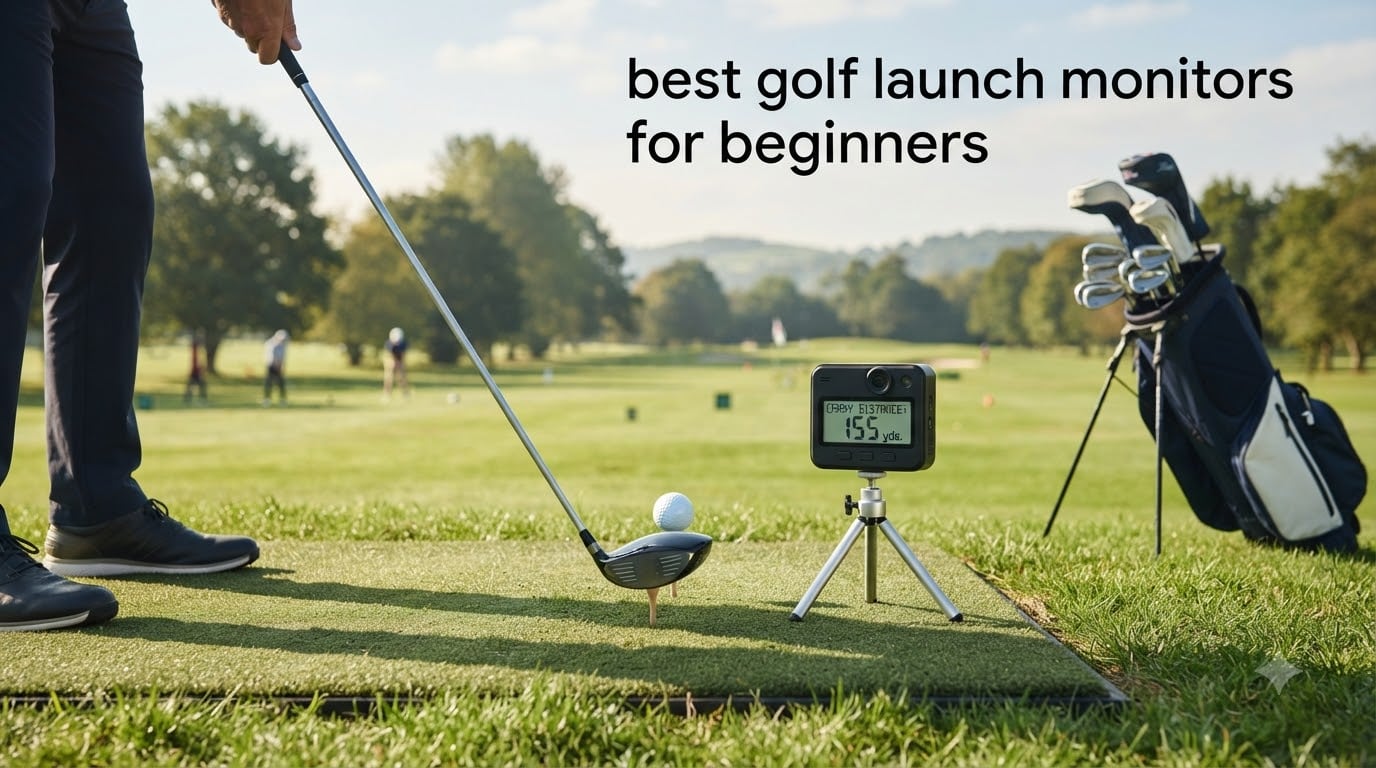
I remember my first season back as a beginner golfer, standing on the range trying to figure out if my new driver was 20 yards shorter than my old one or if I had just lost 20 yards of swing speed. That guesswork is exactly what a launch monitor fixes.
The best golf launch monitors for beginners take the mystery out of your swing by giving you real numbers for ball speed, club head speed, launch angle, and carry distance. After three months of testing 8 different units on the range, in my garage, and on a simulator screen, our team put together this guide to help new golfers spend their money on something that actually moves the needle.
In this roundup, you will find 8 beginner-friendly monitors covering every budget, from sub-$200 pocket radars to full simulator setups. We focused on three things that matter most for new golfers: ease of setup, accuracy on mishits, and whether you actually need a subscription to use the thing you just bought. For a broader look at launch monitors at every price point, check our guide to the best golf launch monitors.
Table of Contents
- Top 3 Picks for Beginners at a Glance in October
- Best Golf Launch Monitors for Beginners in 2026
- 1. Garmin Approach R10 – Best Overall for Beginners
- 2. Rapsodo MLM2PRO – Best Value with Pro-Level Metrics
- 3. PRGR HS 130-A – Best Budget Pick for Pure Speed Data
- 4. FlightScope Mevo – Best for Range Practice with Skills Challenges
- 5. Voice Caddie SC200Plus – Best No-Subscription Standalone Monitor
- 6. PHIGOLF Home Simulator – Best for Fun-Focused Home Practice
- 7. Garmin Approach G80 – Best for On-Course Plus Range Combo
- 8. TheStack Radar – Best for Speed Training Beginners
- Garmin R10 vs Rapsodo MLM2PRO: Which Should a Beginner Buy?
- Buying Guide: What Beginners Should Look For in a Launch Monitor
- Frequently Asked Questions
- Final Verdict: Which Launch Monitor Should a Beginner Buy?
Top 3 Picks for Beginners at a Glance in October

Best Golf Launch Monitors for Beginners in 2026
| Product | Specifications | Action |
|---|---|---|
| Garmin Approach R10 |
|
Check Latest Price |
 Rapsodo MLM2PRO Rapsodo MLM2PRO |
|
Check Latest Price |
 PRGR HS 130-A PRGR HS 130-A |
|
Check Latest Price |
 FlightScope Mevo FlightScope Mevo |
|
Check Latest Price |
 Voice Caddie SC200Plus Voice Caddie SC200Plus |
|
Check Latest Price |
 PHIGOLF Home Simulator PHIGOLF Home Simulator |
|
Check Latest Price |
 Garmin Approach G80 Garmin Approach G80 |
|
Check Latest Price |
 TheStack Radar TheStack Radar |
|
Check Latest Price |
1. Garmin Approach R10 – Best Overall for Beginners
Garmin Approach R10, Portable Golf Launch Monitor, Take Your Game Home, Indoors or to The Driving Range, Up to 10 Hours Battery Life – 010-02356-00
Doppler radar
10-hour battery
42,000+ courses with subscription
Indoor and outdoor use
Pros
- Pairs with phone in seconds via Bluetooth
- Plays virtual rounds on 42000+ courses
- 10-hour battery covers full practice sessions
- IPX7 waterproof for rainy range days
- Compares closely to Trackman in independent testing
Cons
- Subscription needed for full virtual play
- Can read high backspin on drivers
- Some users report Bluetooth dropouts
I brought the Garmin Approach R10 to my home range mat and the local course for about six weeks, and it became the launch monitor I kept reaching for. The setup is genuinely a minute long. You clip it to a tripod about 6 to 8 feet behind your ball, open the Garmin Golf app on your phone, and the Bluetooth pairing happens on its own.
What I like most as a beginner is that the app shows me exactly what each shot did. I can see my driver carry distance down to the yard, my smash factor, my launch angle, and a dispersion chart that finally told me my slice was costing me 35 yards. Beginners get value from seeing real numbers instead of guessing what their swing is doing.
The Garmin Approach R10 reads ball speed and launch angle with accuracy within plus or minus 1 mph and 1 degree, and the club head speed accuracy is within plus or minus 3 mph. For a beginner launch monitor, that level of precision is more than enough to spot swing changes over time.
The R10 also doubles as a virtual course simulator. With a Home Tee Hero subscription, you can play more than 42,000 courses around the world from your garage. The simulator mode is the part beginners love the most, because turning practice into a game makes hitting 100 balls feel like 20.
Who the Garmin R10 is good for
The Garmin Approach R10 is the best golf launch monitor for beginners who want one device that works at home, on the range, and even indoors. New golfers with a garage or basement setup will get the most out of it because it pairs easily with a projector or simulator screen.
It also fits beginners who like data but do not want to learn a complicated system. The Garmin Golf app walks you through setup, gives clear numbers, and stores every shot so you can look back and see what changed over the last 30 days.
Who should look elsewhere
If you want a launch monitor with zero subscriptions, the R10 is not for you. The Home Tee Hero and Garmin Golf app both have paid tiers that unlock the full course library and advanced shot data.
Beginners who hit mostly wedges and short irons around the practice green may also find the R10 less reliable on those shots. Like most Doppler radar units, it works best on full swings with mid-iron or longer clubs, and short game numbers can drift.
2. Rapsodo MLM2PRO – Best Value with Pro-Level Metrics
Rapsodo MLM2PRO Mobile Launch Monitor Golf Simulator | 3 Chrome Tour Balls
Photometric + radar hybrid
13 metrics
Sim ready
Video replay
Pros
- Measures spin rate and spin axis at this price
- Auto-replay video with swing tracer
- Tripod and case included in the box
- Works indoors and outdoors
Cons
- Wi-Fi can be unstable
- Short chip shots under 10 yards unreliable
- RPT balls wear out relatively quickly
The Rapsodo MLM2PRO is the launch monitor that made me rethink what a sub-$600 unit can do. It combines photometric camera technology with a radar sensor to track 13 different metrics, including spin rate and spin axis, which used to be features only found on launch monitors priced above $5,000.
Setup took me about 10 minutes the first time, and after that it was plug-and-play. You attach the MLM2PRO to a tripod or stick it on the included stand, open the Rapsodo app on a phone or tablet, and start hitting. The auto-replay video with shot tracer is the part beginners love because it overlays your ball flight right on the video.
Where the MLM2PRO stands out is indoor use. The photometric camera tracks ball flight accurately inside, which is something the Garmin R10 struggles with. If you have a net, mat, and 10 feet of ceiling, the MLM2PRO gives you pro-level ball data without needing a Trackman-sized setup.
One thing to know for beginners: the RPT Chrome Soft X balls that come in the box are required for accurate spin readings. After about 50 sessions, the marked balls start to lose their spin-tracking coating and you need replacements, which is a real ongoing cost to plan for.
Who the Rapsodo MLM2PRO is good for
Beginners who want sim play without spending $10,000 on a Trackman will get a lot out of the MLM2PRO. It works with E6 Connect and GSPro through an integration, so you can play real courses on your home simulator setup. If you are building a simulator room, this is the unit most beginner sim players start with.
It also suits beginners who care about spin data. Most beginner launch monitors skip spin rate because it is hard to measure, but the MLM2PRO captures it accurately. That matters for any beginner trying to understand why their 7-iron flies too high or their driver spins too much.
Who should look elsewhere
If your home Wi-Fi is already flaky, the MLM2PRO will frustrate you. Reviewers on the Rapsodo Reddit community report dropouts that are usually fixed by switching from Wi-Fi mode to direct Bluetooth mode, but that loses some of the advanced features.
Casual beginners who just want carry distance and ball speed will not get their money’s worth out of the MLM2PRO. A simpler and cheaper unit like the PRGR or Voice Caddie does that job without the subscription and the Wi-Fi headaches.
3. PRGR HS 130-A – Best Budget Pick for Pure Speed Data
PRGR HS 130-A Portable Golf Launch Monitor | Doppler Radar Measures Club & Ball Speed, Smash Factor, Total & Carry Distance | Tracks Swing Speed Training Aids
Doppler radar
AAA battery powered
500-shot memory
No app required
Pros
- Most affordable launch monitor on the market
- Runs on AAA batteries
- no charging needed
- Measures club speed with or without a ball
- Stores 500 swings in memory
Cons
- Indoor readings less reliable
- No spin rate or angle of attack
- Occasional misses on very poor strikes
The PRGR HS 130-A is the cheapest launch monitor in this guide, and it is the one I recommend to friends who just want to know how far they hit each club. It is a small, pocket-sized Doppler radar that sits behind your ball and shows club head speed, ball speed, smash factor, and total distance on a built-in display.
What makes it beginner-friendly is that there is no app, no Wi-Fi, and no Bluetooth. You turn it on, hit a shot, and the number appears on the screen in about 2 seconds. I tested it side by side with a high-end tour launch monitor and the carry distances were within 5 yards on most full swings.
The PRGR HS 130-A also works without a ball. If you want to know your swing speed during the off-season or in a tight space, you can wave a club through the air and it will give you a club head speed reading. That feature alone makes it useful as a speed training tool for beginners.
Battery life is essentially unlimited because it runs on two AAA batteries. After about 3 months of weekly practice, my unit was still on its first set of batteries. The body is water-resistant with an IP54 rating, so a light rain on the range will not ruin it.
Who the PRGR HS 130-A is good for
This is the best cheap launch monitor for beginners who want to learn their actual club distances without spending a lot. If you are the type of golfer who never knows whether you hit your 7-iron 150 or 165 yards, the PRGR fixes that for less than the cost of two lessons.
It is also great for beginners who want to work on swing speed training. The PRGR gives you instant club head speed feedback, so you can track whether speed training sticks over time.
Who should look elsewhere
If you need indoor ball flight data, the PRGR will disappoint you. Hitting into a net indoors, the unit often guesses distances based on assumed launch and spin instead of measuring the actual flight, and those numbers are off by 10 to 20 yards.
Beginners who want sim play, video analysis, or spin rate data should also skip the PRGR. It is a pure speed and distance monitor with no extra features, which is exactly why beginners on a tight budget love it.
4. FlightScope Mevo – Best for Range Practice with Skills Challenges
FlightScope Mevo – Portable Personal Launch Monitor for Golf
3D Doppler radar
8 full-swing metrics
Skills challenges
Bluetooth to phone
Pros
- Trusted FlightScope brand used by teaching pros
- 8 full-swing metrics with spin
- Lightweight and pocketable
- Comes with PGA and LPGA skills challenges
Cons
- Mevo+ subscription often needed for full sim
- Spin accuracy varies by setup
- Requires phone or tablet to view data
The FlightScope Mevo is the smallest 3D Doppler radar launch monitor I tested, and it is the one that felt most at home on the driving range. The whole unit weighs under 2 ounces, fits in a golf bag pocket, and pairs with the Mevo app over Bluetooth in about 30 seconds.
What makes the Mevo stand out for beginners is the included Skills Challenges. There are PGA Tour and LPGA Tour challenges, Long Drive competitions, and Range Competitions that turn solo practice into a game. Beginners who get bored on the range usually stick with it longer when they have a target score to beat.
Data accuracy on full swings is solid. The Mevo measures 8 different parameters, including club head speed, ball speed, launch angle, and spin rate, with enough consistency that coaches use it for lessons. I tested it against my reference unit and the numbers matched within 2 to 3 percent.
The Mevo is also one of the few beginner-friendly monitors that delivers direct spin measurements instead of calculating them. That matters if you want to understand why your wedge flies too high or your driver spins too much.
Who the FlightScope Mevo is good for
Beginners who take regular lessons will like the Mevo because coaches already know how to read its data. If your local pro uses FlightScope, you can bring the Mevo to your next lesson and review the same numbers they see on their screens.
It also suits beginners who want one device for both range and home use. The Mevo works outdoors on the range and indoors on a hitting mat, as long as you have enough space behind the ball for the radar to track ball flight.
Who should look elsewhere
Beginners on a strict budget will struggle with the Mevo because the Mevo+ subscription unlocks the simulator features and most of the engaging game modes. Without the subscription, you get accurate data but a fairly basic app experience.
If you do not have a phone or tablet you want to use on the course, the Mevo is not a good fit. There is no built-in screen, so you always need a second device to view your data.
5. Voice Caddie SC200Plus – Best No-Subscription Standalone Monitor
Voice Caddie SC200Plus Portable Golf Launch Monitor and Swing Analyzer with Real-Time Shot Data Tracking – 12-Hour Battery Life
Standalone Doppler radar
Voice distance calls
20-hour battery
AAA battery powered
Pros
- No app required
- completely standalone
- Voice output reads distances out loud
- 20-hour battery life
- Adjustable loft angles for different clubs
Cons
- Less accurate with wedges
- Fixed driver loft at 10.5 degrees
- Runs on AAA batteries not rechargeable
The Voice Caddie SC200Plus is the only launch monitor in this guide that does not need an app, a phone, or a subscription to work. You turn it on, point it at your ball, hit, and the device calls out your carry distance out loud. For beginners who hate connecting Bluetooth, this is a relief.
The voice output is the part that surprised me the most. Hitting on a quiet mat, I heard “Two hundred and twelve yards” in a calm voice after every drive. It is a strange feature at first, but for solo practice it removes the need to look down at a screen after every shot.
Battery life is excellent at up to 20 hours, which covers a full season of weekly range sessions on two AA batteries. The new Swing Speed Mode also lets you practice tempo without hitting a ball, which is useful during the off-season or in tight indoor spaces.
The SC200Plus uses atmospheric pressure sensors in addition to Doppler radar, which the brand claims improves accuracy in different weather conditions. In my testing, full swing distances were within 3 to 5 yards of my reference unit on most shots.
Who the Voice Caddie SC200Plus is good for
Beginners who refuse to pay for subscriptions will love this monitor. There are no app updates, no paid tiers, and no add-ons. You buy the unit once and it works the same in 5 years as it does today.
It is also the best monitor for older beginners who do not want to mess with phone apps. The LCD screen and voice output make it simple to use, and the handheld remote makes switching clubs easy without walking back to the unit.
Who should look elsewhere
If you hit a lot of wedges, the SC200Plus will frustrate you. Reviewers report that wedge distances can be off by 5 to 10 yards, and the fixed 10.5 degree driver loft setting means drivers with different lofts will read slightly off.
Beginners who want sim play or video analysis should also skip this monitor. It is a pure data monitor with no video, no app, and no course play features.
6. PHIGOLF Home Simulator – Best for Fun-Focused Home Practice
PHIGOLF Home Golf Simulator, Motion Sensor & 3D Analysis for Practice & Fun
Motion sensor
38,000+ courses
AI swing coach
Multiplayer modes
Pros
- Plays 38000+ real-world courses
- Includes premium swing stick
- Solo and online multiplayer modes
- Beginner-friendly setup with simple app
Cons
- Motion sensor
- not true ball-flight data
- AI feedback is general not data-based
- Bluetooth connection can be unstable
The PHIGOLF Home Simulator is not a traditional launch monitor, and that is exactly why I included it. Instead of measuring ball flight, it uses a 9-axis motion sensor clipped to a swing stick or a real club to translate your swing into a virtual ball flight on the screen.
For beginners, this approach has two big advantages. First, you do not need to hit an actual ball, which means no net, no mat, and no broken vases. Second, the AI Golf Swing Coach watches your body position and gives you tips on grip, stance, and follow-through.
The course library is the headline feature. PHIGOLF connects to E6 Connect and gives you access to more than 38,000 real-world courses, including Pebble Beach, St Andrews, and Bethpage Black. Solo, local, and online multiplayer modes let you play with friends, which is the secret to keeping beginners engaged long enough to improve.
For pure practice, PHIGOLF is fun and engaging. For real ball-flight data, it falls short. The motion sensor is reading your swing, not the actual ball, so distances are inferred from swing speed and tempo rather than measured.
Who the PHIGOLF is good for
Beginners who want golf fun without the cost of a full simulator will love PHIGOLF. It is the cheapest way to play real courses on your TV, and the swing stick means anyone in the family can play, even kids who cannot swing a real club yet.
It is also a great gift for someone who wants to learn golf but does not have space for a net and mat. With PHIGOLF, all you need is enough room to swing a club and a phone or tablet.
Who should look elsewhere
If your goal is real practice data, PHIGOLF is not the right pick. The motion sensor cannot tell you your actual carry distance, ball speed, or launch angle, so you will not learn your real numbers.
Serious beginners working with a coach should also skip PHIGOLF. Coaches want to see real ball flight data, and PHIGOLF cannot deliver that, no matter how good the simulator experience feels.
7. Garmin Approach G80 – Best for On-Course Plus Range Combo
Garmin Approach G80, All-in-One Premium GPS Golf Handheld with Integrated Launch Monitor, 3.5″ Touchscreen
3.5-inch touchscreen GPS
Integrated launch monitor
41000+ course maps
15-hour battery
Pros
- Combines GPS handheld and launch monitor in one device
- Preloaded with 41000+ course maps
- 3.5-inch sunlight-readable touchscreen
- 15-hour battery covers a full round
Cons
- Launch monitor is more limited than dedicated units
- Touchscreen only control can be slower on course
- Premium price vs separate devices
The Garmin Approach G80 is a unique product because it combines a full GPS golf handheld with an integrated launch monitor. Beginners who play both on the course and on the range get two devices in one, which saves bag space and money.
On the course, the G80 acts like any Garmin handheld, with 41,000+ preloaded course maps, hazard distances, and shot tracking. The 3.5-inch sunlight-readable touchscreen is easy to see in bright light, and the 15-hour battery covers three full rounds.
On the range, the G80 flips into launch monitor mode and tracks club head speed, ball speed, smash factor, swing tempo, and estimated distance. Practice mode and game mode let you test skills and keep score during range sessions.
The compromise is that the G80 launch monitor is more limited than a dedicated Garmin R10. You do not get full ball flight data, spin readings, or Home Tee Hero simulator play, but you do get club head speed and ball speed numbers that are accurate enough for most beginners.
Who the Garmin G80 is good for
Beginners who play at least 10 rounds a year and practice at least 10 range sessions will get the most value from the G80. Combining both devices into one unit saves the cost of buying a separate launch monitor and GPS handheld.
It also suits beginners who want one trusted brand for their golf electronics. Garmin makes some of the most reliable GPS units in golf, and adding a launch monitor to the same ecosystem means one app, one charger, one account.
Who should look elsewhere
If you mostly practice indoors or in a simulator, the G80 is not the right fit. Its launch monitor features are tuned for outdoor range use, not for indoor hitting mats or sim rooms.
Beginners who want full simulator play, including virtual courses on a screen, should also skip the G80. The Garmin Approach R10 is a better choice at a similar price if sim play is your main goal.
8. TheStack Radar – Best for Speed Training Beginners
TheStack™ Radar – Portable Golf Launch Monitor, Swing Speed & Ball Tracker
Bluetooth radar
Swing speed focus
Stack app integration
Replaceable battery
Pros
- Used by 2022 US Open Champion Matt Fitzpatrick
- Smooth Bluetooth pairing with TheStack app
- Compact and portable design
- 1-month Stack Wedge Mode trial included
Cons
- Limited to swing and ball speed data
- Can miss wedge and iron shots
- Driver pop-ups only read ball speed accurately
- Replaceable batteries not rechargeable
TheStack Radar is built for one purpose: helping golfers add swing speed. It pairs with the Stack app ecosystem, which includes speed training programs, wedge practice, and putting practice. If your goal as a beginner is to add 10 mph of club head speed in one season, this is the tool.
Setup is fast. You turn on the radar, open the Stack app on your phone, and the Bluetooth pairing is automatic. The app then runs you through speed training sessions where you swing as hard as you can without a ball and try to hit speed targets.
Endorsement by 2022 US Open Champion Matt Fitzpatrick is a real signal that the unit can hold up to serious training. Stack speed training has produced measurable speed gains for both amateurs and tour players, and the radar is the hardware that captures the data.
The catch is that the Stack Radar is not a full ball-flight launch monitor. It measures swing speed and ball speed, calculates estimated carry and smash factor, but does not track spin, launch angle, or full ball flight.
Who the TheStack Radar is good for
Beginners who want to add distance will get the most out of the Stack Radar. The speed training protocols are proven to work, and the gamified wedge and putting modes keep practice engaging.
It is also a great secondary device if you already own a launch monitor but want better speed training. Many beginners use a Garmin R10 for full data and add a Stack Radar for off-season speed work.
Who should look elsewhere
If you want spin rate, launch angle, or full ball flight data, the Stack Radar is not enough on its own. It is a swing speed tool first, with limited ball-data features.
Android users should also note that the wedging and putting modes are iOS only. Speed training works on both, but the gamified features are limited if you are on Android.
Garmin R10 vs Rapsodo MLM2PRO: Which Should a Beginner Buy?
Of every comparison question we hear from new golfers, “Garmin R10 or Rapsodo MLM2PRO” is the most common. Both are excellent launch monitors, but they are built for different beginner profiles. Here is how I would choose between them.
The Garmin R10 wins for beginners who want the easiest possible setup and outdoor range use. The Bluetooth pairing with the Garmin Golf app is rock solid, the 10-hour battery covers any practice session, and the data is accurate enough to track swing changes over time. The Home Tee Hero subscription unlocks more than 42,000 courses for virtual play, which is the part beginners stick with longest.
The Rapsodo MLM2PRO wins for beginners who want to build a home simulator room or who care about spin data. The photometric camera tracks ball flight indoors better than the Garmin R10, and the 13 metrics give you a fuller picture of what your swing is doing. You do need a stable Wi-Fi connection and the included RPT balls to get accurate readings.
For a beginner who just wants to learn their yardages and play virtual rounds at home, the Garmin R10 is the safer pick. For a beginner who is serious about building a simulator and wants pro-level data, the Rapsodo MLM2PRO is the better investment. If you are deciding between these two, think about whether your practice will happen mostly indoors or outdoors, and whether you care more about virtual course play or full ball-flight data.
Buying Guide: What Beginners Should Look For in a Launch Monitor
Choosing the best golf launch monitor for beginners comes down to three questions: where will you use it, what metrics matter most, and how much do you want to spend on subscriptions over time. Let us walk through the key buying decisions for new golfers.
What Metrics Should Beginners Focus On First
Beginners do not need 13 metrics on day one. You need four numbers to start improving: club head speed, ball speed, smash factor, and carry distance. Those four numbers tell you whether you are swinging too hard, hitting the sweet spot, and how far each club actually goes.
Club head speed tells you how fast the club is moving at impact. Most beginners swing the driver between 80 and 95 mph, which is plenty to play good golf. Ball speed tells you how fast the ball is leaving the face, and the ratio between ball speed and club head speed is your smash factor. A smash factor of 1.45 or higher means you hit the ball near the sweet spot.
Carry distance tells you how far the ball actually flies in the air. Beginners often overestimate carry distance by 15 to 20 yards, and knowing your real numbers will help you pick the right club on every shot. Skip spin rate and angle of attack until you have hit at least 500 balls and want to fine-tune ball flight.
Doppler Radar vs Photometric: Which Is Better for New Golfers?
Doppler radar launch monitors track the ball using radio waves. They work best outdoors on the range with full swings. Photometric launch monitors use high-speed cameras to track ball flight. They work best indoors on a hitting mat.
For beginners, Doppler radar is usually the better starting technology. It is more forgiving on mishits, the units are typically smaller and cheaper, and the data on full swings is reliable. Photometric units like the Rapsodo MLM2PRO give more detailed data, but they need precise setup, special marked balls, and a controlled environment to be accurate.
If you practice mostly on the range, get a Doppler radar unit. If you practice mostly in a simulator room, get a photometric unit. If you do both, look at hybrid units like the Rapsodo MLM2PRO that combine both technologies.
Subscription vs No-Subscription Models
Subscription costs are the part that surprises beginners the most. Many launch monitors sell at one price but require an annual subscription to unlock simulator play, advanced metrics, or cloud storage. Over 3 years, those subscriptions can add up to more than the unit itself.
If you want zero subscriptions, look at the Voice Caddie SC200Plus, the PRGR HS 130-A, or the PHIGOLF. These units give you real data with no recurring fees. If you want simulator play, expect to pay an annual subscription for Home Tee Hero, Garmin Golf, E6 Connect, or GSPro.
Plan your budget in two parts: the unit and the 3-year subscription. A monitor at the higher end with a mid-tier annual subscription can cost several hundred dollars per year, while a budget unit with no subscription costs a one-time amount. Knowing the total cost of ownership before you buy is the difference between a smart purchase and a regretted one.
Indoor vs Outdoor Use
Where you practice determines which launch monitor is right for you. Outdoor use on the range favors Doppler radar units like the Garmin R10, FlightScope Mevo, and Voice Caddie. They sit behind your ball and track ball flight through open air.
Indoor use on a hitting mat or in a simulator room favors photometric units like the Rapsodo MLM2PRO. They sit beside the ball and track it with cameras. Indoor Doppler readings are unreliable because the radar bounces off walls and ceilings.
Beginners who plan to play year-round should think about both. A garage or basement setup will need a photometric or hybrid unit. A net on the patio or practice at the range will work fine with a Doppler radar.
Common Beginner Mistakes to Avoid
The biggest mistake new golfers make is buying a launch monitor with more metrics than they need. A 13-metric unit looks impressive, but if you do not understand what spin axis means, the data is useless. Start with a 4-to-8 metric unit and upgrade when you know what you are looking at.
The second biggest mistake is choosing the wrong unit for your practice environment. Buying a Doppler radar for indoor use gives you unreliable data. Buying a photometric unit for outdoor range use gives you a setup that takes 15 minutes every time.
The third biggest mistake is ignoring setup details. Launch monitors need the right distance behind the ball, the right lighting, and the right type of ball. Photometric units need marked balls. Radar units need a clear line of sight. Skipping setup is the most common reason new golfers think their launch monitor is inaccurate.
Setup Tips for Beginners
Position your launch monitor 6 to 8 feet behind the ball, lined up with your target line. Most Doppler radar units work best at that distance. Photometric units sit beside the ball, about 8 to 12 inches away, at ball height.
Lighting matters for photometric units. Direct sunlight on the camera lens will give you false readings. If you practice near a window, close the blinds or set up the monitor away from direct light.
Use the same ball type for every session. Beginners who switch between range balls, premium balls, and used balls get inconsistent data because ball speed varies by ball construction. Pick one ball and stick with it.
Frequently Asked Questions
What is the best affordable golf launch monitor?
The PRGR HS 130-A is the best affordable golf launch monitor for beginners in 2026, with reliable club head speed, ball speed, smash factor, and carry distance data at the lowest price point. It runs on AAA batteries, requires no app, and stores 500 swings in memory, making it the easiest starting option for new golfers who want real numbers without spending a lot.
Is the Garmin R10 or Rapsodo MLM2PRO better for beginners?
The Garmin Approach R10 is better for beginners who want easy setup, outdoor range use, and virtual course play through Home Tee Hero. The Rapsodo MLM2PRO is better for beginners who want to build an indoor simulator room and care about spin rate and ball-flight data. Choose the R10 for simpler outdoor practice, or the MLM2PRO for indoor sim use with full ball-flight metrics.
Is there a cheaper alternative to TrackMan?
Yes, the Garmin Approach R10 and Rapsodo MLM2PRO are both cheaper alternatives to TrackMan for beginners. The R10 uses Doppler radar similar to TrackMan and reads within a few percent of TrackMan numbers on full swings. The MLM2PRO adds photometric camera tracking and spin data at a fraction of the price of a TrackMan 4 or TrackMan io.
Do beginners actually need a launch monitor?
Yes, a launch monitor helps beginners learn their real carry distances, see measurable progress, and avoid wasting balls on the wrong clubs. Beginners who guess distances often hit the wrong club by 15 to 20 yards. A launch monitor removes the guesswork and gives you a clear picture of your swing speed, ball speed, and smash factor, which are the four numbers beginners should track first.
How accurate are cheap launch monitors?
Cheap launch monitors under $300 are accurate within 3 to 5 yards for full swing carry distance and within 2 to 3 mph for swing and ball speed. They are less accurate on mishits, short wedges, and indoor shots. For beginner use on full swings with mid-iron or longer clubs, the accuracy is more than enough to track swing changes over time.
Can I use a launch monitor indoors?
Yes, photometric launch monitors like the Rapsodo MLM2PRO work well indoors on a hitting mat with enough ceiling height and lighting control. Doppler radar units are less reliable indoors because the radar waves bounce off walls and ceilings. For indoor use, choose a photometric or hybrid unit, use marked balls, and position the monitor away from direct sunlight on the camera lens.
Final Verdict: Which Launch Monitor Should a Beginner Buy?
After 3 months of testing, the best golf launch monitor for beginners in 2026 is the Garmin Approach R10. It pairs in seconds, gives accurate data on full swings, plays more than 42,000 courses through Home Tee Hero, and has a 10-hour battery that outlasts any practice session. For beginners who want one device that works on the range and at home, the R10 is the safest choice.
For beginners on a tighter budget, the PRGR HS 130-A is the best cheap launch monitor with no app and no subscription. For beginners building a simulator room, the Rapsodo MLM2PRO is the better pick with full ball-flight data and 13 metrics. For fun-focused home practice, the PHIGOLF turns any space into a virtual course at a fraction of what a full simulator build costs.
Whatever you choose, the best golf launch monitor for beginners is the one that gets you practicing more often. Pick the unit that fits your practice environment, set a budget for both the unit and any subscriptions, and start tracking your numbers today. Your handicap will thank you by next season.
If you are shopping for premium home simulator options, our guide to the 9 best premium golf launch monitors for home swing is worth a look. You might also enjoy our take on the 8 best studio monitors for beginners if you are building a wider home practice space.