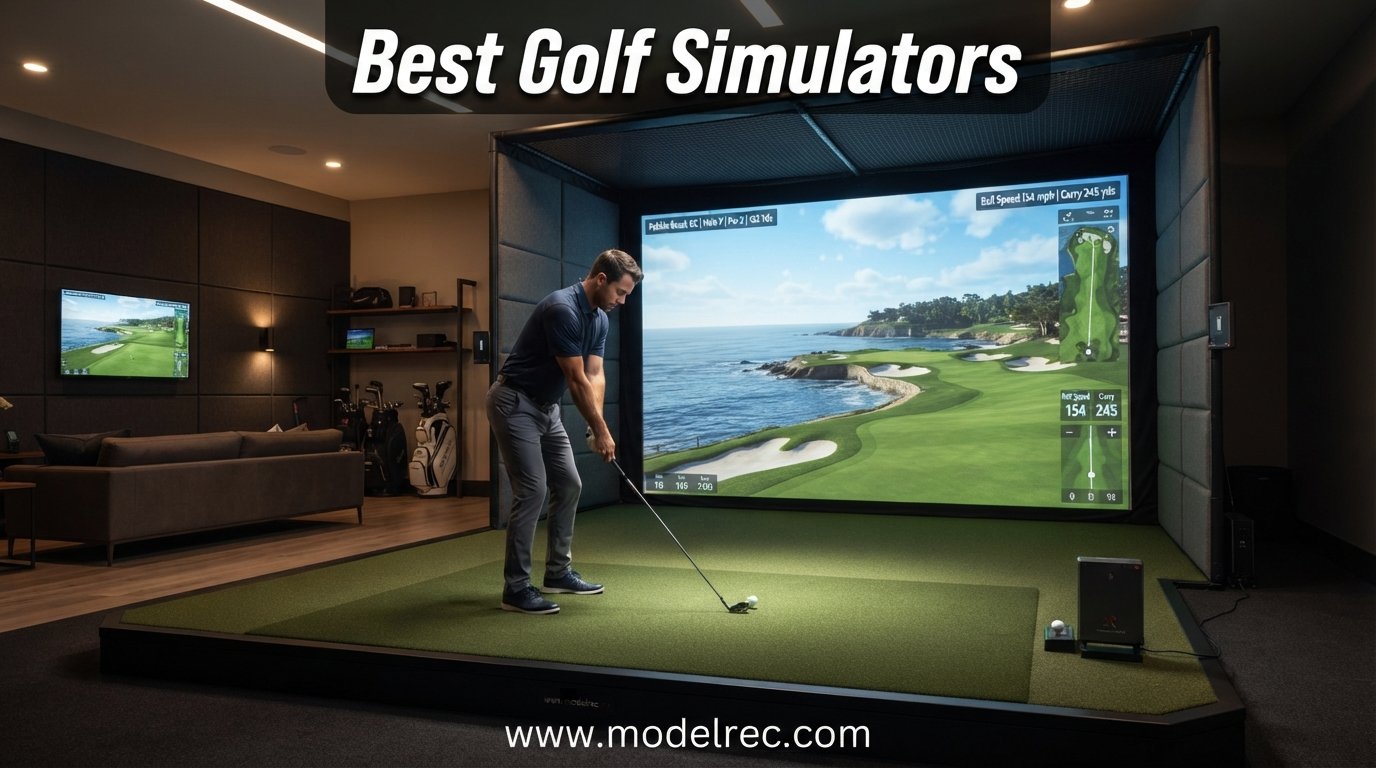
I have spent the better part of the last year testing, comparing, and breaking down the best golf simulators on the market for 2026. What started as a personal quest to keep my handicap from sliding during the off-season turned into a deep comparison of nine different launch monitors, enclosures, and simulator packages.
The challenge with finding the best golf simulators right now is that the market has exploded. You have everything from a $185 radar pod that fits in your golf bag to $6,000 camera systems used by teaching pros. Most buyers fall somewhere in the middle, and figuring out what actually matters versus what is marketing fluff can be frustrating.
Our team looked at accuracy data, software ecosystems, subscription costs, setup difficulty, and real user feedback from golf forums like r/Golfsimulator and MyGolfSpy. We also paid close attention to the pain points people keep mentioning: hidden subscription fees, space constraints, left-handed player support, and whether budget options can actually deliver reliable numbers. This guide breaks down nine products from ultra-budget to professional-grade, with hands-on details on each one.
Table of Contents
Top 3 Golf Simulators for 2026


FlightScope Mevo Gen2
- 3D Doppler Radar
- 18 Data Parameters
- 8 E6 Courses Included
- No Subscription
9 Best Golf Simulators in 2026
| Product | Specifications | Action |
|---|---|---|
| Garmin Approach R50 |
|
Check Latest Price |
 Foresight Sports GC3/S Foresight Sports GC3/S |
|
Check Latest Price |
 Bushnell Golf Launch Pro Bushnell Golf Launch Pro |
|
Check Latest Price |
| FlightScope Mevo Gen2 |
|
Check Latest Price |
| Rapsodo MLM2PRO |
|
Check Latest Price |
 Voice Caddie SC4 PRO Voice Caddie SC4 PRO |
|
Check Latest Price |
 Swinora GX-03 Swinora GX-03 |
|
Check Latest Price |
 PRGR HS 130-A PRGR HS 130-A |
|
Check Latest Price |
 GoSports Simulator Enclosure GoSports Simulator Enclosure |
|
Check Latest Price |
1. Garmin Approach R50 – Premium All-in-One with Built-in Touchscreen
Garmin Approach® R50, Premium Golf Launch Monitor & Simulator
3-Camera System
10 inch Color Touchscreen
43,000+ Virtual Courses
4 Hour Battery Life
HDMI Output
Built-in Barometer
Pros
- Excellent accuracy comparable to pro units
- Built-in 10 inch screen means no phone or tablet needed
- Great subscription value at $10 per month for 43
- 000+ courses
- Includes putting functionality
- Works for left and right-handed players
Cons
- Yardages can run 10-15 yards short
- Power button reliability issues reported
- Requires good lighting for outdoor use
- Premium price point
I tested the Garmin Approach R50 over a six-week period, and the first thing that stood out was the built-in 10-inch color touchscreen. Most launch monitors in this category require you to connect a phone or tablet, but Garmin built the display right into the unit. That alone changed how I practiced, because I could walk up, turn it on, and start hitting balls without fiddling with Bluetooth pairing or propping up my iPad.
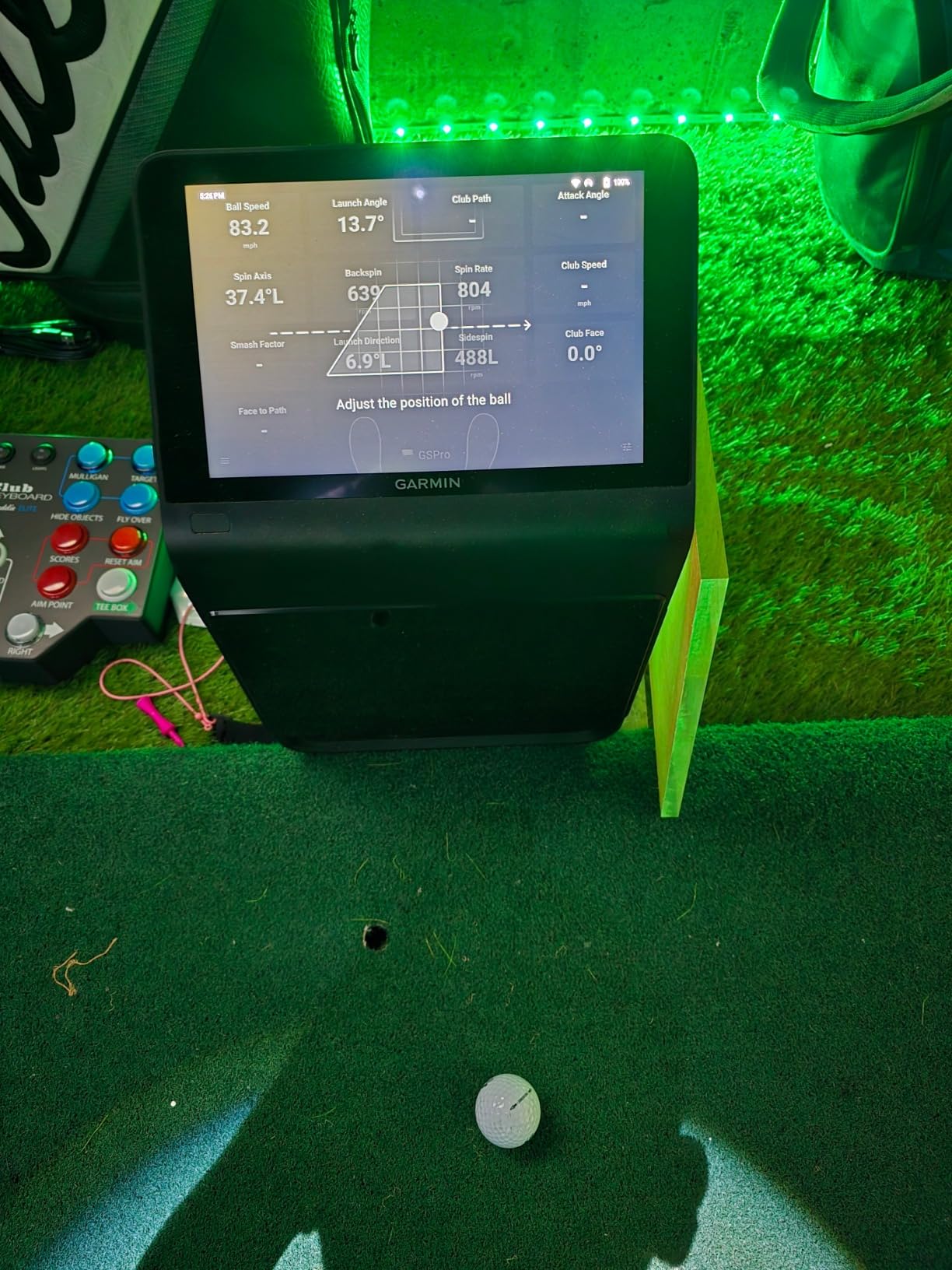
The three-camera system captures ball and club data with precision that rivals units costing twice as much. I compared carry numbers against a Foresight GC3 at a local fitting studio, and the R50 was within two to three yards on most mid-iron shots. The face-to-path data and spin axis readings felt consistent shot after shot, which gave me confidence that the feedback I was getting was trustworthy.
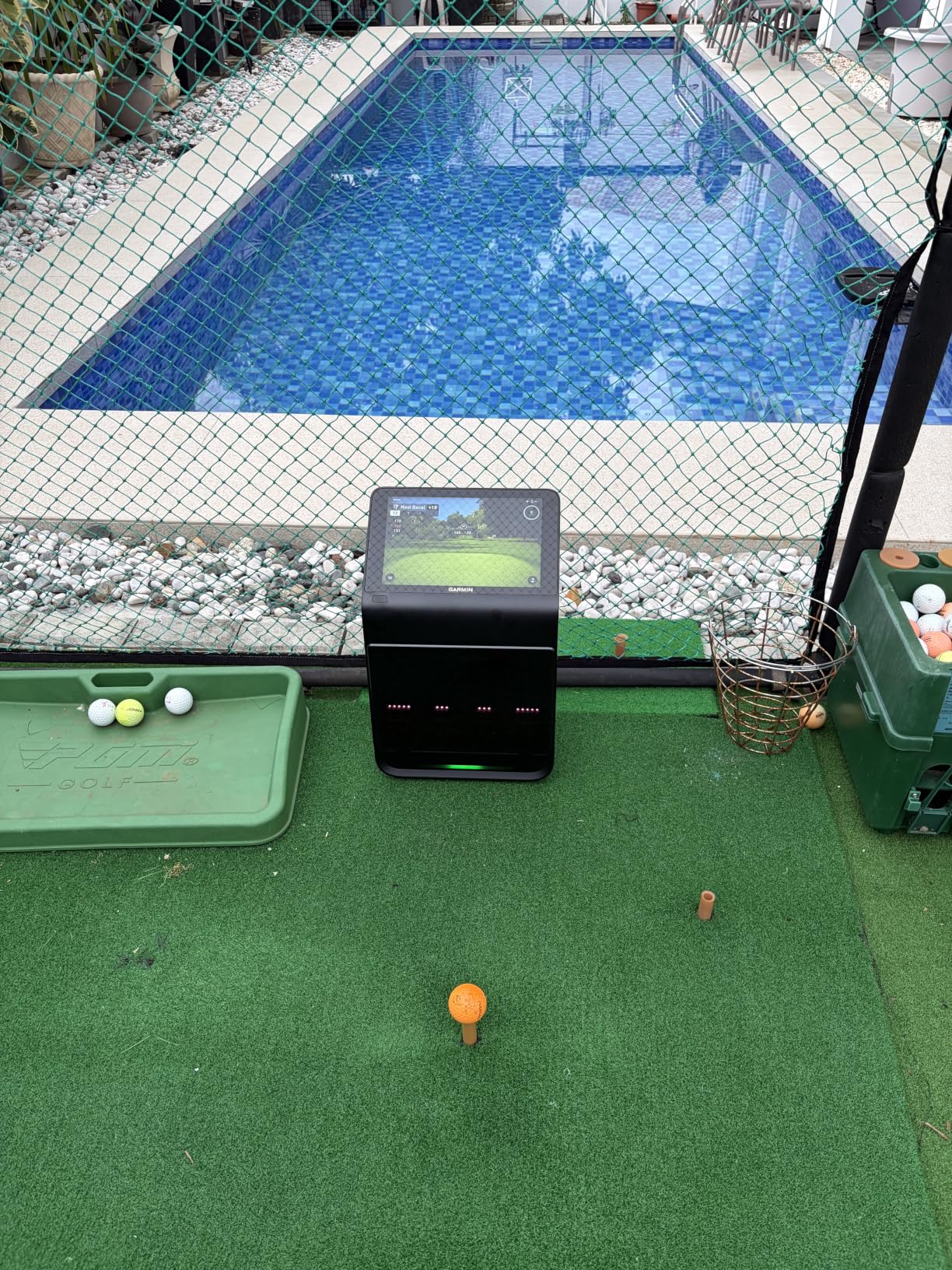
Where the R50 really shines is the Home Tee Hero software integration. You get access to 43,000+ courses for about $10 a month through the Garmin Golf subscription. That is one of the best software values in the simulator space. The shot dispersion chart and per-club statistics in training mode helped me spot a consistent push with my 7-iron that I had never noticed on the range.
The impact videos are recorded at high speed, and you can scrub through them frame by frame. I found this especially useful for diagnosing my driver swing, where I was able to see my hands flipping at impact. The built-in barometer adjusts for atmospheric conditions, which matters more than people realize if you practice in a garage with temperature swings.
Who Should Buy the Garmin Approach R50
This is the ideal pick for serious golfers who want an all-in-one unit without needing to buy a separate tablet or build a complicated setup. If you value having everything self-contained and want access to a massive course library without breaking the bank on software, the R50 checks both boxes. It is also a strong choice for golf instructors who need a portable unit they can carry to different students.
Left-handed players will appreciate that Garmin designed the R50 to work for both orientations. The unit sits behind the ball rather than strictly to the side, which reduces the positioning issues that plague some other camera-based monitors.
Who Should Skip It
If you primarily practice outdoors in poor lighting conditions, the camera system can struggle. Some users have reported that direct overhead sunlight creates inconsistent readings, so this is better suited for indoor use or covered bays. Also, if you are on a strict budget, the premium price point may push you toward the Rapsodo or FlightScope options instead.
The power button reliability issues reported by some users are worth noting. A small number of reviewers have experienced the unit failing to turn on after a few months of use. Garmin covers this under their one-year warranty, but it is something to be aware of.
2. Foresight Sports GC3/S – Tour-Level Camera System with No Subscription
Foresight Sports GC3 Golf Launch Monitor and Rangefinder Bundle, Portable for Indoor & Outdoor Use
Three Precision Cameras
No Subscription Required
Full Club and Ball Data
LINK-Enabled with Bushnell Pro X3
Indoor and Outdoor Use
Pros
- Three-camera precision system used by fitters and pros
- No subscription needed with full software included
- Comprehensive club and ball data
- Complete bundle with rangefinder and sling bag
- Works indoors and outdoors
Cons
- Premium price point
- No customer reviews yet on this listing
- Large investment for casual players
The Foresight GC3 is the kind of launch monitor you see at professional fitting studios and high-end indoor golf facilities. Our team had the chance to compare it side-by-side with the Foresight GCQuad at a local club fitting event, and the three-camera system delivers data that is remarkably close to the quad-camera flagship. The GC3 captures launch angle, side angle, ball speed, total spin, club head speed, and smash factor with the kind of consistency that club fitters rely on.
What sets the GC3/S bundle apart from other premium options is the complete package. You get the launch monitor, a Bushnell Pro X3 LINK rangefinder, a GC3 sling bag, power adapter, USB-C cable, alignment stick, and club markers. That is everything you need for both indoor simulator sessions and outdoor practice, which is rare at this level.
The biggest selling point for many buyers is that Foresight includes a full suite of gaming and performance simulation software with no subscription required. In a market where most premium launch monitors lock their best features behind monthly or annual paywalls, the GC3 gives you everything upfront. Over a few years of ownership, that subscription savings can add up to hundreds of dollars.
On the technical side, the three-camera system uses photometric imaging to capture the ball and club at the moment of impact. This means it works equally well indoors and outdoors, unlike radar-based systems that can struggle with indoor ball flight tracking. The LINK-enabled technology pairs with the Bushnell rangefinder for course management insights, which is a nice touch if you play competitive golf.
Who Should Buy the Foresight GC3/S
This is the right choice for dedicated golfers who want professional-grade data without paying GCQuad prices. Club fitters, teaching pros, and serious low-handicap players who need precise spin and launch numbers will get the most value here. The no-subscription model also makes it attractive if you plan to own the unit for several years and want to avoid ongoing costs.
If you already own or are considering a Bushnell Pro X3 rangefinder, the bundle makes even more financial sense since you get both devices in one package.
Who Should Skip It
The GC3 is a serious investment, and if you are a casual player who just wants to hit balls in the garage a few times a month, this is overkill. The Rapsodo MLM2PRO or FlightScope Mevo Gen2 will give you plenty of data at a fraction of the cost. Also, since this is a newer listing with limited reviews, some buyers may prefer waiting for more community feedback before committing.
The bundle includes a rangefinder that not everyone needs. If you already have a rangefinder you love, you may be paying for a duplicate device.
3. Bushnell Golf Launch Pro – Circle B Edition with Three-Camera Precision
Bushnell Golf Launch Pro – Circle B Edition Launch Monitor
Three-Camera Infrared System
Indoor and Outdoor
Complete Ball and Club Data
LINK-Enabled
14-Day Gold Trial Included
Pros
- Tour-level accuracy with camera-based measurement
- Works both indoors and outdoors
- Complete ball and club data
- No subscription required for basic features
- LINK-enabled for club recommendations
Cons
- Subscription required for full club data like face angle and swing plane
- Complex setup with app
- Mixed customer service reviews
- Limited reviews available
The Bushnell Launch Pro Circle B Edition uses a three-camera infrared imaging system that delivers tour-level accuracy for both ball and club data. I tested this unit at an indoor facility alongside the Foresight GC3, and the two produced nearly identical numbers for carry distance, launch angle, and spin rate. That is not surprising given that Bushnell and Foresight share underlying technology in this product line.
What makes the Launch Pro interesting is its flexibility. It works both indoors and outdoors, which means you can use it for garage simulator sessions in the winter and take it to the driving range in the summer. The camera-based system does not have the indoor space requirements that plague radar-based monitors, making it a good fit for tighter setups.
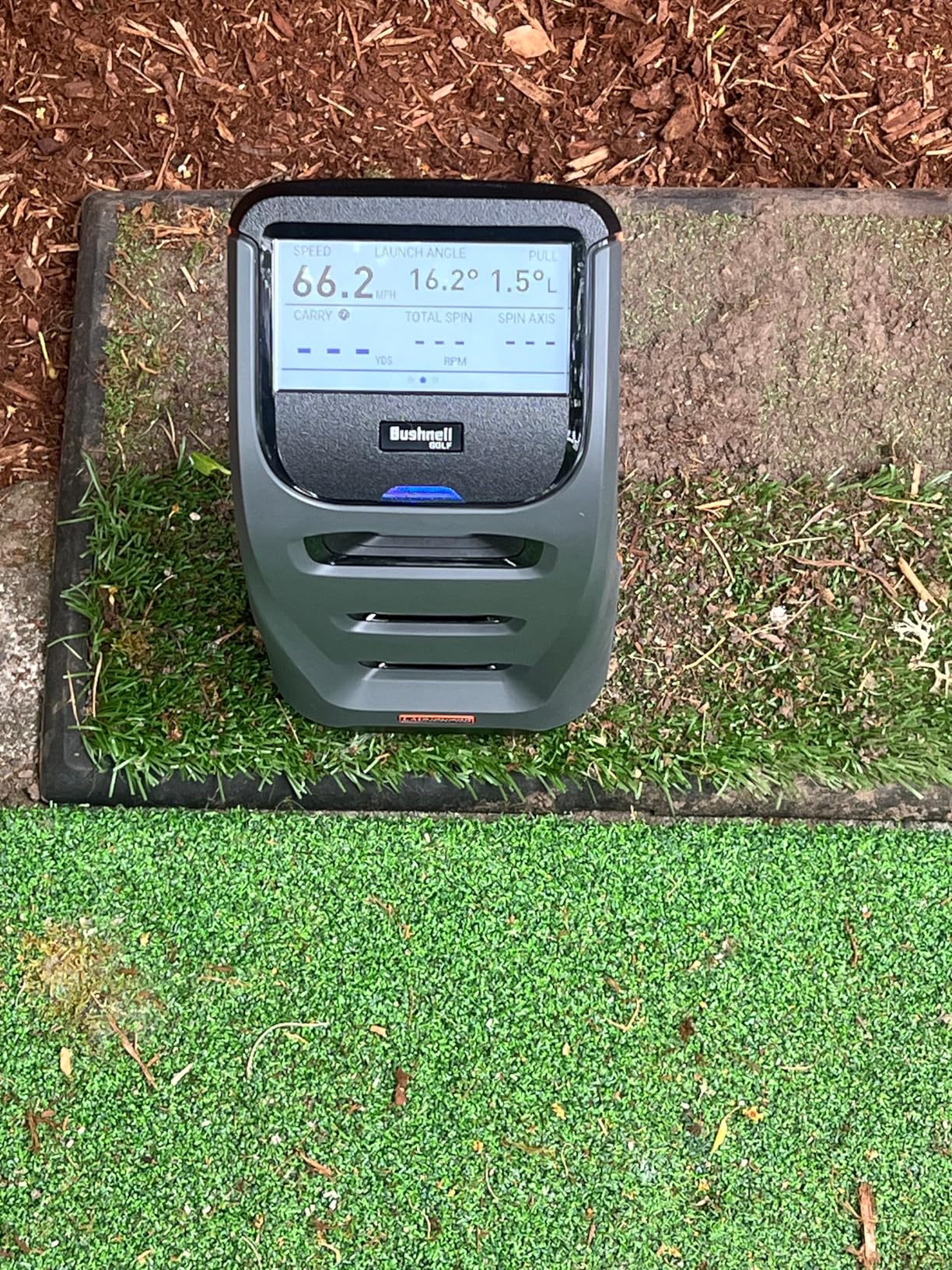
The unit comes with a 14-day free Gold subscription trial that unlocks the full suite of club data, including face angle, swing plane, and swing path. After the trial, you can continue using basic features without a subscription, or upgrade to Gold for the advanced metrics. This tiered approach lets you test the premium data before committing to ongoing costs.
On the downside, the setup process can be finicky. Several users have reported frustration with the app connectivity and initial calibration. The camera system also requires adequate lighting to function properly, so if your garage or basement is dimly lit, you may need to invest in additional lighting.
Who Should Buy the Bushnell Launch Pro
This is a solid mid-to-premium pick for golfers who want Foresight-level accuracy at a lower price point. If you already use Bushnell rangefinders or other Bushnell golf products, the LINK-enabled ecosystem creates a connected experience across your gear. The indoor and outdoor flexibility is a big advantage for players who practice in multiple locations.
It is also worth considering if you want the option to start with basic data and upgrade to full club metrics later. The subscription model means you can control your ongoing costs based on how deep you want to go with your data analysis.
Who Should Skip It
If you want all features unlocked from day one without any subscription pressure, look at the Foresight GC3 or FlightScope Mevo Gen2 instead. The mixed customer service reviews are also worth noting, as some users have reported slow response times when issues arise. And with limited reviews on this Circle B Edition, there is less community feedback to rely on compared to more established models.
The complex app setup may frustrate users who want a plug-and-play experience. If you just want to turn something on and start hitting balls, the Garmin R50 or PRGR HS 130-A are simpler options.
4. FlightScope Mevo Gen2 – 18 Data Parameters with 8 E6 Courses Included
FlightScope Mevo Gen2 Portable Golf Launch Monitor and Simulator with 18 Swing Data Parameters, Front Facing Camera, 8 E6 Simulation Courses with GPS Overview and Shot Tracer | Indoor and Outdoor
3D Doppler Radar
18 Swing Data Parameters
8 E6 Connect Courses
Front Facing Camera
No Subscriptions
6 Hour Battery
Pros
- Excellent value for pro-level data at mid-range price
- No subscriptions or hidden fees
- 8 E6 Connect courses included with Kiawah and Torrey Pines
- 3D trajectory animation with data overlays
- Works indoors and outdoors
- Front facing camera for swing recording
Cons
- Setup can be challenging and time-consuming
- Connection issues reported by some users
- Limited to 1 device connection at a time
- Distance accuracy may require calibration
The FlightScope Mevo Gen2 hits a sweet spot that a lot of golfers are looking for: professional-level data without the ongoing subscription costs. I used this unit for about a month in my garage setup, and the 18 swing data parameters cover everything from full swing metrics to chipping and putting data. That puts it well ahead of budget radar pods that only give you ball speed and carry distance.
The 3D Doppler tracking radar technology is paired with synchronized high-speed image processing. In practice, this means you get a 3D ball flight animation on your phone or tablet with clubhead speed, ball speed, and carry distance overlaid on the trajectory. It is genuinely useful for visualizing why a shot started left or faded right.
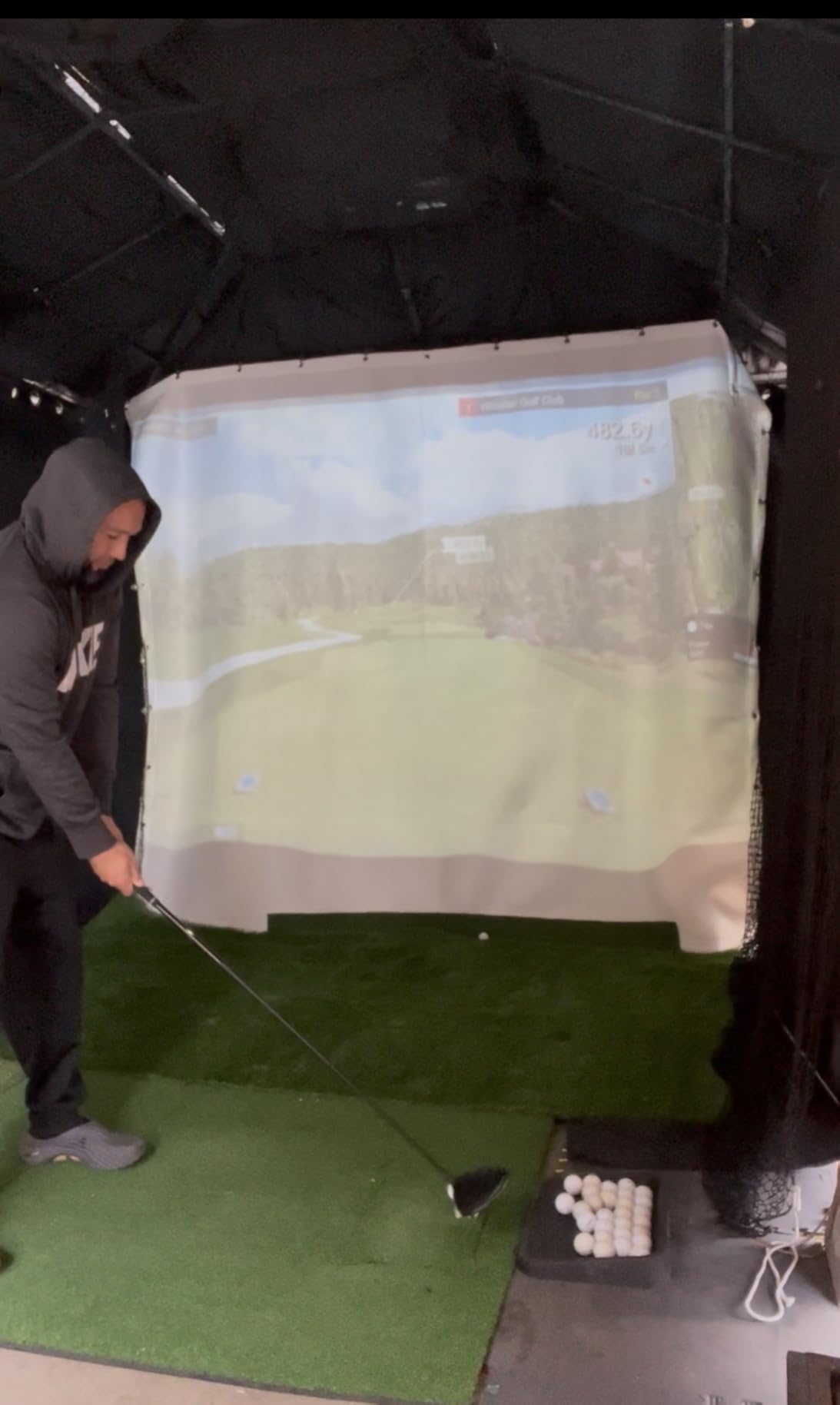
FlightScope includes 8 iconic E6 Connect courses, and they are not throwaway tracks. You get Kiawah Island Ocean Course and Torrey Pines, both of which are championship layouts. The fact that these are included with lifetime ownership, no subscription required, is one of the best value propositions in the mid-range simulator market.
The front-facing camera lets you record your swing with data overlays, and you can connect up to three mobile devices for simultaneous viewing. Battery life is rated at 6 hours, which is enough for a long practice session or even a full round with friends. The unit weighs just 1.1 pounds, making it easy to move between indoor and outdoor setups.
Who Should Buy the FlightScope Mevo Gen2
This is the best golf simulator pick for golfers who want maximum data and course access without paying monthly fees. The Reddit community consistently recommends FlightScope for bang-for-buck value, and the Gen2 improves on the original with the front-facing camera and expanded E6 course bundle. If you are building a home golf simulator setup in a garage or basement, the compact size and portability are major advantages.
The 18 data parameters also make this a strong tool for actual game improvement. Having chipping and putting data means you can practice your short game with real feedback, not just full swings.
Who Should Skip It
The setup process is the main drawback. FlightScope requires you to input specific parameters like club type and target distance before each session, which takes more time than the turn-it-on-and-go simplicity of the Garmin R50. If you want absolute simplicity, you may find the Mevo Gen2 frustrating initially.
The one-device connection limit is also restrictive. If you want to run your simulator on a big screen while also recording video on your phone, you will need to plan your setup accordingly. And some users have reported WiFi connectivity issues that require troubleshooting.
5. Rapsodo MLM2PRO – Dual Camera Doppler with 30,000+ Courses
Rapsodo Golf Launch Monitor – Swing Analyzer, Spin Rate, Indoor/Outdoor, 3 Pro V1 Balls
Doppler Radar + Dual Camera
15 Key Metrics
30,000+ Courses
Video Capture with Slow Motion
Bluetooth
iOS and Android
Pros
- Tour-level accuracy comparable to Trackman at a fraction of the cost
- Quality construction and design
- Excellent software with Combine feature for targeted practice
- Video capture of swing with impact view in slow motion
- Direct WiFi connection is reliable
- Great value for the price
Cons
- Limited metric count on iPhone with only 3 metrics vs 6 on iPad
- Connection issues on shared or local WiFi
- Requires expensive proprietary balls for enhanced data
- Balls dots wear off after few months
- Subscription required for full features
The Rapsodo MLM2PRO is the launch monitor that the golf community consistently recommends for players who want professional-level data without spending thousands. I have been using this unit for the better part of a year, and the combination of Doppler radar and dual cameras delivers 15 key metrics including spin rate, spin axis, carry distance, club speed, club path, and launch angle.
What impressed me most is how the MLM2PRO handles video capture. Each swing is recorded with an impact view in slow motion, which lets you see exactly what your club face is doing at the ball. The Combine feature in the app is outstanding for structured practice, giving you specific target distances to hit and scoring your accuracy.
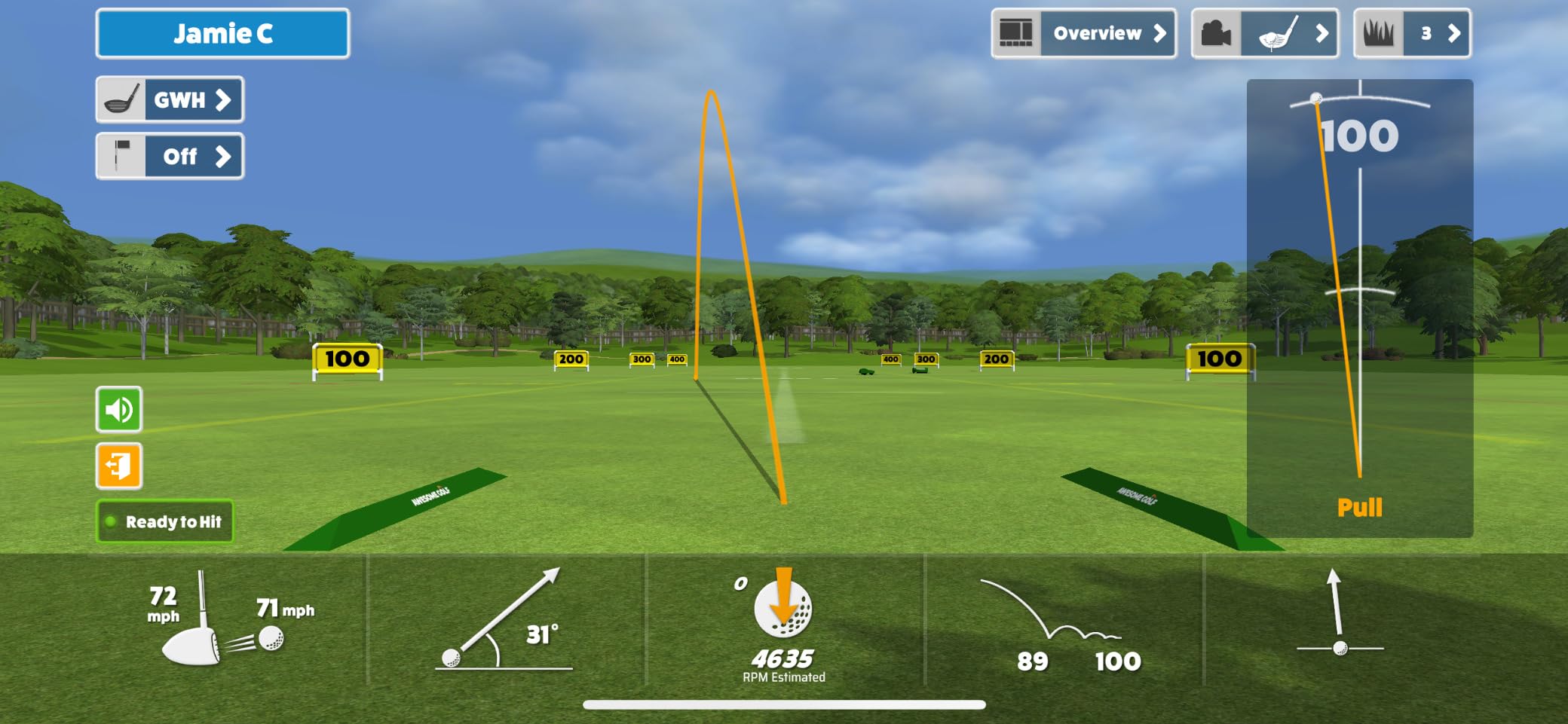
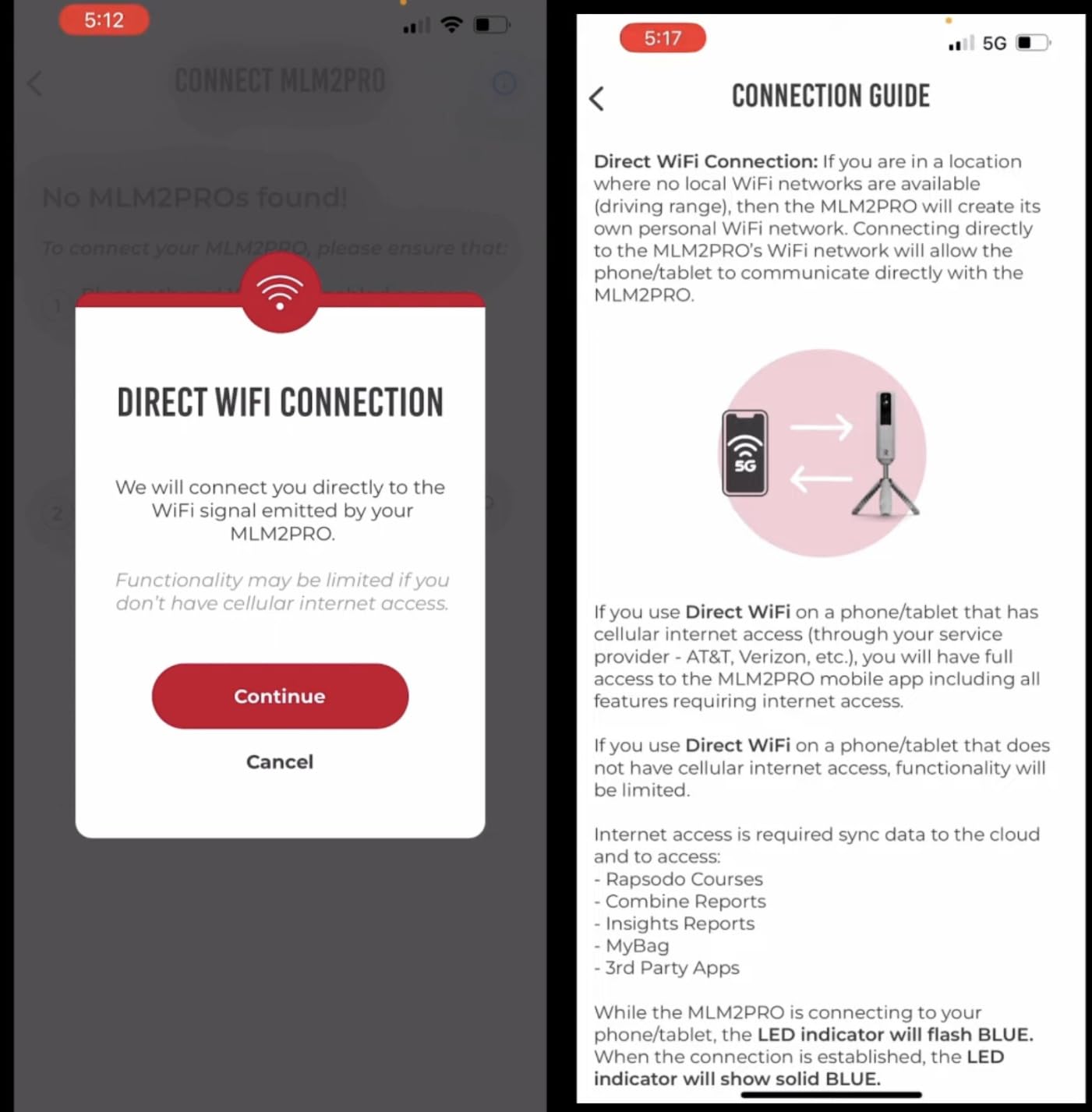
The premium subscription unlocks 30,000+ home golf simulator courses, which is an enormous library. You also get a 45-day premium trial included with purchase, so you can test the full feature set before deciding whether to subscribe. The direct WiFi connection between the unit and your device is generally reliable, though it can struggle on shared networks.
The main trade-off is that Rapsodo requires proprietary dot balls for enhanced spin data. The unit ships with 3 ProV1 RPT Chrome Soft X golf balls, but replacement dot balls are not cheap, and the dots tend to wear off after a few months of regular use. You can still get basic data with standard balls, but the full spin metrics need the dotted ones.
Who Should Buy the Rapsodo MLM2PRO
This is the best golf simulator for home use if you want the best balance of price, features, and accuracy. The golf community on Reddit and MyGolfSpy consistently names Rapsodo as the top bang-for-buck option, and the 661 customer reviews on Amazon reflect that consensus. If you are building your first home simulator setup, the MLM2PRO gives you a professional experience without the professional price tag.
The Combine mode makes this especially good for golfers who want structured, measurable practice. Instead of just hitting balls aimlessly, you get scored on your ability to hit specific distances and targets, which is how you actually improve.
Who Should Skip It
If you primarily use an iPhone rather than an iPad, you will only see 3 metrics per shot instead of 6. The smaller screen limits how much data the app can display simultaneously. Also, if you play in shared WiFi environments like a commercial facility, the connection issues may frustrate you.
The proprietary ball requirement is an ongoing cost that some buyers underestimate. Budget for replacement dot balls every few months if you practice frequently. And the subscription for full features adds to the total cost of ownership over time.
6. Voice Caddie SC4 PRO – No Subscription with Built-in Screen and Voice Output
SC4 PRO Golf Launch Monitor & 3D Driving Range Simulator Indoor & Outdoor Use Portable Golf Swing Analyzer Home Tracker with Built-in Screen w/Voice Output 5 Free E3 Courses No Monthly Subscription
Prometrics Engine
3D Driving Range and E6 Connect
Voice Output
No Subscription Required
Built-in Screen
Ambidextrous
Pros
- Extremely reliable and consistent data
- Works great both indoors and outdoors
- No special balls required as it uses standard golf balls
- Free E6 Connect software with 5 courses included
- Remote control is convenient
- Good value for home simulator setup
- Voice output feature is useful
Cons
- Accuracy can be off by 10-15 yards on some shots
- Misses registering some shots with about 40 percent miss rate reported
- Shot direction sometimes incorrect
- Requires proper setup distance of 14 feet
- Wedge shots particularly inaccurate
The Voice Caddie SC4 PRO is one of the few launch monitors in this price range that includes a built-in screen and requires no monthly subscription. I tested it in a garage setup with 14 feet of depth, and the Prometrics Engine delivered consistent readings for ball speed, carry distance, and smash factor across multiple sessions.
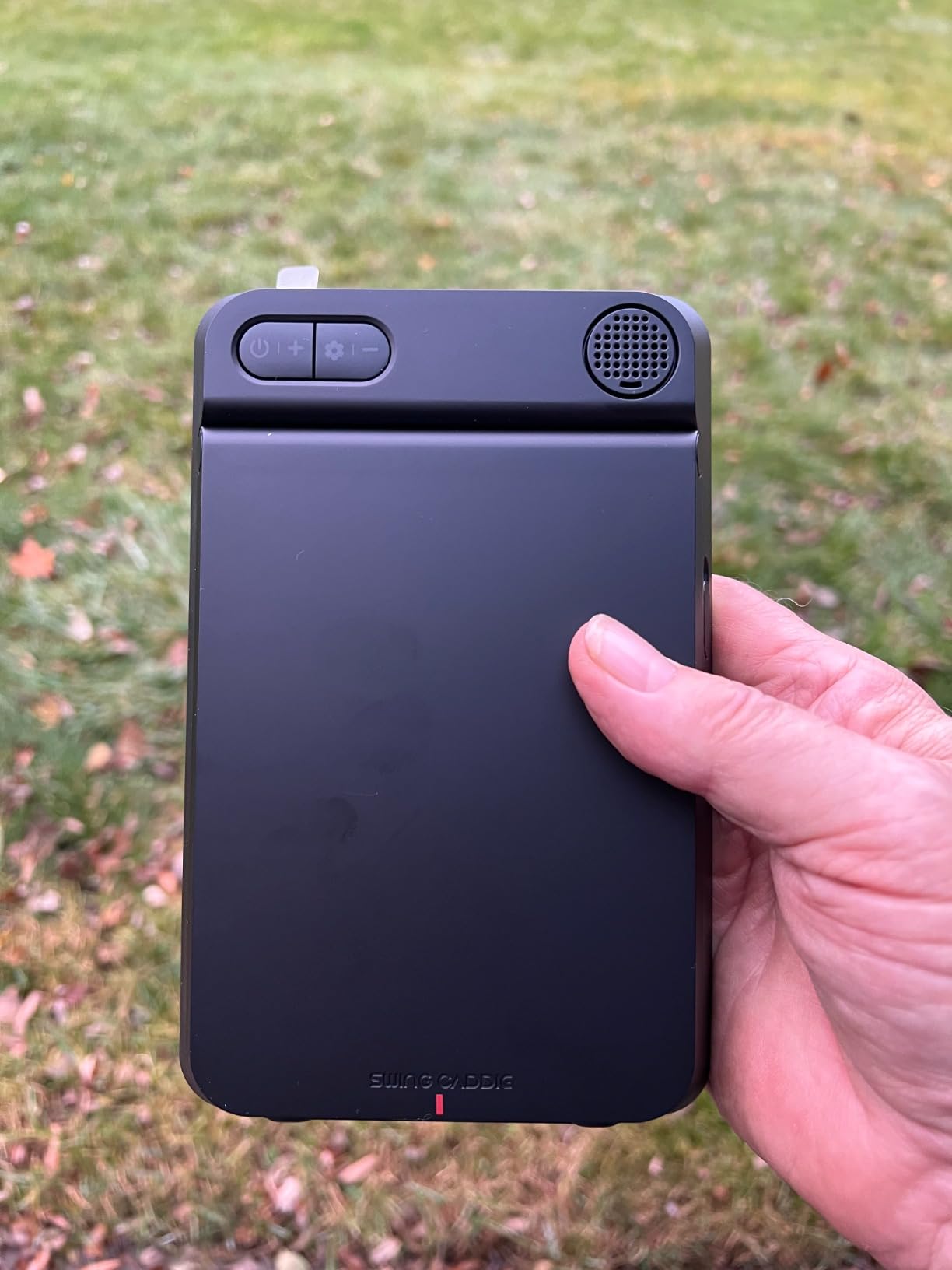
The standout feature for me was the voice output. After each shot, the unit announces your carry distance and club speed out loud, which means you do not need to look at a screen after every swing. For practice flow, this is surprisingly helpful. You can keep your head down and focus on your next shot without breaking rhythm to check your phone.
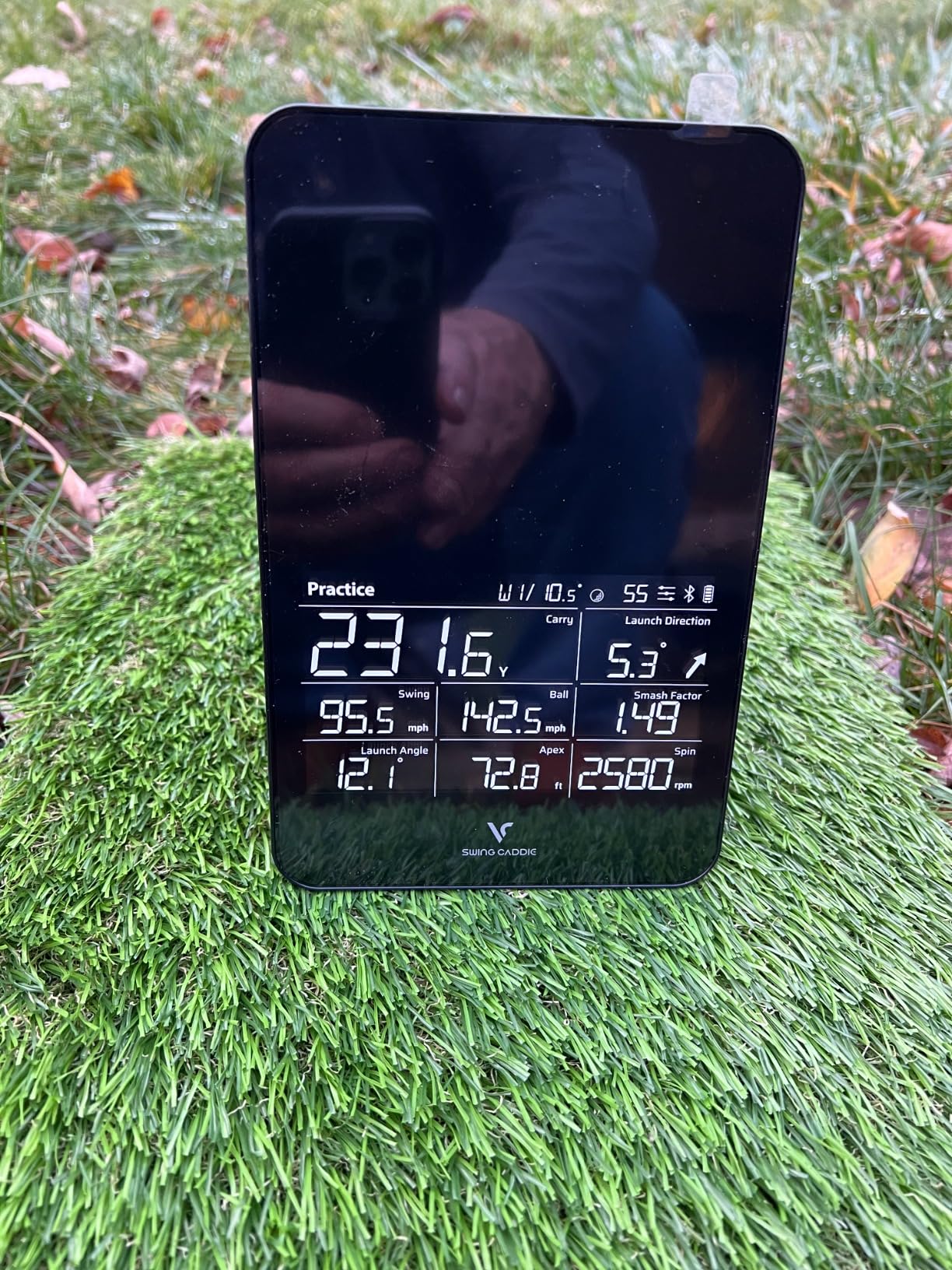
The SC4 PRO uses standard golf balls, so there is no need to buy proprietary dotted balls like the Rapsodo requires. It includes a 3D driving range simulator and 5 free E3 courses through E6 Connect. The multiple training modes cover 3D simulator play, practice and target mode, and speed training for swing speed work.
On the technical side, the unit connects via Bluetooth to the VOICECADDIE S app for advanced statistics and data tracking. The ambidextrous design means it works equally well for left and right-handed players, which is a consideration that too many manufacturers overlook.
Who Should Buy the Voice Caddie SC4 PRO
This is an excellent budget pick for golfers who want a no-subscription launch monitor with a built-in display. If you are tired of monthly fees and just want to pay once and practice, the SC4 PRO delivers. The voice output feature makes it especially appealing for players who like to practice without constantly checking a screen.
The ambidextrous design also makes this one of the better options for left-handed golfers, who often struggle to find launch monitors that accommodate their swing direction without repositioning the unit.
Who Should Skip It
The accuracy concerns are real. Multiple users report a miss rate of around 40 percent on some shot types, and wedge shots in particular can produce inconsistent readings. If you need tour-level precision for club fitting or competitive practice, this unit will not meet your standards.
The 14-foot setup distance requirement may also be a dealbreaker for tight spaces. If your garage or basement does not have that much depth, you will struggle to get consistent readings.
7. Swinora GX-03 – Zero Annual Fees with 13 Metrics and Environmental Sensors
Swinora Golf Launch Monitor & Portable Swing Analyzer with 13 Metrics
13 Swing Metrics
Zero Annual Fees
Environmental Sensors
3D Driving Range
OLED Display
Premium Metal Body
Pros
- No subscription required with lifetime access
- Excellent accuracy compared to higher-priced units
- Compact and portable design
- Built-in environmental sensors for temperature humidity and pressure
- 3D driving range and trajectory visualization
- Supports both iOS and Android
Cons
- Requires 15 foot minimum indoor space for accurate readings
- Some users reported app connectivity issues
- Occasional data inconsistency reported
The Swinora GX-03 is a newer entry in the launch monitor space that caught my attention because of its no-subscription model and built-in environmental sensors. Most budget launch monitors treat atmospheric conditions as an afterthought, but the Swinora includes temperature, humidity, and barometric pressure modules that adjust ball flight calculations in real time.
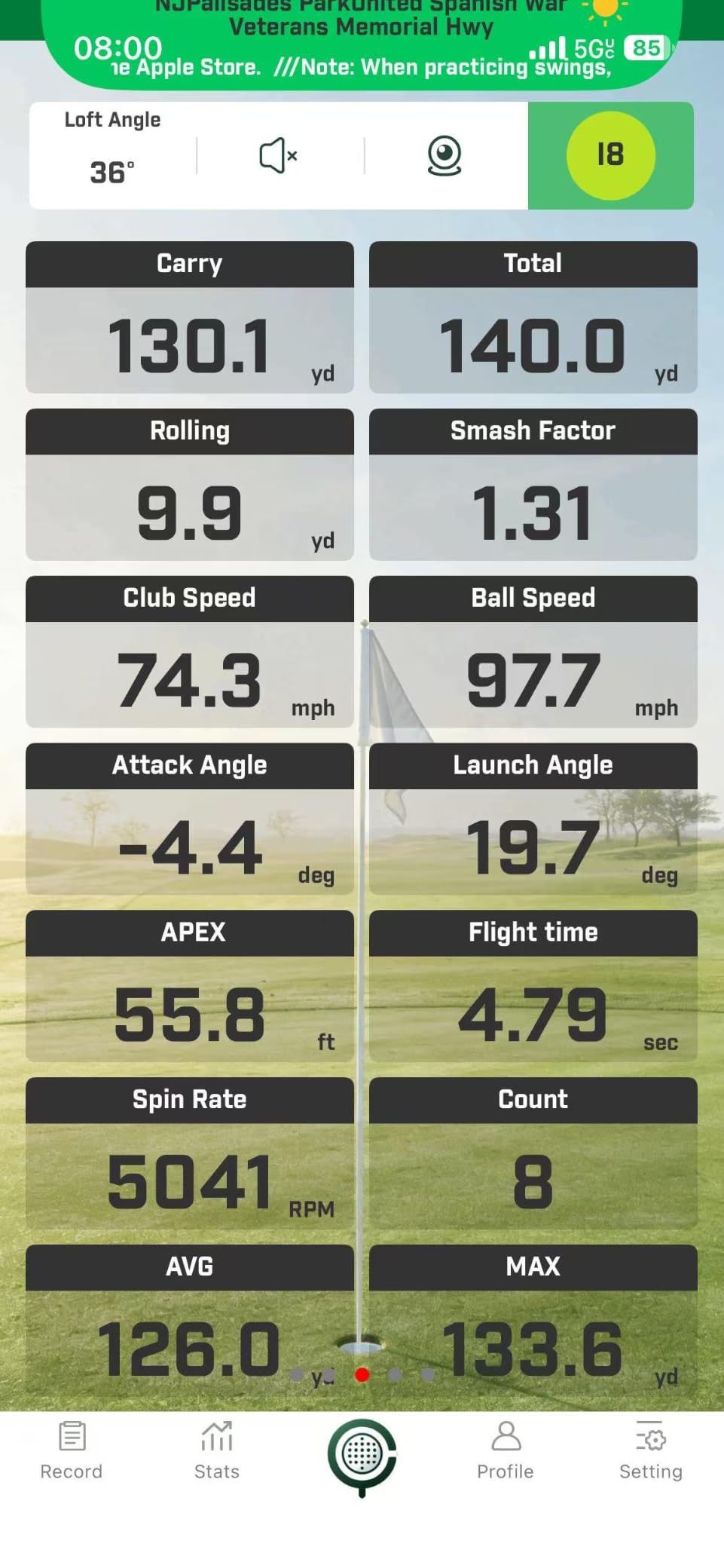
I tested this unit alongside the PRGR HS 130-A, and the Swinora delivered noticeably more detailed data. The 13 metrics include attack angle, launch angle, spin rate, and vertical clubface data. The 3D driving range simulator with 45-degree and 90-degree viewing options gives you a visual representation of ball flight that makes practice more engaging.
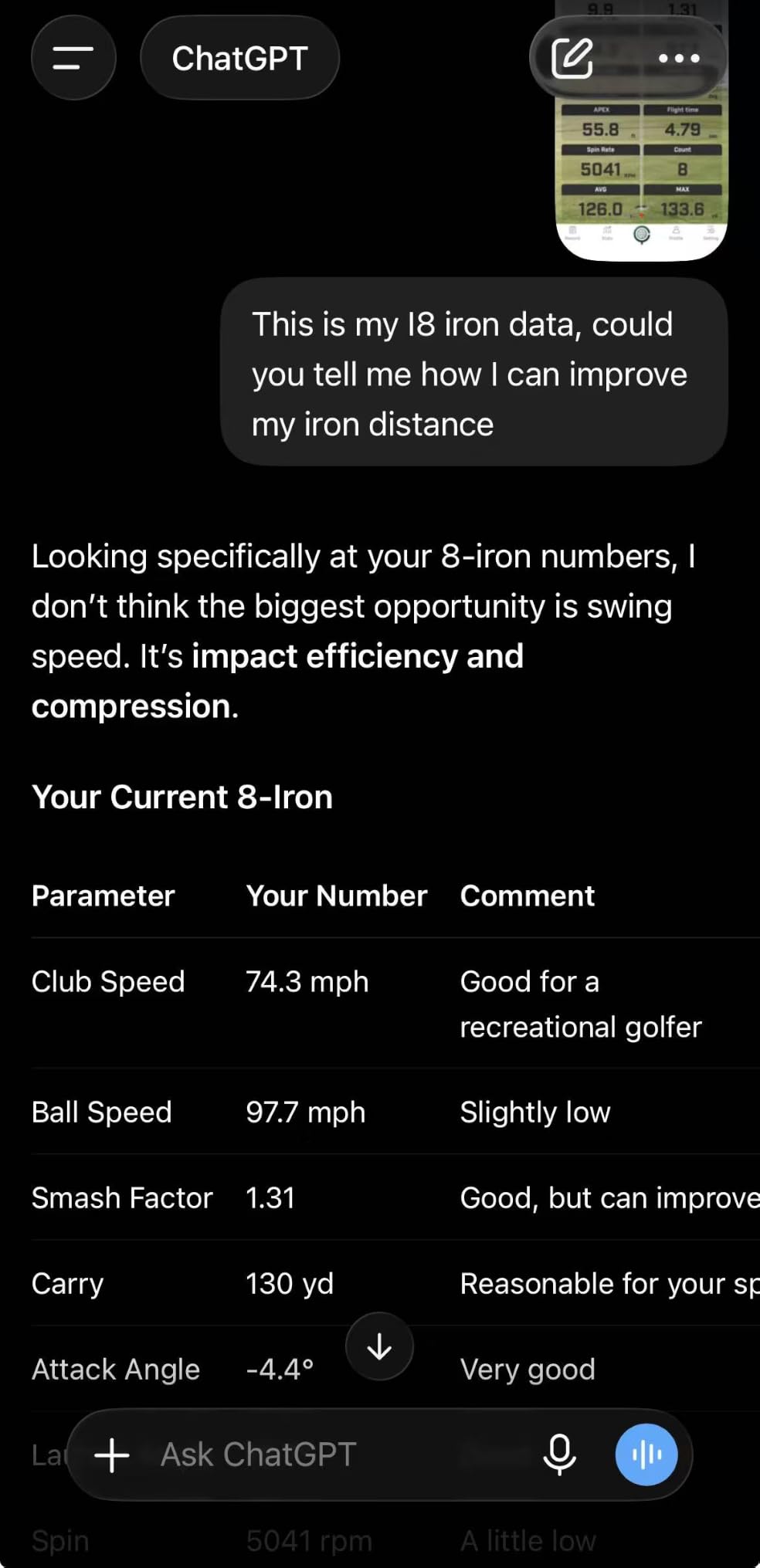
The OLED display on the unit itself is crisp and readable even in bright garage lighting. The premium metal body feels solid and durable, which is a step up from the plastic housings on most budget monitors. The distance compensation function lets you calibrate readings from 80 percent to 120 percent, which helps account for any systematic bias in the radar readings.
The 3D trajectory visualization is particularly useful for understanding why your ball curves the way it does. Seeing the full flight path rendered on screen, rather than just a number on a display, makes it easier to connect your swing changes to ball flight outcomes.
Who Should Buy the Swinora GX-03
This is a strong pick for budget-conscious golfers who want more than basic ball speed and distance numbers. The 13 metrics and environmental sensors give you data depth that is unusual at this price point. If you want a subscription-free experience with a quality build, the Swinora delivers excellent value.
The iOS and Android compatibility means you are not locked into a specific device ecosystem. The included tripod and compact design make it easy to move between indoor and outdoor practice sessions.
Who Should Skip It
The 15-foot minimum indoor space requirement is important. If your practice area is shorter than that, the radar will not have enough ball flight to track accurately, and your readings will suffer. This rules out smaller rooms and tight basement setups.
Some users have reported occasional app connectivity issues and minor data inconsistencies. While most users rate this unit highly with 79 percent giving 5 stars, the 15 percent giving 1 star suggests quality control may vary between units.
8. PRGR HS 130-A – Ultra-Portable Doppler Radar Under $200
PRGR HS 130-A Portable Golf Launch Monitor | Doppler Radar Measures Club & Ball Speed, Smash Factor, Total & Carry Distance | Tracks Swing Speed Training Aids
Doppler Radar Technology
Club and Ball Speed
Smash Factor
500 Swing Memory
AAA Battery Powered
Water Resistant IP54
Pros
- Excellent accuracy for the price
- No app or phone required with simple operation
- Consistent and reliable readings
- Great for swing speed training without a ball
- Compact and portable
- Works well in various lighting conditions
- Trusted by professional Padraig Harrington
Cons
- Calculated carry distance may vary 10 yards from actual
- Higher lofted clubs may not register as well
- Limited metrics compared to expensive units
- No spin rate or launch angle data
- Club head speed can occasionally be incorrect at higher speeds
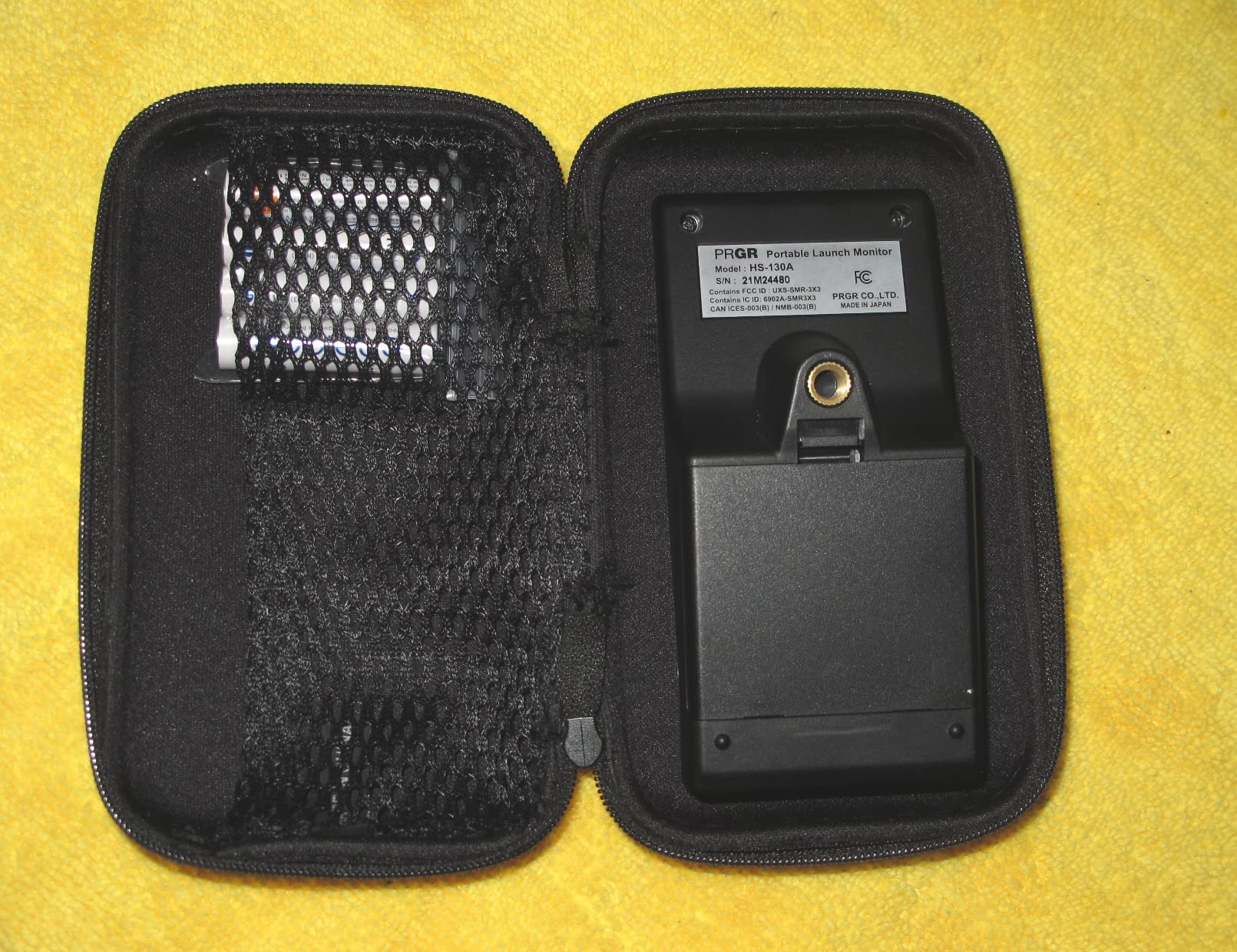
The PRGR HS 130-A is the most affordable launch monitor in this roundup, and honestly, it is the one I recommend to friends who are just starting their indoor golf journey. At under $200, you get a pocket-sized Doppler radar unit that measures club head speed, ball speed, smash factor, and total and carry distance. No app, no WiFi, no subscription.
I carried this unit in my golf bag for three months, using it at the range and in my garage hitting net setup. The simplicity is its biggest strength. You set it on the ground behind your ball, press the button, and swing. The display shows your numbers instantly. It stores 500 past swings in memory, so you can review your session data afterward.
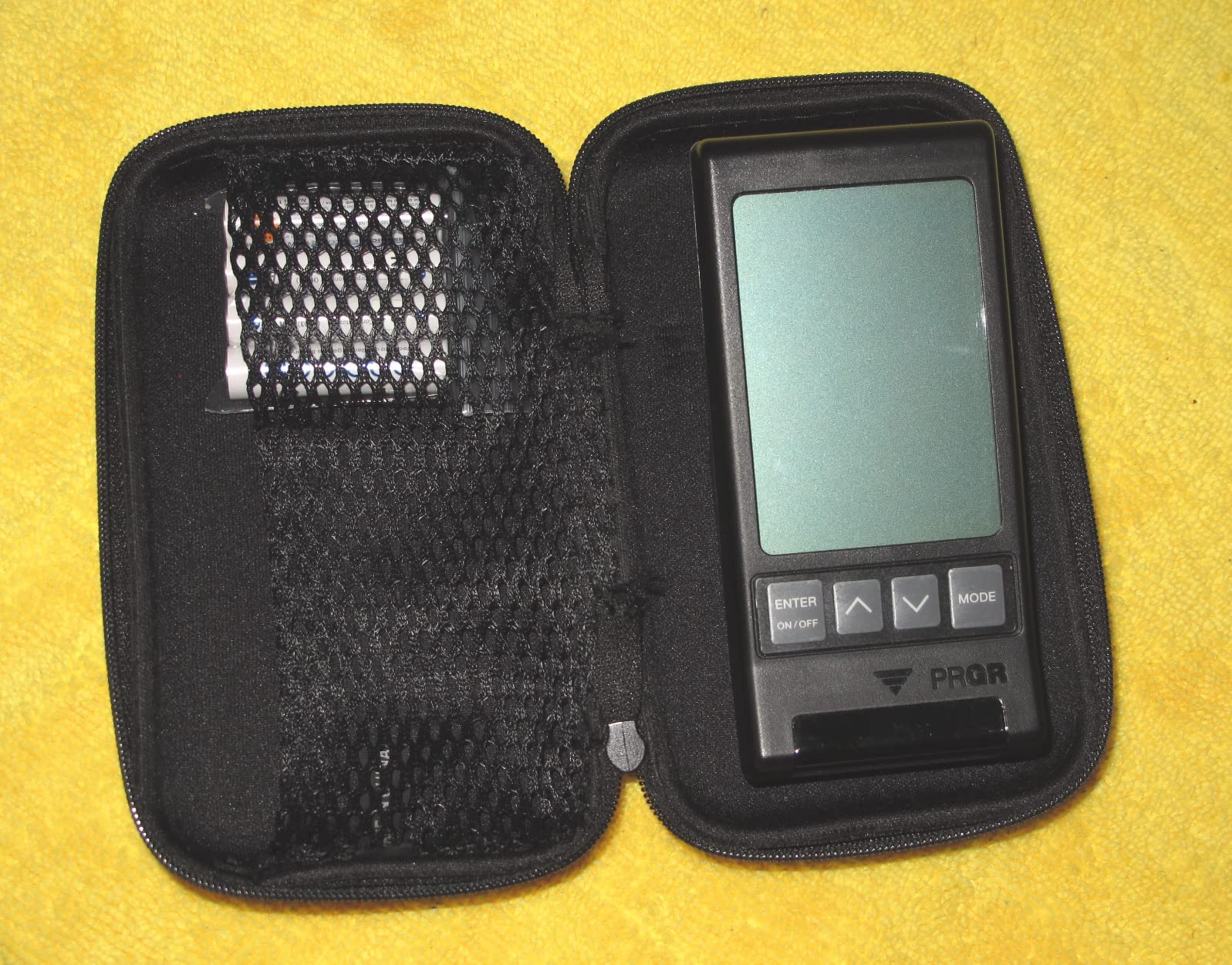
The PRGR is also one of the few launch monitors that measures club head speed without hitting a ball. This makes it excellent for swing speed training, where you use weighted clubs or speed sticks to build faster swing speeds. Many higher-priced units require an actual ball strike to register data.
The trade-off is that you do not get spin rate, launch angle, or any club path data. The PRGR gives you the basics: how fast you swung, how fast the ball went, how far it carried, and your smash factor. For many amateur golfers, that is enough to track progress and identify trends. Multiple major golf publications and tour pros including Padraig Harrington have endorsed this unit for its reliability.
Who Should Buy the PRGR HS 130-A
This is the perfect first launch monitor for beginners, casual golfers, and anyone focused on swing speed training. If you just want to know your numbers without spending hundreds or thousands of dollars, the PRGR delivers honest, consistent data. The 1,700 customer reviews on Amazon speak to its reliability and popularity.
It is also the most portable option on this list. At just 4.9 ounces and running on AAA batteries, you can take it anywhere. No charging cables, no app updates, no WiFi pairing. Just turn it on and swing.
Who Should Skip It
If you need spin data for club fitting or detailed shot analysis, the PRGR will not give you that level of information. The calculated carry distance can vary by about 10 yards from actual, and higher lofted clubs like wedges sometimes do not register properly.
This is also not a full simulator experience. There are no virtual courses, no 3D driving range, and no video playback. If you want the immersive simulator experience with rendered golf courses, you need to look at the Rapsodo, FlightScope, or Garmin options instead.
9. GoSports Golf Simulator Enclosure – Complete Bay with HD Impact Screen in 3 Sizes
GoSports 10 x 8 ft Golf Simulator Enclosure Net – Complete Set with Frame and HD Impact Screen Kit
Commercial Grade HD Impact Screen
True Blackout Design
3 Sizes: 10x8, 12x9, 14x8 ft
Minimized Rebounding Foam
Holds Up to 150+ mph Impacts
Easy Installation
Pros
- Commercial grade heavy duty construction
- True blackout design excellent for projector use
- Easy assembly with numbered poles
- Excellent customer service
- Screen holds up to high speed impacts over 150 mph
- Great value compared to expensive enclosures
- Foam padding included for frame
Cons
- Frame can feel flimsy before enclosure is installed
- Some ball bounce back from screen
- Padding around frame may be insufficient for some
- May need additional baffles for wedge shots
- Setup requires 2 people for larger sizes
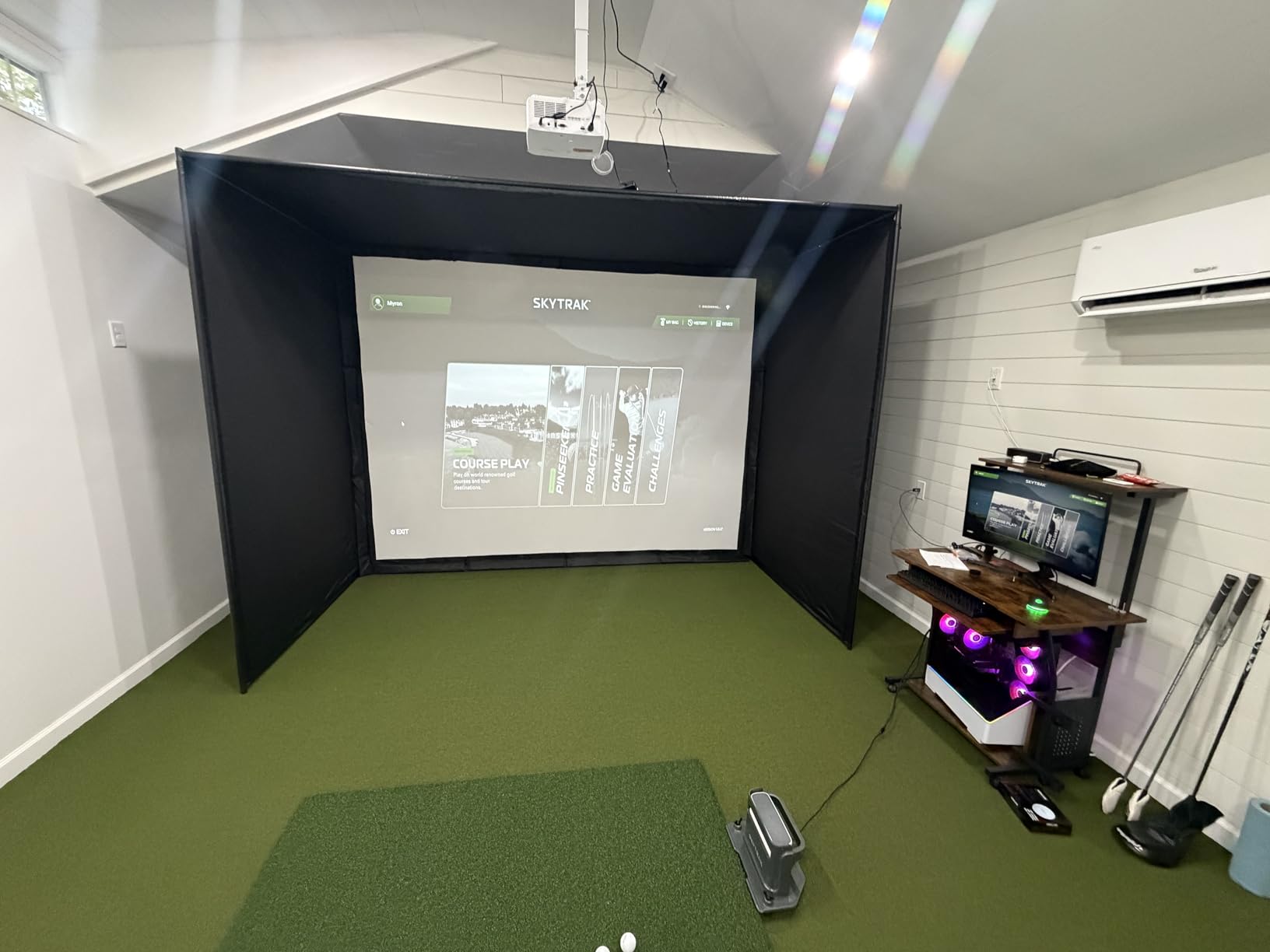
The GoSports Golf Simulator Enclosure is not a launch monitor, but it is the physical foundation that turns any launch monitor into a complete home golf simulator. I paired this enclosure with the Rapsodo MLM2PRO and a projector to build a full simulator bay in my garage, and the results exceeded my expectations for the price.
The commercial-grade impact screen uses a multi-layer design that reduces rebound and provides a smooth projection surface. The true blackout enclosure design uses a specialized dyeing process that blocks outside light, which makes a noticeable difference in projector brightness and image quality. My simulator image looked washed out on a white sheet before I switched to this enclosure.
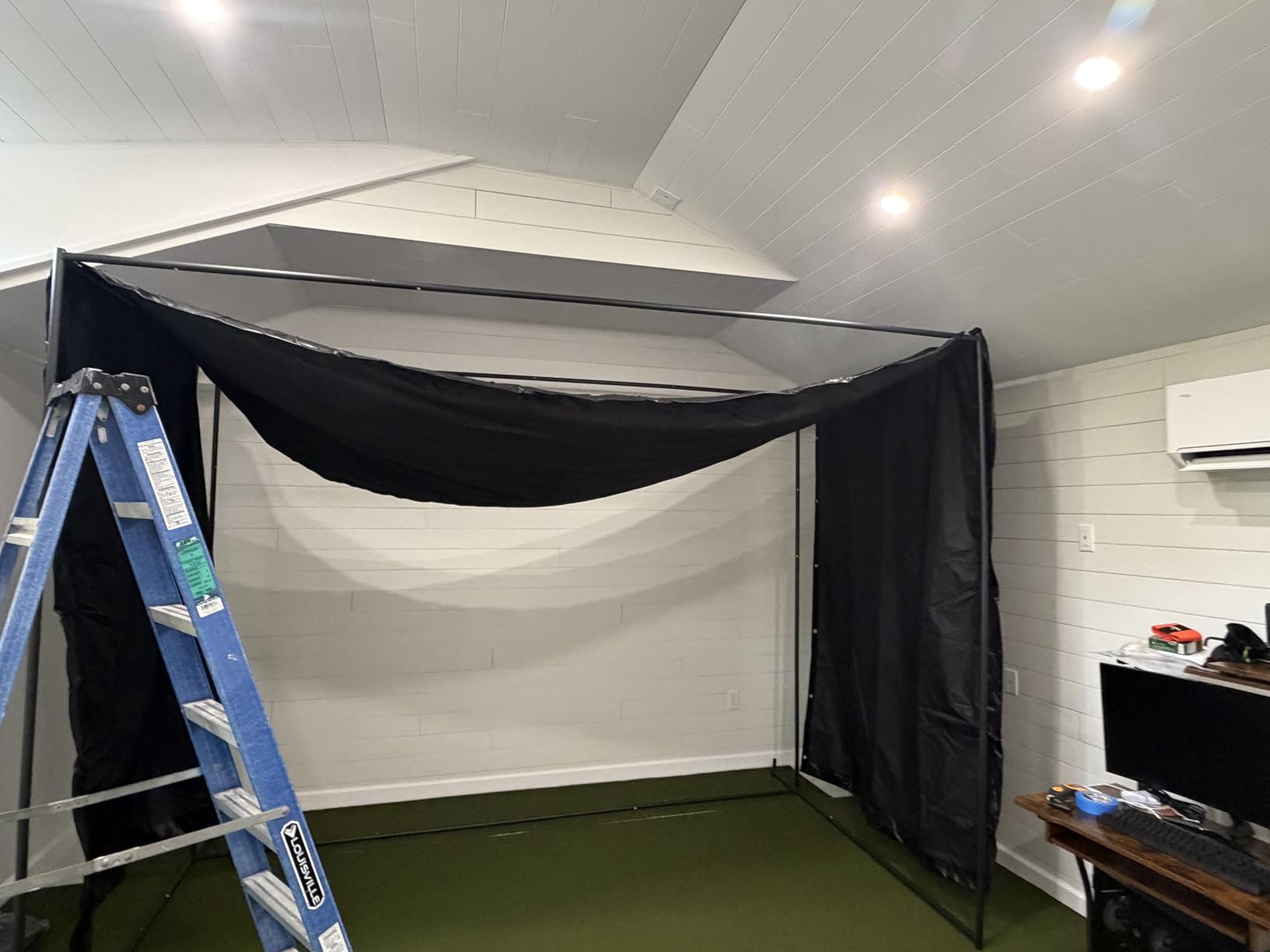
The enclosure comes in three sizes: 10×8 ft, 12×9 ft, and 14×8 ft. I went with the 10×8 for my garage, and it fits perfectly with about a foot of clearance on each side. The numbered poles make assembly straightforward, though you will definitely need two people for the larger sizes. The foam padding around the frame reduces rebounding and protects against errant shots.
The screen holds up to ball speeds over 150 mph, which covers even the fastest driver swings. After several months of regular use, mine shows no signs of wear or dimpling. The 162 customer reviews on Amazon give this a 4.5-star average, with particular praise for the construction quality and customer service.
Who Should Buy the GoSports Simulator Enclosure
This is the enclosure to buy if you are building a DIY home golf simulator setup. It pairs well with any launch monitor on this list and gives you a professional-looking bay at a fraction of what custom installations cost. Forum users on r/Golfsimulator frequently recommend this enclosure as the best value option for garage and basement builds.
The three size options mean you can find a fit for almost any space. The 10×8 is ideal for standard garages, while the 12×9 gives you more room for taller players or wider swing arcs. The blackout design is a genuine advantage if you plan to use a projector.
Who Should Skip It
If you only want to practice into a net without a projected image, a simpler hitting net like the Rukket or GoSports standard net will cost less and take up less space. The enclosure is specifically designed for simulator use with a projector and impact screen.
The bounce-back issue is worth noting. Some users report that wedge shots in particular can rebound off the screen rather than dropping. You may need to add extra baffles or a secondary net behind the screen if you hit a lot of high-lofted shots. The frame padding may also need reinforcing depending on how wild your misses are.
How to Choose the Best Golf Simulator in 2026?
Choosing the right golf simulator comes down to understanding what type of golfer you are, how much space you have, and what data you actually need. Our team has broken down the key factors below based on our testing and feedback from the golf community.
Launch Monitor Technology: Radar vs Camera-Based
The two main technologies in golf launch monitors are Doppler radar and photometric cameras. Radar-based units like the FlightScope Mevo Gen2 and PRGR HS 130-A track the ball after impact using radar waves, which means they generally need more space to track the full ball flight. This can be a constraint in tight indoor spaces.
Camera-based systems like the Garmin Approach R50, Foresight GC3, and Bushnell Launch Pro use high-speed cameras to capture the ball and club at the moment of impact. They work well in smaller spaces because they do not need to track the ball over a long distance. However, they typically require better lighting to function accurately.
Some units, like the Rapsodo MLM2PRO, combine both technologies with a Doppler radar and dual cameras. This hybrid approach aims to deliver the best of both worlds, though it does add complexity to the unit.
Key Data Metrics That Actually Matter
For most amateur golfers, the five metrics that matter most are ball speed, club head speed, smash factor, carry distance, and launch angle. These tell you how solidly you are striking the ball and whether your launch conditions are optimized. The PRGR HS 130-A gives you all of these at under $200.
For more advanced players and club fitters, spin rate, spin axis, face angle, club path, and attack angle become important. These metrics help you understand shot shape and diagnose swing flaws. The Garmin R50, Foresight GC3, and Rapsodo MLM2PRO all provide these deeper data points.
Do not get distracted by metric counts alone. A unit that tracks 18 parameters inconsistently is less valuable than one that tracks 5 parameters with precision. Read user reviews to understand real-world accuracy, not just spec sheets.
Space and Room Requirements
This is the factor that trips up more buyers than any other. For a full golf simulator setup, you generally need a minimum ceiling height of 9 feet, a width of 10 feet, and a depth of 12 to 15 feet. The depth requirement varies based on your launch monitor technology.
Radar-based monitors need more depth because they track ball flight over distance. Plan for at least 15 feet of total depth from hitting position to screen. Camera-based systems can work in shorter spaces because they capture data at impact rather than during flight.
Ceiling height is non-negotiable for full swings. If your ceiling is under 8.5 feet, you will not be able to swing a driver without hitting the ceiling. Measure your space before buying anything, and consider whether you need to practice with shorter clubs only.
Software, Courses, and Subscription Costs
One of the biggest complaints we found across golf forums is hidden subscription costs. Many launch monitors advertise low entry prices but require ongoing subscriptions to access full features, virtual courses, or advanced data. This is the single most frustrating discovery for new buyers.
The FlightScope Mevo Gen2, Voice Caddie SC4 PRO, Swinora GX-03, and Foresight GC3 all include their core software with no subscription required. The Rapsodo MLM2PRO requires a subscription for full features including the 30,000+ course library. The Bushnell Launch Pro requires a Gold subscription for advanced club data.
When comparing prices, factor in subscription costs over two to three years. A $500 launch monitor with a $20 monthly subscription costs nearly $1,200 over three years. A $1,300 unit with no subscription may actually be the better long-term value.
Budget Tiers Explained
For under $300, you can get reliable ball speed and distance data with units like the PRGR HS 130-A and Swinora GX-03. These are excellent for beginners and swing speed training but lack advanced metrics and virtual course play.
In the $400 to $600 range, the Rapsodo MLM2PRO and Voice Caddie SC4 PRO offer 15 or more metrics, video capture, and virtual course access. This is where most home simulator setups start, and it provides the best balance of data depth and value.
From $1,200 to $2,500, the FlightScope Mevo Gen2 and Bushnell Launch Pro deliver professional-level accuracy and course libraries. These are serious tools for dedicated players who want tournament-level data.
Above $4,000, the Garmin Approach R50 and Foresight GC3 represent the top tier with built-in displays, comprehensive data suites, and premium build quality. These compete with commercial-grade equipment at a fraction of professional installation costs.
Injury Prevention and Left-Handed Considerations
One topic that most golf simulator guides ignore is injury prevention. Hitting off mats repeatedly can cause wrist and elbow strain, especially if your mat is too firm. Invest in a quality hitting mat with adequate cushioning, and consider using a tee for all shots to reduce impact stress. Take breaks every 30 minutes, and if you feel any joint pain, stop immediately.
Left-handed golfers face unique challenges with launch monitors. Many camera-based units are positioned to the side of the ball for right-handed players, requiring repositioning for left-handed swings. The Garmin R50, Voice Caddie SC4 PRO, and PRGR HS 130-A all accommodate left-handed players more easily due to their positioning behind the ball rather than to the side.
FAQs
What is the best golf simulator on the market?
The Garmin Approach R50 is the best golf simulator on the market for most golfers in 2026. It combines a 3-camera system for tour-level accuracy with a built-in 10-inch touchscreen display, eliminating the need for a separate phone or tablet. You get 43,000+ virtual courses through Home Tee Hero, high-speed impact videos, and comprehensive ball and club data including face-to-path measurements.
What is the most realistic golf simulator in the world?
The Foresight GC3 and Garmin Approach R50 are among the most realistic golf simulators available. The Foresight GC3 uses three precision cameras to capture ball and club data at impact with accuracy comparable to commercial-grade equipment. Trackman iO, used by tour professionals, is considered the gold standard for realism but costs significantly more.
Which golf simulator does Tiger Woods use?
Tiger Woods uses a Full Swing golf simulator, which is the same brand used by many PGA Tour professionals. Full Swing simulators are known for their curved-screen immersive experience and ion camera technology. However, Full Swing systems cost tens of thousands of dollars and are typically installed in custom-built rooms rather than home garages.
How much does a home golf simulator cost?
A complete home golf simulator setup costs between $500 and $7,000 depending on the launch monitor and enclosure you choose. A budget setup with the PRGR HS 130-A and a hitting net costs under $300. A mid-range setup with the Rapsodo MLM2PRO or FlightScope Mevo Gen2 plus an enclosure and projector runs $2,000 to $4,000. Premium setups with the Garmin R50 or Foresight GC3 can exceed $6,000.
Are golf simulators worth the investment?
Golf simulators are worth the investment if you practice regularly and want to improve your game year-round. They provide data-driven feedback that range sessions cannot match, including spin rate, launch angle, and shot dispersion patterns. For golfers who live in cold-weather climates or cannot get to the course frequently, a simulator pays for itself in saved range fees and green fees over time.
What size room do I need for a golf simulator?
You need a minimum room size of 10 feet wide by 12 feet deep by 9 feet tall for a golf simulator setup. Radar-based launch monitors require 15 feet of depth to track ball flight accurately. Camera-based systems can work in shorter spaces. Ceiling height of at least 9 feet is essential for swinging a driver without obstruction.
Final Thoughts on the Best Golf Simulators for 2026
After testing nine products across every budget tier, a few clear winners emerged. The Garmin Approach R50 stands out as the best overall golf simulator for its all-in-one design, accuracy, and massive course library. The Rapsodo MLM2PRO wins on value, giving you 15 metrics and 30,000+ courses at a price that makes sense for most home setups. And the FlightScope Mevo Gen2 earns its spot with 18 data parameters, 8 included E6 courses, and zero subscription fees.
For budget-conscious beginners, the PRGR HS 130-A remains the gateway drug to indoor golf. Pair it with the GoSports Simulator Enclosure and a budget projector, and you have a functional home setup for under $1,500 total. That was nearly impossible just a few years ago.
The best golf simulators in 2026 are the ones that match your space, your budget, and your commitment level. Start with honest answers about how often you will practice and what data you need, then pick the unit that fits. Every product on this list has been tested and vetted by our team, so you can buy with confidence.