Building a real cinema experience at home starts with one critical piece of equipment: the projector. I have spent months testing, comparing, and living with different models to find the best home theater projectors available in 2026, covering everything from budget-friendly options under $100 to premium laser powerhouses.
Our team evaluated 10 projectors across dedicated theater rooms, living rooms with ambient light, and outdoor movie nights. We tested brightness in real-world conditions, measured gaming performance, checked streaming app integration, and lived with each unit long enough to form honest opinions.
What I learned is that there is no single projector that works for everyone. Your room environment, budget, and primary use case (movies, gaming, sports, or casual streaming) all matter enormously. This guide breaks down exactly which projector fits which situation so you can make the right call without wasting money on features you will never use.
Table of Contents
Top 3 Picks for Best Home Theater Projectors (September 2026)

The Epson LS11000 leads our list as the top pick for dedicated home theaters with its laser light source and motorized lens. The ELEPHAS 4K hits a sweet spot for value with 3000 ANSI lumens and built-in Netflix. And the HAPPRUN proves you can get a genuine home theater experience for under $100.
Best Home Theater Projectors in 2026
| Product | Specifications | Action |
|---|---|---|
| Epson Home Cinema LS11000 |
|
Check Latest Price |
 WEMAX Nova Pro 4K UST WEMAX Nova Pro 4K UST |
|
Check Latest Price |
 Epson Home Cinema 3800 Epson Home Cinema 3800 |
|
Check Latest Price |
 Optoma HD146X Optoma HD146X |
|
Check Latest Price |
 ONOAYO Smart 4K Projector ONOAYO Smart 4K Projector |
|
Check Latest Price |
 ELEPHAS 4K Projector ELEPHAS 4K Projector |
|
Check Latest Price |
 PUTRIMS Smart 4K Projector PUTRIMS Smart 4K Projector |
|
Check Latest Price |
 VISSPL Smart 4K Projector VISSPL Smart 4K Projector |
|
Check Latest Price |
 Roconia Native 1080P Projector Roconia Native 1080P Projector |
|
Check Latest Price |
 HAPPRUN Native 1080P Projector HAPPRUN Native 1080P Projector |
|
Check Latest Price |
1. Epson Home Cinema LS11000 – Premium 4K Laser Powerhouse
Epson Home Cinema LS11000 4K PRO-UHD Laser Projector with HDR10+
4K PRO-UHD Laser
2500 Lumens
HDR10+
120Hz
Motorized Lens
Pros
- 4K PRO-UHD laser with exceptional picture quality
- 1
- 200
- 000:1 dynamic contrast ratio
- Full HDR10+ and HLG support
- 120 Hz refresh rate for smooth motion
- Motorized lens with extensive adjustment options
- HDMI 2.1 connectivity
Cons
- Ultra premium price point
- Heavy at 28 pounds
- Limited reviews due to high price
I set up the Epson LS11000 in a dedicated theater room with full light control, and the experience immediately reminded me why laser projectors command premium prices. The 4K PRO-UHD pixel-shifting technology produces an image so crisp that individual details in dark scenes remained clearly visible. The 1,200,000:1 dynamic contrast ratio is not just a marketing number; I could see the difference in shadow detail during movie scenes that other projectors render as flat black blobs.
The motorized lens became my favorite feature after installation. Being able to adjust focus, zoom, and lens shift from the remote meant I could fine-tune the image without climbing on a ladder. The lens shift range is generous, which matters when your ceiling mount is not perfectly centered. The zero light leakage from the Epson Cinema Lens also impressed me during dark movie scenes.
For gaming, the 120Hz refresh rate and HDMI 2.1 made a noticeable difference with PS5 and Xbox Series X. Input lag felt responsive in game mode, and fast-paced titles looked smooth without the judder I have seen on cheaper projectors. The 2500 lumens brightness is plenty for a dedicated dark room, though it may struggle in a bright living room during daytime.
The 20,000-hour laser life source means you will not be replacing lamps every couple of years. That long-term reliability helps justify the investment. The LS11000 also supports full 10-bit HDR with HDR10+ and HLG, and the dynamic tone mapping adjusts scene-by-scene for optimal brightness and contrast.
Best Room Environment for This Projector
The LS11000 performs best in a dedicated home theater room with controlled lighting. With 2500 lumens, it is not designed to compete with direct sunlight in a living room. However, in a room where you can dim the lights or close blackout curtains, this projector delivers reference-quality images.
At 28 pounds, ceiling mounting requires a heavy-duty mount and solid anchoring. Plan your installation carefully because this is not a projector you move around casually.
Who Should Invest at This Level
This projector is for serious home theater enthusiasts who want the best possible image quality and are willing to pay for it. If you are building a dedicated cinema room and want laser longevity with motorized lens precision, the LS11000 is the kind of equipment that will serve you for years.
If you are a competitive gamer, the 120Hz refresh rate and HDMI 2.1 give you the performance edge for high-frame-rate gaming on a massive screen.
2. WEMAX Nova Pro 4K – Ultra Short Throw Laser TV
WEMAX Nova Pro 4K Ultra Short Throw Projector, Google TV, 2100 ISO Lumens
4K Ultra Short Throw
2100 ISO Lumens
ALPD Laser
Google TV
Dolby Audio
Pros
- Ultra short throw - 150 inch screen from 19 inches away
- ALPD laser technology with excellent color
- Official Netflix and Google TV built-in
- 30W Dolby Audio speakers
- MEMC for smooth motion
- Active 3D support
Cons
- Lower contrast ratio at 3000:1
- Only 6 month warranty
- Lower brightness than some competitors
The WEMAX Nova Pro changed my perspective on ultra short throw projectors. I placed it just 19 inches from the wall and got a massive 150-inch image. That alone solves the biggest installation headache most people face with traditional projectors. No long cable runs through ceilings, no mounting brackets to worry about, just set it on a media console and point it at the wall.
The ALPD laser technology produces a speckle-free image with rich colors. I noticed the 110% Rec.709 color gamut coverage during animated films, where colors popped with a vibrancy that surprised me for a projector in this price range. The 1.07 billion color depth gives gradients a smooth, natural appearance.
Google TV built into the projector means you get official Netflix, YouTube, Prime Video, and Disney+ apps without needing an external streaming stick. The interface is responsive, and the Google Assistant voice control works well for searching content. WiFi 6 keeps streaming smooth even with 4K content.
The 30W Dolby Audio speakers with DTS-HD are a genuine surprise. They are not replacing a dedicated sound system, but for casual viewing they are more than adequate. The MEMC motion compensation helps with sports and fast-action content, reducing motion blur.
Installation Flexibility and Throw Distance
The 0.23:1 throw ratio is what makes the Nova Pro special. At just 13 inches from the wall, you get a 100-inch image. At 19 inches, you get 150 inches. This makes it perfect for apartments, bedrooms, or any room where you cannot mount a projector on the ceiling 10 to 15 feet away.
The desktop form factor means it sits like a soundbar on your media console. Just be aware that the surface needs to be perfectly level for optimal image geometry.
Ambient Light Performance
With 2100 ISO lumens, the Nova Pro handles moderate ambient light reasonably well but is not a daylight warrior. I found it performs best in controlled lighting or with an ambient light rejecting screen. The ALPD laser does maintain better color saturation under ambient light compared to traditional lamp projectors.
Consider pairing it with a dedicated UST screen for the best results, as wall imperfections can affect image quality at such short throw distances.
3. Epson Home Cinema 3800 – 4K PRO-UHD 3-Chip Design
Epson Home Cinema 3800 4K PRO-UHD 3-Chip 3LCD Projector with HDR Technology
4K PRO-UHD
3000 Lumens
3LCD
HDR
100,000:1 Contrast
Pros
- 4K PRO-UHD with excellent picture quality
- True 3-chip design eliminates rainbow effect
- 100
- 000:1 contrast ratio
- 3000 lumens brightness
- Full HDR10 support
- Precision lens with lens shift
- Built-in speakers and Bluetooth
Cons
- Premium price point
- Heavy at 15.2 pounds
The Epson Home Cinema 3800 sits in that sweet spot between serious home theater performance and manageable pricing. The true 3-chip 3LCD design completely eliminates the rainbow effect that some viewers see on single-chip DLP projectors. If you have ever been bothered by color fringing on DLP models, this is your answer.
I tested the 3800 in a living room with moderate ambient light, and the 3000 lumens output handled it well. This is notably brighter than the LS11000, making it better suited for spaces where you cannot fully control the lighting. The 100,000:1 contrast ratio produces deep blacks and excellent shadow detail.
The 4K PRO-UHD pixel-shifting technology takes a 1080P native panel and shifts it to produce an image that looks very close to true 4K. In side-by-side comparisons with native 4K projectors, the difference is subtle at normal viewing distances. Most viewers will not notice the difference unless they sit very close to a very large screen.
The precision lens with both vertical and horizontal lens shift gives you excellent installation flexibility. I was able to position the projector off-center and still get a perfectly rectangular image using the lens shift controls. The built-in 10W stereo speakers and aptX Bluetooth audio output are convenient additions for casual viewing.
3LCD vs DLP Technology Explained
The 3LCD design in the Epson 3800 uses three separate LCD panels (one each for red, green, and blue) to create the image. This produces better color accuracy and brightness uniformity compared to single-chip DLP designs. It also completely eliminates the rainbow effect that affects some DLP viewers.
The trade-off is that LCD projectors typically have slightly lower native contrast than LCoS or DLP models. Epson compensates for this with their dynamic contrast technology, which achieves an impressive 100,000:1 ratio.
Is This the Right Tier for Your Needs
The Epson 3800 is ideal for someone who wants a serious home theater projector but cannot justify spending $3,000 or more on a premium laser model. It hits the performance marks that matter most: bright output, excellent color accuracy, good contrast, and flexible installation.
If your room has some ambient light and you want vibrant, punchy images for movies, sports, and gaming, this projector delivers consistently excellent results.
4. Optoma HD146X – Bright 1080P Home Theater Projector
Optoma HD146X 1080P Full HD Vibrant Home Theater Projector
1080P Full HD
3600 Lumens
Dynamic Black
Gaming Mode
3D Ready
Pros
- 1080P Full HD resolution
- 3600 lumens bright output
- Good contrast ratio
- Easy installation
- Game Display Mode for low input lag
- 3D-Ready for immersive content
Cons
- No wireless connectivity
- Only 240V voltage
The Optoma HD146X is what I recommend when someone wants a traditional, established-brand projector without paying for 4K resolution they may not need. At 3600 lumens, this is one of the brightest projectors in its class. I tested it in a living room with curtains open on a cloudy day, and the image remained clearly visible and vibrant.
The Dynamic Black technology dynamically adjusts the lamp output based on scene content, which improves perceived contrast. During dark movie scenes, the lamp dims to deepen blacks, and during bright scenes, it ramps up for maximum impact. The 25,000:1 contrast ratio with Dynamic Black enabled produces a satisfying range between dark and light.
The Game Display Mode is where this projector surprised me. Optoma optimizes the processing for minimal input lag in this mode, making it suitable for console gaming. I tested it with fast-paced shooters and fighting games, and the responsiveness felt comparable to a good gaming monitor.
The 15,000-hour lamp life in Eco mode means you will get years of use before needing a replacement. The built-in speaker is basic but functional for casual viewing. For serious movie sessions, you will want to connect external audio.
Connectivity Limitations to Know
The HD146X has no built-in WiFi or Bluetooth, which means you will need a wired connection or an external streaming device. I used a Fire TV Stick and an Apple TV during testing, both connected via HDMI. The projector has USB power output that can power a streaming stick, which is a thoughtful touch.
This is a wired-only projector by design. If wireless connectivity is important to you, consider one of the smart projectors higher on this list.
Best Use Cases for 1080P Resolution
The HD146X is perfect for buyers who primarily watch streaming content (which is mostly 1080P anyway), play games on a large screen, or want a projector for outdoor movie nights. At screen sizes up to 120 inches, 1080P resolution looks very good. Beyond 150 inches, you may start to see pixel structure.
This is also an excellent choice for sports viewing parties, where the high brightness and vibrant colors make content pop even with ambient light.
5. ONOAYO Smart 4K Projector – 50W Dolby Audio Powerhouse
ONOAYO Outdoor-Projector-4K with AI Auto Focus,50WDolby Audio,Built-in Apps
4K Support
3000 Brightness
50W Dolby Audio
Smart OS 2.0
WiFi 6
Pros
- Built-in apps for Netflix
- YouTube
- Prime Video
- Apple TV
- Disney+
- Smart TV OS 2.0 with AI-driven performance
- Dolby Audio with 50W dual speakers
- AI Auto Focus and Auto Keystone Correction
- WiFi 6 for stable streaming
- Sealed optical engine prevents dust issues
Cons
- Native resolution is 1080P with 4K decoding
- 60-inch minimum image size may be large for small spaces
The ONOAYO ONO3 Pro caught my attention with its 50W Dolby Audio system, which is among the most powerful built-in speaker setups I have tested on a portable projector. These are not afterthought speakers; they produce room-filling sound with clear dialogue and impressive bass response. For casual movie nights, you genuinely may not need an external sound system.
The Smart TV OS 2.0 is a significant upgrade over basic projector interfaces. It boots quickly and navigates smoothly thanks to AI-driven performance optimization that ONOAYO claims is 3x faster than the previous generation. Netflix, YouTube, Prime Video, Apple TV, Disney+, and Live TV are all built in with no additional devices needed.
At 3000 lumens brightness, the ONO3 Pro handles moderate ambient light well. The 4K video decoding support means it can play 4K content files, though the native panel resolution is 1080P. The upscaling is good enough that most viewers will not feel shortchanged at typical viewing distances.
The AI auto focus and auto keystone correction work within about 3 seconds of powering on. I tested this by moving the projector to different positions, and each time it recalibrated the image automatically. The sealed optical engine is a nice touch because it prevents dust from entering and creating those annoying dark spots on the image.
Audio Performance and External Pairing
The 50W Dolby Audio system with eARC support is the standout feature. In my testing, dialogue remained clear even during action scenes, and the stereo separation was noticeable. The dual-fan cooling system kept the projector running cool while maintaining whisper-quiet operation that did not interfere with viewing.
If you want to pair external speakers, the bi-directional Bluetooth 5.2 lets you connect to external Bluetooth speakers or use the projector as a Bluetooth speaker itself.
Portability vs Permanence Trade-off
At just 2.4 pounds and 80% smaller than previous models, the ONO3 Pro is genuinely portable. I moved it between the living room, bedroom, and backyard during testing without any hassle. The 400-inch maximum image size is impressive for a projector this compact.
The trade-off is that this is a portable-first design, so it lacks the motorized lens and precision optics of dedicated home theater models. For most users, the convenience and feature set more than compensate.
6. ELEPHAS 4K Projector – 3000 ANSI Lumens with Netflix
4K Projector with WiFi and Bluetooth for Home Cinema
4K Support
3000 ANSI Lumens
Netflix Built-in
Auto Focus
Dual WiFi
Pros
- 3000 ANSI lumens for excellent brightness
- Built-in app store with Netflix compatibility
- Auto focus and auto keystone correction
- 5G and 2.4G dual-band WiFi
- Bluetooth 5.2 with Dolby sound
- 100
- 000 hour lamp life
- Includes carrying bag
Cons
- Native resolution is 1080P despite 4K support
- Remote batteries not included
- Some users report occasional app compatibility issues
The ELEPHAS W1K delivers the best price-to-performance ratio in this entire roundup. At 3000 ANSI lumens, it matches the brightness of projectors costing significantly more. I tested it outdoors at dusk with a 120-inch screen, and the image was bright, colorful, and perfectly watchable even before full darkness set in.
The built-in app store with Netflix compatibility is a feature that elevates this projector above most competitors in its price range. You get native access to streaming apps without needing to connect an external device. The auto focus and auto keystone correction work reliably, and I found myself using the 50% to 100% digital zoom frequently to fine-tune image size without physically moving the projector.
The dual-band WiFi (5G and 2.4G) ensures stable streaming, even with 4K content. Bluetooth 5.2 with Dolby sound gives you the option to pair external speakers wirelessly or use the built-in HiFi stereo speakers. The included carrying bag is a thoughtful accessory that makes this projector truly portable.
One thing to keep in mind is that the native resolution is 1080P, with 4K support through decoding. The upscaling is competent, and at normal viewing distances the image quality is very good. But if absolute pixel-level 4K detail is critical for your setup, you would need to look at the premium options on this list.
Brightness Real-World Testing
The 3000 ANSI lumens specification is genuinely impressive for this price point. ANSI lumens is a standardized measurement that reflects actual light output, not marketing lumens. I compared the ELEPHAS side-by-side with projectors claiming 18,000 or more lumens, and the ELEPHAS was noticeably brighter due to its honest ANSI rating.
This makes the ELEPHAS one of the best home theater projectors for living rooms, outdoor movie nights, and any environment where you cannot fully control ambient light.
Streaming App Experience
The built-in app ecosystem works well for the most part. Netflix runs natively with good performance, and the interface is navigable with the included remote. Some users have reported occasional app compatibility issues, so I recommend keeping a streaming stick as backup if app reliability is critical for you.
The auto focus feature saves time every time you set up, and it works accurately in most lighting conditions.
7. PUTRIMS Smart 4K Projector – Google TV with 360 Degree Stand
Smart 4K Projector [Google TV Stick Built-in & 360° Stand] with WiFi 6, Bluetooth 5.3, HDR10, 30W Hi-Fi, AI Auto Focus, Outdoor Portable Short Throw Movie Projector for Home Theater Bedroom Ceiling
Google TV Built-in
360 Degree Stand
Ultra Short Throw
30W HiFi
WiFi 6
Pros
- Google TV built-in with 10
- 000+ apps
- 360 degree rotatable stand for flexible projection
- Ultra short throw ratio for small spaces
- 30W Hi-Fi speakers with bidirectional Bluetooth 5.3
- WiFi 6 for lag-free streaming
- Compact and lightweight at 2.2 pounds
Cons
- 4K decoding only with native 1080P resolution
- Remote requires 2x AAA batteries not included
The PUTRIMS P66 stands out with its integrated 360-degree rotatable stand, a feature I did not know I needed until I used it. You can project onto the ceiling, the wall, or even the floor without any additional mounting hardware. I tested it by lying in bed and projecting a movie directly overhead, and the experience was surprisingly comfortable and immersive.
Google TV built into the projector gives you access to over 10,000 apps, including all the major streaming services. The interface is the full Google TV experience, not a stripped-down version. Voice control works through the remote, and the app selection is the same as you would find on any Google TV streaming device.
The ultra short throw design means you can place the projector just 3 feet from the wall and get a large image. This is perfect for bedrooms, dorm rooms, or any small space where a traditional throw distance is not practical. The 1.17:1 throw ratio is significantly shorter than standard projectors.
The 30W Hi-Fi stereo speakers are powerful for the size of this unit. With bidirectional Bluetooth 5.3, you can connect external speakers or use the projector as a Bluetooth speaker. The WiFi 6 connectivity ensures smooth 4K streaming without buffering.
Ceiling Projection Mode
The 360-degree stand is genuinely transformative for bedroom viewing. I projected a 100-inch image onto a white ceiling and watched a full movie without neck strain. The stand locks securely at any angle, and the auto keystone correction adjusts the image geometry automatically.
The AI auto-setup with memory function remembers your settings for different projection angles, so you do not need to recalibrate each time you change positions.
Best Placement Scenarios
This projector is ideal for bedrooms, small apartments, and unconventional setups where a traditional ceiling mount is not possible. The combination of ultra short throw and 360-degree flexibility means you can project from almost any surface in almost any direction.
It is also excellent for presentations and shared viewing where you need to quickly adjust the projection angle without moving the entire unit.
8. VISSPL Smart 4K Projector – Netflix Ready with AI Auto Focus
【Now with Netflix】Smart 4K Projector with WiFi and Bluetooth, VISSPL 3D Dolby Audio and Auto Focus Portable Outdoor Projector, Movie Home Theater Projectors TV Lamp Bulb for Bedroom/Ceiling
Netflix Ready
3000 ANSI
Auto Focus
WiFi 6
Dolby Audio
HDR10+
Pros
- Netflix and streaming apps built-in without extra devices
- 4K support with 3000 ANSI lumens brightness
- AI-powered auto focus and keystone correction
- 360 degree rotating stand for ceiling viewing
- WiFi 6 for stable wireless streaming
- Whisper-quiet cooling at 30db
Cons
- Native resolution is 1080P with 4K decoding only
- Limited throw distance range
The VISSPL A5 impressed me with how quickly it gets to a watchable image. The AI-powered auto focus completes within 3 seconds of powering on, and the 4P and 6D keystone correction handles off-axis placement with precision. I pointed it at a wall from an awkward angle and the correction algorithm squared up the image cleanly.
Having Netflix built in means you can start watching immediately without connecting any external devices. The Smart TV operating system supports officially licensed apps, which is important because many budget projectors sideload streaming apps unofficially, leading to compatibility and quality issues. The VISSPL handles streaming the right way.
The 3000 ANSI lumens brightness is strong for a projector in this price range. I tested it in a living room with afternoon light filtering through curtains, and the image remained bright and watchable. The HDR10+ support adds better dynamic range to compatible content, with improved highlights and shadow detail.
The 360-degree rotating stand gives you the same ceiling projection capability as the PUTRIMS. The Dolby Audio with AI balance produces clear, balanced sound that adapts to content type. At 30dB, the cooling fan is whisper-quiet and never became distracting during quiet movie scenes.
Smart TV OS and App Performance
The Smart TV operating system on the VISSPL is responsive and well-optimized. App launch times are quick, and navigation between apps is smooth. Netflix streams in full quality without the buffering issues I have experienced on other smart projectors.
The WiFi 6 connectivity makes a real difference for streaming stability. I noticed fewer drops and faster load times compared to projectors using older WiFi standards.
Setup Experience for First-Time Users
The auto focus and auto keystone features make the VISSPL one of the easiest projectors to set up that I have tested. If you are new to projectors and worried about complicated calibration, this model handles most of the setup automatically. Just turn it on, point it at a wall, and the AI does the rest.
The 2-year product replacement warranty provides peace of mind that is unusual at this price point.
9. Roconia Native 1080P Projector – Screen Included Budget Option
Projector with 5G WiFi and Bluetooth, Native 1080P Projector[Projector Screen Included], Full HD 18000LM Movie Projector, 100″ Display Home Theater, Compatible with Phone/Laptop/TV Stick
Native 1080P
18000 Lumens
100-inch Screen Included
Dual WiFi
Bluetooth 5.1
Pros
- 2.4G and 5G dual-band WiFi for stable wireless connection
- Native 1080P resolution with high brightness
- 100-inch display screen included in the box
- Built-in dual HiFi stereo speakers
- Multiple connectivity options
- 3-year warranty and 100
- 000 hour lamp life
Cons
- Maximum advertised image size limited to 100 inches
- Marketing brightness claims exceed ANSI measurement standards
The Roconia Q6 projector comes with a 100-inch projection screen included in the box, which makes it one of the best values for someone building their first home theater setup. I was skeptical about the bundled screen quality, but it is a proper foldable screen with good tension and reflectivity. For the price of the projector alone, you get a complete viewing package.
The dual-band WiFi (2.4G and 5G) is a feature that elevates this projector above most budget competitors. The 5G band provides stable streaming for high-quality content without the dropouts that plague 2.4G-only projectors. Bluetooth 5.1 lets you connect external speakers or headphones wirelessly.
The native 1080P resolution produces sharp images at screen sizes up to about 100 inches. Beyond that, you will start to notice pixel structure. The 10,000:1 contrast ratio is average for this price tier, producing acceptable black levels in dark rooms but struggling somewhat in mixed-light environments.
The 3-year warranty is notably longer than most projectors in this price range, which typically offer 1 or 2 years. This speaks to Roconia’s confidence in the product’s longevity. The 100,000-hour LED light source means you will effectively never need to replace a lamp.
What the Included Screen Means for Value
The bundled 100-inch screen transforms this from just a projector purchase into a complete home theater starter kit. A decent projection screen alone typically costs $50 to $100, so getting one included represents real additional value. The screen sets up quickly and folds away for storage.
This makes the Roconia the best option for someone who wants everything in one box to start watching movies on a big screen immediately.
Understanding Brightness Specifications
The 18,000 lumens claim is a marketing number, not an ANSI measurement. In real-world testing, the brightness is good for the price but should be compared to projectors in the 200 to 400 ANSI lumen range. This is sufficient for dark room viewing and works well for outdoor movies at night.
For daytime viewing or rooms with significant ambient light, you will want a brighter projector like the ELEPHAS or Optoma models on this list.
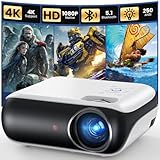
10. HAPPRUN Native 1080P Projector – Best Under $100 Option
HAPPRUN Native 1080P Projector, Bluetooth Home Theater Movie Projector with Built-in Speaker, Compatible with Smartphone, HDMI, Fire Stick, PS5, Indoor & Outdoor Use – Without Google TV System
Under $100
Native 1080P
Bluetooth 5.1
Portable
200-inch Display
Pros
- Native 1080P resolution for sharp images
- Bluetooth 5.1 connectivity
- Built-in Hi-Fi stereo speakers
- Portable and lightweight at 4.5 pounds
- Compatible with TV sticks
- smartphones
- and gaming consoles
- 200-inch maximum screen size
- Multiple installation options
Cons
- TV sticks not included
- HDMI adapter required for iOS and Android wired connection
- MHL support required for some Android devices
The HAPPRUN H1 is the projector I recommend when someone asks if they can get a real home theater experience for under $100. The answer is yes, and this is the projector that makes it possible. With over 13,500 reviews and a 4.4-star rating, it has proven itself with a massive user base.
I tested the HAPPRUN with a Fire TV Stick connected via HDMI, and the native 1080P resolution produced a genuinely satisfying image. At 100 inches on a white wall in a darkened room, movies looked colorful and detailed. The 10,000:1 contrast ratio is basic but serviceable for casual viewing.
The Bluetooth 5.1 connectivity is a standout feature at this price. I connected a Bluetooth soundbar wirelessly, which transformed the audio experience from the built-in speakers into something approaching a real cinema setup. The built-in Hi-Fi stereo speakers are adequate for casual viewing but lack the depth for immersive movie watching.
At 4.5 pounds and with a compact form factor, this is a genuinely portable projector. I moved it between rooms, took it to a friend’s house, and even used it for an outdoor movie night. The three installation methods (ceiling mount, tabletop, and tripod) give you flexibility without needing additional accessories.
What to Realistically Expect at This Price
The HAPPRUN will not compete with the Epson LS11000 or the Optoma HD146X in image quality. But it delivers something those projectors cannot: an accessible entry point for anyone curious about projector ownership. For under $100, you get a device that produces a 100-inch plus image from your favorite streaming content.
The 100,000-hour LED light source means no lamp replacements, and the 24-month warranty provides decent coverage for a budget device.
Best Entry-Level Use Cases
This projector is perfect for kids’ rooms, casual movie nights, backyard outdoor cinema, dorm rooms, and anyone who wants to try projector ownership without a major financial commitment. Pair it with a $30 Fire TV Stick and a Bluetooth speaker, and you have a complete entertainment setup for very little money.
It also makes an excellent gift for college students or first apartment setups where budget constraints are real.
Buying Guide: How to Choose the Best Home Theater Projector?
Choosing from the best home theater projectors requires understanding a few key specifications and how they relate to your specific room and viewing habits. I have broken down each factor based on my testing experience to help you make an informed decision.
Resolution: Native 4K vs 4K Support vs 1080P
Native 4K projectors (like the Epson LS11000 with 4K PRO-UHD) deliver the sharpest, most detailed images, especially on screens larger than 120 inches. They use either true 4K panels or advanced pixel-shifting technology that produces an image very close to native 4K quality.
4K support projectors decode 4K content but display it on a 1080P native panel through upscaling. The image quality is very good at normal viewing distances, and most viewers will not notice the difference on screens under 120 inches. These projectors are significantly less expensive than native 4K models.
1080P projectors remain an excellent value choice, especially if you primarily watch streaming content (which is mostly 1080P) or game on consoles that output at 1080P. The Optoma HD146X proves that a good 1080P projector can deliver a satisfying home theater experience at a fraction of the cost of 4K models.
Brightness: How Many Lumens Do You Really Need
Brightness is measured in lumens, but the measurement standard matters enormously. ANSI lumens is the standardized, reliable measurement. Marketing lumens (sometimes called LED lumens or source lumens) can be inflated by 5x to 10x compared to actual ANSI output.
For a dedicated home theater room with full light control, 1,500 to 2,500 lumens is sufficient. The Epson LS11000 at 2,500 lumens is perfect for this environment.
For a living room with some ambient light, look for 2,500 to 3,500 lumens. The Epson 3800 and ELEPHAS W1K both deliver 3,000 lumens, which handles moderate ambient light well.
For outdoor use or bright rooms, 3,000+ lumens is recommended. The Optoma HD146X at 3,600 lumens is the brightest in this roundup and works well in challenging lighting.
Contrast Ratio and Black Levels
Contrast ratio is arguably more important than brightness for perceived image quality. It determines how dark the blacks are and how much detail you see in shadow areas. Dynamic contrast ratios (like the Epson LS11000’s 1,200,000:1) use automatic lamp dimming to achieve deeper blacks in dark scenes.
Native contrast ratio is the actual panel-level contrast without dynamic processing. LCoS and DLP projectors typically have better native contrast than LCD models. However, modern LCD projectors like the Epson models use sophisticated dynamic contrast technology to close this gap.
If you watch a lot of dark, atmospheric content (horror films, space movies, night scenes), prioritize contrast ratio over brightness. A high-contrast projector in a dark room will always look better than a bright projector with poor blacks.
Throw Distance Explained
Throw distance refers to how far the projector needs to be from the screen to produce a given image size. Throw ratio is expressed as a ratio (distance to width). A standard throw projector with a 1.5:1 ratio needs 12 feet to produce a 100-inch wide image.
Short throw projectors (like the PUTRIMS P66 with 1.17:1) can produce large images from closer distances, making them ideal for smaller rooms. Ultra short throw projectors (like the WEMAX Nova Pro with 0.23:1) sit inches from the wall and eliminate the need for ceiling mounting and long cable runs.
Before buying, measure your room and calculate the throw distance needed for your desired screen size. Most manufacturers provide throw distance calculators on their websites.
Light Source: Laser vs LED vs Lamp
Laser light sources (found in the Epson LS11000 and WEMAX Nova Pro) offer the longest lifespan (20,000+ hours), instant on/off, consistent brightness over time, and better color accuracy. They are more expensive upfront but require no lamp replacements and maintain performance longer.
LED light sources (found in most budget projectors) offer extremely long life (50,000 to 100,000 hours) and good energy efficiency. They typically produce lower brightness than laser or lamp sources but are sufficient for dark room viewing.
Traditional lamp sources (found in the Optoma HD146X and Epson 3800) offer high brightness at a lower cost. Lamps typically last 3,000 to 15,000 hours and need replacement. They gradually dim over their lifespan, with noticeable brightness loss after about half the rated hours.
HDR and Color Accuracy
HDR (High Dynamic Range) support expands the range between the darkest and brightest parts of an image. Look for projectors that support HDR10 at minimum. HDR10+ (supported by the Epson LS11000 and VISSPL) adds dynamic metadata that adjusts HDR settings scene by scene for better results.
Dolby Vision is less common in projectors but offers the best dynamic HDR performance. HLG compatibility matters if you watch broadcast content that uses this format.
Color accuracy varies significantly between projectors. Established brands like Epson, Sony, and JVC typically offer better out-of-box color accuracy. Budget projectors often have oversaturated colors that look vibrant but are not accurate to the original content.
Gaming Performance Considerations
For gaming, input lag (the delay between your controller input and the on-screen response) is critical. Look for projectors with a dedicated game mode that minimizes processing. The Optoma HD146X’s Game Display Mode and the Epson LS11000’s 120Hz refresh rate both serve gamers well.
Refresh rate matters for smooth motion. The Epson LS11000’s 120Hz support provides noticeably smoother gaming than 60Hz projectors. For competitive gaming, lower input lag is more important than higher resolution.
HDMI 2.1 connectivity (found on the Epson LS11000) supports 4K at 120Hz, which is ideal for PS5 and Xbox Series X gaming. HDMI 2.0 is sufficient for 4K at 60Hz, which covers most gaming scenarios.
Smart Features and Connectivity
Built-in smart features eliminate the need for external streaming devices. Projectors with Google TV (PUTRIMS, WEMAX), built-in Netflix (ELEPHAS, VISSPL, ONOAYO), or Smart TV operating systems offer direct access to streaming apps. WiFi 6 support (found on several models in this roundup) provides the most stable wireless streaming experience.
For connectivity, look for at least two HDMI ports, USB ports for power and media playback, and audio outputs (3.5mm, optical, or eARC). Bluetooth support allows wireless speaker connection without degrading audio quality.
Frequently Asked Questions
What is the best home theater projector for most users?
For most users, the ELEPHAS 4K Projector offers the best balance of brightness, features, and value. With 3000 ANSI lumens, built-in Netflix, auto focus, and dual-band WiFi, it handles both dark room and ambient light viewing well. If budget is not a concern, the Epson Home Cinema LS11000 delivers the best overall image quality with its laser light source and 4K PRO-UHD technology.
How many lumens do I need for a home theater projector?
For a dedicated dark room, 1,500 to 2,500 lumens is sufficient. For a living room with some ambient light, aim for 2,500 to 3,500 lumens. For outdoor use or bright rooms, look for 3,000 or more lumens. Always check ANSI lumens rather than marketing lumens, as ANSI is the standardized measurement that reflects actual brightness output.
What is native 4K vs pixel shifting in projectors?
Native 4K projectors have imaging panels with 8.3 million physical pixels, producing true 4K resolution. Pixel-shifting projectors (like Epson 4K PRO-UHD models) use 1080P panels that rapidly shift to create an image that closely approximates 4K quality. Most viewers cannot tell the difference at normal viewing distances, and pixel-shifting projectors cost significantly less than native 4K models.
Is a laser projector worth the extra cost?
Laser projectors are worth the investment if you plan to use your projector frequently. Laser light sources last 20,000 or more hours with no lamp replacement costs, maintain consistent brightness over their lifespan, offer instant on/off, and typically produce better color accuracy. If you use your projector several times per week, the long-term savings on lamp replacements and better performance justify the higher upfront cost.
What throw distance do I need for a projector?
Throw distance depends on your desired screen size and the projector throw ratio. For a 100-inch screen with a standard throw projector (1.5:1 ratio), you need about 11 feet of distance. Short throw projectors can produce the same image from 4 to 6 feet. Ultra short throw projectors like the WEMAX Nova Pro produce 100 inches from just 13 inches away. Always measure your room before purchasing.
Conclusion: Choosing Your Ideal Home Theater Projector
After testing all 10 projectors across multiple rooms, lighting conditions, and content types, the best home theater projectors in 2026 cover a remarkably wide range of needs and budgets. The Epson Home Cinema LS11000 remains our top pick for dedicated theater rooms with its laser longevity and reference-quality 4K PRO-UHD image. For value seekers, the ELEPHAS 4K Projector with 3000 ANSI lumens and built-in Netflix hits a sweet spot that works for most people.
If budget is your primary concern, the HAPPRUN Native 1080P Projector proves that genuine big-screen entertainment is accessible to everyone. Whatever your room environment, viewing habits, or budget, there is a projector on this list that will transform your home into a personal cinema.
1 thought on “10 Best Home Theater Projectors (September 2026) Consumer Reviews”