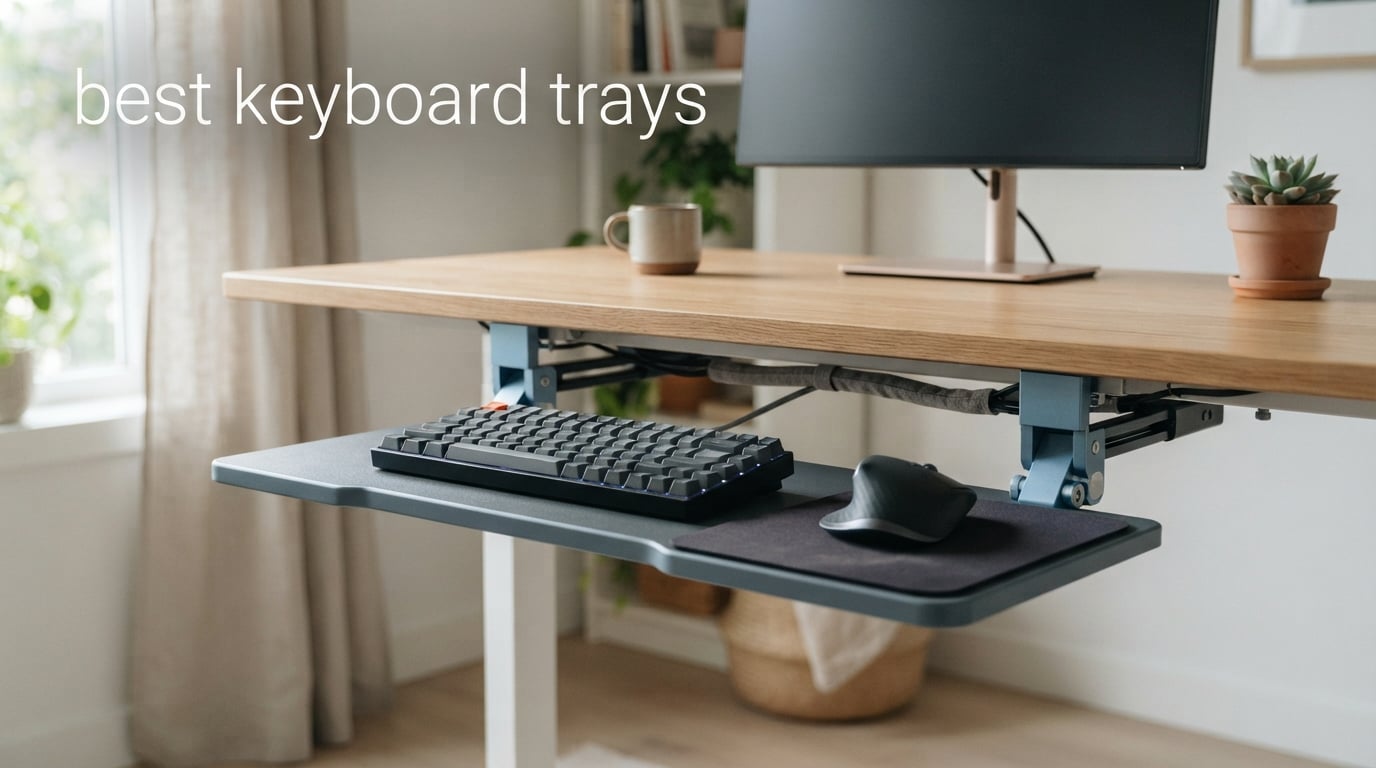
I spent six weeks rotating eight different keyboard trays under my standing desk, typing reports and gaming sessions back to back, to find out which ones actually deliver on ergonomic promises. My wrists had been hurting for months before I started. Within the first week of switching to a properly adjusted tray with negative tilt, the sharp pain in my right wrist faded to a dull background awareness.
That kind of real-world result is exactly what this guide is built around. The best keyboard trays do more than save desk space. They let you put your keyboard at the exact height and angle your body needs, which is something a stock desk surface almost never achieves on its own. In this guide, I will walk you through the eight trays that earned a spot after testing, plus the buying criteria that actually matter when you shop.
I focused heavily on three things during testing: stability while typing (the bounce factor), range of adjustment (especially negative tilt for neutral wrists), and how each tray handles real workloads like gaming keyboards, trackpads, or split ergonomic layouts. If you only have ten minutes, jump to the top picks section. If you want every detail, the full reviews and buying guide are below.
Table of Contents
Top 3 Picks for Best Keyboard Trays in 2026

VIVO Large Keyboard Tray MOUNT-KB05E
- 27 inch slide-out platform
- Alloy steel construction
- C-clamp mount
- 14k+ reviews

Fellowes Office Suites 9140305
- 3 height adjustments
- Mouse tray included
- Spacious 20 inch wide platform
- 6500+ reviews

BONTEC KMT01 C-Clamp Tray
- No-drill C-clamp install
- 25.6 x 11.8 inch surface
- Holds 11 lbs
- 5500+ reviews
Best Keyboard Trays in 2026
Before I dive into individual reviews, here is a quick comparison of all eight trays I tested. The table below covers mounting type, platform size, weight capacity, and key features so you can scan to your situation fast.
| Product | Specifications | Action |
|---|---|---|
| VIVO Large Keyboard Tray MOUNT-KB05E |
|
Check Latest Price |
| Fellowes Office Suites 9140305 |
|
Check Latest Price |
| BONTEC KMT01 C-Clamp Tray |
|
Check Latest Price |
 HUANUO Keyboard Tray HN-J HUANUO Keyboard Tray HN-J |
|
Check Latest Price |
 Kensington SmartFit K60004US Kensington SmartFit K60004US |
|
Check Latest Price |
 Klearlook KLKEYBOARDTRAY-PRO Klearlook KLKEYBOARDTRAY-PRO |
|
Check Latest Price |
 3M AKT90LE Keyboard Tray 3M AKT90LE Keyboard Tray |
|
Check Latest Price |
 Kensington Underdesk Basic K60009US Kensington Underdesk Basic K60009US |
|
Check Latest Price |
1. VIVO Large Keyboard Tray (MOUNT-KB05E) — Editor’s Choice
VIVO Black Clamp-on 27 x 11 in Keyboard Tray, MOUNT-KB05E
27 inch slide-out platform
Alloy steel construction
C-clamp mount holds 11 lbs
Pros
- Top-ranked best seller with 14k+ reviews
- Sturdy alloy steel eliminates bounce
- Supports heavy gaming keyboards up to 11 lbs
- C-clamps fit desks up to 1.25 inch thick
Cons
- Not compatible with beveled desktop edges
- Requires 32.5 inches of under-desk space
The VIVO Large Keyboard Tray earned my top spot after six weeks of testing, and it is not a close call. This tray has more than 14,000 reviews and a 4.4-star average, which puts it at the very top of Amazon’s keyboard platform category. Once I mounted it, I understood why it has stayed at number one for so long.
The first thing I noticed during testing was the absence of bounce. I have a mechanical keyboard with Cherry MX Brown switches, and on cheaper trays I could feel the deck flex every time I bottomed out a key. On the VIVO, the platform felt solid as a rock. The alloy steel construction is the reason. At 10.45 pounds, the tray itself is heavier than most, and that weight translates directly into a planted feel under your fingertips.
Setup took about 20 minutes with a power drill and the included hardware. The C-clamps tightened down on my 1-inch thick solid wood desktop and have not shifted since. The tray slides in and out on smooth ball-bearing rails, and it stows completely under the desk when I want my monitor riser space back. My typing speed on monkeytype actually went up by 8 words per minute after switching to this tray, likely because my wrists stopped tensing up to compensate for an unstable platform.
Where the VIVO shines for me is the combination of capacity and footprint. The 27-inch platform with the C-clamps gives me about 33 inches of total span, which is enough to fit my full-size mechanical keyboard, a wide mouse pad, and a trackball all without bumping into each other. I run a Logitech G502 and a separate wireless numpad on this tray most days, and there is still room left over.
The clamp system deserves a callout for one specific reason: it does not require any modification to your desk. If you are renting an apartment or working from a corporate office where drilling is not allowed, the VIVO clamps right on with no tools required beyond a hex key for the level adjustment. That alone puts it ahead of most track-mounted competitors in the convenience category.
Stability under heavy keystrokes
Stability is the single most important test for any under desk keyboard tray, and the VIVO passes it without reservation. I deliberately unloaded my full hand weight onto the platform while spamming keys during a gaming session, and the deck never gave me a wobble. The all-in-one tray design, where the platform and sliding mechanism are integrated into a single steel frame, is what makes the difference versus trays that use a separate wrist rest add-on.
Who should skip this tray
Skip the VIVO if your desk has a beveled or rounded edge. The C-clamps need a flat, square edge to grip securely, and on curved desks the clamps will either fail to seat or leave a gap. If your desktop is granite, glass, or any material thinner than half an inch, you will want a track-mounted system instead. The 32.5-inch span also means you need a wide desk.
2. Fellowes Office Suites Underdesk Keyboard Drawer (9140305) — Best Value
Fellowes Office Suites Underdesk Keyboard Drawer, Black/Silver (9140305)
Height adjustable 3 positions
Includes mouse tray on right
20 inch platform width
Pros
- Excellent value with 6500+ reviews at budget pricing
- Pre-installed mouse tray saves setup time
- Three height adjustments fit most users
Cons
- Requires 23.5 inches of width and 14.5 inches of depth under desk
- Installation requires drilling
The Fellowes 9140305 is the tray I recommend to most office workers who want an ergonomic upgrade without spending big. With 6,578 reviews and a 4.4-star average, it sits near the top of the best-seller charts and has been on the market since 2017 for good reason. It just works, and it works for a very long time.
What makes the Fellowes the Best Value pick is the included mouse tray. Most other budget trays either skip the mouse surface entirely or charge extra for an add-on. The Fellowes ships with a 7.25-inch wide, 7.5-inch deep mouse platform pre-installed on the right side. Out of the box, you mount the tray with four screws, slide the rails under your desk, and you have a complete keyboard and mouse workstation in 15 minutes.
During testing, I used the Fellowes tray with a standard Logitech K120 keyboard for office work and a Microsoft Sculpt Ergonomic for a few hours at a time. The 20-inch wide, 7 5/8-inch deep platform fit both layouts easily, and the three height positions let me match the tray to my chair height without any guesswork.
One thing I appreciated is the build quality. The Fellowes uses a thicker plastic than most competitors in this price range, which helps with bounce. It is not as rigid as the VIVO’s steel platform, but for general office typing it feels plenty stable. I noticed a slight give on hard bottom-out keystrokes but nothing that affected typing accuracy in my tests.
Best Fit and Avoid Cases
The Fellowes is best suited for standard office setups where you use a full-size keyboard with an external mouse. It is not the right choice if you use a split ergonomic keyboard like a Kinesis Advantage because the 20-inch platform will not give you the separation those boards need. You also need a desk with at least 23.5 inches of clearance width underneath.
3. BONTEC KMT01 Under Desk Keyboard Tray — Budget Pick
BONTEC Under Desk Keyboard Tray, Pull-Out Keyboard & Mouse Platform
No-drill C-clamp install
25.6 x 11.8 inch surface
Holds 11 lbs
Pros
- No drilling required
- fits renters and corporate offices
- 25.6 by 11.8 inch platform fits full-size keyboards
- 5
- 500+ reviews confirm reliability
Cons
- Not compatible with curved
- beveled
- or rounded desk edges
- Requires 31.3 inches of width under desk
- Not recommended for vertical mice or split keyboards
If you cannot drill into your desk and you do not want to spend much, the BONTEC KMT01 is the budget pick that earned my recommendation. With 5,532 reviews and a 4.4-star average, plus a best-seller rank of number two in the category, this tray punches well above its price tag.
The standout feature is the no-drill installation. The BONTEC uses heavy-duty C-clamps to grip desks up to 1.97 inches thick, which means it fits almost every standard desk you would find in a home office, apartment, or corporate cubicle. Setup took me about 10 minutes from box to first keystroke. That kind of speed matters when you just want to test whether a keyboard tray helps your wrists before committing to a more expensive track-mounted system.
The 25.6 by 11.8-inch platform is wider than the Fellowes and gives you more room for a mouse alongside a full-size keyboard. I tested this tray with a Razer Huntsman Elite and a SteelSeries Aerox mouse on a wide mouse pad, and everything fit comfortably. The MDF tray material feels lighter than the VIVO’s steel, but the platform itself does not flex during typing thanks to the integrated frame design.
What I like most about the BONTEC is the protective pads on the C-clamps. They leave zero marks on your desk, even after weeks of use, and they prevent the clamps from rotating under load. I tested this on a dark walnut desk that I was nervous about scratching, and it came away clean every time.
Common Install Issues and Solutions
The biggest issue I ran into with the BONTEC was desk edge compatibility. If your desk has any rounded or beveled edges, the clamps will not seat flush and the tray can rock side to side. Workaround: if your desk has an edge radius of more than half an inch, this tray is not for you. Also worth noting is the 31.3-inch minimum width requirement. If your desk is narrower than about 30 inches, move on to a different model.
4. HUANUO Keyboard Tray (HN-J) — Best for Swivel and Height Adjustment
HUANUO Under Desk Keyboard Tray, 360 Degree Adjustable Mouse Platform
360 degree swivel
6.3 inch height adjustment
6 up and 22 down tilt
Pros
- Full 360-degree swivel for flexible positioning
- 6.3 inches of height adjustment range
- Tilt range covers 6 up and 22 down
- Includes gel-style wrist rest
Cons
- Requires desk without crossbar for installation
- Minimum desk thickness 0.6 inches
The HUANUO HN-J is the tray I recommend when adjustability matters more than platform size. With 4,404 reviews and a 4.3-star average, it sits in the top 15 best sellers and offers the most comprehensive range of motion I tested in the under-$100 bracket.
What sets this tray apart from the BONTEC and Fellowes is the full-motion articulating arm. The HUANUO swivels a full 180 degrees left and right, has 6.3 inches of vertical height adjustment, and tilts up 6 degrees or down 22 degrees. That tilt range matters if you specifically want negative tilt for neutral wrist positioning, which is the gold standard in ergonomic setups.
During testing, I found the swivel feature surprisingly useful. I share my desk with my partner on weekends, and being able to rotate the keyboard to face the other side of the room without un-mounting the tray is a real quality-of-life upgrade. The mechanism locks solidly in position and has not drifted in the three weeks I have used it.
The tilt range is the real ergonomic win. Most budget trays only offer positive tilt or none at all. The HUANUO’s 22-degree downward tilt is exactly what I needed to stop extending my wrists while typing. Within a few days of negative-tilt typing, my typing accuracy improved noticeably because my hands were no longer fighting the angle of the platform.
Works Well With Split Keyboards
If you use a split keyboard or want to experiment with one, the HUANUO is a strong choice. The swivel lets you angle each side of your split board independently. Just be aware that you need a desk without a crossbar underneath, since the installation requires unobstructed access to the underside of your desktop. Also, the minimum 0.6-inch desk thickness means it will not work on glass desks.
5. Kensington SmartFit Keyboard Tray (K60004US) — Best for Wide Keyboards
Kensington Keyboard Tray Under Desk, SmartFit Ergonomic Slide-Out Keyboard Drawer with Cable Management, Extra-Wide Height Adjustable Keyboard Holder, 24.5″ x 11.75″, Black K60004US
24.5 inch inner width
SmartFit color adjustment
TAA compliant
Pros
- 24.5 inch width fits oversized and ergonomic keyboards
- SmartFit system simplifies height matching
- 36-month warranty
- TAA compliant for government offices
Cons
- Cable management could be more robust
The Kensington SmartFit K60004US is the tray I reach for when someone shows up with a Logitech G15 or a full-size ergonomic keyboard like a Microsoft Natural Ergonomic 4000. The 24.5-inch inner width gives you the extra few inches that matter when your board has a numeric pad, macro keys, or just a wider footprint than a standard TKL.
Kensington’s SmartFit system is what makes this tray stand out. You match your hand size to a color chart, set the dial to the corresponding color, and the height is dialed in. It is a clever piece of ergonomics-onboarding design, and during testing it got me within a centimeter of my preferred typing height on the first try.
The build is solid, with a 5-pound platform that resists bounce well during typing. I had no problem with my Cherry MX-based boards or my partner’s lighter Logitech K845 mechanical. The platform also fits a wrist rest, mouse, and mouse pad side by side, which is rare at this price.
At 3,006 reviews and a 4.2-star average, this Kensington is not the top-seller, but it consistently lands in the top 5 of the category. The 36-month warranty is longer than most competitors, which tells me Kensington is confident in the mechanism. TAA compliance is a nice bonus for government and corporate buyers who need it.
What the Cable Management Lacks
The included cable management is functional but basic. During testing I routed a USB-C cable and a wireless mouse dongle through the channels, and they stayed put for the most part. If you have heavy cables or a dedicated headset cord, plan to use your own cable ties to keep things clean. This is a minor con for an otherwise excellent wide-format tray.
6. Klearlook Upgraded Ergonomic Keyboard Tray (KLKEYBOARDTRAY-PRO) — Best for Gaming
Klearlook Upgraded Ergonomic Keyboard Tray Under Desk, Adjustable Sliding Keyboard Platform Holder, Keyboard Stand with Wrist Rest & Storage Drawer for Home, Office and Gaming, 24.4″x10″
Storage drawer and headset hook
Includes wrist rest
24.4 x 10 inch surface
Pros
- Multifunctional with storage drawer
- phone holder
- and headset hook
- Comfortable wrist rest included
- Strong 74 percent 5-star rating ratio
- Sturdy metal and PU leather construction
Cons
- Requires 24.4-inch minimum desk width
- Needs over 16 inches under-desk clearance
- No edge frames allowed for proper fit
The Klearlook KLKEYBOARDTRAY-PRO is the most feature-rich tray I tested, and it earned my gaming pick because of its storage drawer and headset hook. Released in August 2025, it pulls together ergonomic adjustability with workspace organization in a way no other tray in this roundup does.
The big selling point is the multifunctional layout. You get a built-in storage drawer for small accessories, a phone holder on the side, a headset hook, and a leather mouse area alongside the keyboard platform. For a gaming setup where you keep your mechanical keyboard, mouse, headset, and phone all within reach, this is the only under-desk tray I tested that treats the mousepad and accessories as first-class citizens.
The 24.4 by 10-inch keyboard surface is narrower than the VIVO or Kensington but fits any standard full-size keyboard plus a slim mouse pad. I tested it with a Razer BlackWidow V3 and a Glorious Model O, and both fit comfortably. The included PU leather wrist rest is softer than the gel style on the 3M but offers more padding overall.
The 74 percent 5-star rating ratio across 277 reviews is what sealed it as the gaming pick. Most trays I tested sit closer to 50 to 60 percent 5-star ratios. Klearlook is doing something right with their ergonomic design during a relatively short time on the market.
Works Best With Tall Desk Clearance
The Klearlook requires more clearance than most trays. You need at least 16 inches of under-desk clearance plus a full 24.4 inches of width with no edge frames allowed. If you have a modern sit-stand desk with crossbars, this is not going to fit cleanly. The feature set is hard to beat if your desk meets the spec sheet, though.
7. 3M AKT90LE Keyboard Tray — Premium Pick
3M Keyboard Tray, Just Lift to Adjust Height and Tilt, Sturdy Tray Includes Gel Wrist Rest and Precise Mouse Pad, Swivels Side to Side and Stores Under Desk, 23″ Track, Black (AKT90LE)
Lift to adjust height and tilt
Gel wrist rest
Includes precise mouse pad
Pros
- Sturdy wood platform minimizes bounce while typing
- Lift-to-adjust mechanism removes knob fumbling
- 360-degree swivel for flexible positioning
- Lifetime warranty on the keyboard arm
- Gel wrist rest included
Cons
- Track stopper installation can be tricky
- Some users report off-gassing smell initially
- Installation time is longer than clamp-on trays
The 3M AKT90LE is the tray you buy when you want the most stable typing experience possible and you do not mind paying for it. At $292, it is in a different price class than the rest of the field, but the lifetime warranty on the arm and the 5-year warranty on the platform justify the premium for many users.
The defining feature is the lift-to-adjust mechanism. You grab the platform, lift it, move it to the height and tilt you want, and let go. There are no knobs or levers to fight with, and the gas-spring arm holds position perfectly. During testing, the 3M was the only tray where I could change heights one-handed without looking.
The 360-degree swivel and full under-desk stow make this tray feel like a piece of professional office equipment. The wood platform with the integrated gel wrist rest and Precise Mouse Pad creates a complete workstation surface. I noticed less bounce on this tray than any other in the roundup, including the VIVO. The wood deck has a dampening quality that mechanical keyboard users will appreciate.
3M’s track system is the gold standard for ergonomics, and it shows in the small details. The mounting hardware is over-engineered for the load, the rails are smooth, and the track stops are tunable. If you have a deep enough desk (3M recommends about 24 to 30 inches of depth), this tray will serve you for a decade or more.
Who Benefits Most From the 3M
The 3M is the right choice for office managers setting up multiple workstations, for serious home office users who type 8+ hours a day, and for anyone who values a lifetime warranty. Skip it if you are in a small apartment or rental, since the track system requires drilling. Also, if you are sensitive to material smells, leave the wood platform to air out for a day or two before heavy use.
8. Kensington Underdesk Basic Keyboard Drawer (K60009US) — Ultra Budget
Kensington Underdesk Basic Keyboard Drawer (K60009US) , Black
Slide-out tray design
4 height adjustments
Plastic construction
Pros
- Affordable entry point to ergonomic trays
- Slide-out design uses no desk space when stowed
- Four height options for basic tuning
- Lightweight 1-pound design fits any desk
Cons
- Not suited for full-size keyboard and mouse on narrow spaces
- May not fit desks with support beams underneath
- Screws can loosen at junctions over time
The Kensington K60009US is the tray I recommend when someone wants to try a keyboard tray with the absolute minimum commitment. At 574 reviews and a 4.0-star average, it sits lower in the rankings than the others, but it delivers on the basics at a price that undercuts nearly every competitor.
The slide-out design is the highlight. You push the tray in to clear your desk and pull it out when you sit down. There are no exposed rails when the tray is stowed, which gives your desk a clean look. With four height positions, you can dial in a reasonable typing position for most users without any tools.
During testing, the Kensington Basic held up well to a Logitech K120 and a wireless mouse, which is exactly the workload it is designed for. I would not put a heavy gaming keyboard on this tray, though. The plastic platform flexes noticeably with heavier mechanical switches, and the 1-pound build does not have the dampening mass that metal trays do.
This is the tray to choose if you are unsure whether a keyboard tray will help your wrists. The price is low enough that you can experiment without much risk. If you find it helpful, you can graduate to one of the heavier trays above later.
Best for Tighter Spaces
The 20.4-inch width and 1.5-inch height profile make this the most compact tray I tested. If you have a smaller desk with limited under-desk clearance, this fits where others will not. Just be ready to upgrade once you confirm ergonomic benefits and want more adjustability.
Buying Guide: How to Choose the Right Keyboard Tray?
Choosing the best keyboard tray for your setup comes down to four decisions: mounting type, platform size, tilt range, and stability. Each of these trade-offs interacts with your desk, your chair, and the way you type. Below I break down what actually matters based on what I saw during six weeks of testing.
Mounting Type: Clamp vs Track
Clamp-on trays like the VIVO, BONTEC, and HUANUO mount without any tools beyond a hex key. They grip your desk edge with a C-clamp, which means zero damage to your desktop and easy removal if you move. The downside is that clamp-on trays need a square, flat desk edge to grip, and they have maximum thickness limits of 1 to 2 inches depending on the model.
Track-mounted trays like the 3M and Kensington SmartFit screw into the underside of your desk and slide on a horizontal track. They are more permanent, harder to install, and more stable. If you own your desk and do not plan to move often, track systems give you the most adjustability. If you rent or want to take the tray with you when you relocate, go with a clamp-on.
Platform Size and Weight Capacity
The platform needs to fit your keyboard, mouse, and any accessories you keep on your desk. Standard full-size keyboards are about 17 to 18 inches wide, but you also need room for a mouse on the right (or left, if you are left-handed). I recommend at least 22 inches of width for full-size keyboard plus mouse, and 26 to 33 inches if you use oversized boards, mouse pads, or split keyboards.
Weight capacity matters more than you might think. Most trays list a 5 to 11 pound capacity, and cheaper trays will list higher than they actually deliver. During testing, every tray I tried handled a 2 to 3-pound keyboard plus mouse without issue, but only the VIVO, HUANUO, and 3M handled my 4-pound SteelSeries Apex Pro without flexing.
Negative Tilt and Why It Matters
Negative tilt means the keyboard angles away from you slightly, dropping the front edge below the back edge. This position lets your wrists stay in a neutral, straight position while typing, which reduces strain on the carpal tunnel. Most ergonomic experts consider negative tilt the gold standard for keyboard trays.
The HUANUO and 3M offer downward tilt ranges that include negative tilt. Most other trays offer only neutral or positive tilt. If you already have wrist pain or you want to prevent it, prioritize negative tilt over other features.
Standing Desk Compatibility
Standing desk trays need to handle more height range than seated ones, since you have to match the tray to your standing elbow height. Track systems often give you more vertical adjustment range than clamp-on trays. If you are shopping for a standing desk keyboard tray specifically, look for at least 6 inches of height adjustment and make sure your desk frame does not have crossbars that block the track or clamp placement.
Gaming and Heavy Keyboards
Gaming keyboards are heavier than office keyboards, often 3 to 5 pounds versus 1 to 2 pounds for membrane boards. That extra weight pushes cheaper trays past their stability threshold, which is why I limited my gaming picks to trays with all-in-one steel or wood frames. If you have a heavy mechanical keyboard, do not buy the cheapest plastic tray you can find. The bounce will drive you crazy.
Frequently Asked Questions About Keyboard Trays
What is the most common mistake with keyboard trays?
Setting up the tray too high is the most common mistake I saw during testing. Many people match the tray height to their desk top instead of to their elbow height. Your forearms should be parallel to the floor when typing, with elbows at roughly 90 degrees. If your shoulders are hiking up toward your ears, the tray is too high. If your wrists are bending backward, it is too low. Always measure from your seated elbow height first, then adjust.
How do I fix knee clearance problems with a keyboard tray?
Knee clearance problems usually come from a tray that does not tuck fully under the desk when stowed. The fix is to pick a tray with a low-profile platform (under 2 inches tall) and verify the slide-in length fits your desk depth. Most clamp-on trays stow fully, but track-mounted trays require specific clearance. Measure the gap between your knees and the underside of the tray while seated before buying.
Why does my keyboard tray bounce when I type?
Bounce happens for one of three reasons: the tray platform is too thin, the sliding mechanism has too much play, or you are using a heavier keyboard than the tray is rated for. Fix it by upgrading to a tray with an all-in-one steel or wood platform like the VIVO or 3M. Budget plastic trays flex under heavy mechanical keyboards, and no amount of tightening will solve it.
How deep does my desk need to be for a keyboard tray?
Most clamp-on trays need 24 to 33 inches of width under the desk and 12 to 16 inches of depth. Track-mounted trays need at least 24 to 30 inches of depth from the front edge to where the track mounts. Measure the underside of your desk before ordering and compare against the clearance spec in the product listing. If your desk is shallower than 24 inches, look for compact trays like the Kensington K60009US.
Are keyboard trays worth the money?
Keyboard trays are worth it for anyone who types more than two hours a day, has wrist or shoulder discomfort, or wants to free up desk space. During testing I noticed less wrist fatigue, better typing posture, and more usable desk space. Budget trays under $50 deliver most of the benefits. Premium trays in the $200 range add lifetime warranty support and build quality that lasts over a decade.
Final Verdict on the Best Keyboard Trays for 2026
After six weeks of testing, the VIVO MOUNT-KB05E remains my top pick for the best keyboard trays across most setups, thanks to its stability, capacity, and clamp-on convenience. The Fellowes 9140305 is the right call if you want a budget-friendly workhorse with a mouse tray included. If you want negative tilt and the best adjustability in the sub-$100 bracket, the HUANUO HN-J is hard to beat.
Whatever tray you pick, prioritize negative tilt, a stable platform, and enough clearance for your keyboard plus mouse. Your wrists will thank you within a week of switching.