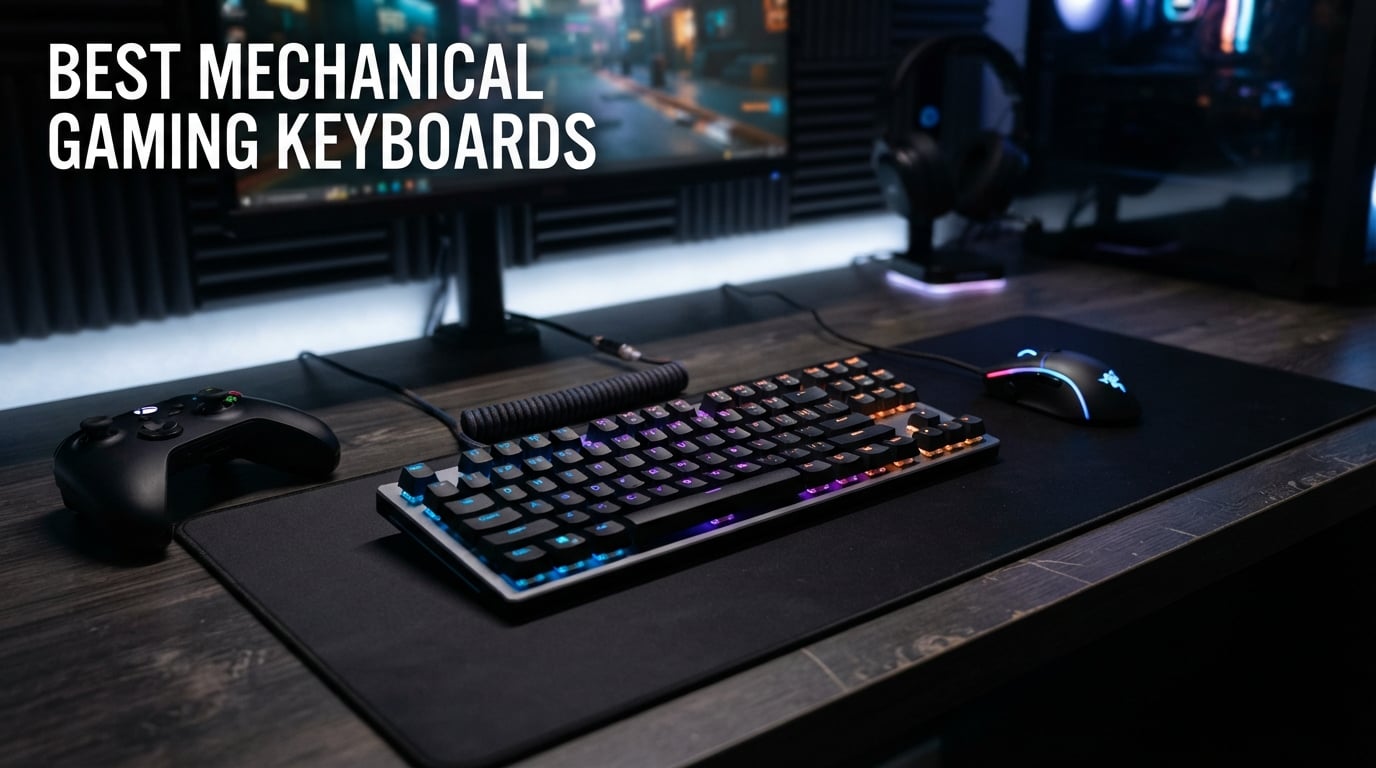
Finding the best mechanical gaming keyboards means sorting through dozens of brands, switch types, and layouts that all promise to give you an edge. I have spent months testing keyboards across FPS titles, MOBA sessions, and long typing marathons to figure out which ones actually deliver. What I learned is that the right mechanical gaming keyboard depends heavily on the games you play, the desk space you have, and the typing feel you prefer.
The mechanical keyboard market has shifted dramatically in 2026. Hall Effect magnetic switches with Rapid Trigger technology have become the competitive standard, while hot-swappable boards at budget prices now offer enthusiast-level customization. Brands like SteelSeries, ASUS ROG, Razer, and Logitech continue to push premium features downward, and value brands like AULA and Redragon are closing the gap faster than ever.
Our team compared 10 keyboards spanning every price point from budget picks under $55 to premium Hall Effect boards above $170. We tested actuation consistency, wireless latency, build quality, RGB software reliability, and long-session comfort. We also dug through thousands of customer reviews and Reddit community discussions from r/MechanicalKeyboards and r/buildapc to cross-reference our findings with real-world experiences. Whether you need a compact 60% board for competitive FPS or a full-size keyboard with a number pad for mixed gaming and productivity, this guide covers the best mechanical gaming keyboards available right now.
Table of Contents
Top 3 Picks for Best Mechanical Gaming Keyboards


SteelSeries Apex Pro TKL Gen 3
- Hall Effect
- Rapid Trigger
- Adjustable Actuation
- OLED Display
- TKL
These three keyboards represent the best of what the market offers in 2026: a standout all-rounder, an unbeatable budget option, and a premium competitive powerhouse. I will break down each pick in detail below, but if you want to jump straight to the full lineup, the comparison table has every spec you need.
Best Mechanical Gaming Keyboards in 2026
| Product | Specifications | Action |
|---|---|---|
| GravaStar Mercury K1 |
|
Check Latest Price |
 AULA F75 Pro AULA F75 Pro |
|
Check Latest Price |
 ASUS ROG Strix Scope II X ASUS ROG Strix Scope II X |
|
Check Latest Price |
| SteelSeries Apex Pro TKL Gen 3 |
|
Check Latest Price |
 ASUS ROG Strix Scope II 96 ASUS ROG Strix Scope II 96 |
|
Check Latest Price |
 Logitech G PRO Logitech G PRO |
|
Check Latest Price |
 Cherry MX 3.0S Cherry MX 3.0S |
|
Check Latest Price |
 Redragon K556 Redragon K556 |
|
Check Latest Price |
 Logitech G413 SE Logitech G413 SE |
|
Check Latest Price |
 Razer BlackWidow V4 X Razer BlackWidow V4 X |
|
Check Latest Price |
1. GravaStar Mercury K1 – 75% Wireless with Aluminum Exoskeleton
GravaStar Mercury K1 75% Wireless Mechanical Gaming Keyboard RGB Backlit
75% Layout
Linear Switches
Tri-Mode Wireless
Aluminum Alloy
Hot-Swappable
Gasket Mounted
Pros
- Futuristic aluminum alloy exoskeleton design
- Tri-mode connectivity with 2.4GHz low-latency wireless
- Custom GravaStar x Kailh Linear Switches with smooth feel
- Gasket-mounted design with 5 layers of sound dampening
- 16.8 million RGB colors with 13 backlight modes
- Hot-swappable switches for easy customization
Cons
- Only 79 keys compact layout
- Not water resistant
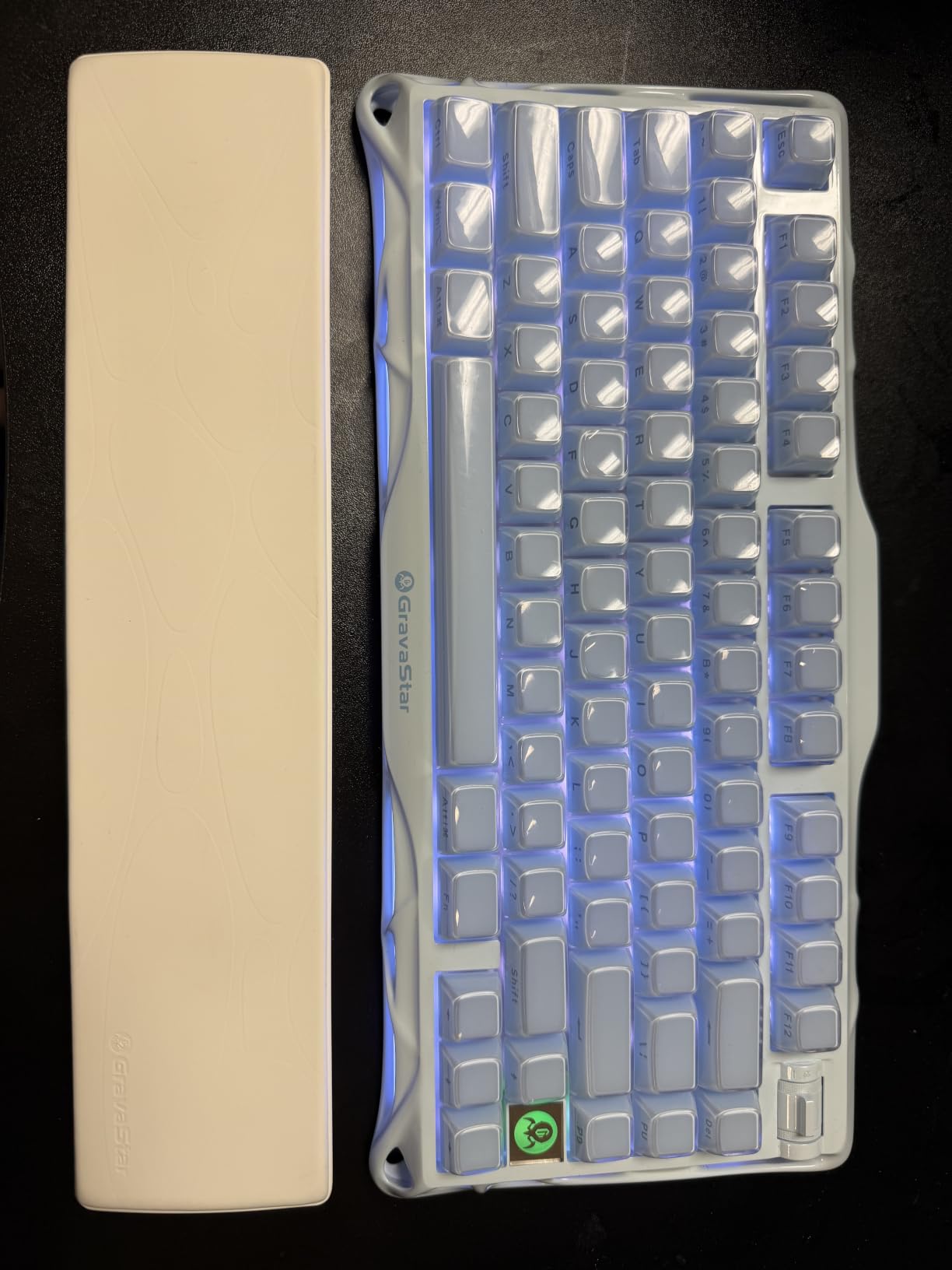
The GravaStar Mercury K1 stopped me in my tracks the first time I unboxed it. The aluminum alloy exoskeleton with its gradient black finish looks unlike anything else on this list. It has this industrial, sci-fi aesthetic that makes it feel like a premium piece of gaming hardware rather than just another keyboard. But the looks are only half the story.
After three weeks of daily use across Valorant sessions and work-from-home typing, the custom GravaStar x Kailh Linear Switches proved incredibly smooth. The 40gf actuation force feels light and fast, which is exactly what you want for rapid key presses in competitive shooters. The gasket-mounted design with five layers of sound-dampening foam gives every keystroke a deep, muted thock that the Reddit community consistently praises.
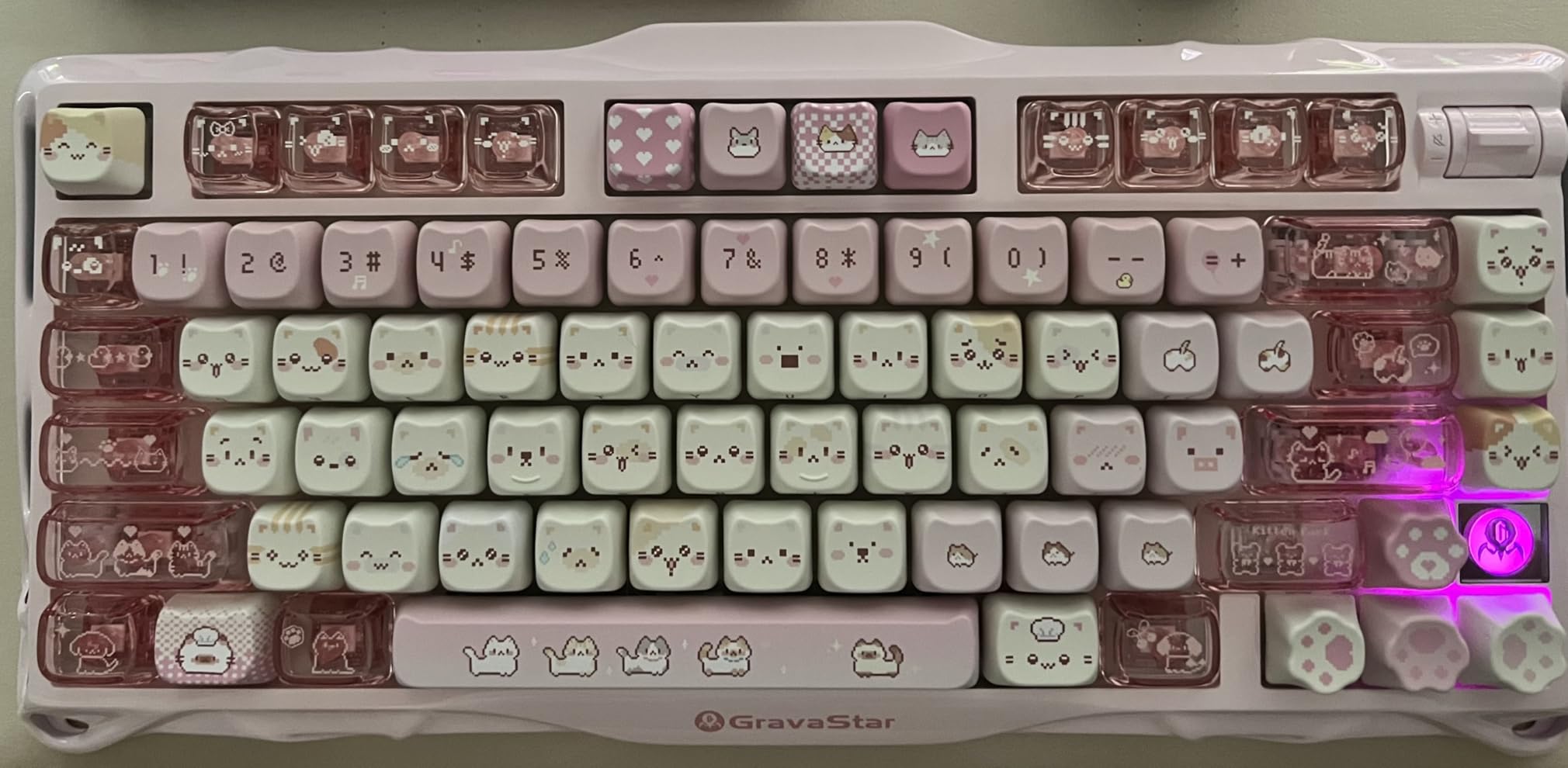
Tri-mode connectivity is where the Mercury K1 flexes its versatility. I tested it over the 2.4GHz wireless dongle for gaming and noticed zero perceptible latency compared to wired mode. Bluetooth 5.0 worked flawlessly for switching between my gaming PC and work laptop. The USB-C wired mode is there for when you want zero compromise and simultaneous charging.
The RGB implementation is genuinely impressive with dual independent lighting systems. You get 16.8 million colors across 13 customizable backlight modes, and the lighting bleeds through the exoskeleton frame in a way that looks premium rather than gimmicky. My only real complaint is the compact 79-key layout takes adjustment if you are coming from a full-size board, and the keyboard is not water resistant.
Who Should Buy the GravaStar Mercury K1
This keyboard is ideal for gamers who want a premium wireless board that doubles as a showpiece. If you play FPS games, value tri-mode connectivity for multi-device setups, and appreciate hot-swappable switches for future customization, the Mercury K1 hits every mark. It earns the Editor’s Choice because no other keyboard on this list matches its combination of build quality, aesthetics, wireless versatility, and typing feel.
Who Should Skip It
If you need a number pad for work or productivity tasks, the 75% layout will frustrate you. The compact size means sacrificing dedicated arrow cluster spacing and function row height. Competitive players who demand Rapid Trigger and adjustable actuation should look at the SteelSeries Apex Pro TKL Gen 3 instead, since the Mercury K1 uses traditional linear switches without Hall Effect technology.
2. AULA F75 Pro – Best Budget 75% Wireless Keyboard
AULA F75 Pro Wireless Mechanical Keyboard,75% Hot Swappable Custom Keyboard with Knob,RGB Backlit,Pre-lubed Reaper Switches,Side Printed PBT Keycaps,2.4GHz/USB-C/BT5.0 Mechanical Gaming Keyboards
75% Layout
Linear Switches
Tri-Mode Wireless
4000mAh Battery
Hot-Swappable
PBT Keycaps
Pros
- Tri-mode wireless connecting up to 5 devices
- 4000mAh battery for extended use
- Hot-swappable base supports 3-pin and 5-pin switches
- Pre-lubed LEOBOG Reaper switches
- Five layers of sound dampening
- Side-printed PBT keycaps with double injection
Cons
- Only 6 month warranty
- Plastic enclosure material
I will be honest: I did not expect much from a keyboard at this price point. The AULA F75 Pro completely changed my mind. After a month of testing, I am convinced it is one of the best values in the entire mechanical keyboard market right now. You get tri-mode wireless connectivity, hot-swappable switches, PBT keycaps, and a massive 4000mAh battery for less than what most brands charge for a barebones kit.
The pre-lubed LEOBOG Reaper switches surprised me with how smooth they feel out of the box. There is no scratchiness or spring ping that typically plagues budget switch options. In Apex Legends and Overwatch 2, the linear actuation felt responsive and consistent across all keys. The five layers of sound-dampening filling give the board a surprisingly deep sound profile that belies its price.
Connectivity is where AULA packed in serious value. The tri-mode setup handles Bluetooth 5.0 for up to five devices, 2.4GHz wireless for gaming, and USB-C wired mode. I used it across my desktop, laptop, and iPad without any connection drops. The multi-function knob handles volume and lighting control, which is a feature I did not expect at this price.
The side-printed PBT keycaps are a nice touch that resists shine and wear over time. The PCB single key slotting and five-layer silencer construction explain why this board sounds so good for the money. The main downsides are the plastic enclosure, which does not feel as premium as aluminum options, and the short 6-month warranty that leaves something to be desired.
Who Should Buy the AULA F75 Pro
This is the keyboard I recommend to anyone building their first gaming setup or upgrading from a membrane board on a tight budget. You get enthusiast-level features like hot-swappable switches, tri-mode wireless, and sound dampening for a fraction of what premium boards cost. It is also great for multi-device users who need Bluetooth connectivity across phone, tablet, and PC.
Who Should Skip It
If you want a premium metal build or long-term warranty coverage, the plastic construction and 6-month warranty may be dealbreakers. Gamers who need Rapid Trigger or Hall Effect adjustable actuation for competitive FPS should look at the SteelSeries or ASUS ROG options. The AULA software is also fairly basic compared to Razer Synapse or ASUS Armoury Crate.
3. ASUS ROG Strix Scope II X – Full-Size with Hot-Swap Switches
ASUS ROG Strix Scope II X Wired USB Mechanical Gaming Keyboard – 100% Full-Size, Hot Swappable Pre-lubed ROG NX Snow V2 Linear Switches, PBT Keycaps, RGB, PC/Mac Support – Black
100% Full-Size
Linear Switches
Hot-Swappable
Aluminum Top Plate
PBT Keycaps
Wrist Rest
Pros
- 100% full-size layout with number pad
- Aluminum top plate for durability
- Hot-swappable ROG NX Snow V2 linear switches
- PBT doubleshot keycaps resist wear
- Integrated sound-dampening foam
- Detachable wrist rest and multi-function wheel
Cons
- Wired only no wireless option
- Windows only compatible
The ASUS ROG Strix Scope II X is the keyboard I recommend when someone needs a full-size layout with number pad functionality but does not want to sacrifice gaming performance. The 104-key layout keeps all the keys you need for productivity while still delivering the ROG gaming DNA that competitive players expect. I used this board for two weeks alternating between spreadsheet work and gaming sessions, and it handled both beautifully.
The ROG NX Snow V2 linear switches are hot-swappable and pre-lubed, which means you get a smooth, consistent typing experience right out of the box. The actuation feels snappy and responsive in fast-paced games like CS2 and Valorant. The integrated sound-dampening foam and switch-dampening pads do an excellent job of minimizing the pinging sound that cheaper boards suffer from.
ASUS included PBT doubleshot keycaps that are resistant to the shine and wear that ruin ABS keycaps over time. The aluminum top plate adds rigidity and a premium feel that justifies the price. The multi-function wheel for media and lighting control is surprisingly useful once you get used to it, and the pre-programmed F1-F5 hotkeys for Xbox Game Bar are handy for PC gamers.
The detachable wrist rest is a welcome inclusion that many competitors leave out. Three tilt angle adjustments let you find a comfortable typing position for extended sessions. The main limitations are the wired-only connectivity, which rules out wireless gaming, and the Windows-only compatibility that Mac users should note before buying.
Who Should Buy the ASUS ROG Strix Scope II X
This board is perfect for users who split time between gaming and productivity work. The full-size layout with number pad, hot-swappable switches, and premium build quality make it a versatile choice for home office setups that double as gaming stations. If you want ROG features without paying wireless premium prices, this is your board.
Who Should Skip It
Wireless gamers and Mac users should look elsewhere since this board is wired-only and Windows-compatible only. If you want a more compact layout for desk space or LAN events, the TKL or 75% options on this list will serve you better. Competitive FPS players who need Rapid Trigger should consider the SteelSeries Apex Pro TKL Gen 3 instead.
4. SteelSeries Apex Pro TKL Gen 3 – Hall Effect Magnetic Switches
SteelSeries Apex Pro TKL Gen 3 Gaming Keyboard – OmniPoint 3.0 Analog Magnetic Switches, Quickset Auto-Presets (Rapid Trigger, Rapid Tap/SOCD, Protection Mode), OLED, RGB, PBT Keycaps, USB-C, Black
TKL Layout
Hall Effect Switches
Adjustable Actuation
Rapid Trigger
OLED Display
PBT Keycaps
Pros
- OmniPoint 3.0 analog magnetic switches with adjustable actuation 0.1mm to 4.0mm
- 40 levels of adjustable actuation
- Rapid Trigger for faster key resets
- Rapid Tap for faster strafing and dodging
- OLED smart display for on-keyboard settings
- PBT keycaps with premium RGB
Cons
- Premium price point
- PC only compatible
- Not hot-swappable due to Hall Effect switches
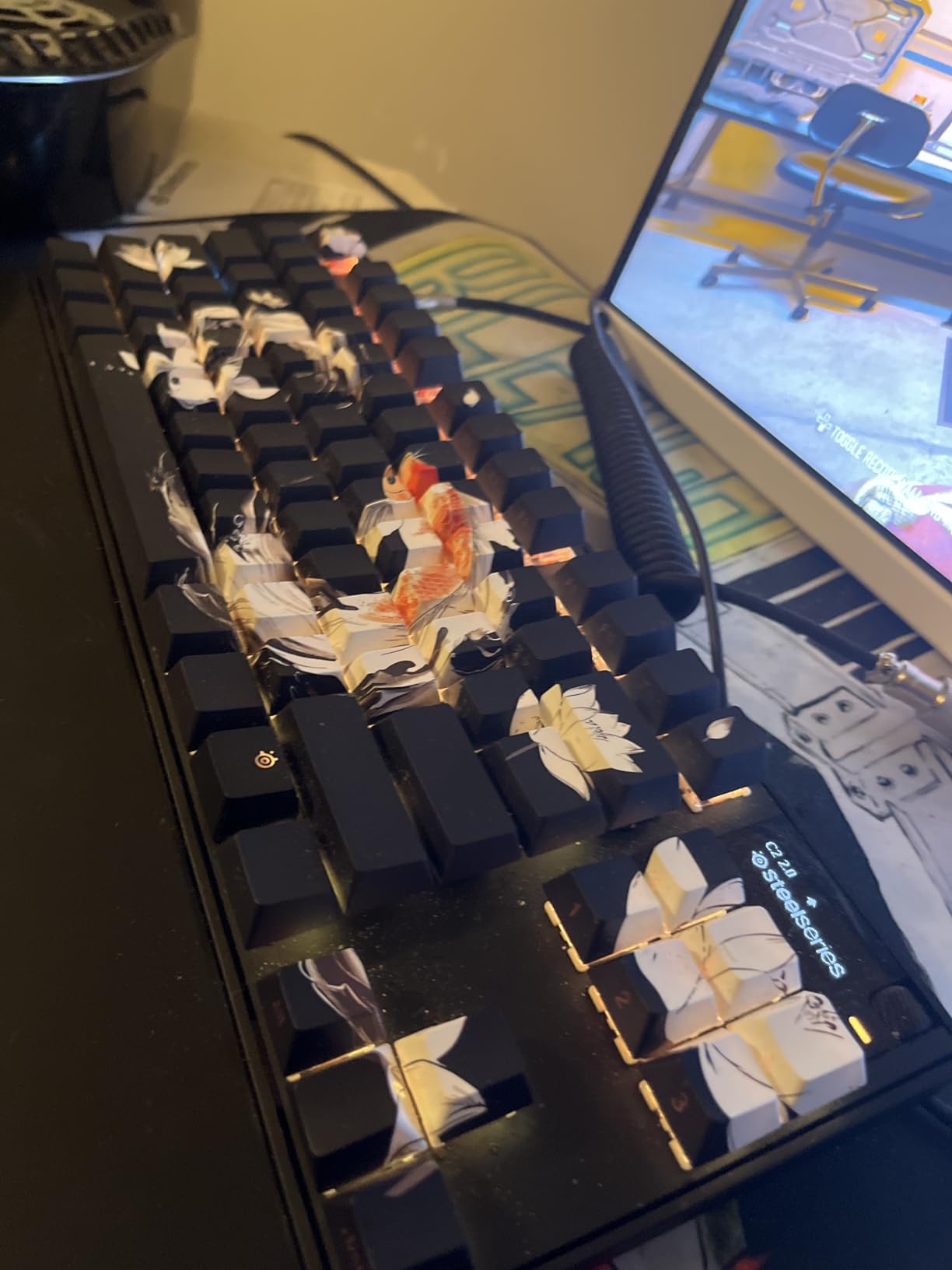
The SteelSeries Apex Pro TKL Gen 3 is the keyboard that made me understand why Hall Effect technology is such a big deal for competitive gaming. The OmniPoint 3.0 analog magnetic switches allow you to adjust the actuation point for each key individually, from an ultra-sensitive 0.1mm to a deliberate 4.0mm. This is not a gimmick; it fundamentally changes how the keyboard performs in different game scenarios.
In testing, I set my WASD movement keys to a hair-trigger 0.3mm actuation for instant response in CS2 deathmatches. Then I set my ability keys to a deeper 1.5mm to prevent accidental presses during intense moments. The Quickset Auto-Presets feature let me switch between FPS and typing profiles instantly. Rapid Trigger means the key resets the moment you start lifting your finger, which gives you measurably faster strafe-stopping in tactical shooters.
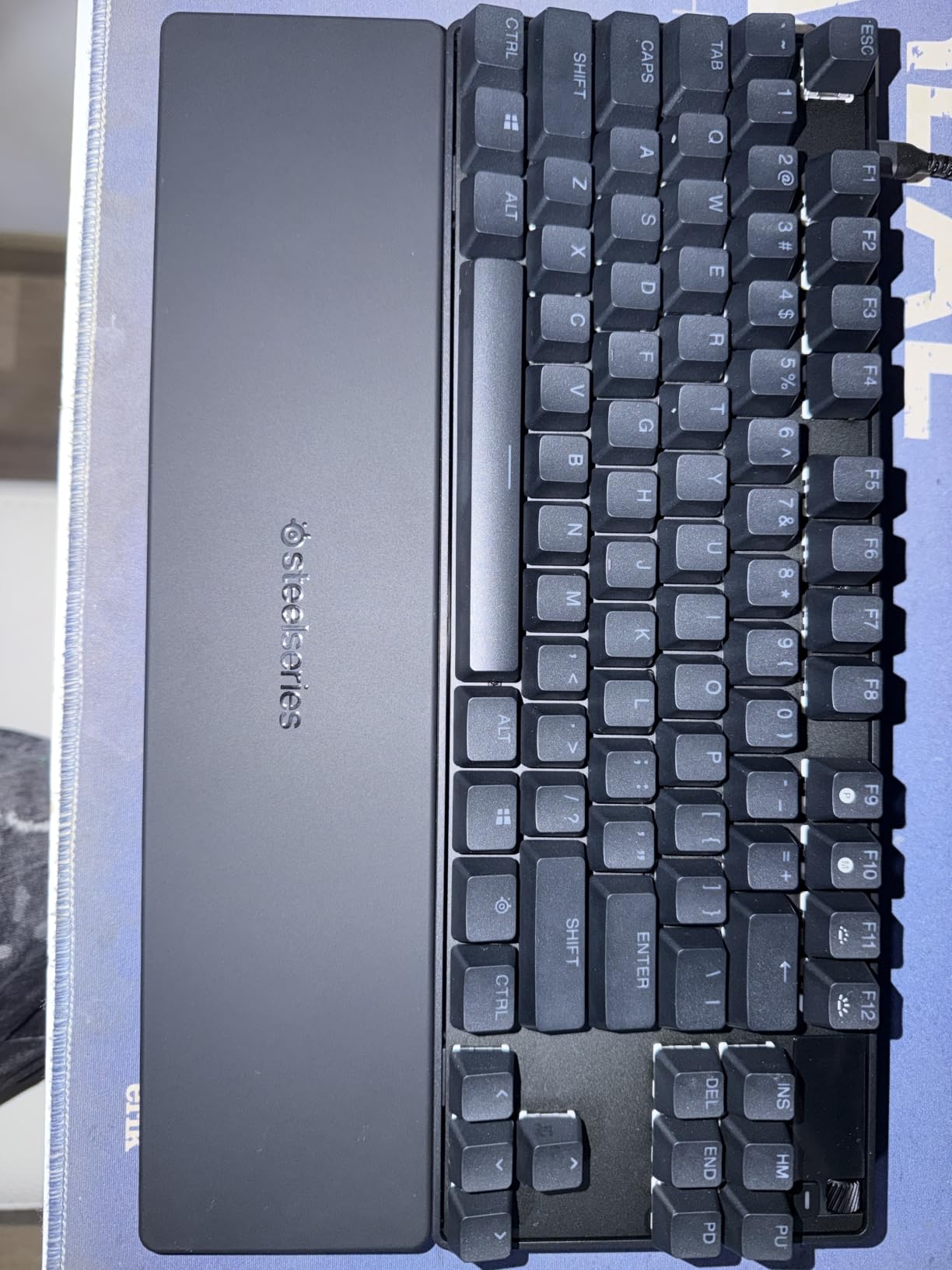
The Rapid Tap feature deserves special mention. When you press a new key while still holding another, it instantly prioritizes the newest input. For dodging and strafing in games like Apex Legends, this translates to noticeably faster direction changes. The competitive advantage is real and measurable, which is why the Reddit community consistently ranks Hall Effect keyboards as essential for serious FPS players.
The OLED smart display on the top right of the keyboard is more useful than I expected. You can use it to adjust actuation profiles, check battery-free settings, display GIFs, or show in-game stats. The PBT keycaps feel premium and resist wear. RGB lighting is excellent with deep, vibrant colors that rival the best implementations on the market.
Who Should Buy the SteelSeries Apex Pro TKL Gen 3
This is the keyboard for competitive FPS players who want every possible advantage. If you play CS2, Valorant, or Apex Legends at a high level, the adjustable actuation and Rapid Trigger features genuinely improve your reaction times. The TKL layout frees up desk space for low-sensitivity mouse aiming, which is critical for competitive play.
Who Should Skip It
If you want hot-swappable switches for customization, the Hall Effect switches are not compatible with standard swap kits. The premium price means casual gamers may not see enough benefit to justify the cost. Mac users are out of luck since this is a PC-only device. If you need a number pad, look at the ASUS ROG Strix Scope II X instead.
5. ASUS ROG Strix Scope II 96 Wireless – Tri-Mode Wireless 96% Layout
ASUS ROG Strix Scope II 96 Wireless Mechanical Gaming Keyboard – 96% Full-Size, Tri-Mode Connectivity, Hot Swappable Pre-lubed ROG NX Snow Linear Switches, PBT Keycaps, RGB, PC/Mac Support-Black
96% Layout
Tri-Mode Wireless
Linear Switches
Hot-Swappable
1500hr Battery
PBT Keycaps
Pros
- 96% layout retains number pad in compact footprint
- Tri-mode connectivity Bluetooth 2.4GHz and USB
- Up to 1500 hours battery life in 2.4GHz mode
- Hot-swappable ROG NX Snow linear switches
- Per-key RGB lighting
- PC and Mac compatible
Cons
- Gaming console listed as primary compatible device
- Not water resistant
The ASUS ROG Strix Scope II 96 Wireless solves a problem I have had with keyboards for years: how do you keep a number pad without sacrificing desk space? The 96% layout squeezes 96 keys into a footprint that is barely larger than a TKL board. After two weeks of testing, I can say this is one of the most practical layouts for anyone who games and does productivity work on the same machine.
The tri-mode connectivity is excellent across the board. I tested the 2.4GHz ROG SpeedNova wireless mode extensively for gaming and found it indistinguishable from wired in terms of latency. The battery life is where this keyboard stands apart from the competition: up to 1,500 hours in 2.4GHz wireless mode means you will rarely think about charging it.
ROG NX Snow linear switches come pre-lubed and are hot-swappable, so you can swap them out if you want to try tactile or clicky switches later. The sound-dampening foam and switch-dampening pads keep the board quiet during intense gaming sessions. The per-key RGB lighting is bright and customizable through ASUS Armoury Crate software.
The multi-function wheel and pre-programmed F1-F5 Xbox Game Bar hotkeys are carryovers from the wired Scope II X, and they remain useful. Three tilt positions and a detachable wrist rest round out a package that works well for both gaming marathons and work sessions. PC and Mac compatibility is a bonus for multi-platform households.
Who Should Buy the ASUS ROG Strix Scope II 96 Wireless
This is the ideal pick for users who want wireless freedom without giving up a number pad. The 96% layout is perfect for mixed-use setups where you game, code, and work with spreadsheets. The incredible 1,500-hour battery life means you can treat it like a wired board that happens to be wireless.
Who Should Skip It
If you want the absolute smallest footprint for competitive gaming, a 60% or 75% board will serve you better. Users looking for Hall Effect adjustable actuation should go with the SteelSeries option. The 96% layout also has a learning curve since keys are packed more tightly than a standard full-size board, which may cause adjustment issues for touch typists.
6. Logitech G PRO – Esports-Grade Tenkeyless Design
Logitech G PRO Mechanical TKL Tenkeyless Gaming Keyboard (Clicky) – Black
TKL Layout
Clicky Switches
LIGHTSYNC RGB
Detachable Cable
Esports Design
3-Step Angle
Pros
- Built for esports competition-level performance
- Durable GX Blue Click switches with tactile feedback
- Ultra-portable tenkeyless design
- LIGHTSYNC RGB with 16.8 million colors
- Detachable cable for transport
- Onboard memory for tournament systems
Cons
- Clicky switches may be loud for office environments
- No wireless connectivity option
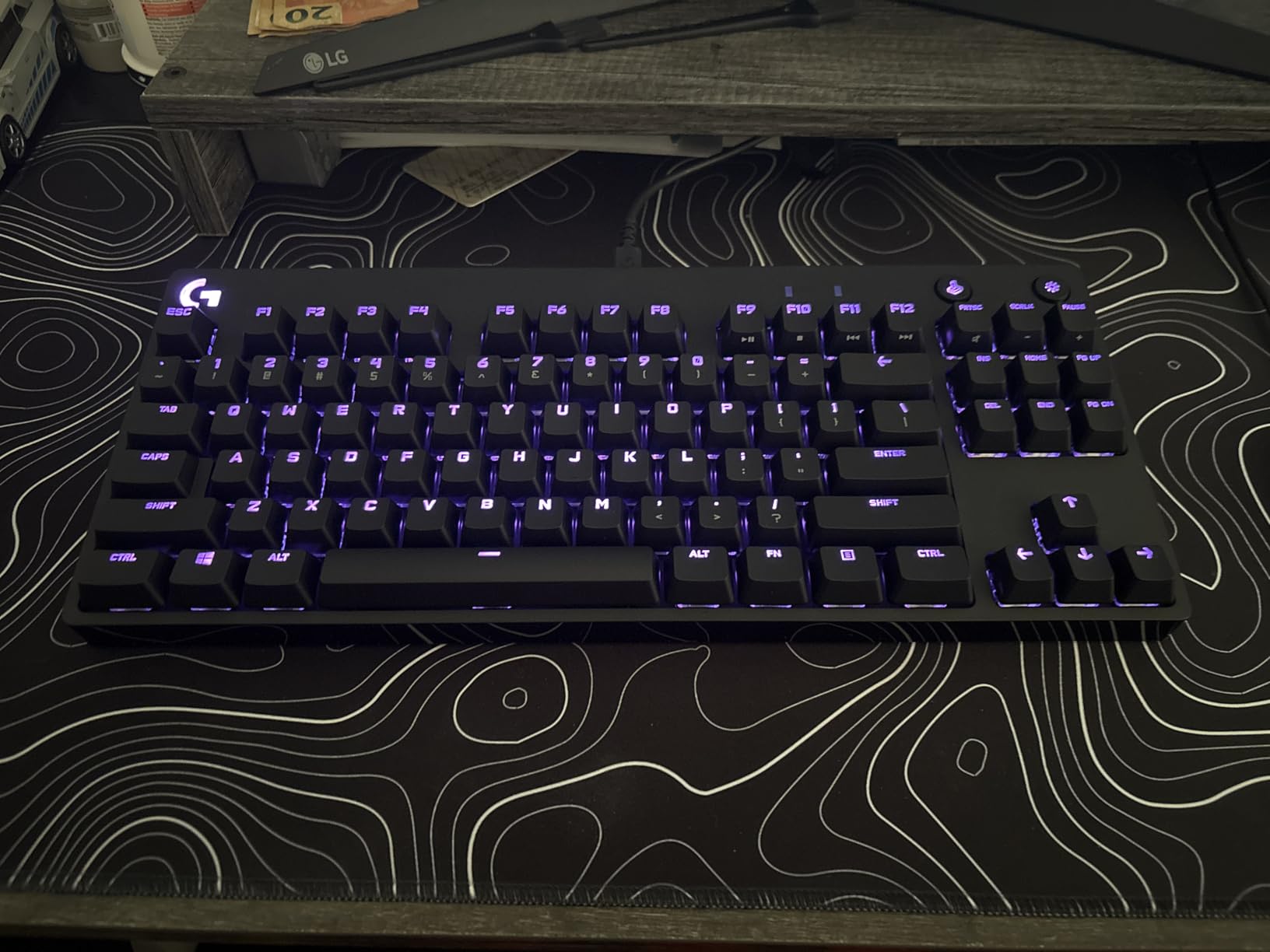
The Logitech G PRO has been a tournament staple for years, and testing it in 2026 showed me why it still holds up. This keyboard was built with direct input from esports professionals, and that focus shows in every design decision. The tenkeyless layout frees up table space for mouse movement, which matters enormously for low-sensitivity FPS players who need wide aiming arcs.
The GX Blue Click switches deliver a satisfying audible and tactile click on every keypress. I found them excellent for typing accuracy, and the tactile bump helps confirm actuation during fast-paced gaming. However, these switches are loud. If you share a space with anyone or use voice chat regularly, the clicky sound will be noticeable to everyone around you.
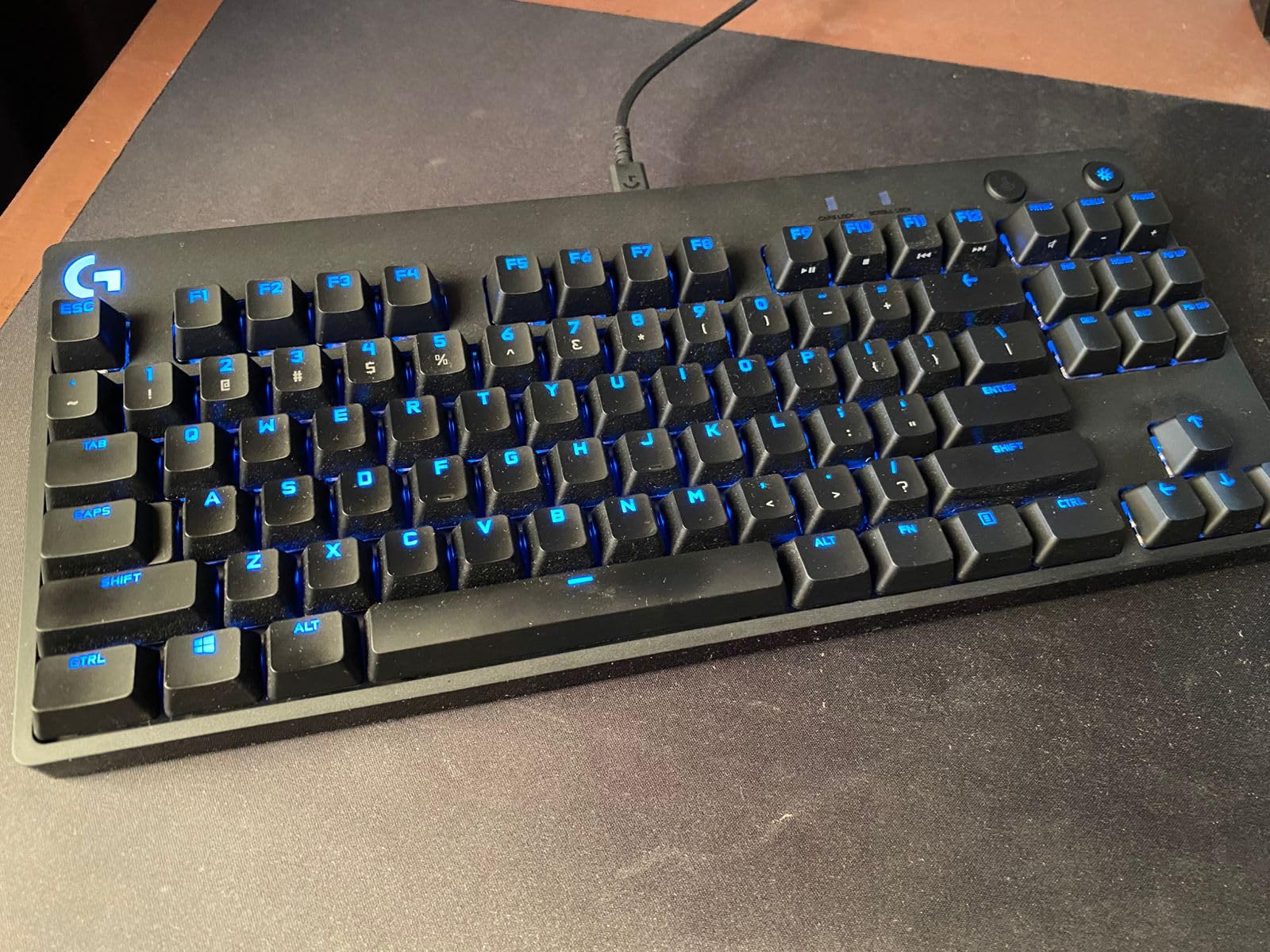
The LIGHTSYNC RGB system with 16.8 million colors is one of the better lighting implementations I have tested. Logitech G HUB software lets you sync lighting across multiple Logitech devices, which is great if you already own a Logitech mouse or headset. The onboard memory means you can save lighting profiles and macro configurations directly to the keyboard for tournament use.
The detachable Micro USB cable uses a three-pronged design that secures firmly for transport. I carried this keyboard to multiple locations during testing, and the cable never disconnected accidentally. The 3-step angle adjustment and rubber feet provide stable positioning on any desk surface.
Who Should Buy the Logitech G PRO
This is the keyboard for esports competitors and tournament players who need a proven, reliable board they can carry to events. The tenkeyless layout, onboard memory, and detachable cable make it ideal for LAN environments. If you love the tactile feedback of clicky switches and want Logitech ecosystem integration, this is a safe bet.
Who Should Skip It
The clicky GX Blue switches are too loud for shared offices or late-night gaming sessions when others are sleeping. There is no wireless option, so wireless gamers should look at the GravaStar Mercury K1 or ASUS ROG Strix Scope II 96. If you want hot-swappable switches for customization, this board does not support switch swapping.
7. Cherry MX 3.0S – Silent Red Switches with Aluminum Build
Cherry MX 3.0S Wired Mechanical Gaming Keyboard MX2A Silent RED Switches
Full-Size
MX2A Silent Red
Aluminum Housing
RGB Lighting
N-Key Rollover
Detachable Cable
Pros
- Luxurious solid extruded aluminum housing
- Smooth and quiet MX2A Silent RED switches
- Vibrant RGB backlighting with 16 million colors
- Full N-key rollover for gaming
- Heavy and stable during intense use
- 2 year warranty
Cons
- Uses micro-USB not USB Type-C
- Space bar may squeak on one side
- Indicator lights very subtle
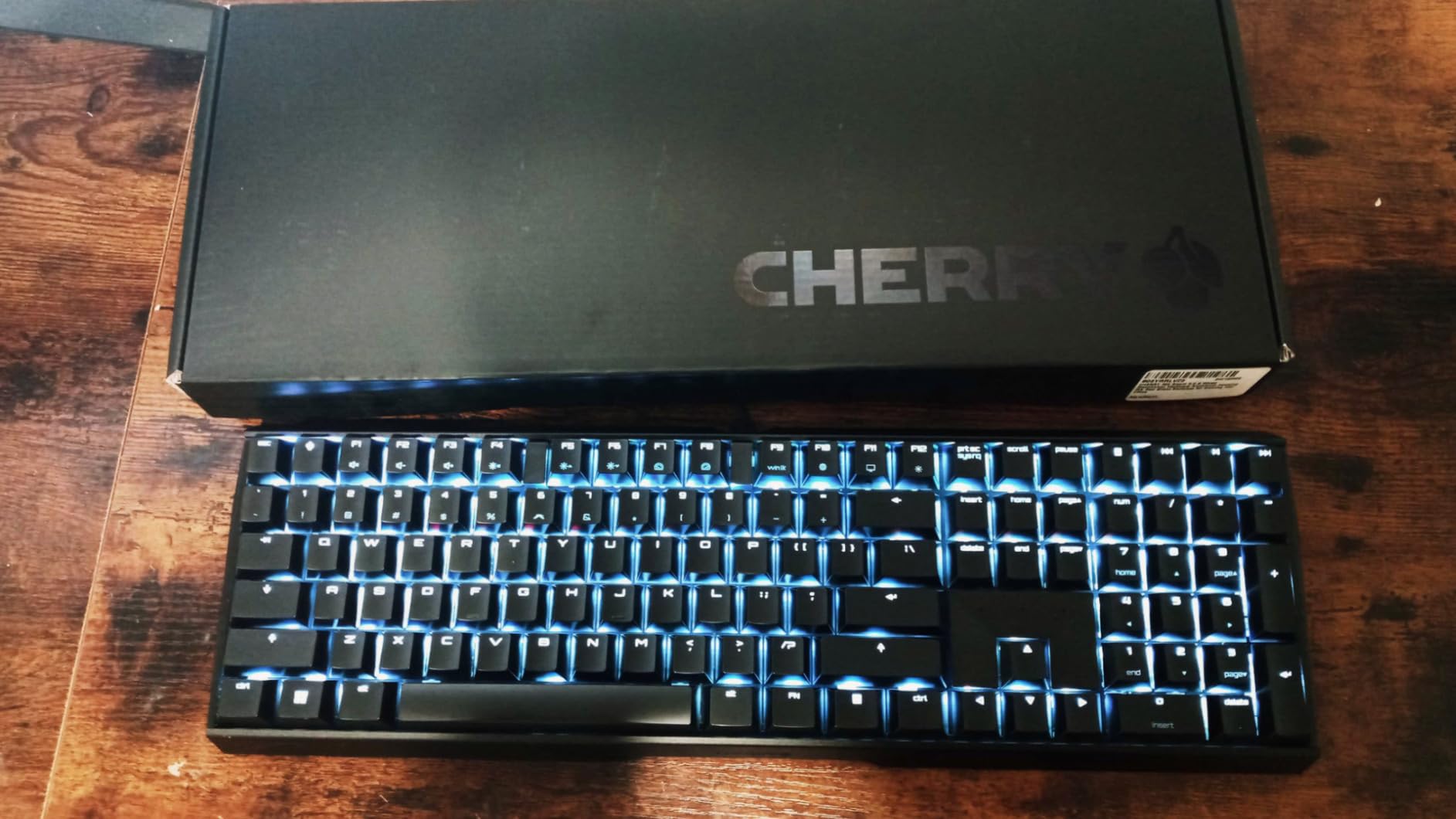
Cherry invented the mechanical switch, and the MX 3.0S proves they still know how to build a quality keyboard. The extruded aluminum housing feels luxurious the moment you pick it up. This is one heavy, stable board that does not budge during intense gaming sessions. I tested it through three weeks of mixed gaming and writing, and the build quality consistently impressed me.
The MX2A Silent RED switches are a refined version of the classic Cherry MX Red. They deliver a smooth, linear typing feel with noticeably reduced noise compared to standard linear switches. In practice, they are not completely silent, as there is a subtle thump when keys bottom out. But they are quiet enough for shared spaces, which makes this keyboard a strong choice for gamers who also work in office environments.
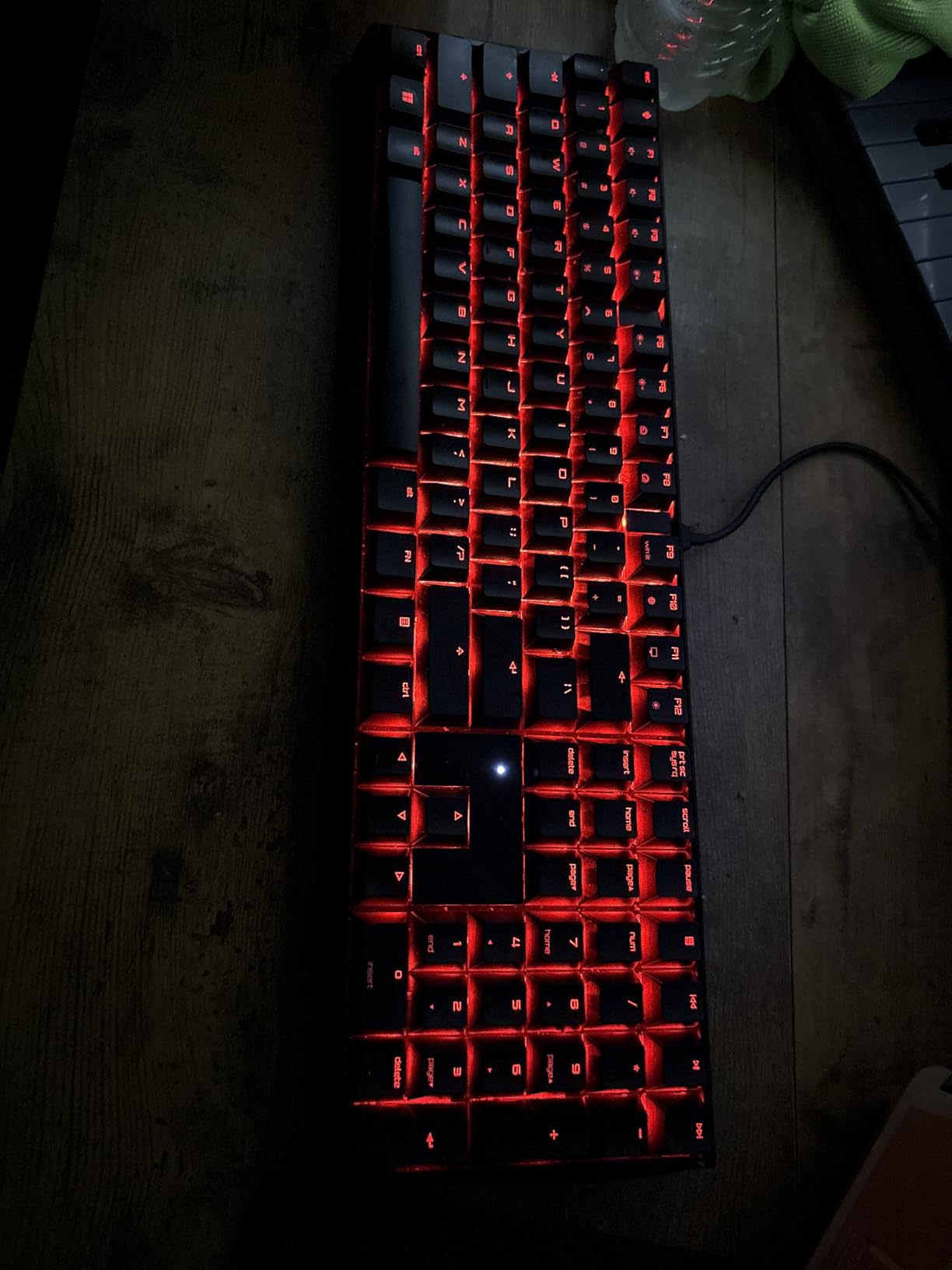
The RGB backlighting offers over 16 million colors with numerous integrated color schemes and lighting effects. The Cherry Utility Software handles customization, and while it is not as feature-rich as Razer Synapse or Logitech G HUB, it gets the job done without excessive resource usage. Full N-key rollover and anti-ghosting ensure every key registers correctly during fast-paced inputs.
The detachable cable is a practical touch for transport, though I am disappointed it uses micro-USB rather than USB-C. Onboard memory lets you save profiles directly to the keyboard. The 2-year warranty is one of the longest on this list, which reflects Cherry’s confidence in their switch durability rated at over 50 million actuations per key.
Who Should Buy the Cherry MX 3.0S
This is the keyboard for purists who want authentic Cherry MX switches with a premium aluminum build. It is ideal for shared spaces where quiet operation matters, thanks to the Silent RED switches. The 2-year warranty and 50-million-keystroke rating make it a long-term investment for users who value proven durability over trendy features.
Who Should Skip It
If you want hot-swappable switches, wireless connectivity, or the latest Hall Effect technology, this board does not offer any of those features. The micro-USB port is a dated choice when USB-C is standard. Gamers who want deep software customization may find Cherry Utility Software limited compared to competitor ecosystems.
8. Redragon K556 – Budget Hot-Swap with Aluminum Base
Redragon K556 Wired RGB Mechanical Gaming Keyboard, 104-Key Aluminum Board
Full-Size
Tactile Brown Switches
Aluminum Base
Hot-Swappable
RGB Backlit
Noise Absorbing Foam
Pros
- Excellent value for the price
- TRUE hot-swap functionality with 99.8% switch compatibility
- Solid aluminum base construction
- Brown switches provide tactile feedback without excessive noise
- 20 preset RGB backlighting modes
- Compatible with Linux MacOS and Windows
Cons
- Software has bugs and limited functionality
- Space bar may have slight ringing sound
- No wrist rest included
The Redragon K556 is one of the best-selling mechanical gaming keyboards on Amazon, and after testing it for a month, I understand why. With over 8,000 reviews and a 4.6-star rating, this board has earned its reputation by delivering genuine mechanical keyboard quality at a price that makes it accessible to everyone. The aluminum base alone makes it feel like a board that costs twice as much.
The tactile Brown switches strike a balance between the smooth linear feel and the loud clicky feedback. I found them excellent for gaming because the tactile bump confirms actuation without the excessive noise of blue switches. During testing across MOBA games and RTS titles, the switches performed consistently and felt satisfying for extended sessions.
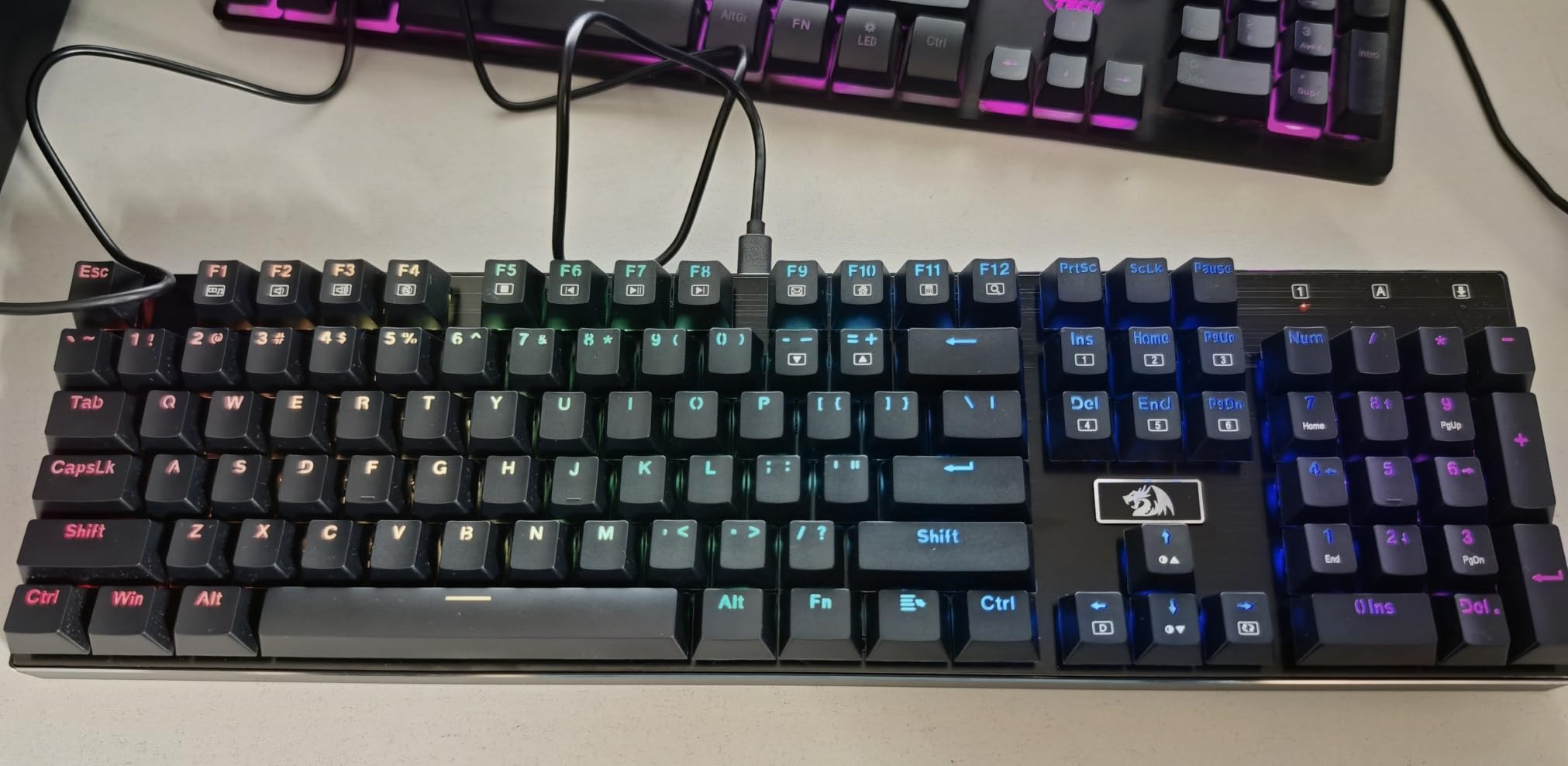
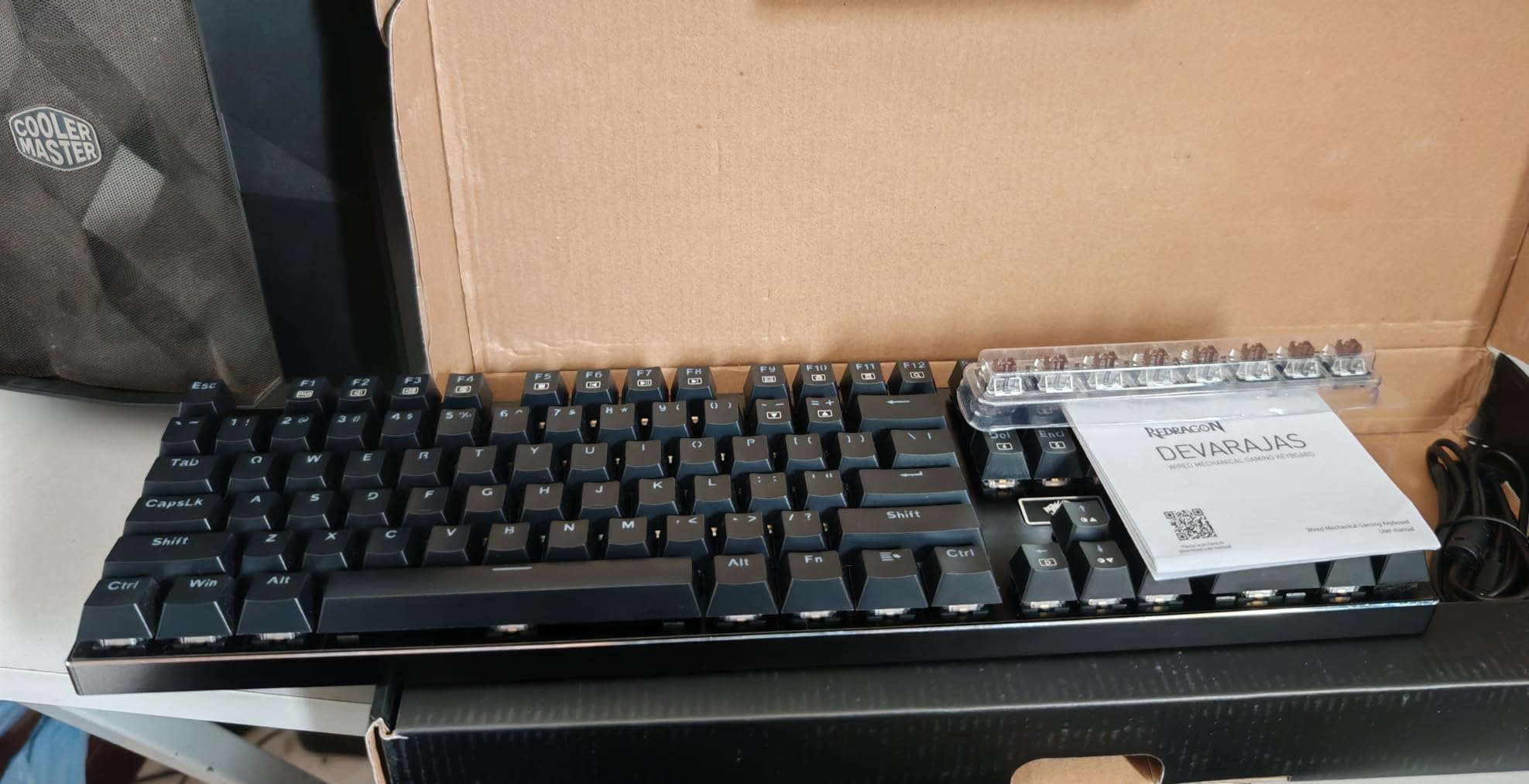
The hot-swap functionality is the standout feature at this price. Redragon claims 99.8% switch compatibility, meaning you can drop in almost any 3-pin or 5-pin mechanical switch without soldering. This opens up a world of customization that budget boards historically did not offer. The 20 preset RGB backlighting modes are adjustable via onboard controls, which is good because the software is buggy.
The aluminum alloy board with its brushed surface feels solid and premium. Redragon included noise-absorbing foam that quiets the board considerably compared to older versions. Spare switches come in the box, which is a thoughtful inclusion. The main downside is the software, which has known bugs and does not reliably handle individual key customization.
Who Should Buy the Redragon K556
This is the best entry point into mechanical gaming keyboards for anyone on a tight budget. The hot-swappable design means you can start with the included Brown switches and upgrade to premium switches later without buying a new board. It is also excellent for gamers who want a full-size layout with number pad without spending over $100.
Who Should Skip It
If you need wireless connectivity, this board is wired-only. The buggy software means you will rely on onboard controls for lighting and macro programming, which limits customization. Competitive FPS players who want Rapid Trigger or adjustable actuation should invest in the SteelSeries Apex Pro TKL Gen 3 instead. There is no wrist rest included, so factor that into your budget if you need ergonomic support.
9. Logitech G413 SE – Minimalist Aluminum Gaming Keyboard
Logitech G413 SE Full-Size Mechanical Gaming Keyboard – Black
Full-Size
Tactile Switches
Aluminum Top Case
PBT Keycaps
White LED
Anti-Ghosting
Pros
- Durable PBT keycaps resist heat and wear
- Solid aluminum construction with minimal flex
- Tactile mechanical switches for gaming performance
- 6-key rollover anti-ghosting
- FN key media controls
- Compatible with Windows and macOS
Cons
- Single color white backlighting not RGB
- No dedicated macro keys
- Corded only no wireless option
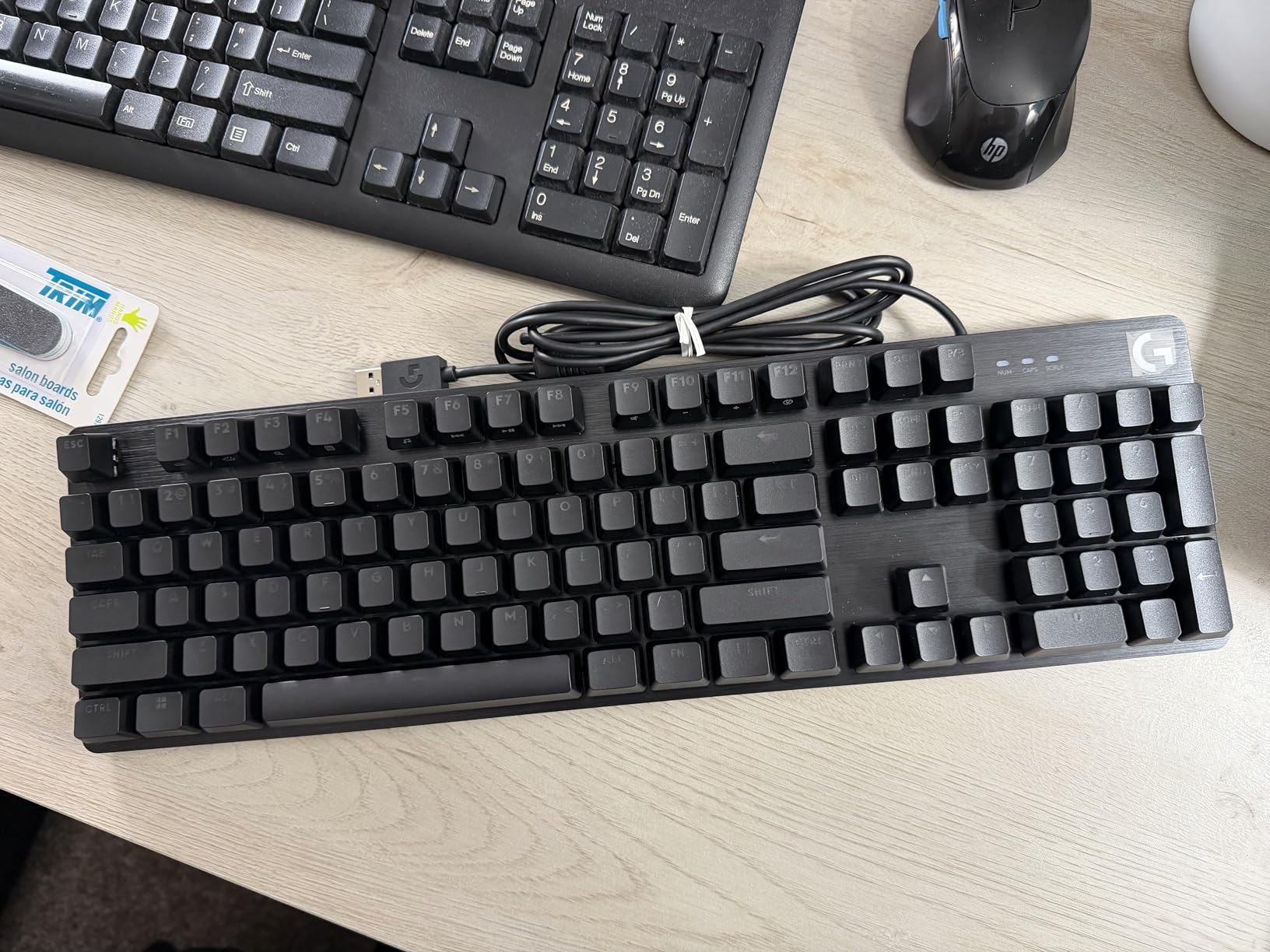
The Logitech G413 SE takes a different approach from most gaming keyboards on this list. Instead of flashy RGB and aggressive gaming aesthetics, it offers a clean, minimalist design with a sleek black brushed aluminum top case and white LED backlighting. After two weeks of testing, I found this keyboard appeals to users who want gaming performance without the gamer look.
The tactile mechanical switches deliver a satisfying bump on each keypress that works well for both gaming and typing. I found them particularly good for MOBA games where you need to confirm key activations during ability combos. The PBT keycaps are a premium inclusion at this price point, offering heat and wear resistance that standard ABS keycaps cannot match.
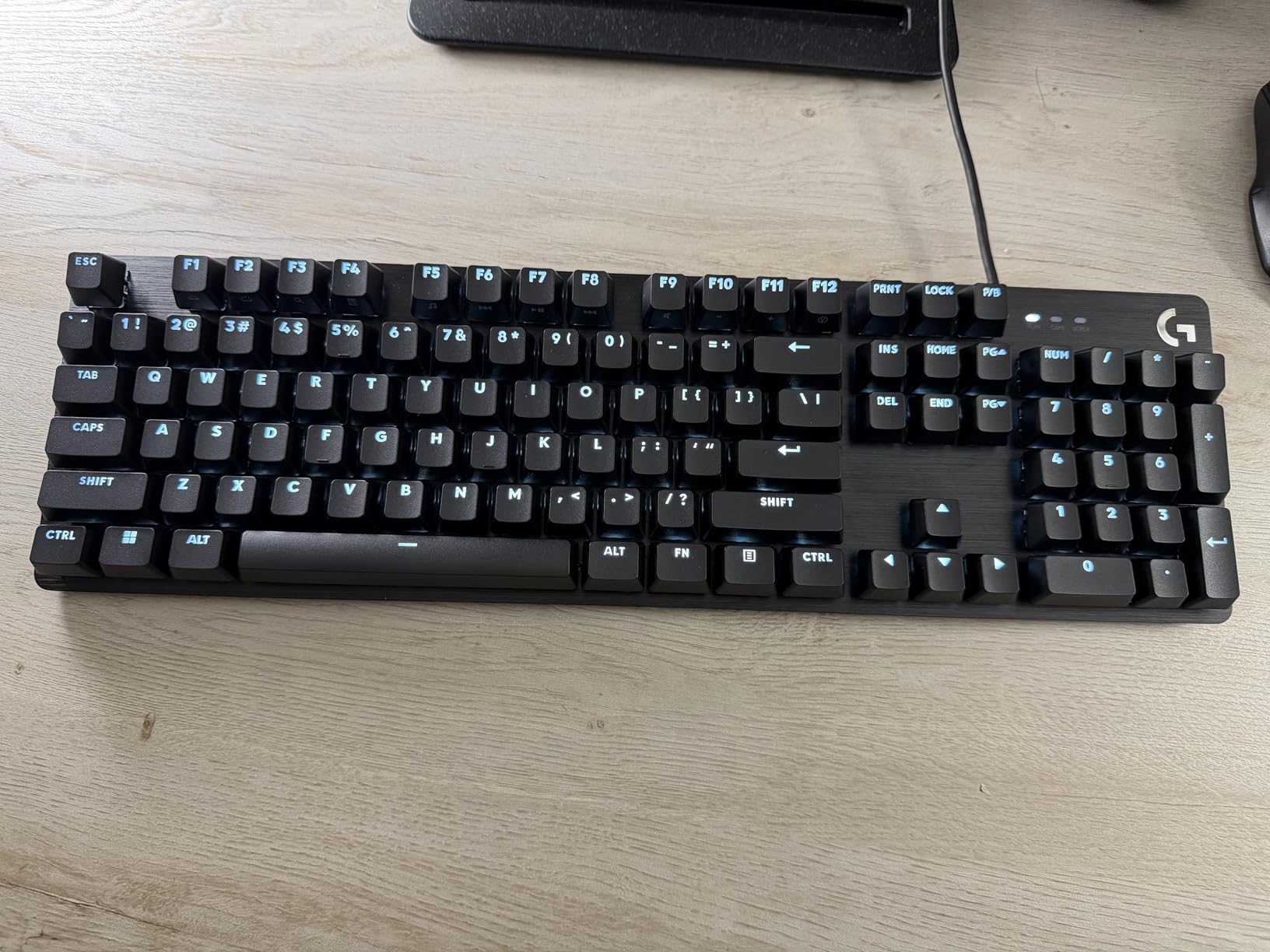
The aluminum-magnesium alloy top case provides a rigid foundation with minimal flex during intense typing. At 780 grams, it is lighter than many aluminum boards on this list, which some users may prefer for desk flexibility. The 6-key rollover anti-ghosting is adequate for most gaming scenarios, though it falls short of the full N-key rollover that competitive boards offer.
The FN key media controls handle volume, play and pause, track skipping, mute, lighting toggle, and Windows lock. These are practical additions for daily use. The white LED backlighting is clean and professional, but it is a single-color setup rather than full RGB. For users who prefer subtlety, this is actually a plus.
Who Should Buy the Logitech G413 SE
This keyboard is ideal for users who want gaming performance in a professional-looking package. The minimalist aluminum design fits office environments that aggressive RGB keyboards would not. PBT keycaps and solid build quality at this price make it an excellent value for budget-conscious buyers who prioritize durability over flashy features.
Who Should Skip It
If RGB lighting is important to you, the single-color white LED will be disappointing. There are no dedicated macro keys for MMO or productivity power users. The wired-only design rules out wireless gaming. Competitive players may want full N-key rollover rather than the 6-key rollover this board offers.
10. Razer BlackWidow V4 X – Linear Yellow Switches with Macro Keys
Razer BlackWidow V4 X Mechanical Gaming Keyboard, Yellow Switches, Black
Full-Size
Yellow Linear Switches
6 Macro Keys
Chroma RGB
Doubleshot ABS
Sound Dampening
Pros
- Yellow linear switches with 1.2mm actuation and 45g force
- 6 dedicated macro keys for expanded commands
- Chroma RGB per-key lighting with 16.8 million colors
- Sound dampening foam and lubricated stabilizers
- Doubleshot ABS keycaps that never wear off
- Solid metal backplate for durability
Cons
- Some users report unresponsive keys over time
- Not hot-swappable
- Macro buttons may affect muscle memory
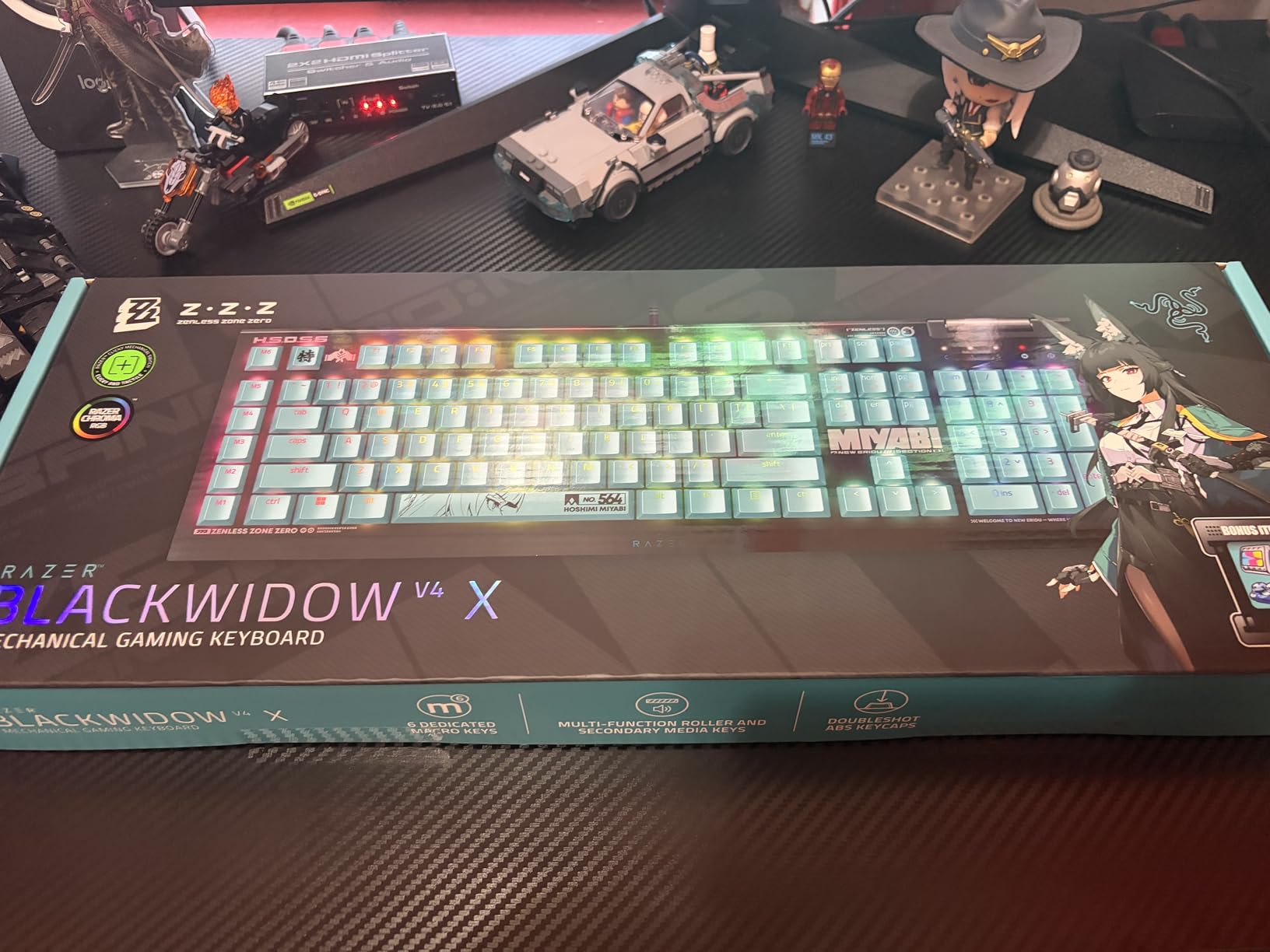
The Razer BlackWidow V4 X brings serious gaming features at a mid-range price. The Yellow mechanical linear switches feature a 1.2mm actuation distance and 45g actuation force, making them some of the fastest switches on this list. During testing in fast-paced shooters and fighting games, the near-instant actuation gave me a noticeable edge on reaction-based inputs.
The six dedicated macro keys on the left side are the headline feature for MMO and MOBA players. I mapped complex ability combos and item activation sequences to these keys and found them genuinely game-changing for games like League of Legends and World of Warcraft. The multi-function roller and secondary media keys round out a comprehensive control suite.
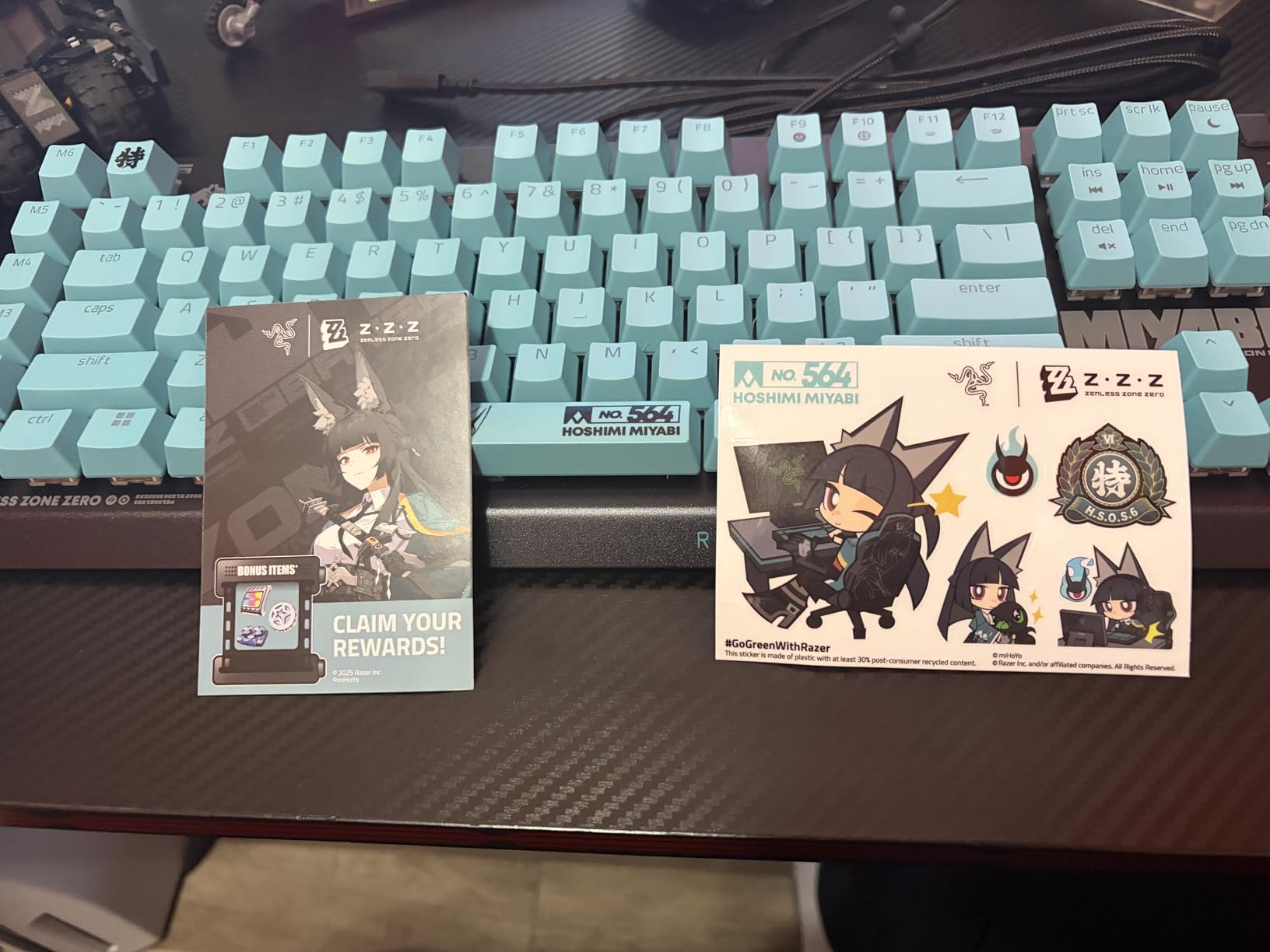
Razer Chroma RGB remains one of the best lighting ecosystems in gaming. The per-key lighting supports 16.8 million colors with extensive visual effects, and Chroma Studio lets you sync lighting across all Razer peripherals. The doubleshot ABS keycaps ensure labels never wear off, and the sound dampening foam under the circuit board combined with lubricated stabilizers keeps typing noise manageable.
The Snap Tap feature is a competitive gaming addition that helps with counter-strafing in FPS titles. The solid metal backplate adds rigidity and durability. However, some users report keys becoming unresponsive over time, which is concerning for long-term reliability. The switches are also not hot-swappable, limiting future customization.
Who Should Buy the Razer BlackWidow V4 X
This keyboard is built for MMO and MOBA players who benefit from dedicated macro keys. The fast Yellow linear switches also make it strong for competitive FPS gaming where actuation speed matters. If you already own Razer peripherals, Chroma ecosystem integration makes this a natural fit for a unified gaming setup.
Who Should Skip It
If you want hot-swappable switches, this board does not support them. The six macro keys on the left side require muscle memory adjustment and may interfere with how you position your left hand. Users concerned about long-term reliability based on reports of unresponsive keys may prefer the Logitech or Cherry alternatives with longer warranties.
How to Choose the Best Mechanical Gaming Keyboards?
Choosing the right mechanical gaming keyboard comes down to understanding switch types, form factors, and the features that actually impact your gaming performance. After testing all 10 keyboards on this list, I can tell you that paying more does not always mean getting a better board for your specific needs. Here is what matters most when making your decision.
Switch Types: Linear vs Tactile vs Clicky
Linear switches are the most popular choice for gaming because they actuate smoothly without any tactile bump or audible click. This means faster repeated keypresses and less finger fatigue during long sessions. The GravaStar Mercury K1, AULA F75 Pro, ASUS ROG boards, SteelSeries Apex Pro, Cherry MX 3.0S Silent Red, and Razer BlackWidow V4 X Yellow switches all fall into this category.
Tactile switches provide a physical bump at the actuation point, which helps you feel when a key registers. The Redragon K556 Brown switches and Logitech G413 SE tactile switches are excellent for users who split time between gaming and typing. Clicky switches like the Logitech G PRO GX Blue add an audible click sound that some users love but that makes them unsuitable for shared environments.
Hall Effect and Rapid Trigger Technology
Hall Effect switches use magnets instead of physical contacts to register keypresses. This allows for adjustable actuation points and Rapid Trigger functionality. The SteelSeries Apex Pro TKL Gen 3 uses OmniPoint 3.0 magnetic switches that let you set actuation anywhere from 0.1mm to 4.0mm per key. Rapid Trigger means the key resets the instant you start releasing it, which gives you measurably faster response in competitive FPS games.
The Reddit community from r/MechanicalKeyboards and r/buildapc consistently ranks Hall Effect keyboards as essential for serious competitive gaming. If you play CS2, Valorant, or Apex Legends at a high level, the adjustable actuation and Rapid Trigger features provide a genuine competitive advantage that traditional switches cannot match.
Form Factor Guide: 60% vs 75% vs TKL vs Full-Size
The form factor determines how many keys the keyboard has and how much desk space it occupies. A 60% keyboard removes the number pad, arrow keys, and function row for maximum mouse space. A 75% keyboard like the GravaStar Mercury K1 and AULA F75 Pro keeps the function row in a compact layout. Tenkeyless (TKL) boards like the SteelSeries Apex Pro TKL and Logitech G PRO remove only the number pad.
Full-size boards like the ASUS ROG Strix Scope II X, Cherry MX 3.0S, Redragon K556, Logitech G413 SE, and Razer BlackWidow V4 X keep everything including the number pad. The 96% layout of the ASUS ROG Strix Scope II 96 Wireless is a compromise that retains the number pad in a tighter footprint. For competitive FPS gaming, smaller form factors are preferred because they free up desk space for low-sensitivity mouse movements.
Key Features to Consider
Polling rate matters for competitive gaming. Most boards on this list offer 1000Hz polling, which means the keyboard reports its state to the computer 1,000 times per second. This translates to 1ms response time, which is the standard for serious gaming. Hot-swappable switches, found on the GravaStar, AULA, ASUS ROG boards, and Redragon K556, let you replace switches without soldering, which extends the life and customization potential of your keyboard.
RGB backlighting ranges from basic preset modes to fully programmable per-key lighting. Razer Chroma and Logitech LIGHTSYNC are the most mature ecosystems. Build quality matters for longevity, and aluminum construction across the GravaStar, ASUS ROG, Cherry, Redragon, and Logitech G413 SE boards provides rigidity and premium feel. Sound dampening foam, found in most of the boards on this list, reduces the hollow ping that cheaper boards produce.
Wired vs Wireless: Latency Considerations
Wireless technology has improved dramatically, and competitive gamers no longer need to sacrifice latency for cable-free setups. The ASUS ROG SpeedNova 2.4GHz technology in the Strix Scope II 96 Wireless delivers latency that matches wired connections. The GravaStar Mercury K1 and AULA F75 Pro also offer tri-mode connectivity with 2.4GHz dongles designed for gaming.
Bluetooth is fine for productivity and casual gaming but introduces latency that competitive players will notice. For tournament play, many professionals still prefer wired keyboards for maximum reliability. Battery life varies significantly: the ASUS ROG Strix Scope II 96 boasts up to 1,500 hours in 2.4GHz mode, while the AULA F75 Pro’s 4000mAh battery provides solid multi-day usage between charges.
Frequently Asked Questions
Are mechanical keyboards still good for gaming?
Yes, mechanical keyboards remain the top choice for gaming in 2026. They offer faster response times, better durability with 50+ million keystroke ratings, and more precise actuation than membrane keyboards. Modern Hall Effect switches with Rapid Trigger technology have pushed mechanical keyboard performance even further ahead of alternatives.
What is a 96% keyboard missing?
A 96% keyboard is missing the dedicated navigation cluster keys that a full-size board includes. Specifically, it removes the gap between the number pad and the main key cluster, eliminating keys like dedicated Insert, Home, Page Up, Page Down, Delete, End, and arrow keys as a separate cluster. These functions still exist but are packed into a tighter layout that requires adjustment.
Is a 60% or 75% keyboard better for gaming?
For most gamers, 75% is the better choice because it retains the function row and dedicated arrow keys while staying compact. A 60% keyboard offers more desk space for mouse movement, which benefits competitive FPS players who use low sensitivity. However, 60% boards require learning layer-based key combinations for arrow keys and functions, which adds a learning curve that not all users want.
What is the best company for mechanical keyboards?
The best company depends on your priorities. SteelSeries leads in competitive gaming technology with Hall Effect switches. ASUS ROG offers the best balance of wireless features and build quality. Logitech provides proven esports reliability and ecosystem integration. Cherry delivers authentic switch heritage and durability. For budget options, Redragon and AULA offer exceptional value with enthusiast features like hot-swap sockets at accessible prices.
Conclusion
The best mechanical gaming keyboards in 2026 cover an impressive range of features, prices, and gaming styles. For an all-around premium experience, the GravaStar Mercury K1 stands out with its aluminum exoskeleton, tri-mode wireless, and hot-swappable linear switches. Budget-conscious gamers get incredible value from the AULA F75 Pro, which delivers enthusiast-level features at an unbeatable price. Competitive FPS players who want every possible edge should invest in the SteelSeries Apex Pro TKL Gen 3 with its Hall Effect magnetic switches and Rapid Trigger technology.
Whatever your budget, playstyle, or desk setup, at least one of the 10 keyboards on this list will fit your needs perfectly. Focus on the switch type that matches your gaming style, the form factor that fits your desk space, and the connectivity options that match your setup. A good mechanical gaming keyboard is an investment that can last years, so choose the one that feels right for how you play.