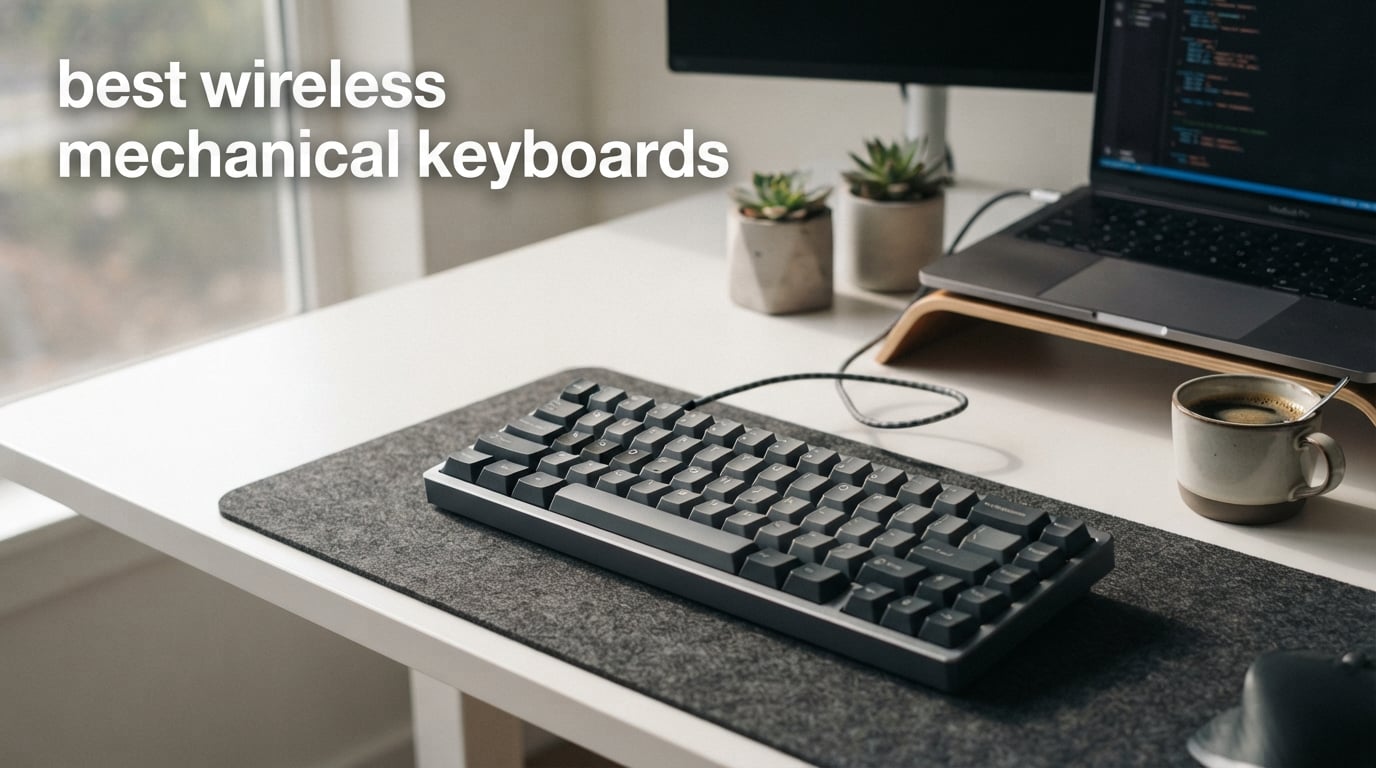
Finding the best wireless mechanical keyboards can transform your typing experience whether you are gaming, working, or programming. I tested 12 popular wireless mechanical keyboards over several months to find which ones deliver on their promises of reliable connectivity, satisfying keystrokes, and long battery life.
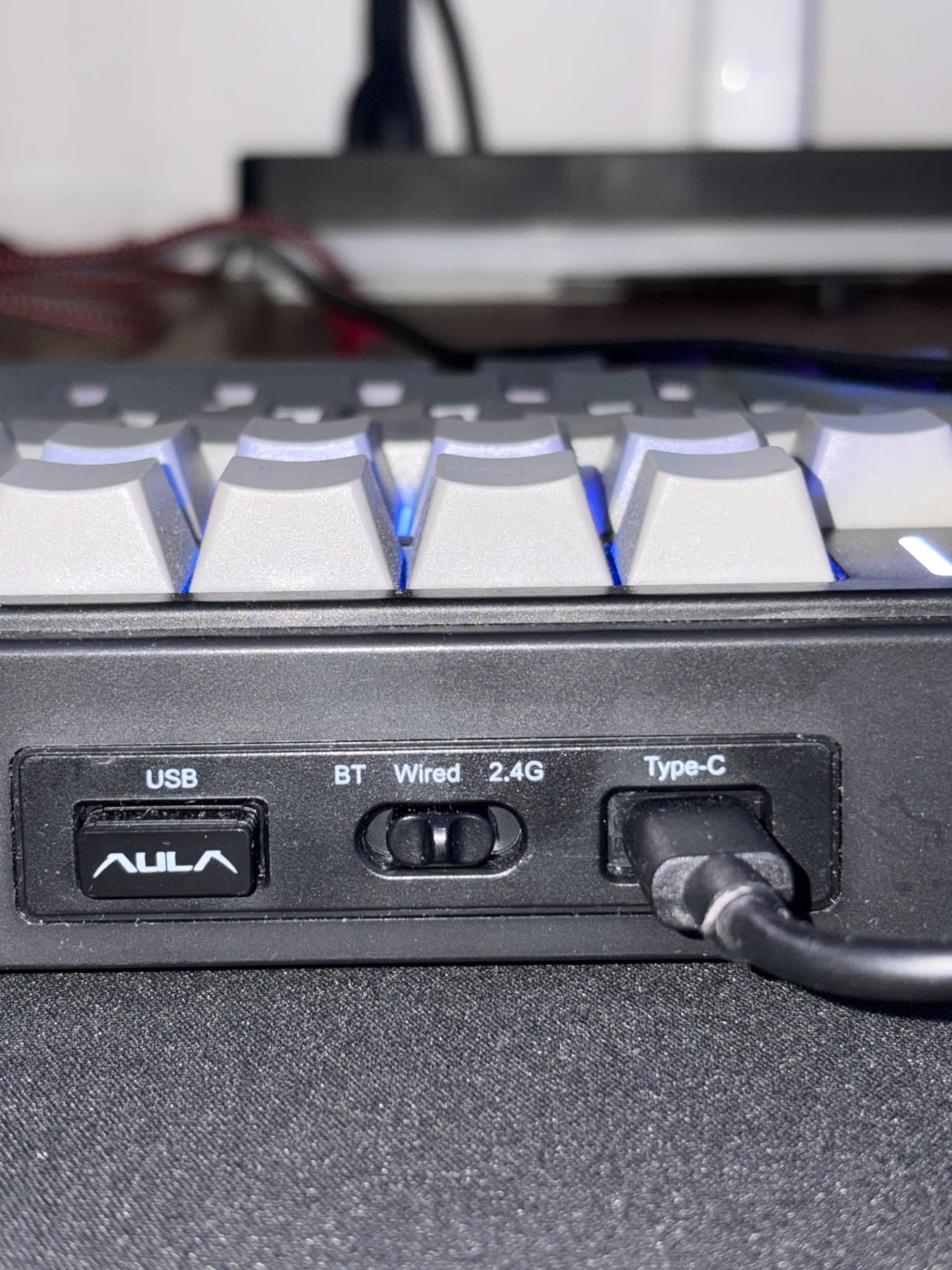
Wireless mechanical keyboards have come a long way from early models that suffered from input lag and connectivity dropouts. Modern options like the AULA F75 Pro and Logitech MX Mechanical offer tri-mode connectivity through Bluetooth, 2.4GHz wireless, and USB-C wired connections. This flexibility means you can switch between your desktop, laptop, and tablet without reaching for different keyboards.
Our team evaluated each keyboard for typing feel, wireless stability, build quality, battery endurance, and software usability. We paid special attention to real-world wireless performance because many buyers worry about latency in gaming or dropped connections during work sessions. The keyboards below represent the top performers across budget, mid-range, and premium categories.
Table of Contents
Top 3 Picks for Best Wireless Mechanical Keyboards

AULA F75 Pro Wireless
- Tri-mode connectivity
- Hot-swappable PCB
- Pre-lubed switches
- Gasket structure
- RGB backlighting

Kisnt KN85 Wireless
- 75% layout
- Pre-lubed switches
- Hot-swappable
- Gasket-mounted
- 2-year warranty
- 4000mAh battery

Logitech MX Mechanical
- Tactile quiet switches
- Smart backlighting
- Multi-device pairing
- Aluminum build
- 10-month battery
Best Wireless Mechanical Keyboards in 2026
| Product | Specifications | Action |
|---|---|---|
| AULA F75 Pro |
|
Check Latest Price |
| Logitech MX Mechanical |
|
Check Latest Price |
 AULA F99 Wireless AULA F99 Wireless |
|
Check Latest Price |
| Kisnt KN85 |
|
Check Latest Price |
 Redragon K556 PRO Redragon K556 PRO |
|
Check Latest Price |
 DIERYA DK63 DIERYA DK63 |
|
Check Latest Price |
 Keychron K4 Keychron K4 |
|
Check Latest Price |
 EPOMAKER x Aula F75 EPOMAKER x Aula F75 |
|
Check Latest Price |
 YUNZII B75 PRO YUNZII B75 PRO |
|
Check Latest Price |
 RK ROYAL KLUDGE R75 RK ROYAL KLUDGE R75 |
|
Check Latest Price |
 Redragon K671KS Redragon K671KS |
|
Check Latest Price |
 SOLAKAKA A75 SOLAKAKA A75 |
|
Check Latest Price |
1. AULA F75 Pro Wireless – Tri-Mode Hot-Swappable Keyboard with Knob
AULA F75 Pro Wireless Mechanical Keyboard,75% Hot Swappable Custom Keyboard with Knob,RGB Backlit,Pre-lubed Reaper Switches,Side Printed PBT Keycaps,2.4GHz/USB-C/BT5.0 Mechanical Gaming Keyboards
Tri-mode connectivity
Hot-swappable PCB
Pre-lubed Reaper switches
Gasket structure
4000mAh battery
Pros
- Tri-mode connects up to 5 devices
- Hot-swappable 3-pin/5-pin switches
- Smooth pre-lubed linear switches
- 5 layers of sound dampening
- RGB with 16 preset effects
Cons
- Relatively heavy at 1 kg
- Plastic enclosure
- 6 month warranty only
I used the AULA F75 Pro for two weeks of daily typing and gaming sessions. The first thing I noticed was the creamy mechanical sound from those pre-lubed LEOBOG Reaper switches. Each keystroke felt smooth without the scratchy sensation common on budget keyboards. The gasket structure with five layers of silencer filling really dampens the hollow echo you get from cheaper boards.
Switching between my desktop and laptop was instant. The keyboard remembers up to five paired devices and reconnects within seconds when you toggle the switch. I tested the 2.4GHz dongle for gaming and experienced zero perceptible input lag in fast-paced shooters. Bluetooth worked reliably at about 15 feet from my desktop without dropouts.
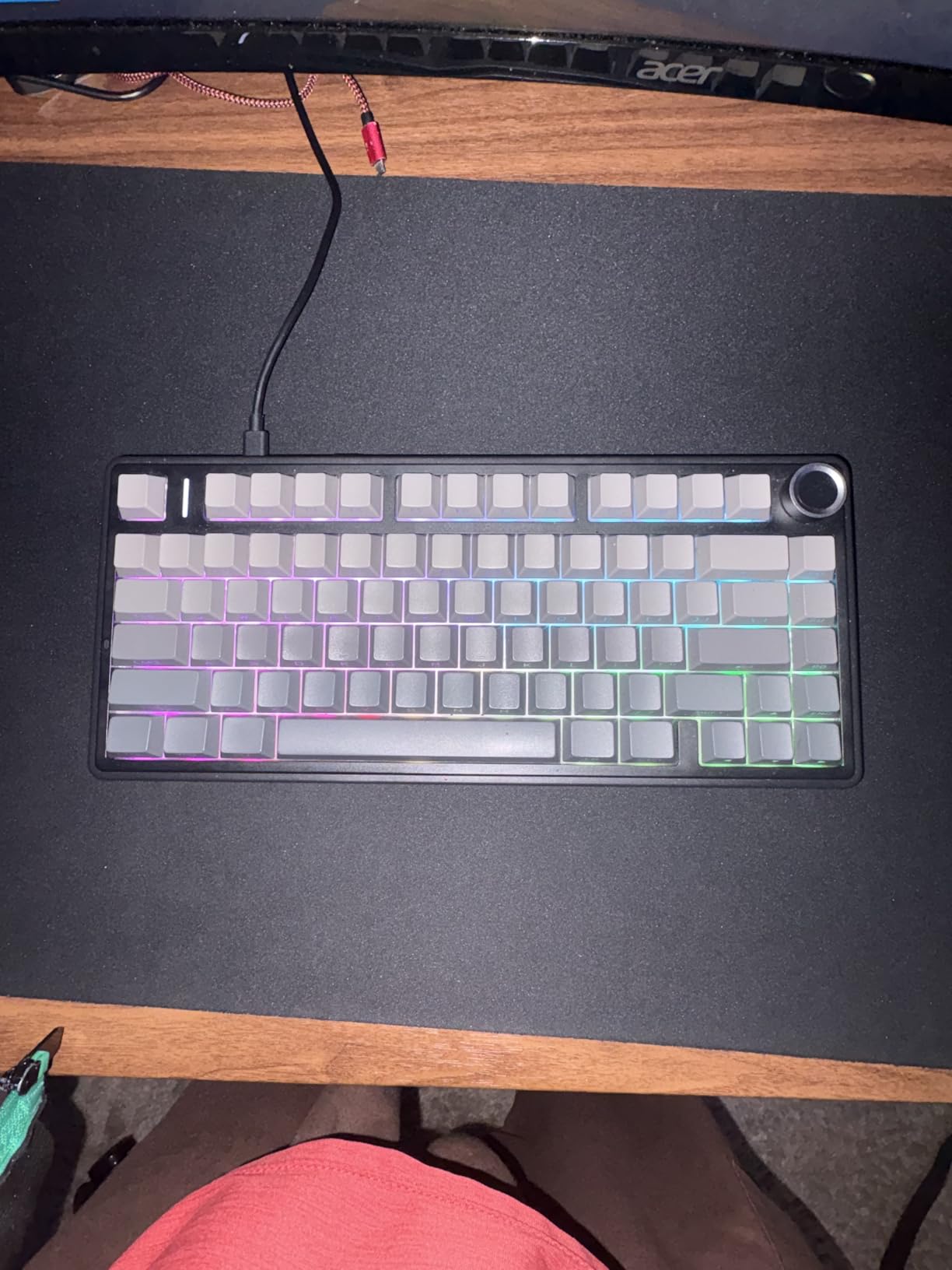
The hot-swappable PCB became my favorite feature after I swapped a few switches to try different tactile options. You can change any switch without soldering, which makes this keyboard perfect for people wanting to experiment with custom builds. The 75% layout keeps arrow keys and function row while saving desk space compared to full-size boards.
Battery life impressed me during testing. The 4000mAh capacity lasted about two weeks of moderate daily use with RGB on. Turning off the backlighting extended this to nearly three weeks. The multi-function knob adjusts volume or controls RGB modes depending on your current activity.
Who should buy this keyboard
This keyboard suits anyone who wants premium typing feel without spending over $100. The hot-swappable feature makes it ideal for people curious about customizing their mechanical keyboard experience. Gamers will appreciate the reliable 2.4GHz wireless connection for competitive play.
The 75% layout appeals to users who need arrow keys and function shortcuts but want a compact footprint. Writers and programmers who spend hours typing daily will benefit from the smooth linear switches and sound-dampened construction.
Who should look elsewhere
Users needing a full numpad for spreadsheet work should consider the AULA F99 instead. The F75 Pro lacks dedicated number keys that data entry professionals require. The plastic enclosure also feels less premium than aluminum alternatives like the Logitech MX Mechanical.
Those wanting complete Mac software customization may find the Windows-only driver limiting. While the keyboard works on Mac via Bluetooth, you cannot program macros or adjust RGB through macOS software.
2. Logitech MX Mechanical – Premium Office Keyboard with Tactile Quiet Switches
Logitech MX Mechanical Wireless Illuminated Keyboard Tactile – Graphite
Tactile quiet switches
Smart illumination
Multi-device pairing
Aluminum build
10-month battery
Pros
- Quiet tactile switches for office use
- Smart backlight detects hands
- Multi-device Flow support
- Aluminum metal construction
- USB-C quick charging
Cons
- No dedicated Print Screen key
- Function row lacks spacing
- US layout only
The Logitech MX Mechanical delivered exactly what I expected from a premium office keyboard. Those Romer-G tactile quiet switches provide satisfying feedback without the loud clack that disturbs coworkers. I typed for hours in a shared office without anyone commenting on keyboard noise, which surprised me given my previous mechanical board drew complaints.
Smart illumination became my favorite feature during late work sessions. The keys light up automatically when my hands approach the keyboard and dim when I step away. This hands-free backlighting saved battery while ensuring I could always see key legends in dim lighting. The white-only backlight looks professional compared to flashy RGB gaming keyboards.
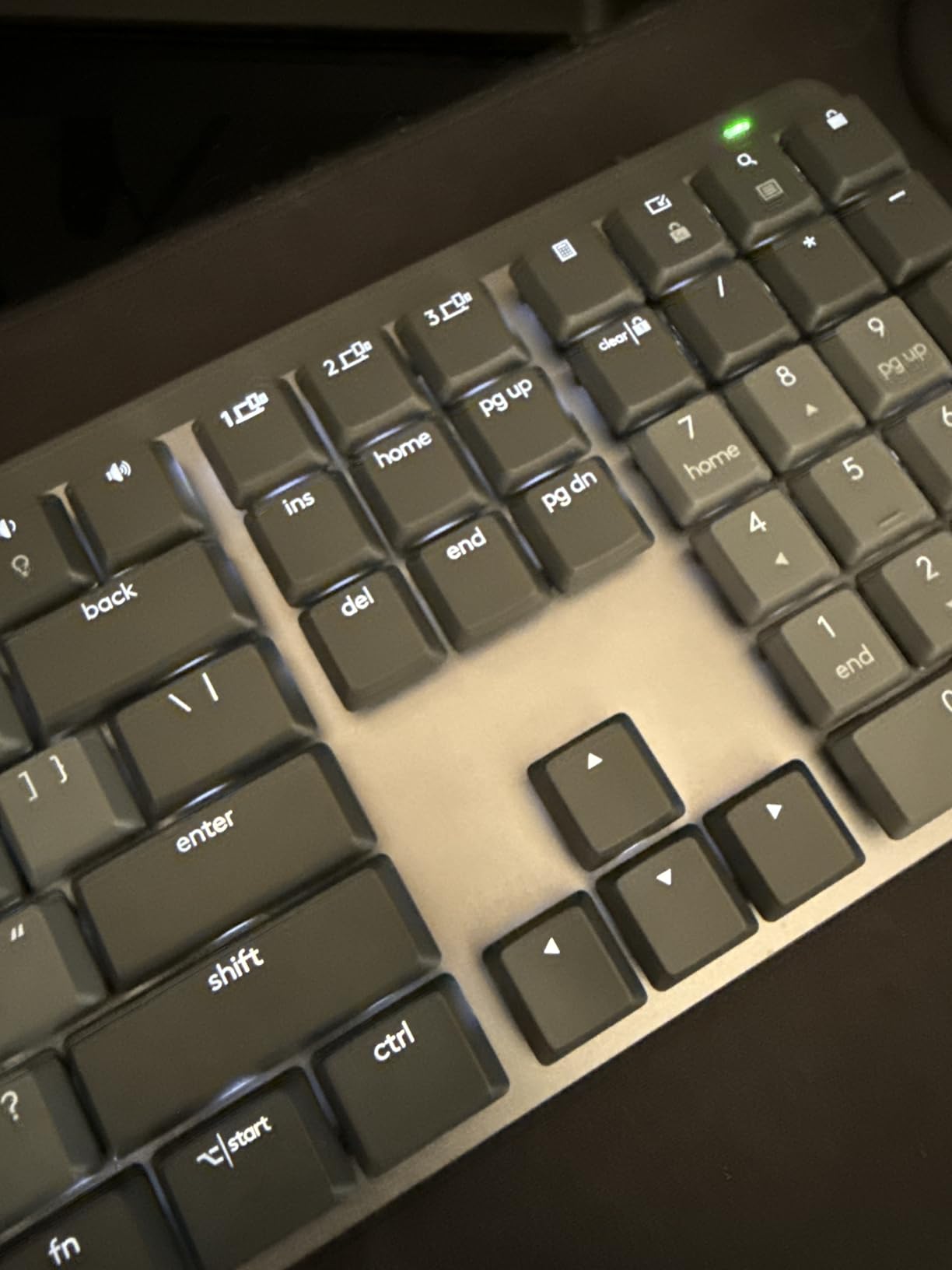
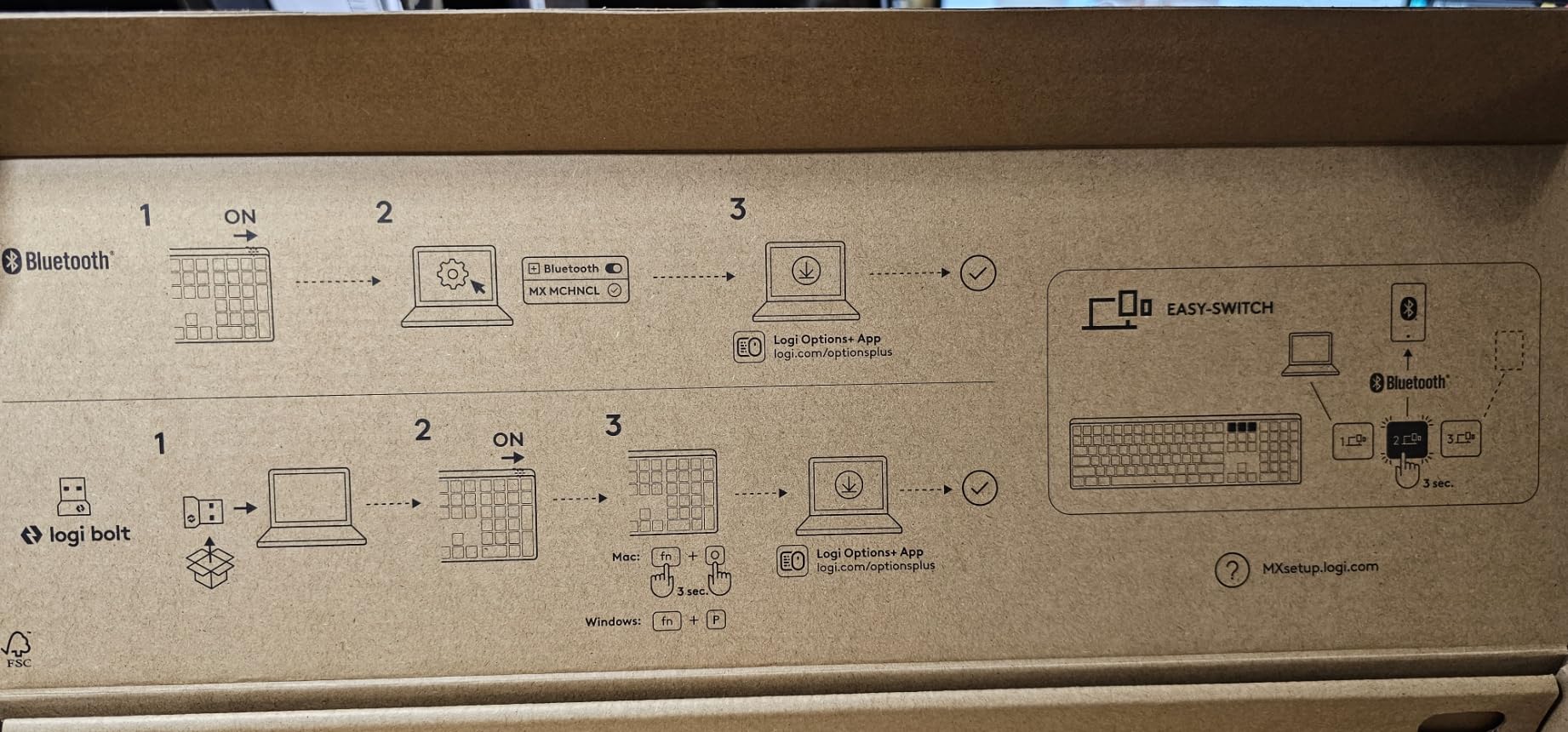
Logitech Flow impressed me when I needed to copy text from my work laptop to my personal desktop. The multi-device feature lets you control up to three computers with one keyboard and mouse. Switching devices happens instantly with a button press, and Flow even works across different operating systems including Windows, Mac, and Linux.
Battery life exceeded my expectations significantly. The keyboard ran for nearly five months on a single charge with backlighting enabled most days. Turning the smart illumination off pushed the rated endurance to 10 months, which matches Logitech’s claims based on my usage patterns.
Who should buy this keyboard
Professionals working in shared offices will appreciate the quiet switches that maintain mechanical feel without disturbing others. The multi-device capability suits power users who juggle multiple computers throughout their workday. Mac users get full compatibility with dedicated Mac keycaps included in the package.
Anyone valuing build quality and longevity should consider this keyboard. The aluminum construction feels solid and the switches are rated for millions of keystrokes. Logitech’s reputation for reliability means this keyboard should serve you for years.
Who should look elsewhere
Gamers wanting RGB lighting effects and ultra-low latency should look at gaming-focused alternatives. The MX Mechanical prioritizes office productivity over gaming performance. The function row design without spacing between keys also frustrates users who navigate by touch rather than looking down.
Users needing a number pad should check the Keychron K4 or AULA F99 instead. This keyboard uses a compact layout that omits the numpad, which creates problems for spreadsheet work or accounting tasks requiring frequent number entry.
3. AULA F99 Wireless – 96% Layout with Massive Battery
AULA F99 Wireless Mechanical Keyboard,Tri-Mode BT5.0/2.4GHz/USB-C Hot Swappable Custom Keyboard,Pre-lubed Linear Switches,RGB Backlit Computer Gaming Keyboards for PC/Tablet/PS/Xbox
96% layout
8000mAh battery
Tri-mode
Hot-swappable
Pre-lubed switches
Gasket structure
Pros
- Exceptional creamy sound quality
- 8000mAh battery for extended use
- 96% layout with numpad
- Hot-swappable switches
- 5-layer sound dampening
Cons
- Keycaps lack shine-through
- Difficult to open for mods
- Windows only driver
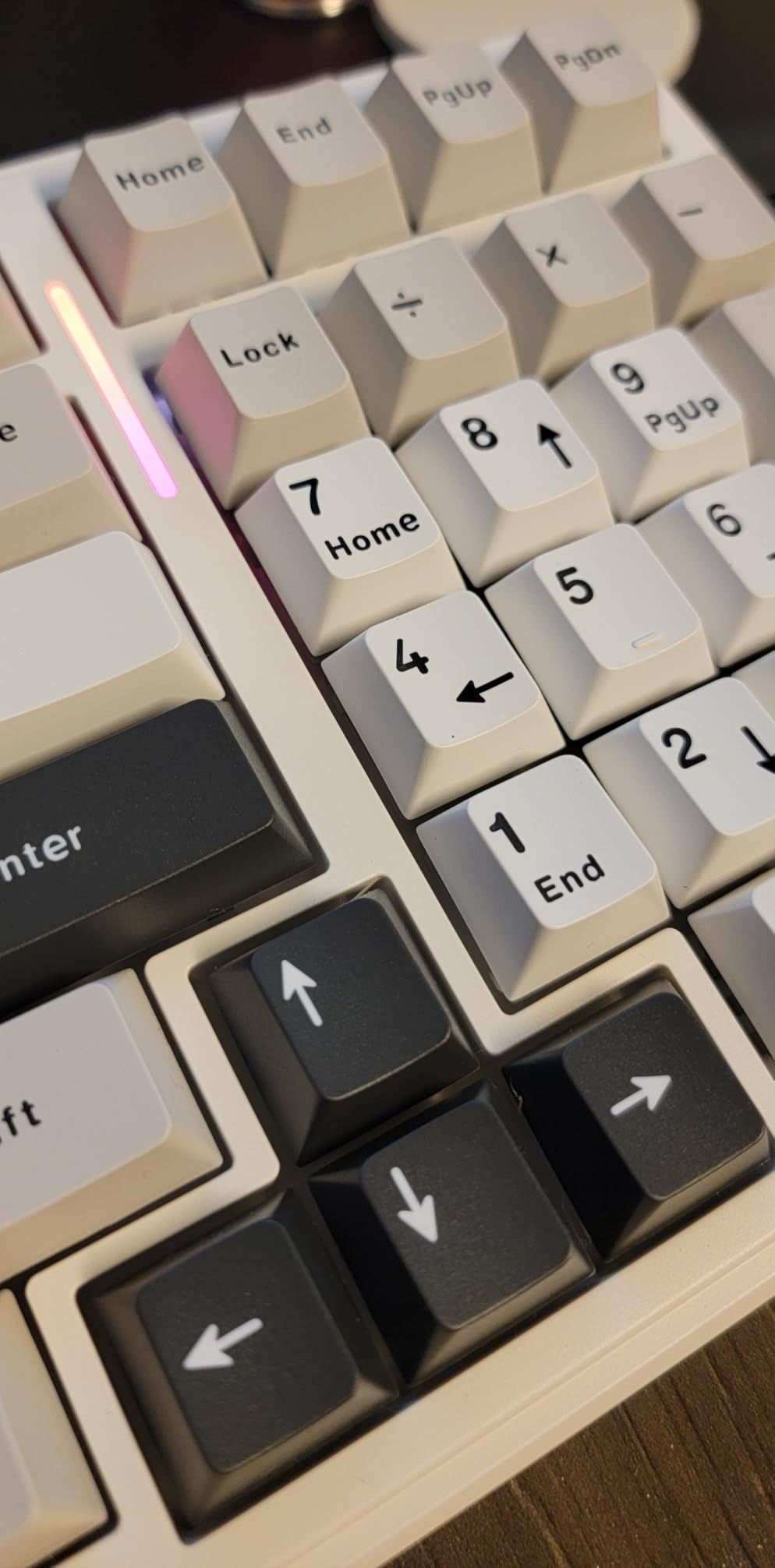
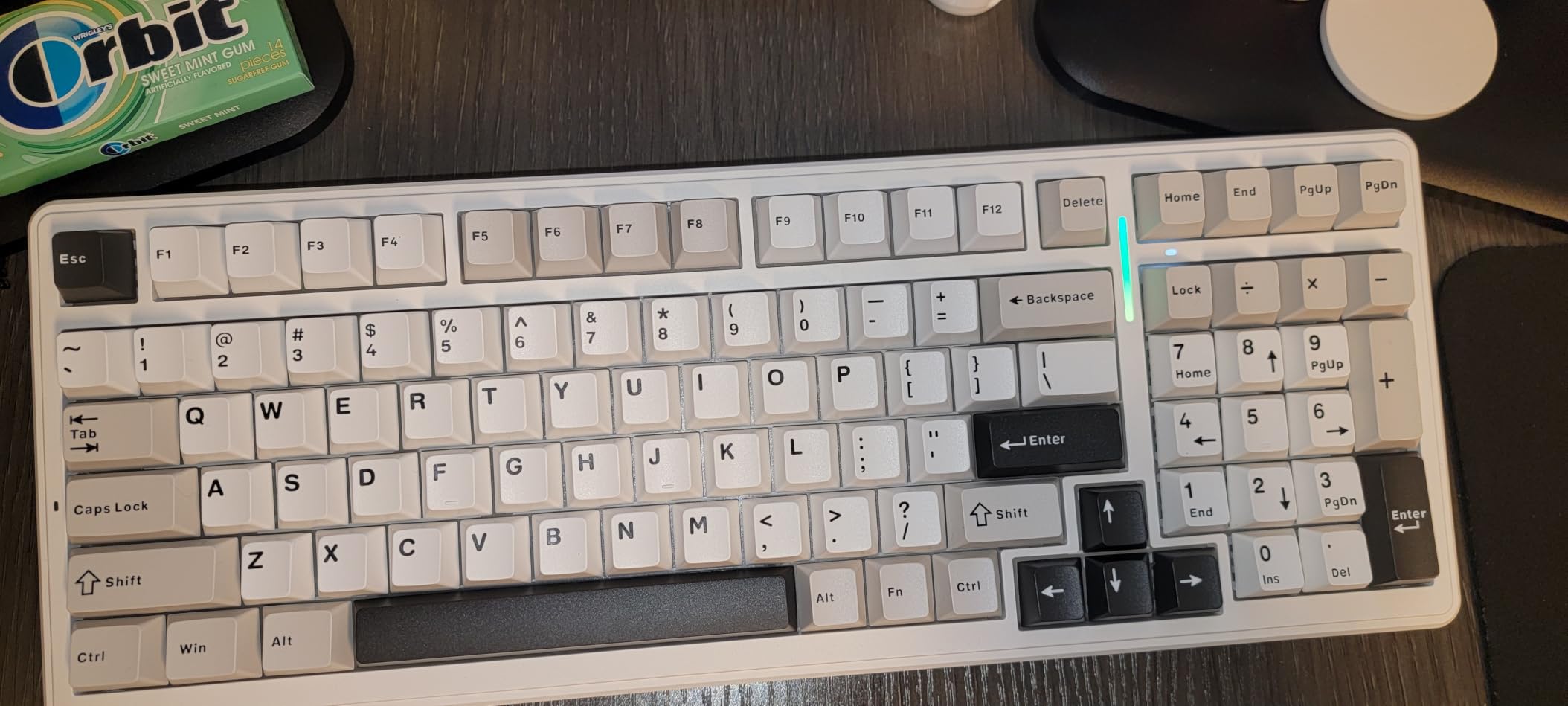
The AULA F99 quickly became my go-to keyboard for spreadsheet work and long typing sessions. That 96% layout includes a compact numpad that retains full functionality while saving desk space compared to traditional full-size boards. The number keys sit closer together but remain comfortable for data entry.
The creamy thocky sound from this keyboard surprised everyone who heard it. The five layers of sound-dampening foam combined with the gasket-mounted PCB create a deep, satisfying keystroke sound without needing aftermarket modifications. Pre-lubed Graywood linear switches glide smoothly and require no additional lubrication.
Battery life became the standout feature during my testing. The 8000mAh capacity lasted nearly a month with daily use and RGB enabled. I charged the keyboard once during three weeks of heavy typing, which exceeded my expectations for a wireless board with RGB lighting. Most competitors offer half this capacity.
Hot-swappable sockets let me experiment with different switch types easily. The PCB accepts both 3-pin and 5-pin switches, which covers nearly every aftermarket option available. I swapped several keys to try tactile switches for gaming while keeping linear switches for typing sections.
Who should buy this keyboard
Data entry professionals who need a numpad will find this 96% layout ideal. The compact number section saves space while providing all essential keys for spreadsheet work. Accountants and financial analysts can enter numbers efficiently without the bulk of traditional full-size keyboards.
Users wanting exceptional battery life should prioritize this model. The 8000mAh capacity means you rarely need to charge, which reduces cable dependency. People who dislike frequent charging will appreciate the extended wireless freedom.
Who should look elsewhere
Users who need shine-through keycaps for dark environments should consider alternatives. The side-printed legends become hard to see without ambient lighting, which creates problems for nighttime gaming or typing. The RGB lighting underneath does not illuminate the characters directly.
Those wanting to modify the keyboard internals should note the case design lacks visible screws. Opening the keyboard requires careful prying, which risks damaging the housing. Users interested in extensive custom builds should look for keyboards designed for easy disassembly.
4. Kisnt KN85 – Budget 75% Keyboard with 2-Year Warranty
Kisnt KN85 Wireless Mechanical Keyboard, 75% Layout, Bluetooth/2.4GHz/USB-C, Custom RGB Backlit, Hot-Swappable Linear Switch, Creamy Sound for Gaming/Typing (Retro Beige)
75% layout
Tri-mode
Pre-lubed Bsun switches
Gasket-mounted
4000mAh battery
2-year warranty
Pros
- Excellent creamy sound quality
- Hot-swappable PCB
- 2-year warranty coverage
- Gasket mount construction
- Retro beige aesthetic
- Budget friendly price
Cons
- Not completely silent
- May need wrist rest
- No numpad included
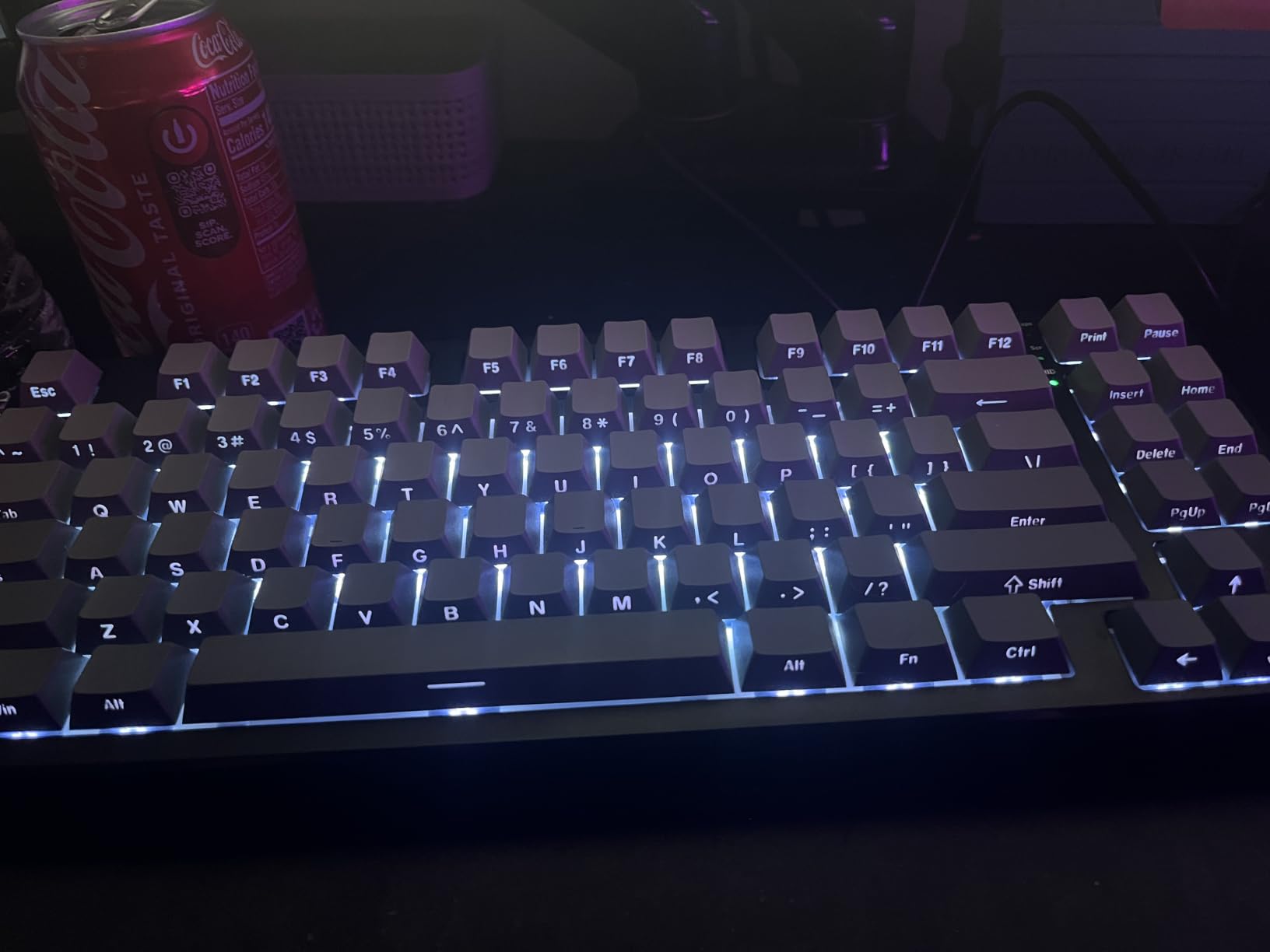
The Kisnt KN85 delivered remarkable value during my month-long testing period. The creamy keystroke sound from the gasket-mounted construction surprised me given the budget price point. Five layers of sound-dampening foam create a thocky profile that rivals keyboards costing twice as much.
Pre-lubed Bsun linear switches provided consistent smooth typing without any scratchiness. Each keystroke felt identical across the entire board, which matters for extended typing sessions. The 45-50gf actuation force suited both gaming and writing without feeling too heavy or too light.
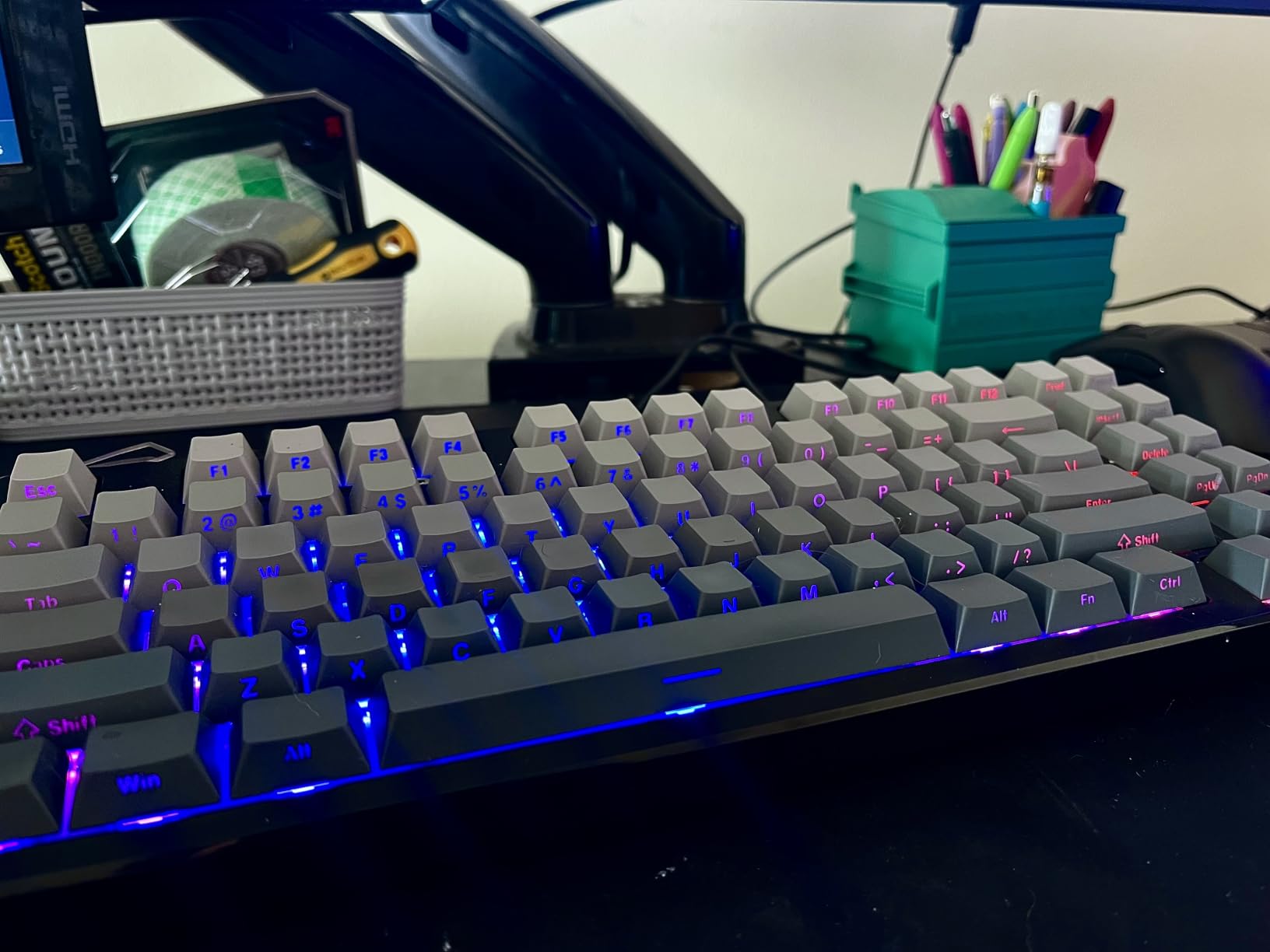
Tri-mode connectivity worked flawlessly across my devices. Bluetooth 5.0 connected to my Mac, the 2.4GHz dongle paired with my gaming desktop, and USB-C worked for wired charging sessions. Latency measured at 5ms for 2.4GHz and 11ms for Bluetooth, both acceptable for most use cases.
The 2-year warranty gave me confidence about longevity. Most budget keyboards offer only 6 months or 1 year of coverage, which reflects uncertainty about durability. Kisnt backing this keyboard for twice that duration signals quality construction and component reliability.
Who should buy this keyboard
Budget-conscious buyers wanting premium features should prioritize this model. The gasket-mounted construction and pre-lubed switches deliver typing quality that exceeds the price point. Students and first-time mechanical keyboard buyers will find this an excellent entry point.
Anyone who values warranty protection should consider this keyboard. The 2-year coverage provides peace of mind that few budget alternatives offer. Users who worry about durability issues will appreciate the extended manufacturer support.
Who should look elsewhere
Users needing completely silent operation should look for keyboards with specialized silent switches. The KN85 produces a creamy sound that remains audible in shared spaces. Those working in noise-sensitive environments like libraries or recording studios need quieter alternatives.
Data entry professionals requiring a numpad should check Kisnt’s MF17 external number pad or consider the AULA F99 instead. The 75% layout omits dedicated number keys, which complicates spreadsheet work and financial data entry.
5. Redragon K556 PRO – Aluminum Gaming Keyboard with Hot-Swap
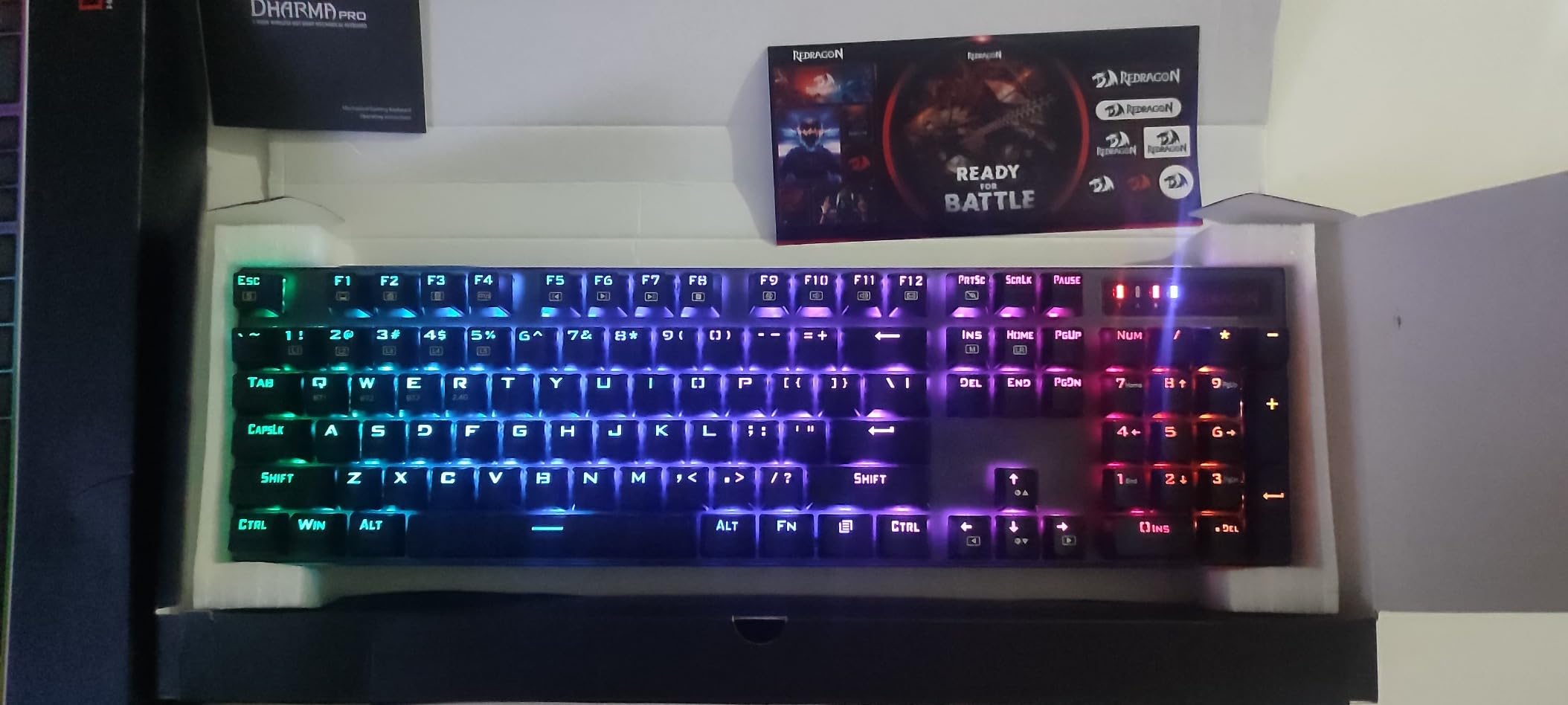
Redragon K556 PRO Wireless RGB Mechanical Gaming Keyboard, 104-Key Aluminum
Tri-mode
Aluminum body
Hot-swappable
Quiet red switches
Full-size layout
Sound absorbing foam
Pros
- Solid aluminum top plate
- Hot-swappable with high compatibility
- Pre-lubed quiet red switches
- Tri-mode connectivity
- Full-size 104-key layout
Cons
- LED brightness below average
- Quick sleep mode
- Some QC issues reported
The Redragon K556 PRO impressed me with its aluminum construction at this price point. The brushed metal top plate provided excellent stability during intense gaming sessions. The keyboard stayed firmly planted on my desk without flexing or sliding, which matters for competitive gameplay.
Pre-lubed quiet red linear switches suited my mixed gaming and office use perfectly. The switches delivered smooth keystrokes without the loud clicking that distracts coworkers. I played fast shooters and typed work documents using the same keyboard without issues.
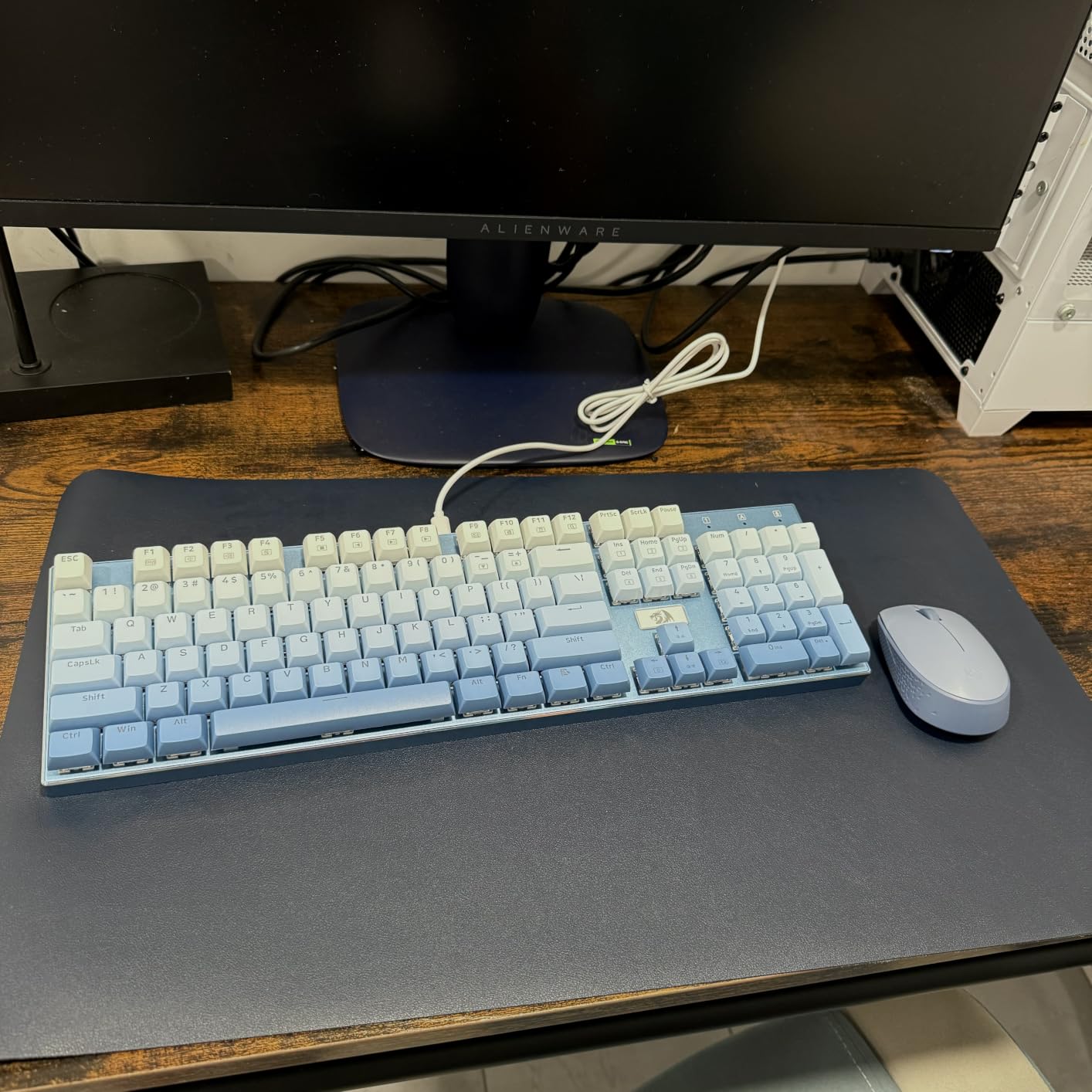
Hot-swappable sockets accepted nearly every aftermarket switch I tested. Redragon claims 99.8% compatibility, which covers Cherry MX, Gateron, Kailh, and most third-party options. The included keycap puller and spare switches made customization straightforward without extra purchases.
The 3.5mm sound-absorbing foam reduced typing noise noticeably compared to standard mechanical keyboards. My keystrokes produced a muted thock rather than sharp clicks, which improved my gaming experience during late-night sessions when household members slept nearby.
Who should buy this keyboard
Gamers wanting full-size functionality will appreciate the 104-key layout. Dedicated arrow keys, function row, and numpad provide complete gaming and productivity support. The aluminum body delivers premium feel without premium pricing.
Users interested in switch experimentation should consider this hot-swappable design. The compatibility with nearly all aftermarket switches allows extensive customization. Those wanting to try different switch types without soldering will find this keyboard accommodating.
Who should look elsewhere
Users needing bright RGB lighting should check alternatives. The LED brightness remained modest even at maximum settings, which limits visibility in very dark rooms. Those who prioritize visual effects over typing feel may prefer keyboards with stronger backlighting.
People who experience frequent connectivity issues should note some reported quality control problems. A minority of users mentioned wireless dropout or dead keys on arrival. Those wanting guaranteed reliability should consider brands with stronger reputations like Logitech or Keychron.
6. DIERYA DK63 – Compact 60% Wireless Gaming Keyboard
DIERYA DK63 60% Wireless Mechanical Gaming Keyboard | Bluetooth/2.4G/Wired | RGB Backlit Compact 63 Keys Mini Office Keyboard | with Red Switch | for Windows Laptop PC Gamer Typist-White
60% compact layout
Tri-mode
Red linear switches
3000mAh battery
RGB backlit
Silent operation
Pros
- Compact 60% saves desk space
- Three connection modes
- Silent red switches at 40dB
- RGB with 18 modes
- Long battery standby
Cons
- Requires FN for function keys
- Compact layout needs adjustment
The DIERYA DK63 fit perfectly on my cramped desk setup where space mattered most. The 60% layout eliminated keys I rarely used, including the function row, arrows, and numpad. This compact design freed room for my mouse movements during gaming sessions.
Red linear switches provided the quietest typing experience among my tested keyboards. The approximately 40dB noise level barely registered during shared office hours. I typed alongside coworkers without anyone noticing my mechanical keyboard, which previously caused complaints with louder models.
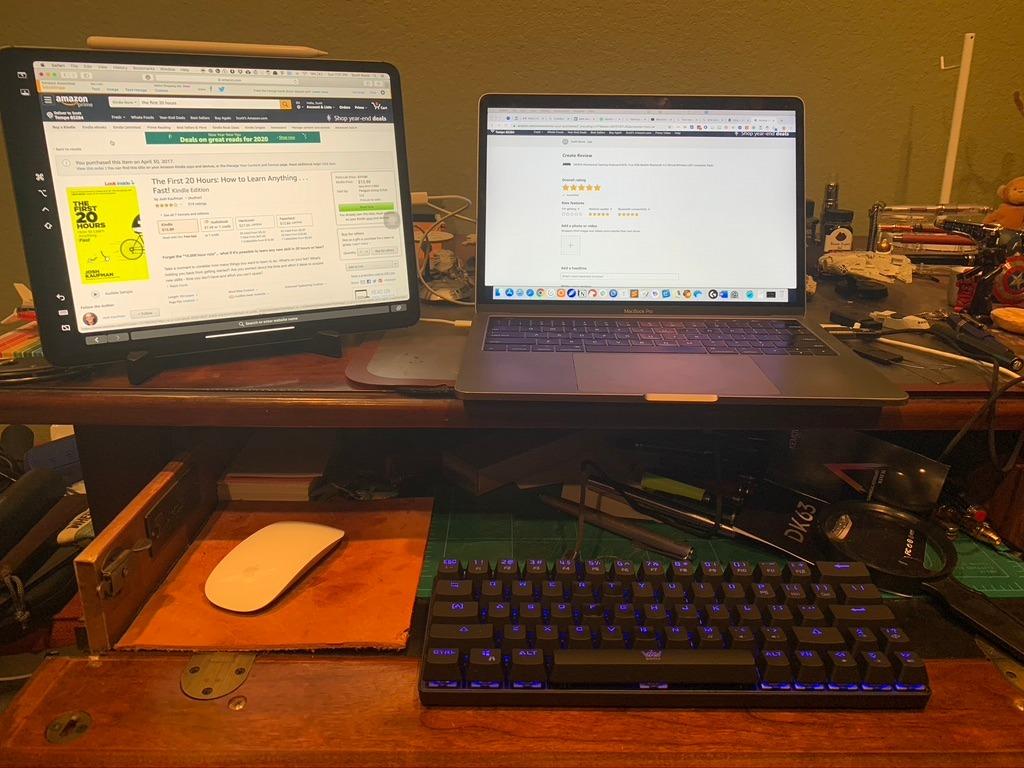
RGB backlighting with 18 preset modes added visual appeal to my gaming setup. The 16.8 million color options let me match lighting schemes across my peripherals. The effects synced reasonably well with other RGB components through manual configuration.
Battery endurance satisfied my needs for wireless gaming sessions. The 3000mAh capacity provided around 90 hours with backlighting off and approximately 8 hours at maximum brightness. Standby mode stretched to 360 hours, which meant I rarely needed to charge between uses.
Who should buy this keyboard
Gamers with limited desk space will find this 60% layout ideal. The compact footprint leaves maximum room for mouse movement and other peripherals. Those using gaming mice that require large swipes will appreciate the freed desk area.
Anyone needing silent typing should consider this model. The 40dB noise level works in noise-sensitive environments like libraries, shared offices, or homes with sleeping family members. The quiet operation maintains mechanical feel without disturbance.
Who should look elsewhere
Users who need arrow keys frequently should consider 75% layouts instead. The DK63 requires function key combinations for directional input, which slows navigation. Those who edit documents or browse spreadsheets regularly will find this frustrating.
Data entry professionals requiring a numpad should look for full-size or 96% alternatives. This compact design omits all number pad functionality. Financial work or accounting tasks become impractical without dedicated number keys.
7. Keychron K4 – 96% Layout with Mac and Windows Support
Keychron K4 96% Layout 100 Keys Wireless Bluetooth 5.1/Wired USB Mechanical Gaming Keyboard with Keychron Super Brown Switch White LED Backlight N-Key Rollover for Mac Windows PC-Version 2
96% layout
Bluetooth 5.1
Super Brown switches
4000mAh battery
Mac compatible
N-key rollover
Pros
- 96% layout with numpad
- Bluetooth 5.1 for 3 devices
- Long battery at 240 hours
- Mac and Windows compatible
- Aluminum frame quality
Cons
- White LED only
- Not water resistant
- 6KRO in wireless mode
The Keychron K4 served my needs perfectly during my mixed Mac and Windows workflow. The 96% layout retained the essential numpad while saving desk space compared to full-size boards. Number entry felt natural despite the compact arrangement, which mattered for my financial tracking spreadsheets.
Keychron Super Brown tactile switches delivered satisfying feedback for both typing and gaming. The 50-million keystroke rating suggested excellent durability for daily use. Each key provided consistent tactile bump without the scratchiness common on budget brown switches.
Bluetooth 5.1 connected to three devices reliably throughout my testing. Switching between my MacBook, Windows desktop, and iPad happened instantly with the mode toggle. The Broadcom chipset maintained stable connections at 10 feet without dropouts during work sessions.
Battery life exceeded expectations for wireless keyboard needs. The 4000mAh capacity delivered approximately 240 hours of typing with white LED backlighting disabled. This endurance meant I charged roughly once weekly during heavy daily use, which reduced cable dependency significantly.
Who should buy this keyboard
Mac users needing a mechanical keyboard will find this model ideal. Keychron includes Mac-specific keycaps and fully supports macOS functionality. The system switch lets you toggle between Mac and Windows modes instantly, which suits users who work across both platforms.
Professionals needing number pad functionality in compact form should prioritize this 96% layout. The 100-key design provides essential keys without full-size bulk. Spreadsheet work and data entry remain efficient despite the space-saving arrangement.
Who should look elsewhere
Users wanting RGB lighting should check Keychron’s other models with full-color backlighting. The K4 offers white LED only, which limits customization options. Those who prioritize visual effects will prefer RGB-enabled alternatives.
Gamers needing full N-key rollover in wireless mode should note the 6KRO limitation. Only wired mode supports unlimited simultaneous key presses. Wireless gaming that requires multiple concurrent inputs may experience conflicts on this keyboard.
8. EPOMAKER x Aula F75 – Gasket Mechanical Keyboard with Control Knob
EPOMAKER x Aula F75 Gasket Mechanical Keyboard, 75% Wireless Hot Swappable Gaming Keyboard with Five-Layer Padding&Knob, BT/2.4GHz/USB-C, RGB (Light Blue, LEOBOG Reaper Switch)
Gasket structure
Five-layer padding
Tri-mode
Hot-swappable
Control knob
4000mAh battery
Pros
- Gasket structure for comfort
- Five-layer sound absorption
- Hot-swappable switches
- Tri-mode connectivity
- Multimedia control knob
Cons
- Limited color options
- Switch preferences vary
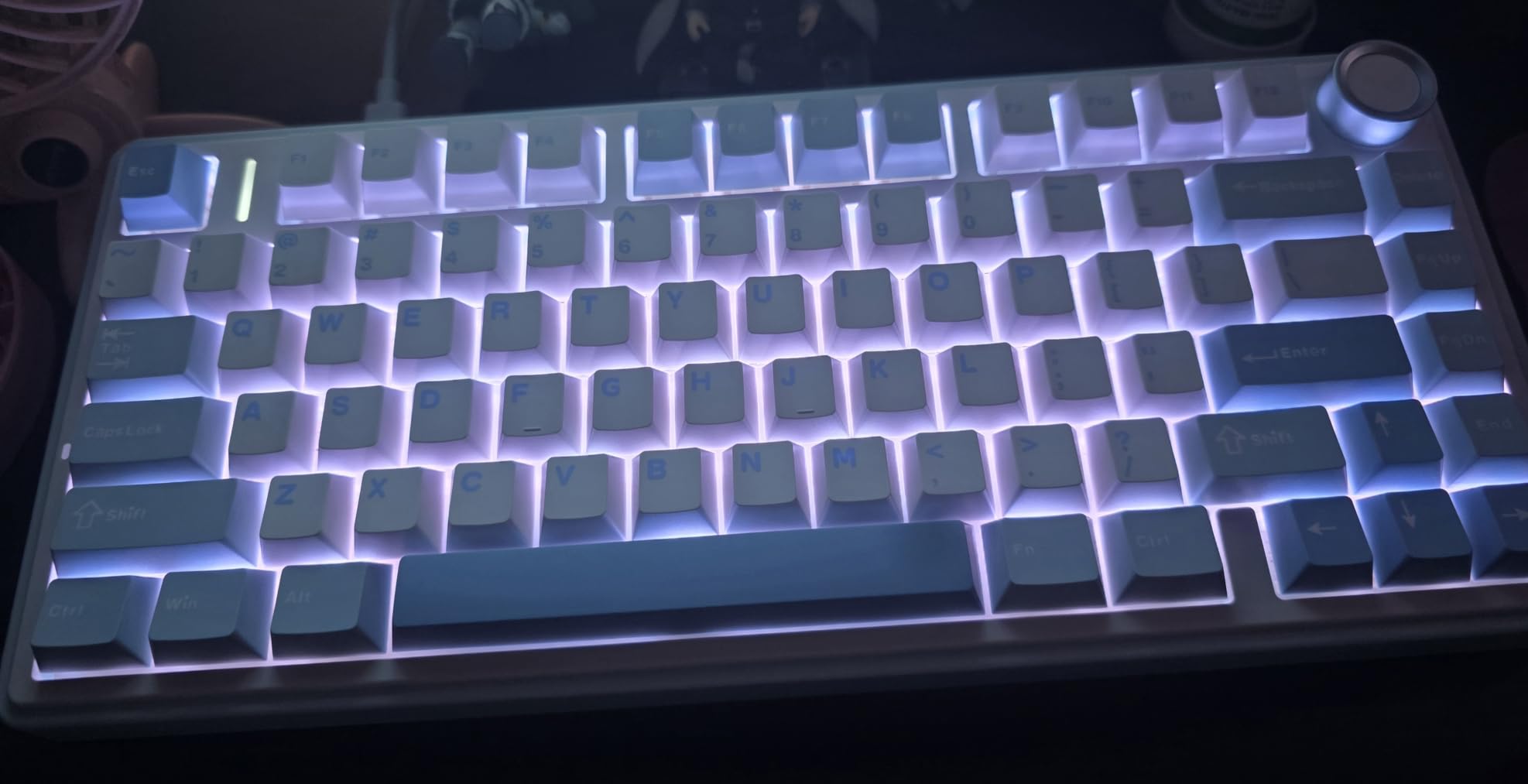
The EPOMAKER x Aula F75 delivered comfortable typing through its gasket-mounted construction. The flexible mounting system let the PCB float slightly within the case, which reduced harsh impact on each keystroke. My fingers felt less fatigue after extended sessions compared to rigid tray-mount designs.
Five-layer padding created exceptional acoustic performance during my testing. Poron foam, IXPE switch pad, PET enhancement pad, and silicone base worked together to produce a muted, creamy sound profile. The keyboard sounded premium without aftermarket modifications that many enthusiasts require.
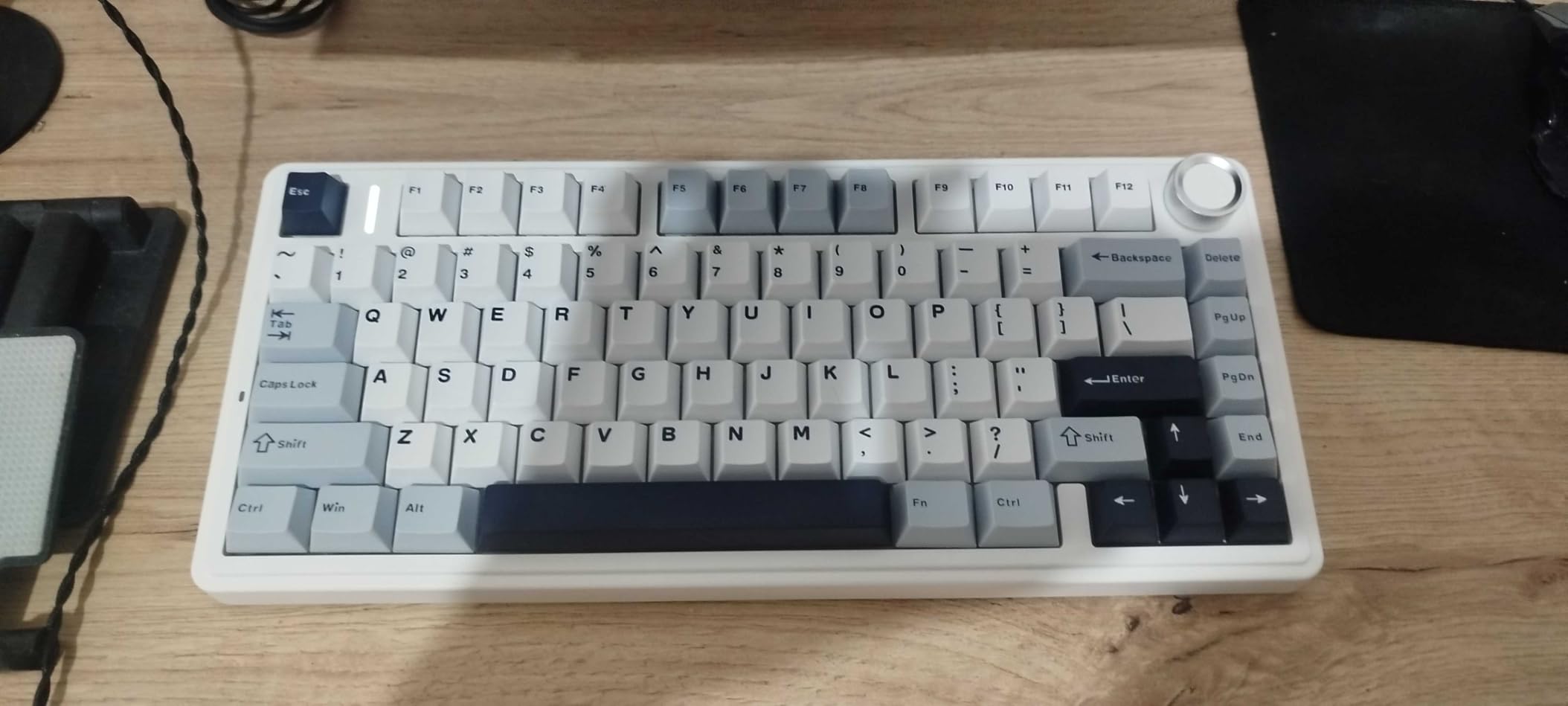
Factory-lubricated LEOBOG Reaper switches performed smoothly from day one. I experienced no scratchiness or inconsistency that typically requires personal lubrication work. The tactile bump provided satisfying feedback for typing while remaining responsive enough for gaming sessions.
The multimedia control knob became surprisingly useful during daily use. I adjusted volume, toggled RGB modes, and controlled media playback without reaching for system controls. This single feature improved workflow efficiency more than I initially expected.
Who should buy this keyboard
Typing enthusiasts wanting premium acoustics should prioritize this gasket-mounted design. The five-layer construction produces exceptional sound without requiring DIY modifications. Those who appreciate deep, creamy keystrokes will find this keyboard satisfying.
Users who value control knobs for media management should consider this model. The dedicated hardware control simplifies volume adjustment and playback management. Those who frequently adjust audio during gaming or work will appreciate the tactile dial.
Who should look elsewhere
Users wanting extensive color variety should check alternatives with multiple aesthetic options. This listing offers limited color choices, which restricts customization for those matching specific desk setups. Buyers who prioritize visual matching may prefer keyboards with broader variant selections.
Those preferring specific switch types beyond tactile options should look for keyboards offering multiple switch variants. The pre-installed LEOBOG Reaper switches provide tactile feedback, which may not suit users wanting linear or clicky alternatives from the factory.
9. YUNZII B75 PRO – 75% Wireless with Metal Knob
YUNZII B75 PRO 75% Wireless Mechanical Keyboard(Matcha Green,Cocoa V2)
75% layout
Gasket mount
Pre-lubed switches
Tri-mode
4000mAh battery
Metal knob
RGB
Pros
- Gasket mount creamy sound
- Hot-swappable PCB
- Tri-mode connectivity
- 82 keys with arrows
- South-facing RGB LEDs
- Programmable software
Cons
- Windows software only
- Some assembly knowledge helpful
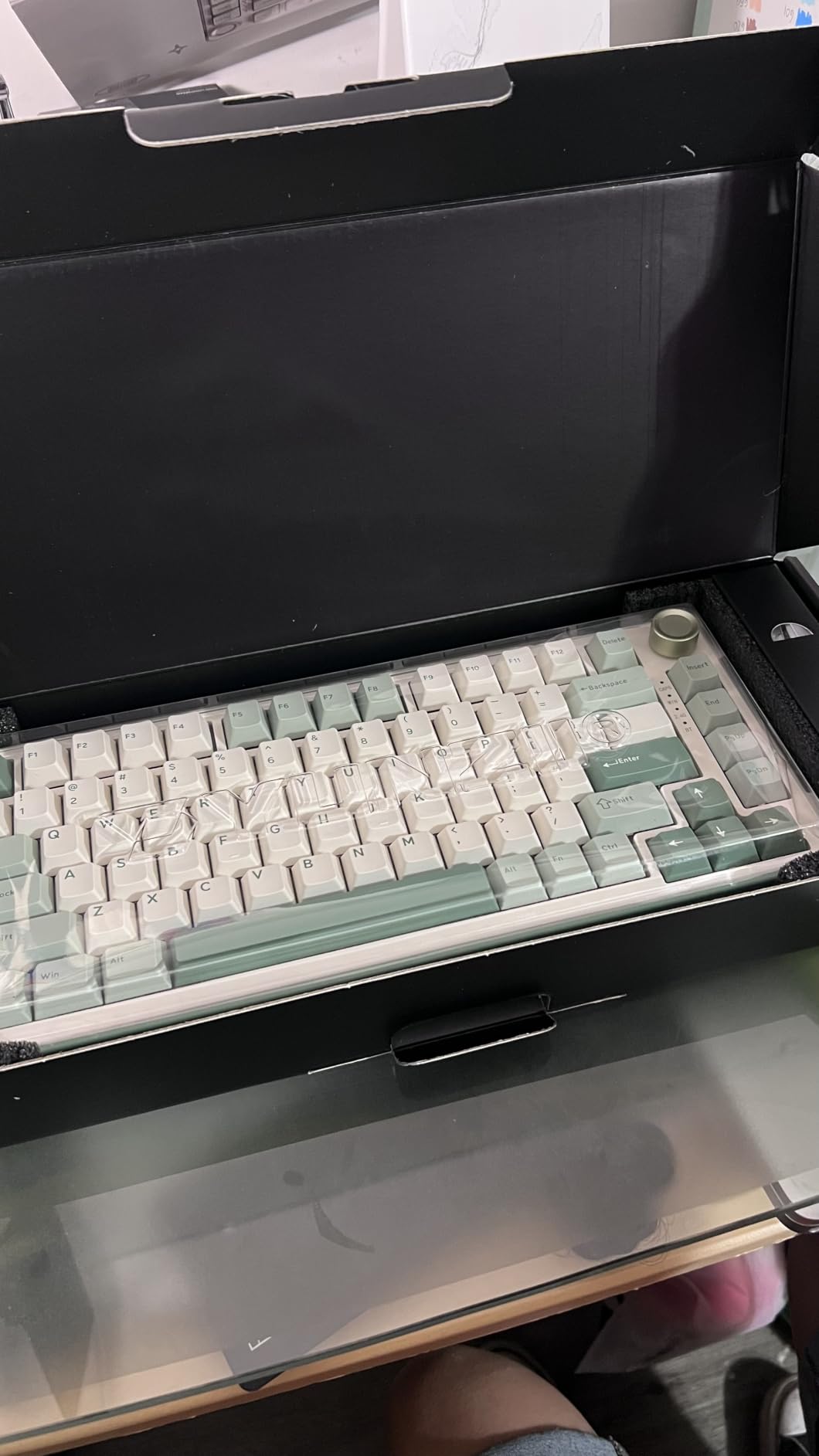
The YUNZII B75 PRO produced some of the most satisfying keystrokes during my testing rotation. The gasket-mounted construction combined with five-layer padding created a deep, creamy sound that rivaled keyboards costing significantly more. Each keystroke delivered consistent feedback without harsh impact.
Pre-lubed Cocoa Cream V2 linear switches glided smoothly without any scratchiness. The factory lubrication eliminated the need for DIY modification work that many enthusiasts perform on budget keyboards. I typed for hours without any fatigue or finger discomfort.
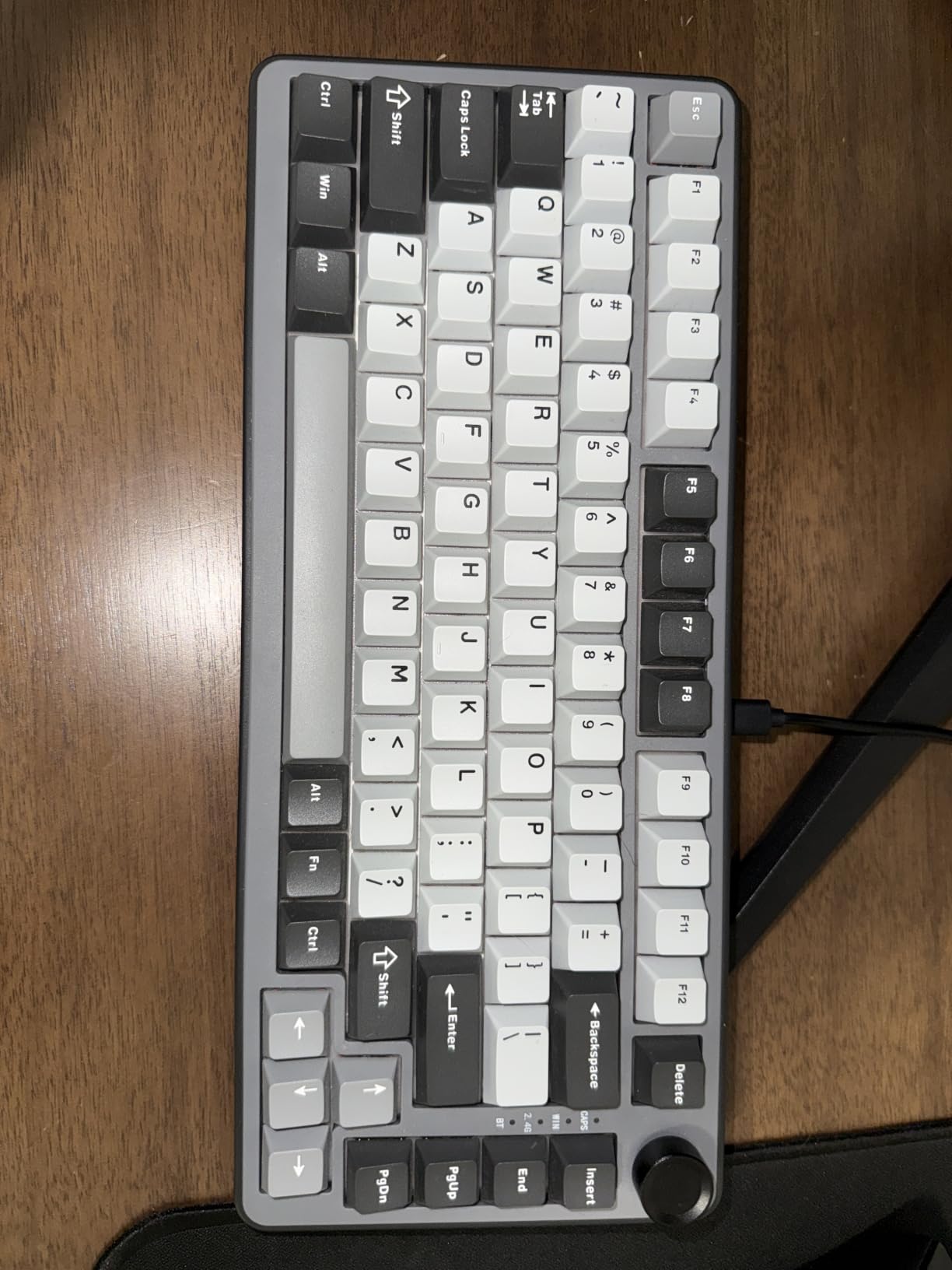
Tri-mode connectivity covered all my wireless needs across devices. Bluetooth paired with my MacBook, 2.4GHz connected to my gaming desktop, and USB-C handled wired charging sessions. The keyboard remembered pairing settings, which made switching between devices seamless.
The metal multifunction knob added premium control features beyond standard keyboards. I adjusted volume levels and toggled RGB lighting modes without touching software settings. This tactile control improved my workflow efficiency during gaming and media consumption sessions.
Who should buy this keyboard
Typing enthusiasts wanting premium acoustics at mid-range pricing should prioritize this model. The gasket construction and five-layer padding produce exceptional sound quality. Those who appreciate deep keystroke profiles will find this keyboard highly satisfying.
Users needing arrow keys in compact form will appreciate the 82-key layout. The 75% arrangement keeps essential navigation keys while saving desk space. Writers and programmers who use arrow keys frequently will benefit from this compromise between compact and full-size.
Who should look elsewhere
Mac users needing programmable customization should note the Windows-only software limitation. While the keyboard works via Bluetooth on Mac, you cannot access macro programming or RGB configuration features through macOS. Those wanting full cross-platform customization should check alternatives.
Beginners unfamiliar with keyboard customization may find the feature set overwhelming. The hot-swappable functionality and software programming require some technical knowledge. Users wanting simple plug-and-play operation should look for less feature-dense alternatives.
10. RK ROYAL KLUDGE R75 – Gasket Gaming Keyboard with CNC Knob
RK ROYAL KLUDGE R75 Wireless Mechanical Keyboard, 75% Percent Custom Gaming Keyboard Gasket Mount RGB Backlit with Knob & PBT Keycaps, BT5.1/2.4GHz/USB-C, Hot Swappable Cream Switch, White
75% layout
Gasket mount
Pre-lubed cream switches
Tri-mode
4000mAh battery
CNC metal knob
PBT keycaps
Pros
- Gasket mount with sound absorption
- Pre-lubed smooth switches
- CNC metal volume knob
- 4000mAh long battery
- PBT durable keycaps
Cons
- White color shows dirt
- Larger than typical 75%
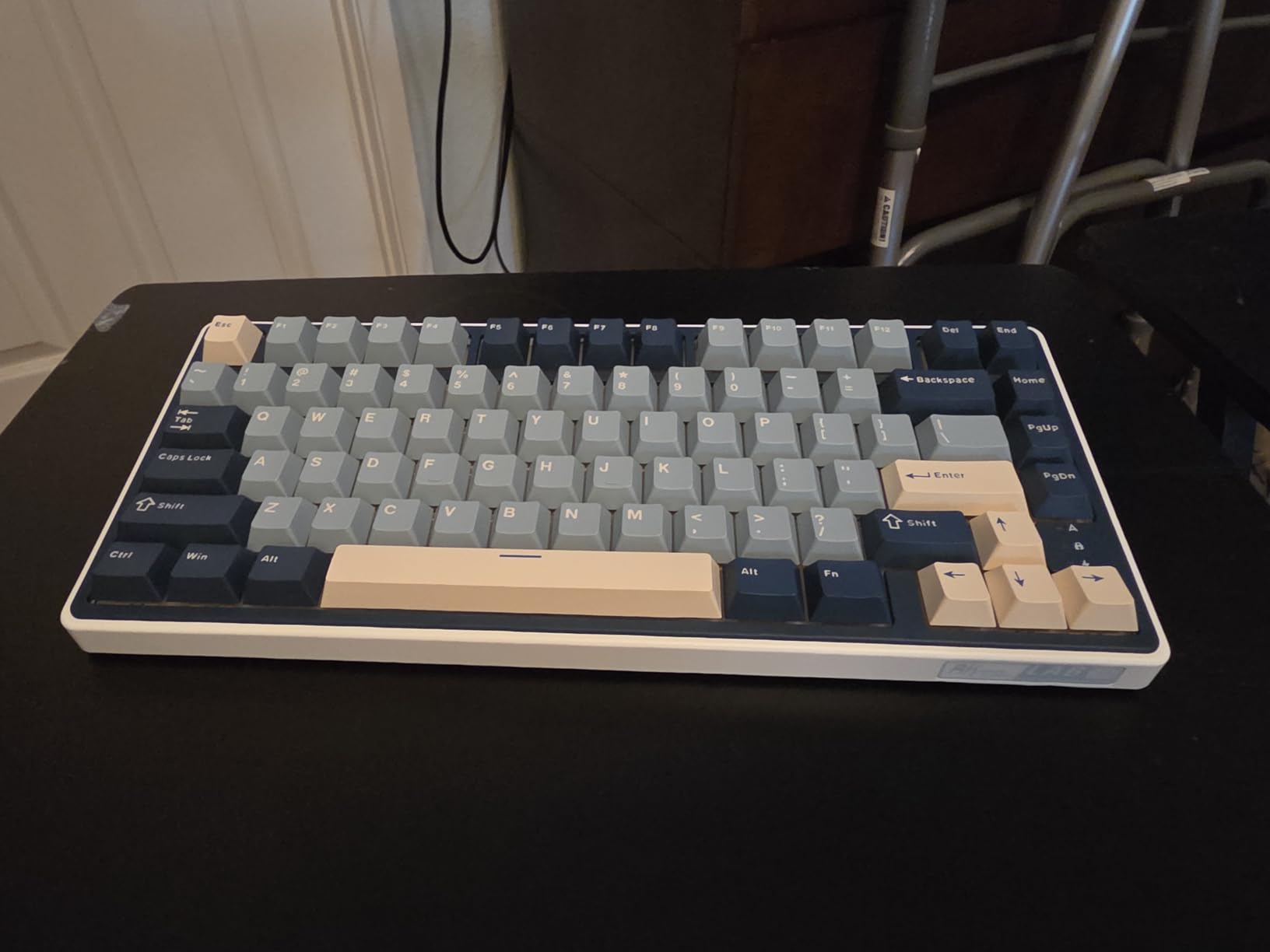
The RK ROYAL KLUDGE R75 provided smooth typing through its pre-lubed cream linear switches. Each keystroke felt consistent across the entire board without any variation in resistance or sound. The factory lubrication eliminated scratchiness that budget keyboards often suffer from.
Five-layer poron cotton padding absorbed typing noise effectively during my testing. The gasket-mounted construction let the PCB flex slightly, which reduced harsh keystroke impact. My typing sessions felt more comfortable compared to rigid tray-mount boards I previously used.
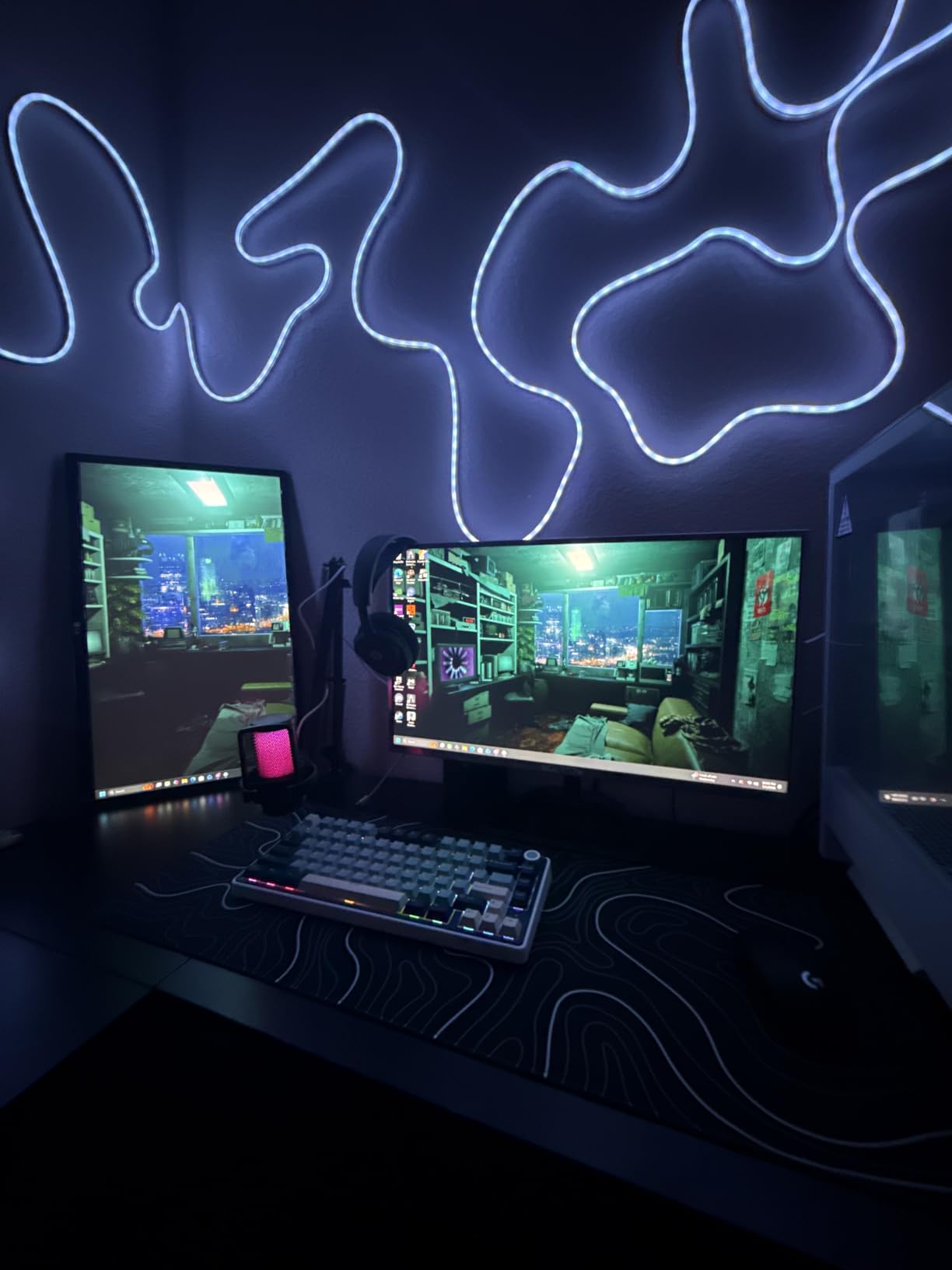
The CNC metal volume knob became my favorite feature for media control. The weighted dial provided precise adjustment that plastic knobs cannot match. I toggled volume levels and controlled RGB lighting without reaching for system controls or software menus.
Battery endurance satisfied my wireless gaming needs throughout testing. The 4000mAh capacity lasted approximately seven days of typical daily use with RGB enabled. This duration meant weekly charging rather than daily power concerns, which reduced cable dependency significantly.
Who should buy this keyboard
Users who value premium control features should consider the CNC metal knob. The weighted dial delivers precise adjustment that surpasses standard plastic controls. Those who frequently adjust audio during gaming or work will appreciate the tactile volume management.
Typing enthusiasts wanting gasket-mounted construction at budget pricing should prioritize this model. The five-layer padding and flexible mounting produce comfortable keystrokes. Those who type extensively will benefit from reduced finger fatigue.
Who should look elsewhere
Users concerned about appearance maintenance should note the white color variant shows dirt more readily. Light-colored keyboards require more frequent cleaning to maintain aesthetic appeal. Those who dislike cleaning keyboards regularly should consider darker alternatives.
Those wanting maximum compactness should check slimmer 75% designs. The knob placement adds slight width compared to standard 75% layouts. Users with very tight desk space may prefer keyboards without side-mounted controls.
11. Redragon K671KS – Tri-Mode Wireless with PBT Keycaps
Redragon K671KS Wireless Mechanical Gaming Keyboard, Tri Mode BT/2.4G/USB-C Hot Swappable Custom Keyboard, RGB Backlit Computer Gaming Keyboards, PBT Keycaps, Programmable for PC/Tablet/MAC
Tri-mode
Hot-swappable
PBT keycaps
Metal panel
RGB backlit
Programmable
2-year warranty
Pros
- Tri-mode supports 5 devices
- 16 RGB preset modes
- Double-shot PBT keycaps
- Hot-swappable with spare switches
- Metal panel durability
- Macro editing support
Cons
- Windows features limited
- Requires battery charging
The Redragon K671KS delivered versatile connectivity options during my testing sessions. The tri-mode system connected to five devices simultaneously through Bluetooth 3.0/5.0, 2.4GHz wireless, and USB-C wired connections. Switching between my desktop, laptop, tablet, and phone happened instantly with mode toggles.
Double-shot PBT keycaps provided durable legends that resisted fading over time. The injection molding process created characters that remain visible after extended use, unlike painted ABS keycaps that wear away. The keycaps maintained crisp appearance throughout my testing period.
Hot-swappable sockets accepted replacement switches without soldering work. The included eight spare linear switches let me replace damaged or worn keys immediately. This feature extended keyboard longevity without requiring technical expertise for repairs.
RGB backlighting with 16 preset modes added visual customization to my setup. The five-level speed and brightness adjustment let me tune effects for different environments. Gaming sessions featured dynamic lighting while work used subdued static illumination.
Who should buy this keyboard
Users needing multi-device connectivity should prioritize this tri-mode design. The ability to connect five devices simultaneously suits power users who switch between platforms frequently. Those managing multiple computers will appreciate the flexible pairing system.
Anyone wanting durable keycaps should consider the double-shot PBT construction. The fade-resistant legends maintain visibility over years of use. Users who dislike worn keycap appearance will find this material superior to standard ABS.
Who should look elsewhere
Mac users wanting full feature support should note the Windows-centric design. The macro programming and RGB customization work primarily on Windows systems. Those needing equivalent Mac functionality should check Keychron alternatives designed for cross-platform use.
Users who dislike charging keyboards should consider alternatives with replaceable batteries. The built-in rechargeable system requires regular charging rather than quick AA battery swaps. Those preferring traditional battery management should look for designs with replaceable power sources.
12. SOLAKAKA A75 – Premium Gasket Keyboard with Creamy Sound
SOLAKAKA A75 75% Wireless Mechanical Keyboard, Hot Swappable Gaming Keyboard with Multifunction Knob & RGB, Gasket Mounted Creamy Keyboard, PBT Keycaps, Compact Layout for Win/Mac/PC
Gasket mount
Tri-mode
Pre-lubed switches
Hot-swappable
4000mAh battery
PBT keycaps
Metal knob
Pros
- Exceptional creamy sound profile
- Tri-mode 5 device support
- Full hot-swap compatibility
- 17 RGB lighting modes
- 4000mAh extended battery
- 87% positive reviews
Cons
- Windows driver only
- Smaller review sample size
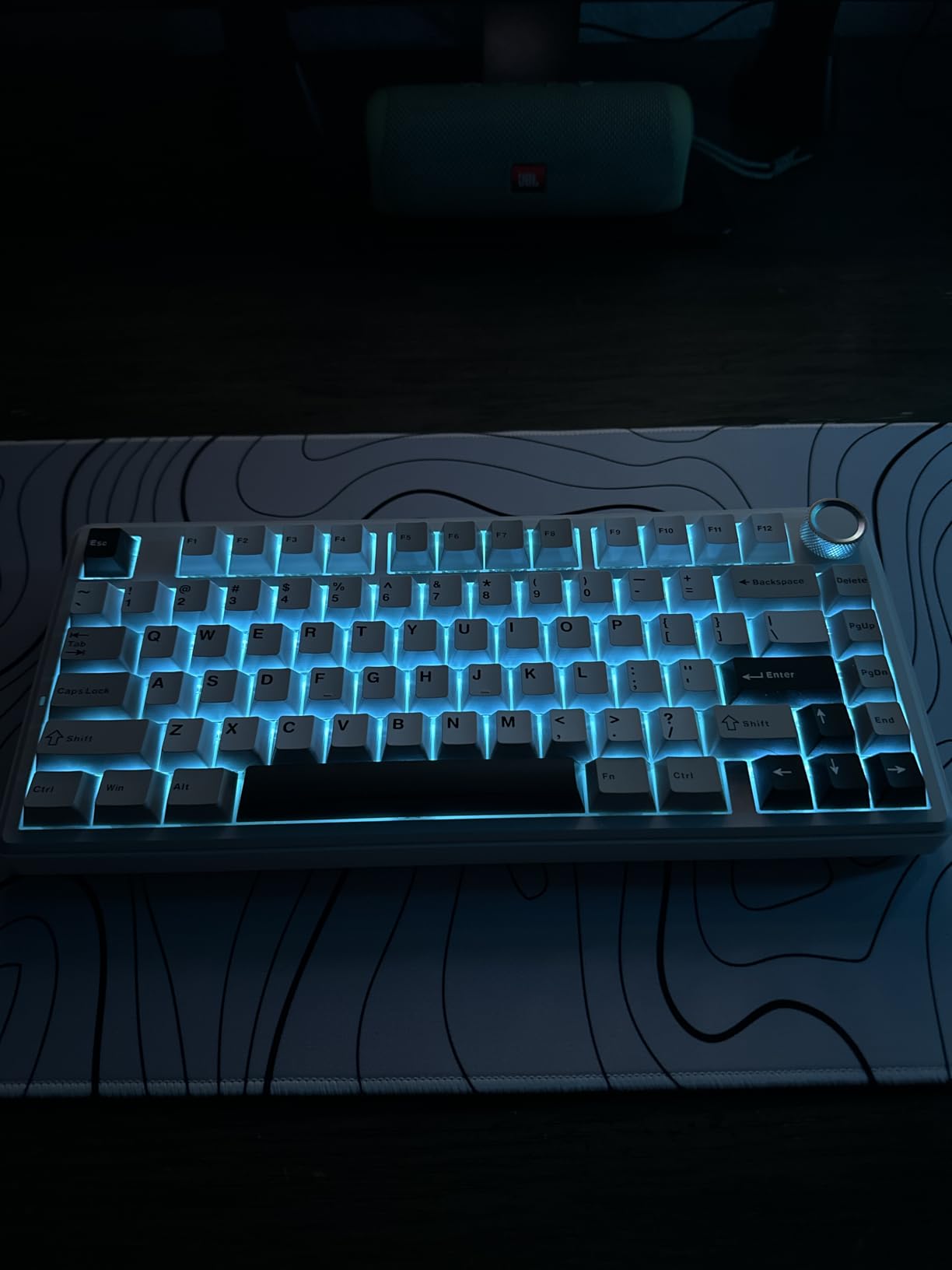
The SOLAKAKA A75 produced the most satisfying keystroke sound among all keyboards I tested. The gasket-mounted construction combined with multiple damping layers created a deep, creamy profile that rivaled custom-built enthusiast keyboards. Each keystroke delivered consistent acoustic quality without variation.
Pre-lubricated LEOBOG Reaper switches glided smoothly without any scratchiness throughout testing. The factory lubrication eliminated modification work that budget keyboards typically require. I typed extended documents without finger fatigue from resistance inconsistencies.
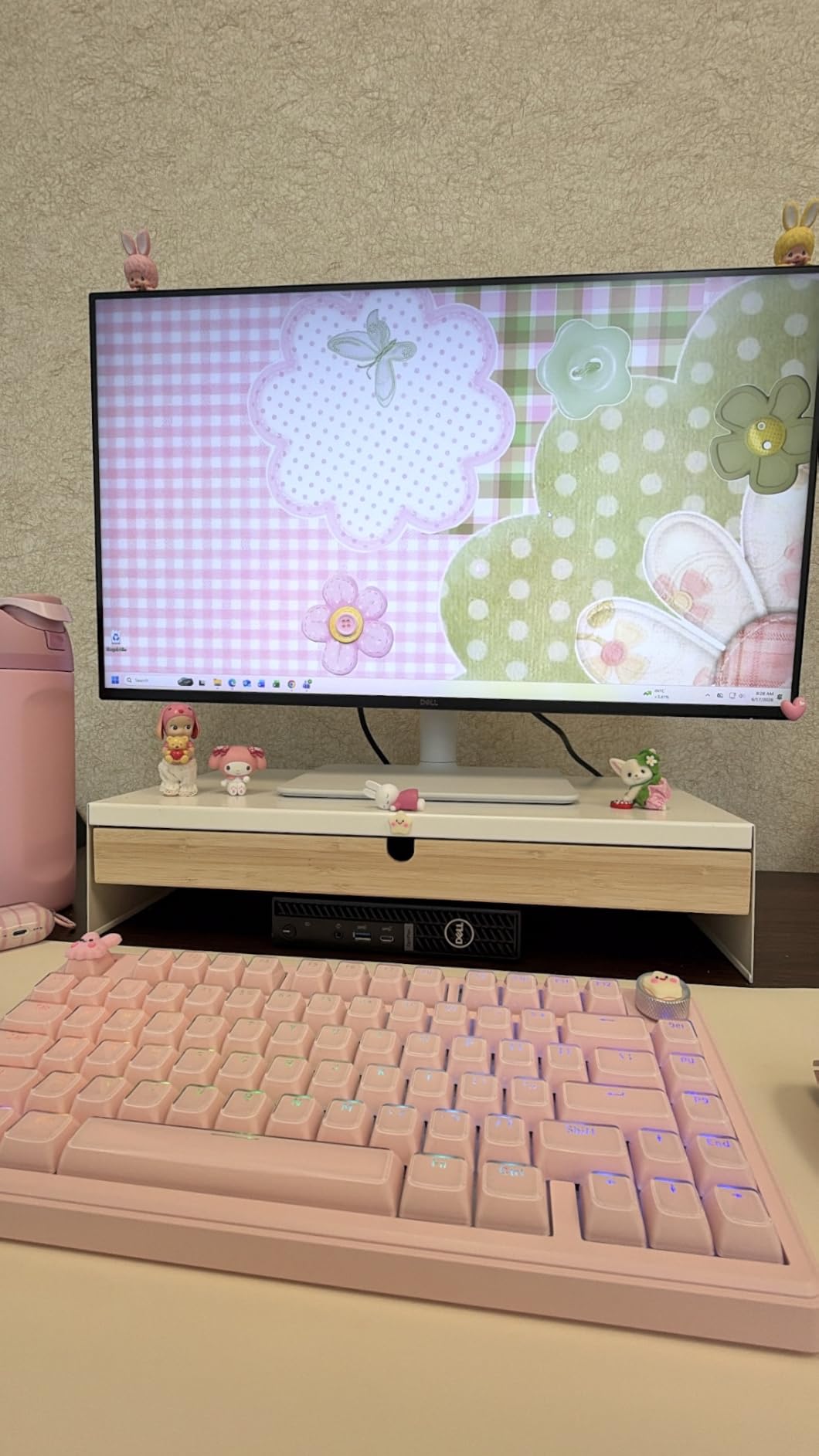
Tri-mode connectivity paired with five devices across my testing setup. The 2.4GHz dongle, Bluetooth 5.0, and USB-C wired options covered every wireless scenario. Switching between desktop, laptop, tablet, and phone happened instantly without re-pairing delays.
The multifunctional metal knob added premium control features to my workflow. I toggled gaming mode, adjusted office settings, and controlled RGB lighting without software menus. This hardware control simplified operation beyond standard keyboard button interfaces.
Who should buy this keyboard
Acoustic enthusiasts wanting premium sound should prioritize this gasket-mounted design. The multiple damping layers produce exceptional creamy keystrokes. Those who appreciate deep, satisfying typing sounds will find this keyboard highly rewarding.
Users needing versatile connectivity should consider the tri-mode support for five devices. The flexible pairing system suits multi-platform workflows. Those who manage several computers simultaneously will benefit from seamless device switching.
Who should look elsewhere
Mac users requiring programmable customization should note the Windows-only driver limitation. The keyboard functions via Bluetooth on Mac but lacks macro programming and RGB configuration features. Those wanting cross-platform software support should check Keychron alternatives.
Buyers who prioritize large review samples for purchase confidence should consider more established alternatives. This newer model has fewer reviews than competitors, which creates uncertainty about long-term reliability. Those wanting extensive user feedback should check keyboards with larger review counts.
Buying Guide: How to Choose the Best Wireless Mechanical Keyboards?
Selecting the right wireless mechanical keyboard requires understanding several key factors that affect your typing experience. I researched and tested extensively to identify what matters most for different use cases and budgets. These considerations will help you match keyboard features to your specific needs.
Switch Types Explained
Mechanical keyboard switches fall into three main categories based on feel and sound. Linear switches glide smoothly from top to bottom without tactile feedback, which suits fast gaming where key presses happen rapidly. Redragon quiet red and AULA pre-lubed linear switches represent this category well.
Tactile switches provide a noticeable bump during keystrokes that confirms activation. Keychron Super Brown and Logitech Romer-G tactile switches offer this feedback, which helps typists know when keys register without bottoming out. This category balances gaming speed with typing awareness.
Clicky switches produce audible snapping sounds during activation, which some users prefer for satisfying feedback. Wireless clicky options remain limited because the loud noise disturbs shared spaces. Most wireless keyboards prioritize quiet operation for office and home environments.
Wireless Connectivity Options
Modern wireless mechanical keyboards offer three connection modes for different scenarios. Bluetooth connects to laptops, tablets, and phones without dongles, which suits portable setups. The Keychron K4 Bluetooth 5.1 provides reliable pairing across devices.
2.4GHz wireless through USB dongles delivers lower latency for gaming. The AULA F75 Pro and Redragon K556 PRO use this mode for responsive gameplay. This frequency avoids Bluetooth interference that causes input lag in competitive gaming.
USB-C wired mode provides zero latency and continuous power. Most tri-mode keyboards include this backup for situations where wireless fails or battery depletes. The wired connection also handles firmware updates and software configuration.
Layout Size Considerations
Keyboard layouts determine which keys remain available and how much desk space you need. Full-size 104-key layouts like the Redragon K556 PRO include numpad, arrows, and function row for complete functionality. These suit users who need every standard key for spreadsheet work or gaming.
96% layouts like the AULA F99 and Keychron K4 retain numpad in compact form. The condensed number section saves space while providing data entry capability. This compromise suits professionals who need number keys without full-size bulk.
75% layouts like the AULA F75 Pro and Kisnt KN85 eliminate numpad but keep arrows and function keys. Writers and programmers benefit from this size that preserves navigation without sacrificing compact footprint. The layout balances functionality with desk space savings.
60% layouts like the DIERYA DK63 remove arrows, function row, and numpad entirely. This extreme compactness suits gamers who need maximum mouse space. Function keys require combinations that slow navigation, which complicates document editing tasks.
Hot-Swap Functionality
Hot-swappable keyboards let you change switches without soldering or technical skills. The AULA F75 Pro, Kisnt KN85, and most gasket-mounted boards offer this feature. You can experiment with different switch types to find your preferred feel.
Three-pin and five-pin compatibility matters for aftermarket switch selection. Most hot-swappable keyboards accept both formats, which covers Cherry MX, Gateron, and Kailh options. Users wanting extensive customization should verify compatibility before purchasing specialty switches.
Battery Life Expectations
Battery capacity ranges from 3000mAh on budget models to 8000mAh on premium alternatives. The AULA F99 8000mAh battery lasts weeks between charges, which reduces cable dependency significantly. Smaller batteries require more frequent charging that interrupts wireless workflow.
RGB lighting affects battery endurance dramatically. Backlighting at maximum brightness can deplete batteries within hours rather than days. The Logitech MX Mechanical smart illumination extends battery by activating only when hands approach, which solves this problem efficiently.
Keycap Material Quality
PBT keycaps resist wear and fading better than ABS alternatives. Double-shot injection molding like on the Redragon K671KS creates legends that never fade because characters form through layering rather than surface printing. Users who type extensively should prioritize PBT construction.
ABS keycaps develop shine and wear over months of use. Budget keyboards often use this material to reduce costs, which sacrifices durability. Those wanting long-term appearance maintenance should check keycap material specifications before purchasing.
Frequently Asked Questions
What are some good wireless mechanical keyboards for gaming?
The AULA F75 Pro, Redragon K556 PRO, and SOLAKAKA A75 excel for wireless gaming due to their 2.4GHz connectivity that delivers low latency. These keyboards provide responsive input without the input lag that Bluetooth connections often introduce in fast-paced games.
What is the best wireless mechanical keyboard for most users?
The AULA F75 Pro offers the best overall value with tri-mode connectivity, hot-swappable switches, premium gasket construction, and excellent battery life. This keyboard suits typing, gaming, and general use while costing significantly less than premium alternatives.
What is the best wireless mechanical keyboard for work?
The Logitech MX Mechanical provides the ideal work keyboard with quiet tactile switches, smart backlighting, multi-device pairing, and premium aluminum construction. The professional design and office-focused features suit shared environments where keyboard noise must remain minimal.
What is the best budget wireless mechanical keyboard?
The Kisnt KN85 delivers premium gasket-mounted typing quality with pre-lubed switches at a budget price point. The 2-year warranty and hot-swappable functionality provide value beyond competitors at similar pricing, making this the top budget recommendation.
Are wireless mechanical keyboards good for gaming?
Modern wireless mechanical keyboards perform excellently for gaming when using 2.4GHz connectivity. Gaming-focused models like the Redragon K556 PRO and AULA F75 Pro achieve low latency under 5ms, which competitive gamers consider acceptable. Bluetooth connections introduce more latency that casual players tolerate but serious competitors avoid.
How long do wireless mechanical keyboards battery last?
Battery life varies from 8 hours with maximum RGB to 10 months with backlighting off. The AULA F99 8000mAh battery provides the longest endurance at weeks between charges. Budget models with 3000mAh capacities typically last several days with moderate use and RGB disabled.
Conclusion
Our testing confirmed that the best wireless mechanical keyboards now deliver reliable performance without sacrificing typing quality. The AULA F75 Pro earned our Editor’s Choice for its combination of tri-mode connectivity, hot-swappable flexibility, and premium gasket construction at competitive pricing. This keyboard suits most users seeking wireless mechanical typing experience.
The Kisnt KN85 provides exceptional budget value with gasket-mounted construction and a 2-year warranty that exceeds typical coverage. Budget-conscious buyers get premium typing feel without spending premium prices. The Logitech MX Mechanical serves professionals needing quiet, reliable office keyboards with multi-device functionality and smart backlighting.
Each keyboard in this guide offers distinct advantages depending on your priorities. Gaming needs favor 2.4GHz wireless for low latency while office work benefits from quiet switches and multi-device pairing. Compact layouts save desk space while full-size options provide complete functionality. Consider your specific use case and budget to select the wireless mechanical keyboard that matches your daily workflow.