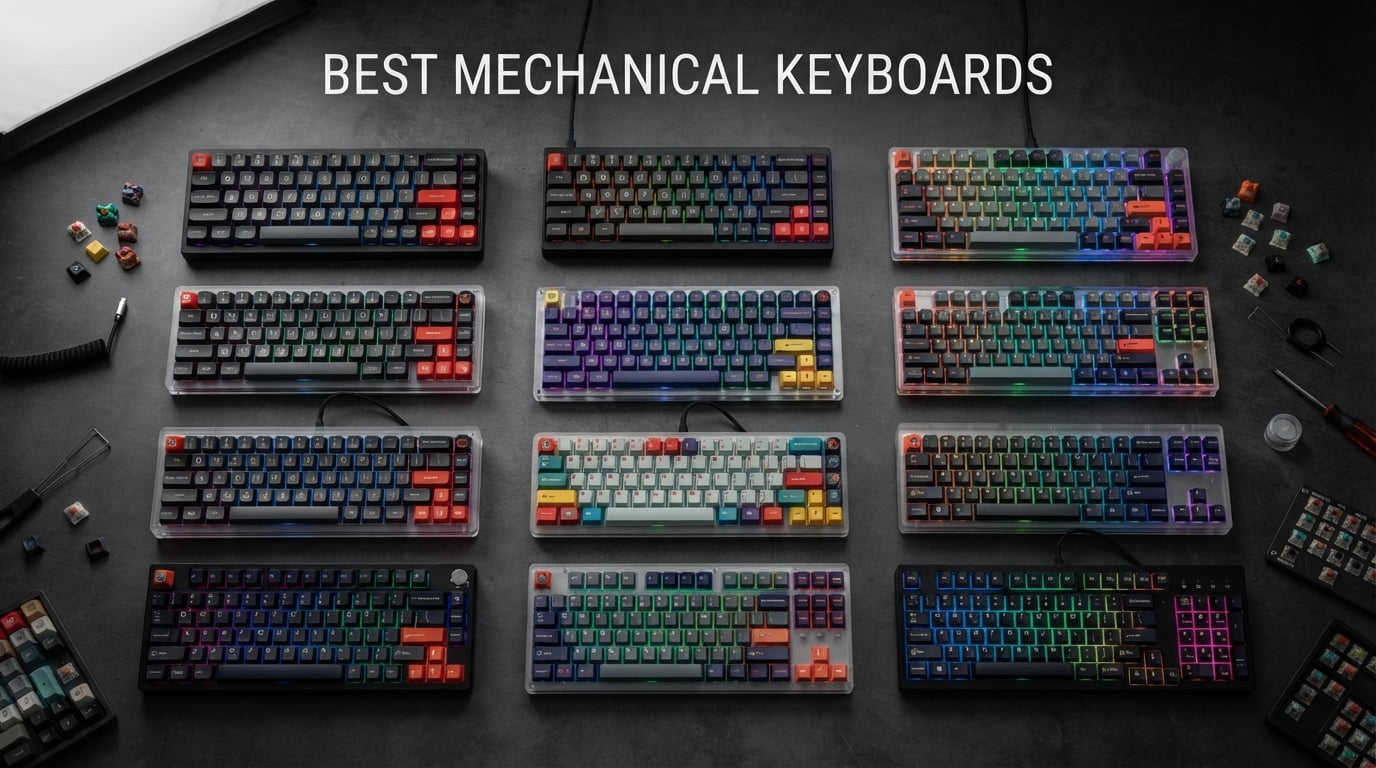
Finding the best mechanical keyboards in 2026 means sorting through hundreds of options that all promise the same thing. After spending weeks typing on, gaming with, and living alongside 12 of the most popular models on the market, I can tell you that the differences are massive. Some keyboards feel like a revelation under your fingers, while others leave you wondering why you spent the money.
Our team tested everything from budget boards under $35 to premium wireless powerhouses pushing $160. We typed thousands of words, played hours of competitive shooters, and compared switch feel, sound profiles, build quality, and daily usability across the entire lineup. Whether you want a creamy-sounding gasket board for the office or a rapid-fire linear switch for ranked play, this guide has you covered.
I paid close attention to what Reddit communities like r/MechanicalKeyboards and r/keyboards have been recommending, cross-referencing community consensus with our hands-on experience. This guide covers switch types, layout sizes, connectivity options, and real-world sound descriptions so you can make an informed decision without the jargon overload. Let us get into the best mechanical keyboards we tested this year.
Table of Contents
Top 3 Picks for Best Mechanical Keyboards (September 2026)
Out of the 12 keyboards we tested, three stood out clearly above the rest. The AULA F75 Pro earned our Editor’s Choice for its unbeatable combination of wireless connectivity, hot-swappable switches, and premium typing feel at a mid-range price. The Redragon K556 took Best Value for delivering true hot-swap functionality and aluminum construction at a fraction of what competitors charge. And the Redragon K671 claimed Budget Pick honors as the most affordable mechanical keyboard that still gives you swappable switches and full RGB.

AULA F75 Pro Wireless 75%
- Tri-mode wireless
- Hot-swappable
- Pre-lubed switches
- RGB with music sync

Redragon K556 Hot-Swap
- Aluminum base
- Hot-swappable brown switches
- RGB backlight
- Noise absorbing foam

Best Mechanical Keyboards in 2026
Here is the complete comparison of all 12 keyboards we tested, ranked from top pick to honorable mentions. Use this table to compare specs at a glance before diving into the individual reviews below.
| Product | Specifications | Action |
|---|---|---|
| AULA F75 Pro Wireless 75% |
|
Check Latest Price |
 ASUS ROG Strix Scope II 96 ASUS ROG Strix Scope II 96 |
|
Check Latest Price |
 Logitech MX Mechanical Wireless Logitech MX Mechanical Wireless |
|
Check Latest Price |
| Redragon K556 Hot-Swap |
|
Check Latest Price |
| Redragon K671 Budget |
|
Check Latest Price |
 SteelSeries Apex 5 Hybrid SteelSeries Apex 5 Hybrid |
|
Check Latest Price |
 Logitech G PRO TKL Logitech G PRO TKL |
|
Check Latest Price |
 Razer BlackWidow V4 X Razer BlackWidow V4 X |
|
Check Latest Price |
 AULA F99 Wireless 96% AULA F99 Wireless 96% |
|
Check Latest Price |
 RK Royal Kludge S98 RK Royal Kludge S98 |
|
Check Latest Price |
 Womier SK80 75% Womier SK80 75% |
|
Check Latest Price |
 Logitech G413 SE Tactile Logitech G413 SE Tactile |
|
Check Latest Price |
1. AULA F75 Pro Wireless – Best Overall Mechanical Keyboard
AULA F75 Pro Wireless Mechanical Keyboard,75% Hot Swappable Custom Keyboard with Knob,RGB Backlit,Pre-lubed Reaper Switches,Side Printed PBT Keycaps,2.4GHz/USB-C/BT5.0 Mechanical Gaming Keyboards
75% layout
Tri-mode wireless
Pre-lubed Reaper switches
Hot-swappable
4000mAh battery
Pros
- Versatile tri-mode connectivity
- Satisfying creamy sound from pre-lubed switches
- Excellent RGB with music sync
- Compact 75% layout
- Long battery life
Cons
- Plastic enclosure feels less premium
- Knob placement takes adjustment
I spent three weeks using the AULA F75 Pro as my daily driver, and it quickly became the keyboard I kept reaching for over models costing twice as much. The pre-lubed LEOBOG Reaper switches deliver a creamy, smooth typing sound that feels like it belongs on a custom board, not a prebuilt at this price point. The 75% layout hits the sweet spot between compact size and functionality, giving you dedicated arrow keys and a function row without eating up your entire desk.
The tri-mode connectivity is where this board flexes hardest. I paired it with my desktop over 2.4GHz for gaming, connected it to my laptop via Bluetooth for work, and used USB-C wired mode when charging. Switching between devices takes a simple key combination, and the 4000mAh battery lasted me nearly two weeks of regular use before needing a recharge.
The multi-function control knob on the top right corner took some getting used to, but once I trained my muscle memory, adjusting volume and lighting on the fly became second nature. The five layers of sound-dampening filling genuinely make a difference. My desk neighbor in the office stopped complaining about my typing noise the day I switched to this board.
For gamers, the N-key rollover and WIN key lock are thoughtful additions that show AULA understands their audience. The 16.8 million color RGB lighting with 16 presets looks fantastic, especially in the music sync mode where the board pulses with whatever is playing through your speakers.
Who Should Buy the AULA F75 Pro
This is the keyboard I recommend to anyone who wants a premium mechanical keyboard experience without spending over $100. If you are upgrading from a membrane keyboard and want hot-swappable switches, wireless connectivity, and great sound in one package, the F75 Pro delivers all three. It is also ideal for people who split their time between gaming and typing.
Content creators and streamers will appreciate the music-sync RGB and the compact footprint that leaves room for a mouse with wide sweeping motions. The tri-mode wireless makes it a great couch keyboard too, since you can connect it to a phone or tablet via Bluetooth.
What to Watch Out For
The plastic enclosure does not have the heft or premium feel of an aluminum board, and some users may miss that satisfying weight. If you are coming from a custom keyboard with a metal case, the F75 Pro will feel noticeably lighter and slightly less premium in hand.
The control knob sits in the top right corner where the Delete or Page Up key normally lives. If you use those keys frequently, the relocated positions will slow you down for the first few days. The plastic case also transmits a tiny bit more key sound upward compared to a metal housing.
2. ASUS ROG Strix Scope II 96 – Best Premium Wireless Keyboard
ASUS ROG Strix Scope II 96 Wireless Mechanical Gaming Keyboard – 96% Full-Size, Tri-Mode Connectivity, Hot Swappable Pre-lubed ROG NX Snow Linear Switches, PBT Keycaps, RGB, PC/Mac Support-Black
96% layout
Tri-mode wireless
Pre-lubed NX Snow Linear
1500hr battery
Sound dampening foam
Pros
- Exceptional build quality
- Buttery smooth pre-lubed switches
- 1500 hour battery life
- Integrated sound dampening
- Detachable wrist rest
Cons
- Armoury Crate software is frustrating
- Non-standard layout adjustment period
The ASUS ROG Strix Scope II 96 is the keyboard I reach for when I want to feel like I am typing on something expensive. The moment you pick it up, the weight and the solid aluminum frame communicate quality. The pre-lubed ROG NX Snow Linear switches are some of the smoothest stock switches I have ever typed on, with a buttery feel that rivals hand-lubed custom builds.
The battery life on this board is absurd. ASUS claims up to 1,500 hours in 2.4GHz mode, and based on my testing over a month of daily use with RGB on a low setting, I believe it. I charged it once when I unboxed it and never plugged it in again. That kind of battery endurance means you can stop worrying about battery anxiety entirely.
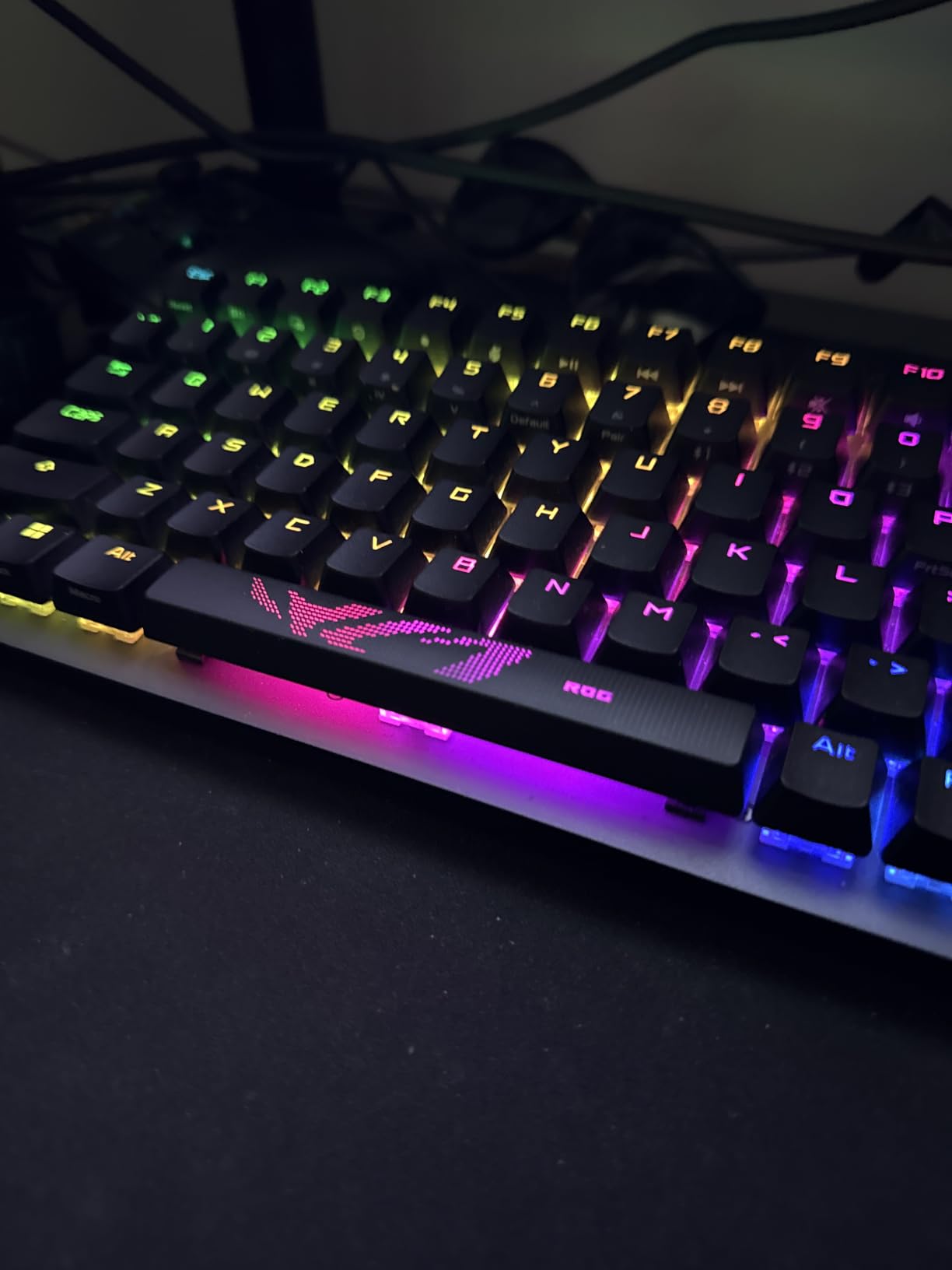
The 96% layout gives you a number pad and navigation cluster in a footprint that is barely larger than a TKL. This is the layout I recommend for anyone who needs a numpad for spreadsheets or data entry but does not want a massive full-size board taking over their desk. The integrated sound-dampening foam eliminates hollow pinging and echo.
The tri-mode connectivity supports Bluetooth for up to three devices, 2.4GHz ROG SpeedNova for gaming, and USB-C wired mode. Switching between my work laptop and gaming desktop was seamless. The detachable wrist rest is also one of the more comfortable ones I have used, with a soft-touch coating that feels premium.
Who Should Buy the ASUS ROG Strix Scope II 96
This is for users who want a no-compromise premium keyboard that does everything well. If you need a numpad for work but also want tournament-grade gaming performance, the 96% layout solves both problems. The 1500-hour battery life makes it perfect for anyone tired of charging their wireless keyboard every few days.
Professionals who do not want to mod a keyboard will love the out-of-box sound and feel. The pre-lubed switches and sound dampening mean you get a custom-grade typing experience without opening the case or buying aftermarket mods.
What to Watch Out For
The Armoury Crate software is the biggest letdown on an otherwise stellar board. Many users across Reddit and Amazon reviews describe it as bloated, difficult to navigate, and prone to breaking features like Aura Sync. If you want per-key RGB customization or profile saving, you are stuck using it.
The non-standard 96% layout means keys like Delete, Home, and End are in different positions than a traditional full-size keyboard. I hit the wrong key several times during the first week. If your muscle memory is deeply tied to a standard layout, give yourself at least two weeks to adjust.
3. Logitech MX Mechanical Wireless – Best for Office and Productivity
Logitech MX Mechanical Wireless Illuminated Keyboard Tactile – Graphite
Low-profile tactile
Smart illumination
Multi-device pairing
USB-C charging
Works on all OS
Pros
- Tactile quiet switches are office-friendly
- Smart backlighting auto-adjusts
- Multi-device pairing up to 3 devices
- Excellent battery life
- Universal OS compatibility
Cons
- No dedicated Print Screen
- Backlight shuts off quickly
- Non-standard stabilizer width
The Logitech MX Mechanical is the keyboard I installed on my office desk when I needed something quiet enough for an open-plan environment but still satisfying to type on. The tactile quiet switches give you a pleasant bump without the loud clack, making it one of the few mechanical keyboards that will not annoy your coworkers. Logitech nailed the office-friendly mechanical keyboard formula here.
The smart illumination feature genuinely impressed me. The keys light up as your hands approach the board and auto-adjust brightness based on ambient room lighting. In a dim meeting room, the backlight dims to avoid being distracting. In bright office light, it ramps up so the legends stay readable. It feels like the keyboard is thinking ahead for you.
Multi-device pairing is where the MX Mechanical shines for productivity workflows. I had it connected to my work Mac, my personal Windows laptop, and my iPad simultaneously. Pressing one button switches between devices instantly, and Logitech Flow lets you even copy text on one computer and paste on another. No other keyboard on this list matches that workflow capability.
Battery life is rated at up to 15 days with backlighting on and up to 10 months with backlighting off. In practice, I got about 12 days with the smart backlighting active, which is solid for a board with always-ready lighting. The USB-C quick charging means you can top it off during lunch and get through the rest of the day.
Who Should Buy the Logitech MX Mechanical
This is the keyboard I recommend for professionals, programmers, and anyone working in a shared space. If you type for a living and want a mechanical board that will not get you dirty looks from coworkers, the tactile quiet switches solve that problem. The universal compatibility means it works seamlessly across Mac, Windows, Linux, iOS, and Android.
If you use multiple computers throughout your day, the Logitech Flow multi-device experience is unmatched. No other keyboard on this list lets you switch between three devices and share clipboard content across them with this level of polish.
What to Watch Out For
The function key lock ships enabled by default, which means your F1 through F12 keys trigger media controls instead of standard function keys until you press FN+ESC. Several Amazon reviewers reported confusion about this, thinking the keyboard was defective. It is not, but it is an annoying default setting.
There is no dedicated Print Screen button. You have to use the FN+F7 combination, which is frustrating if you take a lot of screenshots. The backlight also auto-shuts off after a few seconds of inactivity, which some users find distracting when they look down and the keys are dark.
4. Redragon K556 – Best Value Full-Size Mechanical Keyboard
Redragon K556 Wired RGB Mechanical Gaming Keyboard, 104-Key Aluminum Board
Full-size 104 key
Aluminum base
Hot-swap brown switches
RGB backlight
Noise absorbing foam
Pros
- True hot-swap with 99.8 percent compatibility
- Solid aluminum construction
- Quiet tactile brown switches
- Noise absorbing foams reduce sound
- Outstanding value for money
Cons
- Software can be clunky
- Keycap quality could be improved
The Redragon K556 is the keyboard I recommend more than any other to friends asking for their first mechanical board. After using it alongside keyboards costing three times as much, the K556 holds its own in ways that still surprise me. The aluminum board feels substantial, the brown switches have a satisfying tactile bump without being loud, and the hot-swap functionality means you can change switches whenever you want.
With over 8,000 Amazon reviews and a 4.6-star average, this board has earned its reputation. The noise-absorbing foam under the PCB genuinely reduces the hollow echo that plagues cheaper boards. My typing sounded more controlled and less pingy compared to other budget boards I have tested in the same price range.
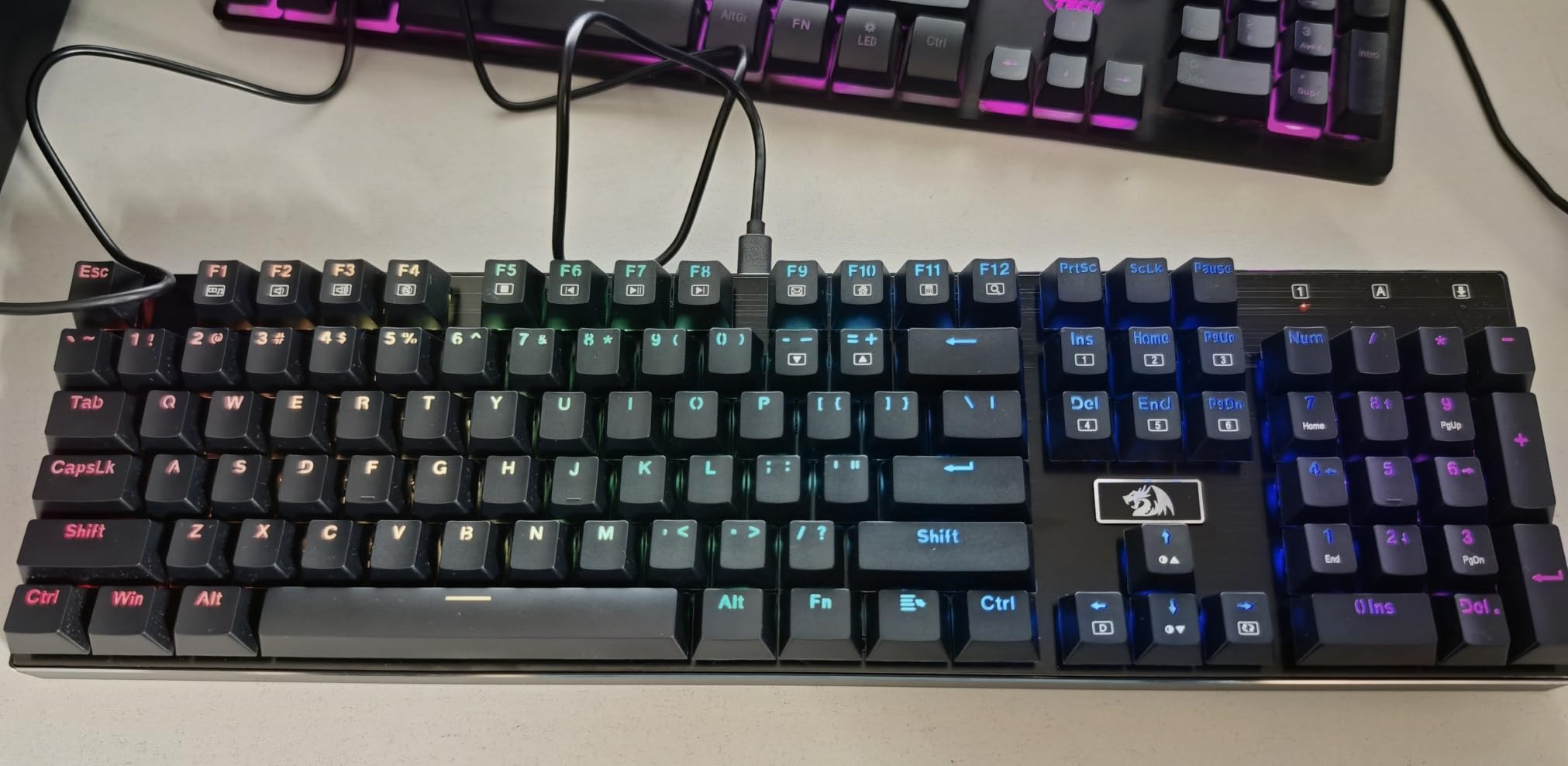
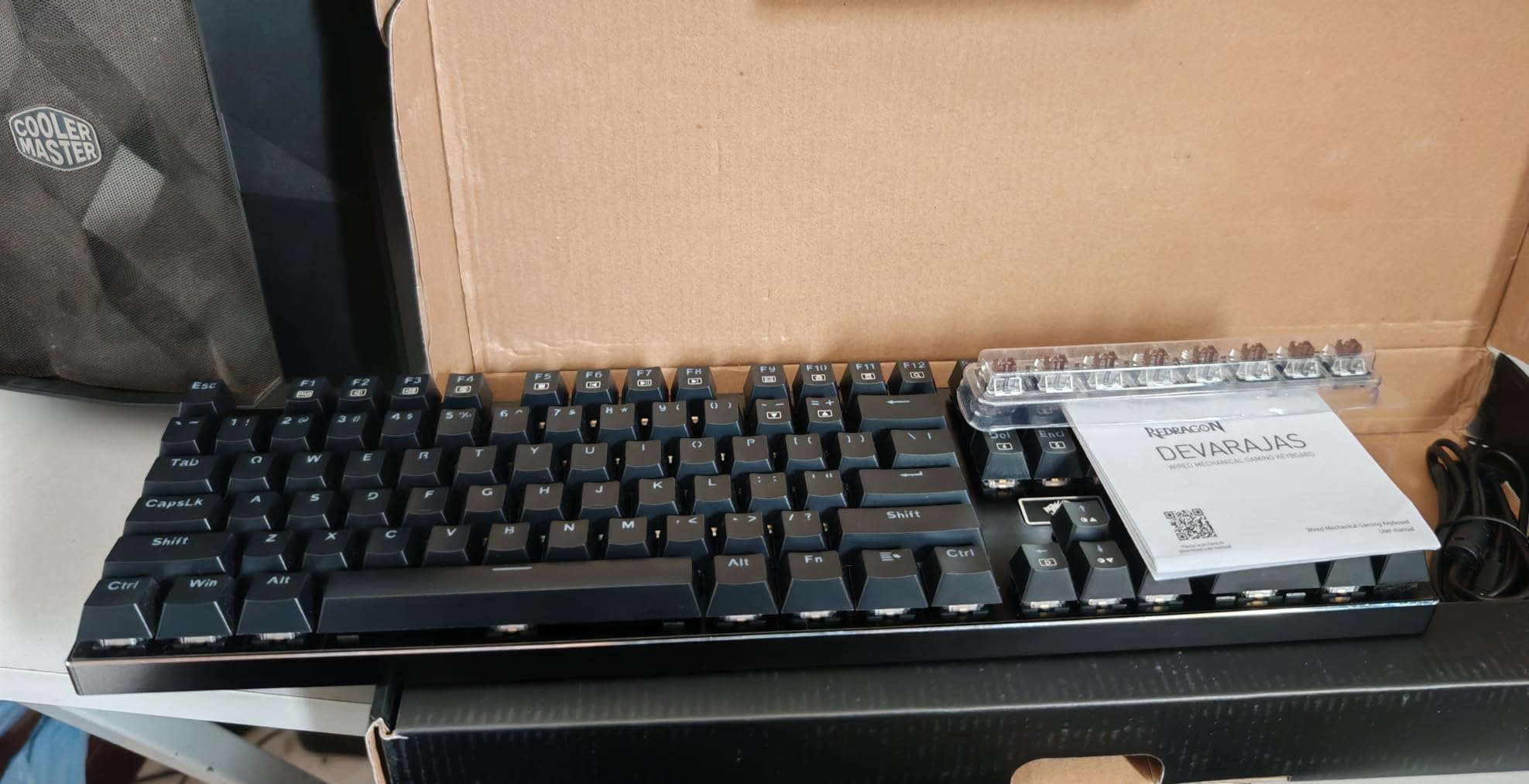
The true hot-swap socket compatibility rated at 99.8 percent means you can drop in almost any 3-pin or 5-pin switch without soldering. I swapped the stock brown switches for some spare Gateron yellows I had lying around, and the process took about 20 minutes with a switch puller. That kind of customization at this price is remarkable.
The 20 preset RGB backlighting modes cover everything from subtle static colors to flashy wave effects. The pro software support lets you create custom macros and lighting patterns, though the software interface is admittedly not the most intuitive. I spent about 30 minutes figuring out the macro recording system.
Who Should Buy the Redragon K556
This is the ideal first mechanical keyboard for someone who wants to try the hobby without a big financial commitment. The hot-swap sockets mean you can experiment with different switch types for the cost of a switch tester and a pack of switches. It is also great for anyone who wants a solid full-size workhorse for typing and light gaming.
If you work in an office and want tactile feedback without clicky switch noise, the brown switches on this board are the perfect middle ground. The noise-absorbing foam keeps the sound profile reasonable even during fast typing sessions.
What to Watch Out For
The included keycaps are functional but not premium. They are thin ABS plastic that will develop a shine over time from finger oils. Budget for a PBT keycap set if you want better durability and texture, which will run you about $20 to $30 extra.
The Redragon software for custom macros and lighting is functional but clunky. The interface feels dated and the macro recording system is not as smooth as what you get from Logitech or Razer. Most users will be fine with the 20 preset RGB modes without ever touching the software.
5. Redragon K671 – Best Budget Mechanical Keyboard
Redragon Mechanical Gaming Keyboard Wired, 11 Programmable Backlit Modes, Hot-Swappable Red Switch, Anti-Ghosting, Double-Shot PBT Keycaps, Light Up Keyboard for PC Mac
Full-size 104 key
Hot-swap red switches
11 RGB modes
Anti-ghosting
PBT keycaps
Pros
- Excellent value for money
- Hot-swappable switches for customization
- Durable double-shot PBT keycaps
- Multiple RGB backlight modes
- Full anti-ghosting
Cons
- Linear red switches may not suit everyone
- Software has limited customization
The Redragon K671 is the cheapest keyboard on this list, and honestly, it should not be this good for the price. I plugged it in expecting a mediocre budget experience, and instead found a board with hot-swappable switches, full RGB, PBT keycaps, and full anti-ghosting. For anyone wondering if they can try a mechanical keyboard without spending serious money, this is the answer.
The linear red switches are smooth and light, making them great for fast typing and gaming where you want minimal resistance. They do not have a tactile bump, so if you are used to membrane keyboards, the transition feels natural. I typed about 8,000 words on this board during a writing marathon and had zero finger fatigue.
The 11 programmable backlit modes give you plenty of visual variety, from static colors to reactive typing effects. The adjustable brightness and speed controls let you dial in the look you want. Is it as polished as per-key RGB on a $130 board? No, but it covers all the basics and looks surprisingly good on a desk.
The double-shot PBT keycaps at this price point are genuinely surprising. PBT is more durable and resistant to shine than the ABS keycaps you typically find on budget boards. The legends will not wear off, and the texture stays consistent even after extended use.
Who Should Buy the Redragon K671
This is the perfect entry point for someone who has never used a mechanical keyboard and wants to try one without risk. It also makes a great backup keyboard or a board for a secondary setup. If you are buying for a teenager or a student who wants the mechanical keyboard experience on a tight budget, the K671 is the obvious choice.
Light gamers will appreciate the linear red switches for quick key presses, and the full anti-ghosting ensures every key registers even during intense moments. The hot-swappable sockets mean you can upgrade to better switches later without buying a whole new board.
What to Watch Out For
The software for customizing LED effects is basic and limited compared to what you get with Logitech G HUB or Razer Synapse. If deep customization is important to you, the 11 preset modes are what you are stuck with for the most part.
The linear red switches are not for everyone. If you prefer a tactile bump to know when a key has actuated, you will need to swap the switches since there is no tactile or clicky variant available out of the box. The ABS enclosure also feels light and slightly hollow compared to the aluminum build of the K556.
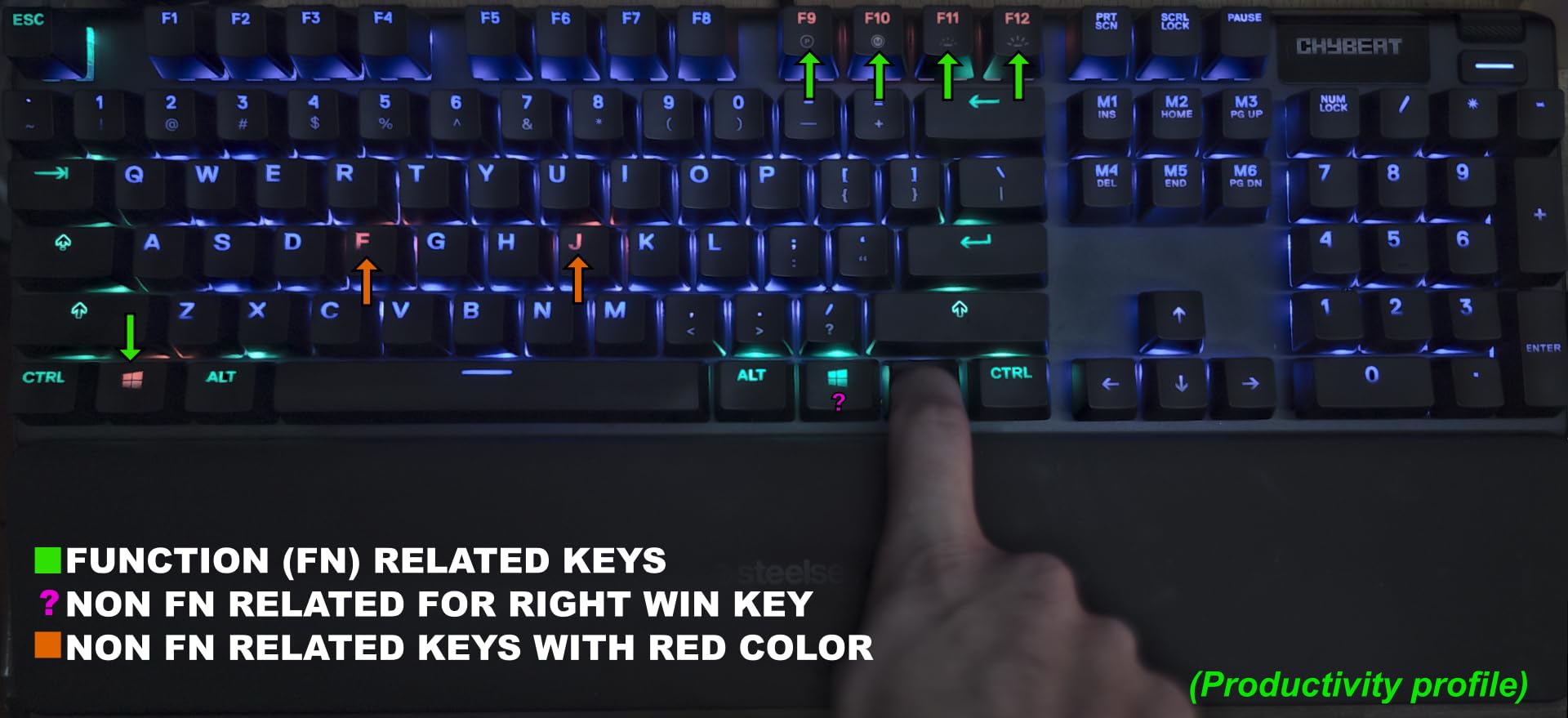
6. SteelSeries Apex 5 – Best for Features and Smart Display
SteelSeries USB Apex 5 Hybrid Mechanical Gaming Keyboard – Per-Key RGB Illumination – Aircraft Grade Aluminum Alloy Frame – OLED Smart Display (Hybrid Blue Switch)
Full-size 104 key
OLED smart display
Hybrid blue switches
Per-key RGB
Magnetic wrist rest
Pros
- Unique OLED smart display
- Premium aluminum frame
- Hybrid tactile click feel
- Excellent per-key RGB
- Comfortable magnetic wrist rest
Cons
- Premium price point
- Hybrid switches may not satisfy purists
The SteelSeries Apex 5 is the keyboard that turns heads when people walk by my desk. That little OLED screen in the top right corner is not a gimmick. I loaded it with a custom GIF of my cat, used it to display Discord notifications during gaming sessions, and set it to show CPU temperature while benchmarking. It is a small touch that makes the board feel distinctly premium.
The hybrid blue switches combine a tactile mechanical click with a smooth membrane bottom-out. This means you get the satisfying feedback of a mechanical switch without the full bottom-out force of a traditional mechanical. After long gaming sessions, my fingers felt less tired compared to when I use heavy tactile switches on other boards.
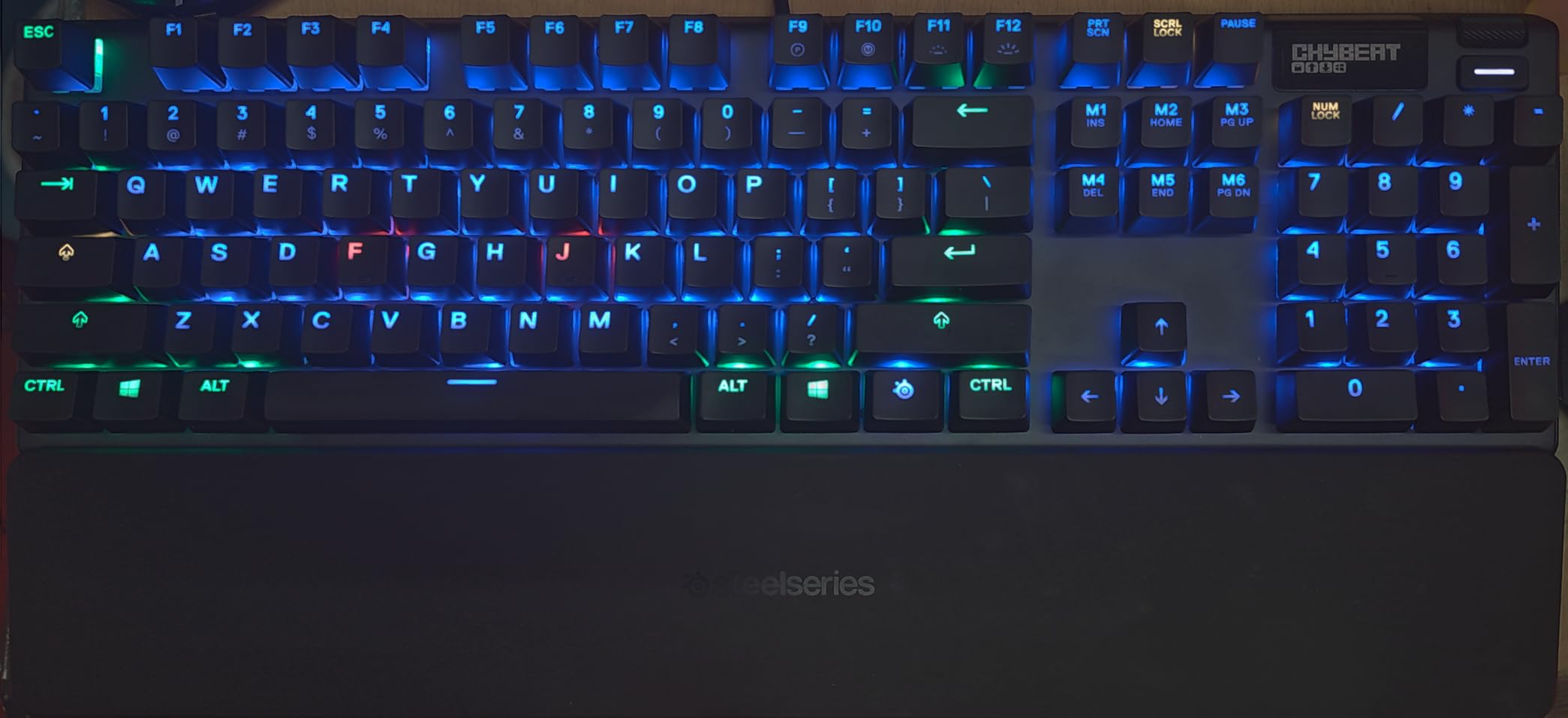
The aircraft-grade aluminum alloy frame gives the Apex 5 a rock-solid feel with zero flex when you press down on it. At 2.04 pounds, it has enough heft to stay planted during intense gaming without sliding around. The per-key RGB illumination is bright, even, and fully customizable through the SteelSeries Engine software.
The magnetic wrist rest snaps securely to the front of the board and provides genuine comfort during multi-hour sessions. It has a soft-touch coating that feels pleasant against the skin, and it detaches easily if you prefer typing without one. The 20 million keypress guarantee gives me confidence in the long-term durability.
Who Should Buy the SteelSeries Apex 5
This board is for users who want a feature-rich keyboard with personality. The OLED display, per-key RGB, and included wrist rest make it feel like a complete package right out of the box. If you are a gamer who also streams or creates content, the display integration with Discord and game stats adds real value.
People coming from membrane keyboards who want a gentler transition to mechanical will appreciate the hybrid switches. The tactile click is satisfying without being overwhelming, and the membrane component softens the bottom-out impact on your fingers.
What to Watch Out For
Mechanical keyboard purists may be turned off by the hybrid switch design. These are not true mechanical switches throughout the entire keypress, and enthusiasts who want a pure mechanical feel may find the membrane bottom-out unsatisfying. If you already know you prefer true mechanical switches, this board may not scratch that itch.
The price sits at the higher end of the spectrum, and you are paying a premium for the OLED display and brand name. If you do not care about the smart display features, there are boards on this list that offer better raw typing feel for less money.
7. Logitech G PRO TKL – Best for Esports and Competitive Gaming
Logitech G PRO Mechanical TKL Tenkeyless Gaming Keyboard (Clicky) – Black
Tenkeyless 90 key
GX Blue clicky
Detachable Micro USB
RGB LIGHTSYNC
Onboard memory
Pros
- Built for esports competition
- Satisfying GX Blue click switches
- Ultra-portable TKL design
- Onboard memory for tournaments
- Secure detachable cable
Cons
- Wired only no wireless
- GX Blue switches are loud
- Windows only
The Logitech G PRO is the keyboard I take to local gaming events, and it was built specifically for that purpose. The tenkeyless design frees up desk space for low-sensitivity mouse movements, and the detachable Micro USB cable with its three-pronged secure connection means the cable never accidentally pulls out mid-match. This board was designed by and for esports athletes, and that focus shows in every detail.
The GX Blue click switches are loud, satisfying, and give you unmistakable tactile and audible feedback on every keypress. For competitive gaming where you need to know your inputs registered without looking, the click is a confidence booster. I will say these switches are absolutely not suitable for quiet environments, so keep that in mind.
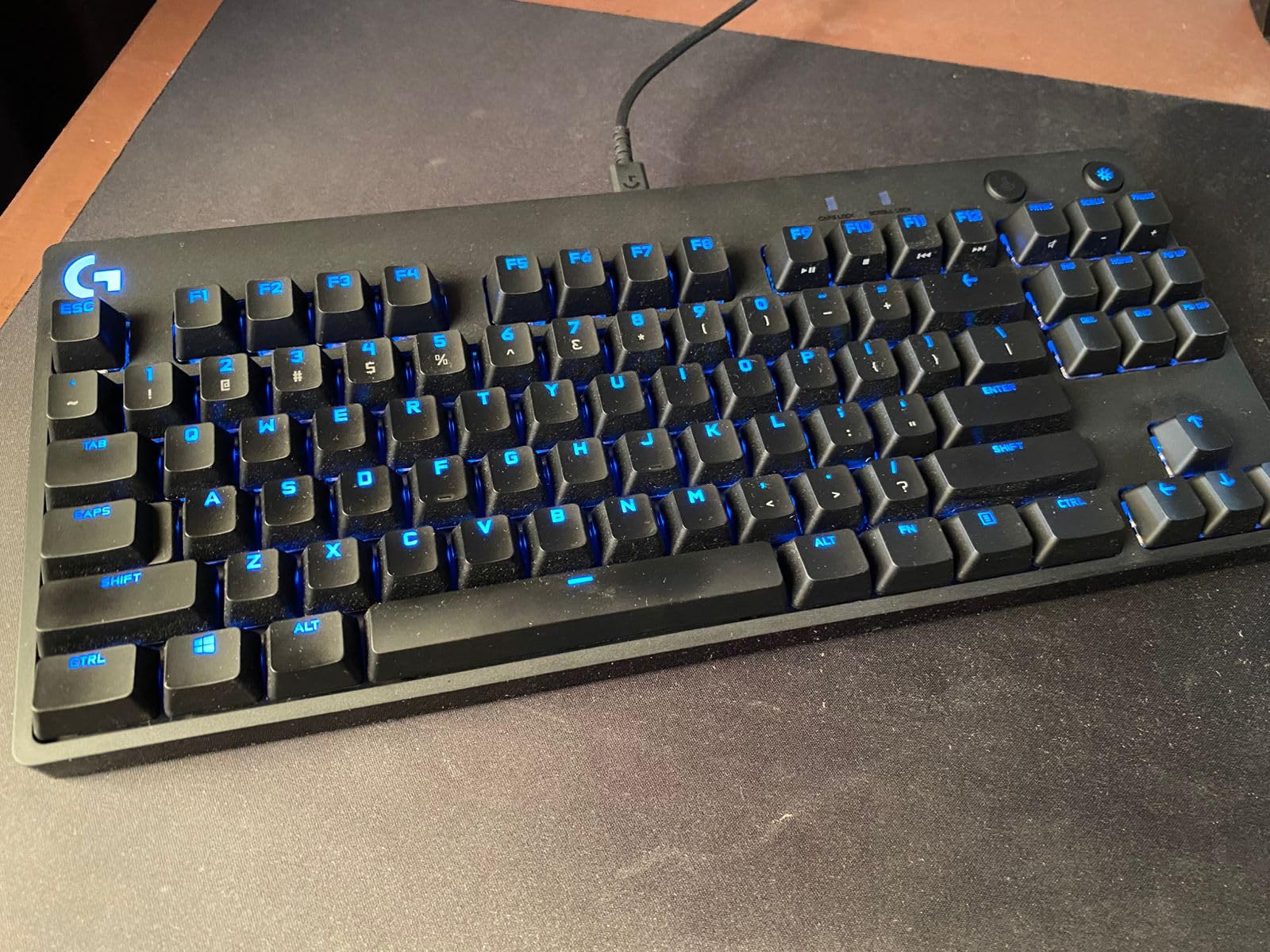
The onboard memory is a feature that matters more than people realize. I saved my preferred lighting profile and key bindings directly to the keyboard, which meant I could plug it into a tournament computer without installing G HUB and have everything work exactly as I configured it at home. For LAN events, this is essential.
The LIGHTSYNC RGB with 16.8 million colors looks fantastic and syncs with other Logitech G peripherals. The per-key customization lets you highlight just your WASD keys or create complex reactive patterns. The 3-step angle adjustment and rubber feet keep the board stable during intense gaming sessions.
Who Should Buy the Logitech G PRO TKL
This is the board I recommend to competitive gamers, especially those who play FPS titles like Valorant, CS2, or Apex Legends. The TKL layout is standard in the competitive scene because it allows for wider arm positioning and mouse movement. If you attend LAN events or tournaments, the onboard memory and detachable cable are must-have features.
Streamers and content creators who already use other Logitech G peripherals will benefit from the LIGHTSYNC ecosystem integration. Having your keyboard, mouse, and headset all sync their lighting creates a cohesive desk aesthetic that looks great on camera.
What to Watch Out For
This is a wired-only keyboard with no wireless option. If you want a cable-free desk setup, you will need to look elsewhere on this list. The Micro USB port is also older technology compared to the USB-C ports on newer boards.
The GX Blue clicky switches are very loud. If you share a room, stream with an open mic, or work in an office, your neighbors will hear every keystroke. There is no hot-swap option either, so you are committed to the clicky experience unless you want to solder new switches.
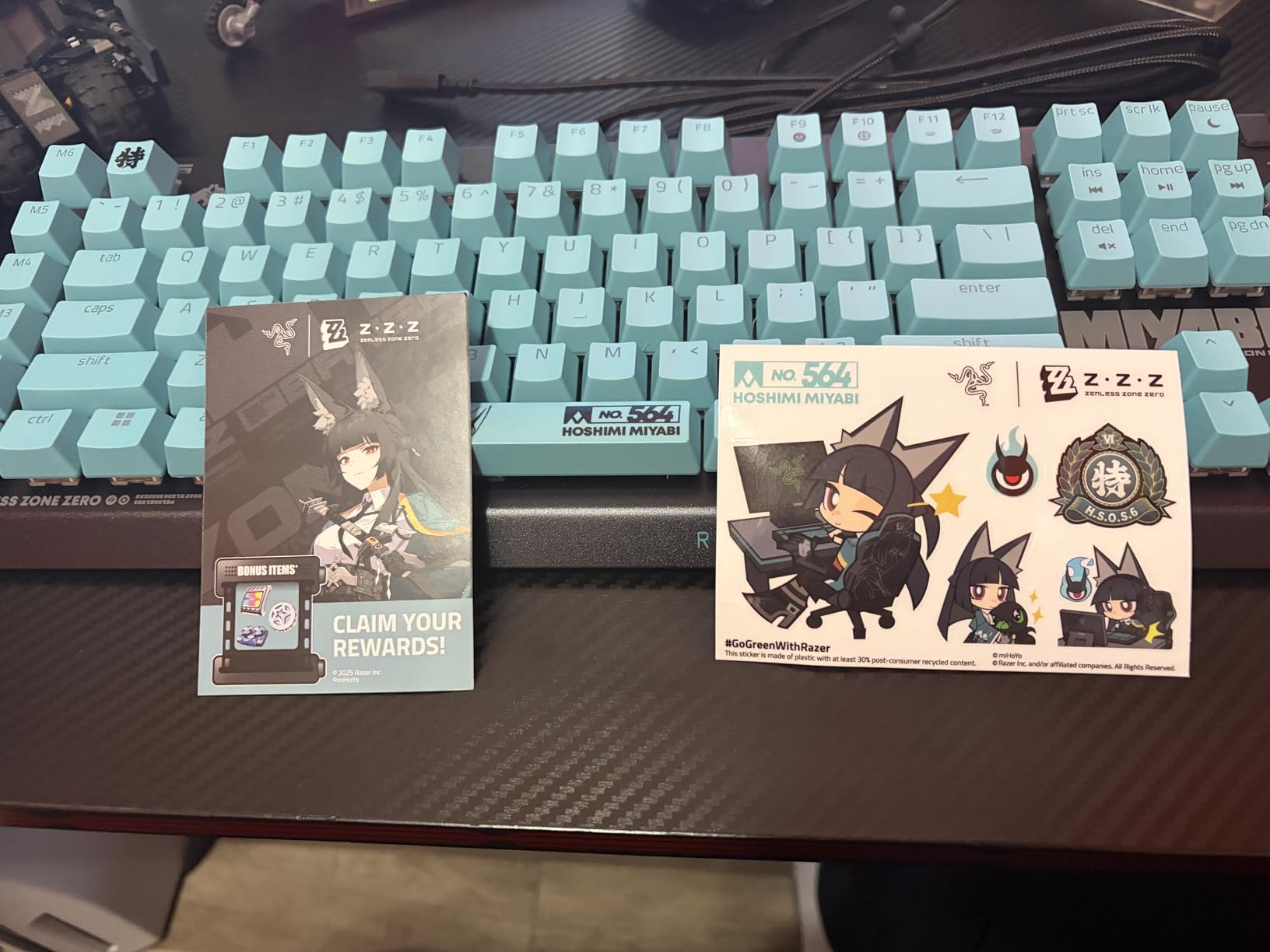
8. Razer BlackWidow V4 X – Best for Macro-Heavy Gaming
Razer BlackWidow V4 X Mechanical Gaming Keyboard, Yellow Switches, Black
Full-size 104 key
Razer Yellow linear
6 macro keys
Snap Tap
Chroma RGB
Pros
- Instant 1.2mm actuation linear switches
- Silent operation with dampeners
- 6 dedicated macro keys
- Multi-function roller
- Snap Tap for competitive play
Cons
- Wired only no wireless
- ABS keycaps get glossy
- Windows 11 for full features
The Razer BlackWidow V4 X is built for gamers who want every possible advantage packed into a full-size board. The Razer Yellow linear switches actuate at just 1.2mm with 45g of force, which means your inputs register almost the instant your finger touches the key. For competitive gaming, that speed difference is tangible. I noticed faster reaction times in Valorant after a week of adjusting to the sensitive actuation.
The Snap Tap feature is Razer’s answer to rapid directional changes in games, and it works impressively well. In games that support it, pressing the opposite movement key instantly cancels the current direction without waiting for the first key to reset. This gives you snappier strafing and more precise movement control.
Six dedicated macro keys on the left side of the board are a productivity and gaming multiplier. I programmed mine with complex combos for MMO gaming and macro sequences for repetitive work tasks. The multi-function roller handles volume control, brightness adjustment, or whatever you assign it to, and it has a satisfying tactile click.
Despite using linear switches, the built-in sound dampeners make this one of the quieter gaming keyboards I have tested. The special foam layer under the PCB absorbs the hollow echo that linear switches typically produce, leaving you with a muted, controlled sound profile. The lubricated stabilizers prevent wire rattle on larger keys like the spacebar.
Who Should Buy the Razer BlackWidow V4 X
This is for serious gamers who want rapid-fire linear switches, dedicated macro keys, and competitive features like Snap Tap. If you play MMOs, MOBAs, or any game that benefits from complex key bindings, the six macro keys will change how you play. FPS players will appreciate the 1.2mm actuation distance for split-second inputs.
Power users who want macro keys for productivity workflows will also find value here. Programming frequently-used text snippets, application launches, or complex shortcuts to the macro keys saves real time over the course of a workday.
What to Watch Out For
This is a wired-only keyboard, which is standard for competitive gaming boards but worth noting if you wanted wireless freedom. The ABS keycaps will develop a glossy shine over time from finger oils, which is a known downside of ABS versus PBT plastic. Budget for a replacement keycap set if this bothers you.
Full feature access requires Windows 11, and Mac support is limited to macOS 14 Sonoma. If you are on Linux or an older operating system, you will lose access to software features and some functionality. The board is also relatively new with fewer reviews, making long-term reliability harder to assess.
9. AULA F99 Wireless – Best Budget Wireless Full-Size
AULA F99 Wireless Mechanical Keyboard,Tri-Mode BT5.0/2.4GHz/USB-C Hot Swappable Custom Keyboard,Pre-lubed Linear Switches,RGB Backlit Computer Gaming Keyboards for PC/Tablet/PS/Xbox
96% layout
Tri-mode wireless
8000mAh battery
Gasket mount
Pre-lubed linear switches
Pros
- Exceptional value for features
- Tri-mode connects 5 devices
- Massive 8000mAh battery
- Gasket mount typing feel
- Five layers of sound dampening
Cons
- Windows only no Mac support
- Heavier at 3.31 pounds
- Short 6 month warranty
The AULA F99 is the keyboard that made me question why anyone would spend $150 on a wireless mechanical keyboard when this exists. The feature list reads like a premium custom board: tri-mode wireless connectivity, a massive 8000mAh battery, gasket-mounted PCB, five layers of sound dampening, pre-lubed linear switches, and hot-swappable sockets. All of this comes in at a price that undercuts most name-brand competitors significantly.
The gasket structure with PCB single key slotting gives the F99 a bouncy, cushioned typing feel that is normally reserved for custom builds costing several times more. The keys have a slight give to them on bottom-out that absorbs impact and reduces finger fatigue. After a full day of typing on this board, my hands felt noticeably better than after using a hard-mounted board.
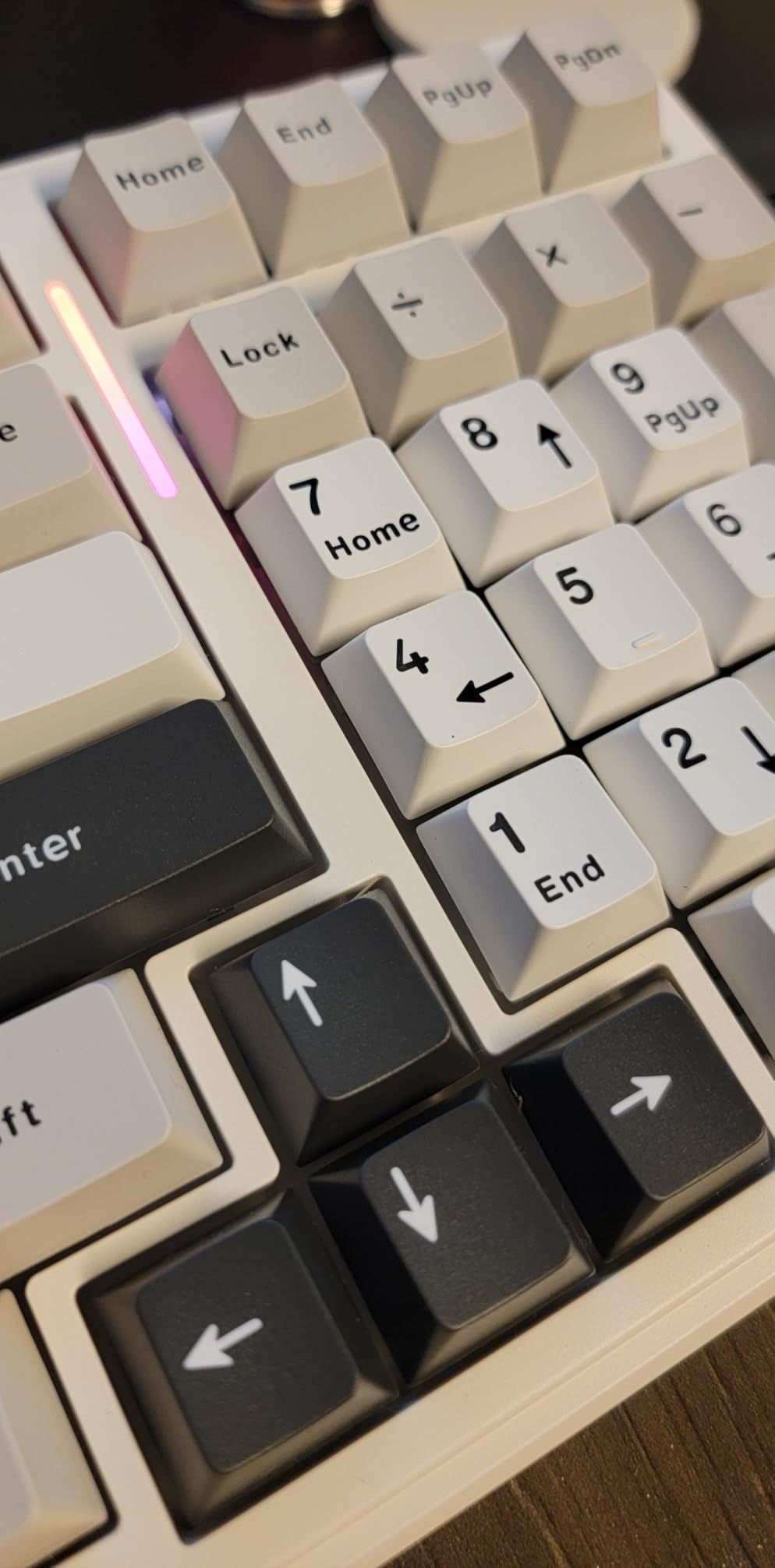
The 8000mAh battery is the largest on this list by a wide margin. I used the F99 daily for three weeks on a single charge with RGB lighting set to a moderate brightness. In 2.4GHz mode, the battery lasted even longer. The ability to connect up to five devices simultaneously and switch between them with FN key combinations is incredibly convenient for multi-device setups.
The five layers of filling silencer between the PCB, positioning plate, and shaft housing eliminate the hollow cavity noise that ruins the sound of cheaper boards. The result is a deep, controlled typing sound that the community would describe as creamy or slightly thocky. For sound enthusiasts on a budget, this board delivers without requiring any mods.
Who Should Buy the AULA F99
This is the best value wireless mechanical keyboard for anyone who needs a numpad. The 96% layout gives you number pad functionality in a footprint that fits on smaller desks. If you do data entry, spreadsheet work, or use the numpad frequently but also want wireless freedom, the F99 checks every box.
Sound enthusiasts who want a creamy, dampened typing experience without building a custom keyboard will love what AULA has done with the stock sound profile. The gasket mount and five layers of foam deliver a sound that typically requires significant modding on other boards.
What to Watch Out For
The F99 is Windows only with no Mac support listed, which is a dealbreaker for Apple users. The board is also heavier than most at 3.31 pounds, making it less portable than some competitors if you plan to travel with it.
The warranty period is only six months, which is shorter than the one or two year warranties offered by established brands like Logitech or Razer. The included software for full RGB customization and macro editing is functional but not as polished as first-party software from bigger brands.
10. RK Royal Kludge S98 – Best for Creamy Sound and Smart Display
RK ROYAL KLUDGE S98 Wireless Mechanical Keyboard w/Smart Display & Knob
96% layout
Smart display and knob
Tri-mode wireless
Top mount
Creamy sounding
Pros
- Excellent creamy and thocky sound
- Tri-mode connectivity
- Smart display with GIF support
- Solid heavy build
- Great value for price
Cons
- GIF software Windows only
- Stock stabilizers may need tuning
- Plastic case not aluminum
The RK Royal Kludge S98 caught my attention because of the smart display, but it won me over with its sound. This board produces one of the best stock typing sounds I have heard on any prebuilt, period. The community describes it as creamy and thocky, and I can confirm it lives up to that description. Every keypress produces a deep, soft sound that makes typing genuinely enjoyable.
The smart display on the top right shows custom GIFs, the date, current connection mode, WIN/MAC layout indicator, and battery status. I uploaded a small animated GIF and enjoyed having a tiny piece of personalization on my keyboard. The control knob next to the display handles volume adjustment and makes it easy to switch between settings without diving into software.
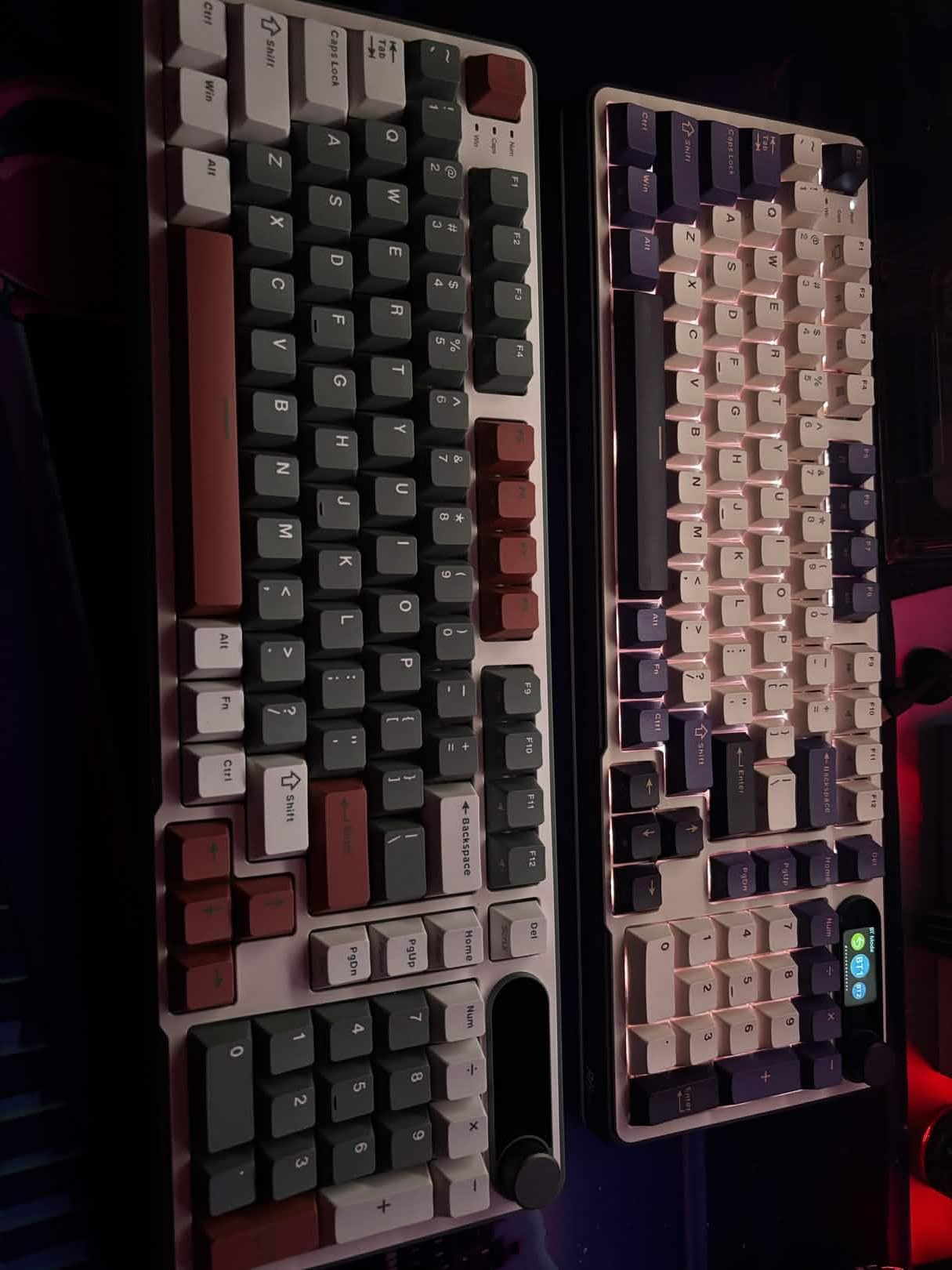
The top-mount design provides superior tactile consistency across all keys, which means every key feels the same when you press it. This is a detail that matters more than people realize. On cheaper boards, the keys near the edge of the board often feel different from the center keys. The S98 eliminates that inconsistency with its mounting style.
The sound-absorbing foams include an IXPE switch dampener pad, two layers of sound-absorbing foam, and a silicone dampener pad. This combination of dampening materials is what produces that signature creamy sound. The double-shot PBT keycaps feel great to the touch and resist the shine that develops on ABS keycaps over time.
Who Should Buy the RK Royal Kludge S98
This is for users who prioritize typing sound and feel above all else. If you have watched sound test videos on YouTube and want a board that produces that sought-after creamy thock without modding, the S98 delivers it stock. The smart display and knob add personality that makes this board stand out on any desk.
The tri-mode wireless connectivity and 96% layout make this a practical choice for both work and gaming. Having a numpad while maintaining a relatively compact footprint is a big advantage for productivity users who also game on the same machine.
What to Watch Out For
The GIF customization software only works on Windows, so Mac users cannot take full advantage of the smart display features. Even on Windows, you can only upload one GIF at a time, which limits how much you can personalize the display.
The stock stabilizers on the larger keys like the spacebar and Enter may need some tuning out of the box. Some users report slight rattle or wire ping on these keys. A small amount of dielectric grease on the stabilizer wires resolves this, but it requires opening the board or removing keycaps. The plastic case also lacks the premium feel of an aluminum housing.
11. Womier SK80 75% – Best Compact Keyboard with Color Display
Womier SK80 75% Keyboard with Color Multimedia Display Gaming Keyboard
75% layout
Color multimedia display
Gasket mount
Pre-lubed linear switches
Hot-swappable
Pros
- Vibrant color display with GIF support
- Gasket mount for soft feel
- Creamy sound from pre-lubed switches
- Hot-swappable PCB
- Compatible with Mac and Windows
Cons
- Wired only no wireless
- Not water resistant
The Womier SK80 is the most visually striking keyboard on this list. The Kanagawa Black theme with cherry profile art keycaps looks like a piece of desk art, and the color multimedia display screen adds a modern tech aesthetic. But it is not just looks. The gasket-mounted design and pre-lubed linear switches deliver a typing experience that rivals boards at twice the price.
The gasket mount design gives the SK80 a soft, cushioned feel on every keypress. The EVA positioning plate combined with the bottom filling creates a slightly bouncy typing experience that absorbs impact and reduces fatigue. After comparing it side by side with hard-mounted boards, the difference in comfort over long sessions is noticeable.
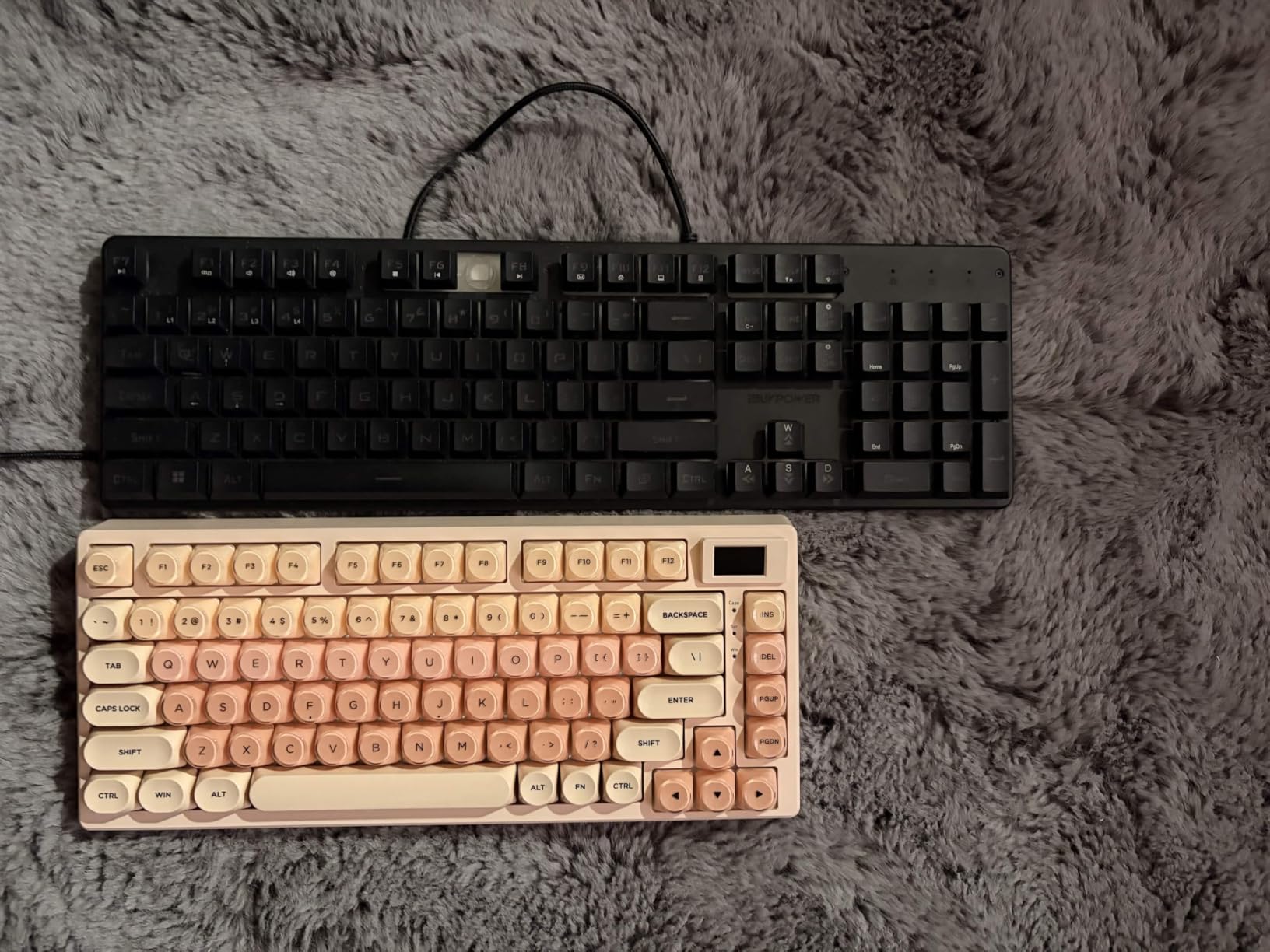
The pre-lubed linear switches with south-facing transparent light diffusers produce a creamy, smooth sound that is remarkably consistent across all keys. The south-facing LEDs ensure the RGB backlighting illuminates the keycaps evenly without the washed-out look that north-facing LEDs can produce. With 19 lighting effects and 9 color options, the customization is extensive.
The color multimedia display screen shows custom GIF images, Caps Lock status, connection mode, WIN/MAC layout, system info, backlight settings, RGB mode and color, volume, and language. I set mine to cycle between a clock display and a custom GIF, and it adds a level of personalization that makes the board feel uniquely mine.
Who Should Buy the Womier SK80
This board is for users who care about aesthetics as much as performance. The Kanagawa art theme keycaps and color display make it a showpiece for your desk. If you post desk setups on social media or simply want a keyboard that looks different from every other black rectangle, the SK80 is a conversation starter.
The 75% layout is perfect for users who want arrow keys and a function row but do not need a numpad. The compact size leaves more room for mouse movement, making it great for gaming. Mac users will appreciate the WIN/MAC compatibility toggle, which is rare on budget boards.
What to Watch Out For
The SK80 is wired only with no wireless connectivity option. If you need a cable-free desk setup, you will need to look at the AULA or ASUS options on this list instead. The detachable USB-C cable at least makes it easy to swap cables or transport the board.
The board is not water resistant, so spilled coffee could be catastrophic. The art theme keycaps are also specific to the Kanagawa design, so if you want to swap keycaps later, you will need to find a compatible set rather than using just any aftermarket keycaps.
12. Logitech G413 SE – Best Mid-Range Tactile Keyboard
Logitech G413 SE Full-Size Mechanical Gaming Keyboard – Black
Full-size 108 key
Tactile switches
Aluminum build
PBT keycaps
White backlight
Pros
- Sturdy aluminum construction
- Satisfying tactile feedback
- Quiet compared to clicky switches
- Durable PBT keycaps
- Clean white backlighting
Cons
- Backlight resets on reboot
- Not hot-swappable
- Single color backlight only
The Logitech G413 SE is the keyboard I recommend when someone wants a reliable, no-nonsense mechanical board from a trusted brand. The brushed aluminum-magnesium alloy top case gives it a clean, professional look that works in any environment. The tactile mechanical switches deliver a satisfying bump on every keypress without the loud click that bothers people around you.
The PBT keycaps are heat and wear resistant, which means the legends will not fade and the surface will not develop a glossy shine quickly. After weeks of daily use, my keycaps still look brand new. The white backlighting is bright and even, providing good visibility in low-light conditions without the rainbow distraction of full RGB.
The robust body design with minimal flex gives the G413 SE a solid, planted feel during intense typing or gaming. At 780 grams, it is lighter than some competitors but still stays put on the desk. The 6-key rollover anti-ghosting ensures your inputs register accurately during fast typing or gaming sessions.
The FN key media controls across the 12 function keys give you quick access to volume, playback, and other media functions. The clean, understated design of this board makes it equally appropriate for an office environment or a gaming setup. Logitech’s build quality and reputation for reliability add peace of mind to the purchase.
Who Should Buy the Logitech G413 SE
This is for users who want a dependable mechanical keyboard from an established brand without paying for features they will not use. If you do not care about RGB, wireless connectivity, or hot-swap sockets, the G413 SE gives you excellent build quality and typing feel at a fair price. The tactile switches are perfect for both typing and gaming.
Office workers who want a professional-looking mechanical keyboard will appreciate the clean aluminum design and white backlight. This board does not scream gaming the way RGB-heavy boards do, making it appropriate for professional environments.
What to Watch Out For
The backlight resets to full brightness every time you reboot your computer, which means you have to manually lower it each time if you prefer dimmer lighting. This is a known annoyance reported across many Amazon reviews.
The switches are not hot-swappable, so changing switches requires soldering. If you think you might want to experiment with different switch types, look at the Redragon K556 or any of the AULA boards instead. The single-color white backlight also means no RGB customization if that matters to you.
How to Choose the Best Mechanical Keyboard?
Choosing from the best mechanical keyboards means understanding what matters for your specific use case. After testing 12 keyboards over several weeks, I can tell you that the right choice depends on four main factors: switch type, layout size, connectivity, and build quality. Let me break each one down in plain language.
Understanding Switch Types
Switches are the heart of any mechanical keyboard, and they come in three main categories. Linear switches press straight down with no bump or click, making them fast and smooth for gaming. Tactile switches have a noticeable bump halfway through the keypress that tells you when the key has actuated, which many typists prefer. Clicky switches add an audible click sound to the tactile bump, giving you both physical and audio feedback on every press.
During testing, I found that linear switches like the pre-lubed Reaper switches on the AULA F75 Pro and the Razer Yellow switches on the BlackWidow V4 X excel for fast-paced gaming where speed matters. Tactile switches like the brown switches on the Redragon K556 are the versatile middle ground that works well for both typing and gaming. Clicky switches like the GX Blue on the Logitech G PRO are satisfying but too loud for shared spaces.
Picking the Right Layout Size
Layout size determines how much desk space the keyboard occupies and what keys are available. Full-size keyboards include a number pad and navigation cluster, which is essential for data entry and spreadsheet work. The 96% layout, found on the ASUS ROG Strix Scope II 96 and AULA F99, condenses the full-size layout by removing gaps between key clusters, giving you numpad functionality in a smaller footprint.
The 75% layout, used by the AULA F75 Pro and Womier SK80, removes the numpad but keeps arrow keys and a function row. This is my recommended layout for most users because it balances compact size with everyday functionality. The TKL layout on the Logitech G PRO removes the numpad and navigation cluster entirely, maximizing mouse space for gaming.
Wired vs Wireless Connectivity
Wireless mechanical keyboards have improved dramatically, and latency is no longer a real concern for most users. Tri-mode wireless boards like the AULA F75 Pro, ASUS ROG Strix Scope II 96, and AULA F99 offer Bluetooth for multi-device pairing, 2.4GHz for low-latency gaming, and USB-C for wired use. Having all three options gives you maximum flexibility.
Wired-only boards still make sense for competitive gaming where every millisecond matters and for users who never want to deal with charging. The Logitech G PRO TKL and Razer BlackWidow V4 X are both wired-only boards designed for tournament play where reliability is paramount.
Hot-Swappable Switches Explained
Hot-swappable keyboards let you change switches without soldering, using a simple switch puller tool. This matters because it transforms your keyboard from a fixed product into a customizable platform. The Redragon K556, Redragon K671, all AULA boards, the ASUS ROG Strix Scope II 96, the RK S98, and the Womier SK80 all feature hot-swappable PCBs.
Reddit communities consistently recommend hot-swappable boards for beginners because they let you experiment with different switch types cheaply. A switch tester costs about $15, and a pack of replacement switches runs $20 to $40. This lets you fine-tune your typing feel without buying a whole new keyboard.
Keycap Materials: PBT vs ABS
Keycaps come in two main plastic types. ABS keycaps are cheaper, thinner, and develop a glossy shine over time from finger oils. PBT keycaps are thicker, more durable, and resist shine much better. Boards like the Redragon K671, Logitech G413 SE, AULA F99, and ASUS ROG Strix Scope II 96 come with PBT keycaps, which is impressive at their respective price points.
If you buy a board with ABS keycaps like the Razer BlackWidow V4 X or the Redragon K556, consider upgrading to a PBT set later. Aftermarket PBT keycaps cost $20 to $40 and dramatically improve both the feel and durability of your keyboard.
Sound Dampening and Build Quality
The sound of a mechanical keyboard is a bigger factor than most people expect. Boards with sound-dampening foam, like the AULA F99 with its five layers of filling or the RK S98 with its IXPE switch dampener, produce a deeper, more controlled sound that the community describes as creamy or thocky. Boards without dampening tend to sound hollow and pingy.
Build quality comes down to the case material and mounting style. Aluminum cases, like those on the ASUS ROG Strix Scope II 96 and SteelSeries Apex 5, feel more premium and transmit less sound than plastic cases. Gasket mount designs, found on the AULA F99 and Womier SK80, provide a softer, more cushioned typing feel compared to traditional hard mounting.
FAQs
What is the best mechanical keyboard for gaming?
The Logitech G PRO TKL is the best choice for competitive gaming with its tournament-grade GX Blue clicky switches, onboard memory for lighting profiles, and ultra-portable tenkeyless design. For gamers who also want wireless freedom, the ASUS ROG Strix Scope II 96 offers tri-mode connectivity with pre-lubed linear switches and an incredible 1500-hour battery life. The Razer BlackWidow V4 X is another strong option with its 1.2mm actuation Yellow switches and Snap Tap feature for rapid directional changes.
What is the best mechanical keyboard for typing?
The Logitech MX Mechanical Wireless is the best keyboard for typing, especially in office environments. Its tactile quiet switches provide satisfying feedback without excessive noise, and the smart illumination auto-adjusts to your lighting conditions. For typists who prefer a creamier sound profile, the RK Royal Kludge S98 and AULA F99 both deliver excellent typing feel with gasket-mounted designs and multiple layers of sound dampening.
What is the best mechanical keyboard brand?
Based on our testing, Logitech offers the most reliable ecosystem with options ranging from the budget G413 SE to the premium MX Mechanical. Razer and SteelSeries produce excellent gaming-focused boards. Among newer brands, AULA stands out for delivering premium features like tri-mode wireless and gasket mounting at budget-friendly prices. Keychron is also highly recommended by Reddit communities for beginners, though it was not included in this specific roundup.
What is the best budget mechanical keyboard?
The Redragon K671 is the best budget mechanical keyboard at under $35, offering hot-swappable red switches, PBT keycaps, full anti-ghosting, and 11 RGB modes. For slightly more, the Redragon K556 adds an aluminum base and tactile brown switches. If you need wireless on a budget, the AULA F99 provides tri-mode connectivity and an 8000mAh battery for under $70.
How to choose the right mechanical keyboard?
Start by choosing your switch type: linear for speed and smoothness, tactile for feedback without noise, or clicky for maximum feedback. Then pick a layout size based on your needs: full-size for data entry, 96% for numpad in a smaller footprint, 75% for the balance of size and function, or TKL for maximum mouse space. Finally, decide on connectivity (wired for competitive gaming, wireless for flexibility) and whether you want hot-swappable switches for future customization.
Final Thoughts on the Best Mechanical Keyboards in 2026
After testing all 12 keyboards, the AULA F75 Pro remains my top pick for the best mechanical keyboard overall. It delivers wireless connectivity, hot-swappable switches, pre-lubed typing feel, and excellent RGB at a price that leaves room in the budget for keycap upgrades or replacement switches. The Redragon K556 and K671 remain unbeatable for budget-conscious buyers who want hot-swap functionality without spending much.
For gamers, the Logitech G PRO TKL and Razer BlackWidow V4 X offer competitive features that can genuinely improve your performance. For office professionals, the Logitech MX Mechanical Wireless solves the noise problem while delivering the multi-device workflow that productivity demands. And for anyone who wants premium sound and feel, the ASUS ROG Strix Scope II 96 and RK Royal Kludge S98 are outstanding choices.
The best mechanical keyboards in 2026 are the ones that match your specific needs, desk setup, and typing preferences. Use our buying guide to narrow down your priorities, then pick the board that checks the most boxes for your budget. Any of the 12 keyboards on this list will be a massive upgrade over a membrane keyboard, so you really cannot go wrong.