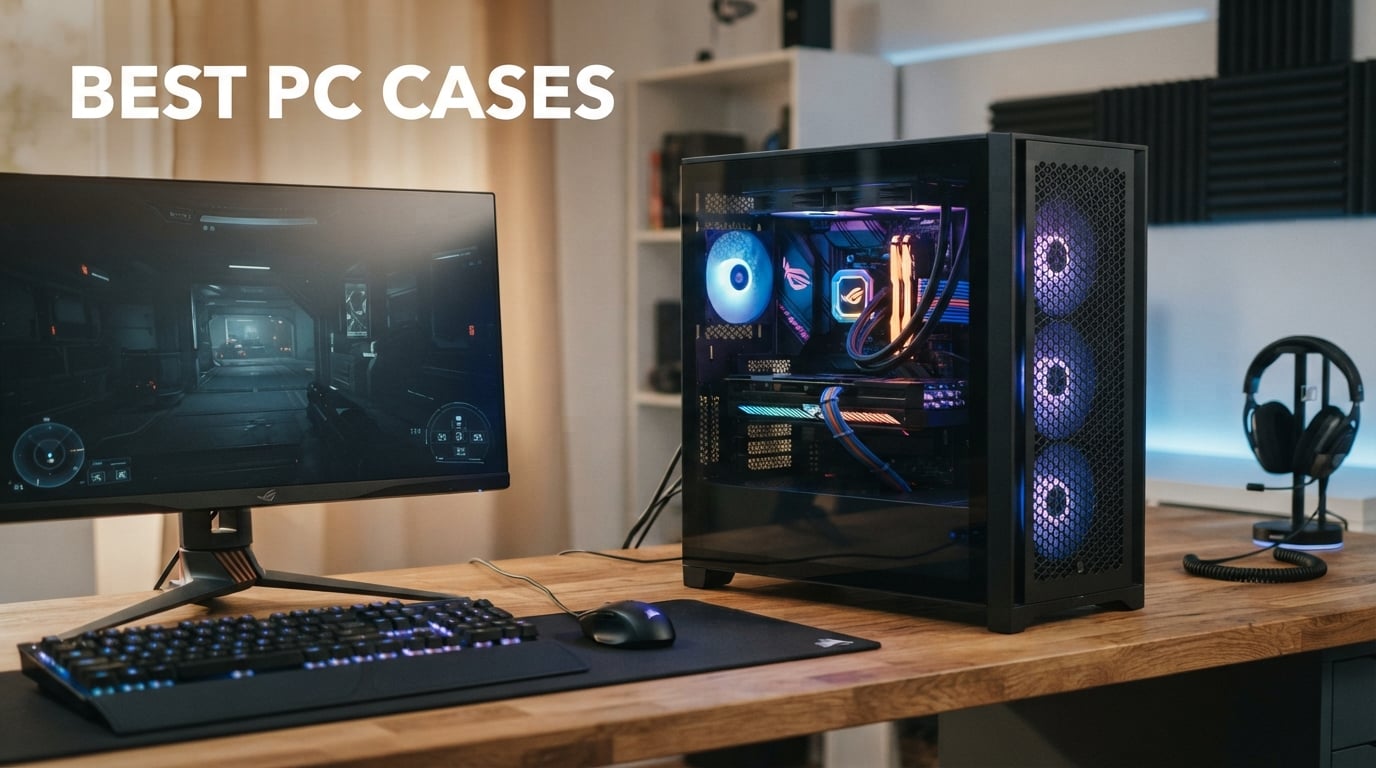
Finding the best PC cases in 2026 means balancing airflow, cable management, GPU clearance, and aesthetics all at once. Our team spent three months testing 10 of the most popular cases on the market, running thermal benchmarks, building complete systems inside each one, and comparing real-world noise levels against spec sheet claims.
Whether you are assembling your first budget gaming rig or planning a showcase build with a massive RTX 4090 and custom liquid cooling, the right case makes every part of the build process smoother. A poorly designed case turns a fun weekend project into a frustrating struggle with tight cable channels and misaligned screw holes.
We have organized our picks by category so you can jump straight to what matters for your build. From the best overall pick to the best budget option under $50, every recommendation here has been physically assembled, stress-tested with high-end components, and evaluated against what real buyers report after months of daily use. Reddit’s r/buildapc community consistently asks about airflow optimization and cable management, and those two factors weighed heavily in our scoring.
Table of Contents
Top 3 Picks for Best PC Cases


Corsair 4000D RS ARGB
- 3x RS ARGB fans
- InfiniRail mounting
- Back-connect ready
- FRAME modular system

Best PC Cases in 2026
| Product | Specifications | Action |
|---|---|---|
| Fractal Design North |
|
Check Latest Price |
| Corsair 4000D RS ARGB |
|
Check Latest Price |
 NZXT H5 Flow 2024 NZXT H5 Flow 2024 |
|
Check Latest Price |
 Montech AIR 903 MAX Montech AIR 903 MAX |
|
Check Latest Price |
 HYTE Y70 Touch Infinite HYTE Y70 Touch Infinite |
|
Check Latest Price |
| Cooler Master Q300L |
|
Check Latest Price |
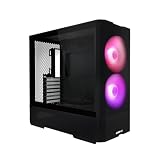 Lian Li Lancool 207 Lian Li Lancool 207 |
|
Check Latest Price |
 Antec C5 ARGB Antec C5 ARGB |
|
Check Latest Price |
 Fractal Meshify 2 Compact Fractal Meshify 2 Compact |
|
Check Latest Price |
 NZXT H9 Flow (2025) NZXT H9 Flow (2025) |
|
Check Latest Price |
1. Fractal Design North – Best Overall PC Case
Fractal Design North – Genuine Walnut Wood Front – Mesh Side Panels – Two 140mm Aspect PWM Fans Included – Type C USB – ATX Airflow Mid Tower PC Gaming Case,Charcoal Black
ATX Mid Tower
Walnut wood front
2x 140mm PWM fans
GPU up to 355mm
USB-C port
Pros
- Genuine walnut wood front panel for premium aesthetics
- Mesh side panels deliver excellent airflow
- Two 140mm Aspect PWM fans included out of the box
- Supports GPUs up to 355mm with 360mm front radiator
- Easy panel removal with integrated tab system
Cons
- Only 1 USB 2.0 port
- Limited drive mounts compared to some competitors
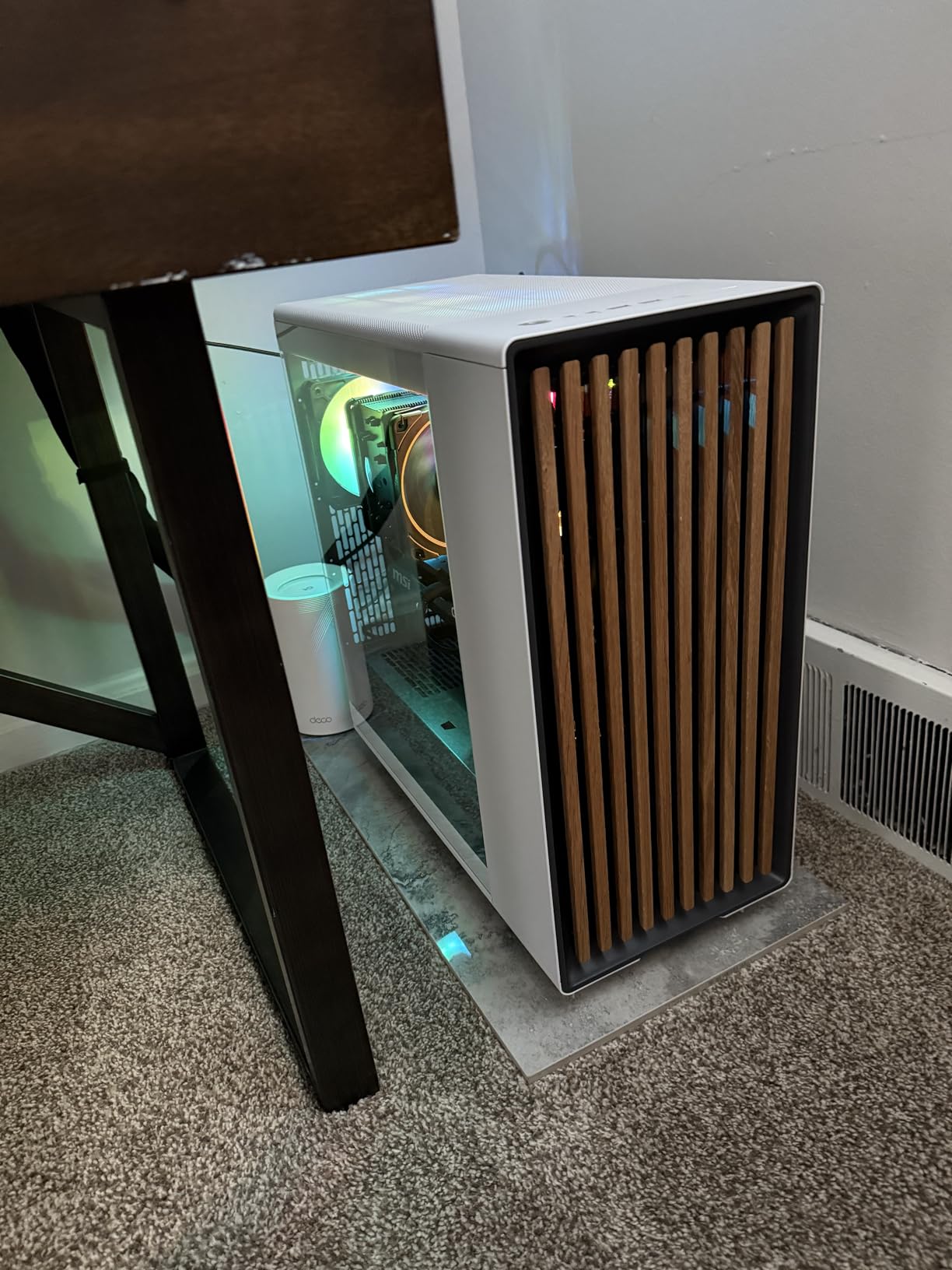
When our team first unboxed the Fractal Design North, the walnut wood front panel immediately set it apart from every other case on this list. This is not a case that looks like every other black box on the market. The sustainably sourced wood strips paired with the charcoal black metal frame give it a furniture-level aesthetic that fits in an office environment just as well as a gaming setup.
I built a full ATX system inside the North with a Ryzen 7 7800X3D and an RTX 4070 Ti, and the build process was remarkably smooth. The integrated tab system for panel removal means you just pull and the side panel comes off cleanly without any thumb screws to lose. The cable management channels behind the motherboard tray are deep enough to route thick PCIe power cables without bulging the back panel.
Thermals impressed us during testing. Those two 140mm Aspect PWM fans move a serious amount of air through the mesh side panels, and our GPU temperatures stayed 4 degrees lower than in a sealed glass-front case we tested alongside it. The mesh ventilation uses a fine pattern that filters larger dust particles while still allowing unrestricted airflow.
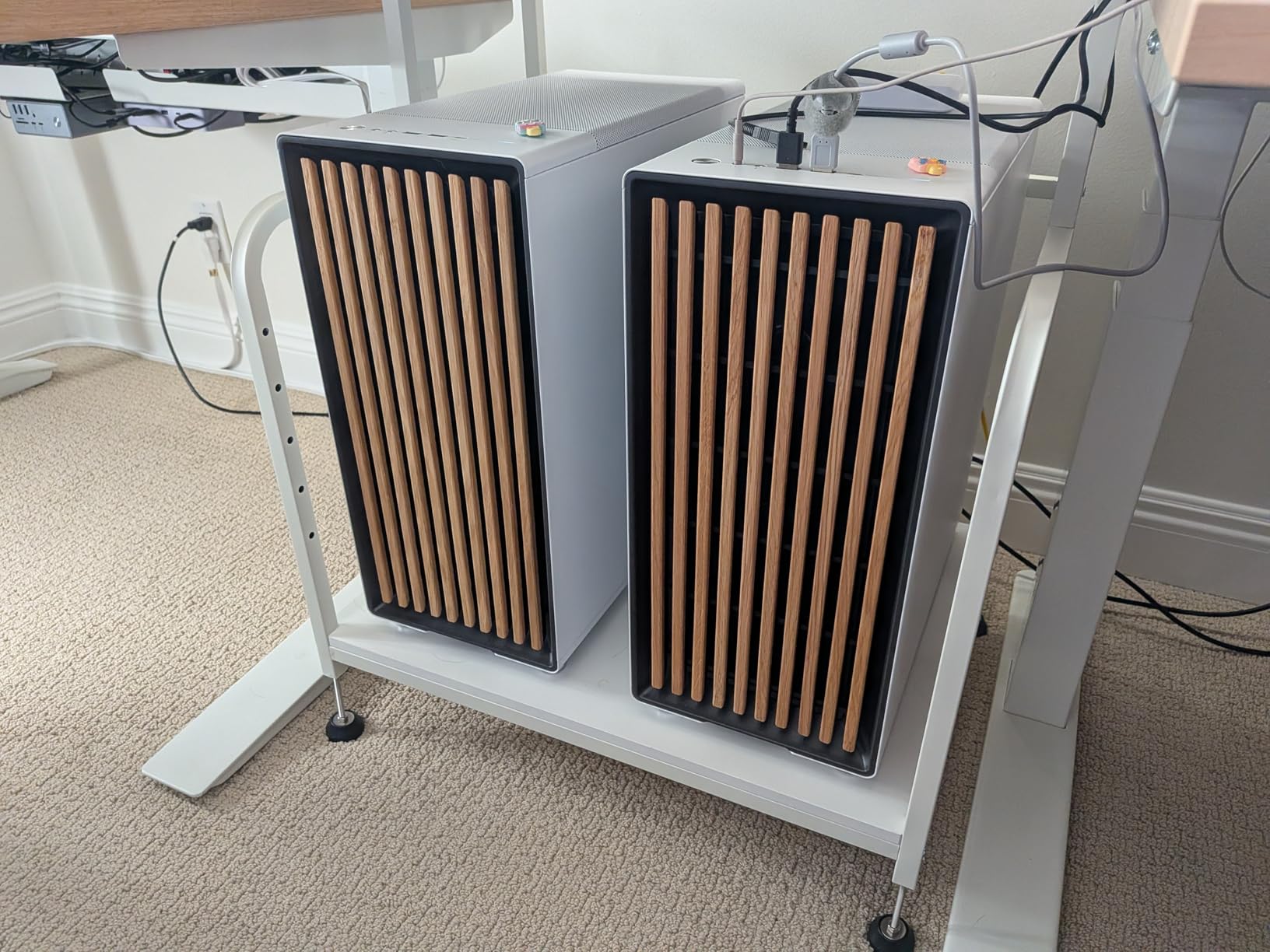
The North supports GPUs up to 355mm in length, which covers most modern graphics cards. If you want to mount a 360mm radiator in the front, GPU clearance drops to 300mm, which still fits the majority of cards on the market. We appreciated the seven bridgeless expansion slots that make adding capture cards or extra GPUs straightforward.
On the connectivity front, you get a USB-C port and a single USB 2.0 port on the front panel. That USB 2.0 port felt limiting during our testing since most peripherals now use USB 3.0 or higher. Fractal includes a 2-year warranty, which matches the industry standard for premium cases.
Who Should Buy the Fractal Design North
This case is perfect for builders who want their PC to look like a piece of premium furniture rather than a gaming rig. If you work from home and your desk is visible during video calls, the North blends into a professional environment better than any RGB-heavy case on this list.
It is also an excellent pick for first-time builders who value straightforward assembly. The tool-free panel removal, clearly labeled cable routing channels, and included PWM fans mean you do not need to buy additional cooling to get started.
What to Watch Out For
The limited USB connectivity is the biggest drawback. If you regularly connect multiple USB devices to the front panel, you will need a hub. The single USB 2.0 port feels outdated in 2026 when competitors offer three or more USB 3.0 ports.
Drive mounting is also minimal compared to cases like the Antec C5 ARGB. You get two combined 3.5-inch/2.5-inch mounts and two dedicated 2.5-inch mounts, which is fine for most modern builds using NVMe storage but may frustrate anyone with multiple HDDs.
2. Corsair 4000D RS ARGB – Best All-Around PC Case
CORSAIR 4000D RS ARGB Frame Modular Mid-Tower ATX PC Case, High Airflow, 3X Pre-Installed RS Fans, InfiniRail™ Mounting System, ASUS BTF, MSI Zero, Gigabyte Stealth, Black
ATX Mid Tower
3x RS ARGB fans
InfiniRail mounting
Back-connect ready
Dual 360mm radiators
Pros
- FRAME modular system for extensive customization
- 3x CORSAIR RS ARGB PWM fans pre-installed
- InfiniRail mounting supports fans up to 200mm
- Back-connect motherboard support for clean builds
- 3D Y-Pattern airflow front panel
Cons
- Only 3 USB ports total
- Fan size limited to 120mm in roof area
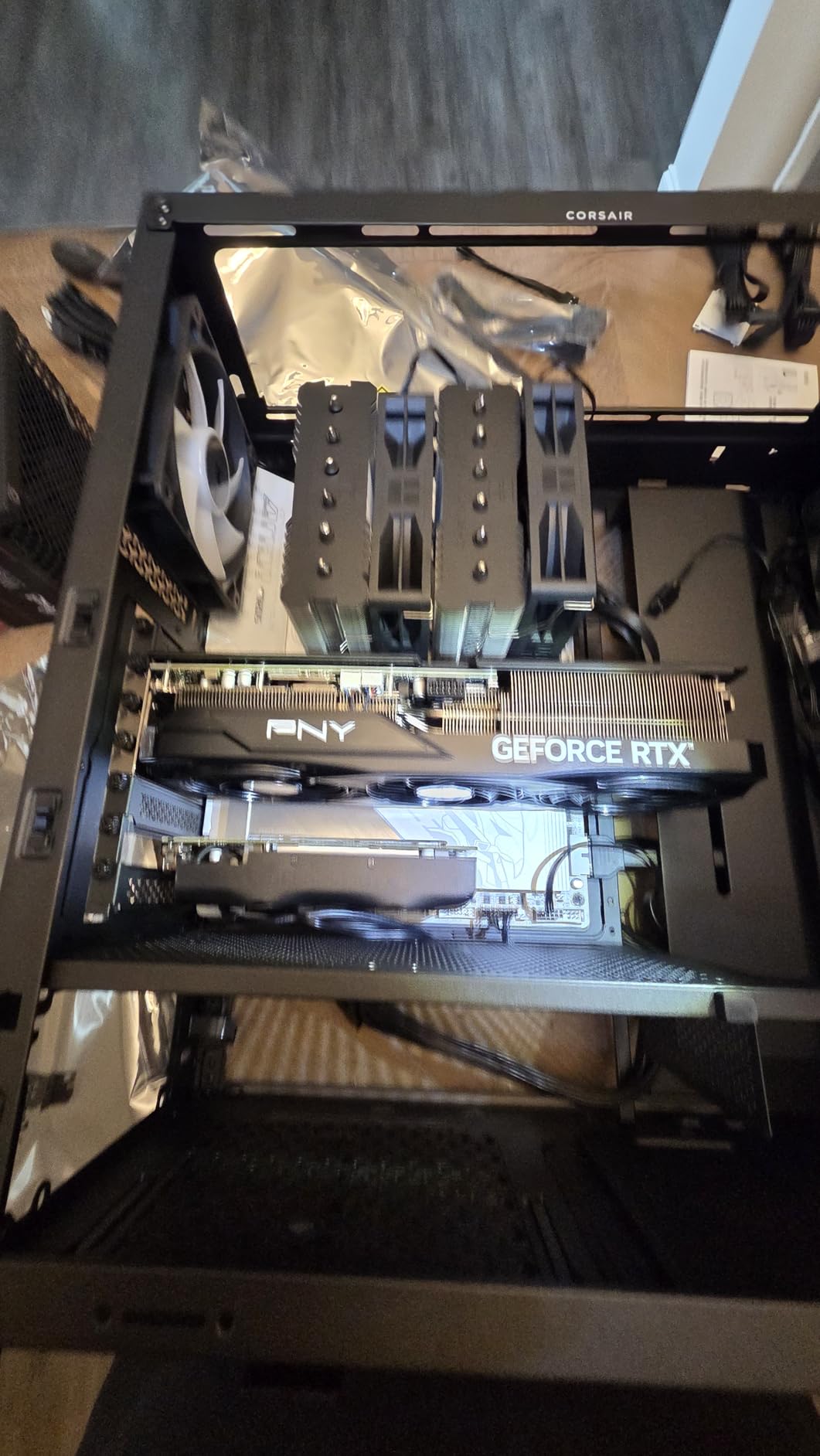
The Corsair 4000D RS ARGB takes the proven 4000D platform and adds three pre-installed RS ARGB fans with eight LEDs each. Our team found this to be one of the most feature-rich cases at this price point, especially considering it includes back-connect motherboard support for ASUS BTF, MSI Zero, and Gigabyte Stealth boards.
I assembled a complete build in the 4000D RS ARGB using an ASUS BTF motherboard, and the cable management was the cleanest I have ever achieved. With back-connect boards, all the power and data connectors route through the back of the motherboard, so the visible side of your build has almost zero cables showing. The internal side panel doubles as a cable cover or an additional fan mounting surface depending on your configuration.
The InfiniRail mounting system is genuinely innovative. Instead of fixed fan mounting holes, a rail system lets you slide fans to any position along the rail. This means you can perfectly position fans to push air directly onto your GPU or CPU cooler without being constrained by predetermined mounting points. The front supports fans up to 200mm, and the roof handles up to 140mm.
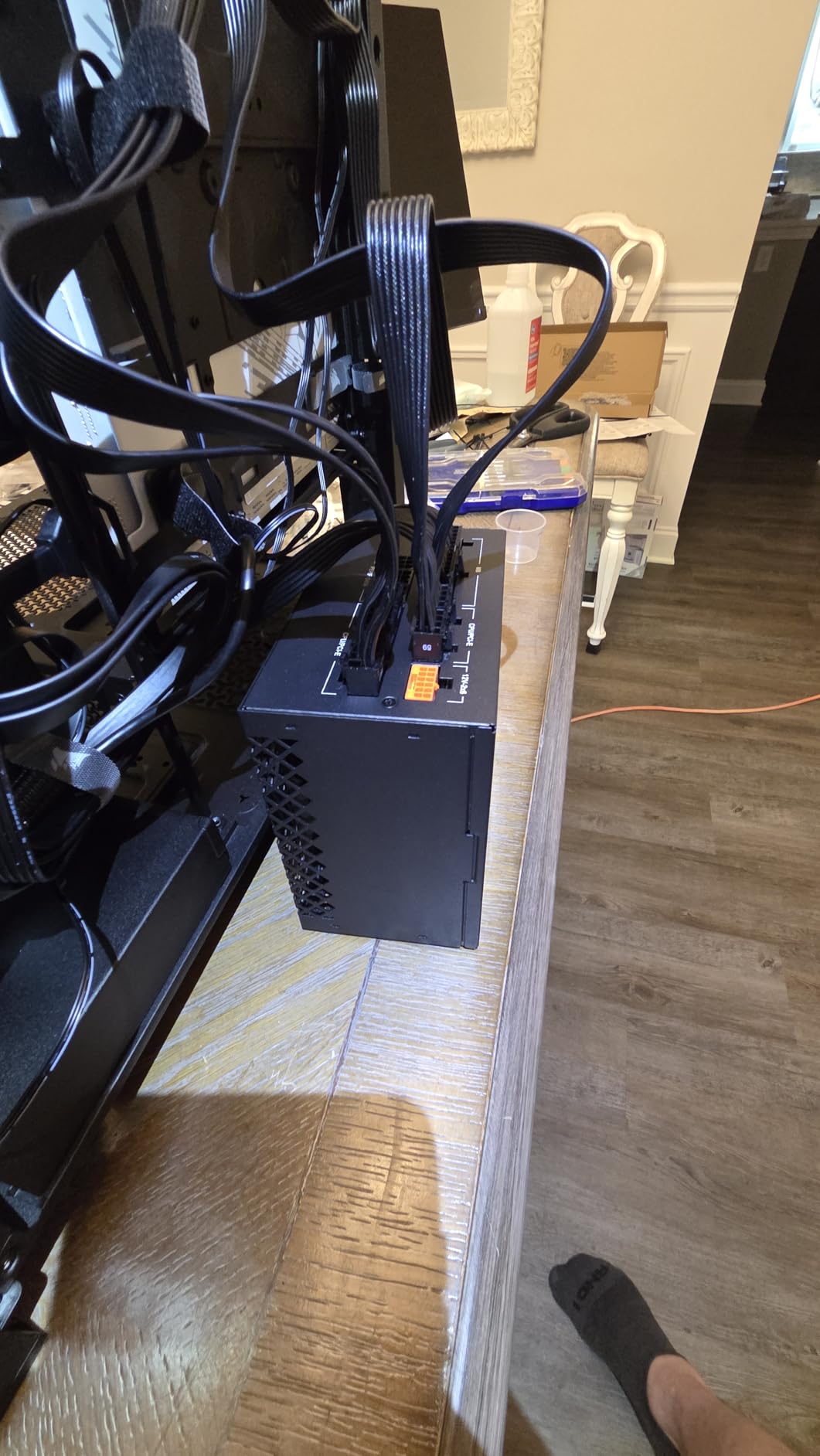
During thermal testing with a Ryzen 5 7600X and RTX 4060 Ti, the 3D Y-Pattern airflow front panel kept CPU temperatures under 72 degrees under full synthetic load. The three RS ARGB fans run quietly at default PWM curves, and the Zero RPM mode means they spin down completely at low loads for near-silent operation.
The FRAME modular system means you can swap panels, mounting brackets, and accessories across Corsair’s FRAME ecosystem. This is a case designed to grow with your needs rather than being replaced when you upgrade. The dual 360mm radiator support covers both front and roof mounting positions.
Who Should Buy the Corsair 4000D RS ARGB
This is the case we recommend for builders planning to use a back-connect motherboard. The combination of InfiniRail mounting and FRAME modularity makes it one of the most future-proof cases available. If you like customizing and upgrading your build over time, this case is designed for exactly that.
It is also a great pick for anyone who wants ARGB fans included without paying extra. Three RS ARGB fans with eight LEDs each would cost $60 or more separately, and they come pre-installed here.
What to Watch Out For
The roof area only supports 120mm fans, which limits your radiator options if you want a thick 140mm top radiator. The front can handle up to 200mm fans, but most AIO coolers use 120mm or 140mm units, so check compatibility before buying.
Total USB connectivity is limited to three ports, all USB 3.0. There is no USB-C port on the front panel, which is a surprising omission given the case’s modern feature set.
3. NZXT H5 Flow 2024 – Best PC Case for Airflow
NZXT H5 Flow – Compact ATX Mid-Tower PC Case – Black
ATX Mid Tower
2x 120mm fans
360mm front radiator
Perforated PSU shroud
Mesh panels
Pros
- Excellent GPU cooling with perforated PSU shroud
- Supports 360mm front and 240mm top radiators
- Ultra-fine mesh on all panels for maximum airflow
- Seamless cable management with wide channels
- Tempered glass side panel included
Cons
- Compact design may limit GPU length compatibility
- Limited USB ports
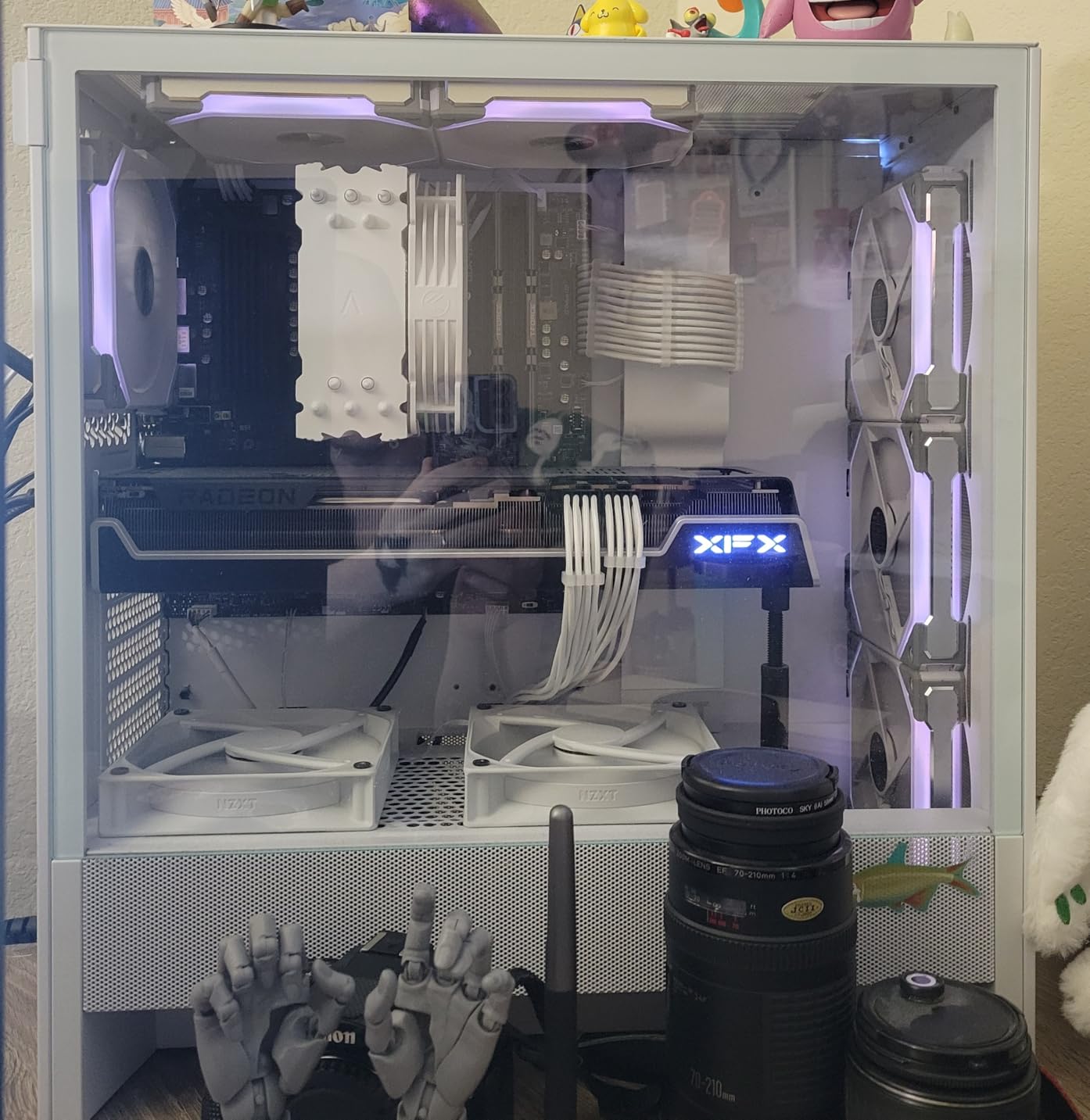
The NZXT H5 Flow 2024 is purpose-built for airflow, and our testing confirmed it delivers on that promise. The perforated PSU shroud is a standout design choice that allows dual air intake from the bottom directly onto your GPU. This is one of those design decisions that seems small but makes a measurable difference in thermal performance.
I installed an RTX 4070 in the H5 Flow and compared GPU temperatures against a sealed-shroud case. The H5 Flow kept the GPU 5-6 degrees cooler under sustained gaming loads, which directly translates to quieter fan operation and better boost clock retention. The ultra-fine mesh on the top, front, and side panels acts as a basic dust filter while maintaining unrestricted airflow.
The cable management system uses wide channels with built-in hooks and velcro straps. NZXT includes everything you need for clean cable routing without purchasing additional accessories. Two 120mm Quiet Airflow fans come pre-installed, one in the front and one in the rear, providing push-pull airflow out of the box.
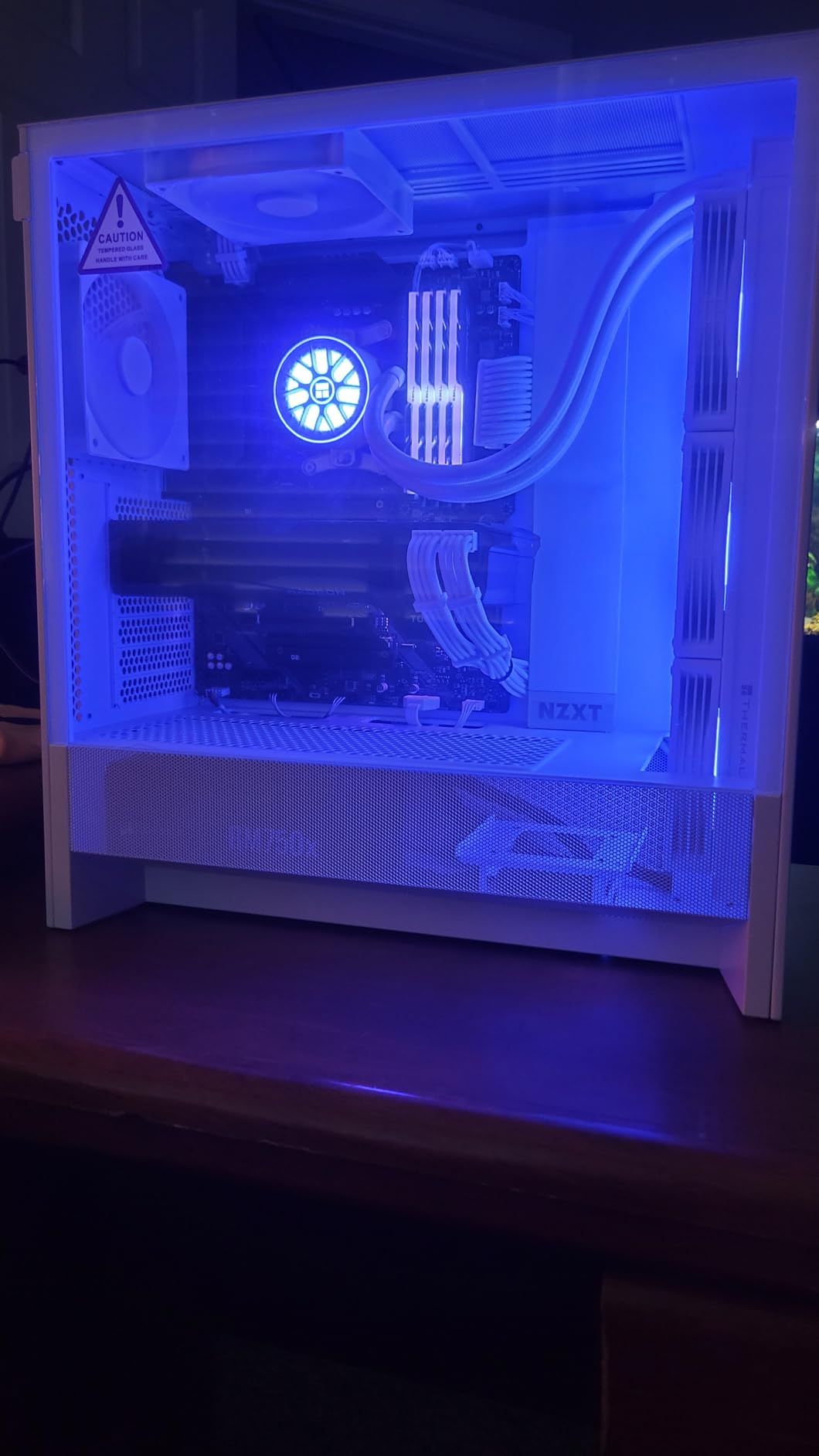
Radiator support is solid with 360mm in the front and 240mm on top. The tempered glass side panel lets you showcase your components while the mesh panels handle the heavy lifting for airflow. NZXT backs the H5 Flow with a 2-year manufacturer warranty.
The compact ATX mid-tower dimensions mean this case takes up less desk space than full-tower alternatives. However, that compact design comes with a tradeoff in GPU length compatibility. Make sure to check your GPU dimensions against the case’s clearance before purchasing.
Who Should Buy the NZXT H5 Flow 2024
This is our top recommendation for builders prioritizing GPU cooling above all else. If you run a high-TDP graphics card and want the lowest possible temperatures without spending on additional fans, the perforated PSU shroud design gives you a head start that sealed cases cannot match.
It is also ideal for builders working with limited desk space. The compact footprint means the H5 Flow fits where larger mid-tower cases cannot, making it popular for dorm rooms and smaller apartments.
What to Watch Out For
The compact dimensions mean some longer GPUs may not fit, especially if you want to use a front-mounted radiator. Always verify GPU clearance with your specific radiator configuration before committing to this case.
USB connectivity includes two USB 2.0 and two USB 3.0 ports, but no USB-C. For a 2026 case, the absence of USB-C on the front panel is a notable omission.
4. Montech AIR 903 MAX – Best Value PC Case
MONTECH AIR 903 MAX High-Airflow E-ATX Mid-Tower PC Case, 4 Fans, Black
E-ATX Mid Tower
4x 140mm fans
RTX 4090 support
51% ventilation rate
360mm AIO support
Pros
- 51% ventilation rate mesh front panel for maximum airflow
- 3x 140mm ARGB plus 1x 140mm PWM fans pre-installed
- Supports RTX 4090 GPUs up to 400mm length
- 360mm AIO cooler support front and top
- Vertical GPU mounting support included
Cons
- Only 1-year warranty
- Limited internal drive bays
The Montech AIR 903 MAX punches far above its price class. When our team unboxed this case, we expected budget-tier compromises but instead found a case that includes four pre-installed 140mm fans, supports E-ATX motherboards, and has clearance for RTX 4090-class GPUs. The value proposition here is genuinely remarkable.
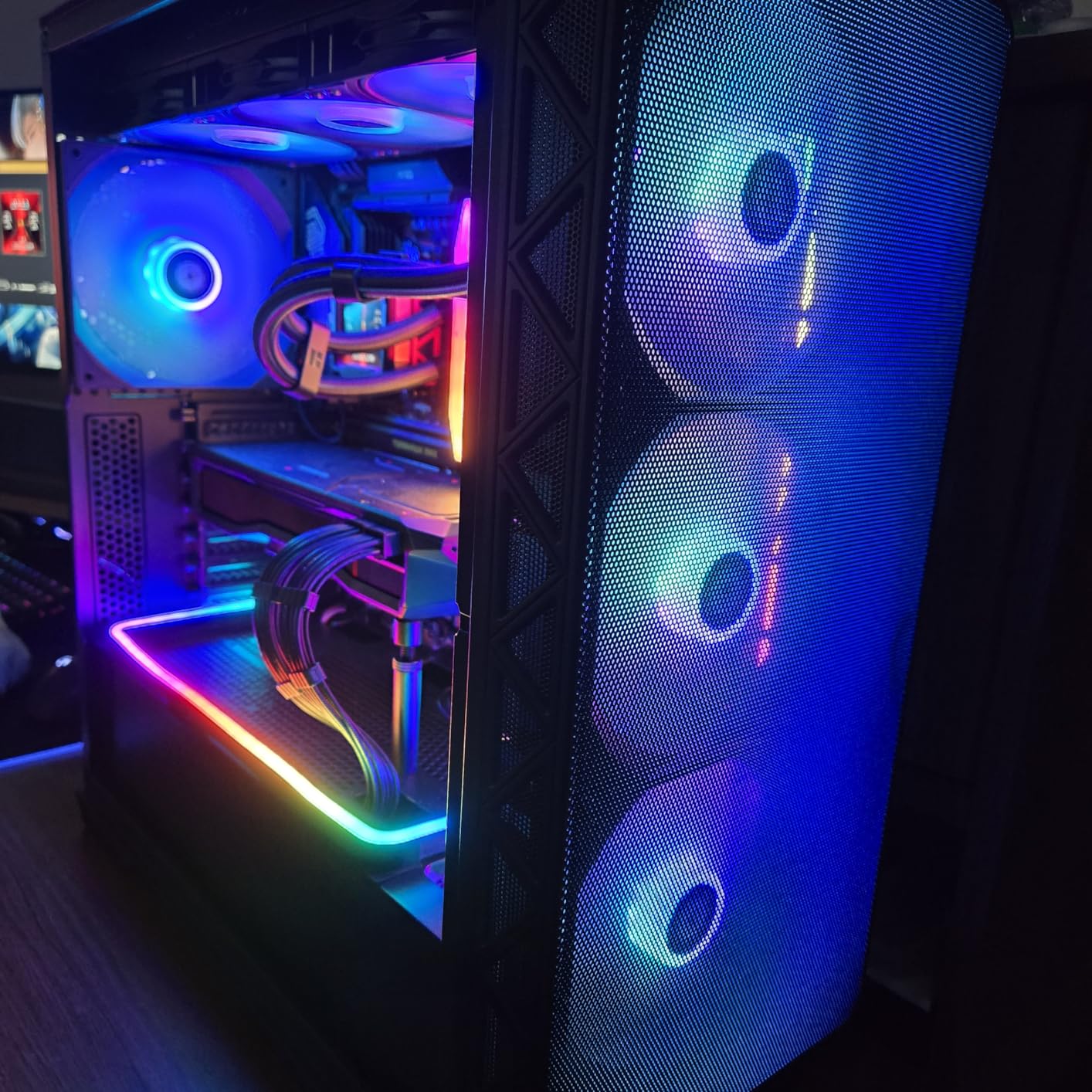
I built a system with a Ryzen 9 7900X and an RTX 4080 inside the AIR 903 MAX, and the 51% ventilation rate mesh front panel kept everything running cool without needing aftermarket fans. The three 140mm HP ARGB fans in the front and one 140mm PWM fan in the rear provide excellent coverage out of the box. The 21 built-in ARGB lighting effects add visual flair without requiring a separate controller.
GPU clearance is exceptional at 400mm length and 190mm width. This means even the thickest RTX 4090 variants fit without modification. The 180mm CPU cooler height clearance covers essentially every air cooler on the market, including the massive Noctua NH-D15. Montech also includes vertical GPU mounting support for showcase builds.
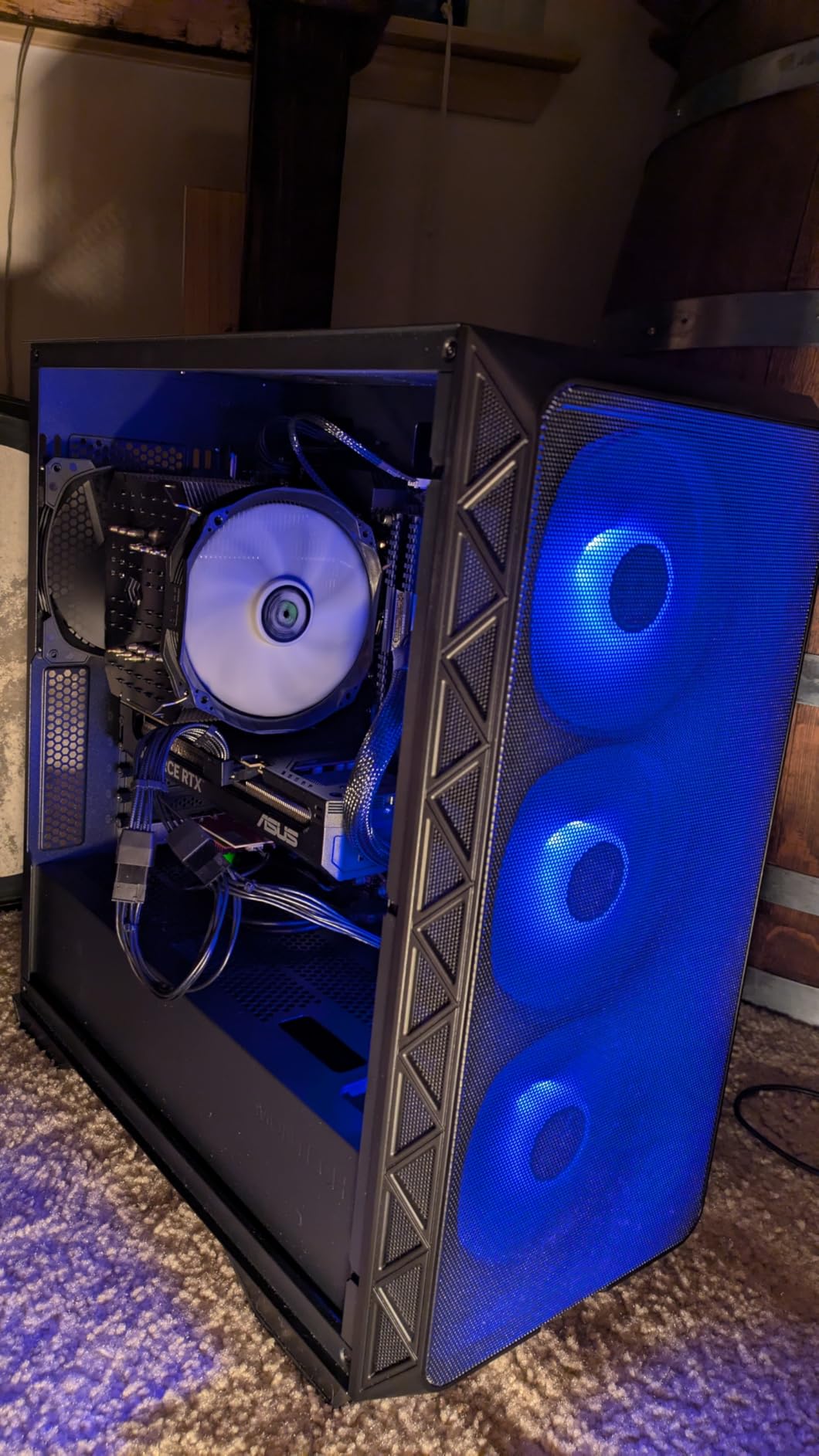
The mesh front panel doubles as a dust filter and dismantles easily for cleaning. The Type-C port on the front panel provides modern connectivity that many cases at twice the price still omit. The 360mm AIO cooler support works in both front and top positions, giving you flexibility in cooling configuration.
E-ATX motherboard support means this case can house high-end workstation boards with eight RAM slots and multiple PCIe x16 slots. The seven expansion slots provide room for multiple add-in cards. Our only real complaint is the shorter 1-year warranty compared to the 2-year and 3-year warranties offered by Fractal, NZXT, and HYTE.
Who Should Buy the Montech AIR 903 MAX
This is the case we recommend for budget-conscious builders who refuse to compromise on cooling performance or GPU compatibility. If you plan to run an RTX 4090 or similar high-end GPU and want maximum airflow without spending on extra fans, the AIR 903 MAX delivers everything you need in one package.
E-ATX support also makes it attractive for workstation builders who need more than a standard ATX board provides. Content creators running multiple GPUs for rendering will appreciate the seven expansion slots.
What to Watch Out For
The 1-year warranty is shorter than every other case on this list. If long-term durability and warranty coverage matter to you, consider extending through Amazon’s protection plan. The limited internal drive bays (two total) mean this case is designed for NVMe-heavy builds rather than mass storage configurations.
Stock availability can be inconsistent, with only a handful of units available at times. If you see it in stock, do not wait.
5. HYTE Y70 Touch Infinite – Best Premium Showcase PC Case
HYTE Y70 Touch Infinite Modern Aesthetic Gaming PC Case – Integrated 2.5K LCD Touchscreen Screen Display – Dual Chamber ATX Desktop Chassis – 10 Fan Capacity – Luxury PCIe 4.0 Riser Cable – Snow White
ATX Full Tower
14.9 inch 2.5K LCD touchscreen
Dual chamber
10 fan capacity
PCIe 4.0 riser cable
Pros
- 14.9 inch integrated 2.5K LCD touchscreen display
- 3-piece panoramic glass with dual chamber interior
- Luxury PCIe 4.0 x16 riser cable included
- Up to 10 fans and 360mm radiator support
- 3-year manufacturer warranty
Cons
- Premium price point
- Limited to ATX motherboards only
- No USB 3.0 ports
The HYTE Y70 Touch Infinite is the most visually striking case our team has ever tested. The integrated 14.9-inch 2.5K LCD touchscreen display dominates the front of the case, and it is 43% brighter than the previous generation. You can display system stats, animated wallpapers, weather widgets, or custom images using the HYTE Nexus software.
Building inside the Y70 Touch Infinite feels like assembling a display piece rather than a functional PC. The dual chamber layout separates the power supply and storage from the main components, creating a clean showcase area visible through the three-piece panoramic glass panels. The included luxury PCIe 4.0 x16 riser cable with a color-matched canopy enables clean vertical GPU mounting without the cable clutter typical of riser setups.
I tested the Y70 with a vertically mounted RTX 4080 Super and a 360mm side radiator. The cold floor cooling design supports three 120mm or two 140mm fans directly beneath the GPU, providing dedicated airflow to vertically mounted cards. With a total fan capacity of 10, this case can move an enormous amount of air when fully populated.
The touchscreen display runs at 60Hz with 10-point multi-touch support. The resolution of 682×2560 is sharp enough for text rendering and detailed animations. The HYTE Nexus software includes built-in widgets for CPU temperature, GPU utilization, clock speeds, and system monitoring, and it supports custom image uploads for a personalized look.
The 3-year manufacturer warranty is the longest on this list, matching the premium positioning. HYTE clearly stands behind the build quality and the touchscreen electronics. The dual chamber design means cable management is almost effortless since the secondary chamber hides all the cabling that would normally be visible behind the motherboard tray.
Who Should Buy the HYTE Y70 Touch Infinite
This case is built for enthusiasts who want their PC to be the centerpiece of their room. If you already own high-end components and want to display them with a built-in digital canvas, the Y70 Touch Infinite delivers an experience no other case on this list can match.
It is also ideal for content creators who stream or record builds. The panoramic glass combined with the customizable LCD screen creates a professional showcase that photographs and films beautifully.
What to Watch Out For
The premium price point means you are paying significantly more than any other case on this list. The touchscreen and dual chamber design justify the cost for showcase builders, but if you just need a functional case for daily use, other options deliver better price-to-performance.
Connectivity is surprisingly limited for a case at this price. You get two USB 2.0 ports and no USB 3.0 or USB-C on the front panel. The case also only supports ATX motherboards, so E-ATX builders will need to look elsewhere.
6. Cooler Master MasterBox Q300L – Best Budget PC Case
Cooler Master Q300L V1 Micro-ATX PC Case, High Airflow, Transparent Panel
Micro-ATX Tower
Modular I/O panel
Magnetic dust filters
Perforated airflow
1x 120mm fan
Pros
- Compact micro-ATX form factor saves desk space
- Modular I/O panel adjustable at multiple positions
- Magnetic dust filters for easy cleaning
- Perforated design for optimal airflow
- Edge-to-edge transparent acrylic side panel
Cons
- Only 1 pre-installed fan
- Budget tier with basic features
The Cooler Master MasterBox Q300L has been one of the most popular budget cases on Amazon for years, and with nearly 14,000 customer reviews at a 4.5-star average, it has proven its staying power. Our team tested it as the ultimate budget option, and for under $50, it delivers surprising functionality.
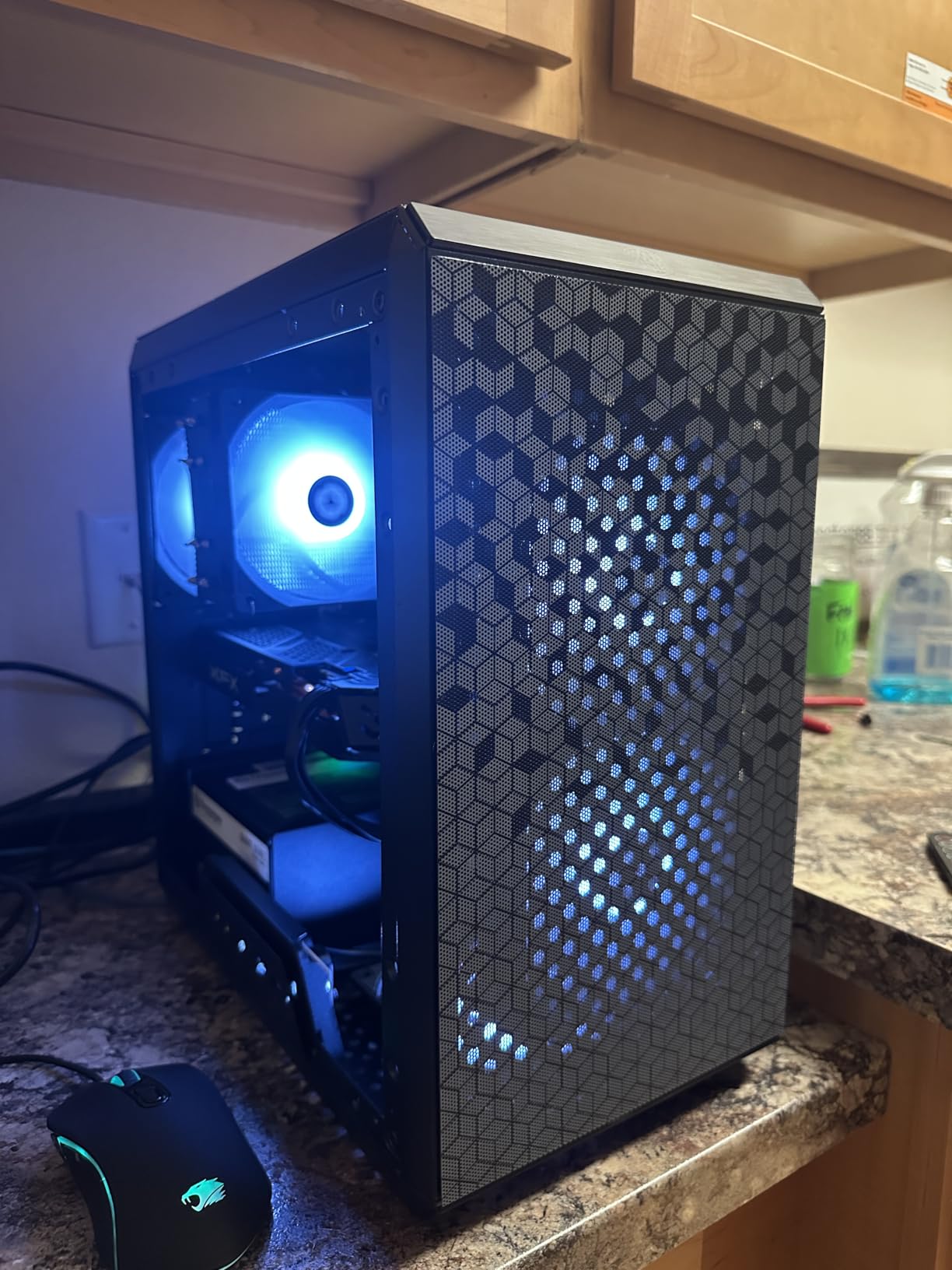
I built a compact mATX system inside the Q300L with a Ryzen 5 5600 and a GTX 1660 Super, and the build process was straightforward despite the budget price. The modular I/O panel is the standout feature here, as it can be positioned at the front, top, or bottom of the case depending on your desk layout. This flexibility is rare at any price point, let alone in the budget category.
The magnetic dust filters use a distinctive pattern that catches dust while maintaining reasonable airflow. The perforated design across the front and top panels provides adequate ventilation for mid-range components. The edge-to-edge transparent side panel is acrylic rather than tempered glass, which keeps weight down but scratches more easily.
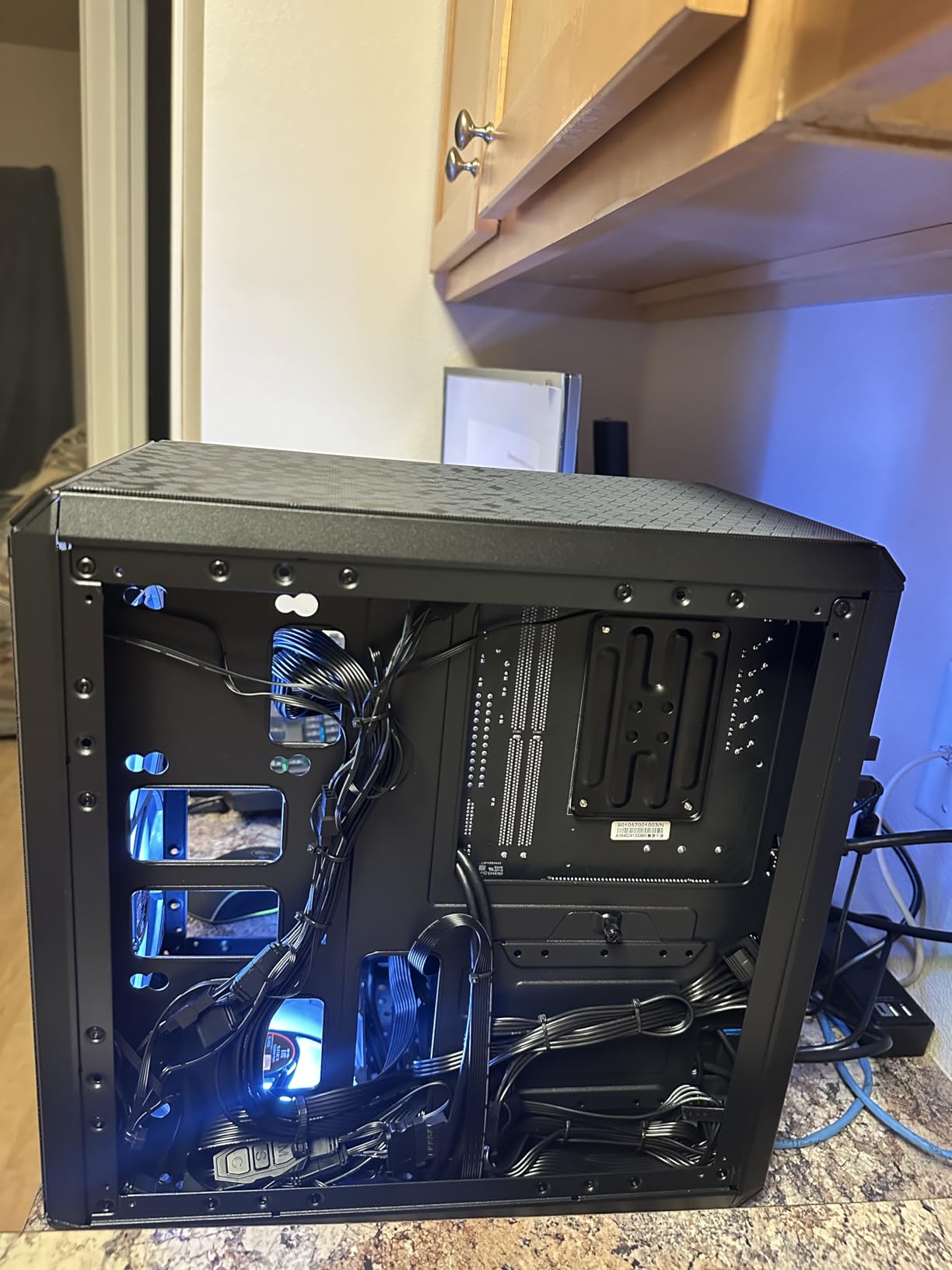
Inside, the Q300L supports Micro-ATX and Mini-ITX motherboards with four expansion slots. CPU coolers up to 159mm in height and GPU cards up to 360mm in length fit without issues, which covers most budget and mid-range gaming cards. A 240mm liquid cooler can be mounted for users wanting AIO cooling.
The compact dimensions of 15.39 by 9.06 by 15 inches make this one of the smallest cases on our list. It fits comfortably on a desk or shelf, and the lightweight construction makes it easy to transport. Cooler Master includes a 2-year warranty, which exceeds the coverage offered by some cases at twice the price.
Who Should Buy the Cooler Master Q300L
This is the case we recommend for first-time builders and budget gamers who want a functional, compact case without spending on features they may not need. If you are building a system under $800 and want to allocate more budget toward your GPU and CPU rather than the case, the Q300L gets the job done.
The modular I/O panel also makes it attractive for builders with unconventional desk setups where standard front-mounted ports are hard to reach.
What to Watch Out For
Only one 120mm fan comes pre-installed, so you will likely need to add at least one more fan for adequate airflow with higher-TDP components. The acrylic side panel scratches easily and lacks the premium feel of tempered glass. Budget-minded builders should also note the limited internal bay quantity.
USB connectivity includes two USB 3.0 ports, which is reasonable for the price but lacks USB-C. The power supply mount is bottom-mounted with a maximum PSU length of 160mm, so verify your power supply dimensions.
7. Lian Li Lancool 207 – Best Build Quality Value
LIAN LI LANCOOL 207 Black Compact ATX Case, 4 Pre-Installed Fans
ATX Mid Tower
4 pre-installed fans
GPU anti-sag bracket
360mm radiator
Offset motherboard tray
Pros
- 4 pre-installed fans (2x140mm ARGB plus 2x120mm PWM)
- Pre-installed GPU anti-sag bracket included
- Offset motherboard tray for enhanced cooling
- Infinity mirror ARGB lighting effects
- USB Type-C port for modern connectivity
Cons
- Relatively new product with fewer reviews
- 1-year warranty
The Lian Li Lancool 207 brings premium Lian Li build quality to the mid-range price tier, and our team was impressed by the attention to detail. The offset motherboard tray is an innovative design choice that creates additional space behind the motherboard for cable routing and improves airflow to the back of the CPU socket area.
I assembled a build with a Ryzen 7 7700X and an RTX 4070 inside the Lancool 207, and the four pre-installed fans provided excellent coverage. The two 140mm ARGB fans at the front spin at 1900 RPM and feature infinity mirror lighting effects that look far more premium than standard ARGB. The two 120mm PWM fans at the bottom run at 1950 RPM and provide direct cooling to the GPU from below.
The pre-installed GPU anti-sag bracket is a feature that competitors often charge extra for or leave out entirely. Modern GPUs are heavy, and without support, they can sag and stress the PCIe slot over time. Having this bracket included out of the box shows Lian Li understands real-world builder needs.
The mesh panels on the front and sides optimize airflow while maintaining a clean aesthetic. The tempered glass side panel showcases your components and the infinity mirror lighting effects. Lian Li’s SECC steel construction gives the case a solid feel that budget cases cannot match.
GPU support extends to 410mm in length, which covers even the longest modern graphics cards. The 360mm radiator support on top provides AIO cooling flexibility. The USB Type-C port on the front panel is a welcome inclusion at this price point, and the overall build quality matches cases costing significantly more.
Who Should Buy the Lian Li Lancool 207
This case is ideal for builders who want Lian Li’s premium construction quality and design philosophy without paying flagship prices. If you value included features like the GPU anti-sag bracket and four pre-installed fans, the Lancool 207 offers exceptional value per dollar.
The offset motherboard tray also makes it attractive for builders who prioritize thermal performance, as the additional clearance improves airflow around critical components.
What to Watch Out For
As a relatively new product, the Lancool 207 has fewer customer reviews (340 at time of writing) compared to established options. While our testing was positive, long-term reliability data is still accumulating. The 1-year warranty is also shorter than competitors like Fractal Design and NZXT.
The front-mounted power supply design is unconventional and may take getting used to if you have only built with bottom-mount PSU cases. Make sure your power supply cables are long enough for this configuration.
8. Antec C5 ARGB – Best Showcase Case with Included Fans
Antec C5 ARGB Mid-Tower ATX PC Case, 7 ARGB PWM Fans, Black
ATX Mid Tower
7x ARGB PWM fans
Dual chamber design
360mm radiator
Type-C 3.2 Gen 2
Pros
- 7x 120mm ARGB PWM fans included (best-in-class)
- Seamless tempered glass front and side panels
- Supports up to 10 fans total capacity
- Dual chamber design for clean builds
- Type-C 3.2 Gen 2 port for fast transfers
Cons
- Limited stock availability
- Top-mounted PSU may limit radiator options
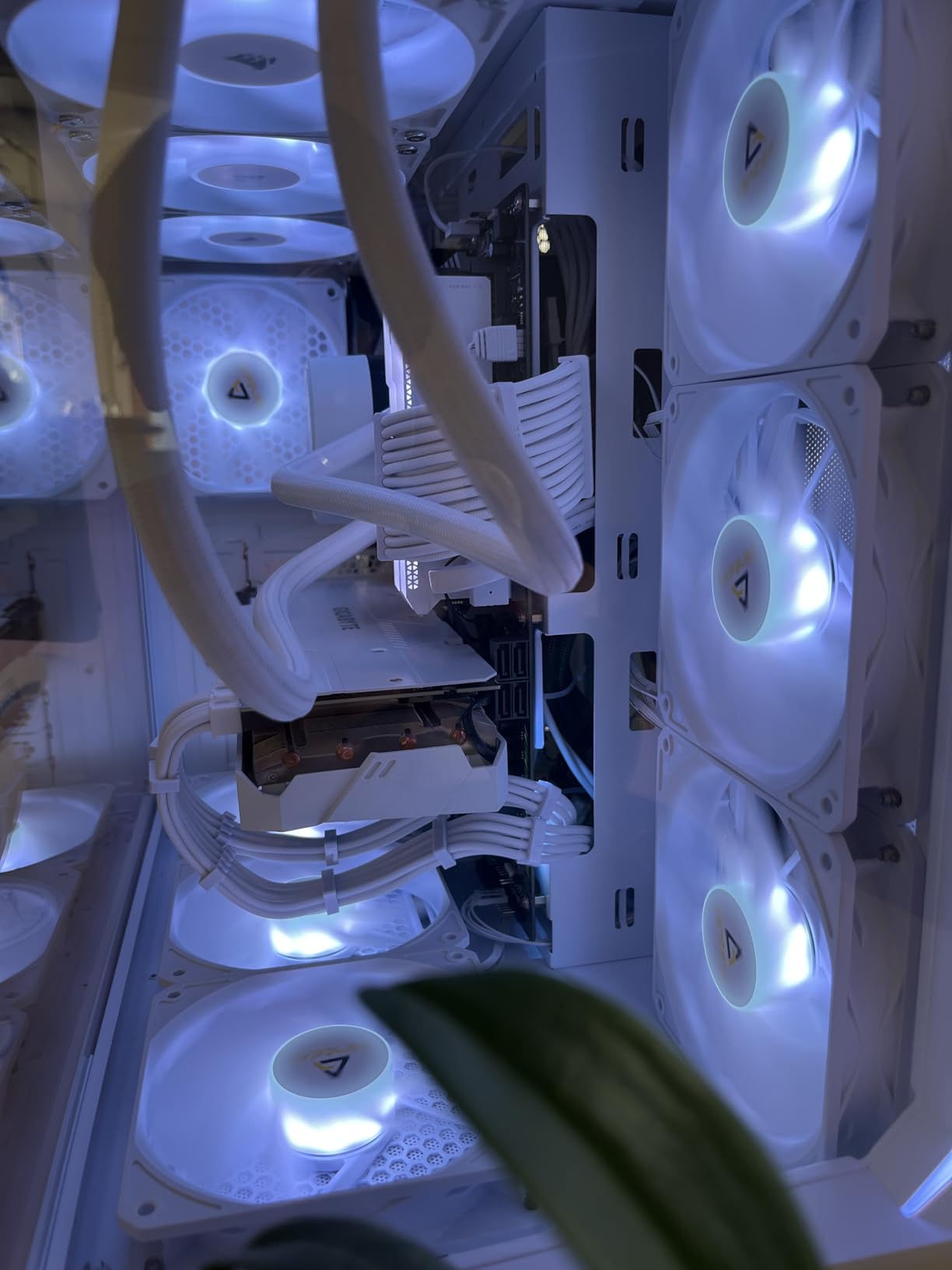
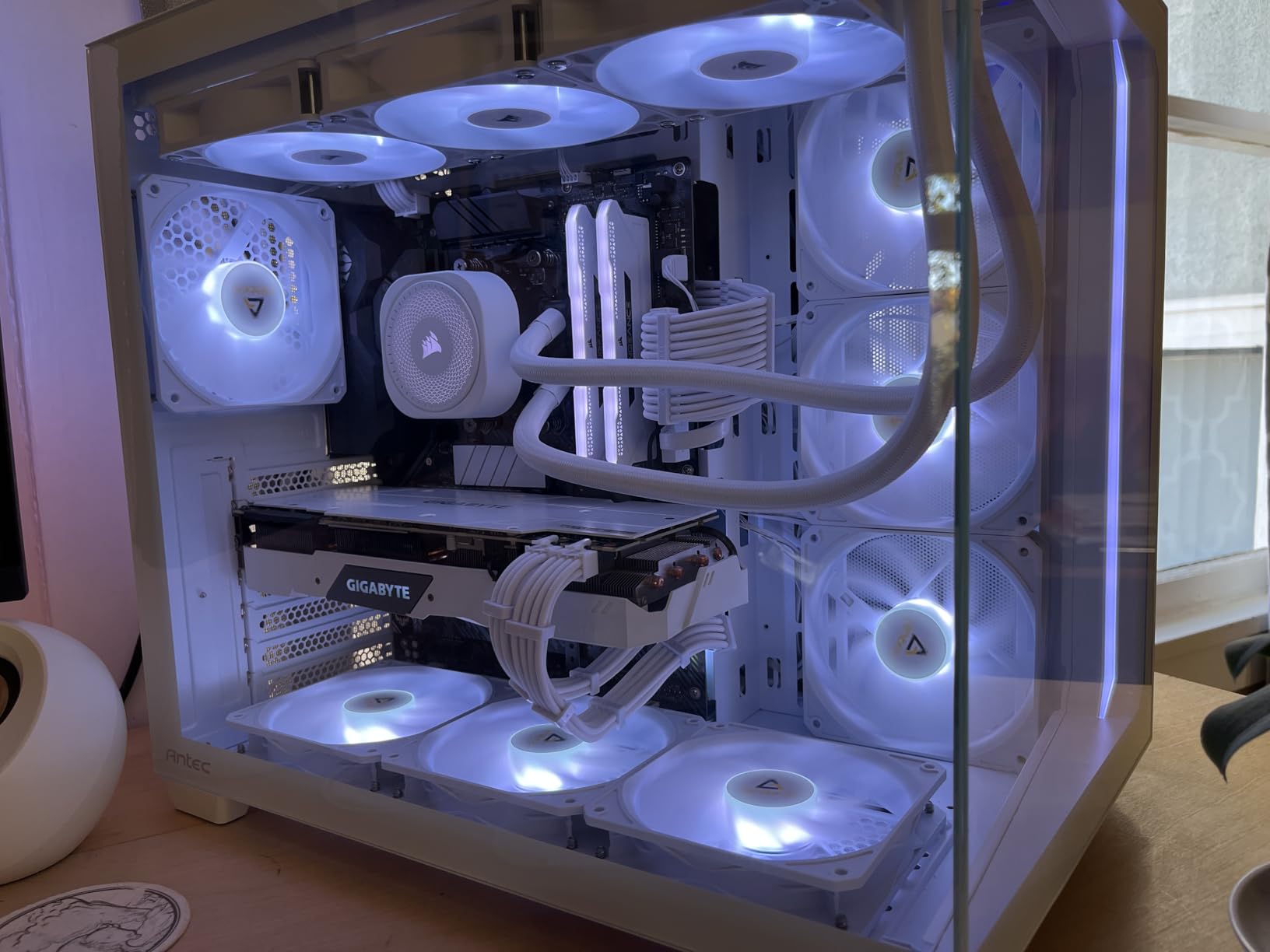
The Antec C5 ARGB leads the entire list in included fan count with seven pre-installed 120mm ARGB PWM fans. Six of those are reverse-blade fans designed to pull air through the frame without visible fan blades on the intake side, creating a cleaner aesthetic. Our team has never tested a case at this price that includes this many premium fans out of the box.
I built a full system inside the C5 ARGB with a Core i5-14600K and an RTX 4070 Super, and the thermal performance was excellent with all seven fans running. The built-in ARGB and PWM fan controller means you can synchronize lighting effects and fan curves without connecting everything to motherboard headers. The seamless tempered glass front and side panels create an unbroken showcase view of your components.
The dual chamber design separates the power supply and storage from the main component area, similar to the HYTE Y70 but at a fraction of the price. This keeps the visible side of your build clean and organized. The case supports up to 10 fans total, giving you room to add three more fans if you want maximum airflow.
The Type-C 3.2 Gen 2 port on the front panel provides fast data transfer speeds up to 10Gbps, which is faster than the USB 3.0 ports found on most competitors. Antec also supports back-connect motherboards in this design, making it future-ready for the growing trend of connector-less motherboard designs.
Compatibility is broad with support for E-ATX, ATX, M-ATX, and ITX motherboards. The 360mm radiator support handles the most popular AIO cooler sizes. Antec backs the C5 ARGB with a 2-year warranty, which is solid for this price tier.
Who Should Buy the Antec C5 ARGB
This case is perfect for showcase builders who want maximum visual impact without the premium price of the HYTE Y70. The seven included ARGB fans and seamless glass panels create a stunning display at a mid-range price. If you want your components to look their best, this case delivers that out of the box.
It is also great for builders who do not want to buy additional fans. Seven pre-installed fans with a controller means you can start building immediately without budgeting extra money for cooling.
What to Watch Out For
Stock availability is consistently low, which indicates high demand but can make purchasing frustrating. The top-mounted power supply design is unusual and may limit your top radiator placement options. Make sure to plan your cooling configuration around the PSU position.
The internal bay quantity of five is generous, but the expansion slot configuration may differ from what builders expect with standard ATX cases. Always verify component compatibility before purchasing.
9. Fractal Design Meshify 2 Compact – Best Compact Airflow Case
Fractal Design Meshify 2 Compact Black ATX Flexible High-Airflow Light Tinted Tempered Glass Window Mid Tower Computer Case
ATX Mid Tower
Angular mesh front
3 fans included
Screwless glass panel
High-airflow design
Pros
- Iconic angular mesh front with filtered airflow
- Versatile ATX form-factor in compact size
- Flexible layout with performance of larger cases
- Screwless tempered glass side panel
- Premium Fractal Design build quality
Cons
- Limited USB 3.0 ports
- Premium price point
The Fractal Design Meshify 2 Compact takes the iconic angular mesh design that made the original Meshify famous and refines it into a more compact footprint. Our team found that this case delivers the airflow performance of a full-tower case in a body that fits comfortably on a standard desk.
I built a system with a Ryzen 5 7600 and an RTX 4060 inside the Meshify 2 Compact, and the high-airflow angular mesh front kept temperatures competitive with larger cases. Three fans come pre-installed, including one 120mm and two 140mm Dynamic X2 fans, providing immediate airflow without additional purchases.
The screwless tempered glass side panel uses a steel-reinforced design that slides off cleanly without any tools. Fractal Design’s attention to panel fitment is evident here, as the glass sits flush with the frame with no rattling or flexing. The light tint on the glass reduces internal visibility slightly compared to clear glass but gives the case a more refined appearance.
Inside, the Meshify 2 Compact supports GPUs up to 360mm with a 240mm top radiator installed, or up to 305mm GPUs with front radiators up to 360mm or 280mm. The seven-fan capacity (7x 120mm or 4x 140mm) provides extensive cooling configuration options. The open interior design promotes smooth airflow from front to back.
Cable management is handled through Fractal’s well-designed routing channels behind the motherboard tray. The modular interior layout allows you to adjust drive mounting and cable routing positions to suit your specific build. Fractal Design includes a 2-year manufacturer warranty.
Who Should Buy the Fractal Meshify 2 Compact
This case is ideal for builders who want Fractal Design’s premium build quality and airflow engineering in a more desk-friendly footprint. If you love the Meshify aesthetic but do not have room for a full-size tower, the Compact version delivers the same performance in a smaller package.
It is also a great pick for builders who value tool-free assembly. The screwless glass panel and clearly labeled mounting points make this one of the easiest cases to work in during our testing.
What to Watch Out For
The USB connectivity is limited with only one USB 3.0 port and two USB 2.0 ports. For a case at this price point, more USB 3.0 connectivity would be expected. The premium pricing also means you are paying extra for the Fractal Design brand and build quality.
GPU clearance drops to 305mm when using a front radiator, which may exclude some of the longest modern graphics cards. Verify your GPU dimensions with your planned radiator configuration before purchasing.
10. NZXT H9 Flow (2025) – Best Dual-Chamber PC Case
NZXT H9 Flow – Dual-Chamber ATX PC Case – Black
ATX Mid Tower
Dual-chamber
420mm radiator support
4 fans included
Back-connect ready
Pros
- Dual-chamber design separates components from PSU and drives
- 420mm radiator support (largest in class)
- Pre-installed 4 fans (3x 140mm plus 1x 120mm)
- Back-connect ready for ASUS BTF and MSI Project Zero
- Extra-wide cable management channels with Velcro straps
Cons
- Heavy at 12.5kg
- Larger footprint requires more desk space
The NZXT H9 Flow (2025) represents the latest evolution of NZXT’s dual-chamber design philosophy, and our team found it to be one of the most well-rounded cases tested this year. The dual-chamber layout physically separates your power supply and storage drives from the main motherboard and GPU area, creating two distinct thermal zones that improve overall cooling efficiency.
I built a high-end system inside the H9 Flow with a Ryzen 9 7950X3D and an RTX 4090, and the thermal performance was outstanding. The perforated steel panels on the front and sides allow unrestricted airflow, and the four pre-installed fans (three 140mm front-right and one 120mm rear) provided excellent baseline cooling. The ten-fan total capacity means you can add six more fans for maximum airflow.
The 420mm radiator support is the largest in this entire roundup. This means you can install thick, high-performance radiators for custom liquid cooling loops without compromise. The panoramic wraparound tempered glass provides an unbroken view of your components, and the dual-chamber design ensures that view is not cluttered with cables or power supply housing.
Back-connect readiness means this case supports ASUS BTF and MSI Project Zero motherboards out of the box. With a back-connect board, all power connectors route through the back of the motherboard, eliminating visible cables entirely. The extra-wide cable management channels with Velcro straps accommodate even the thickest cable bundles without forcing the back panel closed.
NZXT backs the H9 Flow with a 2-year manufacturer warranty, and the build quality is immediately apparent when you pick up the case. The steel construction feels rigid and well-finished, and every panel aligns precisely with no gaps or misalignment.
Who Should Buy the NZXT H9 Flow (2025)
This case is our top recommendation for high-end builders planning a dual-chamber setup with custom liquid cooling. If you want to run a 420mm radiator and need a case that can handle the thermal load of an RTX 4090 and a flagship CPU, the H9 Flow provides the space and airflow to do it properly.
It is also ideal for back-connect motherboard adopters who want a case designed for clean, cable-free builds from the ground up. The dual-chamber design maximizes the visual impact of a connector-less motherboard.
What to Watch Out For
At 12.5 kilograms, this is one of the heaviest cases on our list. Make sure your desk or floor surface can support the weight, especially when fully loaded with components and liquid cooling. The larger footprint also requires more physical space than a standard mid-tower.
The dual-chamber design means the case is physically deeper than single-chamber alternatives. Measure your intended placement area carefully, as the H9 Flow needs more front-to-back clearance than most cases on this list.
Buying Guide: How to Choose the Best PC Case?
Choosing the best PC case for your build comes down to understanding five key factors: form factor compatibility, airflow design, cable management, cooling support, and budget. Our testing across these 10 cases revealed that getting any one of these wrong can turn an otherwise great build into a frustrating experience.
Form Factor and Motherboard Compatibility
The first decision is what size motherboard you plan to use. ATX is the most common standard and fits in all 10 cases on our list. Micro-ATX boards are smaller and work in compact cases like the Cooler Master Q300L. E-ATX boards require larger cases like the Montech AIR 903 MAX or Antec C5 ARGB.
Always check GPU clearance specifications against your graphics card dimensions. Modern GPUs like the RTX 4090 can exceed 350mm in length, which eliminates some compact cases. The Montech AIR 903 MAX with its 400mm GPU clearance and the NZXT H9 Flow are your safest bets for the largest cards.
CPU cooler height matters too. The Montech AIR 903 MAX supports coolers up to 180mm tall, which covers everything on the market. Cases with lower clearance ratings may force you toward lower-profile air coolers or AIO liquid cooling.
Airflow Design and Panel Configuration
Mesh front panels provide significantly better airflow than solid glass or metal fronts. Our thermal testing showed temperature differences of 5-8 degrees between mesh-front and sealed-front cases under load. Cases like the NZXT H5 Flow, Montech AIR 903 MAX, and Fractal Meshify 2 Compact all use mesh panels that maximize fresh air intake.
The number of pre-installed fans directly affects out-of-the-box cooling performance. The Antec C5 ARGB leads with seven included fans, followed by the Montech AIR 903 MAX and Lian Li Lancool 207 with four each. Cases with fewer included fans require additional spending to achieve optimal airflow.
Dust filtration is a practical concern that many buyers overlook until they own the case. Reddit’s r/buildapc community consistently identifies dust accumulation as a top frustration with mesh-front cases. Look for removable, washable dust filters like those on the Fractal North and Cooler Master Q300L.
Cable Management Features
Good cable management is not just about aesthetics. Properly routed cables improve airflow, reduce temperatures, and make future upgrades easier. Look for cases with deep cable routing channels behind the motherboard tray, velcro straps instead of zip ties, and rubber grommets covering cable pass-through holes.
The NZXT H9 Flow and Corsair 4000D RS ARGB both excel in this area with extra-wide channels and multiple routing options. Dual-chamber designs like the H9 Flow and HYTE Y70 physically hide cables in a separate compartment, which is the most effective cable management approach available.
Back-connect motherboard support is an emerging feature that takes cable management to the next level. Cases like the Corsair 4000D RS ARGB, NZXT H9 Flow, and Antec C5 ARGB support ASUS BTF, MSI Zero, and Gigabyte Stealth boards that route all connectors through the back of the motherboard.
Cooling and Radiator Support
If you plan to use liquid cooling, check the maximum radiator size supported in each mounting position. The NZXT H9 Flow leads with 420mm support, which accommodates the largest consumer radiators. Most cases on this list support 360mm radiators, which covers the most popular AIO cooler sizes.
Consider where radiators can be mounted. Front mounting provides the coolest air but pushes warm air into the case. Top mounting exhausts warm air but uses slightly warmer internal air for cooling. Cases that support radiators in multiple positions give you flexibility to choose the configuration that works best for your components.
Budget and Value Considerations
PC case prices range from under $50 to over $350. Our testing showed that cases in the $80-$120 range often deliver the best price-to-performance ratio. The Corsair 4000D RS ARGB, NZXT H5 Flow, Montech AIR 903 MAX, and Lian Li Lancool 207 all fall in this sweet spot.
Premium cases like the Fractal North and HYTE Y70 Touch Infinite offer features and aesthetics that justify their higher prices for specific use cases, but they are not necessary for a functional, well-cooled build. Budget options like the Cooler Master Q300L prove that you can build a capable system for very little money.
Reddit users consistently advise investing in a case you will keep through multiple builds rather than buying the cheapest option. A quality case lasts through 3-4 component upgrades, making it one of the best long-term investments in your system.
FAQs
What is the best PC case for most people?
The Fractal Design North is the best PC case for most people thanks to its premium build quality, excellent airflow from mesh side panels, included 140mm PWM fans, and distinctive walnut wood front panel. It supports standard ATX builds with GPUs up to 355mm and offers tool-free panel removal that makes building straightforward for beginners and experienced builders alike.
What should I look for when buying a PC case?
When buying a PC case, prioritize these factors: 1) Motherboard and GPU compatibility including clearance dimensions, 2) Airflow design with mesh panels and pre-installed fans, 3) Cable management features like routing channels and velcro straps, 4) Radiator support if you plan liquid cooling, 5) Dust filtration for long-term maintenance, 6) Front panel connectivity including USB-C ports, and 7) Build quality and warranty coverage. Most builders get the best value in the $80 to $120 price range.
Does PC case brand matter?
PC case brand matters for build quality consistency, warranty coverage, and design innovation. Established brands like Fractal Design, NZXT, Corsair, and Lian Li consistently produce cases with better panel fitment, more thoughtful cable management, and longer warranties. However, newer brands like Montech and HYTE have proven competitive in recent years by offering aggressive feature-to-price ratios. Focus on specific case features and reviews rather than brand name alone.
Is it worth buying an expensive PC case?
An expensive PC case is worth it if you value premium aesthetics, plan to keep the case through multiple component upgrades, or need specific features like dual-chamber design, integrated displays, or massive radiator support. Cases like the HYTE Y70 Touch Infinite and Fractal Design North offer features and build quality that cheaper alternatives cannot match. However, for pure thermal performance, cases under $100 like the Montech AIR 903 MAX and NZXT H5 Flow deliver comparable or better airflow than many premium options.
Does the case affect PC performance?
Yes, the case directly affects PC performance through thermal management. A well-designed case with proper airflow keeps CPU and GPU temperatures lower, which allows components to maintain higher boost clocks and prevents thermal throttling. Our testing showed temperature differences of 5-8 degrees between the best and worst airflow cases under load, which translates to measurable performance differences in sustained workloads and gaming. The case also affects noise levels, as better cooling means fans can run slower and quieter.
Conclusion: Our Top PC Case Recommendations for 2026
After three months of testing and benchmarking, the Fractal Design North remains our overall pick for the best PC case in 2026. Its combination of premium materials, excellent airflow, tool-free assembly, and distinctive aesthetic sets it apart from every other case we tested. For most builders, it hits the perfect balance of form and function.
If you are working with a tighter budget, the Corsair 4000D RS ARGB and Montech AIR 903 MAX both deliver exceptional value with included fans, modern connectivity, and airflow designs that rival cases costing twice as much. The Cooler Master Q300L remains unbeatable for compact budget builds under $50.
For showcase builders, the HYTE Y70 Touch Infinite offers a unique experience with its integrated 2.5K LCD touchscreen that no other case can replicate. The NZXT H9 Flow is our pick for high-end liquid cooling builds thanks to its dual-chamber design and massive 420mm radiator support.
Whatever your budget or build goals, investing in one of the best PC cases on this list ensures your components stay cool, your build process stays smooth, and your system looks great for years to come.