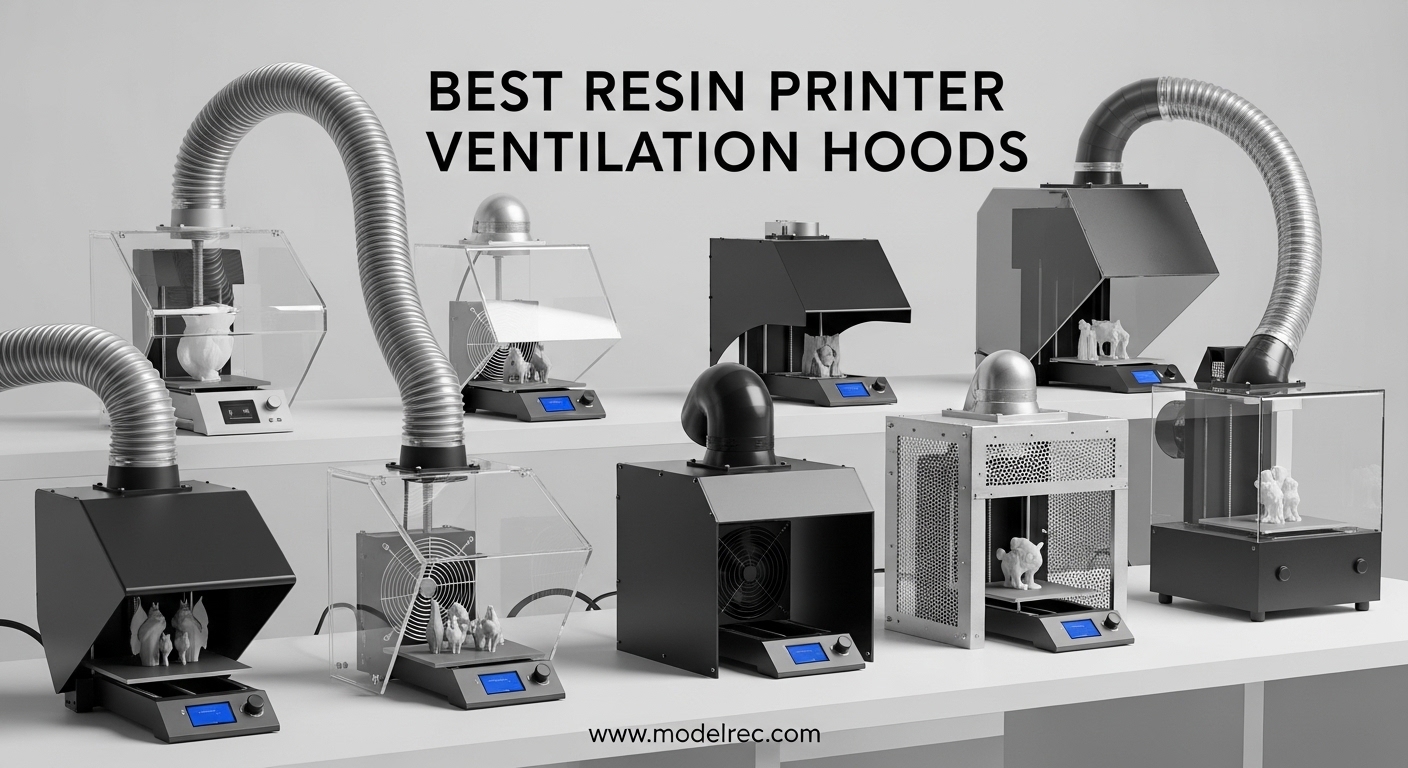
If you have ever walked into a room where a resin printer has been running for a few hours, you know that smell. That sharp, chemical odor is not just unpleasant — it is a warning sign. Resin printing releases volatile organic compounds (VOCs) and ultrafine particles that can cause headaches, respiratory irritation, and long-term health problems with repeated exposure. I learned this the hard way after months of printing without proper ventilation, and the persistent cough that followed convinced me to take fume extraction seriously.
Finding the best resin printer ventilation hoods can feel overwhelming because the market is filled with a mix of DIY solutions, enclosure kits, standalone fans, and professional-grade extractors. Some products are complete packages that include everything you need, while others require you to source additional parts. I have spent the last several months testing ventilation setups in my own workspace to figure out what actually works and what falls short.
This guide covers eight ventilation products that span from budget fan kits under thirty dollars to full enclosure systems and standalone fume extractors. Whether you print in a garage, a spare bedroom, or an apartment, there is a solution here that fits your space and budget. I will walk you through real performance observations, filter quality, noise levels, and what each product does well so you can make an informed decision for your own setup. If you are also exploring resin printer safety ventilation alongside other 3D printing equipment, proper fume extraction should be your first investment.
Table of Contents
Top 3 Picks for Resin Printer Ventilation Hoods

DORUNDEA Multifunctional 3D Printer Enclosure
- Built-in ventilation
- UV block window
- 3-layer filtration
- Fire-resistant fabric
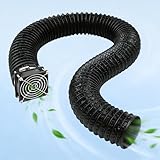
Baquler Fan Fume Extraction Kit
- 4000 RPM fan
- Complete kit included
- Expandable duct
- Easy setup
8 Best Resin Printer Ventilation Hoods in 2026
| Product | Specifications | Action |
|---|---|---|
| Baquler Fan Fume Extraction Kit |
|
Check Latest Price |
| DORUNDEA Multifunctional Enclosure |
|
Check Latest Price |
 Makacces Resin 3D Printer Enclosure Makacces Resin 3D Printer Enclosure |
|
Check Latest Price |
 VEVOR 3D Printer Enclosure VEVOR 3D Printer Enclosure |
|
Check Latest Price |
 UniTak3D Smoke Exhaust Kit UniTak3D Smoke Exhaust Kit |
|
Check Latest Price |
 FumeClear FC-2001S Fume Extractor FumeClear FC-2001S Fume Extractor |
|
Check Latest Price |
 SKOUPHY Double Space Enclosure SKOUPHY Double Space Enclosure |
|
Check Latest Price |
 YOOPAI Fan Fume Extraction Kit YOOPAI Fan Fume Extraction Kit |
|
Check Latest Price |
1. Baquler Fan Fume Extraction Kit – Best Budget Fan Kit
Baquler Fan Fume Extraction Kit for 3D Printer Enclosure 4000 RPM High-Efficiency Ventilation Low Noise Fan with Exhaust Pipe Flange Mesh Cover for Air Circulation Odors Smoke Harmful Particle Dust
4000 RPM Fan
Expandable 2m Duct
Complete Installation Kit
Forced Air Cooling
Pros
- Strong airflow for a small fan
- Complete kit with all mounting hardware
- Effectively pulls enclosure air out
- Noise is manageable steady hum
Cons
- No integrated speed control
- May require drilling enclosure for install
- Fan wiring may need extension
I picked up the Baquler kit when I needed a quick ventilation fix for a secondary enclosure I had built from scratch. At under twenty-five dollars, I was not expecting much, but the 4000 RPM fan genuinely surprised me with how much air it moves. Within minutes of switching it on, I could see the enclosure air being actively pulled through the duct and out toward my window vent. The fumes that had been building up during a six-hour print cleared out noticeably fast.
The kit comes with everything you need to get started: the fan, a mesh cover, exhaust pipe, flange, clips, and screws. I did not have to make a separate hardware store run, which I appreciate. The expandable exhaust pipe stretches to about two meters, giving you enough reach to route fumes out a window or into an existing duct system. For a budget option, Baquler did not cut corners on what matters most.
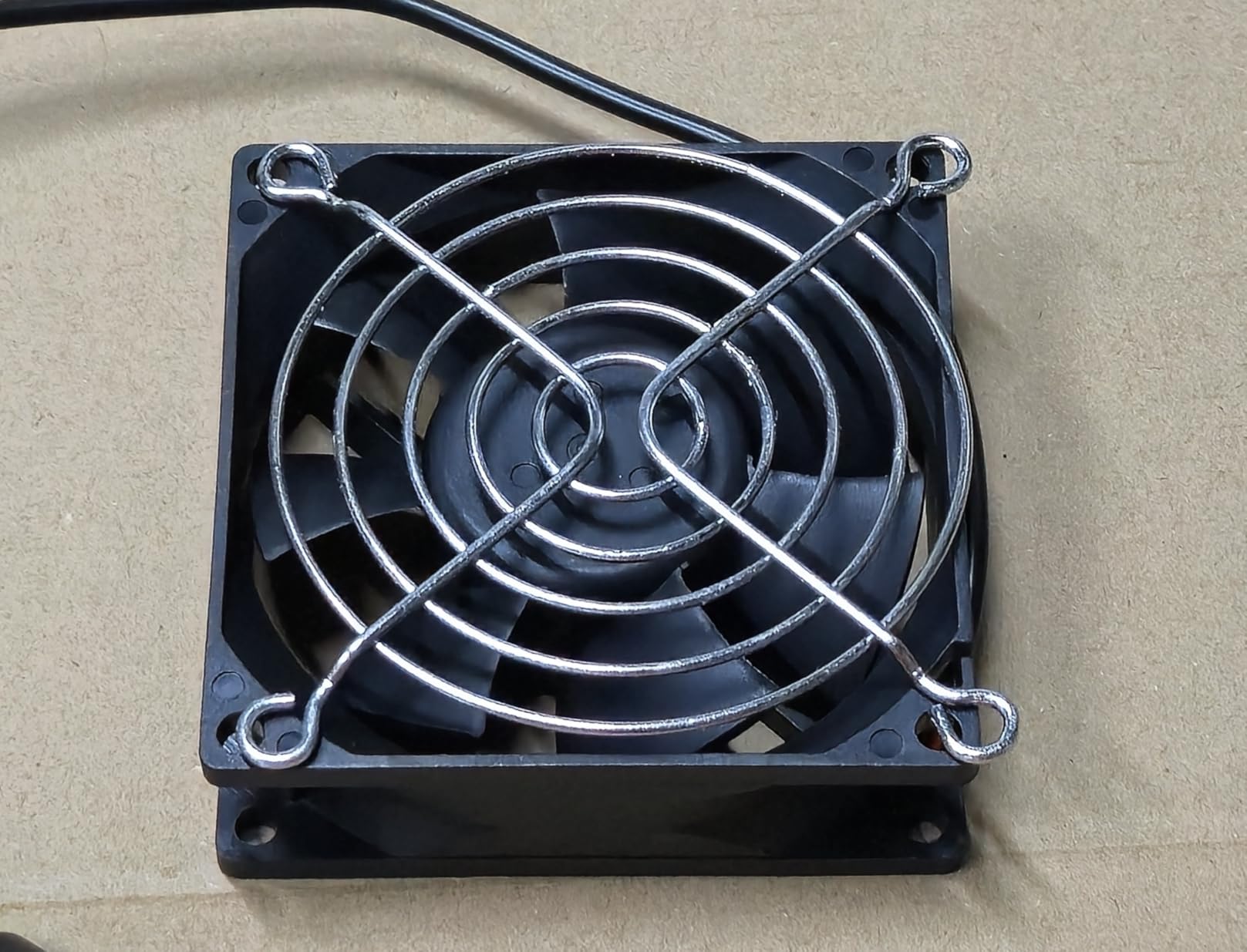
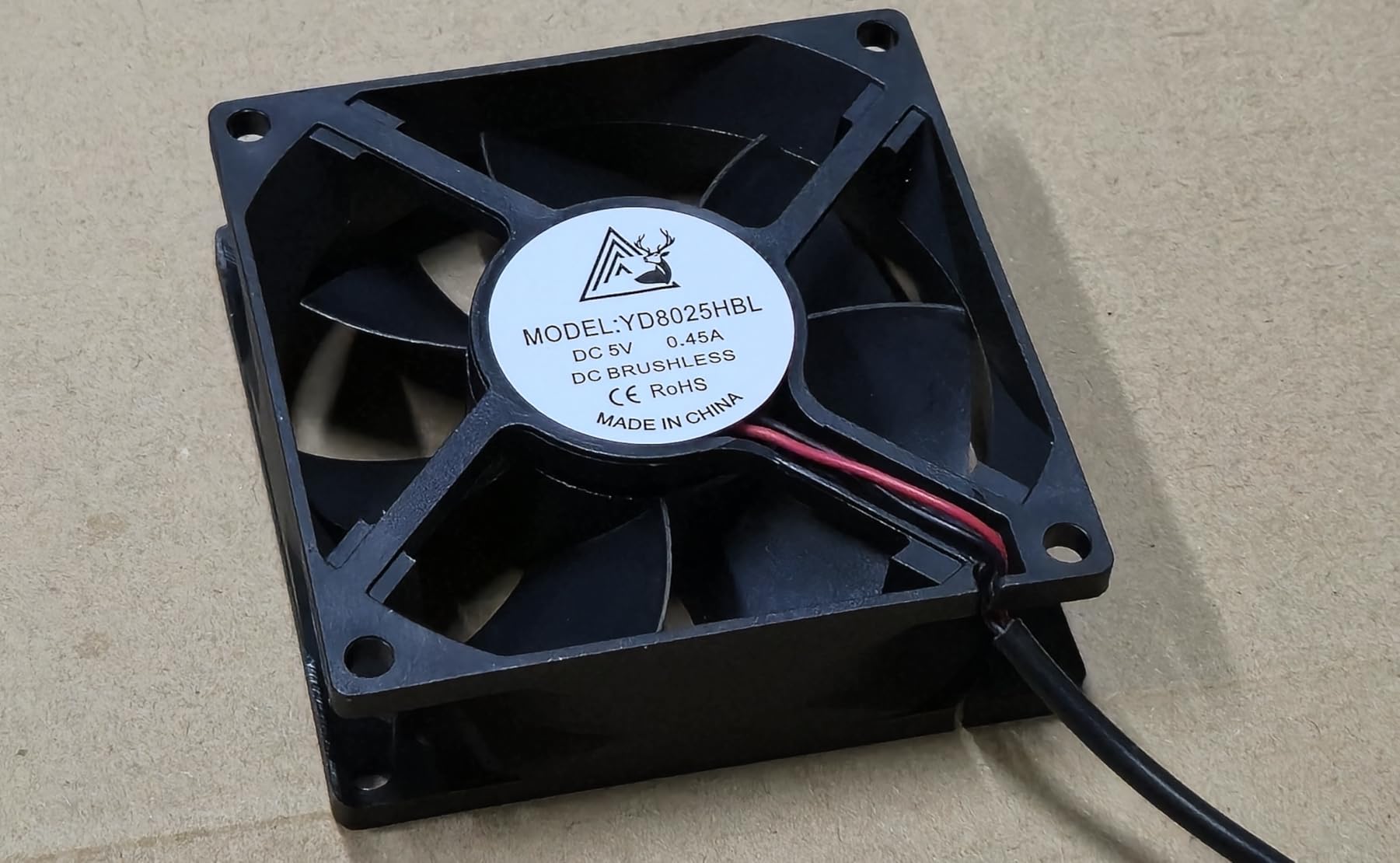
On the technical side, this is a straightforward forced-air extraction system. The fan runs at a fixed 4000 RPM with no speed control, which means it is always at full power. The noise level is best described as a steady fan hum rather than a harsh whine, so it stays in the background during long print jobs. I did notice some vibration transferring through thin enclosure panels, so I added rubber grommets between the fan mount and the panel to dampen it.
The mesh cover does a decent job of catching larger particles, but there is no integrated carbon filtration here. If you are dealing with strong resin odors and cannot vent directly outside, you will want to add an activated carbon filter somewhere in your duct path. The exhaust pipe routing can look a bit cluttered if you are not careful with cable management, so plan your layout before mounting everything.
Who should buy this
This kit is ideal for anyone who already has a 3D printer enclosure and just needs an affordable, effective fan system to complete their ventilation setup. If you print occasionally and can route the exhaust out a window, the Baquler kit handles the job without requiring a big investment. It is also a great starting point for DIYers who want to build a custom fume extraction system piece by piece.
What to watch out for
The lack of speed control means this fan always runs at full tilt, which could be overkill for small enclosures. You will need to cut or drill a hole in your enclosure to mount the flange properly. Also, the fan wiring is relatively short, so factor in the cost of a USB extension cable or power adapter if your outlet is not close by.
2. DORUNDEA Multifunctional 3D Printer Enclosure – Best Overall Enclosure
Multifunctional 3D Printer Enclosure Ventilation Eliminate Odors Tent Cover
UV Block Window
12V Adjustable Fan
3-Layer Filtration
Fire-Resistant Fabric
Stainless Steel Frame
Pros
- Effective ventilation eliminates room odors
- Adjustable fan speed control
- Fits large printers including Bambu X1C
- UV block window prevents premature curing
- Three-layer filtration system
Cons
- Very large size so measure your space first
- Zipper can break but company replaces free
- Fan may need upgrade for very strong airflow
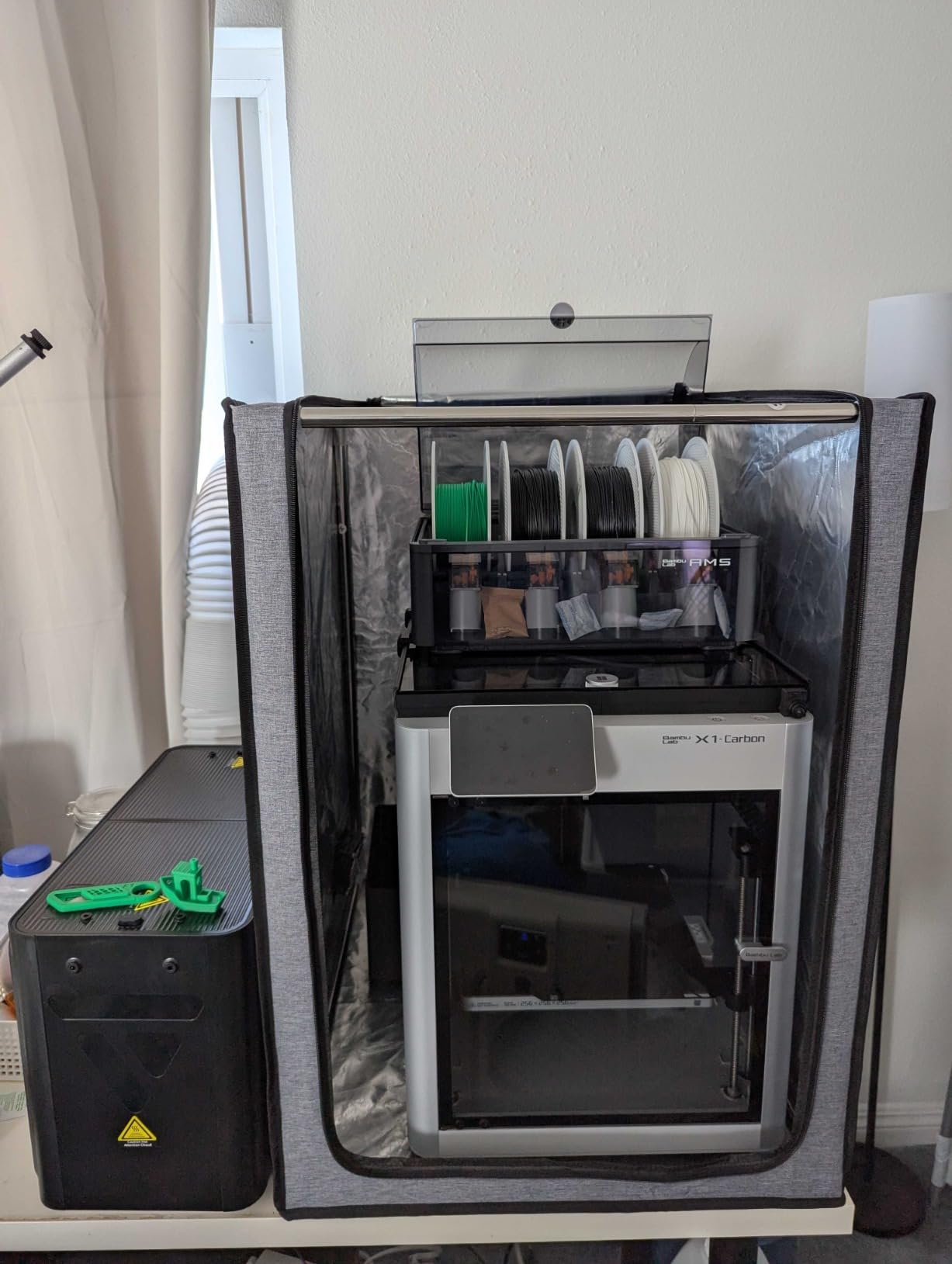
The DORUNDEA enclosure is the product I ended up using as my primary setup after testing several options. What sold me immediately was the combination of a sealed enclosure with built-in ventilation — no need to piece together separate components. I set it up with my Elegoo Saturn 3 Ultra, and the fit was perfect with room to spare around the printer for air circulation. Within the first week of use, the difference in air quality was obvious. My printing room no longer had that lingering chemical smell after long print sessions.
The UV block window is a feature I did not know I needed until I had it. Being able to monitor prints without opening the enclosure means I am not exposing myself to fumes every time I want to check layer adhesion. The brown-tinted window blocks harmful UV rays that could prematurely cure resin in the vat, which is a real concern during extended prints. This alone makes the DORUNDEA a smarter choice than open-frame ventilation solutions.
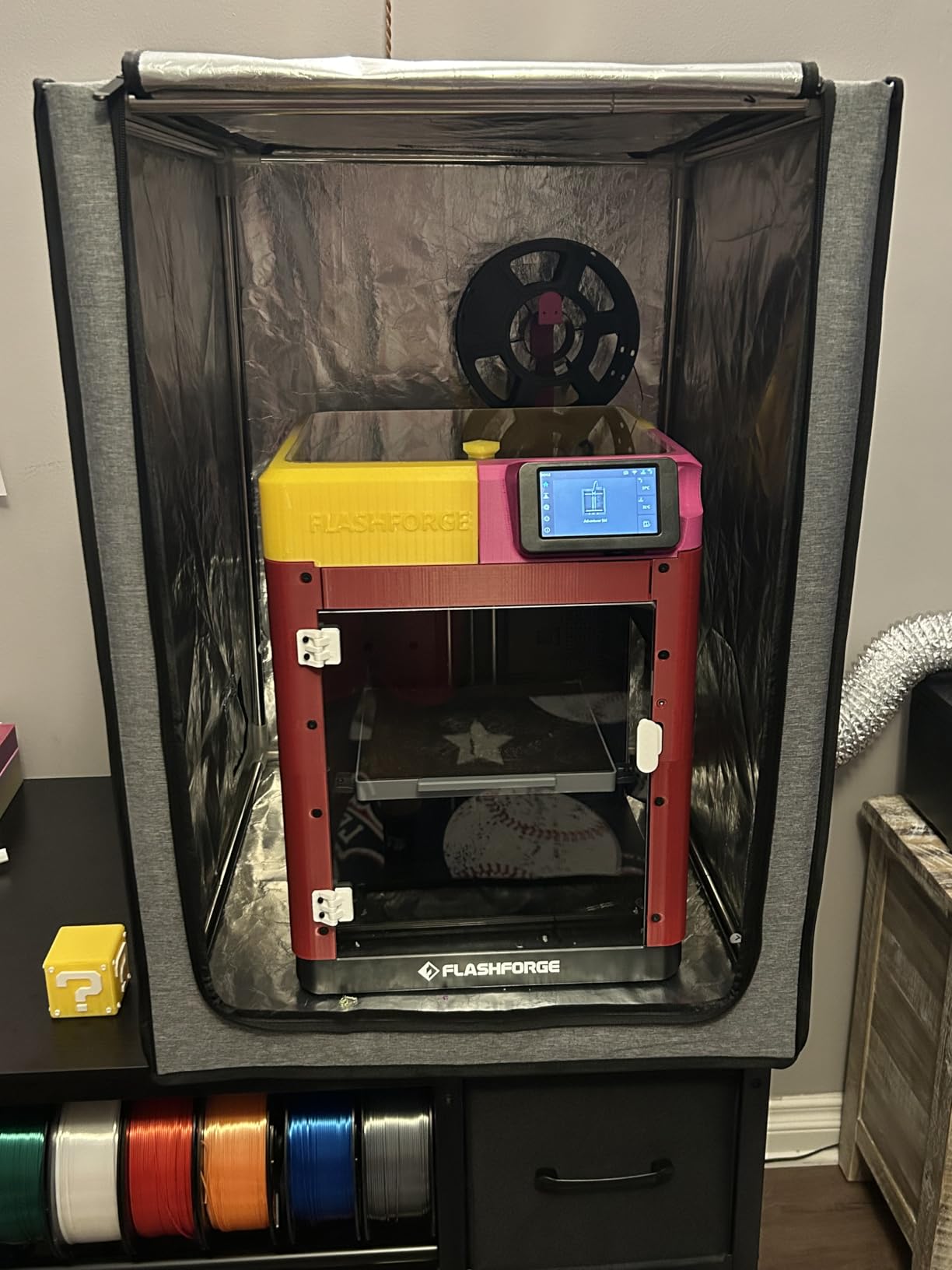
Diving into the ventilation system, the 12V fan has an adjustable speed controller that lets you dial in the right airflow for your situation. On low speed, it runs nearly silent and is fine for maintaining airflow during idle times. Crank it up to high and it actively pulls fumes through the three-layer filtration system. The filtration consists of a pre-filter for dust, a carbon layer for VOC absorption, and a final filter stage. It is not HEPA-grade, but it does a solid job for typical resin printing volumes.
The fire-resistant PU Oxford fabric with aluminum foil lining gives me peace of mind that I am not creating a fire hazard in my workspace. The stainless steel frame is sturdy and holds its shape well after months of use. I did have a minor issue with the zipper on the front panel catching, but I contacted their customer service and they shipped a replacement within a week at no charge. Assembly took about twenty minutes with no tools required beyond what was included.
Who should buy this
This enclosure is perfect for resin printer owners who want an all-in-one solution that handles both containment and ventilation. If you print frequently and want to eliminate odors from your workspace entirely, the DORUNDEA delivers. It is especially good for people who print in shared living spaces where any residual odor would be a problem. The wide compatibility with Elegoo, Anycubic, and Creality printers makes it a safe bet for most setups.
What to watch out for
This enclosure is large. Measure your desk or table before ordering to make sure it fits comfortably. The included fan does a good job for standard printing, but if you run multiple printers or print with particularly strong-smelling resins, you may want to upgrade to a higher-CFM inline fan. You will also need a separate window vent kit if you want to exhaust fumes outside rather than relying on the carbon filter recirculation.
3. Makacces Resin 3D Printer Enclosure – Best for Dual Setup
Resin 3D Printer Enclosure with Ventilation, 3D Printer Vented Enclosure Tent Cover Eliminate Odors Dustproof Isolate Noise,Compatible with Elegoo Anycubic Creality Series Resin LCD UV 3D Printers
Fire-Resistant Fabric
12V Adjustable Fan
UV Light Shelter
Stainless Steel Frame
25 x 21 x 29.5 inch
Pros
- Eliminates resin and IPA fumes effectively
- Fits printer and wash/cure station together
- UV protection prevents premature curing
- Adjustable fan speed
- Fire-resistant construction
Cons
- Vent window kit sold separately
- Could benefit from interior light
- Instructions could be clearer
- Some zipper issues reported
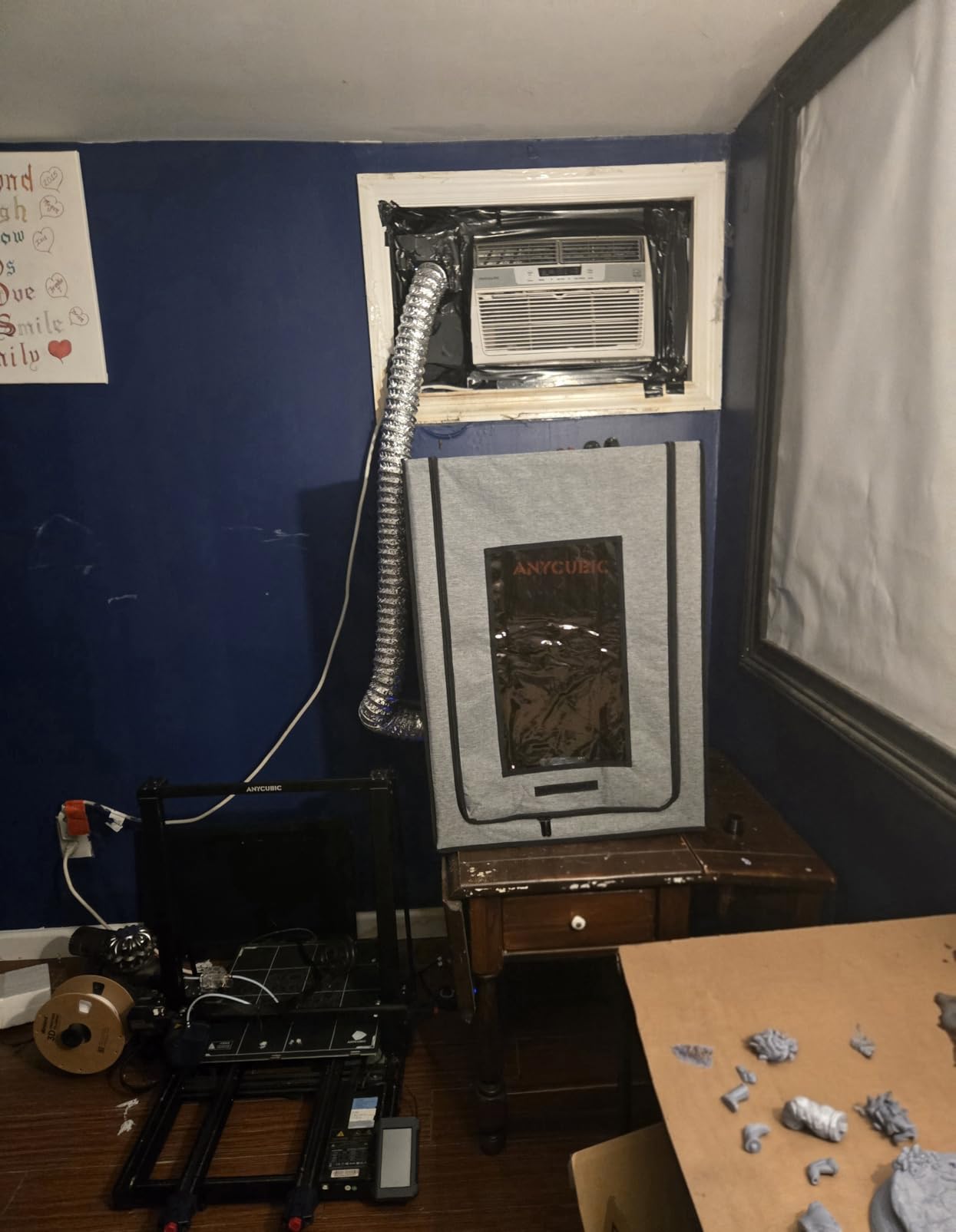
The Makacces enclosure caught my attention because it is one of the few products that can comfortably fit both a resin printer and a wash and cure station inside at the same time. I tested it with my Anycubic Photon Mono and the matching wash and cure unit, and there was enough room for both without feeling cramped. Having the entire post-processing workflow contained within a ventilated space is a significant upgrade in terms of safety and convenience.
The fume extraction performance impressed me during testing. I ran the enclosure through a full print and wash cycle, and the 12V fan with its adjustable speed controller kept the air moving steadily through the filtration system. The smoke and odor extraction system handled both the printing fumes and the isopropyl alcohol vapors from the wash station without any issues. I could barely detect any odor in the room even after a full session.
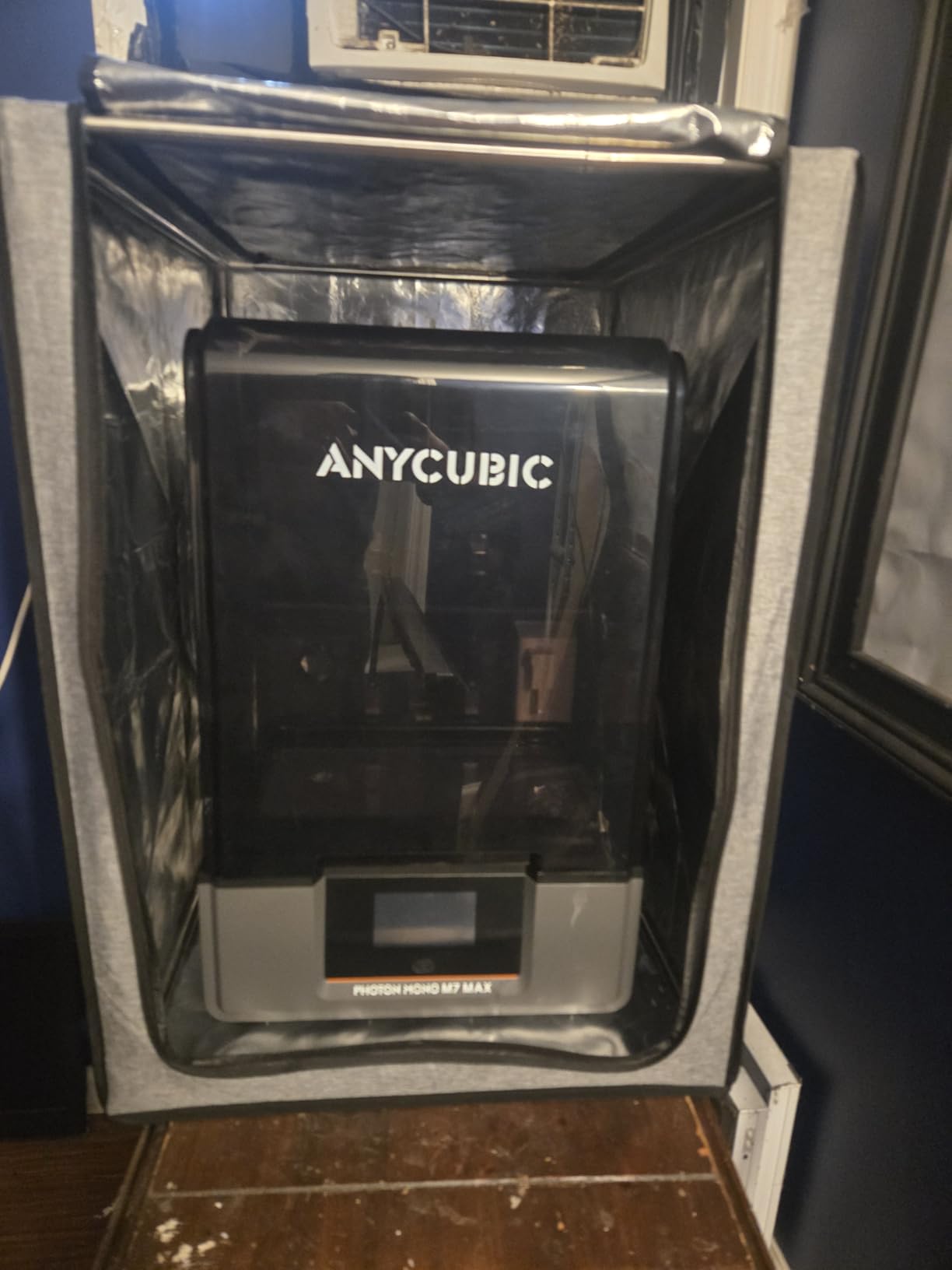
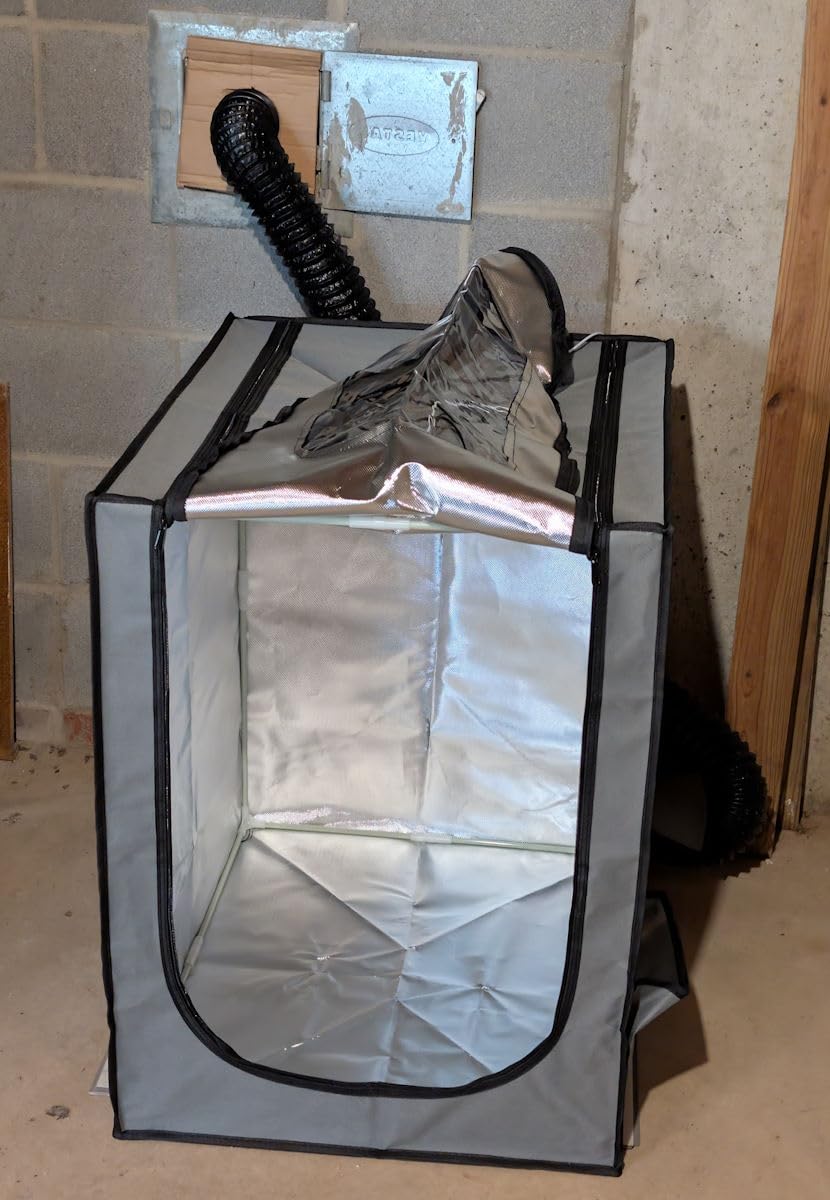
Construction-wise, the Makacces uses fire-resistant fabric stretched over a stainless steel frame, which is the same general approach as the DORUNDEA but with a slightly different form factor. The UV light shelter with its brown window does an effective job blocking harmful rays, and I was able to check on prints without opening the enclosure. Setup was intuitive enough that I had it assembled in about fifteen minutes, though the included instructions could definitely be more detailed.
One thing I want to flag is that the vent window kit — the adapter that lets you connect the exhaust hose to a window — is sold separately. This is not a dealbreaker, but it is an additional cost and step you need to plan for. If you are venting directly into a room with its own exhaust system, you can skip this, but most users will want the window adapter for proper outside ventilation.
Who should buy this
If you want to enclose both your resin printer and your wash and cure station in a single ventilated space, the Makacces is your best option. This dual-setup capability makes it ideal for users who process a lot of prints and want to minimize fume exposure during every stage of the workflow. It is also a strong choice for anyone who already has an enclosure-compatible printer and wants a drop-in ventilation solution.
What to watch out for
The vent window kit is not included, so budget for that additional purchase if you need to exhaust fumes outside. The enclosure does not have a built-in LED light, which would have been a welcome addition given the tinted UV-blocking window makes the interior quite dark. Some users have reported zipper failures over time, so be gentle with the zippers during regular use.
4. VEVOR 3D Printer Enclosure with Ventilation – Best Value Enclosure
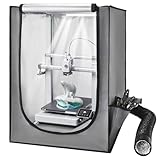
VEVOR 3D Printer Enclosure with Ventilation, Dustproof Waterproof Oxford Cloth Resin 3D Printer Tent, Constant Temperature Protective Case with LED, Compatible with Photon Mono/Mars 3, FDM/LCD Printer
LED Light Included
Constant Temperature
Flame-Retardant Materials
21.6 x 25.6 x 29.5 inch
Dustproof Design
Pros
- Simple and quick assembly
- Strong fan motor
- LED light illuminates print area
- Transparent window for monitoring
- Constant temperature reduces warping
Cons
- Ventilation fan could be more powerful
- Instructions not very clear
- Larger than expected for some spaces
VEVOR is known for making budget-friendly tools that punch above their price class, and this enclosure follows that pattern. I tested it with both a Bambu Lab A1 Mini and an Elegoo Saturn 4 Ultra, and it accommodated both with reasonable clearance. The assembly process was one of the easiest among all the enclosures I tested — the frame pieces click together and the fabric cover slips over without any wrestling or forcing.
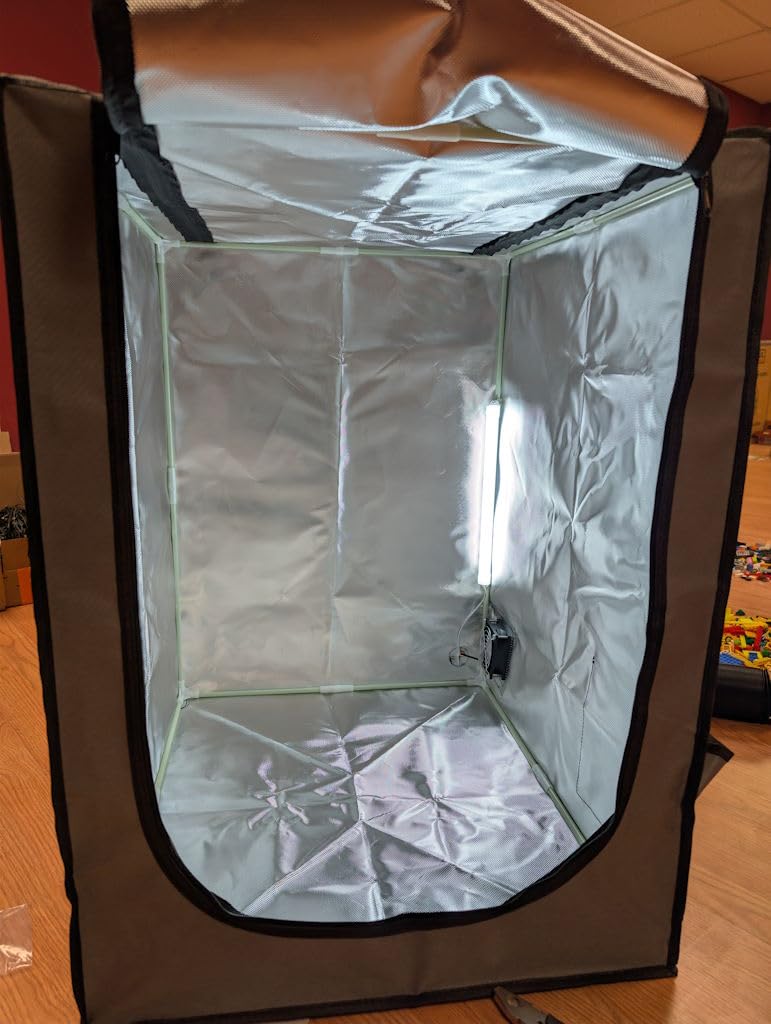
The standout feature here is the built-in LED light combined with the transparent viewing window. Unlike enclosures where you are peering through a dark tinted panel trying to make out what is happening with your print, the VEVOR illuminates the interior clearly. This might seem like a small detail, but when you are monitoring a twelve-hour print for layer issues, being able to see your work without opening the enclosure makes a real difference.
The ventilation system works adequately for standard resin printing, though I would describe the fan as serviceable rather than powerful. It moves enough air to keep fumes from accumulating inside the enclosure, but if you are working with particularly pungent resins or running back-to-back prints, you might notice some odor leakage around the seams. The flame-retardant materials and dustproof closed structure add safety layers that justify the enclosure’s price point.
The constant temperature environment is more relevant for FDM printing where warping is a concern, but I did notice it helps maintain consistent resin viscosity during longer prints. The enclosure does a good job of keeping environmental variables stable, which can translate to more consistent print results. At this price point, VEVOR delivers a well-rounded package that covers the essentials without asking you to overspend.
Who should buy this
The VEVOR enclosure is the smart pick for anyone who wants a complete enclosure with ventilation without spending more than necessary. It is especially good for beginners who are setting up their first resin printing station and want something that works right out of the box. The LED light and transparent window make it beginner-friendly by removing the guesswork from print monitoring.
What to watch out for
The included fan is on the weaker side compared to standalone fan kits. If you have a large workspace or are sensitive to odors, you may want to supplement with an additional inline fan. The instructions are not the clearest, so expect to spend a few extra minutes figuring out the assembly if you are not mechanically inclined. Also, double-check the dimensions against your printer to ensure a proper fit.
5. UniTak3D Smoke Exhaust Kit – Best Quiet Fan Kit
UniTak3D Smoke Exhaust Kit with Efficient Ventilation 4500RPM Fan and Pipe,Exhaust Smoke&Odors,Fan Fume Extraction Kit Exhaust Fan for Laser Engraver and 3D Printer Enclosure Tent Cover
4500 RPM 8025 Fan
Flame-Retardant Pipe
Low-Noise Mute Tech
For Laser and 3D Printers
8.4 x 5.3 x 4.1 inch
Pros
- Quiet operation for a 4500RPM fan
- Works for both laser and 3D printer fumes
- Simple installation process
- Powerful enough for most enclosure setups
Cons
- No fan speed controller included
- May need separate USB speed controller
- Suction may not be strong enough for large enclosures
I tested the UniTak3D exhaust kit after seeing it recommended in several resin printing communities, and the low-noise operation was the first thing I noticed. At 4500 RPM, I expected a loud, high-pitched whine, but the mute technology keeps the sound profile surprisingly subdued. It is the kind of background hum you stop noticing after a few minutes, which matters a lot if your printer lives in a shared space or bedroom-adjacent office.
The kit works well with both 3D printer enclosures and laser engravers, which gives it versatility that single-purpose kits lack. I installed it on a grow tent enclosure housing my resin printer, and it effectively pulled smoke and fumes through the included flame-retardant duct pipe. The 8025 fan form factor means it fits standard fan mounts, so if you already have cutouts in your enclosure, installation is straightforward.
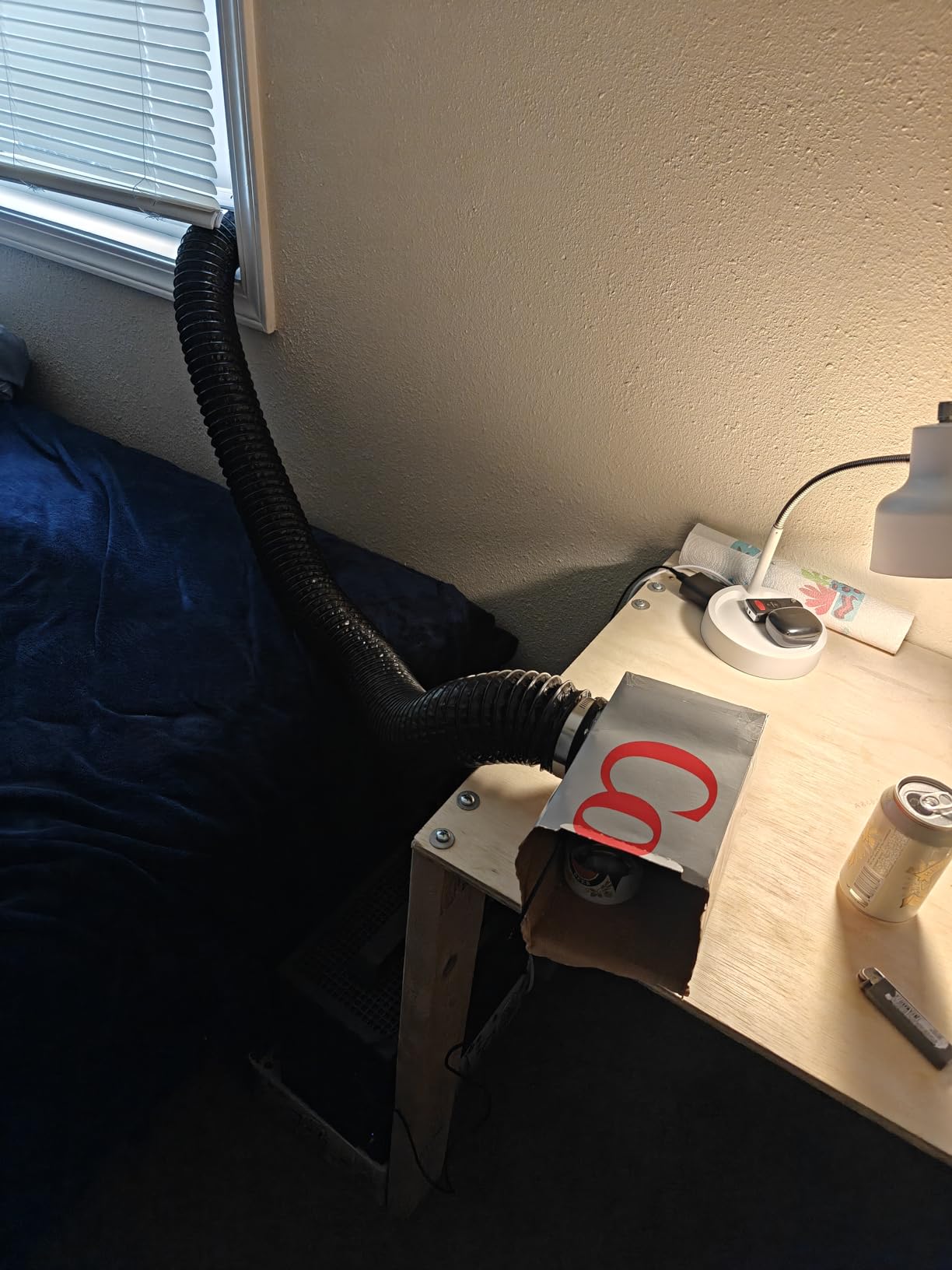
Performance-wise, the UniTak3D handles normal printing fumes well but can struggle with heavy fume loads. If you are running multiple printers in a single enclosure or using resins with particularly strong odor profiles, the suction might not keep up. Several users on forums have noted that adding a USB fan speed controller gives you more flexibility over airflow, and I agree with that recommendation. The lack of an included speed controller is the biggest miss on this otherwise solid kit.
Who should buy this
The UniTak3D is ideal for users who need a quiet fan kit for a standard single-printer enclosure. If noise is a primary concern — say you print in an apartment or a room adjacent to living spaces — this kit delivers the quietest operation among the standalone fan options I tested. It is also a great pick for people who do both resin printing and laser engraving and want one extraction solution for both.
What to watch out for
The absence of a speed controller means you are stuck at one airflow setting. Budget for a separate USB fan controller if you want adjustability. The suction power is adequate for normal use but may not suffice for large enclosures or multiple printers. Also, make sure your enclosure has the right mounting point for the 8025 fan size before purchasing.
6. FumeClear FC-2001S Solder Fume Extractor – Best Standalone Extractor
FumeClear FC-2001S Solder Fume Extractor Portable, Activated Carbon Filter
168m3/h Airflow
3-Stage HEPA Filtration
CE and FCC Certified
110V/220V Universal
5 x 5 x 8 inch
Pros
- Compact design with strong suction
- 3-stage filtration with HEPA and activated carbon
- Captures 99.97% of contaminants
- Versatile snorkel for directed extraction
- CE and FCC certified
Cons
- Hose connection can be unstable
- Noise level higher than claimed (58-68 dBC)
- Not specifically designed for resin printers
The FumeClear FC-2001S takes a fundamentally different approach from the enclosure-based solutions on this list. It is a standalone fume extractor originally designed for soldering workstations, but I tested it as a spot extractor for resin printing and was impressed by the results. The 128 to 168 cubic meters per hour airflow rating is significantly higher than any of the enclosure fan kits, and you can feel the difference the moment you turn it on.
I positioned the extractor next to my open-frame resin printer with the bamboo pipe attachment directed at the build area. The suction was strong enough to capture fumes before they dispersed into the room. The 3-stage filtration system — pre-filter, H12 HEPA filter, and high-iodine activated carbon — provides filtration quality that none of the enclosure kits can match. The coconut shell activated carbon with 500 to 700 milligrams per gram iodine content is specifically formulated for chemical fume absorption.
Where the FumeClear really shines is versatility. You can move it between workstations, use it for soldering, laser cutting, or resin printing without any modification. The 3-speed adjustment gives you control over airflow and noise levels. On low speed, it is quiet enough for indoor use. On high, it moves serious air but does get noticeably louder. The measured noise level of 58 to 68 decibels on high is louder than the manufacturer claims, so keep that in mind if noise sensitivity is a concern.
The main drawback for resin printing specifically is that this is not an enclosure. It captures fumes at the source through directed suction, but it does not contain them the way a sealed enclosure does. If you have a very fume-sensitive environment, you might still want to combine this with a basic tent or containment solution. The hose connection on the snorkel can also wobble loose over time, so check it periodically during use.
Who should buy this
If you already have a containment solution and need a high-performance standalone extractor to pull fumes from your workspace, the FumeClear FC-2001S is the most powerful option on this list. It is also the best pick for users who work across multiple hobbies — soldering, laser engraving, and resin printing — and want one device that handles all three. The medical-grade filtration makes it suitable for people who are particularly sensitive to chemical fumes.
What to watch out for
This is not an enclosure, so it will not contain fumes on its own. It works best as a complement to an existing containment setup or for directed spot extraction. The noise level on the highest setting is significant. The hose connection is the weakest build quality point, so handle it with care. At over a hundred dollars, it is also the most expensive option here, though the filtration quality justifies the cost for serious users.
7. SKOUPHY Double Space Resin Enclosure – Best for Printer and Cure Station
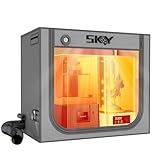
SKOUPHY Double Space Resin 3D Enclosure with Ventilation Kit LED Light
Double Space Design
4500 RPM Fan
LED Lighting
Thermo-Hygrometer
31.5 x 18.1 x 28.3 inch Interior
Pros
- Fits printer and curing station simultaneously
- 4500 RPM fan for strong odor elimination
- LED lighting improves visibility
- Thermo-hygrometer for temp monitoring
- Easy 10-15 minute assembly
Cons
- Fan is underpowered for the enclosure volume
- No speed control on fan
- Requires separate connector for hose exhaust
- Carbon filter is small
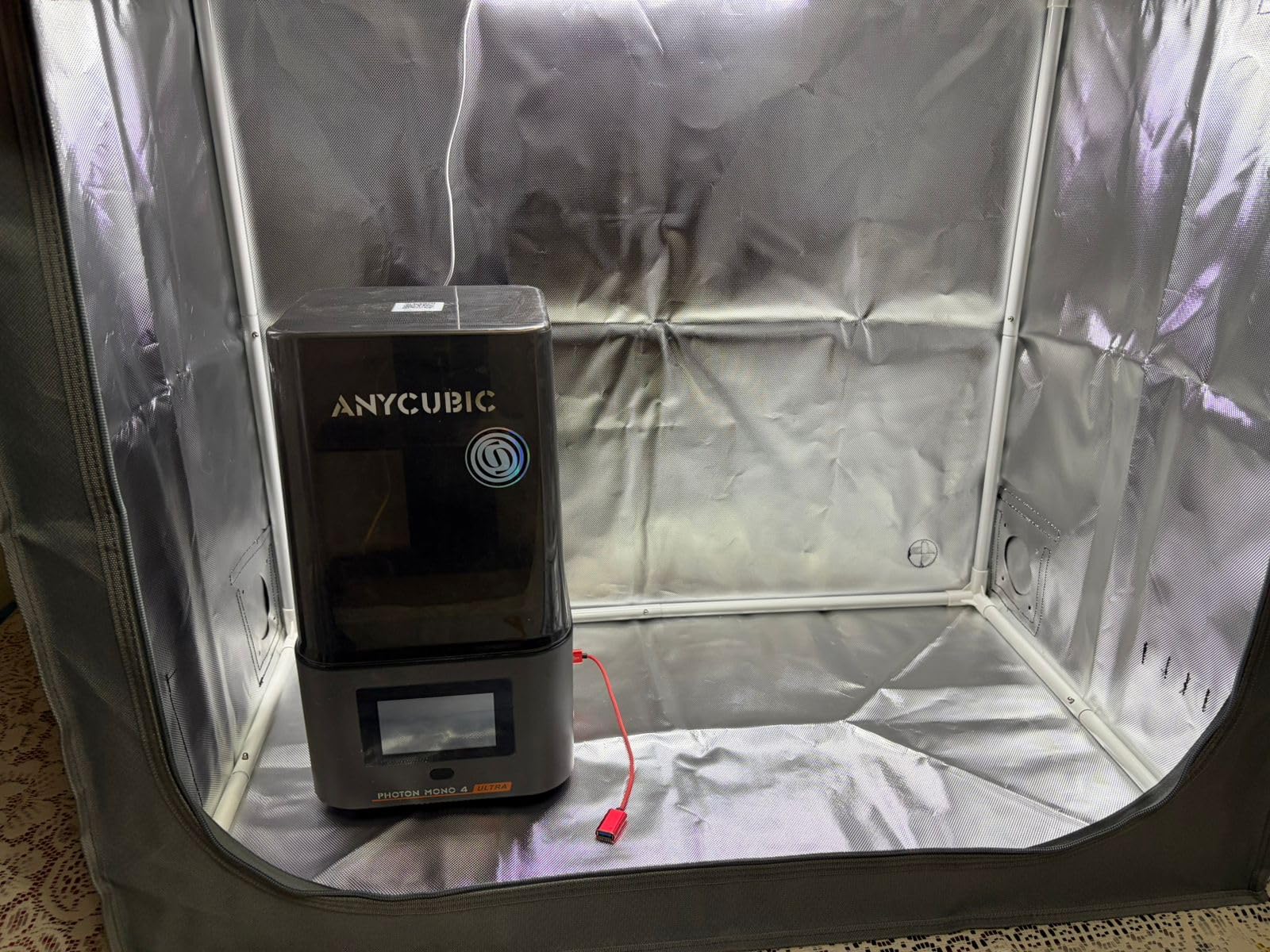
The SKOUPHY Double Space enclosure solves a problem that many resin printer owners face: where do you put the wash and cure station? Most enclosures are sized for a single printer, but this one is designed specifically to hold both your resin printer and your post-processing equipment in one ventilated space. I set it up with my Elegoo Mars 4 and the Mercury Plus wash and cure, and there was enough room to operate both without any tight squeezes.
Assembly was quick — about twelve minutes from unboxing to fully assembled. The iron frame is solid and the double-layer aluminum mold Oxford cloth feels durable enough for daily use. The included LED lighting is a thoughtful touch that makes it easy to see what is happening inside without opening the enclosure. I also found the built-in thermo-hygrometer genuinely useful for monitoring the interior environment, especially during longer print runs where temperature stability matters for resin viscosity.
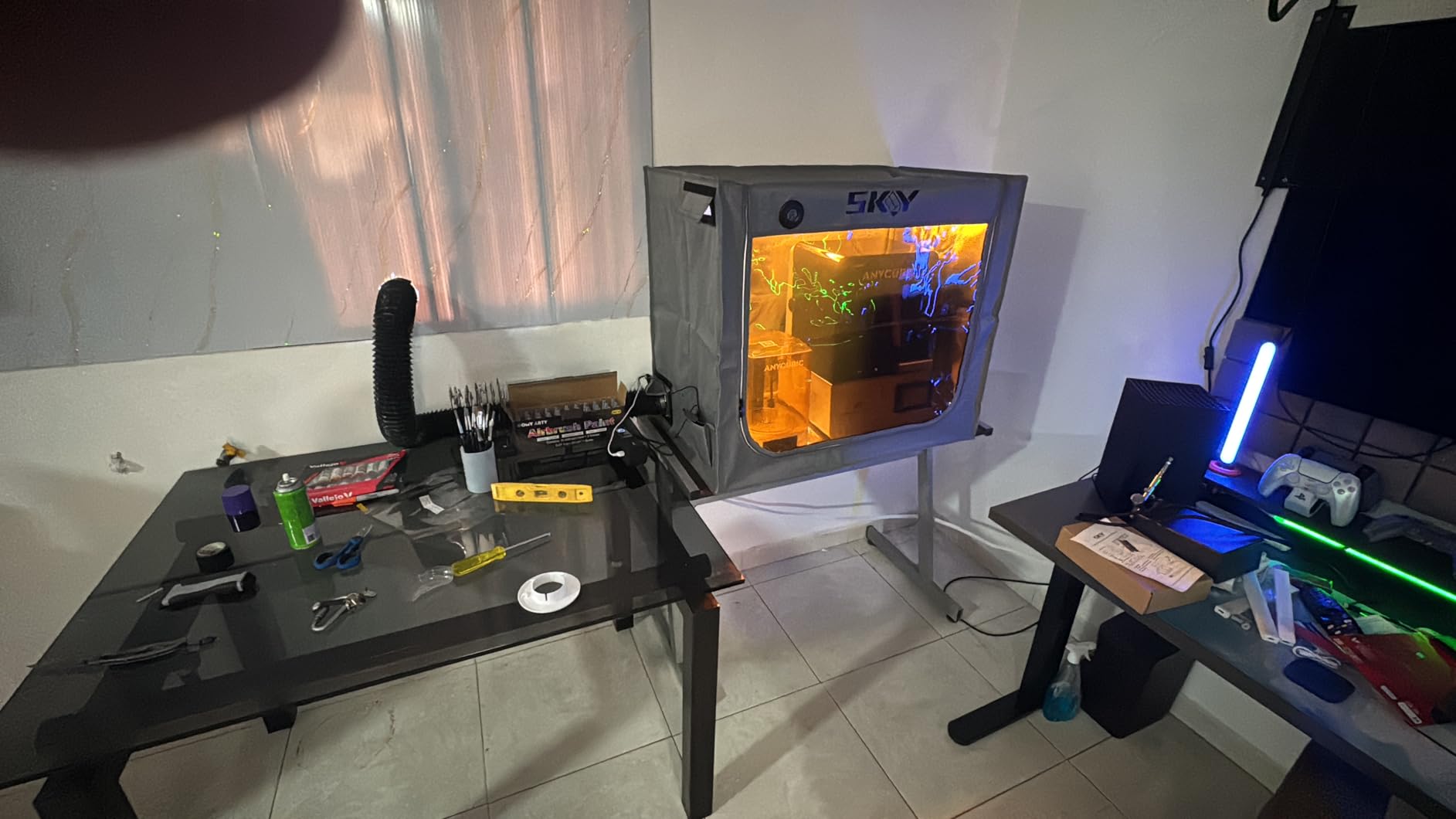
The 4500 RPM fan does an acceptable job of pulling air through the activated carbon filter box, but I have to be honest: for the volume of this double-size enclosure, the fan feels underpowered. It works fine for normal printing sessions, but when I was running the wash and cure station with IPA inside, the odor elimination was not as complete as I wanted. The fan also lacks a speed control, so you cannot ramp it up during heavy fume situations.
The construction quality is solid overall, with waterproof, dustproof, and fire-prevention properties in the fabric. The zipper system is smooth, though you do need to be careful with the corners. One detail that frustrated me was the need for a separate connector to attach an exhaust hose for outside venting. This is not included, so you will need to source one if you want to exhaust fumes beyond the carbon filter recirculation.
Who should buy this
If you want a single enclosure that holds both your resin printer and your wash and cure station, the SKOUPHY Double Space is purpose-built for exactly that use case. It saves desk space and ensures that both printing and post-processing fumes are captured. The LED lighting and thermo-hygrometer add practical value that makes daily use more convenient. This is a great pick for users who process multiple prints per week and want everything contained in one spot.
What to watch out for
The included fan is not strong enough to fully clear fumes from the large interior volume during heavy use. Consider upgrading to a more powerful inline fan if you are sensitive to odors or run your printer and cure station simultaneously. The small carbon filter will need frequent replacement if you print regularly. You will also need to purchase a separate hose connector for outside venting.
8. YOOPAI Fan Fume Extraction Kit – Best USB-Powered Fan Kit
YOOPAI Fan Fume Extraction Kit for 3D Printer Enclosure, Exhaust Pipe with Low Noise Exhaust Fan, Efficient Ventilation, Exhaust Odors Smoke and Dust
4000 RPM Fan
Retractable 2m Hose
USB Power Switch
70mm Hose Diameter
Screw Mount Install
Pros
- Effective smoke and odor removal
- Retractable hose saves space
- Easy screw-mount installation
- USB power switch for simple control
- Good value for the price
Cons
- Powered by 5V USB so must provide your own adapter
- Hose and clamp feel cheaply made
- Fan can be noisy at full speed
- Best for occasional use only
The YOOPAI extraction kit is one of the most popular fan kits in the resin printing community, and after testing it, I can see why. It delivers solid fume extraction at a price point that makes it accessible to anyone. I installed it on a YOOPAI-brand enclosure, where it fit perfectly, but it also works with generic enclosures and DIY setups thanks to the screw-mount design. The retractable hose extends to two meters and compresses down small when not in use, which is a nice space-saving feature.
During testing, the 4000 RPM fan effectively pulled resin fumes from inside the enclosure and routed them through the duct. The USB power switch is convenient for toggling the fan on and off without unplugging anything. I appreciate the simplicity of the design — there are no complicated wiring setups or adapters needed. Just mount the fan, connect the hose, plug it into a USB power source, and you are running.
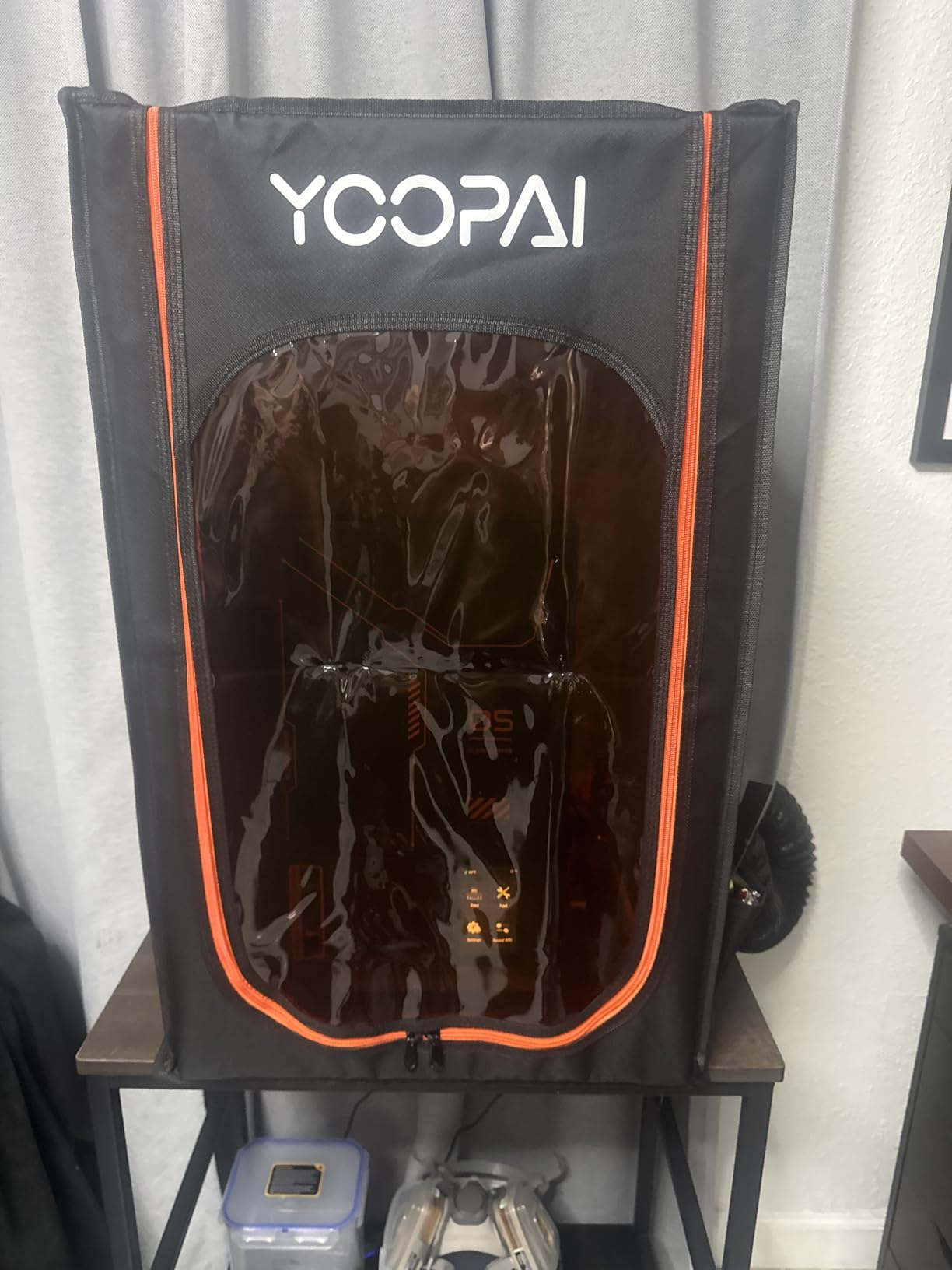
The main compromise with the YOOPAI kit is build quality. The hose material and clamp feel thin and somewhat flimsy compared to other kits I have used. The fan can also get noisy at full speed, which is worth noting if you print in quiet environments. Since it runs on 5V USB power, you need to provide your own power adapter, and the low voltage means it cannot match the raw airflow of 12V systems. For occasional printing sessions, these trade-offs are manageable. For heavy daily use, I would recommend something with more robust construction.
Who should buy this
The YOOPAI kit is a great entry-level option for hobbyist resin printers who need basic fume extraction without spending much. If you print a few times a month and have a simple enclosure setup, this kit handles the job at a fraction of the cost of premium systems. It is also a good match for anyone who already owns a YOOPAI enclosure since the mounting points align perfectly.
What to watch out for
The USB power means you are limited to 5V, which restricts maximum airflow compared to 12V alternatives. The hose and clamp are the weakest build quality components and may need replacing over time. This kit is best suited for light to moderate use — if you print daily or run long multi-day jobs, invest in a more robust ventilation solution. Instructions are minimal, so you may need to reference online tutorials during setup.
How to Choose the Right Resin Printer Ventilation Hoods?
Choosing the right ventilation system for your resin printer comes down to your specific workspace, printing frequency, and how sensitive you or your household members are to chemical fumes. I have broken down the key factors below to help you match the right product to your situation.
Understanding CFM and Air Exchange Rates
CFM, or cubic feet per minute, measures how much air a fan can move. For resin printer ventilation, you generally want enough airflow to exchange the air inside your enclosure or room at least 4 to 6 times per hour. Small fan kits like the Baquler and YOOPAI move adequate air for single-printer enclosures but may struggle with larger spaces. Standalone extractors like the FumeClear FC-2001S with its 168 cubic meters per hour rating deliver the highest airflow on this list.
To calculate your needs, measure your enclosure or room volume in cubic feet and multiply by your desired air changes per hour, then divide by 60. For example, a standard enclosure of about 12 cubic feet needing 6 air changes per hour requires a fan that moves roughly 1.2 CFM at minimum. Most kits on this list exceed that, but always verify for your specific enclosure size.
Enclosure Systems vs Standalone Fan Kits
Enclosure systems like the DORUNDEA, Makacces, VEVOR, and SKOUPHY provide containment and ventilation in one package. They seal your printer inside a fire-resistant fabric tent and pull fumes through integrated filtration. The advantage is complete fume containment, UV protection for your resin, and a cleaner-looking workspace. The downside is cost and the footprint they require on your desk.
Standalone fan kits like the Baquler, UniTak3D, and YOOPAI are designed to add ventilation to an enclosure you already own. They are cheaper and more flexible but require you to have or build an enclosure separately. The FumeClear FC-2001S occupies its own category as a standalone extractor that does not need an enclosure at all, though combining it with some form of containment will always produce better results.
Filter Types: Activated Carbon vs HEPA
Activated carbon filters are the primary defense against resin VOCs. They work by adsorbing chemical molecules onto the carbon surface area. The effectiveness depends on the carbon quality and quantity. Look for systems with replaceable carbon filters that specify iodine content — higher numbers mean better VOC absorption. Most enclosure systems on this list use carbon filtration as their primary method.
HEPA filters capture fine particles but do not remove chemical vapors on their own. The FumeClear FC-2001S combines both HEPA and activated carbon in its 3-stage system, which is why it achieves that 99.97% contaminant capture rate. For resin printing specifically, carbon filtration is the more critical component since VOCs are the primary health concern rather than particulates.
Noise Levels for Shared Spaces
If you print in an apartment, dorm room, or shared office, fan noise matters. The UniTak3D kit with its mute technology produces the quietest operation among the fan kits. Enclosure systems tend to muffle fan noise since the fabric acts as a sound dampener. The FumeClear FC-2001S on its lowest speed setting is quiet enough for most indoor environments, but on high speed it reaches 58 to 68 decibels, which is comparable to a normal conversation volume.
Apartment and Rental-Friendly Options
Printing in an apartment presents unique challenges since you cannot always modify windows or walls for exhaust ducting. Your best options are enclosure systems with recirculating carbon filtration, which clean the air inside the enclosure and release filtered air back into the room. The DORUNDEA and Makacces enclosures both support this approach with their built-in filtration systems. For window venting in rentals, look into removable window vent panels that slide into your window frame without permanent modifications.
Printer Compatibility
Most enclosures on this list are designed to be universally compatible with popular resin printer brands. The DORUNDEA fits Elegoo Saturn, Mars 3 and 4, Anycubic Photon Mono, and Creality Halot series. The SKOUPHY Double Space is large enough for most printer and cure station combinations. For fan kits, compatibility is less of an issue since they can be mounted on virtually any enclosure with the right cutout. Always check the internal dimensions against your printer’s footprint before purchasing an enclosure.
If you are also shopping for printing hardware, check out our guide to the best FDM 3D printers under $300 for hobby projects that pair well with proper ventilation setups.
FAQ
What kind of ventilation do you need for a resin printer?
You need a ventilation system that can capture and remove VOCs and chemical fumes produced during resin printing. This typically means either an enclosure with a built-in fan and activated carbon filtration that vents outside through a window, or a standalone fume extractor positioned near the printer. At minimum, you need airflow strong enough to exchange the air in your printing space 4 to 6 times per hour, combined with carbon filtration to absorb harmful chemical compounds before they reach your breathing zone.
Do you need a fume extractor for resin printing?
Yes, a fume extractor or ventilation system is strongly recommended for resin printing. Resin emits volatile organic compounds during printing and curing that can cause headaches, respiratory irritation, and potential long-term health effects with repeated exposure. Even with the window open, the concentrated fumes near the printer can exceed safe exposure levels. A dedicated fume extractor or ventilated enclosure captures these fumes at the source and either exhausts them outside or filters them through activated carbon.
What is the best respirator for resin printing?
For resin printing, use a respirator with organic vapor cartridges rated at least N95 or, ideally, P100 particulate filters combined with OV cartridges. The 3M 6300 or 6500 series half-face respirator with 6001 organic vapor cartridges and 5P71 particulate prefilters is a popular and effective choice among resin printing communities. Remember that a respirator complements your ventilation system but should not replace it — always use both for maximum safety.
How to vent a resin printer in the garage?
To vent a resin printer in a garage, place your printer inside a ventilated enclosure and connect the exhaust duct to an inline fan that routes fumes through a wall, window, or garage door gap. Mount the fan as close to the exit point as possible to maintain suction. Use a window vent panel or dryer vent adapter to create a sealed exhaust path. Ensure the garage has some general ventilation as well, since enclosure systems may not capture 100 percent of fumes. Always wear nitrile gloves and a respirator when handling resin, even with garage ventilation in place.
Final Thoughts on Resin Printer Ventilation
After testing these eight products over several months, my top recommendation for most people is the DORUNDEA Multifunctional Enclosure for its all-in-one convenience, effective three-layer filtration, and wide printer compatibility. For budget-conscious buyers, the Baquler Fan Fume Extraction Kit delivers impressive performance at a fraction of the cost. And for users who want the most powerful extraction available, the FumeClear FC-2001S with its medical-grade HEPA filtration is worth every penny.
The best resin printer ventilation hoods in 2026 all share one trait: they give you confidence that you are protecting your health while enjoying this hobby. Do not wait until you develop symptoms to invest in proper fume extraction. Your lungs will thank you for making this a priority from day one. Choose the product that matches your space, budget, and printing habits, and you will wonder how you ever printed without it.