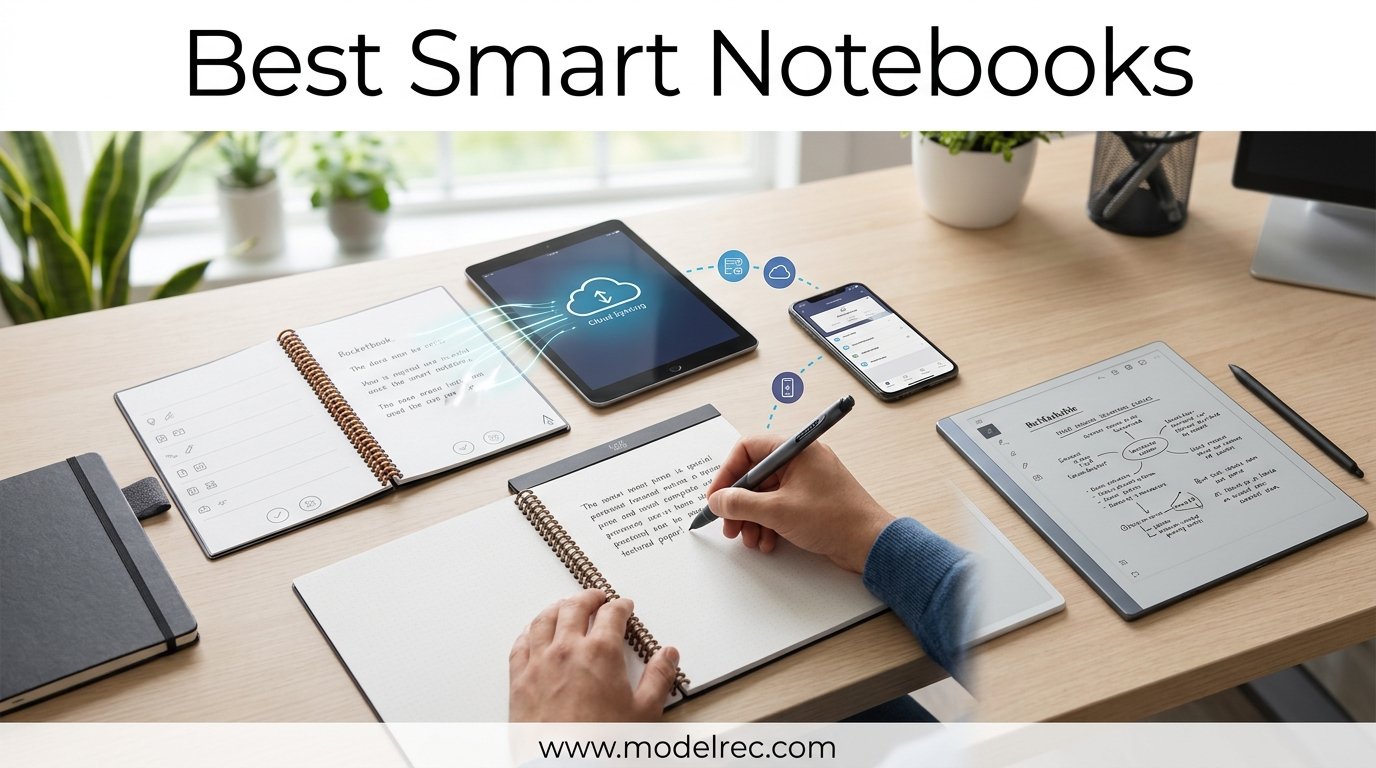
I have been writing in notebooks since I could hold a pen, and for the past three years, I have tested nearly every digital notebook and smart pen on the market. There is something special about the tactile feel of handwriting that typing just cannot replace. But losing notes, carrying ten notebooks, and never finding that one idea you scribbled three weeks ago gets old fast.
That is where the best smart notebooks come in. These devices bridge the gap between pen-and-paper satisfaction and digital convenience. Some use e-ink displays that feel remarkably close to real paper. Others use reusable synthetic pages that you wipe clean with a damp cloth. A few even capture your handwriting through special pens and regular paper, sending everything to the cloud automatically.
Our team tested 8 smart notebooks across daily journaling, work meetings, student lectures, and creative sketching sessions. We evaluated writing feel, battery life, cloud sync reliability, app quality, and overall value. Whether you want a budget reusable notebook under $30 or a premium e-ink tablet with handwriting-to-text conversion, this guide covers every option worth your money in 2026.
Table of Contents
Top 3 Picks for Smart Notebooks

reMarkable Paper Pro Bundle
- 11.8 inch color e-ink display
- Paper-like writing feel
- Handwriting-to-text conversion

Rocketbook Core Reusable Smart Notebook
- Reusable synthetic pages
- Cloud sync to multiple services
- Includes Pilot Frixion pen

HUION Note 2-in-1 Digital Notebook
- 8192 pressure levels
- Battery-free pen
- Bluetooth 5.0 connection
These three represent the best of what smart notebooks can offer across different budgets and use cases. The reMarkable Paper Pro delivers the closest thing to real paper in a digital format. The Rocketbook Core wins on value with its reusable pages and massive app ecosystem. The HUION Note stands out as a hybrid device that works as both a notebook and a drawing tablet.
8 Best Smart Notebooks in 2026
| Product | Specifications | Action |
|---|---|---|
| Rocketbook Core Reusable Smart Notebook |
|
Check Latest Price |
 Rocketbook Multi-Subject Smart Notebook Rocketbook Multi-Subject Smart Notebook |
|
Check Latest Price |
 Ophayapen Smart Pen and Notebook Set Ophayapen Smart Pen and Notebook Set |
|
Check Latest Price |
| HUION Note 2-in-1 Digital Notebook |
|
Check Latest Price |
| reMarkable Paper Pro Bundle |
|
Check Latest Price |
 iFLYTEK AINOTE Air 2 Bundle iFLYTEK AINOTE Air 2 Bundle |
|
Check Latest Price |
 Penstar eNote 2 Paper Tablet Penstar eNote 2 Paper Tablet |
|
Check Latest Price |
 Royole RoWrite 2 Smart Writing Notebook Royole RoWrite 2 Smart Writing Notebook |
|
Check Latest Price |
1. Rocketbook Core Reusable Smart Notebook – Best Budget Reusable Notebook
Rocketbook Core Reusable Smart Notebook, Letter Size 8.5×11, Black
32 lined pages
Letter size 8.5x11
Reusable synthetic pages
Cloud sync to Google Drive, Dropbox, OneNote
Pros
- Premium reusable paper with improved pen feel
- Cloud integration with Google Drive and OneNote
- Eco-friendly reusability reduces paper waste
- Includes Pilot Frixion pen and cleaning cloth
- Smart Titles and Smart Tags for organization
Cons
- Ink dries slowly up to 60 seconds
- Must use specific Frixion pens
- Wet cloth required for erasing
I carried the Rocketbook Core to work meetings, coffee shops, and my home office for six weeks straight. At 8.8 ounces, it feels just like a regular spiral notebook in your bag. The premium synthetic pages have a subtle texture that is surprisingly pleasant to write on, and the college-ruled layout keeps everything neat.
The real magic happens in the Rocketbook app. You scan a page with your phone camera, and the app sends it to your chosen destination. I set mine to auto-route work notes to Google Drive and personal stuff to OneNote. The Smart Titles feature automatically names files based on what you write at the top of each page. Smart Tags let you categorize notes with simple symbols at the bottom.
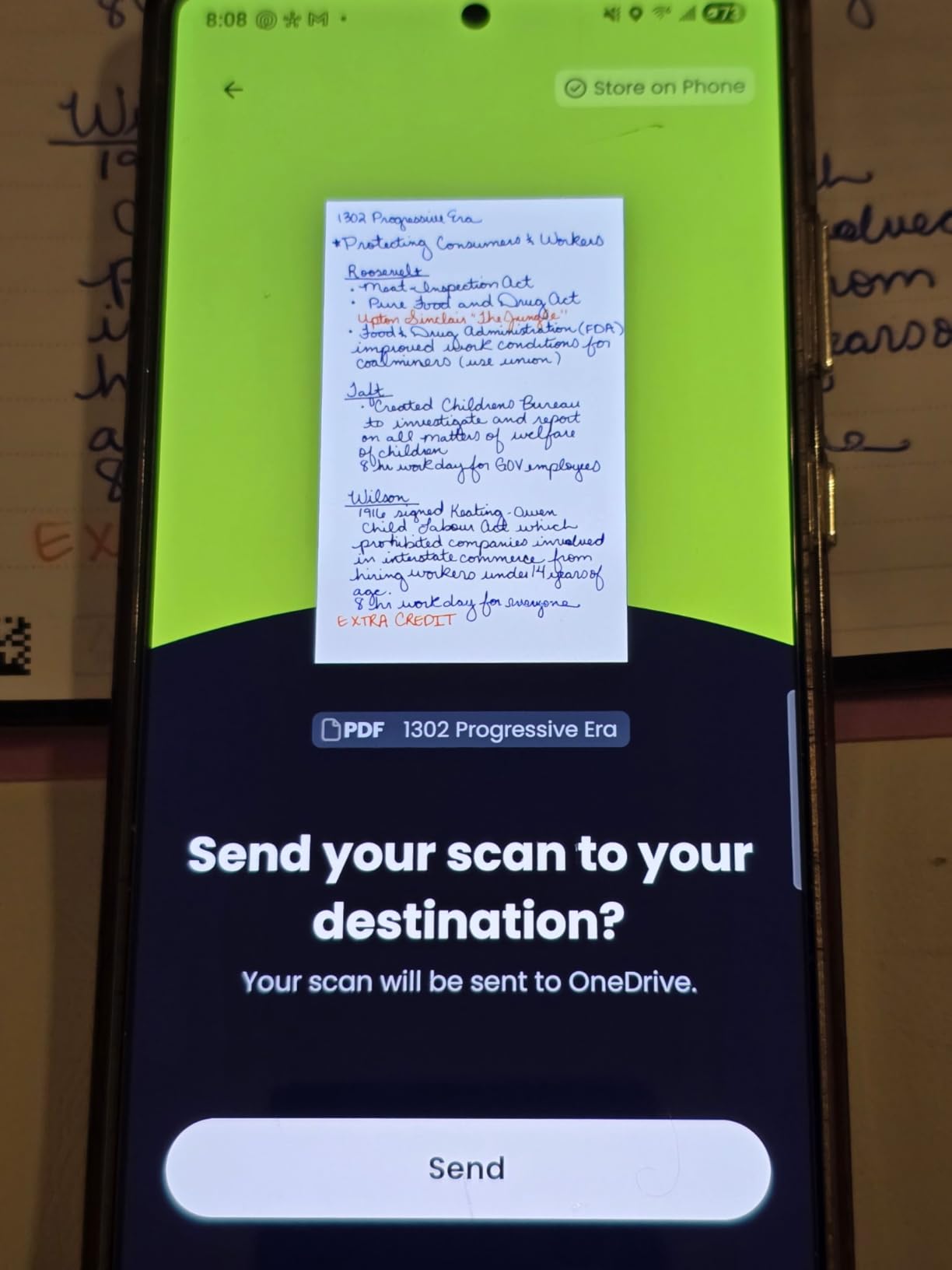
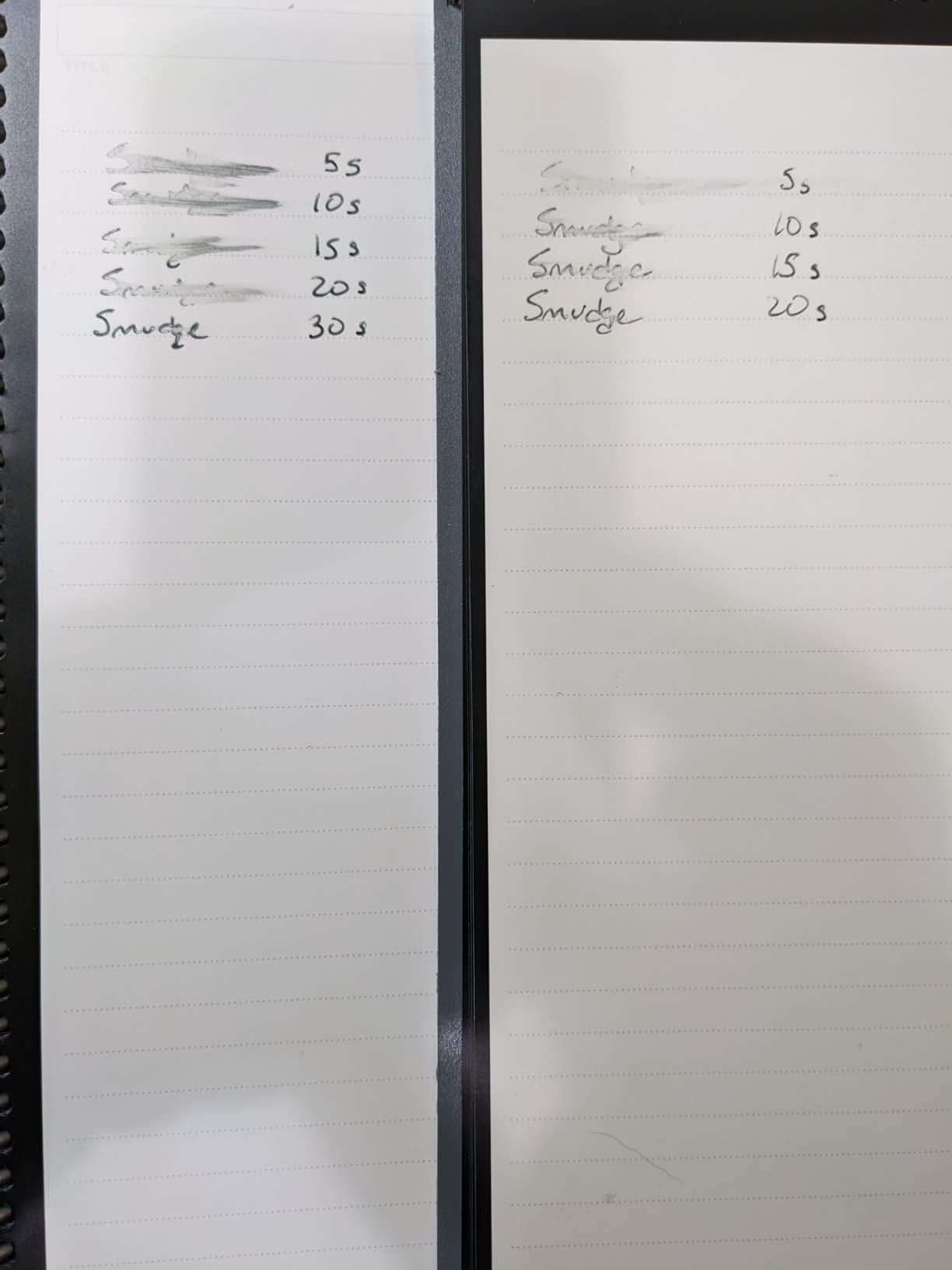
Here is the catch that every Rocketbook owner learns quickly. You must use Pilot Frixion erasable pens, and the ink takes about 60 seconds to dry on the synthetic pages. If you are a fast writer who turns pages immediately, you will smudge. I learned to pause briefly after each page, which became second nature after a few days.
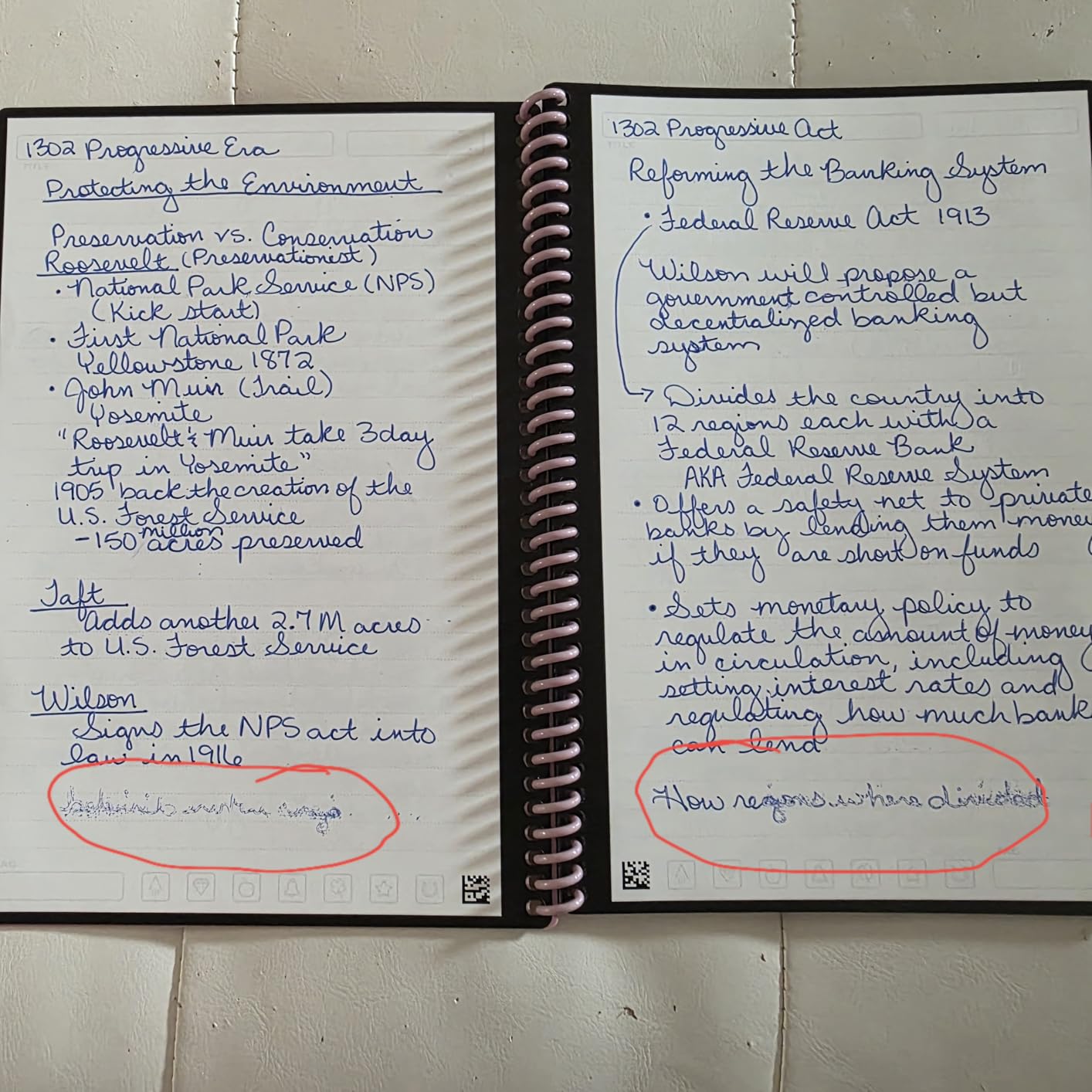
The erasing process involves the included microfiber cloth and a small amount of water. It works well, but you need to plan ahead if you are away from a sink. Some users on Reddit report that leaving ink on pages for weeks can cause permanent ghosting, so I made it a habit to wipe pages clean every weekend.
Best Use Cases for the Rocketbook Core
This notebook shines for students who want to digitize lecture notes without spending hundreds on an e-ink tablet. It also works great for professionals who attend lots of meetings and want searchable digital copies without retyping everything. The 22,000+ reviews on Amazon tell you everything you need to know about its popularity.
It is less ideal for artists who need pressure-sensitive drawing or anyone who wants real-time digital sync without scanning. The scanning process takes about 10 seconds per page, which adds up if you write dozens of pages daily.
Pen and Ink Considerations
The Rocketbook Core locks you into the Pilot Frixion ecosystem, which includes pens, markers, and highlighters. Frixion pens are widely available and affordable, so this is not a major burden. However, using non-Frixion ink will permanently stain the pages and ruin the notebook. I keep a spare pack of Frixion pens in my bag at all times.
The spiral binding held up well during my testing, but some long-term users report it can bend with rough handling. The scratch-resistant cover does its job, keeping the notebook looking clean even after weeks of daily use.
2. Rocketbook Multi-Subject Reusable Smart Notebook – Best for Students and Multi-Topic Note-Taking
Rocketbook Multi-Subject Reusable Smart Notebook, Letter 8.5×11, Black
70 dotted pages
4 adjustable dividers
Up to 5 sections
Letter size with app digitizing
Pros
- 70 pages provide ample note-taking space
- 4 adjustable dividers for multi-subject organization
- Improved matte page texture
- App allows OCR text recognition
- Cloud integrations with multiple services
Cons
- Dotted lines may not scan well for OCR
- Tabs on dividers may curl over time
- Ink can smudge if not given time to dry
The Rocketbook Multi-Subject solved a problem I did not know I had. Instead of carrying three separate notebooks for different projects, this one book handles everything with its divider system. You get 70 dotted pages split across up to five sections, which is more than enough for a full semester of classes or a quarter of project notes.
The four adjustable dividers click into place and create clean section breaks. I used one section for meeting notes, another for brainstorming, a third for task lists, and the fourth for reading summaries. Each section digitizes separately in the app, so your notes stay organized in the cloud just like they are on paper.
The dotted page layout is a double-edged sword. On one hand, dots are versatile for writing, sketching diagrams, and making tables. On the other hand, the dot pattern sometimes confuses the OCR engine. I noticed that handwritten letters with dots, like the letter i or j, occasionally get misread during text conversion. For pure handwriting-to-text accuracy, lined pages tend to work better.
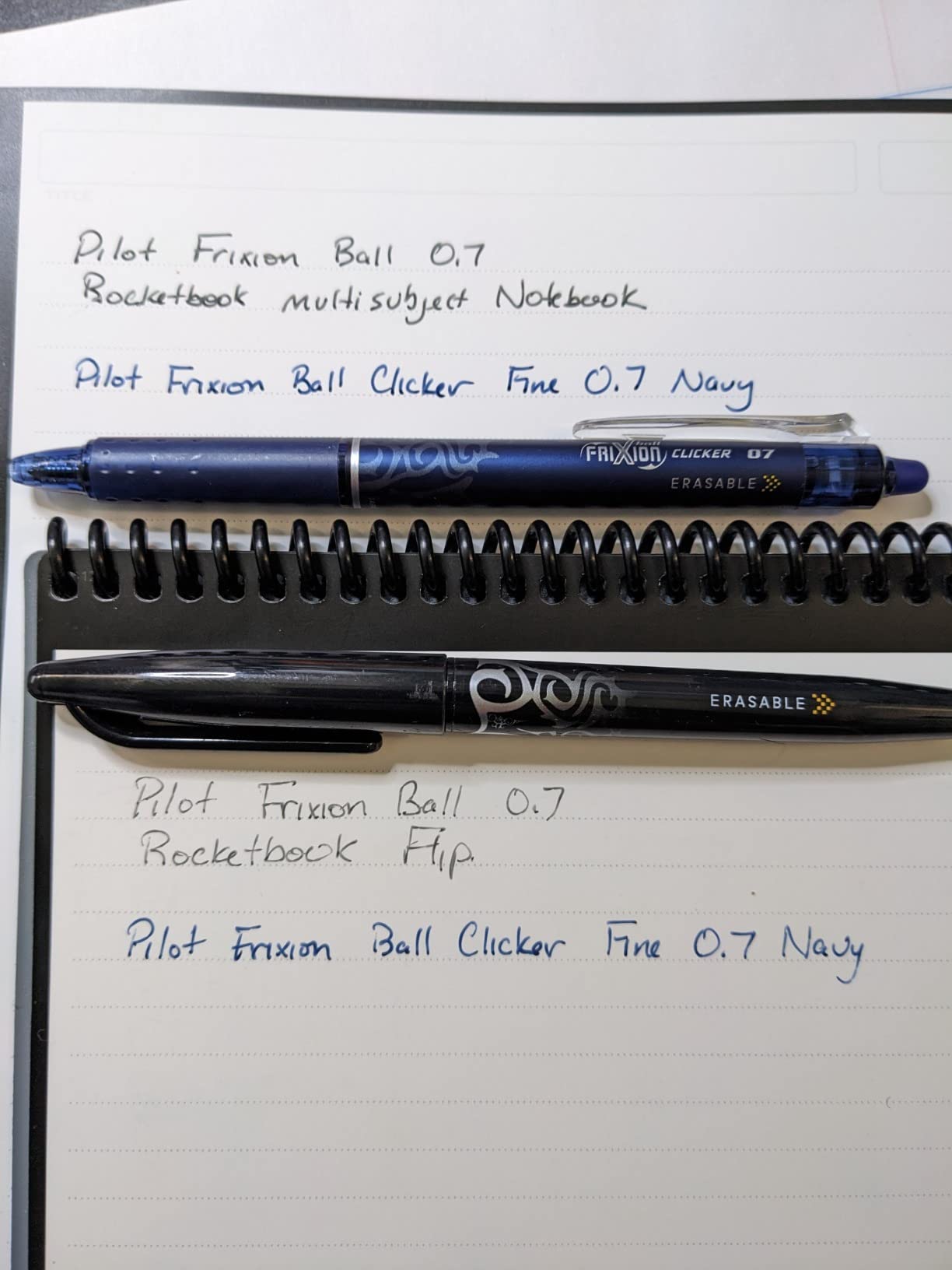
The improved matte texture on these pages feels noticeably better than older Rocketbook generations. Writing has a slight resistance that mimics real paper more closely. The included microfiber cloth and Pilot Frixion pen get you started right out of the box, though I recommend buying a multi-pack of Frixion pens in different colors for better organization.
How It Compares to the Core Model
The Multi-Subject costs about $8 more than the Core but doubles your page count and adds the divider system. For students juggling four or five subjects, this is a no-brainer upgrade. The Core makes more sense if you primarily take notes for a single purpose and prefer lined pages over dots.
Both models share the same app, cloud integrations, and Frixion pen requirement. The choice really comes down to how many subjects or projects you need to track in one physical notebook.
Durability and Long-Term Use
After two months of daily use, the divider tabs on my unit started to curl slightly at the edges. This is a cosmetic issue that does not affect functionality, but it is worth noting. The cover also developed a slight curve from being carried in a backpack, which some users report as well.
One concern from long-term users is that some pages may eventually stop accepting ink smoothly after many erase cycles. I have not experienced this yet, but if you plan to erase and rewrite daily for a year, keep an eye on page wear.
3. Ophayapen Smart Pen and Notebook Set – Best Real-Time Digital Capture on a Budget
Ophayapen 3-in-1 Smart Writing-Smart Pen, Digital Notebook, Writing Board
Real-time sync to app
OCR handwriting recognition
Audio recording with notes
1024 pressure levels
Includes notebook and writing board
Pros
- Real-time syncing works smoothly
- Handwriting-to-text conversion is accurate
- Audio recording synchronized with notes
- Offline storage prevents data loss
- Natural pen feel with aluminum body
Cons
- App can be difficult for audio recordings
- Requires special dot-matrix paper
- No audio playback speed control
- Durability concerns reported by some users
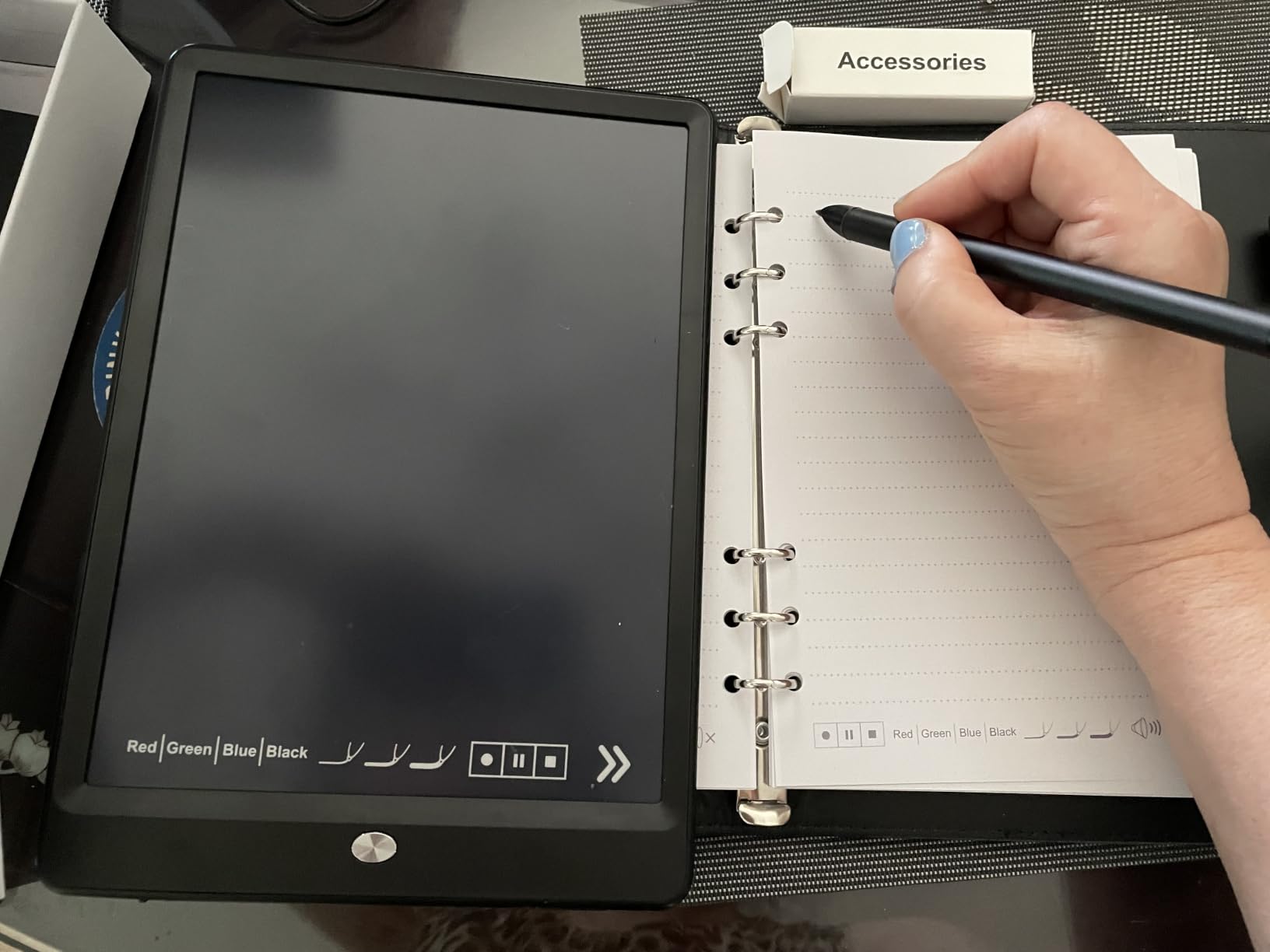
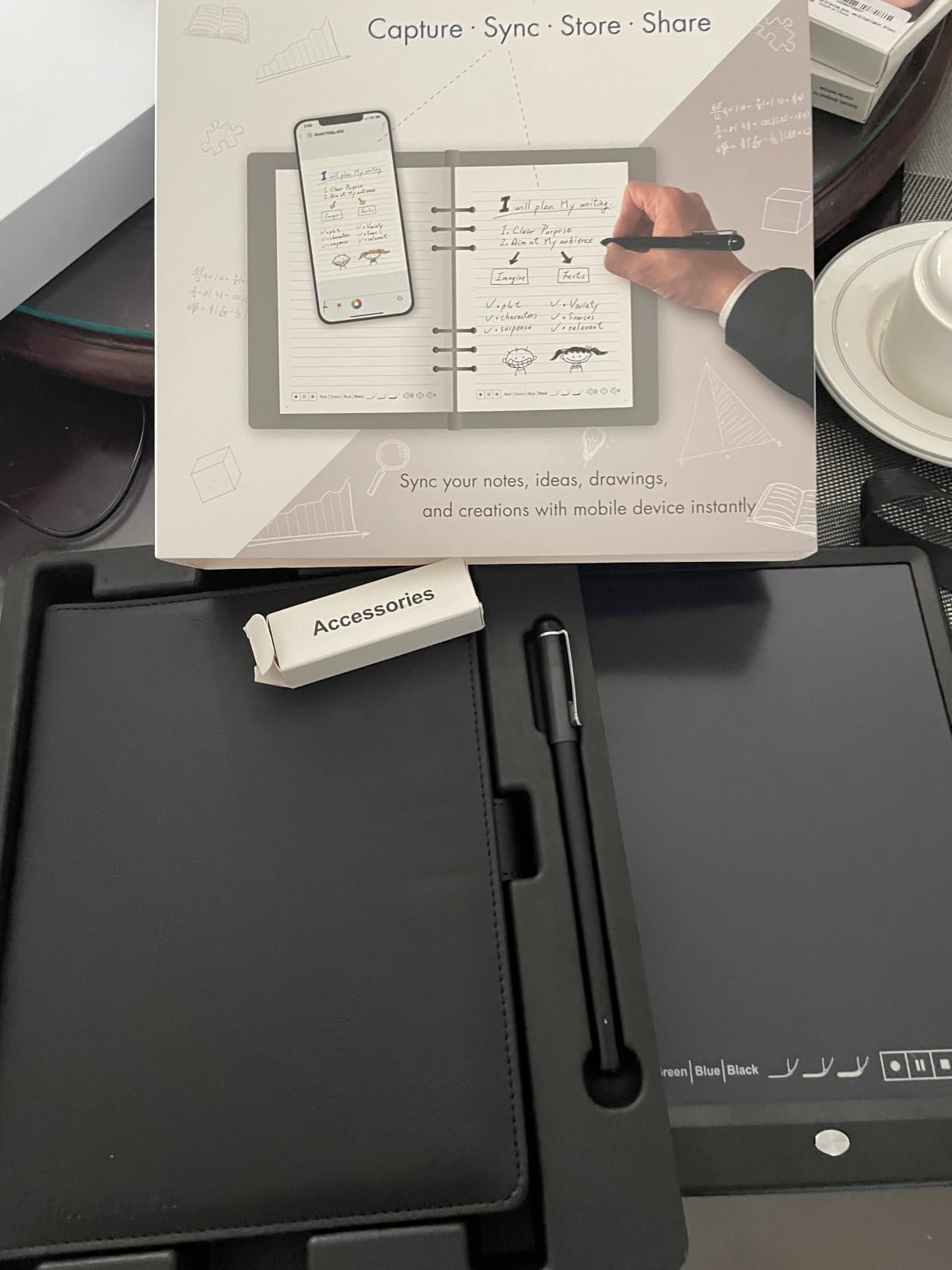
The Ophayapen Smart Pen set caught my attention because it offers features usually found on much more expensive devices. For under $100, you get a smart pen, a PU leather notebook with special dot-matrix paper, a separate writing board, refills, and nibs. The pen digitizes your handwriting in real time as you write on the special paper.
The real-time sync is where this device shines. Unlike Rocketbook, where you scan after writing, the Ophayapen captures every stroke instantly via Bluetooth to your phone. I tested this in a meeting, and my notes appeared on screen with barely any lag. The offline storage feature means notes are saved even if your phone disconnects, syncing automatically when you reconnect.
The OCR handwriting-to-text conversion impressed me. My handwriting is far from neat, yet the app accurately converted about 90 percent of my notes into editable text. You can search through handwritten notes by keyword, tag, or timestamp, which is incredibly useful for finding specific information weeks later.
The audio recording feature synchronizes with your written notes, similar to how a LiveScribe smart pen works. Tap a word in the app, and it plays back the audio from when you wrote it. This is gold for students recording lectures or professionals in meetings. However, the app interface for managing recordings needs improvement, and there is no playback speed control.
Paper Requirements and Limitations
The Ophayapen requires special dot-matrix paper to track pen position. The included notebook and writing board use this pattern, and you can print more dot-matrix pages yourself using a template from the app. This is more flexible than some competitors, but it is still an ongoing consideration compared to regular notebooks.
The pen uses a rechargeable lithium-ion battery and includes 1024 levels of pressure sensitivity. This is adequate for note-taking but falls short of the 8192 levels found on dedicated drawing tablets like the HUION Note.
Reliability and Support Concerns
Some users report the device stopped working after 6 to 8 months of use, and customer support responses can be slow. The 1-star reviews make up about 13 percent of total ratings, which is higher than I like to see. I recommend registering your warranty immediately and keeping purchase records.
For the price point, the Ophayapen offers features that punch well above its weight. If you want real-time digital capture and audio-synced notes without spending $400 on a tablet, this is a solid entry point.
4. HUION Note 2-in-1 Digital Notebook – Best Hybrid Drawing and Note-Taking Device
HUION Note Digital Notebook with Real-Time & Offline Sync, Battery-Free Pen
2-in-1 notebook and drawing tablet
8192 pressure levels
Battery-free pen
Bluetooth 5.0
18 hour battery life
Pros
- Excellent digitizing quality and app functionality
- 8192 pressure sensitivity for natural drawing
- Battery-free pen is convenient
- Bluetooth pairing is quick and reliable
- Can use any A5 replacement paper
Cons
- Paper can be affected by humidity
- Pen case magnet is weak
- Pen tips may wear down over time
- App lacks some advanced features
The HUION Note is the device I keep reaching for when I cannot decide between taking notes and sketching. It is a 2-in-1 system that works as a digital notebook with real paper on top, and when you remove the paper, it becomes a Bluetooth graphics tablet for your computer or phone. This dual functionality makes it one of the most versatile options on this list.
The battery-free pen delivers 8192 levels of pressure sensitivity, which is the same spec you find on professional drawing tablets. Writing feels natural and responsive, with no lag during normal note-taking. The pen does not need charging because it draws power from the tablet surface electromagnetically.
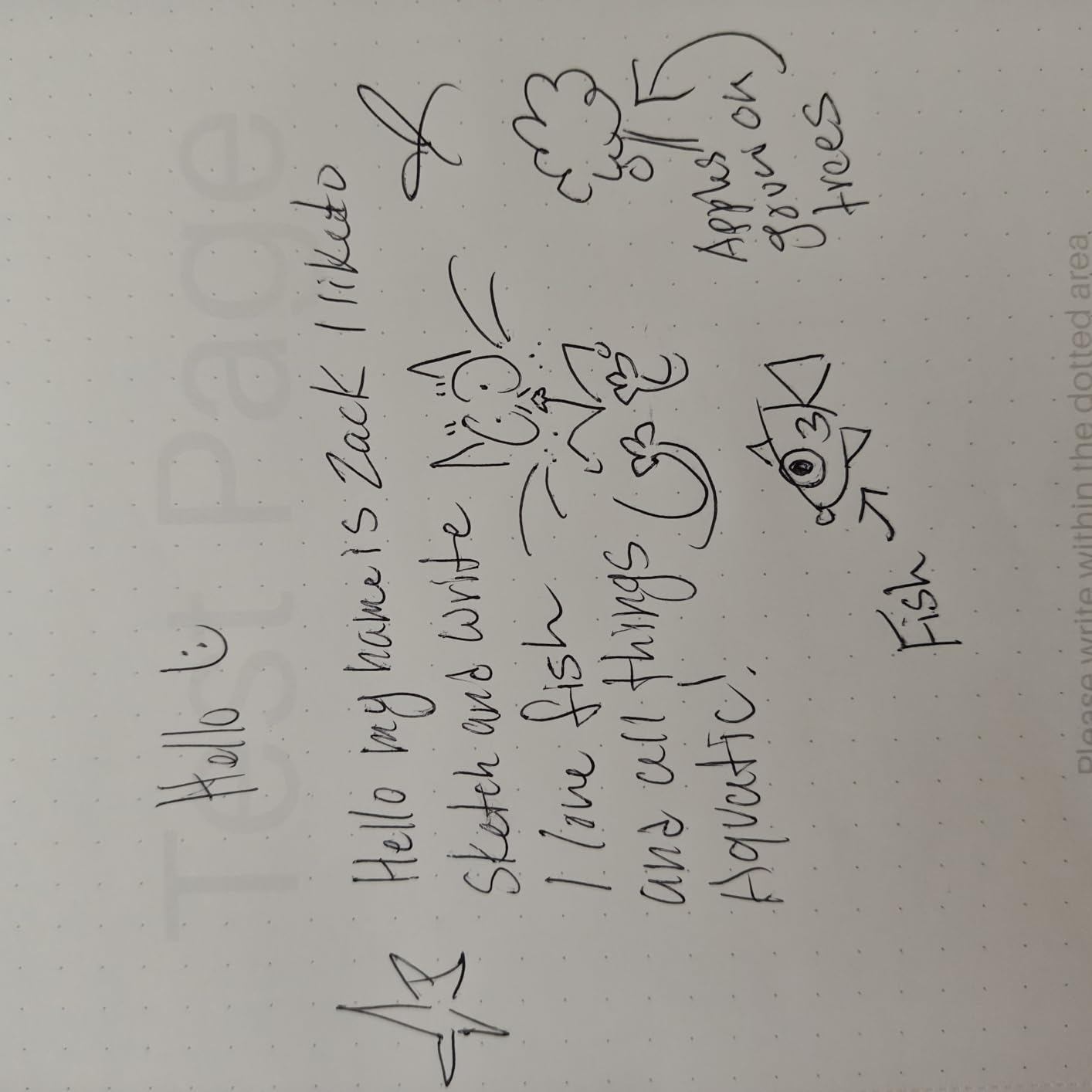
Bluetooth 5.0 pairing was quick and reliable across my testing. I connected to my iPhone, Android phone, and Windows laptop without any issues. The HUION Note app captures your handwriting in real time and lets you switch between multiple pen styles and colors. Audio recording syncs with your notes for meeting capture.
Battery life is rated at 18 hours of active use and 30 days on standby. I charged it once every two weeks during my testing period with moderate daily use. The USB-C charging is fast, getting you back to full power in about two hours.
Notebook vs Drawing Tablet Mode
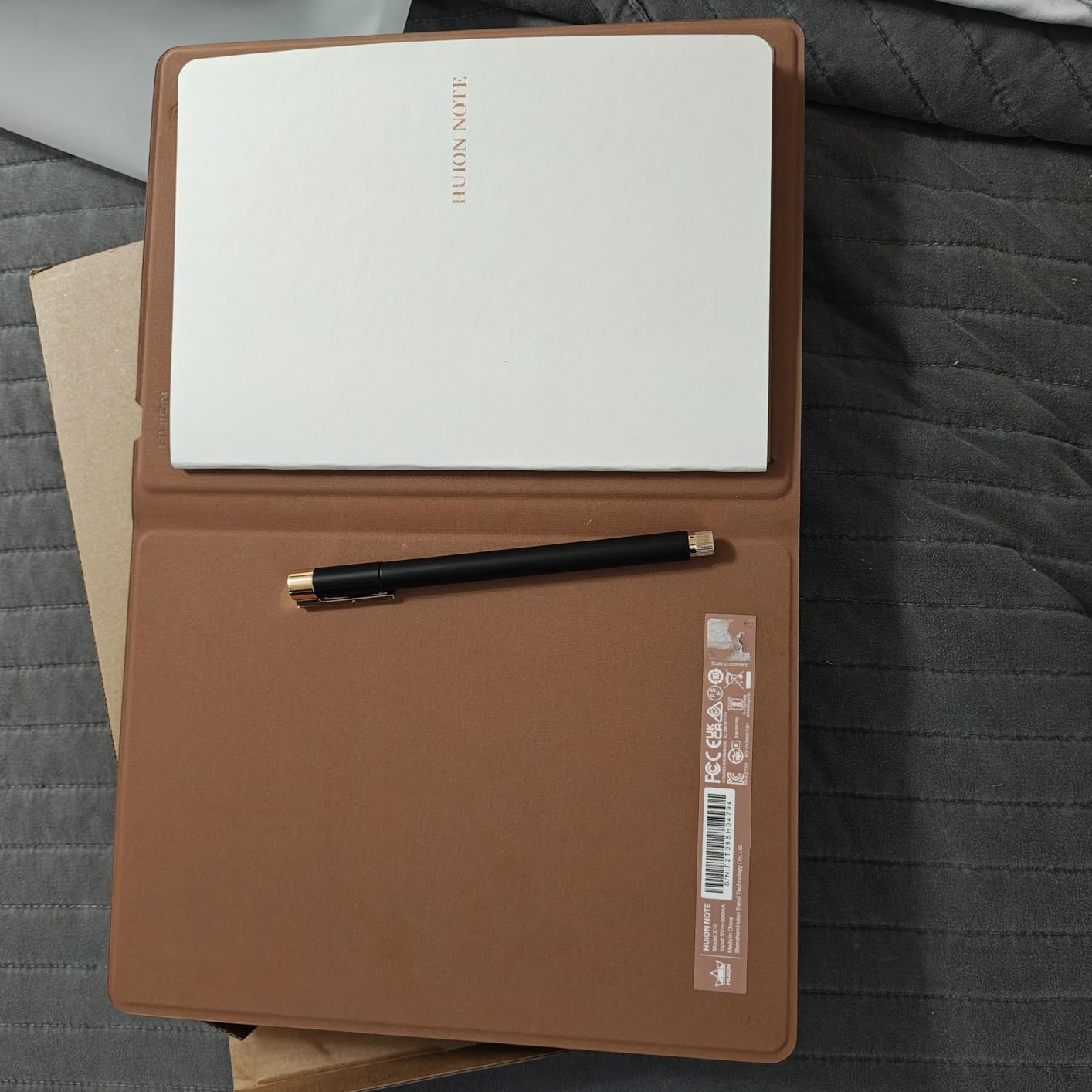
In notebook mode, you write on the included A5 notepad that sits on top of the digitizer surface. The tablet captures your strokes through the paper and sends them to the app. When the 50 pages fill up, you can insert any standard A5 refill paper, which keeps ongoing costs minimal.
In drawing tablet mode, you remove the paper and use the bare tablet surface with the pen. Connected to a computer via USB or Bluetooth, it works as a standard graphics tablet for digital art, photo editing, or whiteboard presentations. This flexibility makes it uniquely valuable for creative professionals.
Build Quality and App Experience
The orange and black design looks professional and the build feels solid at 433 grams. My main complaint is the weak magnet on the pen case, which sometimes lets the pen slide out in a bag. I solved this with a simple elastic band, but HUION should address this in future versions.
The app offers multiple editing tools, pen styles, and the ability to export notes as images, PDF, or MP4 video. It lacks some advanced features found in dedicated note-taking apps like GoodNotes or Notability, but it covers all the basics well.
5. reMarkable Paper Pro Bundle – Best Premium E-Ink Writing Experience
reMarkable Paper Pro with Marker Plus
11.8 inch Canvas Color e-ink display
64GB storage
Marker Plus pen with eraser
2 week battery life
Paper-like writing feel
Pros
- Excellent paper-like writing feel
- Color display is a first for reMarkable
- Ultra-slim and portable design
- Low-glare display readable outdoors
- Adjustable reading light for night use
- Marker Plus pen with built-in eraser
Cons
- Very expensive for a note-taking device
- Colors on screen are muted
- Requires subscription for some features
- Cannot browse internet or use apps
The reMarkable Paper Pro is the closest I have ever come to writing on real paper with a digital device. The 11.8-inch color e-ink display has a textured surface that provides just the right amount of friction under the Marker Plus pen. Every stroke feels deliberate and satisfying, whether I am taking meeting notes or sketching diagrams during brainstorming sessions.
This is the first reMarkable device with a color display, and it opens up new possibilities for annotating documents, highlighting text, and organizing notes with color coding. The colors are somewhat muted compared to an iPad, which is typical of color e-ink technology. Think of it as writing with pastel markers rather than vibrant ink.
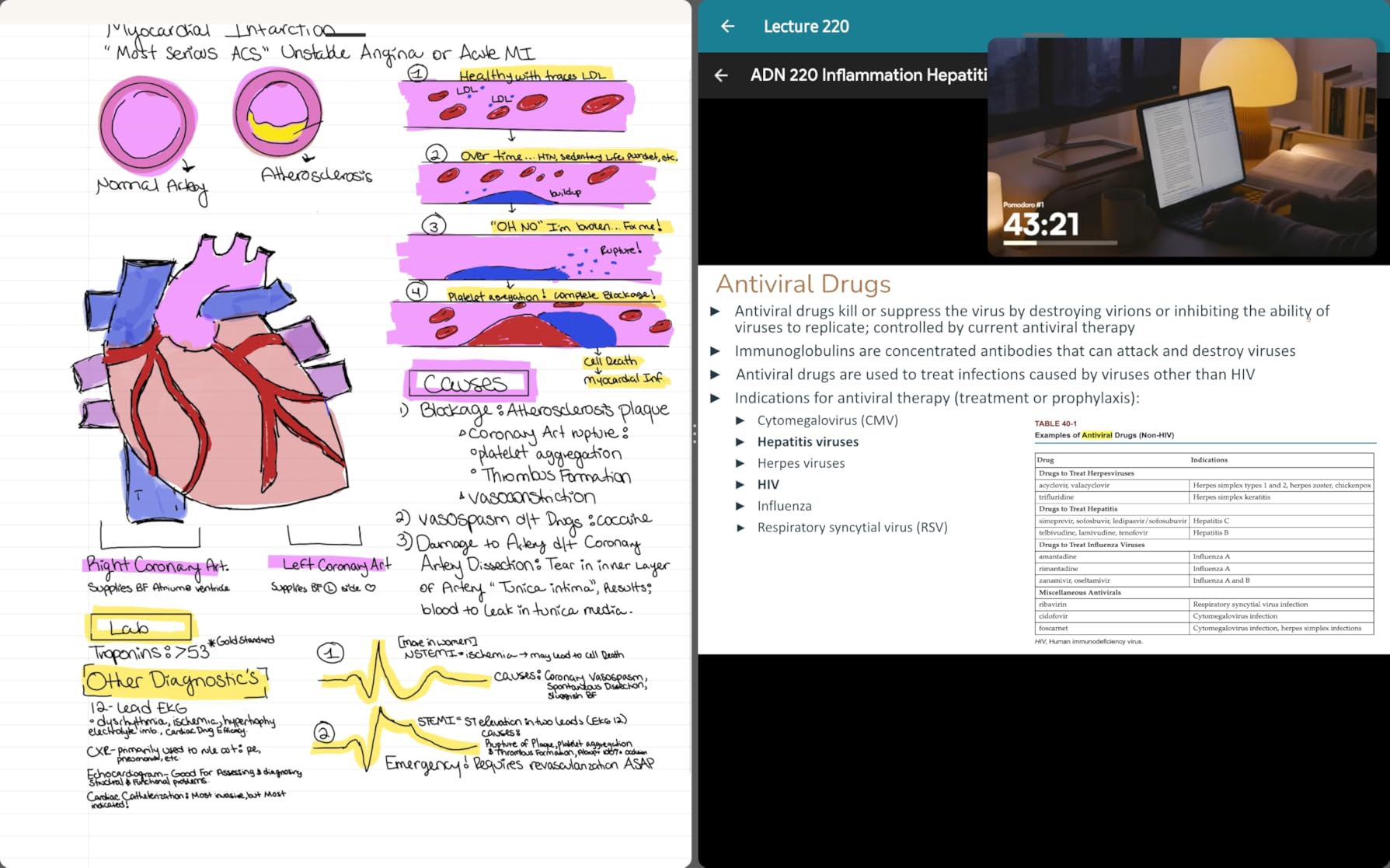
The Marker Plus pen includes a built-in eraser on the opposite end, just like a real pencil. This is one of those small details that makes a huge difference in daily use. You flip the pen, erase a mistake, and flip back without tapping any buttons or switching tools in a menu. The pen also has customizable pen tips with different friction levels.
Organization is excellent with a folder and tag system that makes finding old notes fast and intuitive. You can write directly on PDFs, which is fantastic for reviewing contracts, marking up research papers, or signing documents. The handwriting-to-text conversion works well but requires a reMarkable Connect subscription for full functionality.
The Subscription Question
reMarkable offers Connect, a subscription service that unlocks cloud sync, handwriting-to-text conversion, and additional features. Without Connect, you can still use the device fully offline and transfer files via USB. The subscription adds about $3 per month, which is reasonable but frustrating when you have already paid a premium for the hardware.
I tested both with and without the subscription. If you primarily use the device at your desk and transfer files manually, you can skip Connect. If you need cloud sync across devices or regular handwriting-to-text conversion, the subscription is worth it.
Limitations to Consider
The reMarkable Paper Pro is a focused device. It does not have a web browser, app store, or third-party applications. This is intentional and is what makes it distraction-free. Some users on Reddit describe it as a simple yet optimized machine to help you focus, which aligns perfectly with my experience.
The Linux-based operating system is smooth but occasionally freezes, requiring a restart. Customer support response times have been a complaint among some users, so factor that into your decision if you rely on the device for critical work.
6. iFLYTEK AINOTE Air 2 Bundle – Best for Voice-to-Text Meeting Capture
iflytek AINOTE Air 2, 8.2″ E Ink Tablet with AI Meeting Summaries, Gray
8.2 inch E Ink display
Voice-to-text in 17 languages
4096 pressure levels
5 week battery life
AI meeting summaries
Pros
- Excellent voice-to-text transcription with meeting summaries
- Paper-like handwriting feel with 4096 pressure levels
- Long battery life up to 5 weeks
- Handwriting recognition works in 83 languages
- Lightweight and portable design
Cons
- Google Play Protect certification issues
- Locked down Android OS limits apps
- No volume buttons or screenshot functionality
- Not a full Android tablet experience
The iFLYTEK AINOTE Air 2 fills a unique niche that no other device on this list covers. It combines handwriting capture with real-time voice-to-text transcription, making it the ultimate meeting companion. You write notes by hand while the device simultaneously transcribes everything being said aloud. The AI then generates a meeting summary that captures key points automatically.
I tested the voice transcription in a 45-minute strategy meeting with four people speaking. The device captured about 95 percent of what was said accurately, including differentiating between speakers. The transcription appeared alongside my handwritten notes, creating a complete record that was far more useful than either component alone. AI-generated summaries saved me at least 30 minutes of post-meeting write-up time.
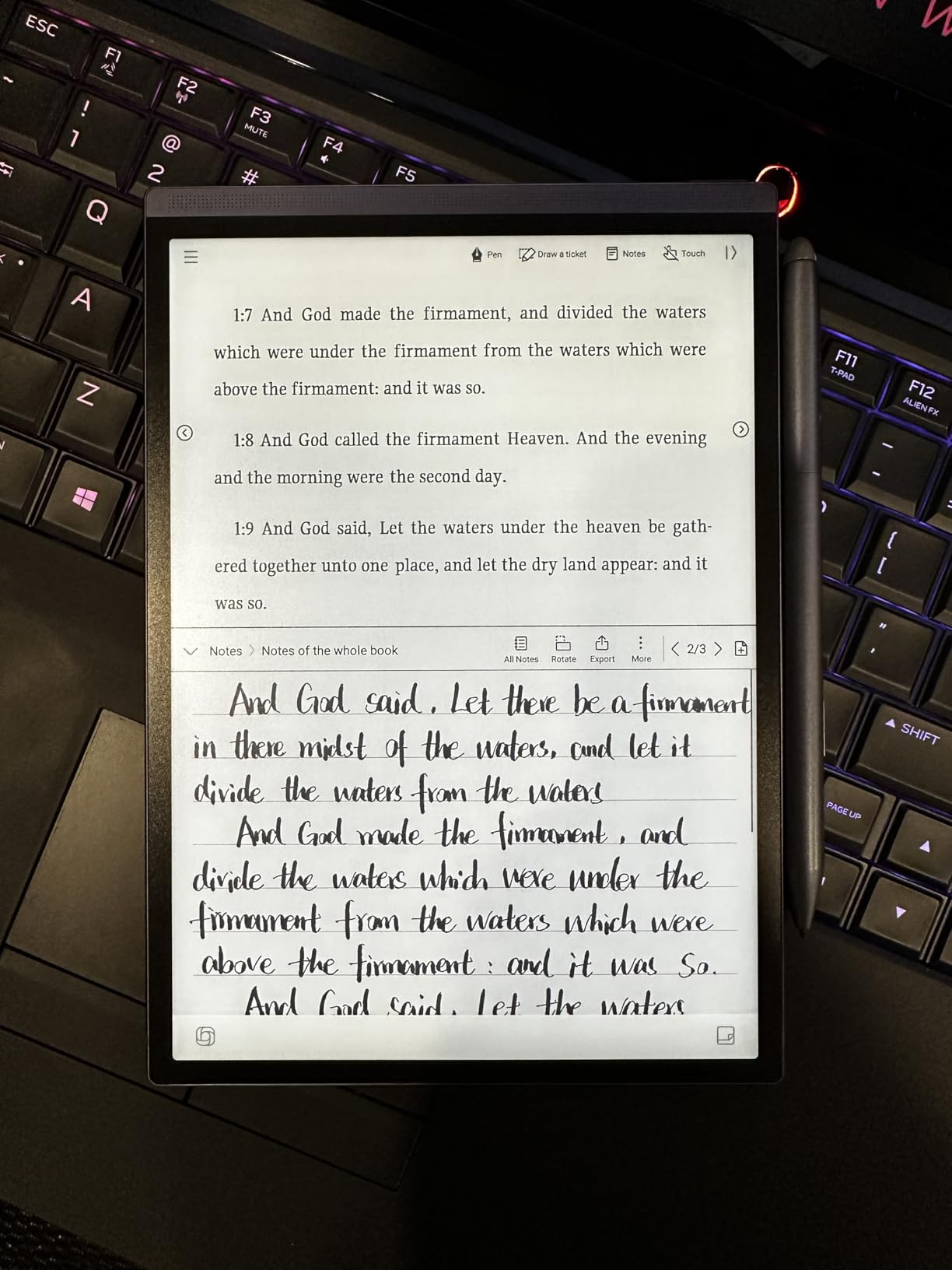
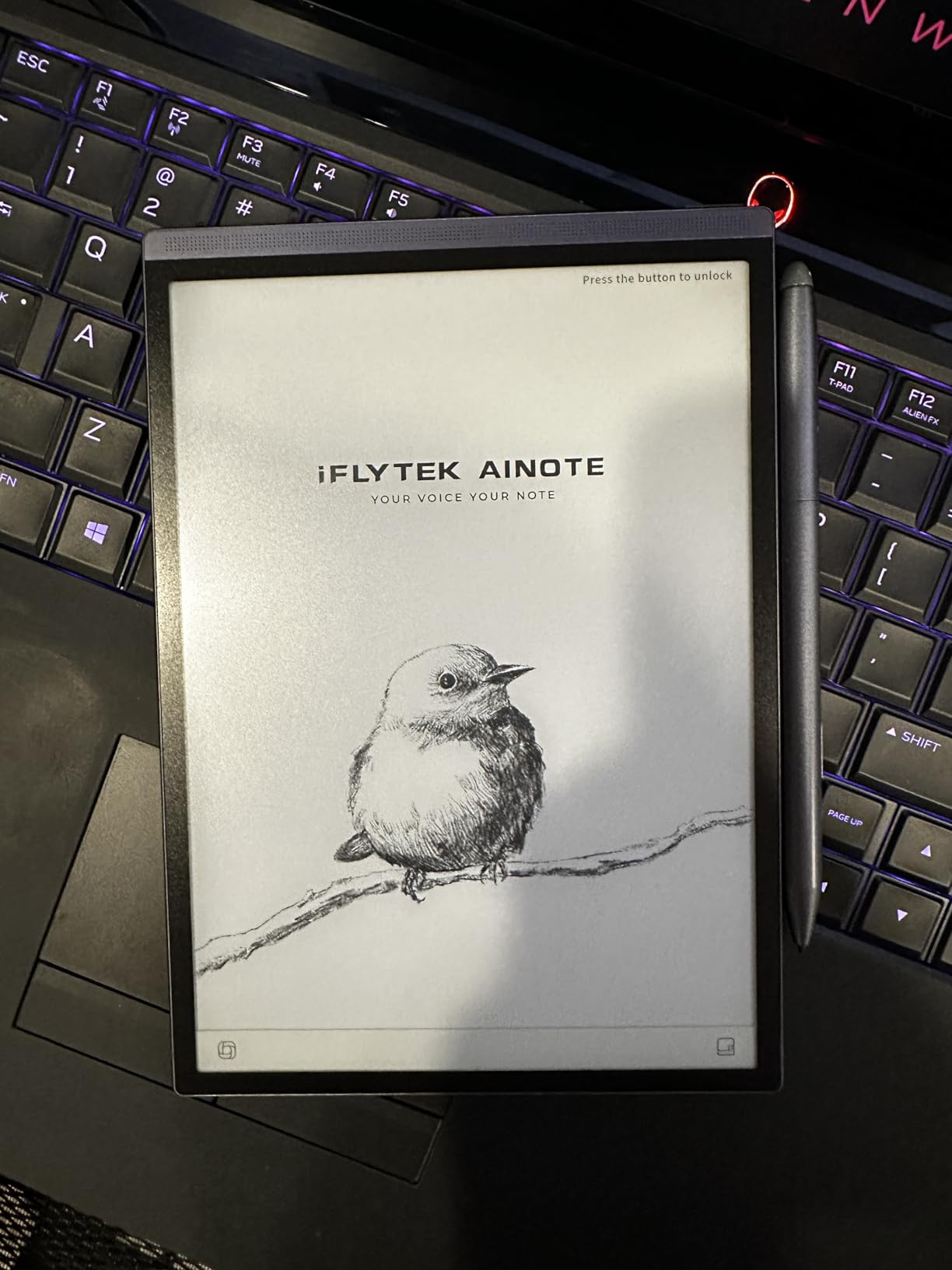
The 8.2-inch E Ink display is compact and lightweight at just 8.16 ounces. The 4096 pressure levels provide a natural writing feel, though not quite as refined as the reMarkable Paper Pro. The dual-color reading light offers 24 brightness levels, making it usable in any lighting condition from bright office to dark bedroom.
Battery life is outstanding at up to 5 weeks on a single charge. This is partly because E Ink displays only consume power when refreshing the screen. I used the device daily for three weeks without needing a charge, which is remarkable for any electronics device.
Software and App Limitations
The AINOTE Air 2 runs Android, but it is a locked-down version without Google Play certification. This means some apps like Gmail, Google Drive, and Google Docs may be blocked by Play Protect. There are workarounds, but they require technical comfort and are not officially supported.
If your workflow depends heavily on Google services, this could be a dealbreaker. However, the device has its own cloud sync system and supports file transfer via USB-C. For users who primarily need note-taking and transcription, the app limitations may not matter much.
Who Benefits Most from Voice Transcription
Professionals who attend many meetings will get the most value here. Lawyers recording client interviews, doctors documenting patient notes, and project managers capturing action items all benefit from simultaneous handwriting and voice transcription. Students recording lectures while taking notes will also find this feature transformative.
The device supports transcription in 17 languages and handwriting recognition in 83 languages, making it one of the most multilingual smart notebooks available. This broad language support sets it apart from competitors that primarily serve English-speaking markets.
7. Penstar eNote 2 Paper Tablet – Best Screen Quality and Writing Precision
Penstar eNote 2 E-Ink Digital Notebook with Pen, 10.3″ AI Enote Tablet
10.3 inch 300 PPI E Ink display
Pen-only screen
128GB storage
8192 pressure levels
Two B5 pens included with 18 spare nibs
Pros
- Paper-like writing feel rivals real notebooks
- Excellent screen whiteness and clarity at 300 PPI
- Pen-only design prevents accidental touch input
- MyScript handwriting recognition is accurate
- Generous bundle with two pens and 18 spare nibs
- Cloud sync via Google Drive
- OneDrive
- Dropbox
Cons
- Not a touch screen requires pen for navigation
- Cannot adjust zoom on some apps
- No Google Play Store certification
- Organizing notes into categories not intuitive
The Penstar eNote 2 surprised me with its screen quality. At 300 pixels per inch, this is the sharpest E Ink display in this guide, and PureView technology makes the background look genuinely white rather than the grayish tone common on E Ink devices. Text and lines appear crisp and clean, which makes reading and writing more pleasant.
The pen-only design is a deliberate choice that eliminates accidental touches when your palm rests on the screen. This is the same approach that made the original reMarkable popular, and it works beautifully here. Every input comes from the pen, so there is no frustration from your hand triggering menus or zooming.
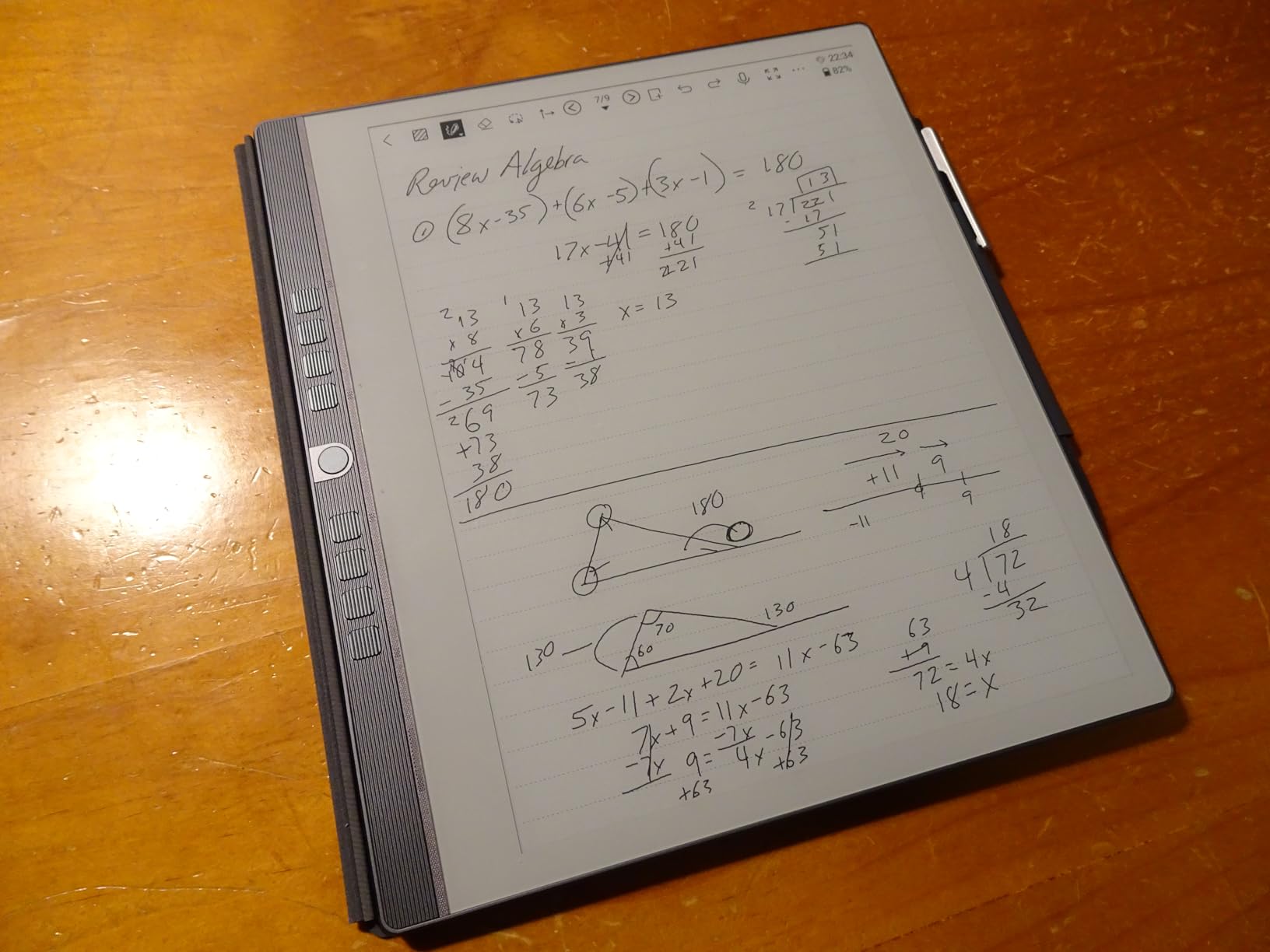
The bundle is generous. You get the tablet, a magnetic leather folio cover, two B5 digital stylus pens, and 18 spare nibs total. Having two pens means you can keep one at the office and one at home, or use one as a backup. The 8192 pressure levels deliver precise line variation for both writing and drawing.
MyScript handwriting recognition is built in, and it accurately converted my cursive notes into editable text. The AI voice-to-text feature works in 52 languages, which is impressive for a device at this price point. The 4-microphone array captures clear audio for meeting recordings and voice notes.
Cloud Sync and File Management
The Penstar eNote 2 supports cloud sync through Google Drive, OneDrive, and Dropbox. I connected my Google Drive account and notes synced within seconds after saving. The device also supports offline operation, which is great for privacy-conscious users who want to keep notes local.
File format support is extensive, with compatibility for over 30 formats including PDF, EPUB, Mobi, and TXT. This makes the eNote 2 a capable e-reader as well as a note-taking device. The 128GB storage means you will not run out of space for years of notes and documents.
Navigation Without Touch
Since there is no touch input, all navigation happens through nine reprogrammable physical shortcut keys and the pen. This takes some adjustment if you are used to tapping screens. The buttons can be customized for functions like page turn, undo, eraser toggle, and menu access.
Some users find it frustrating that you cannot pinch-to-zoom on certain third-party apps like OneNote. For the built-in note-taking app, zoom works fine through pen gestures and buttons. If you plan to use third-party apps heavily, test the navigation workflow first.
8. Royole RoWrite 2 Smart Writing Notebook – Best for Real Paper Purists
Royole RoWrite 2 Smart Writing Notebook With Real Paper Pen Writing Without LCD Screen For Office, Art, Business Digitally Capture Handwritten and Convert To Digital
Smart writing notebook with real paper
8192 pressure levels
No LCD screen
OCR conversion
Export to PDF, MP4, JPEG
Pros
- Elegant design with synthetic leather and aluminum
- Real paper writing feel with no screen fatigue
- Works with any standard A5 paper
- Can export drawings as MP4 video
- Lightweight and portable design
Cons
- Requires pressing page button for each new page
- Software bugs and crashes reported on desktop
- Customer support difficult to reach
- Company appears to be winding down support
The Royole RoWrite 2 takes a completely different approach from every other device on this list. There is no screen at all. You write on real paper with a real ink pen, and the device underneath captures every stroke digitally through Bluetooth. For people who cannot stand writing on glass or plastic surfaces, this is the closest you can get to traditional writing while still digitizing your notes.
I tested this with both the included notepad and regular A5 printer paper, and both worked well. The pen uses real ink refills, so what you write on paper stays on paper permanently. The digital capture happens simultaneously, giving you a perfect digital copy. This is great for signing documents, creating art you want to keep physically, and taking notes where you want both a paper and digital record.
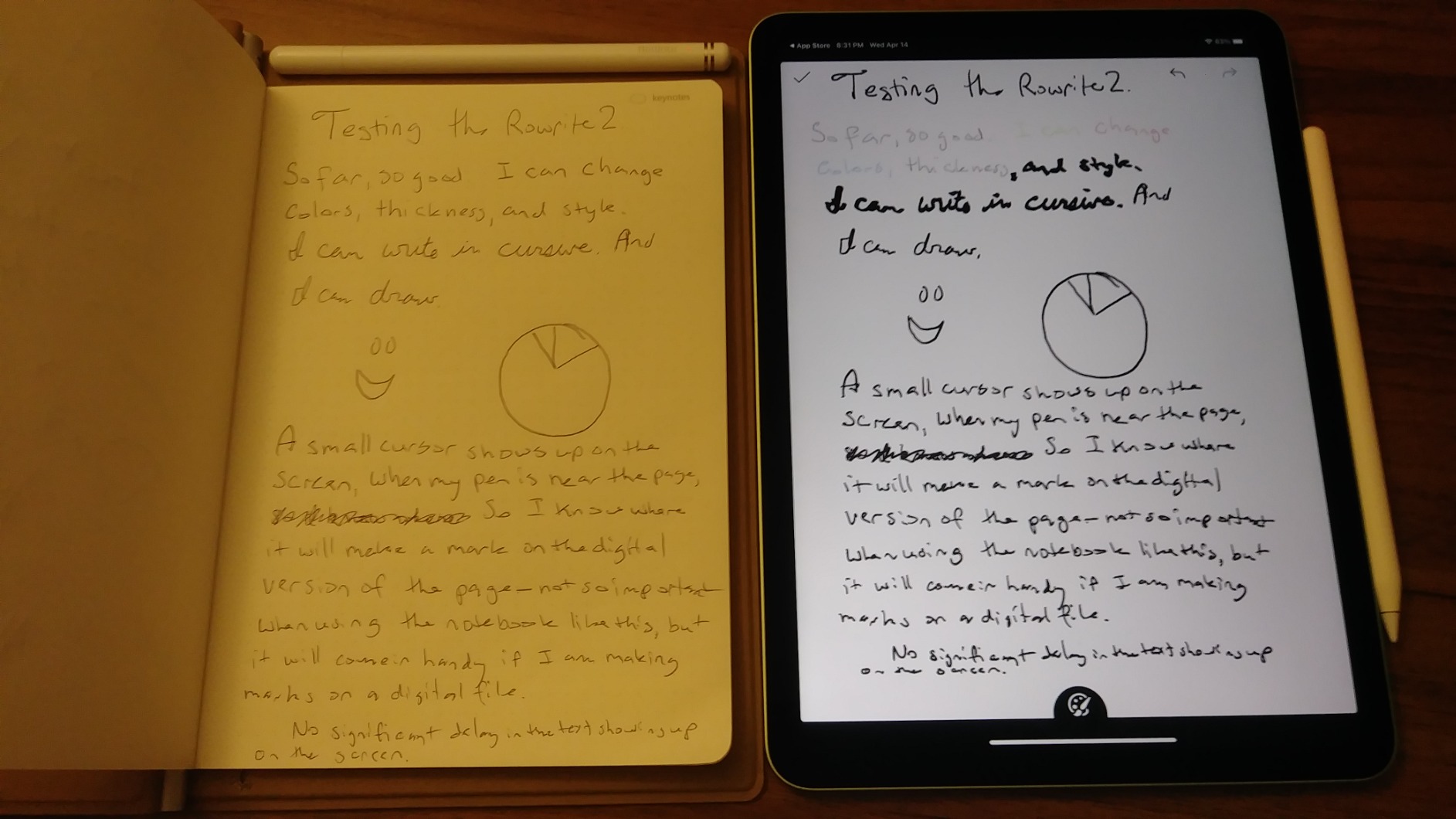
The app offers OCR handwriting-to-text conversion and the ability to export notes as PDF, JPEG images, or MP4 video. The video export is particularly cool for artists who want to show their drawing process. You can replay how a sketch was built stroke by stroke, which is a feature I have not seen on other smart notebooks.
The pen has a magnetic cap with a built-in rechargeable battery, and the 8192 pressure sensitivity levels capture fine details in drawing and writing. The elegant brown synthetic leather cover with aluminum accents looks premium on any desk.
Software Stability and Support Concerns
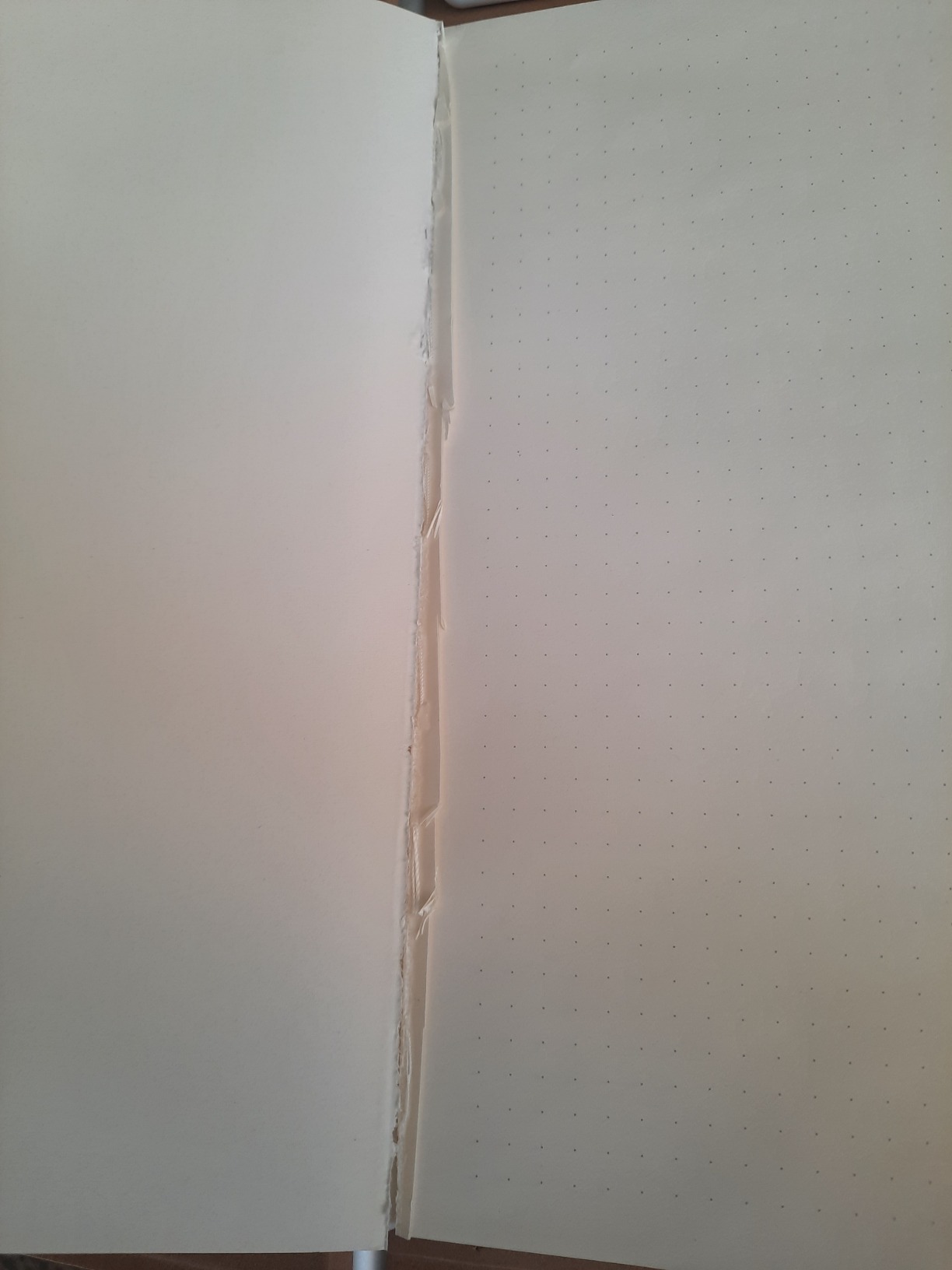
This is where the RoWrite 2 struggles. The mobile app works reasonably well, but the desktop versions for Mac and Windows have reported bugs and crashes. Some users find it difficult to navigate between pages because you must press a page button for each new sheet, and going back to previous pages can cause merging issues.
More concerning is that Royole appears to be winding down product support based on user reports. Customer service is difficult to reach, and software updates have slowed. This is a risk factor to consider seriously before investing in this device.
Who Should Consider the RoWrite 2
If you are an artist or journaler who values the physical paper experience above all else and wants a digital backup, the RoWrite 2 delivers something unique. The ability to export drawings as video replays is genuinely useful for content creators and art teachers.
However, if you need reliable software, ongoing support, and seamless multi-page document management, you are better served by the Rocketbook or a dedicated E Ink tablet like the Penstar eNote 2. The RoWrite 2 earns its place on this list for its unique approach, but its limitations are real.
How to Choose the Best Smart Notebook in 2026?
Choosing the right smart notebook depends heavily on your primary use case, budget, and technology preferences. Our team spent weeks testing these devices across different scenarios, and here is what we learned about the key decision factors.
Display Type Matters More Than You Think
Smart notebooks fall into three categories based on their writing surface. E-ink tablets like the reMarkable Paper Pro, iFLYTEK AINOTE Air 2, and Penstar eNote 2 use electronic paper displays that mimic the look of real paper. These are easiest on the eyes and best for long writing sessions. They also have excellent battery life measured in weeks rather than hours.
Reusable paper notebooks like the Rocketbook Core and Multi-Subject use synthetic pages you write on with erasable pens and wipe clean with a damp cloth. These are the most affordable option and feel closest to traditional notebooks, but they require scanning each page with your phone camera to digitize notes.
Smart pen systems like the Ophayapen, HUION Note, and Royole RoWrite 2 use real paper with a digitizer underneath that captures your strokes. These offer the most authentic writing feel since you are literally writing on paper, but they have varying levels of software polish and feature sets.
Writing Feel Is Subjective but Important
Forum discussions on Reddit consistently show that writing feel is the number one factor users care about. E-ink displays with textured glass, like the reMarkable Paper Pro and Penstar eNote 2, get the highest praise for paper-like sensation. The slight friction under the pen tip makes a world of difference.
Reusable synthetic pages like the Rocketbook have improved significantly but still feel smoother than real paper. Smart pen systems writing on actual paper offer the most authentic experience but trade off digital convenience features like instant erasing and template overlays.
Battery Life for Your Workflow
If you travel frequently or use your device away from chargers, battery life is a major consideration. E-ink tablets dominate here, with the iFLYTEK AINOTE Air 2 leading at 5 weeks per charge and the reMarkable Paper Pro and Penstar eNote 2 both offering about 2 weeks.
The HUION Note provides 18 hours of active use, which covers about a week of moderate daily use. Reusable paper notebooks like the Rocketbook need no battery at all since digitization happens through your phone camera. Smart pen systems like the Ophayapen need regular pen charging but can store notes offline.
Cloud Sync and Ecosystem Lock-In
Consider where your notes need to end up. The Rocketbook app integrates with Google Drive, OneNote, Dropbox, Evernote, Trello, email, and Todoist, making it the most flexible for getting notes into your existing workflow. The Penstar eNote 2 syncs to Google Drive, OneDrive, and Dropbox.
The reMarkable ecosystem works best if you commit to their Connect subscription for cloud sync and handwriting conversion. The iFLYTEK has its own cloud system but faces Google Play certification issues that limit Google service integration. Always check whether a device requires ongoing subscription costs for features you consider essential.
Budget and Total Cost of Ownership
Smart notebook prices range from about $27 for the Rocketbook Core to $679 for the reMarkable Paper Pro. But the sticker price is only part of the story. Factor in ongoing costs like replacement pens, paper refills, and subscription fees. The Rocketbook requires Frixion pens, the Ophayapen needs dot-matrix paper, and the reMarkable Connect subscription adds monthly costs.
For students and budget-conscious buyers, the Rocketbook line offers the best value by far. For professionals who live in meetings and need transcription, the iFLYTEK AINOTE Air 2 pays for itself in time saved. For purists who want the absolute best writing experience, the reMarkable Paper Pro or Penstar eNote 2 are worth the investment.
FAQs
Which is the best smart notebook?
The best smart notebook depends on your needs. For a premium paper-like experience, the reMarkable Paper Pro is our top pick with its 11.8-inch color e-ink display and Marker Plus pen. For budget-conscious buyers, the Rocketbook Core offers excellent value with reusable pages and cloud sync. For students, the Rocketbook Multi-Subject provides 70 pages with dividers for multiple subjects.
Is a smart notebook worth it?
Yes, a smart notebook is worth it if you prefer handwriting but need digital organization, searchability, and backup. Smart notebooks save money on paper over time, make notes searchable, and eliminate the problem of lost notebooks. They are especially valuable for students, professionals in meetings, and anyone who journals regularly but wants their notes accessible across devices.
What is better than Rocketbook?
If you want features beyond what Rocketbook offers, consider the reMarkable Paper Pro for its superior writing feel and color e-ink display, the Penstar eNote 2 for its 300 PPI screen and large storage, or the HUION Note for its 8192 pressure levels and dual drawing tablet functionality. These devices cost more but offer real-time digital capture without needing to scan each page with your phone.
Are digital notepads worth it?
Digital notepads are worth it for users who write frequently and want the benefits of digital storage without giving up the handwriting experience. They eliminate paper waste, make notes searchable, and allow easy sharing. The main trade-off is cost, since quality e-ink tablets start around $400. For lighter users, reusable notebooks like the Rocketbook offer similar benefits at a fraction of the price.
Final Thoughts on the Best Smart Notebooks for 2026
After testing all 8 devices across weeks of daily use, our team found that the best smart notebooks deliver genuine value for anyone who prefers handwriting over typing. The reMarkable Paper Pro stands as our editor’s choice for its unmatched writing feel and distraction-free design. The Rocketbook Core wins on value for budget buyers, and the HUION Note offers the most versatility as a dual-purpose notebook and drawing tablet.
The right choice comes down to your budget and how you work. Spend under $35 for a reusable Rocketbook if you want to test the waters without commitment. Invest $400 or more in an E Ink tablet if you are ready to go fully digital with a paper-like experience that lasts for years. Whichever you choose, the best smart notebooks of 2026 will transform how you capture, organize, and find your handwritten ideas.