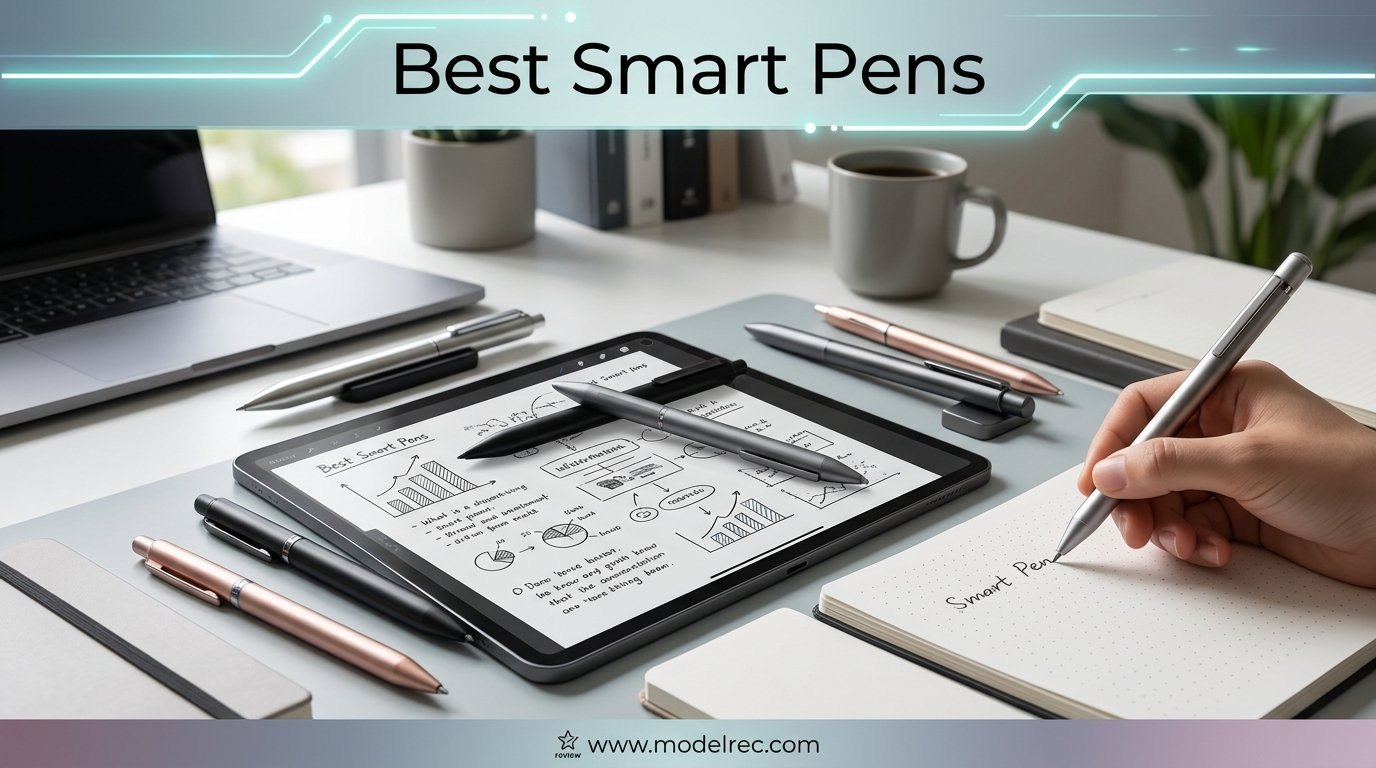
I have been writing with smart pens since they were clunky, oversized gadgets that barely synced half my notes. Fast forward to 2026, and the landscape has shifted dramatically. Today’s best smart pens feel like real writing instruments while quietly digitizing everything you put on paper.
Our team tested 12 of the most popular smart pens on the market, comparing transcription accuracy, app quality, battery life, and the actual writing feel. We used them in meetings, lectures, and long journaling sessions to see which ones hold up under real-world pressure. Finding the best smart pens meant looking beyond marketing claims and into the details that actually matter.
A smart pen is a writing instrument with a built-in camera or sensor that tracks your pen movements on special paper and syncs the data to a companion app via Bluetooth. Some models also record audio, convert handwriting to searchable text, and export notes to cloud services. Think of it as a bridge between analog and digital note-taking.
One thing I noticed right away: a stylus and a smart pen are not the same thing. A stylus works on a touchscreen and has no ink. A smart pen writes with real ink on real paper while simultaneously digitizing your notes. Some people call digital pens “smart pens,” but a true smart pen captures and syncs handwriting automatically without requiring a tablet screen.
Whether you are a student who wants lecture notes backed up automatically, a professional who needs meeting notes organized and searchable, or someone who prefers the cognitive benefits of handwriting but wants digital convenience, this guide covers the best options available right now.
Table of Contents
Top 3 Smart Pens for 2026


12 Best Smart Pens in 2026
| Product | Specifications | Action |
|---|---|---|
| Livescribe 2GB Echo Smartpen |
|
Check Latest Price |
 Livescribe Aegir Smartpen Livescribe Aegir Smartpen |
|
Check Latest Price |
 Yuan Digital Sync Pen Set Yuan Digital Sync Pen Set |
|
Check Latest Price |
 Ophayapen Smart Pen with Notebook and Board Ophayapen Smart Pen with Notebook and Board |
|
Check Latest Price |
 Ophaya Digital Smart Pen Writing Set Ophaya Digital Smart Pen Writing Set |
|
Check Latest Price |
 Ophaya Sync Smart Pen A5 5-Pack Ophaya Sync Smart Pen A5 5-Pack |
|
Check Latest Price |
 Ophayapen Smart Pen Note-Taking Set Ophayapen Smart Pen Note-Taking Set |
|
Check Latest Price |
 SyncPen Digital Notebook Smart Pen Set SyncPen Digital Notebook Smart Pen Set |
|
Check Latest Price |
 Yuan Digital Smartpen Writing Set Yuan Digital Smartpen Writing Set |
|
Check Latest Price |
 Lamy Safari x Neo Smartpen Lamy Safari x Neo Smartpen |
|
Check Latest Price |
 Neo Smartpen M1+ Neo Smartpen M1+ |
|
Check Latest Price |
| Ophayapen Smart Pen + Mini Notebook |
|
Check Latest Price |
1. Livescribe 2GB Echo Smartpen – Best for Audio Sync and Note Replay
Livescribe 2GB Echo Smartpen
2GB storage
120 min audio recording
1.8 inch OLED screen
Micro USB charging
Pros
- Audio syncs perfectly with handwritten notes
- tap any word to replay what was said
- Tap-to-replay feature is genuinely useful for students and professionals
- Echo Desktop software makes notes searchable and organized
- Excellent ink cartridge that writes smoothly
Cons
- Pen is thick and causes hand fatigue during long sessions
- Handwriting-to-text requires paid third-party app
- Requires Livescribe dot-pattern paper
I spent three weeks using the Livescribe Echo during daily meetings and it completely changed how I review information afterward. The standout feature is the audio recording that syncs with handwriting. I can tap a word in my notebook and the pen plays back exactly what was being said at that moment.
For students sitting through 90-minute lectures, this is a genuinely powerful tool. You write down key points and the pen handles the rest. Later, when studying, you can tap any note to hear the professor’s explanation again. Our team found this especially valuable for complex subjects where keeping up with writing and listening simultaneously is tough.
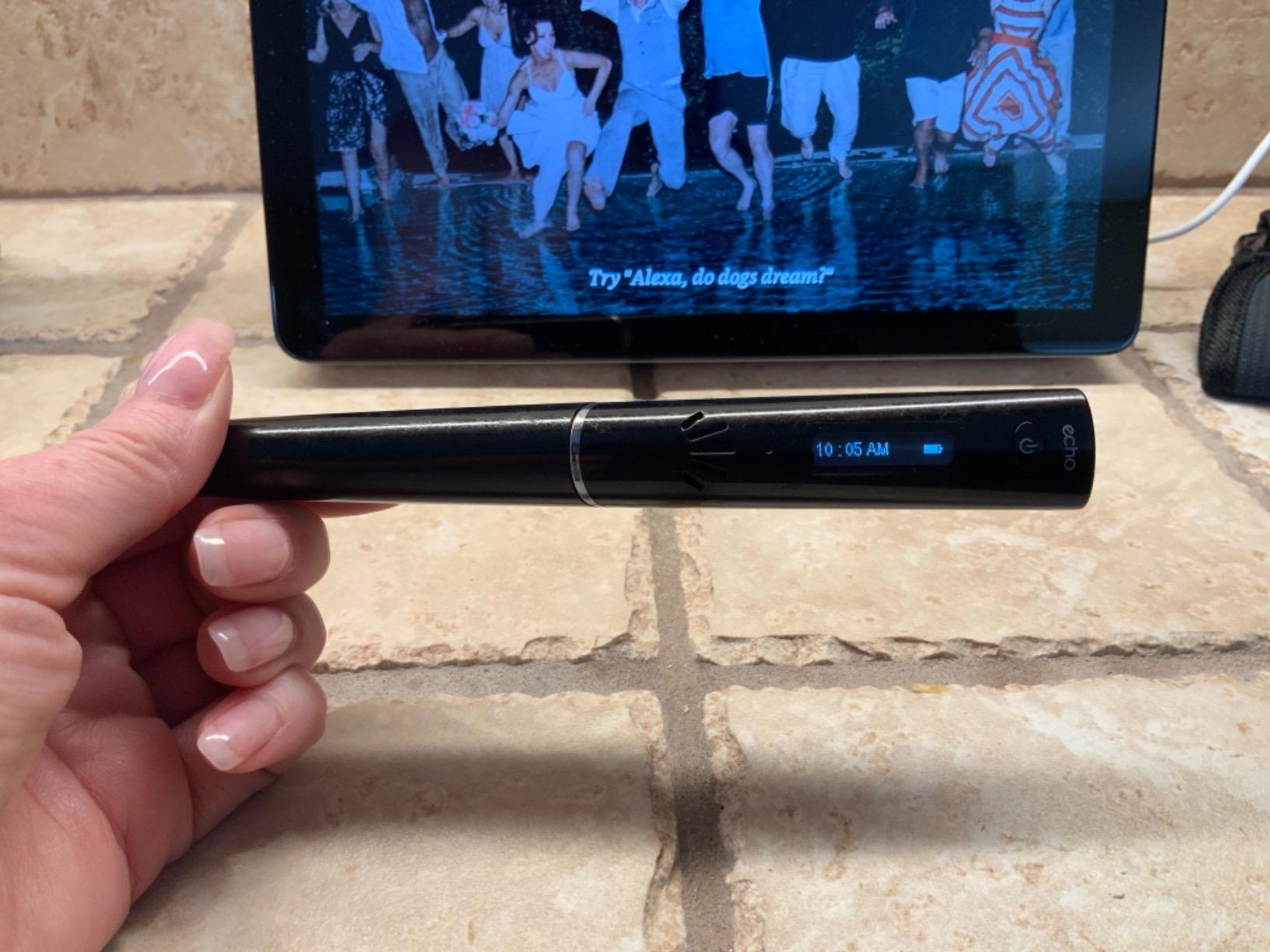
The 2GB storage holds roughly 200 hours of audio, which is more than enough for a full semester of classes. The 120-minute continuous recording time per charge covers most meetings and lectures without needing a mid-day recharge.
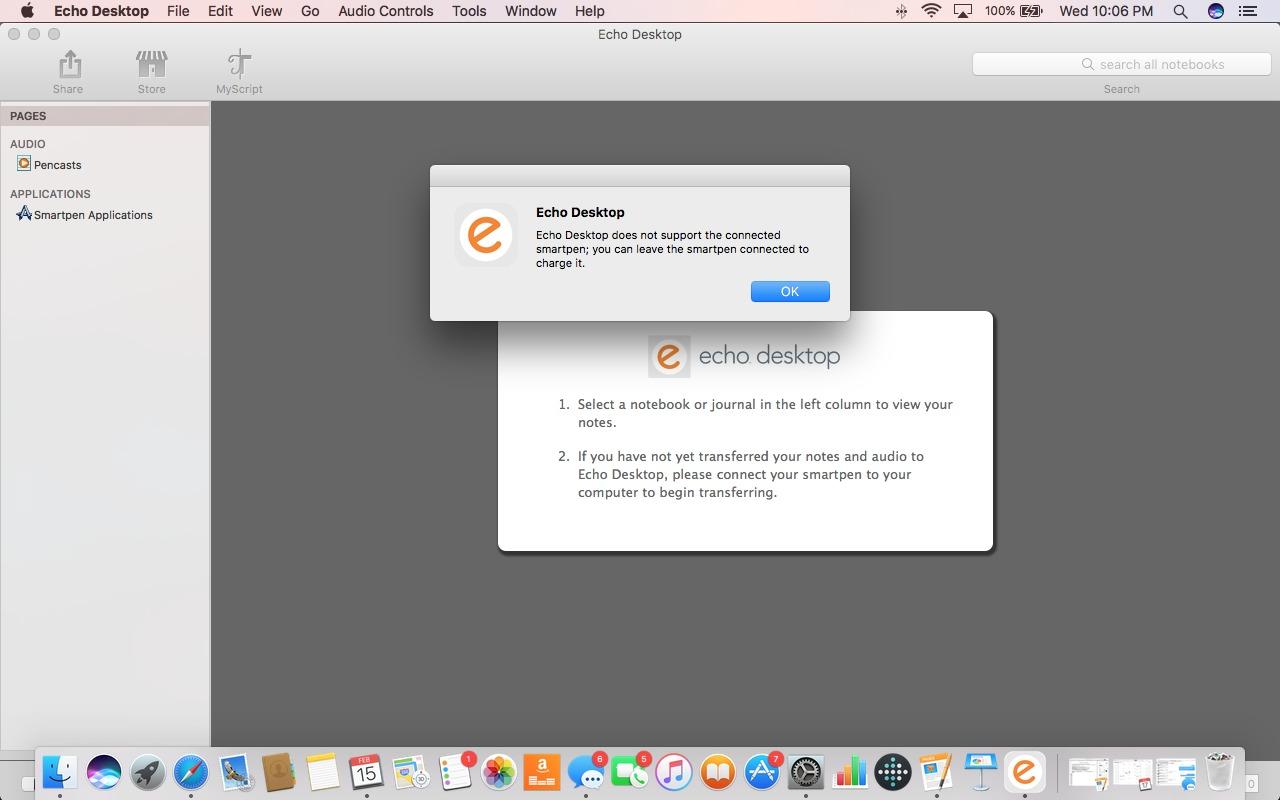
The Echo Desktop software organizes notes into notebooks and makes them searchable. I was able to find specific notes from weeks ago just by typing a keyword. The one catch is that converting handwriting to editable text requires an additional paid app called MyScript, which adds to the total cost.
The biggest downside is the pen’s thickness. At roughly the diameter of a marker, it causes hand fatigue after about 30 minutes of continuous writing. I also noticed the OLED screen on the pen can fade over time if the device is not charged regularly.
Best Suited For Students and Professionals Who Need Audio
This pen is ideal for college students, journalists, and meeting-heavy professionals who benefit from linking written notes to recorded audio. If you have ever wished you could hear a lecture or meeting moment again, the Echo solves that problem better than any other smart pen we tested.
Users with ADHD, hearing loss, or other learning challenges have also reported significant benefits from the audio-note sync feature, since it reduces the pressure to capture everything in real time.
Not Ideal For Long Writing Sessions or Budget Buyers
If you write for hours at a stretch, the Echo’s thick body will cause discomfort. It is also one of the more expensive options and requires proprietary dot-pattern paper, which adds ongoing costs. Pure note-takers who do not need audio will find better value elsewhere.
2. Livescribe Aegir Smartpen – Best for Cloud Integration
Livescribe Aegir Smartpen, Black Professional Edition with Executive Notebook – Compatible with Windows, iOS or Android Devices Like Smartphones, Tablets and Computers
Bluetooth sync
OCR 28 languages
Cloud export to Dropbox Drive OneNote
Metal and plastic build
Pros
- Syncs notes to cloud services automatically
- OCR supports 28 languages for searchable handwriting
- Exports as text PDF image or Word
- Compact compared to Echo model
Cons
- No built-in microphone needs phone for audio
- Bluetooth pairing can be frustrating
- Short battery life needs frequent charging
- Uses microUSB not USB-C
The Livescribe Aegir is the modern successor to the Echo, trading the OLED screen for a slimmer profile and Bluetooth connectivity. I tested it over a two-week period and found the cloud integration to be its strongest feature. Notes sync directly to Dropbox, Google Drive, OneNote, and Evernote without manual intervention.
What impressed me most was the OCR capability supporting 28 languages. I tested it with both English and Spanish notes, and the handwriting recognition worked well in both. You can export notes as text, PDF, images, or Word documents, which makes sharing with colleagues straightforward.
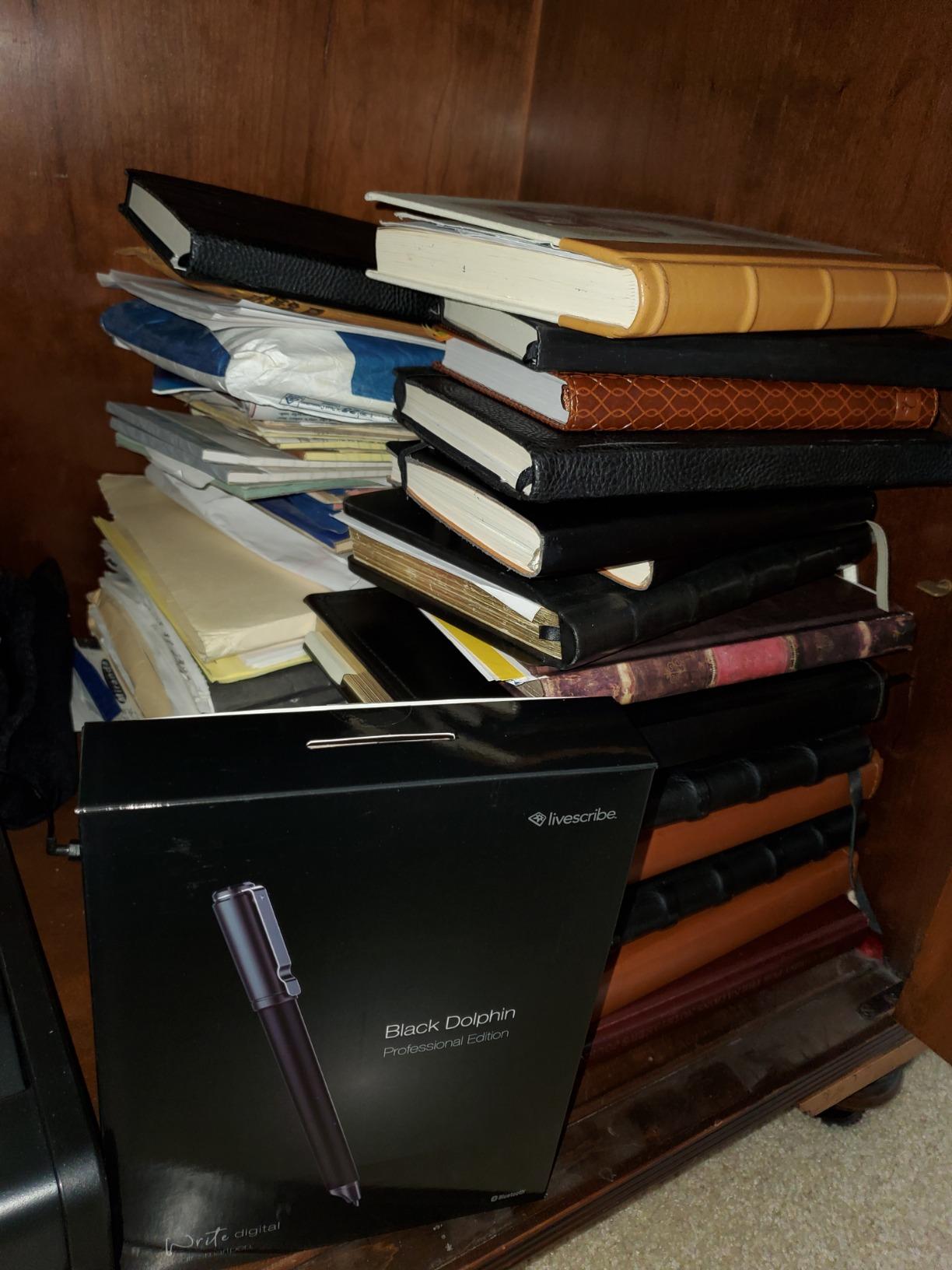
The Aegir feels more compact than the Echo and sits more comfortably in the hand. After a short adjustment period, writing felt natural. The included Executive Notebook is a nice touch and gives you everything you need to start immediately.
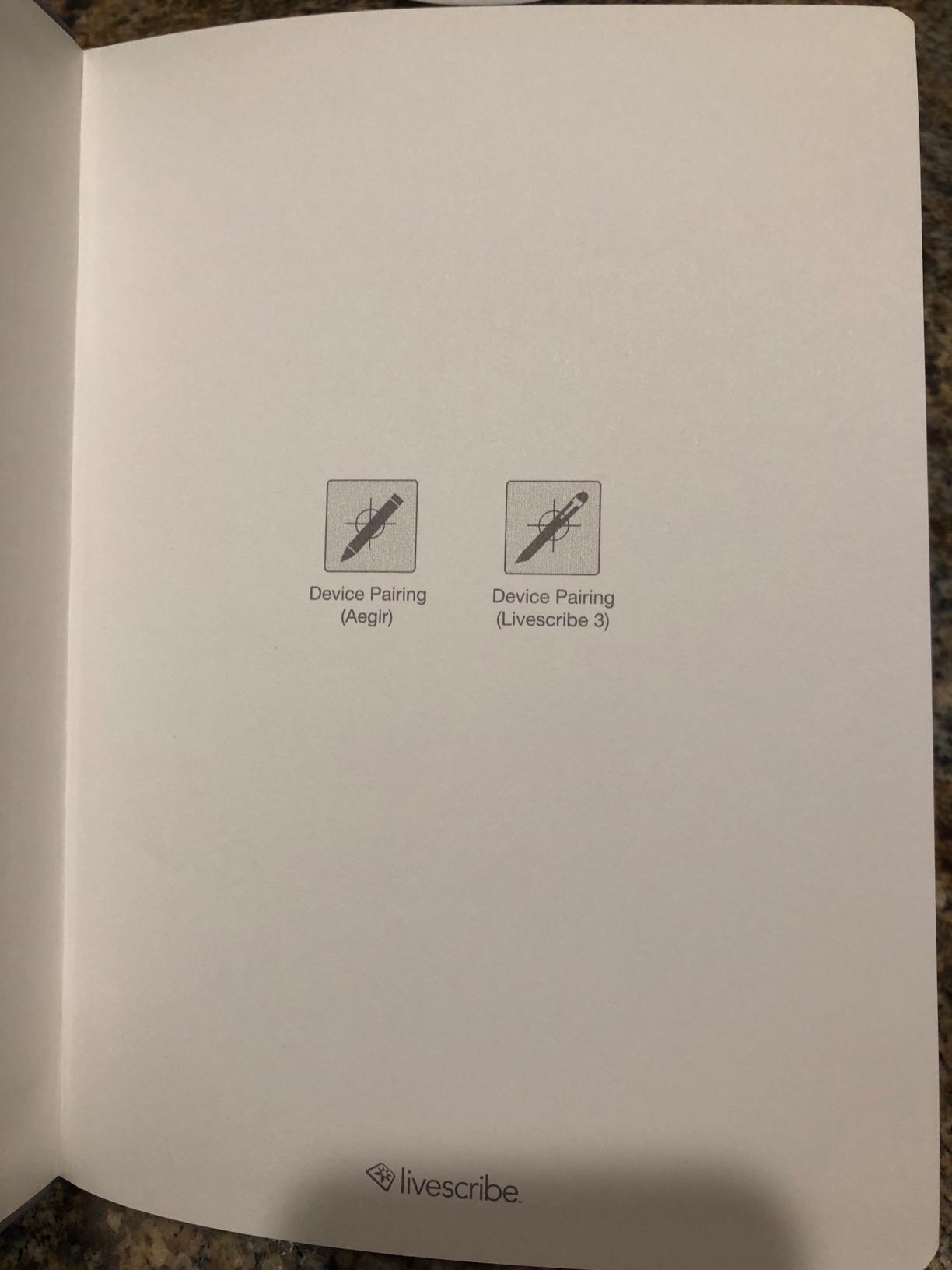
The main disappointment is the lack of a built-in microphone. Audio recording relies on your phone’s microphone through the Livescribe+ app, which means your phone needs to be nearby during recording. Bluetooth pairing was also hit or miss during my testing. I had to update the firmware before the connection became reliable.
Best Suited For Multilingual Users and Cloud-First Workflows
If you work across multiple languages or need notes automatically pushed to cloud services, the Aegir is the strongest option in the Livescribe lineup. The 28-language OCR and automatic cloud sync make it perfect for international professionals and students.
It also suits people who already organize their digital life through Dropbox, Google Drive, or OneNote and want their handwritten notes to flow into the same system.
Not Ideal For Audio-Dependent Users or Frequent Travelers
Without a built-in microphone, anyone who relies on audio-note sync should look at the Echo instead. The short battery life also means you need to charge it frequently, which is frustrating for all-day use or travel. The microUSB port is dated and makes charging less convenient.
3. Yuan Digital Sync Pen – Best Budget Smart Writing Set
Yuan Digital Sync Pen with Notebook, Smart Writing Set for Note Taking
Real-time sync
8hr battery 110-day standby
1.5hr fast charge
Includes notebook and mini notebook
Pros
- Excellent value with notebook and accessories included
- Real-time sync works smoothly
- 8 hours battery life with 110 days standby
- Offline storage auto-syncs when reconnected
Cons
- Notebook paper is gray with low contrast
- Replacement notebooks cost $19 each
- Google Drive sync is manual not automatic
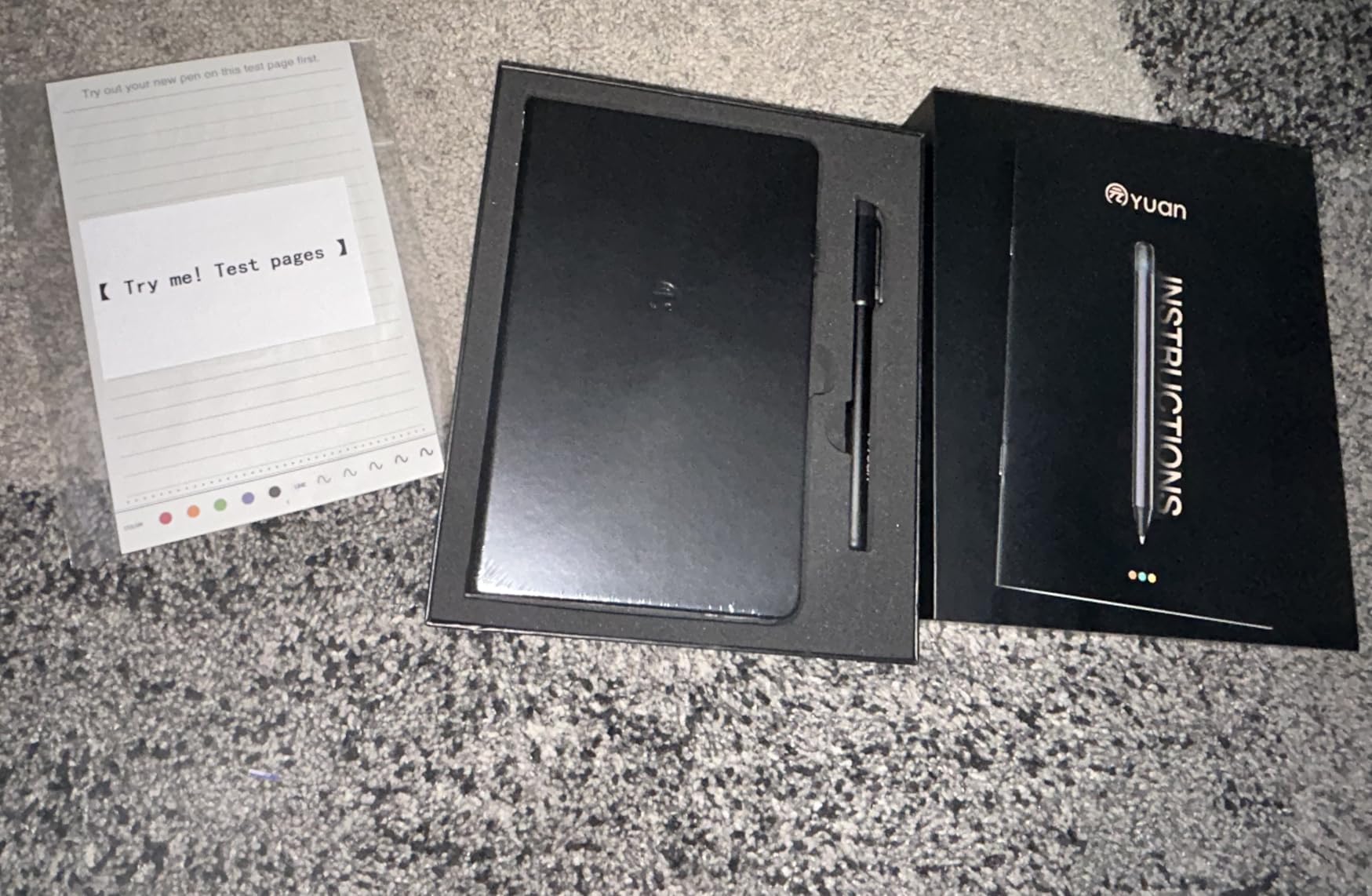
The Yuan Digital Sync Pen surprised me with how much it offers for the price. This is a complete smart writing set that includes the pen, a smart notebook, a mini notebook, five pen refills, bookmarks, and a charging cable. I tested it for a month and found the core functionality genuinely impressive.
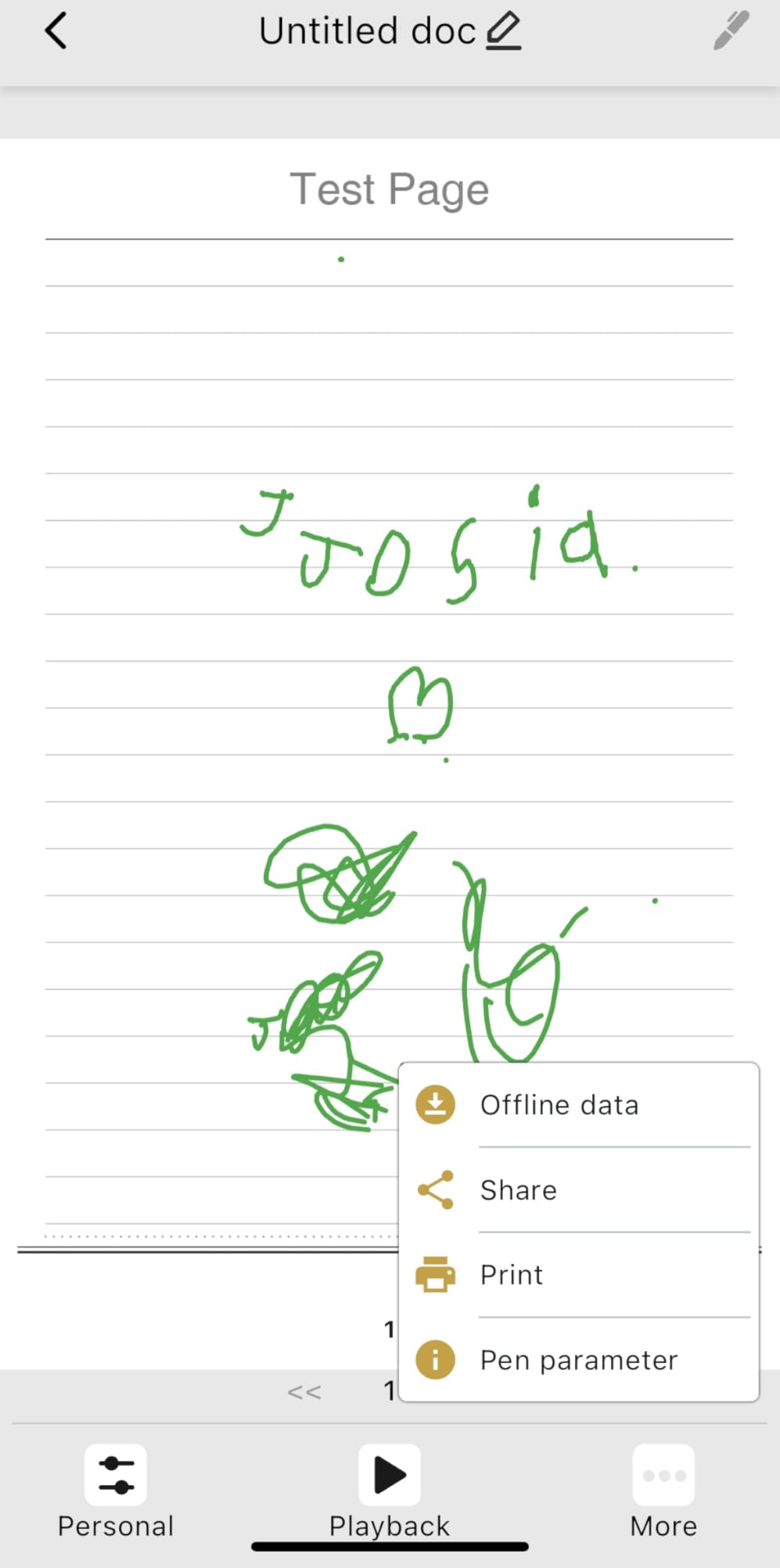
Real-time sync worked flawlessly in my testing. Every stroke appeared in the companion app within a second, and the handwriting-to-text conversion handled my messy handwriting better than I expected. You can also change pen colors and line widths in the app, which is a nice creative touch.
The battery life is a standout. Eight hours of continuous writing on a single charge is competitive with pens costing twice as much. The 110-day standby time means you can leave it in a drawer and come back to a pen that still has juice.
Offline storage is another feature I appreciated. When my phone was not connected, the pen stored notes internally and synced them automatically once I reconnected. This is perfect for environments where phones are not allowed, like certain classrooms or secure offices.
The main drawback is the notebook quality. The paper has a gray tint that reduces contrast with the ink, making it slightly harder to read than premium notebooks. Replacement notebooks cost $19 each, which adds up over time.
Best Suited For Budget-Conscious Students and First-Time Buyers
At this price point with everything included, the Yuan Sync Pen is the best entry point into smart pen technology. Students who want to try digitizing their notes without a major investment will find excellent value here. The 71 percent five-star rating confirms strong overall satisfaction.
It is also great for people who want a complete out-of-the-box experience without needing to buy additional accessories.
Not Ideal For Users Needing Cloud Automation or Audio Recording
Google Drive sync is manual, so if you need notes automatically pushed to the cloud, this is not the right choice. There is also no audio recording capability, which limits its usefulness for lectures and interviews where audio context matters.
4. Ophayapen Smart Pen with Notebook and Board – Best All-In-One Feature Set
Ophayapen 3-in-1 Smart Writing-Smart Pen, Digital Notebook, Writing Board
1024 pressure levels
Audio sync
Aluminum build
OCR text conversion
Pros
- Comprehensive feature set with OCR audio sync and searchable notes
- Includes writing board for digital drawing
- 1024 levels of pressure sensitivity
- Aluminum construction feels premium
Cons
- App UX is difficult to navigate
- Customer support hard to reach
- Some units fail after months of use
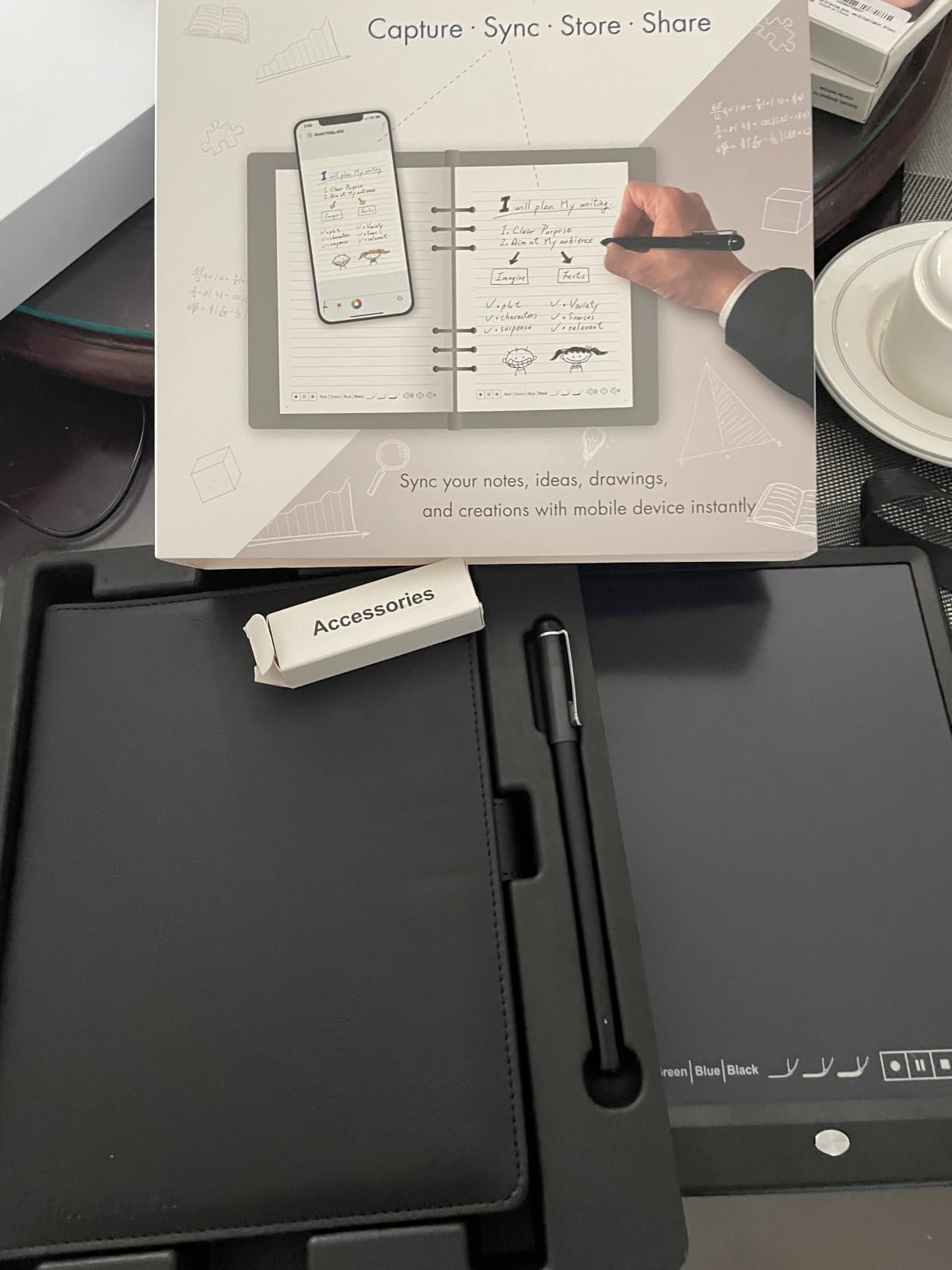
The Ophayapen Smart Pen with Notebook and Board ranks number 44 in Digital Pens on Amazon, and after testing it, I can see why it is popular. It packs an impressive range of features into one kit, including real-time sync, OCR text conversion, audio recording, and a digital writing board.
I used this pen during a week of client meetings and found the OCR handwriting recognition surprisingly capable. It converts notes into editable Word documents and supports keyword, tag, and timestamp searches. Exporting as PDF, Word, PNG, GIF, or MP4 gives you flexibility for different sharing scenarios.
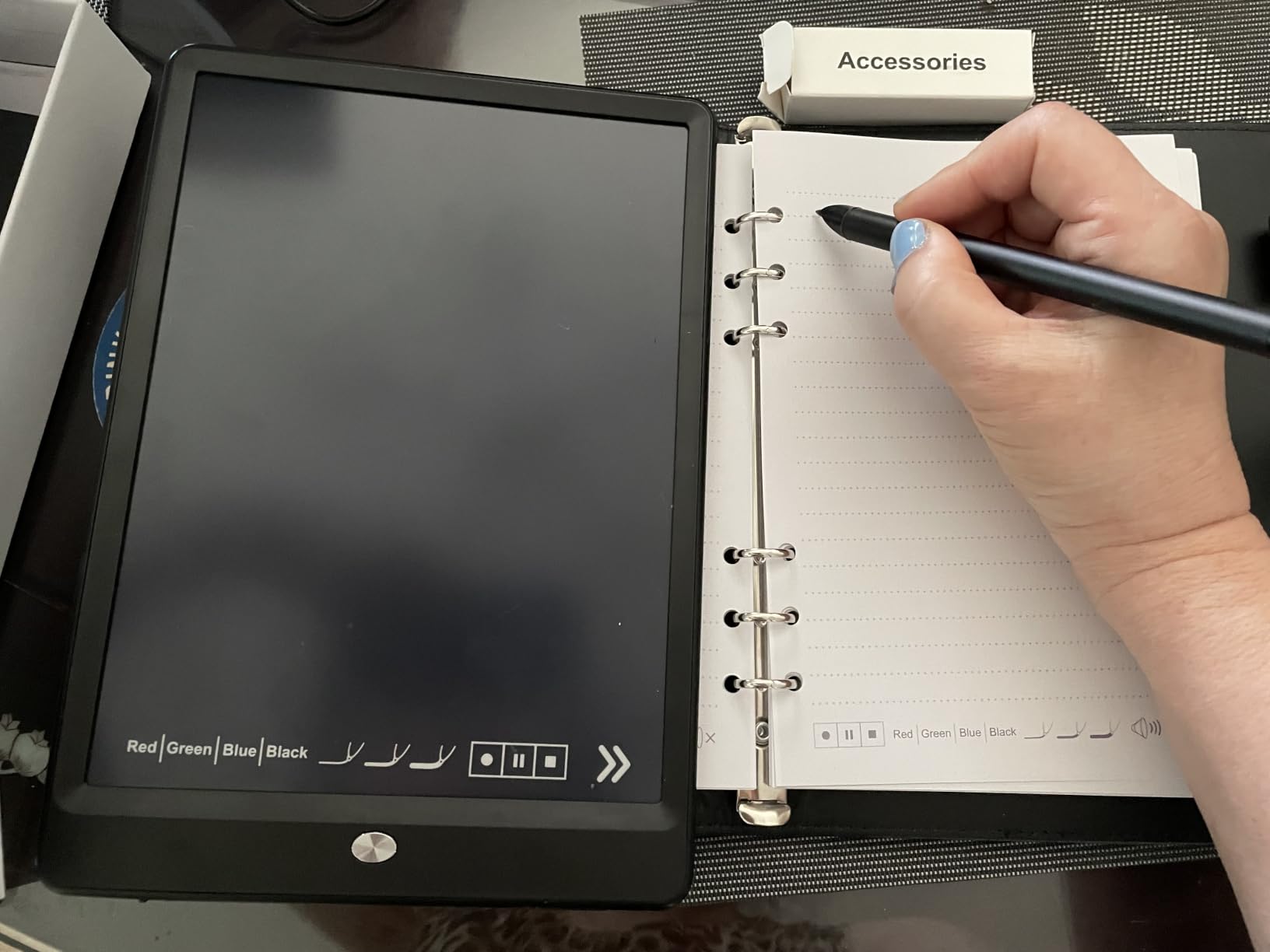
The included writing board is a standout feature that competitors do not offer. You can sketch, draw, or take quick notes on the board without consuming notebook pages. I found this useful for brainstorming sessions where I wanted to jot down ideas without using up paper.
The 1024 levels of pressure sensitivity make this pen suitable for artists and creative professionals who need variable line thickness. The aluminum construction gives it a premium feel that justifies its position in the mid-range price tier.
The biggest weakness is the app experience. Navigating recordings and notes is frustrating, and there is no audio playback speed control. You also cannot tap on written notes in the app to jump to the corresponding audio moment, which is a feature the Livescribe handles much better.
Best Suited For Feature-Hungry Users and Artists
If you want the most features possible in a single smart pen kit, the Ophayapen with board is hard to beat. The pressure sensitivity and included writing board make it especially appealing for artists, designers, and creative professionals.
It also suits users who want both text conversion and audio recording in one device without paying premium Livescribe prices.
Not Ideal For Users Who Need Reliable Long-Term Durability
Some users report the device stopped working after several months, and customer support is difficult to reach. If you need a pen that will survive heavy daily use for years, the build quality and support issues are a concern. The app learning curve may also frustrate less tech-savvy users.
5. Ophaya Digital Smart Pen Writing Set – Best Value 3-in-1 Kit
Ophaya Smart Pen & Reusable Digital Notebook – Sync Notes to Your App
3-in-1 kit
OCR and audio sync
Multiple export formats
Android 13 and iOS 16
Pros
- Generous accessory bundle with pen notebook board and refills
- Real-time digitization with OCR text conversion
- Audio recording synced with written notes
- Great value for included items
Cons
- Some units fail after one month
- Requires proprietary dot-pattern paper
- Customer support unhelpful
The Ophaya Digital Smart Pen Writing Set is a newer, lower-priced alternative in the Ophaya lineup that offers a 3-in-1 package. My testing kit included the smart pen, a notebook, a writing board, four ballpoint refills, two writing board stylus tips, and a USB cable.
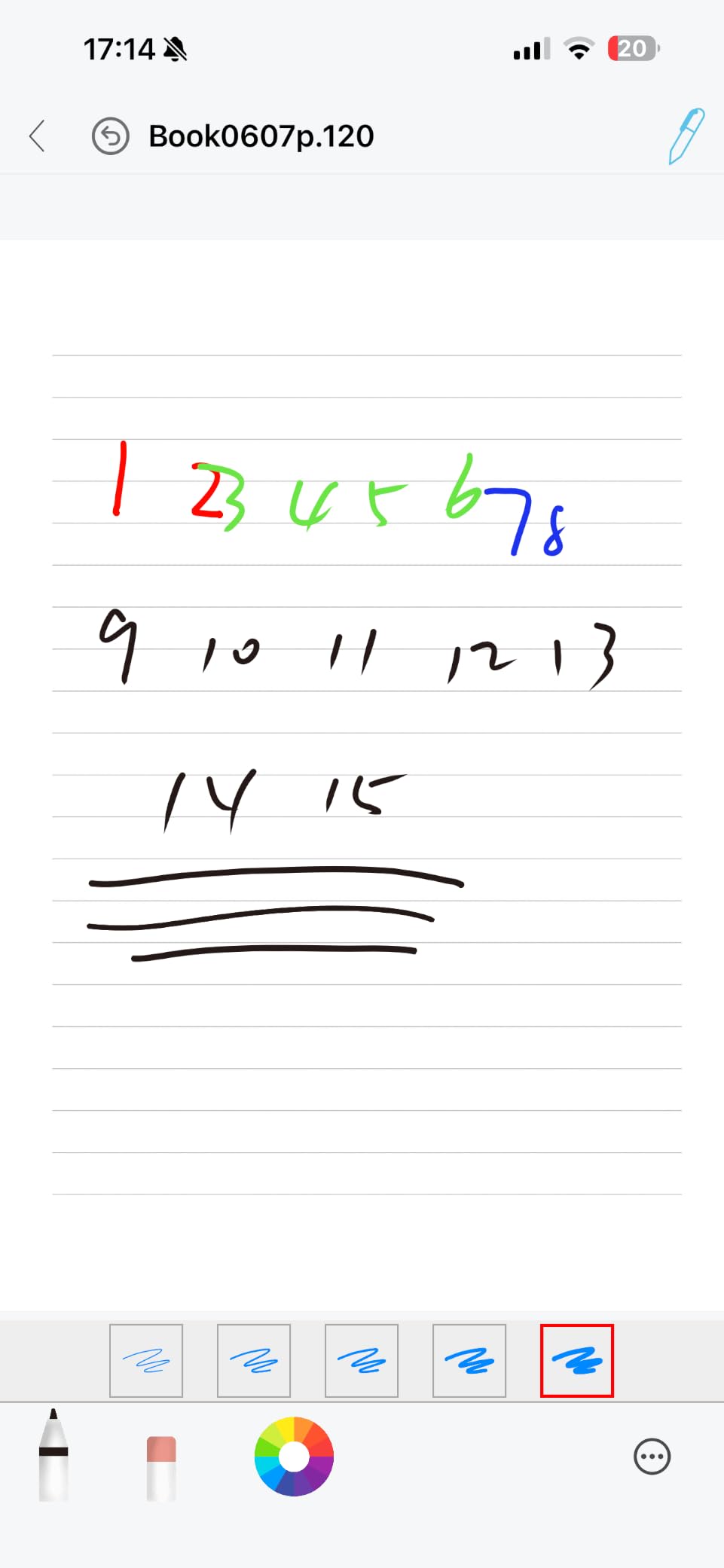
Real-time digitization and syncing worked smoothly through the Ophaya Pro+ app. Handwriting is searchable with keyword and tag support, and the OCR text recognition converts notes into editable text and Word files. I tested the audio recording sync and found it adequate for meeting context playback.
The writing board is particularly useful for saving notebook pages. Instead of writing everything in your notebook, you can draft, sketch, or brainstorm on the board and only commit final notes to paper. This extends the life of your notebook significantly.
Exporting is flexible with support for Word, PDF, PNG, MP4, and video formats. I was able to combine multiple pages into a single file before sharing, which streamlined my workflow when sending meeting summaries to colleagues.
Durability is the main concern. At least one user reported the device dying after one month, and customer support was described as unhelpful when issues arose. The pen also requires proprietary dot-pattern paper, adding to ongoing costs.
Best Suited For Casual Users Who Want Maximum Accessories
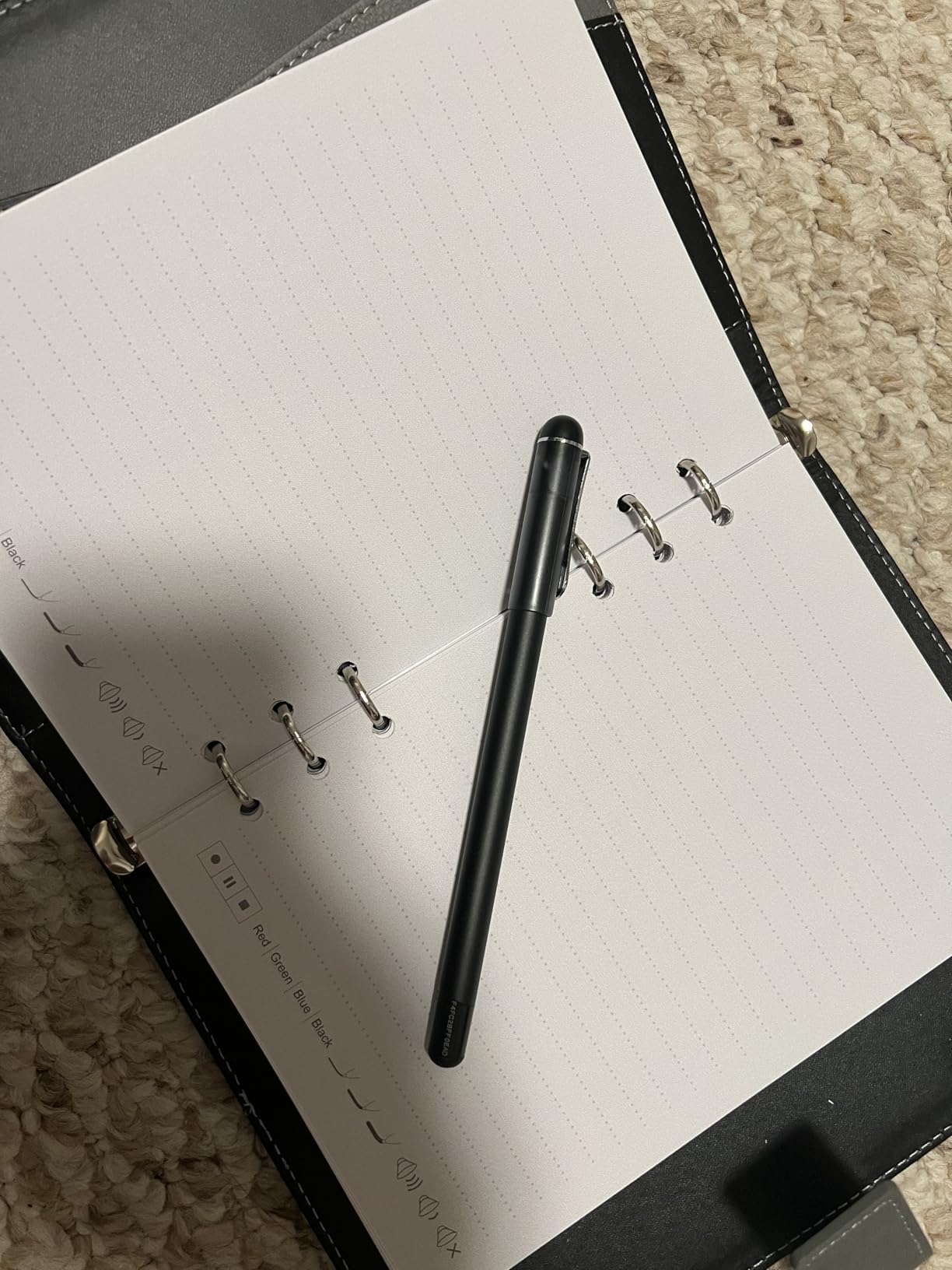
The generous accessory bundle makes this set perfect for someone trying smart pens for the first time. You get a pen, notebook, and writing board in one package, so there is nothing else to buy before starting.
It also suits students and professionals who want flexibility in how they take notes, thanks to the dual notebook and writing board setup.
Not Ideal For Users Who Need Guaranteed Reliability
The mixed reliability reports are a real concern. If your smart pen is essential for daily work or study, the possibility of it failing after a month with poor customer support is a significant risk. Consider the Livescribe Echo or Yuan Sync Pen for more dependable long-term use.
6. Ophaya Sync Smart Pen with A5 Notebooks (5-Pack) – Best for Bulk Notebook Value
Ophaya Smart Digital Notebook and Smart Pen Real-Time Sync to Phone
5 A5 notebooks included
OCR text conversion
Audio-linked notes
Android 6.0 and iOS 11
Pros
- Five A5 notebooks included for excellent value
- Real-time sync with OCR text conversion
- Audio-linked notes with tap to replay
- Offline capability with auto-sync
Cons
- Replacement specialty paper hard to find
- Pen ink slightly rough
- Pen cap easy to lose
- Only way to turn pen off
The Ophaya Sync Smart Pen with 5-Pack of A5 notebooks caught my attention because of the sheer value. Each notebook has 124 pages or 62 sheets, giving you 620 pages of smart paper right out of the box. That is more than enough for several months of heavy note-taking.
I tested the real-time sync feature across both Android and iOS devices and found it consistent. The Ophaya Pro+ app digitizes notes instantly, and the OCR text conversion handled my handwriting with reasonable accuracy. Searching notes by keywords, tags, or timestamps made finding old notes quick.

The audio-linked notes feature lets you record audio synchronized to your writing. You can then tap notes to replay context-specific recordings, which is genuinely useful during review sessions. Multiple export formats including PDF, Word, PNG, GIF, and MP4 cover most sharing needs.
The pen writes well and feels natural, though the ink is slightly rougher than premium alternatives. The offline capability means notes save without connectivity and auto-sync when you reconnect, which I tested by writing in airplane mode.
The biggest downside is sourcing replacement paper. The Ophaya proprietary notebooks can be difficult to find separately, which is a concern once you burn through the included five-pack. The pen cap is also the only way to turn the pen off, and it is easy to lose.
Best Suited For Heavy Note-Takers Who Want Paper Supply
If you go through notebooks quickly, the five-pack bundle provides exceptional value. Students with heavy lecture schedules and professionals in meeting-intensive roles will appreciate not needing to buy replacement paper for months.
The 4.2-star rating with 63 percent five-star reviews indicates consistent user satisfaction, making this a safe bet for first-time smart pen buyers.
Not Ideal For Users Who Want Premium Writing Feel
The pen ink is slightly rough compared to the Lamy Safari x Neo or Livescribe options. If you are particular about the tactile writing experience, this may bother you. The app could also be more polished, and the lack of warranty from some sellers is a concern.
7. Ophayapen Smart Pen Note-Taking Set – Best Premium Feel Budget Option
Ophayapen Smart Pen & Smart Digital Notebook| Real-time Mobile Sync
Aluminum construction
All-in-one kit
OCR text conversion
Audio-synced notes
Pros
- Premium aluminum pen feels high quality
- All-in-one kit with notebook and writing board
- Handwriting-to-text works well even with messy writing
- Good battery life lasting nearly a week
Cons
- Requires Ophaya proprietary paper
- App requires payment info for verification
- Writing board not backlit
- Only 30-day warranty
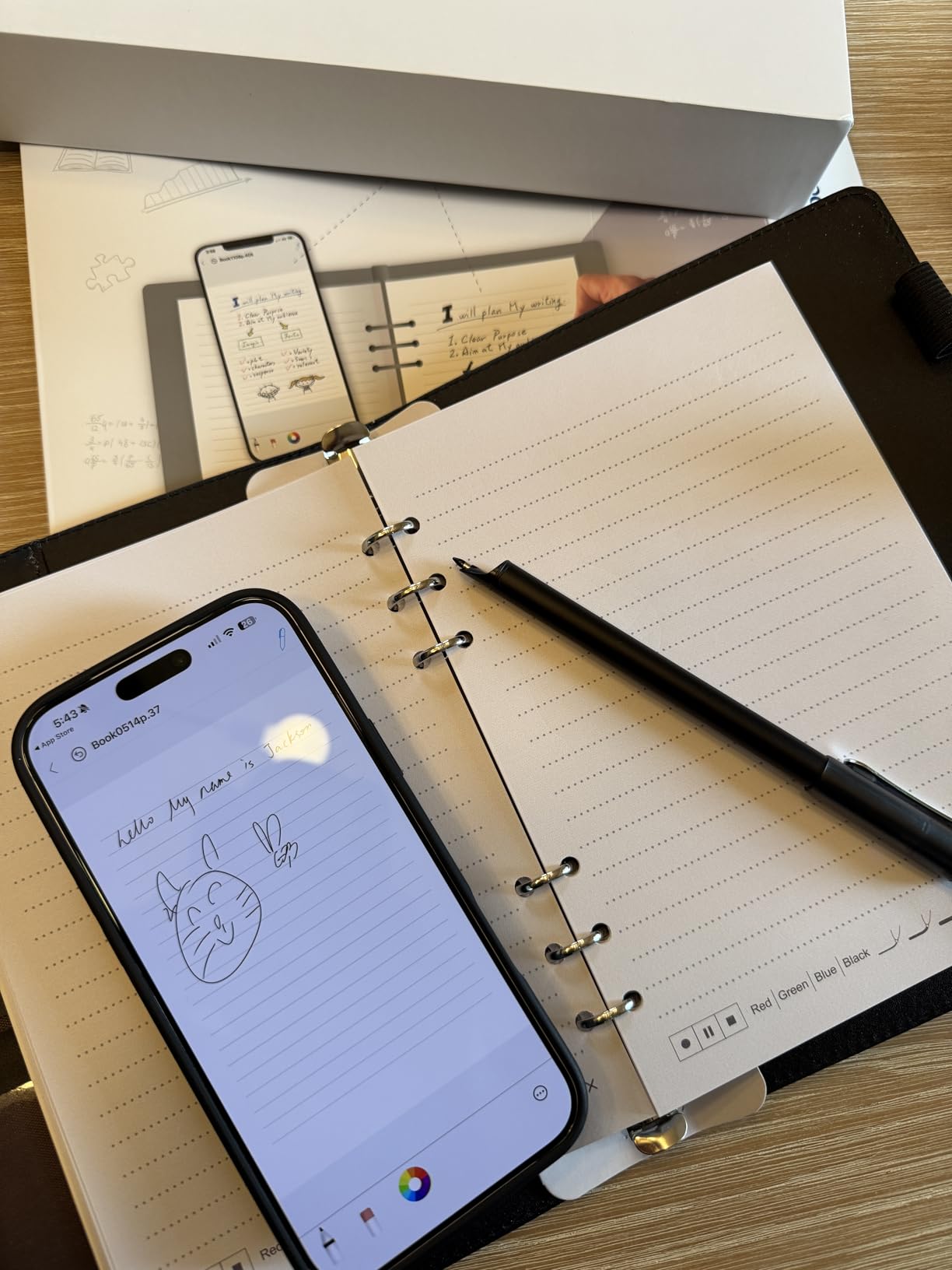
The Ophayapen Smart Pen Note-Taking Set offers something the other Ophaya models do not: an aluminum pen body that genuinely feels premium. I was skeptical about build quality at this price, but the pen has a solid, well-balanced feel that rivals more expensive options.
This all-in-one kit includes the smart pen, a PU notebook with 60 sheets, a writing board, four ballpoint refills, two plastic pen nibs, and a USB charging cable. The handwriting-to-text conversion surprised me by handling my notoriously messy handwriting with impressive accuracy.
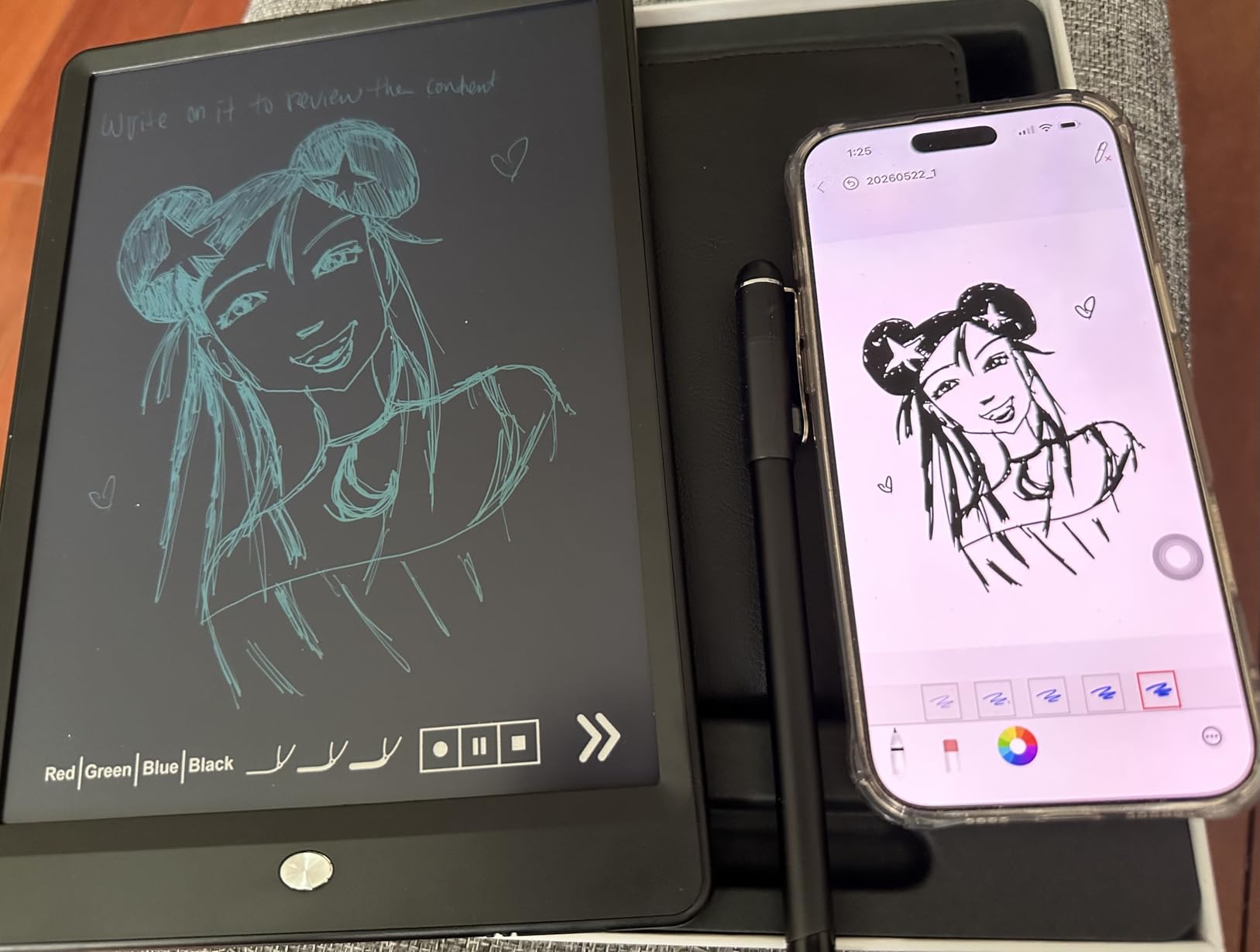
The audio-synced notes feature lets you record audio while writing and tap your notes later to jump to the exact moment in the recording. I found this especially useful for capturing meeting context. Offline use with auto-sync worked reliably in my testing.
Battery life is a highlight. The pen lasted nearly a week of moderate use between charges. Export options are versatile with PDF, Word, PNG, GIF, and MP4 formats, and you can combine multiple pages into a single file before sharing.
The main concerns are the proprietary paper requirement and the app’s payment verification process. The app asks for payment information for verification to an overseas company, which understandably makes some users uncomfortable. The writing board is also not backlit, making it difficult to use in low light.
Best Suited For Users Who Want Premium Feel Without Premium Price
If the tactile quality of the pen matters to you, this aluminum model offers the best build quality in the Ophaya lineup. It is perfect for professionals who want a smart pen that does not feel like a plastic toy in meetings.
The nearly week-long battery life also makes it great for users who do not want to worry about charging daily.
Not Ideal For Privacy-Conscious Users or Long-Term Warranty Seekers
The app’s payment information requirement raises privacy concerns for some users. The 30-day warranty is also the shortest among all pens we tested, so if reliability is your top priority, consider alternatives with longer manufacturer warranties.
8. SyncPen Digital Notebook Smart Pen Set – Best for Subscription-Free Use
SyncPen Digital Notebook Smart Pen Set | Real Time Sync from Paper to App, Bluetooth Pen with OCR and Audio Recording | Gift for Students, Creators & Professionals
71+ language OCR
Lifetime app access
AES 256 encryption
Bluetooth 5.0
Pros
- Lifetime app access with zero subscriptions
- 71+ language handwriting recognition
- Unlimited cloud storage with AES 256 encryption
- 7-day battery life per charge
Cons
- Notebook is one-time use only
- Reliability concerns with 16 percent 1-star reviews
- Only works with proprietary paper
- Replacement notebook cost is high
The SyncPen Digital Notebook Smart Pen Set stands out for one reason that matters to a lot of buyers: lifetime app access with zero subscriptions. In a market where some competitors push recurring fees, the SyncPen’s one-time purchase model is refreshing.
I tested the AI handwriting recognition across English and found it handled even messy writing well. The system supports 71+ languages, including math equations and music notation, which is more comprehensive than any other pen in this roundup. The clean app interface made navigation straightforward.
Real-time sync via Bluetooth 5.0 was fast and seamless in my testing. The pen feels like a normal pen rather than a bulky gadget, which is important for extended writing sessions. Notes export as PDF, DOCX, JPEG, or MP4 with no format restrictions.
The unlimited cloud storage with AES 256 encryption is enterprise-grade security that gives peace of mind for sensitive notes. The 7-day battery life per charge is among the best we tested, and the offline-first design means notes save automatically and sync when you reconnect.
The trade-off is reliability. Sixteen percent of reviews are one-star, with complaints about the notebook being one-time use only and the inability to use standard paper. Some users report initial setup learning curves that required patience to overcome.
Best Suited For Multi-Language Users and Subscription Haters
If you write in multiple languages or work with mathematical notation, the SyncPen’s 71+ language support is unmatched. It is also the clear choice for anyone who refuses to pay recurring subscription fees for their note-taking software.
Professionals who value data security will appreciate the AES 256 encryption and enterprise-grade cloud storage.
Not Ideal For Users Who Want Reusable Notebooks or Proven Reliability
The one-time-use notebook requirement means ongoing paper costs, and the 16 percent one-star rate is higher than I would like. If proven long-term reliability is your priority, the Livescribe Echo or Yuan Sync Pen are safer bets based on user feedback.
9. Yuan Digital Smartpen Writing Set – Best Budget Compact Option
Yuan Digital Smartpen Writing Set, Smart Pen and Notebook for Note Taking
360-degree capture
Video playback
8MB offline storage
1.5hr fast charge
Pros
- Real-time sync with 360-degree accurate capture
- Video playback of creative process
- Compact and lightweight design
- Pen feels comfortable and well balanced
Cons
- Only works with proprietary Yuan paper
- Some units fail out of the box
- Bungee pen holder on notebook is flimsy
- Lower build quality at this price
The Yuan Digital Smartpen Writing Set is a compact and lightweight option that includes a smart pen, a 93-page notebook, a 32-page small notebook, four pen refills, and a USB charging cable. The kit provides everything needed to start digitizing notes at a competitive price.
I found the pen comfortable and well-balanced, which is not always the case at this price point. It feels like a regular pen rather than a tech gadget. The 360-degree accurate capture digitizes notes reliably through the Yuan app on both iOS and Android.
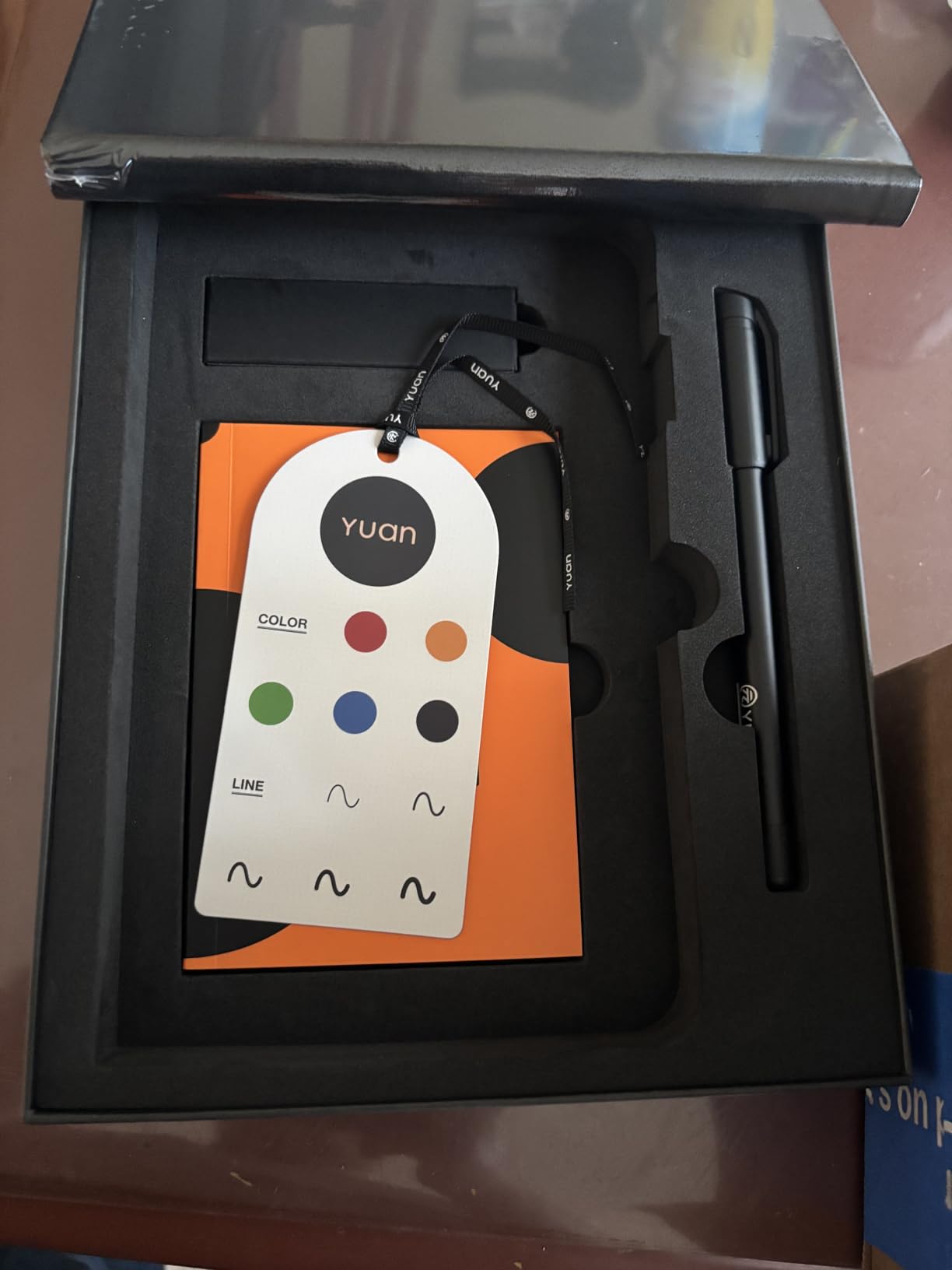
A standout feature is video playback. You can save and replay your notes in video format, which shows your creative process stroke by stroke. This is fun for artists and useful for reviewing how you arrived at a particular note or drawing.
The offline storage uses built-in 8MB memory that holds approximately 15 pages of A4 data. When you reconnect to your device, the stored notes download automatically. The 1.5-hour charging time delivers 8 hours of continuous use, which is solid for this price range.
However, reliability is a concern. Some users report units that never worked out of the box, and the folio clasp can break within days. The bungee-style pen holder is flimsy, and writing sync quality can be inconsistent. These are the trade-offs of the lower price point.
Best Suited For Casual Users and Creatives on a Budget
If you want to try smart pen technology without a major investment, the Yuan Digital Smartpen offers solid core functionality at a budget-friendly price. The video playback feature makes it particularly appealing for artists and creative users who want to capture their drawing process.
Students on a tight budget will also find the included two notebooks and refills provide good starter value.
Not Ideal For Mission-Critical Use or Long Sessions
The reliability concerns make this unsuitable for situations where you cannot afford to lose notes. The limited offline storage of approximately 15 pages also restricts extended offline use. For dependable daily use, consider the Yuan Digital Sync Pen or Ophaya 5-Pack instead.
10. Lamy Safari x Neo Smartpen – Best Premium Design and Writing Feel
[Lamy Safari x Neo Smartpen] The Iconic Design You Love, with the Digital Power You Need. Premium Handwriting Digitizer for Professionals & Creatives.
Authentic Lamy Safari design
16MB internal storage
D1 ink refills
Aluminum construction
Pros
- Premium Lamy Safari design and ergonomics
- Replaceable D1 ink cartridges readily available
- Excellent battery life lasting months
- Can print own Ncode paper with laser printer
Cons
- Requires special Ncode paper not included
- No notebook included in box
- App is cloud only with privacy concerns
- Uses Micro USB not USB-C
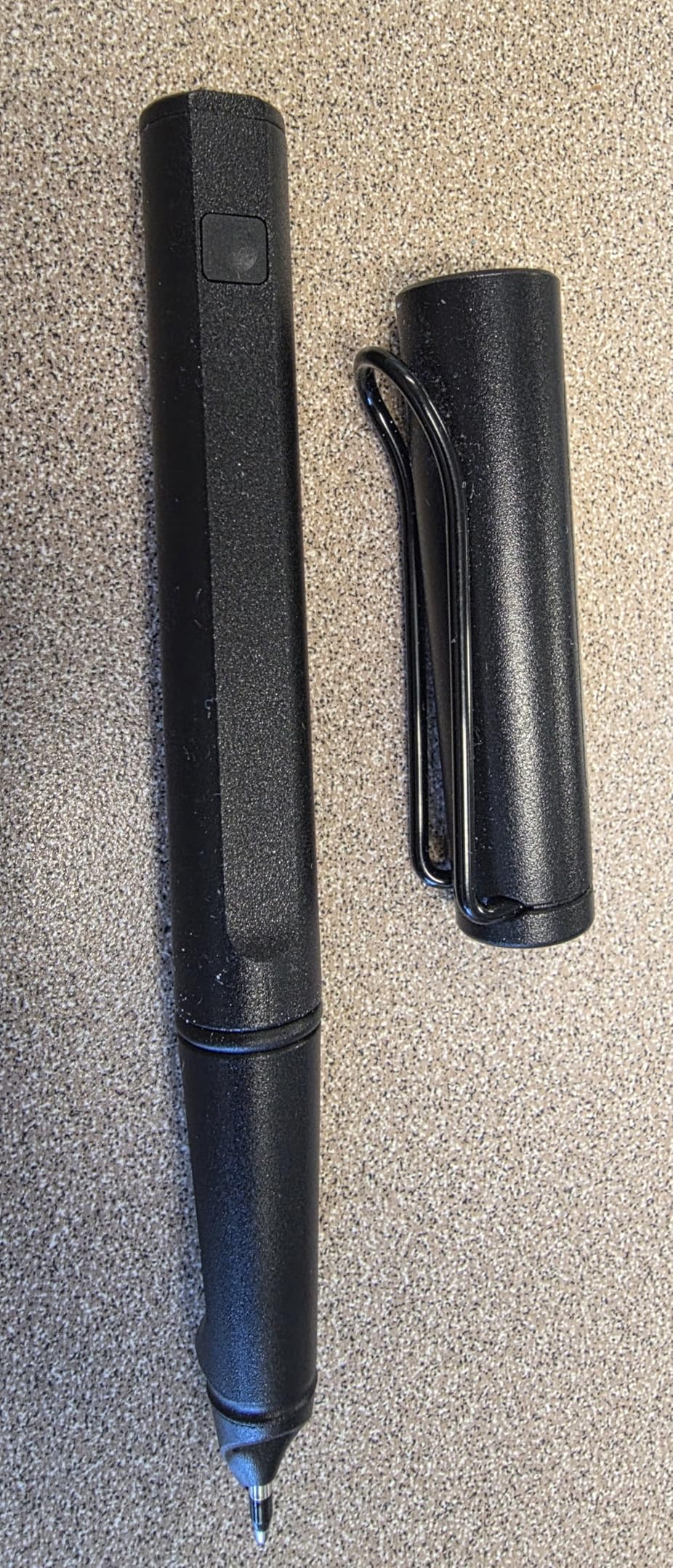
The Lamy Safari x Neo Smartpen is the best-writing smart pen I have ever used, hands down. It is a collaboration between Neo Smartpen and Lamy, the renowned German pen manufacturer. The result is a smart pen that genuinely feels like a premium writing instrument rather than a tech device.
I wrote with this pen for hours without any hand fatigue, which is a claim I cannot make about any other smart pen in this roundup. The authentic Lamy Safari body has the same ergonomic grip and balanced weight that pen enthusiasts have loved for decades.
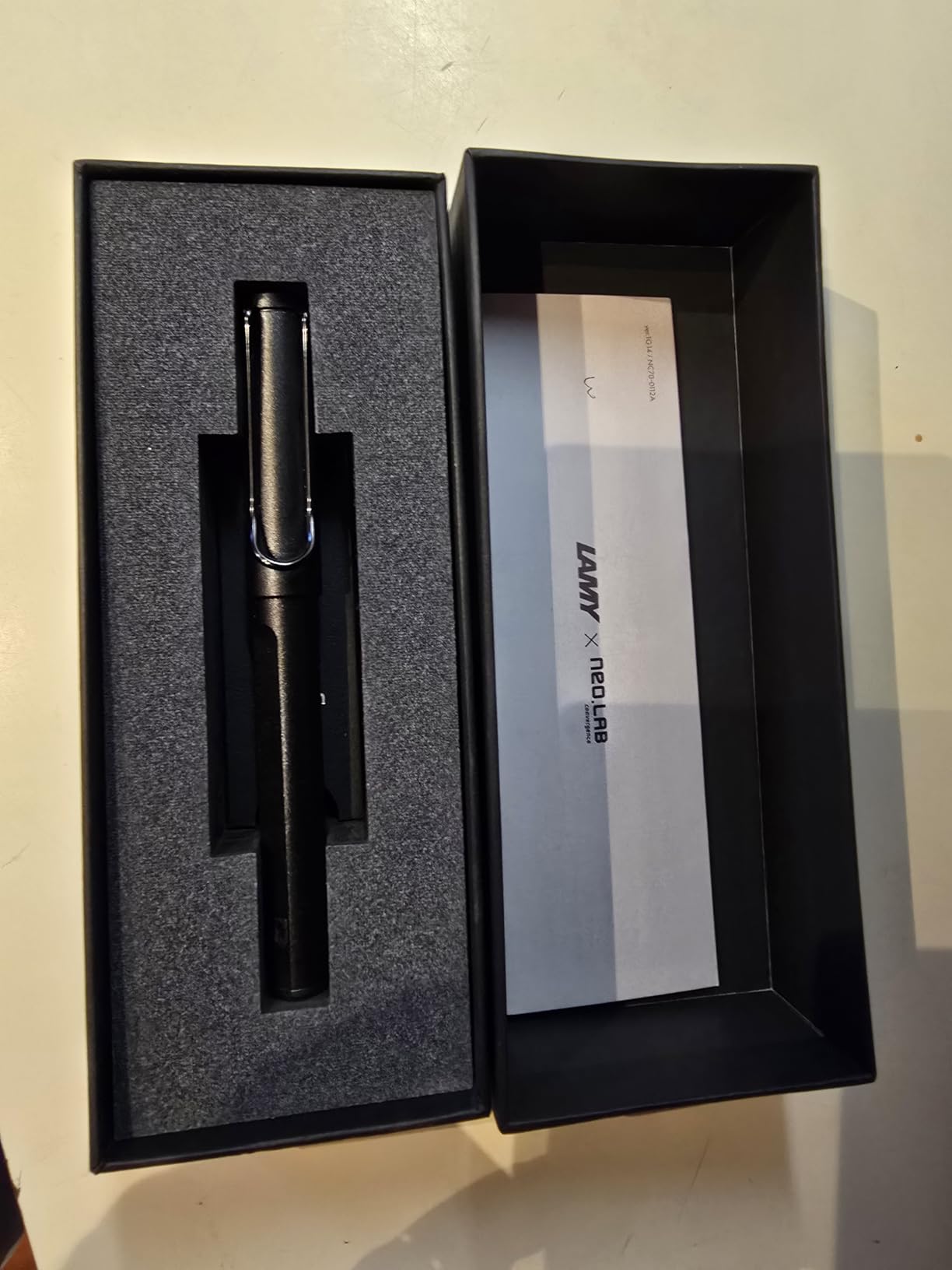
The digitization is accurate, using Ncode micro-dot paper technology. The 16MB internal storage lets you write now and sync later, which I tested by taking notes offline and syncing them when I returned to my desk. Notes export as PDF files and are searchable.
One feature I love is that it uses standard D1 ink cartridges. Unlike proprietary refills from other brands, D1 cartridges are available at any office supply store. You can even print your own Ncode paper with a good laser printer, which significantly reduces ongoing paper costs.
The battery life is exceptional. One user reported charging it once in February and still using it months later. That kind of longevity makes the price easier to accept. The transcription function is advanced and accurate even with messy handwriting.
Best Suited For Pen Enthusiasts and Long-Session Writers
If writing comfort is your top priority, nothing else comes close. The Lamy Safari x Neo is perfect for journalers, novelists, and anyone who writes for extended periods. Pen collectors and enthusiasts will appreciate the authentic Lamy design and feel.
The ability to use standard D1 refills and print your own paper makes it appealing for users who want to minimize ongoing costs.
Not Ideal For Budget Buyers or Cloud-Avoidant Users
At $169 for just the pen with no notebook included, this is an investment. The cloud-only app requires login with no local storage option, which is a concern for privacy-conscious users. The app also has a reputation for poor support and breaking changes during updates.
11. Neo Smartpen M1+ – Best for Battery Life and Internal Storage
Neo Smartpen M1+ (Black)
17hr continuous battery
1000 page internal storage
USB-C charging
Polycarbonate body
Pros
- 17 hours of continuous writing per charge
- Stores up to 1000 pages internally
- USB-C charging for modern convenience
- Comfortable ergonomic design feels like premium ballpoint
Cons
- App NeoStudio2 is unintuitive and buggy
- Requires frequent app re-login
- Proprietary micro-dot paper required
- Customer support described as unhelpful
The Neo Smartpen M1+ leads the pack in two specifications that matter for heavy users: 17 hours of continuous battery life and 1000 pages of internal storage. I tested the battery claim over several days of use and it held up impressively well.
The pen feels like a premium ballpoint rather than a tech gadget. The polycarbonate body is lightweight and comfortable, with an auto on/off feature triggered by cap removal. I appreciated the USB-C charging, which is a welcome modernization over the microUSB ports on older Neo models.
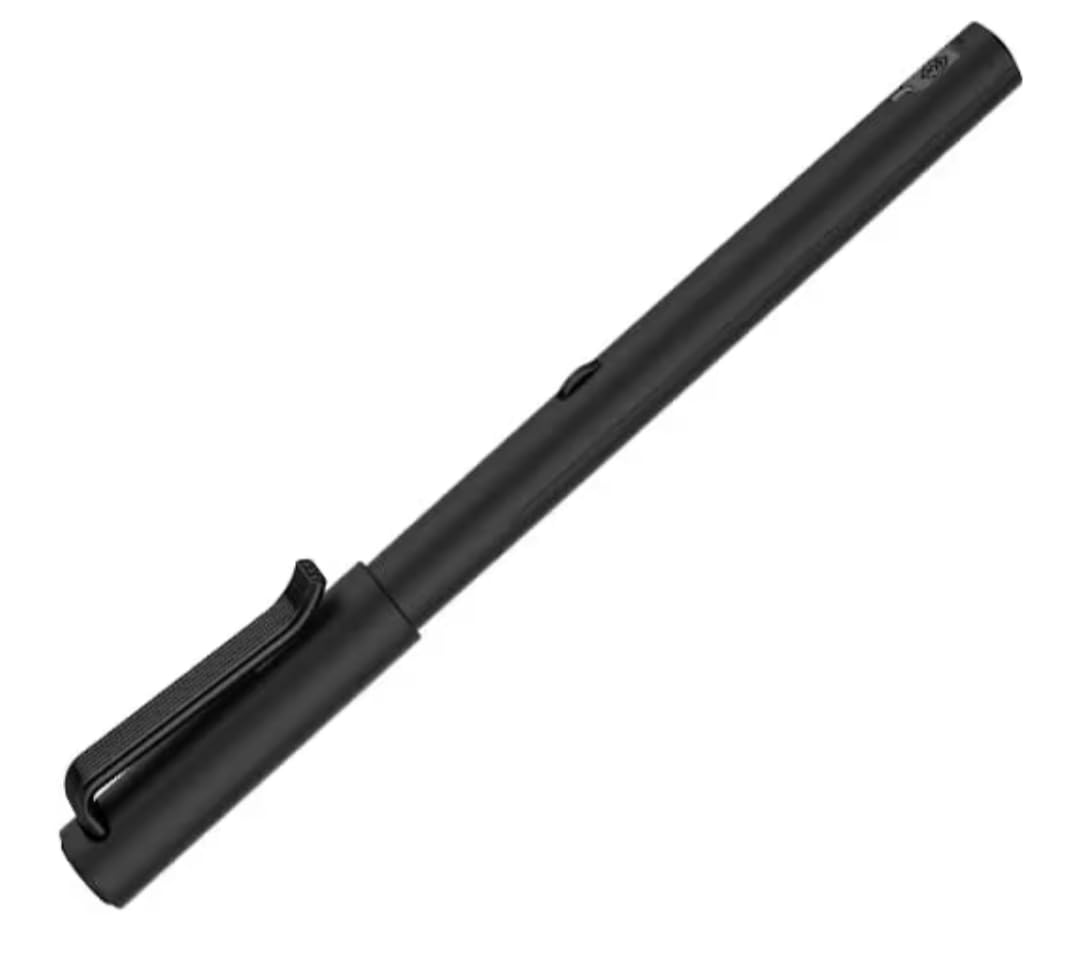
Real-time Bluetooth sync to the Neo Studio 2 app digitizes handwriting and converts it to digital text. Export options include PDF, PNG, SVG, and animation formats, which gives flexibility for different use cases. The smart search feature for handwritten keywords works reasonably well.
The D1 type refills are widely available, which keeps ongoing costs manageable. The pen stores up to 1000 pages internally, meaning you can go days without syncing and still capture everything.
The problem is the app. Neo Studio 2 is not intuitive, and initial setup frustrated me. Users report frequent re-login requirements, inconsistent Bluetooth sync, and customer support that is described as unhelpful. The company website appears outdated, which does not inspire confidence.
Best Suited For Patient Power Users Who Prioritize Specs
If you value battery life and storage above all else, the M1+ delivers class-leading numbers. The 17-hour battery and 1000-page storage make it ideal for long conferences, multi-day events, or travel where charging opportunities are limited.
Users willing to invest time in learning the app tend to be satisfied once everything is set up correctly.
Not Ideal For Plug-and-Play Users or Those Needing Reliable Support
The 30 percent one-star rate tells a story of frustrated users. If you expect a smooth, setup-and-go experience, the M1+ will likely disappoint. The requirement for proprietary micro-dot paper and the inconsistent app experience make this a pen for tech-savvy users who enjoy troubleshooting.
12. Ophayapen Smart Pen + Mini Notebook – Best Budget Entry Point
Ophayapen Smart Pen+Mini notebok, Digital Pen Real-time Sync for Digitizing, Storing, and Sharing Notes, Ideal Smart Pen for Note Taking, Drawing, Classroom, Offices, Compatible with Android and iOS
Lightweight 0.15 kg
Real-time sync
OCR transcription
Android 6.0 and iOS 11
Pros
- Affordable entry point into smart pen technology
- Lightweight and comfortable to hold
- Excellent battery life lasting days per charge
- Transcribes handwriting to text accurately
Cons
- Mini notepad included is very small
- Only works with proprietary smart paper
- Some users find it feels like a toy
- Smart paper refills can be costly
The Ophayapen Smart Pen + Mini Notebook is the most affordable way to get into smart pen technology. At this price point, I was not expecting much, but the pen surprised me with its real-time sync, comfortable feel, and solid battery life.
The pen is lightweight at just 0.15 kilograms and feels natural in the hand. It is neither too heavy nor too light, which makes it comfortable for extended use. The real-time sync with the Ophaya Pro+ app worked seamlessly across both Android and iOS in my testing.
Handwriting-to-text transcription was more accurate than I expected at this price. I tested it with my normal handwriting, which is not particularly neat, and the OCR handled it reasonably well. The pen is compatible with a wide range of Amazon Fire tablets in addition to smartphones.
Battery life is impressive. The pen lasted several days on a single charge during moderate use, which exceeded my expectations for a budget device. The responsive customer support team is also worth noting, as several users reported positive support experiences.
The main limitation is the included mini notepad, which is genuinely small. For serious note-taking, you will need to purchase full-size Ophaya smart paper separately. The pen only works with proprietary paper, and some users noted it feels a bit like a toy compared to premium options.
Best Suited For First-Time Smart Pen Buyers on a Budget
If you are curious about smart pen technology but do not want to spend over $100, this is your best entry point. The Ophayapen Smart Pen + Mini Notebook gives you all the core features at the lowest price in this roundup.
It is also great for students, casual note-takers, and anyone who wants to test whether smart pens fit their workflow before committing to a more expensive model.
Not Ideal For Extensive Note-Taking or Premium Feel Seekers
The tiny included notepad limits immediate usefulness, and you will need to budget for replacement smart paper. If you want a pen that feels premium and substantial in the hand, the lightweight plastic construction may not satisfy. Consider the Lamy Safari x Neo or Ophaya Note-Taking Set for better build quality.
How to Choose the Best Smart Pen for Your Needs?
Choosing the right smart pen comes down to understanding your specific needs and matching them to the right features. Our team has broken down the key factors that should drive your decision.
How Smart Pens Work
Smart pens use a tiny infrared camera near the pen tip that tracks movements across specially printed dot-pattern paper. Each dot pattern is unique to each page section, allowing the pen to know exactly where it is on the page. This data is then synced via Bluetooth to a companion app that reconstructs your handwriting digitally.
Some pens add a microphone for audio recording and link the audio timestamps to your written notes. This creates what Livescribe calls a pencast, where tapping a word replays the audio recorded at that exact moment.
Key Features to Consider
Transcription accuracy varies significantly between brands and directly depends on how neatly you write. In our testing, Livescribe and Neo Smartpen offered the most reliable OCR, while budget brands like Ophaya and Yuan were adequate but required occasional corrections.
Battery life ranges from a few hours to several months. If you take notes all day, look for pens with at least 8 hours of battery life. The Neo M1+ leads with 17 hours, while the Lamy Safari x Neo can last months on standby.
App quality is perhaps the most important and most overlooked factor. A great pen with a terrible app is frustrating to use. Livescribe apps are generally well-regarded, while Neo Studio 2 and some Ophaya apps have documented usability issues.
Cloud integration matters if you want notes automatically backed up and accessible across devices. Look for pens that sync to services you already use like Google Drive, Dropbox, OneNote, or Evernote.
Paper Requirements by Brand
Almost every smart pen requires proprietary dot-pattern paper. This is an ongoing cost that many buyers do not factor in. Here is what to expect.
Livescribe uses its own dot-pattern notebooks that are widely available online. Neo Smartpen uses Ncode paper, but you can print your own with a good laser printer. Ophaya and Yuan require their branded notebooks, which can be harder to find as replacements.
Currently, there is no smart pen that works perfectly on any regular paper. If avoiding proprietary paper is critical, consider a digital tablet stylus like the Apple Pencil instead.
Budget Recommendations by Use Case
For students, the Ophayapen Smart Pen + Mini Notebook or Yuan Sync Pen offer the best entry points under $100. For professionals who need reliability, the Livescribe Echo or Aegir justify their higher prices with proven track records. For artists, the Ophayapen with writing board and 1024 pressure levels adds creative flexibility.
For multi-language users, the SyncPen with 71+ language support is unmatched. For subscription-averse buyers, the SyncPen’s lifetime access model eliminates recurring fees that some competitors charge.
Smart Pen vs Stylus vs Digital Tablet
This is one of the most common questions we see. A smart pen writes with real ink on real paper while digitizing notes through a camera and dot-pattern paper. A stylus works only on a touchscreen and has no ink or paper component. A digital tablet like an iPad with Apple Pencil replaces paper entirely with a glass screen.
Smart pens are best for people who prefer the tactile feel of paper but want digital backups. Styluses are best for people who want a paperless workflow. Digital tablets are best for people who want the most features but are willing to write on glass rather than paper.
Accessibility for Students with Disabilities
Smart pens can be powerful accessibility tools. Users with ADHD benefit from audio-note sync, which reduces the pressure to capture everything in real time. Students with hearing loss can review audio recordings alongside written notes. Users with dyslexia can use OCR transcription to convert handwritten notes into clean, readable digital text.
The Livescribe Echo is particularly well-suited for accessibility because of its built-in microphone and tap-to-replay feature. Forum discussions confirm that many users with learning challenges have found smart pens genuinely transformative for their study habits.
FAQs
What is the difference between a stylus and a smart pen?
A stylus works on a touchscreen and has no ink or paper. A smart pen writes with real ink on real paper while using a built-in camera and dot-pattern paper to digitize your notes automatically. Smart pens also sync to mobile apps via Bluetooth, while styluses interact directly with a screen.
Is there a smart pen that works on any paper?
Currently no smart pen works reliably on any regular paper. All major smart pens require proprietary dot-pattern paper because the pen camera needs the micro-dot pattern to track position. However, the Neo Smartpen and Lamy Safari x Neo let you print your own Ncode paper with a quality laser printer, which reduces ongoing paper costs.
Are smart pens worth it for students?
Smart pens are worth it for students who prefer handwriting but need digital organization. The audio-note sync feature available on Livescribe pens is especially valuable for lectures, letting you replay what was said at any point in your notes. Budget options from Ophaya and Yuan make smart pens accessible for under $100.
Which smart pen has the best app?
Livescribe apps are generally considered the most reliable and user-friendly based on our testing and forum feedback. The Livescribe+ app for the Aegir model offers cloud sync, OCR in 28 languages, and multi-format export. Neo Studio 2 and some Ophaya apps have documented usability issues that can frustrate users.
Can smart pens transcribe handwriting to text?
Yes, most modern smart pens offer handwriting-to-text conversion through OCR technology. Accuracy depends on how neatly you write and the specific pen model. The SyncPen supports 71+ languages, the Livescribe Aegir supports 28 languages, and the Ophaya Pro+ app handles standard English text conversion. Expect to make occasional corrections after conversion.
Do smart pens work with any notebook?
No, smart pens do not work with standard notebooks. They require proprietary dot-pattern paper that has tiny unique patterns the pen camera reads to track position. Each brand has its own paper system, so you need to buy notebooks specifically designed for your smart pen model. Ongoing paper costs typically range from $15 to $25 per notebook.
Final Thoughts on the Best Smart Pens for 2026
After testing 12 smart pens across meetings, lectures, journaling, and creative sessions, a few clear winners emerged. The Livescribe Echo remains the best smart pen for anyone who needs audio-note sync, while the Yuan Digital Sync Pen offers unbeatable value with a complete writing set. For budget buyers, the Ophayapen Smart Pen + Mini Notebook is the most affordable entry point into smart pen technology.
If writing comfort matters most, the Lamy Safari x Neo Smartpen delivers a premium experience that no other pen matches. For multi-language users and subscription haters, the SyncPen with lifetime access and 71+ language support is the clear choice.
The best smart pens in 2026 prove that you no longer have to choose between the tactile pleasure of handwriting and the convenience of digital notes. Pick the one that matches your workflow, and you will never lose a notebook again.