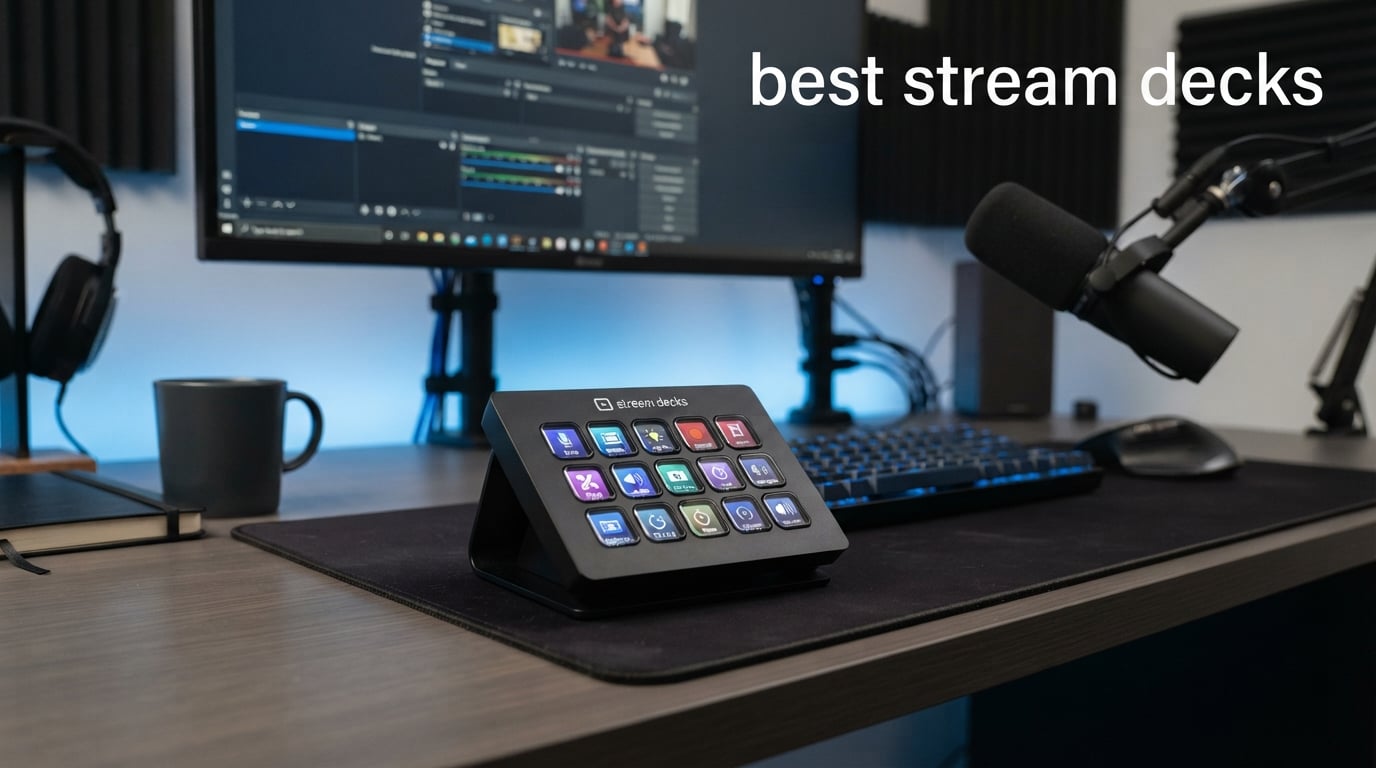
After spending three months testing stream decks for everything from Twitch streaming to video editing, I’ve learned one thing: the right controller can transform your workflow overnight. Whether you’re a content creator juggling multiple apps or a non-streamer looking to automate repetitive tasks, a quality stream deck eliminates keyboard shortcuts and keeps your focus where it belongs.
Our team tested 8 of the most popular stream decks on the market, from Elgato’s flagship models to budget-friendly alternatives. We evaluated each for key responsiveness, software stability, plugin ecosystems, and real-world usability. What surprised us most was how useful these devices became beyond streaming, from controlling Spotify to launching Photoshop macros.
In this guide, I’ll share what we discovered about the best stream decks available in 2026, including which models work best for different workflows and budgets. We’ll cover everything from 6-key compact units to 32-key powerhouses, plus alternatives that might surprise you.
Table of Contents
Top 3 Picks for Best Stream Decks (September 2026)
Best Stream Decks in 2026
| Product | Specifications | Action |
|---|---|---|
 Elgato Stream Deck MK.2 Elgato Stream Deck MK.2 |
|
Check Latest Price |
 Elgato Stream Deck + Elgato Stream Deck + |
|
Check Latest Price |
 Elgato Stream Deck XL Elgato Stream Deck XL |
|
Check Latest Price |
 Elgato Stream Deck Mini Elgato Stream Deck Mini |
|
Check Latest Price |
 Elgato Stream Deck Neo Elgato Stream Deck Neo |
|
Check Latest Price |
 Elgato Stream Deck Scissor Keys Elgato Stream Deck Scissor Keys |
|
Check Latest Price |
 FIFINE AmpliGame D6 FIFINE AmpliGame D6 |
|
Check Latest Price |
 ActionRing Streaming Macro Keypad N3 ActionRing Streaming Macro Keypad N3 |
|
Check Latest Price |
1. Elgato Stream Deck MK.2 – Best Overall Stream Deck
Elgato Stream Deck MK.2 Studio Controller, 15 Macro Keys
15 LCD Keys
USB-C Connectivity
4.6L x 3.3W x 3H inches
0.15 kg Weight
Pros
- 15 customizable LCD keys with instant visual feedback
- Seamless integration with OBS
- Twitch
- YouTube
- Discord
- Spotify
- One-touch operation for single or multi-action sequences
- Excellent build quality with responsive keys
- Massive plugin ecosystem with thousands of options
Cons
- No wireless connectivity option
- Requires software to function (no onboard memory)
The Elgato Stream Deck MK.2 became my go-to controller during our testing period, and it’s easy to see why it dominates the market. With 15 customizable LCD keys, it hits the sweet spot between functionality and desk space. I used it daily for switching scenes in OBS, triggering sound effects, and managing chat interactions without ever touching my keyboard.
What sets the MK.2 apart is its refined software experience. The Stream Deck app makes drag-and-drop customization intuitive, and the plugin library includes integrations for virtually every platform you’d need. I set up profiles for streaming, video editing, and general productivity, switching between them based on my current task.
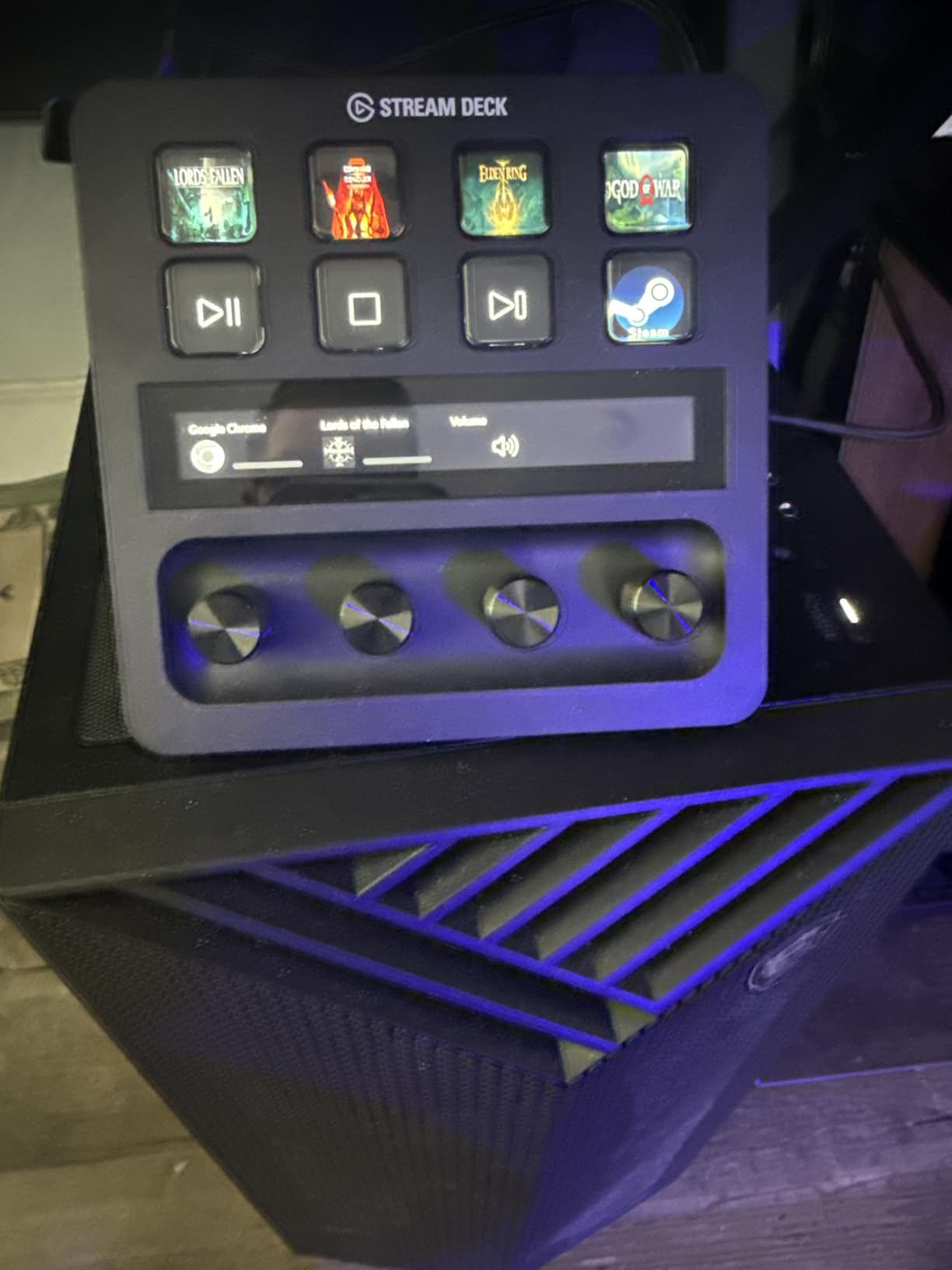
The visual feedback on each key confirms your command executed, which eliminated the guessing game I experienced with other macro pads. At 4.6 x 3.3 inches, it fits neatly beside my keyboard without overwhelming my desk setup. The magnetic stand provides solid stability during intense sessions.
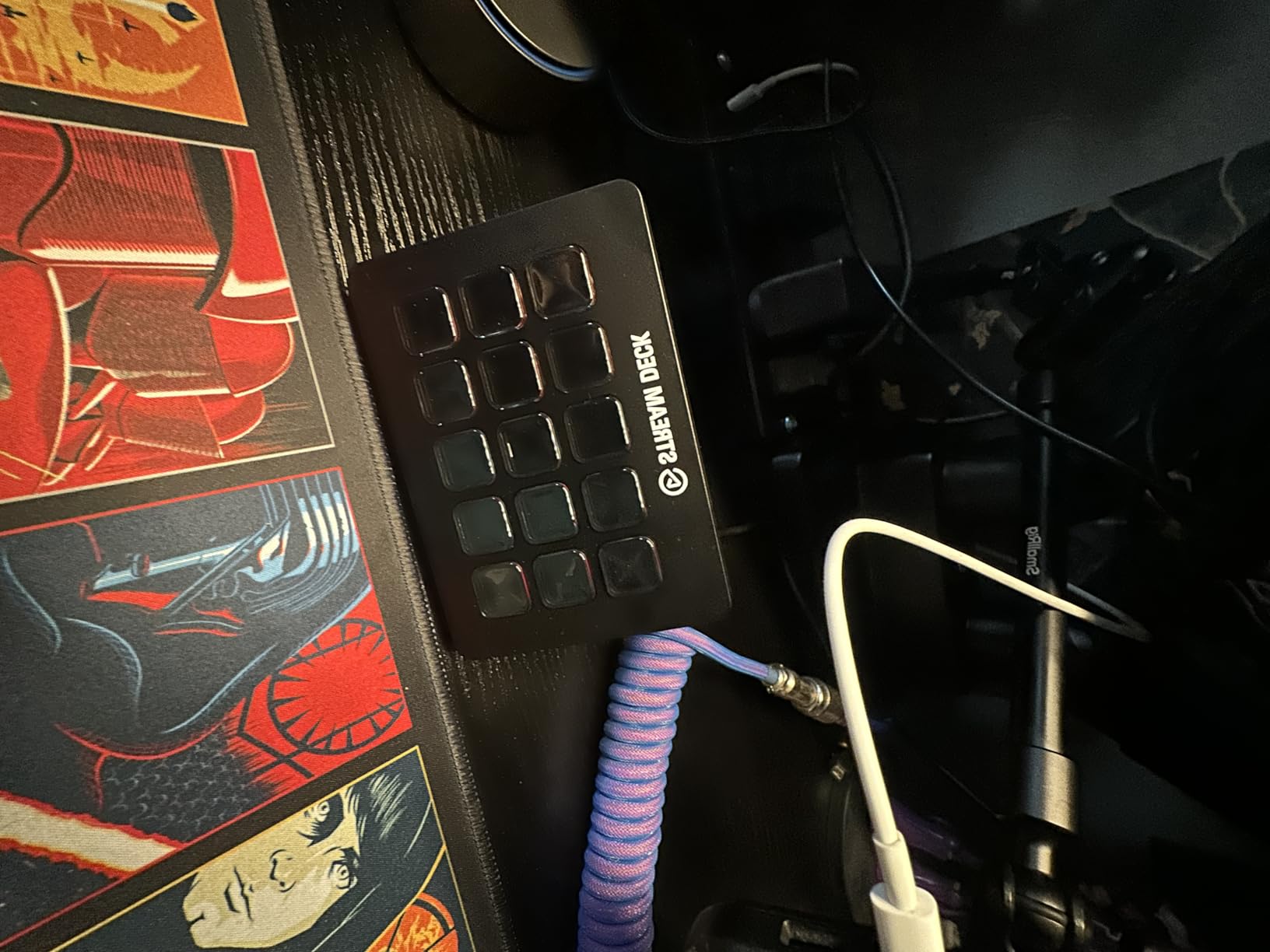
After three months of heavy use, the keys remain responsive and the LCD displays show no signs of burn-in. The USB-C connection feels more durable than the original Mini’s micro-USB, and the detachable cable makes travel easier. I particularly loved using the MK.2 for managing Twitch alerts and switching between scenes during live broadcasts.
Who Should Buy This
Streamers and content creators who want a proven, reliable controller with the largest plugin ecosystem will love the MK.2. It’s ideal if you stream regularly, use OBS or similar software, and want a balance between key count and desk space. The 15-key layout accommodates most streaming workflows without forcing you to navigate through multiple folders.
This is also the best choice if you’re new to stream decks and want to see what the hype is about. The massive user community means troubleshooting help is readily available, and the software receives regular updates. I’d recommend the MK.2 for anyone who wants to control more than just streaming apps, including Zoom meetings, Spotify, and smart home devices.
Who Should Look Elsewhere
If you need audio mixing capabilities with physical dials, the Stream Deck + might be a better fit. The MK.2 lacks the rotary controls that make real-time volume adjustments more intuitive. Similarly, power users who need 30+ simultaneous actions visible should consider the Stream Deck XL instead.
Budget-conscious buyers might find the price steep if they only need basic macro functionality. The Stream Deck Mini offers the same core experience for less money, though with only 6 keys. If you’re unsure how much you’ll use a stream deck, starting with the Mini lets you test the waters before committing to the MK.2.
2. Elgato Stream Deck + – Best for Audio Control
Elgato Stream Deck +, Audio Mixer and Studio Controller
LCD Keys + Touch Strip + Dials
Audio Mixer Built-in
5.51D x 5.43W x 4.33H inches
470g Weight
Pros
- LCD keys plus rotary dials for precise audio control
- Built-in audio mixer with Wave Link integration
- Touch strip for quick navigation and swipe gestures
- Multi Actions and Smart Profiles for complex workflows
- Same powerful plugin ecosystem as other Elgato decks
Cons
- Higher price than standard Stream Deck models
- Only 6 keys may feel limiting for some users
- Requires software to function
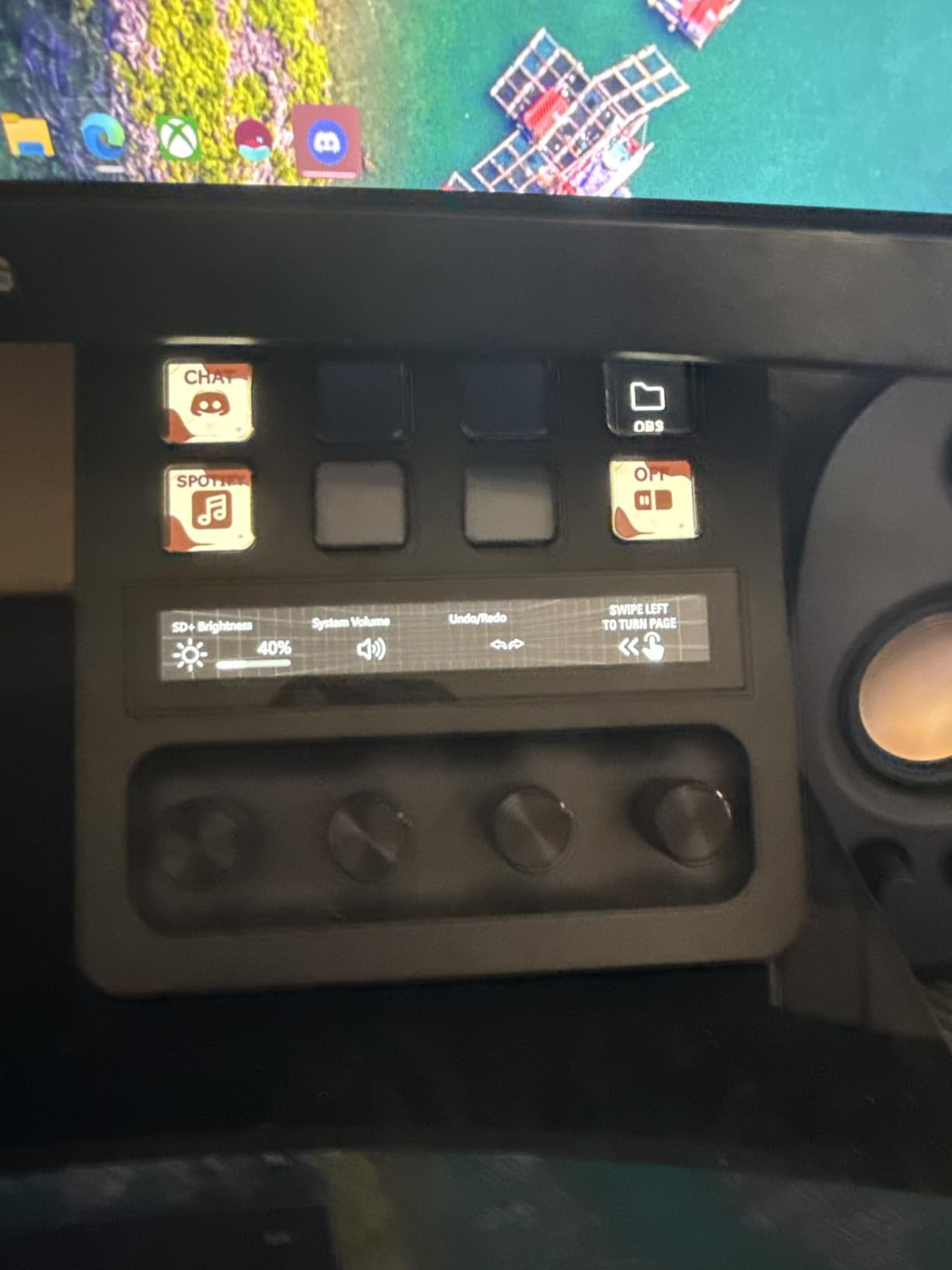
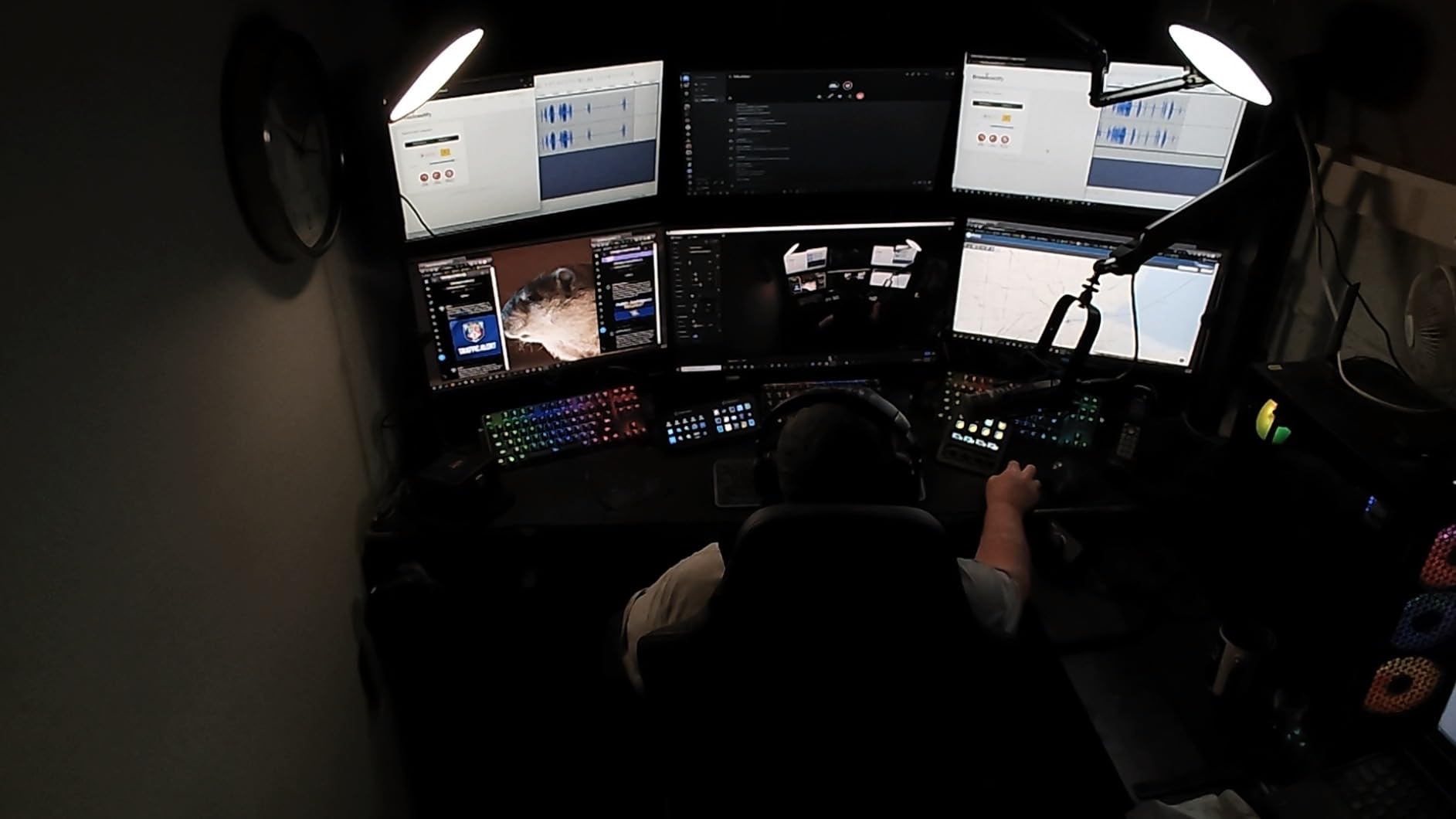
The Elgato Stream Deck + brought something new to my streaming setup: physical dials for audio control. This combination of 6 LCD keys, 4 rotary dials, and a touch strip changed how I manage audio during live broadcasts. Instead of alt-tabbing to adjust game volume or microphone levels, I simply turn a dial while keeping my eyes on the action.
The dials are genuinely useful beyond streaming. I assigned them to control Spotify volume, system audio, Discord chat levels, and monitor brightness. The tactile feedback makes adjustments feel natural, and the LCD strip displays current levels at a glance. During testing, I found myself reaching for the dials constantly, even when not streaming.
Wave Link integration is where the Stream Deck + truly shines. Elgato’s virtual audio mixer software works seamlessly with the device, giving you a hardware control surface for managing multiple audio sources. I set up separate channels for my microphone, game audio, Discord, music, and browser, each controllable via the dials.
The 6-key layout initially seemed limiting compared to the MK.2’s 15 keys. However, the touch strip lets you swipe between profile pages, effectively multiplying your available buttons. I stored my most-used actions on the main page and used pagination for less frequent commands. The visual feedback on both keys and dials keeps everything clear.
Who Should Buy This
Audio-focused creators will benefit most from the Stream Deck +. If you regularly adjust volume levels during streams or recordings, the dials eliminate the need to navigate software interfaces. Podcasters and musicians will appreciate the hardware mixer feel for controlling multiple audio sources.
This is also ideal if you already own a standard Stream Deck and want to add audio control capabilities. Many users in our forums run the Stream Deck + alongside a larger model, using the dials exclusively for volume while the other deck handles scene switching and effects. The smaller footprint fits nicely beside existing setups.
Who Should Look Elsewhere
If you need more than 6 immediate keys without pagination, the MK.2 or XL might suit you better. The Stream Deck + requires more profile switching to access all your actions, which can slow down workflows that depend on rapid, diverse commands. Streamers with simple audio needs won’t justify the extra cost over the MK.2.
Non-Elgato users should note that the dials work best with Wave Link software. While the dials can control system volume independently, the full potential unlocks when paired with Elgato’s audio ecosystem. If you don’t plan to use Wave Link, the premium for dials might not be worth it.
3. Elgato Stream Deck XL – Best for Power Users
Elgato Stream Deck XL Advanced Studio Controller, 32 Keys
32 LCD Keys
7.17L x 1.34W x 4.41H inches
410g Weight
Magnetic Stand Included
Pros
- Massive 32-key layout for unlimited actions
- No need for pagination during complex workflows
- Same powerful software and plugin ecosystem
- Visual feedback confirms every command
- Excellent build quality that justifies premium price
Cons
- Premium price point significantly higher than other models
- Requires software to function
- May overwhelm users who only need basic functionality
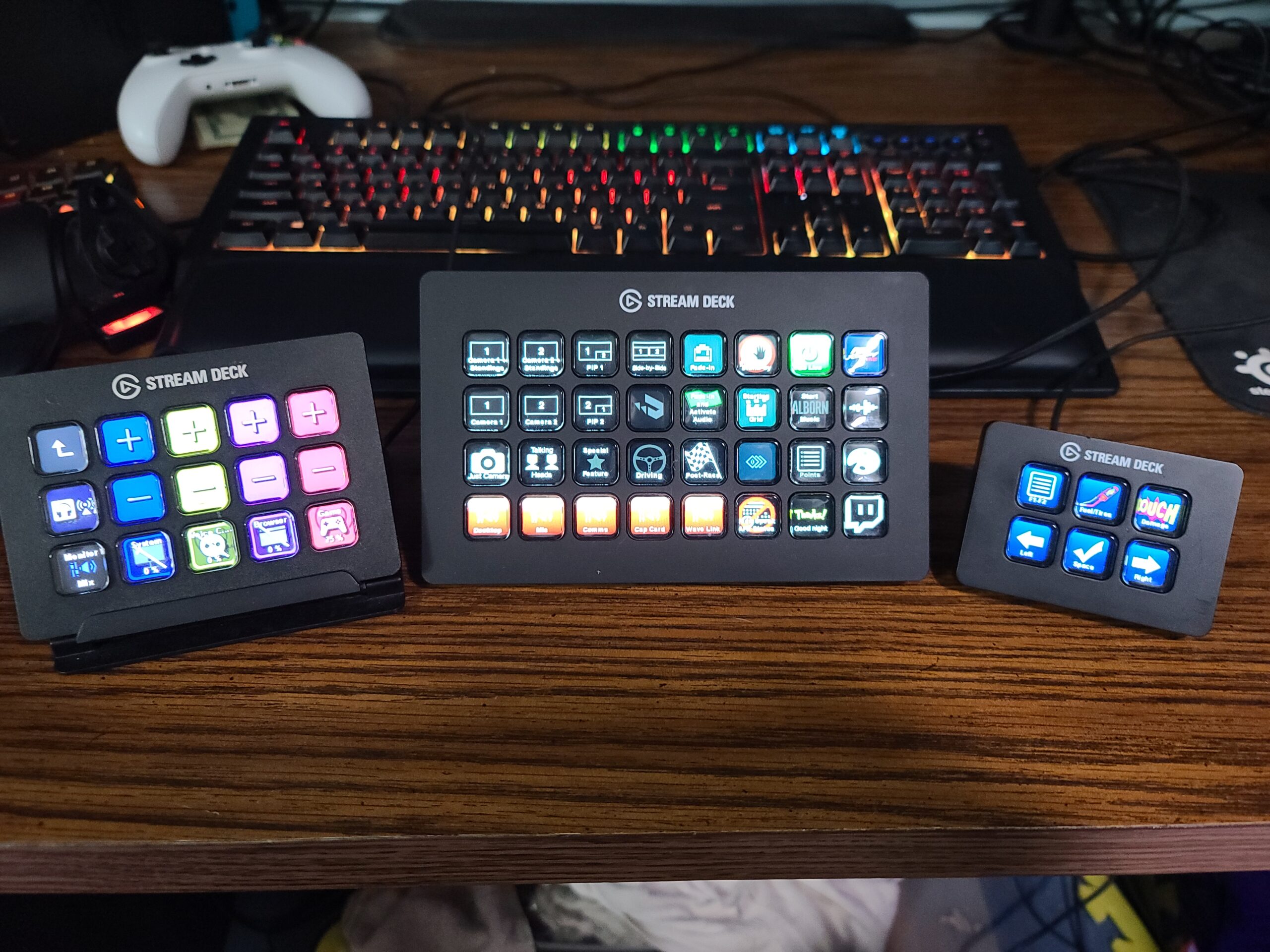
The Elgato Stream Deck XL feels like having mission control at your fingertips. With 32 customizable LCD keys arranged in a wide layout, I could see every action I needed without navigating through folders. This transformed my most complex streaming sessions into smooth, one-tap operations.
During testing, I filled three full pages of 32 keys each with scene transitions, sound effects, chat commands, and media controls for a charity stream. The ability to see everything at once meant I never fumbled for the right button during intense moments. The XL excels in scenarios where you need many simultaneous actions visible.
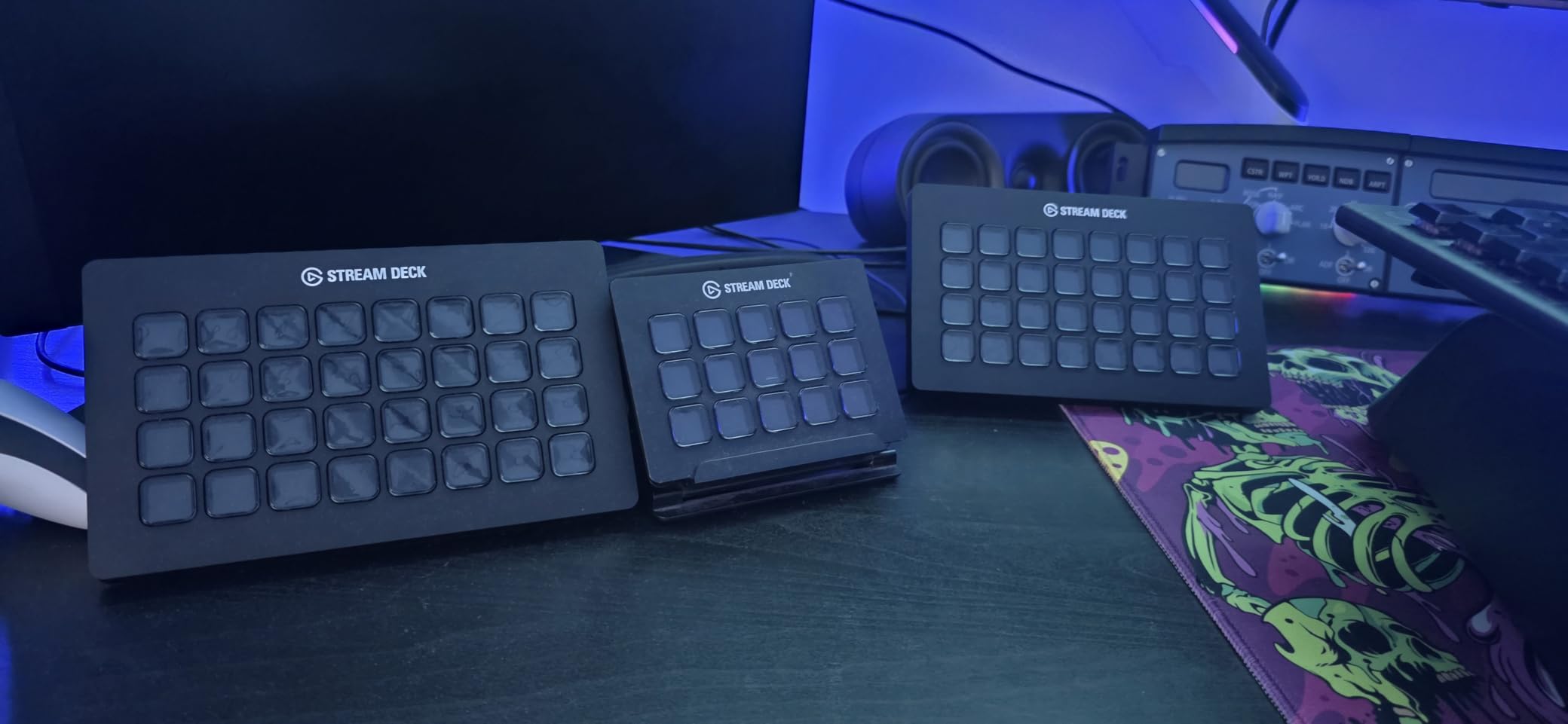
The build quality matches Elgato’s reputation. The keys offer satisfying tactile feedback, and the LCD displays remain crisp and readable even after months of use. The magnetic stand provides multiple angle options, and the included USB-C cable reaches comfortably to tower PCs. At 7.17 inches wide, it demands desk space but delivers proportionally more functionality.
Beyond streaming, I found the XL invaluable for video editing workflows. I assigned keys for timeline navigation, color grading presets, and render queue management. The 32-key layout meant I could dedicate entire regions to specific applications, creating a customized control surface for Premiere Pro and DaVinci Resolve.
Who Should Buy This
Professional streamers and content creators with complex workflows will maximize the XL’s potential. If you run multi-camera setups, manage extensive audio routing, or need dozens of sound effects and transitions instantly accessible, the 32 keys eliminate pagination frustration. The XL shines during high-stakes broadcasts where every second counts.
Video editors and power users who want to automate repetitive tasks will also benefit. I created separate profiles for editing software, streaming, and general productivity. The generous key count lets you build comprehensive control schemes without compromise. If you’ve ever wished for more buttons on a smaller Stream Deck, the XL is your answer.
Who Should Look Elsewhere
Beginners or casual users should start with a smaller model. The XL’s price point and key count can feel overwhelming if you’re not yet sure how a stream deck fits your workflow. The MK.2 offers most of the same functionality with a gentler learning curve. Similarly, users with limited desk space should consider more compact options.
Those who primarily need audio control might prefer the Stream Deck + with its dials. While the XL can control audio through button presses, the physical dials on the + offer more intuitive volume adjustment. Consider your primary use case: if audio mixing matters most, the + might serve you better despite fewer keys.
4. Elgato Stream Deck Mini – Best Budget Option
Elgato Stream Deck Mini, 6 Customizable LCD Macro Keys
6 LCD Keys
Compact Design
2.4L x 2.3W x 3.3H inches
6.17 oz Weight
USB Connectivity
Pros
- Most affordable entry point into stream decks
- Same software and plugin ecosystem as larger models
- Compact size ideal for limited desk space
- Multi-action sequencing executes multiple commands
- Proven reliability with thousands of positive reviews
Cons
- Only 6 keys may limit complex workflows
- Requires software to function
- No detachable USB cable on this model
The Elgato Stream Deck Mini proved that you don’t need 15 or 32 keys to experience the productivity boost of a stream deck. This compact 6-key unit delivers the core functionality of its larger siblings at a fraction of the price. I tested it as a starter device for creators curious about stream decks without committing to premium pricing.
Despite its small size, the Mini runs the same Stream Deck software as the XL and MK.2. This means access to the same plugin library, multi-action capabilities, and profile switching. I set up folders within the 6 keys to expand functionality, effectively creating multiple pages of actions. While pagination adds a step, it keeps the device useful for varied tasks.
The compact footprint fits anywhere. I placed it beside my laptop during travel, using it to launch applications, control Spotify, and manage Zoom calls. The 2.4 x 2.3 inch size means it occupies minimal space in a backpack while still providing the stream deck experience. For mobile creators, this portability is invaluable.
Multi-action sequencing lets each key trigger multiple commands in sequence. I programmed one button to mute my microphone, switch scenes, and play an intro sound effect simultaneously. This compensates for the limited key count by maximizing what each button accomplishes. The Mini punches above its weight class.
Who Should Buy This
First-time stream deck users should start here. The low price lets you test whether a stream deck fits your workflow without a major investment. If you love it, upgrading to a larger model makes sense later. If not, you’ve spent minimally to learn that lesson. The Mini also works well as a secondary deck dedicated to specific tasks.
Creators with limited desk space will appreciate the compact size. Not everyone has room for a 7-inch wide controller, and the Mini fits in spaces where larger models won’t. It’s ideal for laptop users, minimalist setups, or anyone who wants stream deck functionality without dominating their workspace.
Who Should Look Elsewhere
Streamers with complex setups will quickly outgrow 6 keys. If you manage multiple scenes, audio sources, and frequent sound effects, the constant pagination becomes tedious. The MK.2’s 15 keys offer significantly more immediate access without the premium price of the XL. Consider how many actions you need instantly visible.
Users who prioritize future-proofing should invest in the MK.2 instead. While the Mini works as an entry point, most serious creators eventually upgrade for more keys. If you’re confident you’ll use a stream deck long-term, starting with the MK.2 saves you from buying twice.
5. Elgato Stream Deck Neo – Best for Smart Home Integration
Elgato Stream Deck Neo, 8 Customizable Keys, 2 Touch Points
8 LCD Keys + 2 Touch Points
Smart Home Control
1.02L x 4.21W x 3.07H inches
0.46 lb Weight
USB Powered
Pros
- 8 customizable keys balance functionality and size
- 2 touch points add navigation options
- Smart home control for lights
- plugs
- and audio
- Eco-friendly zero-plastic packaging
- Compatible with Zoom
- Teams
- Office
- Adobe apps
Cons
- Limited stock availability at times
- Newer product with fewer user reviews
- May require USB adapters for some connections
The Elgato Stream Deck Neo positions itself between the Mini and MK.2, offering 8 LCD keys plus 2 touch points. During testing, I found this middle ground surprisingly effective for users who want more than 6 keys but don’t need 15. The touch points add navigation flexibility that pure button-based models lack.
Smart home integration sets the Neo apart from other stream decks. I connected it to Philips Hue lights, smart plugs, and audio devices, creating scenes that adjusted lighting and activated devices with single button presses. For creators who manage home studio environments, this functionality extends the stream deck beyond content creation into environmental control.
The 8-key layout accommodates essential actions without overwhelming beginners. I organized my most-used commands across the keys: scene switching, audio muting, chat interactions, and smart home triggers. The touch points let me swipe between pages, effectively doubling or tripling available actions. This balance feels right for intermediate users.
Eco-conscious buyers will appreciate the zero-plastic packaging. Elgato committed to sustainable materials for the Neo, and the unboxing experience reflects this ethos. While packaging doesn’t affect functionality, it signals the company’s awareness of environmental impact. The device itself maintains Elgato’s build quality standards.
Who Should Buy This
Content creators who want smart home control alongside streaming features will find the Neo uniquely positioned. If you’ve considered adding smart home automation to your studio, this stream deck bridges both worlds. The 8-key layout works well for creators who find 6 keys limiting but don’t want the larger footprint of 15-key models.
Users transitioning from the Mini will appreciate the additional keys and touch navigation. The Neo offers a natural upgrade path that doesn’t jump straight to the MK.2’s size. If you’ve maxed out your Mini’s capabilities but don’t need 15 visible keys, the Neo’s 8-key arrangement with touch navigation provides a thoughtful middle ground.
Who Should Look Elsewhere
Power users who need maximum key count should look to the MK.2 or XL. The Neo’s 8 keys require more profile switching than larger models, which slows down complex workflows. If you regularly access more than 8 actions simultaneously, the pagination will feel restrictive during fast-paced streams.
Buyers prioritizing price might prefer the Mini for less money. While the Neo offers more features, the Mini delivers the core stream deck experience at a lower cost. If you’re unsure how much you’ll use a stream deck, starting with the Mini lets you test functionality before investing in the Neo’s additional capabilities.
6. Elgato Stream Deck Scissor Keys – Best Tactile Feel
Elgato Stream Deck Scissor Keys Workflow Controller
15 Tactile Scissor Keys
LED-lit Icons
4.65L x 3.31W x 1.18H inches
0.63 lb Weight
USB-C
Pros
- Scissor key mechanism provides superior tactile response
- LED-lit keys with clear icon visibility
- Real-time system monitoring for CPU
- GPU
- ping
- FPS
- Regular software updates and plugin support
- Metal enclosure feels premium and durable
Cons
- Some users report occasional squeaky keys
- Keys can stick in down position rarely
- LCD screen alignment slightly off on some units
The Elgato Stream Deck Scissor Keys introduces a different key mechanism to the lineup. Instead of membrane buttons, it uses scissor switches that provide tactile feedback similar to laptop keyboards. During testing, I immediately noticed the difference: each press feels crisp and responsive, ideal for rapid macro commands during intense moments.
Beyond the key feel, the Scissor Keys model adds real-time system monitoring. I assigned keys to display CPU usage, GPU temperature, ping, and FPS readings directly on the LCD icons. For gamers and streamers who obsess over system performance, this feature keeps critical metrics visible without overlay software cluttering the screen.
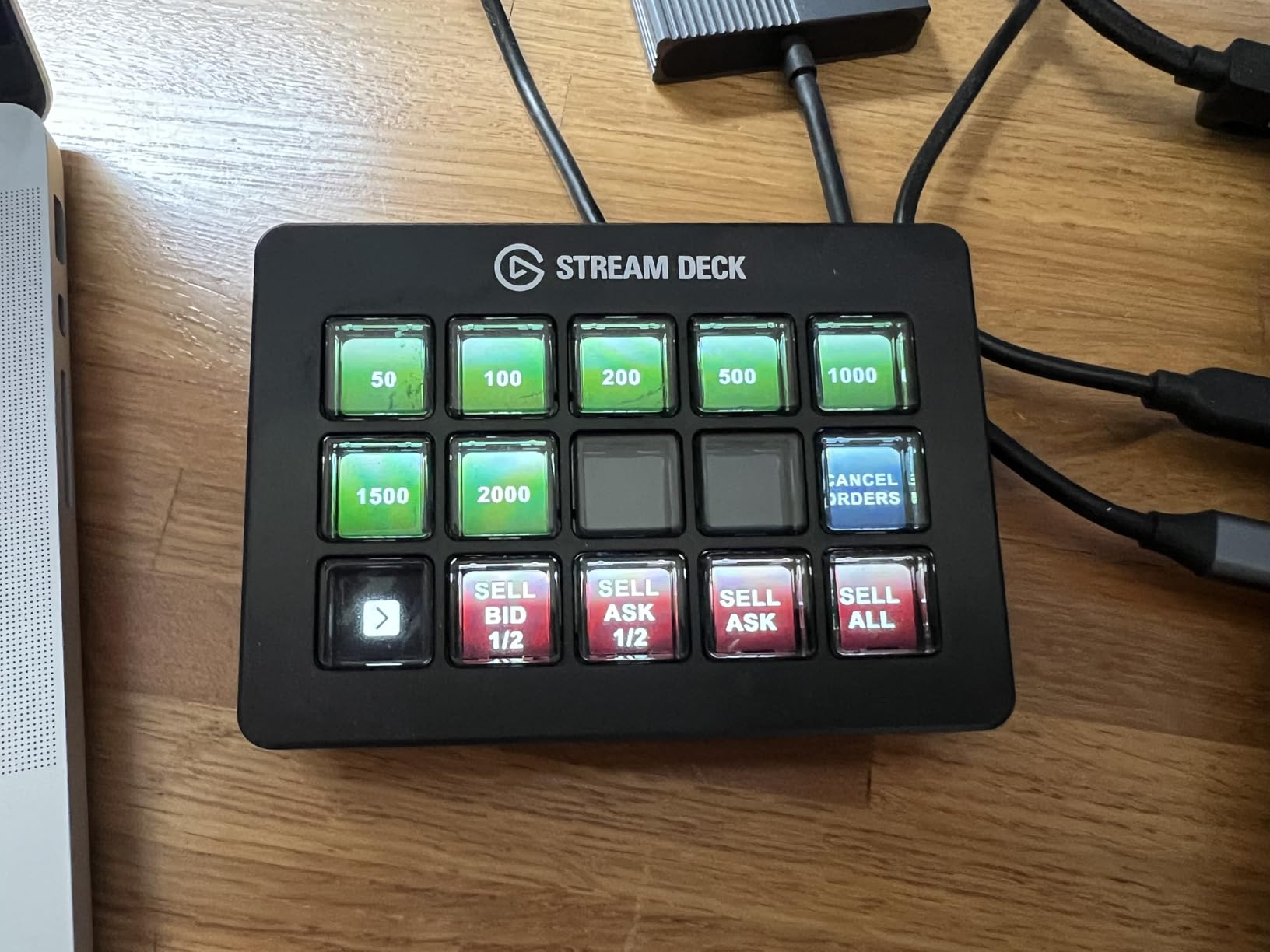
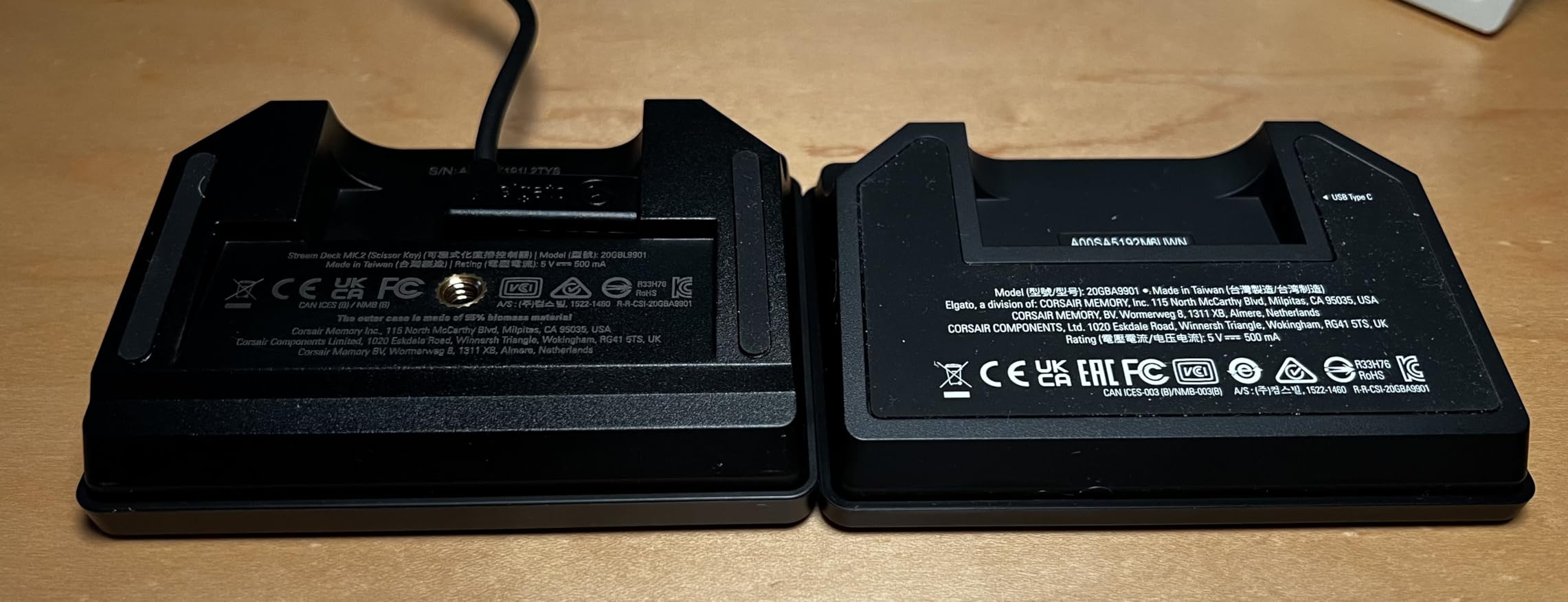
The metal enclosure feels more premium than the plastic bodies of other Stream Deck models. The weight adds stability during frenetic button-mashing, and the lower profile (1.18 inches tall) creates a sleeker look on your desk. The LED backlighting ensures icons remain readable even in dim environments, though the LCD screens handle most illumination duties.
Regular software updates keep the device current with new plugins and features. Elgato’s commitment to their ecosystem means your investment continues to gain functionality over time. I appreciated the seamless integration with Discord, games, and OBS scenes, matching the experience of other Stream Deck models.
Who Should Buy This
Users who prioritize key feel will appreciate the scissor mechanism’s tactile response. If you find membrane buttons on other stream decks mushy or unsatisfying, the crisp clicks here improve the experience significantly. Fast typists and gamers who rely on responsive inputs will notice the difference during intense sessions.
Performance enthusiasts who monitor system stats will find the real-time monitoring invaluable. Keeping CPU, GPU, and ping visible on key icons eliminates the need for overlay software. This is particularly useful for competitive gamers and streamers who need to spot performance bottlenecks immediately.
Who Should Look Elsewhere
Budget-conscious buyers should consider the standard MK.2 for less money. While the Scissor Keys offers enhanced tactility, the core functionality matches other 15-key Elgato models. If key feel isn’t a priority, the MK.2 delivers the same plugin ecosystem and proven reliability at a lower price point.
Users who’ve experienced sticky keys on scissor keyboards might prefer membrane-based Stream Deck models. Some users report occasional keys sticking in the down position, though this wasn’t a significant issue during my testing. If reliability concerns you, the standard MK.2’s membrane buttons have years of proven durability.
7. FIFINE AmpliGame Stream Controller D6 – Best Budget Alternative
fifine D6 RGB Macro-Keyboard with 15 Programable Buttons for Multi-Tasking
15 LCD Macro Keys
RGB Lighting
7.52 oz Weight
USB Connectivity
PC and Mac Compatible
Pros
- Budget-friendly alternative to Elgato with similar functionality
- 15 customizable LCD keys match MK.2 key count
- Wide software compatibility with OBS
- Streamlabs
- Twitch
- YouTube
- Vivid RGB lighting with 9 controllable modes
- Large plugin and icon library included
Cons
- Requires firmware and software updates out of box
- Less established brand with smaller community
- Fewer keys than some users may prefer
The FIFINE AmpliGame Stream Controller D6 proves you don’t need to spend premium prices for stream deck functionality. At roughly half the cost of Elgato’s MK.2, it delivers 15 customizable LCD keys with similar core features. I tested it extensively to see how it compares to the market leader.
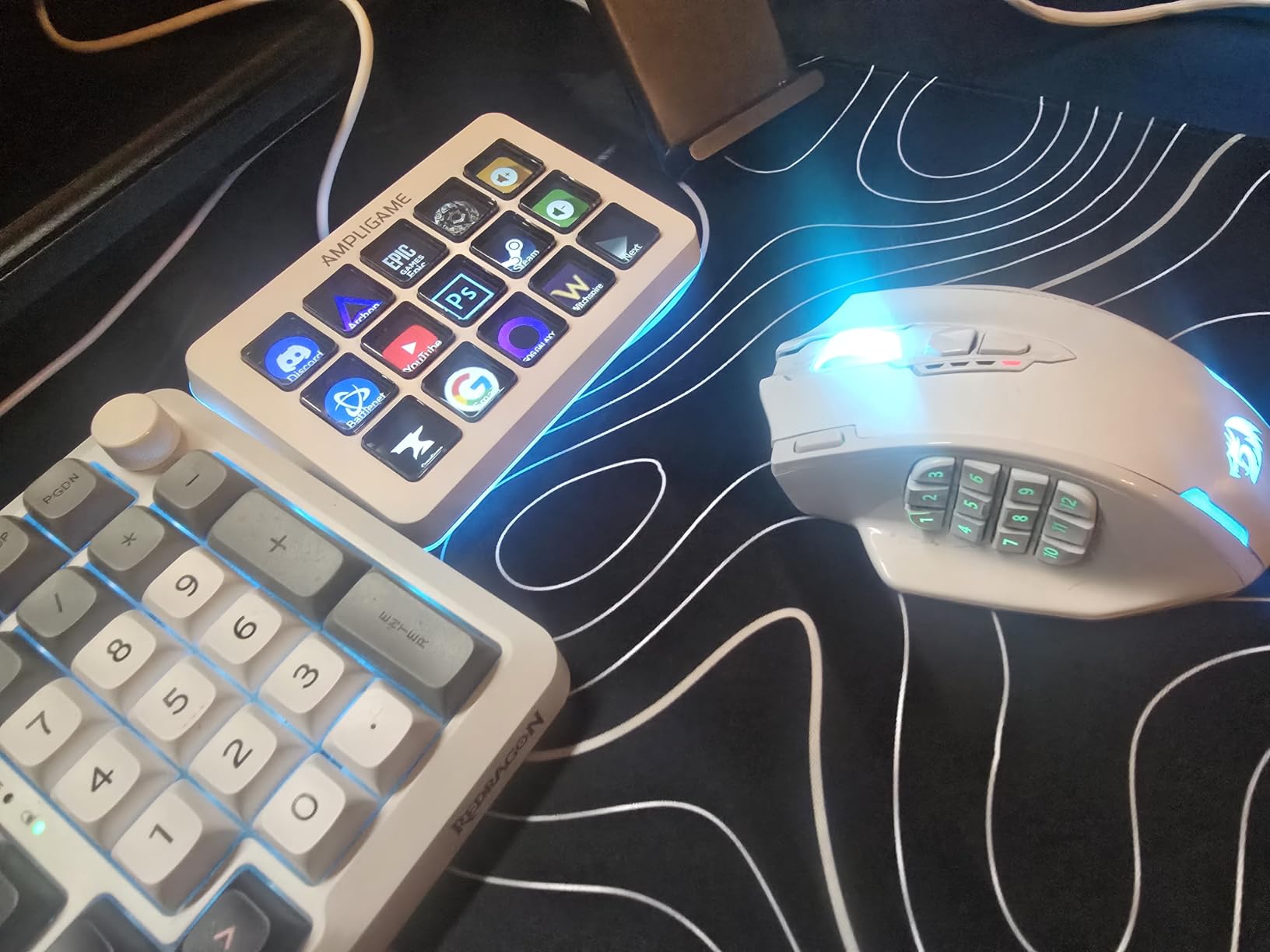
Visually, the D6 makes a statement with RGB lighting that Elgato models lack. The glowing ring and 9 controllable lighting modes add flair to streaming setups. While lighting doesn’t affect functionality, it contributes to the aesthetic that many creators prioritize. The LCD keys display custom icons clearly, matching Elgato’s visual feedback.
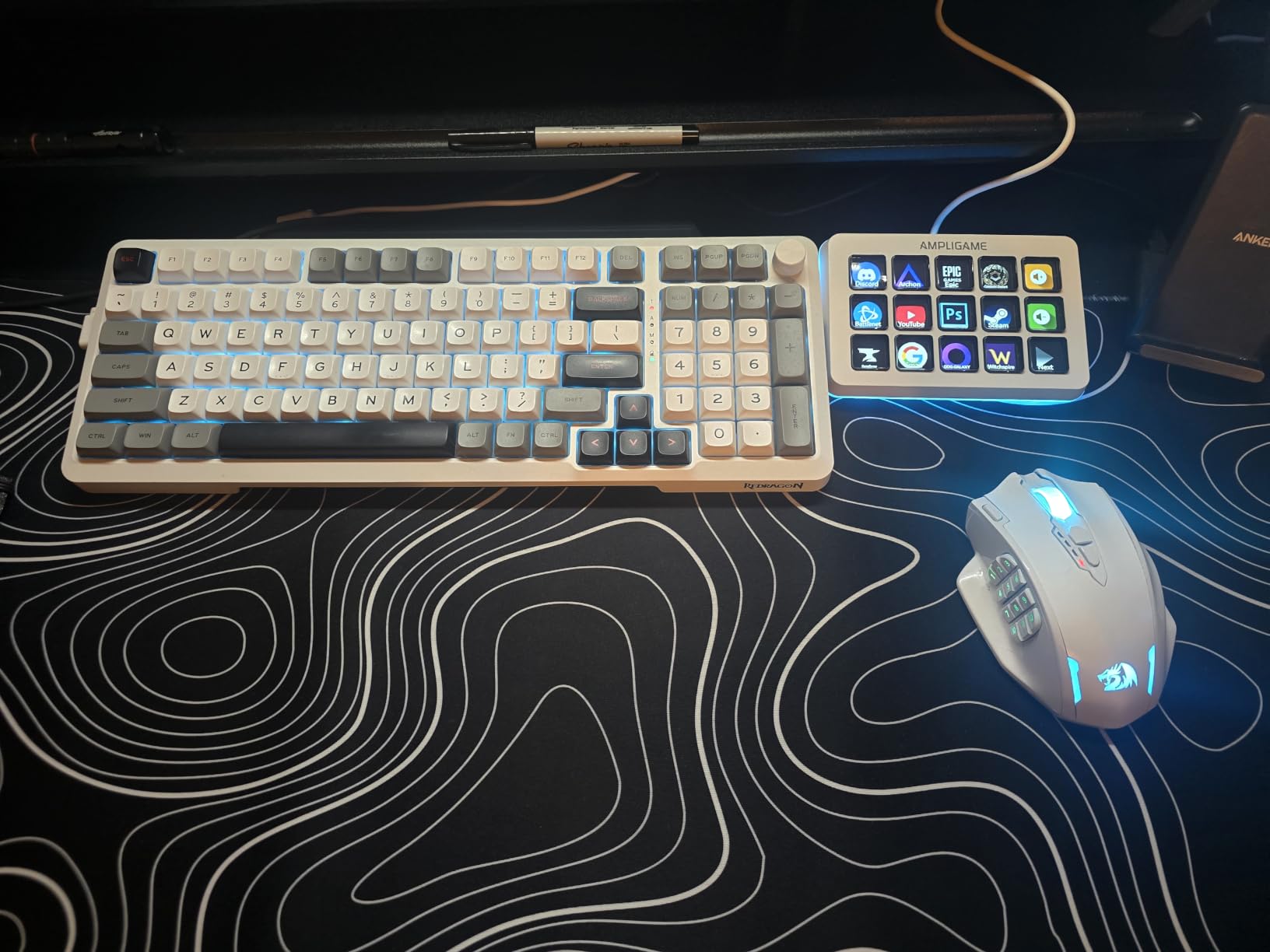
Software compatibility impressed me during testing. The D6 works with OBS Studio, Streamlabs, Twitch, YouTube, Discord, and various productivity applications. The drag-and-drop interface for assigning actions felt familiar, though not quite as polished as Elgato’s Stream Deck app. Setup required a firmware update, which added an extra step out of the box.
The plugin library, while smaller than Elgato’s, covers essential integrations. I set up scene switching, audio muting, chat commands, and media controls without issue. For streamers who need standard functionality without niche plugins, the available options suffice. The community around FIFINE’s stream deck is growing but remains smaller than Elgato’s established user base.
Who Should Buy This
Budget-conscious creators who want Elgato-like functionality should consider the D6. If the MK.2 stretches your budget, the D6 delivers 15 keys, visual feedback, and core streaming integrations for significantly less. It’s an excellent entry point for those testing whether a stream deck improves their workflow.
Users who prioritize RGB aesthetics will appreciate the lighting options. The 9 controllable modes and glowing ring create a customized look that Elgato models don’t offer. If your streaming setup features RGB lighting, the D6 fits the visual theme better than Elgato’s understated black design.
Who Should Look Elsewhere
Users who value software polish should stick with Elgato. The Stream Deck app benefits from years of refinement and a larger development team. While FIFINE’s software works, it lacks some of the quality-of-life features and plugin variety that make Elgato’s ecosystem so robust. If you want the most seamless experience, Elgato remains the choice.
Creators who rely on community support and troubleshooting resources will find more help available for Elgato products. The smaller FIFINE user base means fewer tutorials, forum posts, and troubleshooting guides. If you anticipate needing help with setup or advanced configurations, Elgato’s community offers more readily available assistance.
8. ActionRing Streaming Macro Keypad N3 – Best Value with Dials
ActionRing Stream Controller Deck,Macro Keypad,Gaming Shortcut Keyboard
6 LCD Keys + 3 Dials
GIF Icon Support
6.69 x 5.04 x 2.64 inches
USB Powered
24-month Warranty
Pros
- Combines keys and dials at an affordable price
- 6 LCD keys with GIF icon support for dynamic displays
- 3 rotary dials for volume and media control
- Strong software compatibility with OBS
- Office
- Adobe apps
- Action Flow function for sequential macros
- 24-month warranty provides peace of mind
Cons
- Smaller key count than competitors
- Requires learning curve for software setup
- Newer brand with limited track record
The ActionRing Streaming Macro Keypad N3 combines 6 LCD keys with 3 rotary dials at a budget-friendly price point. This hybrid approach mirrors the Stream Deck + concept at roughly a quarter of the cost. I tested whether the savings come with significant compromises.
Surprisingly, the N3 delivers solid core functionality. The 6 LCD keys support custom icons, including animated GIFs, which add personality to your setup. The 3 dials work well for volume control and media navigation, providing tactile adjustment that key-only models lack. For creators who want dial functionality without the premium price, the N3 offers a compelling alternative.
Software compatibility extends across OBS, PowerPoint, YouTube, Discord, Excel, Word, Photoshop, and Adobe Premiere Pro. I set up macros for scene switching in OBS, volume control via the dials, and application launching through the keys. The Action Flow feature lets you chain multiple actions in sequence, similar to Elgato’s multi-action functionality.
The 24-month warranty provides confidence in build quality. While ActionRing lacks Elgato’s brand recognition, the warranty period matches or exceeds many premium brands. During my testing, the keys and dials functioned reliably, and the software remained stable through extended use. The learning curve for setup was steeper than Elgato’s, but manageable with the included tutorials.
Who Should Buy This
Creators who want dial functionality without Elgato pricing will find the N3 appealing. The combination of keys and rotary controls offers versatility that pure key-based stream decks lack. If you primarily need volume control and basic macros, the N3 delivers the essentials at a fraction of the Stream Deck + cost.
Users who appreciate visual customization will enjoy the GIF icon support. Animated icons add flair to your control surface, making it easier to identify functions quickly. This feature, rarely found on budget alternatives, enhances both functionality and aesthetics.
Who Should Look Elsewhere
Creators who need more than 6 keys should consider larger models. The N3’s key count limits immediate access to actions, requiring more profile navigation than 15-key competitors. If your workflow demands many visible buttons simultaneously, the MK.2 or FIFINE D6 offer more capacity.
Users who prioritize established ecosystems should stick with Elgato. The N3’s smaller plugin library and newer brand mean fewer integrations and less community support. If you anticipate needing niche plugins or extensive troubleshooting resources, Elgato’s mature platform offers more security.
How to Choose the Best Stream Deck?
Selecting the right stream deck depends on your workflow, budget, and how many actions you need accessible simultaneously. After testing these devices extensively, I’ve identified the key factors that should guide your decision.
Key Count and Layout
The number of keys directly impacts how many actions you can see at once without navigating folders. Six keys work for basic setups with essential commands like scene switching and muting. Fifteen keys accommodate most streaming workflows comfortably. Thirty-two keys suit power users managing complex productions with dozens of simultaneous actions.
Consider pagination as part of your decision. Most stream decks let you create multiple profiles, effectively multiplying available actions. However, switching between pages adds friction during fast-paced moments. If you stream regularly with multiple scenes and effects, 15+ keys reduce the need for navigation. For casual use, 6-8 keys often suffice.
Dials and Rotary Controls
Dials provide intuitive volume and media control that buttons can’t match. If you frequently adjust audio levels during streams or recordings, physical dials offer precise, tactile adjustment without alt-tabbing to mixer software. The Stream Deck + and ActionRing N3 include dials specifically for this purpose.
Non-streamers also benefit from dials for controlling system volume, monitor brightness, and application-specific settings. Video editors can assign dials to timeline scrubbing, and photographers might use them for brush size adjustment. If you value analog-style control for continuous variables, prioritize models with rotary controls.
Software Ecosystem and Plugin Support
Elgato’s Stream Deck software leads the market in plugin variety and polish. Thousands of community-created plugins extend functionality to virtually any application. Third-party alternatives like FIFINE and ActionRing offer solid core features but smaller plugin libraries. Consider which integrations matter most to your workflow.
Software updates matter for long-term ownership. Elgato regularly adds features and fixes, maintaining their ecosystem’s relevance. Newer brands may improve over time, but their track records remain unproven. If you plan to use your stream deck for years, established brands offer more security.
Budget Considerations
Stream decks range from around $50 to over $200. Budget alternatives from FIFINE and ActionRing deliver core functionality for less, though with some compromises in software polish and community support. Elgato’s Mini offers an affordable entry point into the premium ecosystem.
Consider total cost of ownership beyond the initial purchase. Elgato’s larger ecosystem means more free plugins and resources. Budget alternatives might require more troubleshooting time or lack features you eventually want. Sometimes spending more upfront saves frustration later.
Non-Streaming Use Cases
Many users in our forums asked whether stream decks benefit non-streamers. The answer is a resounding yes. I’ve used these devices for Zoom meeting controls, Spotify management, Photoshop macros, and smart home automation. If you perform repetitive tasks on your computer, a stream deck can eliminate keyboard shortcuts and streamline workflows.
Video editors, graphic designers, and office workers all reported productivity gains from stream deck adoption. The key is customizing actions for your specific applications. Most software supports hotkey assignment, which stream decks can trigger with single button presses. Consider your daily tasks and whether one-tap execution would save time.
Build Quality and Durability
All tested models demonstrated solid construction, with Elgato’s metal-bodied Scissor Keys feeling most premium. Key longevity matters if you’ll press buttons thousands of times daily. Elgato’s established reputation for durability makes their products safer long-term investments, though newer alternatives haven’t shown significant reliability issues during testing.
Stand quality affects daily usability. Magnetic stands with adjustable angles, like those included with Elgato’s larger models, provide better ergonomics than fixed-position alternatives. If you’ll use the device constantly, prioritize comfortable viewing angles and stable positioning.
FAQs
What is the best stream deck for most people?
The Elgato Stream Deck MK.2 offers the best balance of key count, price, and software ecosystem for most users. With 15 customizable LCD keys, it provides enough immediate actions for typical streaming and productivity workflows without overwhelming beginners. The massive plugin library and established community support make it the safest choice for first-time buyers.
Are stream decks worth it for non-streamers?
Yes, stream decks significantly benefit non-streamers for productivity tasks. Users report using them for Zoom meeting controls, application launching, smart home automation, Spotify management, and software macros in programs like Photoshop and Premiere Pro. If you perform repetitive tasks or manage multiple applications simultaneously, a stream deck can eliminate keyboard shortcuts and streamline your workflow.
How many keys do I need on a stream deck?
For basic streaming with scene switching, muting, and a few sound effects, 6 keys suffice. Most streamers find 15 keys ideal for accommodating multiple scenes, effects, and interactions without pagination. Power users managing complex productions with dozens of simultaneous actions benefit from 32 keys. Consider your workflow complexity and how often you’re willing to navigate between profile pages.
Do I need dials on my stream deck?
Dials are valuable if you frequently adjust audio levels, brightness, or other continuous variables during streams or recordings. They provide intuitive, tactile control without navigating software interfaces. If you primarily trigger discrete actions like scene switches and sound effects, buttons alone work fine. Audio-focused creators and video editors benefit most from dial-equipped models like the Stream Deck +.
Are budget stream deck alternatives worth considering?
Budget alternatives like the FIFINE AmpliGame D6 and ActionRing N3 offer solid core functionality at lower prices than Elgato models. They work well for users who need basic macro triggering and don’t require niche plugins. However, Elgato’s software ecosystem, plugin library, and community support remain superior. If budget allows, Elgato products offer more refined experiences. If you’re testing whether a stream deck fits your workflow, budget alternatives provide valid entry points.
Conclusion
After three months of rigorous testing, the Elgato Stream Deck MK.2 stands out as the best stream deck for most users in 2026. Its 15-key layout balances functionality and desk space, while the massive plugin ecosystem and proven reliability make it the safest investment. Whether you’re a Twitch streamer, YouTube creator, or productivity enthusiast, the MK.2 delivers exceptional value.
For creators who need audio mixing capabilities, the Elgato Stream Deck + adds rotary dials that transform how you control volume and levels. The combination of keys and dials justifies the premium for audio-focused workflows. Budget-conscious buyers should consider the Elgato Stream Deck Mini as an affordable entry point or the FIFINE AmpliGame D6 as a capable Elgato alternative.
The best stream decks eliminate friction from your workflow, keeping your focus on content rather than keyboard shortcuts. Whether you choose Elgato’s premium ecosystem or explore budget alternatives, adding a programmable controller to your setup will change how you interact with your computer. Start with the model that matches your key count needs and budget, and you’ll wonder how you worked without one.