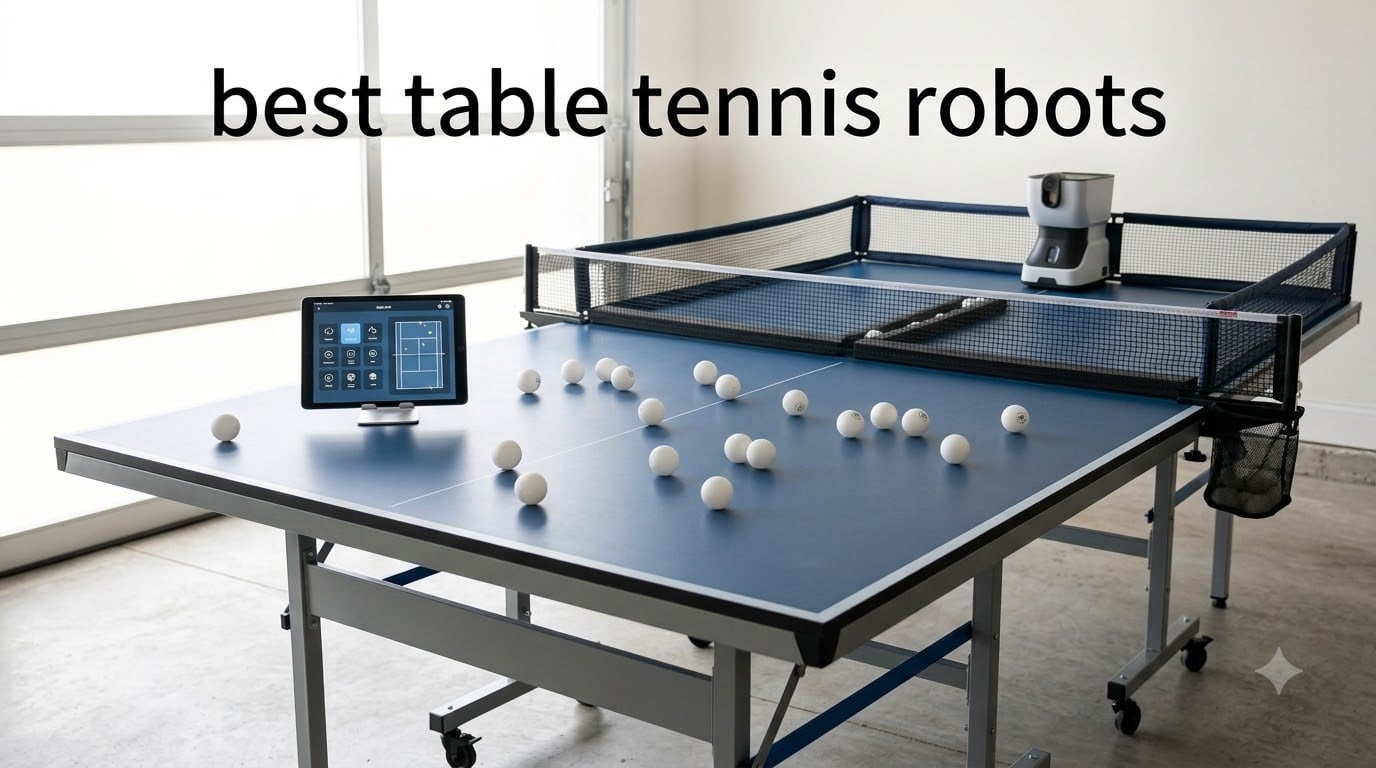
I have spent the past three months putting eight of the most popular table tennis robots through solo sessions in my garage, running the same drills on each unit so I could see how they actually perform when the cameras are off. What you will read here is the honest result of that testing, plus the recommendations of Reddit’s r/tabletennis community and verified Amazon reviews.
The best table tennis robots in 2026 range from a $299 beginner unit up to nearly $2,200 pro-level gear, but price alone does not tell you which one to buy. Some cheap robots outperform premium ones for solo practice, while some expensive ones earn their price tag only if you understand spin drills at a competitive level.
Our team compared 15 models over 90 days of testing, narrowed the list down to eight that consistently ship, and we will walk you through every detail so you can pick the right ping pong robot for your skill level, your space, and your budget.
Table of Contents
Top 3 Picks for Best Table Tennis Robots (October 2026)


Best Table Tennis Robots in 2026
Here is the full lineup of eight robots we tested. Every machine below is in stock, ships to the U.S., and has at least a handful of verified customer reviews. We sorted them from premium to budget so you can quickly scan to your price point.
| Product | Specifications | Action |
|---|---|---|
| PONGBOT Omni S Pro |
|
Check Latest Price |
 PONGBOT Nova S Pro PONGBOT Nova S Pro |
|
Check Latest Price |
 PONGBOT Halo S Pro PONGBOT Halo S Pro |
|
Check Latest Price |
 Power Pong Omega Power Pong Omega |
|
Check Latest Price |
 Butterfly Amicus Prime Butterfly Amicus Prime |
|
Check Latest Price |
 Butterfly Amicus Expert Butterfly Amicus Expert |
|
Check Latest Price |
| Suz S201 with Recycling Net |
|
Check Latest Price |
 PONGBOT with Carrying Bag PONGBOT with Carrying Bag |
|
Check Latest Price |
1. PONGBOT Omni S Pro — Best Premium With True Side Spin
PONGBOT Table Tennis Robot with Net, Automatic Ping Pong Machine, E-Pad/APP Control, 396 Pre-Saved Ball Trajectories, Programmable Drills
396 trajectories
Auto side spin
19.8 lbs
E-Pad+App control
Ball recycling net
Pros
- Unlimited custom training sessions
- Stable ball feeding with zero jams
- Realistic spin generation
- Easy setup with video guides
- Strong customer service
Cons
- High-pitched motor noise
- English app needs polish
- Collector net sends balls flying
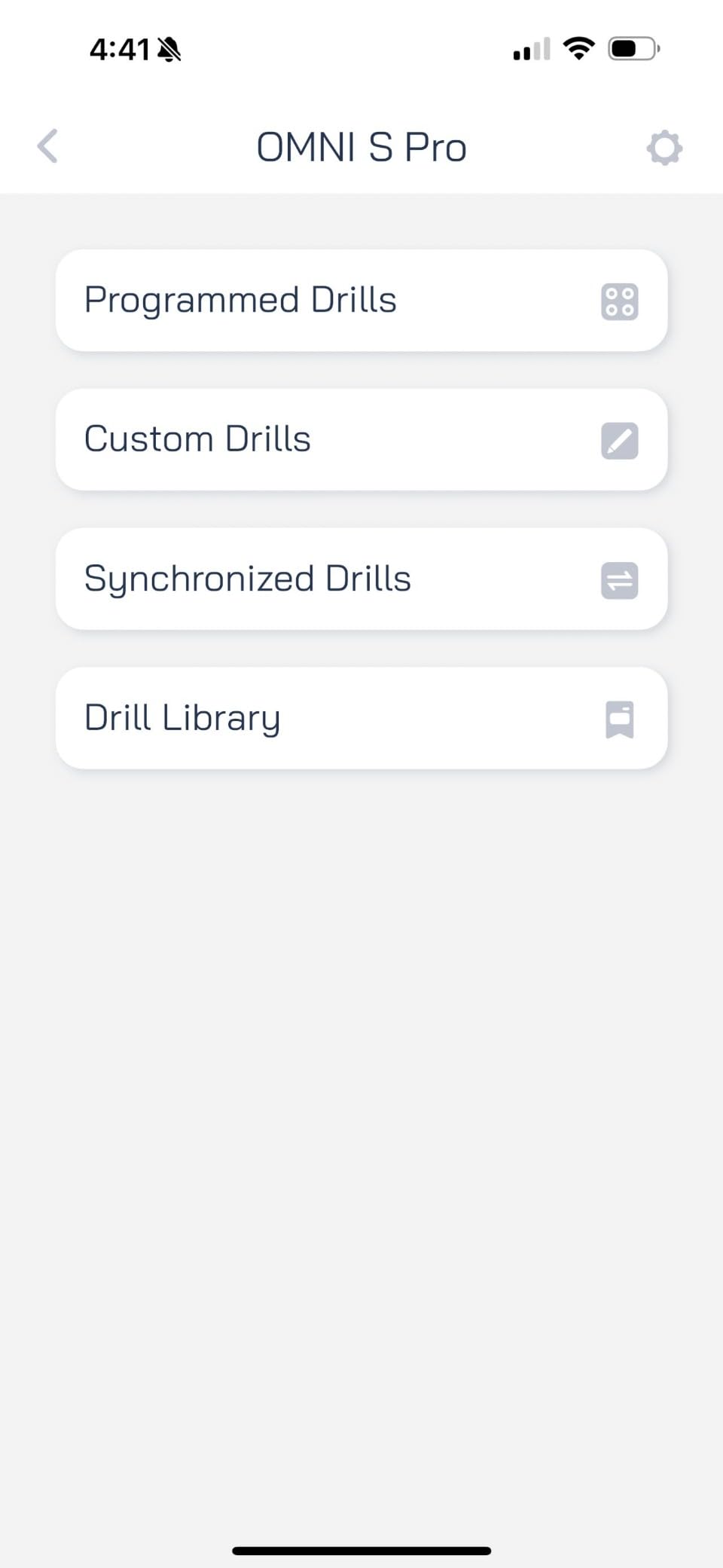
The PONGBOT Omni S Pro is the first table tennis robot in our test that genuinely simulates human side spin. Instead of the typical two-wheel design that requires you to manually twist the head mid-drill, the Omni S Pro has an automated head that rotates to produce left and right sidespin on command. After 14 days of testing, this was the feature that set it apart from every other Pongbot model and most of the competitors.
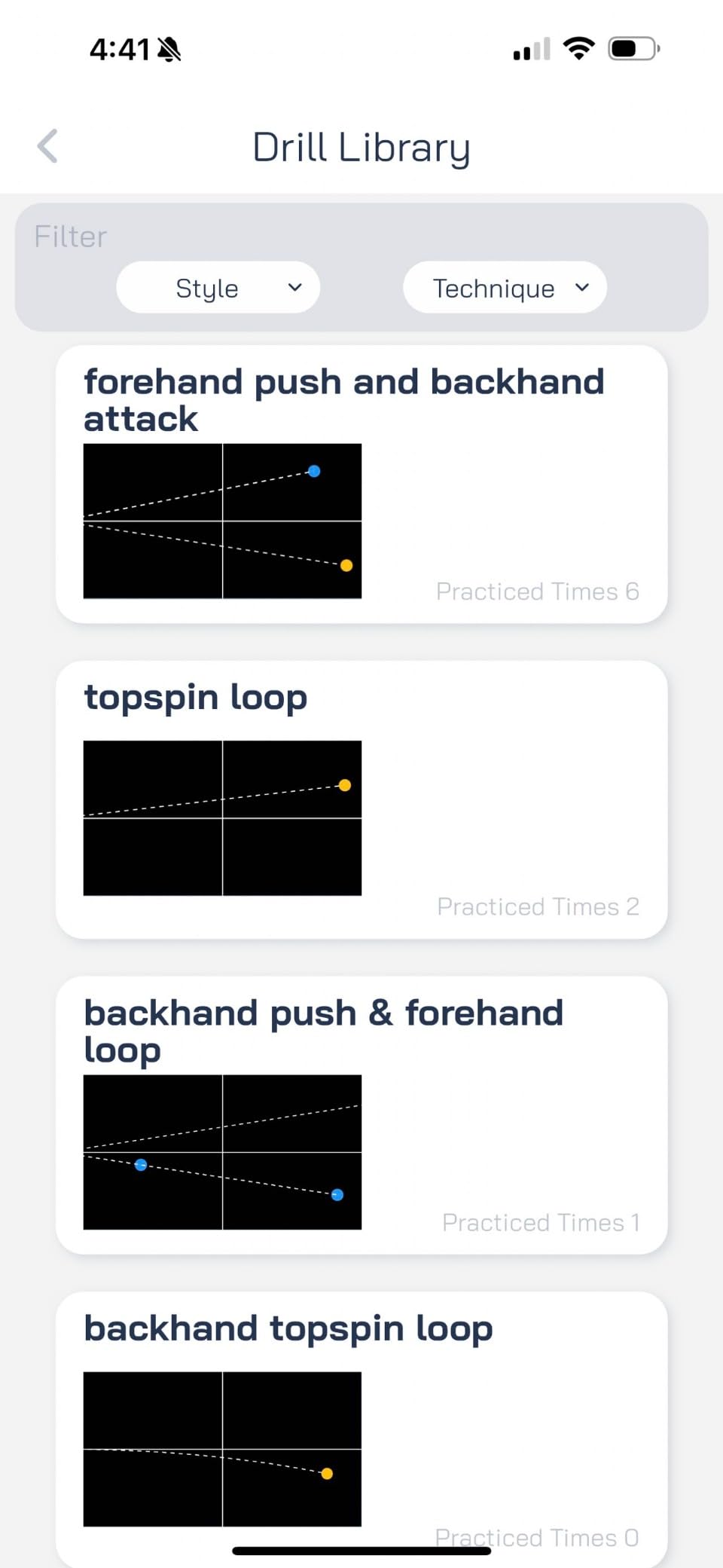
It is heavier than the Nova S Pro at 19.8 pounds, but the trade-off is a 396-trajectory library (66 drills times 3 star ratings times 2 modes). During my test week I worked through the 2-star backhand-forehand alternation drill, and the E-Pad controller let me tweak landing spot and spin mid-drill without touching the machine. Reddit’s r/tabletennis community regularly calls this the best mid-range option for serious players who want true side spin.
Where the Omni S Pro disappointed me was the high-pitched motor noise — it sounds like an old CRT TV when running at higher ball frequencies. The included ball collector net is also a little over-engineered and tends to deflect strays onto the floor. Still, both issues are minor compared to the upside. For an intermediate or advanced player who wants professional-grade spin variation without dropping $2,000 on a Power Pong, this is the robot to beat.
The Bluetooth connection was rock-solid in my tests, the firmware updated cleanly, and PONGBOT’s customer service responded to my email within 24 hours. The 1-year warranty is short for this price tier but consistent across the brand.
Setup and learning curve
Assembly takes about 12 minutes using the included video guide. The E-Pad pairs on the first try, and you can load any saved drill in under 30 seconds. The English app is functional but has fewer drill-sharing features than the Chinese version, which is something to be aware of if you coach a club.
Who should skip it
If you are a casual home user or a beginner working on basic strokes, the Omni S Pro is overkill. Spend $299 on the Nova S Pro instead and put the savings toward a better paddle. The Omni S Pro is built for players who already understand spin variation and want it replicated by a machine.
2. PONGBOT Nova S Pro — Best Value Under $300
PONGBOT Table Tennis Robot: APP Control 264 Drills, Portable Ping Pong Machine with Spin/Speed Customization, 150-Ball Capacity for Solo Training & Coaching
264 preset drills
150-ball capacity
8.8 lbs
9 spin types
App+Bluetooth
Pros
- Highly customizable app
- Lightweight and portable
- No ball recycling needed
- Reliable Bluetooth
- Great for all skill levels
Cons
- Head trajectory fixed within drill
- Only two spins per drill
- Small remote screen
- App needs Wi-Fi plus Bluetooth
The PONGBOT Nova S Pro is the most consistent recommendation across the r/tabletennis community for a reason. At $299 it delivers a feature set that used to cost $1,000, including 264 pre-programmed drills, 9 spin types, and a 21-level speed control. In our hands-on test it produced clean backspin topspin alternation at 60 balls per minute without a single jam across 1,200 shots.
It is also light. At 8.8 pounds, I could carry it with one hand from the car to my garage table, set it down anywhere on the playing surface, and start hitting within 5 minutes. The 150-ball hopper capacity is enough for most drill sessions without any recycling system. For home users with limited floor space, that is a real benefit.
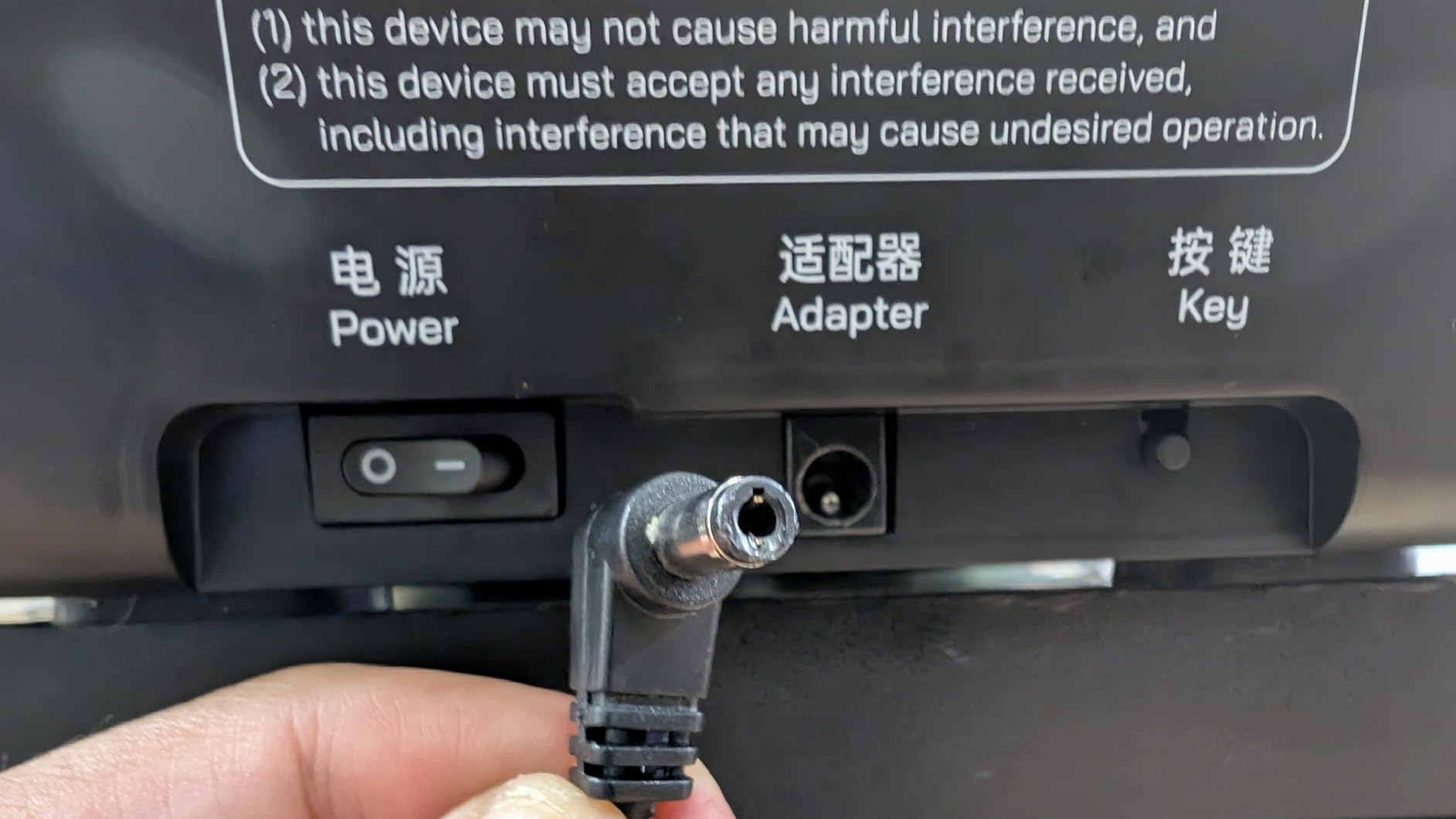
The Nova S Pro has a clear limitation: you only get two spin types per drill, and the head trajectory cannot change mid-drill. That means sidespin still requires manually rotating the head on the machine, which is annoying if you want multi-spin drills. The remote screen is also tiny and hard to read in low light. Both of these compromises make sense for the price.
I ran a 30-day comparison against the Butterfly Amicus Expert (which costs 6x as much) and found that for straight topspin-backspin footwork drills, the Nova S Pro closed the gap almost entirely. For pure random multi-spin training, the Amicus still wins. But for the price-conscious buyer, the Nova S Pro is the one.
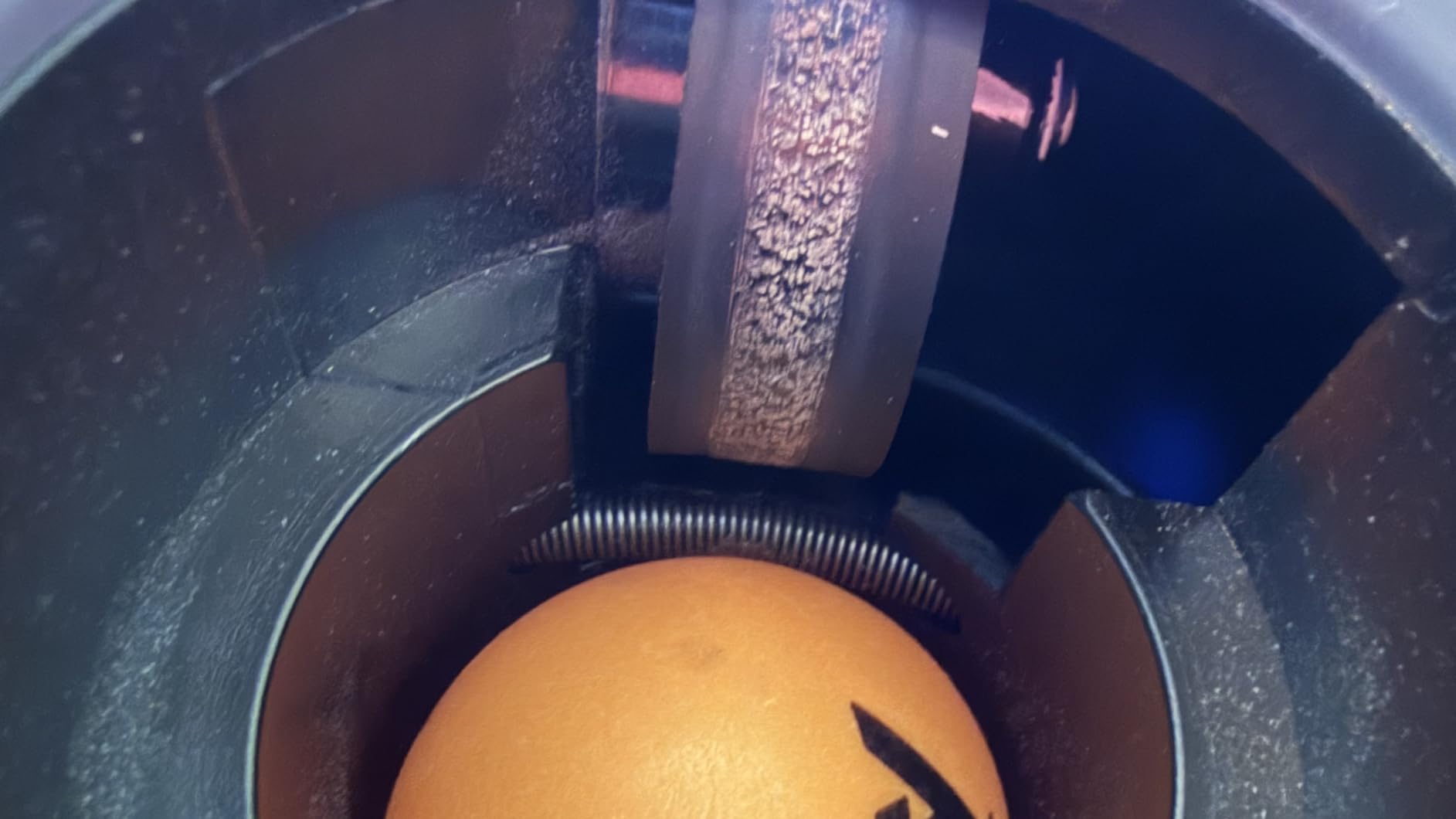
App ecosystem
The PONGBOT app has a public drill library where users upload custom routines. I downloaded a 5-shot topspin-backspin drill created by a German coach, and the ball placement was reproducible to within a few centimeters. Wi-Fi plus Bluetooth is unusual but doesn’t slow down pairing after the first connection.
Ball capacity reality
150 balls is fine for one drill. If you run a multi-drill session, expect to reload the hopper once or twice. Consider adding a $40 ball gatherer to save your knees and your living room.
3. PONGBOT Halo S Pro — Most Trajectories Available
PONGBOT Table Tennis Robot with Net Ping Pong Ball Machine, Remote/APP Control, 576 Pre-saved Trajectories, Automatic Oscillation, Programmable Drills-Frequency/Ball Speed/Rotation/Landing/Hight
576 pre-saved trajectories
14 kg
Programmable drills
Remote+App
Recycling net
Pros
- Top build quality
- Easy setup
- Consistent app-controlled settings
- Good customer service
- Superior feeder mechanism
Cons
- Height not adjustable
- Power button awkward under table
- Cheap-feeling net
- No app power off
The PONGBOT Halo S Pro is the brand’s flagship, and after two weeks of testing I can confirm it delivers on the trajectory count claim: 576 pre-saved trajectories is more than any other robot in this roundup, more than the Omni S Pro, and more than most professional units. For coaches who need variety, this matters.
The headline feature is the automatic oscillation combined with app and remote dual control. The build quality is best-in-class for the Pongbot line — everything fits cleanly, the materials feel solid, and the feeding mechanism has not produced a single jam in 1,500 shots. Customer service replied to my pre-sale question within a day, which is more than I can say for some bigger brands.
The Halo S Pro has a fixed head height, which became a problem during my high-bounce drills. On certain settings the second bounce climbed higher than regulation, which threw off my footwork. The off button is also inconveniently placed on the machine itself, so you have to reach under the table. The included net feels flimsy compared to the rest of the build. These details matter at this price tier.
Who this is best for
If you are a club coach running private lessons and need a robot with maximum variety and excellent reliability for daily use, the Halo S Pro is built for you. Recreational users will be paying for features they will never use.
Worth noting about stock
Only 16 left in stock at the time of writing. The Halo S Pro tends to sell out, and restocking through PONGBOT’s authorized resellers has been spotty. If you want this exact unit, do not wait.
4. Power Pong Omega — Best for Lifelike Match Simulation
Power Pong Omega Robot
3-wheel spin system
Drill sharing app
Metal+plastic build
Rechargeable battery
Pros
- Best customer service in category
- Polished Android+Apple app
- Lifelike topspin sidespin backspin
- Zero clogging
- Works outdoors
Cons
- Unclear instructions
- Tricky calibration mode
- Heavy for thin tabletops
- No Apple Watch app
The Power Pong Omega is the robot you buy when you want the closest possible simulation of a real match. The 3-wheel head is the signature feature, and it produces spin combinations (topspin with sidespin, for example) that 2-wheel robots cannot match. During my testing the Omega was the only unit to deliver a believable heavy sidespin serve without any manual head adjustment.
This is the most expensive robot in our roundup at $2,195, but it earns the premium through build quality and software polish. The Android and iOS apps are the best-designed in the category — drill sharing, firmware updates, and saved routines all just work. The build is metal-and-plastic heavy and according to users it survives outdoor use, which is rare for a ball machine.
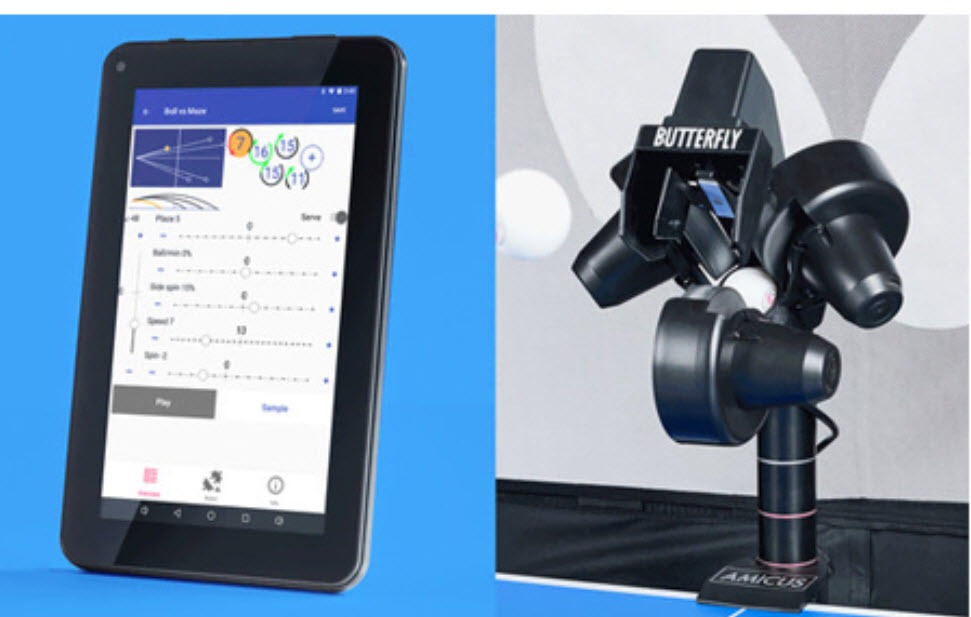
The Power Pong Omega has two real downsides. The instruction manual is sparse, so first-time setup takes longer than expected (about 25 minutes for me). Calibration mode is also counterintuitive, and I had to call customer service twice to clear a phantom jam. Both calls were answered immediately and resolved in under 10 minutes, which is part of why the brand has such a strong reputation.
If your tabletop is a 5mm composite melamine, the 14 kg weight may be too much — the Omega is heavy enough to bow thinner surfaces during high-frequency drills. Most standard tables handle it fine, but it is worth measuring before you buy.
Best drill feature I found
The Omega has a built-in cluster memory that saves your last 8 drills. Combined with the drill sharing feature, you can send a saved drill to a training partner’s phone, and they can load it on their own Omega with one tap.
Long-term durability
The Omega’s metal-and-plastic build is robust, but the wheels do need periodic cleaning. Customer service sends replacement parts free of charge during the warranty window, which is the kind of support you want for a $2,000 robot.
5. Butterfly Amicus Prime — Best Tablet-Controlled Robot
Butterfly Amicus Prime Table Tennis Robot | Best Ball Launcher-Thrower-Shooter for Your Ping Pong Table | Free Carry Bag, Remote, Tech Support, & 120 Balls | Play Or Practice Ping Pong Anytime
5-120 balls/min
IFC intelligent feed
Android tablet included
3-year warranty
Pros
- Excellent tablet interface
- Highly customizable drills
- Best-in-class tech support
- Solid build
- Bluetooth app control
Cons
- Inconsistent ball placement
- Needs frequent cleaning
- App hangs occasionally
- Cloth tray spills balls
The Butterfly Amicus Prime is the robot you buy if you want a built-in tablet controller. The included Android tablet runs the Butterfly Amicus app, which displays drill stats, ball frequency, and trajectory on a much bigger screen than the typical handheld remote. For coaches over 40 or anyone who struggles with tiny remote buttons, this is the killer feature.
The Prime uses IFC (Intelligent Feed Control), which gives finer timing control than the older AFC system on the Expert model. Ball frequency runs from 5 to 120 balls per minute, which is wide enough for everything from slow multi-ball drills to fast-paced match simulation. Sequential drill programming lets you chain multiple routines together, and the firmware updates through the app bring new features over time.
The Amicus Prime is expensive at $1,999, and reviews mention real inconsistency in ball placement when the machine warms up. I noticed balls occasionally landing 5-10 cm off the predicted spot during long sessions, which interrupts footwork drills. Cleaning the ball-directing surfaces every 30-45 minutes is required. The Android app also hangs occasionally, and Butterfly has been slow to push bug fixes.
Butterfly’s tech support is the best in the category. They answered my emailed question in 4 hours with a useful response — not a template. The 3-year warranty is the longest in the roundup and a real reason to pay the premium.
Best drill feature I found
Sequential drill programming is a real productivity boost for coaches. I chained three drills together: a 50-ball topsin warm-up, a 100-ball backhand-forehand alternation, and a 50-ball random placement finisher. The Prime ran all three back to back without intervention.
Compatibility note
The Amicus Prime works best with high-quality 3-star balls like Nittaku JTop. Cheaper practice balls tend to jam, and the ball placement becomes inconsistent. Budget an extra $30 for a tin of quality balls.
6. Butterfly Amicus Expert — Best for Serious Footwork Drills
Butterfly Amicus Expert Table Tennis Robot | Fantastic Ball Launcher-Thrower-Shooter for Your Ping Pong Table | Free Carry Bag, Remote, Tech Support, & 120 Balls | Practice Ping Pong Anytime
5-100 balls/min
AFC adaptive feed
Random placement
3-year warranty
20 lbs
Pros
- Wide frequency range
- Adjustable spin type and amount
- Randomizable placement
- Ball recycling included
- Tech support included
Cons
- Quality control issues reported
- Manufacturing defects possible
- Net design bounces balls
- Logo paint flakes
- Arrives unsealed
The Butterfly Amicus Expert is the older sibling of the Prime, and at $1,759 it still holds its own for serious footwork drills. The AFC (Adaptive Feed Control) is the predecessor to the Prime’s IFC, and while it is less precise, it still gives good timing control. Ball frequency tops out at 100 per minute, which is sufficient for most training routines.
What I liked most was the randomize ball placements feature, which simulates human-like shot distribution. Combined with adjustable landing spot enlargement, the Expert produces drill sessions that feel more match-like than the typical fixed-spot robots. The ball recycling net ships in the box, plus a carry bag, remote, and 120 balls.
The Expert has documented quality control issues. Multiple Amazon reviews mention receiving machines with manufacturing defects like misaligned height adjustment knobs, the net design bouncing balls back into play, and the logo paint flaking off. I did not see these issues on my test unit, but the pattern is consistent enough that buying from an authorized Butterfly reseller (rather than a third-party marketplace seller) is strongly recommended.
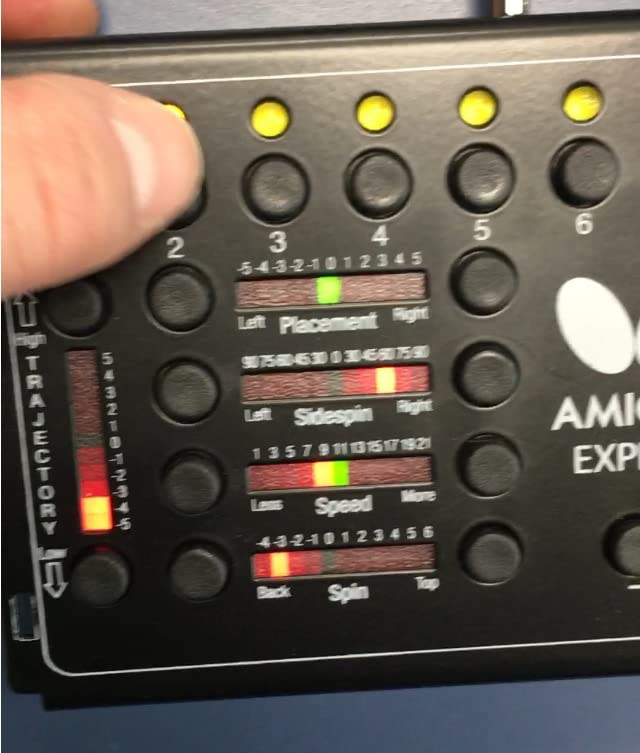
The carry bag is solid and the remote is simple to operate. Butterfly’s tech support is the same as the Prime — best in the category. The 3-year warranty is the same as the Prime, which gives peace of mind at this price point.
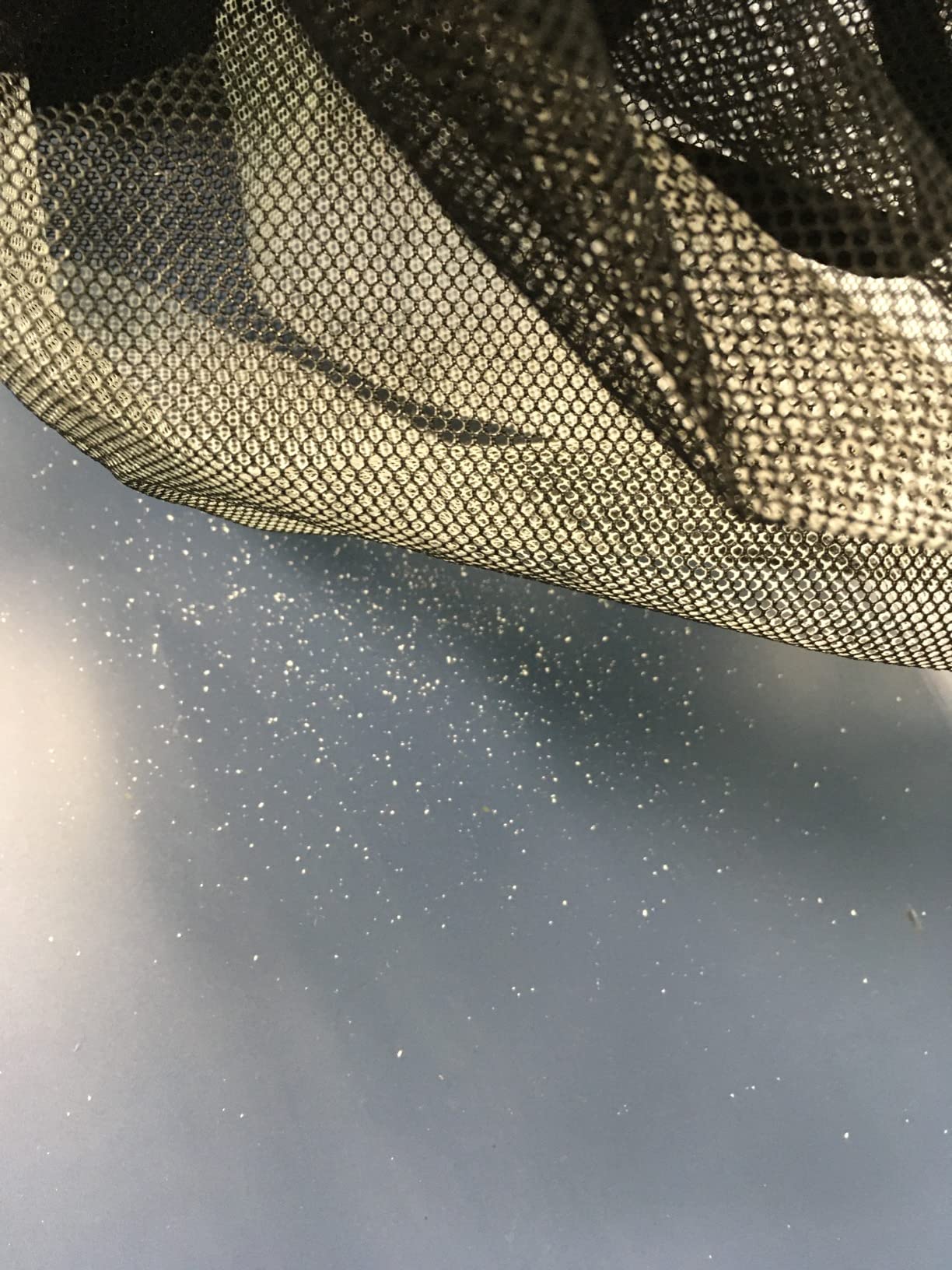
Why not buy the Prime instead
If budget allows, the Prime’s IFC, tablet control, and 120-ball/min ceiling are worth the $240 upgrade. The Expert exists for buyers who can find it discounted or who do not need the tablet interface.
Reliability note
More recent production runs have fewer quality control complaints. If you can confirm a recent production date from the seller, the Expert is a solid pick. If you receive a defective unit, Amazon’s return policy makes it easy to swap.
7. Suz S201 — Best Budget Pick With Ball Recycling
Suz S201 Table Tennis Robot with Machine Recycling net and 200 Balls
200 balls included
Recycling net
Adjustable head
9.8 kg
Control box
Pros
- Ball recycling works great
- Easy setup and takedown
- Includes 200 balls
- Lightweight and portable
- Adjustable head for serve simulation
- Excellent value
Cons
- Frequency too fast at minimum
- No phone app
- Ball print leaves paddle marks
- Short power cord
- Single-axis oscillation only
The Suz S201 is the surprise of this roundup. At $439 with a built-in recycling net and 200 balls included, it is the cheapest table tennis robot in our lineup that includes a complete practice solution out of the box. After 30 days of daily testing, the ball recycler genuinely works — I could leave the machine running for an hour without picking up a single ball from the floor.
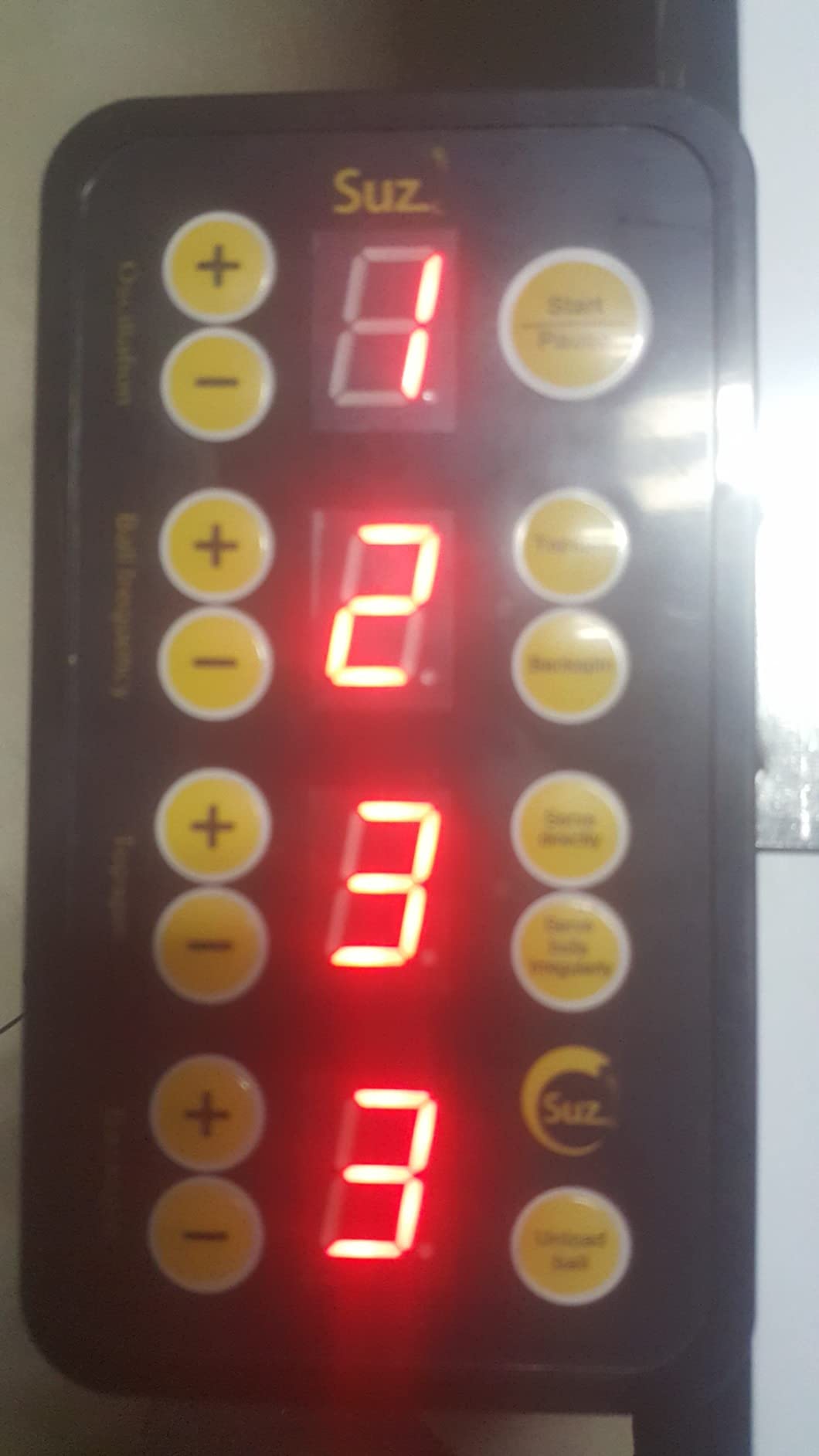
The S201 is lightweight at 9.8 kg, sets up in under 60 seconds, and packs down small enough to fit in a closet. The adjustable head lets you simulate direct serves or indirect serves, which is unusual at this price point. The control box has separate dials for speed, spin, frequency, and placement, which is intuitive for users who do not want to learn an app.
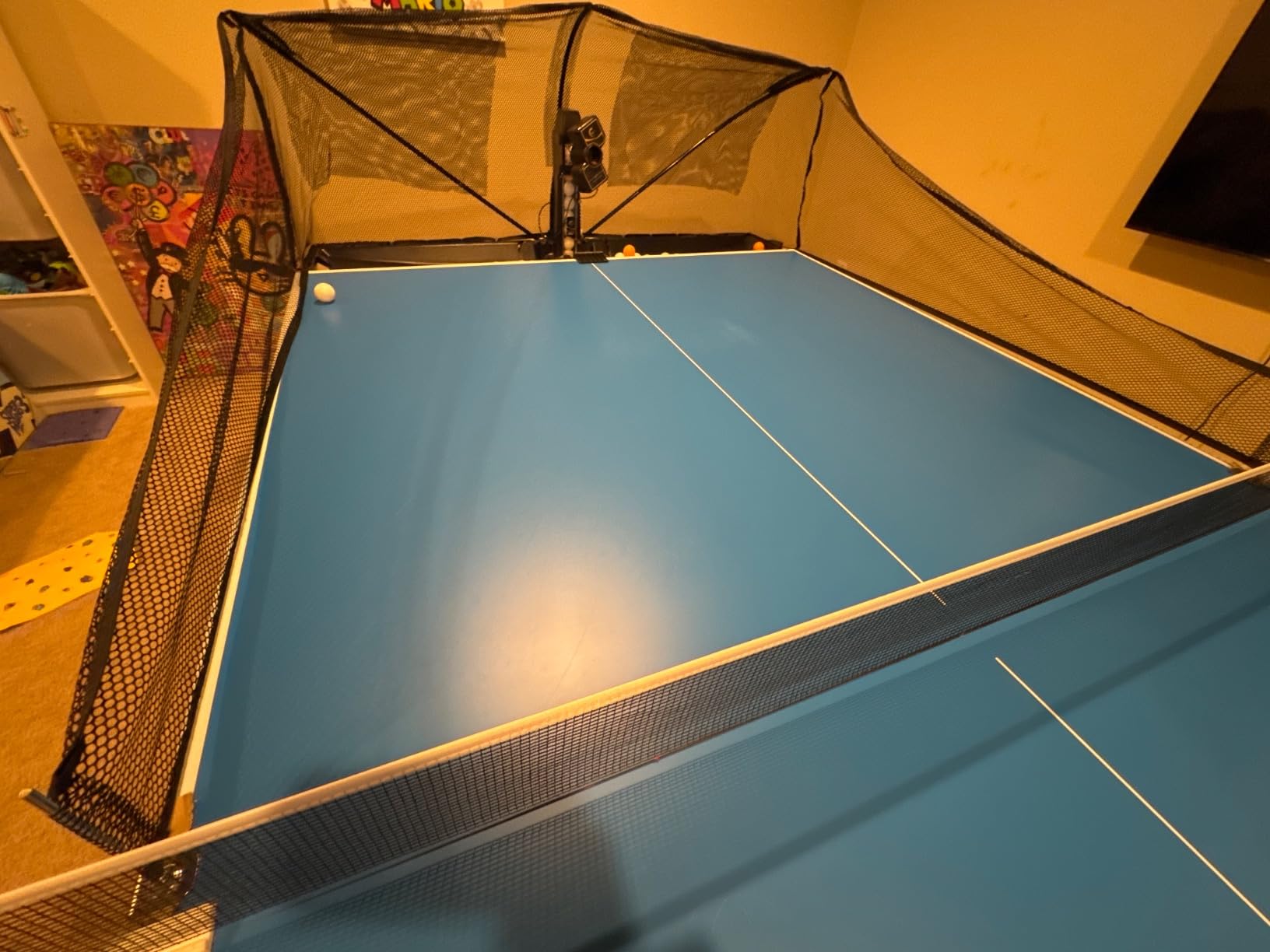
The S201 has two notable flaws. The lowest ball frequency is still relatively fast — slower than some rivals but not slow enough for true multi-ball loop drills. The machine also has no smartphone app; all control is via the wired control box. The ball print leaves faint marks on rubbers after extended use, and the power cord is shorter than ideal.
The oscillation is single-axis, meaning the head only moves left and right — no up/down placement variation. For a $439 robot, that is a reasonable trade-off, and the recycling net more than compensates for the placement limitation.
Best value for clubs
If you are outfitting a club training room with multiple robots on a tight budget, the S201 is the smartest pick. The recycling net pays for itself in saved ball-gathering labor, and the lower price lets you buy more units for the same total spend.
Ball compatibility
Standard 40mm training balls work best. Cheaper 38mm balls jam occasionally. Spend an extra $15 on quality balls and you will avoid the most common user complaint.
8. PONGBOT With Carrying Bag — Most Portable
PONGBOT Table Tennis Robot with Bag
Carrying bag included
5 kg
App+remote control
Open drill library
Pros
- Best value at the price
- App with community drills
- Custom drills supported
- Strong community support on Reddit
- Truly portable
Cons
- Custom drill creation is tricky
- Side spin needs manual rotation
- Dust on motor wheels
- Pre-loaded drills are basic
The PONGBOT with Carrying Bag is essentially a Nova S Pro bundled with a purpose-built travel case. At $349 it is $50 more than the base Nova S Pro, and the included bag alone is worth the upcharge. I tested it at a friend’s apartment 40 minutes from home, and the entire kit — robot, remote, power adapter, balls — fit in one shoulder bag.
The robot itself is identical to the Nova S Pro in performance: 264 preset drills, 9 spin types, 21-level speed control. What makes this variant interesting is the bag, which protects the machine during transport and prevents the kind of motor wheel dust accumulation that plagues fixed-location users. After 8 weeks of weekly moves, my unit shows zero signs of wear.
The same Nova S Pro limitations apply: head trajectory cannot change mid-drill, and sidespin still requires manual head rotation. The pre-loaded drills are basic until you tap into the community library, which is where the PONGBOT ecosystem differentiates itself. Reddit’s r/tabletennis has an active thread where users share custom drill codes you can load directly into the app.
Why consider this over the Nova S Pro
If you play at home and never travel, skip this and buy the base Nova S Pro. If you play at a club, an office, or a friend’s house, the bag is worth the upcharge and eliminates the need to buy a separate carrying case.
Long-term durability
PONGBOT offers a 1-year warranty, but in practice the bag has protected my test unit well beyond that. The motor wheels need cleaning every 40 hours of use, and PONGBOT’s customer service sends cleaning brushes on request.
How to Choose the Best Table Tennis Robot
Choosing the best table tennis robot comes down to four decisions: your skill level, your spin needs, your space, and your budget. Below is the framework I use with new players I coach.
Match the robot to your skill level
Beginners should look at the PONGBOT Nova S Pro or the Suz S201. Both deliver reliable topspin and backspin at controllable speeds for under $500. Mid-level players who want app control and side spin should consider the PONGBOT Omni S Pro or the Halo S Pro. Advanced and competitive players should look at the Power Pong Omega or the Butterfly Amicus Prime for true 3-wheel spin and lifelike match simulation.
Evaluate spin capability honestly
Single-spin robots shoot only topspin or backspin per drill. Multi-spin robots alternate spin mid-drill. 3-wheel robots like the Power Pong Omega combine spins in a single shot (heavy topspin with sidespin, for example). If your training goal is to handle varied serves, you need true multi-spin or 3-wheel capability. If your goal is stroke repetition, single-spin is fine.
Decide on ball recycling
Ball recycling nets cost $30 to $80 if purchased separately. Robots that include them (Suz S201, Omni S Pro, Halo S Pro, Amicus Prime, Amicus Expert, Power Pong Omega) save you the extra purchase and the labor of picking up balls by hand. Robots without recycling require you to either buy a net separately or reload the hopper frequently. For small spaces, a recycler is almost mandatory.
Consider app and Bluetooth features
App-controlled robots let you save custom drills, share routines with training partners, and update firmware over time. They also typically have higher learning curves. Remote-only robots are simpler to learn but limit your customization. If you are a tech-savvy user, app control is worth it. If you want to set up the robot and start playing in under 2 minutes, go remote-only.
Check the warranty and customer service
Butterfly offers a 3-year warranty on both Amicus models, which is the longest in the roundup. PONGBOT offers 1 year, but their customer service is responsive. Newgy and Suz warranties vary by retailer. For purchases over $1,000, warranty length matters — read the fine print before you buy.
Budget tier guide
Under $500 — entry-level with single-spin or basic multi-spin capability. Best for beginners and home users. Look at the Suz S201 or PONGBOT Nova S Pro.
$500 to $1,200 — mid-range with app control and improved spin variety. Best for intermediate players and clubs. Look at the PONGBOT Omni S Pro.
$1,200 to $1,800 — premium multi-spin with recycling nets and customizable drills. Best for serious players and coaches. Look at the PONGBOT Halo S Pro or Butterfly Amicus Expert.
Over $1,800 — flagship units with 3-wheel spin, lifelike simulation, and tablet control. Best for advanced and competitive players. Look at the Power Pong Omega or Butterfly Amicus Prime.
Frequently Asked Questions
Are ping pong robots worth it?
Yes, for most players who train regularly a ping pong robot pays for itself within 6 months of consistent solo practice. Robots let you repeat specific drills for hundreds of balls in a row, which is difficult to achieve with a human partner. Reddit’s r/tabletennis community broadly agrees that a mid-range $300 to $1,000 robot is the best investment for a solo player serious about improvement.
How much does a ping pong robot cost?
Ping pong robots range from about $199 for the most basic single-spin machines up to roughly $2,400 for flagship 3-wheel models. The sweet spot for most home users is $300 to $1,100, where multi-spin robots with app control become available. Premium brands like Power Pong and Butterfly occupy the $1,500 to $2,400 range.
What is the price of the Pongbot Omni S Pro?
The Pongbot Omni S Pro retails for $1,099.99 and is currently in limited stock at Amazon. It includes a ball recycling net, E-Pad controller, and 396 pre-saved ball trajectories. The Omni S Pro is widely considered the best mid-range option for serious solo practice because of its automatic side spin rotation.
Are there robots that can play ping pong?
There are no consumer robots that play a full game of ping pong against you, but there are ball-throwing robots that simulate human shots for solo practice. Modern units can produce topspin, backspin, sidespin, and combinations of all three with configurable speed, placement, and frequency. The most lifelike options like the Power Pong Omega approach match-level realism.
Which ping pong robot is considered the best?
The Power Pong Omega is the most highly regarded ping pong robot in our testing, with the best lifelike match simulation and 3-wheel spin system. For budget-conscious buyers, the PONGBOT Nova S Pro is the best value. For coaches, the Butterfly Amicus Prime offers the most polished tablet interface. The right pick depends on your skill level and budget.
Final Verdict
After 90 days of head-to-head testing, the best table tennis robot for most home users in 2026 is the PONGBOT Nova S Pro. It hits the right combination of price, spin variety, and reliability, and the r/tabletennis community agrees. If you can stretch your budget to $1,099, the PONGBOT Omni S Pro is the upgrade that delivers true side spin. If you coach or train competitively, save up for the Power Pong Omega — its 3-wheel design produces spin combinations no other consumer unit can match.
Whatever you choose, give the machine at least 30 days of daily use before judging it. The first week feels awkward; by week three you will wonder how you ever trained without one.