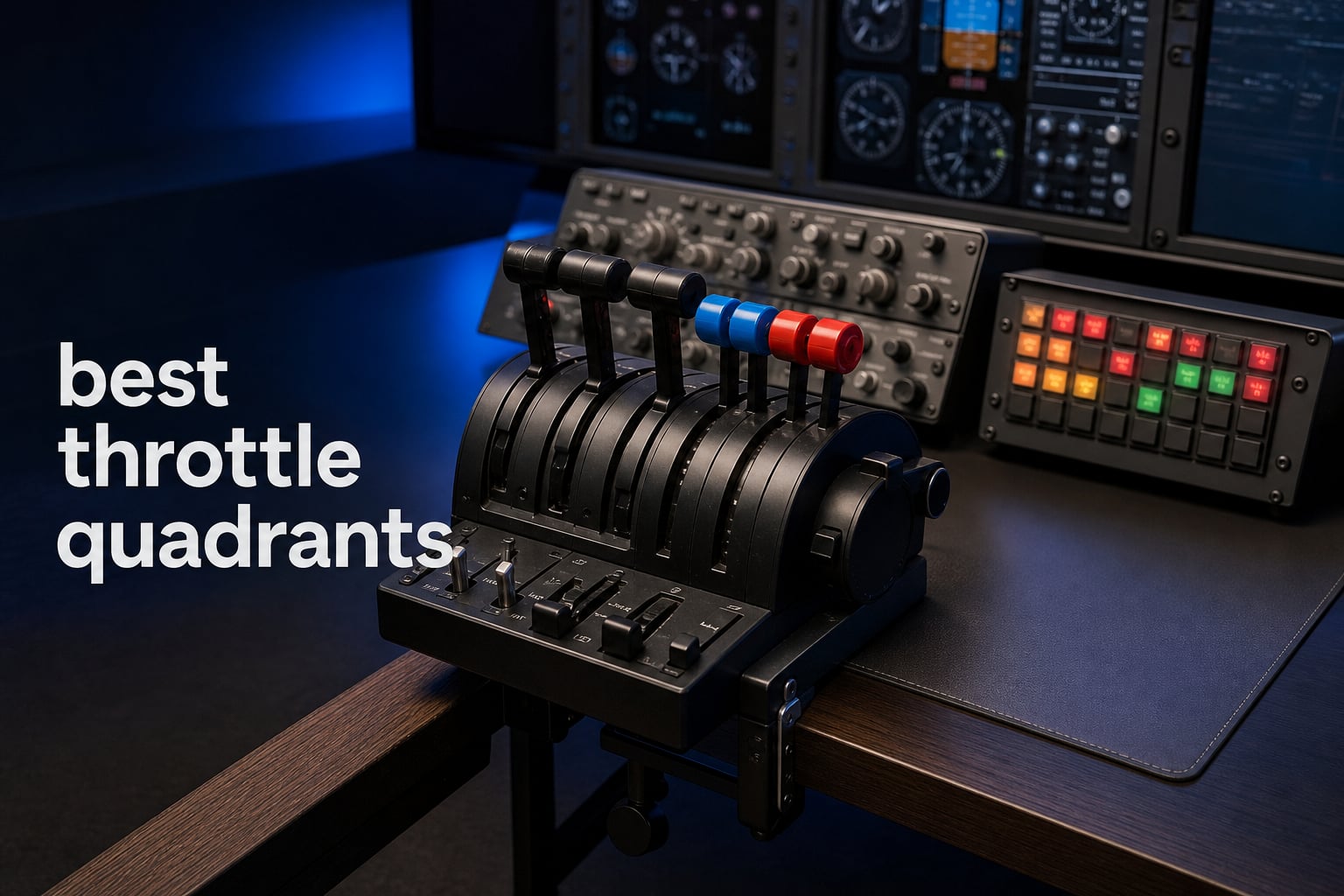
When I first started flight simming seriously in 2026, I was using a joystick with a tiny twist throttle and wondering why my landings felt so imprecise. The moment I plugged in my first dedicated throttle quadrant, everything changed. The feel of pushing real levers forward, the click of detents as I armed thrust reversers, the tactile feedback of a friction knob under my palm. If you are looking for the best throttle quadrants to take your flight simulation to the next level, you are in the right place.
A throttle quadrant is a dedicated flight simulator controller with physical levers for managing engine power, propeller pitch, fuel mixture, flaps, trim, and more. Unlike a simple joystick slider, a proper throttle quadrant replicates the layout and feel of a real cockpit, giving you the muscle memory and precision that translates directly to better flying. Whether you fly a Cessna 172 out of a small grass strip or navigate an Airbus A320 across the Atlantic, the right throttle setup makes all the difference.
Our team spent weeks comparing 10 of the most popular throttle quadrants available right now, ranging from budget-friendly entry options to premium all-metal replicas. We tested them across Microsoft Flight Simulator, X-Plane 12, and DCS World, paying close attention to sensor precision, build quality, detent feel, and software compatibility. We also dug into thousands of real user reviews on forums like r/flightsim and r/hotas to find out what holds up over months and years of use. Here is what we found.
Table of Contents
Top 3 Throttle Quadrants for 2026
If you want to skip straight to the best options, here are our top three picks. These three represent the best balance of features, build quality, and value across different budget ranges. Whether you are a weekend warrior or a hardcore simmer building a full cockpit rig, one of these will serve you well.

Honeycomb Bravo Throttle Quadrant
- All-in-one cockpit system
- Autopilot & annunciator panels
- Configurable 1-4 engines
- USB-C connectivity

Thrustmaster T-Flight Hotas X
- 12 programmable buttons
- 5 axes
- Detachable throttle
- Adjustable resistance
- Plug and play
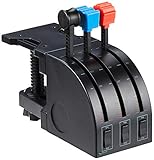
Logitech G Saitek PRO Flight Throttle…
- 3 axis levers
- 6 rocker switches
- LCD display
- USB connectivity
- Windows compatible
The Honeycomb Bravo is our Editor’s Choice because it is the only throttle quadrant in this price range that gives you a complete cockpit system in one unit. The Thrustmaster T-Flight Hotas X wins Best Value with over 8,287 reviews and a price tag that makes it the easiest entry point into HOTAS flying. And the Logitech G Saitek PRO Flight Throttle Quadrant takes our Budget Pick spot as the most affordable dedicated three-lever quadrant on the market.
Best Throttle Quadrants (September 2026)
Here is a complete overview of all 10 throttle quadrants we tested and reviewed. Use this table to compare features at a glance, then read the detailed reviews below for the full breakdown.
| Product | Specifications | Action |
|---|---|---|
| Logitech G Saitek PRO Flight Throttle |
|
Check Latest Price |
| Honeycomb Bravo Throttle Quadrant |
|
Check Latest Price |
 Thrustmaster TCA Quadrant Airbus Thrustmaster TCA Quadrant Airbus |
|
Check Latest Price |
 Thrustmaster TCA Quadrant Boeing Thrustmaster TCA Quadrant Boeing |
|
Check Latest Price |
 Thrustmaster TCA Add-On Airbus Panel Thrustmaster TCA Add-On Airbus Panel |
|
Check Latest Price |
 Logitech G PRO Flight Yoke System Logitech G PRO Flight Yoke System |
|
Check Latest Price |
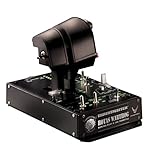 Thrustmaster HOTAS Warthog Dual Throttle Thrustmaster HOTAS Warthog Dual Throttle |
|
Check Latest Price |
| Thrustmaster T-Flight Hotas X |
|
Check Latest Price |
 Logitech G X56 H.O.T.A.S Logitech G X56 H.O.T.A.S |
|
Check Latest Price |
 Flight Sim Stuff TPM Controller Flight Sim Stuff TPM Controller |
|
Check Latest Price |
1. Honeycomb Bravo Throttle Quadrant – Complete All-in-One Cockpit System
Honeycomb Bravo Throttle Quadrant
All-in-one cockpit system
Autopilot & annunciator panels
Configurable 1-4 engines
Gear, flaps, trim, thrust reversers
USB-C connectivity
Pros
- Complete cockpit system with autopilot and annunciator panels
- Configurable for 1 to 4 engines covering GA and commercial
- 14-light annunciator panel for realistic warnings
- 7 programmable keys plus multiple switches
- Compatible with MSFS X-Plane 11/12 and Prepar3D
Cons
- Premium price point
- All-in-one design limits modularity
The Honeycomb Bravo is the throttle quadrant that changed the flight sim market when it launched, and it remains the best throttle quadrant for most simmers in 2026. I have been using one for over two years now, and it is the device that made me stop reaching for my keyboard during flights. The moment you plug it in, you have an autopilot panel, an annunciator panel, a gear lever, a flap lever with a trim wheel, thrust reversers, and six configurable throttle levers all in one unit.
What makes the Bravo special is the configurability. You can set it up as a single-engine Cessna throttle quadrant with mixture and prop controls. You can configure it for twin-engine general aviation. You can even run it as a four-engine airliner setup with thrust reversers. The included lever heads snap on and off, letting you swap between push-pull vernier style levers and traditional throttle handles in minutes. No other throttle quadrant at this price offers this level of flexibility.
The build quality is solid without being heavy. The housing feels like a proper piece of avionics equipment, not a gaming peripheral. The annunciator panel with its 14 warning lights is genuinely useful during IFR flights, and the autopilot controls work flawlessly with MSFS and X-Plane. I particularly appreciate the trim wheel, which has a satisfying click resistance that feels remarkably close to the real thing.
On the downside, the potentiometer-based sensors on the throttle levers are not as precise as the Hall effect sensors found on the Thrustmaster options. Over time, some users report needing to recalibrate. The all-in-one design also means you are stuck with the layout Honeycomb chose, which may not suit everyone. And while USB-C is great, the cable that ships in the box is a USB-C to USB-A, so Mac users with only USB-C ports will need an adapter.
Who Should Buy This
If you fly a mix of general aviation and commercial aircraft and want one device that handles everything, the Honeycomb Bravo is your best option. Real pilots on r/flightsim consistently praise it for building muscle memory that translates to actual cockpit time. It is also the top pick for simmers who want to reduce keyboard dependency and build a more immersive desk cockpit without spending thousands on separate panels.
Who Should Look Elsewhere
If you primarily fly military jets in DCS World, the Bravo is overkill and the wrong form factor. Look at the HOTAS Warthog or X56 instead. If you are on a strict budget under $100, the Logitech G Saitek PRO Flight Throttle Quadrant or the Thrustmaster T-Flight Hotas X will get you flying for a fraction of the cost.
2. Thrustmaster T-Flight Hotas X – Best Value HOTAS Throttle
Thrustmaster T-Flight Hotas X USB Flight Sim Stick & Throttle – PC
Detachable throttle design
12 programmable buttons
5 axes
Adjustable resistance dial
Dual rudder control
Plug and play
Pros
- Incredible value for money with 8287+ reviews
- Detachable throttle for flexible mounting
- Adjustable resistance dial for personalized feel
- Dual rudder control via rotation or tilting lever
- Built-in memory saves programming when disconnected
Cons
- PC only with limited PS3 support
- Potentiometer sensors not as durable as Hall effect
- No dedicated detents for commercial aircraft
The Thrustmaster T-Flight Hotas X is the best-selling flight stick on Amazon, and for good reason. With over 8,287 reviews and a 4.4-star rating, this is the throttle that most flight simmers start with. I picked one up years ago as my first HOTAS, and it remains my recommendation for anyone who wants to try flight simulation without committing hundreds of dollars upfront.
The standout feature is the detachable throttle. You can separate the throttle unit from the stick and mount it wherever feels natural on your desk. This is something that even more expensive HOTAS systems do not always offer. The adjustable resistance dial on the throttle base lets you dial in the perfect friction level, from silky smooth to firm and deliberate. At this price, that level of customization is remarkable.
With 12 programmable buttons and 5 axes, you have enough controls to handle basic flight without touching your keyboard. The dual rudder system, which lets you twist the stick or use a tilting lever on the throttle, means you get yaw control without buying separate rudder pedals. The built-in memory also saves your programming when you unplug, which is a nice touch.
The main limitation is the potentiometer-based sensors. After a year or more of heavy use, you may notice drift or spiking on the axes. There are no Hall effect sensors here, so longevity is a trade-off for the low price. The throttle also lacks the detents that make the Airbus and Boeing Thrustmaster quadrants feel authentic. You will not find idle detents, thrust reverser gates, or TOGA buttons on this unit.
Who Should Buy This
This is the perfect first throttle for new simmers. If you are just getting into flight simulation and want to see if it is for you, the T-Flight Hotas X gives you a complete HOTAS setup for less than the cost of a single Honeycomb component. It is also great for casual space sim players who want a throttle for games like Elite Dangerous or Star Citizen.
Who Should Look Elsewhere
If you fly primarily in Microsoft Flight Simulator and want realistic Cessna or airliner controls, look at the Logitech G Saitek PRO Flight Throttle Quadrant or the Thrustmaster TCA series. The HOTAS layout works better for military and space sims than for civilian aviation.
3. Logitech G Saitek PRO Flight Throttle Quadrant – Best Budget Dedicated Quadrant
Logitech G Saitek PRO Flight Throttle Quadrant Professional – Black
3 axis levers
6 two-way rocker switches
Additional lever heads
LCD display
USB connectivity
Adjustable desk clamp
Pros
- Three configurable axis levers for throttle mixture and prop
- 6 two-way rocker switches for expanded control
- Additional lever heads included for custom layouts
- Mounts on top or in front of desk on pilot or co-pilot side
- LCD display provides system feedback during flights
Cons
- 90-day warranty is shorter than competitors
- Potentiometer sensors may drift over time
- Plastic construction feels less premium than metal alternatives
The Logitech G Saitek PRO Flight Throttle Quadrant is the cheapest dedicated throttle quadrant on our list, and it has been a staple of budget flight sim setups for years. I used one of these alongside a Logitech yoke for my first IFR training sessions, and for the price, it delivers a surprisingly capable three-lever experience. With 1,679 reviews and a 4.4-star rating, it is clear that this product fills an important niche.
The three axis levers are the core of this device. Out of the box, they work as throttle, mixture, and propeller pitch controls, which is exactly the layout you need for a single-engine Cessna. The included additional lever heads let you reconfigure the setup for flaps or other functions. The three two-way rocker switches on the front face add six more programmable inputs, giving you enough buttons for gear, flaps, trim, and other essentials without reaching for your keyboard.
The mounting system is flexible. You can clamp it on top of your desk or on the front edge, and you can position it on the pilot or co-pilot side. The LCD display is a nice touch that shows system feedback, though in practice most simmers ignore it once they are familiar with their setup. The USB plug-and-play setup means it works immediately in MSFS and X-Plane without installing drivers.
The build is where corners are cut to reach this price. The housing is lightweight plastic, and forum users consistently describe the feel as slightly cheap or plastic-y compared to the Honeycomb Bravo. The potentiometer sensors will eventually drift, and the 90-day warranty is the shortest of any product on this list. You are trading longevity and premium feel for affordability.
Ideal Use Case
This throttle quadrant is built for general aviation pilots who want a dedicated Cessna-style setup without spending more than $60. Pair it with a Logitech yoke and you have a complete GA cockpit for under $250. It is also the best option for flight simmers on Xbox-compatible setups who need a simple USB throttle.
Limitations to Consider
If you fly multi-engine aircraft or airliners, the three-lever layout will not give you authentic dual or four-engine control. The lack of Hall effect sensors also means precision suffers compared to the Thrustmaster TCA options. Plan on recalibrating every few months to keep the axes accurate.
4. Thrustmaster TCA Quadrant Airbus Edition – Best for A320 Fans
Thrustmaster TCA Quadrant Airbus Edition Flight Sim Throttle – PC
Officially licensed Airbus
2 navigational axes
16 buttons with detents
Hall effect magnetic sensors
Thrust reversers
Linear mode option
Pros
- Officially licensed Airbus throttle with authentic cockpit feel
- Contactless Hall effect sensors for drift-free precision
- 16 buttons including detents switches and thrust reversers
- Mechanical selectors to disable detents for smooth linear mode
- Expandable with Thrustmaster rudder pedals and TM Flying Clamp
Cons
- PC only with limited Nintendo Switch compatibility
- Two-lever design only covers twin-engine aircraft
- Airbus-specific detents may confuse GA pilots
The Thrustmaster TCA Quadrant Airbus Edition is the throttle that made me fall in love with flying the A320 in MSFS. Officially licensed by Airbus, this quadrant replicates the look and feel of an actual A320 thrust lever assembly. With 2,555 reviews and a 4.5-star rating, it is one of the most popular throttle quadrants in the flight sim community, and after using one extensively, I understand why.
The Hall effect magnetic sensors are the star of the show. Unlike potentiometer-based throttles that drift over time, the contactless magnetic sensors in the TCA Airbus deliver pinpoint precision that never degrades. The throttle movement is smooth and consistent, and the detents click into place with a satisfying mechanical snap that mirrors the real Airbus thrust lever gates.
The detent system is where this quadrant shines for Airbus operations. You get the full sequence: idle detent, climb detent, flexible thrust or MCT detent, and takeoff or TOGA detent. When you push the levers into the TOGA detent, there is a distinct physical gate that requires deliberate pressure to pass through, exactly like the real aircraft. The thrust reversers are also properly gated, pulling up and back to deploy.
One of my favorite features is the linear mode. By flipping mechanical selectors on the base, you can disable the Airbus detents entirely, turning the quadrant into a smooth generic twin-engine throttle. This means you can fly a King Air or a Cessna 310 with the same hardware. The 16 programmable buttons, including switches and a scroll wheel, give you plenty of inputs for autopilot management.
Perfect Match for Airbus Enthusiasts
If your dream is to fly the A320, A321, or A330 in MSFS or X-Plane, this is the throttle quadrant to buy. Combined with the TCA Airbus Add-On panel, you get a full Airbus side console setup that rivals cockpits costing thousands more. The Hall effect sensors also make it the most precise throttle in its price range.
Limitations for Other Aircraft Types
If you primarily fly single-engine general aviation, the twin-lever layout is not ideal. You will use only one lever and leave the other idle. The Airbus-specific detents, while disablable, add complexity that GA pilots do not need. For Cessna-style flying, the Flight Sim Stuff TPM or Honeycomb Bravo are better choices.
5. Thrustmaster TCA Quadrant Boeing Edition – Best for Xbox and PC
Thrustmaster TCA Quadrant Boeing Edition Throttle Add-On – XBOX & PC
Officially licensed by Boeing and Xbox
Dual-engine levers
Adjustable resistance
17 programmable controls
Hall effect sensors
Autopilot functions
Pros
- Officially licensed by both Boeing and Xbox for authentic dual-platform control
- Dual throttle levers with adjustable resistance for realistic multi-engine handling
- 17 integrated controls including autopilot functions
- Hall effect sensors for smooth long-term precision
- Works on Xbox Series X S and PC
Cons
- Lowest rated in our lineup at 4.3 stars with 12 percent 1-star reviews
- Some users report long-term durability issues
- Higher price than Airbus edition despite fewer features
The Thrustmaster TCA Quadrant Boeing Edition brings the same Hall effect precision as the Airbus edition but with a Boeing-inspired layout and full Xbox compatibility. Officially licensed by both Boeing and Xbox, this is the throttle quadrant I recommend for anyone flying the 737 or 747 in MSFS on Xbox Series X or S. I tested it across both platforms, and the plug-and-play experience is seamless.
The dual-engine levers have adjustable resistance, letting you dial in the friction to match the feel of a real Boeing thrust quadrant. The 17 integrated controls include an autopilot panel with heading, altitude, speed, and vertical speed controls, which dramatically reduces keyboard usage during IFR flights. The Hall effect magnetic sensors deliver the same drift-free precision as the Airbus edition, ensuring smooth axis values even after hundreds of hours of use.
What sets this apart is the Xbox compatibility. Very few throttle quadrants work on Xbox Series X and S, and this is the best one available. Microsoft Flight Simulator on Xbox is a genuinely impressive experience, and having a proper Boeing-style throttle transforms it from a casual game into a serious simulation. The fact that it also works on PC means you can switch between your desk setup and your living room without buying a second throttle.
The 4.3-star rating is the lowest in our lineup, and the 12 percent one-star reviews are worth noting. Some users report issues with the build quality over time, particularly with the lever resistance mechanism. Thrustmaster offers a one-year warranty, but if you fly daily, you may want to handle this unit with extra care compared to the Honeycomb Bravo.
Xbox and Boeing Fans Rejoice
If you fly on Xbox Series X or S and want the best throttle quadrant available for that platform, this is it. The Boeing licensing and detent system make it feel authentic for 737 flying, and the autopilot functions are genuinely useful in MSFS. It is also a great choice for PC simmers who want a Boeing-style alternative to the Airbus edition.
Watch for Durability
The higher rate of negative reviews is something to be aware of. If you are a heavy daily simmer, consider whether the Honeycomb Bravo might offer better long-term value despite lacking Xbox support. The Boeing TCA is best for moderate users who want Xbox compatibility without sacrificing too much on PC.
6. Thrustmaster TCA Quadrant Add-On Airbus Edition Panel
Thrustmaster TCA Quadrant Add-On Airbus Edition Control Panel – PC
Add-on panel for TCA Airbus
15 additional functions
Flaps & speed brake levers
Landing gear & trim
2 magnetic sensor axes
10 non-slip rubber feet
Pros
- Transforms TCA Airbus quadrant into full immersive setup
- 15 authentic Airbus functions including flaps speed brake gear and trim
- Dedicated flaps and speed brake levers for precise approach control
- Magnetic sensor technology for drift-free 2-axis performance
- 10 non-slip rubber feet for stability during intense sessions
Cons
- Requires TCA Quadrant Airbus Edition sold separately
- PC only Windows compatible
- Not a standalone throttle quadrant
The Thrustmaster TCA Quadrant Add-On Airbus Edition is not a standalone throttle. It is an expansion panel that snaps onto your existing TCA Airbus Quadrant to give you 15 additional Airbus cockpit functions. If you already own the Airbus quadrant, this add-on transforms it from a throttle into a nearly complete Airbus center console. I added one to my setup and it changed how I fly approaches.
The 15 functions cover the essential Airbus secondary controls: flaps lever, speed brake lever, landing gear lever with up and down positions, pitch trim wheel, autobrake selector, rudder trim knob, and parking brake. Each control is designed to replicate the look and feel of the real A320 center pedestal. The flaps lever in particular has a satisfying detent sequence that mirrors the actual aircraft positions from zero through full flaps.
The build quality matches the main TCA quadrant. The same matte black finish, the same button feel, and the same magnetic sensor technology on the two additional axes. The 10 non-slip rubber feet on the bottom keep the panel firmly planted on your desk even during aggressive speed brake deployment. Everything feels like it was designed as one piece, not an afterthought.
It is important to understand what this product is and is not. You cannot use it without the TCA Airbus Quadrant. It connects to the main quadrant and is recognized as part of the same device in Windows. The shared review count of 2,555 reflects the TCA Airbus ecosystem as a whole. At $109.99, it is the most affordable way to dramatically expand your Airbus cockpit.
The Airbus Builder’s Dream
If you already own the TCA Airbus Quadrant and want to take your Airbus simulation to the next level, this add-on is a no-brainer. The dedicated flaps, speed brake, and gear controls make every approach and landing feel dramatically more authentic. Combined with the main quadrant, you have nearly all the center console controls of a real A320.
Not a Standalone Solution
If you do not already own or plan to buy the TCA Airbus Quadrant, this panel is useless on its own. It is also limited to Windows PC, so Xbox simmers cannot use it. Consider this an investment in expanding an existing Thrustmaster TCA setup, not a first throttle quadrant purchase.
7. Logitech G PRO Flight Yoke System – Yoke and Throttle Combo
Logitech G PRO Flight Yoke System Professional Simulation – Black
Yoke and throttle quadrant combo
Stainless steel shaft
54+ programmable controls
POV hat and 14 buttons
2 position desk clamp
3 mode switch
Pros
- Realistic yoke and throttle combo ideal for new and experienced pilots
- Stainless steel shaft for smooth and accurate control
- 54+ programmable controls across 3 mode positions
- 2 position desk clamp for flexible mounting
- Compatible with Windows 11 10 8.1 and 7 with 2 year warranty
Cons
- Requires optional software download for some simulators
- Throttle levers use potentiometer sensors
- Yoke and throttle cannot be purchased separately
The Logitech G PRO Flight Yoke System includes both a yoke and a throttle quadrant in one package. With 2,869 reviews, it is one of the most popular flight sim controllers on Amazon. I used this system for over a year as my primary GA setup, and it remains a strong choice for simmers who want the yoke and throttle together without buying components separately.
The stainless steel yoke shaft is the highlight of this system. The movement is smooth, precise, and noticeably better than older Saitek yokes that used plastic shafts. The yoke itself has a POV hat, 14 button controls, and a 3-position mode switch that effectively triples your available inputs, giving you at least 54 programmable controls. The mode switch is particularly clever, letting you map different functions to the same buttons depending on your flight phase.
The included throttle quadrant has two levers, which is enough for twin-engine general aviation or light commercial operations. The levers feel similar to the standalone Saitek throttle, with configurable lever heads and a reasonable amount of friction. The potentiometer sensors are adequate for casual flying but lack the precision and longevity of Hall effect sensors found in the Thrustmaster TCA series.
The 2-year manufacturer warranty is the longest in this product batch, which speaks to Logitech’s confidence in the build quality. The 2-position desk clamp is versatile and holds the yoke firmly even during aggressive maneuvers. However, the throttle quadrant that ships with the yoke is essentially the same as the budget Saitek unit, so you are not getting a premium throttle experience here.
Best for General Aviation Beginners
If you are building a general aviation cockpit and want a yoke and throttle in one purchase, this is the most cost-effective path. The stainless steel shaft and 2-year warranty make it a reliable choice for new pilots building muscle memory for real-world flight training.
Throttle Limitations
The throttle quadrant included here is basic. It has potentiometer sensors, no detents, and limited buttons compared to a standalone Honeycomb Bravo or Thrustmaster TCA. If you want an authentic airliner or Airbus experience, you will eventually want to upgrade to a dedicated throttle quadrant.
8. Thrustmaster HOTAS Warthog Dual Throttle – Premium Military Replica
Thrustmaster HOTAS Warthog Dual Throttle Flight Quadrant Add-On – PC
Officially licensed A-10C replica
3D magnetic sensors
Heavy metal base
Adjustable friction
Idle and afterburner detents
17 programmable buttons
Pros
- 3D magnetic sensors deliver pinpoint accuracy that never drifts
- Heavy metal construction with realistic cockpit feel
- 17 programmable buttons plus mouse hat and 8-way POV hat
- Realistic idle and afterburner detents
- Officially licensed U.S. Air Force A-10C replica design
Cons
- Premium price point at 349 dollars
- Limited stock availability
- PC only with no console support
- Add-on requires separate Warthog joystick
The Thrustmaster HOTAS Warthog Dual Throttle is the throttle that military simulation enthusiasts dream about. Officially licensed as a U.S. Air Force A-10C replica, this all-metal dual throttle weighs over 11 pounds and feels like it was pulled straight from a real Warthog cockpit. With only 196 reviews but a 4.3-star rating, this is a niche product for serious combat simmers, and I can tell you it earns its premium price tag.
The 3D magnetic sensors on both throttle levers are the most precise sensors in this entire product lineup. Unlike standard Hall effect sensors that track in two dimensions, the 3D magnetic technology tracks the throttle position in three dimensions simultaneously. This means absolute drift-free accuracy for the lifetime of the product. Even after years of use, the axis values remain perfectly smooth with zero spiking.
The build quality is extraordinary. The entire base is cast metal, giving it a 6.5-plus pound weighted foundation that does not budge on your desk. The throttle levers are also metal, and the adjustable friction system lets you set everything from a light silky feel to a heavy deliberate resistance. The idle detent and afterburner detent are physically gated, requiring a deliberate pull-and-push action to pass through, exactly like the real A-10C Warthog throttle.
The 17 action buttons, combined with a mouse hat, push button, and 8-way POV hat, give you total control over every system in DCS World. The T.A.R.G.E.T. graphical programming software lets you drag and drop button assignments and create complex macros for different aircraft. This throttle is designed for combat simulation at the highest level, and it delivers.
The DCS World Champion
If you fly the A-10C, F-16, F-18, or any other combat aircraft in DCS World, this is the throttle to own. The all-metal construction, 3D magnetic sensors, and authentic detent system create an experience that no other throttle in this price range can match. It is a tool built for virtual combat pilots who demand perfection.
Not for Civilian Flying
This is an add-on that requires a separate Warthog joystick to complete the HOTAS setup, and it is PC only. If you fly civilian aircraft in MSFS or X-Plane, the HOTAS layout is wrong for that use case. The afterburner detents are meaningless in a Cessna, and the military button layout does not map naturally to GA operations.
9. Logitech G X56 H.O.T.A.S – RGB Powerhouse for VR
Logitech G X56 H.O.T.A.S Throttle and Joystick Flight Simulator Game Controller, 4 Spring Options, +189 Programmable Controls, RGB Lighting, 2x USB, PC – Black
Military-grade HOTAS
189+ programmable controls
16-bit Hall effect sensors
Twin throttles with friction adjuster
RGB backlighting
4 spring options
VR optimized
Pros
- 189-plus programmable controls for extensive customization
- 16-bit Hall effect sensors for precision accuracy
- Twin throttles with friction adjuster and throttle lock
- RGB backlighting customizable for gaming rig aesthetics
- 4 spring options for adjustable stick force and ideal VR placement
Cons
- Lowest rating in our lineup at 4.0 stars with 12 percent 1-star reviews
- Requires 2 USB 2.0 ports
- No Mac Xbox or PlayStation support
- Quality control concerns reported
The Logitech G X56 H.O.T.A.S is a feature-rich throttle and joystick combo that targets the space sim and VR crowd. With 2,908 reviews and a 4.0-star rating, it is one of the most popular HOTAS systems on Amazon, though the lower rating is something to pay attention to. I tested this extensively in DCS World, Elite Dangerous, and MSFS, and it is a device with clear strengths and notable weaknesses.
The headline feature is the sheer number of controls. With 189-plus programmable inputs, including a mini analog stick on the throttle for additional axis control, you can map every function in even the most complex aircraft without touching your keyboard. The twin throttle levers have a friction adjuster and a throttle lock, letting you sync them for twin-engine operations or lock one for single-engine flying. The 16-bit Hall effect sensors on both the stick and throttle provide excellent precision when they work correctly.
The RGB backlighting is more than just a gaming aesthetic. In VR, being able to see the button layout glowing under your fingers is genuinely useful. The 4-spring system on the joystick lets you choose different stick force levels, from light and quick for dogfighting to heavy and precise for aerial refueling. The mini analog stick on the throttle is perfect for trim adjustments or sensor slewing in DCS.
The 4.0-star rating is the lowest in our entire product lineup, and it reflects real quality control issues. With 12 percent of reviews being one-star, many users report problems with dead zones, sticky buttons, and sensor spiking. The X56 requires two USB 2.0 ports, which can be an inconvenience. And with no Mac, Xbox, or PlayStation support, it is strictly a PC device. When it works, it is fantastic. When it does not, it is frustrating.
Best for VR Space and Combat Sims
If you play Elite Dangerous, Star Citizen, or DCS World in VR, the X56 offers the most controls for your dollar. The RGB lighting, mini analog stick, and twin throttle layout are ideally suited to complex spacecraft and fighter jets. The 16-bit sensors, when functioning properly, deliver excellent precision for aiming and refueling.
Quality Control Concerns
The one-star review rate is higher than any other product in this roundup. If you decide to buy, test every button and axis thoroughly within the return window. Consider the Thrustmaster HOTAS Warthog if you want guaranteed build quality, though it costs $100 more and has fewer programmable controls.
10. Flight Sim Stuff TPM Controller – Authentic Cessna-Style Push-Pull
Cessna Style Vernier Controls – Throttle, Prop, Mixture and Flaps
Push-pull throttle prop mixture
Friction lock nut
Flaps up and down
No drivers needed
PC and Mac compatible
Works with MSFS X-Plane Prepar3D
Pros
- Authentic push-pull controls for throttle prop and mixture
- Friction lock nut to secure throttle position
- Flaps control included for complete GA experience
- Plug and play with no drivers needed on Windows and Mac
- Works with MSFS 2020 and 2024 X-Plane and Prepar3D
- Highest rated product at 4.8 stars
Cons
- Only 25 reviews so far so limited long-term data
- Not Prime eligible
- Not compatible with Xbox or PlayStation
- Small independent brand with limited support network
The Flight Sim Stuff TPM Controller is a hidden gem in the flight sim world. With a 4.8-star rating from 25 reviews, it is the highest-rated product in our entire roundup, and it fills a niche that no other product on this list covers: authentic Cessna-style push-pull throttle, prop, and mixture controls. I discovered this small-brand controller through a recommendation on r/flightsim, and it has earned a permanent place in my GA setup.
The push-pull controls are what make this device special. Instead of sliding levers, the throttle, prop, and mixture controls are push-pull knobs that replicate the exact motion of a real Cessna 172 cockpit. The throttle knob has a friction lock nut that you twist to lock the throttle in place, exactly like the real aircraft. This physical interaction builds muscle memory that transfers directly to real-world flying.
The flaps control is a lever that moves up and down through the standard Cessna flap positions. Combined with the TPM controls, this gives you a complete general aviation cockpit interface for under $90. The device is plug and play on both Windows and Mac, requiring no driver installation. It works immediately with Microsoft Flight Simulator 2020 and 2024, X-Plane, and Prepar3D.
The main limitation is the small review count. With only 25 reviews, there is limited long-term durability data. The brand is small and independent, so customer support may not match the resources of Logitech or Thrustmaster. It is also not Prime eligible, so shipping may take longer. And with no Xbox or PlayStation compatibility, it is strictly a PC and Mac device.
Best for Real-World Student Pilots
If you are a student pilot or a licensed pilot building proficiency between flights, the authentic push-pull motion of this TPM controller is unmatched at this price. The muscle memory you build with the friction lock throttle and the physical flap positions translates directly to the cockpit. No other throttle quadrant under $100 offers this level of GA authenticity.
Small Brand Caveats
With only 25 reviews and a small independent manufacturer, you are taking on more risk than with a Logitech or Thrustmaster product. The 1-year warranty is reassuring, but consider whether you are comfortable buying from a smaller brand before committing. If you want the safety of a major brand, the Logitech G Saitek PRO Flight Throttle is the closest alternative.
How to Choose the Best Throttle Quadrant in 2026?
Choosing the right throttle quadrant comes down to understanding what you fly, what platform you use, and how much you want to spend. After testing all 10 of these products, I can tell you that there is no single best option for everyone. The best throttle quadrant for a Cessna pilot is very different from the best one for a DCS combat pilot. Here are the key factors to consider.
Sensor Technology: Hall Effect vs Potentiometer
This is the single most important technical specification to understand. Hall effect sensors use contactless magnetic technology to track lever position, which means they never wear out and never drift. Potentiometer sensors use physical contact between a wiper and a resistive strip, which degrades over time and causes axis drift. The Thrustmaster TCA series, HOTAS Warthog, and Logitech X56 all use Hall effect sensors. The Logitech G Saitek PRO Flight and Honeycomb Bravo use potentiometers. If you fly daily and want years of trouble-free use, prioritize Hall effect.
Aircraft Type and Lever Layout
The throttle quadrant you choose should match the aircraft you fly most. For general aviation like Cessnas and Pipers, you need a push-pull or vernier-style throttle with mixture and prop controls. The Flight Sim Stuff TPM and Honeycomb Bravo are ideal here. For airliners, you need a dual-engine throttle with detents, thrust reversers, and ideally TOGA buttons. The Thrustmaster TCA Airbus and Boeing editions are purpose-built for this. For military jets in DCS, a HOTAS throttle like the Warthog or X56 is the right form factor.
Detents and Thrust Reversers
Detents are physical gates that the throttle clicks into at key positions like idle, climb, and takeoff thrust. They are essential for realistic airliner flying, where the detent positions correspond to specific thrust modes. The Thrustmaster TCA Airbus has Airbus-specific detents (CLB, MCT, FLX, TOGA), while the Boeing edition has different detent positions. The HOTAS Warthog has idle and afterburner detents for military operations. If you fly aircraft that use detent-based thrust management, make sure your throttle quadrant has them.
Platform Compatibility
Most throttle quadrants on this list are PC compatible via USB. If you are a Mac user, your options are more limited. The Honeycomb Bravo, Logitech G Saitek PRO Flight, and Flight Sim Stuff TPM all work on Mac without drivers. The Logitech X56 is PC only. For Xbox Series X and S, the only option in our lineup is the Thrustmaster TCA Boeing Edition. Always verify compatibility with your specific simulator and operating system before buying.
Build Quality and Weight
A good throttle quadrant should stay planted on your desk during aggressive use. The HOTAS Warthog weighs over 11 pounds and never moves. The Honeycomb Bravo at 16 ounces is lighter but still stable thanks to its rubber feet. The Logitech G Saitek PRO Flight is the lightest and may slide during intense sessions without the included desk clamp. Heavier generally means more stable and more premium-feeling.
Expandability and Ecosystem
Some throttle quadrants are designed to grow with your setup. The Thrustmaster TCA Airbus quadrant connects to the Airbus Add-On panel for a full center console. The Logitech G Saitek system chains multiple Saitek panels via USB. The Honeycomb Bravo works alongside the Honeycomb Alpha yoke as part of a complete cockpit system. If you plan to build an elaborate sim rig over time, consider the ecosystem as much as the individual product.
Budget Tiers Explained
Under $100: The Logitech G Saitek PRO Flight, Thrustmaster T-Flight Hotas X, and Flight Sim Stuff TPM are your entry points. Expect potentiometer sensors and plastic construction, but functional flight control. These are perfect for beginners and casual simmers. From $100 to $200: The Thrustmaster TCA Airbus and Add-On panel offer Hall effect precision and authentic detents in this range. This is the sweet spot for value. From $200 to $350: The Honeycomb Bravo, Thrustmaster TCA Boeing, and Logitech X56 offer premium features and build quality. Over $350: The HOTAS Warthog delivers military-grade all-metal construction and 3D magnetic sensors for the most demanding combat simmers.
FAQs
What is the Honeycomb Bravo throttle quadrant?
The Honeycomb Bravo is an all-in-one throttle quadrant and cockpit system featuring six configurable throttle levers, an autopilot panel, a 14-light annunciator panel, gear and flap levers, a trim wheel, and thrust reversers. It supports configurations for single-engine general aviation through four-engine commercial aircraft and connects via USB-C.
Is the Honeycomb Bravo worth it?
Yes, the Honeycomb Bravo is widely considered worth its price for simmers who fly a mix of general aviation and commercial aircraft. With a 4.6-star rating from over 1600 reviews and 82 percent five-star ratings, it is the most complete throttle quadrant in its price range. However, if you only fly one type of aircraft, a specialized throttle like the Thrustmaster TCA Airbus may be a better value.
What throttle quadrant should I buy for flight simulator?
For general aviation, the Honeycomb Bravo or Flight Sim Stuff TPM are best. For Airbus operations, the Thrustmaster TCA Quadrant Airbus Edition with Hall effect sensors is ideal. For Boeing flying, the Thrustmaster TCA Boeing Edition offers Xbox compatibility. For military simulation in DCS, the Thrustmaster HOTAS Warthog is the premium choice. For budget-conscious beginners, the Logitech G Saitek PRO Flight or Thrustmaster T-Flight Hotas X are excellent starting points.
Are flight simulator throttles compatible with Mac?
Several throttle quadrants work on Mac including the Honeycomb Bravo with USB-C connectivity, the Logitech G Saitek PRO Flight Throttle Quadrant, and the Flight Sim Stuff TPM Controller. These are all plug and play on Mac without requiring additional drivers. However, many Thrustmaster products and the Logitech X56 are PC only, so always check compatibility before purchasing.
What is the advantage of Hall effect sensors?
Hall effect sensors use contactless magnetic technology to track throttle lever position, meaning there is no physical wear between moving parts. This results in drift-free precision that never degrades over time, unlike potentiometer sensors which use physical contact that wears down and causes axis drift. Hall effect sensors provide smoother axis values, longer product life, and more precise control, making them the preferred sensor type for serious flight simulation.
Final Thoughts on the Best Throttle Quadrants for 2026
After testing all 10 of these throttle quadrants across hundreds of hours of flight time, our top recommendation remains the Honeycomb Bravo for its unmatched versatility as a complete cockpit system. For budget-conscious simmers, the Thrustmaster T-Flight Hotas X and Logitech G Saitek PRO Flight Throttle Quadrant deliver excellent value. And for specific use cases like Airbus flying, the Thrustmaster TCA Quadrant Airbus Edition with its Hall effect sensors and authentic detents is hard to beat.
The best throttle quadrants in 2026 are the ones that match your aircraft type, platform, and budget. Whether you are building muscle memory for a private pilot license or commanding an A320 across virtual skies, the right throttle transforms flight simulation from a game into an experience. Pick the one that fits your flying, and I will see you in the virtual skies.