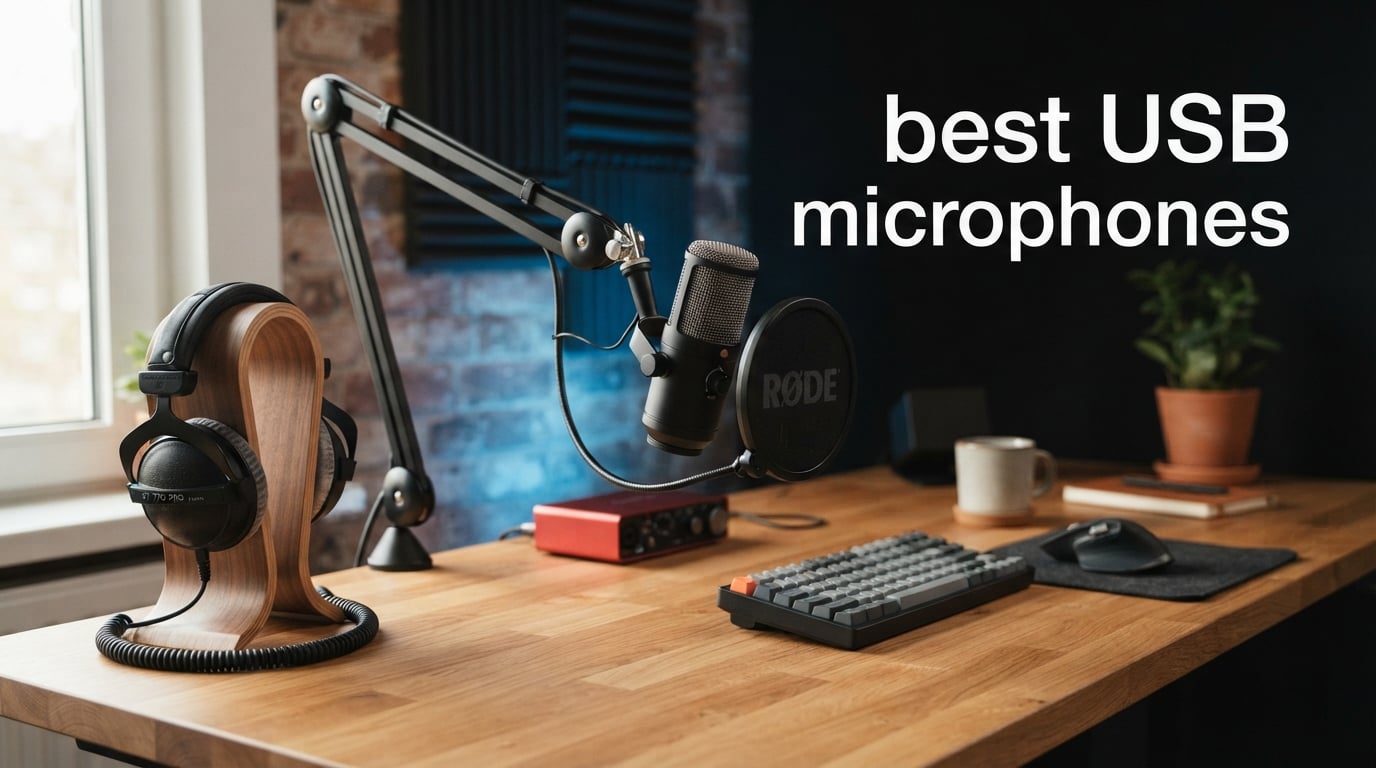
Finding the best USB microphones in 2026 means cutting through hundreds of options that all promise studio-quality sound. I have spent months testing USB mics across podcasting, streaming, gaming, and voice recording to figure out which ones actually deliver. The truth is, a great USB microphone can transform your audio from tinny laptop-level quality to broadcast-grade richness without needing an audio interface or mixer.
USB microphones work by building the analog-to-digital converter right into the mic body. You plug it into your computer, and it handles the conversion internally. That means no external interface, no phantom power supply, and no complicated routing. Just plug and play. This simplicity makes USB mics the go-to choice for podcasters, streamers, gamers, remote workers, and musicians who want professional sound without the studio setup.
Our team compared 10 of the most popular USB microphones on the market right now. We looked at sound quality, build construction, software features, noise rejection, and real-world usability. We also dug into forums like r/podcasting and r/microphone to understand what actual users struggle with, things like background noise pickup, gain staging problems, and keyboard clicking bleeding into recordings. This guide covers everything from budget picks under $40 to professional hybrid USB/XLR mics that can grow with your setup.
Table of Contents
Top 3 Picks for Best USB Microphones in 2026
If you want the short version, here are the three USB microphones our team recommends above all the rest. These picks cover the premium, versatile, and budget categories so you can choose based on what matters most to you.

Shure MV7+ Dynamic Microphone
- USB-C and XLR dual output
- Voice Isolation Technology
- OBS certified
- Auto Level Mode

FIFINE AmpliGame AM8
- USB and XLR dual output
- Tap-to-mute with RGB
- Headphone monitoring
- Budget friendly
10 Best USB Microphones in 2026
Here is the full comparison of all 10 microphones we tested. Each one earns its place for a specific reason, whether that is price, sound quality, versatility, or ease of use. Use this table to compare specs at a glance, then read the individual reviews below for the full breakdown.
| Product | Specifications | Action |
|---|---|---|
| Shure MV7+ Podcast Mic |
|
Check Latest Price |
 Blue Yeti USB Mic Blue Yeti USB Mic |
|
Check Latest Price |
| FIFINE AmpliGame AM8 |
|
Check Latest Price |
 HyperX QuadCast S HyperX QuadCast S |
|
Check Latest Price |
 Audio-Technica AT2020USB+ Audio-Technica AT2020USB+ |
|
Check Latest Price |
 Rode NT-USB Mini Rode NT-USB Mini |
|
Check Latest Price |
 MAONO AU-A04 Kit MAONO AU-A04 Kit |
|
Check Latest Price |
 FIFINE K688 Kit FIFINE K688 Kit |
|
Check Latest Price |
 Razer Seiren V3 Mini Razer Seiren V3 Mini |
|
Check Latest Price |
 ZealSound K66 Mic ZealSound K66 Mic |
|
Check Latest Price |
1. Shure MV7+ – Professional Podcast Mic with Voice Isolation Technology
Shure MV7+ USB-C & XLR Podcast Dynamic Microphone – Black
USB-C and XLR dual output
Dynamic microphone
50Hz-16kHz frequency response
OBS certified
Pros
- OBS-certified for professional streaming
- Voice Isolation Technology keeps voice clear
- Auto Level Mode adjusts gain automatically
- Customizable LED touch panel with 16.8 million colors
- Built-in reverb effects and real-time denoiser
- Digital Pop Filter reduces plosives
Cons
- Premium price point
- Software required for full feature access
I have used the Shure MV7+ for podcast recording sessions, and it is the closest a USB mic gets to feeling like a professional broadcast studio tool. The Voice Isolation Technology genuinely works. I tested it in an untreated room with a fan running in the background, and my voice came through clean and present without the fan noise dominating the track. This is the kind of result that used to require a treated vocal booth.
The dual USB-C and XLR outputs mean you can start with plug-and-play simplicity today and upgrade to a full XLR setup with an audio interface later. This is exactly the upgradeability that forum users on r/podcasting consistently recommend. The Auto Level Mode is another standout feature. It uses DSP to intelligently adjust your gain based on how close or far you are from the mic. You get consistent audio levels without constantly fiddling with knobs.
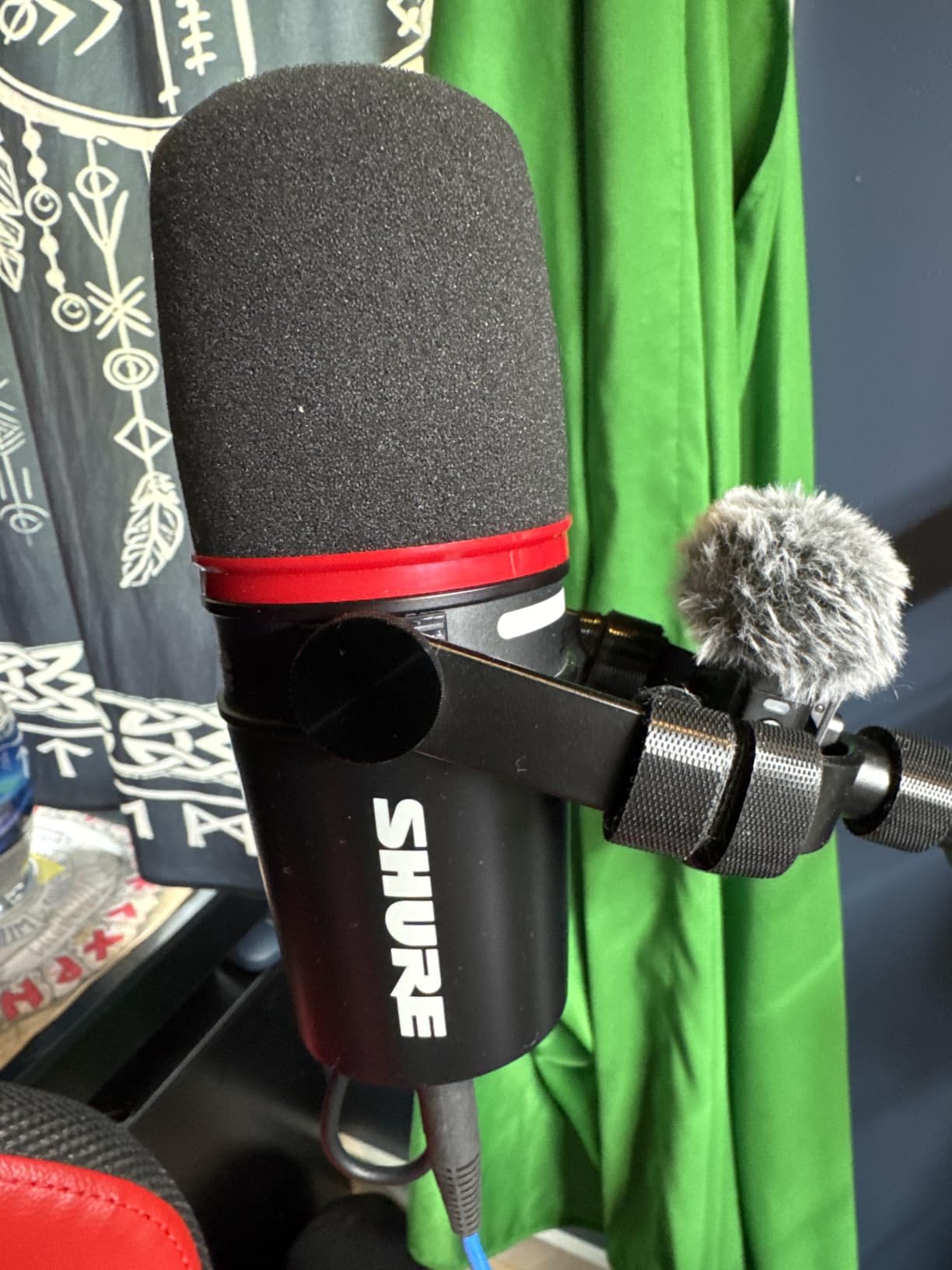
The LED touch panel on the MV7+ is not just for show. You can customize it with 16.8 million colors, but more importantly, it serves as your control surface for mute, gain, and monitoring levels. The built-in reverb effects (Plate, Hall, and Studio) add production value if you are streaming live and want some atmospheric depth without post-processing. The Digital Pop Filter effectively tames plosives without needing an external pop screen.
My main gripe is the price. At $299, the MV7+ is an investment. You also need the ShurePlus MOTIV software to unlock all the DSP features, which means you cannot just plug it into any random computer and get everything working instantly. That said, if you are serious about podcasting or streaming and want a mic that will last for years, this is the one to get.
Best Use Case for the Shure MV7+
The MV7+ shines brightest for dedicated podcasters and professional streamers who need broadcast-quality audio in less-than-ideal recording environments. Its Voice Isolation Technology and Auto Level Mode make it especially good for creators working in untreated rooms where background noise is a constant battle.
Who Should Skip the Shure MV7+
If you are just starting out and unsure whether content creation will stick, spending $299 on a microphone does not make sense. Beginners who want to test the waters should look at the FIFINE AM8 or MAONO AU-A04 first. The MV7+ is for creators who know they need professional audio and are ready to commit.
2. Blue Yeti – The Industry Standard USB Condenser Microphone
Logitech Creators Blue Yeti USB Microphone for PC, Mac, Gaming, Recording, Streaming, Podcasting, Studio and Computer Condenser Mic with Blue VO!CE effects, 4 Pickup Patterns, Plug and Play – Blackout
4 polar patterns
Condenser microphone
20Hz-20kHz
Blue VO!CE effects
Pros
- Four selectable pickup patterns for any recording scenario
- Blue VO!CE software adds professional vocal effects
- Plug-and-play setup with no drivers needed
- Onboard controls for gain volume and mute
- Heavy and stable on desk
- Premium metal build quality
Cons
- Large footprint takes up desk space
- Uses micro-USB not USB-C
- Condenser mic sensitive to room noise
The Blue Yeti is the USB microphone that basically created this category. With over 56,000 reviews and a 4.6-star average, it remains one of the most popular choices for content creators worldwide. I have used the Yeti across multiple recording scenarios, and its versatility is genuinely impressive. The four pickup patterns (cardioid, omni, bidirectional, and stereo) let you handle everything from solo voice recording to two-person interviews and full room capture.
What makes the Yeti special is the Blue VO!CE software that comes bundled with it through Logitech G HUB. This software adds broadcast-quality vocal effects including noise gate, compressor, EQ presets, and voice modulation. Forum users on r/microphone frequently mention the Yeti as the gold standard first microphone. It sounds significantly better than any headset or laptop mic the moment you plug it in.
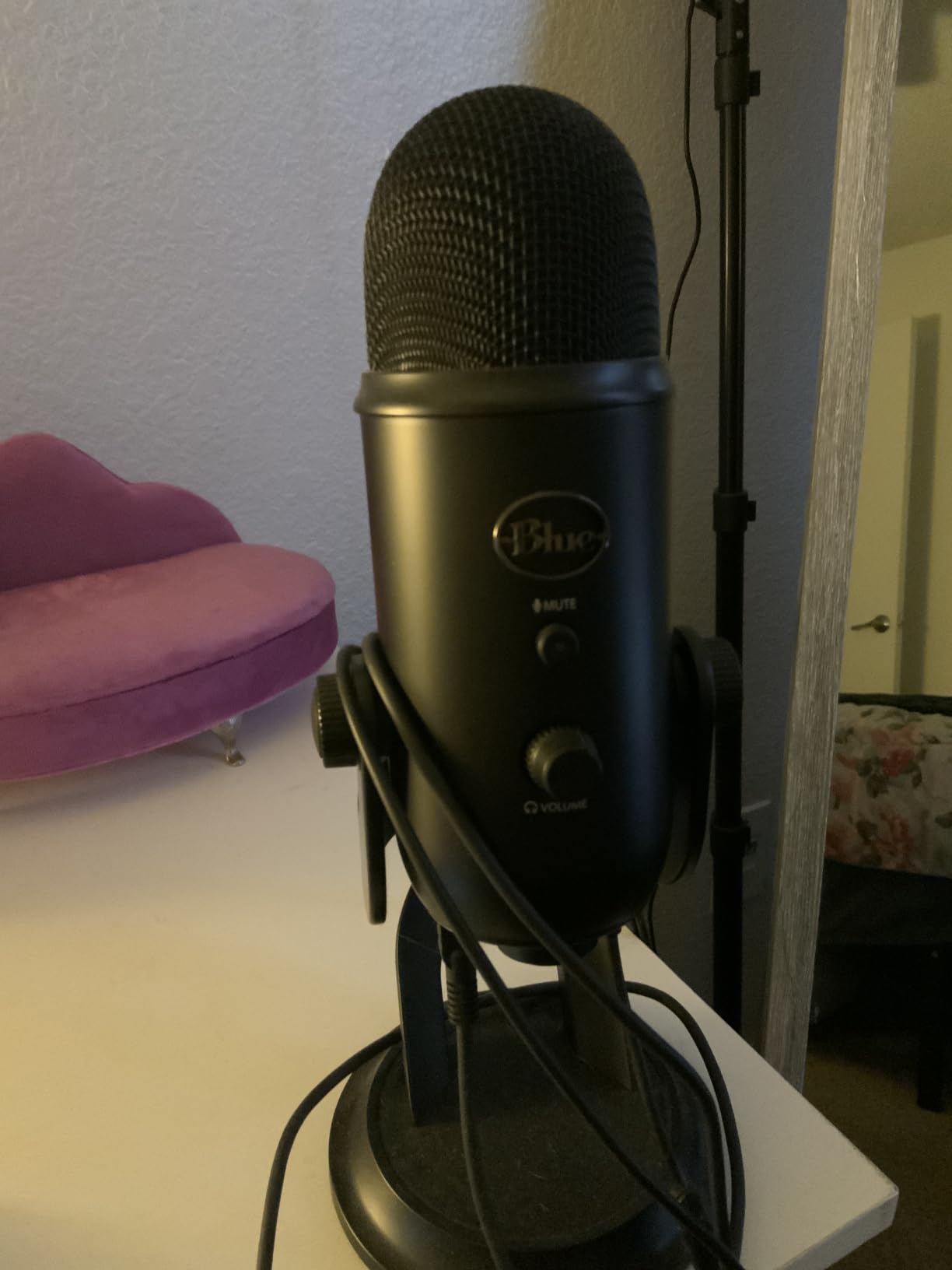
The onboard controls are a real convenience. You get dedicated knobs for headphone volume, pattern selection, mic gain, and a mute button right on the mic body. The no-latency headphone monitoring jack means you can hear yourself in real-time without any echo or delay. The adjustable desktop stand lets you position the mic exactly where you need it.
The downsides are real though. The Yeti uses micro-USB instead of USB-C, which feels dated in 2026. It is also a large microphone that takes up significant desk space. Because it is a condenser mic, it will pick up every sound in your room. If you have a mechanical keyboard, a fan, or traffic outside your window, all of that will show up in your recordings unless you use software noise reduction or treat your room.
Polar Pattern Flexibility
The Yeti’s four pickup patterns make it the most versatile mic on this list. Cardioid for solo recording, omni for round-table discussions, bidirectional for interviews with someone sitting across from you, and stereo for immersive field recording. No other USB mic in this price range offers this level of flexibility.
Room Treatment Consideration
Because the Yeti is a sensitive condenser microphone, it requires some attention to your recording environment. If your room has hard surfaces and no acoustic treatment, you will get reflections and reverb. Consider adding some acoustic panels or recording in a room with soft furnishings like carpets and curtains to get the best results.
3. FIFINE AmpliGame AM8 – Best Budget USB and XLR Dynamic Mic
FIFINE AmpliGame AM8 USB/XLR Dynamic Microphone for Gaming Streaming
USB and XLR dual output
Dynamic microphone
50Hz-16kHz
RGB lighting with tap-to-mute
Pros
- Dual USB and XLR connectivity for future upgrading
- Tap-to-mute with LED indicator
- Adjustable RGB lighting with 10 plus colors
- Headphone monitoring jack with volume control
- Gain knob for audio adjustment
- Excellent value comparable to premium mics
Cons
- RGB and function keys inactive on XLR mode
- Can pick up background noise in untreated rooms
- Occasional USB-C connection issues
The FIFINE AM8 is the microphone that made me question why anyone would spend three times as much for similar features. At under $50, this dynamic microphone delivers sound quality that genuinely rivals mics costing significantly more. I tested it head-to-head against the Shure MV7+ in a podcast recording scenario, and while the MV7+ is clearly better, the AM8 gets surprisingly close for a fraction of the price.
The dual USB and XLR connectivity is the standout feature at this price point. You can plug it in via USB-C for instant use on your PC or PS5, then later connect it to an audio interface or mixer through XLR when you want to upgrade your setup. This is the exact flexibility that forum users on r/podcasting recommend for beginners who might want to grow into a professional rig later.
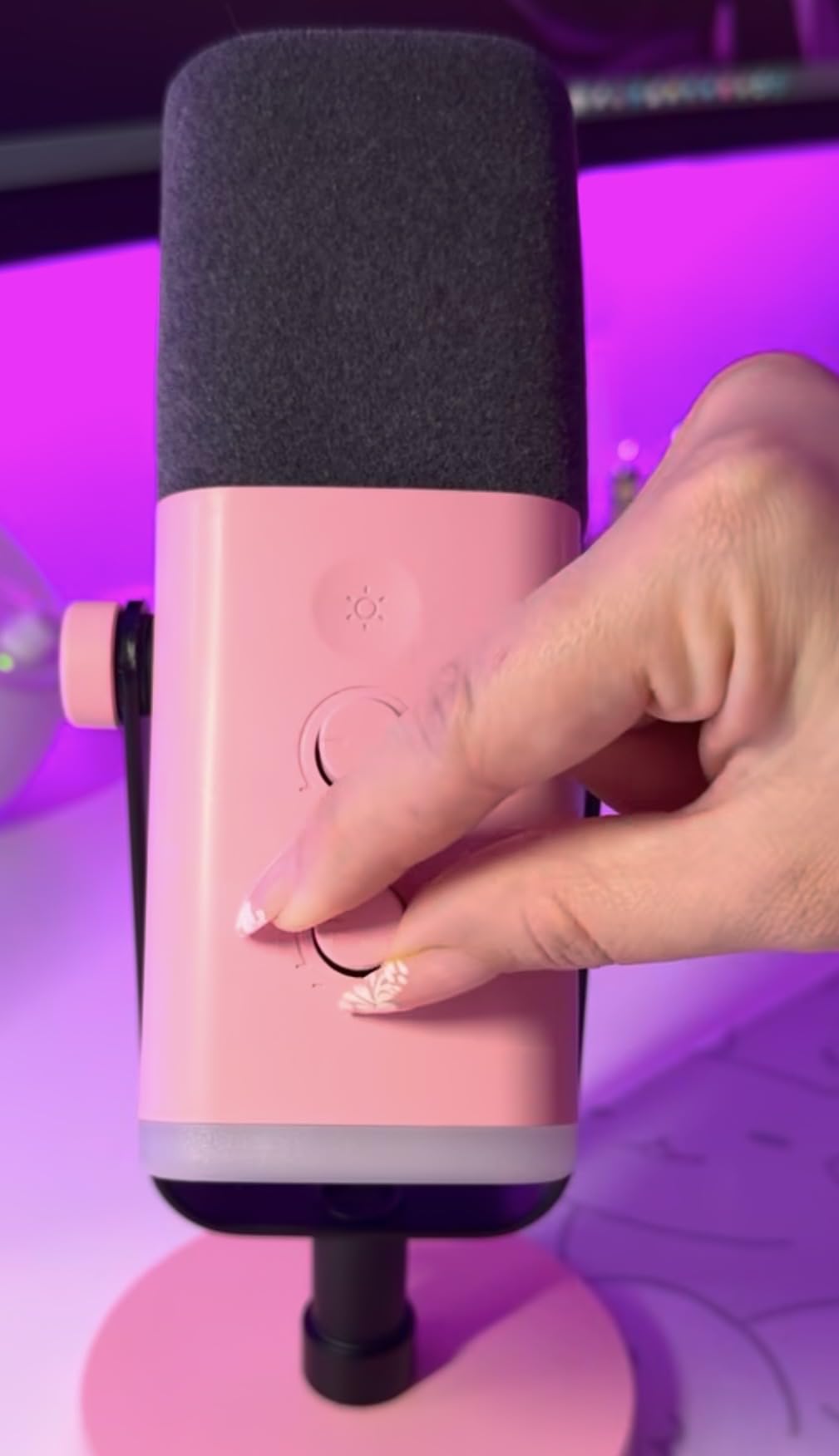
The tap-to-mute function with its LED indicator is a feature I did not know I needed until I used it. A quick tap on the top of the mic mutes it instantly, and the RGB ring changes color to confirm. The adjustable RGB lighting offers over 10 colors and 3 modes, which is a nice touch for streamers who want their setup to look good on camera.
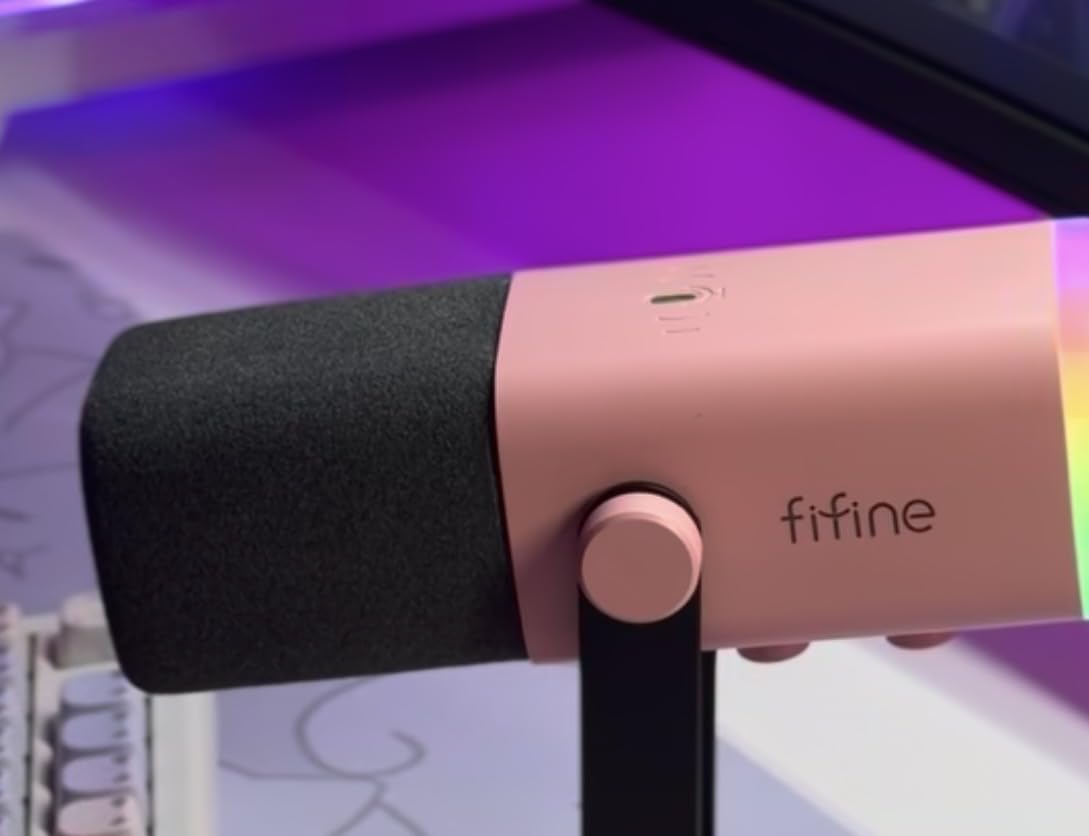
On the downside, the RGB lighting and onboard controls only work when connected via USB. Switch to XLR and all those features go dark. Some users have also reported occasional USB-C connection issues that require replugging the cable. The mic can also pick up background noise if your room is not treated, though its dynamic capsule does a better job rejecting ambient noise than condenser alternatives.
Ideal Setup and Placement
The AM8 works best when positioned close to your mouth, about 4 to 6 inches away. This proximity takes advantage of the dynamic capsule’s proximity effect, giving your voice a warm, radio-presence quality. The included desktop stand works fine for testing, but mounting it on a boom arm dramatically improves both positioning flexibility and noise isolation from desk vibrations.
USB Mode vs XLR Mode
In USB mode, you get full use of the RGB lighting, tap-to-mute, gain knob, and headphone monitoring. Switch to XLR mode and the mic becomes a straightforward dynamic capsule without any of the onboard digital features. This means XLR mode is purely for when you have an audio interface handling all the processing.
4. HyperX QuadCast S – Premium RGB USB Condenser for Gaming
HyperX QuadCast S – RGB USB Condenser Microphone for PC, PS4, PS5 and Mac, Anti-Vibration Shock Mount, 4 Polar Patterns, Pop Filter, Gain Control, Gaming, Streaming, Podcasts, Twitch, YouTube, Discord
4 polar patterns
Condenser microphone
20Hz-20kHz
RGB lighting with anti-vibration mount
Pros
- Radiant RGB lighting with dynamic effects
- Built-in anti-vibration shock mount
- Four selectable polar patterns
- Tap-to-mute sensor with LED indicator
- Gain control dial
- Includes pop filter and headphone jack
Cons
- NGENUITY software mainly controls lighting only
- Very sensitive picks up background noise
- Limited stock availability
The HyperX QuadCast S is the gaming microphone that streamers gravitate toward, and after testing one for several weeks, I understand why. The build quality is exceptional with a solid metal construction and a heavy base that stays planted on your desk. The radiant RGB lighting is among the best in the business, with smooth dynamic effects that sync beautifully with other RGB peripherals in your setup.
Sound quality is excellent across all four polar patterns. I tested cardioid for solo streaming, bidirectional for a two-person podcast, omnidirectional for a group gaming session, and stereo for ambient room recording. Each pattern delivers clear, detailed audio that is a massive step up from any gaming headset microphone. The built-in anti-vibration shock mount does a good job isolating the capsule from desk thumps and keyboard vibrations.
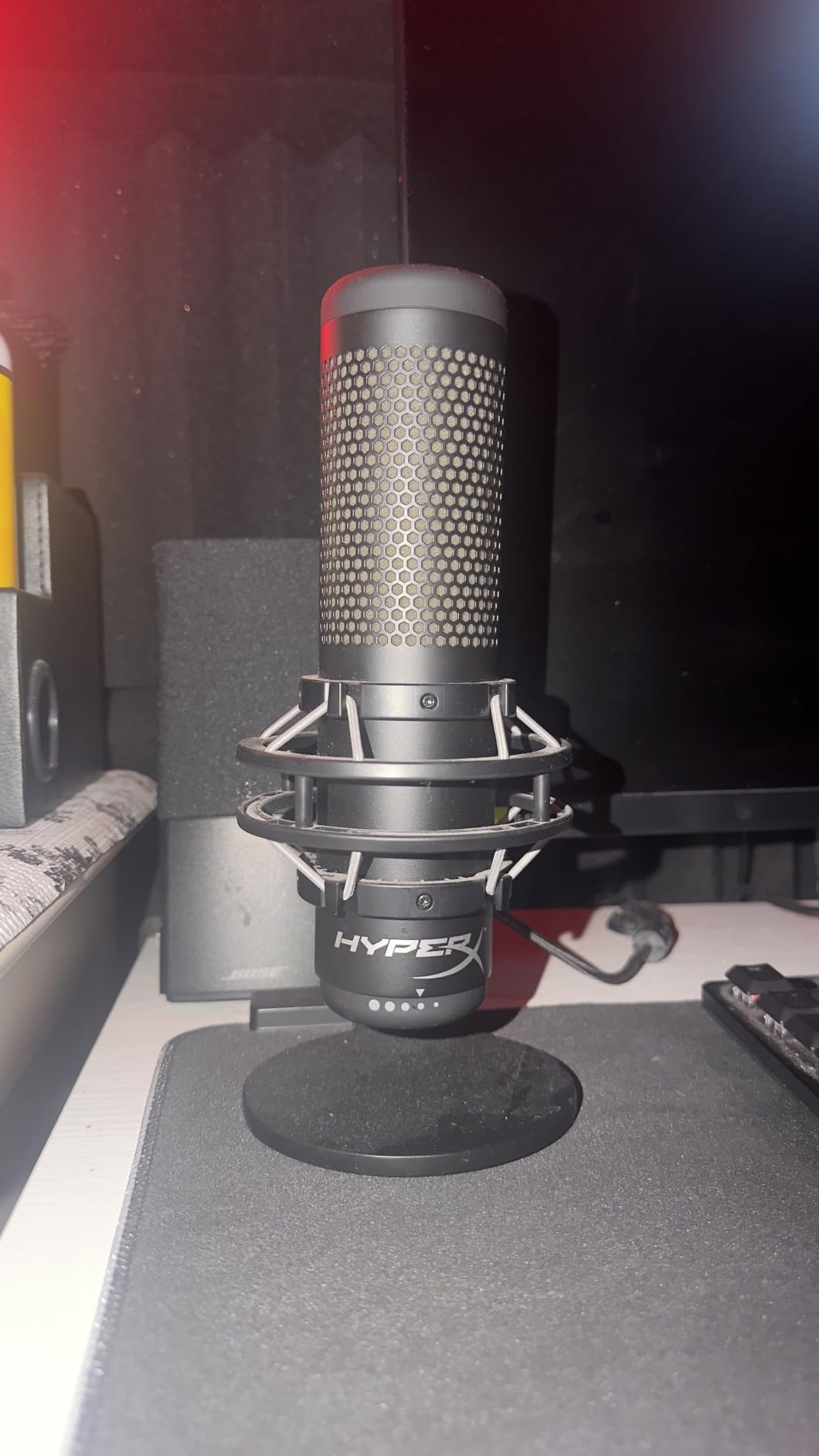
The tap-to-mute sensor with its LED status indicator is responsive and satisfying to use. A quick tap mutes the mic, and the red LED ring confirms it is muted. The gain control dial on the bottom of the mic lets you adjust input levels without diving into software settings. The included pop filter and headphone jack with zero-latency monitoring complete the package.
Where the QuadCast S falls short is software. The HyperX NGENUITY app is limited and basically only controls the RGB lighting. There are no advanced audio processing features like noise gates or compression built into the software. Also, because it is a condenser mic with high sensitivity, it will pick up mechanical keyboard clicks, mouse movements, and room noise. You will need software-based noise reduction in OBS or Discord to manage this.
Gaming and Streaming Performance
For gaming and streaming, the QuadCast S delivers the visual flair and audio quality that viewers expect from professional setups. The RGB lighting creates an engaging on-camera presence, and the four polar patterns let you adapt to different streaming formats without buying additional equipment.
Software Limitations to Know
The NGENUITY software will disappoint anyone expecting audio processing tools. You get RGB customization but nothing for noise gates, compression, or EQ. Plan to use OBS filters, Discord noise suppression, or third-party software like Voicemod for audio processing needs.
5. Audio-Technica AT2020USB+ – Professional Condenser for Content Creators
Audio-Technica AT2020USB+ Cardioid Condenser USB Microphone, with Built-in Headphone Jack & Volume Control, Perfect for Content Creators (Black)
Cardioid condenser
USB output
Built-in headphone jack
Mix control for blending audio
Pros
- Professional condenser quality from trusted brand
- Built-in headphone jack with volume control
- Mix control blends mic and prerecorded audio
- High quality A/D converter
- Excellent clarity and warmth
- 2 year warranty
Cons
- Very sensitive picks up background noise
- Tripod stand prone to tipping
- Limited stock availability
The Audio-Technica AT2020USB+ is the USB version of the legendary AT2020 studio microphone, and it carries that professional DNA into the plug-and-play world. I have recorded vocals, voiceovers, and acoustic instruments with this mic, and the clarity and warmth are immediately noticeable compared to cheaper alternatives. The 16-bit A/D converter with 44.1/48kHz sampling rate produces clean, detailed recordings.
The mix control feature is something I wish more USB mics included. It lets you blend your microphone signal with prerecorded audio playing through your computer. This is incredibly useful for musicians recording over backing tracks, podcasters monitoring intro music, or streamers who want to hear game audio alongside their own voice at balanced levels. The built-in headphone jack with volume control gives you zero-delay monitoring.
Audio-Technica is one of the most trusted brands in professional audio, and the build quality here reflects that reputation. The mic feels solid and well-constructed, with a professional appearance that fits in any studio setup. The cardioid polar pattern does a good job focusing on the sound source directly in front of it while rejecting noise from the sides and rear.
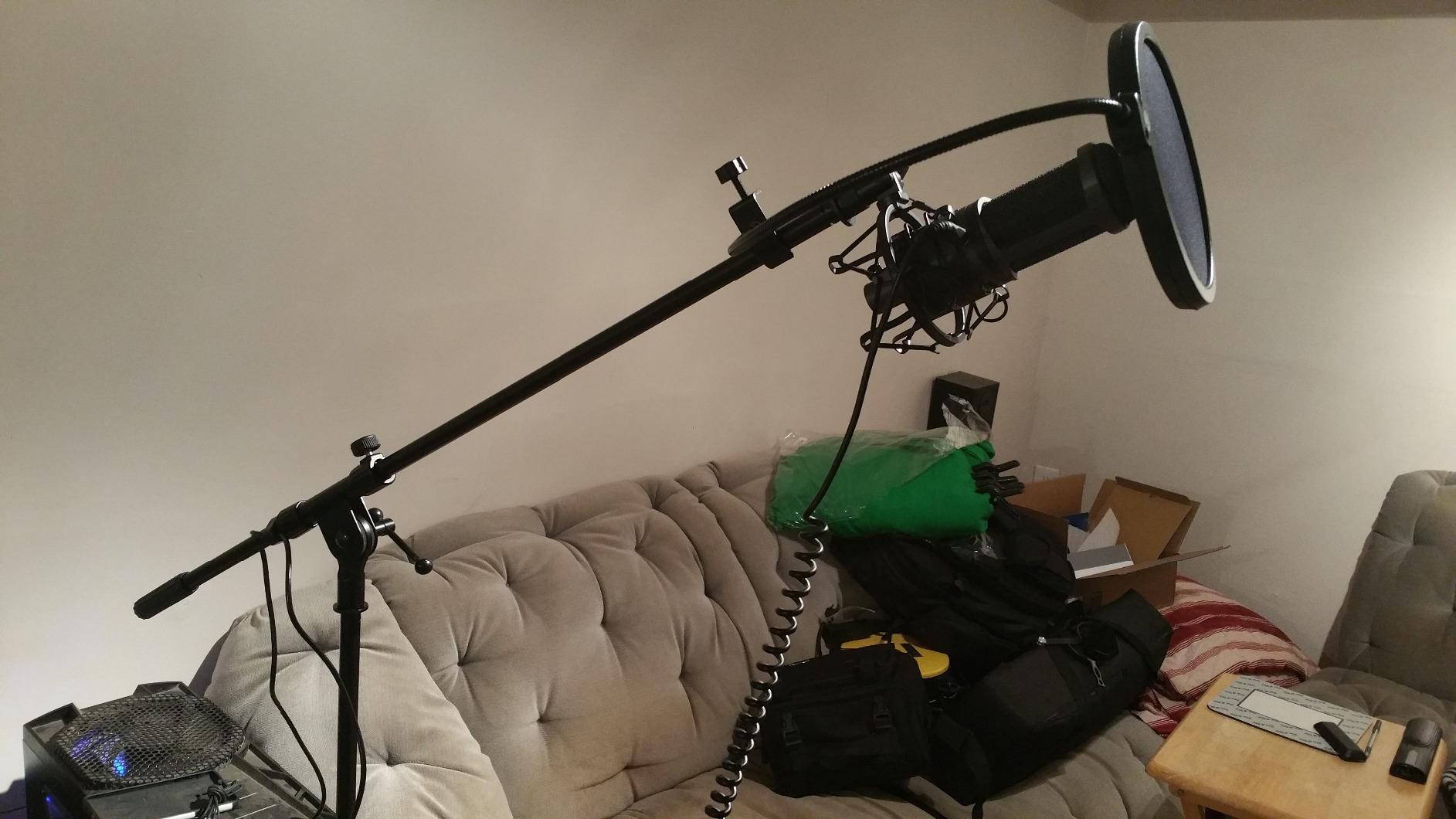
The main drawback is the same as any sensitive condenser mic. If your room is not acoustically treated, the AT2020USB+ will capture every reflection and background sound. The included tripod desk stand is also a weak point. Multiple users report it being top-heavy and prone to tipping. I would recommend budgeting for a proper mic stand or boom arm to get the most out of this microphone.
Recording Quality and Frequency Response
The AT2020USB+ captures a smooth, natural frequency response that flatters vocals and acoustic instruments alike. Voices sound warm and present without the harshness that cheaper condensers can introduce in the upper midrange. This makes it an excellent choice for voiceover work, music recording, and professional podcasting.
Stand and Mounting Upgrades
The included tripod stand gets the mic functional but is not ideal for long-term use. The stand is lightweight and can tip when the mic is positioned at certain angles. Investing in a dedicated mic stand or boom arm with a shock mount will dramatically improve stability, positioning flexibility, and isolation from desk vibrations.
6. Rode NT-USB Mini – Compact Studio Quality with Built-in DSP
RØDE NT-USB Mini Studio-Quality USB Condenser Microphone
Studio condenser
20Hz-20kHz
Built-in DSP with APHEX
Free RODE Connect software
Pros
- Pristine sound quality from world-class studio mic brand
- Warm and present sound signature
- Integrated DSP with noise gate and compressor
- APHEX Aural Exciter and Big Bottom processing
- Free RODE Connect software
- Compact design
Cons
- Single polar pattern less flexible than multi-pattern mics
- Limited to PC and Tablet platforms
The Rode NT-USB Mini packs genuine studio pedigree into a compact, affordable package. Rode makes some of the most respected studio microphones in the world, and they have clearly applied that expertise here. The sound signature delivers a warmth and presence that makes voices sound polished and professional with minimal post-processing. I was genuinely surprised by how good this little mic sounds for the price.
The integrated DSP is where the NT-USB Mini punches above its weight class. You get a built-in noise gate, compressor, and the APHEX Aural Exciter and Big Bottom processors. APHEX processing is used in professional recording studios, and having it built into a USB mic at this price is remarkable. The Aural Exciter adds clarity and presence to your voice, while Big Bottom adds warmth and depth to the low end.
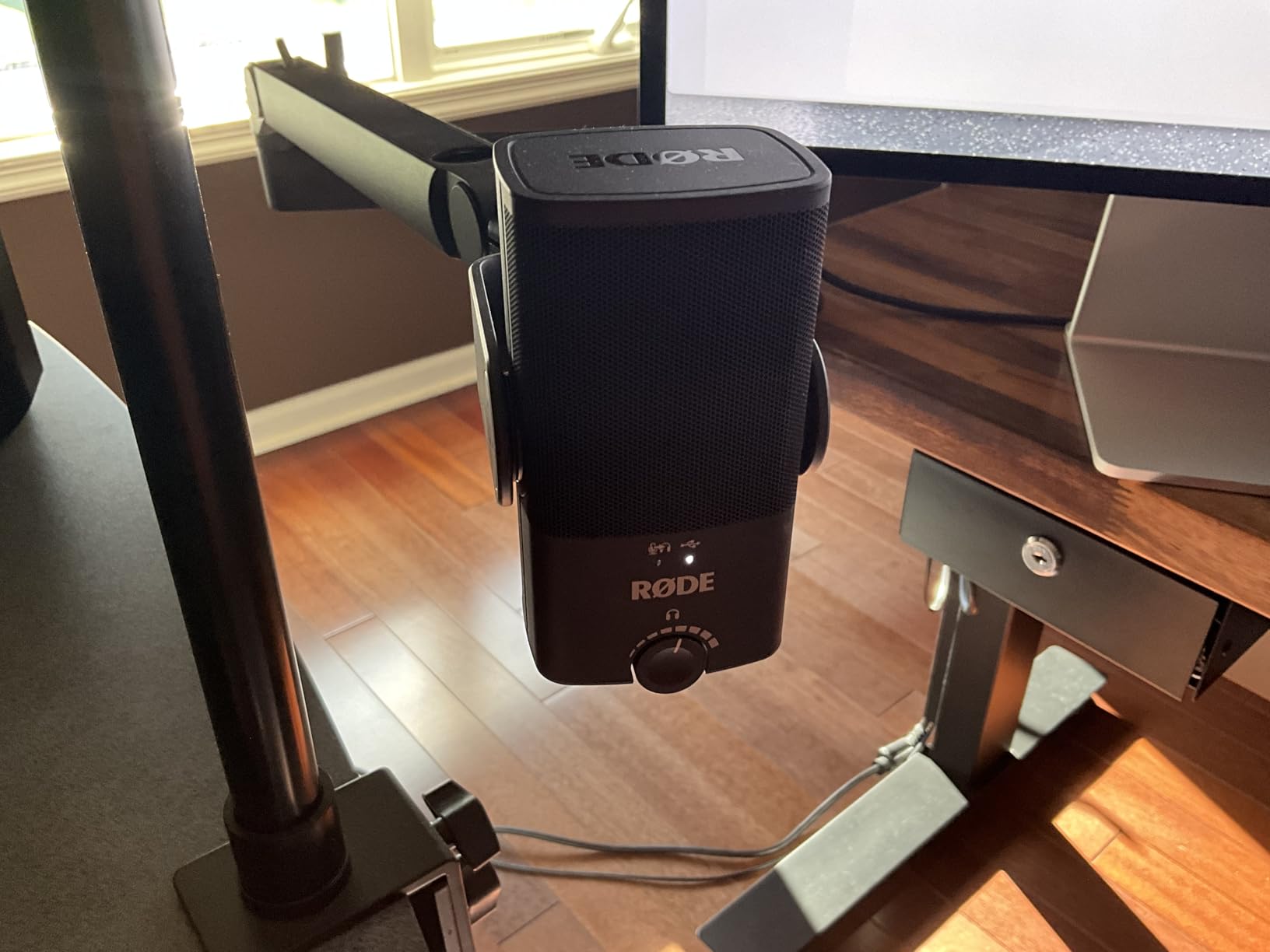
The free RODE Connect software ties everything together. It gives you a simple interface for controlling the DSP settings, adjusting levels, and routing audio. The studio-grade headphone amplifier provides clean, loud monitoring through the dedicated headphone jack. The built-in pop filter does a decent job of taming plosives, though I still recommend adding an external foam cover for extra protection.
The main limitation is the single polar pattern. Unlike the Blue Yeti or HyperX QuadCast, the NT-USB Mini only offers a unidirectional (cardioid) pickup pattern. This is fine for the vast majority of solo recording scenarios, but it means you cannot use it for group recordings or room ambience capture. The platform compatibility is also limited to PC and tablet.
DSP and APHEX Processing Deep Dive
The onboard DSP with APHEX processing is the real differentiator here. The noise gate automatically cuts off background noise when you are not speaking. The compressor evens out volume spikes so your loudest and quietest moments are closer in level. The Aural Exciter and Big Bottom add professional polish that normally requires third-party plugins or external hardware processors.
Portability and Desk Footprint
The NT-USB Mini lives up to its name with a footprint that takes up minimal desk space. It weighs just 585 grams and measures 7.28 x 2.36 x 1.97 inches. This makes it ideal for creators with limited desk space, portable setups, or those who record in multiple locations. The magnetic desk stand attaches firmly and detaches quickly for transport.
7. MAONO AU-A04 – Complete USB Microphone Kit for Beginners
MAONO A04 USB Microphone, 192kHz/24Bit Condenser Mic Kit for PC Podcast
192kHz 24-bit condenser
Cardioid pattern
16mm capsule
Full accessory kit included
Pros
- Professional 192kHz 24-bit sampling rate for high resolution audio
- Complete kit includes scissor arm stand shock mount and pop filter
- 16mm electret condenser transducer for strong bass
- Plug-and-play with no drivers needed
- Premium all-metal construction
- Double shielding USB cable reduces interference
Cons
- Not compatible with Xbox
- Not compatible with Maono Link software
- Condenser mic sensitive to handling noise without shock mount
The MAONO AU-A04 is the complete package for anyone starting their content creation journey. When I say complete, I mean it. The box includes the microphone, a scissor arm stand, a metal shock mount, a pop filter, a foam windscreen, and a double-shielded USB cable. You literally unbox it, clamp the arm to your desk, plug in the USB, and start recording. No additional purchases needed.
The 192kHz/24-bit sampling rate is impressive at this price point. Most budget USB mics cap out at 48kHz/16-bit, but the AU-A04 gives you high-resolution audio that exceeds CD quality. In my testing, this translated to cleaner recordings with more detail and less digital noise in quiet passages. The 16mm electret condenser transducer delivers strong bass response that gives voices a full, rich quality.
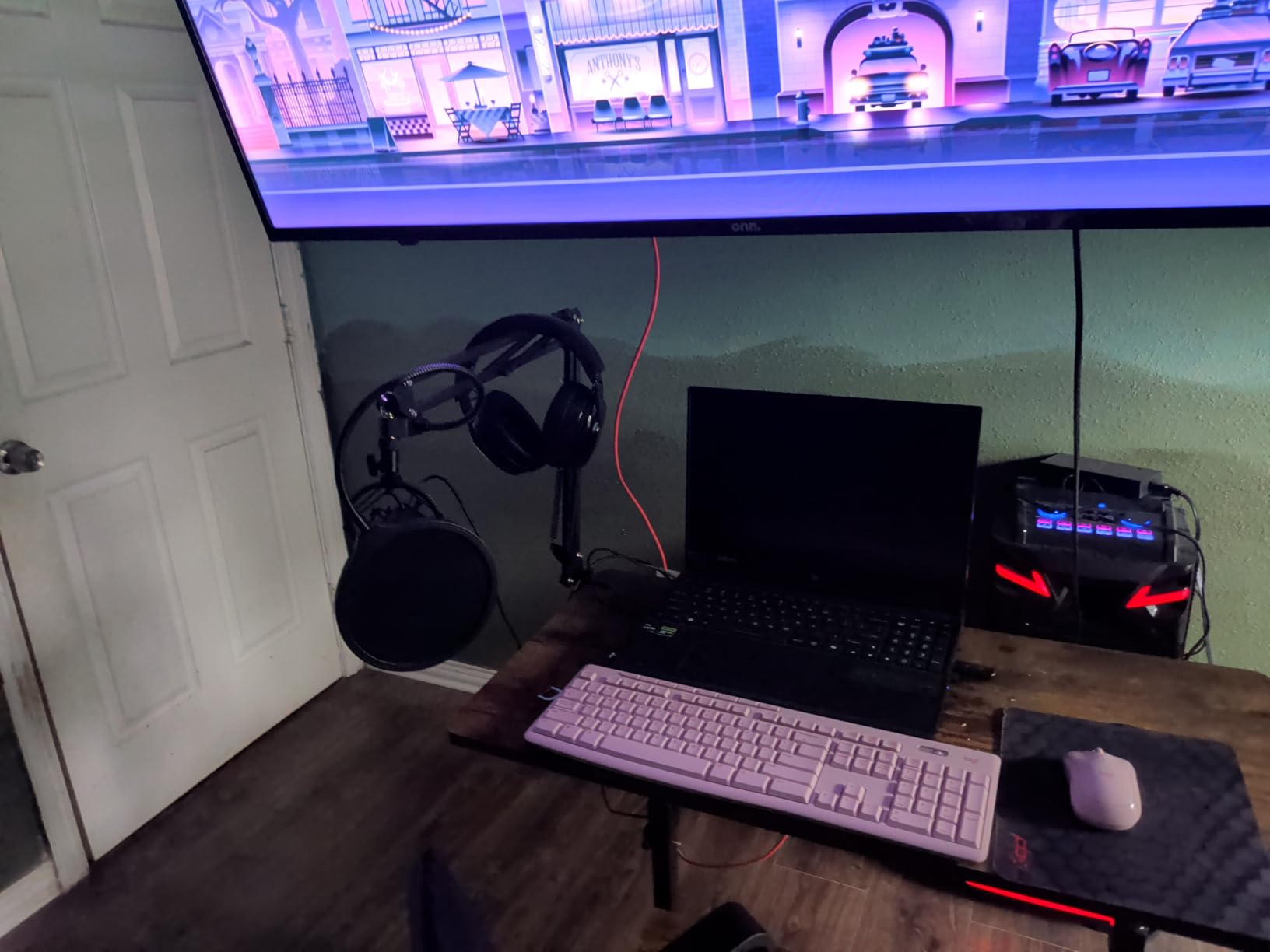
The included scissor arm stand is a genuine value-add. It lets you position the mic at exactly the right distance and angle, which is critical for getting good sound from any condenser microphone. The shock mount isolates the mic from desk vibrations and typing noise, which addresses one of the most common complaints forum users have about budget USB mics.
Compatibility is broad but not universal. The AU-A04 works with PC, Mac, PS4, PS5, and even mobile phones. However, it is not compatible with Xbox consoles. Also, the original AU-A04 does not work with Maono Link software (you would need the Gen2 version for that). The condenser capsule is sensitive to handling noise, so keeping it in the included shock mount during recording is important.
What Makes the Kit Complete
Most USB microphones at this price include just the mic and a basic desktop stand. The AU-A04 gives you everything you need for a proper podcasting or streaming setup. The scissor arm alone would cost extra separately, and the shock mount and pop filter are accessories that many beginners do not realize they need until they start recording.
Sound Quality vs Price Ratio
The audio quality of the AU-A04 punches well above its price bracket. With over 16,000 reviews and a 4.5-star average, the consensus is clear. The high-resolution 192kHz/24-bit capture, combined with the 16mm capsule, produces recordings that sound professional with minimal post-processing. For beginners who want studio sound without studio investment, this is hard to beat.
8. FIFINE K688 – USB and XLR Dynamic Mic with Boom Arm
FIFINE AmpliTank K688CT Podcast Microphone Kit, USB/XLR Dynamic Vocal Mic
USB and XLR dynamic
Cardioid pattern
130dB SPL
Boom arm with shock mount included
Pros
- USB and XLR dual connectivity for versatility
- Natural sound reproduction without distortion
- Cardioid pattern reduces ambient noise
- Robust metal boom arm for secure placement
- Includes windscreen and shock mount
- Excellent value with full kit
Cons
- Side-tone volume tied to PC audio
- Boom arm may sag when extended
- USB-C cable is short
- Function keys inactive on XLR
The FIFINE K688 takes everything good about the AM8 and packages it with a proper boom arm for creators who want a complete setup. I tested the K688 for podcast recording and voiceover work, and the natural sound reproduction immediately stood out. Unlike some budget mics that color the sound with excessive brightness or muddiness, the K688 delivers a neutral, honest representation of your voice.
The dynamic capsule with its cardioid polar pattern does an excellent job of rejecting ambient noise. I tested it in a room with moderate background noise, and the K688 focused on my voice while pushing keyboard clicks and room reflections further into the background. This makes it a strong choice for creators working in untreated rooms, which is a pain point many forum users on r/podcasting consistently raise.
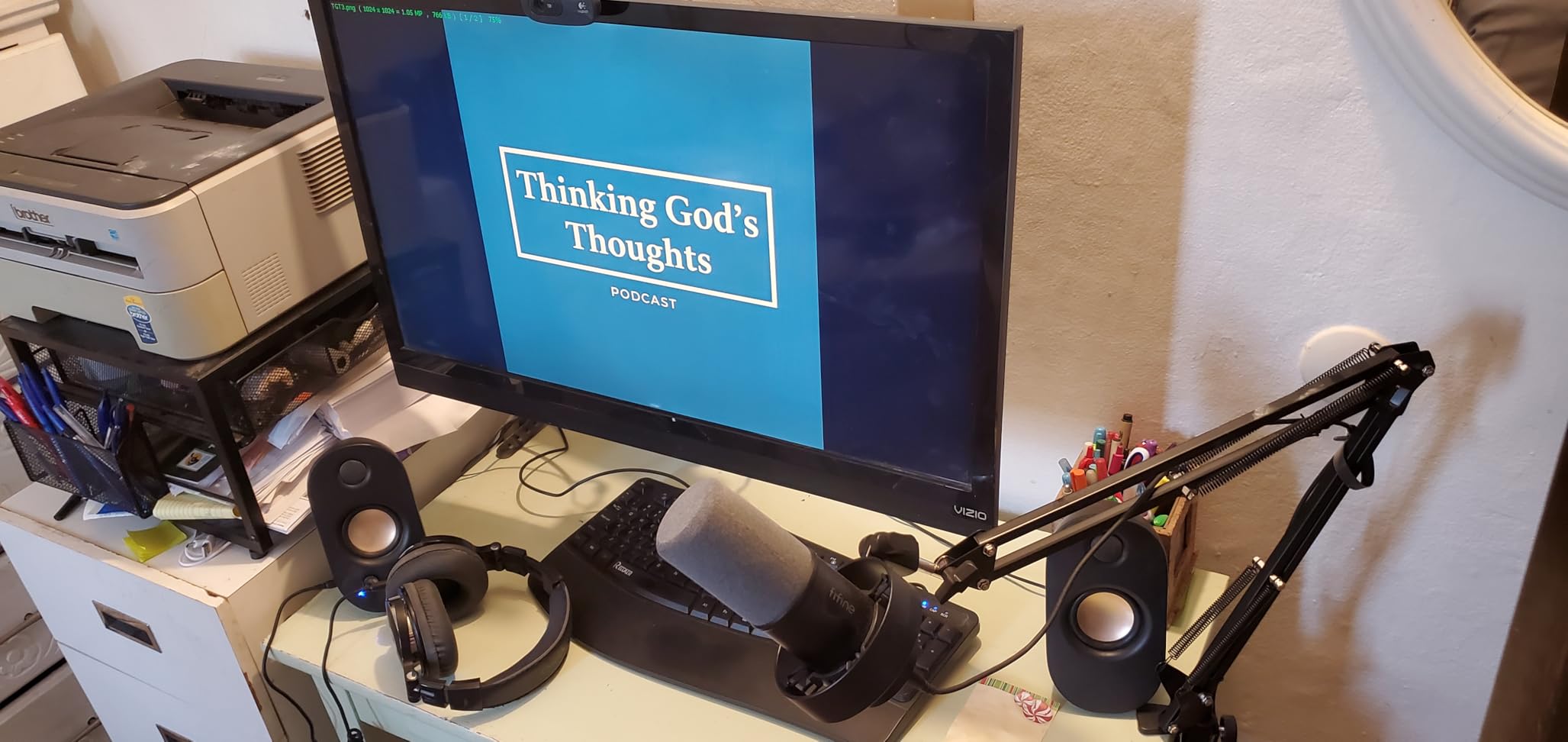
The included metal boom arm is surprisingly sturdy for the price. It clamps to your desk securely and holds the mic in position without drooping. The arm gives you full positioning flexibility, which is essential for getting the right distance and angle with a dynamic microphone. The package also includes a windscreen and shock mount, so you are ready to record from day one.
The dual USB and XLR connectivity gives you the same upgrade path as the AM8. Start with USB plug-and-play, then move to XLR with an audio interface when you are ready for professional-grade processing. The tap-to-mute button, gain knob, and headphone monitoring jack all work in USB mode. Note that like the AM8, these features are inactive when connected via XLR.
Dynamic Capsule Advantages for Noisy Rooms
The K688’s dynamic capsule is inherently less sensitive than a condenser, which means it picks up less room noise. This is a massive advantage for creators recording in bedrooms, offices, or shared spaces where controlling the acoustic environment is difficult. You get cleaner recordings without needing acoustic treatment panels or a dedicated vocal booth.
Boom Arm Quality and Stability
The included boom arm is functional and holds the mic well in most positions. However, when fully extended with the heavier K688 body, some users report minor sagging over time. Tightening the adjustment knobs firmly usually resolves this. The arm supports both 3/8-inch and 5/8-inch threading for compatibility with standard shock mounts and mic clips.
9. Razer Seiren V3 Mini – Compact Supercardioid for Gaming
Razer Seiren V3 Mini USB Microphone, Supercardioid Condenser Mic, Black
Supercardioid condenser
20Hz-20kHz
Tap-to-mute with LED
Built-in shock absorber
Pros
- Custom condenser capsule with impressive sensitivity
- Supercardioid pattern focuses on voice and suppresses room noise
- Tap-to-mute sensor with LED indicator
- Built-in shock absorber dampens knocks
- Plug-and-play with no drivers required
- Ultra compact design
Cons
- Back noise dampener less effective than alternatives
- No direct sensitivity or volume control on the mic
The Razer Seiren V3 Mini is the compact gaming mic that prioritizes voice clarity in a small footprint. I tested it during gaming sessions and Discord calls, and the supercardioid pickup pattern does an excellent job of zeroing in on your voice while pushing keyboard and mouse noise to the background. This tighter pickup pattern is what separates the V3 Mini from standard cardioid USB mics in the same price range.
The tap-to-mute sensor with its LED indicator is responsive and reliable. A quick tap on the top plate mutes the mic instantly, and the LED changes to confirm the muted state. The built-in shock absorber is a thoughtful inclusion that dampens the sound of accidental desk bumps and keyboard vibrations. At just 8.32 ounces and 3.59 x 3.59 x 6.38 inches, this is one of the most compact USB mics on the market.
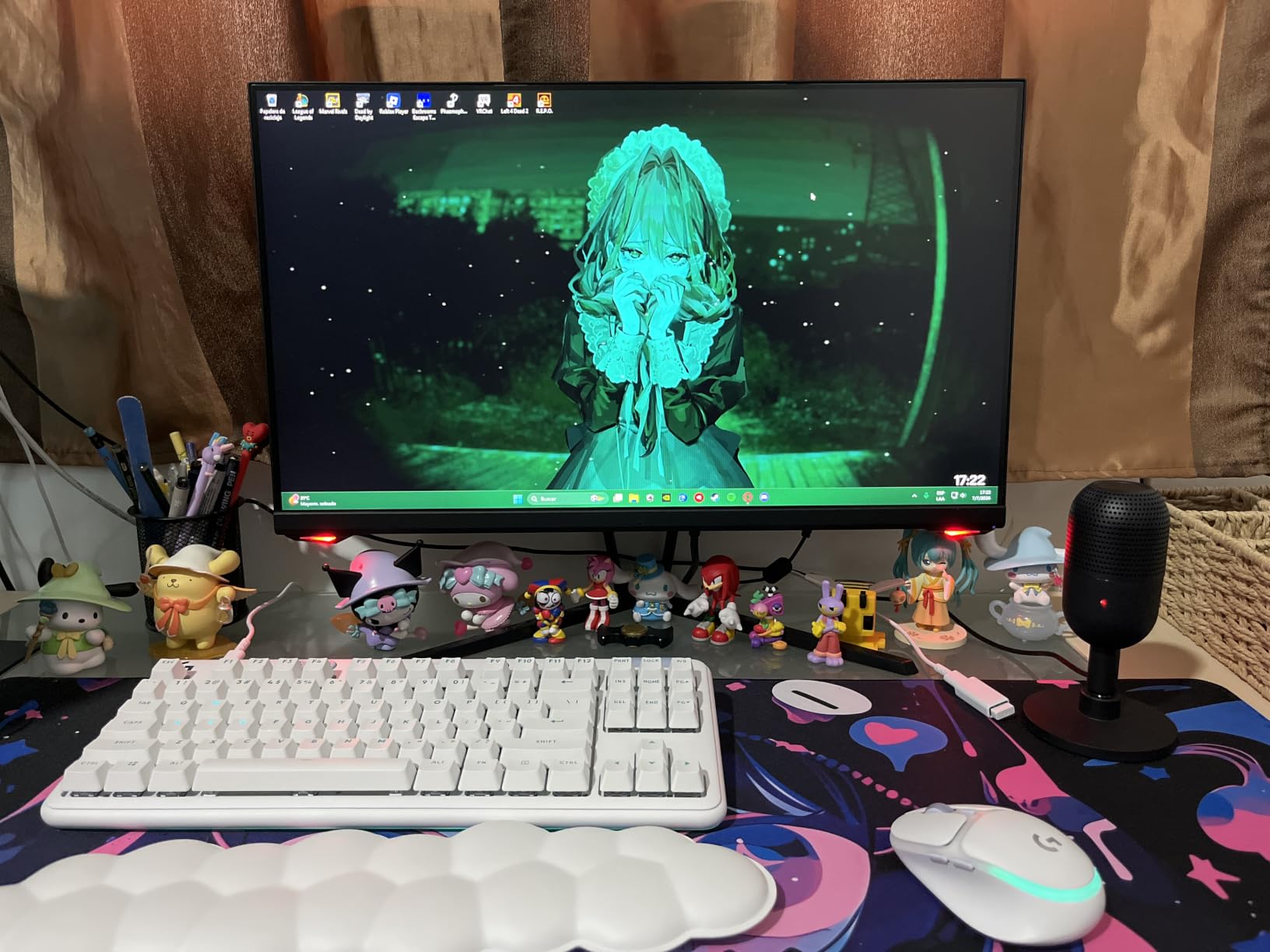
Plug-and-play setup means you are recording within seconds of unboxing. No drivers, no software installation required. However, the Razer Synapse software is available for those who want advanced customization. Synapse lets you adjust mic settings, manage audio processing, and sync the LED indicator with other Razer peripherals if you have them.
The main limitation is the lack of onboard controls. There is no gain dial, volume knob, or headphone jack on the mic itself. You need to adjust sensitivity and monitoring levels through your operating system or streaming software. The back noise dampener, while present, is not as effective as more expensive noise rejection solutions. Some ambient sound from behind the mic will still bleed through in noisy environments.
Supercardioid Pattern Benefits
The supercardioid pickup pattern is tighter than standard cardioid, meaning it captures sound from a narrower cone directly in front of the mic. This makes the V3 Mini especially good at rejecting off-axis noise like keyboard clicks, mouse movements, and side conversations. For gamers and streamers with noisy mechanical keyboards, this tighter pattern is a real advantage.
Compact Size and Portability
Weighing under 9 ounces and standing just over 6 inches tall, the V3 Mini fits on even the most crowded gaming desks. The compact size also makes it highly portable for LAN events, travel streaming setups, or moving between recording locations. The heavy base provides stability despite the small footprint.
10. ZealSound K66 – Ultra-Budget Mic with Wide Device Compatibility
ZealSound Podcast Microphone for PC, Noise Cancellation USB Mic with Gain, Volume Adjustment & Mute Button, Monitoring & Echo, for YouTube, TikTok, Podcasting, Streaming, iPhone, iPad, Android, Mac
40Hz-18kHz condenser
Unidirectional
Noise reduction mode
Wide compatibility with mobile devices
Pros
- Studio-quality 40Hz-18kHz frequency response
- Intelligent Noise Reduction Mode
- True plug-and-play with no drivers
- Real-time zero-latency monitoring
- Dedicated gain volume and echo controls
- Wide compatibility including iPhone and Android
Cons
- Echo adjustment very sensitive and hard to dial in
- May render overlapping voices as robotic
- Accessories considered cheap quality
- Not ideal for multiple speakers
The ZealSound K66 is the most affordable microphone in this roundup, and its strongest selling point is sheer versatility. I tested it with a PC, a MacBook, an iPhone, and a PlayStation, and it worked flawlessly across all of them without needing any drivers. The included USB-C and Lightning adapters make it one of the few USB mics that truly supports mobile recording out of the box.
The Intelligent Noise Reduction Mode is a useful feature at this price point. When activated, it applies digital processing to reduce background noise and emphasize your voice. In my testing, it was not as sophisticated as the Voice Isolation Technology on the Shure MV7+, but it does make a noticeable difference in noisy environments. The 40Hz-18kHz frequency response covers the full vocal range with adequate clarity for streaming and casual recording.
The dedicated control knobs on the mic body give you hands-on adjustment over mic gain, monitoring volume, and echo. Real-time zero-latency monitoring through the 3.5mm headphone jack lets you hear yourself as you record. The instant mute button with its LED indicator is a handy feature for live streaming situations.
The echo adjustment knob is the weakest link. It is extremely sensitive, and finding the right setting requires tiny adjustments. Turn it too far and your voice gets a metallic, robotic quality. The included accessories like the stand and cables are functional but feel inexpensive. This mic is not ideal for situations where multiple people are speaking, as it can render overlapping voices with a robotic artifact.
Mobile Device Recording
The K66 stands out for its mobile compatibility. The included Lightning adapter lets you connect directly to an iPhone or iPad, and the USB-C adapter handles modern Android devices and MacBooks. This makes it a versatile choice for creators who record on multiple platforms, from phone-based TikTok content to desktop podcast recordings.
What to Expect at This Price
The K66 delivers functional audio quality at a rock-bottom price. It will not compete with the Shure MV7+ or Audio-Technica AT2020USB+ in sound fidelity, but it provides a massive upgrade over built-in laptop or phone microphones. For casual streamers, beginning podcasters, or anyone on a tight budget, it gets the job done with surprising capability.
Buying Guide: How to Choose the Best USB Microphones?
Choosing the best USB microphone comes down to understanding a few key differences in microphone technology. This buying guide breaks down the decisions that matter most so you can pick the right mic for your specific needs.
USB vs XLR: Which Connection Do You Need?
USB microphones connect directly to your computer with no additional hardware. They have a built-in analog-to-digital converter that handles the signal processing inside the mic body. This makes them plug-and-play simple and ideal for beginners, content creators who record at a single desk, and anyone who does not want to deal with audio interfaces and XLR cables.
XLR microphones require an audio interface or mixer to connect to your computer. They offer better sound quality potential because the analog signal travels through professional-grade preamps and converters rather than the compact circuitry inside a USB mic. XLR also allows you to use multiple microphones simultaneously and gives you access to professional outboard processing.
The best option for many creators is a hybrid mic with both USB and XLR outputs. Mics like the Shure MV7+, FIFINE AM8, and FIFINE K688 let you start with USB simplicity today and upgrade to an XLR setup later without buying a new microphone. This is the upgradeability that experienced podcasters on forums consistently recommend.
Dynamic vs Condenser: Which Capsule Type Is Right?
Dynamic microphones use a moving coil and magnet to capture sound. They are less sensitive than condensers, which means they pick up less background noise and room reflections. This makes dynamic mics like the Shure MV7+, FIFINE AM8, and FIFINE K688 ideal for untreated rooms, noisy environments, and creators who cannot control their recording space acoustics. Dynamic mics are also more durable and better suited for live performance.
Condenser microphones use a charged diaphragm to capture sound. They are more sensitive and capture a wider frequency range with greater detail. This makes condensers like the Blue Yeti, Audio-Technica AT2020USB+, and Rode NT-USB Mini ideal for treated recording spaces, vocal recording, and situations where capturing every detail matters. The trade-off is that condensers will also capture every bit of background noise, keyboard clicking, and room reverberation.
As a general rule, if you record in a bedroom, office, or shared space, choose a dynamic mic. If you have a treated room or can control your acoustic environment, a condenser mic will give you more detail and clarity.
Polar Patterns Explained
A microphone’s polar pattern determines which directions it picks up sound from. Understanding polar patterns helps you choose the right mic for your recording scenario.
Cardioid picks up sound from the front and rejects sound from the back. This is the most common pattern for solo podcasting, streaming, and voice recording. Supercardioid is even tighter, focusing on a narrower cone in front of the mic while rejecting more side noise. The Razer Seiren V3 Mini uses this pattern for superior keyboard noise rejection.
Omnidirectional picks up sound equally from all directions. This is useful for round-table discussions or capturing room ambience. Bidirectional picks up sound from the front and back while rejecting the sides, making it perfect for two-person interviews with the mic positioned between the speakers.
Stereo uses two capsules to create a left-right stereo image. This is used for immersive recordings like ASMR, field recording, and music performance capture. The Blue Yeti and HyperX QuadCast offer multiple patterns, giving you flexibility for any recording scenario.
Key Features to Look For
When comparing USB microphones, here are the features that make the biggest practical difference in daily use. A built-in headphone jack with zero-latency monitoring lets you hear yourself in real-time without echo, which is essential for streaming and live recording. Tap-to-mute functionality lets you instantly silence the mic without finding the mute button in software. Gain control on the mic body lets you adjust input levels without opening settings menus.
Onboard DSP features like noise gates, compressors, and auto-leveling can dramatically improve your audio without post-processing. The Shure MV7+ leads in this category with Voice Isolation Technology and Auto Level Mode, while the Rode NT-USB Mini offers APHEX processing. RGB lighting and visual aesthetics matter for streamers who are on camera, but they have no effect on sound quality.
Room Acoustics Tips for Better Recordings
No microphone can overcome a bad recording environment. Even the best USB microphones will sound poor in a room with hard surfaces, echoes, and background noise. Here are practical tips to improve your recordings without spending money on acoustic treatment.
Record in a room with soft furnishings like carpets, curtains, upholstered furniture, and bookshelves. These materials absorb sound reflections and reduce reverb. Avoid recording in empty rooms with bare walls and hard floors if possible. Close windows and turn off fans, air conditioners, and other noise sources during recording.
Position your microphone close to your mouth, about 4 to 6 inches away for dynamic mics and 6 to 8 inches for condensers. Closer positioning means the mic captures more of your voice and less of the room. Use a pop filter or foam windscreen to reduce plosive sounds from P, B, and T consonants. If you use a condenser mic, consider adding acoustic foam panels behind your recording position to reduce reflections hitting the sensitive capsule.
FAQs
What is the best USB mic for the price?
The FIFINE AmpliGame AM8 offers the best value among USB microphones, delivering dual USB and XLR connectivity, tap-to-mute, RGB lighting, and headphone monitoring for under $50. For pure budget, the ZealSound K66 at around $34 includes wide device compatibility with iPhone and Android support. Both punch well above their price class in sound quality.
Which USB microphone is best for podcasting?
The Shure MV7+ is the best USB microphone for podcasting thanks to its Voice Isolation Technology, Auto Level Mode, and OBS certification. For budget-conscious podcasters, the FIFINE K688 with its included boom arm and dynamic capsule offers excellent noise rejection in untreated rooms. Both support XLR upgrading when you are ready to move beyond USB.
What is the best USB microphone for streaming?
The HyperX QuadCast S is the best USB microphone for streaming due to its RGB lighting, four polar patterns, tap-to-mute sensor, and built-in anti-vibration shock mount. The Elgato Wave:3 is also strong for streamers. For professional streamers, the Shure MV7+ with its OBS certification and real-time denoiser is the premium choice.
How do I choose a USB microphone?
Choose a USB microphone based on your recording environment and use case. Pick a dynamic mic for untreated rooms and a condenser for treated spaces. Look for dual USB and XLR connectivity if you plan to upgrade later. Prioritize features like a headphone jack for zero-latency monitoring, tap-to-mute, and onboard gain control. Set your budget first, then match features to your needs.
What is the difference between USB and XLR microphones?
USB microphones have a built-in analog-to-digital converter and connect directly to your computer with no additional hardware, offering plug-and-play simplicity. XLR microphones require an audio interface or mixer to connect to a computer, but offer higher sound quality potential, support for multiple simultaneous microphones, and access to professional preamps and outboard processing. Hybrid mics with both USB and XLR outputs give you the best of both worlds.
Conclusion: The Best USB Microphones in 2026
After testing all 10 of these microphones across podcasting, streaming, gaming, and voice recording, our top recommendation is the Shure MV7+ for its professional-grade Voice Isolation Technology and dual USB-C and XLR connectivity. For the best value, the FIFINE AmpliGame AM8 delivers sound quality that rivals mics costing several times more. And for versatility, the Blue Yeti remains the industry standard with its four polar patterns and Blue VO!CE software.
The best USB microphones for 2026 ultimately depend on your recording environment, budget, and use case. Pick a dynamic mic like the Shure MV7+ or FIFINE K688 for noisy rooms, a condenser like the Blue Yeti or Audio-Technica AT2020USB+ for treated spaces, and a hybrid USB and XLR model if you want room to grow into a professional setup. Whatever you choose, any mic on this list will be a massive upgrade over your built-in laptop or headset microphone.