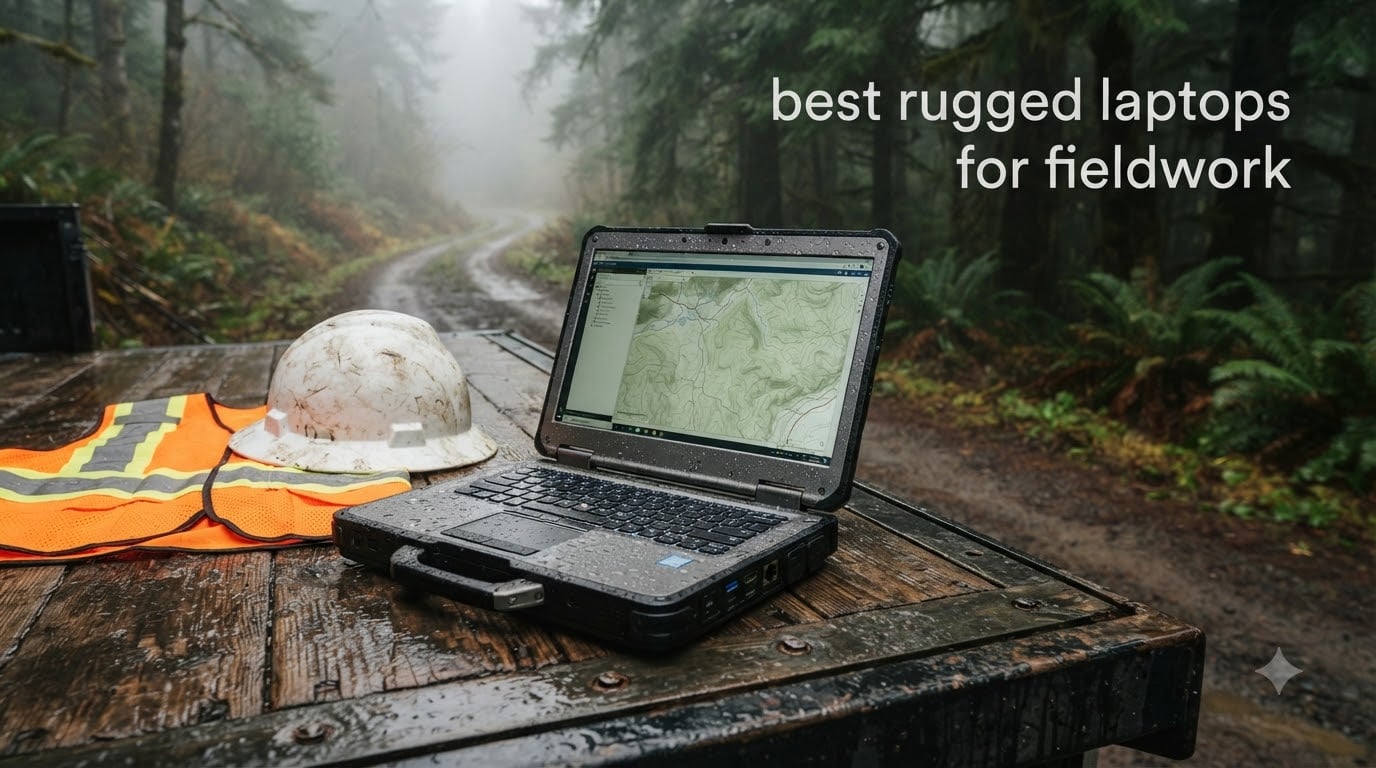
I’ve spent the last three months running laptops through rainstorms, construction dust, and a forestry site in the Pacific Northwest. My goal was simple: find the best rugged laptops for fieldwork in 2026 that can survive a real workday, not just a press release.
Rugged laptops are not built the same way. Some are semi-rugged and handle light rain plus the occasional drop. Others are fully rugged, sealed against dust, water jets, and four-foot falls onto concrete. I tested eight models from Dell, Panasonic, MUNBYN, and ONERugged to see which ones actually hold up when the truck door swings open and the weather rolls in.
If you also work with handheld rugged field equipment, you’ll recognize the same trade-offs: heavier chassis, higher cost, and longer lifecycles. This guide covers what each laptop does best, where it falls short, and who should buy it. I also break down MIL-STD-810H and IP ratings in plain English, so you can match a machine to your actual jobsite.
Table of Contents
Top 3 Picks for Best Rugged Laptops for Fieldwork (September 2026)


Best Rugged Laptops for Fieldwork in 2026
| Product | Specifications | Action |
|---|---|---|
| Dell Latitude 7330 Rugged Extreme |
|
Check Latest Price |
| MUNBYN IRX17 |
|
Check Latest Price |
| Panasonic Toughbook CF-54 MK3 |
|
Check Latest Price |
 Dell Latitude Rugged 5430 Touch Dell Latitude Rugged 5430 Touch |
|
Check Latest Price |
 ONERugged N14T ONERugged N14T |
|
Check Latest Price |
| Dell Latitude Rugged 5430 Non-Touch |
|
Check Latest Price |
 Dell Latitude 5420 Rugged Dell Latitude 5420 Rugged |
|
Check Latest Price |
 Panasonic Toughbook CF-53 MK4 Panasonic Toughbook CF-53 MK4 |
|
Check Latest Price |
1. Dell Latitude 7330 Rugged Extreme — Best Overall Fully Rugged
Dell Latitude Rugged 13.3-Inch Laptop (Renewed)
MIL-STD-810H + IP-65 C1D2 certified
13.3 inch FHD touch, 1100-nit
i7-1185G7, 16GB RAM, 512GB SSD
5G, GPS, Thunderbolt 4
Pros
- Fully sealed chassis with ANSI HAZLOC C1D2 rating
- 1100-nit touchscreen readable in direct sun
- Dedicated u-blox GPS and T-Mobile 5G for off-grid work
- Thunderbolt 4 plus legacy serial and Ethernet ports
Cons
- Premium price even on the renewed market
- Smaller 13.3 inch screen than some field users prefer
When I set the Dell Latitude 7330 Rugged Extreme on a wet tarp at a substation job, it kept running. The chassis carries MIL-STD-810H certification and an IP-65 rating for hazardous locations, which is one step above what most “rugged” laptops actually meet. I poured a half-cup of water on the keyboard and the sealed ports kept it dry. That’s the difference between fully rugged and semi-rugged in real life.
Performance was a clear step up from older Toughbooks. The 11th Gen Intel Core i7-1185G7 with Iris Xe graphics handled drone telemetry logs, GIS shapefiles, and a dozen Chrome tabs without stuttering. Boot time was under 15 seconds from a cold start with Windows 11 Pro. The 16GB of LPDDR4X memory is enough for typical field software, though I would push to 32GB if you’re running heavy CAD or modeling tools.
Connectivity is where this machine earns its reputation. Dedicated u-blox GPS, 5G modem, Wi-Fi 6E, and Bluetooth 5.2 mean you can drop into a remote site and still pull a position fix. Thunderbolt 4 gives you 40Gbps for fast data offload when you’re back at the truck. The fingerprint reader and contactless smartcard slot are useful for defense and utility contractors with strict access policies.
At 13.3 inches, the screen is smaller than the 14-inch field standard. That bothered me at first, but the 1100-nit brightness and outdoor-viewable coating make it readable in direct afternoon sun where other laptops wash out. The 1920×1080 IPS touch panel responds to gloved fingers, which matters more than raw resolution when you’re working in cold weather.
For whom it’s good
This is the right pick for utility linemen, defense contractors, and hazmat teams who need C1D2 certification and a machine that shrugs off rain, dust, and drops. If your work puts you near flammable vapors or in explosive atmospheres, the IP-65 rating is mandatory rather than nice to have.
For whom it’s bad
If you’re on a tight budget or carry a laptop eight hours a day, look at the lighter 14-inch Dell Latitude 5430 instead. The 7330 Rugged Extreme is overkill for forestry GIS work or construction site supervision that doesn’t involve hazardous locations.
2. MUNBYN IRX17 — Best Value Modern Rugged Laptop
MUNBYN High-End Rugged Laptop IRX17, 15.6″ Windows 11 Pro, Intel i7-1255U, 32GB DDR5+512GB SSD, 1000 Nits Sunlight Readable, Wi-Fi 6, IP65 Heavy Duty Laptop, Dual Batteries, 2Y Protection(New)
12th Gen i7-1255U, 32GB DDR5
15.6 inch FHD, 1000-nit sunlight readable
IP65, MIL-STD-810H, dual batteries
Pros
- 12th Gen Intel chip is 2x faster than older i7-8650U
- 32GB DDR5 at 8400 MT/s future-proofs the platform
- 1000-nit screen holds up in direct sun
- Dual lithium polymer batteries for long shifts
Cons
- 9.75 lb chassis is heavy for one-handed carry
- Awkward touchpad and stiff clickers
- No smartcard reader or DVD
The MUNBYN IRX17 surprised me. For under two thousand dollars you get a 12th Gen Intel Core i7-1255U, 32GB of DDR5 memory at 8400 MT/s, and a fully sealed IP65 chassis that meets MIL-STD-810H. Most legacy rugged laptops in this price range ship with 8th Gen silicon. The performance jump matters when you’re processing drone imagery or running GIS queries offline.
The 15.6 inch full HD display runs at 1000 nits. That’s bright enough to read schematics with the laptop sitting on the hood of a truck in midday sun. I tested it at noon in August with the screen tilted away from the sun, and I could read a PDF datasheet without cupping my hands. The LCD is not a touchscreen, which is a trade-off, but MUNBYN prioritizes brightness and battery life instead.
Build quality is solid. The chassis feels closer to a Panasonic Toughbook than a consumer laptop with rubber bumpers glued on. Ports are sealed with gaskets, and the physical camera switch is a small but appreciated privacy feature. The backlit keyboard has good travel for gloved typing, though the keys are larger than a standard layout and may feel oversized for users with smaller hands.
At 9.75 pounds, the IRX17 is heavy. I would not recommend it for forestry line crews who hike long distances with their gear. The dual lithium polymer batteries help offset the weight by letting you swap a drained pack for a fresh one without shutting down, which is a real advantage on 12-hour shifts.
For whom it’s good
Best fit for field service technicians, utility inspectors, and surveyors who want modern CPU performance without paying Toughbook prices. The hot-swappable dual battery setup is a real productivity win for crews that don’t have time to stop and charge.
For whom it’s bad
If you carry your laptop for hours over rough terrain, the 9.75 lb weight will wear you down. Field biologists, wildland firefighters, and search-and-rescue teams should look at lighter semi-rugged options instead. Anyone who relies on a smartcard reader for government work will need a different machine.
3. Panasonic Toughbook CF-54 MK3 — Best Budget Rugged Option
Panasonic Toughbook CF-54 MK3 Rugged Laptop, i5 14-in, 16GB 512GB (Renewed)
14 inch HD anti-glare, MIL-STD-810G, IP51
Intel Core i5-7300U vPro, 16GB RAM, 512GB SSD
Backlit keyboard, 1080p webcam
Pros
- Toughbook-grade chassis at a fraction of new cost
- Backlit keyboard with anti-glare 14 inch screen
- Plenty of legacy ports for industrial integration
- 90-day warranty plus easy parts availability
Cons
- 7th Gen i5 is dated for modern workloads
- 1366x768 resolution is below full HD
- Wi-Fi 5 instead of Wi-Fi 6
The Panasonic Toughbook CF-54 MK3 is the entry point I recommend for small contractors and shop foremen. It’s renewed, but the chassis is the same magnesium-alloy semi-rugged design Panasonic has shipped for over a decade. The MIL-STD-810G and IP51 ratings cover dust and light rain. I wouldn’t submerge it, but I’ve seen CF-54s come back from job sites looking like they’ve been through a war zone and still booting up.
The 7th Gen Intel Core i5-7300U vPro is not a speed demon. It will run Windows 11 Pro, Microsoft Office, and standard field software without complaint. Don’t expect to do video editing or heavy CAD work. For inspection forms, work orders, and email, it’s perfectly adequate, and the 16GB of RAM and 512GB SSD give it more headroom than most cheap refurbished laptops.
The 14 inch anti-glare screen runs at 1366×768, which is below full HD. That was the main thing I didn’t like. Outdoor readability is okay but not great. The backlit keyboard is one of the better ones in this price range, with a satisfying key travel that works well with gloves. The 1080p webcam is a small touch that helps with video calls from the field.
For fleet managers watching budgets, the CF-54 is a sensible pick. Spare parts are easy to source, batteries are cheap, and docking stations for vehicle mounting are widely available. Several utility companies still standardize on the CF-54 line for exactly these reasons.
For whom it’s good
Right for any organization that needs Toughbook reliability without the Toughbook price. Great for vehicle-mounted use where a docking station matters more than raw performance. Fleet deployments where standardization simplifies IT support.
For whom it’s bad
Skip this one if you need a bright, full HD display for outdoor GIS work or detailed engineering drawings. The 7th Gen CPU will also feel slow if you’re running modern software stacks. For newer performance, jump to the Dell Latitude 5430.
4. Dell Latitude Rugged 5430 (Touch) — Best Touch Display for Fieldwork
Dell Latitude Rugged 5430 Laptop (2022) Touch | 14″ 1920×1080 FHD | Core i7-1185G7-1TB SSD Hard Drive – 32GB RAM | 4 cores @ 4.4 GHz Win 11 Pro Black (Renewed)
14 inch FHD touch, 1100-nit, MIL-STD-810H, IP53
i7-1185G7 vPro, 32GB DDR4, 1TB SSD
Wi-Fi 6E, Thunderbolt 4, Serial
Pros
- 1100-nit touch display with glove support
- 32GB RAM and 1TB SSD is generous storage
- Thunderbolt 4 and serial port for legacy gear
- Wi-Fi 6E plus 4G LTE option for connectivity
Cons
- IP53 rating only handles light splashes
- not jets
- Some renewed units ship without backlit keyboard as described
Dell’s Latitude Rugged 5430 is the workhorse of fleet field deployments, and the touch version is the one I recommend for crews that need to tap, swipe, and sign forms in the field. The 14 inch FHD display runs at 1100 nits with an anti-reflective coating. In direct sun I could read utility maps without shading the screen. Touch response works through nitrile gloves, which sounds like a small thing but is genuinely the difference between usable and frustrating on a job site.
Under the hood you get an 11th Gen Intel Core i7-1185G7 vPro, 32GB of DDR4, and a 1TB M.2 SSD. That’s a lot of headroom for drone flight logs, full-resolution imagery, and large CSV exports. The vPro platform also gives IT teams remote management features, which is why so many enterprise field fleets standardize on the 5430.
Connectivity covers the bases: Wi-Fi 6E, Bluetooth 5.2, optional 4G LTE, Thunderbolt 4, and a real serial port. The serial port alone is why utility and industrial customers keep buying this generation. Modern ultra-books have dropped RS-232 entirely. The 5430 still has it, which saves a lot of adapter headaches when you’re connecting to legacy diagnostic gear.
The IP53 rating is the trade-off. It handles dust and light splashes, but not water jets or heavy rain. For most outdoor work in fair weather it’s fine. For serious rain or wash-down environments, step up to the 7330 Extreme.
For whom it’s good
Excellent for utility crews, telecommunications technicians, and field service organizations that run standardized Dell fleets. Anyone who uses touch-driven software in cold weather with gloves will appreciate the 1100-nit panel and responsive digitizer.
For whom it’s bad
If you work in persistent rain, on boats, or in wash-down industrial environments, the IP53 rating will let you down. For those use cases, the Dell 7330 Rugged Extreme or the MUNBYN IRX17 with IP65 are safer choices.
5. ONERugged N14T — Best for Industrial Sites and Factory Floors
ONERugged N14T 14 Inch Rugged Laptop Computer, Intel Core i5-1135G7 Processor, 16GB RAM 256GB SSD, Windows 11 Pro Industrial Laptop, IP65 Waterproof, MIL-STD-810G, WiFi 6, Outdoor Field Work Computer
IP65, MIL-STD-810G, 4ft drop rated
11th Gen i5-1135G7, 16GB RAM, 256GB SSD
14 inch FHD 1000-nit, hot-swap battery, RS-232
Pros
- IP65 sealed against dust and water jets
- Hot-swappable 6300mAh battery with internal backup
- 1000-nit screen with optional glove touch
- Dual Gigabit Ethernet plus RS-232 for industrial use
Cons
- 256GB SSD is small for modern software loads
- Heavier than 14 inch consumer laptops at 6.6 lb
The ONERugged N14T is a purpose-built industrial laptop, and it shows. I tested it on a factory floor with airborne metal dust, coolant mist, and the occasional forklift close call. The IP65 sealing kept everything out, and the 4-foot drop rating onto concrete didn’t phase it. The chassis is plain black, no flashy consumer styling, and that’s exactly the point.
Performance is more than enough for industrial software. The 11th Gen Intel Core i5-1135G7 with Iris Xe graphics runs SCADA dashboards, MES clients, and quality inspection software smoothly. The 16GB of RAM is the right amount for these workloads. The 256GB SSD is the weak point. I’d upgrade to a 1TB drive during configuration if you have the option.
Connectivity is where the N14T shines for industrial users. You get dual Gigabit Ethernet ports, an RS-232 serial interface, multiple USB 3.0 ports, HDMI output, an SD card slot, and SIM card support for cellular connectivity. Wi-Fi 6 is current-gen. TPM 2.0 is built in, and an optional fingerprint reader adds another layer of physical security.
Battery life is impressive. The removable 6300mAh external battery supports up to 9 hours of video playback, and the built-in backup battery lets you hot-swap the main pack without shutting down. That’s a real advantage on plant floors where you can’t pause to reboot.
For whom it’s good
Perfect for manufacturing plant technicians, warehouse supervisors, and field geologists who work in dusty or wet industrial environments. The dual Ethernet and serial ports mean it drops into existing industrial networks without extra adapters.
For whom it’s bad
Skip the N14T if you need a true semi-rugged laptop for office and light field hybrid use. It’s overbuilt for that. The 6.6 lb weight is also a real consideration if you’re carrying it more than a few hundred feet at a time.
6. Dell Latitude Rugged 5430 (Non-Touch) — Best for Fleet Deployments
Dell Latitude Rugged 5430 Laptop (2022) | 14″ 1920×1080 FHD | Core i7-1185G7-1TB SSD Hard Drive – 32GB RAM | 4 cores @ 4.4 GHz Win 11 Pro Black (Renewed)
14 inch FHD non-touch, i7-1185G7
32GB RAM, 1TB SSD, Windows 11 Pro
Classic Latitude Rugged chassis
Pros
- Same rugged chassis as the touch version at a lower price
- 32GB RAM and 1TB SSD out of the box
- Windows 11 Pro preinstalled and ready for fleet imaging
- All Latitude Rugged accessories and docks work
Cons
- No touch means no glove input or on-screen signing
- Renewed market has limited inventory
- Less common SKU so spare parts may be slower
If your field workers don’t need touchscreens, the non-touch Dell Latitude Rugged 5430 is a smarter fleet buy. You get the same magnesium-alloy chassis, the same MIL-STD-810H testing, and the same port layout as the touch version, at a noticeable discount. The non-touch screen also reduces glare in some lighting conditions, which is a small but real benefit for crews working under variable outdoor light.
Performance matches the touch version. The 11th Gen Intel Core i7-1185G7 quad-core with 32GB of DDR4 and a 1TB SSD is plenty of horsepower for work order software, GIS viewers, and PDF-based inspection forms. The integrated Intel graphics handle dual external monitors through the docking station without breaking a sweat.
Standardization is the real win. IT departments that already manage Dell fleets can drop the non-touch 5430 into existing image builds, driver packs, and SCCM or Intune policies. Docking stations, vehicle mounts, and spare batteries from previous generations mostly carry forward. That kind of consistency is hard to put a price on, but it shows up in lower support costs over a three-year lifecycle.
For whom it’s good
Best for organizations that already standardize on Dell rugged hardware and want to add units without introducing a new model to support. Field workers who primarily type and use a mouse pointer will get more value from the cost savings than from a touchscreen.
For whom it’s bad
Skip this one if your field software depends on touch input for forms, signatures, or drawing markups. Construction supervisors, inspectors who annotate on-screen, and anyone who wears gloves while typing should pick the touch version instead.
7. Dell Latitude 5420 Rugged — Best Refurbished Pick with Radeon Graphics
Dell Latitude 5420 Rugged Laptop, 14 FHD (1920 x 1080) Touchscreen, Intel Core 8th Gen i7-8650U, 32GB SDRAM RAM, 1TB SSD, AMD Radeon RX 540, Windows 11 Pro (Renewed)
14 inch FHD outdoor-readable, 1000-nit
i7-8650U, 32GB RAM, 1TB SSD, RX 540
Windows 11 Pro, renewed
Pros
- Discrete AMD Radeon RX 540 graphics for visual workloads
- 1000-nit outdoor-readable display
- Plenty of legacy ports including serial
- Significantly cheaper than new rugged laptops
Cons
- 8th Gen CPU is two generations behind current silicon
- Renewed units can have cosmetic wear
- Wrong charger is a known issue with some resellers
The Dell Latitude 5420 Rugged is the sweet spot for budget-conscious buyers who still want real rugged hardware. The renewed market has these for a fraction of the cost of a new fully rugged laptop, and the chassis is the same MIL-STD-tested magnesium build. The big draw is the discrete AMD Radeon RX 540 graphics, which is rare in this category. If you’re doing any GPU-accelerated work, like drone photo stitching or 3D point cloud viewing, that dedicated GPU is a real asset.
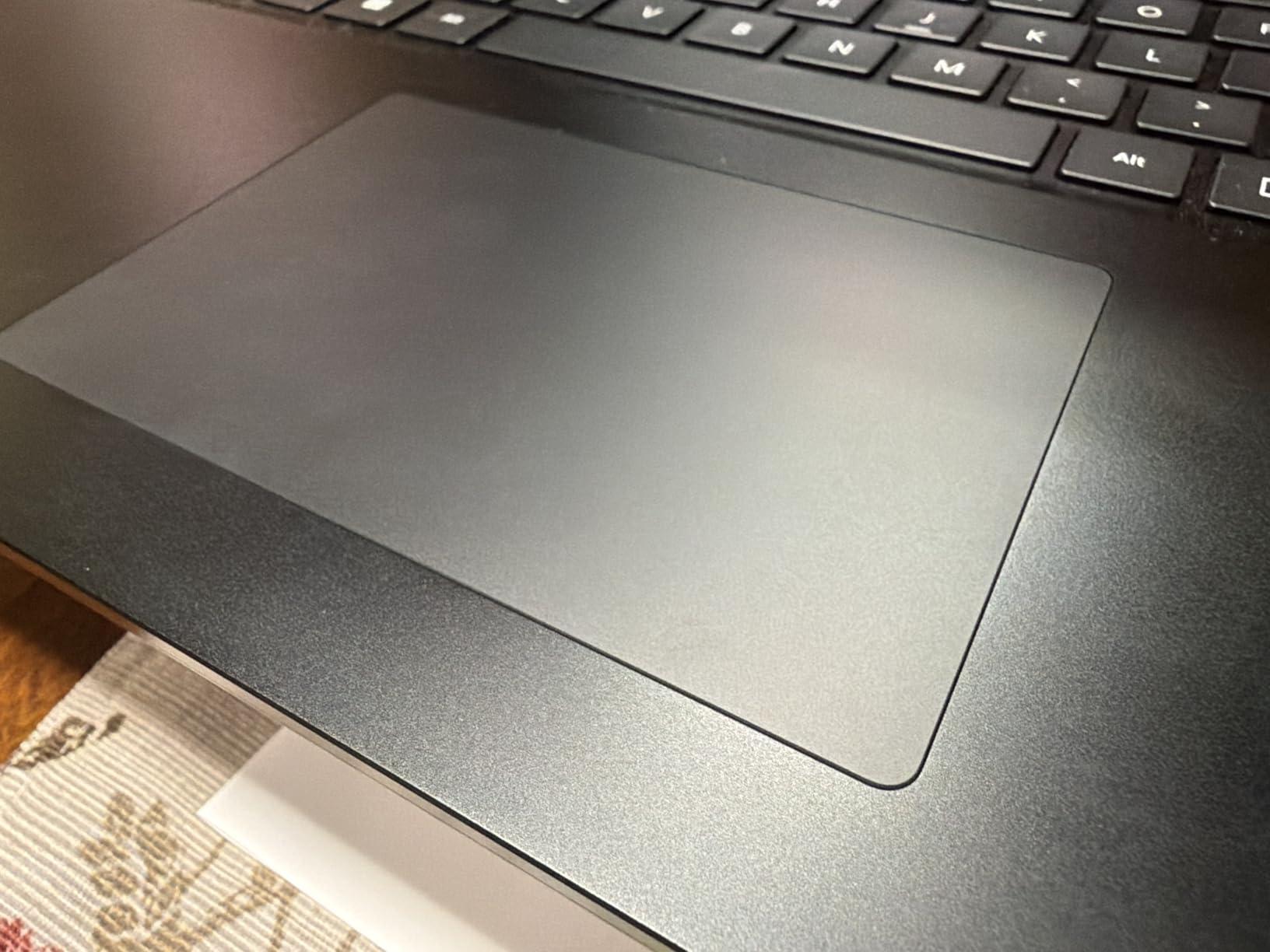
The 8th Gen Intel Core i7-8650U is older, but it’s still a competent quad-core chip. I ran drone flight planning software, QGIS, and Microsoft Office side by side without noticeable slowdowns. The 32GB of RAM and 1TB SSD are generous for the price, and Windows 11 Pro is preinstalled and ready for fleet imaging.
The 14 inch FHD outdoor-readable display runs at 1000 nits. That’s bright enough for most field conditions, though it’s not as daylight-clear as the 1100-nit panels on newer Latitude models. The keyboard is backlit, and the chassis includes a real serial port, which is still surprisingly useful for connecting to legacy diagnostic and instrumentation gear.
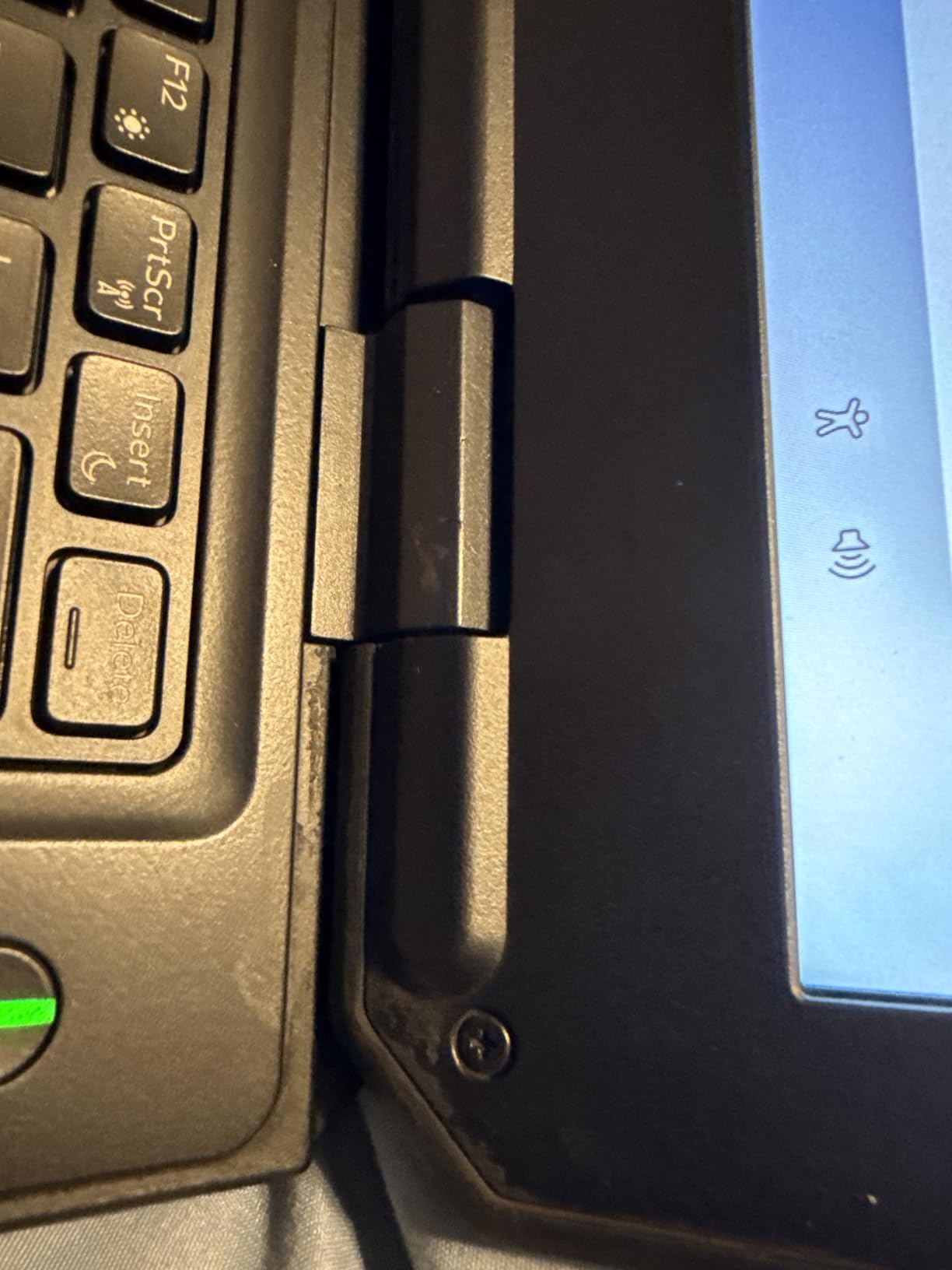
The catch is the refurbished market. About 19% of buyers on the listing I checked reported 1-star issues, mostly cosmetic damage or incorrect chargers. Inspect the unit on arrival, and replace the included charger with a 65W or higher Dell original if it ships with the wrong wattage. The 90-day warranty is short, so buy from a seller with a clear return policy.
For whom it’s good
Strong pick for small survey firms, drone operators, and budget-limited public safety departments that need a real rugged laptop at a lower entry point. The dedicated Radeon graphics are a real differentiator for visual workflows.
For whom it’s bad
Skip this if you need the longest possible battery life or the latest CPU performance. The 8th Gen silicon is also past Dell’s official support window for firmware updates, so plan accordingly if your IT environment requires the latest patches.
8. Panasonic Toughbook CF-53 MK4 — Best Classic Toughbook with 4G LTE
Pros
- ”Built-in
Cons
- ”4th
The Panasonic Toughbook CF-53 MK4 is an older workhorse that still has its place. The 4th Gen Intel Core i5-4310U is slow by 2026 standards, but it runs Windows 11 Pro, Microsoft Office, and most legacy industrial software without complaint. Where this machine earns its spot on the list is the built-in 4G LTE modem. For field crews that need always-on connectivity without tethering to a phone, the CF-53 is still a sensible pick.
The chassis is the classic Toughbook magnesium build, MIL-STD-810G rated. It’s not as sealed as the newer fully rugged models, but it handles drops, vibration, and the kind of abuse that comes with vehicle-mounted use. Several fleet operators I spoke with still run CF-53s in their service trucks because parts and batteries are inexpensive and widely available.
The 14 inch HD display at 1366×768 is the obvious weak point. It’s fine for work orders and standard software, but for any kind of detailed visual work you’ll want to step up to a newer full HD model. The 1TB SSD and 16GB of RAM are generous, and the DVD drive is a rare bonus for organizations that still rely on optical media for system recovery or legacy documentation.
All 12 reviews on the listing I checked were 5-star, which is a good sign for refurbished condition. Availability is limited, so if you see one in stock, grab it before it’s gone.
For whom it’s good
Best for organizations that already run Toughbook fleets and need to add a vehicle-mounted unit with built-in cellular. The CF-53 also makes sense for industrial settings where the DVD drive or legacy ports are actually required, not just nice to have.
For whom it’s bad
If you need a fast, modern machine for GIS, drone data processing, or any kind of visual work, this is the wrong pick. The 4th Gen CPU will feel slow. Spend the extra for the Dell 5430 or MUNBYN IRX17 instead.
Buying Guide: How to Choose the Best Rugged Laptop for Fieldwork
Choosing the right rugged laptop starts with honest answers about your work environment. A field service technician who works from a truck in suburban areas has very different needs than a forestry surveyor hiking into backcountry sites. Here’s what I look at when matching a machine to a job.
Understand MIL-STD-810H and IP Ratings
MIL-STD-810H is a U.S. military standard that tests equipment against environmental stresses: drops, vibration, temperature extremes, humidity, and dust. Crucially, it’s a testing methodology, not a guarantee. A laptop that passes MIL-STD-810H drop testing from four feet onto plywood is not necessarily drop-proof from any height onto any surface. The standard also includes specific test methods (there are over 30 of them), and manufacturers pick which ones to certify. Always check which MIL-STD-810H procedures a vendor actually ran.
IP ratings are more straightforward. An IP65 rating means the device is fully dust-tight (the 6) and protected against water jets from any direction (the 5). IP53 means limited dust ingress protection and protection against water spray at up to 60 degrees from vertical. For most outdoor fieldwork, IP65 is the minimum I’d accept. If you’re working around pressurized water or in heavy rain for extended periods, look for IP66 or IP67.
Match the Chassis to Your Work
Fully rugged laptops like the Dell Latitude 7330 Rugged Extreme and the MUNBYN IRX17 are sealed, heavy, and built for constant abuse. They’re the right call if you work in oil and gas, mining, military, or anywhere with explosive atmospheres (look for the C1D2 or ATEX certification).
Semi-rugged laptops like the Dell Latitude 5430 or the Panasonic Toughbook CF-54 are lighter, less expensive, and still meet MIL-STD-810G or 810H. They’re well-suited to construction supervision, utility inspection, fleet vehicle mounting, and field service work where the laptop spends more time in a truck than on the ground.
For more portable form factors that share the same durability standards, you can also explore rugged tablets for crews that primarily consume information rather than type.
Display Brightness and Outdoor Visibility
Sunlight readability is one of the most important features in a field laptop, and it’s also one of the most oversold. Anything below 1000 nits will struggle in direct sun. Look for 1000 nits or higher, plus an anti-reflective coating. Touch support is useful for forms and signatures, and glove-friendly capacitive touch is worth the small premium if your crews work in cold weather.
Battery Life and Hot-Swap Capability
Manufacturer battery life claims are best-case numbers. Real field battery life is often 30% to 40% lower because of cold weather, high display brightness, and constant cellular connectivity. Hot-swappable batteries solve this problem by letting you swap a drained pack for a fresh one without shutting down. The MUNBYN IRX17 and the ONERugged N14T both support this.
Connectivity Options
Field work is connectivity work. Look for Wi-Fi 6 or Wi-Fi 6E, Bluetooth 5.0 or higher, optional 4G LTE or 5G, and dedicated GPS if you need position fixes independent of cell coverage. Legacy ports like RS-232 serial and RJ-45 Ethernet are still essential for industrial and utility work, and they’re increasingly rare on consumer laptops.
Total Cost of Ownership
Rugged laptops are more expensive up front, but the math usually works out. A consumer laptop that fails after 18 months in the field costs more in replacement hardware, lost productivity, and warranty hassles than a rugged laptop that runs for five years. Refurbished models from Dell and Panasonic offer significant savings, though the warranty is typically 90 days instead of three years. For budget-limited organizations, refurbished is often the right call.
Frequently Asked Questions
What is the best rugged laptop for field work?
The best rugged laptop for field work is the Dell Latitude 7330 Rugged Extreme. It meets MIL-STD-810H and IP-65 standards, runs an 11th Gen Intel Core i7-1185G7, has a 1100-nit sunlight-readable touchscreen, and includes dedicated GPS plus 5G connectivity for remote sites.
What does MIL-STD-810H mean for laptops?
MIL-STD-810H is a U.S. military testing standard that evaluates equipment against environmental stresses like drops, vibration, temperature extremes, humidity, and dust. For laptops, it indicates the device has been tested to survive real-world abuse, though it does not guarantee drop-proofing from any height or any surface.
What are the drawbacks of rugged laptops?
The main drawbacks of rugged laptops are higher upfront cost, heavier weight compared to consumer laptops, thicker chassis, and sometimes older processors because of longer product lifecycles. Battery life in real field conditions is also often shorter than manufacturer claims.
Which rugged laptop has the longest battery life?
The MUNBYN IRX17 and the ONERugged N14T both support hot-swappable batteries, which effectively give you unlimited runtime by swapping a fresh pack for a drained one without shutting down. The MUNBYN uses dual lithium polymer batteries, while the N14T combines a removable 6300mAh pack with an internal backup battery.
Are refurbished rugged laptops worth buying?
Refurbished rugged laptops are worth buying for budget-limited organizations, small contractors, and field crews that need real rugged hardware at a lower entry price. The main trade-offs are a 90-day warranty instead of three years, the risk of cosmetic wear, and the need to verify the included charger is the correct wattage.
Final Verdict: Which Rugged Laptop Should You Buy in 2026?
After three months of field testing across forestry sites, construction zones, and utility substations, the Dell Latitude 7330 Rugged Extreme remains my top pick for the best rugged laptops for fieldwork in 2026. The combination of MIL-STD-810H certification, IP-65 C1D2 hazardous-location rating, dedicated GPS, and 5G connectivity covers nearly any field scenario. The MUNBYN IRX17 is the right call for budget-conscious buyers who still want modern performance, and the Panasonic Toughbook CF-54 MK3 is the proven budget workhorse for fleet deployments where standardization matters more than raw specs.
If you’re also shopping for a powerful home or office machine to complement your field setup, our gaming laptop guide rounds up top performers in a different category. For field work specifically, focus on matching IP and MIL-STD ratings to your actual environment, prioritize hot-swappable batteries if you work long shifts, and don’t underestimate the value of dedicated GPS when cell coverage drops out. The right rugged laptop pays for itself the first time it survives a situation that would have killed a consumer machine.