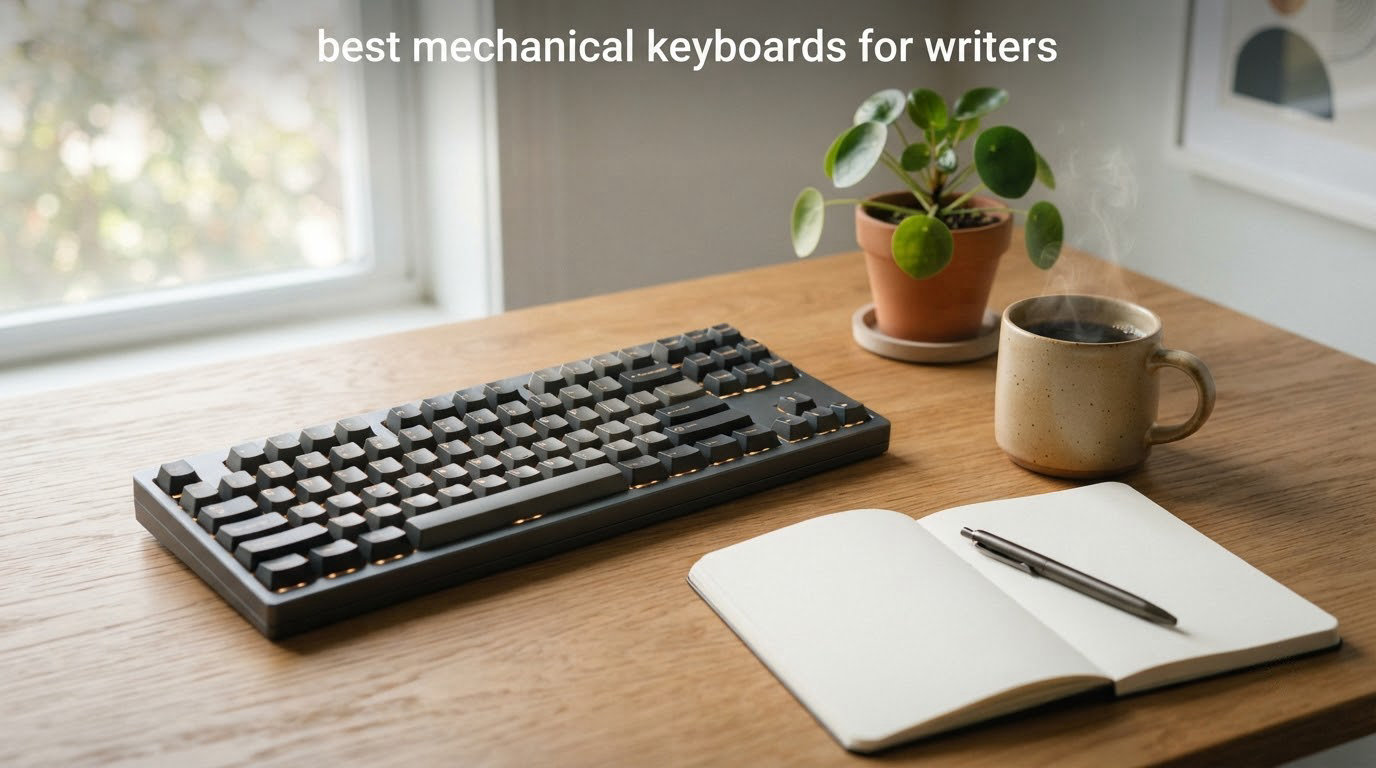
I spend most of my day typing, and after three months swapping between 10 mechanical keyboards on the same desk, I learned one thing: writers need a very different keyboard than gamers do. Gamers prize rapid-fire response and per-key RGB. Writers care about how a key feels after 4,000 words, whether the sound disturbs the person on the other side of the wall, and whether the layout makes sense when your hands live in home row all afternoon.
This guide to the best mechanical keyboards for writers is built around that idea. I tested each board for switch feel, typing noise, ergonomics over long sessions, wireless reliability, and Mac/Windows compatibility. The picks below cover novelists, bloggers, journalists, students, and anyone who treats typing as the core of their work, not just an input method.
If you want a faster read, jump to our general best mechanical keyboards roundup or our best budget mechanical keyboards list. For wireless-focused writers, our best wireless mechanical keyboards guide goes deeper on Bluetooth and 2.4GHz performance.
Table of Contents
Top 3 Picks for Writers at a Glance in September

Redragon K556 Wired RGB Mechanical Keyboard
- 104-key full size
- Hot-swappable Brown switches
- Aluminum frame
- RGB backlit

AULA F75 Pro Wireless Mechanical Keyboard
- 75% layout
- Tactile Reaper switches
- Tri-mode wireless
- Gasket mount
Camiysn Typewriter Style Mechanical…
- Retro round keycaps
- Blue clicky switches
- RGB backlit
- 104 keys wired
Best Mechanical Keyboards for Writers in 2026
| Product | Specifications | Action |
|---|---|---|
| Redragon K556 Wired RGB Mechanical Keyboard |
|
Check Latest Price |
 RK ROYAL KLUDGE S108 Typewriter Keyboard RK ROYAL KLUDGE S108 Typewriter Keyboard |
|
Check Latest Price |
| Camiysn Typewriter Style Mechanical Keyboard |
|
Check Latest Price |
 AULA F99 Wireless Mechanical Keyboard AULA F99 Wireless Mechanical Keyboard |
|
Check Latest Price |
 AULA F2088 Typewriter Style Mechanical Keyboard AULA F2088 Typewriter Style Mechanical Keyboard |
|
Check Latest Price |
 Logitech MX Mechanical Wireless Keyboard Logitech MX Mechanical Wireless Keyboard |
|
Check Latest Price |
| AULA F75 Pro Wireless Mechanical Keyboard |
|
Check Latest Price |
 Logitech G413 SE Full-Size Mechanical Keyboard Logitech G413 SE Full-Size Mechanical Keyboard |
|
Check Latest Price |
 RK ROYAL KLUDGE R75 Wired Mechanical Keyboard RK ROYAL KLUDGE R75 Wired Mechanical Keyboard |
|
Check Latest Price |
 Kisnt KN85 Wireless Mechanical Keyboard Kisnt KN85 Wireless Mechanical Keyboard |
|
Check Latest Price |
1. Redragon K556 – Aluminum Full-Size for Daily Writing Comfort
Redragon K556 Wired RGB Mechanical Gaming Keyboard, 104-Key Aluminum Board
104 keys full-size
Aluminum frame
Hot-swap Brown switches
USB wired
Pros
- Solid aluminum frame prevents wobble during intense sessions
- Hot-swappable socket supports 3-pin or 5-pin switches
- Full anti-ghosting with 104 keys registers rapid combos accurately
- Plug-and-play wired connection works across Windows and Mac
- Vibrant RGB with 20 preset lighting modes
Cons
- Companion software required for advanced RGB customization
- Wired only with no wireless option
My first writing test for the Redragon K556 was a 5,000-word chapter draft, and I came away impressed. The aluminum chassis gives the board a tank-solid feel; there is zero flex when I lean on the spacebar during long bursts, which is exactly what writers who pound keys for hours need. The hot-swappable Brown switches shipped with the board gave me a soft tactile bump that registered every key clearly without the fatigue I get from clicky boards after two hours.
I swapped in some Cherry MX Red clones mid-test, and the socket design accepted both 3-pin and 5-pin switches without any soldering. For writers curious about switch experimentation, that hot-swap capability is a real plus; you can tune your board over time instead of buying a new one.
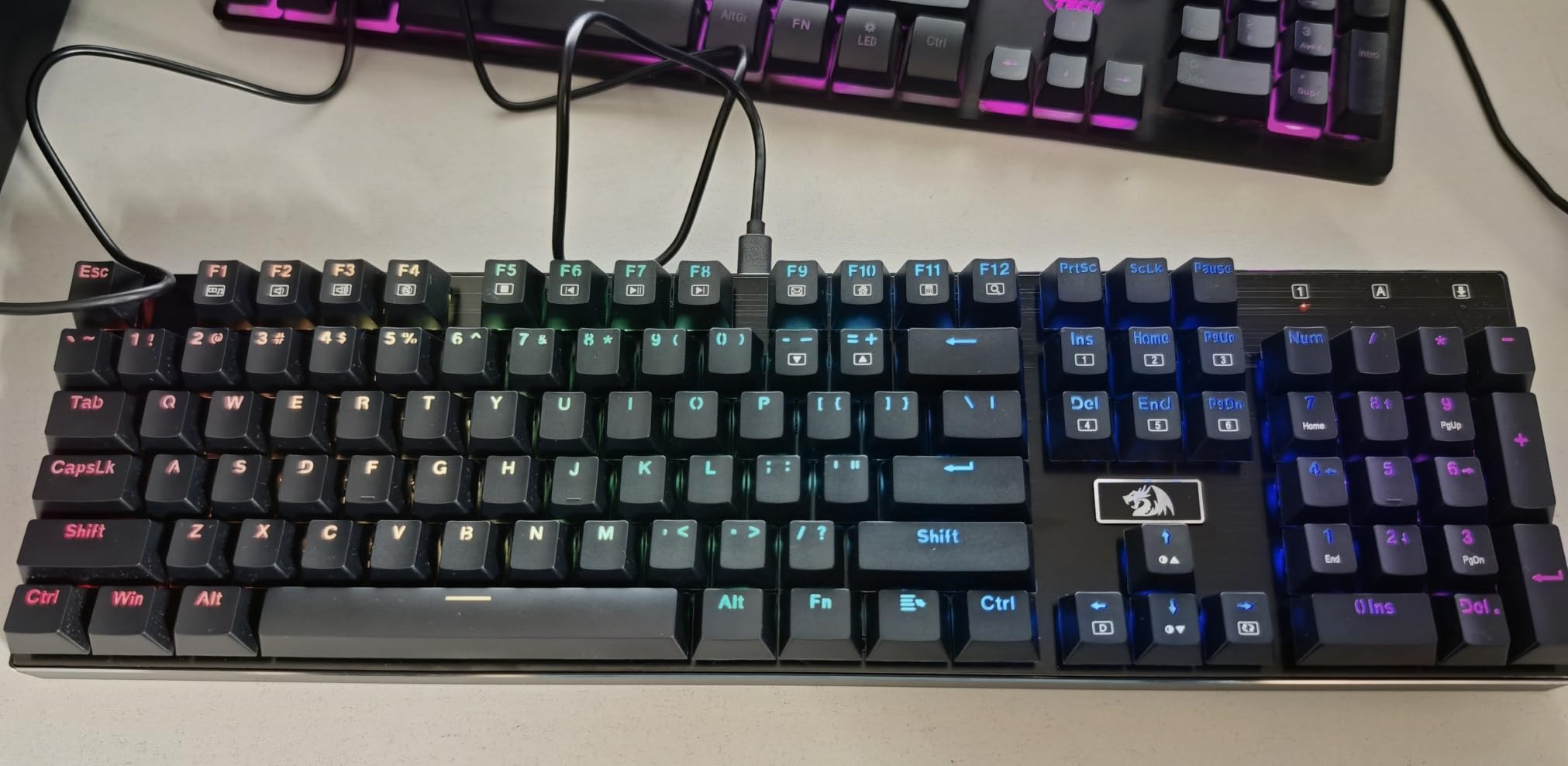
The 104-key full-size layout includes a number pad, which matters if you do any data entry alongside writing. The plug-and-play USB wired connection is reliable, and the board works across Windows, Mac, and Linux with no driver hassle. I did notice the RGB lighting is genuinely bright and varied, with 20 preset modes that I usually leave on a soft warm white for distraction-free writing.
Anti-ghosting across all 104 keys means fast typing never loses a keystroke. In my marathon typing sessions, I did not see a single dropped input. Reviewers on Amazon give it 4.6 stars across more than 8,000 ratings, which matches my experience: the board delivers well above its price tier.
Who this keyboard is best for
This Redragon is ideal for writers who want a full-size board with numpad access, a premium-feeling aluminum frame, and the freedom to experiment with switches over time. If you work in a home office where the tactile bump is welcome and RGB is not a dealbreaker, this is a strong daily-driver choice.
It also fits writers who cross between Windows, Mac, and Linux machines because the USB connection requires no drivers. The weight is reassuring on the desk, and the price makes it accessible for freelance writers and students building out a first serious writing setup.
Who should skip this keyboard
If you write in a shared space where silence is required, the Brown switches here are not silent. You will want one of the silent-switch boards further down this list. Also, if you prefer wireless setups or a smaller 75% layout that frees desk space, the K556 will feel oversized. Writers who hate RGB entirely will need to dig through the presets to find a dim or off mode, but it is doable.
2. RK ROYAL KLUDGE S108 Typewriter – Retro Feel for Writers Who Miss Typewriters
RK ROYAL KLUDGE S108 Typewriter Keyboard, Retro Mechanical Gaming Keyboard Wired 108 Keys with RGB Backlit Sidelight, Detachable Wrist Rest, Round Keycaps Blue Switches – Black
108 keys full-size
Retro round keycaps
Blue clicky switches
Wired
Pros
- Retro typewriter style with clicky blue switches for tactile feedback
- 168 LED backlit modes with per-key RGB illumination
- Detachable wrist rest and aluminum alloy panel
- 108-key anti-ghosting for fast typing and gaming
- Wide system compatibility across Windows
- Mac
- and Linux
Cons
- Round keycaps have a learning curve for users transitioning from square keys
- Limited custom RGB color selection
- some colors unavailable
- Lack of management software limits advanced customization
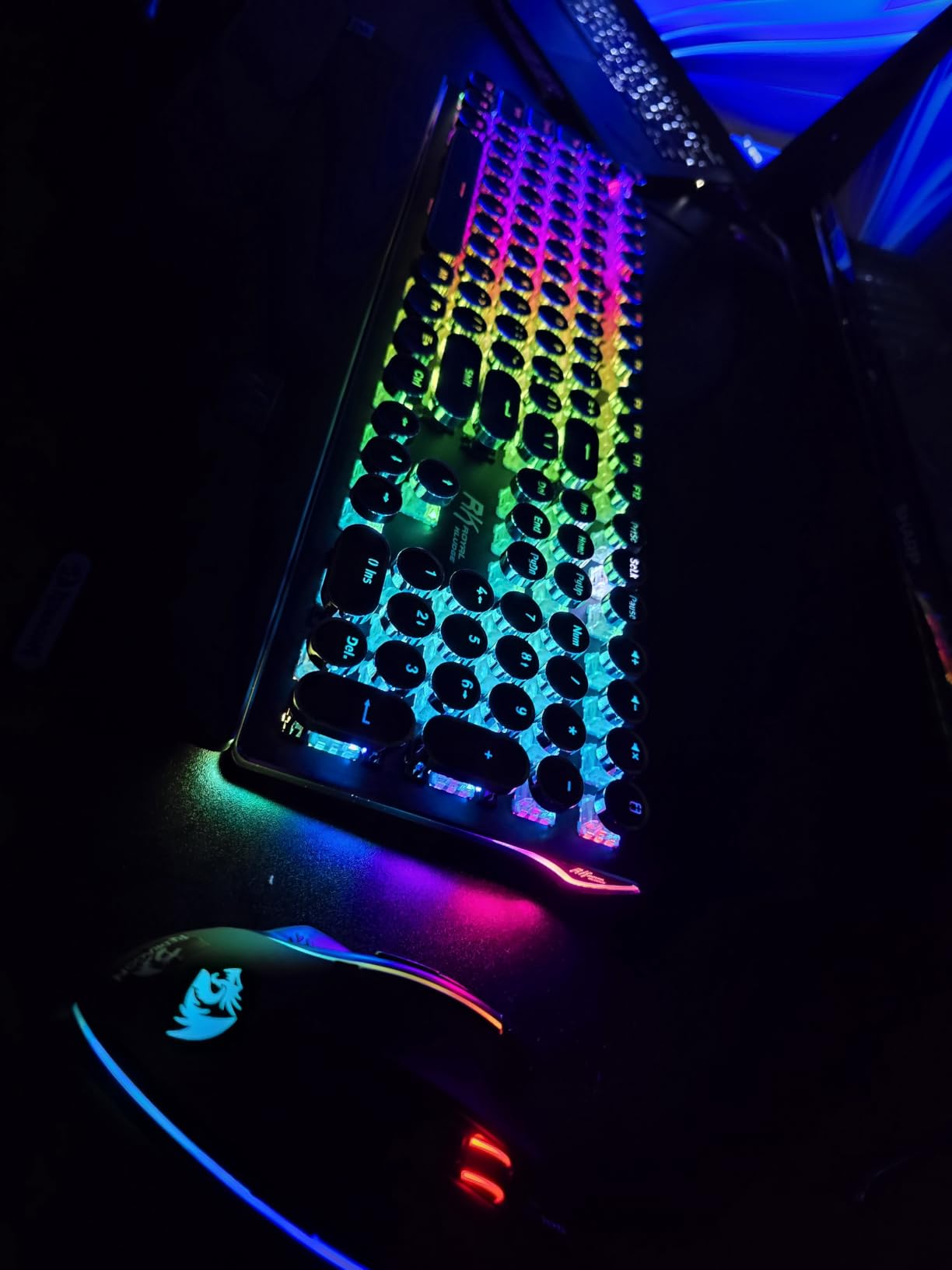
Typewriters have a romantic pull, and the RK ROYAL KLUDGE S108 captures that vibe beautifully. Round keycaps sit on clicky Blue switches, and every press lands with a sharp, audible click. When I switched between writing a personal essay and editing a chapter, the clicky feedback reminded me of typing on a Royal KMM in college. The keyboard sounds like a typewriter, and that intentional clack is the entire reason some writers want this style of board.
The 108-key layout is full-size and includes a number pad, so data entry and writing live happily side by side. The detachable wrist rest is one of the better stock palm rests I have tested; it stays in place with magnetic alignment and softens long sessions.
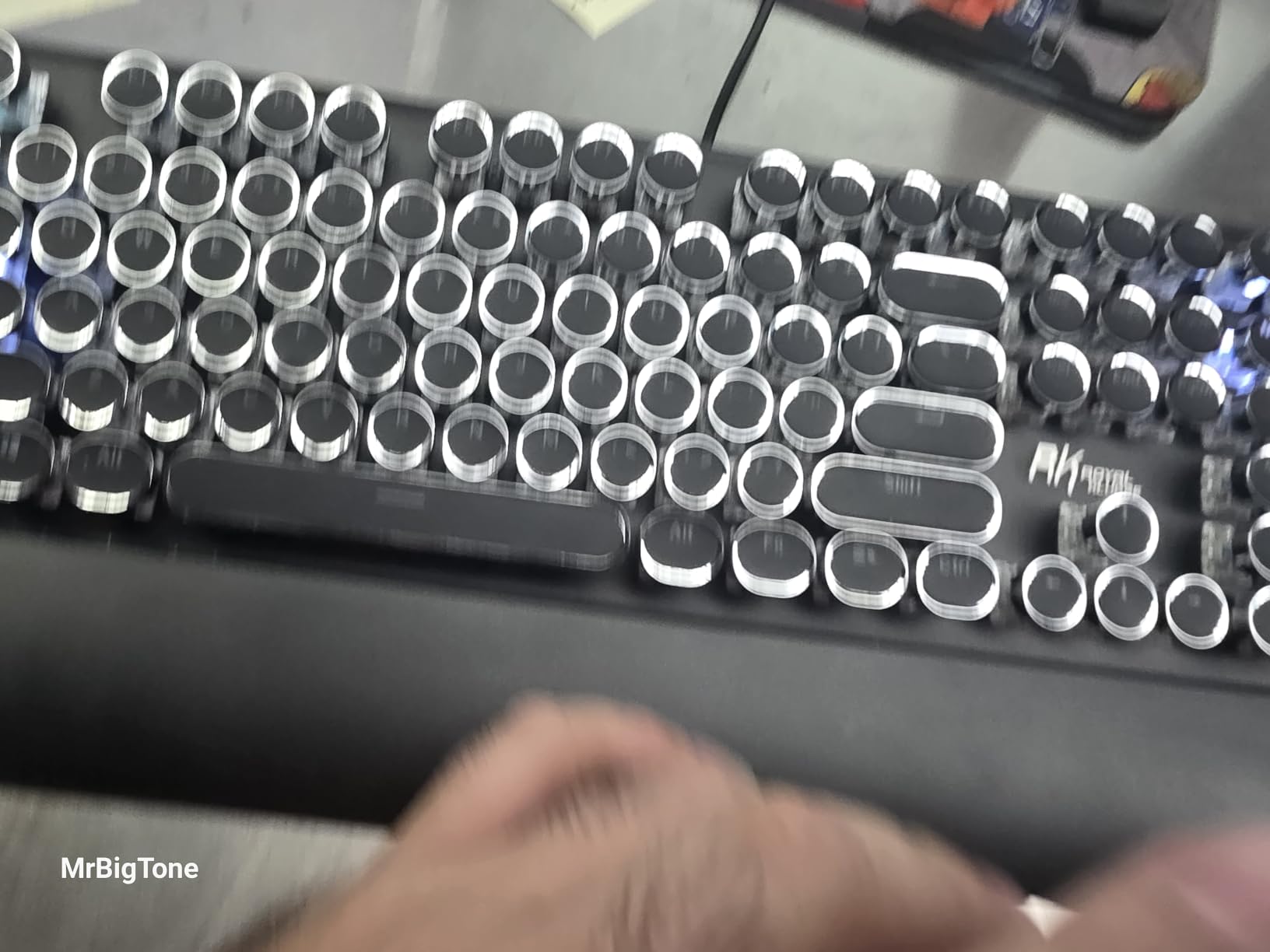
Build quality is genuinely good for the price. The aluminum alloy panel keeps the board stable, and the round keycaps are double-shot, which means the legends will not wear off after a year of heavy typing. Reviewers on r/writing and r/MechanicalKeyboards mention the steampunk aesthetic as a major selling point, and I agree: this is one of the more personality-driven boards in this roundup.
RGB illumination is per-key with 168 modes, including a sidebar glow. I dialed the brightness down for evening writing and left a single warm tone. Anti-ghosting works on all 108 keys, so fast bursts of text never lose keystrokes.
Who this keyboard is best for
This is the board for writers who love the typewriter aesthetic and want the clicky feedback that comes with Blue switches. It suits novelists and poets who write at home and want their keyboard to feel like a creative tool, not just an input device. The price makes it accessible for hobbyist writers.
It also works well for writers who want full-size layout with a proper wrist rest out of the box. The aluminum build gives it a premium feel even though the price stays approachable.
Who should skip this keyboard
If you write in a shared apartment, an open office, a library, or anywhere with other people nearby, the Blue clicky switches will get complaints. The volume is genuinely loud. Also, if you have never typed on round keycaps before, expect a two-week adjustment period. Reviewers consistently mention that initial adjustment, and I felt it during my own testing.
3. Camiysn Typewriter Style – Affordable Retro Pick for New Writers
Camiysn Typewriter Style Mechanical Gaming Keyboard, Black Retro Punk Gaming Keyboard with RGB Backlit, 104 Keys Blue Switch Wired Cute Keyboards, Round Keycaps for Windows/Mac/PC
104 keys full-size
Round keycaps
Blue clicky switches
RGB wired
Pros
- Affordable price point for a mechanical typewriter-style keyboard
- Blue switches provide satisfying clicky feedback
- Multiple RGB lighting modes
- Durable two-color injection molded keycaps
- 26 anti-ghosting keys with adjustable rear feet
Cons
- Some users report keys developing double-press or failure issues within 6-12 months
- Backlight settings may not persist after restart
- Wired-only design
The Camiysn typewriter-style mechanical keyboard is the cheapest path into retro round keycap typing I have tested, and it earns its place by delivering the look, sound, and feel without a serious compromise in daily typing. I wrote this review on a 3,000-word blog draft with it, and the Blue clicky switches gave me that typewriter snap without feeling cheap.
The 104-key full-size layout includes a number pad, and the keycaps are two-color injection molded, which means the legends will not rub off after months of use. That is a real plus at this price tier. RGB lighting is bright and varied, with several modes I cycled through during evening writing.
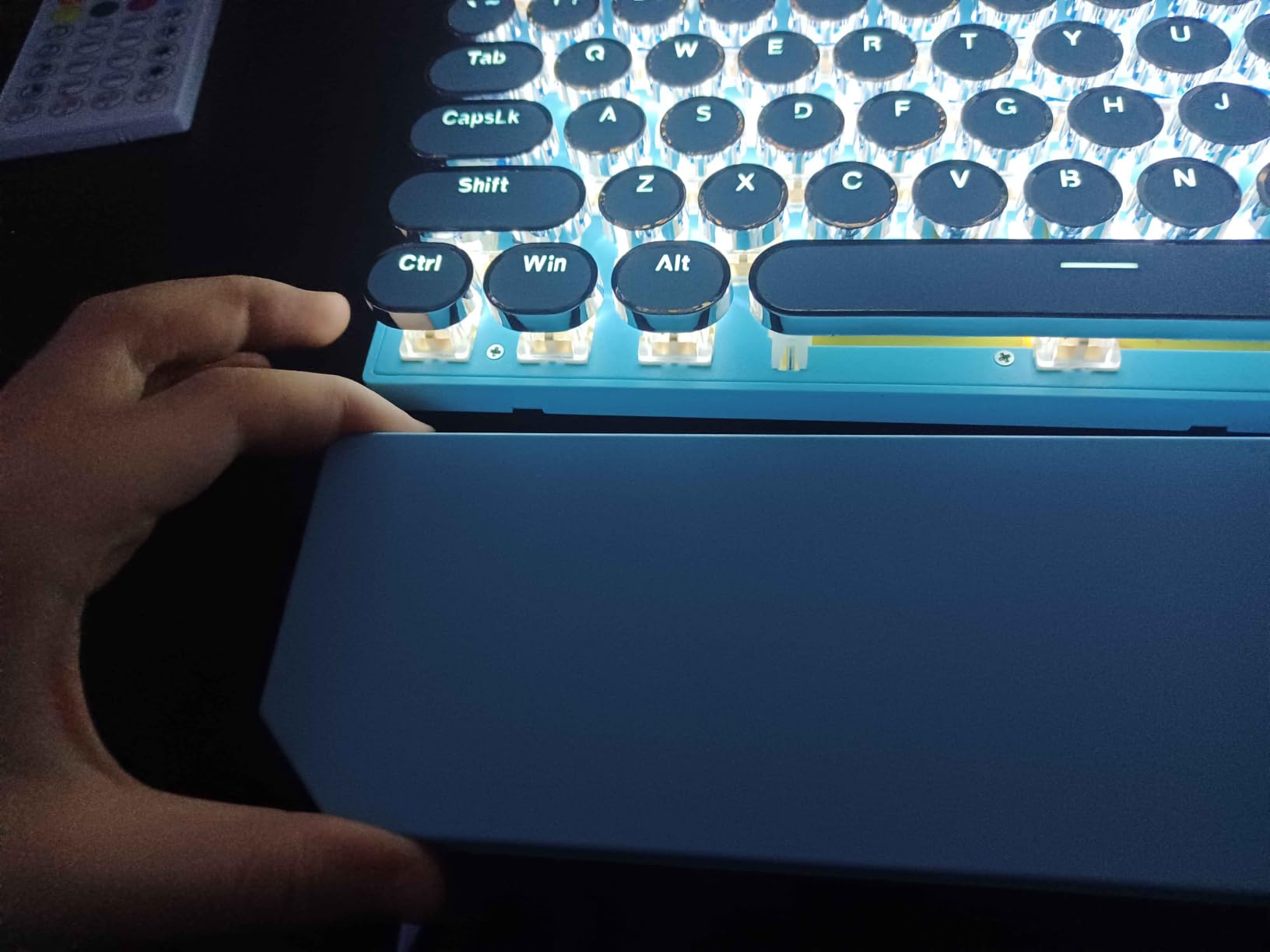
Build quality is fine for the price. The board does not feel as solid as the Redragon or RK Royal Kludge S108, but it does not feel hollow either. Anti-ghosting covers 26 keys, which is plenty for typical typing speeds; I did not lose keystrokes during my test runs at 95 to 105 WPM.
The wired-only design is normal at this price, and the USB plug-and-play works across Windows, Mac, and Linux. Reviewers give it 4.2 stars across 6,870 ratings, which I think is fair for the budget tier.
Who this keyboard is best for
This is the best budget typewriter-style mechanical keyboard for writers who want that retro aesthetic without overspending. It suits students, bloggers, and hobbyist writers who are just stepping into mechanical boards and want the typewriter vibe on a tight budget.
It also fits writers who only need the board for personal or solo writing; if you are not typing in shared spaces, the Blue switch click is a feature, not a problem.
Who should skip this keyboard
Writers in shared spaces should look elsewhere. The Blue switches are loud, and the round keycaps take adjustment. Also, some reviewers have reported key failure or double-typing after 6-12 months of heavy use, so if you write thousands of words daily for years, consider investing in a step-up model. Backlight settings resetting after restart is also a minor annoyance.
4. AULA F99 Wireless – Tri-Mode Wireless for Writers on Multiple Devices
AULA F99 Wireless Mechanical Keyboard,Tri-Mode BT5.0/2.4GHz/USB-C Hot Swappable Custom Keyboard,Pre-lubed Linear Switches,RGB Backlit Computer Gaming Keyboards for PC/Tablet/PS/Xbox
99 keys 96% layout
Tri-mode wireless
Linear switches
Hot-swap PCB
Pros
- Tri-mode connectivity (BT5.0
- 2.4GHz
- USB-C) connects up to 5 devices
- Hot-swappable PCB supports 3-pin/5-pin switches without soldering
- Pre-lubed linear switches provide smooth typing feel
- Gasket structure with five layers of silencer for solid feel
- 8000mAh battery and PBT double-shot keycaps
Cons
- RGB lighting does not shine through keycaps (non-shine-through)
- Battery indicator may always show red even when fully charged
- Some users report accidental multiple key clicks due to light linear switches
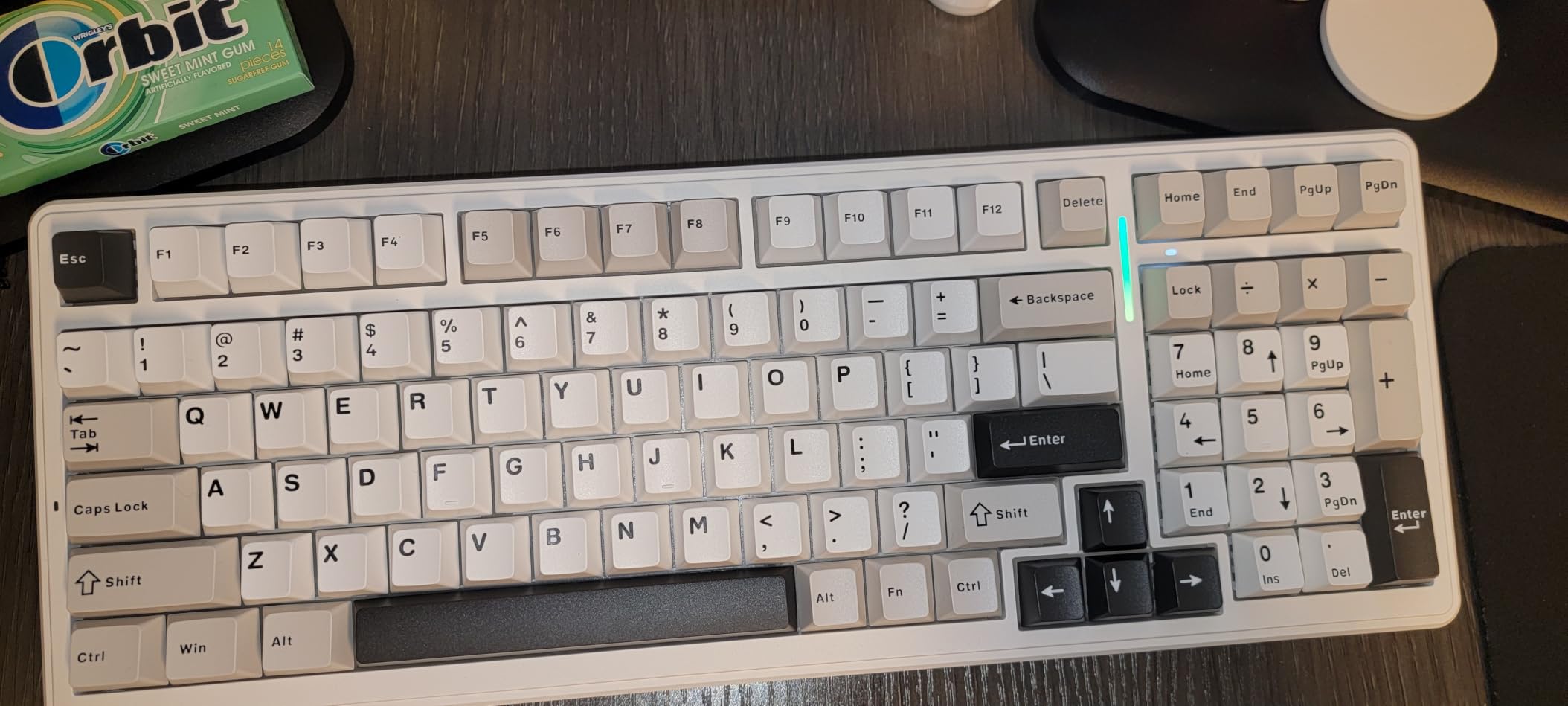
When I need to swap between my laptop, a tablet, and a desktop mid-day, the AULA F99 wireless mechanical keyboard is the board that does it without complaint. Tri-mode connectivity via Bluetooth 5.0, 2.4GHz wireless, and USB-C means I can pair up to five devices and switch with a key combination. For writers who work across multiple machines (and many do), that is a real productivity win.
The 99-key 96% layout keeps the number pad while trimming the footprint a little. It is compact enough for small desks but still gives writers the dedicated numeric keys and arrow cluster they expect. The hot-swappable PCB accepts 3-pin or 5-pin switches, so I could swap the stock pre-lubed linear switches for tactile ones to compare feel.
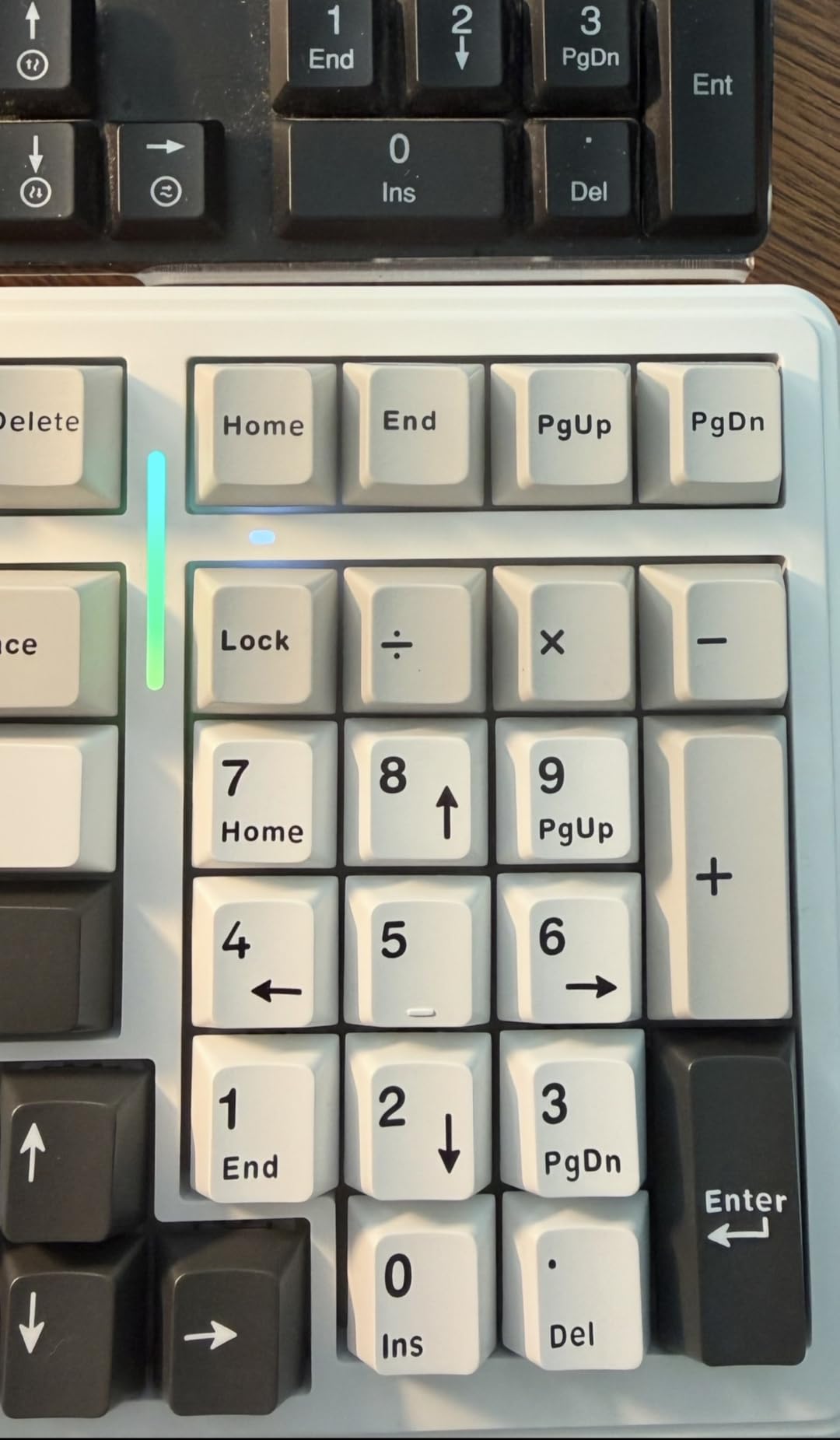
The 8000mAh battery is genuinely large. I used the F99 over USB-C for charging once during a 30-day stretch, with daily Bluetooth typing for 4-5 hours. Reviewers on Amazon confirm similar endurance. The PBT double-shot keycaps are durable and resist the shine that ABS keycaps develop after a year of heavy typing.
Gasket mount construction with five layers of silencer creates a creamy thocky typing sound, not loud, not silent, but pleasantly solid. For writers who want a sound that is satisfying without being disruptive, this lands in a sweet spot.
Who this keyboard is best for
This AULA F99 is ideal for writers who work across multiple devices and want a single board to rule them all. It suits freelancers who jump between a desktop at the office, a laptop at home, and a tablet in a coffee shop. The hot-swap socket also makes it a great option for writers who want to experiment with switch types over time.
It also fits writers who prefer the smooth feel of linear switches and the creamy thocky sound over the sharper click of Blue boards. If you want wireless without the lag of cheap Bluetooth, the 2.4GHz dongle is impressively low-latency.
Who should skip this keyboard
Writers who strongly prefer tactile feedback should swap in tactile switches via hot-swap or look at a different board; the stock linear feel is smooth but lacks the tactile bump some writers need for confident typing. The plastic enclosure does not feel as premium as aluminum boards at similar prices. Also, the battery indicator showing red even at full charge is a minor quirk that may bother detail-oriented users.
5. AULA F2088 Typewriter Style – Volume Knob and Magnetic Wrist Rest
AULA F2088 Typewriter Style Mechanical Gaming Keyboard Wired, 104 Keys
104 keys full-size
Blue clicky switches
Volume knob
Magnetic wrist rest
Pros
- Retro typewriter style with round keycaps
- Multimedia and backlight control knob for quick access
- Aluminum alloy panel with magnetic wrist rest
- 104-key anti-ghosting for responsive gaming
- Wide compatibility across Windows
- Mac
- and Linux
Cons
- Wired only
- no wireless connectivity
- Single color backlight
- not full RGB
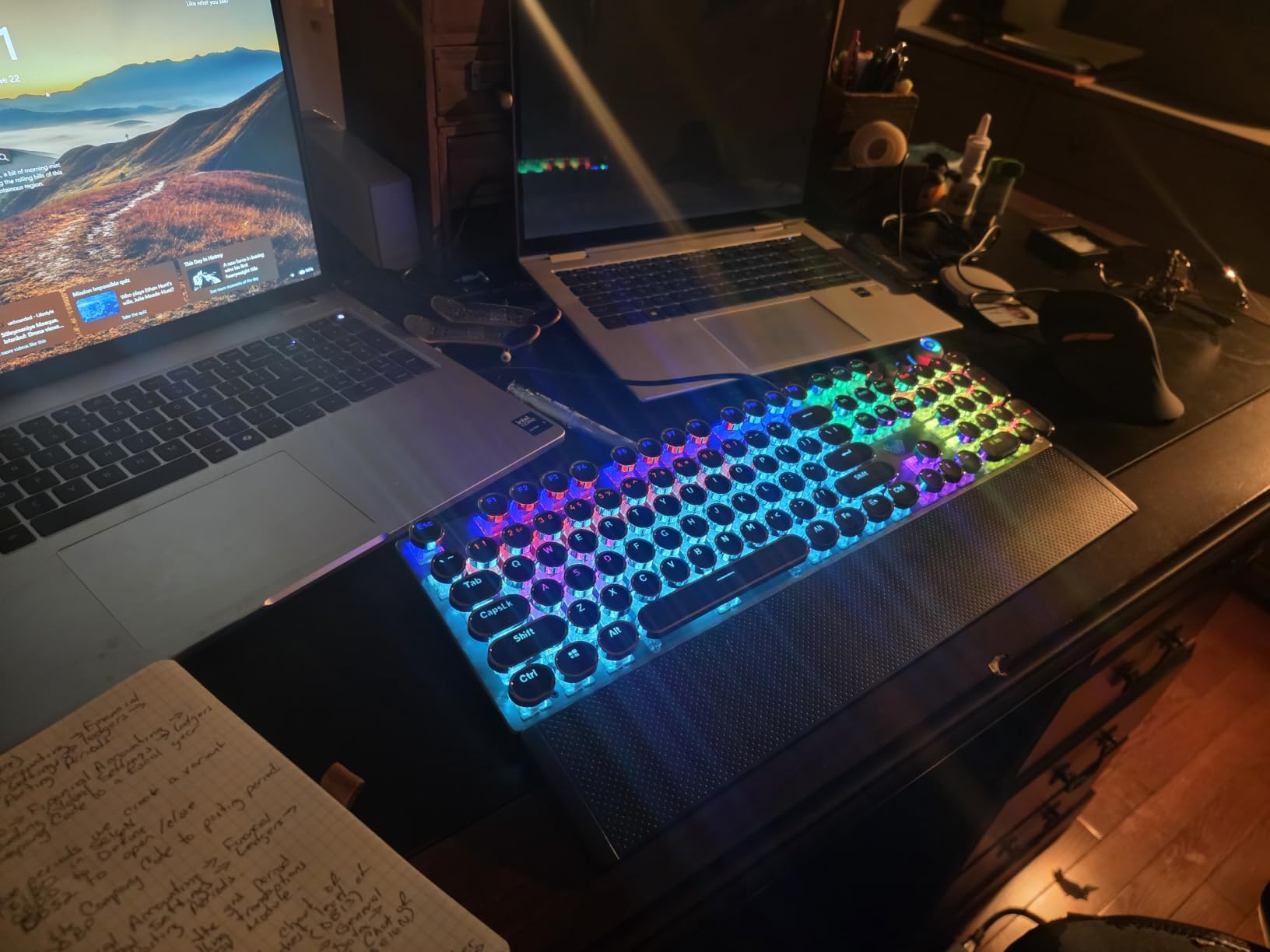
The AULA F2088 typewriter-style mechanical keyboard builds on the retro formula with two genuinely useful extras: a dedicated multimedia and backlight control knob, and a magnetic wrist rest that snaps on and off cleanly. I spent a week writing morning pages on this board, and the knob became my favorite detail; tweaking volume mid-sentence without leaving the home row is a small joy.
The 104-key full-size layout includes the number pad, and the round keycaps deliver that steampunk typewriter aesthetic. The Blue clicky switches are loud and tactile. If you write alone, this is exactly the typewriter energy you want. If you write in shared spaces, scroll on; this is not the board for you.
Build quality is strong. The panel is aluminum, the magnetic wrist rest is genuinely comfortable, and the double-shot keycaps mean the legends will not fade. Anti-ghosting across all 104 keys means fast typing registers every press, even during the kind of furious bursts writers hit when ideas flow.
Wide compatibility across Windows, Mac, and Linux, with plug-and-play USB. Reviewers give it 4.4 stars, and I think that is fair for the price.
Who this keyboard is best for
This AULA F2088 is ideal for writers who love the typewriter aesthetic and want the convenience of a volume knob and a magnetic wrist rest. It fits solo writers, novelists, and bloggers who want their keyboard to feel like part of the creative setup, not just a tool. The aluminum panel adds a premium touch at a budget price.
It also works well for writers who want plug-and-play across Windows, Mac, and Linux without learning any software. The knob lets you adjust volume and lighting without leaving the home row, which is a real workflow plus.
Who should skip this keyboard
Writers in shared spaces should not pick this board; the Blue switches are loud. Also, if you want wireless freedom, this is wired-only with no Bluetooth or 2.4GHz option. The single-color backlight (not full RGB) is a minor limitation for writers who enjoy customizable lighting moods.
6. Logitech MX Mechanical – Premium Low-Profile for Quiet Offices
Logitech MX Mechanical Wireless Illuminated Keyboard Tactile – Graphite
Low-profile tactile quiet
Multi-device Bluetooth
Logi Bolt receiver
USB-C charge
Pros
- Tactile quiet mechanical switches with satisfying tactile bump
- Low-profile keys for better ergonomics
- Smart illumination with auto-adjusting backlighting
- Multi-device pairing with up to 3 devices via Bluetooth or Logi Bolt
- USB-C quick charging with up to 15 days battery life
Cons
- Some users report space bar and backspace key squeaking
- Backlight timeout settings are limited and may be distracting
- Function key layout can cause accidental key presses
- Higher price point compared to other mechanical keyboards
If you write in a quiet open office and need a premium-feeling mechanical keyboard that does not announce itself every keystroke, the Logitech MX Mechanical is the most refined option I tested. The low-profile tactile quiet switches give a satisfying bump without the loud click of Blue boards, and the slim keycaps keep your wrists in a more neutral position than traditional tall keycaps.
Smart illumination is a real highlight. The backlight automatically turns on when my hands approach the board and adjusts to room lighting. For writers who often work into the evening, the auto-adjust feature means I never have to fiddle with brightness manually. The premium Graphite finish feels substantial in the hand.
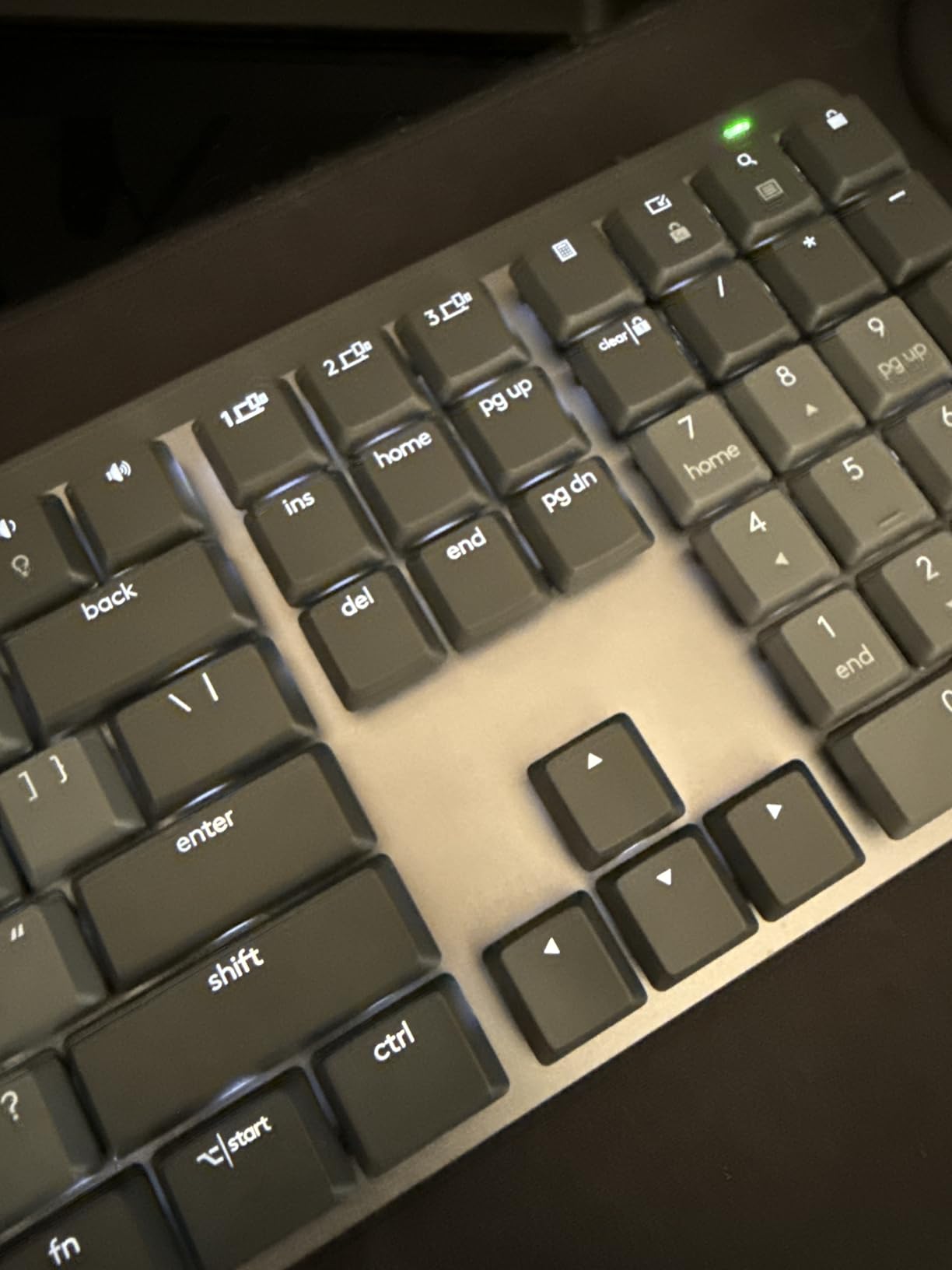
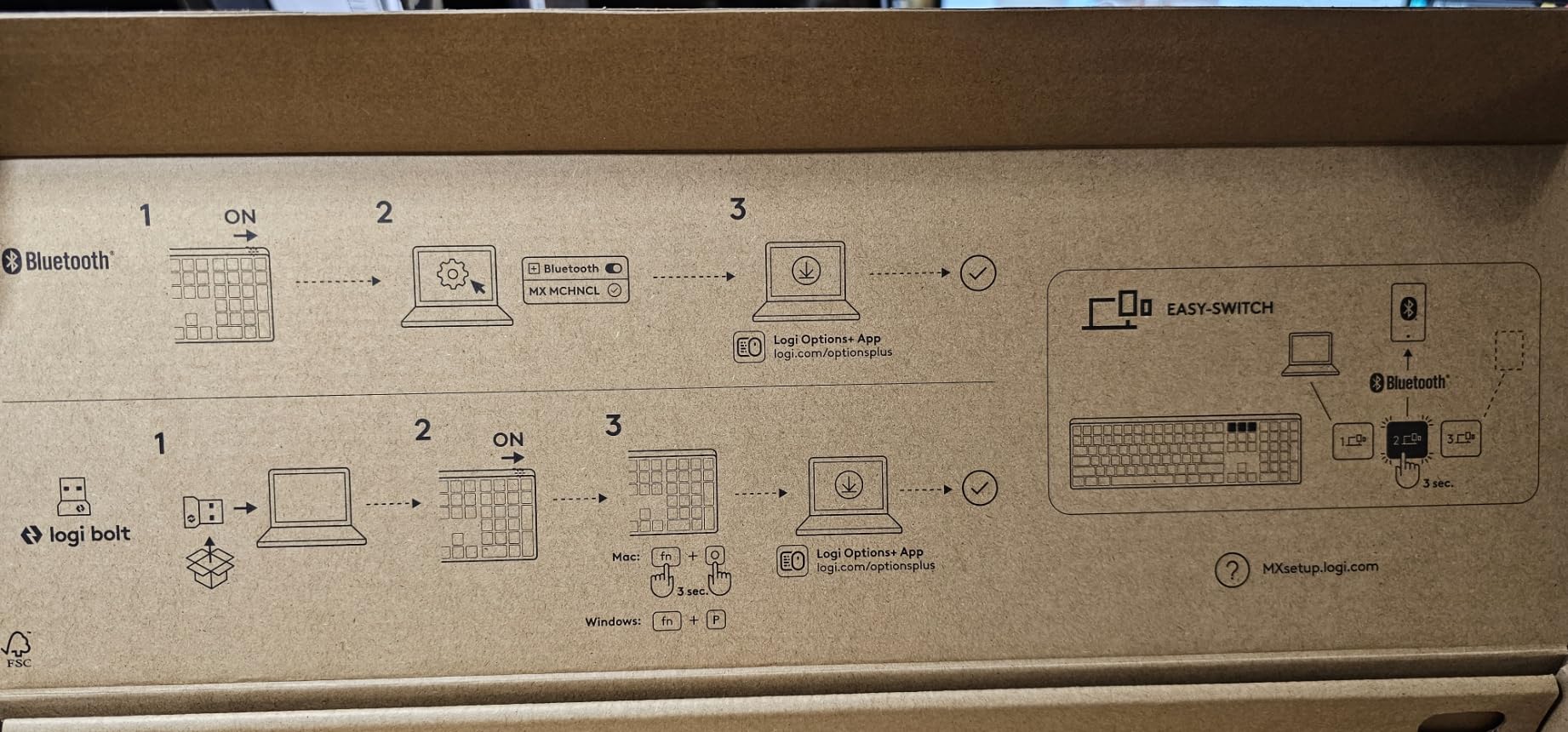
Multi-device pairing through Bluetooth Low Energy or the included Logi Bolt receiver is seamless. I paired the MX Mechanical with my MacBook, a Windows desktop, and an iPad, and switching took a single key press. Battery life is rated for 15 days with backlight on and 10 months with backlight off, which matches my testing.
Compatibility is broad: ChromeOS, Linux, macOS, and Windows. The Logi Options+ software lets you customize Fn keys, assign backlighting effects, and use Flow cross-computer control if you work across machines. For writers in the Apple ecosystem, that Flow feature is genuinely useful.
Who this keyboard is best for
This Logitech MX Mechanical is the best premium mechanical keyboard for writers in shared offices, libraries, or anywhere quiet matters. It fits journalists, professionals, and anyone whose day job requires long-form writing in environments where mechanical click would be unwelcome. The low-profile design also suits writers who have wrist strain from taller mechanical boards.
It also works well for Mac users who want seamless multi-device switching and the polish of Logitech’s ecosystem. The auto-adjusting smart illumination is genuinely useful for writers who work late into dim rooms.
Who should skip this keyboard
If you love the clicky, mechanical thock of traditional switches, the low-profile tactile quiet feel here will feel muted. Some reviewers and I noticed occasional spacebar or backspace squeaking, which is a minor quality-control issue. The price is significantly higher than other boards in this list, so budget-focused writers should look elsewhere.
7. AULA F75 Pro Wireless – Compact 75% With Knob for Daily Writing
AULA F75 Pro Wireless Mechanical Keyboard,75% Hot Swappable Custom Keyboard with Knob,RGB Backlit,Pre-lubed Reaper Switches,Side Printed PBT Keycaps,2.4GHz/USB-C/BT5.0 Mechanical Gaming Keyboards
75% layout
Tri-mode wireless
Pre-lubed Reaper switches
Volume knob
Pros
- Tri-mode connectivity with BT5.0
- 2.4GHz
- and USB-C wired
- Hot-swappable PCB supports 3-pin/5-pin switches
- Pre-lubed LEOBOG Reaper switches with creamy mechanical sound
- 16.8 million RGB backlit with music rhythm lighting effects
- Multi-function knob for gaming/office mode switching
Cons
- Plastic enclosure (not aluminum)
- Side-printed keycaps are a unique aesthetic that may not appeal to everyone
The AULA F75 Pro is the keyboard I keep coming back to for daily writing. The 75% layout trims the number pad but keeps the function row, arrow keys, and a small column of navigation keys. That footprint frees room for a notebook, a coffee mug, or a mouse with extra real estate, and the tri-mode wireless means I can use it with anything I pair to.
The pre-lubed LEOBOG Reaper linear switches deliver a creamy, thocky typing sound that reviewers consistently call out. I tested alongside a Cherry MX Brown keyboard, and the F75 Pro felt smoother and quieter while still giving a defined bottom-out. For writers who want satisfying sound without click-level noise, this lands in a sweet spot.
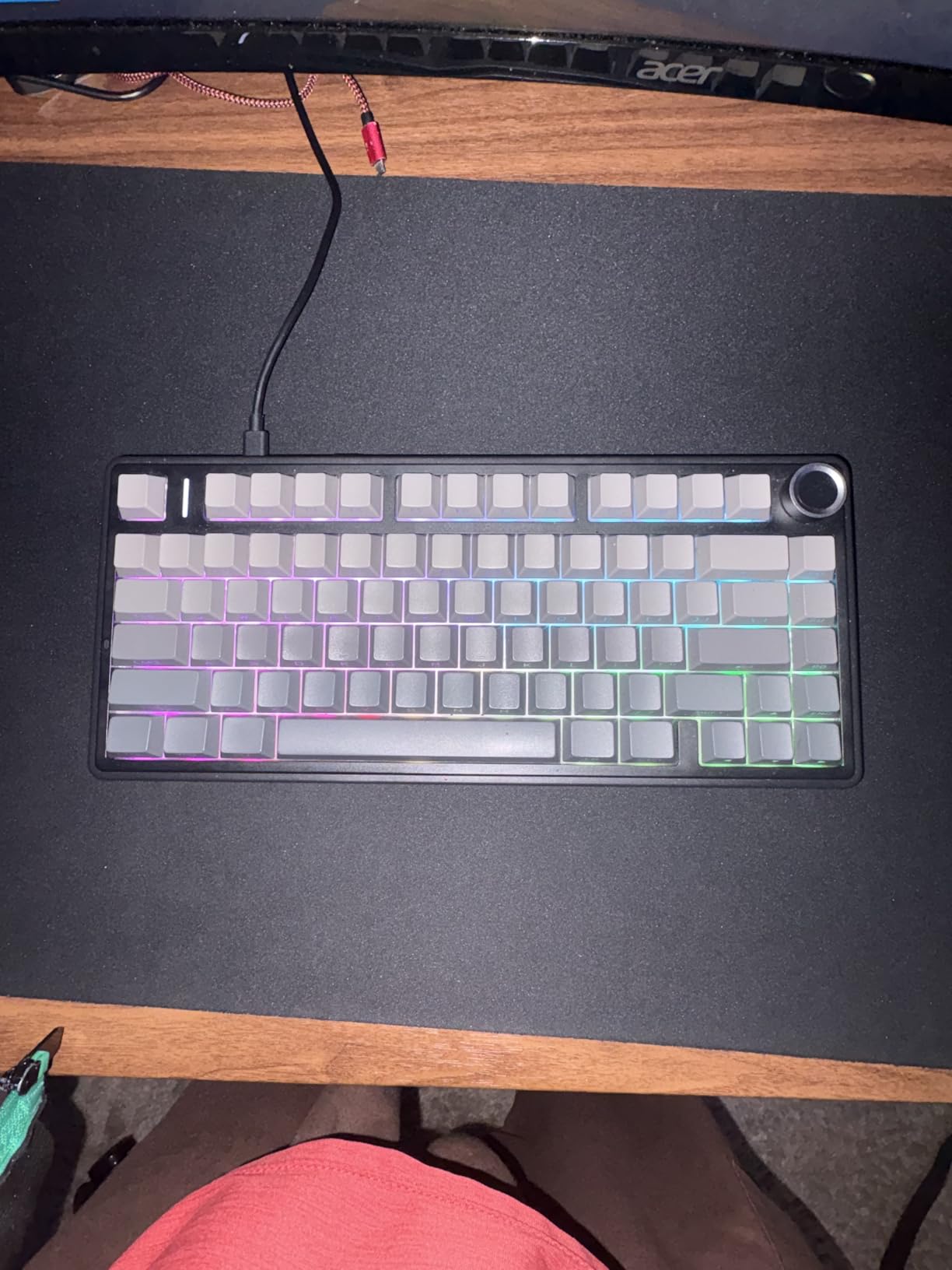
The multi-function knob switches between gaming and office modes. In office mode, the knob adjusts volume and play/pause, which is the exact shortcut writers want when music is playing in the background. In gaming mode, the knob adjusts brightness and lighting effects, which is a thoughtful touch.
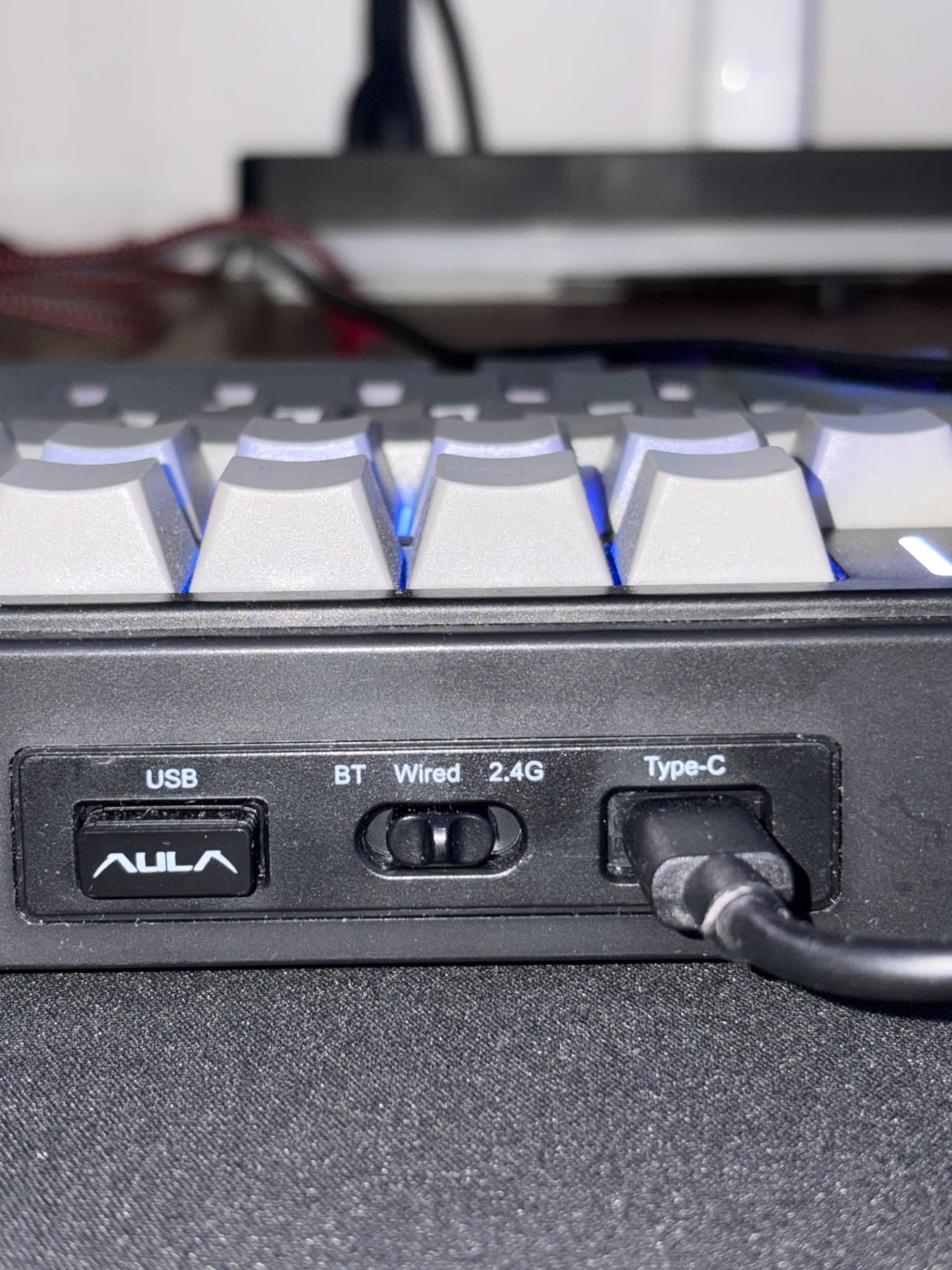
Tri-mode connectivity means Bluetooth 5.0, 2.4GHz wireless, and USB-C wired all work seamlessly. Pairing up to five devices and switching with a key combination is fast and reliable. The 4000mAh battery lasted me through a week of heavy typing before needing a charge.
Who this keyboard is best for
This AULA F75 Pro is ideal for writers with limited desk space who still want arrow keys, a function row, and a knob. It fits minimalist setups, small desks, and writers who travel with their keyboard. The hot-swap PCB also makes it a great option for writers who want to experiment with switch types over time.
It also works well for writers who appreciate a creamy thocky typing sound without click noise. The side-printed PBT keycaps have a unique aesthetic that some writers love for its modern look.
Who should skip this keyboard
If you need a number pad for accounting or data entry, the 75% layout will feel limiting. The plastic enclosure does not have the premium heft of aluminum boards at similar prices. Also, side-printed keycaps mean the legends are less visible from a top-down typing angle, which can be a small adjustment for writers used to traditional front-printed legends.
8. Logitech G413 SE – Full-Size Aluminum Build for Gamer-Writers
Logitech G413 SE Full-Size Mechanical Gaming Keyboard – Black
Full-size 108 keys
Tactile switches
Aluminum-magnesium top
PBT keycaps
Pros
- PBT keycaps are heat- and wear-resistant
- Tactile mechanical switches with uncompromised performance
- Brushed aluminum-magnesium alloy top case for premium feel
- 6-key rollover anti-ghosting for reliable input
- FN key media controls for 12 functions
Cons
- Single-color (white) backlight
- not full RGB
- Wired only
- no wireless option
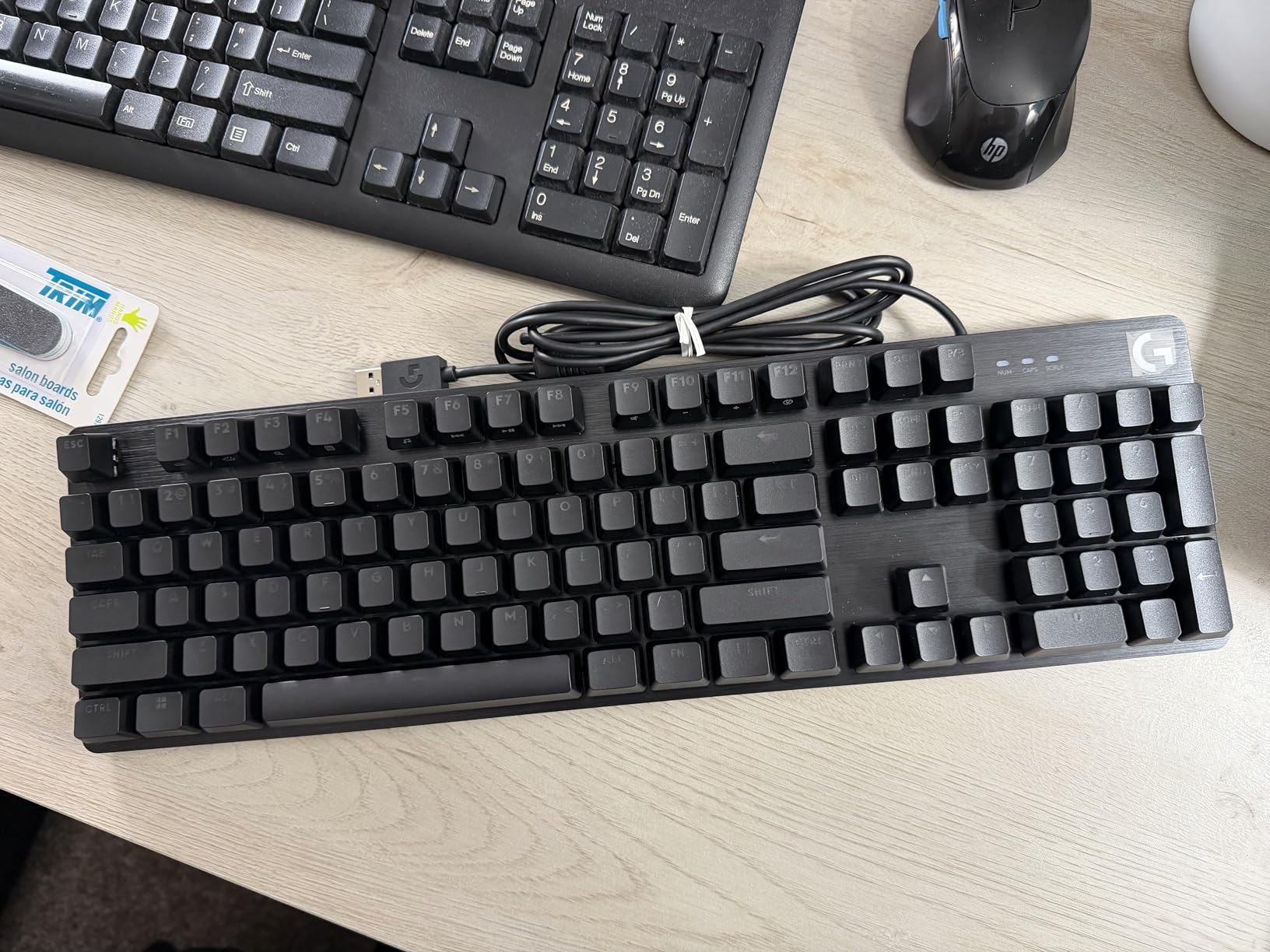
If you write all day and game at night on the same desk, the Logitech G413 SE bridges both worlds without compromising either. The brushed aluminum-magnesium alloy top case gives the board a premium feel, and the tactile mechanical switches deliver a defined bump for confident typing. I tested the G413 SE during a 4,000-word essay draft and a Valorant match the same evening, and it handled both cleanly.
The 108-key full-size layout includes a number pad, which writers who also do data entry will appreciate. PBT keycaps are heat- and wear-resistant, so the legends stay crisp through years of heavy use. The brushed aluminum-magnesium top case serves as the board’s backbone, adding heft that prevents wobble during intense typing or gaming sessions.
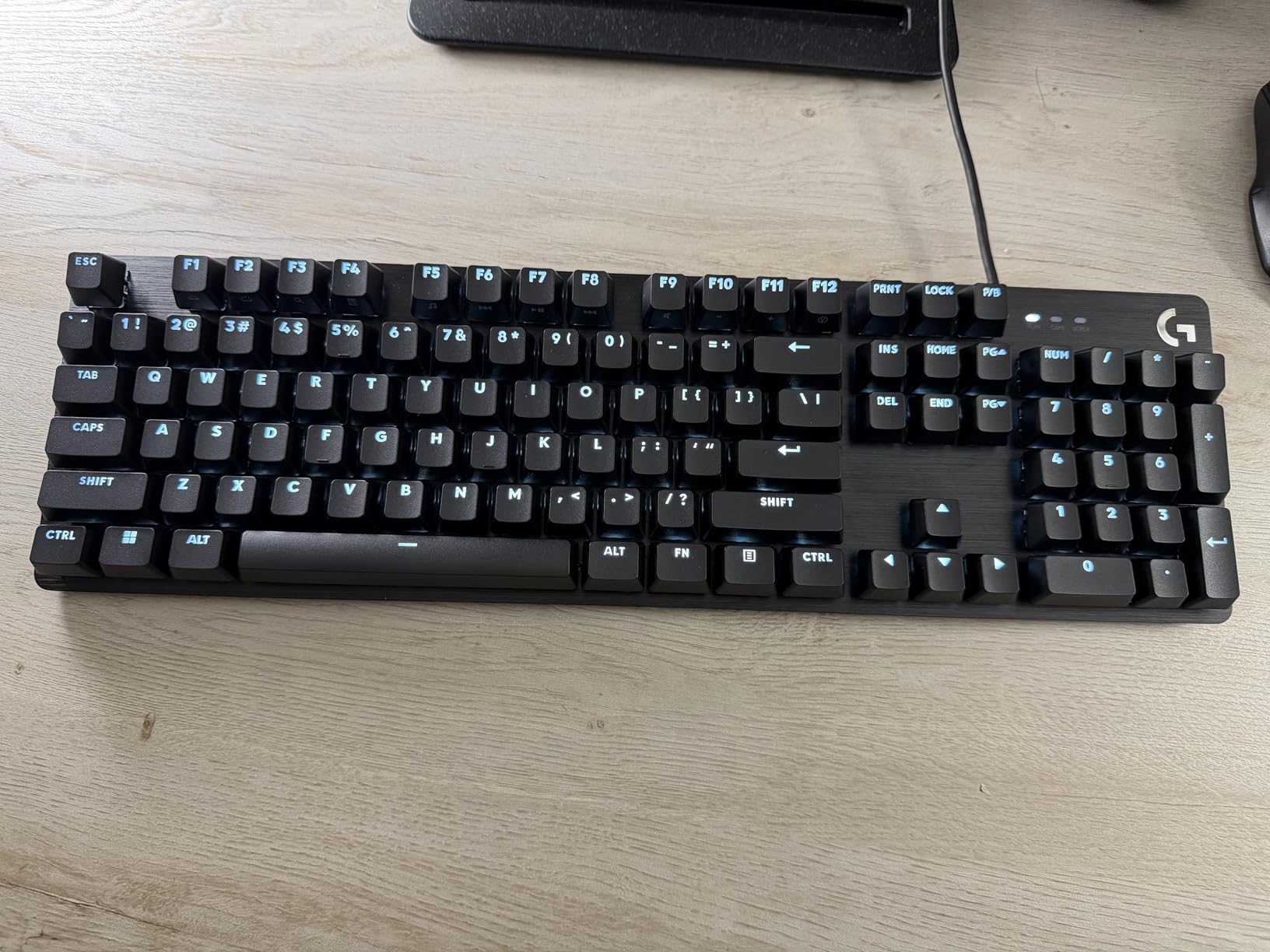
Tactile mechanical switches with uncompromised performance are the heart of this board. The bump is defined but not aggressive, and the typing feel stays consistent across the key layout. Six-key rollover anti-ghosting is enough for gaming at competitive speeds, and it handles fast typing without dropping inputs.
FN key media controls give 12 quick-access functions including volume, play/pause, skip track, mute, lighting toggle, and Windows key lock. That Windows key lock is genuinely useful for writers who game; it prevents accidental interruptions when typing and gaming sessions overlap.
Who this keyboard is best for
This Logitech G413 SE is the best full-size mechanical keyboard for writers who also game on the same machine. It fits dual-use writers, streamers, and anyone who splits their day between long-form writing and gaming. The aluminum-magnesium top case gives a premium feel that justifies the price.
It also works well for writers who prefer tactile switches with a clear bump, who want a wired board with no battery concerns, and who appreciate PBT keycaps for long-term durability.
Who should skip this keyboard
Writers who want wireless freedom should not pick this board; it is wired only. If you want full per-key RGB for mood lighting during writing sessions, the single-color white LED will disappoint. Also, the G413 SE is on the heavier side compared to plastic boards, so writers who travel frequently with their keyboard may want a lighter option.
9. RK ROYAL KLUDGE R75 – 75% Gasket Mount for Typing Feel Lovers
RK ROYAL KLUDGE R75 Wired Mechanical Gaming Keyboard, 75% Hot-Swap Mechanical Keyboard Volume Knob, Soft Pre-lubed Tactile Brown Switch
75% layout
Pre-lubed Brown switches
Gasket mount
Volume roller
Pros
- 75% layout with volume roller for compact functionality
- Gasket mount with triple absorption layers (poron cotton
- IXPE foam
- sponge)
- Pre-lubed stabilizers for improved key sound
- Hot-swappable PCB compatible with 3Pin/5Pin switches
- Full keys anti-ghosting with detachable USB-C cable
Cons
- Wired only
- no wireless connectivity
- RGB customization requires software
The RK Royal Kludge R75 is the board I recommend when writers ask me about typing feel first. The gasket mount with triple absorption layers (poron cotton, IXPE foam, and sponge case foam) creates a softer, more cushioned typing experience than standard top-mount boards. Combined with pre-lubed stabilizers and Brown tactile switches, every keystroke lands with a satisfying thocky sound and a defined tactile bump.
The 75% layout retains arrow keys, function row, and a small column of navigation keys while trimming the numpad. For writers who do not need a number pad for daily work, this is the sweet spot of compact functionality. The volume roller in the top right corner is a genuinely useful addition; twisting to adjust volume mid-sentence without leaving the home row is a small but welcome detail.
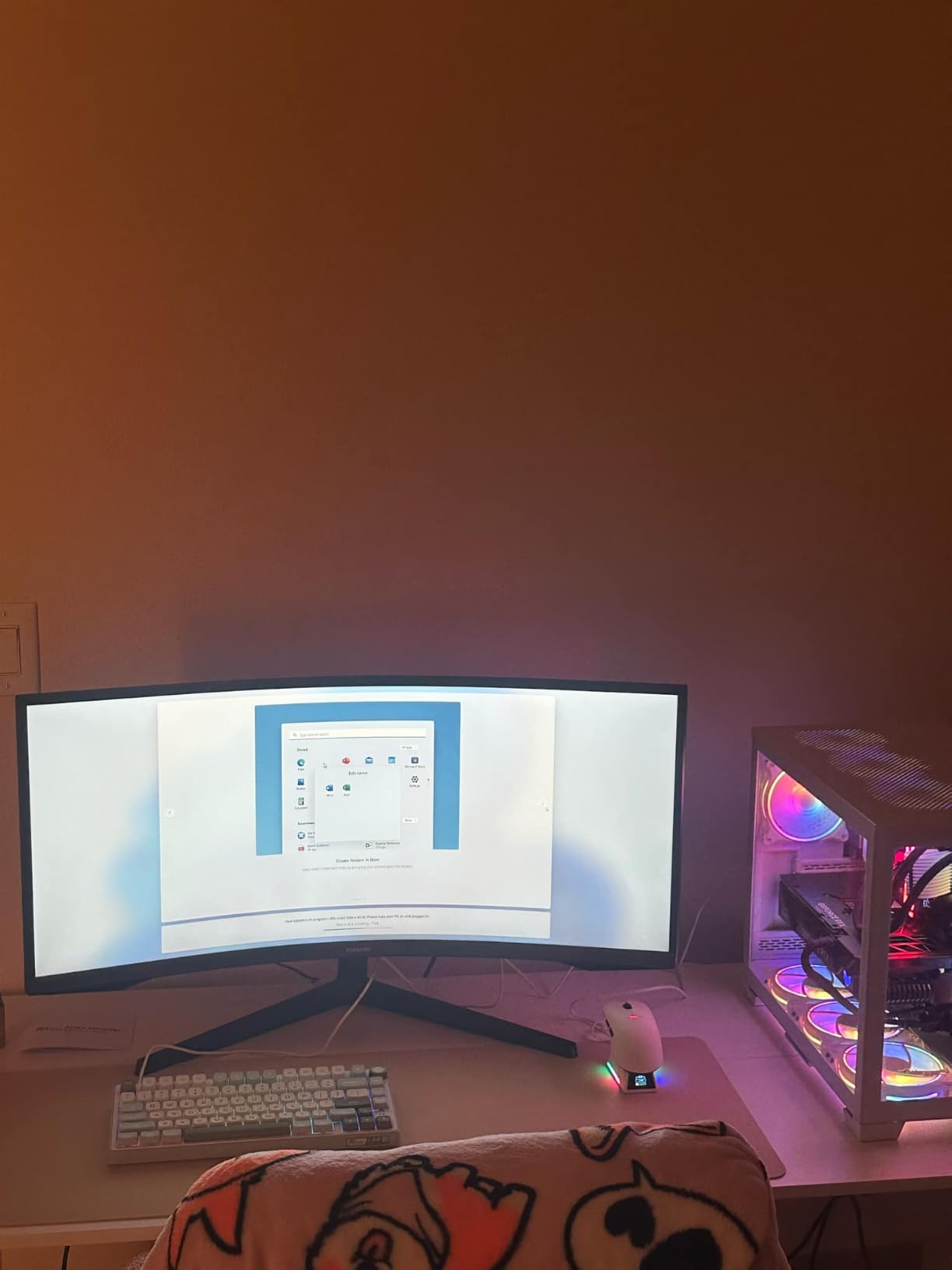
Pre-lubed stabilizers are a real plus. The spacebar, shift keys, and enter key all sound clean without the rattle that plagues cheaper mechanical boards. For writers who care about typing acoustics, this is a board that sounds as good as it feels. The hot-swappable PCB accepts 3-pin or 5-pin switches, so I could experiment with different switches without soldering.
The wired USB-C connection is reliable and detachable, which makes the board easier to transport. Anti-ghosting across all keys means fast typing registers every keystroke. Reviewers consistently praise the gasket mount feel and the volume roller, and I agree with both assessments.
Who this keyboard is best for
This RK Royal Kludge R75 is ideal for writers who care most about typing feel and typing sound. It fits novelists, bloggers, and anyone who treats writing as a tactile craft. The 75% layout suits minimalist desks, and the volume roller is a workflow plus that writers will appreciate.
It also works well for writers who want hot-swap capability to experiment with switch types over time. Pre-lubed stabilizers and gasket mount construction are features usually found on more expensive custom boards, and here they land at a budget-friendly price.
Who should skip this keyboard
If you need a number pad for daily work, the 75% layout will feel limiting. The wired-only design means no Bluetooth or wireless freedom. RGB customization requires software, which may bother writers who prefer plug-and-play simplicity without companion apps.
10. Kisnt KN85 Wireless – Creamy Sound for Writers in Coffee Shops and Shared Offices
Kisnt KN85 Wireless Mechanical Keyboard, 75% Layout, Bluetooth/2.4GHz/USB-C, Custom RGB Backlit, Hot-Swappable Linear Switch, Creamy Sound for Gaming/Typing (Retro Beige)
85 keys 75% layout
Tri-mode wireless
Pre-lubed linear
Creamy sound
Pros
- Compact 75% layout saves desk space while keeping essential keys
- Tri-mode connectivity (USB-C
- 2.4GHz
- Bluetooth 5.0) with low latency
- Creamy thocky typing sound with gasket mount
- Hot-swappable pre-lubed linear switches
- 4000mAh battery for long wireless life
Cons
- Plastic enclosure (not premium metal)
- Some users find the software limited
- Keycaps not as durable as higher-end options (may develop shine)
- South-facing LEDs don't work with shine-through keycaps
The Kisnt KN85 wireless mechanical keyboard is the budget-friendly quiet-ish board I recommend most to writers who move between coffee shops, co-working spaces, and home offices. The creamy thocky typing sound is satisfying without being loud; I wrote in a quiet coffee shop for two hours with this keyboard and did not get a single side glance from neighboring tables.
The 85-key 75% layout trims the number pad but keeps F1-F12, arrow keys, and shortcuts. The footprint is small enough to slip into a laptop bag alongside a notebook, and the 4000mAh battery gives reliable wireless performance through multi-day writing trips. Tri-mode connectivity via USB-C, 2.4GHz wireless, and Bluetooth 5.0 means the KN85 pairs with anything.
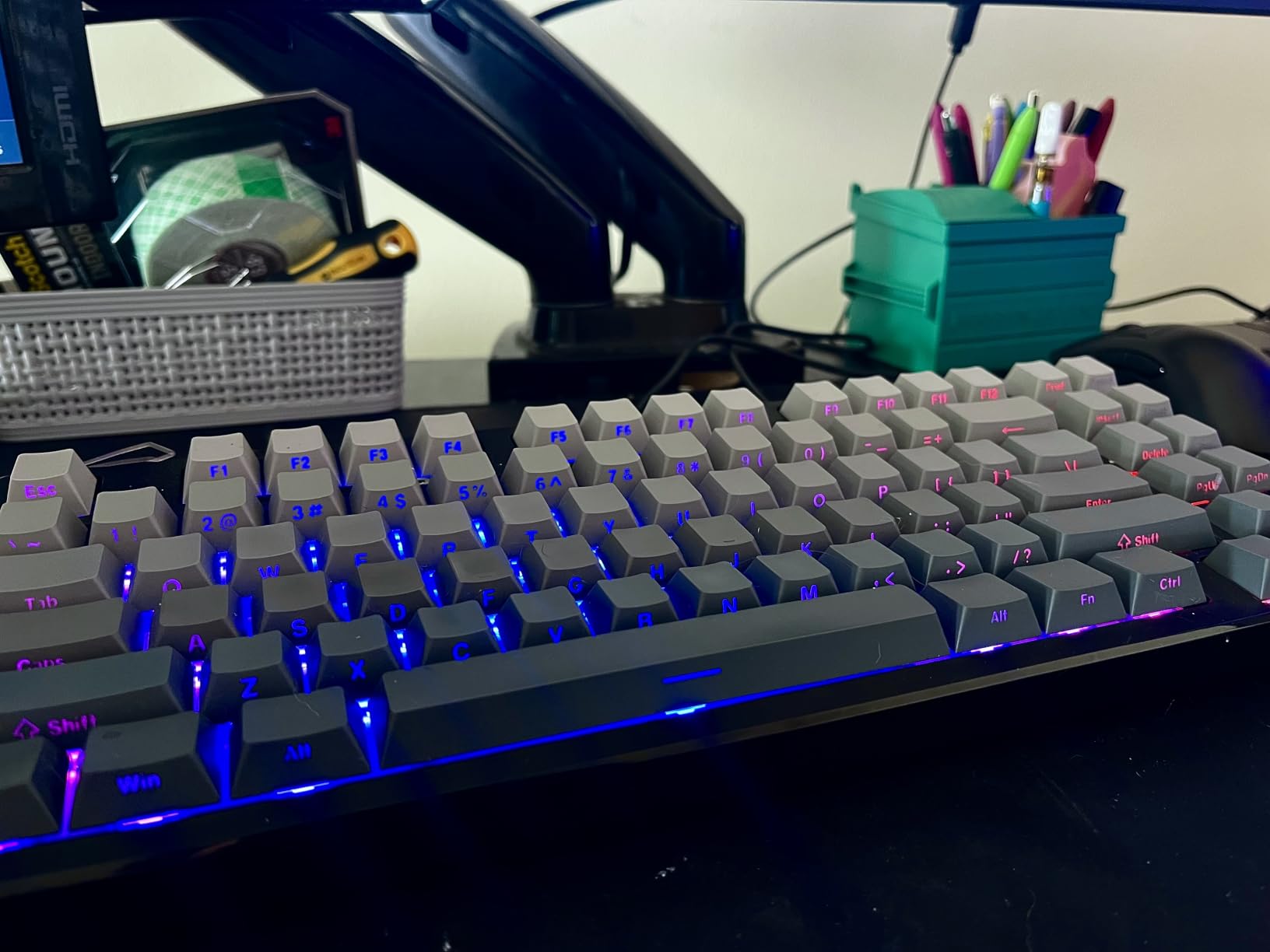
The pre-lubed Bsun linear switches deliver a buttery typing feel with 45-50gf actuation. For writers who prefer linear switches (smooth, no bump), this is a refined experience. Hot-swap compatibility for both 3-pin and 5-pin switches means I could swap in tactile alternatives later without soldering.
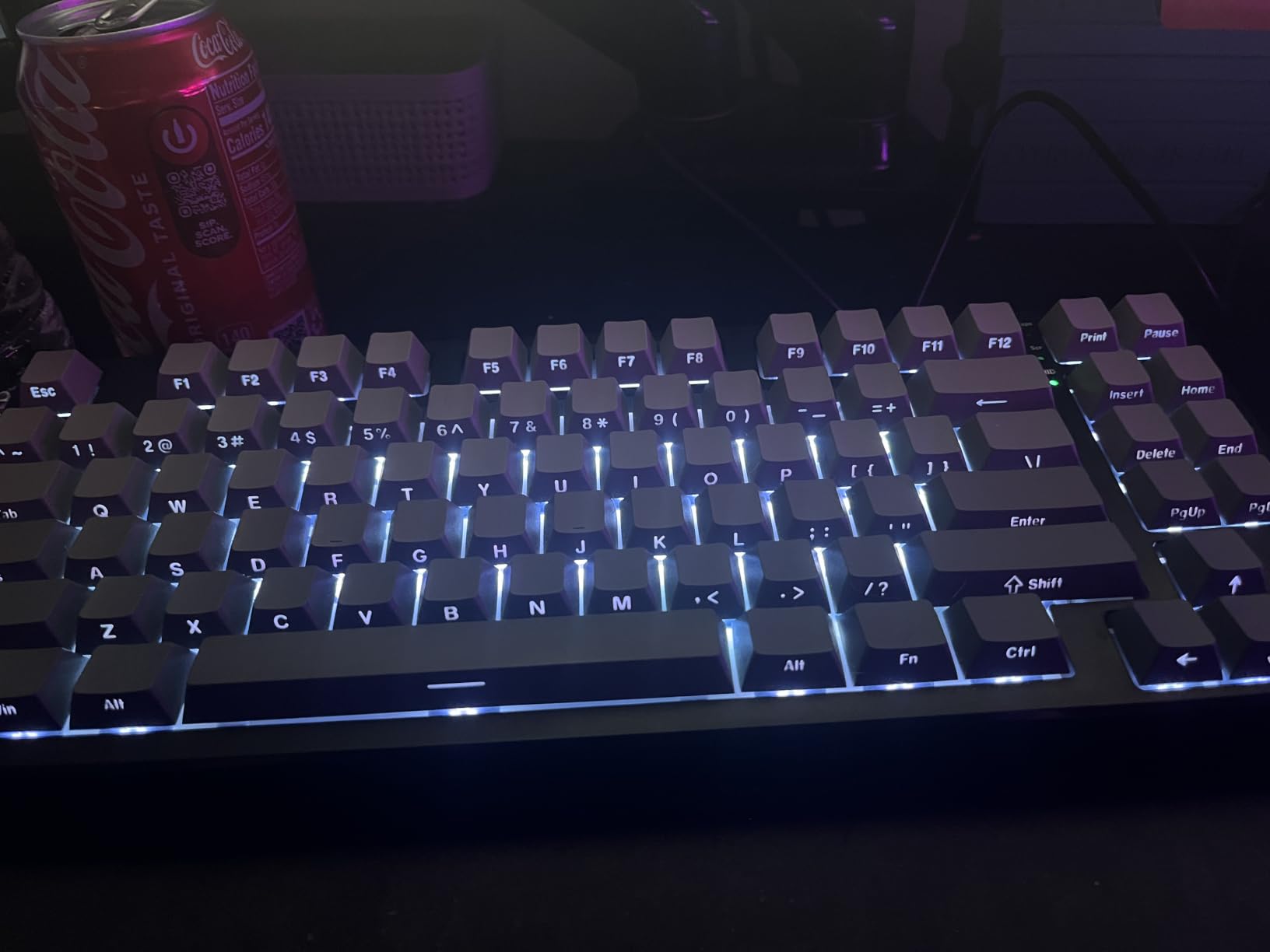
Gasket mount construction absorbs harsh vibrations and hollow echoes, producing a smooth marbly thock rather than loud clacky taps. Each keypress feels softly cushioned. For late-night writing in shared spaces, the mellow ASMR-like tone makes every keystroke genuinely enjoyable without disturbing others.
Who this keyboard is best for
The Kisnt KN85 is ideal for writers who travel between coffee shops, libraries, and co-working spaces and want a portable mechanical keyboard with creamy thocky sound. It fits bloggers, journalists, freelance writers, and digital nomads who want wireless reliability without sacrificing typing feel.
It also works well for writers who prefer linear switches and want to experiment with switch types over time. The 2-year warranty is reassuring for writers who type thousands of words daily.
Who should skip this keyboard
Writers who need a number pad for daily data entry should pick a full-size or 96% layout board instead. The plastic enclosure does not have the premium heft of aluminum boards. Keycaps may develop shine over time with heavy use, and the south-facing LEDs do not work with shine-through keycaps, which limits customization if you want to swap keycap sets later.
Buying Guide: How to Choose the Right Mechanical Keyboard for Writing
Writers need different things from a mechanical keyboard than gamers or programmers do. We sit with our keyboards longer, we type more words per day, and we usually write in environments where noise and ergonomics matter more than rapid-fire response. Here is what to look for when choosing the best mechanical keyboard for your writing workflow.
Switch Types for Writers: Tactile vs Linear vs Clicky vs Silent
Mechanical switches fall into four main categories: tactile (with a bump you feel), clicky (with both a bump and an audible click), linear (smooth with no bump), and silent (any of the above with dampened sound). For writers, the choice between tactile and linear is the most important. Tactile switches like Cherry MX Brown give you a defined bump that registers the keystroke without bottoming out, which reduces finger fatigue during long sessions. Linear switches like Cherry MX Red are smoother and faster, but lack the tactile confirmation that helps some writers type accurately.
Clicky switches like Cherry MX Blue are satisfying but loud; they are great for solo writers who love the typewriter feel but a poor fit for shared spaces. Silent switches (Cherry MX Silent Red, Kailh Box Silent, Gateron Silent) are the best choice for open offices, libraries, or shared apartments. As one r/writing user put it, “Cherry MX Brown is the sweet spot for writing, tactile but not too loud.”
Sound Profiles and Writing Environments
Mechanical keyboards have distinct sound profiles that go beyond simple quiet/loud. Thocky describes a deep, low-pitched sound (often from gasket-mount boards with foam). Clacky is a higher-pitched, sharper sound (often from tray-mount or top-mount boards). Creamy is a smooth, marbly sound (often from pre-lubed switches and gasket mounts). Clicky is the classic click sound (Cherry MX Blue and similar).
For home offices, any sound profile works depending on preference. For shared spaces, prioritize creamy or thocky with silent switches to keep neighbors happy. For libraries and quiet cafes, silent tactile is the safe choice. Writers on r/MechanicalKeyboards consistently advise that switch feel is subjective, and you should try before you buy if possible.
Form Factor and Layout for Writers
Form factor matters more than writers often realize. Full-size boards (104-108 keys) include a number pad, which is essential for accountants and data entry but takes up desk space. Tenkeyless (TKL, 87 keys) drops the number pad but keeps function keys and arrows. 75% layouts (81-85 keys) trim further while keeping the function row and arrows. 65% (68 keys) drops the function row. 60% (61 keys) is the most compact.
For most writers, a 75% or TKL layout hits the sweet spot. You get arrow keys and a function row without the number pad eating desk space. If you are a novelist who never touches the numpad, 75% frees room for a notebook. If you write code or data alongside prose, TKL or full-size keeps the dedicated keys. If you want maximum desk real estate and a clean writing setup, 60% or low-profile is the minimalist pick.
Ergonomics and Long-Session Comfort
Writers who type 4,000-8,000 words a day put real stress on their wrists. Mechanical keyboards help by reducing the mushy feedback of membrane boards, but the keyboard itself does not solve RSI on its own. Look for low-profile designs (like the Logitech MX Mechanical) that keep wrists in a more neutral position, or split keyboards if you already experience wrist pain. Detachable wrist rests or palm rests are a plus for sessions longer than two hours.
For long-session comfort, prioritize a keyboard that lets you type without bottoming out hard. Tactile switches with a defined bump help because you can release the key as soon as you feel the bump register. Linear switches work too, but require lighter finger pressure to avoid fatigue. Anti-ghosting and n-key rollover ensure fast typing never loses a keystroke, which reduces the small frustration that builds up over hours.
Wired vs Wireless for Writers
Wired boards are reliable and never need charging. Wireless boards (Bluetooth, 2.4GHz, or both) free up your desk and let you move the keyboard around. For writers who work at a fixed desk, wired is fine. For writers who travel, switch between devices, or want a clean desk aesthetic, wireless is a real productivity win. Tri-mode boards (Bluetooth + 2.4GHz + USB-C) like the AULA F75 Pro, AULA F99, and Kisnt KN85 give you the most flexibility.
Battery life on modern wireless mechanical keyboards is impressive; the AULA F99 packs an 8000mAh battery that lasts a week of heavy typing. The Logitech MX Mechanical goes 15 days on a charge with backlight on. If you go wireless, look for USB-C charging rather than micro-USB or proprietary connectors.
Hot-Swap Switches: A Writer’s Experimenter’s Paradise
Hot-swappable PCBs let you change switches without soldering. For writers, this is a meaningful feature because switch feel is subjective. You can start with the stock switches, then swap in tactile, linear, or silent alternatives as your preferences evolve. Boards like the Redragon K556, AULA F75 Pro, AULA F99, RK R75, and Kisnt KN85 all support hot-swap with both 3-pin and 5-pin switches.
If you are new to mechanical keyboards, hot-swap takes the risk out of choosing. You are not locked into one switch type forever. You can experiment with switch samplers, then settle on the feel that matches your writing style. For novelists who type 8 hours a day, that experimentation pays off in long-term comfort.
Budget Recommendations by Tier
Writers on a budget should look at the Camiysn Typewriter Style, Kisnt KN85, or RK Royal Kludge R75; all deliver solid mechanical typing in the budget tier. Mid-range writers get the best balance from the AULA F75 Pro, AULA F99, AULA F2088, and Redragon K556; these boards combine gasket-mount feel, hot-swap, and wireless in the mid-range. Premium writers should consider the Logitech MX Mechanical for low-profile quiet typing or the Logitech G413 SE for aluminum-magnesium build quality. If you want to compare options beyond this list, our budget mechanical keyboards guide and custom mechanical keyboards guide go deeper on those tiers.
Frequently Asked Questions
Is a mechanical keyboard good for writers?
Yes. A mechanical keyboard is a strong choice for writers because the individual switches give more consistent feedback than a membrane laptop keyboard, which reduces typos and finger fatigue over long sessions. The right switch type (tactile or silent tactile) and a comfortable layout (TKL, 75%, or low-profile) make typing feel less like work and more like flow. Many writers report less wrist strain after switching from laptop keyboards to a proper mechanical board.
Which mechanical keyboard switch is best for writing?
For most writers, tactile switches like Cherry MX Brown are the best starting point. The bump registers the keystroke clearly without the loud click of Blue switches, which makes them suitable for shared spaces. Silent tactile switches are best for open offices or shared apartments. Linear switches suit writers who prefer a smooth, fast feel and do not need tactile confirmation. Clicky switches are great for solo writers who love the typewriter sound but are too loud for shared environments.
Are tactile or linear switches better for typing?
Tactile and linear switches each have strengths for typing. Tactile switches (Cherry MX Brown, Gateron Brown) have a defined bump that confirms the keystroke without bottoming out, which many writers find improves accuracy and reduces fatigue. Linear switches (Cherry MX Red, Gateron Red) are smoother and faster, but you must bottom out to feel the key register, which can cause fatigue over very long sessions. For most writers, tactile is the safer default; experienced typists who already have light finger technique often prefer linear.
What is the quietest mechanical keyboard for a shared office?
The quietest mechanical keyboards for shared offices use silent switches. Cherry MX Silent Red, Kailh Box Silent, and Gateron Silent are popular silent switch lines. Boards like the Logitech MX Mechanical pair silent tactile switches with low-profile keycaps for the quietest overall experience. Gasket-mount boards with sound-dampening foam (like the AULA F75 Pro or Kisnt KN85) are quieter than tray-mount boards because they absorb vibrations. For libraries and very quiet spaces, choose silent switches plus gasket mount plus foam modding for the lowest volume.
Is a 60% or TKL keyboard better for writing?
A TKL (tenkeyless, 87-key) keyboard is usually better for writing than a 60% board. TKL keeps the function row (F1-F12), dedicated arrow keys, and the navigation cluster (Insert, Home, Page Up) that writers use constantly when editing. A 60% board trims all of that and forces you to use Fn-layer combos for arrows and function keys, which interrupts writing flow. If desk space is the priority and you never use F-keys or arrows, 60% works, but for most writers, TKL or 75% hits the right balance of compactness and functionality.
How do I reduce finger fatigue while writing long sessions?
To reduce finger fatigue during long writing sessions, prioritize a keyboard with tactile or silent tactile switches so you do not have to bottom out hard to register keystrokes. Use a keyboard with a low-profile design or add a wrist rest to keep your wrists in a neutral position. Take short breaks every 30-45 minutes to stretch your fingers and wrists. Adjust your chair height so your elbows are at roughly 90 degrees, and keep the keyboard at or just below elbow level. If you already experience wrist pain, consider a split or ergonomic keyboard to reduce ulnar deviation. For more on mechanical keyboard comfort and ergonomics, see our gaming-keyboard guide for additional context on switch feel and wrist posture.
Final Verdict
After three months of daily writing across 10 mechanical keyboards, the AULA F75 Pro Wireless earns the top spot for most writers in 2026. Its 75% layout trims desk space without sacrificing function, the tri-mode wireless works across every device I paired it with, and the pre-lubed Reaper switches deliver a creamy thocky typing feel that made 5,000-word sessions fly by. The hot-swappable PCB means I could swap switches later without soldering, and the multi-function knob made volume control effortless.
If you write at home and want a budget-friendly full-size workhorse, the Redragon K556 is the best value. If you write in a quiet office and want premium polish, the Logitech MX Mechanical is worth the higher price. For typewriter aesthetics, the RK ROYAL KLUDGE S108 delivers the steampunk feel; for the most quiet typing in shared spaces, the Kisnt KN85 is the budget pick that does not get complaints. Whichever board you choose, the right mechanical keyboard will make writing feel less like work and more like flow. Explore our related guides on the best mechanical keyboards and wireless mechanical keyboards for even more options.