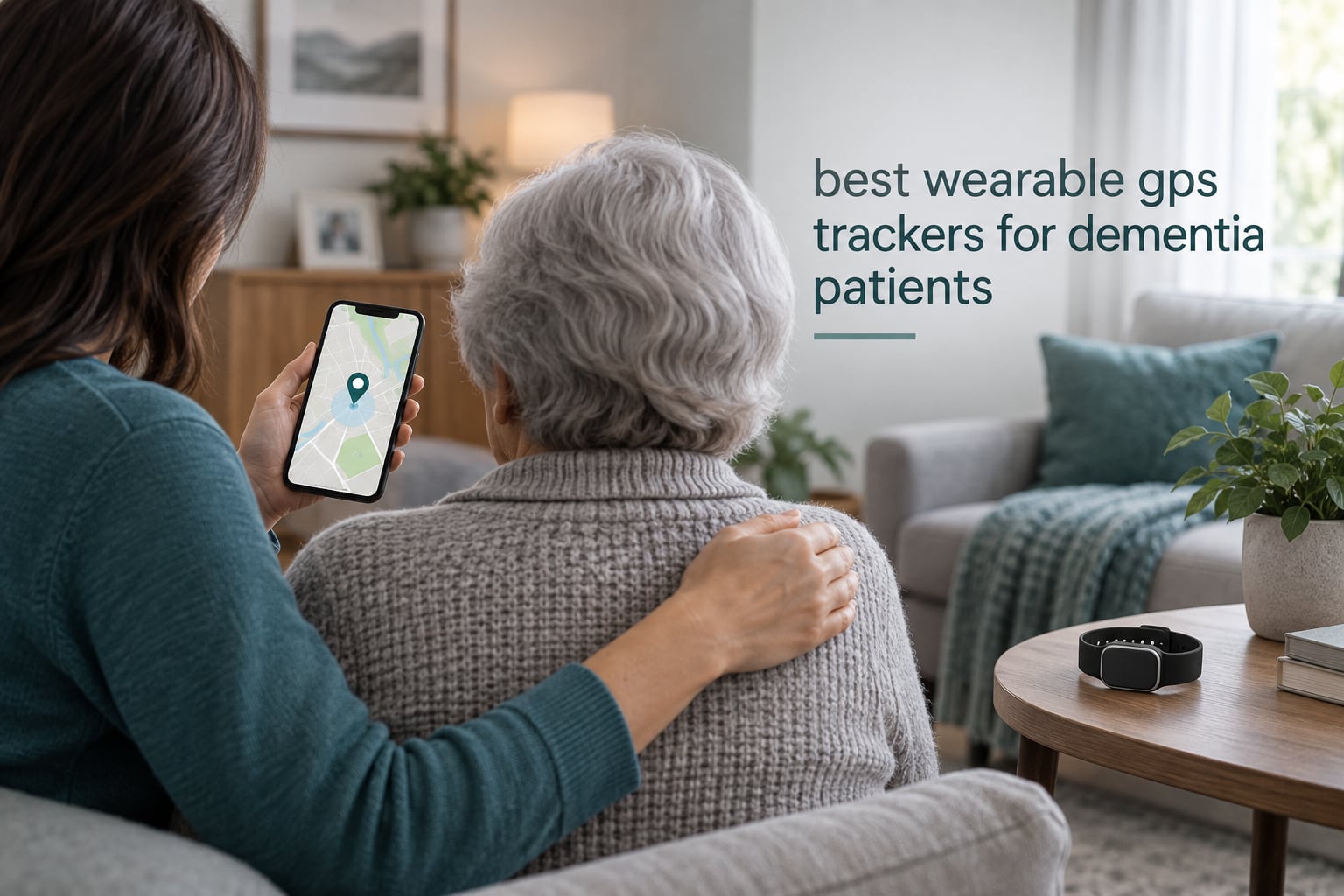
The best wearable GPS tracker for dementia patients is the AngelSense GPS Tracker, because its magnetic sleeve and caregiver-only key make it the hardest device here for a confused wearer to remove. It combines real-time location, geofence alerts and an auto-answer two-way voice call with a year of service included.
That question comes up constantly in caregiver forums, and the honest answer depends more on the person than the hardware. A tracker with perfect accuracy is useless if it ends up in a coat pocket, and one that reports every five minutes is useless when someone is walking away from a car.
We analyzed ten wearable GPS trackers and dementia-specific devices, weighing published specifications against what owners report in reviews. This is not lab testing. Every claim below comes from manufacturer specs or owner feedback, and we flag complaints as clearly as praise, including the monthly fees that quietly become the largest line in a dementia budget. The same retention logic applies to the [adjustable bed rails built for dementia](https://modelrec.com/best-adjustable-beds-rails-for-dementia/): safety equipment only works if it stays in place.
Table of Contents
Top 3 Picks for Best Wearable GPS Trackers for Dementia Patients in 2026
Three devices cover the most common situations: an anti-removal tracker for active wanderers, a low-cost pocket unit for routine monitoring, and a locked-down phone for someone who needs to call for help.
AngelSense GPS Tracker
- Non-removable magnetic sleeve with caregiver key
- Auto-answer two-way voice
- Real-time GPS with AI routine alerts
- 1 year of service included

PAJ 4G GPS Tracker
- 41 g pocket-sized 4G unit
- Up to 5 days battery with low-battery alert
- Geofence alarms in the free app
- 365 days of track history

Secure Phone 4G Tracker
- Three speed-dial buttons plus red SOS
- Approved-numbers-only calling
- Real-time GPS with caregiver listen-in
- Back ID card slot
All 10 Wearable GPS Trackers for Dementia Compared in October
Form factor matters as much as accuracy here, because a device the wearer will not tolerate fails quietly.
| Product | Specifications | Action |
|---|---|---|
| AngelSense GPS Tracker |
|
Check Latest Price |
| PAJ 4G GPS Tracker |
|
Check Latest Price |
| Secure Phone 4G Tracker |
|
Check Latest Price |
 SecuLife Medical Alert Pendant SecuLife Medical Alert Pendant |
|
Check Latest Price |
 SecuLife Medical Alert Smartband SecuLife Medical Alert Smartband |
|
Check Latest Price |
 Stride Medical Alert Watch Stride Medical Alert Watch |
|
Check Latest Price |
 Tack GPS Plus Care Bundle Tack GPS Plus Care Bundle |
|
Check Latest Price |
 ADT On-The-Go Mobile Alert ADT On-The-Go Mobile Alert |
|
Check Latest Price |
 Find My Network Wristband Tracker Find My Network Wristband Tracker |
|
Check Latest Price |
 Fajocru Fall Detection Watch Fajocru Fall Detection Watch |
|
Check Latest Price |
1. AngelSense GPS Tracker – Best Overall and Best Hard-to-Remove Design
AngelSense GPS Tracker for Kids – Autism, Elderly, 1 Year Service Included
Non-removable magnetic sleeve
Real-time GPS with AI routine alerts
Auto-answer two-way voice
SOS and First Responder alerts
Pros
- Magnetic sleeve with caregiver-only key is very hard to remove
- Auto-answer speakerphone for hands-free calming
- Accurate real-time GPS with daily routes and location history
- Geofencing
- SOS
- Runner Mode and First Responder Alerts included
- Support staffed by caregivers of children with special needs
Cons
- High total cost once the contract plan and extra voice minutes are added
- Voice minutes are limited per month and deplete fast with listening-in use
- Proprietary charger rather than a universal USB cable
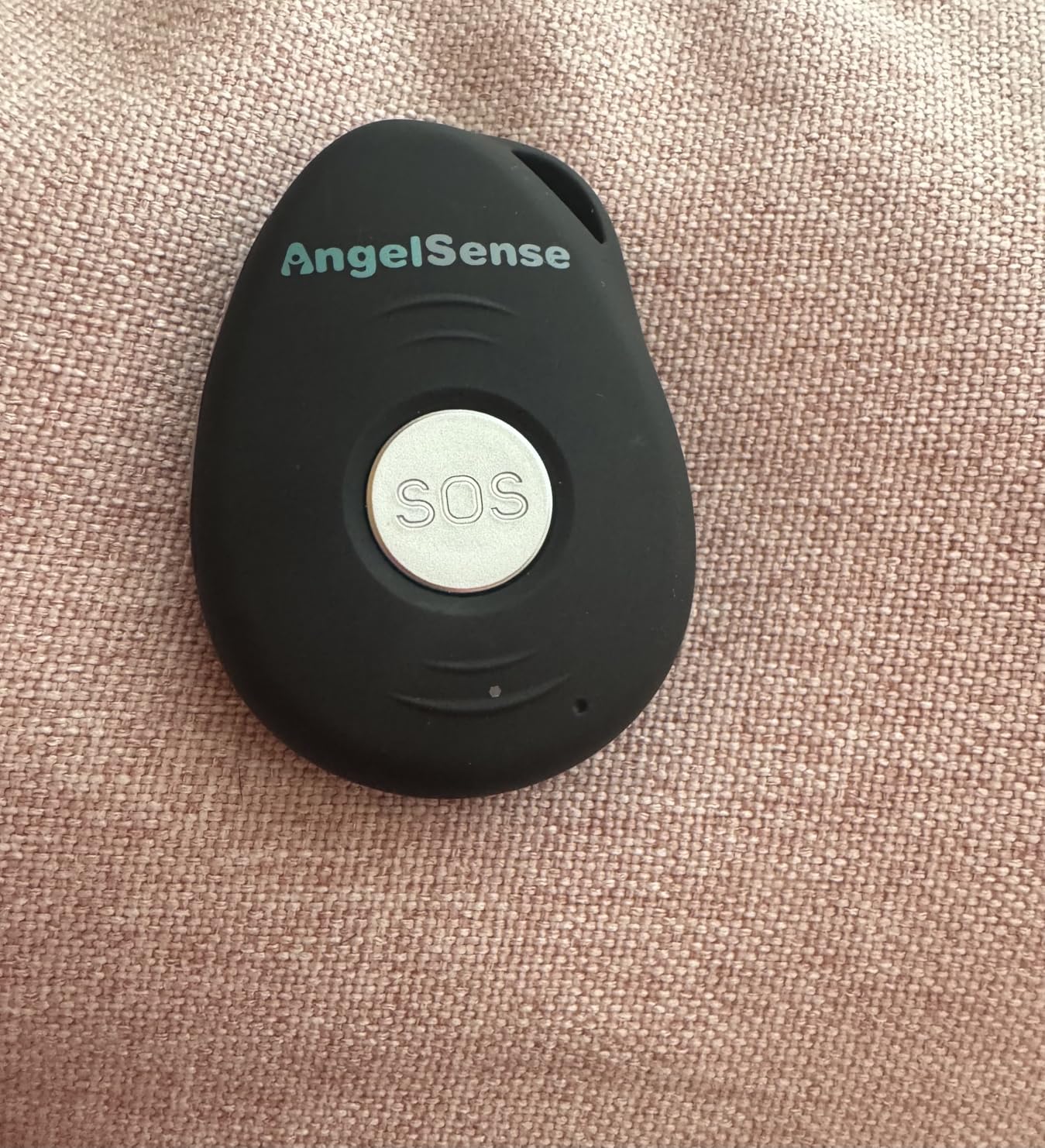
The deciding feature is the sleeve, not the satellite. Three fasteners lock it shut and a magnetic key is the only way to open it, so a wearer who forgets the device exists usually cannot take it off. That answers the retention problem that ends most trackers.
Inside you get real-time GPS, daily route history, geofencing, an SOS button and AI risk alerts for unexpected departures, unfamiliar locations and late arrivals. The speakerphone auto-answers caregiver calls, so a disoriented person hears a familiar voice without pressing anything.
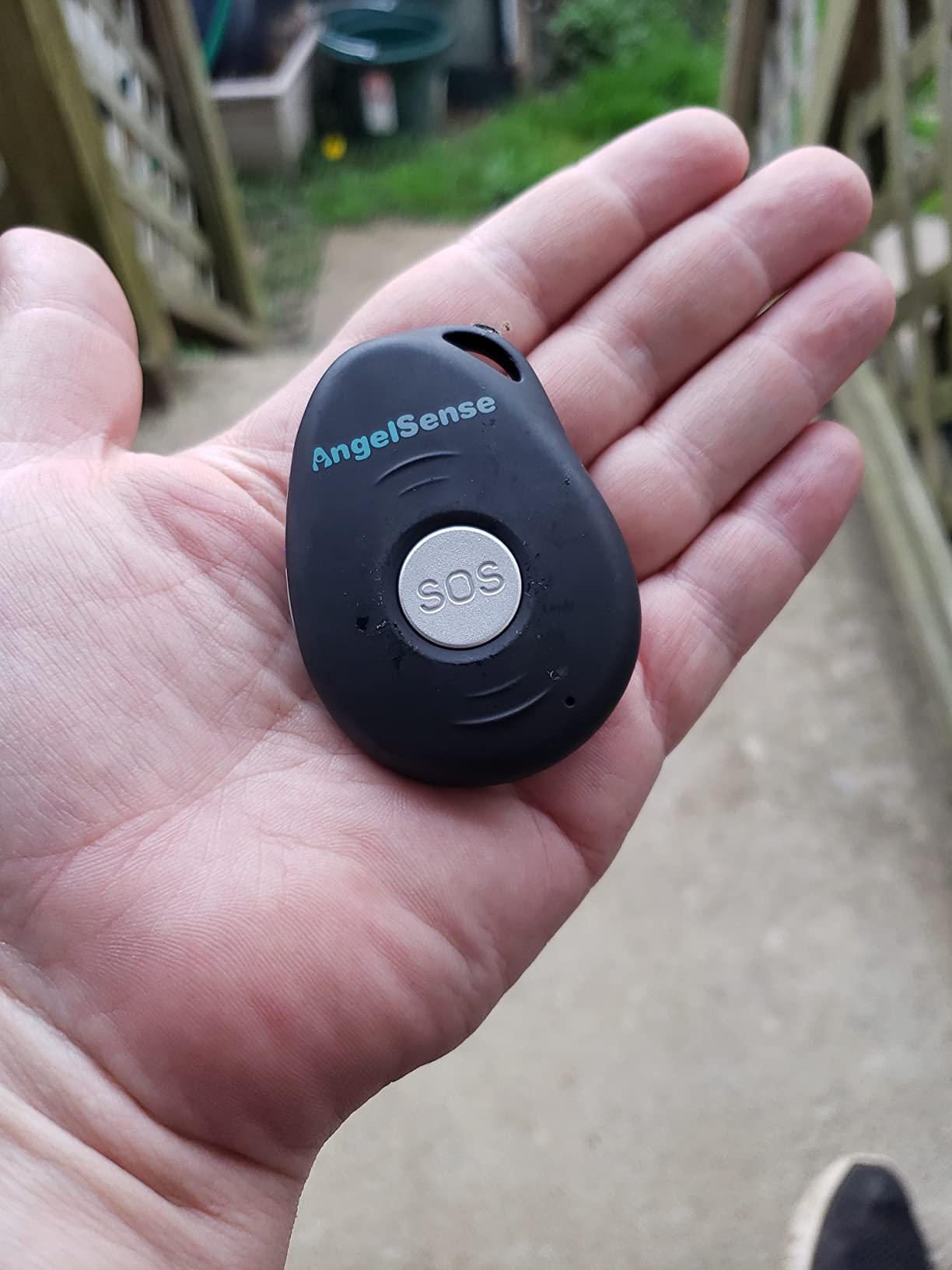
Owners caring for adults with Alzheimer’s consistently praise the anti-removal sleeve, live location accuracy and geofence alerts. Support is staffed by caregivers of children with special needs, which shows up in how plainly they explain setup and limits.
Cost is the catch. The most repeated gripes are the contract subscription, the limited voice minutes that drain quickly with listening-in, and the proprietary charger that means one more cable to find. A few buyers also report the app freezing or a unit that will not hold a charge through the day.
When the anti-removal sleeve actually matters
If your person has already taken off a watch or pendant and hidden it, this is the only device here they cannot remove alone. You can stop checking under the covers every morning.
When to skip this tracker
Skip it if the service and capped voice minutes strain a long budget, or if the person reacts badly to a tight sleeve. Start with short wear periods if sensory sensitivity is a concern.
2. PAJ 4G GPS Tracker for Kids and Seniors – Best Value Pocket Tracker
PAJ 4G GPS Tracker for Kids & Seniors with Real-Time Location Alerts
41 g 4G people tracker
Up to 5 days battery with low-battery alert
Geofence alarms in the free app
365 days of track memory
Pros
- Very light at 41 grams and small enough for a trouser pocket
- Up to five days of battery with a low-battery alarm to the app
- Reliable live GPS position with 365 days of track memory
- Safe-zone geofencing configurable in the free app
- SIM card included with Basic and Premium plan options
Cons
- A subscription is required for the service to function at all
- No screen or speaker so it works only alongside a caregiver phone
- Small form factor is easy for a confused wearer to lose or pocket
The PAJ is the value pick and the simplest thing here: a 41 gram 4G unit that lives in a pocket and reports position to an app. There is nothing to operate, which suits someone who cannot be asked to cooperate with a screen.
Battery is the standout. Owners report up to five days between charges, and the app sends a low-battery alarm before the device dies. Location memory runs a year, and safe-zone geofencing is configured in the free companion app.
What you give up is everything on-device. There is no screen, speaker, SOS button or two-way voice, so it can tell you where someone is but cannot help or calm them. That is a real limitation at two in the morning.
Why this is the sensible budget option
For a person who wanders rarely and not far, five-day battery life and a year of history cover most of the risk at a fraction of a monitored service. It is also easy to give to a second family member who lives far away.
When to skip this tracker
Skip it if your person walks away regularly and you need to speak to them, or if you are counting on fall detection. The unit is small enough to turn up in a laundry pocket, so add a clip or pouch.
3. Secure Phone 4G GPS Tracker – Best for Calling and SOS Without Distraction
KidsConnect Secure Phone 4G GPS Tracker, Cell Phone for Kids, Children, Seniors, Alzheimer’s, Autism, Teen, Elderly, Dementia, Special Needs
4G GPS tracker phone with SIM included
Three speed-dial buttons plus red SOS button
Real-time location and remote listen-in
No internet, apps or spam calls
Pros
- Three one-touch speed-dial buttons plus a red SOS button
- Calling and texting limited to pre-programmed approved numbers
- Real-time GPS tracking with caregiver listen-in
- Back-panel ID card slot for address or medical ID
- No internet
- apps or games that invite scams and confusion
Cons
- Battery lasts about 24 hours and needs nightly charging
- Fragile touchscreen that can crack and stop on-screen functions
- Some reviewers report GPS drift of several hundred feet in built-up areas
This is the pick when disorientation matters more than distance. It is a small 4G phone with real-time GPS, three one-touch speed-dial buttons and a red SOS button that calls and texts the contacts you program.
Families caring for a parent with dementia praise the locked-down calling list and the large SOS button. There is no internet access, no apps, no games and no incoming spam calls, which removes the two things that most often get an older adult into trouble with a phone.
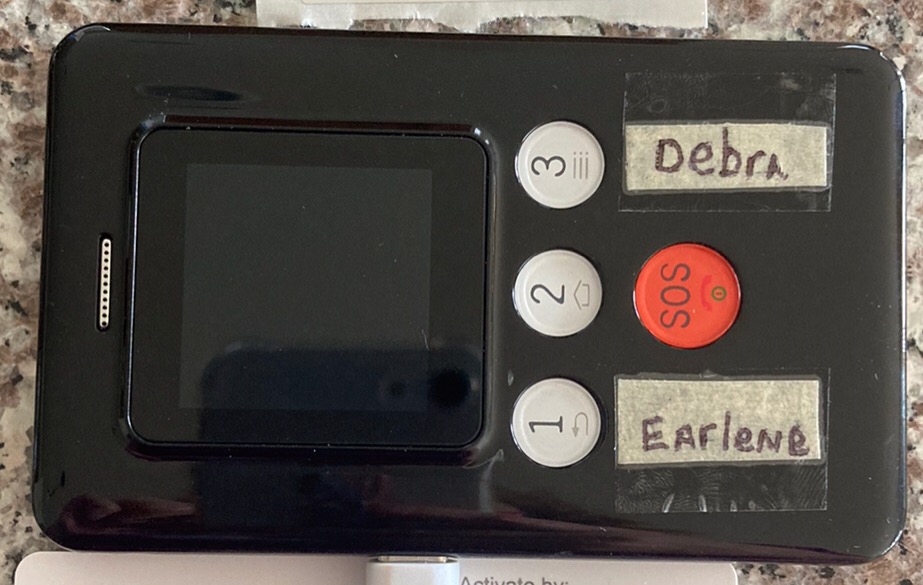
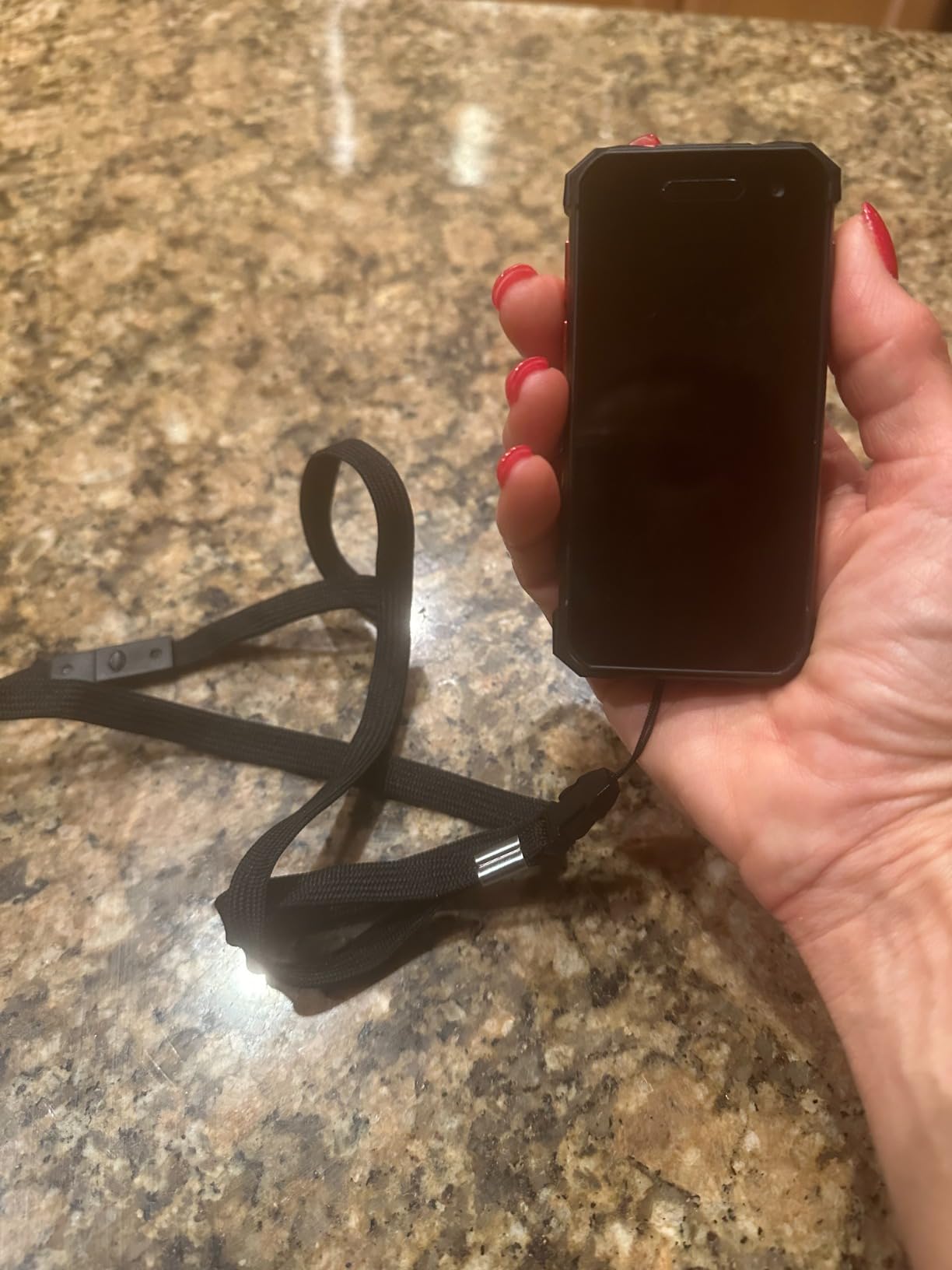
Owners note that calls are answered by a real person rather than a scripted desk. The back panel has a card slot for an address or medical identification, and the lanyard keeps the device high on the chest.
The negatives are hardware. Battery is roughly a day and needs nightly charging on the cradle, the touchscreen can crack and stop on-screen functions, and some reviewers report GPS drifting by several hundred feet in dense built-up areas.
Why the calling feature changes the outcome
A tracker tells you where someone is; a tracker with two-way voice lets you talk to them while they are still confused, which is often the difference between walking back inside and a police search. The fixed approved-number list also blocks scam calls.
When to skip this tracker
Skip it if nightly charging is unrealistic, since a device that dies at 3 pm is worse than one that never needed charging. Skip it if a lanyard will be removed, because then the SOS button is out of reach.
4. SecuLife Medical Alert Pendant – Best Waterproof Pendant for Bathing and Showers
SecuLife Medical Alert Pendant for Seniors — Alerts Go Direct to Family, No Call Center | Auto Fall Detection, GPS Tracking, 2-Way Calling, No Contract, Water Resistant Necklace
IP67 waterproof pendant with magnetic charging
Automatic fall detection with adjustable sensitivity
Alerts go to family contacts with no call center
Auto-answer two-way calling and listen-in
Pros
- Alerts go directly to family contacts with no call center in the loop
- Fall detection sensitivity adjusts with a 10-second cancel window
- Real-time GPS with customizable geofences and one year of location history
- Remote listen-in and hands-free auto-answer
- Up to six days of battery on 24-hour interval tracking
Cons
- Fall detection stays overly sensitive even at its lowest setting
- Some units stopped registering real falls after several months
- Activation flow can fail through the online portal and need a support call
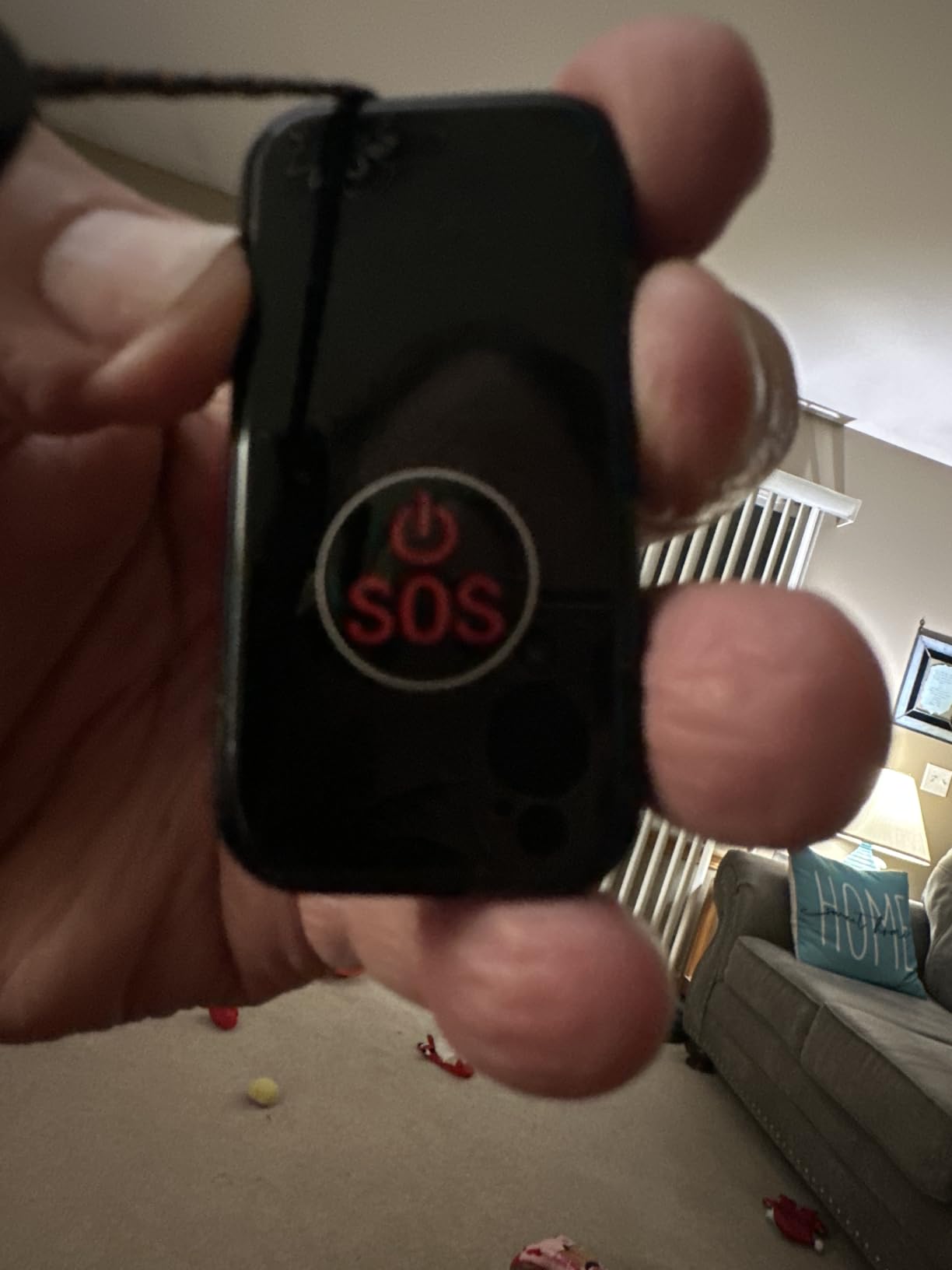
The SecuLife pendant is for when falls, not wandering, are the main worry. It adds automatic fall detection with adjustable sensitivity, a one-touch SOS button, hands-free auto-answer calling, remote listen-in and real-time GPS with geofence safe zones.
The model that stands out is the direct-to-family alert path. No call center sits in the loop, so an alert reaches your phone rather than being relayed by an agent. Caregivers highlight that alongside the auto-answer, which lets a family member talk without the wearer touching anything.
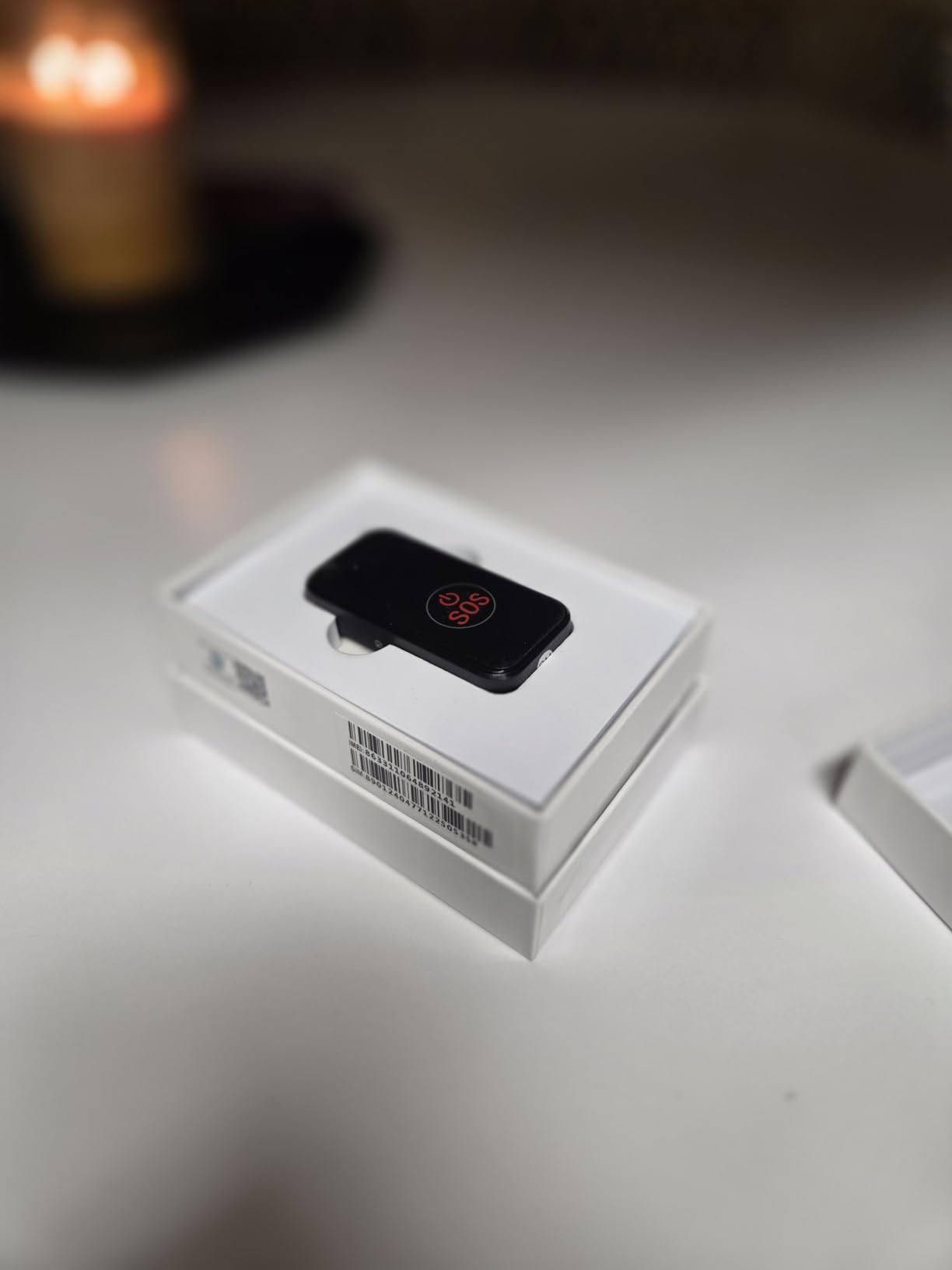
Battery reaches up to six days on 24-hour interval tracking, and the IP67 housing means it can be worn in the shower. Magnetic charging makes the nightly routine simpler than plugging in a cable.
Fall detection is the biggest complaint. Owners report it triggering off a sofa or nightstand even at the lowest setting, and some say their unit stopped registering real falls after months. Treat auto-alerts as a prompt to check, not a medical device.
Why the no-call-center model matters at home
When a person is on the floor at night, the difference between an alert reaching you directly and reaching an agent who then calls you is minutes. Pairing this with [wearable monitors built for continuous audio](https://modelrec.com/best-wearable-baby-monitors/) is common, since night-time risk often shows up in audio first.
When to skip this pendant
Skip it if false alarms would push you to ignore alerts. Also skip it if the simple string cord rather than a clasp is likely to be removed, and expect activation may need a support call.
5. SecuLife Medical Alert Smartband – Best Wrist Band for Shared Family Monitoring
Seculife Medical Alert Smartband for Seniors — Alerts Go Direct to Family, No Call Center | Auto Fall Detection, GPS Tracking, Heart Rate Monitor, 2-Way Calling, SOS Button, Waterproof (White)
Wrist band with fall detection and heart rate
3-second press or SOS button triggers calls
Auto-answer two-way calling
IP67 with 2-inch display
Pros
- Fall detection
- heart rate
- GPS and geofencing in one wrist-worn band
- SOS button and 3-second press both trigger calls to preset contacts
- Hands-free auto-answer so the wearer never has to operate it
- Secupro family app lets several caregivers monitor location and health at once
Cons
- Battery life is short at around one day
- Small 2-inch screen limits what a wearer with poor vision can read
- Subscription required for safety and calling features
- Activation or reliability problems reported shortly after purchase
The smartband keeps the same direct-to-family alerts and adds heart rate monitoring, useful context when cardiac conditions sit alongside dementia. A 2-inch square display, buckle band and IP67 rating make it a watch rather than a medical tag.
Two features stand out: the SOS button and a 3-second press both trigger calls to preset contacts, and hands-free auto-answer means the wearer never operates it. The Secupro family app also lets several caregivers monitor location and health at once, which matters when siblings share the load.
Setup happens in the Secupro family app, and it is worth an unhurried afternoon before the device is ever needed. Fall sensitivity, geofence radius, the contact list and the heart rate alerts are all configured there, and getting them right in daylight is far easier than configuring them under pressure.
The 3.8 average is driven by a 21% share of one-star reviews. Complaints cluster around a battery life of about a day, difficulty getting the device activated, and units that stop responding reliably after a short period of use.
Why wrist form factors get refused less often
People accept a watch more readily than a pendant, and a band is harder to lose in a coat pocket. It also suits someone who already wears a fitness tracker, which removes the awkwardness of introducing a device at all.
When to skip this smartband
Skip it if daily charging is not workable or if the person needs to read the screen, since 2 inches is small for reduced vision. For falls, the pendant version above is the stronger pick.
6. Stride Medical Alert Watch – Best for a Watch That Looks Ordinary
Home & WELLNESS co. SENIOR SAFETY SYSTEM Stride Medical Alert Watch- Assistance Device with GPS Tracking, Emergency Call Button, AT&T Network, Stylish Design
Round watch with one-button emergency alert
GPS on the AT&T 4G network
Heart rate and step count monitoring
Water resistant to 30 meters
Pros
- Discreet round watch styling that looks like an ordinary watch
- One-button emergency alert connects the wearer to a live support representative
- GPS tracking and location monitoring on the AT&T 4G network
- No long-term contract so monitoring can be cancelled without penalty
Cons
- Battery life is about 24 hours
- requiring daily charging
- Monitoring routes through a live support representative rather than directly to family
- Small 31-review base means less long-term owner feedback
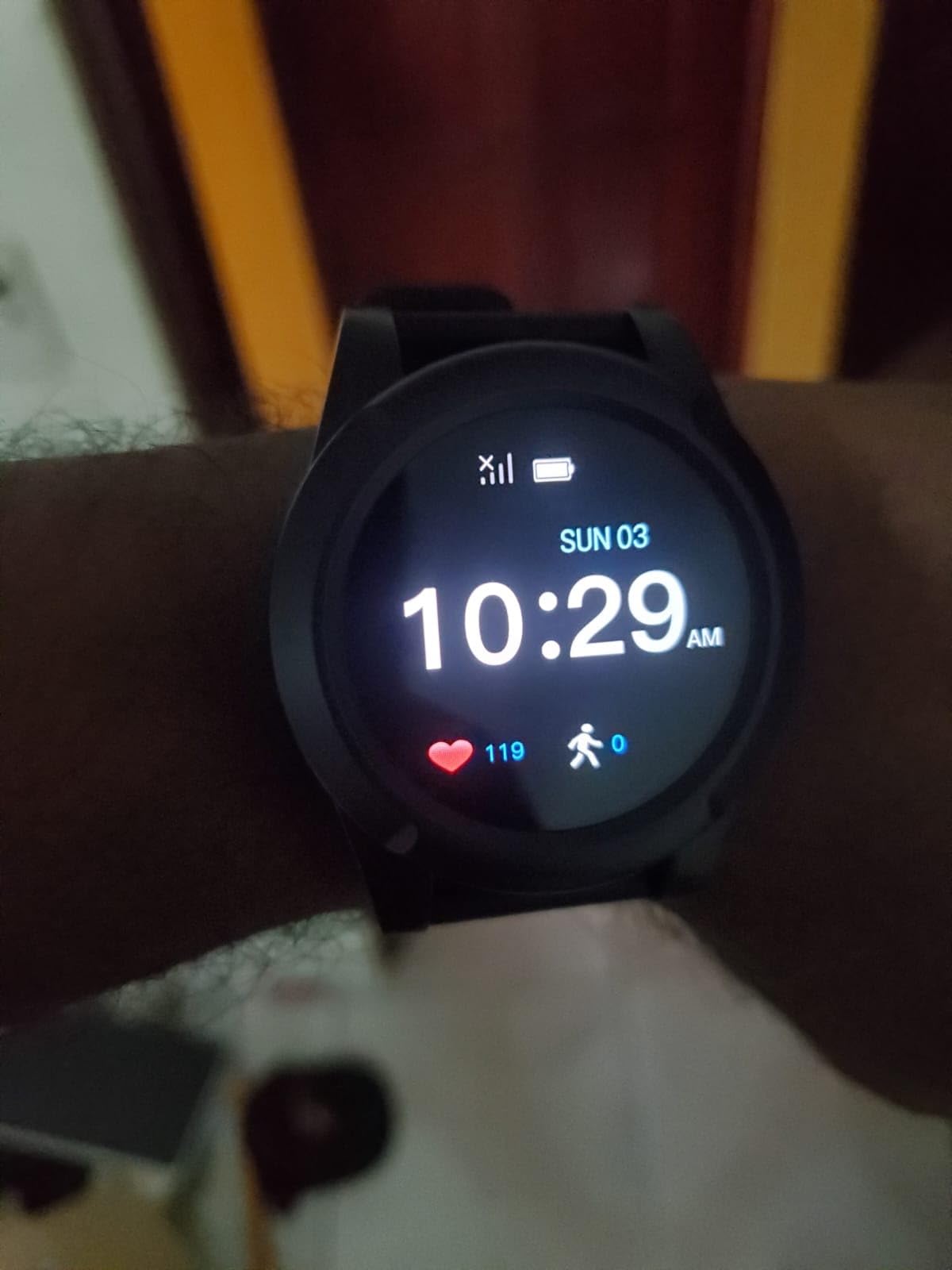
Acceptance is everything at this stage of care, and the Stride solves it with styling. It is a round ordinary-looking watch with a black band, not a medical tag, which matters if your person has already refused a pendant or a visible tracker.
The alert path differs from the SecuLife devices. A single button press connects the wearer to a live support representative rather than calling your contacts directly, and agents relay updates to emergency contacts. For families without a caregiver free during the day, a staffed desk in between is the point.
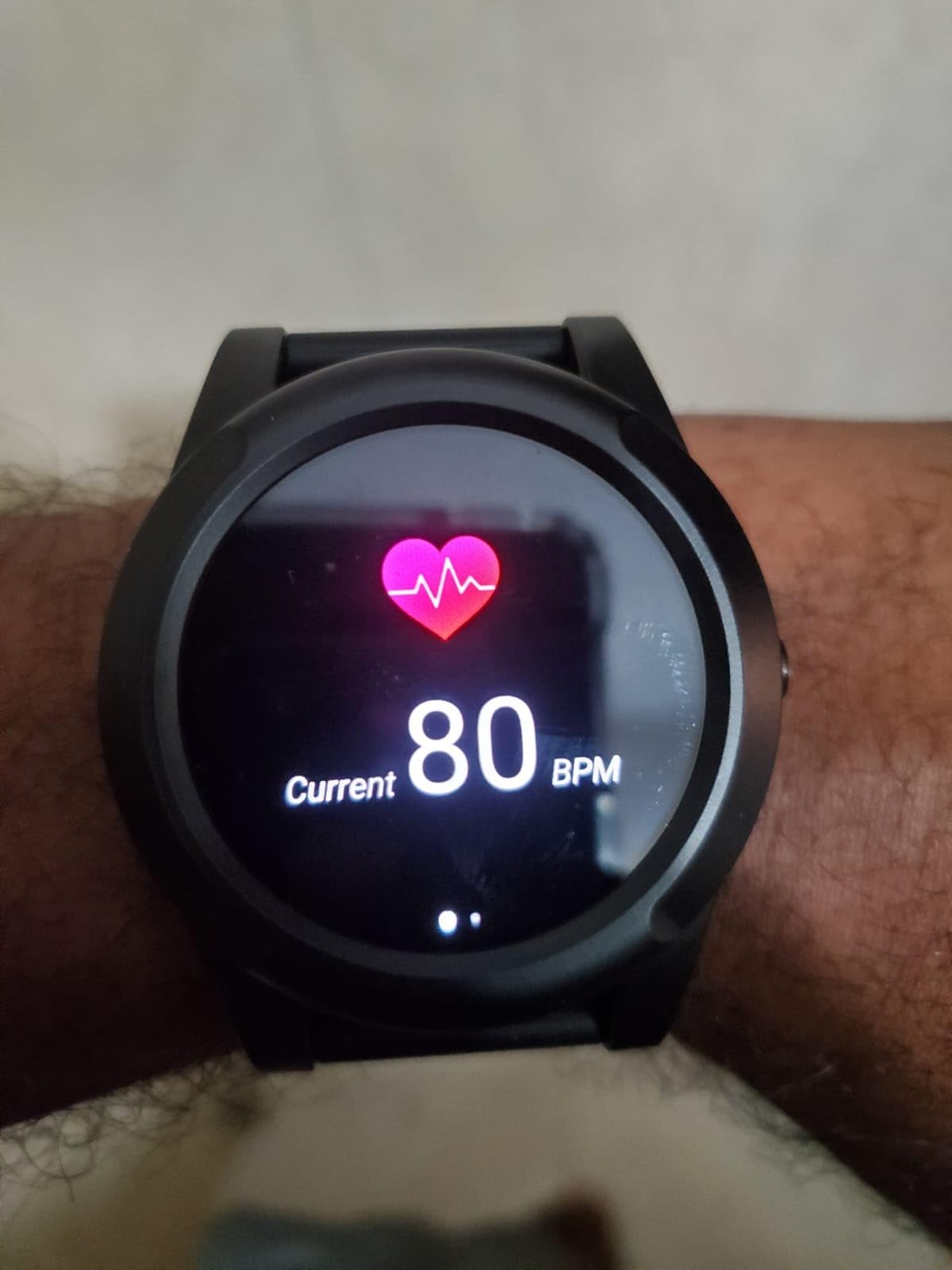
Location runs over the AT&T 4G network with an eSIM, and the watch also measures heart rate and step count. Water resistance to 30 meters covers showering, and the month-to-month structure has no long-term contract.
Two cautions: battery life is about 24 hours, so charging is daily, and a 31-review base is thin evidence. The 4.3 average comes from a small but strongly positive group, with 73% five-star ratings.
Why ordinary-looking design matters more than features
A person in the middle stages of dementia often still has the social awareness to notice an object that marks them as a patient. A watch that looks like a watch is worn; a device that looks like a device is taken off.
When to skip this watch
Skip it if you need alerts straight to your phone with no intermediary, or if nobody can answer a support line during the working day. Daily charging must be realistic.
7. Tack GPS Plus Care Bundle – Best for Clipping to Clothing with a Magnetic-Key Pouch
Tack GPS Plus Care Bundle with Lowest Monthly fee + 30 Days Battery Life. Fall Detection + SOS Alerts + Indoor Elevation Finder – for Kids, Elderly, Autism, Alzheimer, Dementia, Special Needs
30 g ABS unit with magnetic-key pouch and lanyard
Fall detection and one-click SOS
Indoor elevation finder shows floor level
Advertised up to 30 days battery
Pros
- Lightweight at 30 g and small enough to pocket or pin to clothing
- Locking fabric pouch
- lanyard and magnetic key make it difficult to remove
- Indoor elevation finder shows which floor the wearer is on
- Works on AT&T
- T-Mobile and Sprint with roaming in 120+ countries
Cons
- Battery life falls well short of the advertised 30 days for some owners
- Location updates are interval-based at 1 or 5 minute options
- Does not connect to WiFi so accuracy drops in rural areas
- Some units report geofence exits hours late
The Tack bundle is built for a person who will not wear a watch or necklace. At 30 grams it can be pinned to a coat or carried in the fabric pouch that only opens with the magnetic key.
It also offers something nothing else here does: an indoor elevation finder showing which floor the wearer is on. In a hospital, library or apartment block, floor level is the difference between searching a building and walking to the right corridor.
Now the honest part. The 3.4 average is the lowest here, with 22% one-star ratings and sharply divided experiences. Battery advertised at up to 30 days drops to a few days for some owners, updates are interval-based at one or five minutes, and there is no WiFi positioning, so accuracy drops far from cellular coverage.
Several owners also report units that switch off or stop tracking despite a full charge. If you choose it, test the alert latency yourself, because an elopement alert arriving hours late defeats the purpose of a geofence.
When the indoor floor feature earns its keep
Large public buildings are where indoor location usually fails, and floor level narrows a search from a whole structure to one corridor. It also works in apartment blocks, where a person who left home may have wandered next door rather than down the street.
When to skip this bundle
Skip it if you need real-time updates in seconds during an active elopement, and skip it if you live somewhere with poor cellular coverage, since there is no WiFi fallback.
8. ADT On-The-Go Mobile Medical Alert System – Best for Agent-Answered Help
ADT On-The-Go Mobile Medical Alert System for Seniors, White Wristband
One-button alarm with 24/7 ADT monitoring
Agents relay step-by-step updates to contacts
Built-in microphone and GPS location
Waterproof wristband with cradle charger
Pros
- Backed by ADT's own US-based professional monitoring centre with senior-trained agents
- Single button press triggers an immediate call for help on the nationwide AT&T network
- Agents relay step-by-step updates to emergency contacts including from first responders
- Waterproof white wristband suits an active lifestyle
- Easy phone-based activation and simple setup
Cons
- One reviewer reports the wristband only worked within about 1000 ft of the plugged-in home base
- Professional monitoring plan is mandatory and separate from the device
- Cancelling the service after a return requires a separate call
The ADT system is for families who want a human being handling the response. One button press on the waterproof wristband triggers a call into ADT’s US-based monitoring centre, where senior-trained agents speak to the wearer, contact emergency services if needed and relay updates to your contacts.
That structure is genuinely different from every other device here, since none of the others place a staffed desk between the alert and the family. It weighs 1.76 ounces, comes with a cradle charger and activates by phone.
Read the service terms carefully. The review base is thin at 20 ratings, and one owner found the wristband behaved like a home system, working only within about 1,000 feet of the plugged-in base, which defeats the purpose for anyone who travels. The monitoring plan is mandatory and billed separately.
Make the cancellation yourself after a return rather than assuming it happened with the return shipment.
When a monitoring centre is the right call
An agent will call emergency services on your behalf while you are still driving. For someone who wanders at night or lives alone, that gap is the reason to pay for the service, and it reduces alert fatigue.
When to skip this system
Skip it if the wearer spends significant time far from the home base, or if the monthly monitoring commitment does not fit your budget. Skip it if you want alerts with no third party in the chain.
9. Find My Network Wristband and Keychain Tracker – Best for No Subscription, Inside a 60-Meter Range
GPS Tracker for Kids, Real-Time Smart GPS Tracking Device for Seniors w/Wearable Wristband & Keychain Design, No Monthly Fee/No SIM Card, Lightweight Locator Works w/iOS Find My 【Apple MFi Certified】
Works on Apple Find My network
No SIM card and no monthly fee
Play Sound alert within about 60 meters
Up to one year advertised battery
Pros
- No subscription and no SIM card using the Apple Find My network
- No monthly fee at all after the device
- Up to one year of advertised battery life with status visible in Find My
- IP68 water and dust resistance with a soft adjustable silicone wristband
- Play Sound helps locate the device within about 60 meters in a crowd
Cons
- Requires an iPhone or iPad and does not work in Android-only households
- No independent cellular or WiFi connection so location depends on nearby Apple devices
- No SOS button
- fall detection or two-way calling for the wearer
This is the only device here with no monthly fee, and it holds the highest rating in the roundup at 4.6 across 17 reviews. It pairs with Apple’s Find My network, needs no SIM card, and comes with a silicone wristband and keychain loop.
Owners describe it as a keys, backpack, pet or vehicle finder rather than a senior safety device, and they are right to be precise. There is no SIM, no cellular radio and no independent WiFi connection, so a position appears only when an Apple device is nearby.
That limitation matters in a dementia context. If your person walks two miles down a rural road, there may be no report at all. Play Sound, which triggers an audible alert within about 60 meters, is the most useful part indoors.
Android and Samsung households should know there is no comparable crowdsourced network, a recurring complaint in caregiver forums.
When a free tracker is genuinely enough
It works well as a backup device sewn into a jacket lining or attached to a handbag, giving a second location source with no recurring charge. Inside a home or day centre, Play Sound is fast and reliable.
When to skip this tracker
Skip it as your only device if your person wanders beyond populated areas, and skip it entirely if the household is Android-only.
10. Fajocru Fall Detection Watch with Video Calling – Best for Fall Detection and Face-to-Face Contact
Fajocru Fall Detection Watch for Seniors, GPS Tracker for Elderly with SOS Button, Real-Time Location Tracking, Two-Way Voice, Heart Rate & Step Counter, Medical Alert Watch, No Monthly Fee
Automatic fall detection to preset contacts
Real-time GPS with geofence safe zones
4G video and two-way voice calling
1.56-inch touchscreen with magnetic charging
Pros
- Automatic fall detection alerts preset contacts even if the wearer cannot press the button
- Real-time GPS with geofence safe zones aimed at dementia wandering
- 4G video and voice calling works like a wrist phone
- Large high-contrast touchscreen and magnetic charging cable
- IP67 waterproof and lightweight with heart rate and step tracking
Cons
- Pre-installed SIM is data-only so voice calls require installing your own SIM
- App has a learning curve for fall detection and other features
- Watch is noticeably thicker than a typical watch or fitness tracker
- One reviewer was unable to activate the device
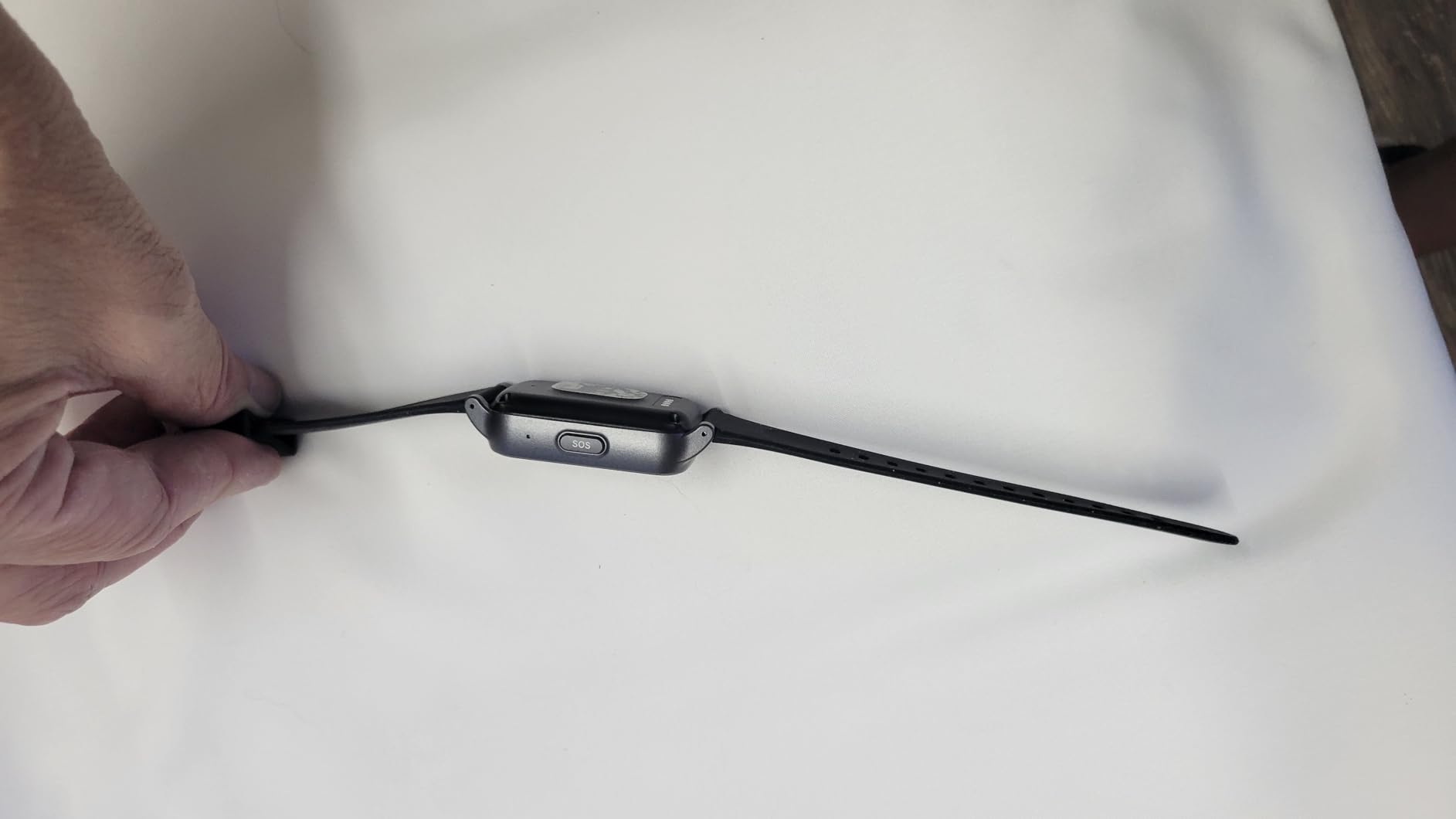
The Fajocru watch is the most densely specified device we reviewed, holding a 4.6 rating across 18 reviews. It combines automatic fall detection, real-time GPS with geofence safe zones, 4G video and voice calling, and sensors covering heart rate, blood oxygen, a blood pressure reference, sleep and steps.
Video calling is the differentiator. Instead of listening in one way, a family member can see and speak to the wearer, which helps re-orient someone who is frightened and confirms the scene without a physical visit. The 1.56-inch high-contrast screen is larger than the SecuLife band.
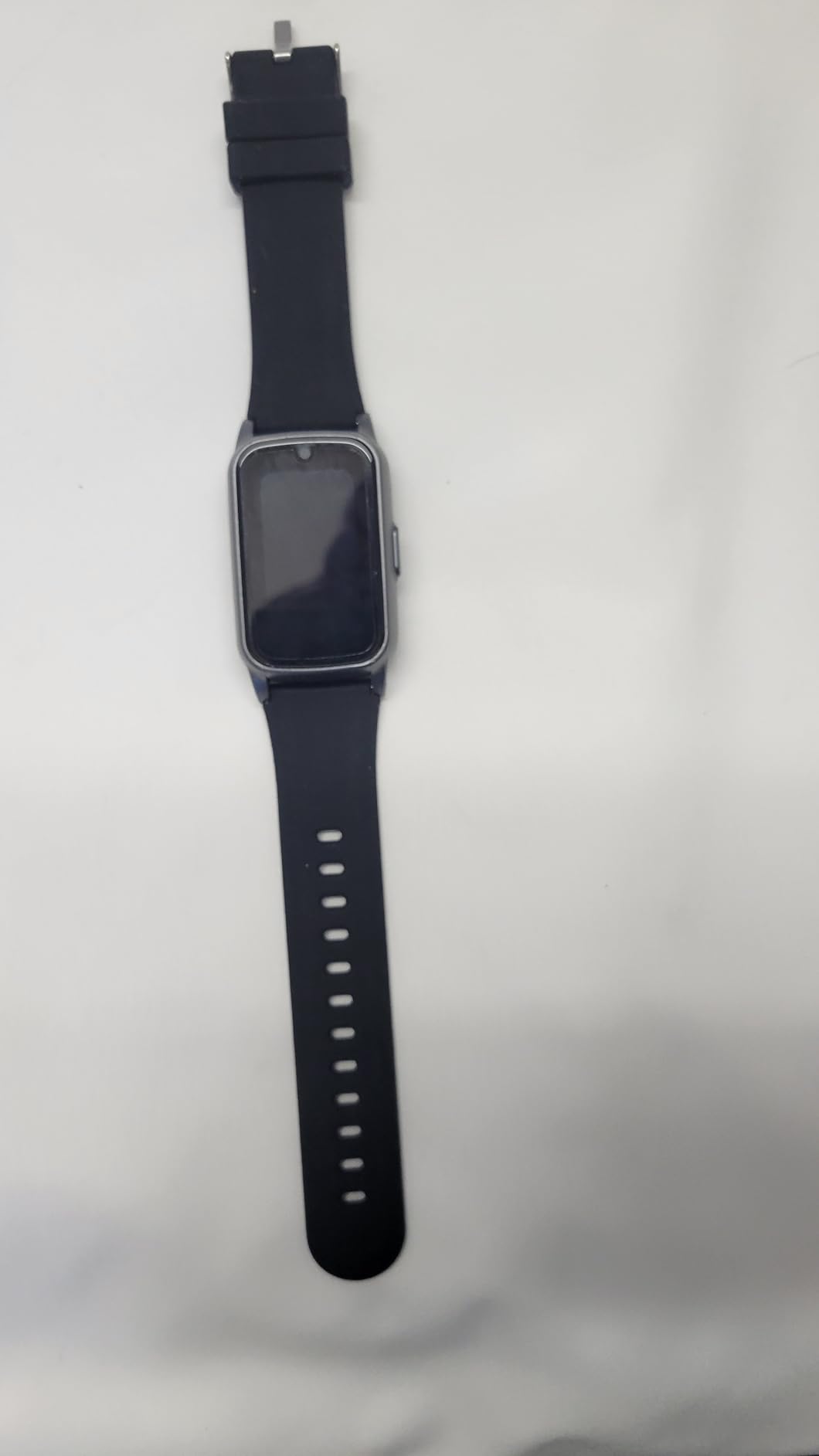
Set aside time for setup, because that is where the complaints sit. The pre-installed SIM is data-only, so voice and video calls only work after you install a SIM with voice service. The SeTracker app also has a learning curve around fall detection, and the band is noticeably thick.
With 18 reviews, treat the feature list as the reason to consider it and the review count as a reason to test carefully indoors for a week first.
Why video calling changes difficult moments
Voice alone sometimes cannot settle a person who is lost and frightened. Seeing a familiar face on the wrist does what a phone call cannot, and it answers the question of whether your parent is fine before you escalate a search.
When to skip this watch
Skip it if you are not comfortable adding your own SIM with voice service, since calling is the reason to choose it. Skip it if a thick band will be refused or the person cannot manage activation with help.
Why AirTags and Tiles Are Not GPS Trackers
No, an AirTag is not a GPS tracker, and for dementia wandering it is the most common mistake families make. An AirTag broadcasts to a Bluetooth crowd-finding network of nearby Apple devices. It has no cellular radio and no independent positioning, so it reports a location only if an unrelated iPhone passes within range.
Two limits make it the wrong primary tool. The update interval is slow and irregular, and caregivers have reported a tag not updating frequently enough to get a good location on a moving target. Apple also tracks better in real time than Tile, but the reported position is occasionally wildly wrong, such as across a pond or onto a four-lane highway.
The Find My network tracker reviewed above sits in the same category. It is useful as a second layer inside the home and for objects in a bag, and owners report pairing it with a cellular tracker for exactly that reason.
Use a Bluetooth crowd-find tag to find keys, a handbag or a device in a neighbouring room. Use a cellular tracker with geofencing to find a person.
How to Choose a Wearable GPS Tracker for Dementia: 7 Criteria That Matter
Differences that matter are retention, alert speed, indoor behaviour and the monthly commitment. Work through these in order rather than comparing feature checkboxes.
1. Will they keep it on
This is the single most decisive factor in caregiver satisfaction, and it comes before any spec. Trackers with a magnetic-key sleeve or pouch, such as the AngelSense and the Tack bundle, answer it directly. Introduce the device early and describe it as a way to get home rather than a way to watch them.
2. Real-time versus interval updates
Interval tracking at one or five minutes is fine for a slow wanderer and useless for someone walking away from a car. Look for devices that specify seconds rather than minutes. One caregiver found a phone-based app worked about 80% of the time, so treat any interval as a best case.
3. Geofencing and the response plan behind it
Geofencing draws a boundary around the home and other regular destinations, and the tracker alerts you when the wearer crosses it. Assign a primary and a backup responder before you need them, and consider routine-deviation alerts that catch night-time elopement.
4. The subscription reality and total cost
Most cellular trackers require a plan that is small until multiplied across the multi-year course of dementia. Compare one-year and three-year totals, and check whether it is a contract, whether cancellation needs a phone call, and whether voice minutes are capped. There is no cheapest option, only a cost that matches how the device is used.
5. Battery life and a charging routine you control
Reported battery life ranges from about a day to a full week in this lineup, and the longest advertised figure depends on motion-triggered logging rather than live tracking. Build the routine around the caregiver: a fixed cradle by the door, a check at the same time as medication, and low-battery alerts routed to two family members.
6. Indoor accuracy and water resistance
Indoors, GPS falls back to WiFi and cellular triangulation, so expect a building-level answer rather than a room-level one. For water, look for IP67 or better, since bathroom falls are common; one device here is water resistant to 30 meters.
7. Two-way voice and the SOS button
Auto-answer two-way voice lets you re-orient someone without them operating anything, and families rate it highest for quality of life. Note that one watch here ships with a data-only SIM where calling needs your own. A caregiver in a forum put it plainly: no technology replaces human supervision.
Which Tracker Fits Which Stage of Dementia
Match the form factor to the stage, not the feature list. Early stage suits a wrist device the person accepts as a watch. Moderate stage suits a locked or pinned device as resistance grows. Late stage suits whatever can be attached out of sight and located by a caregiver.
For early-stage seniors living independently with occasional disorientation, a discreet watch such as the Stride or the SecuLife smartband is the least confrontational introduction, and both read as watches rather than medical tags.
For moderate dementia with a known elopement pattern, retention becomes the whole game. The AngelSense and the Tack bundle are the two options built around that requirement, and both pair well with a geofence around the home and the route to the day centre.
For late-stage dementia, or a person who is nonverbal and lives in a residence, the priority shifts from wandering to falls. A waterproof pendant with fall detection and two-way voice, positioned near a caregiver, usually beats a wrist unit they cannot charge.
Revisit the choice as the disease progresses. A device accepted at one stage is often refused at the next.
Consent, Privacy and the Law Around Tracking a Parent
Tracking a parent with dementia is usually legal when they have capacity and legally delicate when they do not. Where capacity is present, ask, and explain what the device is, who can see the location and what happens in an emergency.
Where capacity has been lost, authority usually comes from a health-care power of attorney, guardianship or the equivalent in your jurisdiction. Because location history is sensitive personal data, agree in advance who may check the map.
Treat dignity as a practical feature. Families report that tracking works better when the person knows it is there, and that secretive placement produces the resistance which ends the setup.
In the First Hours After Someone Goes Missing
The first hours decide the outcome, and a tracker buys you only part of them. Have phone numbers, photographs and identifying details ready before they are needed rather than searching for them at 4 am.
Contact local law enforcement on the non-emergency line first if there is no immediate danger, and be aware that many states activate a Silver Alert protocol for missing older adults with cognitive impairment, which speeds up local response. Call emergency services if the person is in immediate danger.
Give police an updated recent photograph, a description of what they were wearing, a medical identification number and any tracker access you have. Arrange enrolment in a Safe Return-type registry well before an incident, not during one.
Outside the home, caregivers repeatedly report that non-technology prevention works better than trackers alone. Sliding deadbolts mounted high on the door, door alarms, alarm systems set to stay mode, and dark doormats that a person with dementia perceives as a hole have all been reported as effective deterrents.
For rural addresses with poor cellular coverage, plan a fallback first. One caregiver whose wife was lost in rural Maine confirmed a Garmin satellite device worked but was too complicated for the person with dementia to operate. Ask local police about Project Lifesaver, a radio-frequency program used by many sheriff departments to locate a person who has wandered.
Frequently Asked Questions
What is the best GPS tracker for someone with dementia?
The AngelSense GPS Tracker is the strongest all-round choice because its magnetic sleeve and caregiver-only key make it very hard for a confused wearer to remove. It adds real-time GPS, geofence alerts, an SOS button, First Responder Alerts and an auto-answer two-way voice call, with a year of service included. The trade-off is cost, since the plan and limited voice minutes add up over a multi-year care period.
Is AngelSense worth it for someone with dementia?
AngelSense is worth it when removal is your main concern, and it is the only device in this roundup designed so a person with dementia cannot take it off unaided. Caregivers of adults with Alzheimer’s praise the live location, geofence alerts and two-way voice. It is less convincing when cost matters more, or when the wearer reacts badly to a sleeve that never comes off.
Can you use an AirTag to track someone with dementia?
An AirTag is not a GPS tracker. It has no cellular connection and reports a position only when a nearby Apple device passes within Bluetooth range, so updates are slow and irregular, which is a problem when a person is moving. It can be a useful second layer for a handbag or a jacket, but it should not be the device you rely on during an elopement.
Do GPS trackers for dementia patients require a monthly subscription?
Most cellular trackers do, because they use a SIM and a data plan. Costs range from a few dollars a month upward, and a few products bundle a year of service or use no cellular connection at all, such as Find My network trackers. Compare one-year and three-year totals, and check whether the plan is a contract and whether voice minutes are capped.
What if my loved one keeps removing the tracker?
Treat removal as the main buying criterion rather than an afterthought. Options include a magnetic-key sleeve, a magnetic-key pouch, a lanyard or a device pinned inside a coat. Introduce it early while the person can accept it, describe it as a way to get home rather than a way to watch them, and pair the device with a geofence so you still get an alert if it is taken off.
Is it legal to track a parent with dementia?
Tracking is generally fine when the person has capacity and agrees, and you should explain who can see the location. Where capacity has been lost, you usually need health-care power of attorney, guardianship or the equivalent in your jurisdiction. Location history is sensitive personal data, so agree with the wider family who has access and tell the person when you can.
Which GPS tracker is best for someone in late-stage dementia?
For late-stage dementia the priority usually shifts from wandering to falls and disorientation, so a waterproof pendant with automatic fall detection and auto-answer two-way voice is more useful than a wrist GPS unit. Position it near a caregiver, charge it on a fixed schedule, and pair it with a bed sensor and door alarms, since a late-stage person cannot manage a charging routine.
How long does the battery last on GPS trackers for dementia patients?
Battery life across this roundup ranges from about a day to a full week, with the longest advertised figure coming from motion-triggered logging rather than live tracking. Choose a device the wearer cannot leave flat and uncharged, keep it on a cradle by the door, and route low-battery alerts to two family members so a flat battery never goes unnoticed.
The Verdict: Which Wearable GPS Tracker to Buy in 2026
The AngelSense GPS Tracker is our pick for the best wearable GPS trackers for dementia patients, and the deciding factor is retention rather than specification. A locked magnetic sleeve, real-time location, geofence alerts and an auto-answer voice call cover the four things that matter when someone is missing: they cannot take it off, you know where they are, you know when they left the safe zone, and you can talk to them while they are still close.
Choose the SecuLife pendant if falls matter more than wandering, the Secure Phone 4G tracker if your person needs to reach you rather than the other way around, and the Stride watch if the only acceptable device is one that looks like an ordinary watch. The PAJ tracker covers routine monitoring on a tight budget, and the ADT system is the one to consider when a staffed monitoring centre should handle the response.
Whichever you pick, test it indoors for a week, set your geofences, assign a primary and a backup responder, and pair it with a door alarm. A tracker shortens the search window but does not replace a person, and the same matching principle sits behind our [massage chair guide for heart patients](https://modelrec.com/best-massage-chairs-for-heart-patients-safe-and-gentle/): choose equipment for the person in front of you, not the spec sheet.