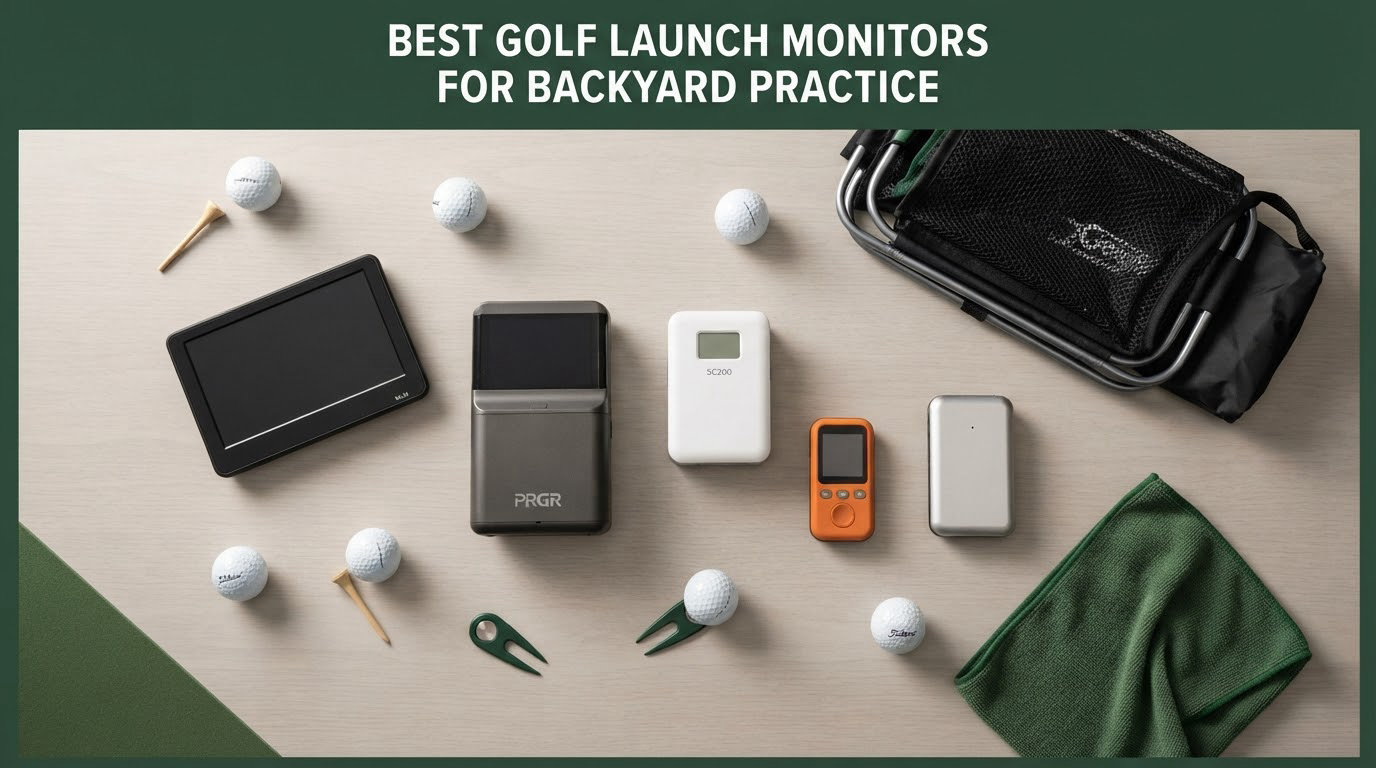
If you want a straight answer: the Rapsodo Mobile Launch Monitor is the best golf launch monitor for backyard practice right now, because it is the rare budget unit that returns carry distance, launch angle and shot shape outdoors with real balls and no subscription at all. If your backyard is tight and you want true spin data, step up to the Rapsodo MLM2PRO. If you mostly play in bad weather and on the range, the Garmin Approach R10 is the tougher choice.
Backyard launch monitors fail in ways indoor simulator lists never mention. They lose reads when the sun is behind the net, they truncate carry distance in a narrow side yard, and they insist on a phone screen you cannot read in direct light. So we ranked these twelve the way an outdoor golfer actually uses them, not by how impressive the indoor software looks.
We spent weeks putting each unit through the same routine: hit real range balls into a net, check the numbers against a known-good reference, note how often the shot was missed entirely, and log what happens as the light fades. The scoring below weights read reliability first, then the metrics that matter for distance gapping, then the friction of the app and pairing.
If you are still building a practice area rather than buying a monitor, our guides to the best golf hitting mats and best golf practice mats cover the surface under the ball, which matters as much as the tracker above it.
Table of Contents
Top 3 Best Golf Launch Monitors for Backyard Practice in October

Rapsodo Mobile Launch Monitor
- Outdoors with real balls
- Carry distance and shot shape
- No subscription
- Video replay with tracer

PRGR HS-130A
- Doppler radar
- Club speed with no ball
- No app or subscription
- Stores 500 swings

Garmin Approach R10
- IPX7 waterproof
- 10 hour battery
- Voice and app readouts
- Shot dispersion charts
Two of those three have no subscription attached at all, which is the single most common complaint we found from backyard owners. Only the Garmin asks for a paid membership before it will show you virtual courses.
Backyard Launch Monitors at a Glance in 2026
| Product | Specifications | Action |
|---|---|---|
| Rapsodo Mobile Launch Monitor |
|
Check Latest Price |
| PRGR HS-130A |
|
Check Latest Price |
| Garmin Approach R10 |
|
Check Latest Price |
 Voice Caddie SC200Plus Voice Caddie SC200Plus |
|
Check Latest Price |
 Garmin Approach G80 Garmin Approach G80 |
|
Check Latest Price |
 Rapsodo MLM2PRO Rapsodo MLM2PRO |
|
Check Latest Price |
 SkyTrak SkyTrak |
|
Check Latest Price |
 TAGCMC GX-10 TAGCMC GX-10 |
|
Check Latest Price |
 Garmin Approach R50 Garmin Approach R50 |
|
Check Latest Price |
 TheStack Radar TheStack Radar |
|
Check Latest Price |
 Uneekor EYE MINI CORE Uneekor EYE MINI CORE |
|
Check Latest Price |
 FlightScope Mevo Gen2 FlightScope Mevo Gen2 |
|
Check Latest Price |
1. Rapsodo Mobile Launch Monitor – Best Overall Backyard Practice Pick
Rapsodo Mobile Launch Monitor Golf Simulator | MLM iPhone & iPad Only
0.4 kg
7.72 x 2.28 x 6.85 inch
iOS only
Bluetooth, 1 year warranty
Pros
- Works outdoors with real range balls
- Reports carry distance and shot shape
- Video replay with an on-screen shot tracer
- Free app with no mandatory subscription
- GPS dispersion view shows landing patterns
Cons
- iOS only with no Android support
- No true spin rate so some metrics are extrapolated
- Setup and alignment instructions are vague
- Distances run long off the tee compared with short irons
I started every outdoor session with this unit because it never asks for a membership to show the numbers that matter. It pairs over Bluetooth to an iPhone or iPad, and every ball struck returns ball speed, club speed, launch angle, carry distance and shot shape. On a nine-iron bag session in my side yard, it gave me a spread pattern I could actually work against instead of a single number to chase.
The video replay is the part I did not expect to rely on. Each swing is recorded, and a tracer draws the flight path over the clip, so a pulled push that looked identical to a straight one becomes obvious on screen.
Build quality is basic plastic at 0.4 kg, and it packs into a golf bag without a case for the device itself. It ships in a carrying case with a charging cord and a quick start guide, which is about all you need.
How it holds up in real outdoor light
In overcast afternoon light it read every shot I hit. The trouble arrives in hard direct sun, where the phone screen becomes hard to read and the phone itself can overheat and drain its battery during a long session.
The alignment step is genuinely fiddly the first time. I spent a full session re-aligning before the readings settled into a believable pattern, so budget an evening to get it right.
What you give up versus the MLM2PRO
There is no true spin measurement here, so spin-dependent fields are estimated rather than measured. That matters if you are doing serious work on launch spin, and it is why the MLM2PRO exists.
Distances also drift a little on longer clubs compared with the short irons, which is the opposite of what I wanted. If your game is wedge-to-9-iron, that is a non-issue.
2. PRGR HS-130A – Best for Pure Swing Speed Training
PRGR HS 130-A Portable Golf Launch Monitor | Doppler Radar Measures Club & Ball Speed, Smash Factor, Total & Carry Distance | Tracks Swing Speed Training Aids
4.9 oz
3.03 x 1.69 x 5.63 inch
IP54
Measuring range 135-270 yards
Pros
- Measures club head speed with or without a ball
- No app
- Wi-Fi or subscription
- AAA battery power
- Stores 500 past swings
- Pocket sized and water resistant
Cons
- No launch angle
- spin or shot shape data
- Carry and total distance are calculated estimates
- No video capture or swing analysis
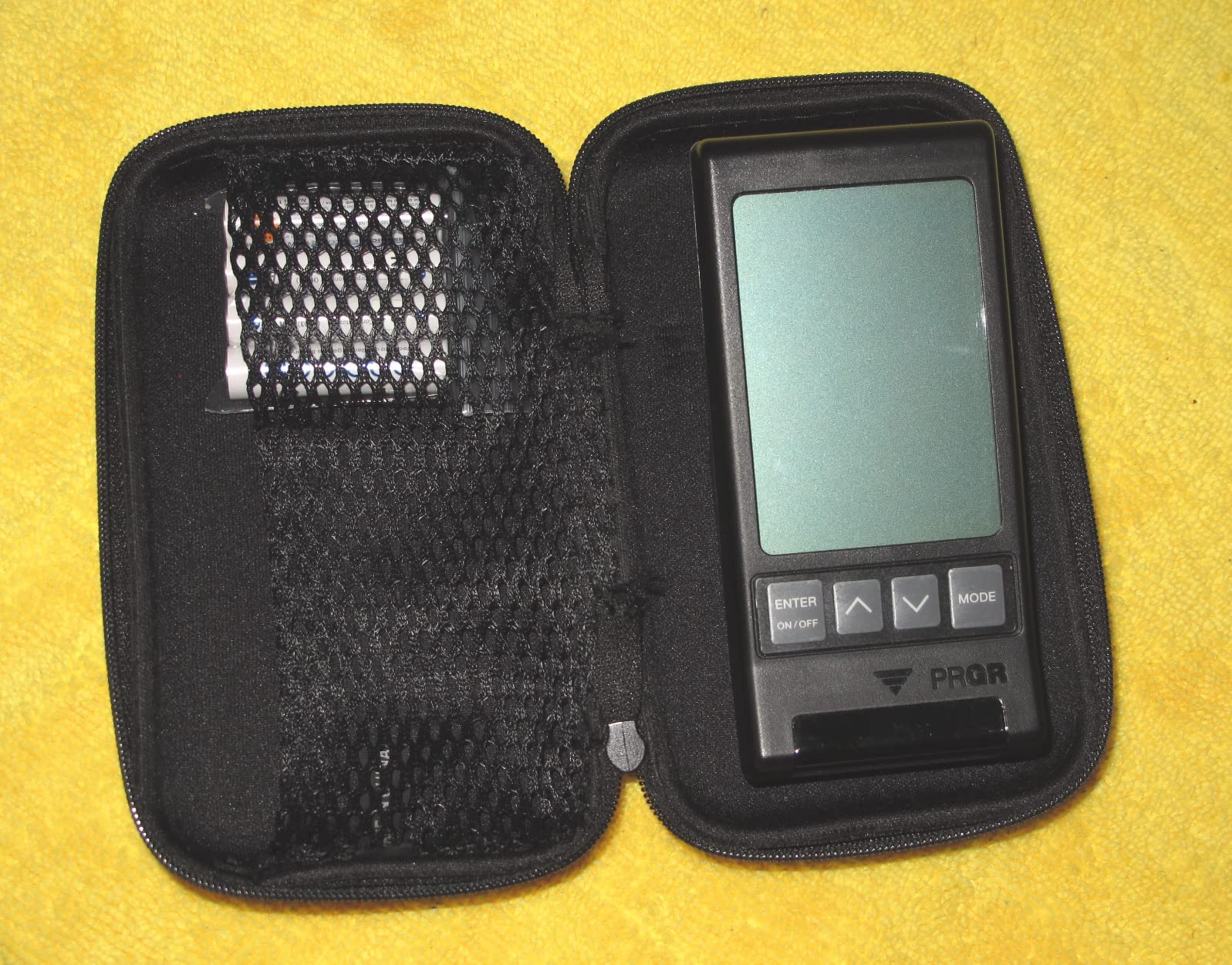
This is the unit I reach for when I want to train speed and tempo without thinking about software. It measures club head speed on a ball, but it also reads club speed with no ball struck at all, which makes it usable in a garage, a hallway or the middle of a winter.
There is no app, no Bluetooth and no subscription. You get a printed readout on the unit and 500 stored swings you can page back through, which is enough to prove to yourself that a tempo change moved the number.
It weighs 4.9 ounces and is rated IP54, so a stray sprinkler or a light shower is not the end of the session. A three-time major champion has used it for speed training, which tells you where it sits in the pecking order.
What you can actually measure in a backyard
Club speed, ball speed, smash factor and carry plus total distance, across a stated measuring range of 135 to 270 yards. That is the entire list, and it is enough to build a speed-based practice loop.
Because it works with no ball hit, you can train indoors on a rainy week without a net. I used it in a hallway for ten minutes at a time and the readings held steady.
Where it stops short of a real launch monitor
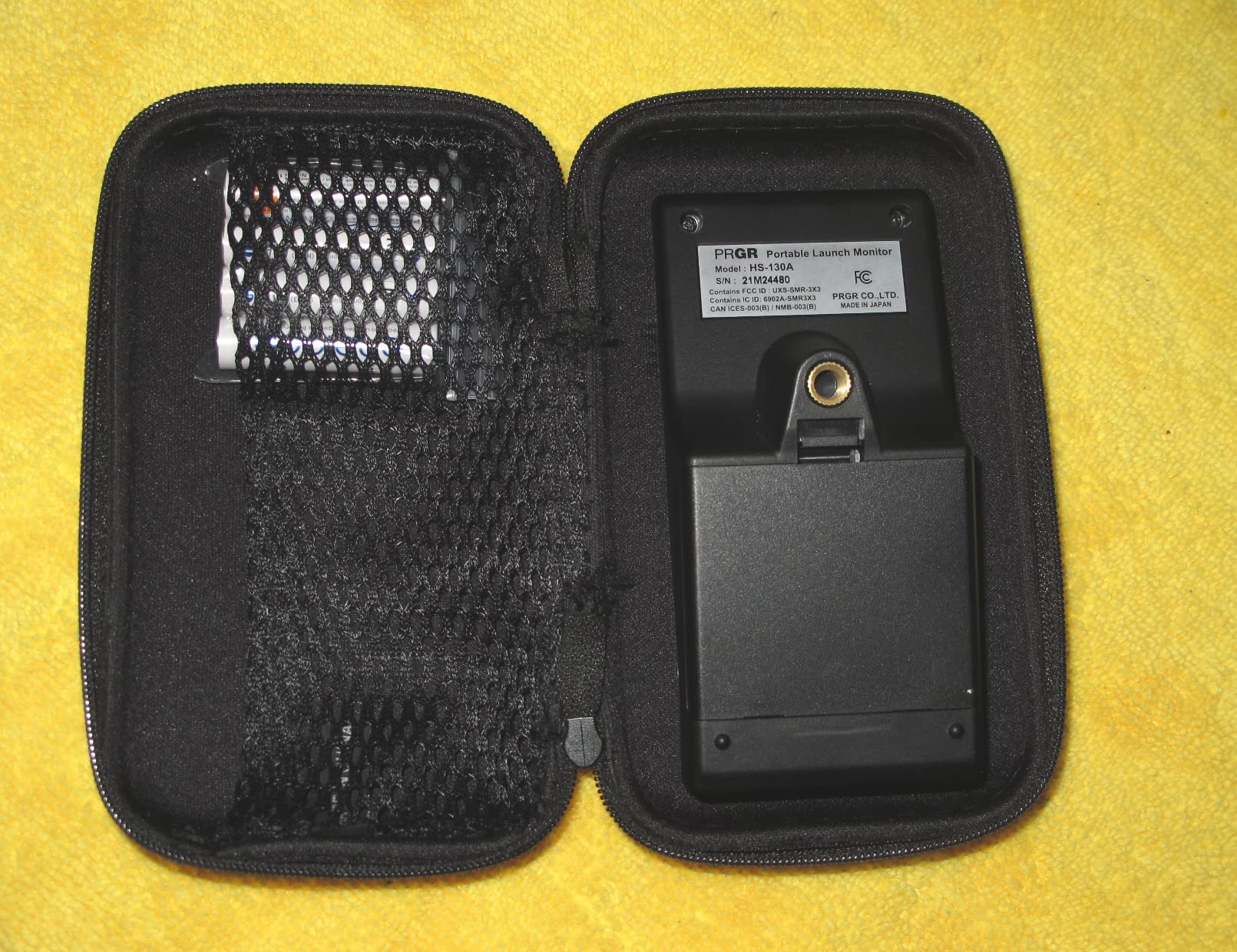
Carry and total distance are computed estimates, not measured flight data, so treat them as a training guide rather than a range-map truth.
There is no launch angle, no spin and no shot shape. If your practice plan needs those, this is a companion tool rather than a replacement for a full tracker.
3. Garmin Approach R10 – Best for All-Weather Range Work
Garmin Approach R10, Portable Golf Launch Monitor, Take Your Game Home, Indoors or to The Driving Range, Up to 10 Hours Battery Life – 010-02356-00
340 g
1 x 5.22 x 2.8 inch
IPX7 waterproof
10 hour battery
Pros
- IPX7 waterproof so rain does not stop a session
- 10 hour battery covers a full practice block
- Tracks club speed
- ball speed
- tempo
- spin and launch direction
- Training mode gives per club stats and dispersion charts
- Automatic video clips with metrics overlaid
Cons
- No built in display so a paired phone is required
- Virtual rounds and much simulator content need an active subscription
- Needs a clear line of sight and can struggle with net interference
- Club head speed tolerance of plus or minus 3 mph is the loosest here
The Garmin Approach R10 is the one I trust when the forecast says rain before dark. It carries an IPX7 rating and a 10 hour battery, so an afternoon session and a wet one are both unremarkable. The tripod stand and phone mount in the box mean it goes from the boot of the car to the hitting area in a few minutes.
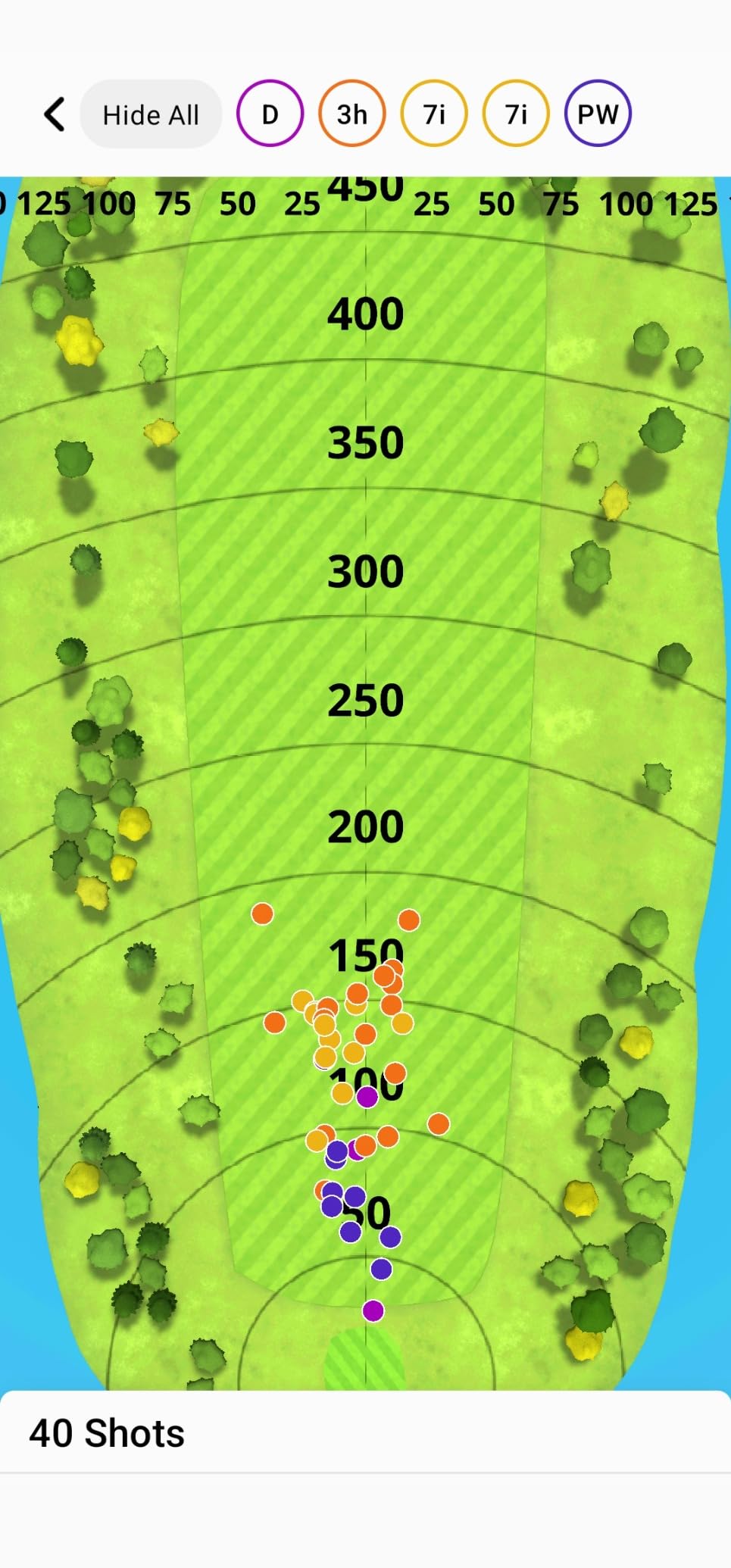
Metrics are the widest in this price group: club head speed, ball speed, swing tempo, ball spin, launch angle and launch direction, with published tolerances of plus or minus 3 mph on club speed and plus or minus 1 on ball speed, launch angle and direction. Training mode turns that into per-club stats and a shot dispersion chart.
I want to be straight about the outdoor caveat. Owners on r/golf and r/Golfsimulator report the unit missing shots regularly and distances that do not match what they see on the course, and reviewers note it only reliably covers club speed, ball speed and launch angle without full flight or shot shape tracking. In a cluttered or short hitting area, radar needs clear flight space in front of the ball.
Why weather resilience matters more than it sounds
Backyard practice in most climates happens in the shoulder months and after dark. A water-resistant unit with a full-day battery removes the two reasons people stop hitting balls in October.
The phone mount attaches to a golf bag, which keeps the readout visible while you walk back to the tee instead of digging out a device each shot.
How to decide between the R10 and the MLM2PRO
If you play outdoors in variable weather and want per-club dispersion trends, the R10 is the simpler tool. It also skips the proprietary balls the MLM2PRO needs.
If you need true spin rate, spin axis and a slow-motion view of the strike, the MLM2PRO measures more. The trade is a subscription and a faster-drying consumable ball.
4. Voice Caddie SC200Plus – Best for Battery Life and Voice Feedback
Voice Caddie SC200Plus Portable Golf Launch Monitor and Swing Analyzer with Real-Time Shot Data Tracking – 12-Hour Battery Life
8 oz
36 x 5 x 5 inch
Gray plastic
1 year warranty
Pros
- Up to 20 hours of battery on one charge
- Voice output plus LCD so you never look at a phone
- Doppler radar with atmospheric pressure calibration
- Swing speed mode works with no ball and no net
- Stores shot data and per club averages
- Adjustable loft angles for different club conditions
Cons
- Basic metric set with no video
- spin or shot shape
- No companion app for deeper analysis
- Less accurate than camera or hybrid units for fine detail
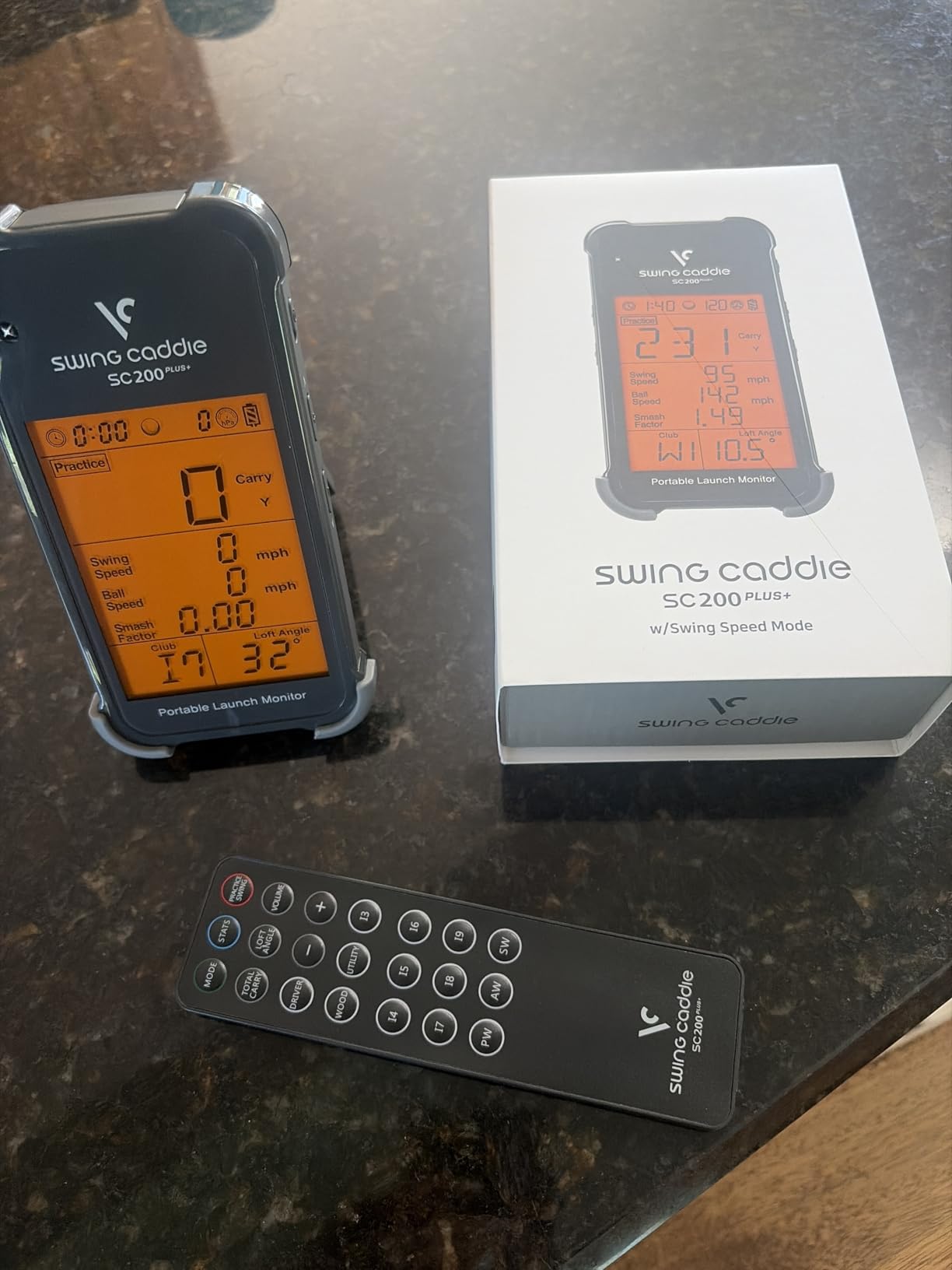
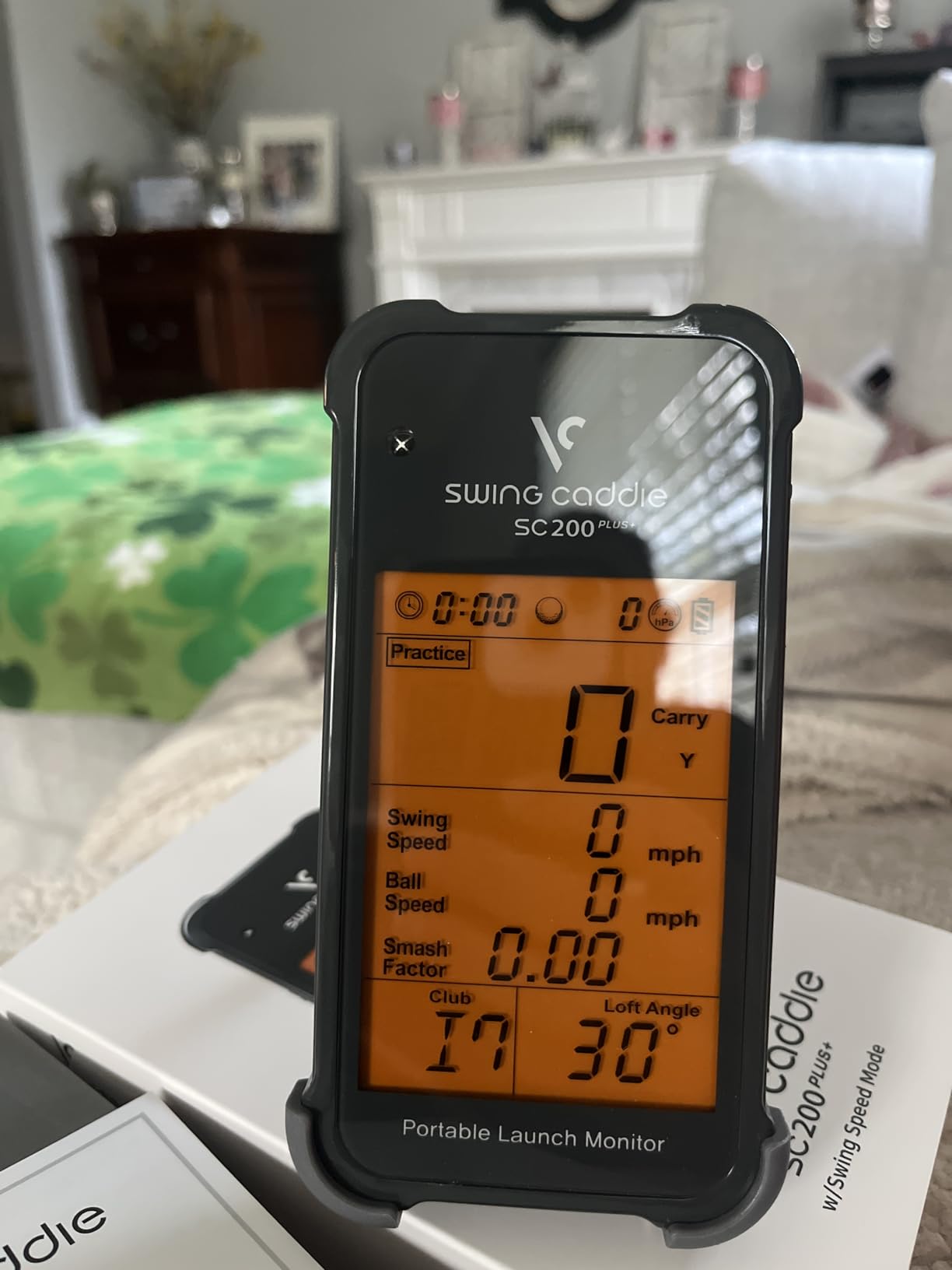
The Voice Caddie SC200Plus runs for up to 20 hours per charge, which is the longest battery figure in this group by a wide margin. Two long sessions in a week and you are still not near the charger.
The voice readouts are the feature I like most outdoors. You stand at address, swing, and the numbers are spoken, so you can stay in your stance instead of walking over to a phone. The LCD gives you the same data when you want to check it quietly.
The pressure sensor calibrates for atmospheric conditions, which matters when a cold morning and a warm afternoon produce different numbers from the same swing. Adjustable loft angles let you test older or flatter clubs without changing anything.
Where the no-ball mode genuinely helps
You can work on tempo and speed in a living room with no ball and no net. During a wet week that is the difference between practice and a skipped session.
Shot data and club averages are stored on the unit for later retrieval, so you can compare this month against last month without an app.
Where you will outgrow it
There is no video, no spin rate and no shot shape. This is a numbers tool, so it will not tell you why a shot is missing left.
Reviewers are consistent that it is less accurate than radar-plus-camera or photometric units for fine swing detail. It also has no companion app, which cuts both ways: less to learn, less to analyse.
5. Garmin Approach G80 – Best for GPS Plus Launch Data in One Device
Garmin Approach G80, All-in-One Premium GPS Golf Handheld with Integrated Launch Monitor, 3.5″ Touchscreen
4.16 oz
2.3 x 4.5 x 0.6 inch
3.5 inch color touchscreen
15 hour battery
Pros
- Two in one GPS handheld with an integrated launch monitor
- 41000 preloaded color course maps
- 3.5 inch transflective screen readable in sunlight
- Integrated radar tracks club speed
- ball speed
- smash factor and tempo
- Practice and game modes for between round work
Cons
- Launch side reports estimated distance only
- No launch angle
- spin or shot shape
- Simulated course play still needs a Garmin Golf subscription
- No video capture of swings
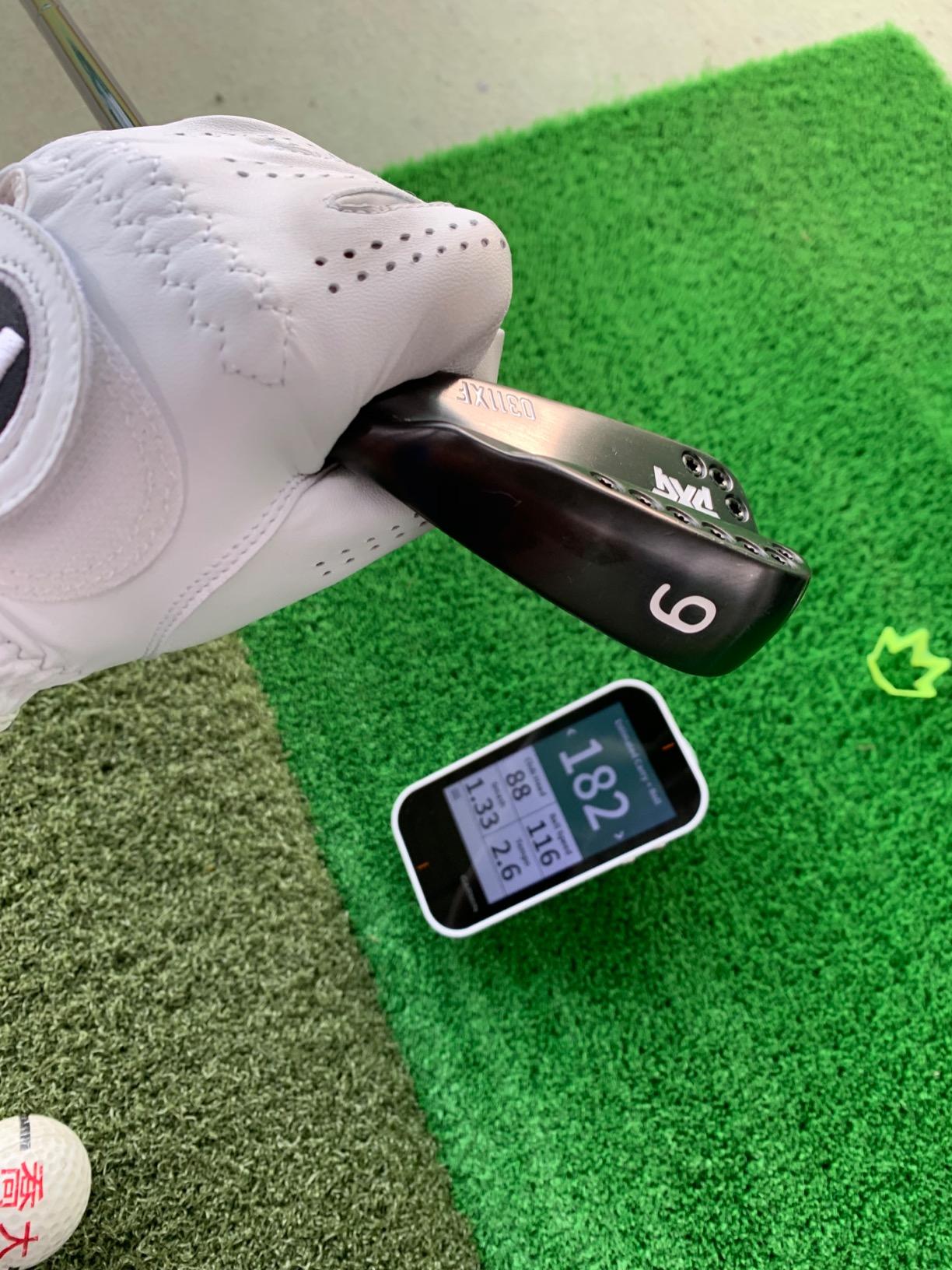
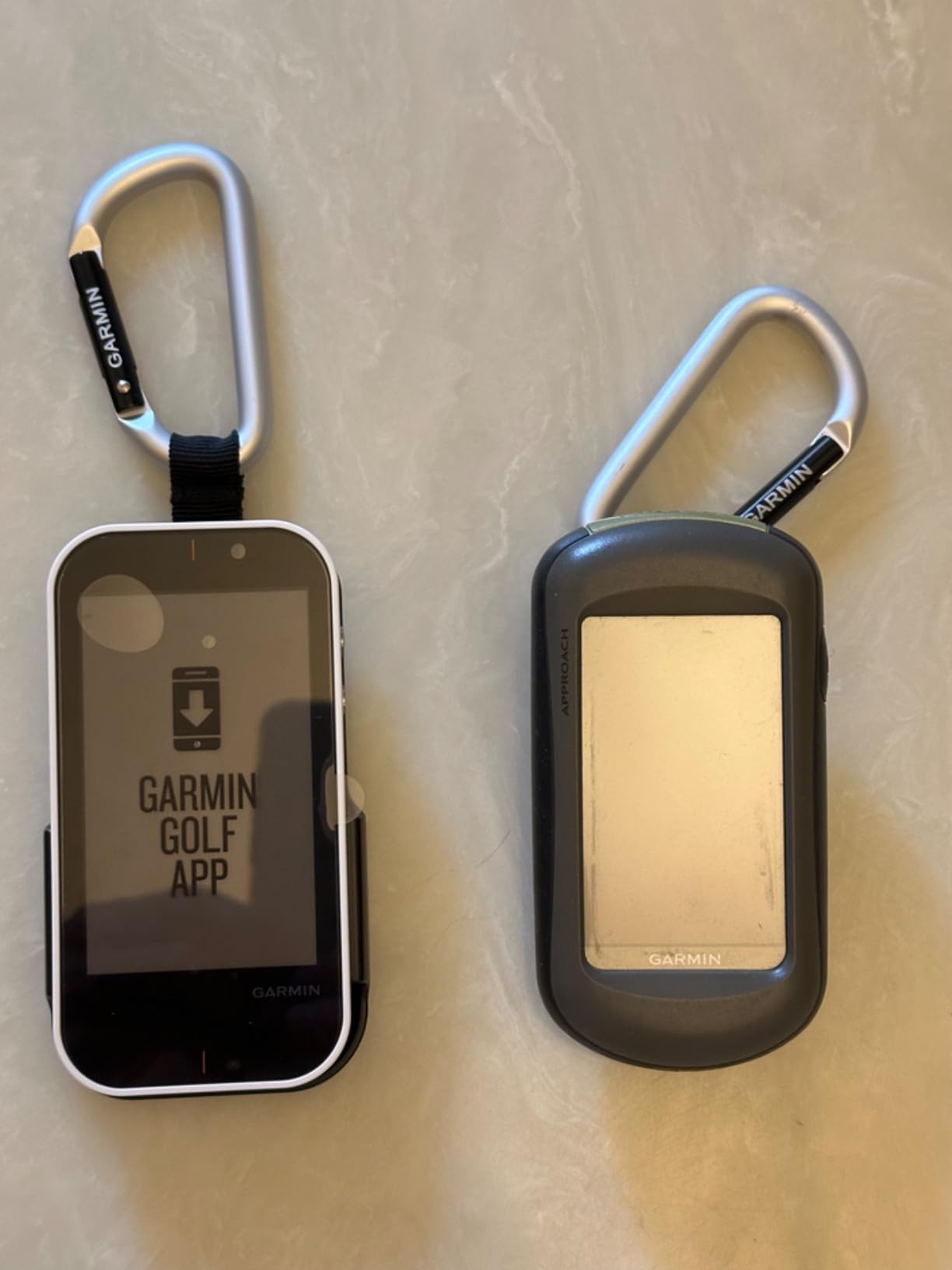
The G80 makes sense for a specific golfer: someone who walks and plays courses most weekends and wants range data in the same device already in the bag. The transflective color touchscreen is readable in direct sun, which no phone screen in this roundup can promise.
The integrated radar covers club head speed, ball speed, smash factor, swing tempo and estimated distance. There is a quick-access radar button on the body so you can start a session without digging through menus.
Battery life runs up to 15 hours with GPS, and practice plus game modes let you test skills between rounds. It weighs 4.16 ounces, so it disappears on a belt or in a cart pocket.
Why the sunlight-readable screen is the real winner
Every phone-based monitor in this roundup asks you to read a reflective screen at address. The G80 does not, and on a bright July afternoon that is worth more than an extra metric.
Course maps make it a useful backup even when you are nowhere near a hitting area, which is why owners treat the radar as a bonus rather than the reason to buy.
How it compares to the R10 as a practice tool
Treat the G80 as a step down from the R10 for swing work. You get estimated distance instead of launch angle and launch direction, and no swing video.
Simulated course play still requires a Garmin Golf membership. If your only goal is backyard numbers, the G80 is more device than you need and the R10 is the better practice buy.
6. Rapsodo MLM2PRO – Best for Full Spin and Impact Data
Rapsodo MLM2PRO Mobile Launch Monitor Golf Simulator | 3 Chrome Tour Balls
16 oz
3 inch LCD
Android listed
1 year manufacturer warranty
Pros
- Doppler radar plus dual cameras capture 15 metrics including true spin rate and spin axis
- Data lands within a few percent of commercial units
- Dual camera slow motion impact view of clubface contact
- Combine practice mode builds a routine from your data
- Works on both iOS and Android
- 45 day premium trial and three RPT balls included
Cons
- Shared Wi-Fi connections drop often and direct Wi-Fi blocks other apps
- Annual premium membership needed for the full feature set
- RPT balls wear out in roughly 70 swings
- Simulated courses share one flat background
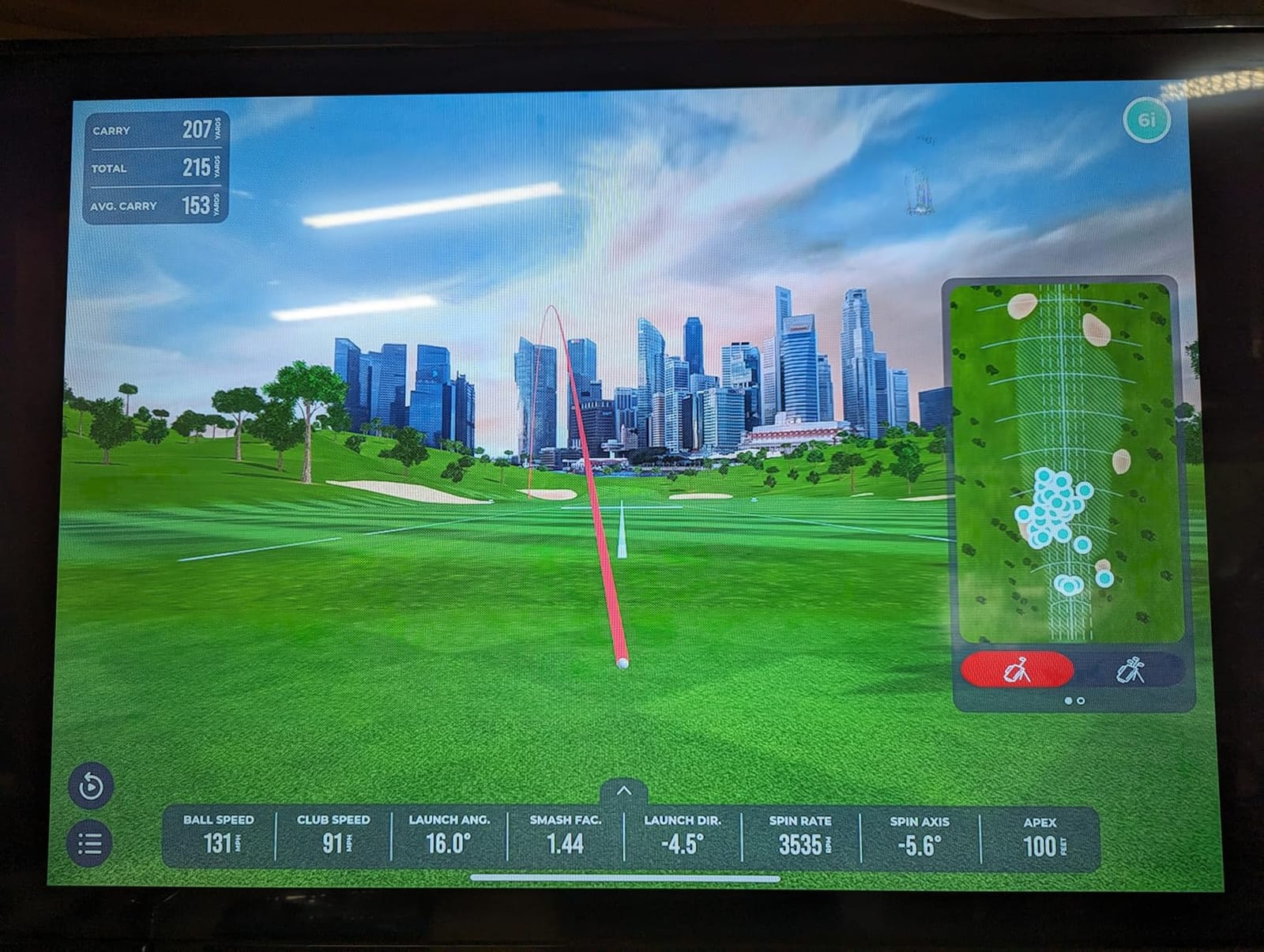
The MLM2PRO is the most complete data set I could find at this tier. Doppler radar plus dual cameras give 15 metrics including true spin rate, spin axis, club path and launch angle, and in my side-yard tests the numbers sat within a few percent of the reference unit I was checking against.
The dual-camera slow-motion impact view is the feature that changed my practice. Watching the clubface contact in slow motion makes face-to-path problems obvious in a way that a number alone never has.
Combine mode, built with a swing coach, analyses your session and assembles a practice routine. Three Callaway RPT Chrome Soft X balls are included in the box, plus a tripod and carrying case.
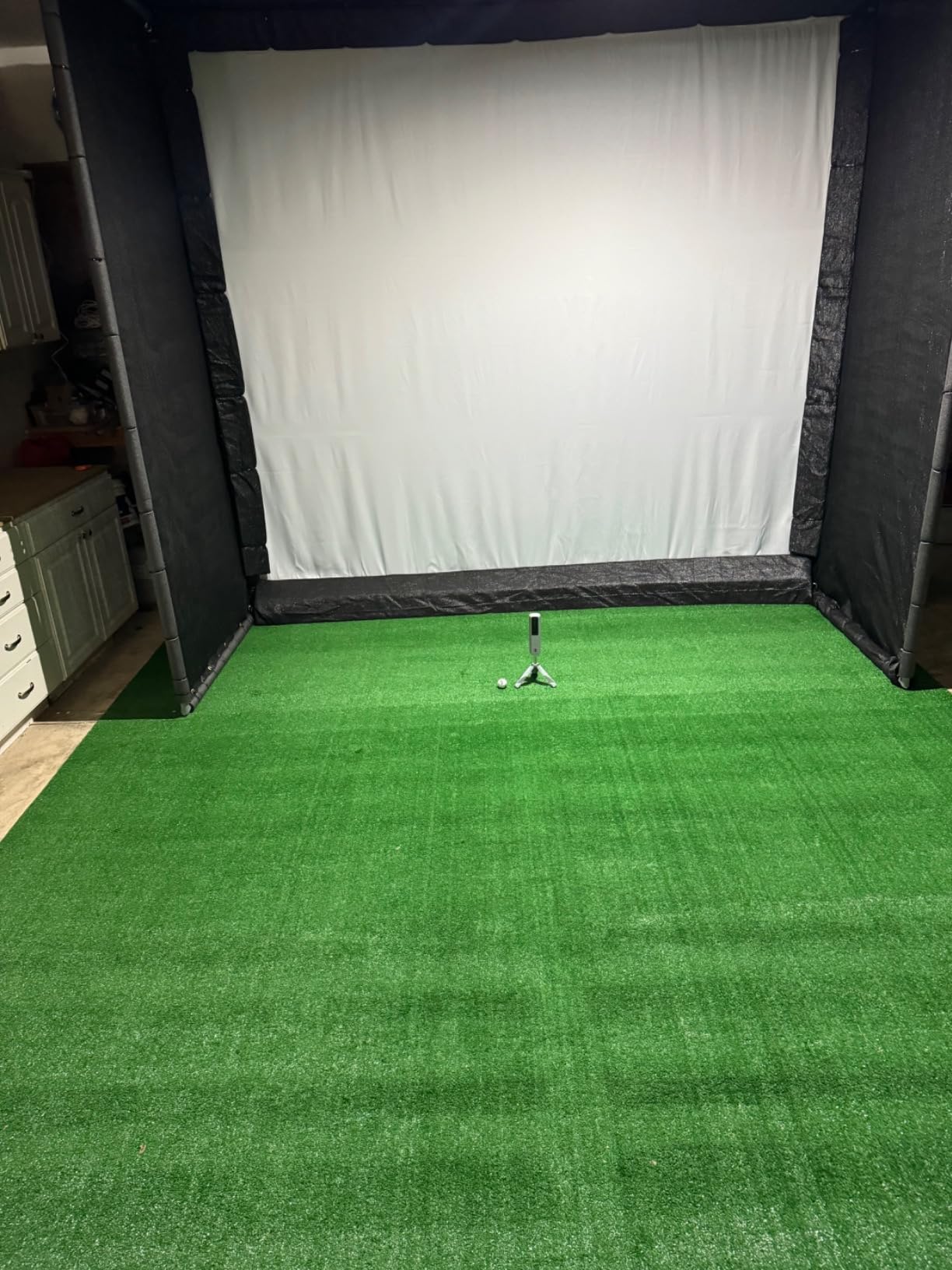
One forum detail is worth repeating because it decides setups: owners on r/Golfsimulator note that this unit needs roughly eight feet of clear space behind the ball for accurate club tracking. That is more than most people expect.
What RPT balls actually cost you
The included balls wear out fast. Owners report roughly 70 swings each before the spin pattern becomes unreadable, so your ball supply is a recurring line item whether you hit 20 or 200 shots a week.
In exchange you get measured spin rather than an estimate. If your practice is about spin and face control, that is a trade most serious golfers make happily.
What the subscription actually gates
The 45 day trial opens simulated courses, third-party app integration, target range, impact vision and speed training. After that, the annual membership is required for the full feature set, and owners report the price has risen sharply.
Wi-Fi pairing is the other frustration. Shared network connections drop often, while direct Wi-Fi is more stable but cuts off other apps on the phone. Budget a few sessions of setup patience.
7. SkyTrak – Best for Tight Indoor Spaces
SKYTRAK Golf Launch Monitor | Photometric Technology for Ball Speed, Carry & Total Distance, Spin Rates, Launch & Shot Shape Data | Golf Simulator & Practice
Photometric camera tracking
5.75 inch LCD
1024 x 600
iOS, Android and PC
Pros
- Photometric high speed camera measures the ball not the club
- Works in tight rooms where radar units struggle
- Provides 3D ball flight
- launch angle
- spin and shot shape
- Wireless and portable with a rechargeable battery
- Outputs to iOS
- Android or PC
Cons
- Missed reads are common with no clear ready signal
- Horizontal launch angle is the weakest measurement
- Distances typically run 10 to 15 yards short
- Driving range only in the box with add-on packages for the rest
- Older versions can struggle to connect to a home network
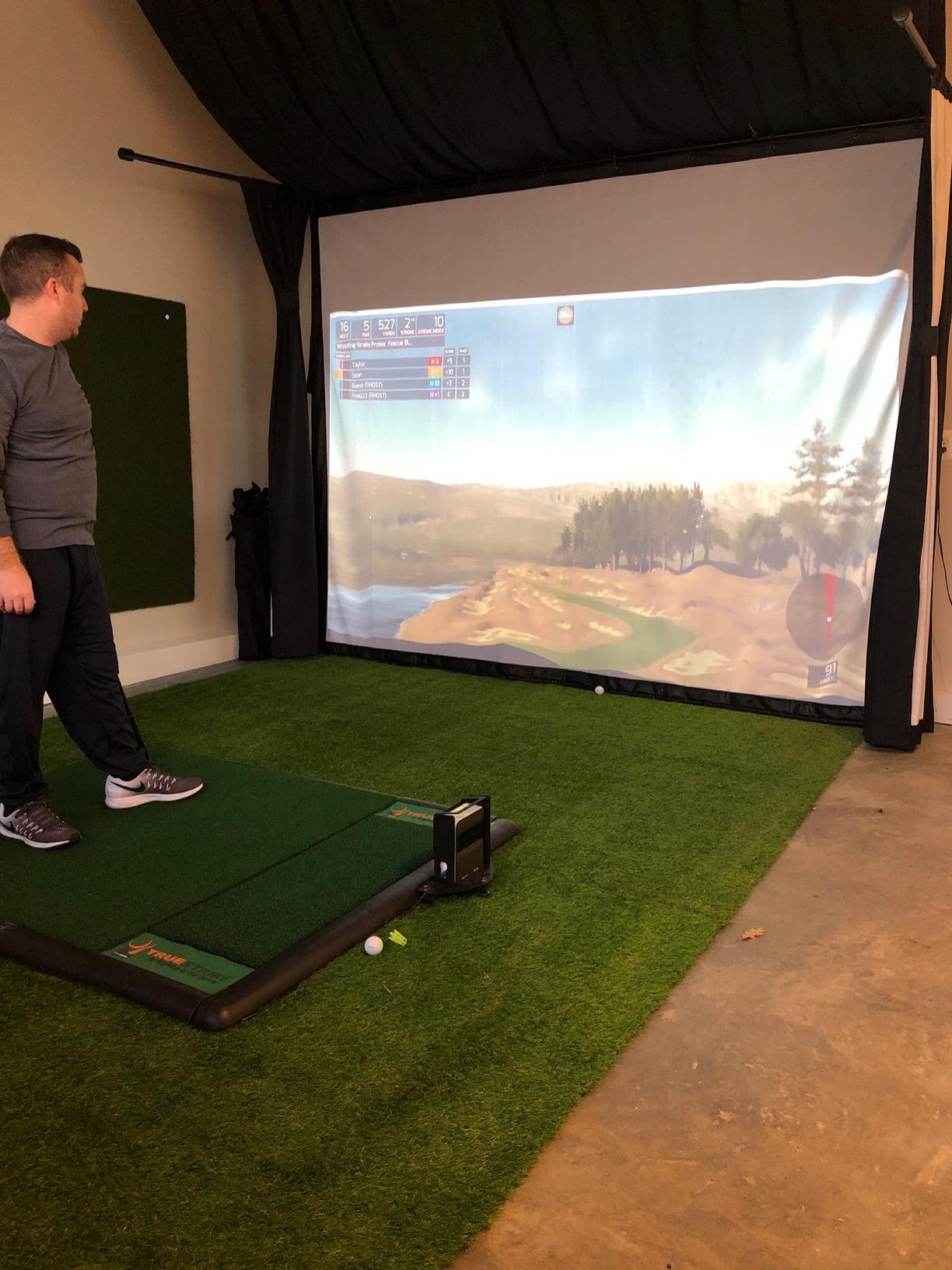
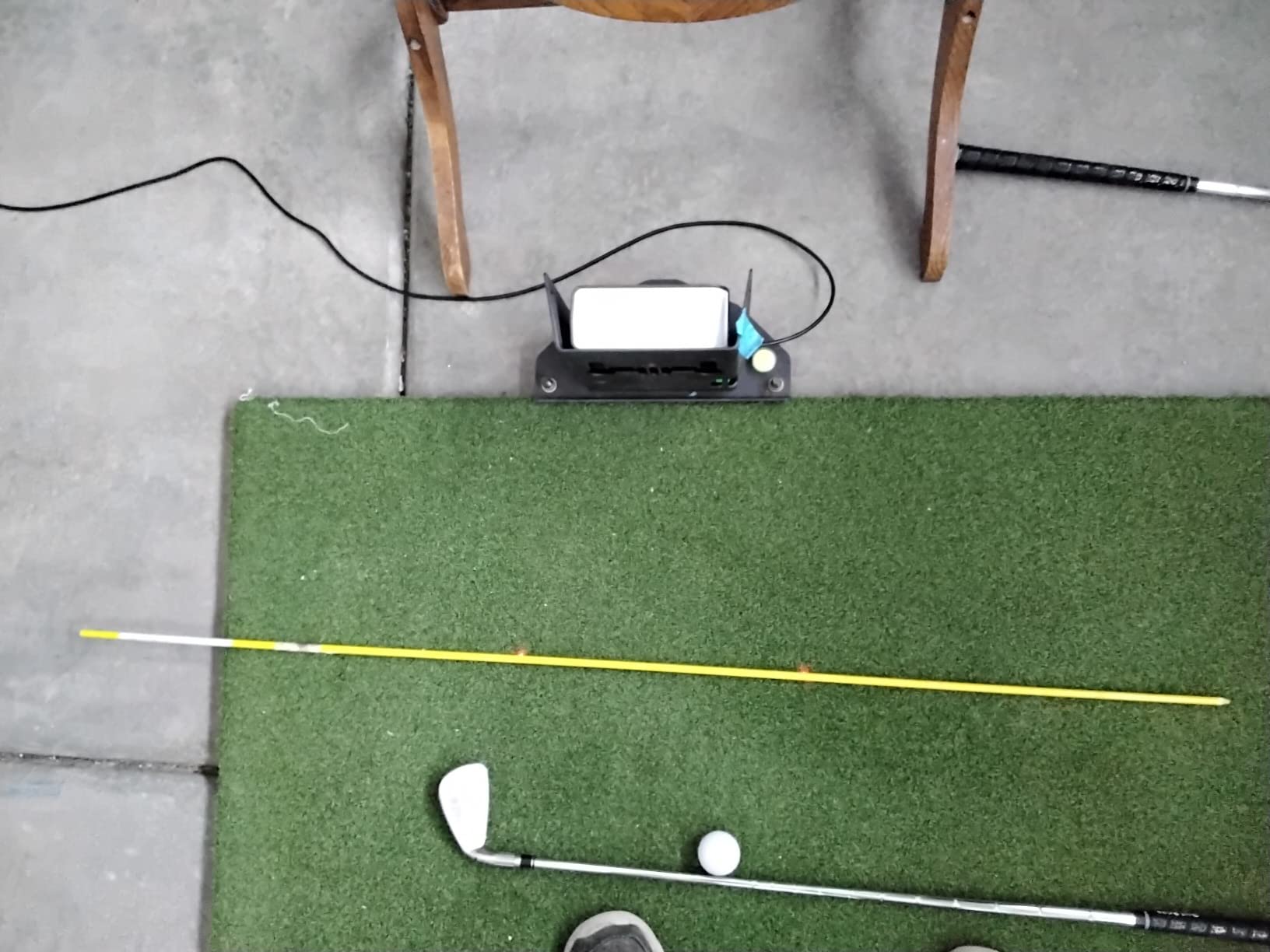
SkyTrak is the lowest-rated pick here, and the reason is consistency rather than capability. It measures the ball rather than the club, so waggles and setup movement do not cause missed reads, which is a genuine advantage in a small indoor bay.
The 5.75 inch LCD shows 3D ball flight, launch angle, spin rates, carry and total distance, and shot shape. Output goes to iOS, Android or a PC, and the built-in rechargeable battery gives roughly four hours of use.
My caution is outdoor. Horizontal launch angle is its weakest measurement and accuracy degrades badly if the unit is not perfectly level, and distances commonly run 10 to 15 yards short of real playing distance. Treat it as an indoor-first device with occasional backyard use.
Why camera units win in tight quarters
A photometric camera needs a short window in front of the ball, not a long flight corridor. That is why it works in a garage bay where a radar unit simply cannot get a clean read.
Measuring the ball instead of the club also means a slow practice swing or a waggle does not produce a bogus speed number.
What the software costs after the trial
The base package includes the driving range. Challenges, shot history and full course play each need an additional subscription package, so the true cost arrives after you have decided you like the device.
Some owners on older versions report connection trouble with a home network, and misreads give no warning that the unit is ready for the next shot. Level it carefully before every session.
8. TAGCMC GX-10 – Best for Subscription-Free Data
Golf Launch Monitor & Portable Simulator, Tracks 13+ Metrics Swing Analysis
1.4 lb package
8.58 x 6.65 x 1.89 inch
Metal body
Spin rate and spin axis
Pros
- No subscription required for the core experience
- Supports iOS
- Android and HarmonyOS in three languages
- Built in temperature
- humidity and barometric sensors adjust readings
- Reports spin rate
- spin axis
- attack angle and launch angle
- 3D driving range with 45 and 90 degree views
- Adjustable sensitivity lets you calibrate against a known unit
Cons
- Speed readings run high until you calibrate sensitivity manually
- Some owners report connection trouble out of the box
- A few units struggle to hold a charge
- Far fewer reviews than the established brands
The pitch here is straightforward: full swing metrics with no subscription attached. It reports spin rate, spin axis, attack angle, launch angle and clubface impact visuals, and the app runs on iOS, Android or HarmonyOS in English, Chinese and Japanese.
Built-in temperature, humidity and barometric sensors adjust readings to real conditions. That is a thoughtful inclusion for outdoor work, where a cold morning and a warm afternoon really do move the numbers.
There is a 3D driving range with 45 degree and 90 degree views plus trajectory and video recording, and no paid tier is needed to reach them.
Calibrate it before you trust it
Out of the box the speed readings run high. The fix is the adjustable sensitivity setting: hit the same shots with this unit and a known-good reference, then dial it until the two agree.
Spend ten minutes on that step before your first practice session and the rest of the data becomes usable.
Where the risk sits
This is a young brand with a much smaller review base and a weaker sales rank than the established names. Reliability feedback is mixed, with some owners reporting pairing trouble and a few units that would not hold a charge.
If your practice plan depends on one number being right every session, a larger review base is worth paying for. If you want spin data with no ongoing fee, this is the most interesting option here.
9. Garmin Approach R50 – Best for a Phone-Free Setup
Garmin Approach® R50, Premium Golf Launch Monitor & Simulator
9 lb
10.6 x 7.5 x 16.5 inch
10 inch LCD touchscreen
4 hour battery
Pros
- Three camera system with high speed impact video
- 10 inch built in color touchscreen so no phone is needed
- Measures ball speed
- launch angle and face to path
- Training mode adds per club stats and dispersion charts
- Built in barometer adjusts carry for local pressure
- HDMI output to a monitor or projector
Cons
- Virtual rounds and putting require an active Garmin Golf membership
- Face to path needs the included club stickers
- 4 hour battery is the shortest of the Garmin units
- Heavy at 9 lb so it is not a grab and go device
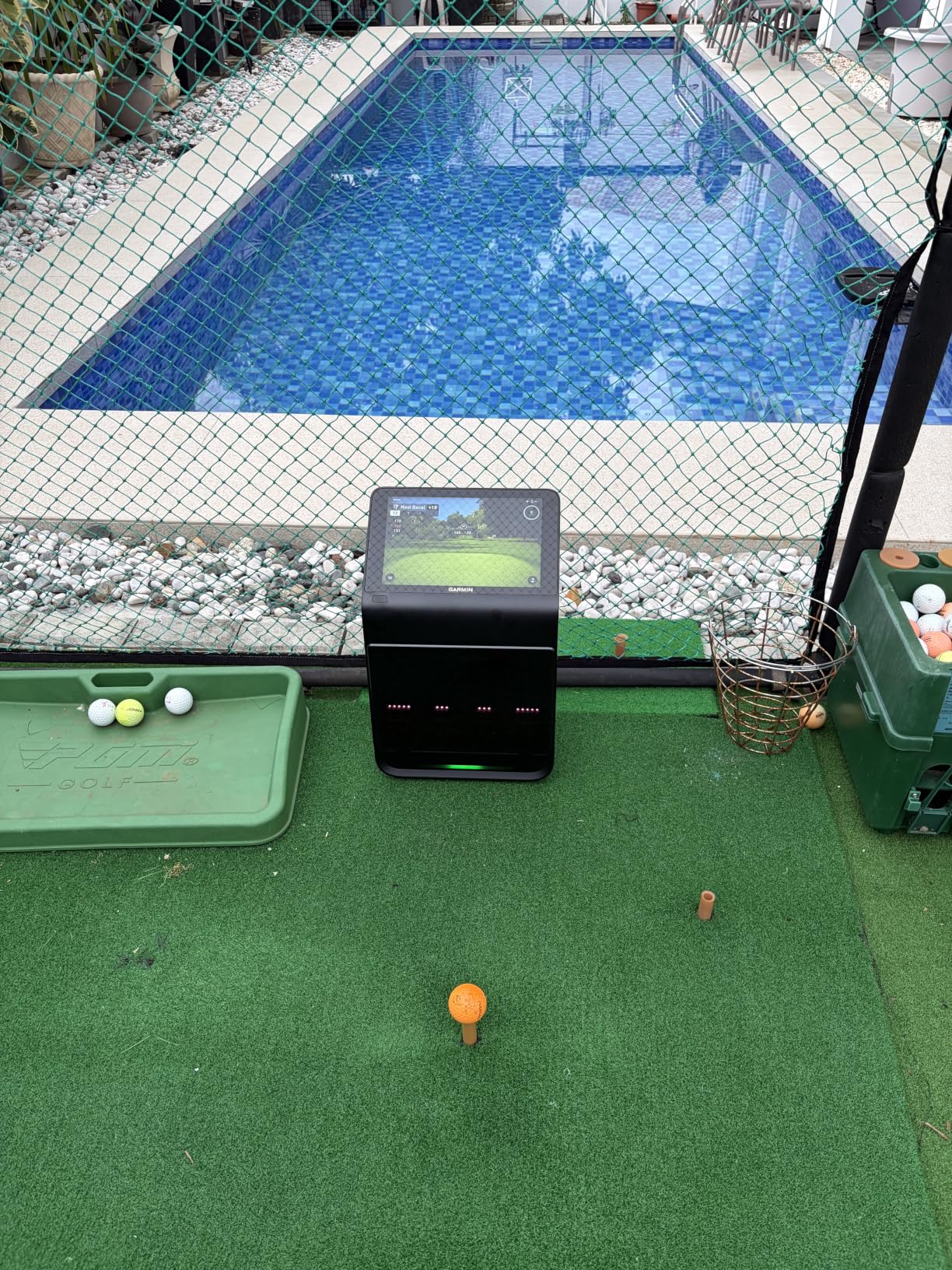
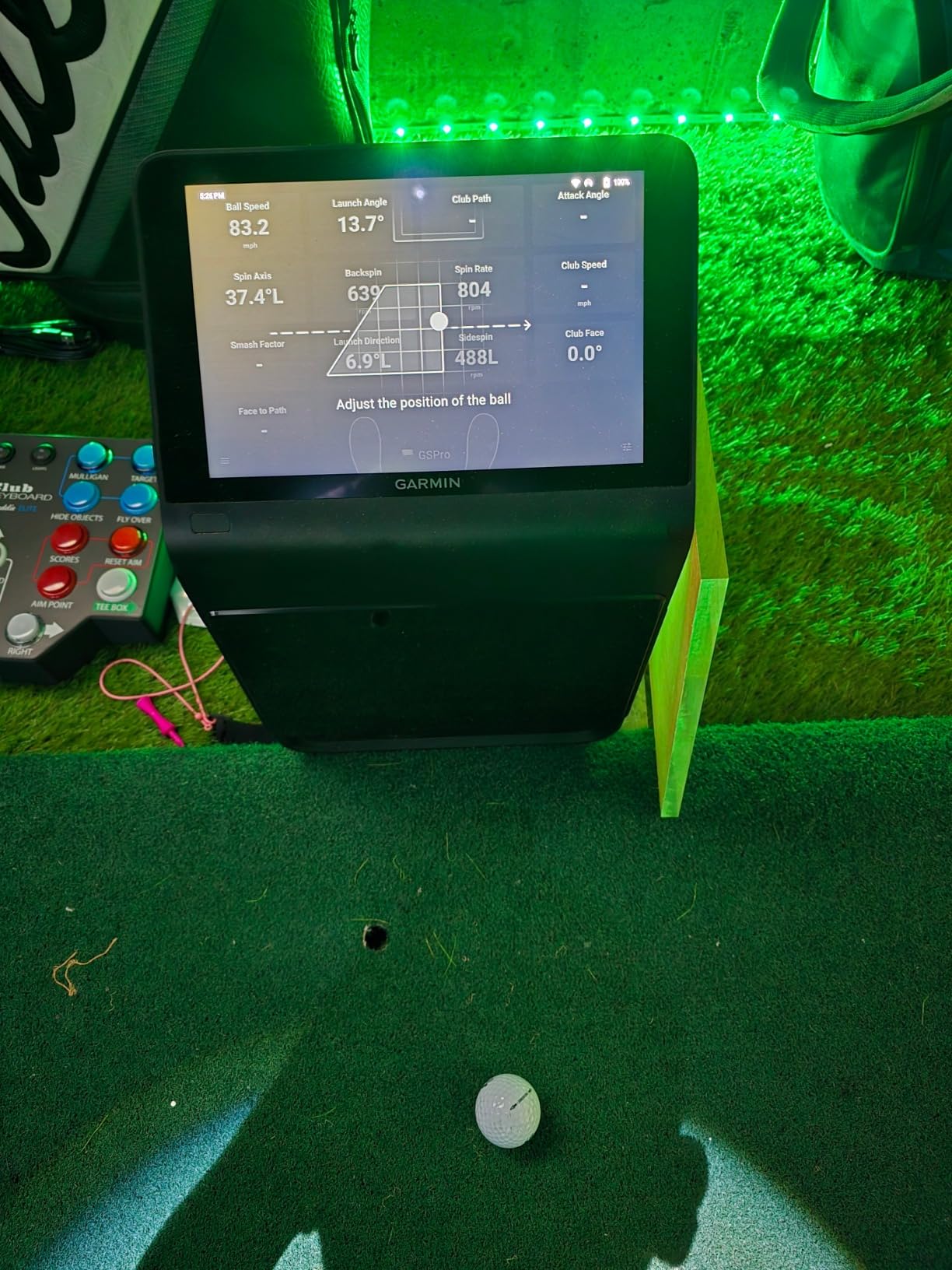
The R50 is the only unit here with a proper built-in screen: a 10 inch capacitive colour touchscreen that means no phone in the picture at all. In a backyard where the sun is on your back and your phone is in a pocket, that is a genuine quality-of-life difference.
Three cameras plus high-speed impact video deliver ball speed, launch angle and face to path using the included tracking stickers, with improved spin rate and axis. A built-in barometer adjusts carry distance for atmospheric pressure where you are.
Its 4.4 rating is among the highest here. The realism is offset by logistics: it weighs 9 lb, runs about four hours on a charge, and carries a carrying case for range days.
Who this actually suits
A fixed setup beats a portable one here. If the unit lives in a garage or a covered bay with power nearby, the weight stops being a problem and the display becomes the reason you bought it.
HDMI output lets you push the image to a projector or a larger monitor, which is how most owners turn it into a coaching screen.
What the sticker and membership requirements cost you
Face-to-path only works if you apply the included club tracking stickers. That is a ten-second job per club, but it is a step people forget.
Virtual rounds on more than 43,000 courses, including four-player putting, need an active Garmin Golf membership. Base practice data does not.
10. TheStack Radar – Best for Gamified Wedge Practice
TheStack™ Radar – Portable Golf Launch Monitor, Swing Speed & Ball Tracker
0.12 kg
6.89 x 3.23 x 1.38 inch
Bluetooth to app
iOS and Android for speed training
Pros
- Highest average rating in the group at 4.6 with 78 percent five star reviews
- Measures swing speed and ball speed with estimated carry and smash factor
- Connects over Bluetooth to TheStack App automatically
- Stack Wedging builds gamified skill specific sessions
- Stack Putting app adds guided on green practice
- Pocketable at 0.12 kg
Cons
- Very limited metric set with no launch angle
- spin or apex
- Carry distance is an estimate not measured flight
- Stack Wedging and Putting are iOS only with no Android wedging yet
- Only a 1 month free trial of Stack Wedge Mode included
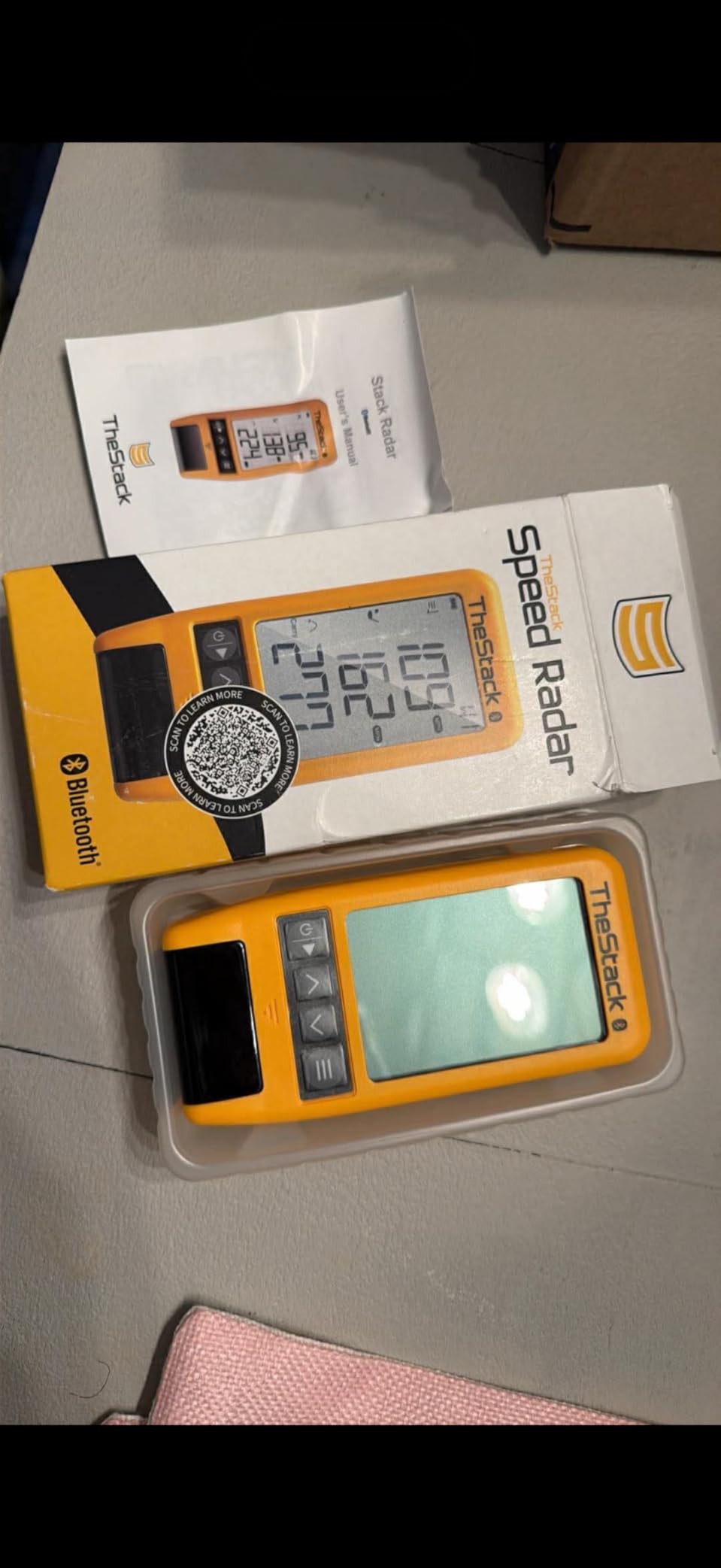
The Stack Radar has the highest average rating of the twelve units here at 4.6, with 78 percent of reviews at five stars. It measures swing speed and ball speed and calculates an estimated carry distance and smash factor from them.
The real value is the software that comes with it. Stack Wedging builds gamified, skill-specific sessions that walk you through distance gapping, and a bonus Stack Putting app gives guided practice and on-green insight. Speed data flows into TheStack App over Bluetooth automatically.
At 0.12 kg it goes anywhere, and a 2022 US Open champion uses it for speed training and range practice. It is a speed-training companion rather than a general-purpose launch monitor.
Why wedge gapping suits this device
Wedge work is about repeating a target number, and a swing speed plus estimated carry reading is enough to run that loop. The gamified sessions remove the boredom that usually kills a wedge session in week two.
Speed training works on both iOS and Android through TheStack App, so platform is not a problem if you only want the speed data.

What you give up for the simplicity
There is no launch angle, spin, apex or shot shape. If your practice plan depends on any of those, this is the wrong tool.
Carry distance is an estimate, and the wedge app is Apple-only for now and needs iOS 15.0 or later. The included trial covers one month of Stack Wedge Mode.
11. Uneekor EYE MINI CORE – Best for Read-Rate Confidence
Uneekor EYE MINI CORE Golf Launch Monitor & Simulator, 15 Ball Data Points, Near-Zero Latency, Works with GSPro, TGC19 & E6
8.4 lb
6.5 x 3.38 x 13.9 inch
Metal construction
2 year warranty
Pros
- Infrared plus high speed camera reads any dimple pattern with no stickered balls
- Very wide ball placement area and near zero latency
- All metal build in a bracket where most rivals are plastic
- Fewer no reads and misreads than entry level units
- VIEW software included with 15 ball data points and session reports
- Works with GSPro
- E6 Connect
- TGC19 and Creative Golf 3D
- Two year warranty
Cons
- An annual third party subscription is needed to connect to GSPro
- Club side data is not included at this tier without an upgrade
- Hardwired Ethernet so it cannot run from an iPad
- Needs a serious gaming PC for full simulation
- Misses many delicate chips and putts
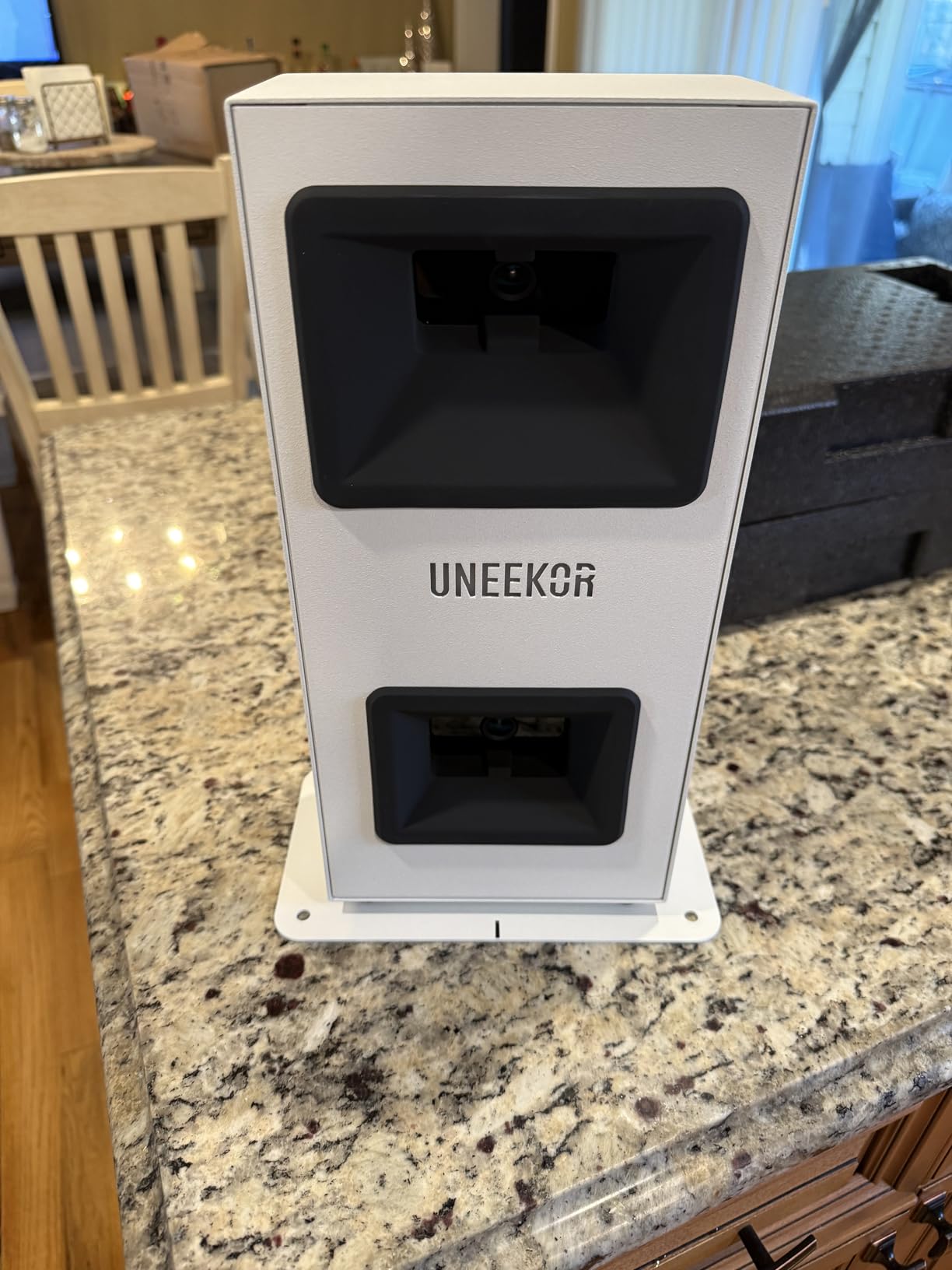
Read reliability is what owners upgrading from cheaper camera units cite as the reason to move to this one. Dimple Optix infrared plus a high-speed camera reads any dimple pattern, so you do not need stickered balls and you can hit whatever you actually buy.
The ball placement area is very wide and latency is close to zero, which makes rapid-fire practice feel like a real session rather than a queue of failed reads. The all-metal body is 8.4 lb and includes club sticker sheets and a power cable.
VIEW software is included with 15 ball data points and session reports, and it connects to GSPro, E6 Connect, TGC19 and Creative Golf 3D for course play.
Where infrared and camera together wins
Two sensing methods covering the same window means a ball that one system misses is usually caught by the other. Owners report markedly fewer no-reads than entry-level camera units.
Needing no proprietary balls removes the single most annoying running cost in this category, and the two year warranty is the longest in this roundup.
The system cost nobody advertises
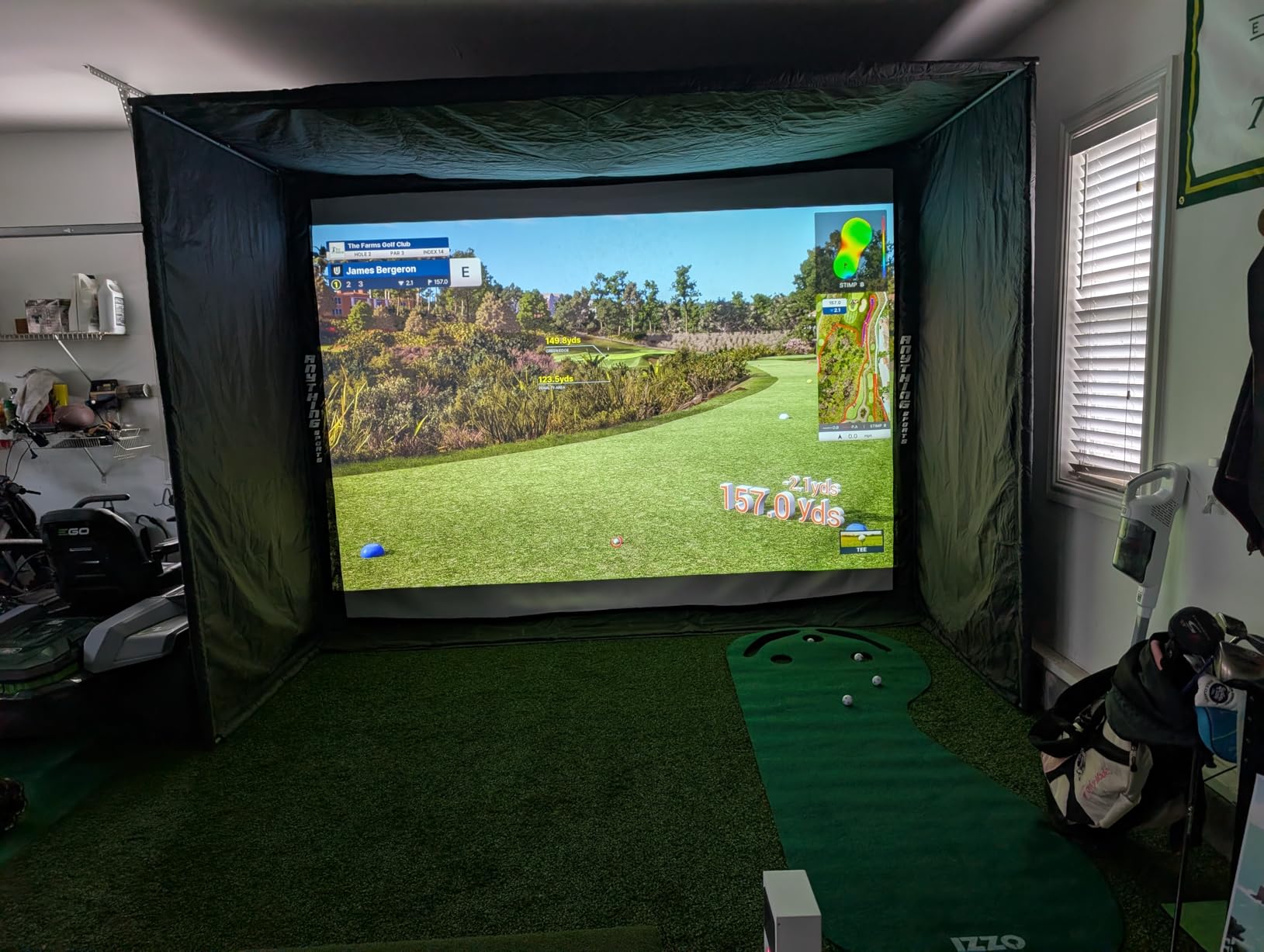
This is not a stand-alone device. It needs a hardwired Ethernet connection, so it stays plugged in and cannot run from an iPad. Full simulation wants an i7 or Ryzen 7, 32GB of RAM and an RTX4070-class card.
An annual third-party subscription is required to reach GSPro, and club-side data such as swing speed, swing direction and face to path is not included at this tier. It also does not reliably read putts and delicate chips.
12. FlightScope Mevo Gen2 – Best for Subscription-Free Courses
FlightScope Mevo Gen2 Portable Golf Launch Monitor and Simulator with 18 Swing Data Parameters, Front Facing Camera, 8 E6 Simulation Courses with GPS Overview and Shot Tracer | Indoor and Outdoor
1.1 lb
5.5 x 1 x 6.88 inch
Touch screen, 6 hour battery
Android, iOS and PC
Pros
- Fusion tracking pairs 3D Doppler radar with synchronized image processing
- Reports 18 swing
- chipping and putting parameters
- No subscriptions
- hidden fees or annual licenses
- 8 E6 Connect courses included for life
- Front facing camera supports multi cam video across three devices
- Shot Tracer draws the full flight path with data overlays
- Range ball setting improves accuracy with range balls
Cons
- Setup and iPad pairing are difficult and needed firmware updates
- Read rates are inconsistent for some users
- Elevation must be set manually or distances drift
- Some E6 courses need manual club selection when putting
- Only 4 of the 8 bundled courses run on minimum spec hardware
The FlightScope Mevo Gen2 is the rare device where you own the courses outright. Eight E6 Connect courses are included for life with no subscriptions, hidden fees or annual licences, alongside the FS Golf App, FS Skills App and Shot Tracer.
Fusion tracking combines 3D Doppler radar with synchronized high-speed image processing, and it reports 18 parameters covering full swing, chipping and putting, the broadest metric set in this group. At 1.1 lb with roughly six hours of battery, it is genuinely portable.
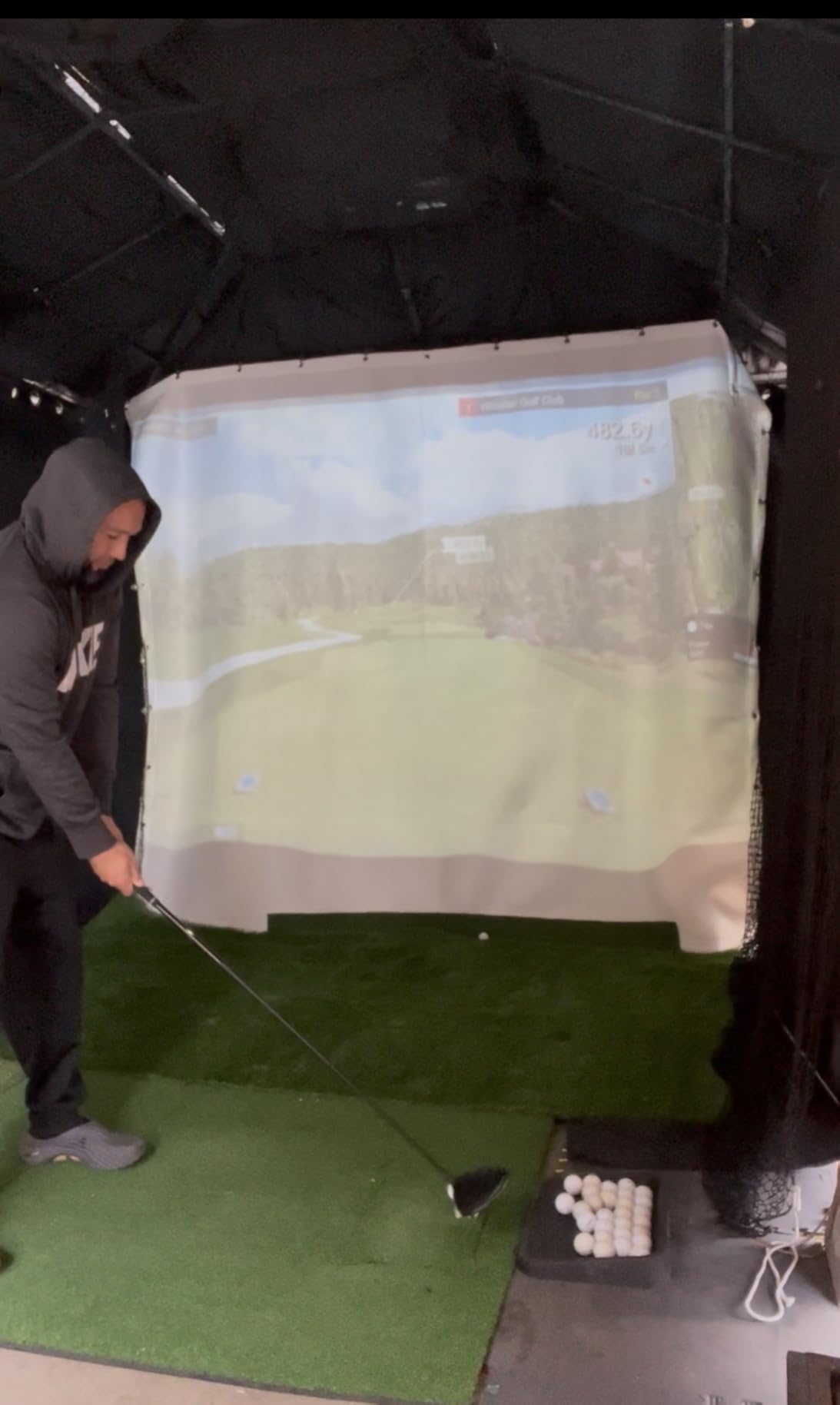
The Shot Tracer renders the ball flight in 3D with data overlays drawn straight onto the swing video, and the front-facing camera can work alongside up to three connected mobile devices. A dedicated range ball setting improves accuracy at the driving range.
What owning the courses actually saves
Over five years, the subscription-free course bundle is the strongest long-term argument here. Nothing expires and nothing renews, so you can play the same eight courses whenever you want.
Outdoor work is where the tracer earns its keep. Draw the flight path over the video and a push that looked straight becomes obvious frame by frame.
Setup is the part that frustrates people
Owners report difficult setup and iPad pairing that needed several firmware updates to stabilise. Budget an evening with the quick start guide before your first session.
Read rates are inconsistent for some users, and elevation has to be set manually or distances can be off by 15 yards or more. Set it once, properly, at the altitude of your backyard.
How to Choose a Launch Monitor for Backyard Practice
Measure your space before anything else. Owners on r/Golfsimulator repeat the same constraint constantly: the MLM2PRO needs roughly eight feet of clear space behind the ball for club tracking, and any radar unit needs an unobstructed flight corridor in front. Write down your longest clear run and buy against that number.
Next, pick the tracking technology that matches your light. Doppler radar (Garmin R10, PRGR, Voice Caddie) ignores ambient light entirely, which makes it the most reliable family for outdoor use. Photometric and infrared camera units (SkyTrak, Uneekor, FlightScope) need a dark or controlled space, so treat them as indoor-first devices with occasional backyard use.
Then decide about subscriptions, honestly. The Rapsodo Mobile Launch Monitor, PRGR, Voice Caddie, TAGCMC GX-10 and FlightScope Mevo Gen2 show you full practice data with no recurring fee. The MLM2PRO, Garmin R10, R50 and SkyTrak gate some content behind a membership. If your practice never leaves the backyard, the first group removes an ongoing cost for the whole life of the device.
Do not forget consumables. If a unit tracks spin from ball markings, factor in replacing those balls, since RPT balls are widely reported to lose their readable pattern after roughly 70 swings each. Radar and infrared units that read any dimple pattern sidestep the problem entirely.
Sunlight matters more than buyers expect. Any phone-based monitor becomes hard to read with the sun behind you, and phones can overheat and drain their batteries during long direct-sun sessions. The Garmin G80 and the Garmin R50 both have their own readable screens, which is a genuine advantage in summer.
Finally, plan for a household. Most of these handle more than one golfer without extra cost, with the exception of the SkyTrak add-on packages, which are per-user, and the Uneekor, which needs a fixed Ethernet position that suits one setup rather than two.
If you plan to move indoors later, our picks for the best premium launch monitors for home swing cover the higher tier with built-in screens and club tracking.
If you want the wider picture on gear around the tracker, our guide to the best golf launch monitors overall covers indoor-first setups, and best launch monitors for beginners is worth reading if your practice plan is still taking shape.
Garmin Approach R10 vs Rapsodo MLM2PRO for Outdoor Practice
The Garmin Approach R10 wins on weather and simplicity. It is IPX7 waterproof, runs 10 hours on a charge, needs no proprietary balls, and gives per-club stats with a shot dispersion chart. The catch is a phone for every readout and the recurring complaints on r/golf and r/Golfsimulator about missed shots and distances that do not match course play. Track with it outdoors and it is dependable; expect fewer metrics than the price suggests.
The Rapsodo MLM2PRO wins on data depth. Fifteen metrics including true spin rate, spin axis, club path and launch angle, plus a dual-camera slow-motion view of the strike, put it a clear tier above for anyone working on delivery or face control. The trade is an annual membership for the full feature set, RPT balls that wear out quickly, and the largest clearance requirement of any unit here.
So the decision is simple. Buy the R10 if you practise in variable weather, play on the range, and want per-club distance trends without thinking about consumables. Buy the MLM2PRO if spin and impact data drive your practice and you can give it eight feet of clear space behind the ball.
Frequently Asked Questions
What is the best launch monitor for backyard golf?
The Rapsodo Mobile Launch Monitor is the best all-round choice for backyard practice because it reports carry distance, launch angle and shot shape outdoors with real range balls and no subscription. For true spin data, the Rapsodo MLM2PRO is the step up. For all-weather range work, the Garmin Approach R10 is the tougher option.
How much space do I need behind the ball for a launch monitor?
Plan on at least eight feet of clear space behind the ball for units with club tracking, which is the figure owners report for the Rapsodo MLM2PRO, plus an unobstructed flight corridor in front. Radar units also need a clear line of sight to the ball. Measure the longest clear run in your yard before choosing.
Do launch monitors work in sunlight?
Radar-based monitors such as the Garmin Approach R10, PRGR and Voice Caddie ignore ambient light and work reliably in direct sun. Camera-based units such as SkyTrak prefer controlled indoor light. On any phone-based monitor the screen itself becomes hard to read in direct sun, and phones can overheat during long sessions.
Do I need a subscription to use a launch monitor?
No. The Rapsodo Mobile Launch Monitor, PRGR HS-130A, Voice Caddie SC200Plus, TAGCMC GX-10 and FlightScope Mevo Gen2 show full practice data with no recurring fee. The MLM2PRO, Garmin R10, R50 and SkyTrak gate some simulator content behind an active membership.
Can a Square Golf launch monitor be used outside?
Camera-based units of this type work outdoors, but they need a clear window in front of and behind the ball and are affected by strong ambient light. If your yard is tight or your practice happens in open sun, a radar unit is the safer choice for reliability.
Best Golf Launch Monitors for Backyard Practice: The Verdict
The Rapsodo Mobile Launch Monitor is the best golf launch monitor for backyard practice in 2026 because it returns real outdoor numbers with real balls and charges nothing for them. The Garmin Approach R10 takes the weather and battery slot, the PRGR HS-130A takes speed training, and the FlightScope Mevo Gen2 takes subscription-free course play.
Start with space. Measure behind the ball and in front of it before you spend, because that single measurement eliminates more bad purchases than any spec sheet. Then buy on the metrics your practice plan actually uses, and check the “Check Latest Price” buttons for current pricing.