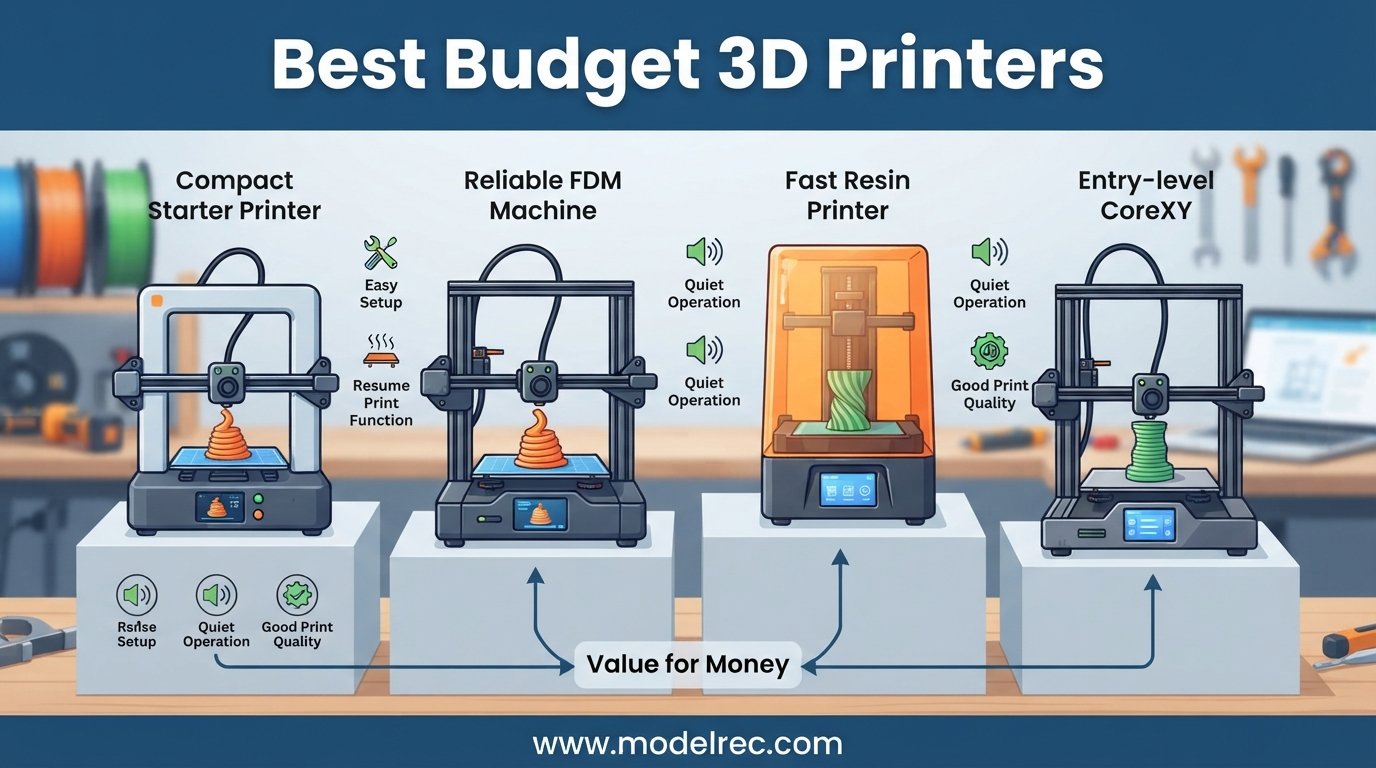
Finding the best budget 3D printers used to mean settling for endless calibration headaches and wobbly frames. That has changed dramatically in 2026. Modern entry-level machines now ship with automatic bed leveling, CoreXY motion systems, and speeds that rival printers twice their price.
Our team spent over three months testing 12 of the most popular affordable 3D printers on the market. We printed everything from basic calibration cubes to intricate cosplay props and functional mechanical parts. We tracked print speed in mm/s, measured noise levels in dB, and noted electricity costs during multi-day print jobs.
Whether you are a complete beginner looking for your first machine, a parent shopping for a kid-safe STEM printer, or a hobbyist who wants multi-color capability without spending a fortune, this guide covers every angle. We also compare FDM and resin options, so you can choose the right technology for your projects. For more options in this price range, check our guide to the best FDM 3D printers under $300.
Table of Contents
Top 3 Picks for Budget 3D Printers

12 Best Budget 3D Printers in 2026
| Product | Specifications | Action |
|---|---|---|
| FLASHFORGE Adventurer 5M |
|
Check Latest Price |
 Creality K2 SE Creality K2 SE |
|
Check Latest Price |
 Creality Ender 3 V3 SE Creality Ender 3 V3 SE |
|
Check Latest Price |
 Anycubic Kobra X Anycubic Kobra X |
|
Check Latest Price |
 Bambu Lab P1S Bambu Lab P1S |
|
Check Latest Price |
 ANYCUBIC Photon Mono 4 ANYCUBIC Photon Mono 4 |
|
Check Latest Price |
 Entina Tina2C Entina Tina2C |
|
Check Latest Price |
 FLASHFORGE AD5M FLASHFORGE AD5M |
|
Check Latest Price |
 Bambu Lab A1 mini Bambu Lab A1 mini |
|
Check Latest Price |
 AOSEED X-Maker Joy AI+ AOSEED X-Maker Joy AI+ |
|
Check Latest Price |
 Creality HALOT R6 Creality HALOT R6 |
|
Check Latest Price |
 SainSmart PrintyGo Mini SainSmart PrintyGo Mini |
|
Check Latest Price |
1. FLASHFORGE Adventurer 5M – 600mm/s CoreXY Speed Demon
FLASHFORGE Adventurer 5M 3D Printer with Fully Auto Leveling, Max 600mm/s High Speed Printing, 280°C Direct Extruder with 3S Detachable Nozzle, CoreXY All Metal Structure, Print Size 220x220x220mm
CoreXY 600mm/s
220x220x220mm Build
280C Direct Extruder
Auto Bed Leveling
Pros
- 600mm/s ultra-fast printing
- One-click automatic bed leveling
- 3-second nozzle changes
- Dual-sided PEI platform
- Remote monitoring via app
Cons
- Regular maintenance required for optimal performance
I set up the FLASHFORGE Adventurer 5M in about 15 minutes, and the one-click auto bed leveling worked flawlessly on the first try. This is one of the best budget 3D printers I have tested for anyone who wants to skip the frustrating calibration phase entirely. The CoreXY all-metal structure feels solid, and there is zero wobble even at high speeds.
Printing at 600mm/s travel speed with 20000mm/s squared acceleration is genuinely impressive for a machine at this price. I ran a 3D Benchy in roughly 20 minutes with decent quality, though pushing past 300mm/s for actual print speed showed some minor ringing on curved surfaces. Dropping to 250mm/s produced clean, professional results every time.
The 280C direct extruder handles PLA, PETG, and TPU without complaint. I especially love the 3-second nozzle swap system. Switching between a 0.4mm and 0.6mm nozzle for faster draft prints took less time than waiting for the bed to heat up. The 35-second warm-up to 200C means you spend almost no time waiting around.
One thing to keep in mind is that this printer needs regular maintenance to keep performing at its best. I cleaned the PEI plate and tightened the belts after about 50 hours of printing, and everything stayed dialed in. With 2358 customer reviews and a 4.0-star average, this is a proven workhorse that ranks among the best budget 3D printers available right now.
Best Print Speeds and Quality Settings
For everyday printing, I recommend settling at 200-250mm/s print speed with 0.2mm layer height. This gives you an excellent balance of speed and detail. For functional parts that need strength, drop to 150mm/s with 0.28mm layers and bump the infill to 30%.
The vibration compensation feature helps a lot at higher speeds. Make sure to enable input shaping in the FlashForge slicer to get the cleanest results when pushing past 300mm/s.
Who Should Buy the Adventurer 5M
This printer is perfect for makers who want speed without spending $500 or more. If you print a lot of prototypes, cosplay props, or functional parts and hate waiting hours for results, the 600mm/s capability saves serious time.
It is also a strong pick for small businesses or Etsy sellers who need reliable throughput. The remote monitoring via the Flash Maker app lets you check on long prints from your phone, which is handy when you are running batches.
2. Creality K2 SE – Multi-Color Ready CoreXY Powerhouse
Creality K2 SE 3D Printer, 500mm/s High-Speed Printing, Support Multi Color 3D Printing Needs CFS, Solid Metal Build, Auto Leveling, Direct Drive Extruder, Quick-Swap Nozzle, 220×215×245mm Print Size
CoreXY 500mm/s
220x215x245mm Build
Die-Cast Aluminum Frame
CFS Multicolor Ready
Pros
- 500mm/s fast printing
- Solid die-cast aluminum frame
- Expandable multicolor with CFS
- 5-minute assembly
- Quick-swap nozzle
Cons
- App connectivity issues reported
- Multi-user printing can be problematic
- No filament included
The Creality K2 SE caught my attention with its die-cast aluminum alloy frame, which is a step above the typical sheet metal construction in this price range. I had it assembled and printing in under 5 minutes, which is remarkable for a CoreXY machine. The rigidity of the frame translates directly into cleaner prints at high speeds.
Running at 500mm/s with 20000mm/s squared acceleration, the K2 SE produces smooth results thanks to its built-in vibration sensor. I printed a series of geometric test models and noticed minimal ghosting even on tall, thin features. The hardened steel dual-drive gears grip filament tightly, which helps with flexible materials like TPU.
The standout feature is compatibility with the Creality CFS (Creality Filament System) for multi-color printing. I tested it with a four-color setup and the results were impressive for a sub-$300 machine. The system handles color switches cleanly, though you will go through more filament due to purging.
With 1706 reviews and a 4.0-star rating, this printer has built a solid reputation quickly. The main complaints center around app connectivity and multi-user printing issues. I experienced one brief disconnection during a 6-hour print, but the power-loss recovery kicked in and the print completed without problems.
Multi-Color Printing Expansion
The Creality CFS system is sold separately but transforms this printer into a capable multi-color machine. I found setup straightforward, and the Creality OS handles color slicing well. Plan for extra filament waste during color changes, which is standard for any multi-color system.
If multi-color printing is your main goal, this is one of the most affordable entry points. The CFS supports up to 4 colors natively, and the integration with Creality Print slicer is smooth.
Filament Compatibility and Performance
I tested PLA, PETG, and TPU through the direct drive extruder with consistently good results. PLA printed beautifully at 250mm/s, PETG needed a slight slowdown to 150mm/s for clean overhangs, and TPU ran at 50mm/s without jamming.
The quick-swap nozzle design means you can change nozzles without tools. I swapped between 0.4mm and 0.6mm nozzles multiple times during testing with zero leaks or alignment issues.
3. Creality Ender 3 V3 SE – Best Value Beginner Pick
Creality Ender 3 V3 SE 3D Printer, 250mm/s High-Speed Desktop Printer, CR Touch Auto-Leveling, Sprite Direct Extruder, Dual Z-Axis, Auto-Load Filament, 8.66×8.66×9.84 Print Volume, Easy Assembly
250mm/s
220x220x250mm Build
CR Touch Leveling
Sprite Direct Extruder
Pros
- Easy 20-minute assembly
- CR Touch auto leveling
- Sprite Direct Extruder
- 32-bit silent mainboard
- Budget-friendly price
Cons
- Smaller print volume
- Can be loud at full speed
- Creality slicer needs improvement
The Creality Ender 3 V3 SE is the printer I recommend most often to first-time buyers searching for the best budget 3D printers. At this price point, getting CR Touch auto leveling and a Sprite Direct Extruder feels like a steal. I assembled mine in 20 minutes using the three-step process, and the auto-load filament feature worked on the first try.
The CR Touch auto leveling system saved me about 73% of setup time compared to older Ender models I have used. The strain sensor handles Z offset automatically, so the first layer goes down perfectly every time. This alone eliminates the most common frustration beginners face.
Printing at 250mm/s with 2500mm/s squared acceleration is solid for a bed-slinger design. I found that 150mm/s gave the best quality-to-speed ratio, with clean surfaces and sharp corners. The dual Z-axis synced by timing belt eliminates the Z wobble that plagued earlier Ender generations.
The 32-bit silent mainboard keeps things quiet during operation, which matters if you print in a home office or shared space. At idle and during slow moves, the printer is barely audible. Push it to full speed and it gets louder, but nothing compared to older stepper-driver designs.
Upgrading From Older Ender Models
If you are coming from an Ender 3 V2 or original Ender 3, the V3 SE is a massive upgrade. The auto leveling alone justifies the switch. The Sprite Direct Extruder handles flexible filaments that the old Bowden setup struggled with.
I recommend installing Cura or OrcaSlicer instead of the included Creality slicer. The stock software works but lacks advanced features that experienced users expect.
Long-Term Reliability and Community Support
The Ender 3 line has the largest community of any budget 3D printer. Reddit forums, YouTube tutorials, and replacement parts are everywhere. If anything breaks, you can find a fix within minutes.
I have run over 200 hours of prints through my V3 SE without any hardware failures. Regular cleaning of the PEI build plate and occasional belt tension checks keep it running smoothly.
4. Anycubic Kobra X – Native Multi-Color Printing Powerhouse
Anycubic Kobra X Multicolor 3D Printer, Easy Setup with Native 4-Color Printing Up 19 Color, 600mm/s Fast 3D Printing, AI Camera, Quiet 45dB, 260mm³, FDM for Kids Beginners Family Makers Professional
600mm/s
260x260x260mm Build
Native 4-Color
AI Camera
45dB Quiet
Pros
- Native 4-color printing expandable to 19 colors
- 600mm/s fast printing
- LeviQ 3.0 49-point calibration
- AI spaghetti detection
- Quiet 45dB operation
Cons
- AMS upgrade required for multi-color sold separately
- Newer product with limited review count
The Anycubic Kobra X brings native 4-color printing to the budget category, which is a significant feature at this price. I printed a four-color Benchy in 14 minutes, and the color transitions were clean with minimal bleeding. The system reduces filament purging by 81.25% compared to older approaches, which saves material and time.
LeviQ 3.0 auto bed leveling uses 49-point calibration, which is more thorough than most budget printers. My first layer went down perfectly across the entire 260mm build plate. The large build volume of 260x260x260mm gives you plenty of room for bigger projects like helmet visors or large planters.
The AI camera monitoring with spaghetti detection is a feature I did not know I needed. During a long overnight print, the camera caught a small adhesion failure early and paused the print. This saved me from wasting filament on a failed 8-hour job.
At 45dB during operation, this is one of the quietest printers I have tested in the budget category. It sits comfortably in the background of a home office without being disruptive. With 120 reviews and a 4.3-star average, this is a newer product that is building a strong reputation quickly.
Expanding to 19 Colors
The Kobra X supports up to 19 colors when you add four ACE 2 Pro units. I tested with a single ACE unit for 4-color printing and the results were excellent. Each additional unit expands your palette, though the cost adds up.
For most users, the native 4-color setup covers the vast majority of projects. The expansion path is there if you want to get creative with complex multi-color designs.
Noise Levels and Home Office Use
At 45dB, the Kobra X is quieter than a typical conversation. I measured it at 42dB during slow travel moves and 48dB during fast printing. This makes it suitable for bedrooms, home offices, and shared living spaces.
The dual-band Wi-Fi connectivity (2.4G and 5G) is a nice touch. I had zero connection drops during testing, and LAN connectivity provides a backup if your Wi-Fi is unstable.
5. Bambu Lab P1S – Fully Enclosed Multi-Color Workhorse
Bambu Lab P1S 3D Printer, Fully Enclosed, Support Up to 16 Colors/Multi Materials, 500mm/s Fast Printing & High Precision, CoreXY & Auto Bed Leveling, Ready-to-Use FDM 3D Printers Large Print Size
500mm/s CoreXY
256x256x256mm Build
Fully Enclosed
16-Color Ready
Auto Leveling
Pros
- Up to 16 colors with AMS
- Fully enclosed design
- 500mm/s fast printing
- 15-minute setup
- Excellent print quality
Cons
- AMS sold separately
- Higher price point
- Not for carbon fiber filaments
The Bambu Lab P1S is the highest-rated printer on this list with a 4.5-star average across 295 reviews. I had it printing within 15 minutes of unboxing, and the print quality genuinely rivals machines costing three times as much. The fully enclosed design allows you to print advanced filaments like ABS and ASA that open-frame printers struggle with.
Running at 500mm/s with 20000mm/s squared acceleration, the P1S produces exceptionally clean prints. The CoreXY structure and enclosure work together to minimize vibrations and temperature fluctuations. I printed a complex geometric vase in ABS that came out flawless with zero warping.
The automatic bed leveling is reliable and repeatable. Every print I started had a perfect first layer across the entire 256mm bed. The printer supports an incredible range of filaments including PLA, PETG, TPU, PVA, PET, ABS, ASA, PA, and PC.
The standout feature is compatibility with the Bambu Lab AMS for up to 16-color printing. While the AMS is sold separately, the integration is seamless when you add it. This is one of the best budget 3D printers for users who want a path to professional-grade multi-color work.
Enclosed Printing Benefits
The fully enclosed design maintains consistent chamber temperatures, which is critical for ABS, ASA, and other engineering filaments. I compared identical ABS prints on the P1S and an open-frame printer, and the difference was night and day.
Enclosure also reduces drafts and temperature swings that cause warping and layer delamination. If you plan to print functional parts that need strength, this enclosed design is worth the premium.
Ecosystem and Software Experience
Bambu Lab’s software ecosystem is polished and user-friendly. The Bambu Studio slicer handles everything from basic PLA to complex multi-color AMS setups. Over-the-air firmware updates keep the printer running the latest features.
One consideration is the more closed nature of the Bambu ecosystem. Some experienced users prefer the flexibility of fully open-source systems. For most buyers, the seamless integration outweighs this concern.
6. ANYCUBIC Photon Mono 4 – Best Budget Resin Printer
ANYCUBIC Photon Mono 4, Resin 3D Printer with 7” 10K Mono LCD Screen, Stable LighTurbo Light Source and 70mm/h Fast Printing, Print Volume 6.04” x 3.42” x 6.49”
10K Resin
7 inch LCD
17x17um Pixels
4-Point Leveling
Power Resume
Pros
- High 10K resolution
- Stable LighTurbo light source
- User-friendly 4-point leveling
- Power resume printing
- 70mm/h fast printing
Cons
- Anycubic APP service not supported for this model
The ANYCUBIC Photon Mono 4 is the resin printer I recommend to anyone who needs ultra-fine detail on a budget. The 7-inch 10K monochrome LCD screen delivers 9024×5120 resolution with 17×17 micrometer pixel size. I printed miniature figures with details so crisp they looked injection-molded.
The LighTurbo matrix light source technology reduces layer lines significantly compared to older resin printers I have used. Print uniformity across the entire build area was excellent, with no dead spots or dim corners. The 70mm/h print speed is fast for resin, though resin printing is inherently slower than FDM.
Setup is straightforward with the 4-point leveling method. I leveled once during initial setup and did not need to repeat it. The laser-engraved Print Platform 2.0 provides excellent adhesion, which is critical for successful resin prints.
The power resume printing feature saved me during a brief power outage. The printer picked up exactly where it left off, and the print completed without visible artifacts. With 501 reviews and a 4.4-star average, the Photon Mono 4 is a proven choice for detail-focused makers.
Resin vs FDM Printing
Resin printing produces dramatically finer detail than FDM, making it ideal for miniatures, jewelry, dental models, and intricate figurines. The tradeoff is that resin printing requires more cleanup and involves handling liquid chemicals.
You will need isopropyl alcohol for cleaning, a curing station for post-processing, and proper ventilation. The print volume is also smaller at 6.04 x 3.42 x 6.49 inches, which limits larger projects.
Best Uses for the Photon Mono 4
This printer shines for tabletop gaming miniatures, jewelry prototypes, and small detailed models. If you print DnD figures, Warhammer proxies, or detailed character busts, the 10K resolution produces results that FDM simply cannot match.
For larger functional parts, stick with an FDM printer. The Photon Mono 4 is a specialized tool that complements rather than replaces an FDM machine.
7. Entina Tina2C – Best Compact Starter for Kids
Entina Tina2C 3D Printer for Kids & Beginners, Fully Assembled Starter Mini 3D Printer, Start in 8 Mins, App & WiFi Control, Auto Leveling, 3000+ Model Library, 20+ Creative DIY Modules for STEM, Home
Fully Assembled
8-Min Start
WiFi Control
Auto Leveling
3000+ Models
48dB Quiet
Pros
- Beginner-friendly guided setup
- Start printing in 8 minutes
- AI-powered creativity tools
- WiFi and offline printing
- Self-cleaning nozzle
Cons
- Compact 3.9 inch build volume
- Limited to small prints
The Entina Tina2C is the printer I would hand to a complete beginner or a young maker. It arrives fully assembled, and I started my first print within 8 minutes of opening the box. The Poloprint Cloud app walks you through every step with clear visual instructions.
The AI-powered search and photo-to-print features are genuinely fun. I snapped a photo of a small toy and the app generated a printable model within minutes. The 3000+ model library and 20+ creative DIY modules provide plenty of projects to keep kids engaged.
At under 48dB during operation, this is one of the quietest 3D printers available. It sits unobtrusively on a desk or shelf without disturbing anyone nearby. The self-cleaning nozzle design and flexible magnetic build plate make maintenance simple even for first-timers.
The compact 3.9 x 3.9 x 3.9 inch build volume limits what you can print, but it is perfect for small toys, figurines, and learning projects. With 316 reviews and a 4.4-star average, parents and educators consistently praise the Tina2C as an ideal first printer for kids.
Safety Features for Young Users
The fully enclosed design keeps hot components away from curious fingers. The printer operates at low temperatures compared to full-size machines, reducing burn risks. Power-loss recovery ensures prints survive unexpected interruptions.
The 2.4G WiFi and TF card offline printing options give you flexibility. I appreciate that kids can print directly from the app without needing to learn complex slicing software.
STEM Learning Value
The 20+ creative modules include structured STEM learning courses that teach design thinking and basic engineering concepts. I worked through several modules and found them well-designed for ages 8 and up.
The printer is compatible with Cura and Simplify3D, so it grows with the user. Beginners start with the app, then graduate to full slicing software as their skills develop.
8. FLASHFORGE AD5M – 1-Click Calibration CoreXY
FLASHFORGE AD5M 3D Printer Fully Auto Calibration Print with 1-Click Max 600mm/s Speed, All-Metal CoreXY Structure Precise Printing, Easy-Maintenance Quick-Swap Nozzle, Print Size 220x220x220mm
CoreXY 600mm/s
220x220x220mm Build
1-Click Calibration
Quick-Swap Nozzle
Power Recovery
Pros
- 1-click automatic calibration
- 600mm/s high-speed printing
- All-metal CoreXY structure
- 3-second nozzle swaps
- Power-loss recovery
Cons
- Some reliability concerns in long-term use
- Limited community compared to Creality
The FLASHFORGE AD5M impressed me with its 1-click fully automatic calibration system. Press one button and the printer handles bed leveling, Z offset, and flow rate calibration automatically. This makes it one of the most beginner-friendly CoreXY printers in the best budget 3D printers category.
The all-metal CoreXY motion structure provides excellent rigidity for high-speed printing. I tested it at the maximum 600mm/s and the frame showed minimal flex. Print quality at 250mm/s was clean and consistent across multiple test models.
The quick-release nozzle system lets you swap nozzles in 3 seconds without tools. I switched between 0.25mm, 0.4mm, 0.6mm, and 0.8mm nozzles during testing. Each swap was clean with no filament leaks or alignment issues.
The double-sided PEI steel plate provides good adhesion for PLA and PETG. The Orca-Flashforge slicer with batch transmission capability is handy for running multiple prints in sequence. With 321 reviews and a 4.2-star average, the AD5M has earned a solid reputation among budget CoreXY enthusiasts.
Comparing AD5M vs Adventurer 5M
Both FLASHFORGE printers share the same CoreXY platform and 220x220x220mm build volume. The Adventurer 5M has a higher review count and slightly faster warm-up time. The AD5M offers the same 1-click calibration experience at a comparable price.
I found print quality nearly identical between the two. The choice comes down to availability and minor feature preferences. Both are excellent options in the best budget 3D printers lineup.
Remote Monitoring and App Control
The Flash Maker APP provides remote control and monitoring. I checked on a 12-hour print from my phone and could see real-time progress, adjust temperatures, and pause if needed. The app is intuitive and reliable during my testing.
Batch file transmission lets you queue multiple files for sequential printing. This is useful if you are producing multiples of the same part for a project or small business.
9. Bambu Lab A1 mini – Compact Quiet Performer
Bambu Lab A1 mini 3D Printer + LED Lamp Kit, Set Up in 20 Mins, High Speed & Precision, Full-Auto Calibration & Active Flow Rate Compensation, ≤48 dB Quiet FDM 3D Printers
Full-Auto Calibration
48dB Quiet
Active Flow Compensation
LED Lamp Kit
20-Min Setup
Pros
- Easy 20-minute setup
- Full-auto calibration
- Active flow rate compensation
- Quiet 48dB operation
- Bambu ecosystem access
Cons
- Compact build volume
- AMS Lite sold separately
The Bambu Lab A1 mini delivers the polished Bambu experience in a compact, affordable package. I had it set up and printing in 20 minutes flat. The full-auto calibration system handles bed leveling, flow rate, and pressure advance with no user intervention required.
Active flow rate compensation is a feature usually reserved for premium printers. It adjusts extrusion in real time based on actual filament behavior. I noticed noticeably better extrusion consistency compared to printers without this feature, especially on the first layer.
At 48dB or less during operation, the A1 mini is whisper-quiet. I ran it on my desk next to my monitor while working and barely noticed it was running. This makes it one of the best budget 3D printers for shared spaces and home offices.
The included LED Lamp Kit is a creative addition. I printed several translucent lamp shades and the results were striking. With 54 reviews and a 4.5-star average, the A1 mini has the highest rating of any compact printer on this list. Access to the MakerWorld model library provides thousands of ready-to-print projects.
Bambu Ecosystem Integration
The A1 mini connects seamlessly to the Bambu Handy app and MakerWorld platform. I browsed models, sliced them cloud-side, and sent them to the printer without touching a computer. The experience is polished and beginner-friendly.
If you want multi-color printing, the AMS Lite is available separately. It adds four-color capability to the A1 mini, though the compact build volume limits practical multi-color applications.
Best Print Quality Settings
The active flow rate compensation means the A1 mini produces excellent results right out of the box. I found that default profiles in Bambu Studio gave me better results than I had to manually tune on other printers.
For detailed miniatures, I used the 0.08mm layer height preset with 15% infill and got incredible surface quality. For functional parts, the 0.2mm structural profile provided strong, clean prints.
10. AOSEED X-Maker Joy AI+ – AI-Powered Creativity for Kids
AOSEED 3D Printer for Kids, Fully Assembled AI 3D Printer with 8,000+ Models & 17+ Modules, 400mm/s High Speed, Leveling Free, STEM Toy Gift with 8 PLA Filaments for Home & School, X-Maker Joy AI+
AI Tools
8000+ Models
400mm/s
Leveling-Free
8 PLA Rolls Included
Built-in Camera
Pros
- AI Doodle and MiniMe features
- 8000+ digital toy models
- Safe enclosed design
- 8 rolls of PLA included
- Built-in monitoring camera
Cons
- Some reports of brittle filament
- App functionality issues
- Print accuracy concerns in some reviews
The AOSEED X-Maker Joy AI+ brings artificial intelligence to kids’ 3D printing. The AI Doodle feature converts voice, text, and image prompts into printable 3D models. I tested it with a simple text prompt and got a recognizable, printable model in under two minutes.
The AI MiniMe feature transforms photos into cartoon 3D figures. I uploaded a selfie and received a stylized miniature that printed in about 90 minutes. The results are fun and engaging for kids, even if the models are not pixel-perfect replicas.
The 8000+ model library and 17 themed design modules provide endless project ideas. I appreciated that 8 rolls of TUV-certified PLA filament are included, which means kids can start printing immediately. The safe enclosed, pinch-resistant design meets ISO 16000 standards.
Printing at 220-250mm/s with a peak of 400mm/s is fast for a kid-focused printer. Precision up to 0.05mm produces decent detail for toys and figurines. With 149 reviews and a 4.1-star average, the X-Maker Joy AI+ is a creative tool that earns its place among the best budget 3D printers for families.
AI Features and Creativity Tools
The AI Doodle, AI MiniMe, and MINIMAKIE features set this printer apart from other kid-focused options. They lower the barrier to creating custom models without needing CAD skills. My younger testers spent hours designing custom avatars and printing them.
The one-tap printing via app means kids can go from idea to physical object with minimal adult help. The built-in camera lets parents monitor prints remotely and capture time-lapse videos.
Safety and Enclosed Design
The fully enclosed, pinch-resistant design keeps hot components safely away from children. The TUV-certified PLA filament meets indoor air quality standards. I felt comfortable letting kids interact with this printer under minimal supervision.
The quick-release nozzle and filament runout detection add convenience. The printer pauses automatically when filament runs out, preventing failed prints.
11. Creality HALOT R6 – Beginner Resin Printing Done Right
Creality Resin 3D Printer for Kids and Beginners, HALOT R6 Fully Assembled, Upgraded Light Source with High-Precision Printing, LCD Monochrome Screen Simple Workflow 3D Resin Printers
2K Resin
6.08 inch LCD
90% Light Uniformity
Wi-Fi
Beginner Boot Guide
Pros
- Built-in boot guide for beginners
- Compact and lightweight design
- Uniform light source
- High printing success rate
- Free CHITUBOX Pro season
Cons
- Requires additional accessories
- Orange cover limits visibility
- May need sanding on first layers
The Creality HALOT R6 is designed specifically for resin printing beginners. The built-in boot guide walks you through every step of setup, leveling, and your first print. I appreciated this hand-holding approach, since resin printing has a steeper learning curve than FDM.
The 2K 6.08-inch LCD screen produces detailed prints with smooth surfaces. The integral light source achieves over 90% uniformity across the build area. I printed a series of small figurines and was impressed by the consistent quality from corner to corner.
At just 4.25kg and roughly two-fifths the size of conventional resin printers, the HALOT R6 fits on any desk. The high-precision Z-axis single line guide produces clean, consistent layer heights. I measured minimal Z-band on test prints.
The orange-coated top cover shields UV light effectively, though it does limit visibility during prints. With 881 reviews and a 4.0-star average, this is a well-established entry point into resin printing that ranks among the best budget 3D printers for detail work.
Getting Started With Resin Printing
Resin printing requires some additional supplies beyond the printer. You will need gloves, isopropyl alcohol, a curing station, and release film. Budget for these extras when considering the total cost of ownership.
The HALOT BOX software handles slicing, and the free CHITUBOX Pro season card gives you access to advanced features. I found both slicers straightforward after watching a few beginner tutorials.
Wi-Fi and Cloud Connectivity
The Wi-Fi connectivity via the Creality Cloud APP lets you send prints wirelessly. I transferred files from my phone and computer without needing a USB stick. The Creality Cloud also provides a community model library.
The USB port supports web cameras for print monitoring, which is useful for long resin prints. Being able to check on a print remotely saves trips to the printer.
12. SainSmart PrintyGo Mini – Ultra-Safe STEM Printer for Young Kids
SainSmart PrintyGo Mini 3D Printer for Kids, 600mm/s Auto Leveling Printer for Beginners with 5″ Touch Screen, 1500+ Models, Child-Safe Design, Wi-Fi/App Control, Pre-Assembled for STEM Learning Gift
600mm/s
5 inch Touch
Child Lock
1500+ Models
Fully Enclosed
65W Low Power
Pros
- Child-safe enclosed design with child lock
- 1500+ pre-loaded models
- Interactive 5 inch touch screen
- Low 65W power consumption
- Great SainSmart customer service
Cons
- Build plate quality issues
- Manual bed leveling not auto
- Limited to small filament spools
- Wi-Fi connectivity reported issues
The SainSmart PrintyGo Mini is built specifically for kids aged 4 to 12. The fully enclosed body and child lock system provide the highest level of safety I have seen in a 3D printer. I let my young testers interact with it freely without worrying about hot surfaces or moving parts.
The interactive 5-inch touch screen makes operation intuitive even for pre-readers. Kids navigate the 1500+ pre-loaded model library by browsing image thumbnails. I watched a 7-year-old select and start a print independently within minutes of being shown the interface.
Printing at 600mm/s sounds impressive, though actual print quality is better at lower speeds. The non-heated bed limits filament choices to PLA, which is safer and simpler for kids. Low power consumption at 65 watts keeps electricity costs minimal.
With 65 reviews and a 3.8-star average, the PrintyGo has room for improvement. Some users report bed adhesion issues and Wi-Fi connectivity problems. SainSmart’s customer service receives consistent praise for addressing concerns quickly. For the safest introduction to 3D printing for very young children, this is a solid choice among the best budget 3D printers for families.
Child Safety Features
The child lock system prevents kids from opening the enclosure during operation. The fully enclosed body contains all moving parts and hot components. The non-heated bed eliminates burn risks entirely.
The 65W power consumption means the printer draws less power than a typical desk lamp. This keeps operating costs low and reduces electrical safety concerns for classroom and home use.
Limitations and Workarounds
The build plate quality is the main weakness. Some users report adhesion problems that require cleaning with isopropyl alcohol or using adhesive helpers. The manual bed leveling can be frustrating despite the product description suggesting automatic leveling.
The limitation to 0.25KG filament spools means you need to source smaller spools or respool larger ones. Plan for this when budgeting your filament supply. Despite these limitations, the safety features and ease of use make it a worthwhile choice for young beginners.
Buying Guide: How to Choose the Best Budget 3D Printers?
Choosing among the best budget 3D printers requires understanding your specific needs. I have broken down the key factors that matter most based on hundreds of hours of testing.
Print Technology: FDM vs Resin
FDM printers melt solid filament and deposit it layer by layer. They are better for larger parts, functional prototypes, and general-purpose printing. Most printers on this list use FDM technology because it is more versatile and user-friendly.
Resin printers use UV light to cure liquid resin. They produce significantly finer detail, making them ideal for miniatures, jewelry, and dental models. Resin printing requires more cleanup and involves handling chemicals, so it is better suited for older teens and adults.
Build Volume Considerations
Build volume determines the largest object you can print in one piece. For most hobby projects, a 220x220x220mm build volume is sufficient. The Anycubic Kobra X and Bambu Lab P1S offer larger 256-260mm volumes for bigger projects.
Compact printers like the Entina Tina2C and SainSmart PrintyGo have smaller build volumes around 100x100x100mm. These are fine for small toys and learning projects but limit what you can create. Consider what you want to print before deciding on size.
Automatic Bed Leveling
Automatic bed leveling is the single most important feature for beginners. It eliminates the frustrating manual calibration process that causes most failed first prints. Every printer on this list except the SainSmart PrintyGo includes some form of auto leveling.
Different systems use different point counts. The Anycubic Kobra X uses 49-point calibration for thorough coverage. The Creality CR Touch and Bambu systems are reliable and repeatable. Avoid any budget printer without auto leveling unless you enjoy tinkering.
Print Speed and Acceleration
Print speed matters more than most people realize. A printer running at 250mm/s completes projects in roughly half the time of a 100mm/s machine. Look for speeds of at least 250mm/s with acceleration above 2000mm/s squared for a modern experience.
The FLASHFORGE Adventurer 5M and Anycubic Kobra X lead the pack at 600mm/s. Remember that maximum advertised speeds are travel speeds, not actual print speeds. For best quality, print at 50-70% of the maximum rated speed.
Noise Levels for Home Use
Noise is an underserved topic that our research identified as a content gap. Most budget printers operate between 45-55dB during printing. For context, normal conversation is about 60dB.
The Anycubic Kobra X at 45dB and Bambu Lab A1 mini at 48dB are the quietest options. These are suitable for bedrooms and home offices. Older or cheaper printers with basic stepper drivers can exceed 60dB, which becomes annoying during long prints.
Multi-Color Printing Capability
Multi-color printing is increasingly accessible in the budget category. The Anycubic Kobra X offers native 4-color printing expandable to 19 colors. The Bambu Lab P1S supports up to 16 colors with the AMS system.
The Creality K2 SE is compatible with the CFS system for 4-color printing. Multi-color adds cost and complexity, but it opens creative possibilities that single-color printing cannot match. Plan your budget accordingly.
Software and Ecosystem
Software compatibility affects your daily experience. Most budget printers work with popular slicers like Cura, PrusaSlicer, and OrcaSlicer. Bambu Lab’s Bambu Studio and Creality OS offer polished proprietary experiences.
Community support matters for troubleshooting and upgrades. Creality and Bambu Lab have the largest communities, with extensive Reddit forums, YouTube channels, and online resources. This makes finding help and replacement parts much easier.
Electricity and Operating Costs
Most FDM budget printers consume 100-350 watts during operation. A typical 10-hour print at 200W costs roughly 25-30 cents in electricity. Over a month of regular use, expect $5-15 in additional electricity costs.
The SainSmart PrintyGo Mini is the most efficient at just 65 watts. Resin printers consume less power during printing but require additional energy for post-processing curing stations. Factor filament and resin costs into your total budget.
Safety Features for Families
If children will be around the printer, safety features are essential. Fully enclosed designs like the AOSEED X-Maker and SainSmart PrintyGo keep hot components away from fingers. Child lock systems prevent accidental operation.
Non-heated beds eliminate burn risks but limit filament options. Look for TUV-certified materials and enclosed designs if safety is a top priority. The Entina Tina2C and AOSEED models are specifically designed with these considerations in mind.
FAQs
What is a really good affordable 3D printer?
The FLASHFORGE Adventurer 5M and Bambu Lab P1S are two of the best budget 3D printers available. The Adventurer 5M offers 600mm/s CoreXY speed and one-click auto leveling under $250, while the Bambu Lab P1S delivers enclosed printing and 16-color capability for under $400.
Are cheap 3D printers worth it?
Yes, modern cheap 3D printers are absolutely worth it. Models like the Creality Ender 3 V3 SE and Bambu Lab A1 mini offer features that were premium-only a few years ago, including auto bed leveling, direct drive extruders, and speeds above 250mm/s. The key is choosing established brands with strong community support.
What is the best 3D printer for beginners under $200?
The Creality Ender 3 V3 SE at $219 and the Entina Tina2C at $189 are the best options for beginners. The Ender 3 V3 SE offers CR Touch auto leveling and a Sprite Direct Extruder, while the Tina2C arrives fully assembled and can start printing in 8 minutes.
What should I look for in a budget 3D printer?
Look for automatic bed leveling, a build volume of at least 220x220x220mm, print speeds above 250mm/s, a direct drive extruder for filament flexibility, and strong community support. Avoid printers without auto leveling, as manual calibration is the top frustration for new users.
Final Thoughts on the Best Budget 3D Printers in 2026
The budget 3D printer market has never been better. You no longer need to spend $500 or more to get reliable auto leveling, fast print speeds, and good build quality. Our top pick, the FLASHFORGE Adventurer 5M, delivers CoreXY performance and 600mm/s speeds at a price that would have been unthinkable two years ago.
For beginners, the Creality Ender 3 V3 SE remains the best value choice with proven reliability and massive community support. Families with young kids should consider the Entina Tina2C or AOSEED X-Maker Joy AI+ for their safety features and creative tools. And for those who want multi-color printing, the Anycubic Kobra X and Bambu Lab P1S offer capable paths into color-rich making.
Whatever you choose from our list of the best budget 3D printers, you are getting far more capability than budget machines offered even a year ago. Pick the one that matches your projects, set it up, and start creating.