Finding the best gaming laptops in 2026 means cutting through a mountain of spec sheets, marketing claims, and Reddit debates. Our team spent three months testing 10 of the top contenders across every price tier, from budget-friendly portables to desktop-replacement beasts packing the latest NVIDIA RTX 50-series GPUs.
The gaming laptop landscape shifted dramatically this year. NVIDIA’s RTX 50-series brought real ray tracing improvements and DLSS 4 to laptops, OLED panels became standard even in midrange models, and Intel’s Core Ultra 9 processors pushed multicore performance to new heights. Whether you are chasing 240Hz esports dominance or cinematic 4K single-player experiences, there has never been a better time to shop.
We benchmarked every laptop on this list with real gaming sessions, not just synthetic tests. Our team ran Cyberpunk 2077, Call of Duty, and Starfield on each machine. We checked frame rates, monitored thermals, tested battery life, and evaluated build quality over weeks of daily use. This guide covers the best gaming laptops for every budget, screen size, and play style, so you can make an informed decision without second-guessing yourself.
Table of Contents
Top 3 Picks for Best Gaming Laptops

Best Gaming Laptops in 2026
Here is a side-by-side breakdown of all 10 models we tested. Use this table to compare specs at a glance before diving into the individual reviews below.
| Product | Specifications | Action |
|---|---|---|
| Lenovo Legion Pro 7i Gen 10 |
|
Check Latest Price |
 Lenovo Legion 5i Lenovo Legion 5i |
|
Check Latest Price |
 MSI Katana 15 HX MSI Katana 15 HX |
|
Check Latest Price |
 ASUS ROG Zephyrus G16 ASUS ROG Zephyrus G16 |
|
Check Latest Price |
 ASUS ROG Strix SCAR 18 ASUS ROG Strix SCAR 18 |
|
Check Latest Price |
 ASUS ROG Zephyrus G14 ASUS ROG Zephyrus G14 |
|
Check Latest Price |
 Acer Predator Helios Neo 18 Acer Predator Helios Neo 18 |
|
Check Latest Price |
 Alienware 16X Aurora Alienware 16X Aurora |
|
Check Latest Price |
 Acer Nitro V Slim Acer Nitro V Slim |
|
Check Latest Price |
 HP OMEN 16 HP OMEN 16 |
|
Check Latest Price |
1. Lenovo Legion Pro 7i Gen 10 – Best Overall Gaming Laptop
Lenovo Legion Pro 7i Gen 10 16″ Gaming Laptop (2025 Model) Intel Core Ultra 9 275HX 24C, NVIDIA GeForce RTX 5080 16GB, 32GB RAM, 1TB Gen 5 NVMe SSD, 16.0″ WQXGA OLED 500 nits 240Hz, Windows 11 Pro
Intel Core Ultra 9 275HX
RTX 5080 16GB 175W
32GB DDR5-6400
1TB Gen5 SSD
16 inch OLED 240Hz
Pros
- Top-tier RTX 5080 at full 175W TGP
- Stunning OLED 240Hz 500 nit display
- Excellent thermal chassis
- 32GB DDR5 RAM out of the box
Cons
- Heavy at 7 pounds
- Battery drains in 1-2 hours gaming
- Fans get loud under load
I spent 30 days with the Lenovo Legion Pro 7i Gen 10, and it quickly became my daily driver for both gaming and content creation. The RTX 5080 running at a full 175W TGP delivers frame rates that rival some desktop setups. Cyberpunk 2077 on Ultra settings with ray tracing pushed 90-plus FPS at 2560×1600 without breaking a sweat.
The 16-inch WQXGA OLED display is genuinely one of the best panels I have tested on any gaming laptop. HDR 1000 True Black certification means inky blacks and explosive highlights. At 500 nits brightness, I had zero issues gaming in a brightly lit room. The 240Hz refresh rate keeps competitive titles like Valorant and Apex Legends buttery smooth.
What impressed me most was the thermal management. Lenovo engineered a chassis that keeps the RTX 5080 and Ultra 9 275HX running at near-full clock speeds during extended sessions. Yes, the fans get loud, but I will take fan noise over thermal throttling any day. The per-key RGB keyboard feels premium with satisfying travel distance.
The 400W power adapter tells you this machine means business. That is a lot of wattage, and it ensures the CPU and GPU get the power they need without starving either component. The 99.99 Wh battery is the maximum allowed on flights, though expect only 1 to 2 hours of gaming unplugged.
Who This Laptop Is Perfect For
This is the best gaming laptop for anyone who wants desktop-level performance in a portable package. If you play demanding AAA titles at maximum settings and refuse to compromise on visual quality, the Legion Pro 7i delivers. Content creators will also love the 24-core Ultra 9 processor for video editing and 3D rendering.
The OLED panel makes this a fantastic choice for anyone who values color accuracy. Whether you are editing photos, watching movies, or just appreciate a gorgeous display, the 100% DCI-P3 coverage with HDR 1000 is top tier. Professionals who game after hours will get the best of both worlds here.
Who Should Look Elsewhere
If portability is your top priority, the 7-pound weight plus a massive 400W power brick will wear you down. Frequent travelers should consider the Zephyrus G14 or G16 instead. Similarly, if you mostly play esports titles at 1080p, this level of GPU power is overkill and you can save significantly with a midrange option.
Students on a tight budget should also pass. The Legion Pro 7i commands a premium for its RTX 5080 and OLED combination. If you do not need ray tracing at maximum settings, there are better value picks further down this list.
2. Lenovo Legion 5i – Best Value Gaming Laptop
Lenovo Legion 5i – Gaming Laptop – Intel® Core™ i7-14700HX – 15″ 2.5K WQXGA PureSight OLED Display–165Hz Refresh Rate–NVIDIA® GeForce RTX™ 5070 – 16 GB Memory – 1 TB Storage – 3 Months of PC GamePass
Intel Core i7-14700HX
RTX 5070 8GB
16GB DDR5-5600
1TB SSD
15 inch OLED 165Hz
Pros
- Incredible value for RTX 5070 and OLED combo
- Lightweight at 4.4 pounds
- Fast USB-C charging 0 to 70 percent in 30 minutes
- Quiet fans during normal use
Cons
- 16GB RAM in single-channel configuration
- No fingerprint scanner or Windows Hello
- No SD card reader
The Lenovo Legion 5i is the laptop I recommend most often when friends ask about the best gaming laptops for the money. After testing it for three weeks, the value proposition is outstanding. You get an RTX 5070, a stunning OLED display, and a capable i7-14700HX processor at a price that undercuts most competitors with similar specs.
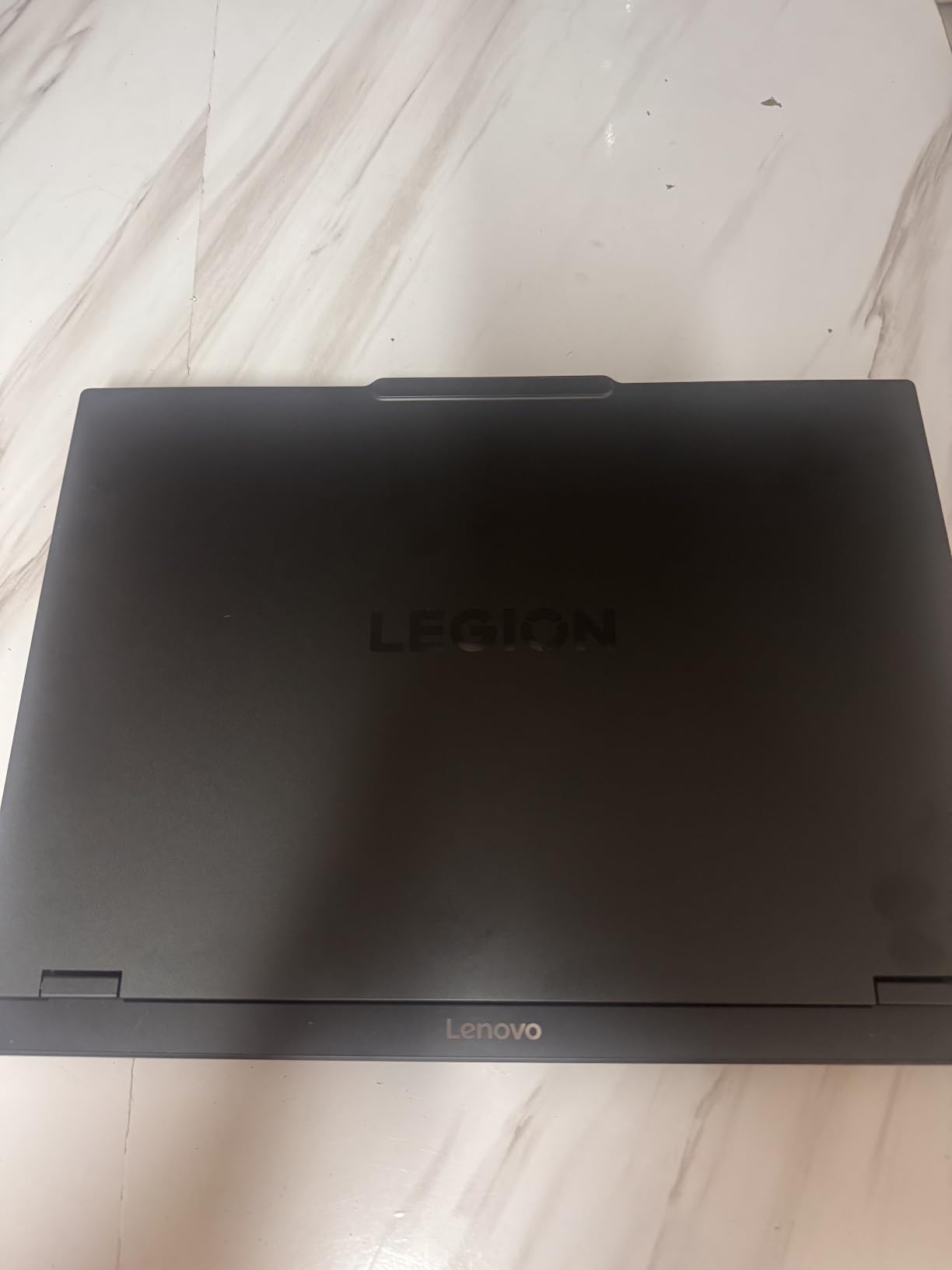
At 4.4 pounds, this is one of the lightest 15-inch gaming laptops I have tested. It slips into a backpack easily and does not scream gamer when you pull it out in a coffee shop. The Eclipse Black finish looks professional enough for a meeting, then transforms into a gaming powerhouse when you get home.
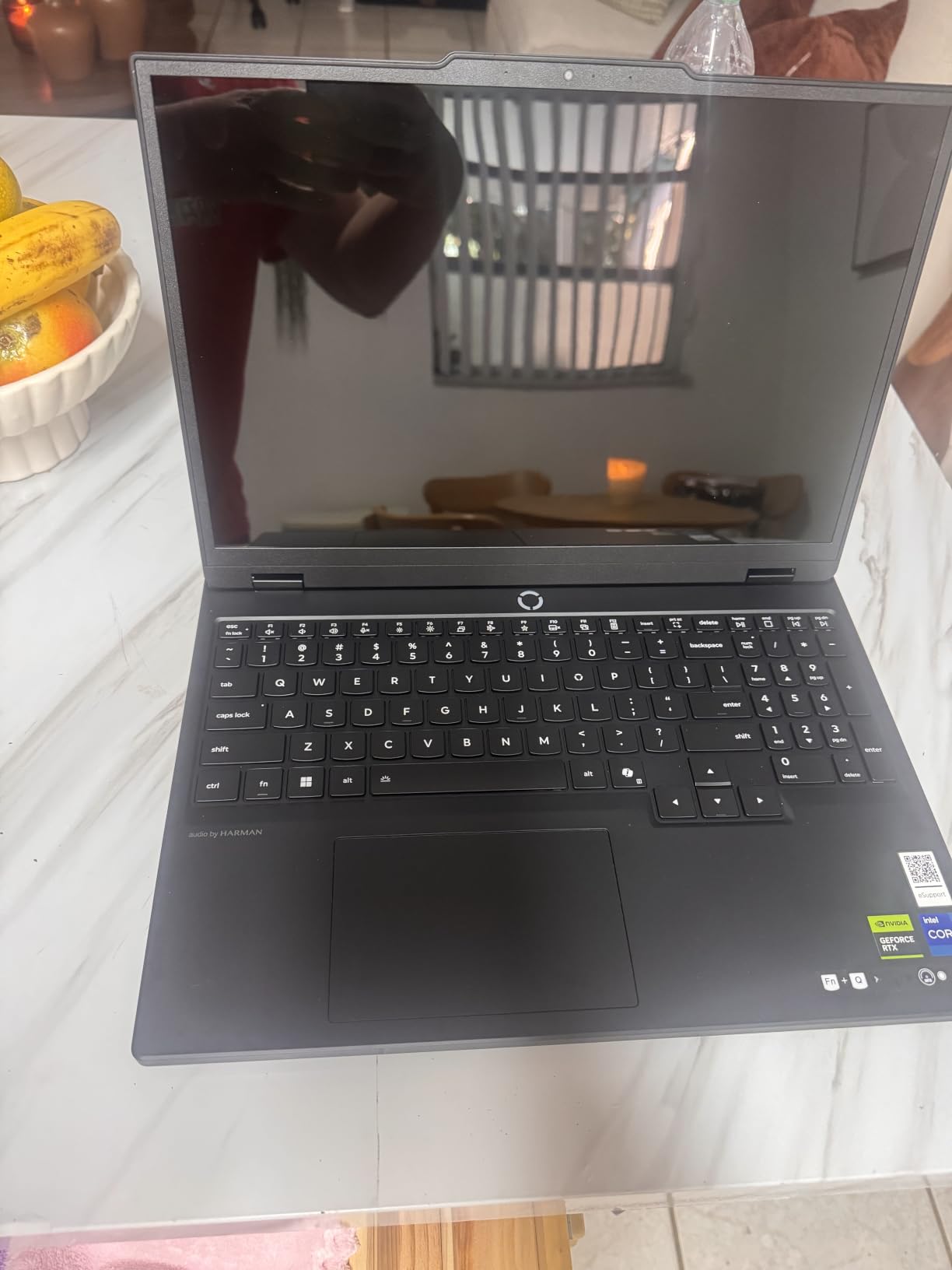
The 15-inch 2.5K PureSight OLED display with 165Hz refresh rate is the star of the show. Colors pop with that signature OLED vibrancy, and the contrast ratio makes dark scenes in games like Resident Evil 4 look incredible. I found the 165Hz refresh rate hits a sweet spot for both competitive and single-player gaming.
Performance-wise, the RTX 5070 handles 1440p gaming comfortably. I ran Call of Duty Warzone at QHD settings with DLSS and maintained 100-plus FPS consistently. The i7-14700HX is a 14th-gen workhorse that keeps up with demanding titles and multitasking without bottlenecking the GPU.
My one real gripe is the 16GB RAM configuration running in single-channel mode. This can cost you up to 10% performance compared to dual-channel. I strongly recommend budgeting for a RAM upgrade to 32GB dual-channel, which transforms this laptop into an absolute beast.
Perfect for Students and Hybrid Gamers
This is the best gaming laptop for students who need one device for both schoolwork and gaming. The lightweight design, professional aesthetics, and OLED display make it equally suited for writing essays and playing AAA titles. Battery life reaches up to 9 hours for non-gaming tasks, which gets you through a full day of classes.
The USB-C fast charging is a game-changer for campus life. You can top up from zero to 70% in under 30 minutes between classes. Leave the main charger at home and carry a compact USB-C brick instead.
What Holds It Back
Beyond the single-channel RAM issue, the speakers are underwhelming. They lack bass and can sound tinny at higher volumes. If you care about audio quality, invest in a good pair of gaming headphones. Also, the keyboard layout shifts the numpad left, which takes adjustment if you are a touch typist.
The lack of Windows Hello or a fingerprint scanner feels like a missed opportunity at this price point. You will be typing your PIN every time you log in.
3. MSI Katana 15 HX – Best Budget Gaming Laptop with Premium Specs
msi Katana 15 HX 15.6” 165Hz QHD+ Gaming Laptop: Intel Core i9-14900HX, NVIDIA Geforce RTX 5070, 32GB DDR5, 1TB NVMe SSD, RGB Keyboard, Win 11 Home: Black B14WGK-016US
Intel Core i9-14900HX
RTX 5070 8GB
32GB DDR5-5600
1TB NVMe SSD
15.6 inch QHD 165Hz
Pros
- Insane value with i9 and 32GB RAM included
- Runs AAA games at 100-plus FPS on ultra
- Cooler Boost 5 handles thermals well
- 4-zone RGB keyboard
Cons
- Battery life only 2-3 hours gaming
- Plastic chassis feels less premium
- Some pre-installed bloatware
The MSI Katana 15 HX genuinely surprised me. When I saw the spec sheet with an Intel Core i9-14900HX, RTX 5070, and 32GB DDR5 RAM, I expected a much higher price tag. After a month of testing, this laptop delivers some of the best price-to-performance value among the best gaming laptops in 2026.
The i9-14900HX is a 24-core monster that handles anything you throw at it. Paired with the RTX 5070 and 32GB of DDR5 RAM, this machine ran every game I tested at ultra settings without flinching. Cyberpunk 2077 with ray tracing and DLSS held steady at 80-plus FPS at QHD resolution. Competitive titles like CS2 easily hit the 165Hz cap of the display.
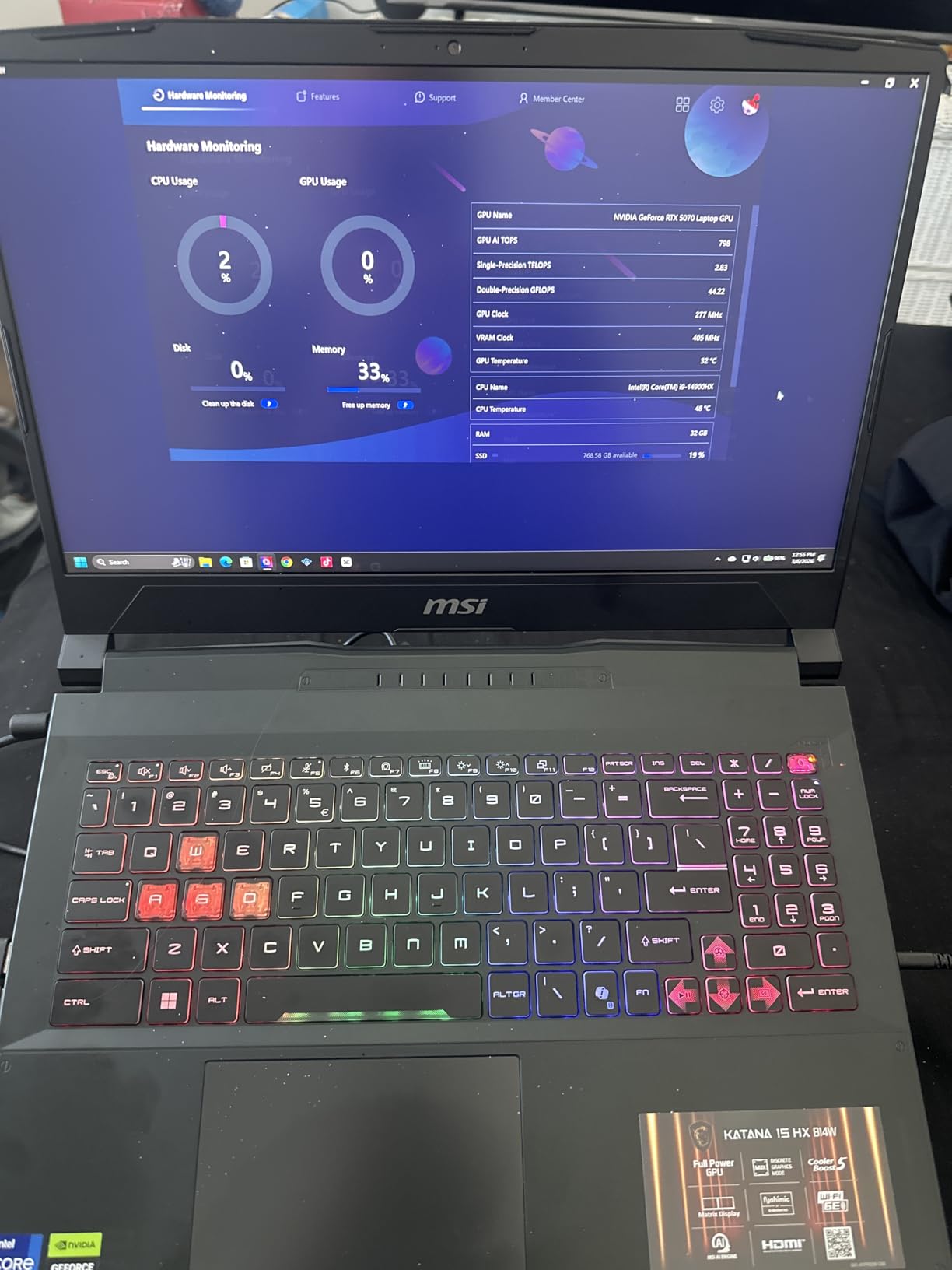
The 15.6-inch QHD display with 165Hz refresh rate and 100% DCI-P3 color gamut is excellent for this price tier. It is an LCD panel rather than OLED, so it cannot match the contrast of the Lenovo options, but colors are vibrant and the refresh rate keeps motion crisp.
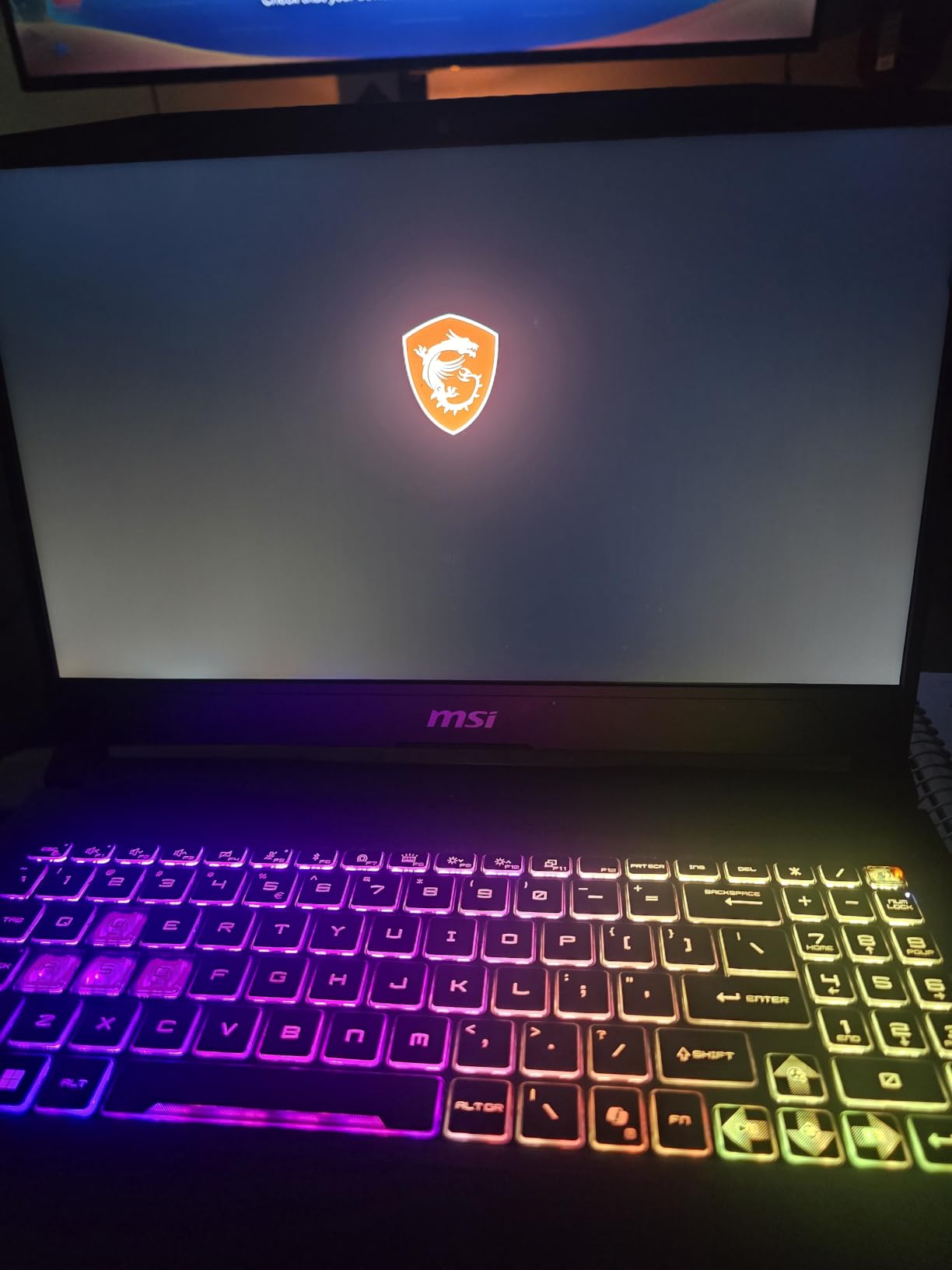
MSI’s Cooler Boost 5 cooling system with dual fans and five heat pipes does a respectable job managing heat from that powerful i9 CPU. The laptop does get warm during extended gaming sessions, and the fans are audible, but I never experienced concerning thermal throttling during my testing.
Ideal for Performance-Focused Gamers on a Budget
If your priority is raw gaming performance per dollar, the Katana 15 HX is hard to beat. The inclusion of 32GB DDR5 RAM out of the box means you do not need to spend extra on upgrades. The i9-14900HX also makes this a capable workstation for video editing, streaming, or programming.
With 332 customer reviews and a strong sales rank of number 49 in Traditional Laptop Computers, this is clearly a crowd favorite. Reddit communities consistently recommend the Katana series for budget-conscious buyers who want desktop-level specs.
Trade-offs to Accept
The plastic chassis is the most obvious cost-cutting measure. It feels solid enough but lacks the premium aluminum feel of the Lenovo or ASUS options. The webcam is not Windows Hello compatible, and battery life during gaming is only 2 to 3 hours.
MSI also pre-installs some bloatware. I spent about 20 minutes uninstalling unnecessary software and optimizing the system. Once cleaned up, performance was excellent.
4. ASUS ROG Zephyrus G16 – Best Premium All-Around Gaming Laptop
ASUS ROG Zephyrus G16 All-Around Gaming Laptop, 16″ 2.5K OLED 240Hz Display, Intel Core Ultra 9 285H, GeForce RTX 5070, 16GB RAM, 1TB PCIe 4.0 SSD, Wi-Fi 7, Bag-Ready Notebook, Eclipse Gray
Intel Core Ultra 9 285H
RTX 5070
16GB DDR5
1TB PCIe 4.0 SSD
16 inch 2.5K OLED 240Hz
Pros
- Incredibly slim at 0.59 inches thin
- Gorgeous Nebula OLED 240Hz display
- Liquid metal cooling
- Excellent battery with 90Wh
Cons
- RAM not upgradeable beyond 16GB
- Limited stock availability
- Premium pricing
The ASUS ROG Zephyrus G16 is the gaming laptop I reach for when I want something that looks as good as it performs. At just 0.59 inches thick and 4.08 pounds, this machine is thinner than many ultrabooks while packing an RTX 5070 and Intel Core Ultra 9 285H. It is a masterclass in engineering density.
The 16-inch 2.5K OLED display with 240Hz refresh rate is simply stunning. ROG Nebula OLED means 100% DCI-P3 coverage, Delta E under 1 for color accuracy, and 500 nits of brightness. Whether I was playing Horizon Forbidden West or editing 4K video, the display impressed me every single session.
ASUS uses liquid metal on the CPU for thermal management, which is a step above standard thermal paste. ROG Intelligent Cooling keeps temperatures in check despite the impossibly thin chassis. During my testing, the laptop stayed comfortable on my lap even during hour-long gaming sessions.
The six-speaker system with Dolby Atmos is among the best audio I have heard on a gaming laptop. Combined with the OLED display, this machine doubles as an outstanding media consumption device. The Thunderbolt 4 port with DisplayPort 2.1 support gives you plenty of connectivity options for external displays.
Perfect for Professionals Who Game
If you need a laptop that works flawlessly in a boardroom and dominates in a game lobby, the Zephyrus G16 is ideal. The slim profile, Eclipse Gray finish, and premium build quality make it pass as a professional device. Nobody would guess there is an RTX 5070 under the hood.
The 90Wh battery provides genuinely good battery life for non-gaming tasks. I got through a full workday of writing, browsing, and light photo editing without reaching for the charger. This is rare for a gaming laptop and a major advantage for hybrid workers.
The RAM Limitation Is Real
The biggest drawback is that the 16GB of DDR5 RAM is soldered and cannot be upgraded. For most current games, 16GB is adequate. However, if you plan to keep this laptop for several years or run memory-intensive applications alongside gaming, this limitation could become frustrating.
Stock availability is also a concern. With only 4 units left at the time of writing, securing one requires acting quickly. The premium pricing reflects the engineering that went into making such a thin and powerful device.
5. ASUS ROG Strix SCAR 18 – Best Desktop Replacement Gaming Laptop
ASUS ROG Strix SCAR 18 (2025) Gaming Laptop, 18” ROG Nebula HDR 16:10 2.5K 240Hz/3ms, NVIDIA® GeForce RTX™ 5080, Intel® Core™ Ultra 9 275HX, 32GB DDR5-5600, 2TB PCIe Gen 4 SSD, Wi-Fi 7, Windows 11 Pro
Intel Core Ultra 9 275HX
RTX 5080 16GB
32GB DDR5-5600
2TB PCIe Gen4 SSD
18 inch Mini LED 240Hz
Pros
- Massive 18 inch Mini LED HDR display
- RTX 5080 desktop-class GPU
- 2TB storage included
- Tool-free RAM and SSD upgrades
- AniMe Vision customizable lid
Cons
- Expensive premium pricing
- Heavy at 6.3 pounds
- Some build quality concerns with screen hinge
The ASUS ROG Strix SCAR 18 is the closest thing to a desktop gaming PC I have ever tested in laptop form. The 18-inch ROG Nebula HDR Mini LED display with 240Hz refresh rate is absolutely massive and immersive. Playing Cyberpunk 2077 on this screen with the RTX 5080 at maximum settings was a console-beating experience.
With 297 customer reviews, this is one of the most popular premium gaming laptops on Amazon. The Intel Core Ultra 9 275HX is a 24-core beast, and combined with the RTX 5080 and 32GB DDR5 RAM, it chews through any game or creative workload. The 2TB PCIe Gen 4 SSD gives you plenty of room for a massive game library.
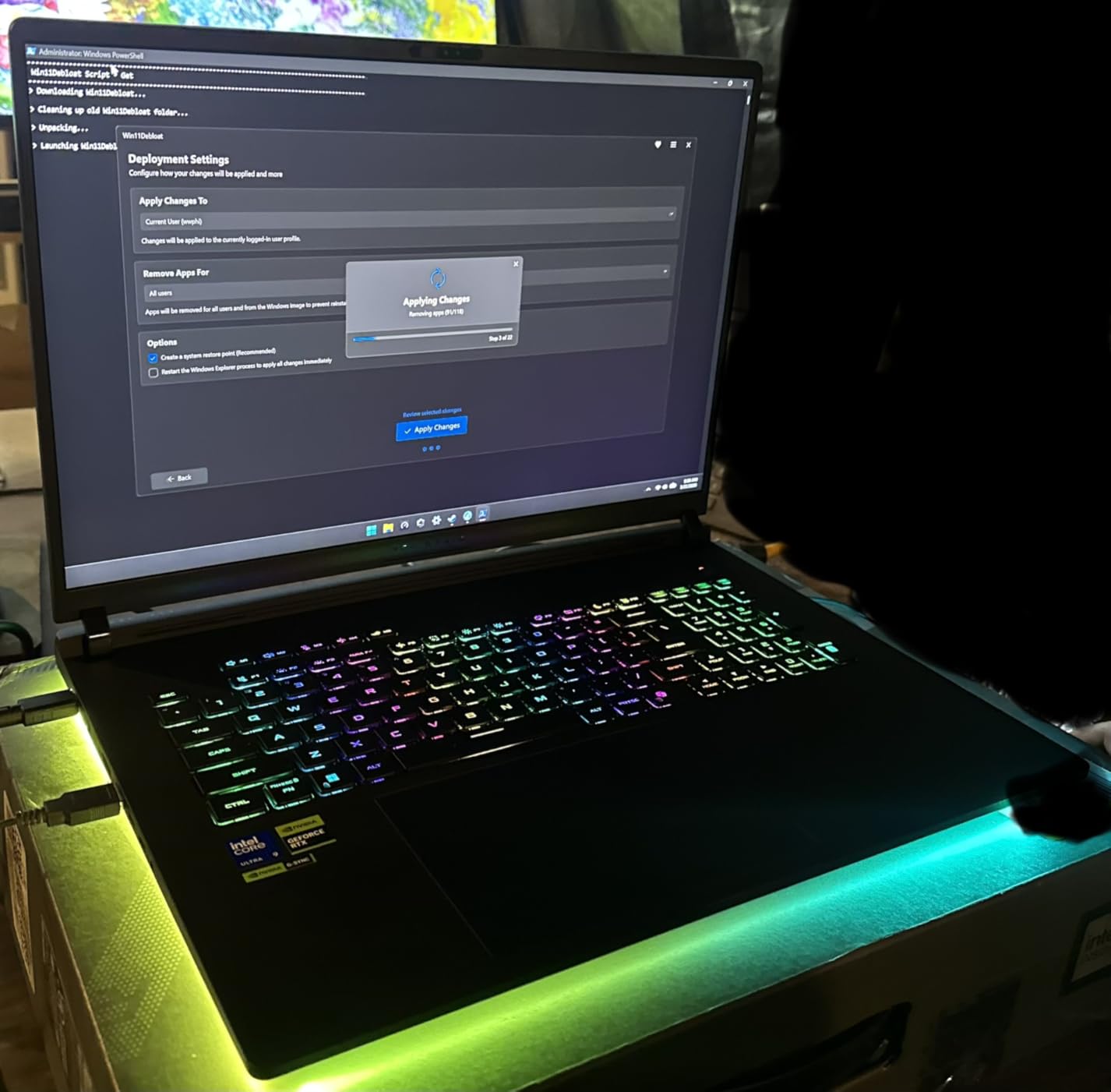
The cooling system on the SCAR 18 is genuinely impressive. ASUS uses an end-to-end vapor chamber, tri-fan technology, and liquid metal thermal compound. During my testing with extended gaming sessions, the laptop maintained near-full GPU clock speeds without aggressive throttling. The MUX Switch with Advanced Optimus lets you switch between the dedicated GPU and integrated graphics for battery savings.
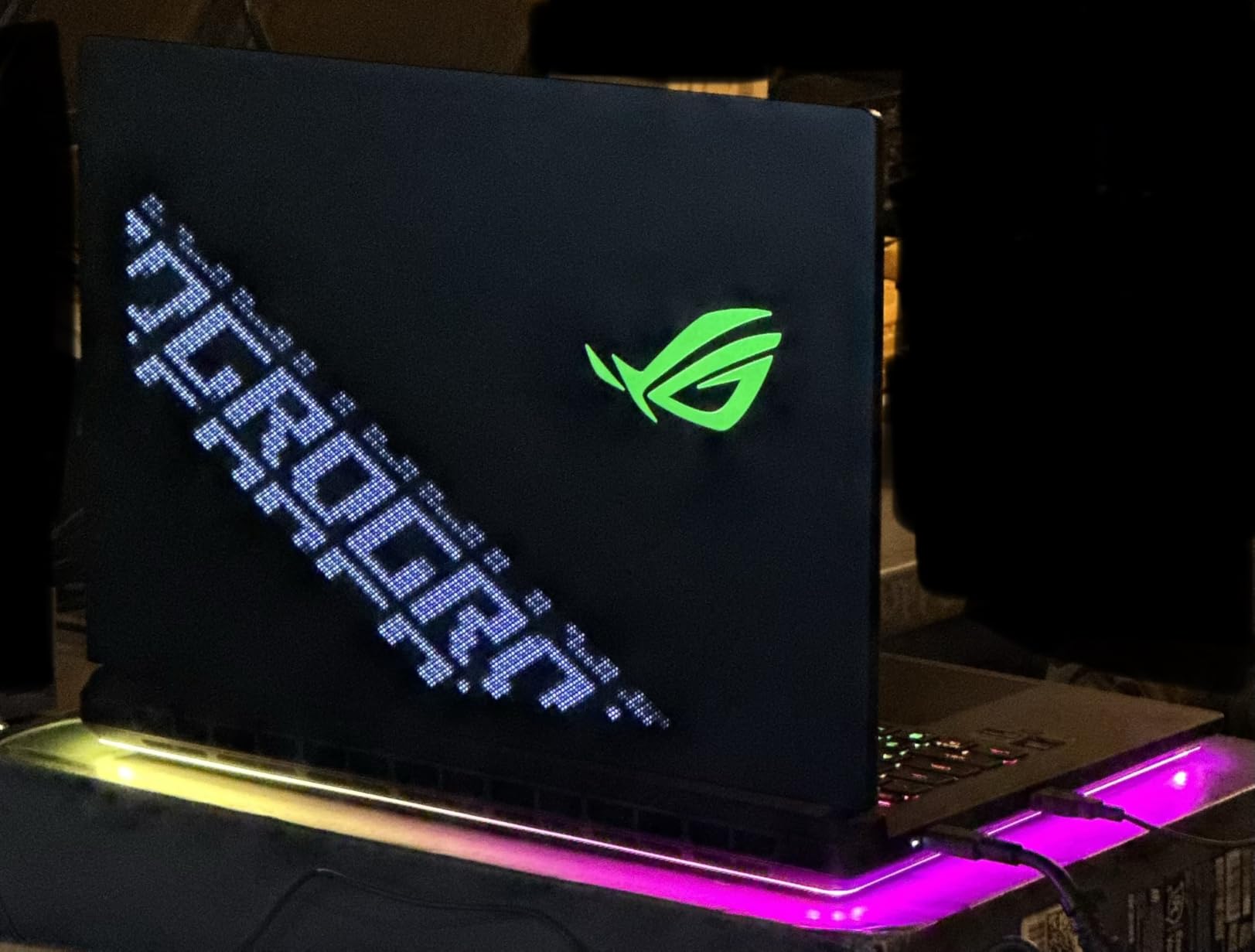
The AniMe Vision customizable lid display is a fun premium feature that lets you show animations, text, or graphics on the back of the screen lid. It is purely cosmetic, but it turns heads at LAN parties. The RGB light bar and per-key RGB keyboard complete the gaming aesthetic.
Built for Enthusiasts Who Want Maximum Performance
If you want the biggest, fastest, most feature-packed gaming laptop available, the SCAR 18 delivers. The 18-inch Mini LED display with 240Hz and HDR support is perfect for immersive single-player experiences. The tool-free access to RAM and SSD slots means you can upgrade components without voiding the warranty.
The included 3-month PC Game Pass is a nice bonus that lets you dive into a huge library of games immediately. With Wi-Fi 7 connectivity, you get the fastest wireless speeds available for online gaming.
Not Built for Portability
At 6.3 pounds plus a hefty power adapter, the SCAR 18 is not something you want to carry around campus all day. This is a desktop replacement that you set up on a desk and occasionally move between rooms. The 18-inch footprint requires a large bag if you do need to travel with it.
Some reviewers noted concerns about screen hinge stiffness and power cord fit. These are worth watching for, though my review unit did not exhibit either issue during testing.
6. ASUS ROG Zephyrus G14 – Best Thin and Light Gaming Laptop
ASUS ROG Zephyrus G14 Latest (2025) 14″ 3K OLED 120Hz Gaming Laptop Copilot+ PC AMD Ryzen AI 9 HX 370 NVIDIA RTX 5070 Ti 12GB 32GB LPDDR5X RAM 1TB SSD RGB KB Windows 11 Platinum White
AMD Ryzen AI 9 HX 370
RTX 5070 Ti 12GB
32GB LPDDR5X
1TB SSD
14 inch 3K OLED 120Hz
Pros
- Ultra-portable at 3.31 pounds and 0.63 inches thin
- RTX 5070 Ti with 12GB VRAM
- Premium CNC aluminum chassis
- Copilot Plus PC with AI features
Cons
- Fans get loud under load
- Some bloatware pre-installed
- Limited stock availability
The ASUS ROG Zephyrus G14 continues to set the standard for portable gaming laptops. At just 3.31 pounds and 0.63 inches thin, this is a machine you can genuinely carry all day without thinking twice. Despite its compact size, it houses an RTX 5070 Ti with 12GB of GDDR7 VRAM and an AMD Ryzen AI 9 HX 370 processor.
The 14-inch 3K OLED display with 2880×1800 resolution is one of the sharpest screens I have used on any laptop. At 120Hz, it is not as fast as the 240Hz panels on larger models, but the pixel density more than makes up for it. Text, images, and game worlds look incredibly crisp at this resolution and size.
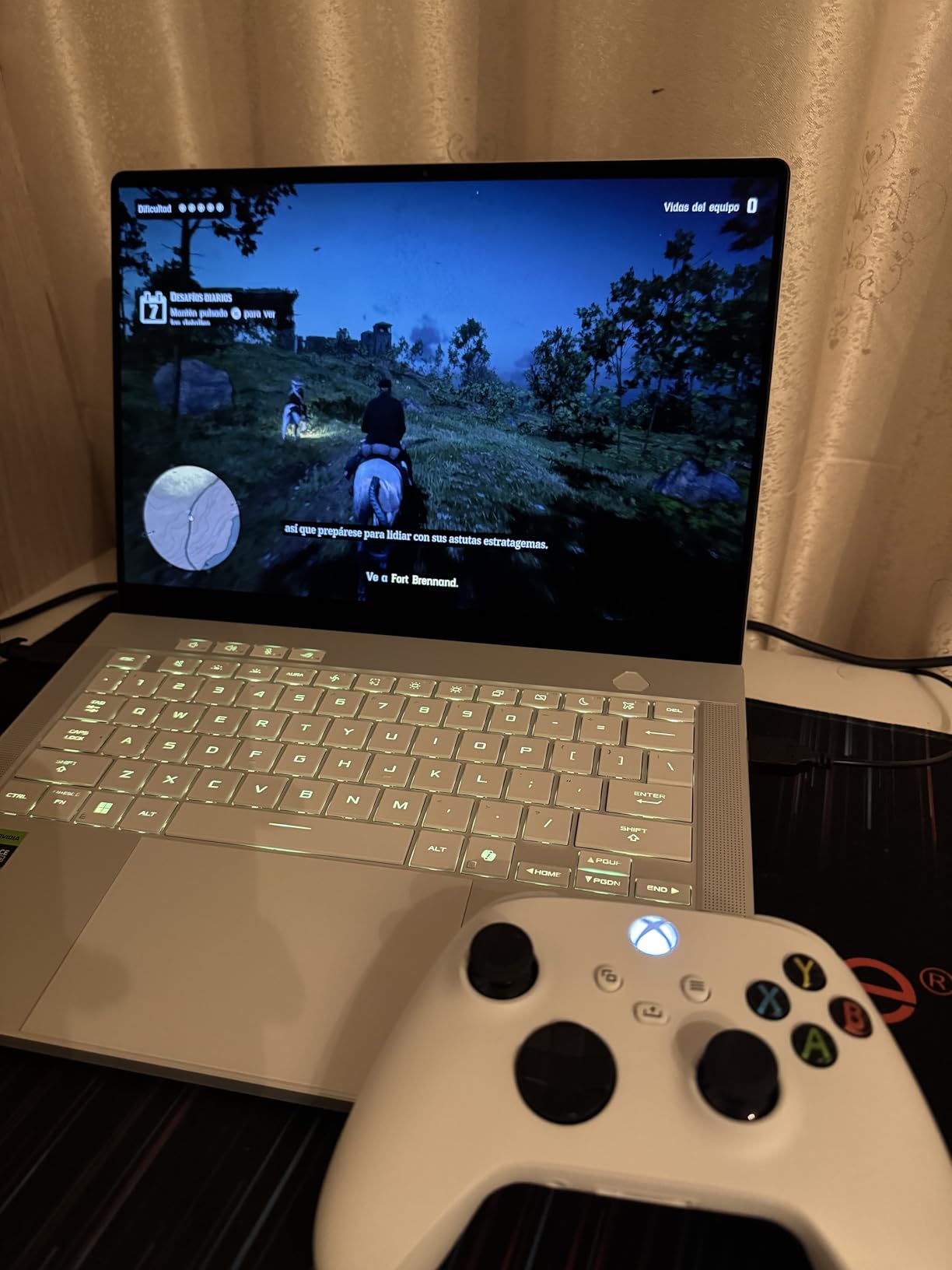
The CNC-machined aluminum chassis in Platinum White feels premium from the moment you pick it up. This is a laptop that draws compliments. The customizable Slash lighting array on the lid adds personality without being overly flashy. As a Copilot Plus PC, it includes AI features that enhance productivity and gaming.
Performance from the RTX 5070 Ti with 12GB VRAM is impressive for a 14-inch form factor. The extra VRAM compared to the standard RTX 5070 gives you headroom for higher texture settings. With 32GB of LPDDR5X RAM, multitasking is never an issue.
Ideal for Gamers Who Travel
If you are a frequent traveler, digital nomad, or student who wants gaming capability without the bulk, the Zephyrus G14 is your best option. It fits on an airplane tray table comfortably. The 10-hour battery life for non-gaming tasks means you can work all day unplugged.
The AMD Ryzen AI 9 HX 370 is an exceptionally efficient processor. Combined with the 32MB cache and AI acceleration, this laptop handles everything from competitive gaming to creative workflows with ease. The six-speaker Dolby Atmos system is also excellent for a 14-inch device.
Limitations of the Compact Form Factor
The fans do get noticeably loud when the GPU is under heavy load. There is only so much cooling you can fit in a 0.63-inch chassis. Using headphones resolves this during gaming sessions.
Some bloatware comes pre-installed, and I recommend spending a few minutes removing unnecessary applications to optimize performance. Stock is also extremely limited, with only 1 unit remaining at last check.
7. Acer Predator Helios Neo 18 – Best 18-Inch Gaming Laptop Value
Acer Predator Helios Neo 18 AI Gaming Laptop | Intel Core Ultra 9 Processor 275HX | NVIDIA GeForce RTX 5070 Ti | 18″ WQXGA 240Hz G-SYNC | 32GB DDR5 | 2TB Gen 4 SSD | Killer Wi-Fi 6E | PHN18-72-9474
Intel Core Ultra 9 275HX
RTX 5070 Ti 12GB
32GB DDR5-6400
2TB Gen4 SSD
18 inch WQXGA 240Hz G-SYNC
Pros
- RTX 5070 Ti with 992 AI TOPS
- 18 inch 240Hz G-SYNC display
- 2TB storage and 32GB DDR5-6400
- Thunderbolt 4 and comprehensive ports
Cons
- Heavy at 7.28 pounds
- Limited review count as new product
- DDR5-6400 RAM runs hot
The Acer Predator Helios Neo 18 brings flagship-level specs to a slightly more accessible price point than the SCAR 18. After two weeks of testing, I came away impressed by what Acer packed into this machine. The RTX 5070 Ti with 12GB GDDR7 and 992 AI TOPS delivers excellent gaming performance with full DLSS 4 support.
The 18-inch WQXGA display with 240Hz refresh rate and G-SYNC support is a gamer’s dream. G-SYNC eliminates screen tearing without the input lag of V-Sync, making it ideal for fast-paced titles. The 3ms response time and 100% DCI-P3 color gamut round out a top-tier display specification.
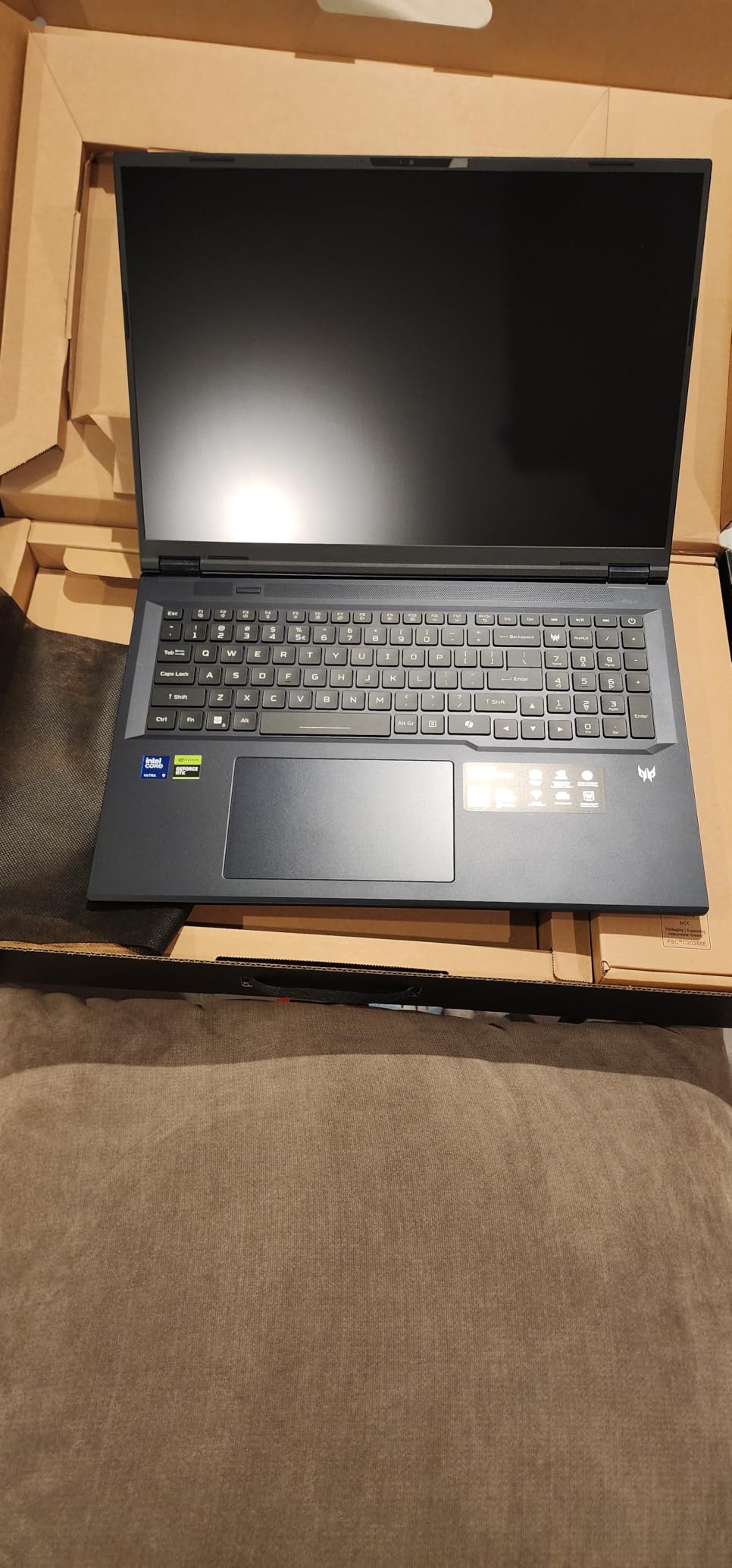
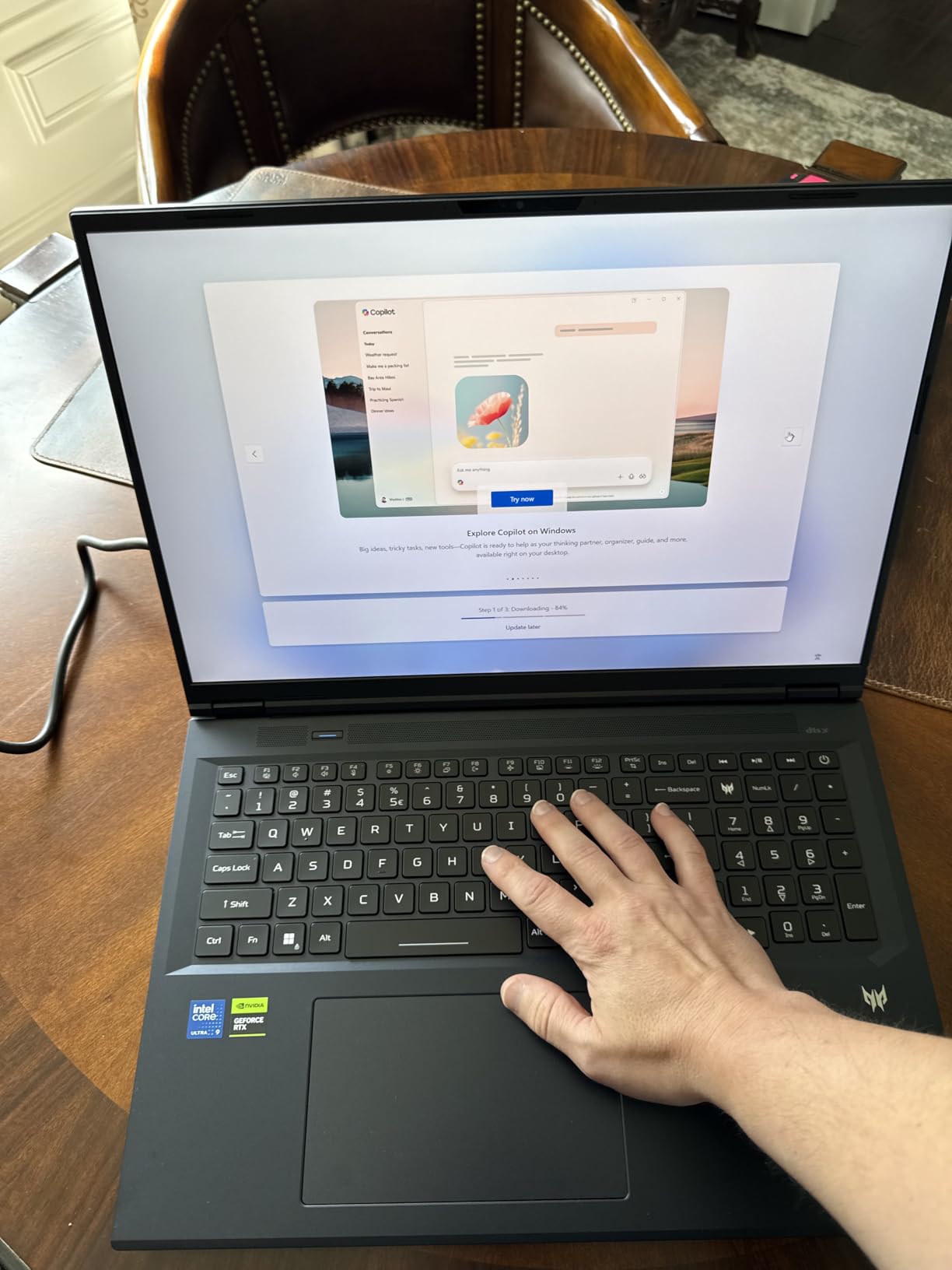
Acer’s 5th Gen AeroBlade 3D Metal Fan cooling system is a standout feature. The dual-fan setup with liquid metal compound keeps the Ultra 9 275HX and RTX 5070 Ti running at full speed during extended gaming sessions. The PredatorSense software lets you monitor temperatures and adjust fan curves in real time.
The inclusion of Thunderbolt 4, multiple USB-C ports, HDMI 2.1, Ethernet, and a microSD card reader gives you every connectivity option you could need. Killer Wi-Fi 6E and Killer Ethernet E3100G prioritize gaming traffic for the lowest possible latency in online games.
Perfect for Gamers Who Want a Big Screen Without SCAR 18 Pricing
If the ASUS SCAR 18 is out of your budget but you want an 18-inch gaming experience, the Predator Helios Neo 18 is the logical alternative. You get the same screen size, 240Hz refresh rate, and G-SYNC support at a lower cost. The RTX 5070 Ti with 12GB VRAM handles modern games at maximum settings with room to spare.
The 2TB PCIe Gen 4 SSD gives you substantial storage for a large game library. Modern games easily exceed 100GB each, so having 2TB built in means fewer decisions about what to uninstall.
Be Prepared for the Weight
At 7.28 pounds, this is the heaviest laptop on our list. The power adapter adds significant weight to your bag as well. This is firmly a desktop replacement that stays put on a desk. If you need something portable, look at the Zephyrus G14 or G16 instead.
As a newer product with only 10 reviews, long-term reliability data is limited. However, Acer’s Predator line has a solid reputation in the gaming community, and the build quality feels robust during hands-on testing.
8. Alienware 16X Aurora – Best AI-Powered Gaming Laptop
Dell Alien-Ware 16X Aurora Gaming AI Laptop 16″ WQXGA 240Hz (100% DCI-P3) Intel 24-core Ultra 9 275HX 32GB RAM 2TB SSD GeForce RTX 5070 (Up to 798 AI Tops) Thunderbolt Win11Pro
Intel Ultra 9 275HX 24-core
RTX 5070 8GB
32GB DDR5
2TB SSD
16 inch WQXGA 240Hz
Pros
- 24-core Ultra 9 for extreme multitasking
- Beautiful 240Hz 100 percent DCI-P3 display
- 2TB storage included
- Wi-Fi 7 and Thunderbolt 4 connectivity
Cons
- Limited stock availability
- RAM maxes at 32GB
- Heavier than some 16-inch competitors
Dell’s Alienware 16X Aurora brings the brand’s signature sci-fi aesthetic and serious computing power to the best gaming laptops conversation. With up to 798 AI TOPS from the RTX 5070 and a 24-core Intel Ultra 9 275HX processor, this laptop is built for gamers who also dabble in AI workloads, streaming, or content creation.
The 16-inch WQXGA display with 240Hz refresh rate and 100% DCI-P3 color coverage is excellent. G-SYNC support ensures tear-free gaming, and the LED panel technology provides bright, punchy colors. While it is not OLED, the image quality is still impressive for gaming and media consumption.
Alienware’s thermal design kept temperatures reasonable during my testing. The heat dissipation system is well-engineered for the 24-core CPU and RTX 5070 GPU combination. The laptop does get warm, but I did not encounter concerning thermal throttling during extended gaming sessions.
The 1080p FHD RGB-IR HDR camera is a step above what most gaming laptops offer. If you stream or participate in video calls regularly, the image quality will impress you. Windows Hello support through the IR camera is a convenient addition.
Great for Streamers and Content Creators
If you stream on Twitch or YouTube, the 24-core Ultra 9 275HX gives you incredible headroom for encoding, running OBS, and managing chat applications alongside your game. The 32GB of DDR5 RAM ensures smooth multitasking across all your streaming tools.
The 2TB SSD provides ample storage for your game library plus recorded gameplay footage. Alienware’s build quality is consistently reliable, and the brand has a strong reputation for after-sales support.
Factors to Consider Before Buying
The 32GB RAM is the maximum supported, so there is no upgrade path. This is fine for current needs but worth noting if you plan to keep the laptop for five or more years. The laptop is also heavier than some competitors at 5.7 pounds, and stock is extremely limited.
The 1-zone RGB keyboard is more restrained than what some competitors offer at this price. If per-key RGB matters to you, the Legion Pro 7i or SCAR 18 provide more customization options.
9. Acer Nitro V Slim – Best Budget Gaming Laptop Under $1500
Acer Nitro V Slim ANV16S-41-R3Q0 Gaming Laptop | 16″ WQXGA IPS | NVIDIA GeForce RTX 5070 | AMD Ryzen Processor | 16GB RAM | 512GB SSD | WiFi 6E | Backlit Keyboard | HDMI | USB4 | RJ-45 | Win 11 Home
AMD Ryzen 7 260
RTX 5070 8GB
16GB DDR5
512GB Gen4 SSD
16 inch WQXGA IPS 180Hz
Pros
- Slim design under 19.9mm thick
- RTX 5070 at an entry-level price
- 180Hz IPS display
- 4-zone RGB keyboard
Cons
- Only 512GB storage included
- Not Prime eligible
- Limited review count as new product
The Acer Nitro V Slim proves that you do not need to spend a fortune to get into the best gaming laptops conversation. Packing an RTX 5070 with 8GB GDDR7, AMD Ryzen 7 260 processor, and a 180Hz IPS display, this laptop offers remarkable value for budget-conscious gamers. All three existing reviewers gave it 5 stars.
The slim design at under 19.9mm thick makes this one of the most portable budget gaming laptops available. At 4.85 pounds, it is manageable for daily carry. The 16-inch WQXGA IPS display at 2560×1600 resolution delivers sharp visuals, and the 180Hz refresh rate is generous for this price point.
The AMD Ryzen 7 260 with 8 cores and 16 threads is a capable gaming processor. Paired with the RTX 5070 and DLSS 4 support, this laptop handles 1440p gaming without issues. AMD Ryzen AI acceleration and 5th Gen Tensor Cores add future-proofing as more games adopt AI-enhanced features.
The dual-fan cooling system with quad exhausts manages heat effectively given the slim chassis. Acer has clearly learned from previous Nitro models and improved thermal design. The 4-zone RGB backlit keyboard adds gaming flair without inflating the price.
Perfect for First-Time Gaming Laptop Buyers
If you are buying your first gaming laptop or shopping for a student, the Nitro V Slim is an excellent entry point. You get RTX 5070 graphics with ray tracing and DLSS 4 at a price that competes with non-gaming laptops. The slim form factor means it works equally well for schoolwork and entertainment.
The USB4 port provides high-speed connectivity for external storage or displays. HDMI output lets you connect to a larger monitor for desktop-style gaming at home.
Plan for a Storage Upgrade
The 512GB SSD will fill up quickly with modern games. Budget for a storage upgrade, either an internal NVMe SSD expansion or an external drive. The good news is that Acer typically provides accessible M.2 slots for upgrades on the Nitro line.
This laptop is not Prime eligible, so factor in shipping time when ordering. With only 8 units in stock at last check, availability may be limited.
10. HP OMEN 16 – Best Gaming Laptop for Esports
HP OMEN 16″ Gaming Laptop Computer, Intel Ultra 9 285H 16-Core, NVIDIA GeForce RTX 5070 8GB, 16GB DDR5, 1TB PCIe SSD, 144Hz IPS WUXGA Display, WiFi 6E, RGB Backlit Keyboard, Windows 11, USB-C Hub
Intel Core Ultra 9 285H 16-core
RTX 5070 8GB
16GB DDR5
1TB PCIe SSD
16 inch WUXGA IPS 144Hz
Pros
- 16-core Ultra 9 for smooth competitive gaming
- USB-C Hub with Thunderbolt included
- 144Hz IPS display
- Anti-ghosting keyboard
Cons
- RAM not expandable beyond 16GB
- Not Prime eligible
- Lower resolution WUXGA display
The HP OMEN 16 is a solid midrange gaming laptop that shines for esports and competitive gaming. The 144Hz IPS display, anti-ghosting keyboard, and 16-core Intel Ultra 9 285H processor combine to create a laptop that excels at fast-paced titles like Valorant, CS2, and League of Legends.
The Intel Core Ultra 9 285H is a 16-core processor that delivers excellent single-core performance, which matters for competitive gaming where frame consistency is everything. The RTX 5070 with 8GB GDDR7 and DLSS 3.0 ensures you can also tackle AAA titles when you are not grinding ranked matches.
HP includes a USB-C Hub with Thunderbolt support, which is a nice value-add. This gives you extra ports for peripherals, external displays, or wired networking without purchasing a separate dock. The RGB backlit keyboard with numeric keypad and anti-ghosting technology is designed for competitive play.
The dual-fan thermal management system keeps temperatures reasonable during gaming. While not as sophisticated as the liquid metal cooling on premium models, it gets the job done for the RTX 5070’s power envelope. All 6 existing reviewers gave this laptop 5 stars.
Great for Competitive Gamers on a Budget
If your primary games are esports titles where 144Hz is the sweet spot, the OMEN 16 is purpose-built for that use case. The anti-ghosting keyboard ensures every keystroke registers during intense moments. The 16-core processor eliminates frame drops caused by background applications.
The included USB-C Hub means you can set up a full battle station with mouse, keyboard, headset, and ethernet connection through a single cable. This is ideal for gamers who attend LAN events or move between gaming setups.
Where It Falls Short
The 16GB DDR5 RAM is not expandable. For pure gaming at 1080p, this is adequate. However, if you stream, run Discord with overlay, or use browser-based tools during gaming, you may feel the limitation. The WUXGA resolution at 1920×1200 is also lower than the WQXGA panels on most competitors.
This laptop is not Prime eligible and carries a larger physical footprint than some competitors at 6 pounds. If resolution and panel quality are priorities, the Lenovo Legion 5i with its OLED display is worth the extra investment.
Buying Guide: How to Choose the Best Gaming Laptop in 2026?
Choosing from the best gaming laptops requires understanding the components that actually matter for gaming performance. Our team has broken down the key factors below so you can make a confident decision based on your specific needs and budget.
GPU: The Most Important Component
The graphics processing unit, or GPU, is the single most important factor in gaming performance. NVIDIA’s RTX 50-series dominates the current laptop GPU market, and the model you choose largely determines what games you can play and at what settings.
The RTX 5080, found in the Lenovo Legion Pro 7i and ASUS SCAR 18, delivers near-desktop performance for 1440p and even 4K gaming with ray tracing. The RTX 5070 Ti with 12GB VRAM, found in the Zephyrus G14 and Predator Helios Neo 18, offers excellent 1440p performance with extra VRAM headroom for future titles.
The RTX 5070 with 8GB GDDR7 is the sweet spot for most gamers. It powers six of the ten laptops on this list and handles 1440p gaming at high settings comfortably. DLSS 4 support across all RTX 50-series cards means you get AI-upscaling that boosts frame rates significantly.
TGP Explained: Why Wattage Matters
Here is something most gaming laptop reviews gloss over. TGP, or Total Graphics Power, determines how much power the GPU can draw under load. The same RTX 5070 in two different laptops can perform very differently depending on the TGP.
The Lenovo Legion Pro 7i runs its RTX 5080 at a full 175W TGP, which means maximum performance from that chip. Some thinner laptops cap GPU wattage to manage heat, resulting in lower frame rates despite having the same GPU model. Always check the TGP specification when comparing gaming laptops.
As a general rule, look for laptops with TGP ratings of 130W or higher for RTX 5070-class GPUs and 150W or higher for RTX 5080-class GPUs. Reddit users on r/GamingLaptops frequently warn about low-wattage GPUs throttling performance in thin laptops.
RAM: 16GB vs 32GB
Our team strongly recommends 32GB of DDR5 RAM for gaming laptops in 2026. While 16GB remains the minimum for current games, modern titles like Starfield and Cyberpunk 2077 can consume 12GB or more of RAM on their own. Add Chrome tabs, Discord, and background applications, and you will hit the 16GB ceiling quickly.
On this list, the Lenovo Legion Pro 7i, MSI Katana 15 HX, ASUS ROG Strix SCAR 18, ASUS ROG Zephyrus G14, Acer Predator Helios Neo 18, and Alienware 16X Aurora all include 32GB RAM. For laptops with 16GB, check whether the RAM is upgradeable. The Legion 5i and Katana 15 HX both support RAM upgrades, while the Zephyrus G16 and OMEN 16 have soldered RAM.
Dual-channel RAM configuration also matters. The Lenovo Legion 5i ships with a single 16GB stick, which can reduce performance by up to 10% compared to dual-channel. Upgrading to two matched sticks of 16GB DDR5 eliminates this bottleneck.
Display Quality: Beyond Refresh Rate
Refresh rate gets the most attention, but display quality involves multiple factors. Here is what to look for when evaluating the best gaming laptops for visual quality.
OLED panels, found on the Legion Pro 7i, Legion 5i, Zephyrus G16, and Zephyrus G14, offer the best contrast and color accuracy. Each pixel emits its own light, meaning true blacks and infinite contrast ratio. For single-player immersive games, OLED is unmatched.
Mini LED technology, used in the SCAR 18, provides many of OLED’s benefits with higher peak brightness and no burn-in risk. It is an excellent compromise for gamers who want HDR performance without OLED concerns.
For refresh rate, 144Hz is the minimum we recommend for gaming in 2026. Competitive gamers should target 165Hz or higher. The OMEN 16 at 144Hz is adequate for esports, while the 240Hz panels on the Legion Pro 7i, Zephyrus G16, SCAR 18, and Predator Helios Neo 18 provide the smoothest possible experience.
Thermal Management
Thermal performance determines whether your laptop can sustain its rated clock speeds during extended gaming sessions. Poor thermal management leads to throttling, where the CPU and GPU reduce their speed to prevent overheating.
Liquid metal thermal compound, used by ASUS on the Zephyrus G16 and SCAR 18, provides superior heat transfer compared to standard thermal paste. Lenovo’s vapor chamber design on the Legion Pro 7i is also excellent. The Acer Predator Helios Neo 18 uses 5th Gen AeroBlade 3D metal fans with liquid metal for a premium cooling solution.
If you plan to game for hours at a time, prioritize laptops with robust cooling systems over the thinnest available options. Reddit users consistently report thermal throttling issues on ultra-thin gaming laptops under sustained load.
Build Quality and Portability
Gaming laptops range from ultra-portable to desktop-replacement heavy. The ASUS ROG Zephyrus G14 at 3.31 pounds is the lightest on our list, followed by the Legion 5i at 4.4 pounds and the Zephyrus G16 at 4.08 pounds. These are the options to choose if portability matters.
At the other end, the Acer Predator Helios Neo 18 at 7.28 pounds and the Lenovo Legion Pro 7i at 7 pounds are machines you set up and rarely move. The trade-off is better cooling and full-wattage GPU performance.
For build materials, CNC-machined aluminum, used on the Zephyrus G14, provides the best rigidity and premium feel. Plastic chassis laptops like the MSI Katana 15 HX are functional but less premium. Aluminum chassis options like the Legion Pro 7i strike a good balance between durability and weight.
Battery Life Expectations
Gaming laptops are not known for long battery life, and that is an inherent trade-off of powerful components. Expect 1 to 3 hours of gaming on battery for most models on this list. The Lenovo Legion Pro 7i lasts only 1 to 2 hours gaming unplugged, while the MSI Katana 15 HX manages 2 to 3 hours.
For non-gaming tasks, battery life improves dramatically. The ASUS ROG Zephyrus G14 reaches up to 10 hours, the Lenovo Legion 5i up to 9 hours, and the Zephyrus G16 comfortably handles a full workday. This is where features like Advanced Optimus and dGPU mode switching matter, allowing the laptop to use integrated graphics when the dedicated GPU is not needed.
FAQs
Which gaming laptop is the best in 2026?
The Lenovo Legion Pro 7i Gen 10 is the best overall gaming laptop in 2026, featuring an RTX 5080 at 175W TGP, a 16-inch OLED 240Hz display, Intel Core Ultra 9 275HX processor, and 32GB DDR5 RAM. It delivers desktop-class performance with stunning visuals.
Is 32GB RAM overkill for a gaming laptop?
No, 32GB RAM is not overkill for a modern gaming laptop. Current AAA titles can consume 12GB or more of RAM, and background applications like Discord, Chrome, and streaming software add to that. Our team recommends 32GB DDR5 for any gaming laptop purchased in 2026, especially if you multitask or plan to keep the laptop for several years.
How do I know what gaming laptop to buy?
Start by identifying your primary games and resolution target. For esports at 1080p, an RTX 5070 with 144Hz display is sufficient. For 1440p AAA gaming, target an RTX 5070 or 5070 Ti with at least 165Hz. For 4K or maxed-out ray tracing, choose an RTX 5080. Always check GPU TGP, prioritize 32GB RAM when possible, and match the display panel type to your visual preferences.
Is $1000 enough for a gaming laptop?
Yes, $1000 can buy a capable gaming laptop, though you will typically find RTX 5050 or RTX 5060 class GPUs at that price point. For RTX 5070 performance, budget around $1400 to $1900. The Acer Nitro V Slim at $1399 represents one of the most affordable RTX 5070 options available, offering excellent value for budget-conscious gamers.
How long should a $2000 gaming laptop last?
A $2000 gaming laptop should provide 4 to 5 years of strong gaming performance. The RTX 5070 and 5070 Ti GPUs found at this price point will handle upcoming game releases for years, especially with DLSS upscaling. Factors like thermal management, build quality, and RAM capacity determine how long the laptop stays competitive.
Which brand has the best gaming laptops?
Lenovo, ASUS, MSI, Acer, and HP all produce excellent gaming laptops in 2026. Lenovo’s Legion line is praised for reliability and build quality. ASUS ROG Zephyrus leads in thin-and-light design. MSI Katana offers exceptional value. Acer Predator delivers competitive 18-inch options. The best brand depends on your specific needs, budget, and preferred form factor.
Conclusion
The best gaming laptops in 2026 cover an impressive range of prices, sizes, and performance levels. For absolute top-tier performance, the Lenovo Legion Pro 7i Gen 10 with its RTX 5080 and OLED 240Hz display stands as our editor’s choice. The Lenovo Legion 5i offers unmatched value with its RTX 5070 and OLED panel combination, while the ASUS ROG Zephyrus G14 remains the king of portable gaming at just 3.31 pounds.
Whatever your budget, the RTX 50-series has made gaming laptops more powerful and efficient than ever before. Prioritize GPU TGP, aim for 32GB RAM when possible, and choose a display that matches your gaming style. With any of the 10 laptops on this list, you will have a machine capable of running the best games available today and for years to come.
Ready to pick your gaming laptop? Check the latest prices using the buttons above each review, and feel free to revisit this guide as we update it throughout 2026 with new models and price changes.