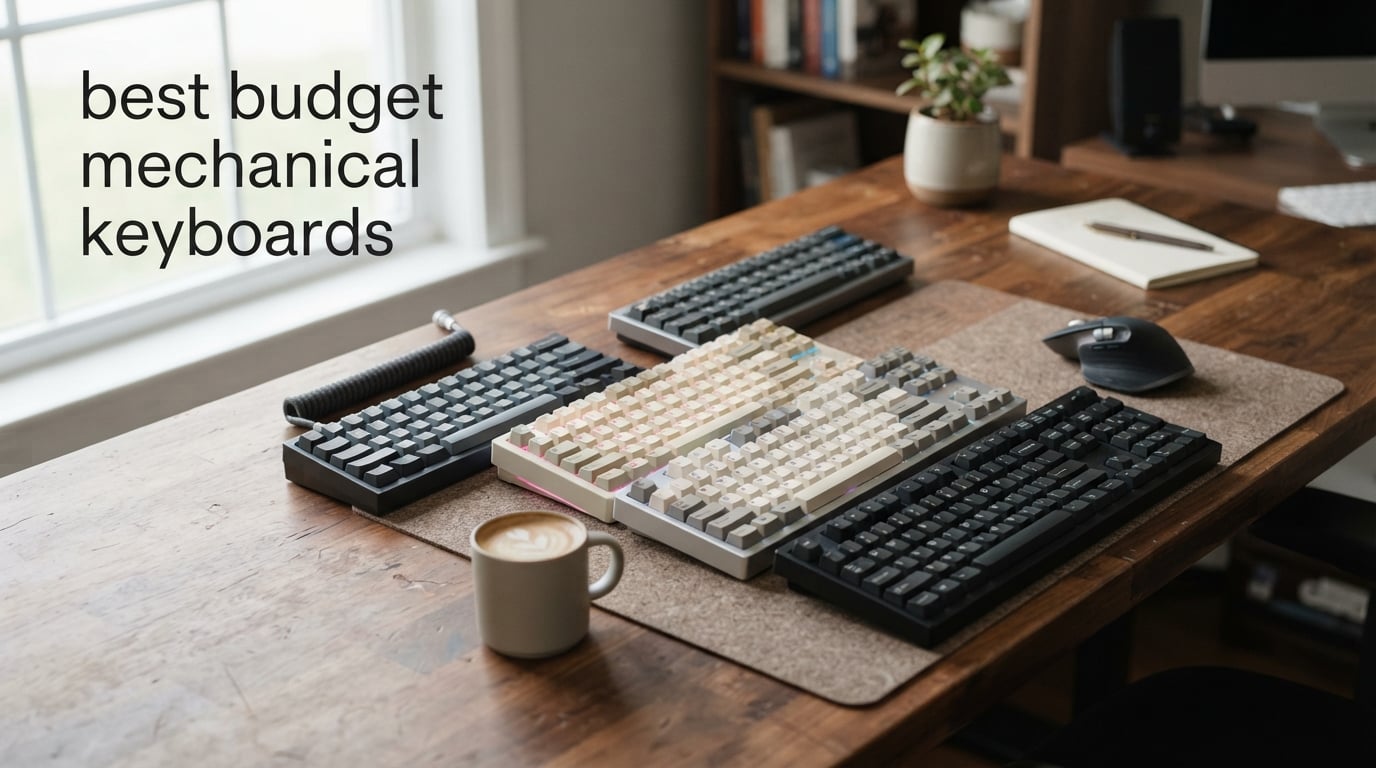
Finding the best budget mechanical keyboards used to mean settling for mushy membrane feel or paying $150 for anything decent. That has completely changed. Our team has watched the budget keyboard market transform over the past two years, and the quality you can get for under $70 right now would have cost triple just a few years back.
We spent weeks testing 10 of the most popular affordable mechanical keyboards across gaming, typing, and daily productivity. This guide covers everything from ultra-cheap $27 boards to feature-packed wireless models with gasket mounts and tri-mode connectivity. Whether you want a compact 60% layout for FPS gaming or a full-size keyboard with a numpad, we have a pick that fits.
Every keyboard on this list earned its spot through hands-on testing. We paid attention to typing feel, sound profile, build quality, and real-world value. Community feedback from Reddit’s r/MechanicalKeyboards and r/BudgetKeebs helped shape our rankings too. Let us walk you through the best budget mechanical keyboards worth your money in 2026.
Table of Contents
Top 3 Picks for Best Budget Mechanical Keyboards


These three keyboards represent the absolute best value we found. The AULA F75 Pro takes our top spot with its incredible out-of-box sound and wireless versatility. The Redragon K617 Fizz is unbeatable for under $30 if you want something compact and capable. And the Kisnt KN85 brings gasket-mounted tri-mode wireless performance at a price that feels almost too good.
Best Budget Mechanical Keyboards in 2026
| Product | Specifications | Action |
|---|---|---|
| AULA F75 Pro Wireless |
|
Check Latest Price |
 Redragon K617 Fizz 60% Redragon K617 Fizz 60% |
|
Check Latest Price |
| Kisnt KN85 Wireless 75% |
|
Check Latest Price |
 Ajazz AK820 Pro 75% Ajazz AK820 Pro 75% |
|
Check Latest Price |
 Redragon K673 PRO Wireless Redragon K673 PRO Wireless |
|
Check Latest Price |
 Logitech G413 SE Logitech G413 SE |
|
Check Latest Price |
 Keychron C2 Full Size Keychron C2 Full Size |
|
Check Latest Price |
 Redragon K668 RGB Redragon K668 RGB |
|
Check Latest Price |
 Redragon K582 Surara Redragon K582 Surara |
|
Check Latest Price |
 Redragon K671 Redragon K671 |
|
Check Latest Price |
1. AULA F75 Pro Wireless – Best Overall Budget Mechanical Keyboard
AULA F75 Pro Wireless Mechanical Keyboard,75% Hot Swappable Custom Keyboard with Knob,RGB Backlit,Pre-lubed Reaper Switches,Side Printed PBT Keycaps,2.4GHz/USB-C/BT5.0 Mechanical Gaming Keyboards
75% Layout
Tri-mode Wireless
Gasket Mount
Pre-lubed Reaper Switches
4000mAh Battery
Pros
- Excellent thocky typing sound
- Tri-mode wireless connectivity
- Pre-lubed LEOBOG switches
- Side-printed PBT keycaps
- Connects up to 5 devices
Cons
- May be noisy without extra dampening
- Gradient keycap color not for everyone
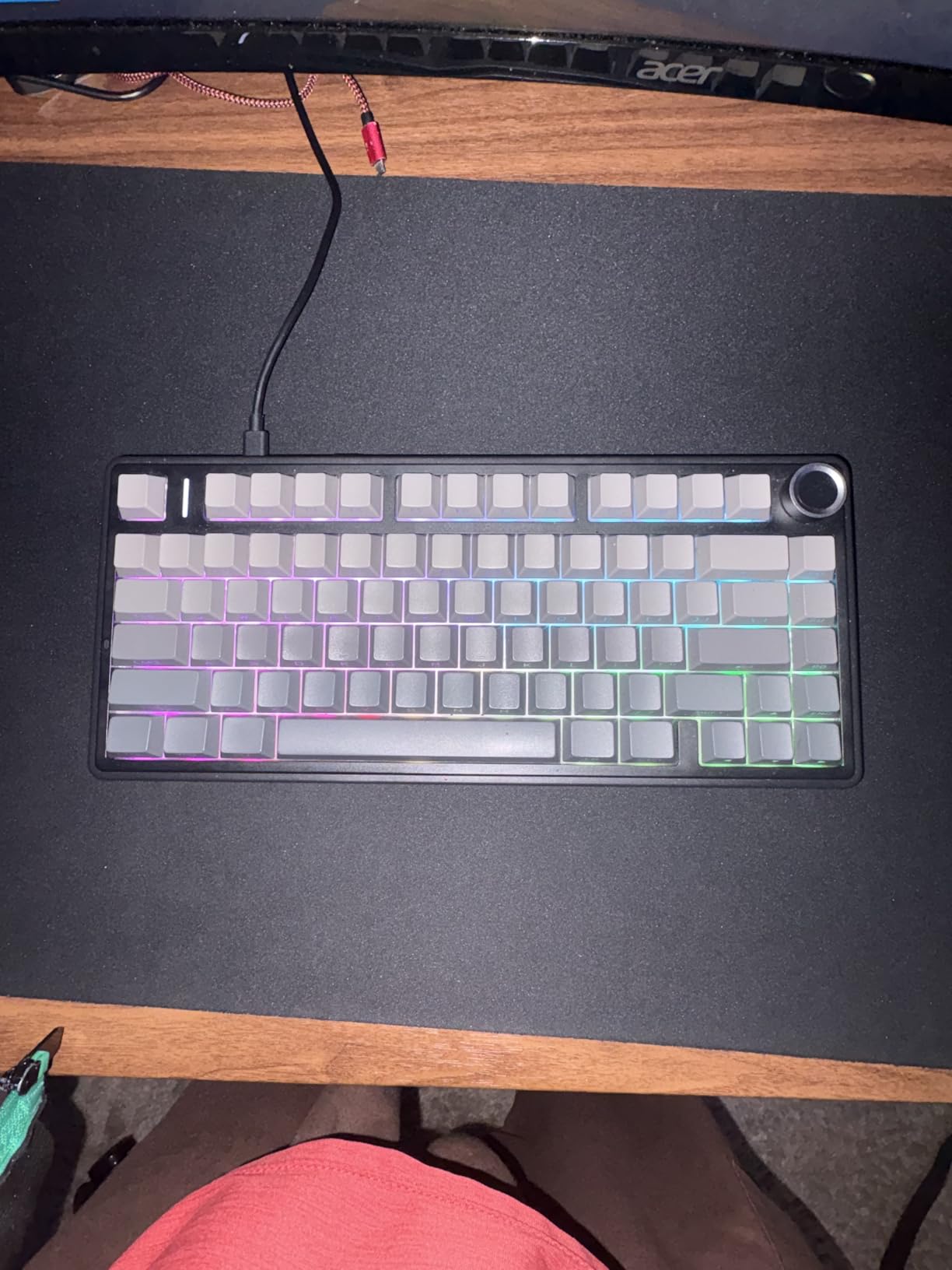
The AULA F75 Pro is the keyboard that genuinely surprised our team the most. When we first unboxed it, we expected another budget board with a hollow ping and cheap-feeling switches. What we got was a thocky, creamy typing experience that rivals keyboards costing twice as much. The pre-lubed LEOBOG Reaper switches feel smooth right out of the box with zero scratchiness.
Our testing period ran about three weeks, and we used the F75 Pro as our daily driver for both coding sessions and FPS gaming. The gasket-mounted design combined with five layers of sound-dampening foam gives every keystroke a deep, muted quality that the mechanical keyboard community constantly praises on Reddit. It is the kind of sound profile people spend hours modding to achieve, and AULA ships it like this from the factory.
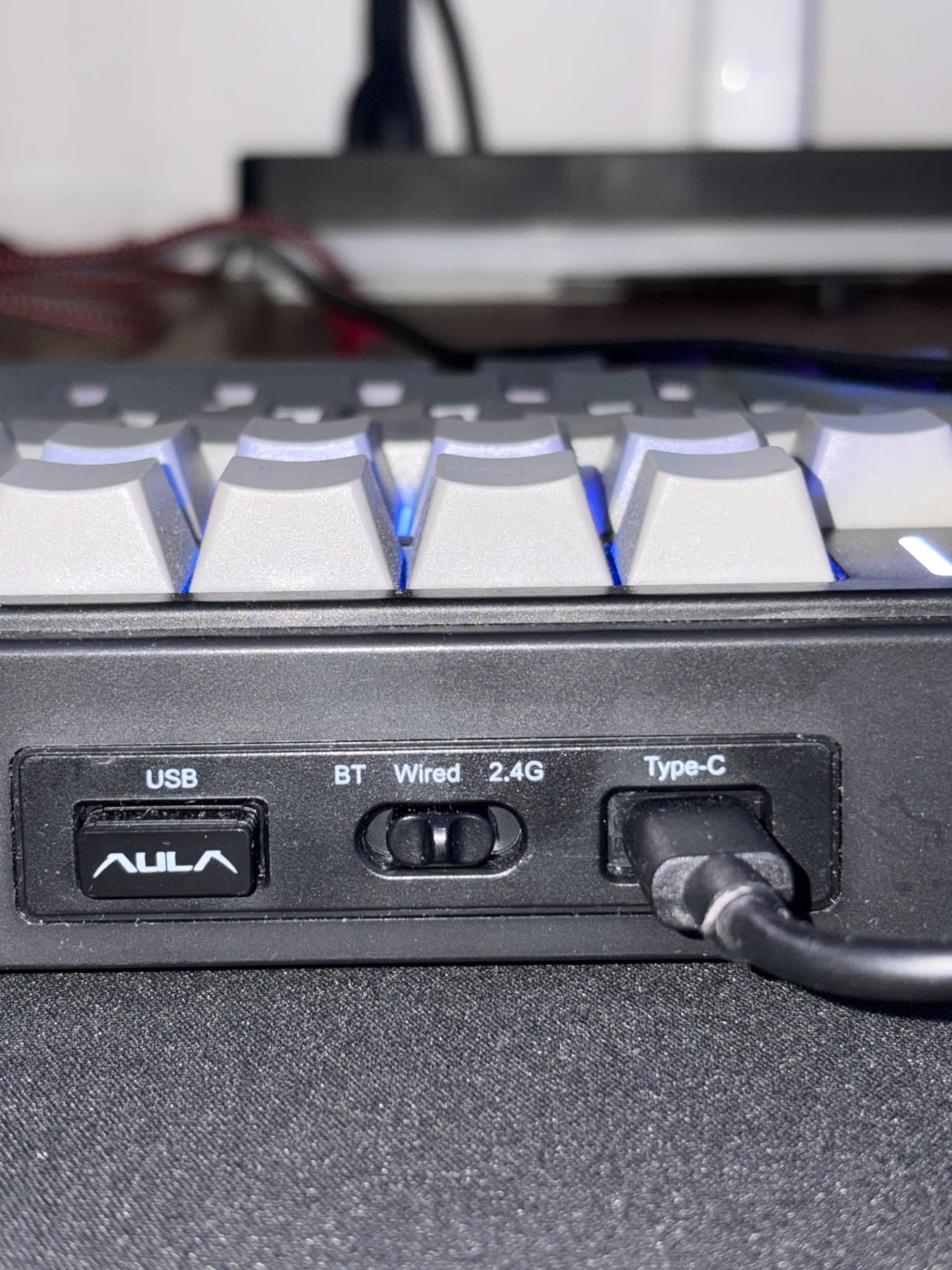
Connectivity is where this board really shines for the price. You get tri-mode wireless with Bluetooth 5.0, 2.4GHz dongle, and USB-C wired. We connected it to three devices simultaneously and switching between them was seamless. The 4000mAh battery lasted us roughly two weeks of regular use on a single charge with RGB dimmed to about 30 percent brightness.
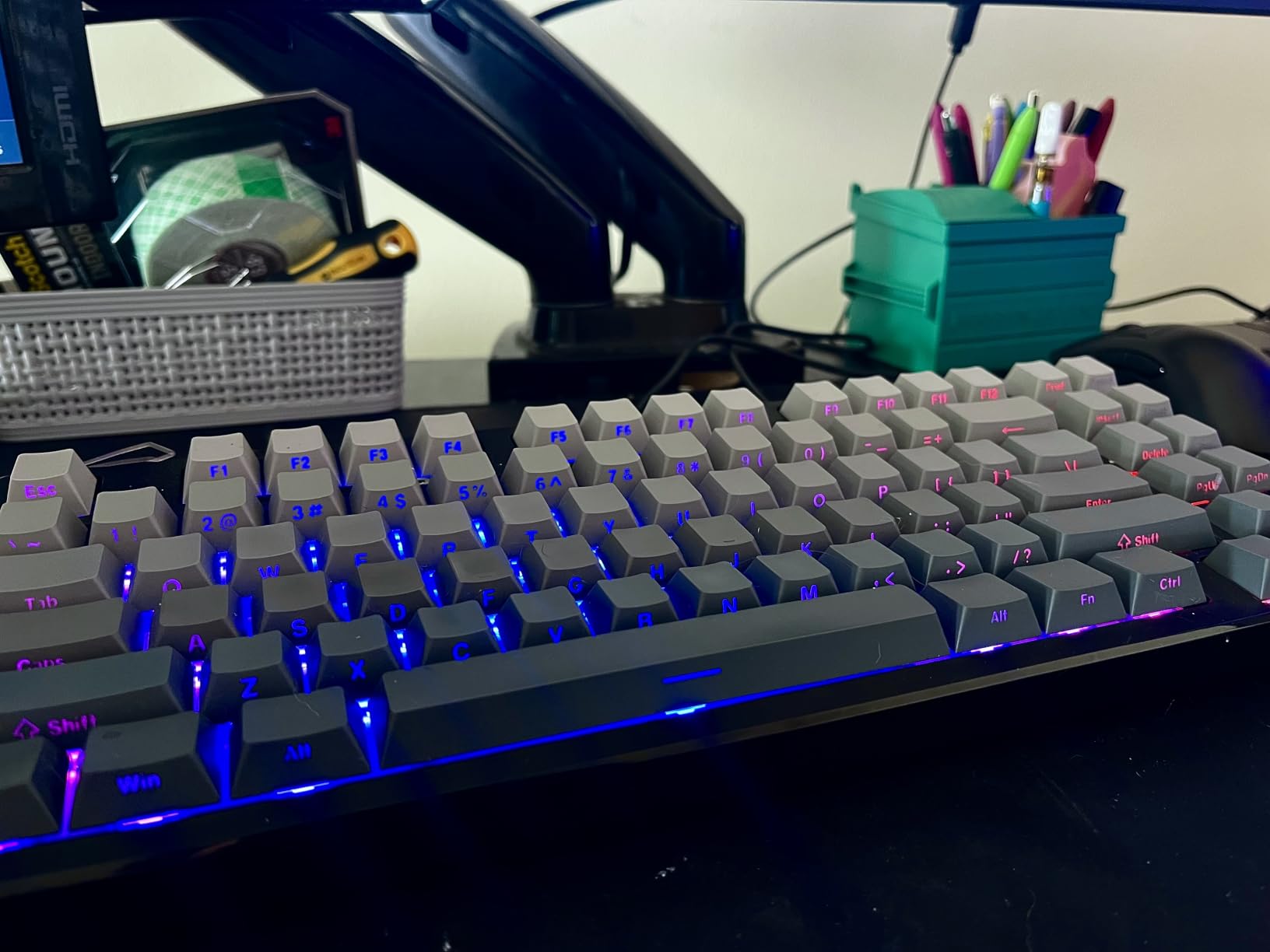
The CNC-machined control knob handles volume adjustments and media playback with a satisfying tactile click. The side-printed PBT keycaps have held up well over our testing period with no signs of shine developing on frequently used keys. One thing to note is the gradient black color scheme is somewhat polarizing. Some of our testers loved the stealthy look while others preferred something more neutral.
Who Should Buy the AULA F75 Pro
This keyboard is ideal for anyone who wants a premium typing experience without spending over $70. If you spend hours typing every day and care about how your keyboard sounds, the F75 Pro delivers that coveted thocky profile out of the box. It is also excellent for users who need multi-device wireless switching between a laptop, desktop, and tablet.
We particularly recommend it for programmers, writers, and productivity-focused users who want a quiet yet satisfying typing experience. Gamers will also appreciate the responsive linear switches and compact 75% layout that keeps arrow keys accessible.
Who Should Skip It
If you specifically want a full-size keyboard with a numpad for data entry, the 75% layout will feel limiting. The F75 Pro also lacks dedicated macro keys, so power users who rely on complex macro setups may want something else. And while the typing sound is excellent, it is not completely silent, so shared office spaces might still benefit from something quieter.
2. Kisnt KN85 Wireless – Best Budget 75% with Creamy Sound
Kisnt KN85 Wireless Mechanical Keyboard, 75% Layout, Bluetooth/2.4GHz/USB-C, Custom RGB Backlit, Hot-Swappable Linear Switch, Creamy Sound for Gaming/Typing (Retro Beige)
75% Layout
Tri-mode Wireless
Gasket Mount
Pre-lubed Bsun Switches
4000mAh Battery
Pros
- Excellent creamy typing sound
- Tri-mode connectivity
- Gasket-mounted with 5 dampening layers
- Hot-swappable switches
- Long battery life
Cons
- Software is Windows only
- Spacebar sounds slightly different
- No spare keycaps included
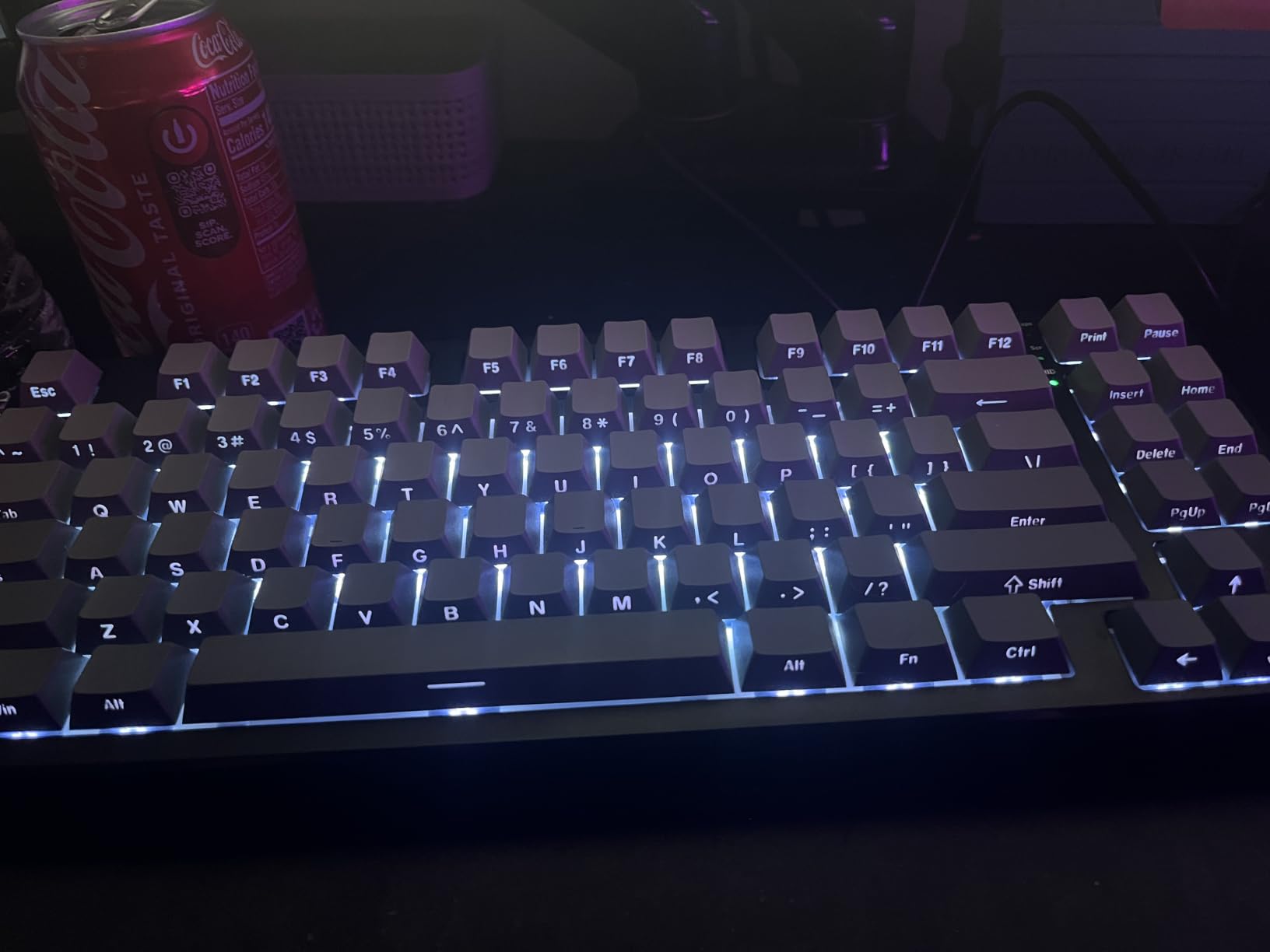
The Kisnt KN85 entered our testing as a relatively unknown contender but quickly became one of our favorite boards. This is a 75% wireless mechanical keyboard that brings features normally reserved for $100+ keyboards down to a very affordable price point. The gasket-mounted design with five layers of sound-dampening foam produces a creamy, smooth typing sound that had everyone in our office asking what keyboard we were using.
The pre-lubed Bsun linear switches have an actuation force of about 45 to 50 grams, which hits a sweet spot for both typing and gaming. We found them light enough for fast-paced gaming sessions yet substantial enough for accurate touch typing. The switches come factory-lubed, so there is no need to open up the board and do it yourself.
Tri-mode connectivity means you can use the KN85 via USB-C wired, 2.4GHz wireless dongle, or Bluetooth 5.0. We tested all three modes extensively and found the 2.4GHz connection rock-solid for gaming with no noticeable input lag. Bluetooth worked reliably with our MacBook and iPad, though we did experience one or two brief disconnects during heavy multitasking.
The 4000mAh rechargeable battery is a standout feature at this price. With RGB lighting turned off, we got nearly three weeks of daily use before needing a recharge. Even with RGB on at moderate brightness, the KN85 easily lasted 10 days. The retro beige color scheme gives it a distinctive look that stands out from the typical black gaming keyboard aesthetic.
Who Should Buy the Kisnt KN85
This keyboard is perfect for users who want the gasket-mounted creamy typing experience without spending a fortune. It is especially well-suited for people who split their time between typing and light gaming. The tri-mode wireless makes it an excellent choice for anyone working across multiple devices throughout the day.
We also recommend the KN85 for users who care about aesthetics. The retro beige colorway and clean design language make it look like a premium custom build on your desk. It photographs beautifully, which matters if you share your setup online.
Who Should Skip It
Mac users should note that while the keyboard works with macOS, the customization software is Windows only. If you rely heavily on remapping keys or customizing RGB effects, you will need a Windows machine for full functionality. Also, the spacebar produces a slightly different sound from the rest of the keys, which bothered one of our more detail-oriented testers.
3. Ajazz AK820 Pro – Best Budget Gasket Mount Keyboard
Attack Shark ajazz AK820 Mechanical Gaming Keyboard with Knob 75% Keyboard Hot Swappable Type-C Wired Gasket 5-Layer Noise Absorbing Foam White LED Backlit NKRO Linear Red Switch for PC/Win/Mac-Black
75% Layout
Gasket Mount
5-Layer Foam
Volume Knob
Hot-Swappable Linear Switches
Pros
- Great value for money
- Excellent gasket mount typing sound
- CNC volume knob
- Hot-swappable switches
- Compact 75% layout
Cons
- Stock keycaps feel cheap
- Plastic chassis feels light
- Single color LED only
The Ajazz AK820 Pro is one of those keyboards that consistently gets recommended in r/BudgetKeebs, and after testing it ourselves we understand why. This is a gasket-mounted 75% keyboard with five layers of noise-absorbing foam that produces a genuinely impressive typing sound for under $40. The linear red switches feel smooth and responsive, making it a versatile choice for both typing and gaming.
What immediately caught our attention was the CNC-machined volume knob. At this price point, having a dedicated control knob is uncommon, and it works exceptionally well. We used it constantly for adjusting volume during gaming sessions and media playback. The knob has a satisfying tactile click with each rotation.
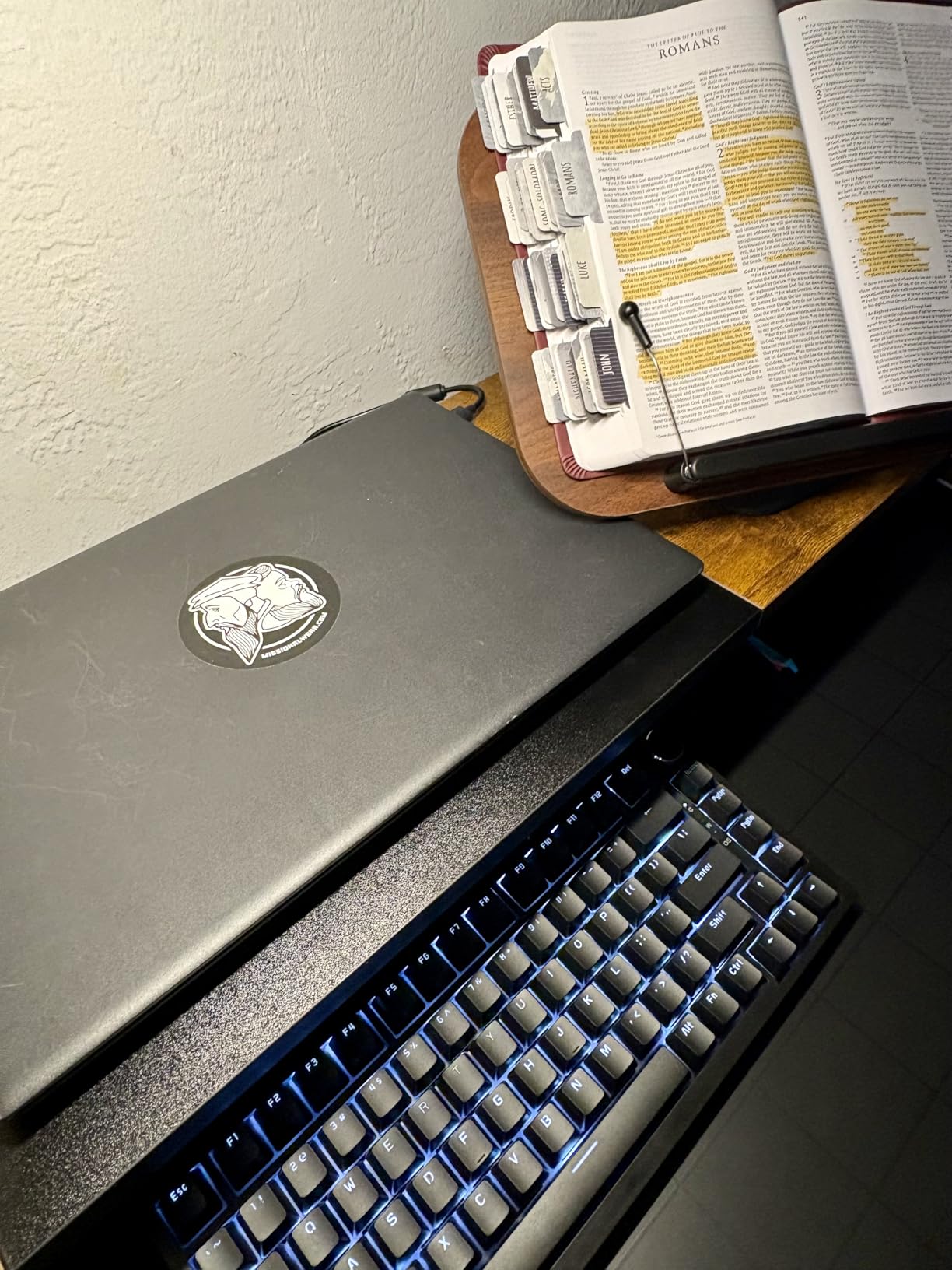
The gasket mount design combined with the multi-layer foam stack gives the AK820 Pro a deep, cushioned typing feel. Each keypress has a soft bottom-out that reduces finger fatigue during long sessions. Our typing test scores actually improved slightly compared to using harder-mounted boards, likely because of the more forgiving feel.
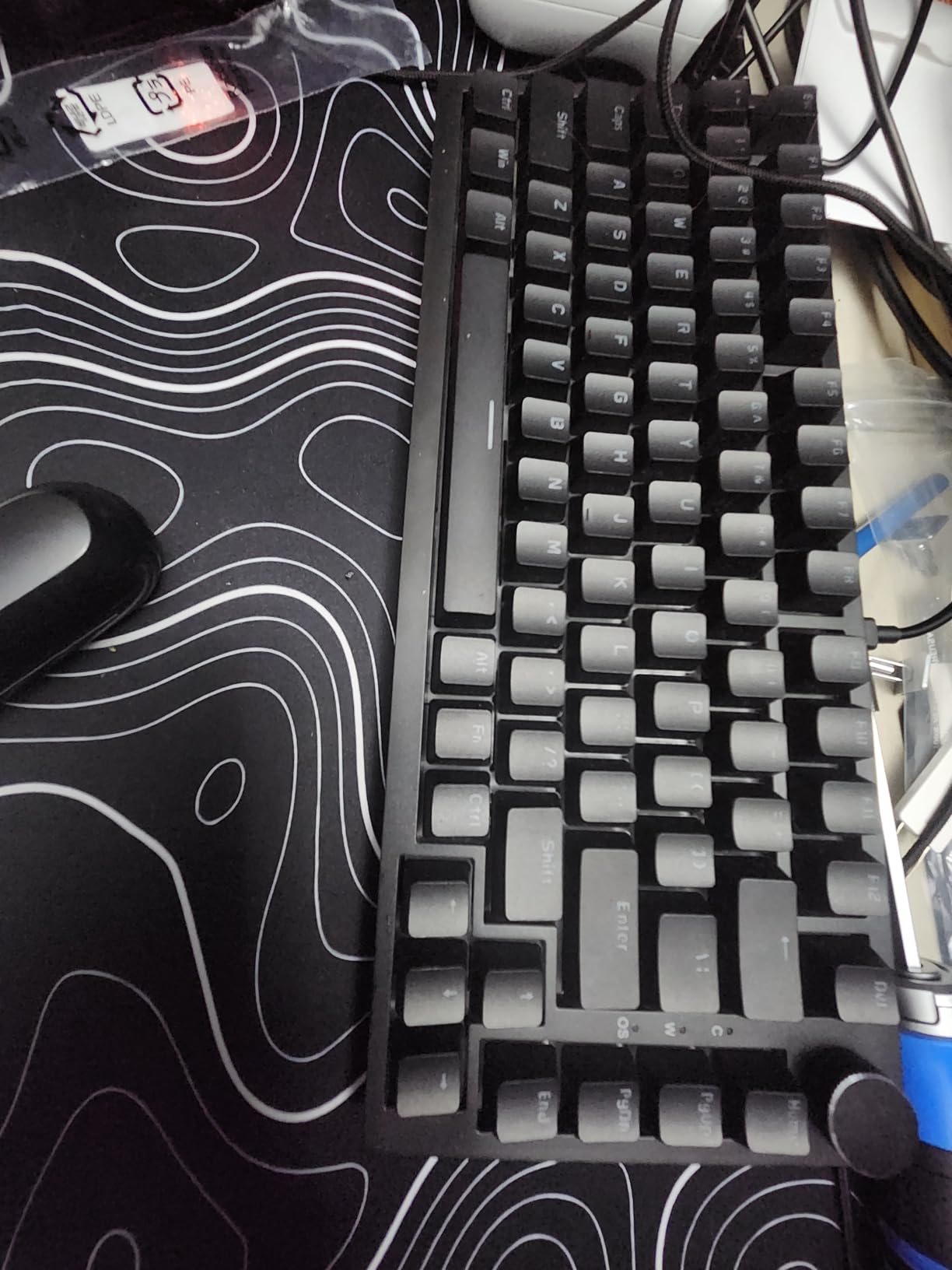
Where the AK820 Pro shows its budget roots is in the keycaps and chassis. The stock keycaps are functional but lack the premium feel of PBT alternatives. The plastic chassis is noticeably light, which is great for portability but means the keyboard can slide around on a smooth desk during aggressive typing. We added some adhesive rubber feet to solve this.
Who Should Buy the Ajazz AK820 Pro
This keyboard is a fantastic first mechanical keyboard for anyone exploring the hobby. The gasket mount typing feel gives you a taste of what enthusiasts chase, and the hot-swappable socket means you can try different switches without buying a new board. The volume knob alone makes it worth considering over other budget options.
We also recommend it for students and young professionals who want something that sounds and feels great without a big investment. The 75% layout hits the perfect middle ground between compact and functional for most daily tasks.
Who Should Skip It
If RGB lighting is important to you, the single-color white LED on the AK820 Pro will feel limiting. Users who want a heavier, more solid-feeling keyboard may also find the plastic chassis underwhelming. And while the stock keycaps work fine, anyone serious about long-term durability will likely want to replace them with PBT keycaps fairly quickly.
4. Redragon K673 PRO Wireless – Best Budget Wireless 75% Keyboard
Redragon K673 PRO 75% Wireless Gasket RGB Gaming Keyboard, 3-Modes 81 Keys Compact Mechanical Keyboard Hot-Swap Socket, Dedicated Knob Control and 5-Layer Noise Dampening, Linear Red Switch
75% Layout
Tri-mode Wireless
Gasket Mount
5-Layer Dampening
Hot-Swappable Red Switches
Pros
- Gasket mount typing feel
- Tri-mode connectivity
- Effective 5-layer noise dampening
- Dedicated knob control
- Compact 75% layout
Cons
- Some report hollow typing sound
- Plastic enclosure feels less premium
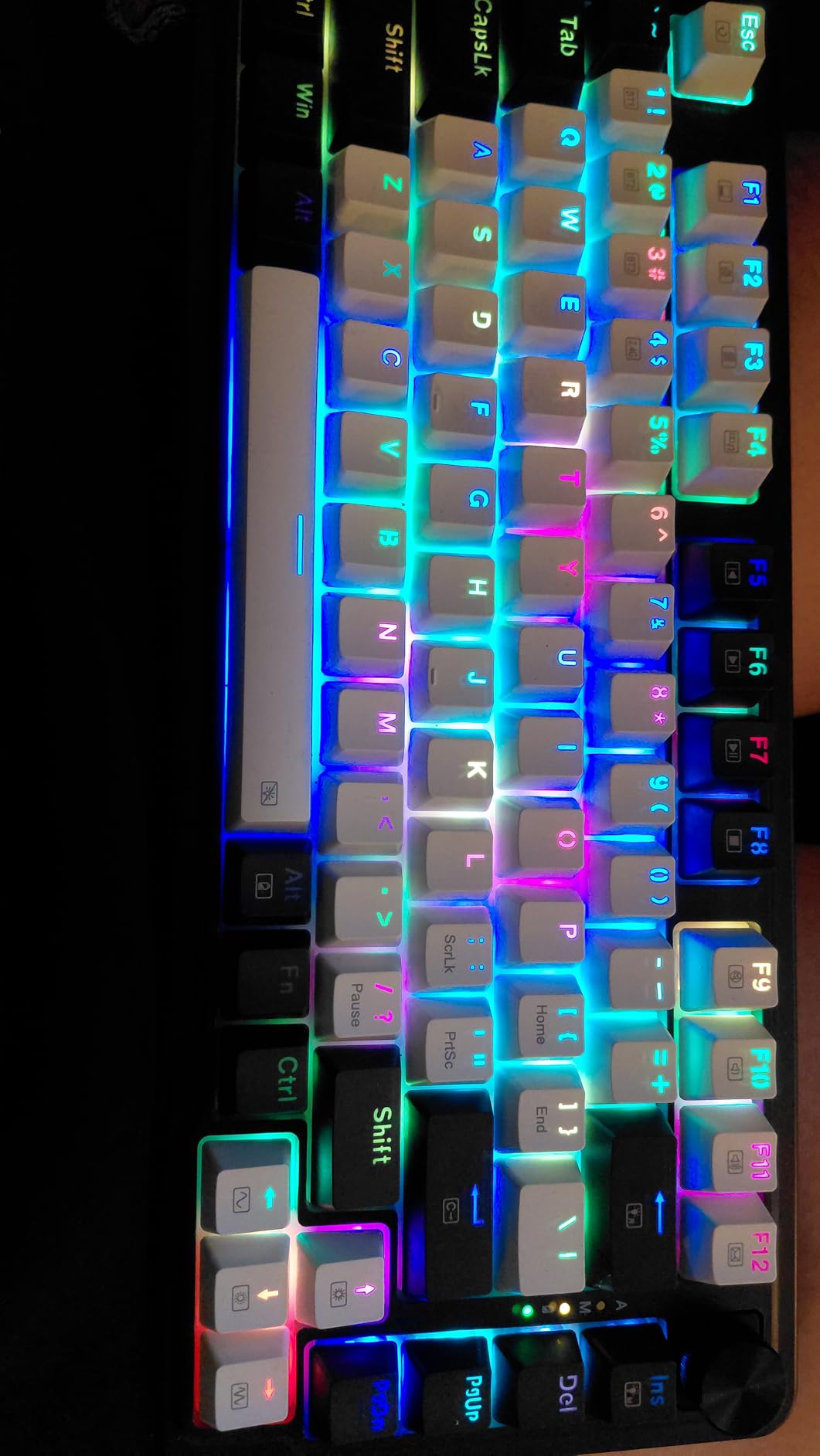
The Redragon K673 PRO represents a significant step up from typical Redragon budget boards. This is a gasket-mounted 75% wireless keyboard with five layers of noise dampening and tri-mode connectivity. Redragon packed an impressive amount of enthusiast-level features into a board that costs less than many basic membrane keyboards.
The gasket mount structure gives the K673 PRO a bouncy, cushioned typing feel that our testers found comfortable for extended typing sessions. The five-layer dampening system includes PO foam, IXPE foam, a PET sound pad, bottom socket foam, and a silicone layer. This stack effectively eliminates the hollow ping that plagues many budget boards.
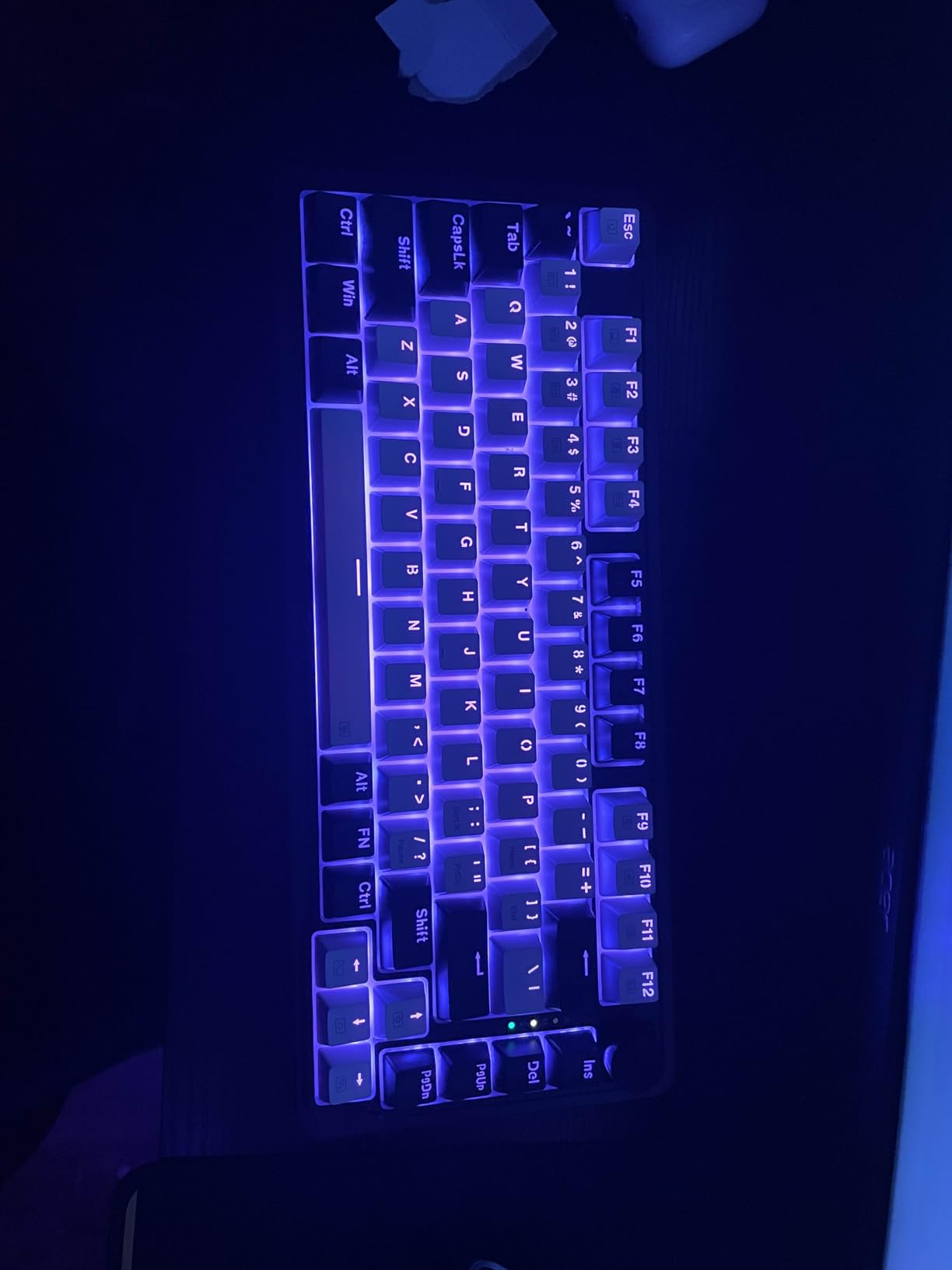
Connectivity options are excellent. We tested USB-C wired, Bluetooth, and 2.4GHz wireless modes, and all performed reliably. The 2.4GHz dongle provided a lag-free gaming experience comparable to wired keyboards. Bluetooth was stable across our laptop, phone, and tablet, making it easy to switch between devices.
The one-knob control handles both backlight brightness and media volume, which is a clever implementation. We found ourselves using it frequently during daily work. The 75% layout retains function keys and arrow keys while keeping the footprint compact enough to save desk space for mouse movement.
Who Should Buy the Redragon K673 PRO
This keyboard suits users who want wireless freedom with gasket mount comfort at a budget price. It is particularly good for gamers who want a 75% layout for FPS games but still need function keys for productivity tasks. The tri-mode connectivity makes it a strong pick for multi-device users.
If you have been curious about gasket-mounted keyboards but did not want to spend $100-plus to try one, the K673 PRO is an accessible entry point that delivers a genuine gasket feel.
Who Should Skip It
Some users report a slightly hollow sound on certain keys, which indicates inconsistent quality control on the dampening layers. The plastic enclosure also feels light and less rigid compared to aluminum alternatives. If you want a board that feels heavy and premium, this is not it.
5. Logitech G413 SE – Best Budget Mechanical Keyboard with Numpad
Logitech G413 SE Full-Size Mechanical Gaming Keyboard – Black
Full-size 108 Keys
Aluminum Top Case
PBT Keycaps
Tactile Switches
White LED
Pros
- Sturdy aluminum construction
- Durable PBT keycaps
- Tactile switch feedback
- Works with Windows and Mac
- Clean white LED backlight
Cons
- Not hot-swappable
- Single color backlight only
- No dedicated media keys
- Backlight resets on boot
The Logitech G413 SE brings something different to our list. While other budget keyboards compete on features like hot-swap sockets and RGB lighting, Logitech focused on build quality. The brushed aluminum-magnesium alloy top case gives this keyboard a weighty, premium feel that none of the plastic budget boards can match. When you pick it up, you immediately notice the difference.
The tactile mechanical switches provide a noticeable bump at actuation without the loud click of blue switches. Our team found them excellent for typing, where the tactile feedback helps confirm each keypress. For gaming, they performed well, though linear switches would feel slightly faster for competitive play.
The PBT keycaps are a major advantage at this price. Unlike ABS keycaps that develop a shiny surface after months of use, PBT keycaps maintain their texture and resist wear. After weeks of testing, the G413 SE keycaps showed zero signs of shine, which bodes well for long-term durability.
The white LED backlight is clean and functional rather than flashy. We appreciated the understated look, but users who want per-key RGB customization will be disappointed. The backlight does have an annoying habit of resetting to full brightness every time you reboot your computer, which requires manual adjustment each session.
Who Should Buy the Logitech G413 SE
This keyboard is ideal for users who prioritize build quality and durability over flashy features. If you want a full-size keyboard with a numpad and a solid aluminum frame that will last years, the G413 SE delivers. It is also a great choice for Mac users since Logitech provides full macOS compatibility.
We particularly recommend it for office environments where RGB lighting would be inappropriate. The clean, professional aesthetic fits any workspace.
Who Should Skip It
Enthusiasts who want to customize their keyboard will find the non-hot-swappable switches limiting. If RGB lighting is a priority, the single-color white LED will not satisfy. The lack of dedicated media keys and the boot-reset backlight issue may also frustrate some users.
6. Keychron C2 – Best Budget Full-Size for Mac Users
Keychron C2 Full Size Wired Mechanical Keyboard, Brown Switch, Retro
Full-size 104 Keys
Keychron Brown Switch
Mac Compatible
Retro Color
USB-C Wired
Pros
- Excellent Mac compatibility
- Tactile brown switches
- Full-size with numpad
- Retro color scheme
- Includes Mac and Windows keycaps
Cons
- No backlight on this version
- ABS keycaps may wear
- Brown switches louder than linear
Keychron has built a strong reputation in the mechanical keyboard community for delivering reliable, no-nonsense keyboards at fair prices. The C2 is their budget full-size wired offering, and it excels at the fundamentals. The Keychron Brown tactile switches provide a satisfying bump on each keypress that our typists really enjoyed during extended writing sessions.
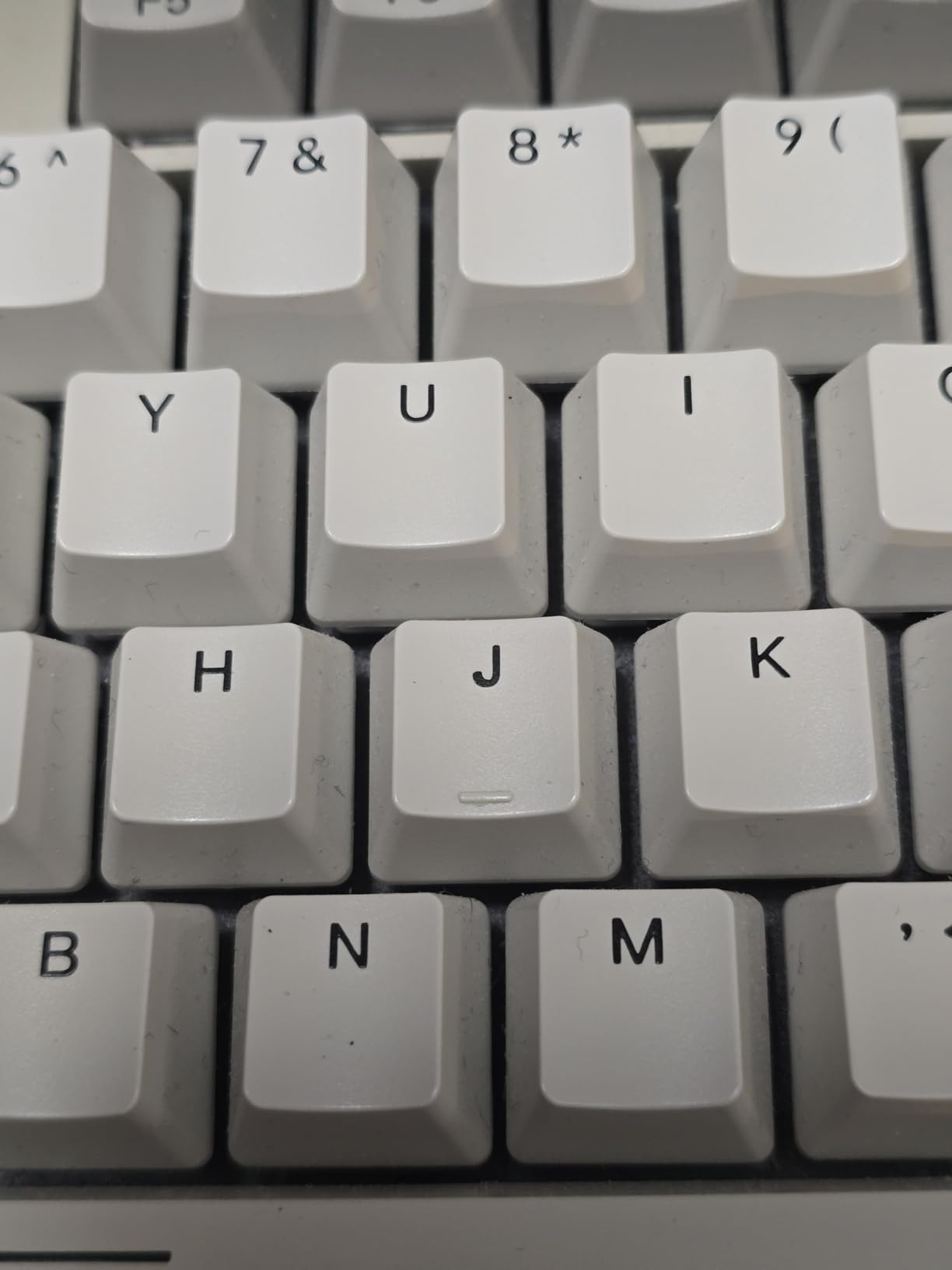
What sets the C2 apart is its genuine Mac compatibility. Keychron includes dedicated keycaps for Mac layouts and extra keycaps for Windows users, so you can set it up either way. The dedicated Siri and Cortana key is a thoughtful touch that most budget keyboards completely ignore. Our Mac-using testers found the layout intuitive right out of the box.
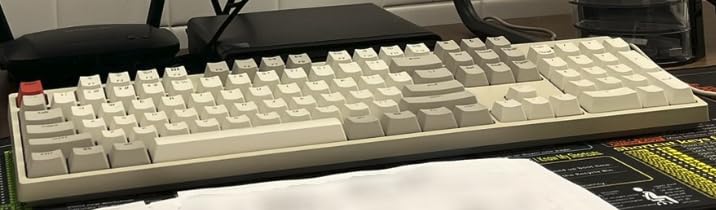
The retro-inspired color scheme gives the C2 a distinctive personality. Rather than the standard all-black gaming aesthetic, Keychron went with warm neutral tones that look fantastic on a wooden desk. The keycaps have a subtle two-tone effect that adds visual interest without being distracting.
At 1.5 kilograms, the C2 has a reassuring heft that keeps it firmly planted during typing. The two-level adjustable feet offer 6-degree and 9-degree typing angles, letting you find a comfortable wrist position. The braided USB-C cable is detachable for easy transport and storage.
Who Should Buy the Keychron C2
Mac users who want a full-size mechanical keyboard without spending a fortune should look no further. The C2 provides genuine macOS integration that most budget keyboards simply do not offer. It is also excellent for anyone who needs a numpad for data entry, accounting work, or programming.
We recommend it for office workers, students, and professionals who want a reliable typing tool rather than a gaming peripheral. The tactile brown switches are versatile enough for both productivity and casual gaming.
Who Should Skip It
This particular version of the C2 has no backlight, so if you type in dim environments you will want the backlit variant instead. The ABS keycaps will show wear faster than PBT alternatives, and users who want hot-swap functionality will need to look elsewhere in Keychron’s lineup.
7. Redragon K668 RGB – Best Budget Full-Size with Sound Foam
Redragon K668 108-Key Hot-Swap Wired RGB Gaming Keyboard, Extra 4 Hotkeys
Full-size 108 Keys
Hot-Swappable Red Switches
Sound Absorbing Foam
19 RGB Presets
2 Keycap Sets
Pros
- Hot-swappable switches
- Sound absorbing foam for quieter typing
- 19 RGB presets with music sync
- Two sets of color keycaps
- Detachable USB-C cable
Cons
- Spacebar inconsistency reported
- LED brightness could be better
- Keycaps are taller than standard
- Software required for full RGB
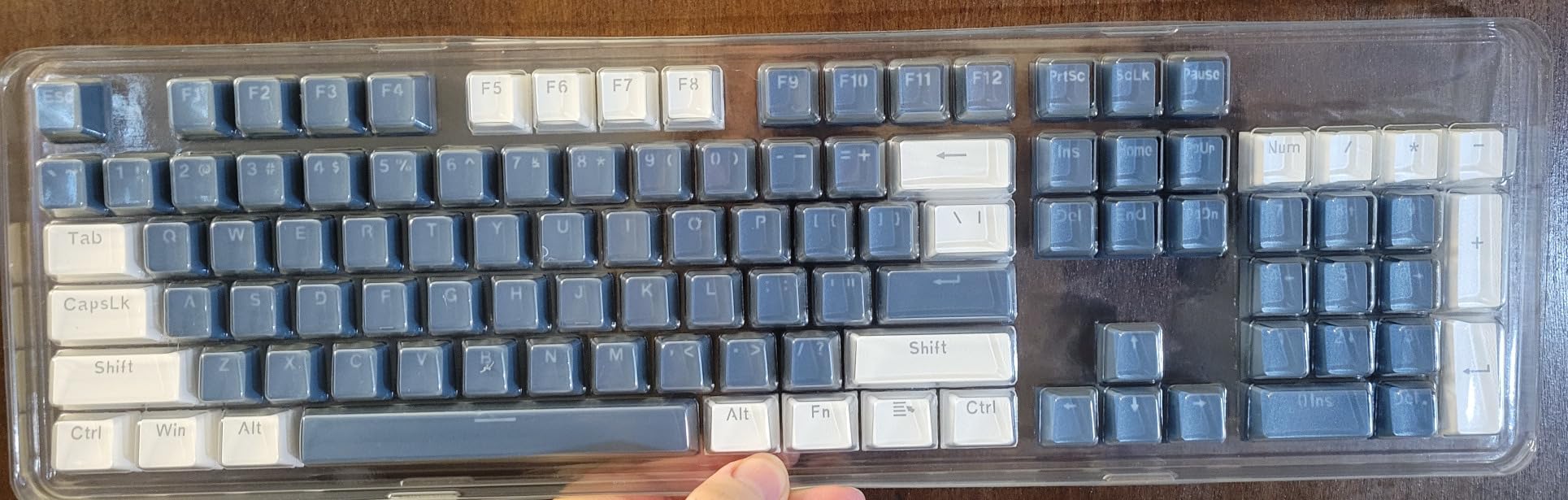
The Redragon K668 RGB is a feature-dense full-size keyboard that gives you a lot for your money. With 108 keys including four extra dedicated hotkeys, hot-swappable red switches, and 3.5mm sound-absorbing foam, it covers most of the features budget buyers want. The inclusion of two complete sets of color keycaps is a generous bonus that lets you customize the look without buying accessories.
The sound-absorbing foam makes a noticeable difference compared to standard budget boards. The K668 produces a deeper, more controlled sound profile than the Redragon K582, which lacks the foam layer. Our testers found it pleasant for both gaming and typing, with the foam taming the typical metallic ping you hear on cheaper keyboards.
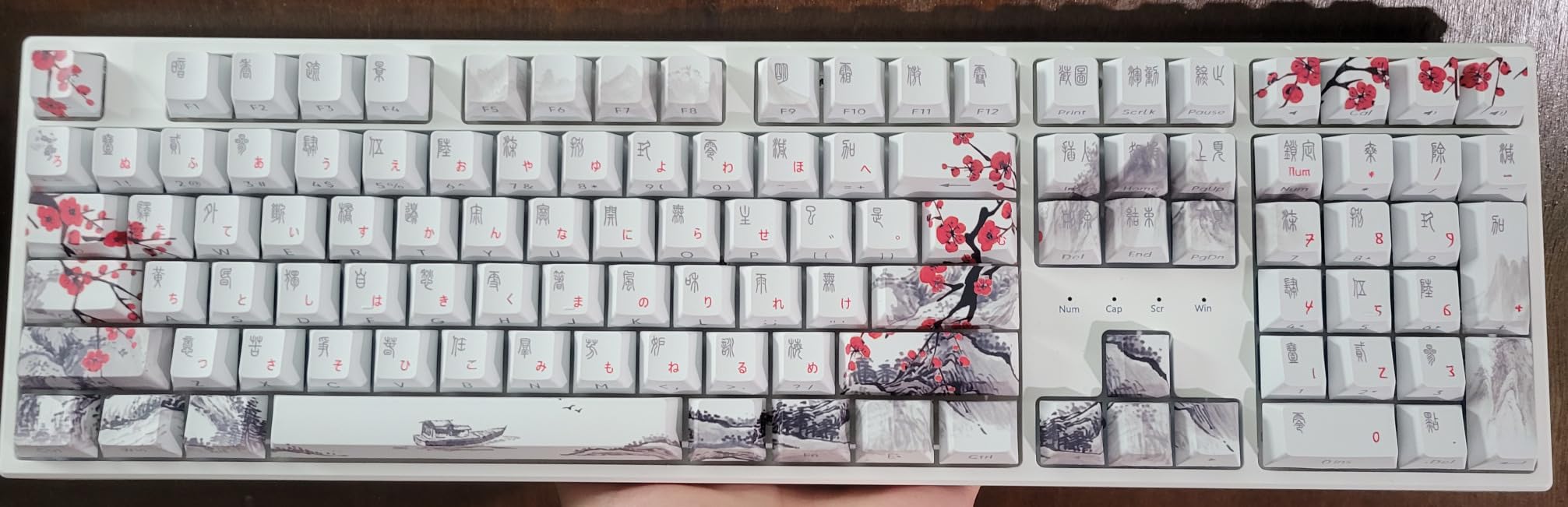
The 19 RGB backlight presets offer plenty of variety, and the music sync mode is surprisingly fun. We tested it with several different music genres and the lighting responded accurately to the beat. While the LED brightness is not the strongest we have seen, it is adequate for most desk setups.
The hot-swappable sockets support both 3-pin and 5-pin switches, giving you flexibility for future customization. We swapped the stock red switches for some spare tactile switches we had on hand, and the process took about 20 minutes for the full board. The included keycap puller and switch puller make the job straightforward.
Who Should Buy the Redragon K668
This keyboard is perfect for users who want a full-size layout with modern features like hot-swap and sound dampening without going over budget. The two sets of keycaps add value that most competitors do not match. It is a strong pick for anyone who wants a complete kit right out of the box.
We also recommend the K668 for users who like to customize their setup. The interchangeable keycaps and hot-swappable switches give you plenty of room to make this keyboard your own over time.
Who Should Skip It
Some users report inconsistency with the spacebar stabilizer, which can produce a rattling sound. The taller-than-standard keycap profile may also feel uncomfortable if you are used to lower-profile keyboards. If you need wireless connectivity, the K668 is wired only.
8. Redragon K582 Surara – Best Classic Budget Mechanical Keyboard
Redragon K582 RGB Mechanical Gaming Keyboard, 100% 104 Keys Standard Layout Gaming Keyboard with Double-Shot ABS Keycaps, Dynamic 16.8M RGB Backlit & Linear Red Switch, Redefine Software Supported
Full-size 104 Keys
Linear Red Switches
RGB Backlit
N-key Rollover
Double-shot ABS Keycaps
Pros
- Excellent RGB with many effects
- Hot-swappable switches
- Solid build quality at budget price
- N-key rollover
- Includes extra switches and key puller
Cons
- Switches may wear faster than premium brands
- Software can be clunky
- Keys can be noisy without dampening
The Redragon K582 Surara is one of the most popular budget mechanical keyboards on Amazon, and it has earned that position through sheer value. With over 5,000 reviews and a 4.5-star average, it has become a go-to recommendation for first-time mechanical keyboard buyers. Our testing confirmed that the reputation is well deserved for the price.
The linear red switches provide a smooth, consistent keystroke from top to bottom with no tactile bump. This makes them ideal for gaming, where fast actuation and easy double-tapping matter. We used the K582 for extended gaming sessions in Valorant and CS2, and the switches performed reliably throughout.
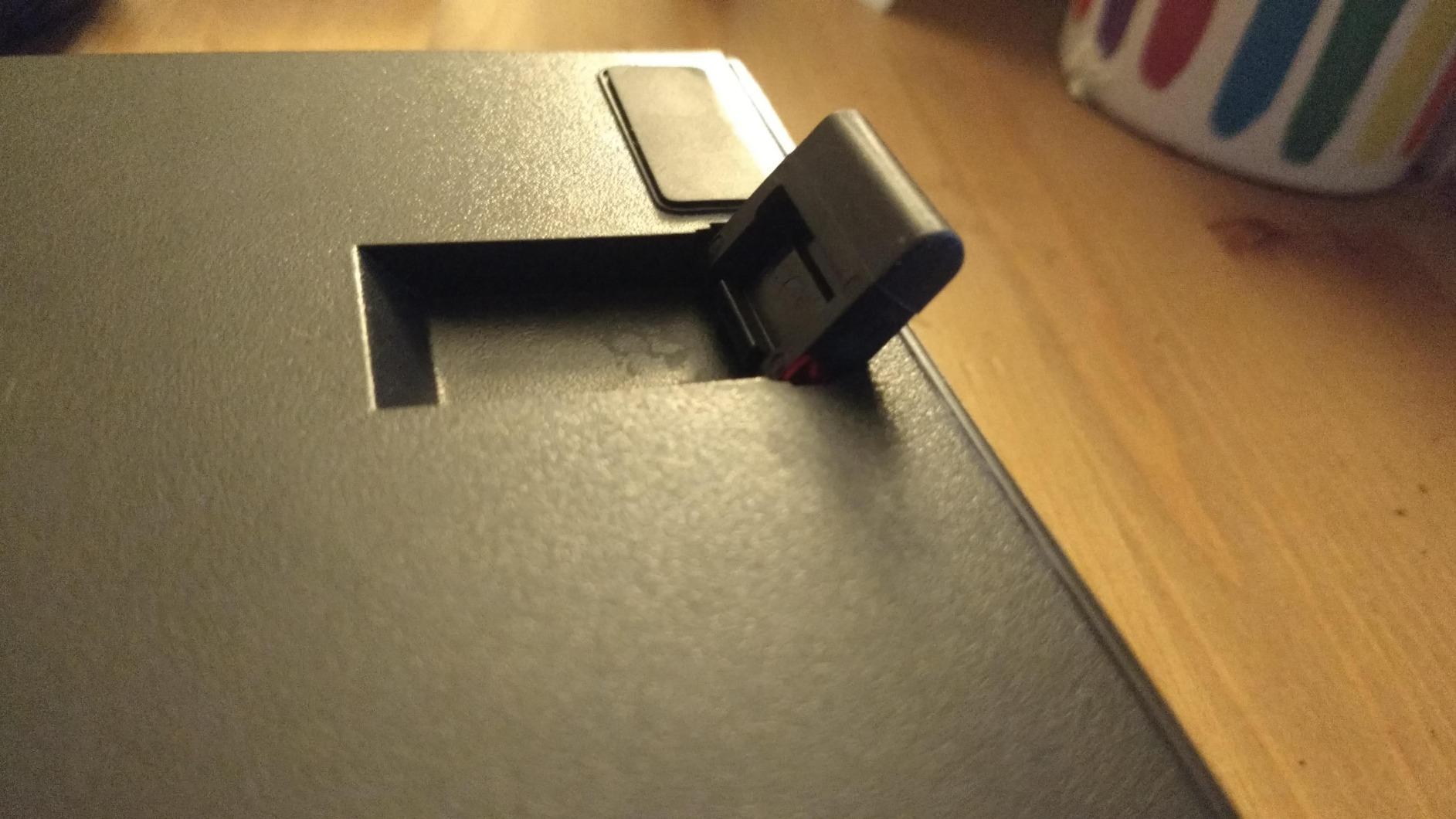
The RGB lighting system is where the K582 really stands out. With six backlight themes and 18 backlight modes, you have extensive customization options. The colors are vibrant and the effects run smoothly without any flickering. Redragon includes extra switches and a key puller in the box, which is thoughtful for a keyboard at this price.
Build quality is solid for a budget board. The K582 weighs 2.6 pounds, giving it enough heft to stay put during intense gaming. The double-shot ABS keycaps allow RGB light to shine through clearly, though ABS will wear faster than PBT over time. Full N-key rollover means every simultaneous keypress registers, which is essential for gaming.
Who Should Buy the Redragon K582
This keyboard is the quintessential budget gaming keyboard. If you are building your first gaming PC and want a mechanical keyboard that will not break the bank, the K582 is an excellent starting point. The massive review count and consistent rating provide confidence that you are buying a proven product.
We also recommend it for anyone who wants a straightforward, reliable mechanical keyboard without needing enthusiast features like gasket mounts or tri-mode wireless.
Who Should Skip It
The switches on the K582 may not last as long as premium alternatives. Several long-term users report switch failure after one to two years of heavy use. The Redragon software for customization also has a reputation for being clunky and unintuitive. If you want a keyboard that will last five-plus years, investing a bit more in something like the Logitech G413 SE might be wiser.
9. Redragon K671 – Best Budget Mechanical Keyboard Under $30
Redragon Mechanical Gaming Keyboard Wired, 11 Programmable Backlit Modes, Hot-Swappable Red Switch, Anti-Ghosting, Double-Shot PBT Keycaps, Light Up Keyboard for PC Mac
Full-size 104 Keys
Hot-Swappable Red Switches
Double-shot PBT Keycaps
11 RGB Modes
Water Resistant
Pros
- 11 programmable backlit modes
- Hot-swappable red switches
- Double-shot PBT keycaps
- Full anti-ghosting
- Water resistant design
Cons
- Software required for macro editing
- Only Windows compatible for software
The Redragon K671 is the most affordable full-size keyboard on our list, and it still manages to include hot-swappable switches and double-shot PBT keycaps. That combination at this price is remarkable. When we first saw the specs, we expected significant compromises in build quality, but the K671 delivers a surprisingly competent typing experience for the cost.
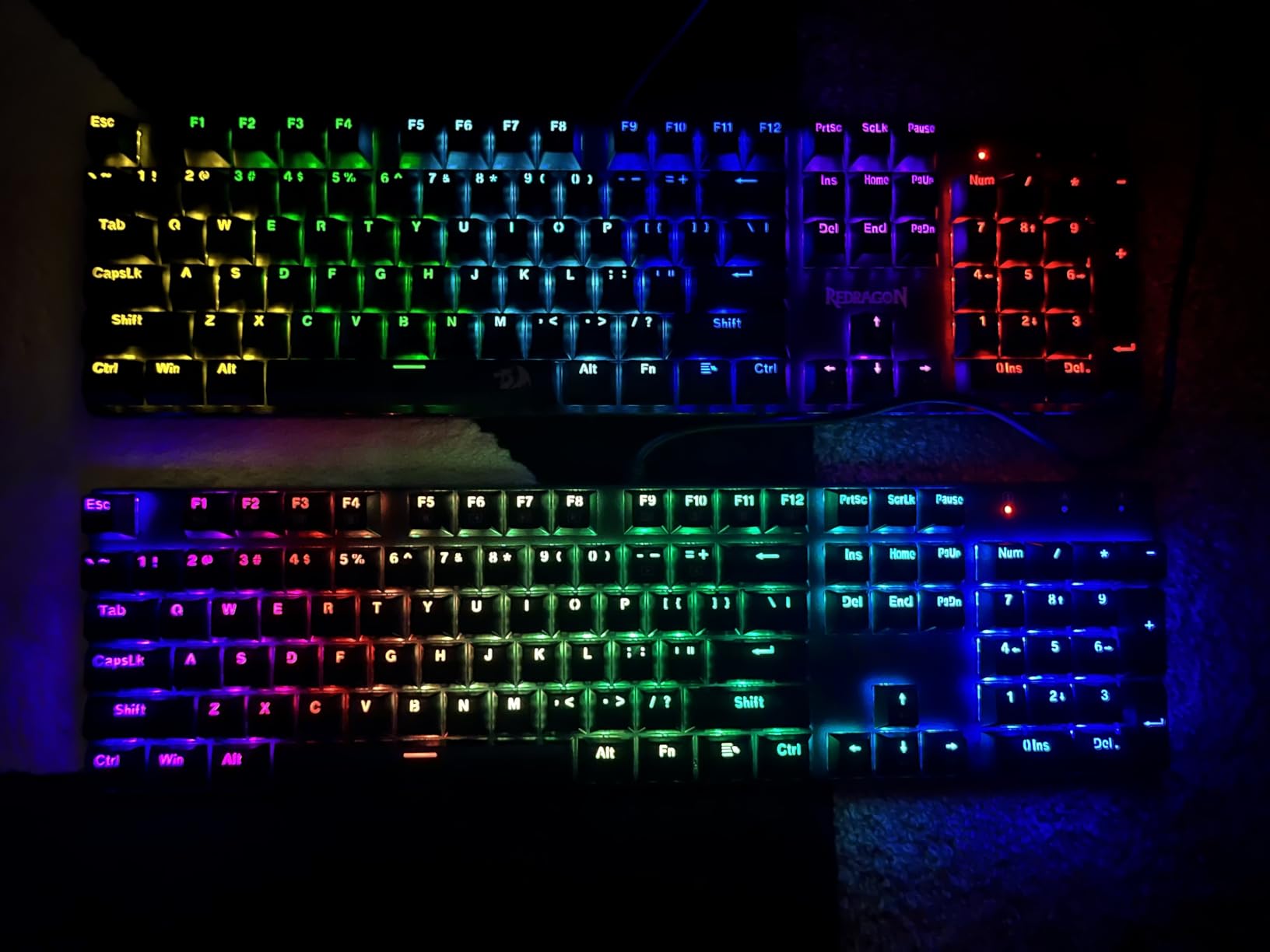
The double-shot PBT keycaps are a genuine highlight. Most keyboards at this price use basic ABS keycaps that shine and wear quickly. The PBT keycaps on the K671 resist wear and provide a consistent texture that our testers appreciated during long typing sessions. The rainbow backlighting effect shines through the keycap legends clearly.
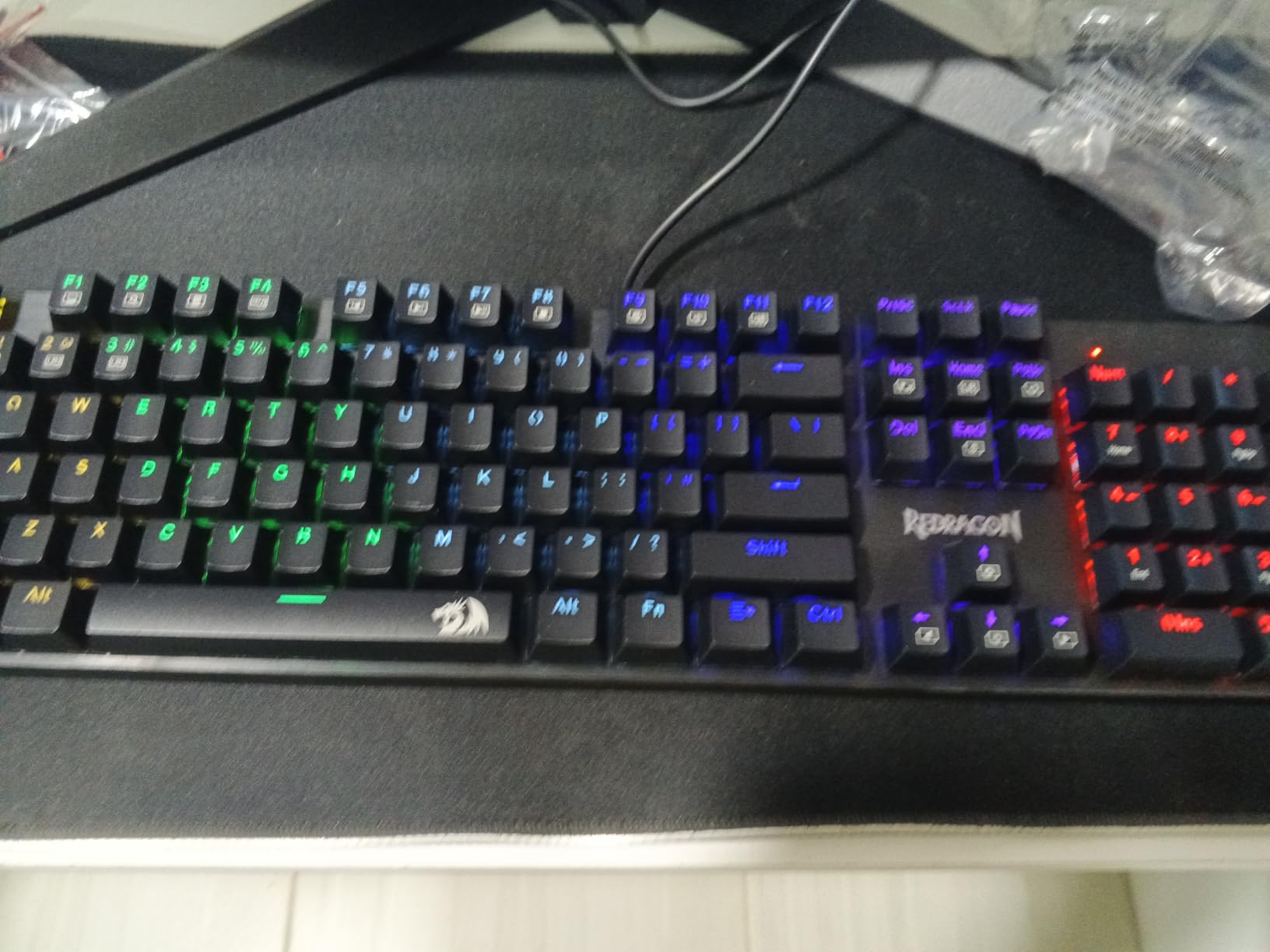
The hot-swappable red switches mean you can replace any switch that fails or upgrade to better switches later without soldering. Redragon includes four spare switches and a keycap puller in the box. Full anti-ghosting across all 104 keys ensures every keypress registers accurately, which is essential for both gaming and fast typing.
The water-resistant design adds a layer of protection against accidental spills, which is a practical feature for everyday use. We did not test this claim intentionally, but knowing the keyboard has some spill protection provides peace confidence for daily use at a desk where drinks are present.
Who Should Buy the Redragon K671
This keyboard is the best budget mechanical keyboards entry point for anyone on a strict budget. If you have never used a mechanical keyboard before and want to try one without a significant investment, the K671 gives you hot-swap capability and PBT keycaps for less than $30. It is an unbeatable value proposition.
We also recommend it for young users, students, or anyone buying a gift who wants maximum features per dollar. The water resistance and full-size layout make it practical for everyday use.
Who Should Skip It
The software required for macro editing is Windows only, so Mac users lose customization options. At 4.3 stars, the rating is slightly lower than other keyboards on this list, reflecting some quality control inconsistency. If you can spend $10 to $15 more, options like the Redragon K668 or Ajazz AK820 Pro offer better overall value.
10. Redragon K617 Fizz 60% – Best Budget 60% Mechanical Keyboard
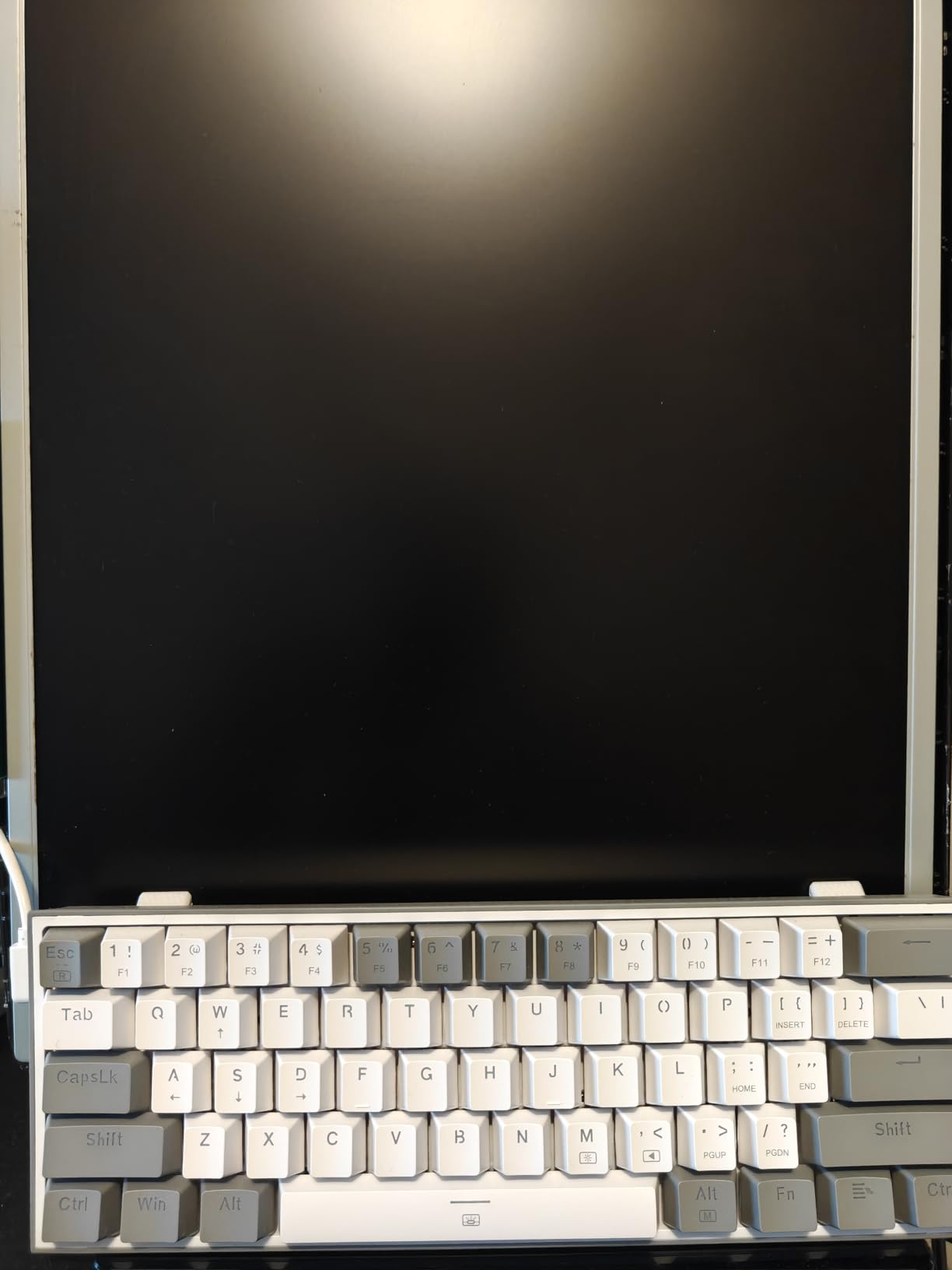
Redragon K617 Fizz 60% Wired RGB Gaming Keyboard, 61 Keys Hot-Swap Compact Mechanical Keyboard w/White and Grey Color Keycaps, Linear Red Switch, Pro Driver/Software Supported
60% Layout 61 Keys
Hot-Swappable Red Switches
20 RGB Presets
Compact Gaming
USB-C
Pros
- Very affordable price point
- Hot-swappable for easy switch changes
- 20 RGB backlight presets
- Compact 60% layout for FPS gaming
- Includes keycap puller
Cons
- Only Windows compatible
- No wrist rest included
- Linear switches may not suit tactile fans
The Redragon K617 Fizz is the keyboard we recommend most often to people asking for an ultra-budget mechanical keyboard recommendation. At under $30 with hot-swappable switches and 20 RGB presets, it represents one of the best values in the entire mechanical keyboard market. The 60% layout removes the navigation cluster and function row to create an ultra-compact board that maximizes mouse space.
For FPS gaming, the 60% layout is ideal. Our testing showed significant improvement in available mouse movement space, which matters for low-sensitivity gamers who need large arm movements. The linear red switches actuate quickly and consistently, making them well-suited for fast-paced gaming in titles like Valorant, Apex Legends, and CS2.
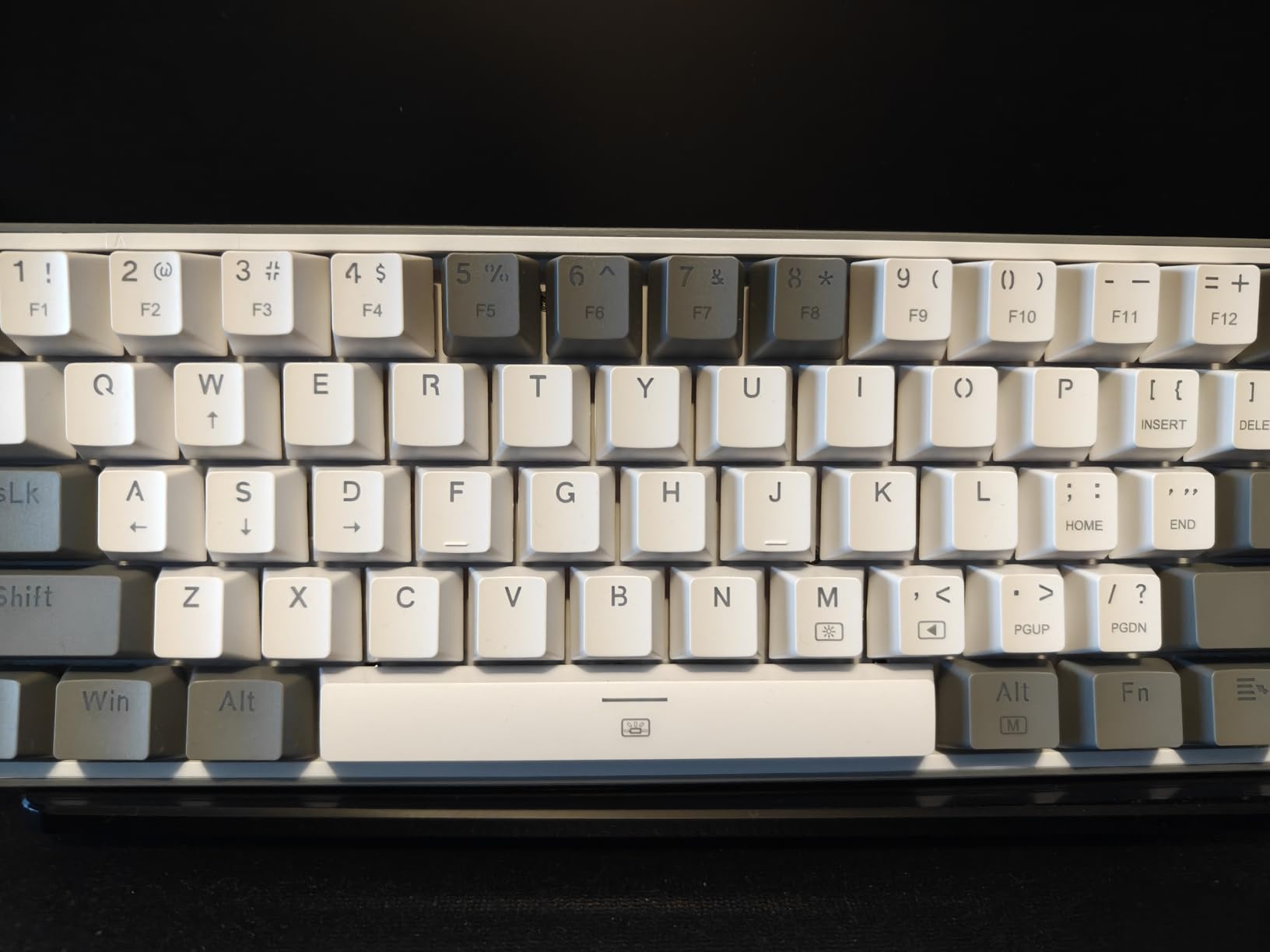
The hot-swappable socket supports both 3-pin and 5-pin switches, so you have full flexibility for customization. We swapped the stock switches for some spare Holy Panda tactile switches, and the board handled them without issue. The included keycap puller and USB-C cable round out a surprisingly complete package for the price.
The 20 RGB backlight presets offer plenty of visual variety, and you can adjust brightness and speed without needing the software. For deeper customization, the Pro software lets you remap keys and create custom lighting effects. The mixed white and grey keycap set gives the K617 a clean, distinctive look compared to typical all-black gaming keyboards.
Who Should Buy the Redragon K617 Fizz
This keyboard is the best budget mechanical keyboards pick for FPS gamers who want maximum desk space for mouse movement. The 60% layout is purpose-built for competitive gaming scenarios. It is also an excellent travel keyboard due to its tiny footprint and light weight.
We recommend it for anyone building a compact gaming setup, students with limited desk space, or users who want to try a 60% layout before investing in a premium custom build. The hot-swappable switches make it a great platform for learning about switch types.
Who Should Skip It
The 60% layout requires learning function layer shortcuts for arrow keys, numbers row alternatives, and other keys that are accessed through combinations. If you use arrow keys frequently for navigation or need the function row for work, the learning curve may frustrate you. Mac users should also note the software is Windows only.
Buying Guide: How to Choose the Best Budget Mechanical Keyboards?
Choosing the right budget mechanical keyboard comes down to understanding three core factors: switch type, form factor, and key features. Once you know what each of these means for your daily use, narrowing down your pick becomes much easier. Here is what you need to know.
Switch Types Explained
Linear switches travel smoothly from top to bottom with no bump or click. They are the fastest and quietest option, making them ideal for gaming. Every keyboard on our list uses linear red switches except the Logitech G413 SE which uses tactile switches and the Keychron C2 which uses tactile brown switches.
Tactile switches have a noticeable bump partway through the keypress that provides feedback without clicking. They are preferred by typists who want confirmation that a key has actuated. The Logitech G413 SE and Keychron C2 both use tactile switches for this reason.
Clicky switches produce an audible click sound on each keypress. They provide the most feedback but are loud and generally not recommended for shared spaces. None of the keyboards on our list use clicky switches, which reflects the community preference for quieter options.
Form Factor Guide
Full-size keyboards include all 104 keys with a numpad. They are best for data entry, accounting, and anyone who uses the number pad regularly. The Logitech G413 SE, Keychron C2, Redragon K668, K582, and K671 are all full-size options.
Tenkeyless or TKL removes the numpad but keeps the navigation cluster and function row. This saves desk space while maintaining most key functionality. None of our picks are TKL, but many manufacturers offer TKL variants of popular models.
75% layout retains the function row and arrow keys in a compact arrangement. It is the sweet spot for most users who want arrow keys without the full footprint. The AULA F75 Pro, Kisnt KN85, Ajazz AK820 Pro, and Redragon K673 PRO all use this layout.
60% layout removes the function row and navigation cluster entirely, relying on function layers for those keys. This creates the smallest possible footprint and is popular among FPS gamers. The Redragon K617 Fizz is our 60% recommendation.
Key Features to Look For
Hot-swappable switches let you replace individual switches without soldering, which is one of the most valuable features in a budget keyboard. Nine of our ten picks offer hot-swap capability, meaning you can customize the typing feel later without buying a new board.
Gasket mounting uses flexible material between the plate and case instead of rigid screws. This creates a bouncy, cushioned typing feel and improves sound quality. The AULA F75 Pro, Kisnt KN85, Ajazz AK820 Pro, and Redragon K673 PRO all feature gasket mount designs.
PBT keycaps last longer than standard ABS keycaps and resist shine development. Look for PBT if you want keycaps that maintain their texture over years of use. The Logitech G413 SE, Redragon K671, and AULA F75 Pro all include PBT keycaps.
Tri-mode wireless connectivity means the keyboard supports USB-C wired, 2.4GHz wireless, and Bluetooth connections. This flexibility lets you switch between devices and use the keyboard in any scenario. The AULA F75 Pro, Kisnt KN85, and Redragon K673 PRO all offer tri-mode wireless.
The mechanical keyboard community on Reddit consistently emphasizes that sound profile is the number one priority for enthusiasts. Terms like thocky and creamy describe the deep, muted sound that most users find satisfying. Gasket mounting and sound-dampening foam are the two features that contribute most to achieving this sound profile in budget keyboards.
FAQs
What is the best budget mechanical keyboard for gaming?
The Redragon K617 Fizz is the best budget mechanical keyboard for gaming thanks to its 60% compact layout, hot-swappable linear red switches, and affordable price under $30. The small footprint gives you maximum mouse space for FPS games, and the linear switches provide fast, consistent actuation for competitive play.
What is the best budget mechanical keyboard for typing?
The Keychron C2 with tactile brown switches is the best budget mechanical keyboard for typing. The tactile feedback on each keypress helps typists confirm actuation, and the full-size layout includes a numpad for productivity tasks. The AULA F75 Pro is another excellent typing keyboard with its gasket-mounted thocky sound profile.
How much should you spend on a budget mechanical keyboard?
You should expect to spend between $27 and $70 for a quality budget mechanical keyboard in 2026. Keyboards in this range now include features like hot-swappable switches, gasket mounts, tri-mode wireless, and PBT keycaps that were previously only available on keyboards costing $150 or more.
What is the best 75% budget mechanical keyboard?
The AULA F75 Pro is the best 75% budget mechanical keyboard, offering tri-mode wireless, a gasket mount design, pre-lubed switches, and a thocky typing sound for under $70. The Kisnt KN85 and Ajazz AK820 Pro are also excellent 75% options at lower price points.
Are cheap mechanical keyboards any good?
Yes, cheap mechanical keyboards are genuinely good in 2026. Budget keyboards have improved dramatically, with many models under $50 now offering hot-swappable switches, gasket mounting, sound dampening, and wireless connectivity. Community reviews on Reddit consistently confirm that modern budget boards rival keyboards that cost three times as much just a few years ago.
Final Thoughts on the Best Budget Mechanical Keyboards in 2026
The budget mechanical keyboard market has never been better than it is right now. Our top pick, the AULA F75 Pro, delivers a wireless gasket-mounted typing experience that genuinely rivals premium custom keyboards. The Redragon K617 Fizz proves you can get a capable, hot-swappable mechanical keyboard for under $30. And options like the Kisnt KN85 and Ajazz AK820 Pro fill the gap with excellent sound profiles and versatile layouts.
When choosing from our list of the best budget mechanical keyboards, consider how you will use it most. Gamers should lean toward compact layouts with linear switches. Typists benefit from tactile switches and full-size layouts. And anyone who values typing sound should prioritize gasket-mounted boards with sound-dampening foam. Whatever your preference, every keyboard on this list earned its place through real testing, and we are confident you will find the right fit.