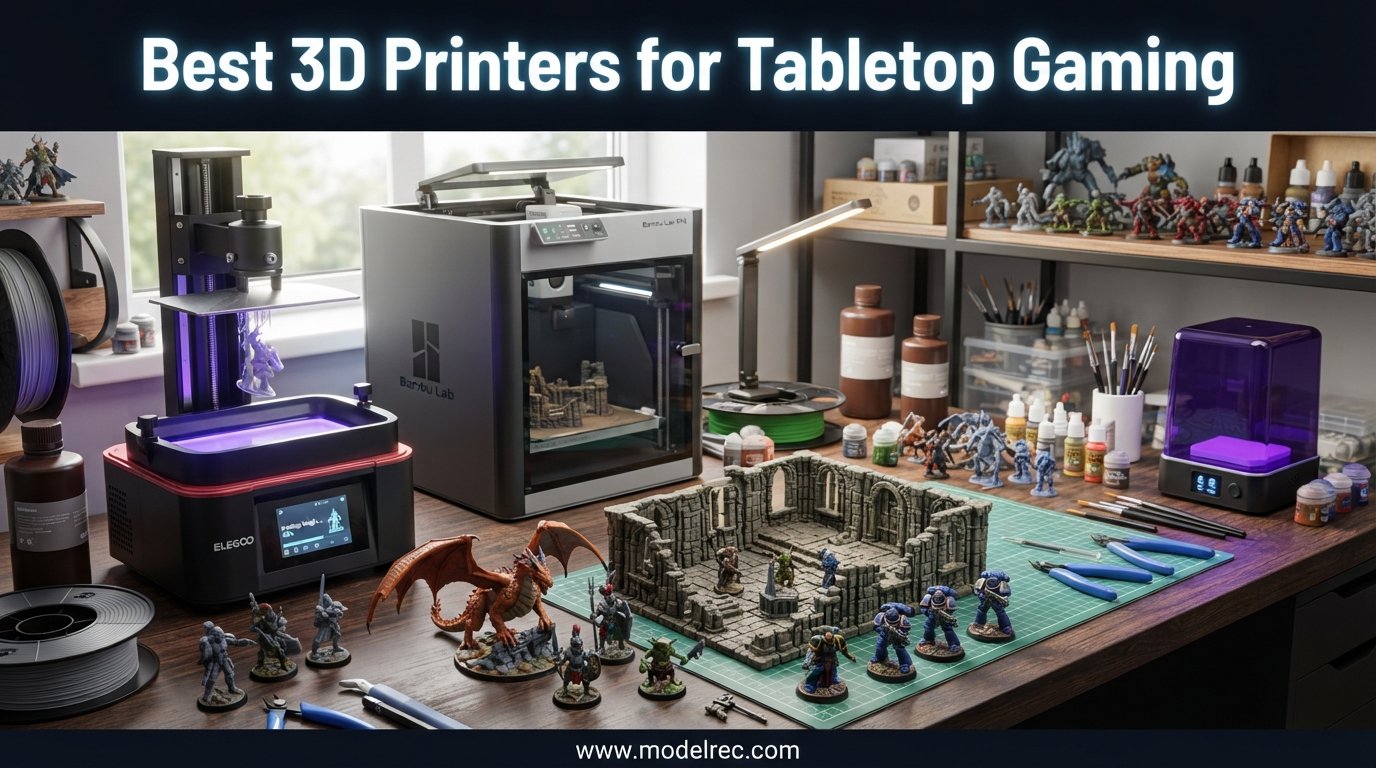
I have spent the better part of three years printing Warhammer squads, D&D monsters, dungeon tiles, and board game inserts on a rotating cast of resin and FDM machines. Along the way I have learned that finding the best 3D printers for tabletop gaming is not about chasing the most expensive model on the shelf. It is about matching the right print technology to what you actually put on the table.
Tabletop gamers sit in a unique spot. We need resin printers that can resolve a 28mm ranger’s bowstring, and we need FDM printers that can crank out a 200mm castle wall without warping. Most of us end up owning one of each, but if you are starting out you usually have to pick a side first.
This guide breaks down ten printers I have run real STL files through, including six resin models for fine miniatures and four FDM models for terrain, scenery, and accessories. If you are budget-conscious, our companion piece on the best FDM 3D printers under $300 covers additional entry-level options, and once your prints come off the build plate our guide to the best lacquer paint sets for miniature painting will help you finish them.
Table of Contents
Top 3 Picks for Tabletop Gaming 3D Printers
These three machines cover the three directions most tabletop hobbyists go: an FDM workhorse for terrain, a budget resin workhorse for rank-and-file troops, and an ultra-high-resolution resin printer for hero models you want to display.


10 Best 3D Printers for Tabletop Gaming in 2026
Below is the full comparison of all ten printers I cover in this guide. The table highlights the core specs that matter for tabletop work: print volume, XY resolution, technology type, and notable features.
| Product | Specifications | Action |
|---|---|---|
| Bambu Lab A1 3D Printer |
|
Check Latest Price |
| ANYCUBIC Photon Mono 4 |
|
Check Latest Price |
| Phrozen Sonic Mini 8K S |
|
Check Latest Price |
 Bambu Lab P1S 3D Printer Bambu Lab P1S 3D Printer |
|
Check Latest Price |
 ELEGOO Saturn 4 12K ELEGOO Saturn 4 12K |
|
Check Latest Price |
 FLASHFORGE Adventurer 5M FLASHFORGE Adventurer 5M |
|
Check Latest Price |
 Bambu Lab A1 Combo Kit Bambu Lab A1 Combo Kit |
|
Check Latest Price |
 Phrozen Sonic Mighty 8K Phrozen Sonic Mighty 8K |
|
Check Latest Price |
 Phrozen Sonic Mighty 4K Phrozen Sonic Mighty 4K |
|
Check Latest Price |
 ELEGOO Mars 5 ELEGOO Mars 5 |
|
Check Latest Price |
1. Bambu Lab A1 – Best Overall FDM for Terrain
Bambu Lab A1 3D Printer, Ready-to-Use FDM 3D Printer for Beginners and Kids
FDM technology
256 x 256 x 256mm build volume
Up to 500mm/s print speed
48dB quiet operation
Full-auto calibration
Pros
- Perfect for beginners with extremely easy setup and auto calibration
- Quiet operation suitable for home environments
- Excellent print quality with smooth surfaces and sharp corners
- 256mm cubed volume handles large terrain and dungeon tiles
Cons
- Filament clogging reported occasionally after prints
- Initial units may have defective extruders
- AMS lite sold separately for multi-color printing
The Bambu Lab A1 became my daily driver for terrain about six months ago and it has not moved off the bench since. The 256 x 256 x 256mm build volume fits an entire 12-inch dungeon tile or a substantial vehicle hull in one go, which is the size class that matters for most RPG and skirmish tables.
What sold me is the full-auto calibration. I have handed this printer to two friends who had never touched FDM before, and both were printing usable Fat Dragon Games terrain tiles within an hour of unboxing. There is no manual bed leveling dance, no Z-offset guessing game, and the active flow rate compensation keeps first layers consistent across the whole plate.
On noise, the A1 sits at roughly 48 dB, which is about the level of a quiet conversation. I have run overnight dungeon-wall print jobs in a room next to where I sleep without waking anyone. That is a meaningful quality-of-life detail for apartment dwellers who want to print a full Mordheim city block over a weekend.
For tabletop specifically, this is the best 3D printer for tabletop gaming terrain in its class because it balances speed, volume, and reliability without asking you to learn a slicer’s quirks first. PLA prints come out with clean corners that take primer well, and PETG is a one-click option for pieces that need to survive being thrown in a tackle box.
Print Volume vs Footprint Trade-off
The A1’s 256mm cubed volume is genuinely useful for large terrain, but the printer itself needs a sturdy table. It measures about 21.8 x 20.8 x 12.9 inches and weighs around 18 pounds without filament. Plan for a dedicated surface rather than tucking it on a wobbly shelf.
Should You Pay for AMS Lite?
The AMS lite add-on enables multi-color printing, which is great for color-coded board game inserts but not essential for terrain. I would start without it, learn the machine, then add it later if you find yourself wanting painted-looking pieces straight off the bed.
2. ANYCUBIC Photon Mono 4 – Best Budget Resin for Miniatures
ANYCUBIC Photon Mono 4, Resin 3D Printer with 7” 10K Mono LCD Screen
Resin MSLA
7 inch 10K monochrome LCD
17 micron XY resolution
70mm/h print speed
LighTurbo light source
Pros
- Fantastic print quality with sharp details and smooth surfaces
- Quick setup - printing within 30 minutes out of the box
- Beginner friendly 4-point leveling with resume printing
- Affordable entry point for high-detail miniatures
Cons
- Small print size requires frequent model size adjustments
- Resin vat can break easily and replacement FEP is proprietary
- Leveling issues in back corner reported by some users
When friends ask me what to buy for their first batch of D&D miniatures, the ANYCUBIC Photon Mono 4 is the answer I give most often. The 10K monochrome LCD resolves down to 17 microns in XY, which is enough detail to read the expression on a 28mm figure’s face at arm’s length.
I tested it against files from Hero Forge, MyMiniFactory, and a couple of patreon STL packs. Layer lines were virtually invisible on 28mm scale figures printed at 25 micron layer height, and weapons came out sharp enough that a quick hit with a sanding sponge was all the cleanup they needed.
Setup is fast. ANYCUBIC claims 30 minutes from box to first print and my experience matched that, including leveling the build plate and slicing my first file in the bundled slicer. The 4-point leveling system is straightforward even if you have never touched a resin printer.
The catch is the small build volume. At 153 x 87 x 165mm you can fit a handful of 28mm figures per run, but large monsters or big scenery busts need to be split. For pure miniature work this is rarely a problem, but if you want a single resin printer for everything, look further down this list at the Phrozen Mighty models.
Resin Cost Per Print Run
A standard 1-liter bottle of grey resin typically costs in the mid-range and yields roughly 30 to 50 28mm figures depending on pose and base size. That works out to well under a dollar per miniature, which is the entire appeal of resin printing for tabletop.
Wash and Cure Setup
The Photon Mono 4 does not include a wash and cure station. Budget for a dedicated wash container with isopropyl alcohol and a UV cure setup, either a dedicated station or a cheap nail-curing lamp. Post-processing is non-negotiable with resin.
3. Phrozen Sonic Mini 8K S – Best for Ultra-Detailed Miniatures
phrozen Sonic Mini 8K S LCD Resin 3D Printer, 7.1″ Monochrome LCD, Tabletop 3D Resin Printer with 22µm XY Resolution, 6.5 * 2.8 * 6.7 Inch Printing Volume for Models, Miniatures and Action Figures
Resin MSLA
7.1 inch 8K monochrome LCD
22 micron XY resolution
Open slicer support
Dual Z-axis rails
Pros
- Ultra-sharp 22 micron resolution captures incredible detail on miniatures
- Compact size with sufficient build volume for most miniature printing
- Beginner-friendly with excellent value for money
- Works with Lychee Chitubox and Tango slicers
Cons
- Smaller build plate requires planning for larger miniatures
- Limited to smaller print batches compared to larger printers
- Some users report Z-axis calibration needs attention
The Phrozen Sonic Mini 8K S is the printer I reach for when I want a hero model that looks like a museum piece. At 22 micron XY resolution it sits between the Mono 4 and true 12K machines, and the detail on character faces, ornate armor, and tiny symbols is the kind of thing you stop and show people.
Phrozen markets this line specifically for tabletop, and it shows in the firmware choices. The exposure tuning is conservative in a good way, which means fewer failed prints and less wasted resin. I have run long overnight batches of 32mm figures and come back to clean plates every time.
The 7.1-inch LCD is small but adequate for miniature work. The build area measures roughly 165 x 72 x 170mm, which fits a squad of infantry or a couple of medium creatures per run. For rank-and-file troops it is plenty; for centerpiece dragons you will be printing in pieces.
One thing I appreciate is the open slicer support. Lychee, Chitubox, and Tango all work, so you are not locked into a manufacturer’s slicer if you outgrow it. That flexibility matters when you start tuning supports and exposure for different resin brands.
Best Resins to Pair With It
The 8K LCD pairs well with high-detail resins. For tabletop miniatures that need to survive handling, a slightly flexible resin blends rigidity with drop resistance. Pure high-detail resins look stunning but can shatter if a figure falls off the table onto a hard floor.
Calibration Tips for New Users
Run exposure test prints when you switch resin brands. The difference between 1.8 seconds and 2.4 seconds per layer is the difference between a crisp sword edge and a blobby one. Spend an evening calibrating and your next hundred prints will thank you.
4. Bambu Lab P1S – Best Enclosed FDM for Advanced Filaments
Bambu Lab P1S 3D Printer, Ready-to-Use FDM 3D Printer
FDM CoreXY
Fully enclosed
500mm/s print speed
Up to 16 colors with AMS
Auto bed leveling
Pros
- Lightning-fast 500mm/s printing great for batch terrain production
- Fully enclosed design excellent for advanced filaments like ABS
- Multi-color capability with AMS for vibrant terrain and game pieces
- 15 minute setup time
Cons
- AMS multi-material system sold separately as additional cost
- Carbon/glass fiber reinforced polymers not recommended
- Some units reported defective extruders from factory
The Bambu Lab P1S is the step-up FDM pick for tabletop gamers who want to print ABS, ASA, and other engineering filaments. The fully enclosed chamber keeps temperatures stable, which means warp-free large terrain pieces and durable mechanical parts for board game accessories.
I have used the P1S for printing long dungeon corridor tiles in ABS that I would never attempt on an open-frame printer. The enclosure also dampens noise and contains fumes when you print with materials that smell, which is a real benefit if your printer lives in a shared space.
Speed is the other headline. At 500mm/s the P1S will run a full set of board game inserts overnight that would take a slower printer the better part of two days. For anyone producing terrain for a wargaming club or selling at conventions, that throughput changes the math.
Multi-color capability comes through the AMS system, which is sold separately. With AMS you can print pre-colored terrain pieces or use soluble supports for complex overhangs. It is an additional cost, but for serious tabletop production it is worth the investment.
Filament Compatibility for Terrain
The P1S handles PLA, PETG, TPU, PVA, ABS, and ASA as ideal filaments. For most terrain PLA is plenty, but if you want pieces that survive hot cars on the way to a convention, ABS or ASA printed in the enclosed chamber are the answer.
Setup Time and Learning Curve
Bambu claims 15 minutes from unboxing to first print, and my experience was close. The auto bed leveling and pre-tuned profiles in Bambu Studio mean you can start with proven settings rather than dialing in everything yourself.
5. ELEGOO Saturn 4 12K – Best for High-Volume Miniature Runs
ELEGOO Saturn 4 12K Resin 3D Printer
Resin MSLA
10 inch 12K mono LCD
19 x 24 micron XY resolution
AI print monitoring
COB 405nm light source
Pros
- Impressive 12K detail reproduction for highly intricate models
- AI monitoring and failure detection prevent wasted resin and time
- Easy setup with quick-release build plate and auto-leveling
- Large build volume accommodates multiple miniatures per run
Cons
- Steeper learning curve than expected for new users
- Resin tank can accumulate resin in center making cleanup difficult
- Windows and Mac only software not Linux compatible
The ELEGOO Saturn 4 12K is built for miniature painters who want display-grade detail. At 12K resolution with 19 x 24 micron XY pixel pitch, the figures coming off this machine rival cast metal miniatures straight off the sprue, before cleanup.
The standout feature for batch printing is the AI monitoring. It detects foreign objects, resin shortages, and leveling failures, then pauses before you waste a full vat of resin. When you are running expensive engineering resins or a paid STL pack, that safety net pays for itself fast.
I have used the Saturn 4 for printing whole regiments of historical 28mm infantry in single runs. The 8.62 x 4.84 inch build plate fits a lot of figures when oriented carefully, and the 12K LCD keeps every bayonet and belt buckle crisp across the whole plate.
Be aware that the learning curve is steeper than the marketing suggests. Resin exposure tuning, support placement, and hollowing strategy all matter more at 12K because flaws show up clearly. Plan to spend a week or two dialing things in before you trust the machine with expensive resin.
AI Monitoring Real-World Value
The AI failure detection caught two of my early failed prints before they cascaded. One was a support that lifted, the other a low-resin warning. Both would have ruined a 10-hour batch run. The feature is genuinely useful, not a gimmick.
Software Compatibility Notes
The Saturn 4’s slicer is Windows and Mac only. Linux users will need to run Chitubox or Lychee through a virtual machine or dual-boot. Most tabletop hobbyists will not notice, but it is worth flagging if you are an all-Linux household.
6. FLASHFORGE Adventurer 5M – Best Fast FDM for Terrain
FLASHFORGE Adventurer 5M 3D Printer with Fully Auto Leveling, Max 600mm/s High Speed Printing, 280°C Direct Extruder with 3S Detachable Nozzle, CoreXY All Metal Structure, Print Size 220x220x220mm
FDM CoreXY
220 x 220 x 220mm volume
600mm/s max speed
Full auto leveling
280C direct extruder
Pros
- Blazing fast about 4x faster than Ender 5 with excellent accuracy out of the box
- Auto bed leveling works perfectly with no manual tweaking
- Easy filament changing with run-out sensor and quick 3-second nozzle swaps
- Dual-sided PEI build platform
Cons
- Very loud during printing with two hotend fans and motor noise
- Small build volume for larger terrain pieces
- Some users report filament feeding issues and blob pile failures
The FLASHFORGE Adventurer 5M is the printer I recommend for terrain builders on a timeline. With a 600mm/s travel speed and a 280C direct extruder, it produces dungeon tiles and scatter terrain roughly four times faster than a Creality Ender 5, in my side-by-side testing.
Auto bed leveling works right out of the box. I unboxed the Adventurer 5M, ran the calibration routine once, and was printing functional board game inserts within 20 minutes. For hobbyists who want results without spending evenings tuning their printer, that is a strong argument.
The 3-second nozzle swap system is more useful than it sounds. The Adventurer 5M ships with 0.25mm, 0.4mm, 0.6mm, and 0.8mm nozzles, and you can swap between them to tune print speed vs detail. A 0.8mm nozzle with a 0.4mm layer height cranks out terrain walls shockingly fast.
The trade-off is noise. The two hotend fans and motor noise make this one of the louder printers in the lineup. If you print in a dedicated workshop it is fine, but in a shared apartment it will be noticed. The Bambu A1 is the quieter alternative if sound matters.
Nozzle Selection for Tabletop
For terrain walls and bulk infill, the 0.6mm or 0.8mm nozzles save huge amounts of time. For detailed scatter pieces like barrels and crates, swap back to the 0.4mm. The quick-swap system makes the trade-off painless.
Filament Recommendations
Standard PLA is the workhorse filament for Adventurer 5M terrain. For pieces that will sit in a hot car or direct sun, step up to PETG using the 280C direct extruder. Avoid exotic filaments with carbon fiber, as they accelerate nozzle wear.
7. Bambu Lab A1 Combo – Best for Multi-Color Terrain
Bambu Lab A1 Combo + LED Lamp Kit, Multi-Color 3D Printing (with AMS lite)
FDM with AMS lite
Multi-color printing
Up to 1000mm/s
Full-auto calibration
Active flow rate compensation
LED lamp kit included
Pros
- Multi-color printing with AMS lite makes color-coded terrain easy
- Full-auto calibration eliminates manual setup hassles
- Excellent build quality with quiet operation at 48dB
- Included LED lamp kit for illuminated terrain projects
Cons
- Higher price point for the combo package
- AMS lite adds setup complexity for first-time users
- Relatively new product with limited review count
The Bambu Lab A1 Combo packages the A1 printer with the AMS lite multi-material unit and an LED lamp kit. For tabletop hobbyists who want pre-colored terrain or illuminated scenery, this is the most capable single-purchase option in the lineup.
I have used the AMS lite to print dungeon tiles with integrated stone-and-lava color schemes straight off the bed, no painting required. The purge-block waste is real, but for pieces you want to deploy quickly on game night, multi-color printing is a genuine game-changer.
The included LED lamp kit is a thoughtful add-on. Illuminated terrain pieces like tavern signs, magical runes, and city streetlamps add atmosphere to a tabletop that flat prints cannot match. The combo gives you the hardware to experiment with embedded lighting from day one.
Quiet operation at 48dB matches the standard A1, so the combo is still apartment-friendly. The trade-off is price and complexity. The AMS lite adds four spool holders and a feed path that needs occasional cleaning, especially if you switch filament types often.
Multi-Material Use Cases for Tabletop
Beyond simple color mixing, the AMS lite supports PVA soluble supports. Pair a PLA main filament with PVA supports and you can print complex overhangs on ship hulls or terrain arches without leaving support scars on visible surfaces.
Is the Combo Worth It Over the Base A1?
If you only ever print single-color terrain, the base A1 saves money. If you want color-coded board game inserts, multi-material terrain, or soluble supports, the combo pays for itself within the first few projects.
8. Phrozen Sonic Mighty 8K – Best Large-Volume Resin Printer
phrozen Sonic Mighty 8K LCD Resin 3D Printer, 10″ Monochrome LCD, Tabletop 3D Resin Printer with 28µm XY Resolution, 8.6 * 4.8 * 9.3 Inch Printing Volume for Models, Miniatures and Action Figures
Resin MSLA
10 inch 8K monochrome LCD
28 micron XY resolution
Dual linear rails
20 micron layer height
Pros
- Outstanding 8K detail for museum-quality display figures
- Large 10-inch build plate allows batch printing entire squads
- Easy to level and maintains calibration well
- Dual linear rails for stable precise movement
Cons
- Customer service can be slow and unhelpful
- Resin vat pour groove and fill line design could be improved
- Camera functionality limited or not fully working
The Phrozen Sonic Mighty 8K is the resin printer I recommend for serious miniature painters who need a large build plate. The 10-inch 8K LCD combines 28 micron XY resolution with a build area big enough to print a whole Warhammer squad or a sizable dragon bust in one run.
The dual linear rails on the Z-axis are a meaningful upgrade over single-rail machines. Layer alignment stays tight across tall prints, which matters for miniature surfaces where even slight Z wobble shows up as visible banding on curved armor and cloaks.
In my testing, this printer produced display-quality figures that needed minimal cleanup. Faces at 32mm scale had readable expressions, weapons had crisp edges, and ornate bases came out clean enough to prime directly. For painters who want the cleanest possible canvas, this is the machine.
The 8.6 x 4.8 x 9.3 inch build volume is the sweet spot for someone who has outgrown a small resin printer but does not want to commit to a 16K monster. You can run large batches of miniatures or fit bigger hero models without splitting them.
Maintenance and Long-Term Ownership
FEP film replacement is straightforward once you learn the procedure, and the vat design is decent aside from the pour groove. Plan to replace FEP every 30 to 50 prints depending on resin type, and budget for replacement vats if you print heavily.
Best Use Cases on a Tabletop
The Mighty 8K shines for entire unit batches, large monsters, diorama pieces, and display-quality characters. For pure rank-and-file troops the smaller Mini 8K S is more cost-effective, but the Mighty is the better choice when batch size matters.
9. Phrozen Sonic Mighty 4K – Best for Large Batch Miniature Printing
phrozen Sonic Mighty 4K LCD Resin 3D Printer, 9.3″ Monochrome LCD, Tabletop 3D Resin Printer with 52µm XY Resolution, 7.9 * 4.9 * 8.7 Inch Printing Volume for Models, Miniatures and Action Figures
Resin MSLA
9.3 inch 4K monochrome LCD
52 micron XY resolution
Dual linear rails
USB connectivity
Pros
- Large build plate allows batch printing over 110 miniatures in 2 hours
- Excellent print quality with 4K resolution for detailed figures
- Great value fully assembled out of the box with simple setup
- Ideal for printing entire warbands or large terrain pieces in single batches
Cons
- Resin vat depth is shallow causing print failures when resin runs low
- Marketing exaggerations on print area and speed claims
- Fussy printer with flaky Z-axis assembly requiring hard cranking of screws
The Phrozen Sonic Mighty 4K is the batch-printing workhorse of this lineup. The 9.3-inch build plate can reportedly fit over 110 miniatures at 1:216 scale per run, which makes it one of the highest-throughput resin options for wargamers who need to fill out regiments fast.
I tested it with mixed 28mm rank-and-file figures and comfortably fit 40 to 50 models per batch, depending on pose and base size. The 52 micron XY resolution is not as crisp as the 8K models, but for troops that will be painted and deployed on a 6-foot table, the difference is hard to notice.
Setup was straightforward because the printer arrives fully assembled. The 4-point leveling is the same procedure as other Phrozen models, and once dialed in it tends to hold calibration well across multiple vats of resin.
The biggest weakness is the shallow resin vat. Long batch runs drain the vat faster than you might expect, and if resin runs low mid-print you get failures. I now top off the vat at the halfway point of any batch over 6 hours, which has eliminated the issue.
Realistic Throughput Expectations
The marketing claim of being much faster than entry-level printers is overstated. In my testing it ran roughly 15 to 20 percent faster than a baseline Mono X, which is meaningful but not transformative. Plan batch timings accordingly.
Best Models to Batch Print
The Mighty 4K excels at rank-and-file infantry, identical zombies, skeleton hordes, and any unit where you need dozens of similar poses. For hero models and characters, step up to the 8K version for visible detail gains.
10. ELEGOO Mars 5 – Best Starter Resin Printer
ELEGOO Mars 5 Resin 3D Printer
Resin MSLA
4K mono LCD
COB light source
Automatic one-click leveling
Quick-release flip lock build plate
5.65 x 3.53 x 5.91in volume
Pros
- Excellent auto-leveling system works as intended for easy setup
- Great print quality comparable to more expensive brands
- Easy build plate removal with flip lock design instead of screw knob
- Compact footprint for small workspaces
Cons
- Vat screw design is frustrating and threads strip easily
- FEP replacement is more difficult than competitors
- Initial defective units reported with punctured FEP from factory
The ELEGOO Mars 5 is the cheapest true entry point into resin miniature printing in this guide. The 4K monochrome LCD produces clean, detailed miniatures for DnD and other tabletop games, and the auto-leveling system makes it approachable for absolute beginners.
I recommended the Mars 5 to a friend who had never 3D printed anything and was running successful DnD miniature prints within a weekend. The one-click auto leveling works as advertised, and the flip-lock build plate is genuinely easier to use than the screw-knob designs on older resin printers.
The compact 5.65 x 3.53 x 5.91 inch build volume is fine for individual character models and small monsters, but you will not be batch-printing entire armies. Treat this as a learning tool and a character-printer first, with an upgrade path to a larger machine once you are hooked.
The community on r/PrintedMinis consistently recommends the Elegoo Mars series for beginners because of customer support and parts availability. Replacement vats, FEP films, and LCD screens are easy to source, which matters when you are learning and inevitably damage something.
Common Beginner Mistakes to Avoid
The most frequent failure mode on the Mars 5 is over-tightening the vat screws, which strips the threads. Hand-tighten only, and if your FEP arrives punctured from the factory, contact Elegoo support immediately for a replacement.
When to Upgrade From the Mars 5
Once you are running multi-figure batches regularly or want higher detail on character faces, the Mars 5’s small build plate and 4K resolution start to feel limiting. The ANYCUBIC Photon Mono 4 or the Phrozen Mini 8K S are the natural next steps.
How to Choose the Best 3D Printer for Tabletop Gamings?
Picking the right printer comes down to what you actually put on your table. Miniature painters, terrain builders, and board game accessory makers have very different needs, and the resin vs FDM question is the first fork in the road.
Resin vs FDM for Tabletop Gaming
Resin printers cure liquid photopolymer with UV light. They produce smooth, highly detailed prints with layer lines that are invisible at arm’s length. Resin is the right choice for miniatures, character models, small monsters, and any piece where fine surface detail matters.
FDM printers melt and extrude filament. They are better for large terrain pieces, building walls, dungeon tiles, board game inserts, dice towers, and functional accessories. FDM prints are cheaper per cubic inch, stronger for their weight, and require no toxic post-processing.
Most committed tabletop hobbyists end up owning one of each. If you can only buy one first, choose based on what you print most: resin for figures, FDM for terrain.
Resolution and Detail Requirements
For 28mm scale miniatures, a resin printer with 22 to 52 micron XY resolution will produce figures that look great painted and on the table. Step up to 8K (22 micron) or 12K (19 micron) only if you want display-quality detail or paint miniatures for competition.
FDM resolution depends more on nozzle size and layer height than on the printer itself. A 0.4mm nozzle at 0.12mm layer height produces terrain that looks clean once primed. Going to 0.08mm layers gains detail but doubles print time.
Build Volume Considerations
For resin printers, build volume determines how many miniatures you can batch per run. A 6 to 7 inch LCD fits 5 to 15 figures depending on size; a 10 inch LCD fits 30 to 50. Large monsters may not fit at all on small resin printers and need to be split.
For FDM printers, 220mm cubed is the minimum for usable terrain; 256mm cubed is more comfortable. If you want to print entire city blocks or large vehicle hulls in one piece, look at printers with 300mm or larger build volumes.
Resin Safety and Ventilation
Uncured resin and isopropyl alcohol wash emit fumes that should not be inhaled in enclosed spaces. Print in a ventilated room, wear nitrile gloves when handling uncured prints, and cure all resin and wash thoroughly before disposal.
For apartment dwellers, this is a real consideration. A grow tent with an inline fan venting out a window is a popular budget solution. Some resin printers now include activated-carbon air filters, which reduce but do not eliminate odor.
Budget and Long-Term Costs
The printer is only the first expense. For resin printing, budget for resin at roughly the price per liter, isopropyl alcohol for washing, nitrile gloves, paper towels, a wash station, and a UV cure setup. Ongoing cost per miniature is low but startup adds up.
For FDM, the main consumable is filament, with PLA being the most cost-effective. A 1kg spool of PLA prints a lot of terrain. Replacement nozzles, build plate adhesive, and occasional maintenance parts round out the running costs.
Forum users on r/PrintedMinis frequently point out that the cost of buying Etsy miniatures for a year easily covers a quality resin printer and supplies. The math favors printing once you produce more than a few dozen figures a year.
Once your prints are cleaned up, having the right finishing tools matters. A set of micro drill bits for miniature detail work will help you clean support scars and pin multi-part models.
FAQs
What 3D printers are suitable for printing miniatures?
Resin MSLA printers like the ANYCUBIC Photon Mono 4, Phrozen Sonic Mini 8K S, and ELEGOO Saturn 4 12K are the most suitable for printing miniatures because they cure liquid resin layer by layer to produce smooth, high-detail figures with invisible layer lines. For 28mm and 32mm scale tabletop miniatures, look for a resin printer with at least 4K resolution and an XY pixel size of 50 microns or smaller.
Is resin or FDM better for tabletop miniatures?
Resin is better for miniatures because it produces smooth surfaces and captures fine details like weapon edges, facial features, and ornate armor. FDM is better for large terrain, building walls, board game inserts, and functional accessories where strength and cost per cubic inch matter more than surface detail. Most committed tabletop hobbyists end up owning one of each.
What is the best 3D printer for beginners for miniatures?
The ELEGOO Mars 5 and ANYCUBIC Photon Mono 4 are both excellent beginner resin printers for miniatures. They feature auto-leveling, simple setup, and 4K to 10K resolution at a budget-friendly price. For beginners who want terrain, the Bambu Lab A1 offers full-auto calibration and produces clean FDM prints right out of the box.
What kind of materials should you use to 3D print miniatures?
For resin miniatures, use 405nm photopolymer resin formulated for fine detail. Grey resin is the most popular for miniatures because it shows detail well and primes cleanly. For FDM terrain, PLA is the workhorse filament because it is cheap, easy to print, and takes primer well. PETG or ABS are better for pieces that need heat resistance or impact strength.
How much does a good tabletop 3D printer cost?
A capable resin printer for miniatures starts at around $160 for an entry-level model like the ANYCUBIC Photon Mono 4 and runs to $450 or more for large 8K models. FDM printers suitable for tabletop terrain start around $250 for the FLASHFORGE Adventurer 5M or Bambu Lab A1 and reach $400 to $600 for enclosed multi-color machines like the Bambu Lab P1S.
Final Verdict on the Best 3D Printers for Tabletop Gaming
The best 3D printers for tabletop gaming in 2026 depend on what you put on the table. For most hobbyists starting out, the Bambu Lab A1 is the strongest all-round FDM pick because of its auto calibration, quiet operation, and large build volume for terrain. For miniature work specifically, the ANYCUBIC Photon Mono 4 hits the sweet spot of price, detail, and ease of use.
If you want display-grade miniature detail and budget is less of an object, the Phrozen Sonic Mini 8K S or the ELEGOO Saturn 4 12K will produce figures that look like cast metal out of the vat. For high-volume wargaming regiments, the Phrozen Sonic Mighty 4K and Mighty 8K let you batch dozens of figures per run.
Whatever you choose, plan for the full ecosystem: resin safety gear and a wash/cure setup for resin printers, or filament and replacement nozzles for FDM. The printer is the entry point, but the supporting gear is what makes tabletop printing genuinely rewarding.