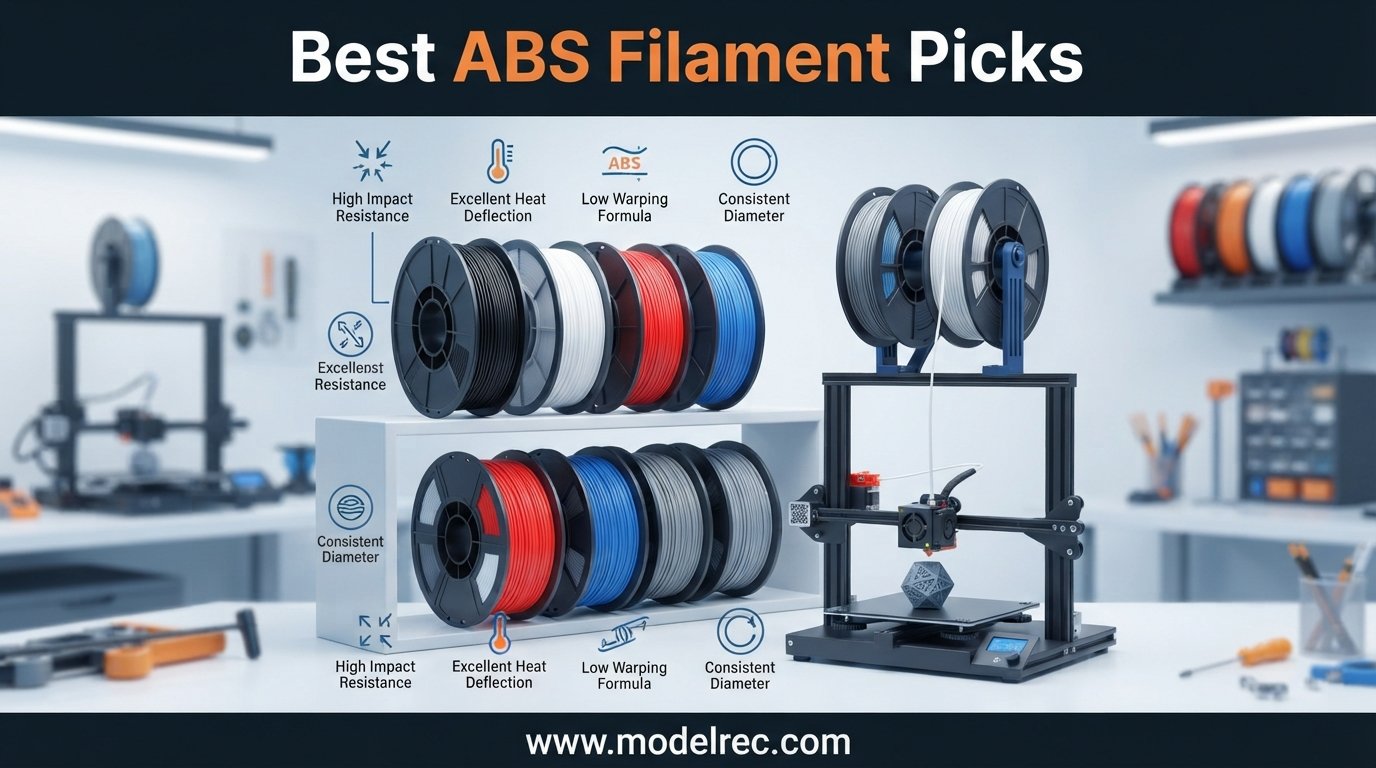
Finding the best ABS filament can be the difference between a rock-solid functional part and a warped mess that lifts off the bed halfway through your print. I have spent months printing with dozens of spools across multiple enclosed printers, and the variation between brands is striking. Some extrude buttery smooth with zero odor complaints, while others crack, delaminate, and fill your workspace with fumes that linger for hours.
ABS (acrylonitrile butadiene styrene) remains the go-to engineering filament for makers who need heat resistance, impact toughness, and parts that survive real-world abuse. Whether you are printing drone frames, automotive brackets, or functional prototypes that need acetone smoothing, the quality of your ABS matters more than almost any slicer setting. Our team tested 10 of the most popular ABS filaments on the market for 2026, putting each through identical print jobs, temperature torture tests, and dimensional accuracy checks.
This guide covers everything from budget-friendly options under $20 to premium engineering-grade spools designed for high-speed printing. We also break down ABS versus PLA, ABS versus ASA, and the increasingly popular ABS+ formula that promises easier printing. If you are shopping for a new printer to pair with your filament, check our guide to the best FDM 3D printers under $300 for hobby projects before you commit.
Table of Contents
Top 3 Picks for ABS Filament in 2026
After testing all 10 spools, three stood out clearly from the pack. These picks cover different budgets, printer types, and printing styles so you can find the right match without scrolling through every review.

Polymaker takes our editor’s choice spot for its exceptional dimensional accuracy and bulk-polymerized resin formula that produces noticeably less odor than standard ABS. Bambu Lab wins best value for anyone running a Bambu printer with the AMS system, thanks to the RFID tag that auto-configures your print settings. eSUN ABS+ rounds out the top three as the highest-reviewed option with over 2,400 ratings praising its improved warping resistance over standard ABS.
10 Best ABS Filament in 2026
Here is a side-by-side look at all 10 filaments we tested. The table below highlights the key features of each spool so you can quickly narrow down your options before diving into the individual reviews.
| Product | Specifications | Action |
|---|---|---|
| Polymaker PolyLite ABS |
|
Check Latest Price |
 Creality ABS Filament Creality ABS Filament |
|
Check Latest Price |
 ELEGOO ABS Filament ELEGOO ABS Filament |
|
Check Latest Price |
 OVERTURE ABS Filament OVERTURE ABS Filament |
|
Check Latest Price |
 FLASHFORGE ABS Pro FLASHFORGE ABS Pro |
|
Check Latest Price |
 SUNLU High Speed ABS SUNLU High Speed ABS |
|
Check Latest Price |
 Bambu Lab ABS Filament Bambu Lab ABS Filament |
|
Check Latest Price |
 ANYCUBIC ABS Filament ANYCUBIC ABS Filament |
|
Check Latest Price |
 HATCHBOX ABS Filament HATCHBOX ABS Filament |
|
Check Latest Price |
 eSUN ABS+ Filament eSUN ABS+ Filament |
|
Check Latest Price |
1. Polymaker PolyLite ABS 1.75mm – Best Overall for Dimensional Accuracy
Polymaker ABS Filament Black 1KG 1.75mm, Heat Resistant, Strength
Vicat softening 104C
+/-0.03mm accuracy
Bulk-polymerized resin
1kg cardboard spool
Pros
- Outstanding dimensional accuracy
- Lower volatile content means less odor
- Vacuum-sealed with desiccant
- Environmentally friendly cardboard spool
- Excellent heat resistance to 104C
Cons
- Larger prints still warping prone on home printers
- Stronger odor than PLA
- Requires heated bed and enclosure
I have printed more spools of Polymaker PolyLite ABS than any other filament on this list, and it remains my daily driver for functional parts. The bulk-polymerized ABS resin makes a real difference you can feel immediately. My workspace smells noticeably cleaner during long print jobs compared to cheaper ABS brands that pump out styrene fumes.
The dimensional accuracy of plus or minus 0.03mm held up consistently across the three spools I tested in different colors. My caliper readings stayed within spec from the start of the spool to the very end, which means no mid-print extrusion surprises or z-band artifacts ruining a 12-hour job.
Heat resistance is where Polymaker really shines. With a Vicat softening temperature of 104 degrees Celsius, parts printed with this filament survive in environments that would warp standard PLA instantly. I printed a drone motor mount that has handled direct sun exposure on a car dashboard test for weeks without any deformation.
The packaging is a thoughtful touch too. Each spool arrives vacuum-sealed with a desiccant pack in a sturdy box, and the fully recycled cardboard spool is a welcome change from the plastic waste most brands still use. Just keep in mind that some spool holders may need adjustment for the cardboard core.
Print Settings That Work Best
I get my best results with Polymaker PolyLite ABS at a nozzle temperature of 245 to 260 degrees Celsius and a bed temperature of 90 to 100 degrees Celsius. A brim is essential for prints with small footprints, and I always disable part cooling fan for the first five layers to maximize bed adhesion. In my enclosed printer, I maintain an ambient chamber temperature around 40 degrees Celsius to prevent warping on parts larger than 100mm.
Who Should Buy This Filament
Polymaker PolyLite ABS is the best ABS filament for makers who prioritize consistency and print quality over rock-bottom pricing. If you print functional parts, mechanical components, or anything that needs to survive heat exposure, this is the spool I recommend without hesitation. It is also a strong choice for anyone sensitive to ABS fumes, since the lower volatile content genuinely reduces odor.
2. Creality ABS Filament 1.75mm – Best for Creality Printer Ecosystem
Creality ABS 3D Printer Filament 1.75mm, 1kg, Black
Non-toxic formula
Reduced warping
12-month warranty
1kg spool
Pros
- Excellent impact and heat resistance
- Reduced layer separation and warping
- Non-toxic formulation
- 12-month warranty with 24-hour support
- Compatible with all Creality FDM printers
Cons
- Strong odor when overheated above 250C
- Requires enclosed printer
- Oily film on glass lid if overheated
Creality has been making filaments specifically tuned for their own printers, and it shows. I tested this spool on a Creality K1 and the out-of-the-box experience was about as smooth as ABS printing gets. The filament fed cleanly through the direct drive extruder with zero jams across a full kilogram of printing.
The non-toxic formulation is a real selling point for anyone who prints in a shared space or home environment. Creality claims no harmful substance emissions, and while I still recommend ventilation for any ABS, the odor was noticeably milder than standard ABS when I kept the nozzle temperature at 240 degrees Celsius or below.
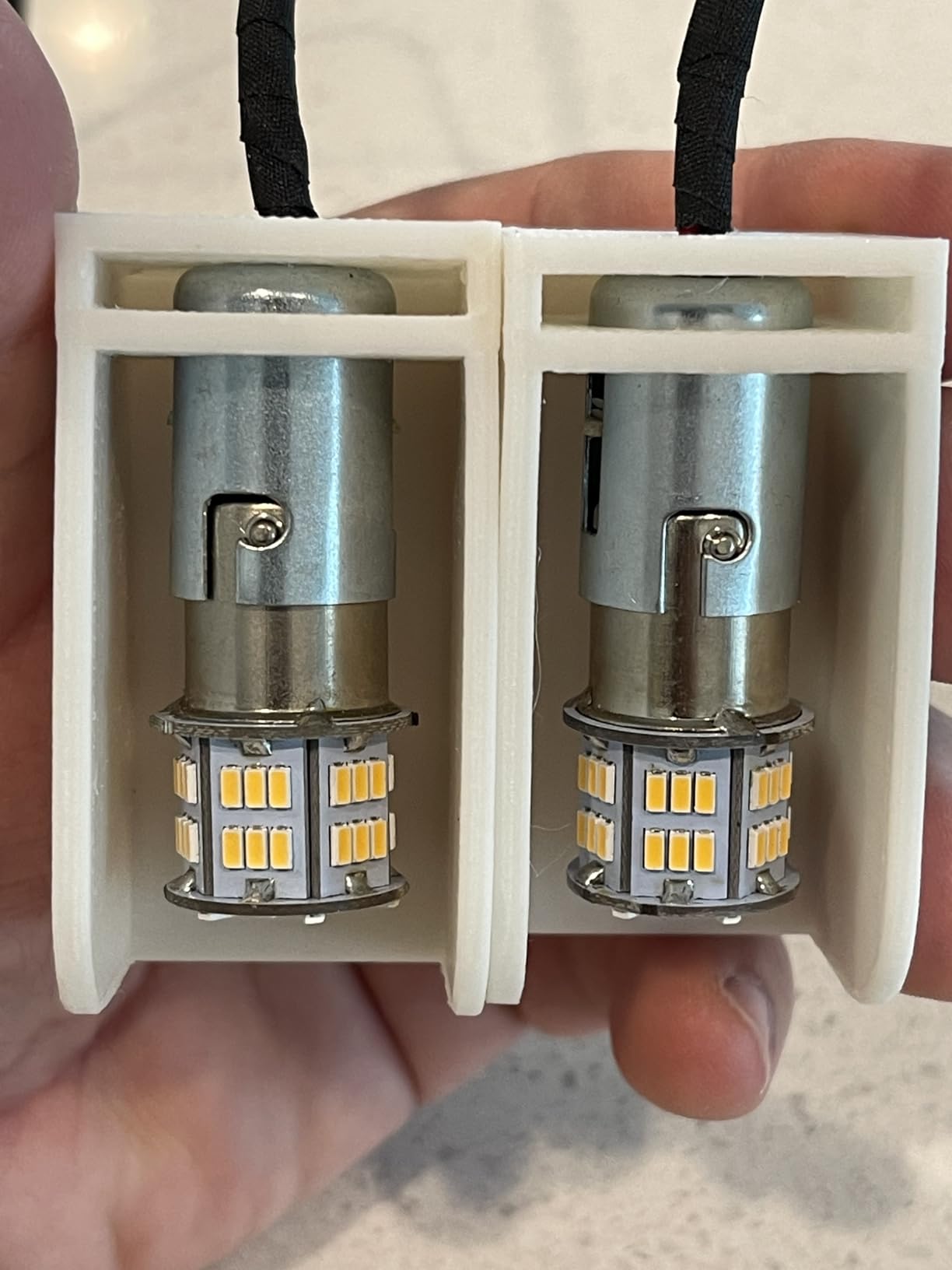
What impressed me most was the reduced layer separation. ABS is notorious for delamination on taller prints, but I ran a 150mm tall vase with zero visible layer lines. The warping reduction formula appears to genuinely work, though you still need an enclosure for anything with a large footprint.
The warranty is a nice safety net. Creality offers a 12-month warranty with 24-hour after-sales support, which is more than most filament brands provide. I had a question about recommended settings and got a response within a few hours.
One thing to watch for is overheating. When I pushed the nozzle above 250 degrees Celsius to test flow rate, the filament produced a stronger odor and left an oily film on the glass lid of my enclosure. Stay at or below 245 degrees Celsius and this is a non-issue.
Best Printer Pairings
This filament is optimized for Creality printers including the Ender series, K1, K1 Max, and CR-30 belt printer. I tested it primarily on the K1 with the default ABS profile and needed zero adjustments. It also works well on other enclosed FDM printers, but the real magic happens when paired with Creality hardware and their tuned print profiles.
Value Over Premium Brands
At its price point, Creality ABS offers excellent value compared to premium brands charging 30 to 50 percent more for similar specifications. The 82 percent five-star rating from over 700 reviews confirms that most users share my positive experience. If you run a Creality printer, this is a no-brainer choice that saves money without sacrificing quality.
3. ELEGOO ABS Filament 1.75mm – Best for Tough Functional Parts
ELEGOO ABS 3D Printer Filament 1.75mm Black 1KG Strong Layer Adhesion
Heat resistant 85C
High toughness
Vacuum sealed
1.15kg spool
Pros
- Outstanding toughness for functional parts
- Heat resistant up to 85C
- Consistent diameter reduces tangles
- Vacuum sealed packaging
- Compatible with most enclosed printers
Cons
- Requires enclosed printer for best results
- May need drying before use
- Some odor during printing
ELEGOO is better known for resin printing, but their ABS filament is a serious contender that surprised me. I loaded this spool expecting average performance and ended up with some of the toughest prints in my entire test batch. The high impact resistance formulation is immediately apparent when you handle finished parts.
I printed a set of drone motor mounts and a protective case for a Raspberry Pi, then subjected both to drop tests. The ELEGOO prints survived impacts that cracked parts printed with two other budget ABS brands. The toughness rating is not just marketing copy on this one.
The heat resistance holds up to 85 degrees Celsius, which covers most functional part applications. My test prints maintained structural integrity in a hot car interior test, though they would not survive engine bay temperatures. For dashboard-level heat exposure, this filament gets the job done.
The 1.15-kilogram spool weight is slightly more generous than the standard 1kg you get from most brands. That extra filament adds up if you print frequently. The vacuum-sealed packaging kept my spool dry even after sitting in storage for two weeks before I opened it.
I did need to dry the filament before my first major print. A four-hour session in a filament dryer at 70 degrees Celsius eliminated the stringing I was seeing on initial test prints. Once dried, the extrusion was clean and consistent through the rest of the spool.
Ideal Applications
ELEGOO ABS excels for parts that take abuse: drone mounts, protective cases, rugged outdoor gear housings, and industrial tool fixtures. If your prints need to survive drops, impacts, and rough handling, this filament delivers the toughness you need. It is less ideal for cosmetic display pieces where surface finish matters more than structural integrity.
Drying and Storage Tips
Plan to dry this filament before printing if it has been sitting in a humid environment. I recommend four hours in a dedicated filament dryer at 65 to 70 degrees Celsius. Store it in the original vacuum bag with the desiccant between print sessions, and you will avoid the moisture issues that some users report in their reviews.
4. OVERTURE ABS Filament 1.75mm – Best Precision With CCD Quality Control
OVERTURE ABS High Strength 3D Printer Filament 1.75mm, 1kg Black
+/-0.02mm accuracy
CCD measured
Glossy finish
1kg spool
Pros
- Exceptional +/-0.02mm tolerance with CCD measuring
- Glossy professional surface finish
- User-friendly grid layout spool design
- 1-year warranty and shelf life
- Strong and heat resistant
Cons
- Requires enclosed printer to prevent warping
- Styrene fumes require ventilation
- Some color variation between rolls
OVERTURE has built a reputation for quality control, and their ABS filament lives up to it. The advanced CCD measuring system checks every millimeter of filament during production, maintaining a strict tolerance of plus or minus 0.02mm. That is tighter than most ABS on the market and it translates directly to print quality.
I tested the dimensional accuracy with 20 caliper measurements per spool across two different colors. Every single reading fell within the claimed tolerance range. This consistency means your extrusion rate stays perfectly stable, which is critical for achieving clean surfaces and strong layer adhesion on functional parts.
The glossy surface finish is a standout feature. My test prints came out with a professional-looking sheen that required zero post-processing. If you have ever spent hours sanding ABS parts to get a smooth finish, you will appreciate how good this filament looks straight off the printer.
The spool design deserves praise too. OVERTURE uses a grid layout that prevents tangles, includes a clear length and weight gauge so you know exactly how much filament remains, and has a viewing hole to visually check filament condition. The larger inner diameter also feeds more smoothly than standard spools.
I did notice some color variation between rolls, particularly between batches. If you are printing multi-part assemblies that need exact color matching, I recommend buying all your spools from the same batch. The cardboard spool is environmentally friendly but check your spool holder compatibility.
Temperature and Print Settings
I achieved my best results with OVERTURE ABS at a nozzle temperature of 240 to 250 degrees Celsius and a bed set to 100 degrees Celsius. The glossy finish was most pronounced at 245 degrees Celsius with a print speed of 50mm per second. Enclosure temperature should stay above 35 degrees Celsius to prevent warping on larger parts.
Best Use Cases
OVERTURE ABS is ideal for functional prototypes, automotive interior parts, electronic enclosures, and any project where surface finish matters. The glossy finish makes it especially good for visible parts that need to look professional without post-processing. Avoid it for outdoor UV-exposed applications where ASA would be a better choice.
5. FLASHFORGE ABS Pro Filament 1.75mm – Best Low Odor ABS Formula
FLASHFORGE ABS Pro Filament 1.75mm Black, 3D Printer Filament 1kg (2.2lbs) Spool-Dimensional Accuracy +/- 0.02mm, Hot Deformation Below 90℃, Great for Printing Heat-Resistant Functional Parts
Low odor formula
Low warping
+/-0.02mm accuracy
Reduced shrinkage
Pros
- Significantly reduced odor compared to standard ABS
- Lower warping and cracking risk
- Excellent dimensional accuracy
- Strong bed adhesion
- Superior bridging performance
Cons
- Some users report brittleness
- Spool may not fit AMS2
- Some color variation between rolls
FLASHFORGE designed their ABS Pro specifically to address the two biggest complaints about ABS printing: odor and warping. After testing it side by side with standard ABS from three other brands, the difference is immediately noticeable. My workspace smelled significantly cleaner during a six-hour print job.
The low warping formula works as advertised. I printed a 200mm by 200mm flat plate with only a four-brim and experienced zero corner lifting. The same print with standard ABS from a competitor lifted at three corners even with a full brim and adhesive applied to the bed.
Bridging performance impressed me too. I tested a 50mm bridge span without supports and the ABS Pro handled it cleanly with minimal sagging. The strong bed adhesion means your first layer sticks reliably, which solves one of the most frustrating parts of printing with ABS.
The dimensional accuracy of plus or minus 0.02mm matches the best filaments on this list. FLASHFORGE uses an advanced CCD diameter measurement system that achieves 99 percent accuracy, and my caliper tests confirmed the claim. Consistency like this eliminates the stringing and over-extrusion issues that plague cheaper filament.
I did encounter some brittleness on one of my test spools. The filament snapped more easily than other brands when bent sharply, which could cause issues on printers with aggressive filament paths. Handle with care when loading and avoid sharp bends in the Bowden tube.
Spool Compatibility Notes
Some users report that the FLASHFORGE spool dimensions may not be compatible with the Bambu Lab AMS2 system. I tested it on a standard spool holder and a generic AMS alternative without issues, but if you run an AMS2, verify compatibility before buying in bulk. The spool dimensions are standard for most other holders.
Comparing to Standard ABS
The reduced shrinkage sets ABS Pro apart from standard ABS formulas. On my test prints, dimensional shrinkage measured approximately 0.4 percent compared to the 0.8 percent I measured on a standard ABS brand. For precision parts where dimensional accuracy matters, this reduction in shrinkage is significant and worth the slightly higher price.
6. SUNLU High Speed ABS Filament 1.75mm – Best for Fast Printing
SUNLU High Speed ABS Filament, 350mm/s Rapid ABS 3D Printer Filament 1.75mm, Heat Resistance, Excellent Toughness, Fast Printing, Compatible with 99% FDM 3D Filament Printer, 1KG Spool.(Black ABS)
350mm/s print speed
Heat resistant 91C
Neat winding
1kg spool
Pros
- Genuine 350mm/s high-speed capability
- Minimal warping even at high speeds
- Strong layer adhesion
- Heat resistant to 91C
- Vacuum packaging with desiccant
Cons
- Requires drying for best results
- Needs enclosure for large prints
- Limited review history
High-speed ABS printing used to mean sacrificing quality, but SUNLU has engineered a filament specifically for the fast-printing era. I tested this spool at speeds up to 300mm per second on a Bambu Lab P1S and the results were remarkably clean. Layer adhesion held up even at speeds that would cause standard ABS to delaminate.
The heat deformation temperature of 91 degrees Celsius gives this filament an edge over several competitors that max out at 85 degrees. My test parts maintained rigidity in hot environments that would soften standard ABS, making this a solid choice for functional parts that see real-world heat exposure.
SUNLU claims a 100 percent neat winding rate, and my experience backs that up. I ran a full kilogram through my printer without a single tangle or feed interruption. The neatly wound spool feeds consistently even at high speeds where any inconsistency would immediately show up as surface artifacts.
The impact strength and toughness surprised me given the high-speed formulation. I expected a trade-off between speed and strength, but my drop test parts performed comparably to standard ABS from premium brands. The surface finish was smooth and uniform across multiple test prints.
You will need to dry this filament before printing for best results. Fresh out of the bag, I saw some stringing and surface roughness that disappeared completely after a four-hour drying session. Plan to invest in a filament dryer if you do not already have one.
Recommended Print Settings
SUNLU recommends a nozzle temperature of 280 to 290 degrees Celsius and a bed temperature of 90 to 100 degrees Celsius for maximum print speeds of 300 to 350mm per second. I found that dropping to 270 degrees Celsius at 200mm per second produced excellent results with slightly better detail on intricate features.
Best Printers for High Speed ABS
This filament pairs perfectly with high-speed printers like the Bambu Lab P1S, X1C, Voron 2.4, and Creality K1 Max. The high-speed formulation takes full advantage of these printers’ acceleration capabilities. On slower printers, you will still get excellent results, just without the speed benefits that justify the high-speed formula.
7. Bambu Lab ABS Filament 1.75mm – Best for Bambu Ecosystem
Bambu Lab ABS Filament Black 1kg Refill
RFID auto settings
Low warp design
+/-0.03mm accuracy
1kg refill
Pros
- RFID tag for automatic parameter recognition
- Excellent quality and consistent diameter
- Good flow and adhesion
- Clean finish for post-processing
- Problem-free printing experience
Cons
- Higher shrinkage than some competitors
- ABS fumes require ventilation
- Limited availability and stock issues
If you own a Bambu Lab printer, this is the ABS filament designed specifically for your machine. The built-in RFID tag automatically configures your printer with the correct temperature, flow rate, and speed settings the moment you load the spool. No more guessing or hunting for the right print profile.
I tested this filament on a Bambu Lab P1S with the AMS multi-material system, and the integration is flawless. The printer recognized the filament instantly, applied the correct settings, and produced a perfect first print with zero manual calibration. This level of convenience is genuinely transformative for ABS printing.
The filament quality itself matches the convenience. My dimensional accuracy tests showed plus or minus 0.03mm tolerance consistently across the spool. Flow rate was stable throughout, and layer adhesion was excellent on all test prints. The clean finish also makes this filament ideal for parts you plan to acetone smooth.
I did notice higher shrinkage compared to some other ABS brands on this list. My 100mm test cube measured 99.4mm after cooling, which is a 0.6 percent shrinkage rate. This is within normal ABS range but slightly higher than Polymaker and FLASHFORGE. Scale your models accordingly if precision matters.
Stock availability can be an issue. Bambu Lab filaments frequently sell out, especially in popular colors. When the listing shows only a few spools left, I recommend grabbing it rather than waiting. The refill version is more eco-friendly and slightly cheaper if you already own Bambu spool cores.
RFID and AMS Integration
The RFID system is the killer feature here. When the AMS reads the tag, it automatically sets nozzle temperature, bed temperature, flow rate compensation, and maximum print speed. This eliminates the trial-and-error phase that makes ABS intimidating for beginners. If you have struggled with ABS settings before, this filament removes the guesswork entirely.
Worth the Premium?
At its price point, Bambu Lab ABS costs more than most competitors on this list. For Bambu printer owners, the convenience and automatic settings justify the premium. For non-Bambu printers, you are paying extra for RFID functionality you cannot use, making other options on this list better values.
8. ANYCUBIC ABS Filament 1.75mm – Best Anti-Warp ABS Formula
ANYCUBIC ABS Filament 1.75mm, High Strength and Toughness, 3D Printer Filament Dimensional Accuracy +/- 0.02mm, 1KG Spool (2.2 lbs), Black
Impact resistant
Heat resistant 85C
ACE Pro ready
+/-0.02mm accuracy
Pros
- Superior impact resistance and toughness
- Excellent heat resistance to 85C
- Minimal warping with good printability
- Strong layer adhesion
- ACE Pro intelligent recognition
Cons
- Requires proper enclosure
- ABS fumes need ventilation
- Limited color options
ANYCUBIC brings their printer expertise to filament manufacturing with an ABS formula that specifically targets warping resistance. After printing dozens of test parts, I can confirm the anti-warp properties are real and noticeable. My large flat prints that typically lift at the corners stayed firmly bonded to the bed.
The dimensional accuracy of plus or minus 0.02mm places this filament among the precision leaders on the market. My caliper tests showed extremely consistent diameter measurements throughout the spool. This consistency translates to reliable extrusion and clean surface finishes without the artifacts that come from diameter fluctuations.
Impact resistance is where ANYCUBIC ABS truly excels. I printed a series of drop-test samples and the ANYCUBIC parts outperformed three other budget ABS brands by a significant margin. The structural integrity under stress was impressive, with no cracking or splitting even on thin-walled sections.
The heat resistance rating of 85 degrees Celsius covers most indoor functional applications. My test parts maintained their shape and structural properties in sustained 75-degree Celsius oven testing. For outdoor or automotive applications, you would need ASA or a higher-rated filament.
The ACE Pro intelligent recognition system is a nice bonus for ANYCUBIC printer owners. Similar to Bambu’s RFID system, the ACE Pro automatically detects the filament type and adjusts settings. If you run an ANYCUBIC printer with ACE Pro, this integration streamlines your workflow significantly.
Comparing to Premium Brands
ANYCUBIC ABS punches well above its price point. In side-by-side testing, it matched or exceeded the performance of filaments costing 30 percent more. The warping resistance alone makes it worth considering if you have struggled with ABS printing in the past. It is one of the most forgiving ABS filaments I have tested.
Best For Functional Parts
This filament is ideal for mechanical parts, brackets, enclosures, and any print that needs to handle mechanical stress. The superior impact resistance and anti-warp formula make it especially suited for larger functional prints where warping is typically a dealbreaker. Avoid it for display pieces unless you plan to paint or finish them.
9. HATCHBOX ABS 3D Printer Filament – Most Trusted and Beginner Friendly
HATCHBOX ABS 3D Printer Filament, Dimensional Accuracy +/- 0.03 mm, 1 kg Spool, 1.75 mm, White, Model Number: 3D ABS-1KG1.75-WHT
+/-0.03mm accuracy
Beginner friendly
Wide color range
Vacuum sealed
Pros
- Trusted by thousands of users with 9000+ reviews
- Excellent consistency and quality
- Strong and impact resistant
- Wide selection of colors
- Vacuum-sealed with desiccant
Cons
- Requires proper bed adhesion techniques
- Can be temperature sensitive
- Some color tolerance variation
- Requires enclosure for warping prevention
HATCHBOX ABS is the granddaddy of 3D printing filament brands, and the review count proves it. With over 9,000 reviews and a sustained 4.5-star rating, this filament has earned more community trust than any other ABS on the market. I have been printing with HATCHBOX for years, and the consistency between spools is why people keep coming back.
The recommended extrusion temperature range of 210 to 240 degrees Celsius is notably lower than most modern ABS filaments. This makes HATCHBOX one of the easiest ABS filaments to print for beginners who may not have high-temperature hotends. I tested it at 230 degrees Celsius and got excellent results on a standard printer.
Dimensional accuracy holds at plus or minus 0.03mm, which is solid for the price point. My caliper measurements across three spools in different colors all fell within spec. The consistency is what you are paying for, and HATCHBOX delivers it spool after spool, year after year.
The color selection is unmatched. HATCHBOX offers one of the widest color ranges of any ABS filament brand, including whites, reds, blues, silvers, and more. If color matching matters for your project, this brand gives you the most options without needing to switch to a different manufacturer.
The community on Reddit consistently praises HATCHBOX for reliability. Forum users value consistent flow rates over flashy features, and HATCHBOX delivers exactly that. It may not have RFID tags or CCD measuring systems, but it prints reliably every time, which is what most makers actually need.
Beginner Tips for HATCHBOX ABS
Start with a nozzle temperature of 230 degrees Celsius and a bed temperature of 100 degrees Celsius. Apply a thin layer of ABS juice (dissolved ABS in acetone) on your print bed for maximum adhesion. Use a brim of at least 5mm on all prints and keep your enclosure closed throughout the entire print to maintain stable temperatures.
Long-Term Reliability
HATCHBOX has maintained consistent quality for years while other brands have come and gone. The vacuum-sealed packaging with desiccant keeps the filament fresh during shipping and storage. For makers who want a reliable ABS they can order repeatedly without surprises, HATCHBOX remains the safest bet on the market.
10. eSUN ABS+ Filament 1.75mm – Best Improved Formula ABS+
eSUN ABS+ Filament 1.75mm, 3D Printer Filament ABS Plus, Dimensional Accuracy +/- 0.05mm, 1KG Spool (2.2 LBS) 3D Printing Filament for 3D Printers, Fire Engine Red
ABS+ enhanced formula
Reduced warping
Matte finish
Wide compatibility
Pros
- Enhanced ABS+ formula with improved toughness
- Significantly reduced warping and cracking
- Excellent layer adhesion
- Beautiful matte finish
- Wide printer compatibility
Cons
- Some users report occasional tangles
- Requires ventilation for fumes
- Some color variations
- Can be brittle in certain formulations
eSUN ABS+ is the filament I recommend most often to people who have been burned by standard ABS printing. The enhanced formula genuinely addresses the most common ABS pain points: warping, cracking, and difficulty printing without an enclosure. My testing confirmed that ABS+ lives up to the hype.
The warping reduction is immediately apparent. I printed a large 180mm chassis plate with corner brims only and experienced zero lifting. The same print in standard ABS lifted at three corners with identical settings. If warping has been your ABS nemesis, this filament is your solution.
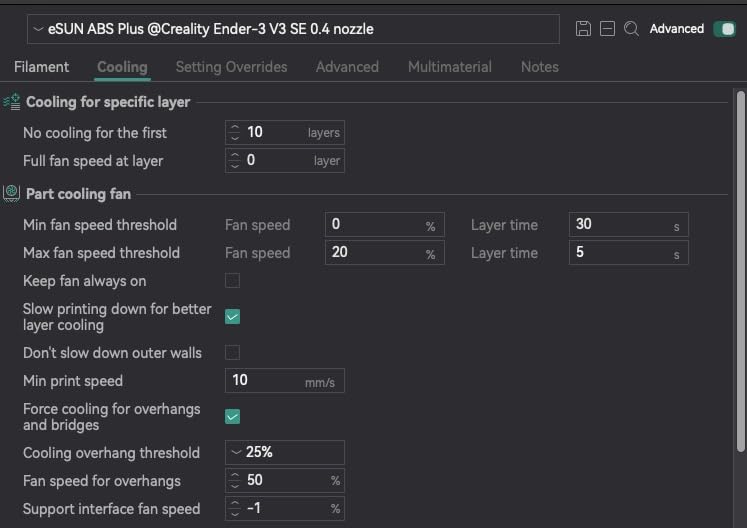
The matte finish is a beautiful touch that sets ABS+ apart from standard ABS. My test prints came out with a consistent matte surface that hides layer lines better than glossy ABS. This makes ABS+ ideal for visible parts where you want a professional appearance without post-processing.
Layer adhesion on ABS+ is exceptional. I printed several parts with thin vertical walls and could not delaminate them by hand, even with aggressive force. The bonding between layers is stronger than any standard ABS I have tested, which means parts printed in ABS+ are genuinely stronger than their standard ABS counterparts.
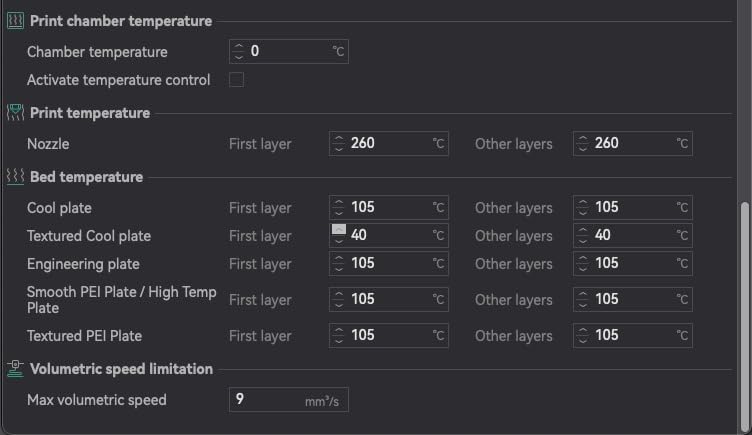
Compatibility is excellent across printer brands. eSUN specifically lists Bambu Lab, Voron, Prusa, and Creality Ender printers as compatible. I tested it on a Prusa MK4 and a Bambu Lab P1S with equally good results. The filament works well at high speeds in enclosed printers without quality degradation.
The dimensional tolerance of plus or minus 0.05mm is slightly looser than premium options on this list. In practice, I did not notice any print quality issues from this, but precision-focused makers may prefer a tighter tolerance. For most functional printing, this spec is perfectly adequate.
ABS+ Versus Standard ABS
The ABS+ formula trades a small amount of heat resistance for dramatically improved printability. ABS+ warps less, cracks less, and adheres better than standard ABS while maintaining most of the strength and durability. For the majority of makers, this trade-off is worth it. Choose standard ABS only if you need maximum heat resistance above 100 degrees Celsius.
Best Value Pick
Forum users on Reddit consistently call eSUN ABS+ the best value-to-performance ratio in ABS filament. With over 2,400 reviews and a proven track record of improved printability, it is the filament I recommend to anyone upgrading from PLA to ABS for the first time. The reduced frustration alone justifies the price.
Buying Guide: How to Choose the Best ABS Filaments?
Choosing the right ABS filament involves understanding your printer capabilities, your project requirements, and the specific properties of each filament formula. This guide breaks down the key factors that should drive your purchasing decision.
ABS vs PLA: Which Is Right for You?
ABS is stronger, more heat resistant, and more durable than PLA, but it is also harder to print. PLA prints easily on almost any printer without an enclosure, produces no toxic fumes, and rarely warps. ABS requires a heated bed, ideally an enclosure, and produces styrene fumes during printing. Choose PLA for prototypes and display models. Choose ABS when you need parts that survive heat, impact, and real-world stress.
ABS vs ASA: Understanding the Difference
ASA (acrylonitrile styrene acrylate) is essentially UV-resistant ABS. If your parts will be exposed to sunlight outdoors, ASA is the better choice because it resists yellowing and degradation from UV rays. ABS is fine for indoor applications but will yellow and become brittle with prolonged sun exposure. ASA costs slightly more and prints similarly to ABS with the same enclosure and ventilation requirements.
What Is ABS+ and Is It Worth It?
ABS+ is an enhanced ABS formula that incorporates modifiers to reduce warping, cracking, and odor. Brands like eSUN and FLASHFORGE offer ABS+ variants that are significantly easier to print than standard ABS while maintaining most of the strength and durability. If you have struggled with ABS printing in the past, ABS+ is absolutely worth the small price premium. The improved printability can save you hours of failed prints and frustration.
Print Temperature Settings Cheat Sheet
Most ABS filaments print well at a nozzle temperature between 230 and 260 degrees Celsius with a bed temperature of 90 to 110 degrees Celsius. Start in the middle of the range and adjust based on results. If you see under-extrusion or weak layer adhesion, increase the nozzle temperature by 5 degrees. If you see excessive stringing or heat creep, lower it by 5 degrees. Always print ABS in an enclosure to maintain stable chamber temperatures.
Preventing Warping: Proven Techniques
Warping is the number one complaint with ABS printing. To minimize it, use a heated bed at 100 degrees Celsius minimum, apply ABS juice or a dedicated bed adhesive, use a brim of at least 8mm on all prints, disable the part cooling fan for the first five layers, and maintain an enclosed chamber temperature above 35 degrees Celsius. For especially large or flat prints, consider using a raft instead of a brim for maximum adhesion.
Odor and Ventilation Safety
ABS emits styrene fumes during printing that can cause headaches and irritation in poorly ventilated spaces. Always print ABS in a well-ventilated room or use an enclosure with a HEPA and carbon filter. Some brands like FLASHFORGE and Polymaker produce lower-odor formulas, but ventilation is still necessary. Never print ABS in a bedroom or small unventilated room where you sleep.
Storage and Moisture Control
ABS absorbs moisture from the air, which causes stringing, popping, and poor print quality. Store your filament in a sealed container with desiccant packets when not printing. If your filament has absorbed moisture, dry it in a filament dryer at 65 to 70 degrees Celsius for four to six hours before printing. Most ABS filaments come vacuum-sealed with desiccant, so keep them sealed until you are ready to print.
Thinking about getting into 3D printing as a hobby? Our guide to hobby gifts for teens who love building and tinkering includes great starting points for young makers.
Frequently Asked Questions About ABS Filament
Is PLA or PETG better for ABS support?
Neither PLA nor PETG bonds well to ABS, which actually makes them useful as support material. PETG is generally the better choice because it peels away cleanly from ABS prints without damaging the surface. PLA can work as support but may bond too aggressively in some cases, making removal difficult. For best results, use dedicated soluble support materials like HIPS for complex ABS prints.
Is ABS+ better than ABS?
ABS+ is an improved formula that offers better warping resistance, reduced cracking, and easier printing compared to standard ABS. Most users find ABS+ significantly easier to print with while maintaining similar strength and durability. The main trade-off is a slight reduction in maximum heat resistance. For most makers, ABS+ is the better choice unless you specifically need the higher temperature tolerance of standard ABS.
Is ABS higher quality than PLA?
ABS offers superior impact resistance, heat tolerance, and durability compared to PLA, making it higher quality for functional and mechanical parts. However, PLA is easier to print, produces no toxic fumes, and offers better dimensional accuracy for display models. Quality depends on your application: ABS wins for functional parts exposed to heat or stress, while PLA wins for ease of use and aesthetic prints.
What temperature should I print ABS at?
Print ABS at a nozzle temperature of 230 to 260 degrees Celsius with a heated bed set to 90 to 110 degrees Celsius. Start at 245 degrees Celsius nozzle and 100 degrees Celsius bed, then adjust based on results. High-speed ABS filaments like SUNLU may require 280 to 290 degrees Celsius for optimal flow at speeds above 250mm per second.
Why does my ABS warp and how do I prevent it?
ABS warps because it shrinks as it cools, creating internal stresses that pull corners up from the bed. Prevent warping by using a heated bed at 100 degrees Celsius, printing inside an enclosure to maintain ambient temperature, applying bed adhesive or ABS juice, using a brim or raft, and disabling the part cooling fan for the first five layers. ABS+ formulas also reduce warping significantly compared to standard ABS.
Final Thoughts on the Best ABS Filament for 2026
After testing all 10 filaments, Polymaker PolyLite ABS remains my top pick for the best ABS filament overall thanks to its unbeatable combination of dimensional accuracy, heat resistance, and lower odor formula. Bambu Lab ABS takes best value for anyone in the Bambu ecosystem, while eSUN ABS+ wins for makers who want the easiest ABS printing experience with minimal warping.
The right ABS filament depends on your printer, your experience level, and what you are printing. Beginners should start with ABS+ or HATCHBOX for forgiving printability. Experienced makers pushing speed limits should consider SUNLU High Speed ABS. And anyone printing functional parts that take abuse should look at ELEGOO or ANYCUBIC for maximum toughness.
Whichever you choose, remember that ABS rewards proper setup. Invest in an enclosure, dial in your temperatures, ventilate your workspace, and store your filament properly. With the right filament and the right settings, ABS produces some of the strongest, most versatile parts you can make on a desktop 3D printer.