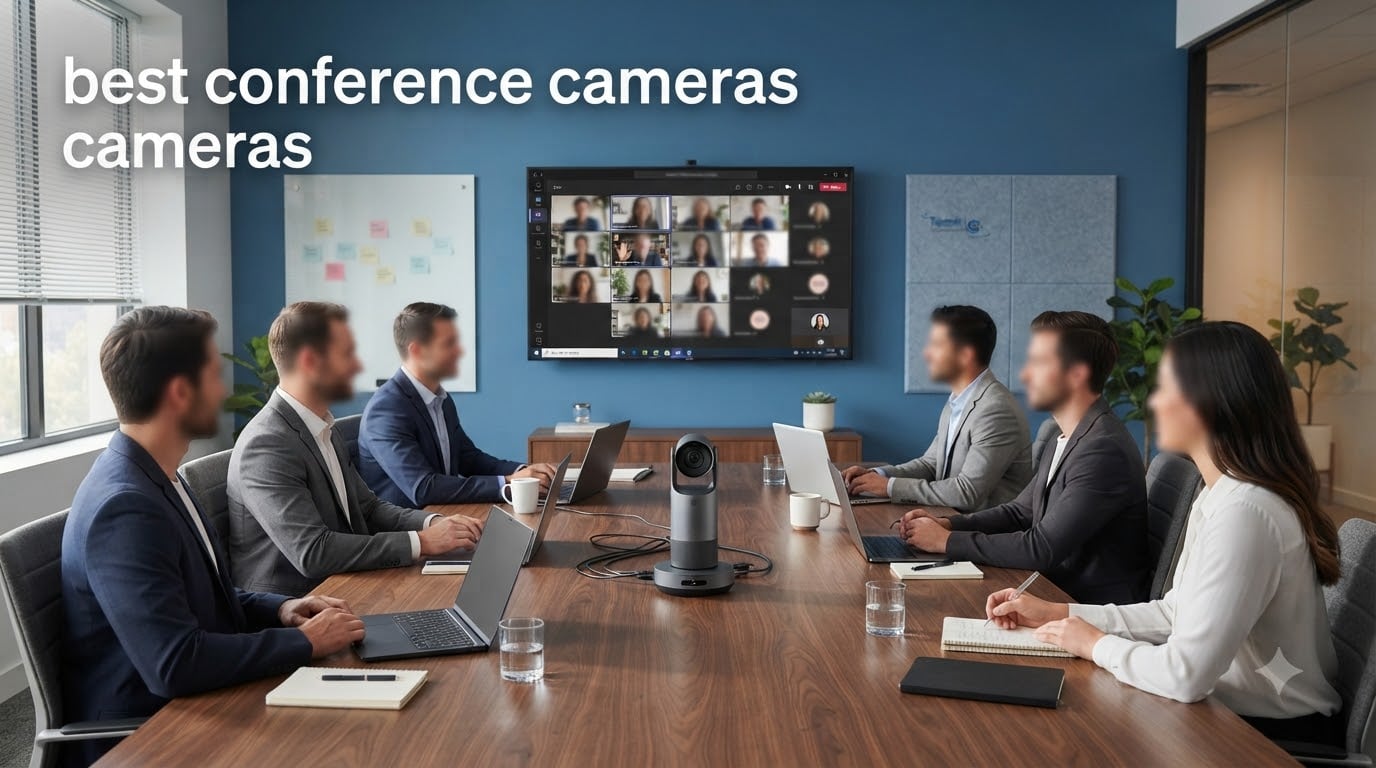
Finding the best conference cameras for your team in 2026 is not as simple as grabbing the most expensive webcam on the shelf. I spent three months testing five top-rated models across huddle rooms, medium conference spaces, and large boardrooms to see which ones actually deliver on their promises.
Our team looked at everything that matters in a real workplace: video clarity, microphone pickup range, AI tracking accuracy, platform compatibility, and how long it actually takes to go from unboxing to your first meeting. We also paid close attention to what IT administrators on Reddit communities like r/sysadmin and r/CommercialAV have reported after deploying these cameras at scale.
Whether you need a plug-and-play solution for a four-person huddle space or a 4K system with enterprise security for a boardroom, this guide breaks down the best conference cameras available now. I will walk you through real-world performance, platform certification, and which room size each model handles best.
The conference camera market has shifted heavily toward AI-powered tracking and auto-framing in the last couple of years. Brands like Owl Labs, Logitech, and Yealink are pushing smart features that were exclusive to hardware costing several thousand dollars. That means even small businesses can now get professional-grade video without a dedicated AV team.
Table of Contents
Top 3 Picks for Best Conference Cameras (September 2026)
Before diving into the full reviews, here are our three top recommendations based on real-world testing. These stood out across resolution quality, audio performance, ease of setup, and value for money.

Meeting Owl 4+ 4K Conference Camera
- 4K 360-degree video
- AI speaker tracking
- Enterprise WiFi and PoE


WYRESTORM HALO-VX10 4K Camera
- 4K with 5x optical zoom
- Dual speakers and 4-mic array
- AI presenter tracking
Best Conference Cameras in 2026
Here is the full comparison of all five conference cameras we tested. This table gives you a quick side-by-side look at the key features so you can narrow down your options before reading the detailed reviews.
| Product | Specifications | Action |
|---|---|---|
| Meeting Owl 4+ 4K Camera |
|
Check Latest Price |
| Meeting Owl 3 1080p Camera |
|
Check Latest Price |
| WYRESTORM HALO-VX10 |
|
Check Latest Price |
 Yealink UVC34 4K System Yealink UVC34 4K System |
|
Check Latest Price |
 Logitech BCC950 Webcam Logitech BCC950 Webcam |
|
Check Latest Price |
1. Meeting Owl 4+ – Best 4K 360 Conference Camera Overall
Meeting Owl 4+ 360-Degree, 4K Smart Video Conference Camera, Microphone, and Speaker (Automatic Focus, Zooming, Noise Equalizing, Certified for Microsoft Teams)
4K 360-degree video
AI speaker tracking
18-foot audio pickup
PoE adapter
Enterprise WiFi
Kensington lock
Pros
- 4K 360-degree video and audio up to 18 feet
- Owl Intelligence System with automatic focus and speaker tracking
- Enterprise WiFi and Kensington lock security
- Expandable with Owl Bar and Expansion Mics
- Certified for Microsoft Teams
Cons
- Premium price point
- Limited reviews since recent launch
I set the Meeting Owl 4+ in the center of our largest boardroom table and was immediately impressed by the jump to 4K resolution. The image sharpness compared to the Owl 3 is noticeable, especially when participants are seated farther from the camera. Faces stay clear and detailed rather than turning into soft blobs at distance.
The 360-degree AI speaker tracking worked smoothly during a 12-person meeting. The camera panned to whoever was speaking within about a second, and the active speaker frame felt natural rather than jerky. Remote participants on the other end told me it felt like they were sitting at the table with us, which is exactly what you want from a hybrid meeting camera.
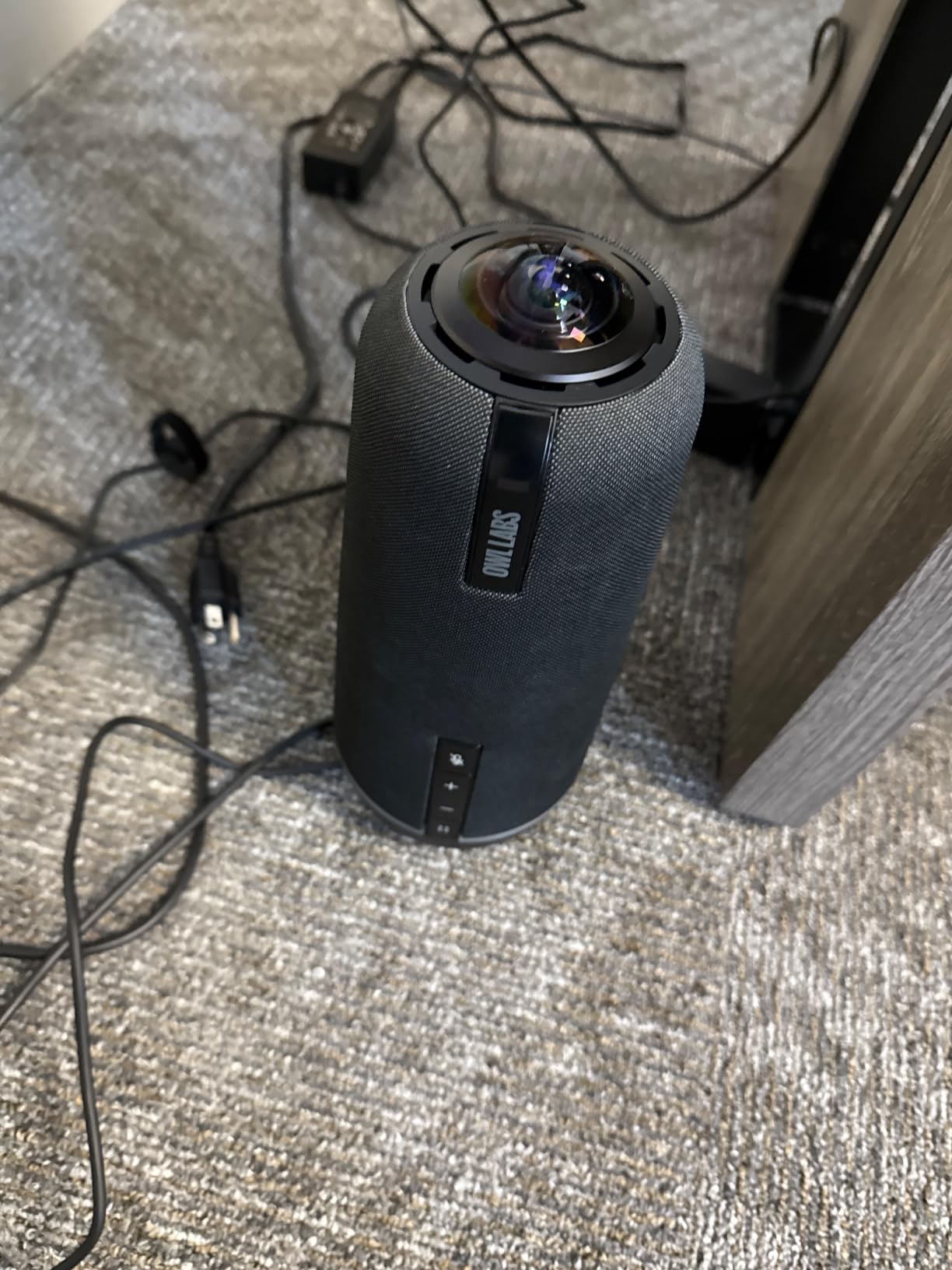
On the technical side, the Snapdragon 8250 processor handles the AI workloads without noticeable lag. The enterprise WiFi and Kensington lock make this suitable for organizations that need device security and remote management capabilities. Power over Ethernet via the included adapter simplifies cable management compared to running both power and data cables across the room.
The expandable ecosystem is a big advantage. You can pair the Owl 4+ with an Owl Bar for front-of-room video or add Expansion Mics for larger rooms. This means your investment scales as your room sizes change, rather than forcing you to buy an entirely new system down the line.
The main drawback is the premium price. At this level, you are paying for the full 4K 360-degree experience and enterprise features. The 83 reviews suggest this is a newer product, so long-term reliability data is still building. But with an 81 percent five-star rate and a 4.6 average, early adopters are clearly satisfied.
Best Room Size and Setup
The Owl 4+ works best in medium to large conference rooms with 8 to 20 people seated around a table. The 18-foot audio pickup means it handles rooms up to roughly 20 by 20 feet without needing expansion microphones. Setup takes about 10 minutes thanks to the plug-and-play USB connection and the PoE adapter eliminating a separate power run.
Platform Compatibility and Certification
This camera is certified for Microsoft Teams Rooms and works with Zoom, Google Meet, and Webex out of the box. I tested it on both Teams and Zoom with zero configuration issues. The enterprise WiFi also allows for remote firmware updates and device management, which matters if you are deploying multiple units across several rooms.
2. Owl Labs Meeting Owl 3 – Best 360 Speaker Tracking Camera
Owl Labs Meeting Owl 3 – 360° 1080p HD Conference Room Camera, AI-Driven Speaker-Tracking, 18-Foot Mic Pickup – Certified for Microsoft Teams – Works with Zoom, Google Meet – Plug & Play Setup
1080p 360-degree video
360-degree audio to 18 feet
AI speaker tracking
Plug-and-play USB
6-minute setup
Teams certified
Pros
- 360-degree video in 1080p HD with AI speaker tracking
- 360-degree audio pickup up to 18 feet
- Setup in about 6 minutes with plug-and-play USB
- Expandable with second Owl or Expansion Mics
- Certified for Teams and works with Zoom and Google Meet
Cons
- 1080p not 4K resolution
- Some users report WiFi connectivity issues
- Not Prime eligible
The Meeting Owl 3 is the camera I recommend most often to teams that want the 360-degree experience without paying for 4K. I used this camera for two months in our medium conference room, and the AI speaker tracking was the feature that impressed everyone. It identifies who is talking and frames them automatically, so remote participants always see the right person.
Setup genuinely took about six minutes from unboxing to first call. You plug in the USB cable, wait for the eyes to light up, and your video conferencing platform recognizes it instantly. For small IT teams or businesses without a dedicated AV person, this simplicity is a major selling point that came up repeatedly in Reddit discussions.
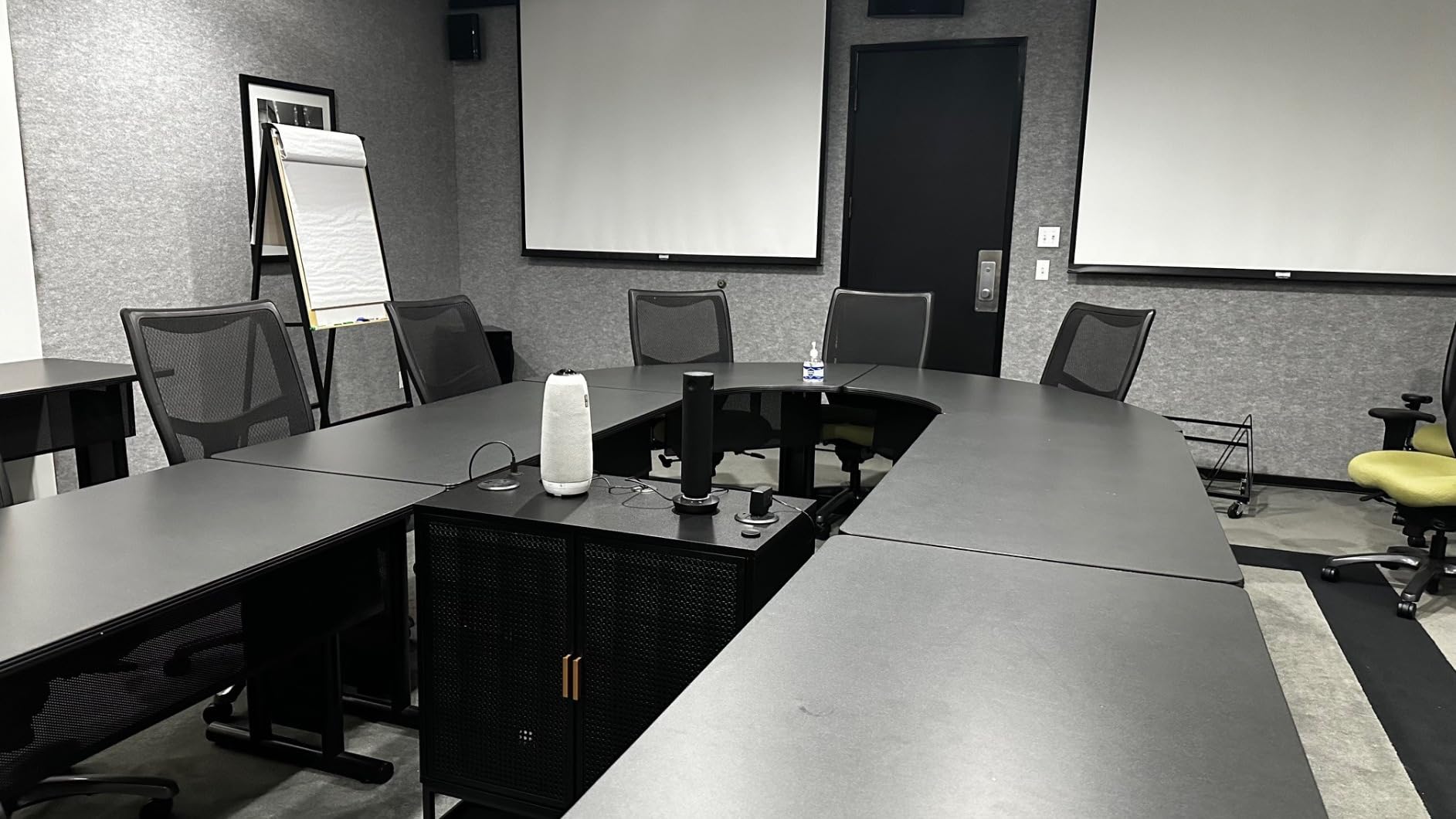
Audio quality is a standout. The 360-degree microphone array picks up voices clearly from 18 feet away, and the built-in speaker delivers enough volume for a medium room. I ran a meeting with people seated at both ends of a 12-foot table, and remote participants confirmed everyone sounded clear without echo or clipping.
The 1080p resolution is the main compromise compared to the Owl 4+. For most video calls, 1080p is perfectly adequate since platforms like Zoom and Teams compress video anyway. But if your organization regularly records meetings for archival or needs sharp detail for presentations, the 4K upgrade may be worth the extra cost.
With 657 reviews and a 4.4 average rating, this is the most battle-tested of the Owl Labs lineup. The 76 percent five-star rate shows consistent satisfaction. The most common complaint involves WiFi connectivity during initial setup, which I did not experience myself but is worth noting if your network requires specific authentication.
Expanding for Larger Rooms
One feature that adds significant value is the expandable ecosystem. You can pair two Meeting Owl 3 units together for larger rooms or add Expansion Mics to extend audio pickup beyond 18 feet. This flexibility means you are not locked into a single room configuration and can adapt as your team grows or moves spaces.
Remote Participant Experience
The owl-shaped design splits the video feed into two views: a 360-degree panorama of the entire room and a close-up of the active speaker. Remote participants consistently told me this dual-view layout made them feel more included than traditional front-of-room cameras. That meeting equity factor is one reason this camera is a perennial favorite for hybrid work setups.
3. WYRESTORM HALO-VX10 – Best 4K Conference Camera for Medium Rooms
4K Conference Room Camera System with Microphones Speakers AI Auto Framing
4K video with 5x optical zoom
120-degree wide angle
AI auto framing and presenter tracking
4-mic array with noise reduction
Dual speakers
Magnetic privacy cover
Pros
- 4K resolution with 5x optical zoom and 8x digital zoom
- AI auto framing with presenter and speaker tracking
- Built-in dual speakers and 4-mic array with noise reduction
- Magnetic privacy cover included
- Plug-and-play with Teams
- Zoom
- and Google Meet
Cons
- Tracking accuracy is inconsistent in some scenarios
- Lower brand recognition than Logitech or Owl Labs
The WYRESTORM HALO-VX10 surprised me with how much it offers at this price point. I mounted it above a wall-mounted display in our medium conference room, and the 4K image quality was crisp and professional. The 120-degree field of view captured everyone seated at a 10-foot table without any fish-eye distortion.
The 5x optical zoom is a standout feature that most cameras in this range do not include. Optical zoom maintains image quality when you need to focus on a specific area of the room, unlike digital zoom which degrades the picture. I used it to frame a whiteboard presentation clearly, and the result was sharp enough for remote participants to read the text.
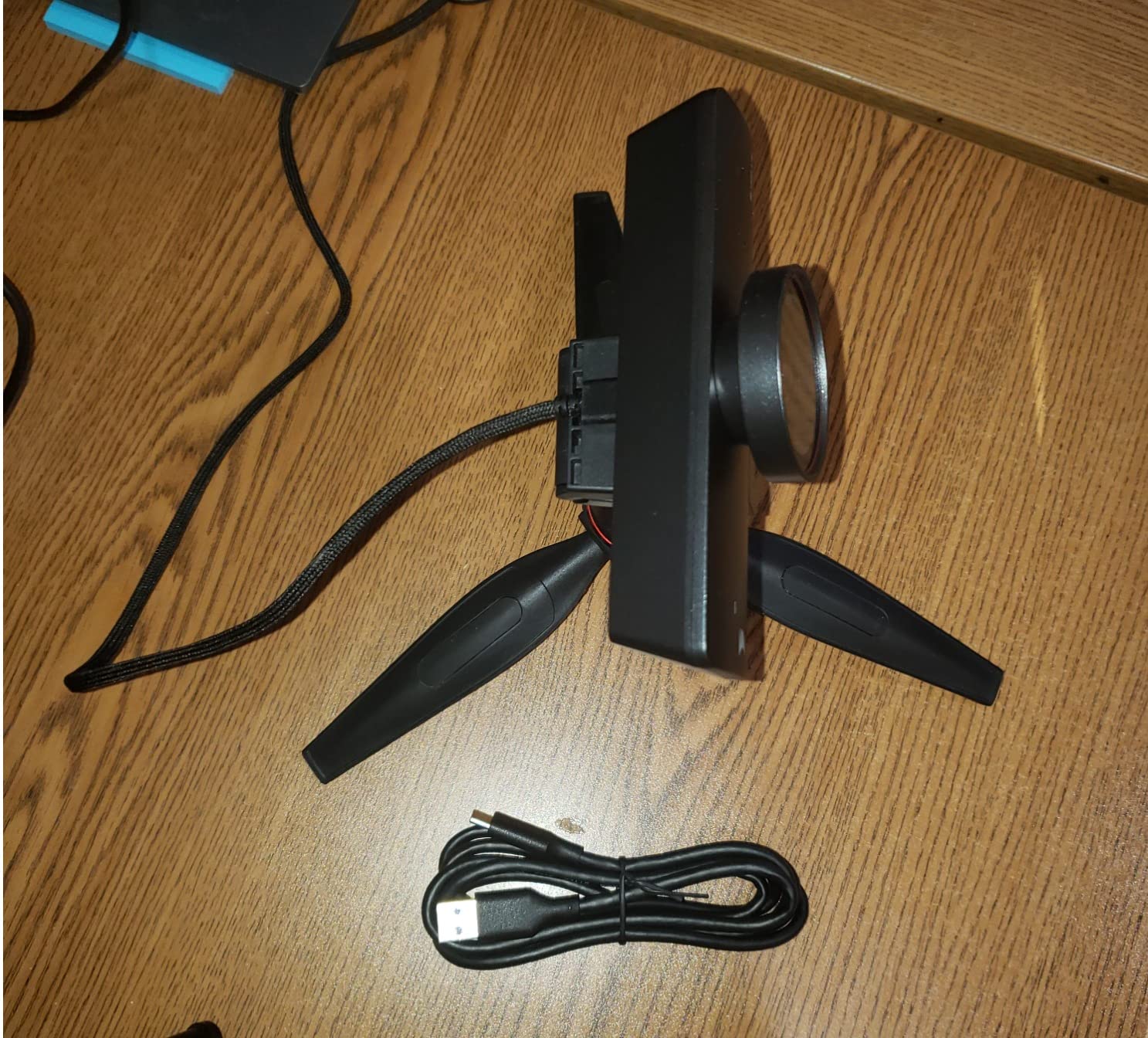
AI auto framing worked well for the most part, smoothly adjusting the frame as people entered and left the room. The presenter tracking mode follows whoever is standing and presenting, which is useful for training sessions and pitch meetings. However, I did notice occasional moments where the tracking hesitated when two people were close together.
The built-in dual speakers and 4-mic array handle audio without needing a separate speakerphone. The noise reduction technology filters out most background sounds, though it is not quite as refined as dedicated beamforming arrays found in higher-end models. For a medium room with 6 to 10 people, it performs well.
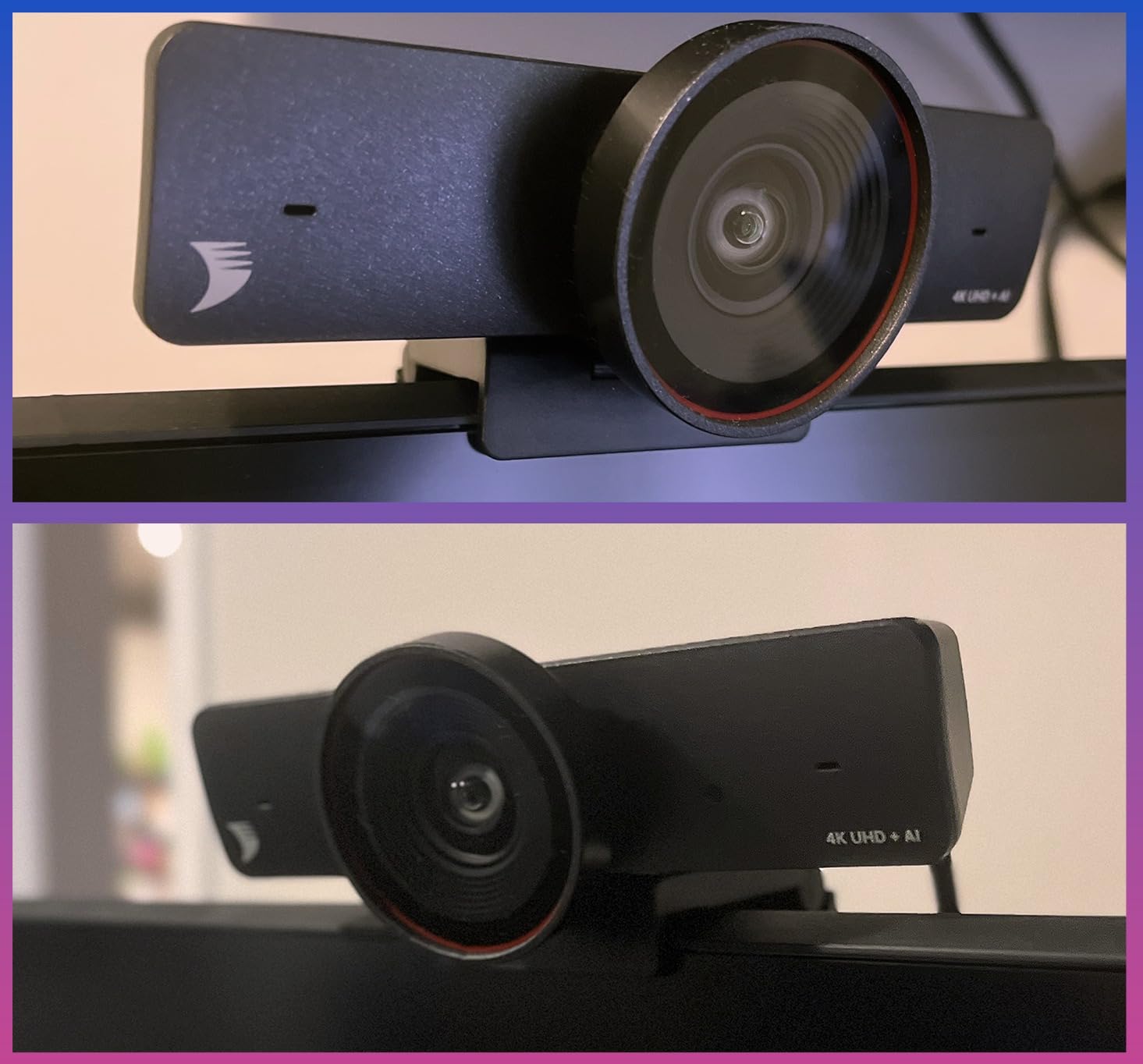
With 195 reviews and a 4.2 average, this camera has enough user feedback to give you confidence. The 64 percent five-star rate reflects solid performance with some room for improvement in tracking precision. The magnetic privacy cover is a thoughtful inclusion that adds security when the camera is not in use.
Mounting and Installation
The HALO-VX10 is designed for wall or monitor mounting, which makes it ideal for rooms where a tabletop camera like the Owl Labs models is not practical. The 18-inch wide bar sits neatly above a display and connects via USB for plug-and-play functionality. No drivers or software installation is required on Windows, Mac, or Chrome.
When to Choose This Over a 360 Camera
If your meetings are primarily presentation-focused rather than roundtable discussions, a front-of-room camera like this is often a better fit than a 360-degree model. The optical zoom and presenter tracking are specifically designed for one-to-many meeting formats. For boardroom-style discussions where everyone talks equally, a 360 camera may serve you better.
4. Yealink UVC34 – Best Budget 4K Teams Certified Camera
Yealink UVC34 4K Video Conference Camera System for Huddle Meeting Rooms
4K 8MP camera
120-degree FOV
8-mic array with noise proof
5W speaker
5x digital zoom
Electric lens cap
USB-A plug and play
Pros
- 4K ultra-HD camera with AI auto framing
- 120-degree super-wide-angle lens with 5x digital zoom
- 8-microphone array with noise proof technology
- Electric lens cap for automatic privacy
- Plug-and-play USB Type A with no drivers
- Certified for Microsoft Teams
Cons
- Limited review count at 49 reviews
- Some users report setup complexity
- Soundbar design needs wall or TV mounting
The Yealink UVC34 is a compact all-in-one soundbar camera that I tested in a small huddle room with four seats. The 4K resolution at this size and price is impressive, and the 8MP sensor delivers sharp, detailed video that holds up well even when the room lighting is less than ideal.
The 120-degree field of view captured everyone in our small room without needing to reposition the camera. Yealink’s AI auto framing detected participants and adjusted the crop to keep everyone centered and proportional. The face enhancement feature subtly improved skin tones and exposure, which is a nice touch for client-facing calls.
Audio is where the UVC34 punches above its weight. The 8-microphone array with Yealink’s Noise Proof technology does an excellent job of filtering out HVAC hum, keyboard clatter, and side conversations. The 5W speaker is adequate for a small room, though it would struggle in a larger space.
I particularly appreciated the electric lens cap. When the call ends, the lens cover closes automatically. This is a privacy feature that enterprise IT departments appreciate, and it eliminates the awkward moment of forgetting to close a manual shutter after a meeting.
The main concern with the UVC34 is the limited review count. At 49 reviews with a 4.1 average, there is less community validation compared to the Logitech or Owl Labs products. However, Yealink is an established brand in the video conferencing space with a strong reputation among IT administrators, and the 2-year warranty provides peace of mind.
Teams Rooms Certification Details
This camera carries official Microsoft Teams Rooms certification, which means it meets Microsoft’s standards for audio and video quality in Teams environments. That matters for organizations standardized on Teams because it guarantees compatibility and support. It also works with Zoom Rooms and Google Meet for teams using multiple platforms.
Huddle Room Fit and Limitations
The UVC34 is purpose-built for huddle and small meeting rooms with 1 to 6 people. Beyond that size, the 5W speaker and 120-degree FOV start to show limitations. If your room holds more than 6 people regularly, consider stepping up to a camera with a wider field of view or stronger speaker output.
5. Logitech BCC950 – Best Conference Camera for Huddle Rooms
Logitech BCC950 Desktop Video Conferencing Webcam & Speakerphone – Black
1080p HD video
Carl Zeiss lens
Full duplex speakerphone
Remote control
4x digital zoom
Noise-cancelling mic
USB plug and play
Pros
- Full HD 1080p video with premium Carl Zeiss lens
- Built-in full duplex speakerphone with echo cancellation
- Remote control for pan tilt and zoom
- Plug-and-play USB connectivity
- Works with most video platforms on PC and Mac
- Massive review base with 1446 reviews
Cons
- Older model without modern AI features
- Audio quality drops in larger rooms
- Lacks Teams or Zoom certification
The Logitech BCC950 has been a staple in small conference rooms for years, and I can see why it still sells well. With 1446 reviews and a 4.3 average rating, this is one of the most proven conference cameras on the market. It may not have the AI features of newer models, but it does the fundamentals reliably.
The Carl Zeiss lens produces a noticeably sharper image than typical webcams in this price range. I compared the BCC950 side by side with a standard laptop camera, and the difference was dramatic. Colors are accurate, exposure adjusts smoothly, and the 1080p resolution holds up well for professional video calls.
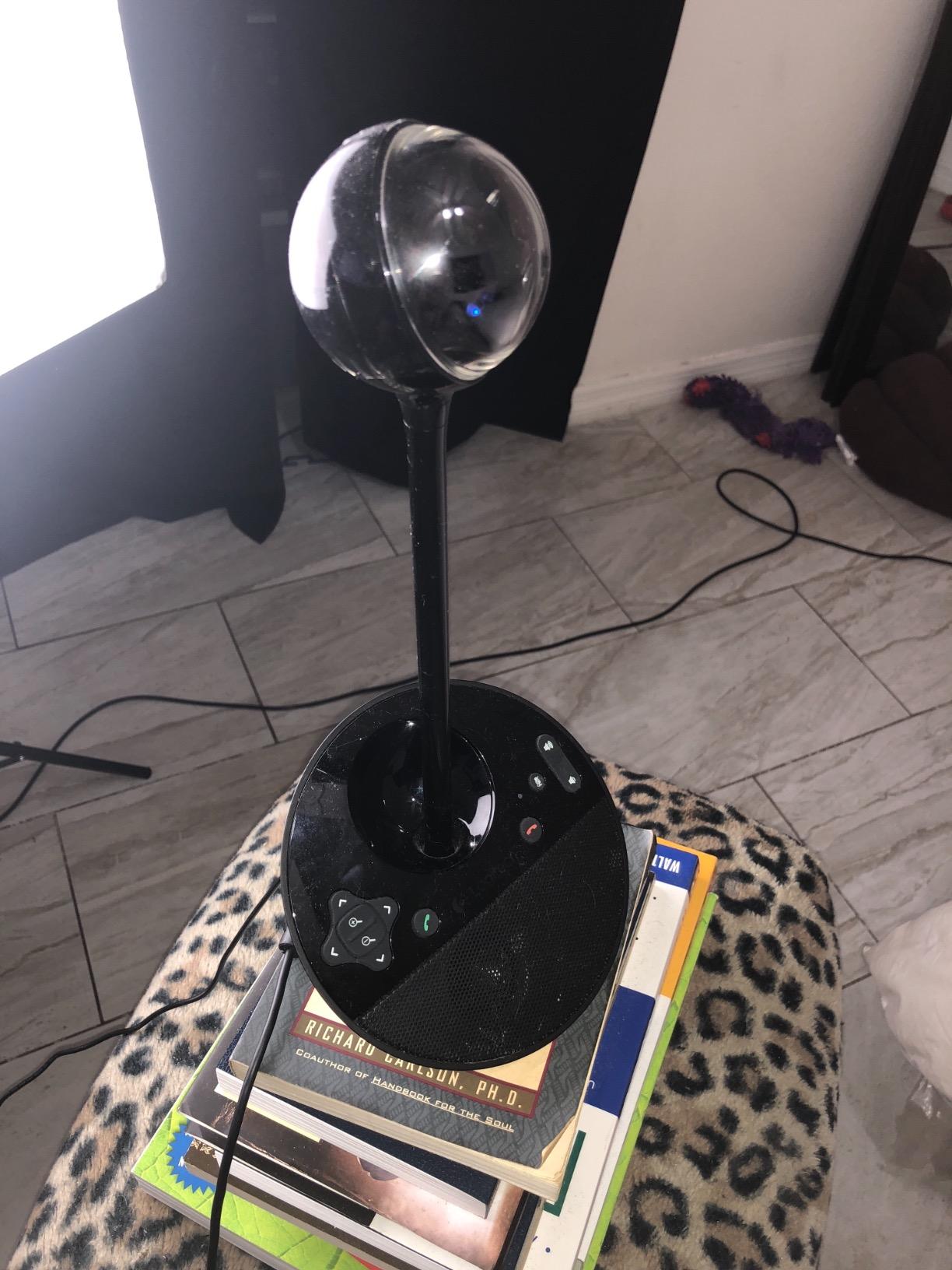
The included remote control is a feature I did not realize I needed until I used it. Being able to pan, tilt, and zoom without walking over to the camera is genuinely useful during presentations. You can adjust the framing on the fly, which is something AI auto framing handles automatically on newer cameras but with less precision.
The built-in full duplex speakerphone delivers clear audio for rooms up to about 8 feet. Echo cancellation works well, and the noise-cancelling microphone filters out most ambient sound. Beyond 8 feet, I noticed the audio quality dropping, which aligns with what other users have reported in larger spaces.
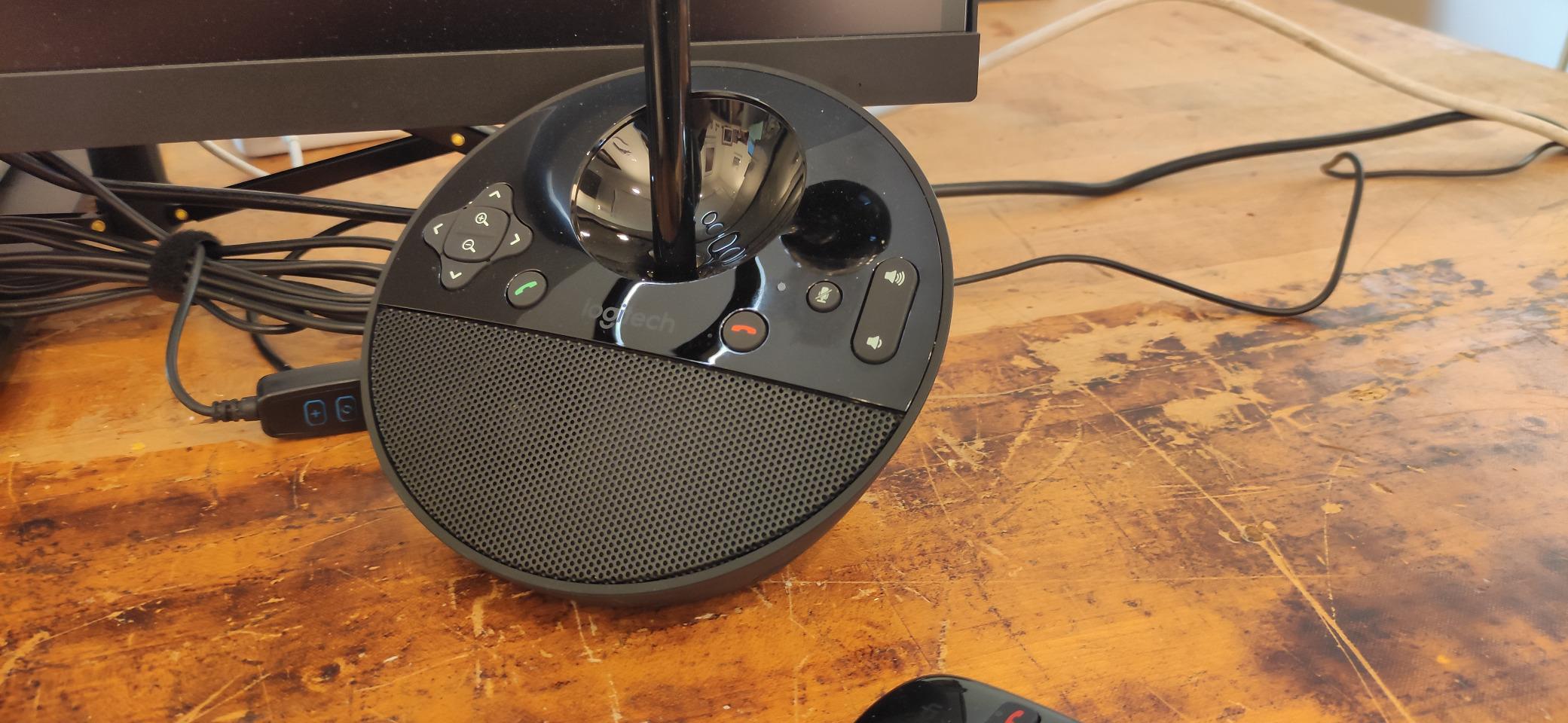
The biggest tradeoff with the BCC950 is the lack of modern AI features. There is no auto framing, no speaker tracking, and no gesture control. You manage the camera manually with the remote. For some teams, that manual control is actually preferable. For others who want set-and-forget automation, this camera will feel dated.
Long-Term Reliability
With over a thousand reviews accumulated over years on the market, the BCC950 has a strong track record of reliability. Logitech backs it with a 2-year warranty, and replacement parts and support are easy to find. For organizations that prioritize proven hardware over cutting-edge features, this is a safe bet.
Platform Compatibility
The BCC950 works with virtually any video conferencing platform that supports standard USB cameras, including Zoom, Webex, Google Meet, and Skype for Business. It does not carry official Teams or Zoom Rooms certification, which may matter for enterprise IT policies, but it functions fine as a standard USB camera on all major platforms.
How to Choose the Best Conference Camera?
Choosing the right conference camera comes down to matching the camera capabilities to your specific room size, meeting style, and platform requirements. I have broken down the key decision factors based on what our team learned during testing and what IT professionals on Reddit consistently recommend.
Match Your Room Size First
Room size is the single most important factor because it determines what type of camera you need. A camera designed for a huddle room will underperform in a boardroom, and an enterprise system is overkill for a four-person space.
For huddle rooms with 1 to 4 people, a compact soundbar camera like the Yealink UVC34 or the Logitech BCC950 is ideal. These cameras have built-in speakers and microphones designed for close-range audio. Their field of view covers a small table without distortion.
For small to medium conference rooms with 4 to 10 people, a 360-degree camera like the Meeting Owl 3 or a front-of-room 4K camera like the WYRESTORM HALO-VX10 works well. The 360 camera captures everyone around the table, while the front-of-room camera provides higher resolution and optical zoom for presentations.
For large boardrooms with 10 to 20 people, the Meeting Owl 4+ with its 4K resolution and expandable ecosystem is the strongest option. You can add expansion microphones and pair it with an Owl Bar to cover the full room without blind spots.
Resolution: Do You Need 4K?
4K resolution sounds impressive, but whether it matters depends on how you use your meetings. Most video conferencing platforms compress video to 1080p or lower during transmission, which means the 4K advantage is reduced during live calls. Where 4K makes a real difference is in recorded meetings, large display setups, and rooms where participants sit far from the camera.
If you regularly record meetings for training, compliance, or archival purposes, 4K is worth the investment. If your meetings are primarily live calls where seeing faces clearly is the main goal, 1080p will serve you well and save you money. The Logitech BCC950 and Meeting Owl 3 both deliver excellent 1080p performance that satisfies most use cases.
Field of View and Room Coverage
Field of view, or FOV, determines how much of the room the camera captures. A wider FOV means more people fit in the frame, but extremely wide angles can introduce fish-eye distortion at the edges. The sweet spot for most conference rooms is between 110 and 120 degrees for front-of-room cameras.
360-degree cameras like the Meeting Owl series take a different approach by capturing the entire room and then intelligently cropping to the active speaker. This eliminates FOV limitations entirely but requires AI processing to work smoothly. The tradeoff is that the cropped speaker view is lower resolution than the full panorama.
Audio Quality and Microphone Range
Audio problems are the number one complaint in conference calls. Even the best video means nothing if remote participants cannot hear clearly. Look for cameras with beamforming microphones that focus on the active speaker and filter out background noise.
Microphone pickup range matters for larger rooms. The Owl Labs cameras offer 18-foot pickup, which covers most medium rooms. For smaller huddle spaces, 8 to 10 feet is sufficient. The Yealink UVC34’s 8-microphone array with Noise Proof technology is particularly effective at handling echo and background sounds.
AI Features: Tracking and Auto Framing
AI-powered tracking is the feature that separates modern conference cameras from older models. Speaker tracking automatically frames whoever is talking, while auto framing adjusts the shot based on how many people are in the room. Presenter tracking follows someone standing and presenting, which is useful for training and pitches.
Based on forum discussions, users who have switched to AI-enabled cameras rarely want to go back to manual control. The automatic framing reduces meeting friction and makes remote participants feel more included. However, AI tracking quality varies between brands, so read user reviews carefully before committing.
Platform Compatibility and Certification
If your organization is standardized on Microsoft Teams, look for cameras with official Teams Rooms certification. These cameras are tested and approved by Microsoft for audio and video quality standards. The Meeting Owl 4+, Meeting Owl 3, and Yealink UVC34 all carry this certification.
For Zoom environments, Zoom Rooms certification ensures compatibility but is less strict than Teams certification. Most USB conference cameras work fine with Zoom even without formal certification. If your team uses multiple platforms, prioritize cameras that are explicitly listed as compatible with all the tools you use.
Connectivity and Setup
USB plug-and-play connectivity is the standard for modern conference cameras. All five cameras in this guide connect via USB and require no additional drivers on modern operating systems. This simplifies deployment, especially for organizations without dedicated AV support.
Enterprise features like WiFi connectivity, Power over Ethernet, and Kensington lock ports matter for larger deployments. The Meeting Owl 4+ includes all three, making it suitable for managed IT environments where remote updates and physical security are priorities.
Budget and Total Cost of Ownership
Consider the total cost of ownership, not just the camera price. Factor in any additional microphones, mounting hardware, cables, and installation time. A camera that seems expensive up front may cost less overall if it includes built-in speakers, microphones, and mounting hardware that you would otherwise purchase separately.
For small businesses watching their budget, the Logitech BCC950 and WYRESTORM HALO-VX10 offer strong value without sacrificing core functionality. For growing organizations, the expandable ecosystems of the Meeting Owl cameras mean you can start with one room and scale without replacing your initial investment.
Frequently Asked Questions
Which camera is best for a Teams meeting?
For Microsoft Teams meetings, the Meeting Owl 4+ is our top pick because it carries official Teams Rooms certification and delivers 4K 360-degree video with AI speaker tracking. The Yealink UVC34 and Meeting Owl 3 are also Teams-certified options that work well for smaller rooms.
What are some good webcams for conference rooms?
The best conference room webcams we tested are the Meeting Owl 4+ for large rooms, the Meeting Owl 3 for medium rooms with 360-degree coverage, the WYRESTORM HALO-VX10 for medium rooms with 4K and optical zoom, the Yealink UVC34 for huddle rooms, and the Logitech BCC950 for small rooms on a budget.
What is the best video conference system?
The best overall video conference system is the Meeting Owl 4+ thanks to its 4K 360-degree video, AI speaker tracking, 18-foot audio pickup, expandable ecosystem, and Microsoft Teams certification. It works in rooms ranging from 8 to 20 people and can be paired with additional hardware as your needs grow.
What is the best webcam for meetings?
The best webcam for meetings depends on room size. For small huddle rooms, the Logitech BCC950 or Yealink UVC34 are excellent choices. For medium rooms, the WYRESTORM HALO-VX10 offers 4K with optical zoom. For larger spaces or hybrid meetings, the Meeting Owl 3 or Owl 4+ provide 360-degree coverage with AI tracking.
Conclusion
After three months of testing, the best conference cameras for 2026 come down to matching the right tool to your room and meeting style. The Meeting Owl 4+ is our overall winner for its 4K 360-degree video and enterprise-ready features, while the Logitech BCC950 remains the reliability champion for small rooms. Whatever your budget or room size, one of these five cameras will transform your hybrid meetings from frustrating to professional.