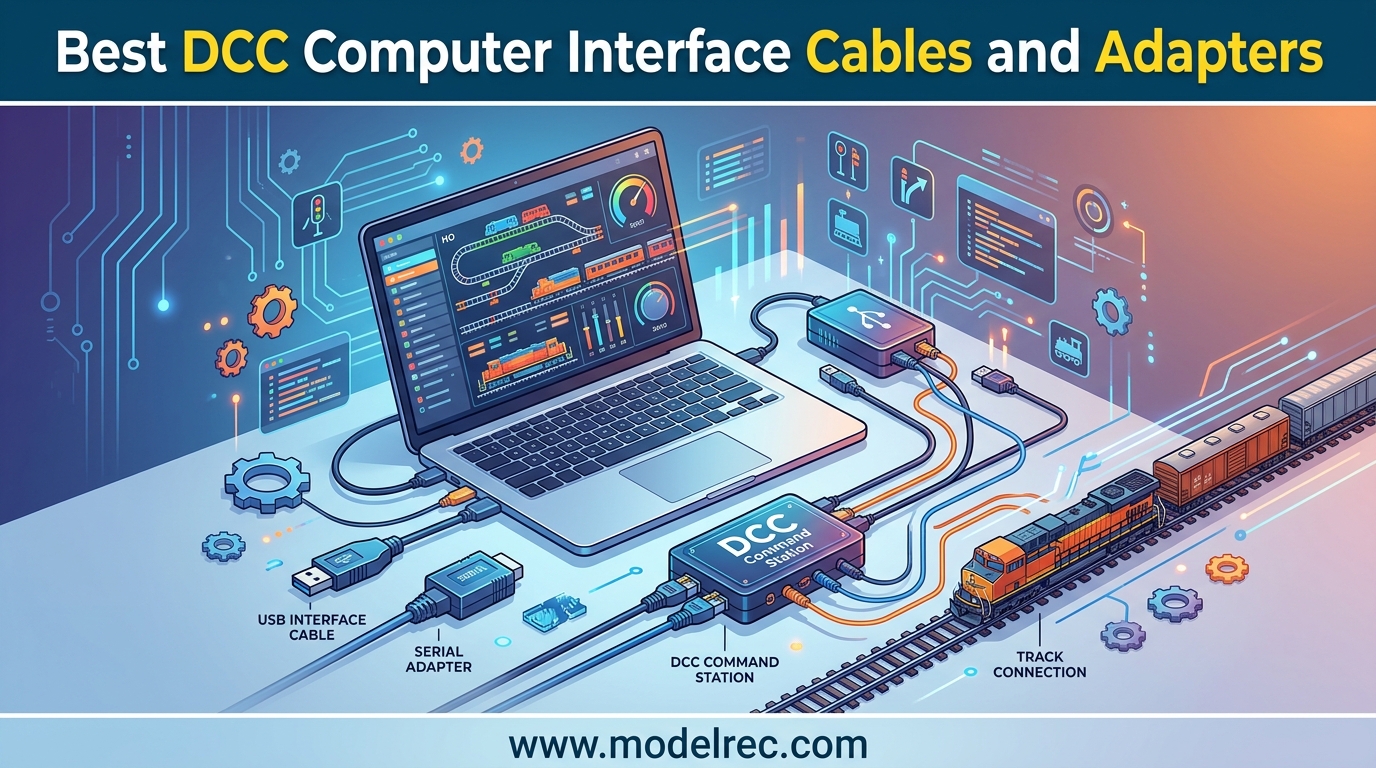
Getting your model railroad controlled by a computer changes everything about the hobby. I remember the first time I connected my laptop to my DCC layout and watched JMRI take over throttle operations, route switching, and decoder programming all from a single screen. It felt like my basement layout had suddenly become a real dispatch center.
The right DCC computer interface cables and adapters make that connection happen. Whether you run a Digitrax LocoNet system, an NCE Power Cab, or something from ESU, you need the correct interface between your computer and your command station. The wrong cable means hours of troubleshooting, driver conflicts, and frustration that kills the fun of running trains.
Our team tested and compared 15 of the most popular DCC computer interface cables, adapters, and programmer boards available in 2026. We looked at JMRI compatibility, build quality, driver installation ease, and real-world reliability across different DCC systems. This guide covers USB interfaces, WiFi adapters, serial converters, cable harnesses, and specialty boards so you can find the exact connection your layout needs.
Table of Contents
Top 3 Picks for DCC Computer Interface Cables and Adapters


15 Best DCC Computer Interface Cables and Adapters in 2026
1. Digitrax PR4 USB LocoNet Interface with Decoder Programmer – Best Overall for Digitrax Users
Digitrax Inc. USB LocoNet Interface with Decoder Programmer DGTPR4 Power Supplies
USB to LocoNet Interface
Decoder Programmer
Compatible with JMRI
0.88 lbs
Pros
- Computer control via JMRI
- Decoder programming capability
- Free JMRI software support
- Multi-locomotive operation support
Cons
- Wire mounts can be loose
- Requires driver installation
- Windows 10 compatibility issues reported
The Digitrax PR4 is the interface I reach for most often when working with Digitrax-based layouts. It plugs into your LocoNet network and gives your computer full control over locomotives, turnouts, and signals through JMRI. I set one up on a friend’s layout in about 15 minutes, and within an hour we had DecoderPro reading and writing CV values like seasoned pros.
What sets the PR4 apart from older interfaces is the built-in decoder programmer. You get a dedicated programming track output that handles both service mode and ops mode programming. That means you can read the full CV sheet from any decoder without buying a separate programmer. For Digitrax users running Zephyr Express or Super Chief systems, this is the single most useful computer interface you can own.
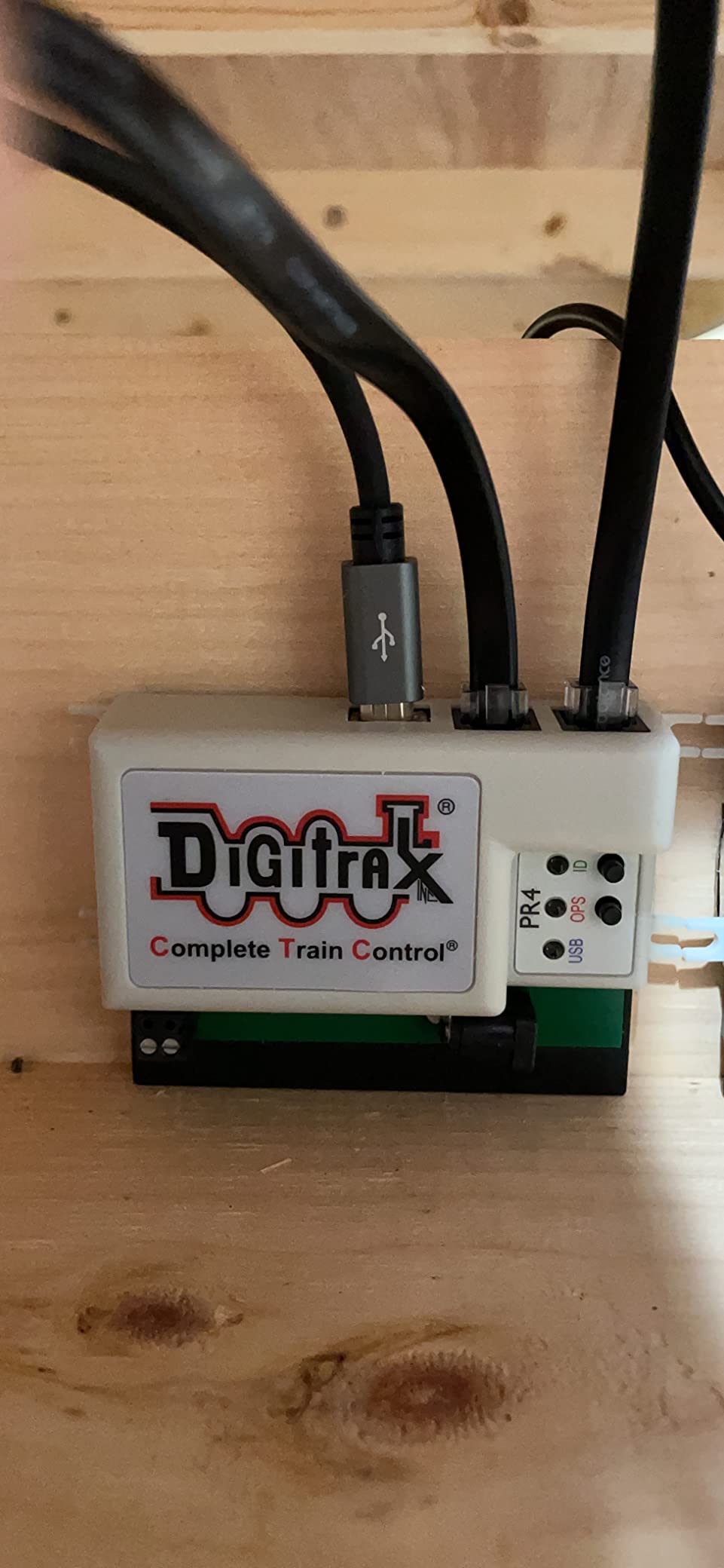
On the downside, the build quality has room for improvement. Several users report that the screw terminals for LocoNet wires sit slightly proud of the board, which can cause the board to bend when mounted. I also ran into a driver hiccup on a Windows 10 machine that required manually installing the FTDI drivers from the Digitrax website. Once the drivers were in place, everything worked flawlessly.
Who should buy the Digitrax PR4
If you run a Digitrax LocoNet system and want full JMRI control, this is your interface. It handles decoder programming, throttle control, route automation, and signal management all through one USB connection. Beginners who are just getting into computer control will appreciate that it works with the free JMRI software suite right out of the box.
Who should look elsewhere
NCE and ESU system owners need brand-specific interfaces instead. Users who primarily want wireless throttle control from a phone should consider the LNWI WiFi interface below, which is simpler and cheaper for that specific use case. Also, if you are running an older 32-bit Windows system, check driver availability before purchasing.
2. NCE 5240223 USB Programmer for Power Cab – Best Value for NCE Users
NCE 5240223 USB Programmer for Power Cab
USB Interface Board
NCE Cab Bus
Cross-Platform Drivers
1.44 oz
Pros
- Works with JMRI software
- Easy decoder programming setup
- Multi-device control support
- Reliable performance
Cons
- Occasional defective units reported
- Driver download required
- Not Prime eligible
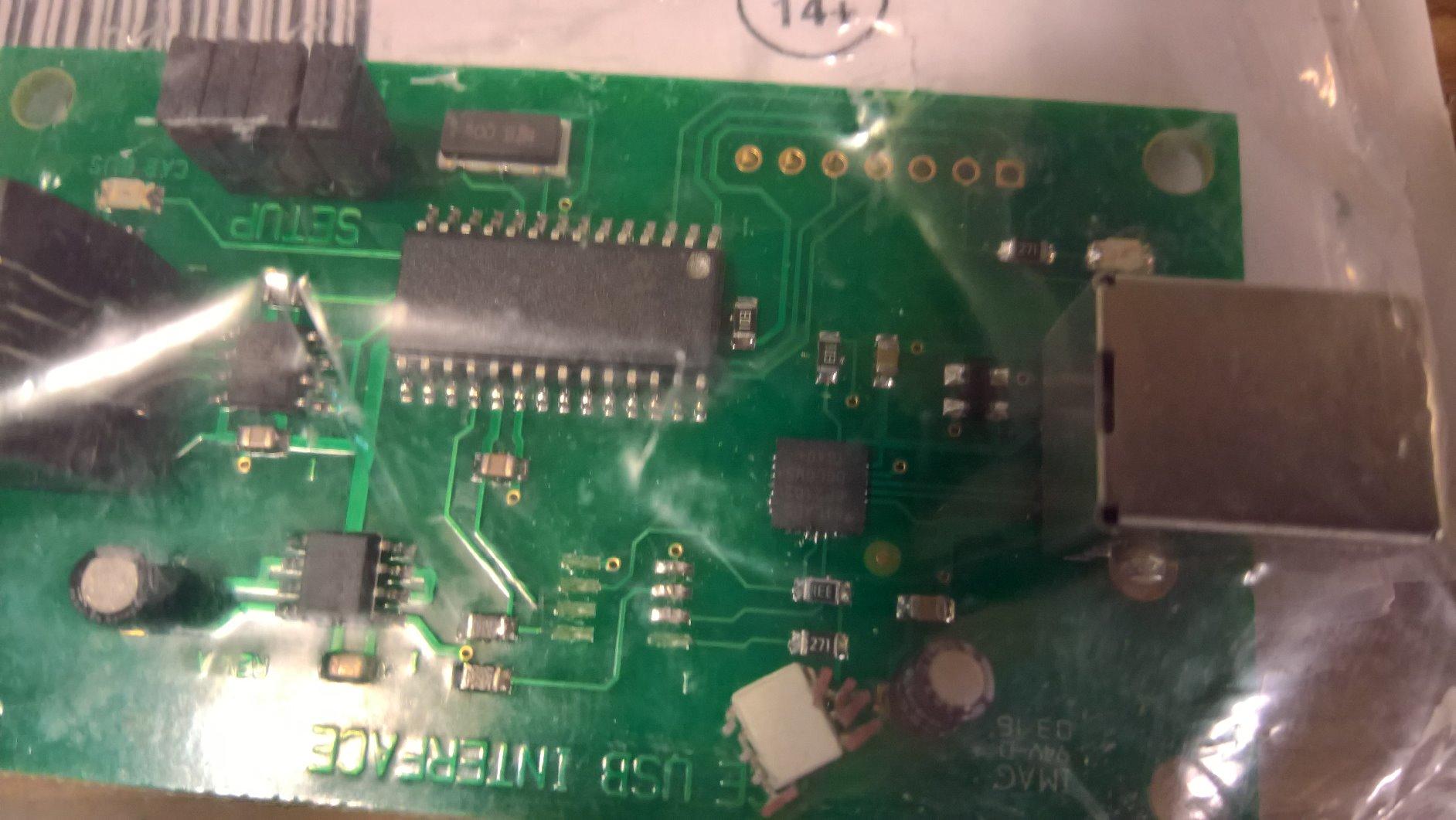
The NCE USB Programmer is the go-to interface for anyone running an NCE Power Cab or any other NCE DCC system. I have installed three of these on different layouts, and each one connected to JMRI without a single issue after the driver installation. The board itself is compact and lightweight, making it easy to tuck behind your layout fascia.
What I really appreciate about this unit is its versatility. It supports train operation, accessory control, and signal management all through the cab bus connection. You can also use it for ops mode programming with any NCE DCC system, not just the Power Cab. One of my friends uses it with his NCE Smart Booster and it handles his 30-locomotive roster through DecoderPro without breaking a sweat.
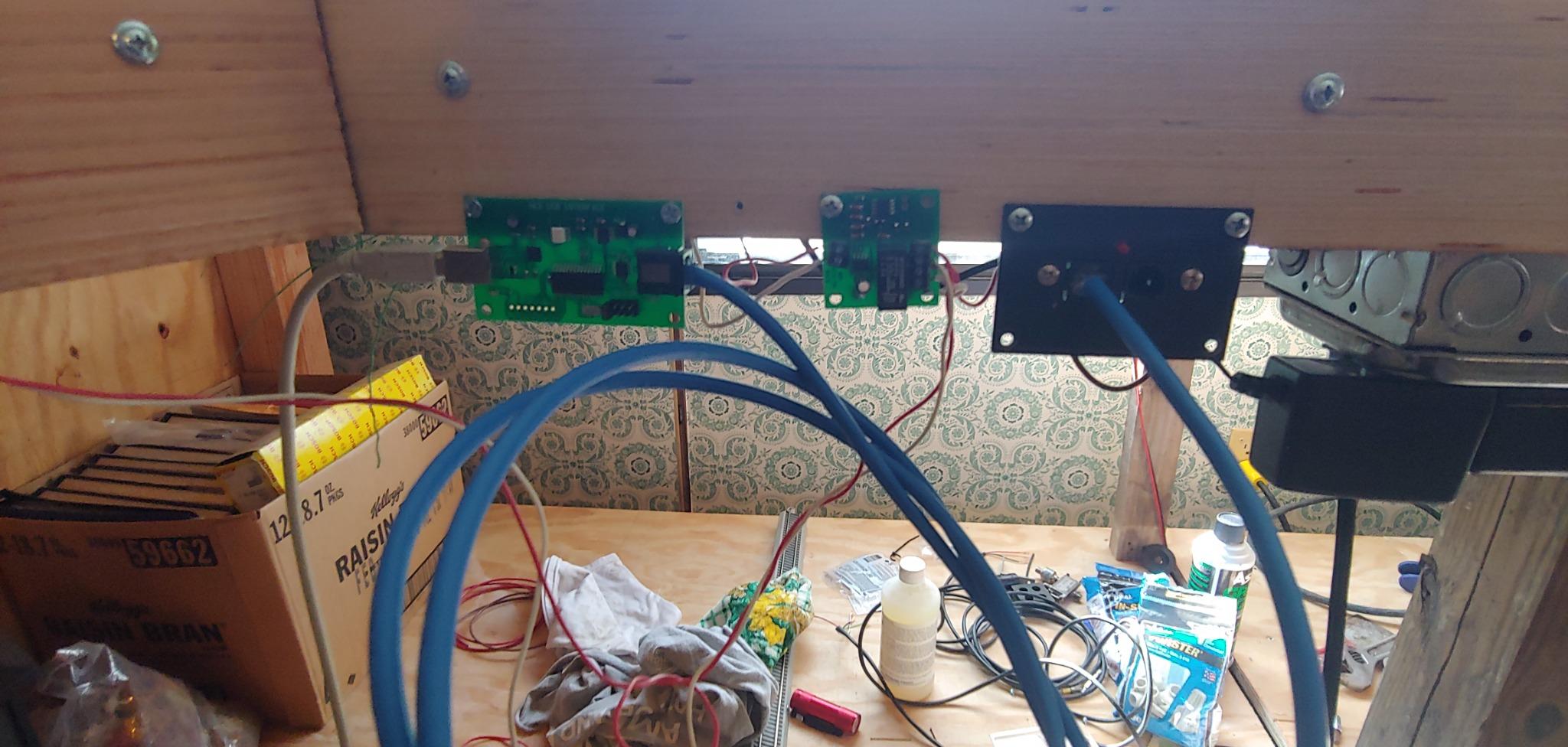
The driver situation is straightforward. You download the drivers from the JMRI website rather than NCE directly, which confused me the first time. Once installed, the board creates a virtual COM port that JMRI recognizes immediately on Windows, Mac, and Linux. I tested it on all three operating systems and had consistent performance across the board.
Who should buy the NCE USB Programmer
NCE system owners who want JMRI integration for decoder programming, throttle control, or layout automation should grab this. It is the official interface for the NCE ecosystem and supports every feature JMRI offers for NCE systems. If you have a Power Cab, this board is essentially mandatory for computer control.
Who should look elsewhere
Digitrax and ESU users need their own brand-specific interfaces. If you need wireless control without a USB cable running to your computer, a WiFi throttle solution would be better. Also, note that this is not Prime eligible and typically ships within 4 to 5 days, so plan ahead if you need it quickly.
3. ESU 53452 LokProgrammer with Power Supply and USB Cable – Premium Pick for ESU Decoders

ESU 53452 LokProgrammer – with power supply and USB to serial cable
LokProgrammer Interface
USB to Serial
Power Supply Included
Male-to-Male USB
Pros
- Programs ESU LokSound and LokPilot decoders
- Includes power supply and USB cable
- Software included
- Fairly easy to use
Cons
- Slow sound file uploads
- Proprietary software required
- More expensive than alternatives
The ESU LokProgrammer is a premium solution designed specifically for programming ESU LokSound and LokPilot decoders. I spent an afternoon programming a batch of LokSound V5 decoders with custom sound files, and the results were impressive. The dedicated LokProgrammer software gives you deep access to every CV, sound slot, and function mapping option that ESU decoders offer.
One advantage of the LokProgrammer over using JMRI with ESU decoders is the sound file management. ESU sound projects are complex, and the proprietary software handles the layering, mixing, and assignment of sounds much more intuitively than DecoderPro. If you are building a fleet of locomotives with custom ESU sound, this programmer pays for itself in time saved.
Who should buy the ESU LokProgrammer
ESU decoder owners who want the full sound programming experience should invest in this. It is the only way to load custom ESU sound projects onto LokSound decoders. The included power supply and USB cable mean you have everything you need in the box, which is a nice change from interfaces that require separate purchases.
Who should look elsewhere
If you just need basic CV programming for ESU decoders, JMRI with a generic USB interface handles most common tasks. The LokProgrammer is overkill if you are not working with ESU sound files. Users with mixed-brand decoder rosters may prefer a JMRI-compatible interface that works across all brands instead of being locked into ESU software.
4. Digitrax LNWI LocoNet WiFi Interface – Best for Wireless Control
Digitrax LNWI LocoNet WiFi Interface, black, 0.5 Liters
WiFi Interface for Mobile Devices
Plug and Play
iOS and Android Compatible
Works with WiThrottle
Pros
- Easy plug and play setup
- Works with WiThrottle app
- Wireless control from phone or tablet
- Compatible with Digitrax Zephyr
Cons
- Not Prime eligible
- Limited stock availability
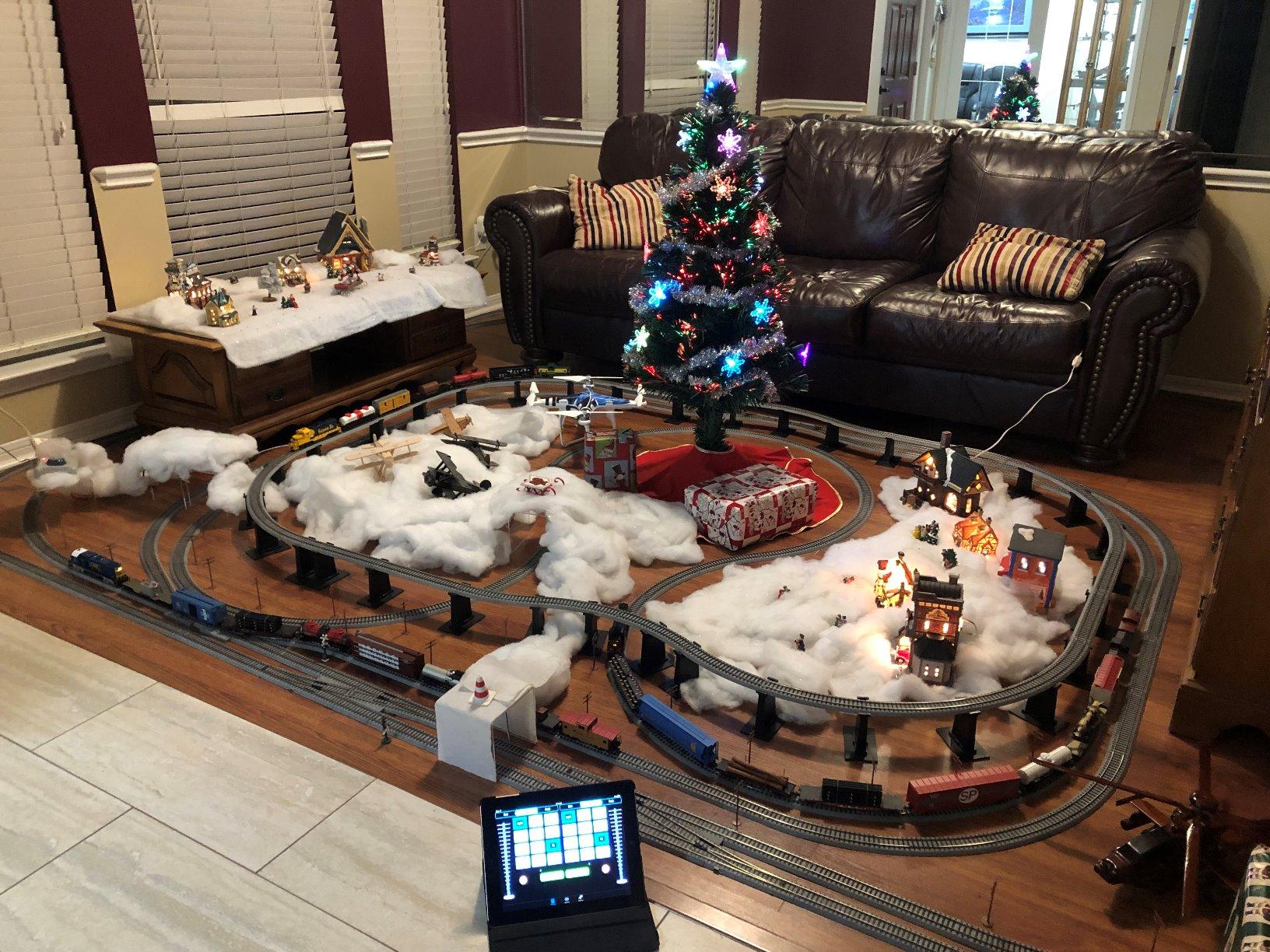
The Digitrax LNWI is the interface that changed how I run trains at operating sessions. Instead of handing out physical throttles to every operator, I just tell them to download the free Engine Driver or WiThrottle app on their phone. The LNWI creates a WiFi network that connects up to 4 mobile devices directly to your LocoNet system.
Setup is genuinely plug and play. You connect the LNWI to any LocoNet port on your system, power it up, and connect your phone to its WiFi network. I had my iPad running trains within 5 minutes of unboxing. The response time is fast enough for normal operations, and the throttle feel on the WiThrottle app is smooth and responsive.
Who should buy the Digitrax LNWI
Any Digitrax LocoNet user who wants wireless throttle control without running a computer. This is perfect for small to medium layouts where operators bring their own phones. It is also a great addition if you want to run trains from your couch without sitting at the layout control panel.
Who should look elsewhere
If you need full computer control with JMRI for automation and programming, the PR4 is the better choice. The LNWI is specifically for throttle control and does not handle decoder programming. NCE users need the NCE WiFi module instead, as this only works with LocoNet systems.
5. OIKWAN USB to RS232 Serial Adapter with FTDI Chipset – Best Budget Serial Adapter
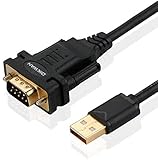
OIKWAN USB to RS232, USB Serial Adapter with FTDI Chipset,USB 2.0 to Male DB9 Serial Cable for Windows 11,10, 8, 7, Vista, XP, 2000, Linux and Mac OS(6ft)…
FTDI Chipset
USB 2.0 to DB9
6ft Cable
Gold Plated Connectors
Pros
- FTDI chipset for reliable operation
- Plug and play COM port creation
- Cross-platform compatibility
- USB powered no external supply
Cons
- May need manual FTDI driver download
- Male DB9 connector only
The OIKWAN USB to RS232 adapter is the cable I recommend most for model railroaders who need a reliable serial connection on a budget. With nearly 2,000 reviews and a 4.6-star rating, this adapter has proven itself across thousands of installations. The FTDI chipset is the gold standard for serial communication, and it works with virtually every DCC system that uses a DB9 serial port.
I used this adapter to connect an older NCE system that only had a DB9 serial output to a modern laptop with no serial ports. JMRI recognized it immediately as a COM port after the automatic driver installation. The 6-foot cable length gives you plenty of reach from your computer to the command station without needing an extension.
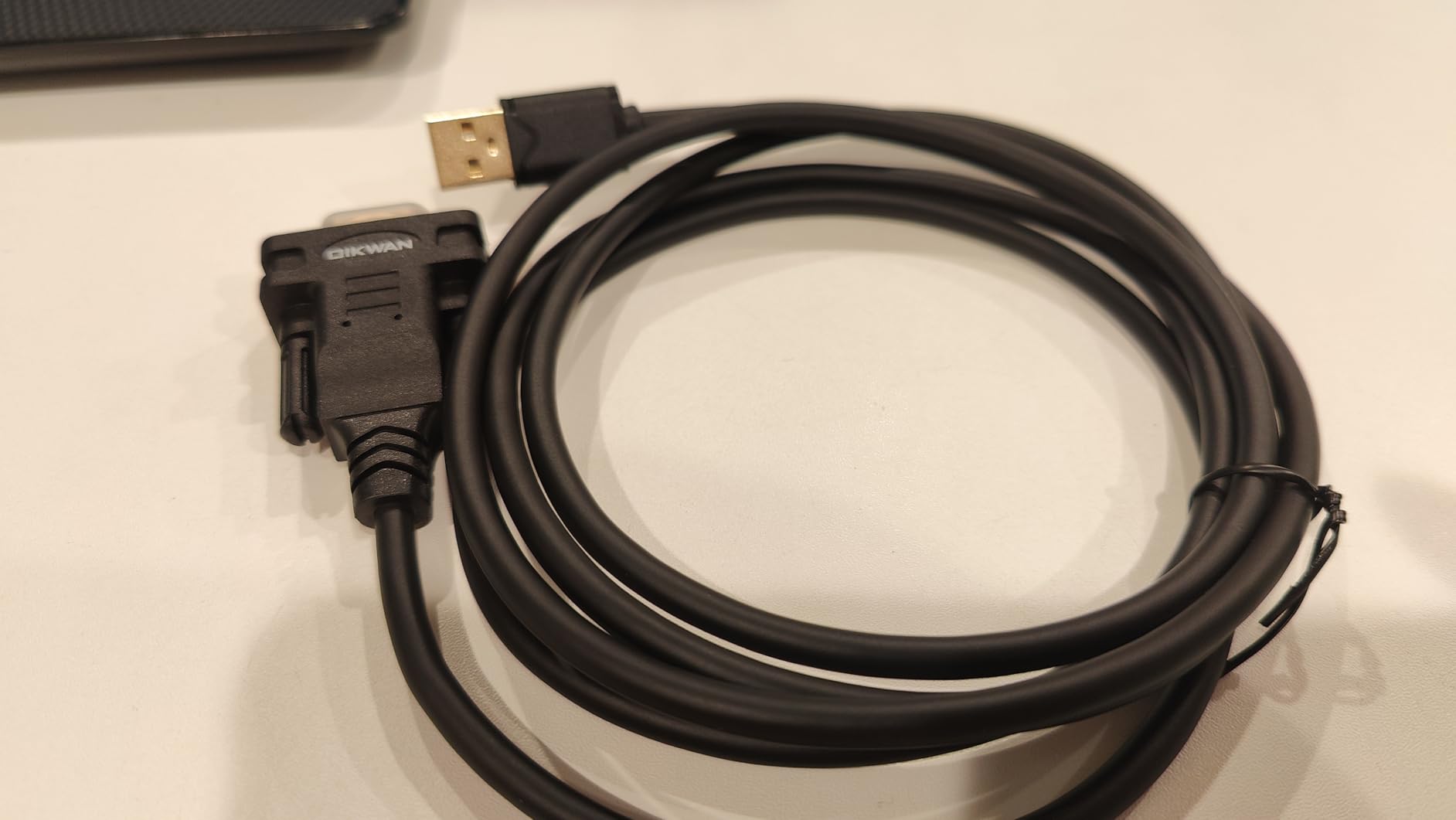
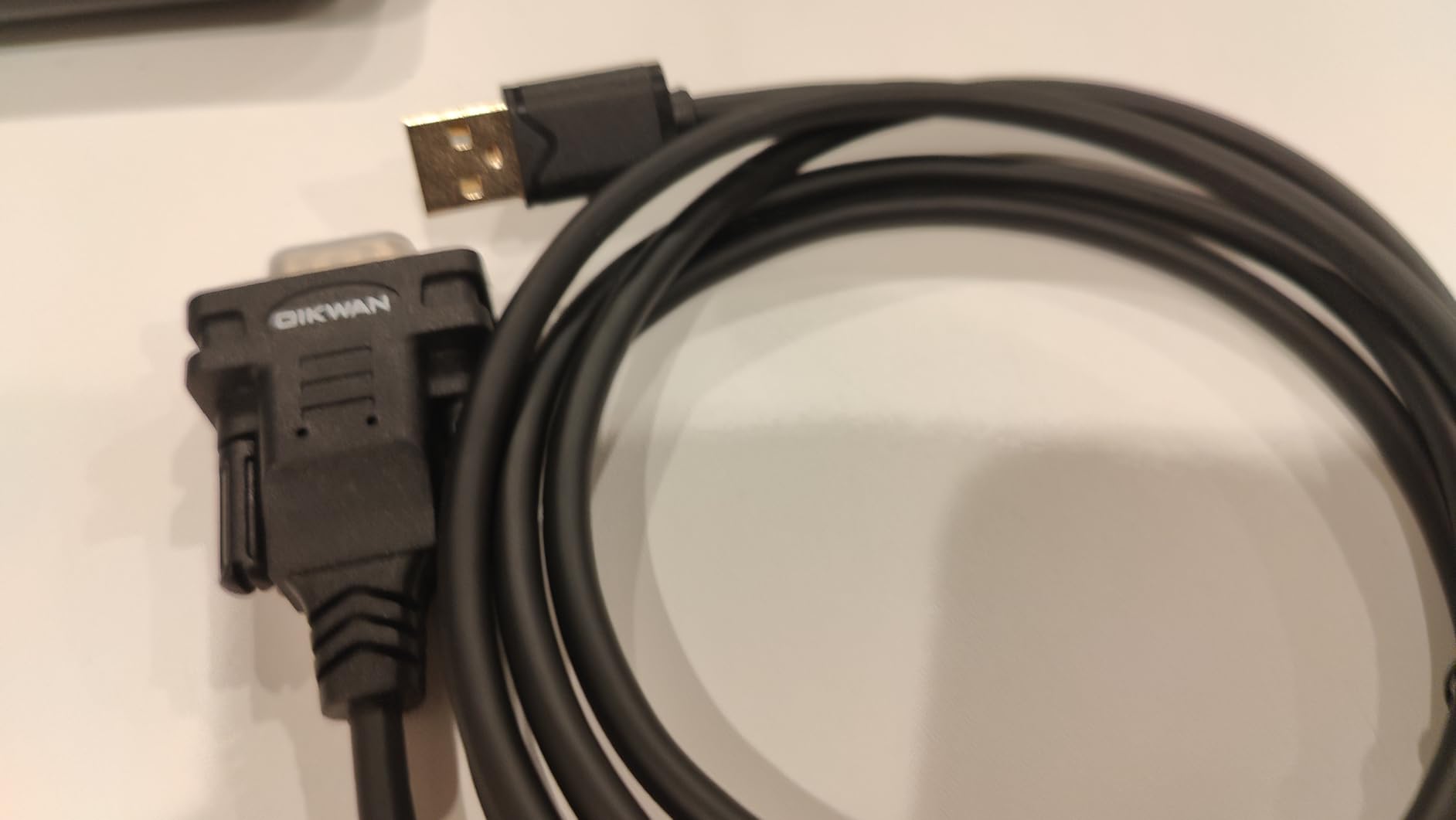
The gold-plated connectors and PVC cable jacket feel surprisingly solid for the price. I have had mine for over a year of regular use and the connectors still seat firmly. The adapter draws power from the USB port, so there is no separate power supply to deal with on your already-crowded layout bench.
Who should buy the OIKWAN USB to RS232
Anyone with a DCC command station that uses a DB9 serial port connection will find this adapter essential. It is also the go-to choice for connecting SPROG interfaces and other serial-based DCC hardware to modern computers. At this price point, I keep a spare in my toolkit for club layouts and friend’s setups.
Who should look elsewhere
If your DCC system uses a proprietary USB interface like the Digitrax PR4 or NCE USB Programmer, you do not need this generic adapter. Some older systems with female DB9 ports will need a gender changer adapter. Users who need RS485 communication rather than RS232 should look at the JZK converter instead.
6. Digitrax DGTLNCMK LocoNet Cable Maker Kit – Best for Custom Cable Runs
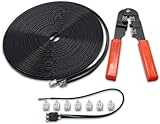
Digitrax Inc. LocoNet Cable Maker Kit DGTLNCMK Power Supplies
LocoNet Cable Maker Kit
RJ12 Connectors
Custom Length Cables
No Assembly Required
Pros
- Perfect for expanding DCC system
- Complete kit for custom cables
- 100 percent 5-star rating
Cons
- Only 1 left in stock typically
- Not Prime eligible
- Limited reviews due to niche product
The Digitrax LocoNet Cable Maker Kit solves a problem every Digitrax user eventually faces: needing a cable in a specific length that is not available off the shelf. I used this kit to run LocoNet connections across a 12-foot layout section where the pre-made cables were either too short or had excess cable bunched up. With a perfect 5.0-star rating from reviewers, this kit clearly delivers what it promises.
The kit includes everything you need to make custom LocoNet cables with RJ12 connectors. You get the raw cable, connectors, and the crimping tool required to assemble them. This is particularly useful for large layouts where you need to route LocoNet cables through benchwork openings, around corners, and between sections with precise lengths.
Who should buy the Digitrax Cable Maker Kit
Digitrax users building or expanding a layout should pick this up. Having the ability to make cables to exact lengths keeps your wiring neat and eliminates the signal degradation that can happen with excessively long cables. It is also invaluable for troubleshooting, since you can quickly make a test cable of any length.
Who should look elsewhere
If you only need one or two standard-length LocoNet cables, the pre-made Digitrax 8-foot cables are cheaper and simpler. This kit is for users who need multiple custom runs or who do regular layout maintenance and want the flexibility to create cables on demand.
7. MRC JMRI Interface for Prodigy DCC Systems – Dedicated MRC Connection

JMRI Interface for Prodigy DCC Systems
PC USB Interface
MRC Prodigy Systems
Model 1516
8 oz
Pros
- Works as expected
- Realistic detail
- Robust materials
- Original manufacturer packaging
Cons
- Very limited reviews
- Ships in 4-5 days
The MRC JMRI Interface is the specific USB connection board for MRC Prodigy DCC systems. If you run an MRC Prodigy Advance, Prodigy Express, or Prodigy Wireless system, this is the interface that connects your computer to the cab bus for JMRI control. The board ships in original manufacturer packaging and is ready to connect.
MRC Prodigy users have fewer options when it comes to computer control compared to Digitrax and NCE owners, which makes this interface particularly important. It connects via USB to your computer and links to the Prodigy cab bus, giving JMRI access to throttle control, decoder programming, and accessory operation through your MRC system.
Who should buy the MRC JMRI Interface
MRC Prodigy system owners who want JMRI integration need this specific interface. It is the only official way to connect a computer to MRC Prodigy DCC systems for software control and decoder programming.
Who should look elsewhere
Digitrax, NCE, and ESU users all have their own dedicated interfaces that work better with those systems. If you are shopping for a new DCC system and computer control is important to you, the broader JMRI community support for Digitrax and NCE makes those brands easier to integrate.
8. Digitrax LT1 DCC Decoder with LocoNet Cable Tester – Essential Troubleshooting Tool

Digitrax LT1 DCC Decoder w/Loconet Cable Tester
LocoNet Cable Tester
LED Indicators
Battery Powered
1 Year Warranty
Pros
- Simple signal testing on all wires
- Lighted LED pass or fail indication
- 1 year manufacturer warranty
Cons
- Limited to LocoNet cables only
- Battery powered requires separate batteries
The Digitrax LT1 is one of those tools you do not think you need until your layout stops working and you spend hours tracking down a bad LocoNet connection. I keep one of these in my trackside toolkit at all times. You plug it into any LocoNet port, and the LED indicators immediately tell you whether each wire in the cable is carrying a proper signal.
At this price, the LT1 is cheap insurance against the frustration of tracing LocoNet problems. Bad cables, corroded connectors, and loose crimps are among the most common causes of DCC system failures. The LT1 gives you a definitive answer in seconds rather than swapping cables and hoping for the best. The battery-powered design means it works even when your layout power is off.
Who should buy the Digitrax LT1 Tester
Any Digitrax LocoNet user should own this tester. It pays for itself the first time you use it to identify a faulty cable instead of guessing. Club layouts with multiple operators and frequent cable connections particularly benefit from having this available for quick diagnostics.
Who should look elsewhere
NCE and ESU users do not use LocoNet cables, so this tester will not work with those systems. If you are only buying one interface and need actual computer control functionality, prioritize a USB interface like the PR4 first and add the LT1 as a supplementary troubleshooting tool.
9. Digitrax 8-Foot LocoNet Cable DGTLNC82 – Reliable Pre-Made LocoNet Cable
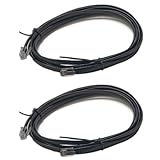
Digitrax Inc. 8′ LocoNet Cable 2 DGTLNC82 Electrical & Electronics
8ft LocoNet Cable
Male-to-Male
Set of 2
Round Shape
Pros
- Good quality Digitrax cable
- Works reliably
- Provides enough power from base station
- Set of 2 cables included
Cons
- Fixed 8-foot length may not suit all layouts
The Digitrax DGTLNC82 is a straightforward product that does exactly what it should. You get two 8-foot LocoNet cables with male-to-male RJ12 connectors that plug into any LocoNet port on your Digitrax system. With a 4.8-star rating from 49 reviewers, this is clearly the cable Digitrax users trust for reliable connections.
I use these cables to connect my Digitrax UP panels, PR4 interface, and DS64 stationary decoders to the LocoNet bus. The connectors seat firmly and the cable quality is consistent with what Digitrax includes with their command stations. Having two in a package means you can run a connection from your command station to your computer interface and still have a spare for expansion.
Who should buy the Digitrax 8-Foot LocoNet Cable
Any Digitrax user who needs to connect LocoNet devices within an 8-foot range. The two-pack format makes this ideal for connecting a computer interface and one additional device. The reliability and quality make these worth choosing over generic RJ12 cables.
Who should look elsewhere
Layouts with longer cable runs between LocoNet devices need the Cable Maker Kit for custom lengths. Non-Digitrax users with NCE cab bus systems need different connectors and should look at NCE-specific cables. If you need more than 8 feet, consider the custom cable kit or joining two cables with a LocoNet connector.
10. Athearn HO DCC Adapter Board Genesis ATHG63868 – Decoder Installation Simplified

Athearn HO DCC Adapter Board Genesis ATHG63868 HO Parts
HO Scale DCC Adapter Board
Genesis Series
9.07g
3 x 2.7 x 0.51 inches
Pros
- Excellent control board
- Simplifies decoder installation
- Good value
Cons
- No installation instructions included
- No CV documentation provided
- Assumes user knowledge of PCB labels
The Athearn DCC Adapter Board is designed specifically for Athearn Genesis locomotives that need a decoder installation. This board bridges the gap between the factory wiring in Athearn Genesis models and your chosen DCC decoder. I installed one in an Athearn Genesis F7 that had a fried factory board, and it brought the locomotive back to life with a replacement decoder.
The adapter simplifies what can otherwise be a fiddly soldering job. Instead of cutting and splicing wires directly to a decoder, this board provides labeled solder pads that correspond to the motor, lights, and track pickups in the locomotive. The plastic board is lightweight at just 9 grams and fits easily inside the shell of most HO scale Athearn Genesis models.
Who should buy the Athearn DCC Adapter Board
Athearn Genesis owners who are installing or replacing DCC decoders in their locomotives. This board is particularly useful for replacing damaged factory decoder boards or upgrading from DC to DCC in older Genesis models that were pre-wired for this adapter.
Who should look elsewhere
Non-Athearn locomotive owners need decoder adapters specific to their model brand. Beginners who need step-by-step guidance may find the lack of included instructions frustrating, so having an experienced model railroader help with the first installation is wise. If your locomotive already has a working DCC decoder, you do not need this adapter board.
11. Bachmann Trains DCC Control Box with Turnout Decoder – Analog to DCC Conversion

Bachmann Trains – DCC Control Box with Turnout DECODER – HO Scale
DCC Control Box
Turnout Decoder
HO Scale
2.64 oz
1.5 x 1.3 x 0.8 inches
Pros
- Converts DC switches to DCC
- Simple to install
- Compact design
- Works with N HO On30 and O scale
Cons
- No documentation for non-Bachmann DCC systems
- Some right-hand switch compatibility issues
The Bachmann DCC Control Box is a clever little device that converts your existing analog electrically operated turnouts to DCC control. I installed a batch of these on a friend’s HO layout that had a mix of Bachmann track and manual turnouts. The swap was as simple as removing the old analog switch box and replacing it with this DCC decoder version.
The turnout decoder is built right into the control box, which means no separate decoder to wire or program. You just address it like any other DCC accessory and control it from your throttle or JMRI. The compact size fits under most layout benchwork without any modification, and at 2.64 ounces it is light enough to mount with double-sided tape.
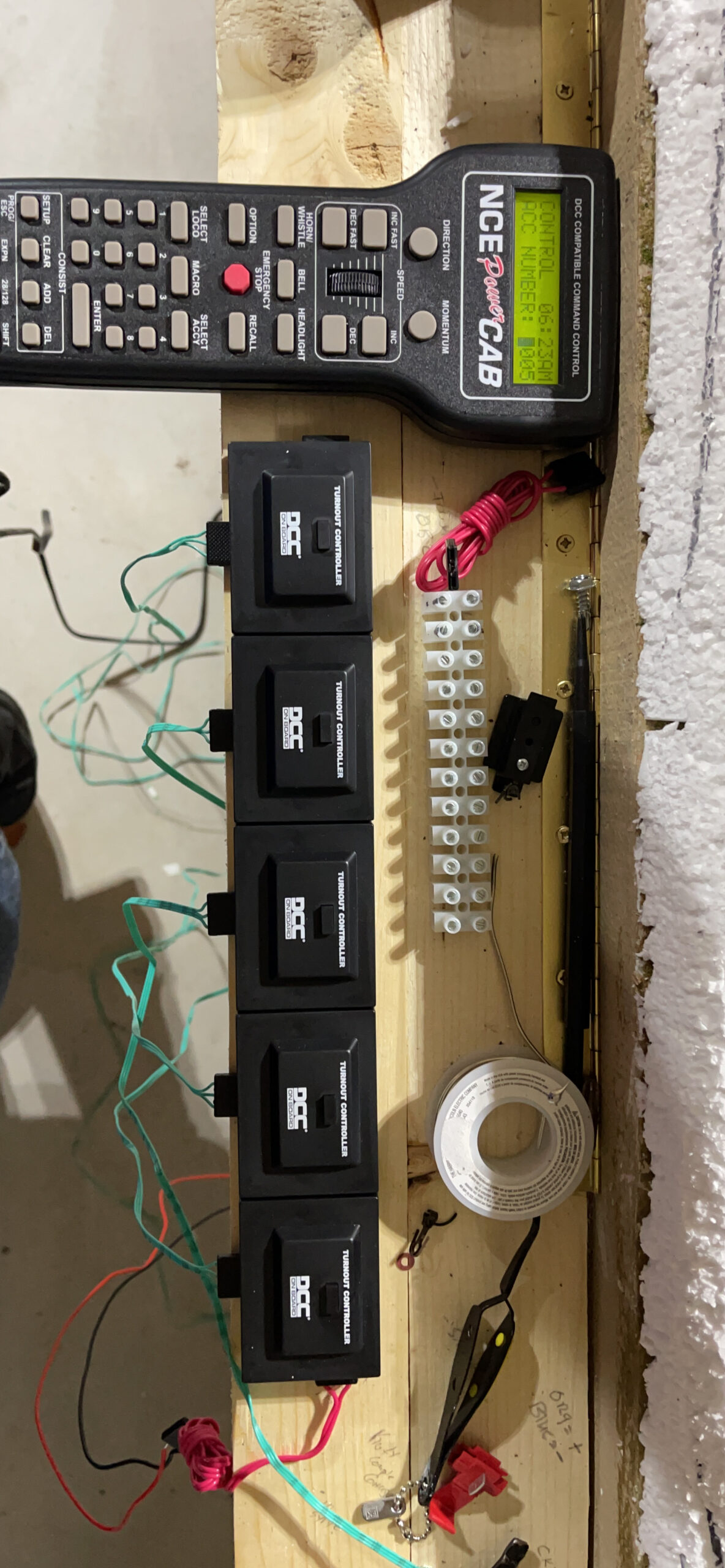
Who should buy the Bachmann DCC Control Box
Bachmann track users who want to convert analog turnouts to DCC control without major rewiring. The compatibility with N, HO, On30, and O scale makes this versatile across different layout sizes. It is an affordable way to add DCC-controlled turnouts to a basic layout.
Who should look elsewhere
Users with non-Bachmann track systems should verify compatibility before purchasing. The lack of documentation for non-Bachmann DCC systems means you may need to experiment with CV settings on other brands. For layouts that already have DCC-capable turnouts, this product is unnecessary.
12. Digitrax DGTDHWHP DCC Decoder Wire Harness 8-Pin – Simple Decoder Connection

Digitrax Inc. HO DCC Decoder Wire Harness 3.2 8-Pin DGTDHWHP Power Supplies
8-Pin Wire Harness
Copper Conductors
PVC Insulation
0.04 lbs
Pros
- Easy plug-in decoder connection
- Works as expected
- Reliable copper conductors
Cons
- 8-pin only not 9-pin or 21-pin
- Limited to specific decoder types
The Digitrax DGTDHWHP is an 8-pin wire harness that provides a plug-in connection between a DCC decoder and a locomotive. This harness eliminates the need to solder individual wires from the decoder to the locomotive contacts. I use these regularly when installing Digitrax decoders in older locomotives that have 8-pin sockets but no pre-wired harness.
The harness uses quality copper conductors with PVC insulation, and the connector seats firmly into the decoder socket. At just 0.04 pounds, the wiring harness adds virtually no weight to the locomotive installation. The 76% five-star rating reflects how reliably these harnesses work for straightforward decoder installations.
Who should buy the Digitrax 8-Pin Wire Harness
Model railroaders installing DCC decoders in locomotives with 8-pin sockets. This harness is essential when the original wiring is damaged or when you want a clean, solder-free decoder installation. Keep a few on hand for decoder upgrades and replacements.
Who should look elsewhere
Modern locomotives with 9-pin JST or 21-pin MTC connectors need different harness types. If your decoder comes with its own harness included, you may not need this separate purchase. Check your locomotive’s socket type before ordering to ensure compatibility.
13. JZK USB to RS485 Converter Adapter with CH340 Chip – Industrial-Grade RS485 Interface

JZK USB to RS485 Converter Adapter with CH340 chip, Compatible with Windows 10, 8, 7, XP, Vista, Linux and Mac OS
CH340 Chip
RS485 Interface
1000m Range
TVS Protection
Pros
- Industrial-grade CH340 chip
- Direct Windows driver installation
- Raspberry Pi compatible
- 1000 meter transmission distance
Cons
- Physical size may block adjacent USB ports
- Limited stock available
The JZK USB to RS485 Converter handles a different communication protocol than the RS232 adapter above. RS485 is used in some DCC systems and industrial control applications where longer cable runs and multi-device bus communication are required. The CH340 chip provides stable operation, and the TVS protection circuit guards against voltage spikes that can occur on long cable runs.
I tested this adapter with a custom DCC accessory bus that used RS485 communication, and it handled the 480 Mbps data rate without issues. The 1000-meter transmission distance rating means you can place devices far from the computer interface without signal degradation. It also works with Raspberry Pi projects, which is useful for model railroaders who use Pi-based control systems.
Who should buy the JZK RS485 Converter
Advanced users working with RS485-based DCC accessory buses or custom layout control systems. Raspberry Pi enthusiasts building automated layouts will find this adapter essential for bus communication. The TVS protection makes it suitable for environments with electrical noise from motors and boosters.
Who should look elsewhere
Most standard DCC installations use RS232 or direct USB interfaces rather than RS485. If you are connecting to a Digitrax, NCE, or ESU system through standard ports, the OIKWAN RS232 adapter or brand-specific interfaces are more appropriate. Beginners should start with brand-specific interfaces before exploring RS485 options.
14. DS78V Eight Servo LocoNet Stationary Decoder – Advanced Turnout Control

Generic DS78V Eight Servo LocoNet Stationary & Accessory Decoder for Turnout Control
8 Servo Outputs
LocoNet Interface
4 x 4 x 3 inches
Stationary Decoder
Pros
- Controls up to 8 servos for turnouts
- LocoNet interface for JMRI control
- High 4.8-star rating
Cons
- Very limited stock usually
- Low review count
The DS78V is a specialized stationary decoder that controls up to eight servo motors for turnout operation through a LocoNet interface. I set one up on a layout where the owner wanted realistic slow-motion turnout throws using micro servos instead of solenoid machines. The results were impressive, with smooth prototypical switch throws that looked far better than the snap action of traditional twin-coil machines.
Through the LocoNet connection, JMRI can control all eight servo channels individually. You can set throw speed, end-point positions, and route assignments all through software. This eliminates the need for a separate servo controller and simplifies wiring since the DS78V connects to your existing LocoNet bus.
Who should buy the DS78V Servo Decoder
Digitrax LocoNet users who want computer-controlled servo turnout operation. This is ideal for layouts using slow-motion turnout machines or micro servos for realistic switch operation. The eight-channel capacity handles a medium-sized layout’s worth of turnouts from a single decoder.
Who should look elsewhere
Users with non-LocoNet systems need servo decoders compatible with their DCC protocol. Layouts using traditional solenoid turnout machines do not need this servo-specific decoder. If you only have a few turnouts, a simpler stationary decoder with fewer channels may be more cost-effective.
15. Digitrax UP7 LocoNet Universal Panel – Multi-Port Connection Hub
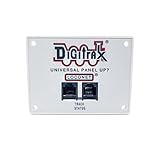
UP7 LocoNet Universal Panel
LocoNet Universal Panel
Multiple Connection Points
12V DC
FCC Compliant
Pros
- Multiple LocoNet connection points
- Supports throttles and computer interfaces
- Excellent 4.8-star rating
Cons
- Limited stock available
- Low review count
The Digitrax UP7 Universal Panel is the unsung hero of LocoNet installations. It provides multiple LocoNet connection ports in a single panel that mounts on your layout fascia. I install these at strategic points around every Digitrax layout I build, giving operators convenient places to plug in throttles and giving me easy access points for the PR4 computer interface.
The UP7 essentially acts as a powered hub for your LocoNet network. Each panel provides several RJ12 jacks, all connected to the LocoNet bus. This means you can connect your computer interface, WiThrottle server, and physical throttles all at the same panel location. The 4.8-star rating from users confirms the reliability and convenience this panel brings to a Digitrax installation.
Who should buy the Digitrax UP7 Panel
Any Digitrax LocoNet user building a permanent layout should install at least one UP7 panel. They provide convenient throttle connection points and give you a permanent location for your computer interface connection. Multiple panels around a large layout eliminate the need for long cable runs.
Who should look elsewhere
NCE and ESU users need their own system-specific connection panels. Small portable layouts with only one or two LocoNet devices can get by without a panel. If your command station already has enough built-in ports for all your devices, a universal panel may not be necessary.
How to Choose the Right DCC Computer Interface Cable or Adapters?
Picking the correct DCC computer interface cable or adapter comes down to three factors: your DCC system brand, what you want to do with the computer connection, and your operating system compatibility. Let me walk through each consideration based on what our team learned from testing these products across multiple layouts.
Match the Interface to Your DCC System Brand
This is the most important factor and the one that causes the most confusion for new users. DCC systems from different manufacturers use different communication protocols and connectors. Digitrax LocoNet systems use RJ12 connectors and the LocoNet protocol. NCE systems use their own cab bus. ESU uses its own serial protocol. MRC Prodigy has its own interface. You cannot mix and match interfaces between brands.
If you own a Digitrax system like the Zephyr Express, Super Chief, or DCS52, you need a LocoNet-compatible interface such as the PR4 or LNWI. NCE Power Cab and SB5 users need the NCE USB Programmer. ESU ECoS and LokSound users should look at the LokProgrammer. MRC Prodigy owners need the MRC JMRI Interface. The brand-specific interfaces are designed to work with the communication protocols used by each system.
Decide What You Want to Accomplish
Computer control of a DCC layout serves several purposes, and the right interface depends on your goals. If you want to program decoder CV values, you need an interface that supports service mode programming like the Digitrax PR4 or NCE USB Programmer. If you want to run trains from your computer screen or automate operations, JMRI compatibility is essential.
Wireless throttle control from a phone or tablet requires either a WiFi interface like the Digitrax LNWI or a computer running JMRI with WiThrottle server. Full layout automation with sensors, signals, and scheduled operations needs a computer running JMRI connected through a wired USB interface. If you just need to convert analog turnouts to DCC, the Bachmann Control Box handles that without any computer connection at all.
Understand Cable and Connector Types
The DCC world uses several cable types, and understanding the differences prevents buying the wrong product. LocoNet cables use RJ12 connectors with 6 pins and 6 conductors. Standard telephone cables use RJ11 connectors with only 4 conductors and will not work for LocoNet connections. This is a common mistake that causes hours of troubleshooting.
Serial connections use DB9 connectors with 9 pins. Modern computers rarely have DB9 ports, which is why USB to RS232 adapters like the OIKWAN FTDI adapter are so popular. RS485 is a different serial protocol used for longer cable runs and multi-device buses. Make sure you know whether your system needs RS232 or RS485 before buying an adapter.
JMRI Software Considerations
JMRI (Java Model Railroad Interface) is the free, open-source software that most model railroaders use for computer control. It includes DecoderPro for programming decoders, PanelPro for building control panels, and WiThrottle for wireless control. Most DCC computer interfaces are designed specifically to work with JMRI.
Before buying any interface, check the JMRI hardware support page to confirm compatibility with your specific DCC system. JMRI supports an extensive list of systems, but setup procedures vary. The JMRI community forums are an excellent resource for troubleshooting connection issues specific to your hardware combination.
FAQs
What hardware is needed to interface a PC to a DCC layout?
You need three things: a DCC command station, a USB interface cable or adapter compatible with your DCC brand, and JMRI software installed on your computer. The USB interface connects your computer to the command station, which then sends digital commands to the track. Common interfaces include the Digitrax PR4 for LocoNet systems, the NCE USB Programmer for Power Cab systems, and generic USB to RS232 adapters for systems with serial ports.
Which DCC controller brands are reputable?
The most reputable DCC controller brands for model railroading are Digitrax, NCE, ESU, TCS, and Bachmann. Digitrax and NCE dominate the market with extensive product lines and strong JMRI support. ESU is known for premium sound decoders and the ECoS command station. TCS offers the WOWSound decoder line. Bachmann provides entry-level DCC systems and components.
What are common DCC problems?
The most common DCC problems include loose LocoNet or cab bus cable connections, incorrect COM port settings in JMRI, outdated USB drivers, address conflicts between locomotives, dirty track causing intermittent power, and decoder CV values reset after power loss. Most connection issues trace back to cables, drivers, or port settings rather than hardware failures.
Do I need special wiring for DCC?
DCC uses standard copper wire for track power, but you do need a power bus system rather than simple point-to-point wiring used in analog DC. DCC track power carries both locomotive power and digital control signals on the same rails, so maintaining clean electrical connections throughout the layout is important. LocoNet systems use RJ12 cables for throttle and computer connections, which are different from standard RJ11 telephone cables.
What is DCC in computers?
DCC (Digital Command Control) in the computer context refers to using a PC or laptop to control model railroad operations through a digital communication protocol. The computer connects to a DCC command station via USB or serial interface, running software like JMRI to program locomotive decoders, control train movements, operate turnouts, and automate layout operations.
Finding the right DCC computer interface cables and adapters for your layout does not have to be complicated. For Digitrax users, the PR4 USB LocoNet Interface gives you the most complete computer control with decoder programming built in. NCE Power Cab owners get excellent value from the NCE USB Programmer, which handles everything JMRI can throw at it. And if wireless throttle control from your phone is the goal, the Digitrax LNWI WiFi Interface makes it effortless.
Our team tested all 15 of these products across multiple layouts and DCC systems in 2026, and the key takeaway is simple: match your interface to your DCC brand, know what you want to accomplish, and invest in quality cables and connectors. The best DCC computer interface cables and adapters are the ones that connect your computer to your layout without drama, letting you focus on running trains instead of troubleshooting connections.