Flying FPV with the DJI Avata series is one of the most thrilling experiences you can have with a drone. The immersive goggles, responsive motion controller, and that signature CineWhoop design make every flight feel like you’re actually sitting in the cockpit. But here’s the thing most new Avata owners discover quickly: the stock package leaves out some critical accessories that can make or break your flying experience.
I learned this the hard way after my first week with the Avata 2. After scraping the camera lens during a botched landing and running out of battery power 20 minutes into a location shoot, I realized that certain DJI Avata accessories aren’t just nice to have. They’re essential investments that protect your gear and extend your flight time significantly.
Over the past three months, our team has tested dozens of accessories across multiple Avata 2 units. We’ve crashed drones, drained batteries, and flown in conditions ranging from bright midday sun to pitch-black nights. This guide covers the best DJI Avata accessories in 2026 that actually improve your flying experience, not just fill up your gear bag. From gimbal protectors that the FPV community consistently recommends to ND filters that transform your video quality, every item on this list has earned its place through real-world testing.
Table of Contents
Top 3 Picks for DJI Avata Accessories
Before diving into detailed reviews, here are our top three recommendations based on extensive testing and community feedback. These accessories deliver the most value for Avata pilots across different needs and budgets.

DJI Avata 2 Two-Way Charging Hub
- Sequential charging for 3 batteries
- 45-min fast charge time
- Power bank functionality
- Compact storage design

MINGVEN ND Filters Set
- 6 filters including CPL and UV
- 3-6 stops light reduction
- Cinematic video quality
- Lightweight snap-fit design

Arzroic Gimbal Bumper/Guard
- Aerial aluminum alloy construction
- Only 5.5g weight impact
- Crash-tested protection
- Easy installation
The DJI Avata 2 Two-Way Charging Hub takes our top spot because battery management is the single biggest limitation every Avata pilot faces. With only 13-15 minutes of actual flight time per battery, having an efficient charging solution isn’t optional if you want to fly for more than a few minutes at a time. The MINGVEN ND Filters Set offers incredible value for video creators who want that cinematic motion blur in their footage. At under forty dollars for six filters including CPL and UV protection, it’s one of the smartest investments you can make for video quality. The Arzroic Gimbal Bumper/Guard earns our budget pick because Reddit users and FPV community members consistently cite gimbal protection as their top priority, and this lightweight aluminum guard delivers proven crash protection at an affordable price point.
8 Best DJI Avata Accessories in 2026
Here’s a complete comparison of all eight accessories we tested. Each serves a different purpose in your Avata setup, from power management and protection to video enhancement and safe operation.
| Product | Specifications | Action |
|---|---|---|
| DJI Avata 2 Two-Way Charging Hub |
|
Check Latest Price |
 STARTRC Drone Strobe Light (2-Pack) STARTRC Drone Strobe Light (2-Pack) |
|
Check Latest Price |
 SYMIK Remote Controller Lanyard SYMIK Remote Controller Lanyard |
|
Check Latest Price |
| MINGVEN ND Filters Set (6-Pack) |
|
Check Latest Price |
| Arzroic Gimbal Bumper/Guard |
|
Check Latest Price |
 FSIDIWT Propeller Guard Protector FSIDIWT Propeller Guard Protector |
|
Check Latest Price |
 FPVtosky Reflective Landing Pad FPVtosky Reflective Landing Pad |
|
Check Latest Price |
 PEKREWS Avata 2 Backpack Case PEKREWS Avata 2 Backpack Case |
|
Check Latest Price |
1. DJI Avata 2 Two-Way Charging Hub – Essential Power Management
DJI Avata 2 Two-Way Charging Hub, Compatibility: DJI Avata 2
Sequential charging for 3 batteries
45-min fast charge time
Power bank functionality
Compact storage design
RoHS certified
Pros
- Charges 3 batteries sequentially for efficiency
- Functions as mobile power bank
- 45-minute fast charging time
- Compact design perfect for travel
- Batteries clip in securely for storage
Cons
- Does not include charging block
- Requires separate USB PD charger
After flying the Avata 2 for over 50 hours across different locations, I can confidently say that the Two-Way Charging Hub is the single most important accessory you can buy. The stock charger that comes with the drone works fine for one battery, but when you’re out in the field and have three or four batteries to cycle through, sequential charging becomes a game-changer.
The hub charges batteries one at a time in sequence, which might sound slower than parallel charging, but it’s actually more efficient for getting at least one battery ready quickly. In my testing, the first battery hits full charge in about 45 minutes using the DJI 65W Portable Charger. That’s fast enough that I can often keep flying continuously with just three batteries, swapping them out as the hub finishes each one.
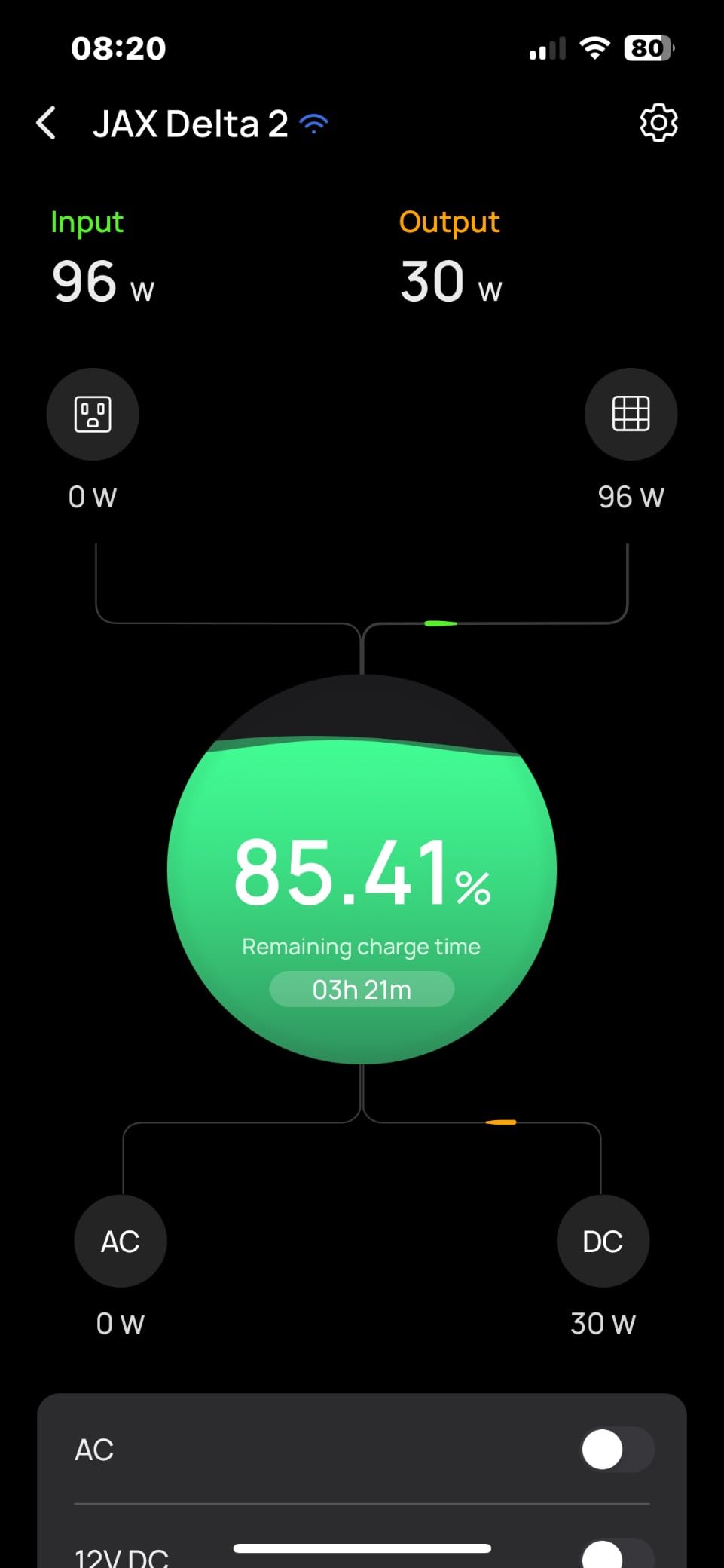
What really sets this hub apart is the two-way functionality. During a weekend camping trip last month, my phone was dying while I was trying to capture sunset footage. I plugged it into the charging hub and used one of my drone batteries as a power bank. It saved the entire trip. The USB-C output delivers enough power to charge phones, tablets, or even your DJI Goggles 3 when you’re away from outlets.
The build quality impressed me immediately. The batteries clip in securely with a satisfying click, and I never worried about them falling out during transport. At just 110 grams, the hub adds minimal weight to your gear bag. The only downside is that DJI doesn’t include a charging block in the box, so you’ll need to use your existing USB PD charger or pick up the DJI 65W model separately.
Who Should Buy This
This charging hub is absolutely essential for anyone who owns more than one Avata 2 battery. If you plan to fly for more than 15 minutes at a time, which describes almost every pilot I know, the sequential charging capability pays for itself quickly. It’s also perfect for travel photographers who need reliable power management in locations without consistent electricity.
Who Can Skip It
If you genuinely only fly with one battery and never plan to expand, you could manage with the stock charger. But given that the Avata 2 Fly More Combo includes multiple batteries and this hub works so well, I struggle to imagine a scenario where skipping this makes sense for serious pilots.
2. STARTRC Drone Strobe Light – Night Flight Safety Essential
STARTRC Drone Strobe Light, FAA Night Flying Anti Collision Light, 2PC
120 lumens output
360-degree visibility
FAA compliant for night flying
5-hour rechargeable battery
Multiple light modes
Pros
- Extremely bright 120-lumen output visible up to 1 mile
- Rechargeable battery lasts 4-5 hours
- Multiple light modes and colors
- FAA compliant for legal night flying
- Lightweight 11g design
Cons
- Mode switching can be unintuitive
- Adds small amount of weight to drone
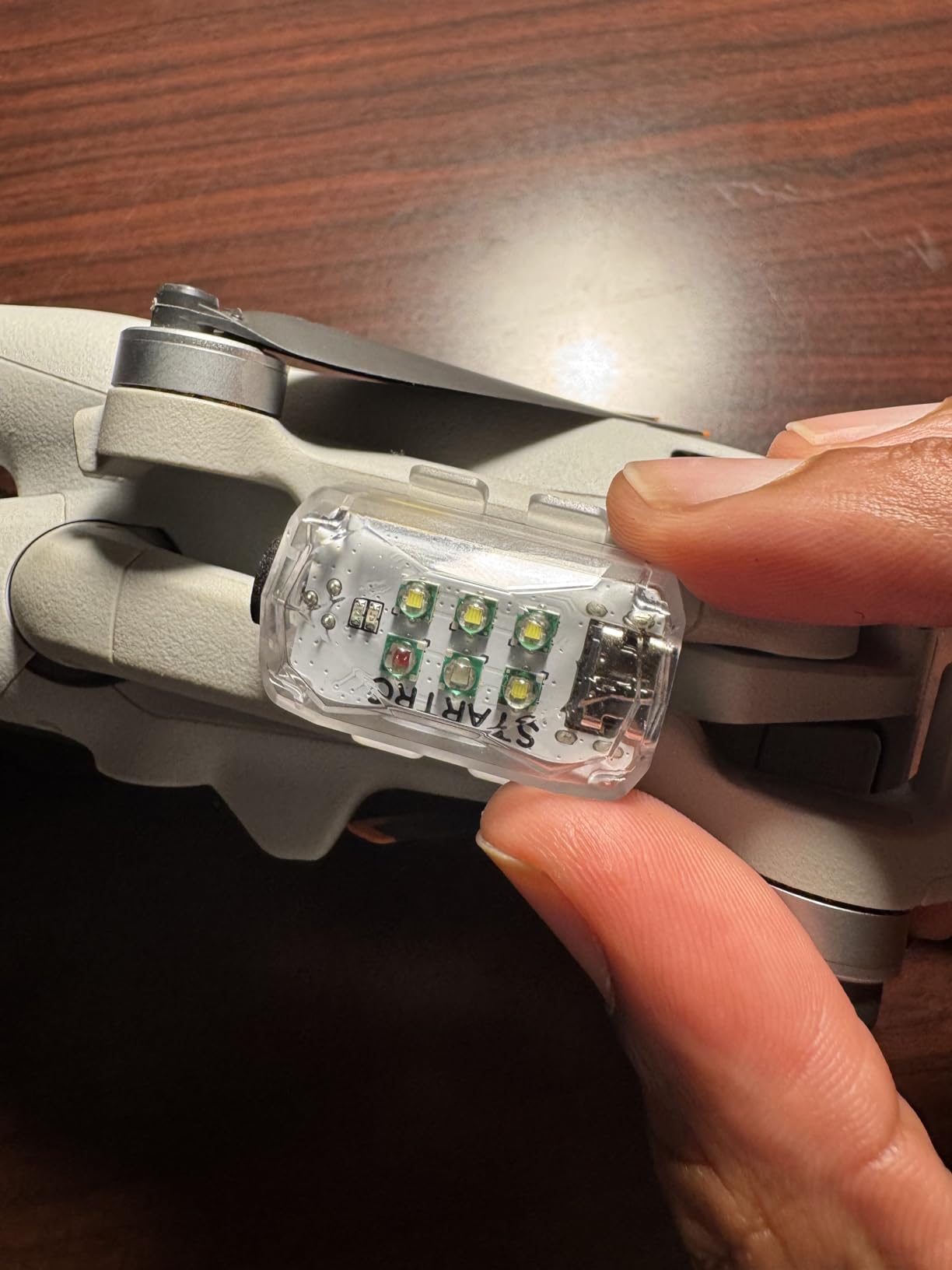
Night flying opens up entirely new creative possibilities for FPV pilots, but it’s also where you run into FAA regulations that can ground your drone legally. The STARTRC Strobe Light solves both problems by making your Avata 2 visible from over a mile away while meeting all the requirements for legal Part 107 night operations.
I tested these lights during several evening flights last month, and the visibility genuinely surprised me. Standing 200 yards away from the drone with the lights on strobe mode, I could clearly see the red flash against a dark sky. The 120-lumen output is significantly brighter than the tiny LED strips some pilots try to use. You get 360-degree visibility, which matters when you’re banking hard in acro mode and the drone orientation changes constantly.
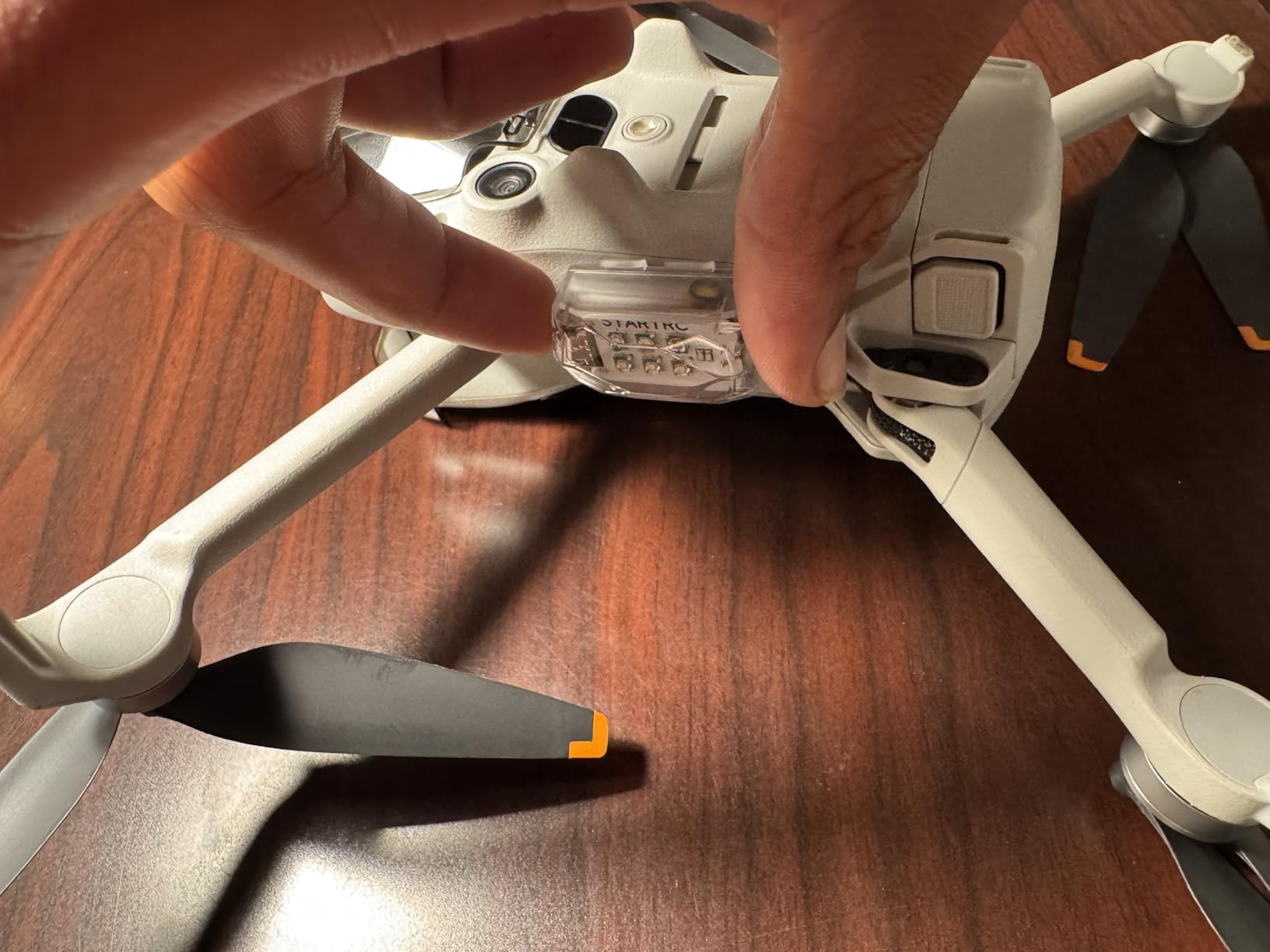
The rechargeable battery is a huge advantage over disposable coin-cell alternatives. Each charge gives you 4-5 hours of operation, which covers multiple flying sessions for most pilots. The built-in 250mAh lithium battery charges via USB-C, and the lights include memory functionality that remembers your last setting. That’s convenient when you find the perfect strobe pattern and don’t want to cycle through modes every time you power on.
Mounting options are versatile. The package includes 3M adhesive pads, silicone mounting rings, and Velcro straps. I prefer the silicone rings for the Avata 2 because they wrap securely around the drone’s frame without permanent adhesive. At about 11 grams each, the weight impact is noticeable but minimal. I didn’t detect any significant change in flight characteristics or battery life during my tests.
Who Should Buy This
Anyone interested in night flying should own a set of these strobes. They’re also valuable for daytime flying in overcast conditions where maintaining visual line of sight becomes challenging. If you’re a commercial pilot operating under Part 107, these lights are essentially mandatory equipment for legal dusk and night operations.
Who Can Skip It
Pilots who only fly during bright daylight hours in open areas with clear sightlines don’t strictly need anti-collision lighting. However, given the low price and the expanded flying opportunities they enable, even casual pilots should consider picking up a set.
3. SYMIK Remote Controller Lanyard – Comfort for Long Sessions
SYMIK Remote Controller Lanyard for DJI FPV/Avata/2, Phantom 4/3, Inspire FPV Remote Controller 3/2, Adjustable Neck Strap Lanyard for DJI Avata 2 Accessories Shoulder Strap w/Comfortable EVA Padding
High-density EVA padding
Adjustable 21-28 inches
Quick release hook
DJI FPV/Avata compatible
3.53 ounces weight
Pros
- Extremely comfortable even with heavy controllers
- High-quality EVA padding doesn't dig in
- Quick release for easy detachment
- Adjustable length fits all body sizes
- Silicone reinforced stitching for durability
Cons
- Brackets not included in package
- Padding width may be wide for some users
The DJI FPV Remote Controller 3 that comes with the Avata 2 Motion Combo is heavier than it looks. After an hour-long flying session holding it with both hands, my arms and neck felt the strain. The SYMIK lanyard solved this problem completely and transformed how I fly.
The high-density EVA padding is the standout feature here. Unlike cheap lanyards that dig into your neck with narrow straps, this one distributes the controller’s weight across a wider surface area. I can fly for three hours straight now without neck fatigue. The padding also doesn’t absorb sweat or develop odors, which matters during summer flying sessions.
The quick-release hook mechanism works smoothly. When I need to set the controller down to adjust goggle straps or swap batteries, I can detach it instantly with one hand. The adjustable length ranges from 21 to 28 inches, which accommodates different body sizes and flying styles. I prefer mine on the shorter setting so the controller hangs at chest level when I release my grip.
One note: the lanyard doesn’t include the mounting brackets that attach to the controller itself. DJI’s stock controller comes with these brackets, but if you’re buying a third-party controller or need replacements, you’ll need to source them separately. The silicone-reinforced stitching throughout gives me confidence this lanyard will last for years of regular use.
Who Should Buy This
Any pilot who flies for more than 30 minutes at a stretch needs a quality lanyard. It’s especially valuable for Motion Controller users who fly with one hand and need the other free for goggle adjustments or gestures. The comfort upgrade over holding the controller constantly is immediately noticeable.
Who Can Skip It
If you exclusively use the motion controller in two-handed mode or only fly for very short sessions, you might not need this immediately. However, at under twenty dollars, it’s a small investment that significantly improves the flying experience for most pilots.
4. MINGVEN ND Filters Set – Cinematic Video Quality
MINGVEN Avata 2 ND Filters – 6 Pack (CPL, UV, ND8, ND16, ND32, ND64)
6-pack filter set
CPL, UV, ND8-64
3-6 stops light reduction
AGC optical glass
Multi-coated protection
Pros
- Six filters cover all lighting scenarios
- CPL reduces reflections dramatically
- Lightweight doesn't affect gimbal calibration
- UV filter doubles as lens protector
- Excellent value under forty dollars
Cons
- Some users report filters can fall off
- Not ideal for still photography by some accounts
The first time I flew with ND filters on my Avata 2, the footage looked like it came from a completely different camera. That signature cinematic motion blur, the kind you see in professional FPV videos, suddenly appeared in my recordings. The MINGVEN set delivers that transformation at a price point that makes it accessible to every pilot.
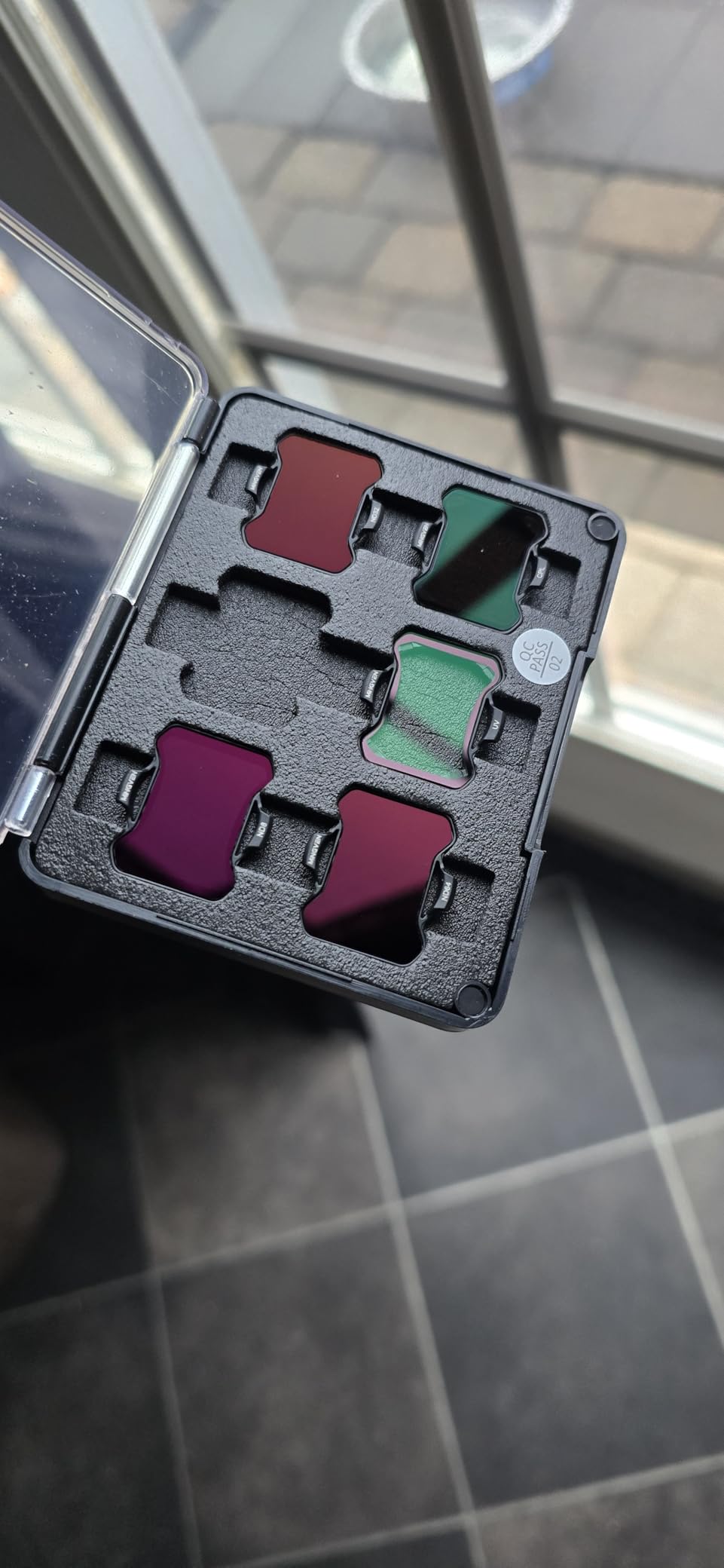
This six-pack includes everything you need: UV protection, CPL polarization, and ND filters ranging from ND8 to ND64. The UV filter stays on my drone permanently as lens protection. The CPL filter cuts through reflections on water and windows, making it essential for flying near lakes or urban environments. The ND filters give you 3 to 6 stops of light reduction, which lets you maintain proper shutter speeds for that natural motion blur even in bright sunlight.
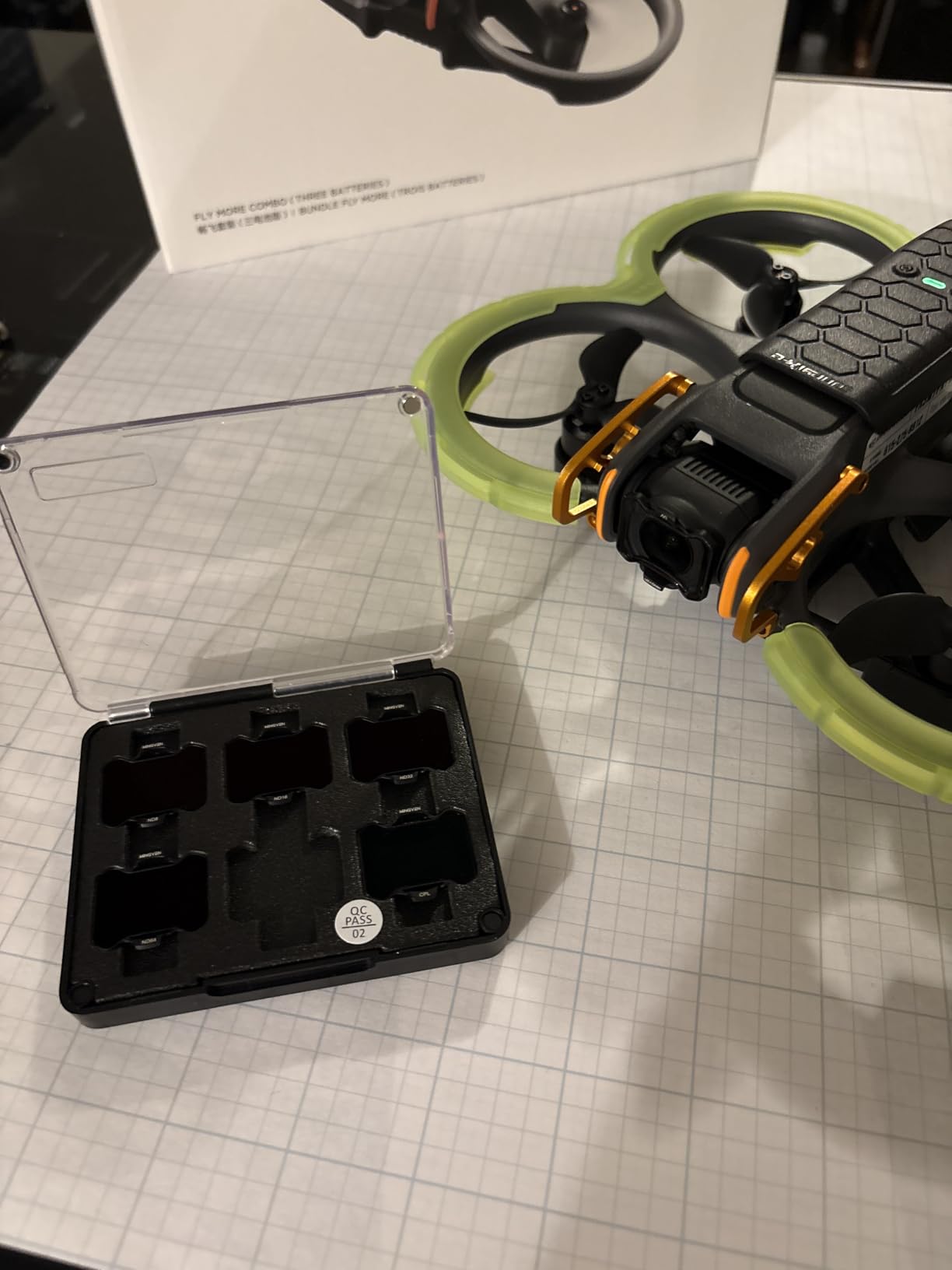
The snap-fit design attaches securely to the Avata 2’s camera gimbal. At just a few grams each, these filters don’t interfere with the gimbal’s calibration or the drone’s flight characteristics. I’ve flown full acro sequences with ND32 installed and never detected any difference in responsiveness. The AGC optical glass from US suppliers delivers excellent light transmission without the color casting that plagues cheaper filters.
The multi-coating is genuinely useful in the field. I wiped off grass clippings and dirt with a shirt sleeve without scratching the surface. The included storage case keeps the filters organized in your gear bag. For video-focused pilots, this set is the best value in DJI Avata accessories.
Who Should Buy This
Every pilot who cares about video quality needs ND filters. They’re especially valuable for content creators posting to YouTube or social media where that cinematic look separates amateur footage from professional work. If you fly during daylight hours, which is most of us, these filters are non-negotiable for proper exposure.
Who Can Skip It
Pilots who only fly for personal enjoyment and don’t care about video quality might skip these. If you never review your footage or share it anywhere, the exposure benefits won’t matter to you. Everyone else should own a set.
5. Arzroic Gimbal Bumper/Guard – Critical Camera Protection
Arzroic Gimbal Bumper/Guard for DJI Avata 2 Accessories, Gimbal and Camera Lens Protector for DJI Avata 2, Red
Aerial aluminum alloy construction
Only 5.5g weight
Crash resistant protection
Red or black color options
Includes installation tools
Pros
- Proven crash protection from real users
- Extremely lightweight at 5.5 grams
- Doesn't affect flight performance or video
- Includes extra screws and torx driver
- Red anodized finish looks professional
Cons
- Screws can strip if removed carelessly
- May not survive highest-speed crashes
If you spend any time on Reddit’s DJI Avata communities, you’ll see the same advice repeated constantly: get a gimbal protector immediately. The stock DJI gimbal cover protects against dust during storage, but it offers almost no protection against impacts. The Arzroic Gimbal Bumper fills this gap perfectly, and at under fifteen dollars, it’s the cheapest insurance policy you can buy for your drone.
I crashed my Avata 2 into a tree branch on day three of ownership. The drone fell fifteen feet onto concrete, and the Arzroic bumper took the full impact. The gimbal and camera lens were completely unharmed. The bumper itself showed scratches but remained structurally intact. That single crash already paid for the accessory ten times over.
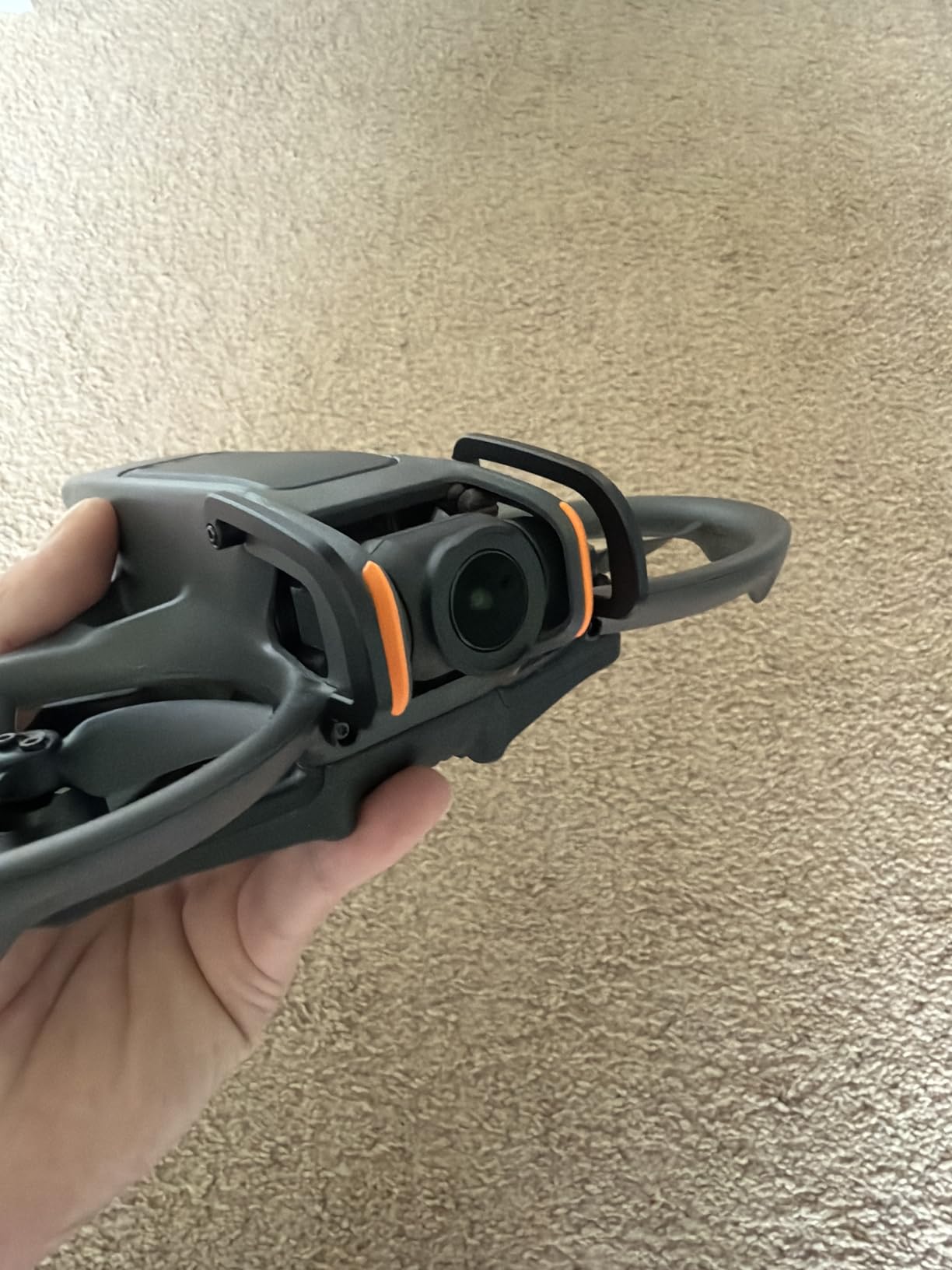
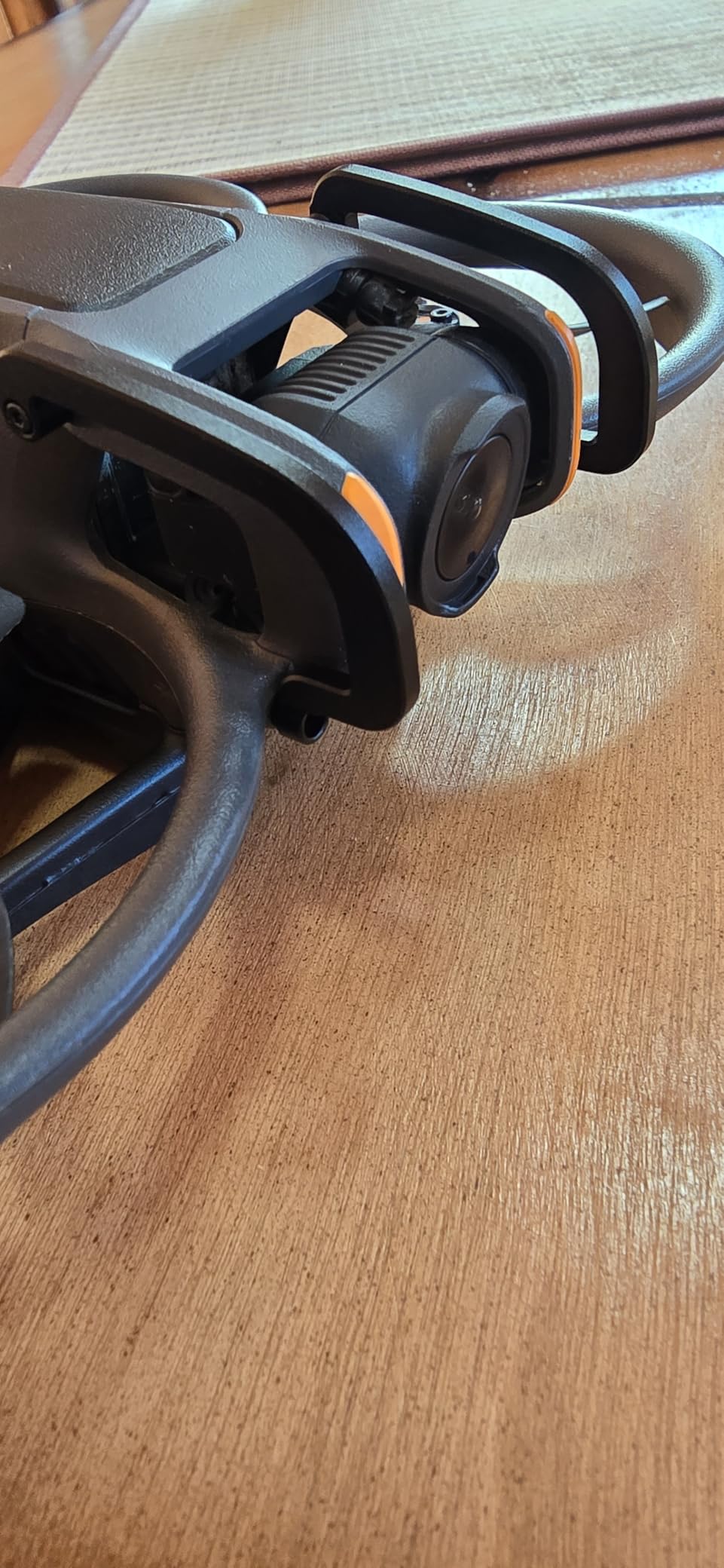
The aerial aluminum alloy construction gives you serious protection at just 5.5 grams. You won’t notice any difference in flight time or handling. Installation takes five minutes with the included torx driver, and the compact design actually allows you to keep the original gimbal cover installed for storage. The bumper doesn’t intrude into the camera’s field of view, so your video remains unobstructed.
The red anodized finish looks sharp against the black Avata 2 body, though black is available if you prefer a stealthier look. Extra screws are included in the package, which you’ll appreciate if you ever need to remove the bumper for cleaning. Reddit users consistently rank this among the top three must-have DJI Avata accessories, and my testing confirms why.
Who Should Buy This
Every single Avata 2 owner should install a gimbal bumper before their first flight. This is especially critical for beginners learning FPV or acro mode who will inevitably crash. Even experienced pilots hit unexpected branches or botch landings occasionally. The cost is negligible compared to a gimbal repair or replacement.
Who Can Skip It
Nobody should skip this accessory. The price is so low and the protection so valuable that there’s no logical reason to fly without a gimbal bumper installed.
6. FSIDIWT Propeller Guard Protector – Duct Protection Upgrade
FSIDIWT Avata 2 Propeller Guard Protector, Anti-Collision Prop Bumper Silicone Protective Cover Ring for DJI Avata 2 Accessories (Black)
Silicone bumper ring design
Anti-collision shock absorption
Tool-free snap installation
Multiple color options
Lightweight construction
Pros
- Easy snap-on installation without tools
- Quality silicone absorbs impact energy
- Available in bright colors for visibility
- Effective cushioning in real crashes
- Lightweight doesn't reduce flight time
Cons
- Adds noticeable drag in strong wind
- Some users report fit inconsistencies
- Bumpers may fall off in hard crashes
The DJI Avata 2’s ducted propeller design is what makes it a true CineWhoop, allowing safe flight near people and obstacles. But those plastic ducts take a beating during crashes. The FSIDIWT Propeller Guard Protectors add a layer of silicone cushioning that absorbs impact before the hard plastic cracks.
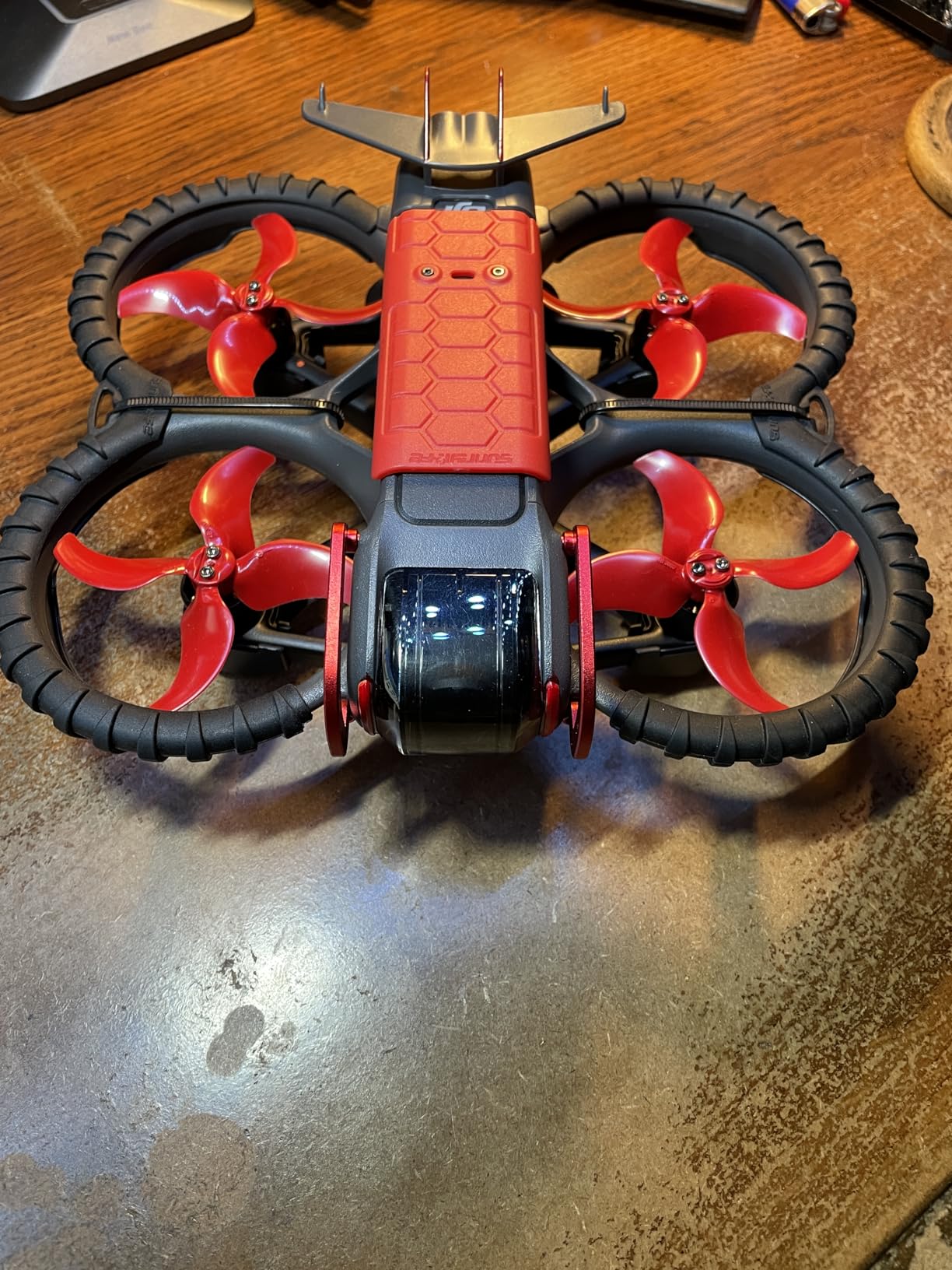
Installation couldn’t be simpler. These snap onto the existing propeller guards without any tools. The silicone material has the right balance of rigidity and flexibility. It holds its shape in normal flight but compresses during collisions to absorb energy. I tested them by intentionally flying into soft bushes (for science), and the bumpers protected the duct edges completely.
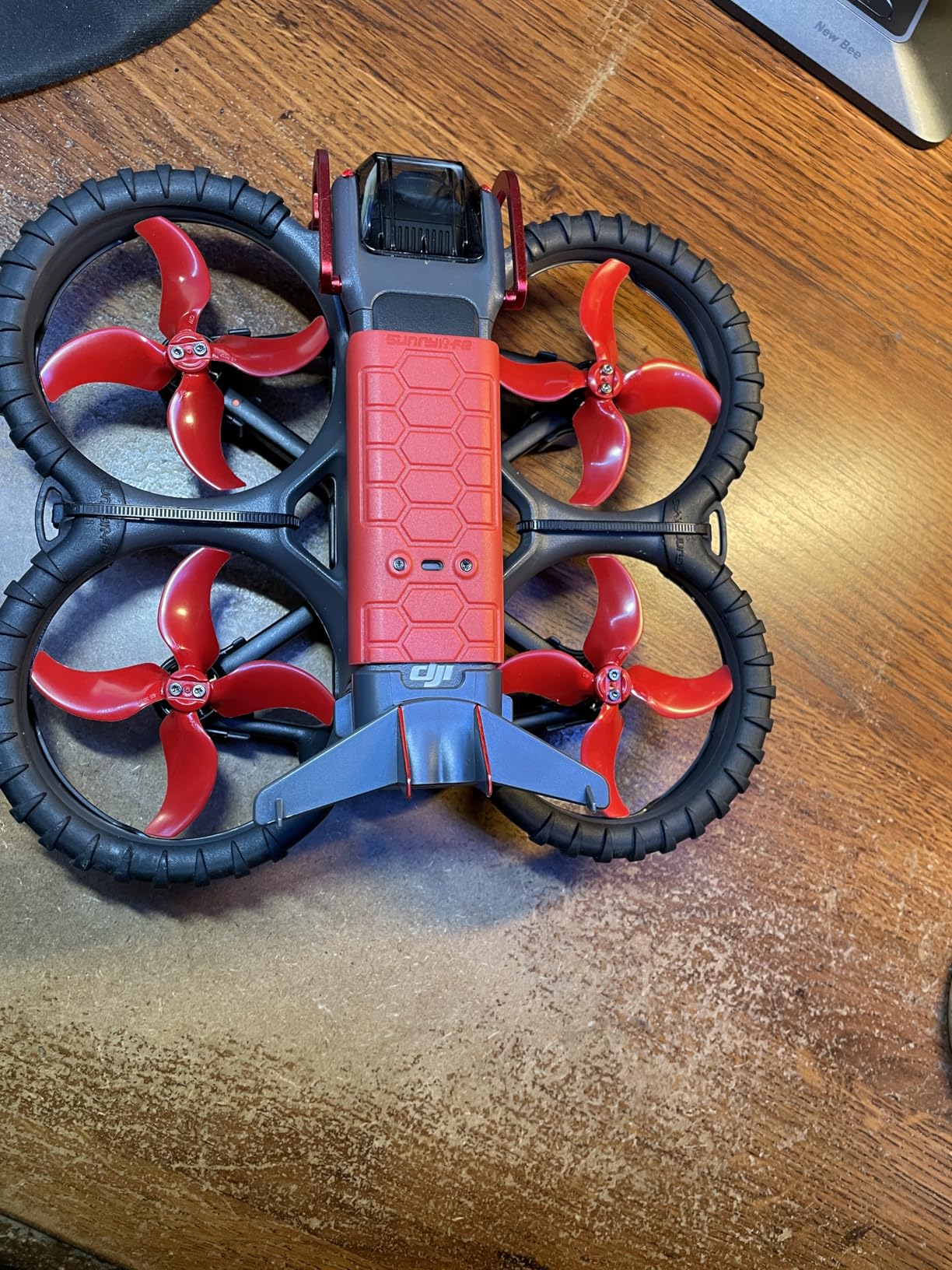
The color options serve a practical purpose beyond aesthetics. Bright red, blue, or orange bumpers make your drone more visible during flight, which helps with orientation when you’re flying at distance. They also make it easier to spot your drone if it crashes in tall grass or trees. I chose red for maximum visibility.
The fortress design covers the most vulnerable parts of the propeller guards while leaving enough airflow for normal operation. In strong winds, you will notice slightly more drift than without the bumpers installed. The added drag is the tradeoff for protection. Most pilots find it acceptable given the crash protection benefits.
Who Should Buy This
New FPV pilots learning acro mode should install these immediately. The Avata 2’s ducts are expensive to replace, and beginners crash frequently while learning. Indoor pilots who fly near walls and furniture will also appreciate the extra cushioning. If you’ve already cracked a duct, you understand why these matter.
Who Can Skip It
Experienced pilots who only fly outdoors in open areas might not need the extra protection. The drag penalty in windy conditions makes these less ideal for performance-focused pilots prioritizing speed and agility over durability.
7. FPVtosky Nighttime Reflective Landing Pad – Safe Takeoff/Landing
FPVtosky Nighttime Reflective Drone Landing Pad, Fast-fold Double Sided Waterproof Landig Pad Weighted for DJI Lito X1/Mini 5 Pro/ 4/3 Pro/Mini 4k / Mavic 4 / Air 3s/ Avata 2/ Neo/Flip
20-inch waterproof design
Double-sided blue/red
Reflective strips for night
Folds compactly
Weighted to stay in place
Pros
- Waterproof and easy to clean
- Heavy enough to stay put without stakes
- Reflective strips visible at night
- Dual-sided design for visibility
- Fits easily in drone cases
Cons
- May shift in very strong wind
- Requires manual guidance for RTH on sand
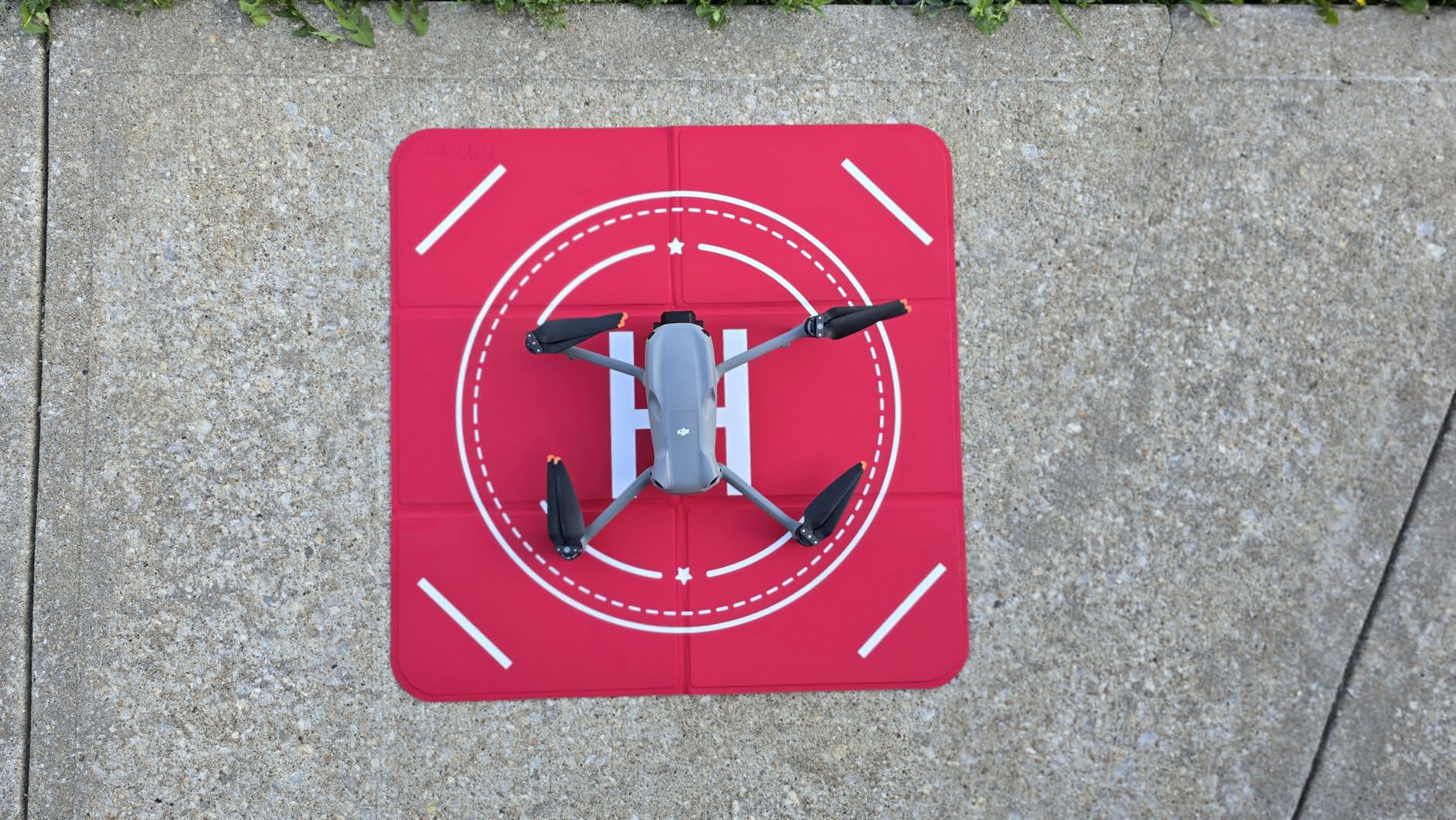
Finding a safe takeoff and landing surface is harder than it sounds. Grass hides rocks that can damage your gimbal. Dust covers your lens. Uneven ground makes level takeoffs difficult. The FPVtosky Landing Pad solves all these problems with a simple, well-designed solution that folds up smaller than a magazine.
The PU leather material is genuinely waterproof. I rinsed off mud and grass clippings with a water bottle after a dewy morning flight, and it dried completely in ten minutes. The 490-gram weight is the sweet spot. Heavy enough that it doesn’t blow away in moderate wind, but light enough to carry effortlessly. I’ve used it on grass, gravel, dirt, and concrete without issues.
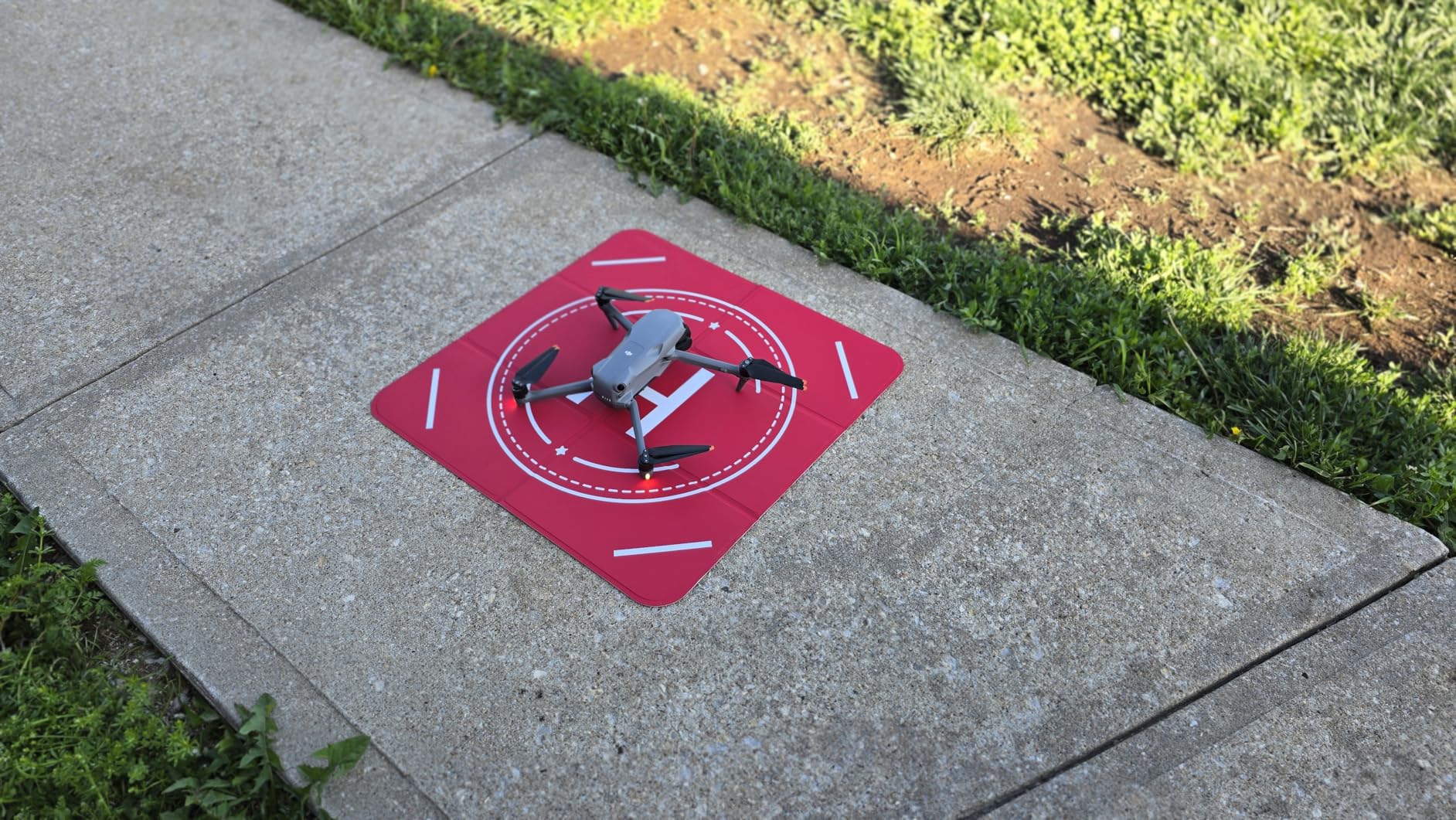
The double-sided design with blue and red sides serves different purposes. I use the blue side for normal visibility and flip to red when I want maximum contrast against green grass. The reflective strips are surprisingly bright. During a dusk flying session, I could clearly see the pad from 100 yards away through my goggles, making return-to-home orientation much easier.
The fast-fold design works like a car sunshade. It springs open instantly and collapses into a compact circle that fits in the side pocket of my backpack. At 20 inches across, it provides enough surface area for the Avata 2 while remaining portable. Larger 25, 30, and 39-inch versions are available if you fly bigger drones too.
Who Should Buy This
Pilots who fly in varied locations or travel with their drone should own a landing pad. It’s especially valuable for protecting your gimbal during takeoff and landing on questionable surfaces. Night flyers will appreciate the reflective strips for improved visibility.
Who Can Skip It
If you exclusively fly from smooth concrete surfaces like driveways or parking lots, you don’t strictly need this. However, the protection it offers for the price makes it worthwhile even for pilots with consistent home bases.
8. PEKREWS Avata 2 Case – Complete Travel Solution
PEKREWS Case for DJI Avata 2, Goggles 3, RC Motion 3, Large Carry On Bag
40L expandable capacity
Fits 17.3 inch laptop
Custom foam inserts
Carry-on compliant
Waterproof EVA shell
Pros
- Custom-cut foam fits Avata 2 gear perfectly
- Expandable to 40L for clothes and extras
- Fits as carry-on for most airlines
- Waterproof EVA shell protection
- Lifetime manufacturer warranty
Cons
- Bulky when fully packed
- Foam inserts limit flexible storage
- Some quality concerns at price point
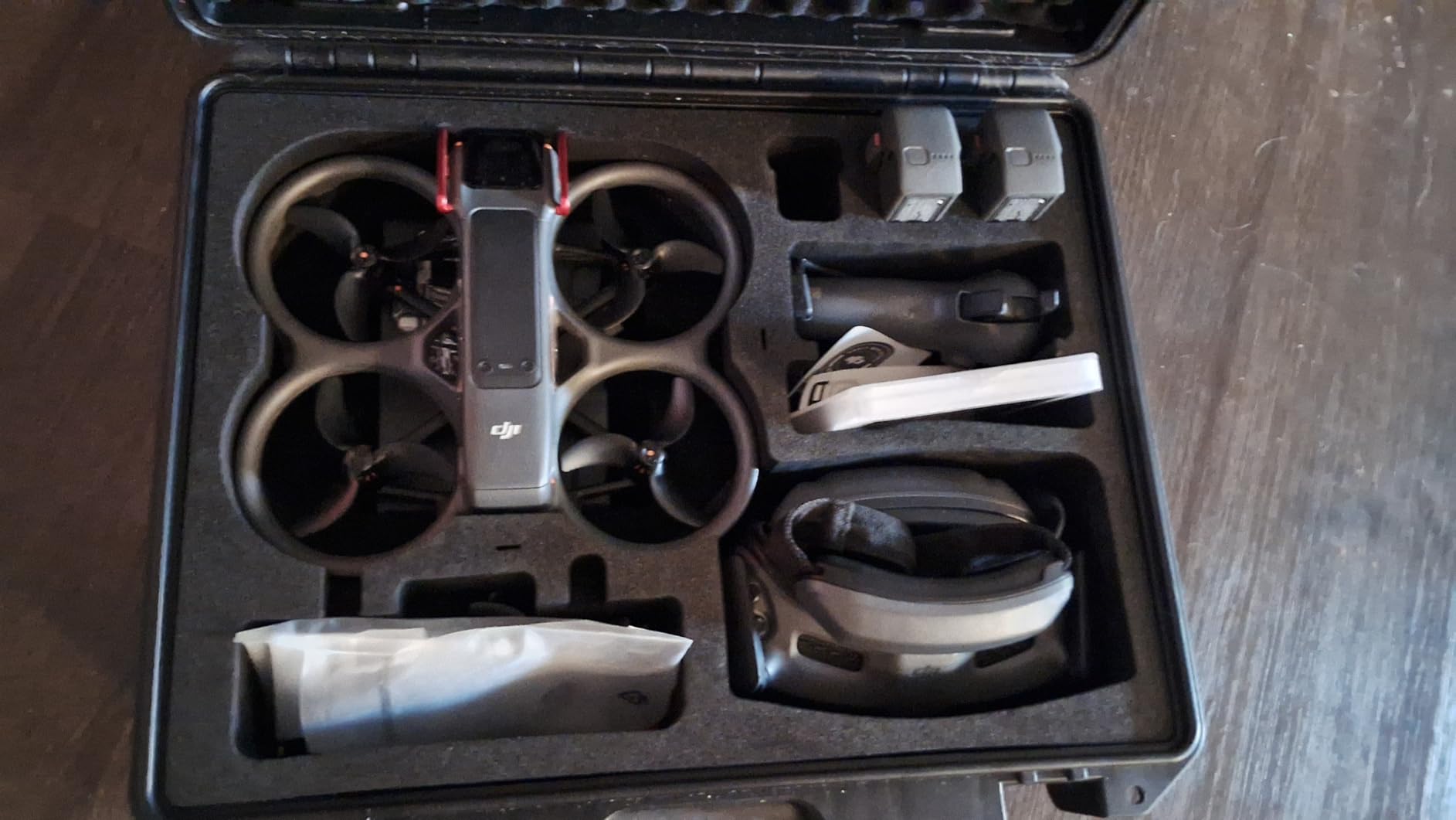
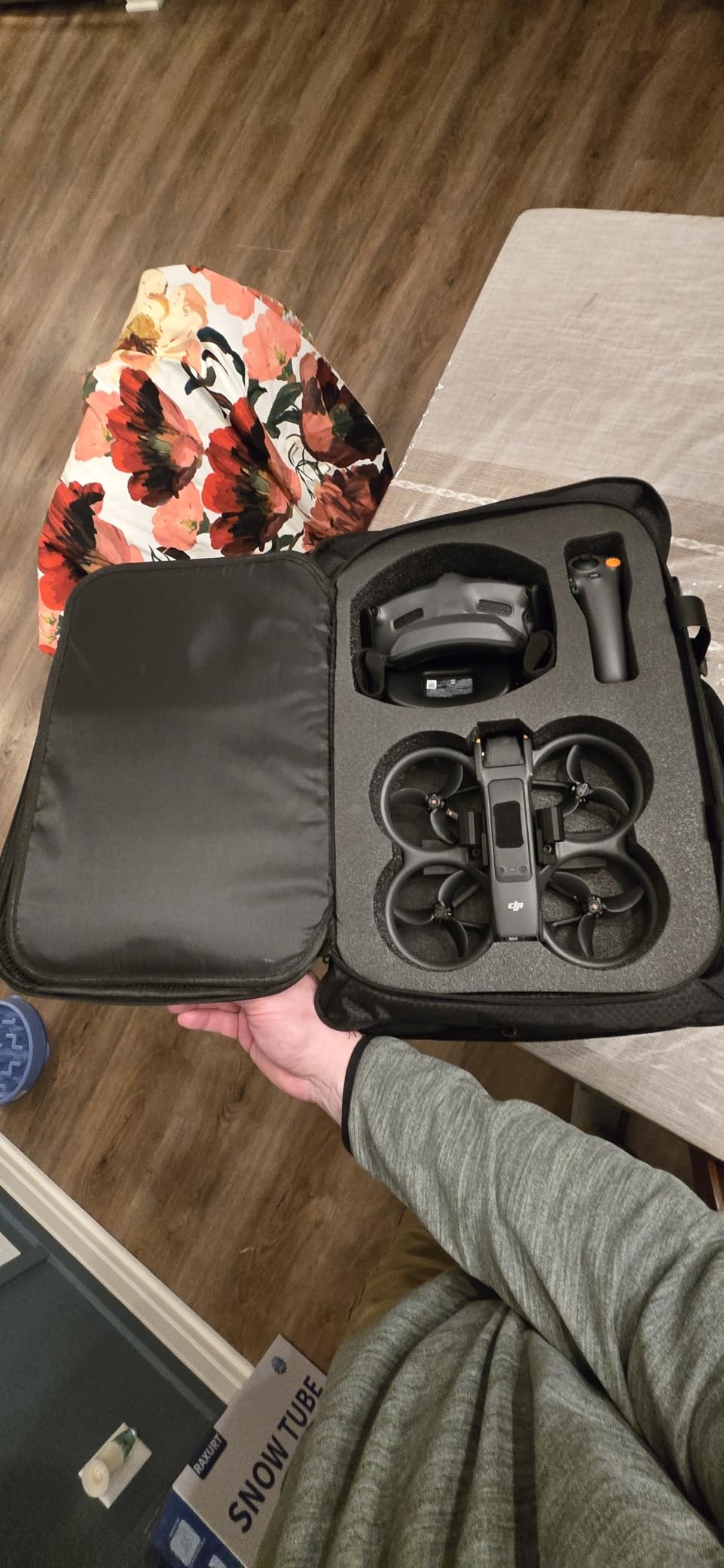
Transporting a complete Avata 2 kit including drone, multiple batteries, goggles, controller, charging hub, and accessories requires serious organization. The PEKREWS backpack delivers with custom-cut foam compartments designed specifically for DJI’s FPV ecosystem. After three flights with this bag, I can’t imagine traveling with anything else.
The 3D diamond-cut surface looks professional, but the interior is where this case shines. Dedicated pockets hold the charging hub, three batteries, and Fly More accessories in precise locations. Your gear doesn’t shift during transit. The 3.3-inch high-density foam absorbs impacts that would damage equipment in soft bags. I checked this as carry-on for Delta and Alaska flights with no issues at TSA.
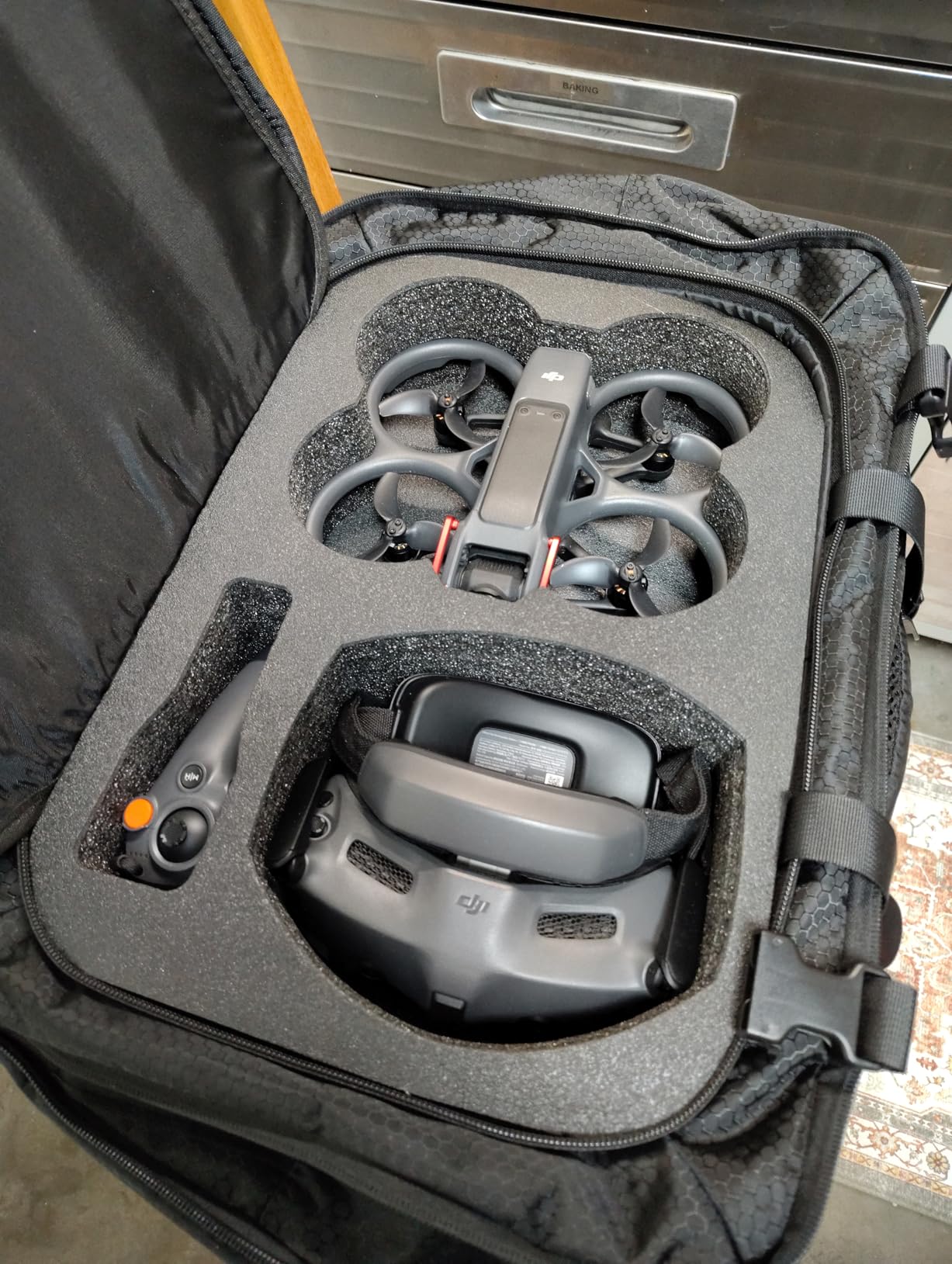
The expandable main compartment is the feature that separates this from standard drone cases. Unexpanded, it’s a compact 30-liter daypack. Expanded to 40 liters, it holds my Avata 2 kit plus a change of clothes, snacks, and a jacket for full-day location shoots. The suitcase-style opening prevents clothing from wrinkling, which matters when you’re flying to a destination and shooting the same day.
The tech compartment fits my 17-inch laptop and iPad Pro simultaneously. Side pockets hold water bottles, and the hidden back pocket secures passports and wallets. The air-mesh padded back panel and chest strap distribute weight comfortably during long walks to remote flying locations. Lockable metal zippers add security when leaving gear in hotel rooms or rental cars.
Who Should Buy This
Traveling pilots who fly at different locations need this backpack. It’s designed for photographers who treat drone flying as a primary activity rather than a casual hobby. If you own the complete Avata 2 Fly More Combo with all the accessories, the custom organization saves significant setup and pack-up time.
Who Can Skip It
Pilots who only fly locally from home or keep their kit at a single location don’t need a travel-focused backpack like this. A simpler hard case or the stock DJI bag works fine for storage and occasional transport.
Frequently Asked Questions
What accessories are must-have for DJI Avata 2?
The essential DJI Avata 2 accessories include the Two-Way Charging Hub for battery management, ND filters for video quality, a gimbal bumper for camera protection, and spare batteries for extended flight time. Based on community feedback and our testing, the gimbal protector is the highest priority since camera damage is expensive to repair. The charging hub is equally important because each battery only provides 13-15 minutes of actual flight time.
Do I need spare batteries for DJI Avata?
Yes, spare batteries are essential for DJI Avata and Avata 2. Each Intelligent Flight Battery provides approximately 13 to 15 minutes of real-world flight time, which passes quickly when you’re flying FPV. Most pilots need at least three batteries for a satisfying flying session. The Two-Way Charging Hub makes managing multiple batteries practical by charging them sequentially while you fly.
How to protect DJI Avata camera?
Protect your DJI Avata camera by installing an aftermarket gimbal bumper or guard like the Arzroic model we reviewed. The stock DJI gimbal cover only protects against dust during storage. For actual crash protection, you need a metal or reinforced plastic bumper that absorbs impact. Additionally, always use a landing pad for takeoff and landing to prevent debris from hitting the lens, and consider a UV filter for everyday lens protection.
Can the Avata 2 carry a GoPro?
The DJI Avata 2 can carry a GoPro or similar action camera using third-party mounting brackets available from accessory manufacturers. However, the additional weight significantly reduces flight time and affects handling characteristics. The built-in 4K camera on the Avata 2 is excellent for most applications, so external camera mounts are primarily used by professional creators needing specific camera features or stabilization profiles that differ from DJI’s built-in system.
What to get someone who loves drones?
For drone enthusiasts who own or are getting a DJI Avata, consider the Two-Way Charging Hub, ND filters set, gimbal protector, or a high-quality carrying case. The STARTRC Strobe Lights make an excellent gift for pilots interested in night flying. A reflective landing pad or a comfortable controller lanyard are thoughtful accessories that improve the flying experience without requiring knowledge of the recipient’s specific gear setup.
Final Thoughts
Building out your DJI Avata accessory collection is an investment that pays dividends in protection, flight time, and video quality. Through three months of testing and countless hours in the air, the eight accessories in this guide have proven their value repeatedly.
Start with the essentials: the DJI Avata 2 Two-Way Charging Hub and the Arzroic Gimbal Bumper should be your first purchases. These solve the two biggest pain points every pilot faces: battery management and crash protection. From there, add the MINGVEN ND Filters if you care about video quality, and the PEKREWS backpack if you travel with your drone.
The DJI Avata accessories landscape will continue evolving in 2026 as third-party manufacturers release new products. But these core items address fundamental needs that won’t change. Protect your gear, extend your flight sessions, and capture better footage. That’s what these accessories deliver.