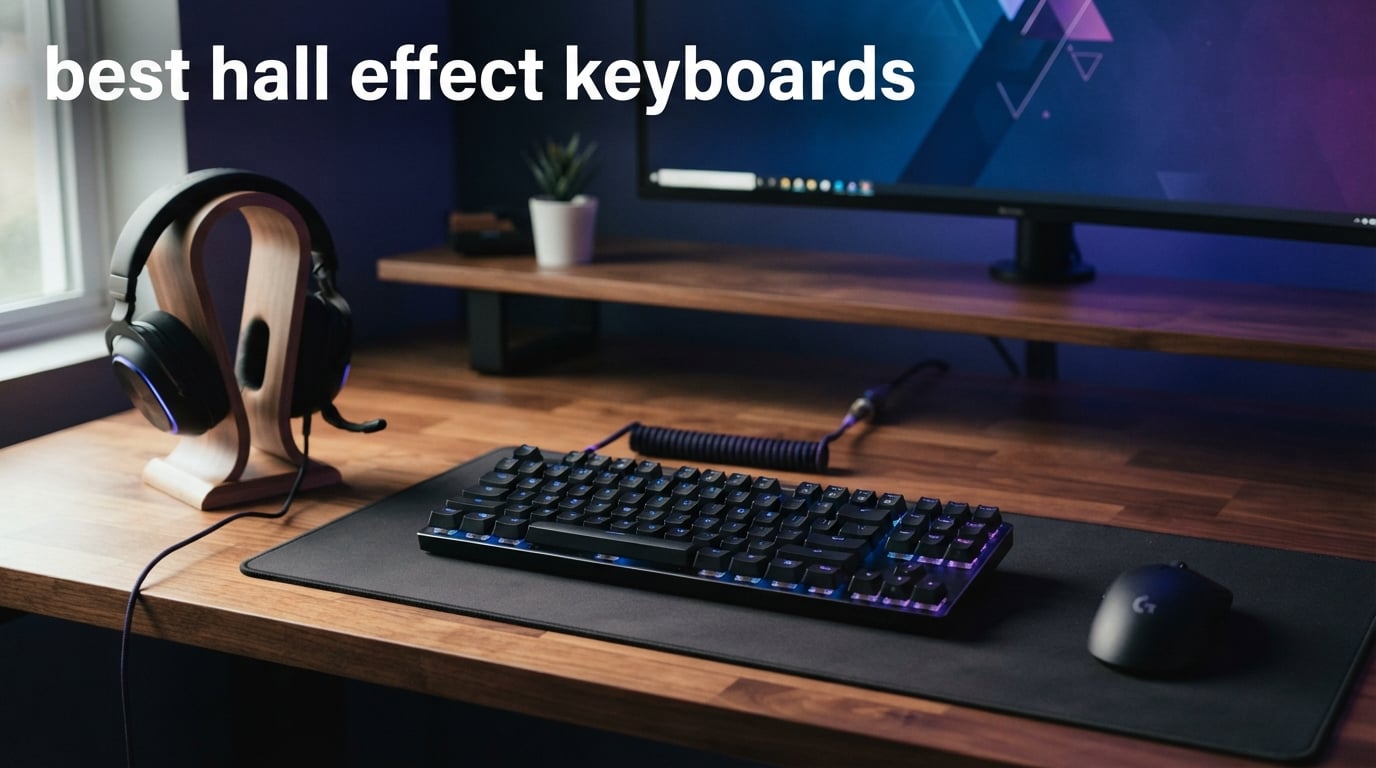
I have spent the last several months testing magnetic switch keyboards across FPS games, typing marathons, and everyday work setups. Hall effect technology has gone from a niche enthusiast curiosity to the go-to choice for competitive gamers who want every millisecond advantage they can get. The best hall effect keyboards in 2026 deliver adjustable actuation, Rapid Trigger, and a level of customization that traditional mechanical switches simply cannot match.
If you have ever wondered why your counter-strafe in Valorant feels a split second too slow, or why your APM in StarCraft plateaus despite hours of practice, magnetic switches might be the upgrade you need. These keyboards use Hall effect sensors to detect the exact position of each key throughout its 4.0mm travel. That means you can set your actuation point as shallow as 0.1mm or as deep as 3.8mm, all through software. No more being locked into a single switch feel.
Our team compared 10 of the most popular hall effect keyboards available right now. We looked at everything from premium CNC aluminum boards to budget-friendly options that punch well above their weight. Whether you need a wireless hall effect keyboard for a clean desk setup, a compact 60% board for LAN events, or a full-featured TKL for both gaming and typing, this guide covers it all. Let us get into the picks.
Table of Contents
Top 3 Picks for Best Hall Effect Keyboards

SteelSeries Apex Pro TKL Gen 3
- OmniPoint 3.0 Magnetic Switches
- Rapid Trigger + Rapid Tap
- OLED Smart Display
- 0.1-4.0mm Adjustable Actuation

Keychron K2 HE
- Wireless 2.4GHz + Bluetooth
- Gateron Magnetic Switches
- Hot-swappable
- Aluminum + Wood Frame

ATTACK SHARK X68 HE
- 8000Hz Polling Rate
- 0.01mm Rapid Trigger Accuracy
- Web-based Driver
- Compact 68-key Layout
Best Hall Effect Keyboards in 2026
| Product | Specifications | Action |
|---|---|---|
| SteelSeries Apex Pro TKL Gen 3 |
|
Check Latest Price |
 Keychron Q1 HE Wireless Keychron Q1 HE Wireless |
|
Check Latest Price |
| Keychron K2 HE |
|
Check Latest Price |
 Glorious GMMK 3 HE Glorious GMMK 3 HE |
|
Check Latest Price |
 Glorious GMMK 3 PRO HE Glorious GMMK 3 PRO HE |
|
Check Latest Price |
 ASUS ROG Falchion Ace HFX ASUS ROG Falchion Ace HFX |
|
Check Latest Price |
| ATTACK SHARK X68 HE |
|
Check Latest Price |
 Corsair Clipper Pro Mini 60 Corsair Clipper Pro Mini 60 |
|
Check Latest Price |
 EPOMAKER G84 HE EPOMAKER G84 HE |
|
Check Latest Price |
 GravaStar Mercury V60 GravaStar Mercury V60 |
|
Check Latest Price |
1. SteelSeries Apex Pro TKL Gen 3 – OmniPoint 3.0 Magnetic Switches
SteelSeries Apex Pro TKL Gen 3 Gaming Keyboard – OmniPoint 3.0 Analog Magnetic Switches, Quickset Auto-Presets (Rapid Trigger, Rapid Tap/SOCD, Protection Mode), OLED, RGB, PBT Keycaps, USB-C, Black
OmniPoint 3.0 Magnetic Switches
0.1-4.0mm Adjustable Actuation
Rapid Trigger + Rapid Tap
OLED Smart Display
PBT Keycaps
USB-C Wired
Pros
- 40 levels of adjustable actuation from 0.1mm to 4.0mm
- Rapid Trigger and Rapid Tap for competitive FPS gaming
- Patented Protection Mode prevents accidental keypresses
- OLED display for onboard settings changes
- PBT keycaps for long-term durability
Cons
- Switches are not hot-swappable
- Software can be complex for new users
- Higher price point than alternatives
I picked up the SteelSeries Apex Pro TKL Gen 3 about two months ago, and it immediately became my daily driver for both gaming and work. The OmniPoint 3.0 magnetic switches are on another level compared to the older OmniPoint 2.0 switches. You get 40 distinct levels of adjustable actuation, which means you can fine-tune each key to feel exactly the way you want. I set my WASD keys to 0.3mm for instant response in FPS games and left my typing keys at 1.5mm to avoid typos.
The Rapid Trigger implementation is what sold me on this board for competitive gaming. In Counter-Strike 2, my counter-strafing became noticeably snappier. The key resets the moment you start lifting your finger, not when it passes a fixed reset point. Combined with Rapid Tap, which snaps to your latest key press for faster directional changes, this is one of the fastest gaming keyboards I have ever used.
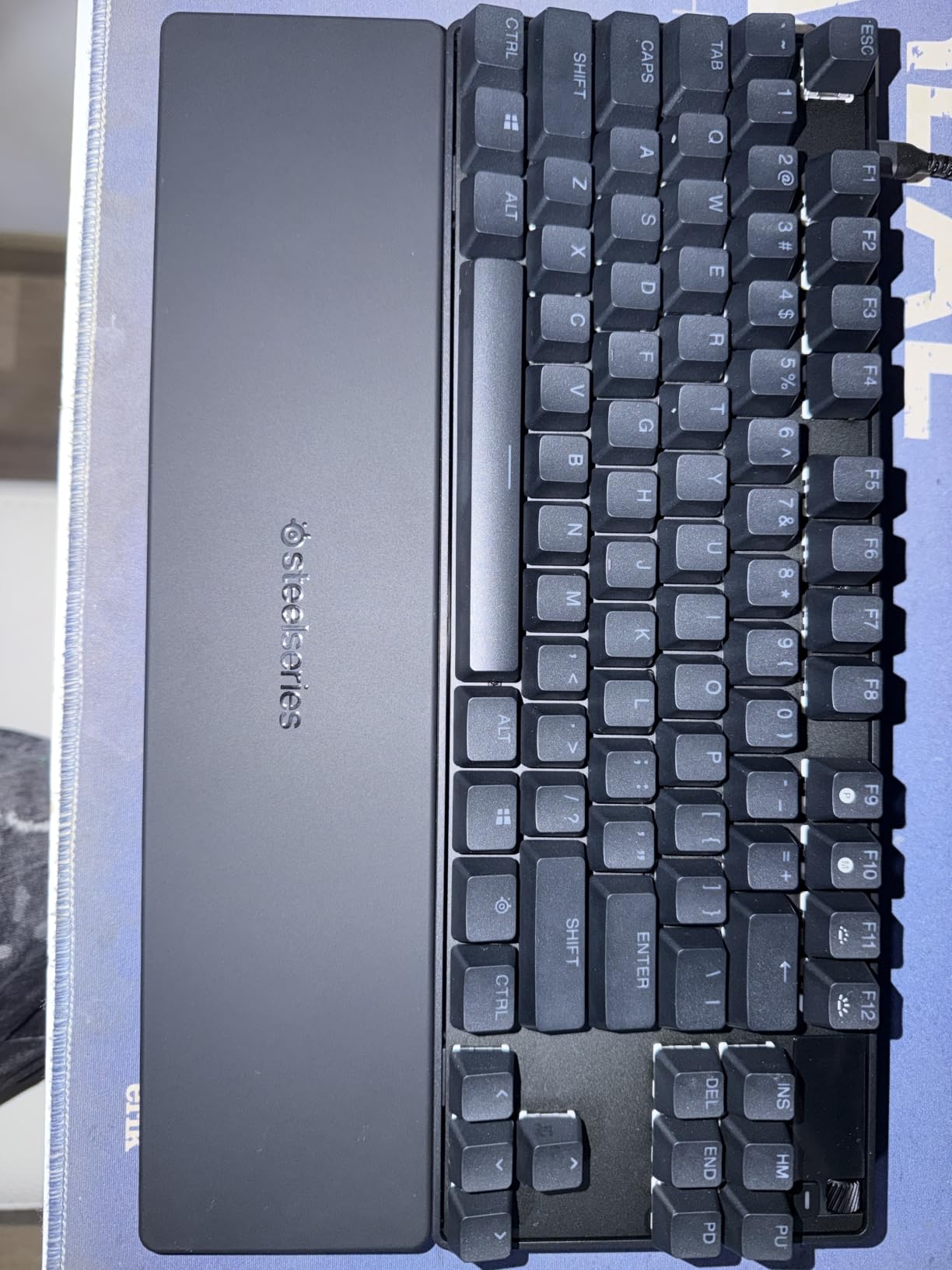
One feature that does not get enough attention is Protection Mode. This patent-pending feature reduces accidental keypresses on nearby keys, which is a lifesaver in games where hitting the wrong ability can cost you a round. The Quickset auto-presets also let you switch between configurations automatically when your game loads. I never had to manually toggle settings between Valorant and work mode.
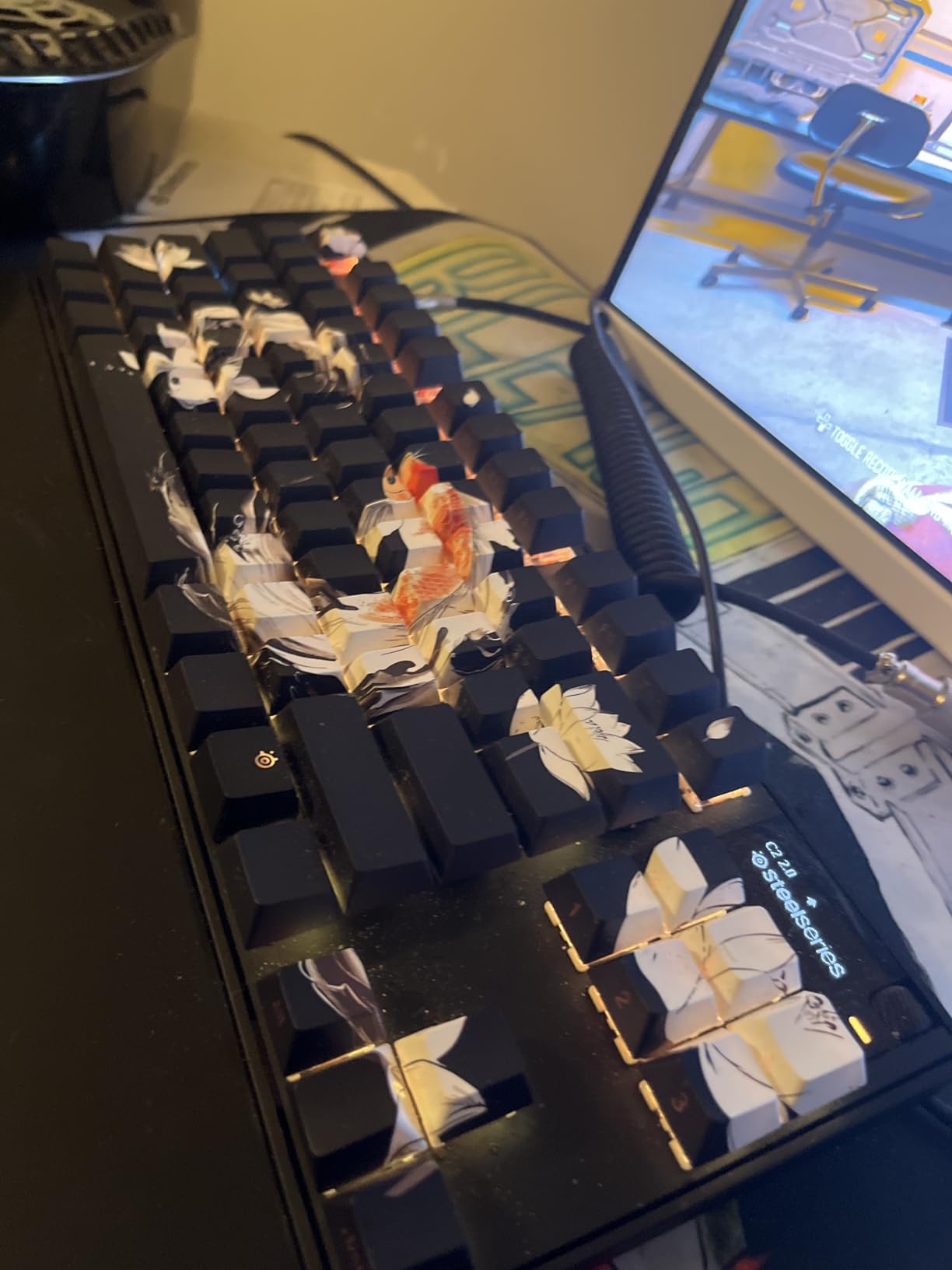
The OLED smart display in the top right corner is genuinely useful, not just a gimmick. I adjusted my actuation depth, changed RGB profiles, and checked battery status directly from the keyboard without alt-tabbing. The PBT keycaps feel great and show zero signs of shine after weeks of heavy use.
Onboard Memory and Tournament Readiness
All your configurations save directly to the keyboard onboard memory. That means you can take this board to a LAN tournament, plug it into any PC, and your actuation settings, Rapid Trigger sensitivity, and RGB profiles load instantly. No software installation required on the tournament machine.
The Quickset auto-presets can detect specific games and apply your saved profiles automatically. I set up separate profiles for CS2, Valorant, and Apex Legends, and the keyboard switched between them without any manual input.
Software and Ecosystem Longevity
The SteelSeries GG software is powerful but has a learning curve. New users might feel overwhelmed by the number of customization options. Once you spend an hour with it, everything makes sense. The software receives regular updates, and SteelSeries has a track record of supporting their keyboards for years after launch.
My one real complaint is the lack of hot-swappable switches. If an OmniPoint 3.0 switch fails after the warranty period, you cannot just pop in a replacement. You would need to contact SteelSeries for repair or replacement.
2. Keychron Q1 HE Wireless – Premium Aluminum Build
Keychron Q1 HE Wireless Custom Magnetic Keyboard, QMK Launcher
Gateron Double-Rail Magnetic Switches
0.1mm Sensitivity
Wireless 2.4GHz + Bluetooth 5.2
Full Aluminum Body
Hot-swappable
QMK Launcher
Pros
- Premium full CNC aluminum body with excellent build quality
- Tri-mode connectivity with 2.4GHz
- Bluetooth 5.2
- and USB-C
- Hot-swappable Gateron magnetic switches
- Web-based QMK Launcher requires no software install
- Double-gasket design for superior typing feel
Cons
- Heavy and less portable than alternatives
- Premium price point
- Some QC issues reported on early units
- Spacebar stabilizer can rattle
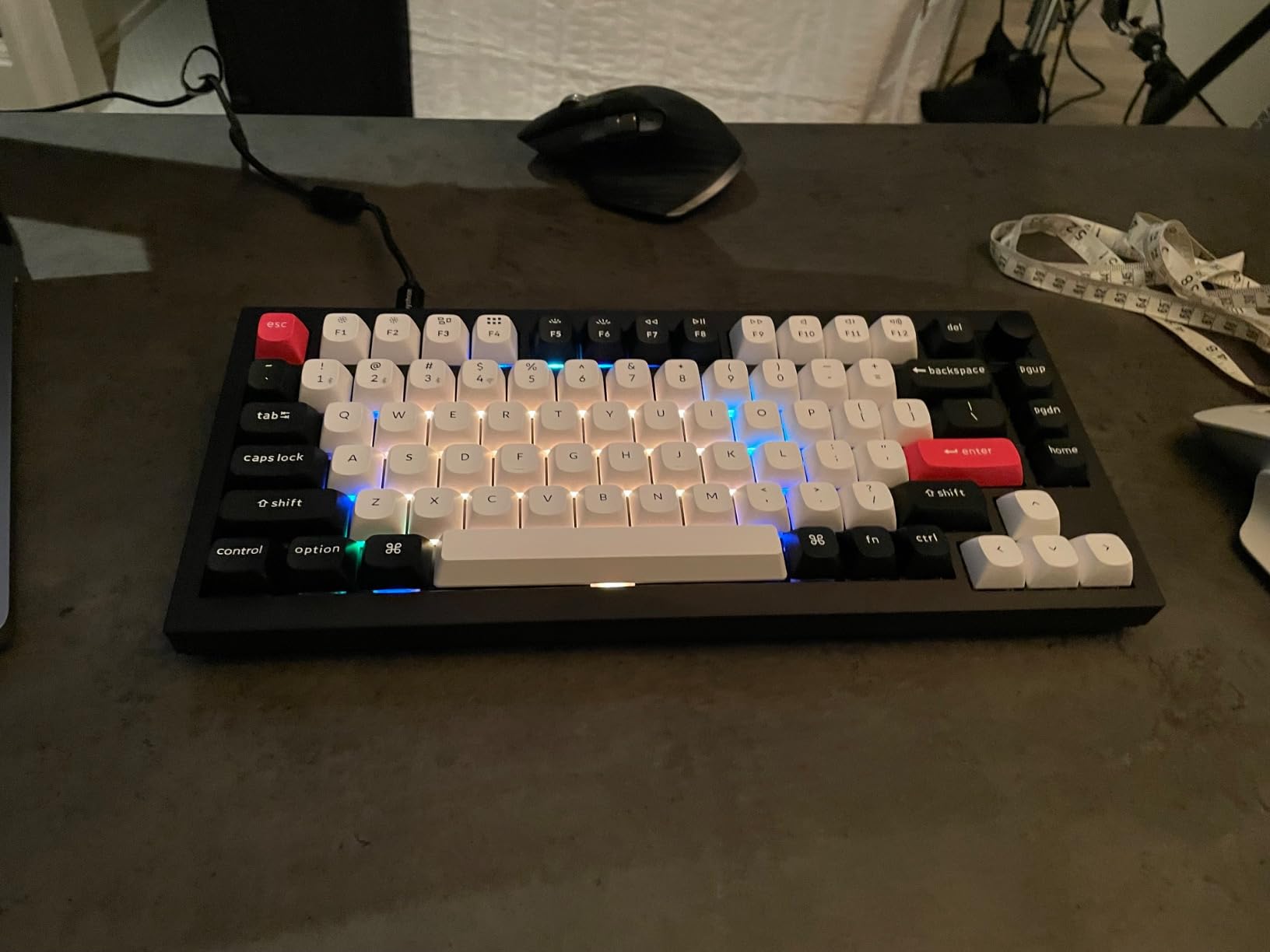
The Keychron Q1 HE Wireless is the keyboard I recommend to friends who want a premium feel without sacrificing gaming performance. The full aluminum body is substantial and gives zero flex when you press down hard during an intense gaming moment. Keychron nailed the build quality here, and the double-gasket design creates a typing experience that rivals custom keyboards costing twice as much.
I tested the Gateron Double-Rail Magnetic switches over a three-week period for both work and play. The 0.1mm sensitivity means you can set extremely shallow actuation points for gaming, then switch to a deeper actuation for typing. Keychron lets you assign up to four different actions to a single key based on how far you press it. That feature alone opens up creative possibilities for complex key bindings.
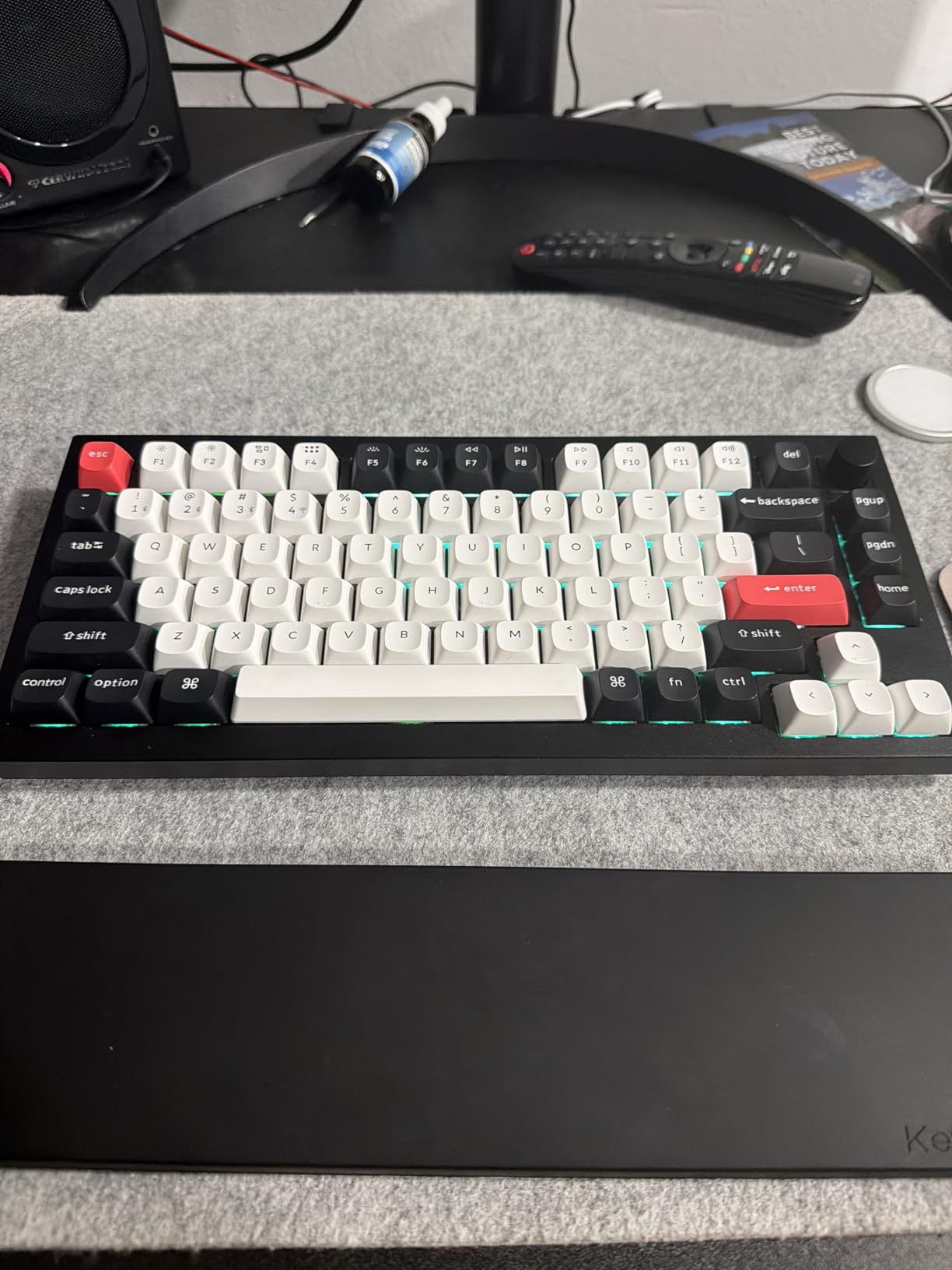
The wireless performance surprised me. I tested the 2.4GHz connection at 1000Hz polling and experienced zero noticeable input lag compared to the wired USB-C connection. The Bluetooth 5.2 mode lets you pair up to three devices simultaneously, which I used to switch between my desktop, laptop, and iPad without re-pairing.
The QMK Launcher web app is a standout feature. Instead of downloading and installing bloated software, you configure everything through your browser. I adjusted my actuation points, set up Rapid Trigger, and remapped keys in about 15 minutes. The changes save directly to the keyboard.
Gaming Performance in Competitive Titles
Rapid Trigger on the Q1 HE works reliably across every game I tested. In Valorant, my counter-strafe timing improved because the key resets the moment I start releasing it. The 0.5mm minimum actuation point is slightly higher than some competitors, but in practice I never felt limited by it.
The 1000Hz polling rate over 2.4GHz wireless matches what most pro players use. While some keyboards now offer 8K polling, the difference between 1K and 8K is measurable but barely perceptible in real-world gameplay.
Build Quality and Long-Term Ownership
The aluminum chassis weighs enough that the keyboard never slides during intense gaming sessions. The PBT keycaps with OSA profile feel premium and resist fingerprint oils well. South-facing RGB is a consideration if you use shine-through keycaps, as the lighting will not shine through the legends.
Some early buyers reported minor QC issues like paint blemishes and spacebar stabilizer rattle. Keychron has been responsive to these complaints, but it is worth checking your unit carefully when it arrives.
3. Keychron K2 HE – Best Value Wireless Hall Effect
Keychron K2 HE Wireless Magnetic Hall Effect Custom Keyboard 75% Layout
Gateron Double-Rail Magnetic Switches
Wireless 2.4GHz + Bluetooth
Hot-swappable
Aluminum + Wood Frame
0.2-3.8mm Adjustable Actuation
Rapid Trigger
Pros
- Outstanding value for a wireless HE keyboard
- Unique aluminum and rosewood frame aesthetic
- Tri-mode connectivity for maximum flexibility
- Hot-swappable magnetic switches
- 1000Hz polling rate over 2.4GHz
Cons
- Keycap legends are not shine-through
- Web driver interface needs polish
- Limited to Gateron magnetic switches only
- Software can be complex for beginners
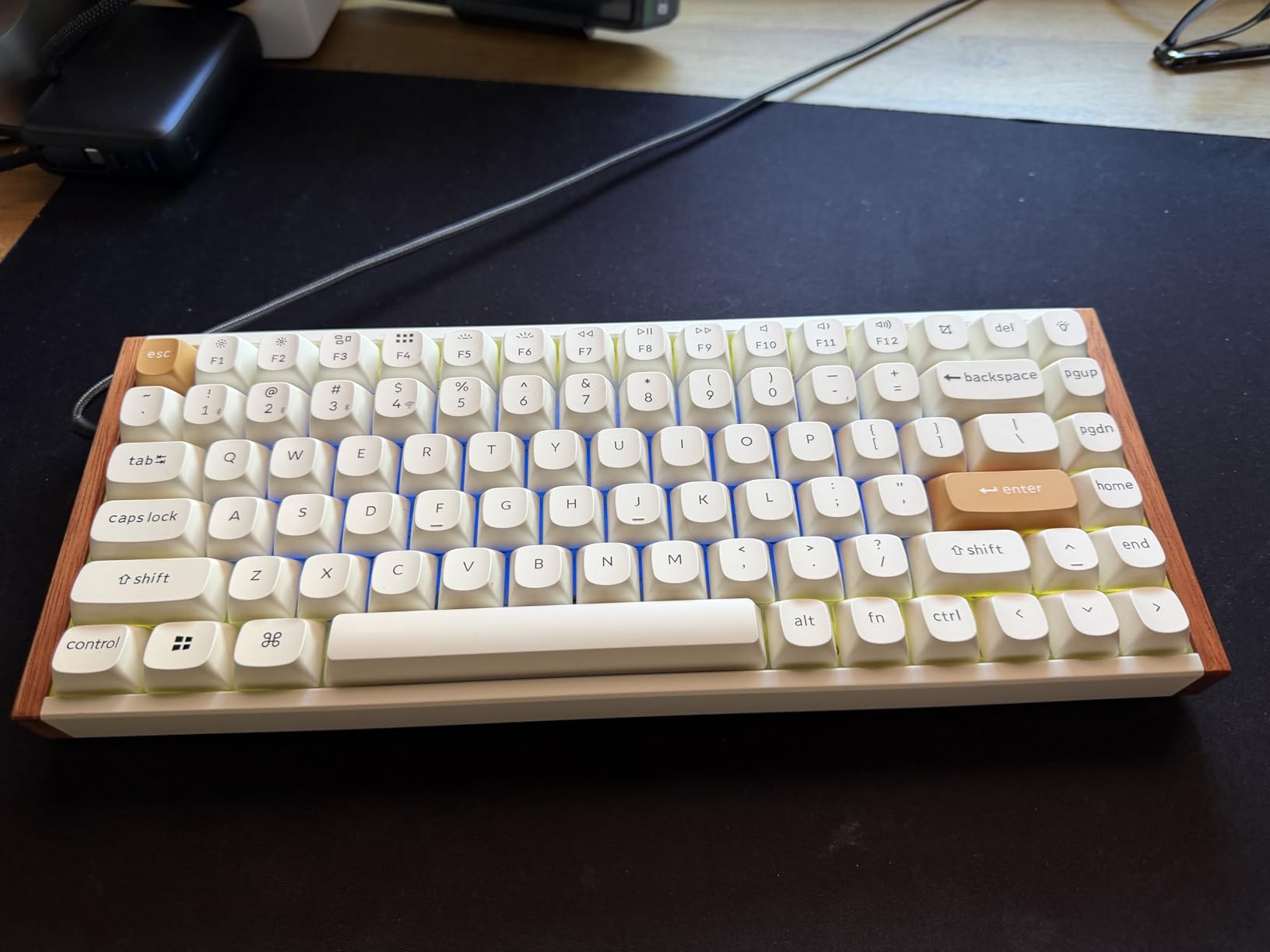
The Keychron K2 HE is the keyboard that made me reconsider what value means in the hall effect space. For significantly less than the Q1 HE, you get the same Gateron Double-Rail Magnetic switches, tri-mode wireless connectivity, and Rapid Trigger functionality. The aluminum and rosewood frame looks stunning on a desk and draws compliments from everyone who sees it.
I used the K2 HE as my office keyboard for a month, switching between my work PC over Bluetooth and my gaming laptop over 2.4GHz. The transition was seamless. The 1000Hz polling rate in 2.4GHz mode handled competitive Overwatch 2 sessions without any perceptible lag or dropouts.
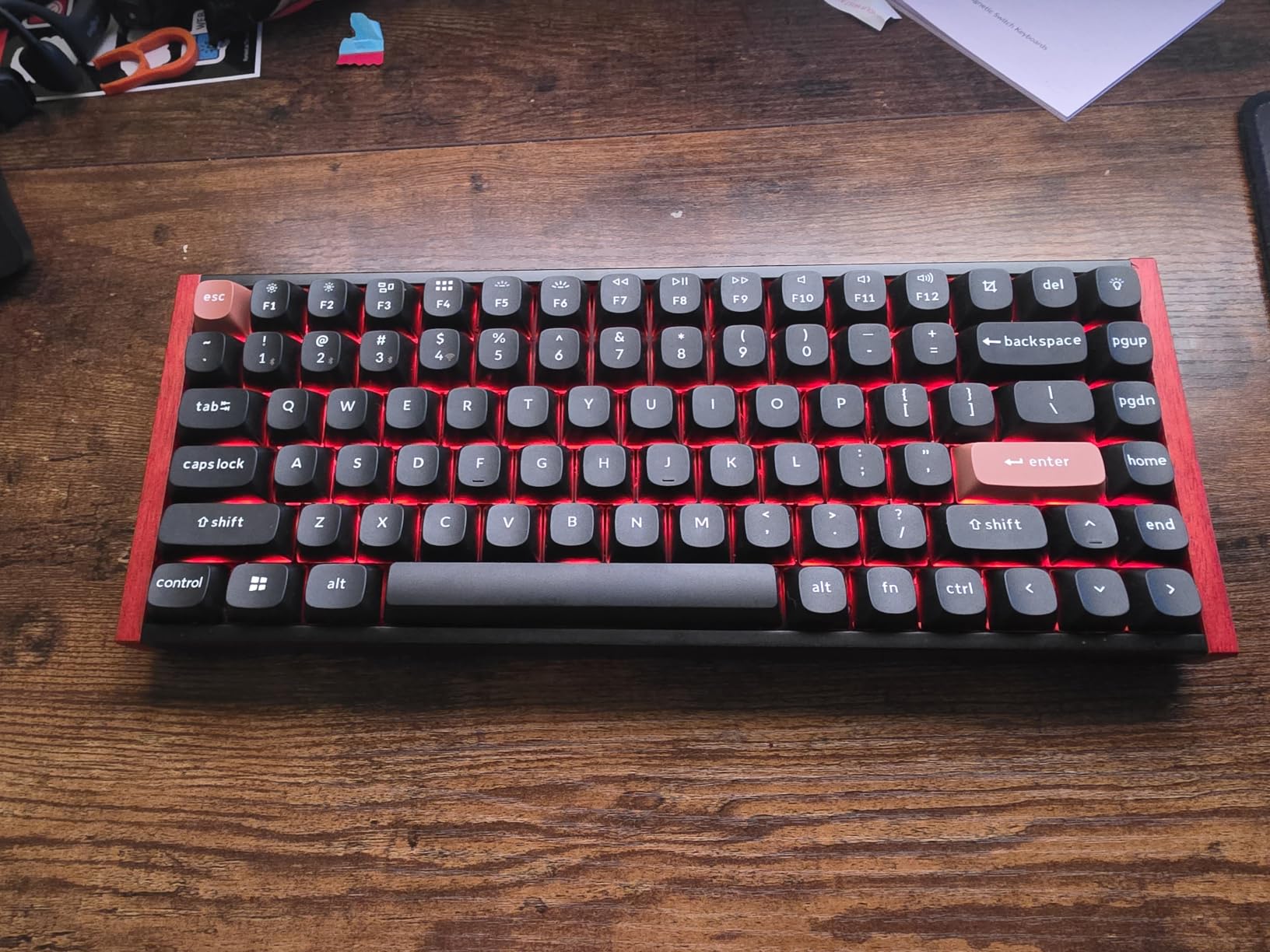
The adjustable actuation range of 0.2mm to 3.8mm covers nearly the entire key travel. I set my most-used keys to 0.3mm for gaming and bumped them to 2.0mm for typing sessions. The Rapid Trigger implementation works just as well as on the more expensive Q1 HE. The web-based QMK Launcher makes all configuration painless.
The rosewood siding is not just for looks. It adds a warmth to the typing sound that pure aluminum boards sometimes lack. The combination of the gasket mount design and PBT keycaps creates a deep, satisfying thock that makes typing enjoyable for hours.
Who Should Buy This Keyboard
If you want a wireless hall effect keyboard that does not cut corners on build quality or features, the K2 HE is the sweet spot. It delivers 90 percent of the Q1 HE experience at a lower price. The main trade-off is the ABS plastic bottom case instead of a full aluminum shell.
The 84-key layout includes dedicated arrow keys and a function row, which many compact keyboard users refuse to give up. This makes the K2 HE a practical choice for productivity as much as gaming.
Limitations to Consider
The keycap legends are not shine-through, which means the RGB lighting is purely decorative in low-light conditions. The south-facing LEDs will not illuminate the characters on your keycaps. If you game in the dark and need to see key labels, consider aftermarket keycap sets.
The web driver, while convenient, still has room for improvement in terms of interface polish. Some settings are buried in submenus, and the browser-based approach requires a Chromium-based browser for best compatibility.
4. Glorious GMMK 3 HE – 8K Polling With Dual Hotswap
Glorious Gaming – GMMK 3 HE Rapid Trigger Keyboard, Hall Effect, 8K Polling Rate, MX Mechanical & Magnetic Switches, Hotswappable 75% Keyboard, Modular Gasket System, Doubleshot PBT keycaps (Black)
Glorious Fox HE Switches
8K Polling Rate
Dual HE/MX Hotswap
9 Points of Modularity
Modular Gasket System
Doubleshot PBT Keycaps
Pros
- 8000Hz polling rate for ultra-responsive gaming
- Dual hotswap supports both HE and traditional MX switches
- 9 points of modularity for deep customization
- Smooth factory-lubed Fox HE switches
- Modular gasket system for adjustable typing feel
Cons
- Software reported as buggy and unreliable
- Some QC issues with DOA units
- RGB timeout cannot be adjusted
- Stabilizers may need manual tuning out of box
The Glorious GMMK 3 HE is a tinkerer dream keyboard. With 9 points of modularity, you can swap out the plate, gaskets, switches, keycaps, and even the flex. The dual HE/MX hotswap support means you are not locked into magnetic switches forever. If you ever want to try traditional mechanical switches, just pull the HE switches out and drop in any 5-pin MX switch.
The 8000Hz polling rate is the headline feature for competitive gamers. At 8K, the keyboard reports its state to your PC every 0.125ms, which is 8 times faster than the standard 1000Hz. I noticed the difference most in fast-paced tracking scenarios in Apex Legends, where micro-adjustments felt more responsive.
The Glorious Fox HE switches are smooth and well-lubed from the factory. They have a satisfying linear feel with no scratchiness. The 4:1 Dynamic Keystroke feature lets you assign four different actions to a single key based on press depth, similar to the Keychron implementation.
Modularity and Customization Potential
The modular gasket system lets you adjust the typing feel by changing the gasket material and placement. Out of the box, the typing experience is solid, but enthusiasts can fine-tune it further. The 9 points of modularity give you more customization options than almost any other hall effect keyboard on the market.
Glorious includes four extra sample switches in the box, which is a nice touch. You can test different switch types before committing to a full swap.
Software Concerns and QC Issues
The software is the biggest weakness of the GMMK 3 HE. Multiple users report crashes, timeouts, and unreliable firmware updates. Glorious has been pushing updates, but the experience is still rougher than competitors like SteelSeries or Keychron.
Quality control issues are another concern. Some buyers received dead-on-arrival units or experienced USB-C connection problems. The 2-year manufacturer warranty provides some peace of mind, but the initial experience can be frustrating.
5. Glorious GMMK 3 PRO HE – Premium Wireless Flagship
Glorious Gaming – GMMK 3 PRO HE: Wireless Gaming Keyboard Rapid Trigger, Hall Effect, Aluminum Body, 8K Polling Rate, Hotswap MX & Magnetic Switches, Adjustable Actuation, ANSI 75% Tenkeyless (Black)
CNC Aluminum Body
8K Polling Rate
Dual Wireless 2.4GHz + Bluetooth
12 Points of Modularity
Hotswap MX and Magnetic
Rapid Trigger
Pros
- Full CNC-machined aluminum body with premium feel
- Dual wireless connectivity for cable-free setups
- 12 points of modularity for maximum customization
- 8K polling rate for competitive gaming
- Dual HE/MX hotswap support with 2-year warranty
Cons
- Software reliability issues including crashes and timeouts
- Premium pricing
- No adjustable keyboard feet
- Spacebar wobble and battery life concerns reported
The Glorious GMMK 3 PRO HE is the flagship version of the GMMK 3 line, and the CNC-machined aluminum body is immediately noticeable when you pick it up. At 4.1 pounds, this keyboard is not going anywhere during an intense gaming session. The build quality feels every bit like a premium product that commands its price tag.
Dual wireless connectivity sets this apart from the standard GMMK 3 HE. You get 2.4GHz wireless with 8K polling and Bluetooth for connecting to mobile devices or laptops. I used the 2.4GHz mode for gaming and switched to Bluetooth for typing on my iPad. The keyboard charges via USB-C and can be used wired while charging.
The 12 points of modularity on the PRO version give you even more customization than the already modular standard GMMK 3 HE. The Rapid Trigger and adjustable actuation work identically, with smooth Fox HE switches providing a consistent linear feel across all keys.
When Wireless 8K Polling Matters
The 8K polling rate works over the 2.4GHz wireless connection, which is impressive engineering. In practice, I found the wireless 8K performance to be slightly less stable than wired 8K, with occasional micro-stutters that disappeared when I switched to USB-C. For competitive tournaments, I would still recommend the wired connection.
For casual to semi-competitive gaming, the wireless experience is excellent. The freedom of a cable-free desk setup without sacrificing polling rate is a genuine luxury.
Should You Wait for Software Improvements
The GMMK 3 PRO HE shares the same software issues as the standard version. Crashes, timeouts, and unreliable firmware updates are common complaints. The hardware is exceptional, but the software holds it back from reaching its full potential. Many users recommend waiting for Glorious to stabilize the software before purchasing at full price.
The lack of adjustable keyboard feet is a surprising omission on a keyboard at this price. You are limited to the default tilt angle, which may not suit everyone ergonomically.
6. ASUS ROG Falchion Ace HFX – Best 65% Hall Effect
ASUS ROG Falchion Ace HFX Hall Effect Gaming Keyboard – 65% TKL, Dual USB-C, Magnetic Switches, Rapid Trigger, Speed Tap, 8000 Hz Polling, Touch Panel, Portable, Protective Cover, PBT Keycaps – Black
ROG HFX Magnetic Switches
65% TKL Layout
8K Polling Rate
Dual USB-C Ports
Touch Panel
Five-Layer Dampening
PBT Keycaps
Pros
- Pre-lubed ROG HFX switches with 0.1-4.0mm adjustable actuation
- Dual USB-C ports for connecting two devices simultaneously
- Five-layer dampening creates creamy quiet typing sound
- Compact 65% layout maximizes mouse space
- Touch panel for volume media and lighting control
- Protective cover doubles as tray mount
Cons
- Premium pricing for a 65% board
- Bottom right Alt and Fn keys are 1U size limiting keycap compatibility
- Armoury Crate software is resource-heavy
- No wireless connectivity option
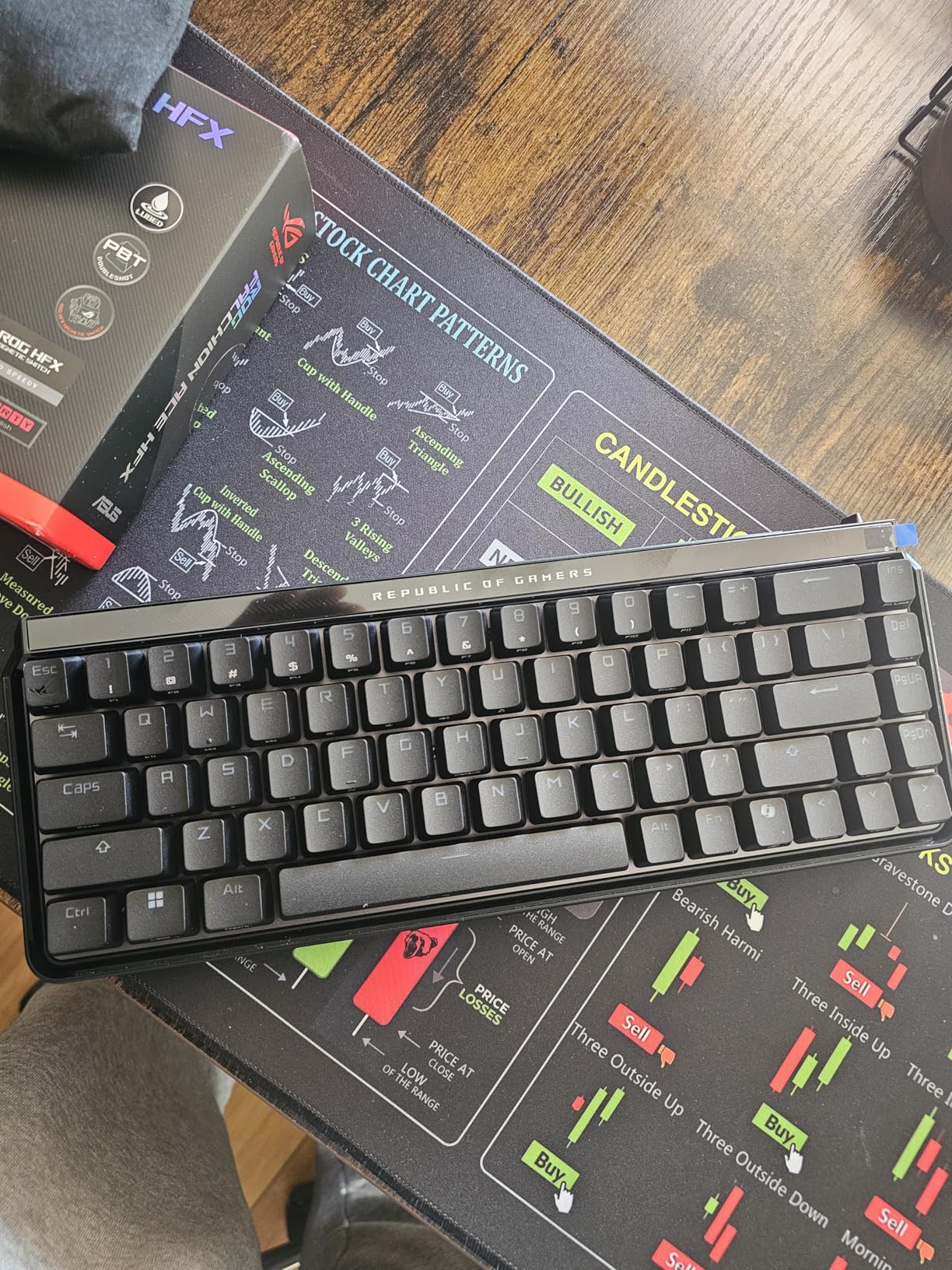
The ASUS ROG Falchion Ace HFX is the best 65% hall effect keyboard I have tested, and it is not even close. The five-layer dampening with silicone gasket mount produces a typing sound that enthusiasts describe as creamy. It is quiet, deep, and satisfying without being hollow or plasticky. This is a keyboard you can use in an office without disturbing anyone.
The pre-lubed ROG HFX magnetic switches feel fantastic out of the box. I set my actuation to 0.2mm for gaming keys and 1.8mm for the rest. The 8000Hz polling rate gives you that 0.125ms input delay that competitive players crave. In Rocket League, where frame-perfect inputs matter, I felt a tangible improvement in my aerial control.
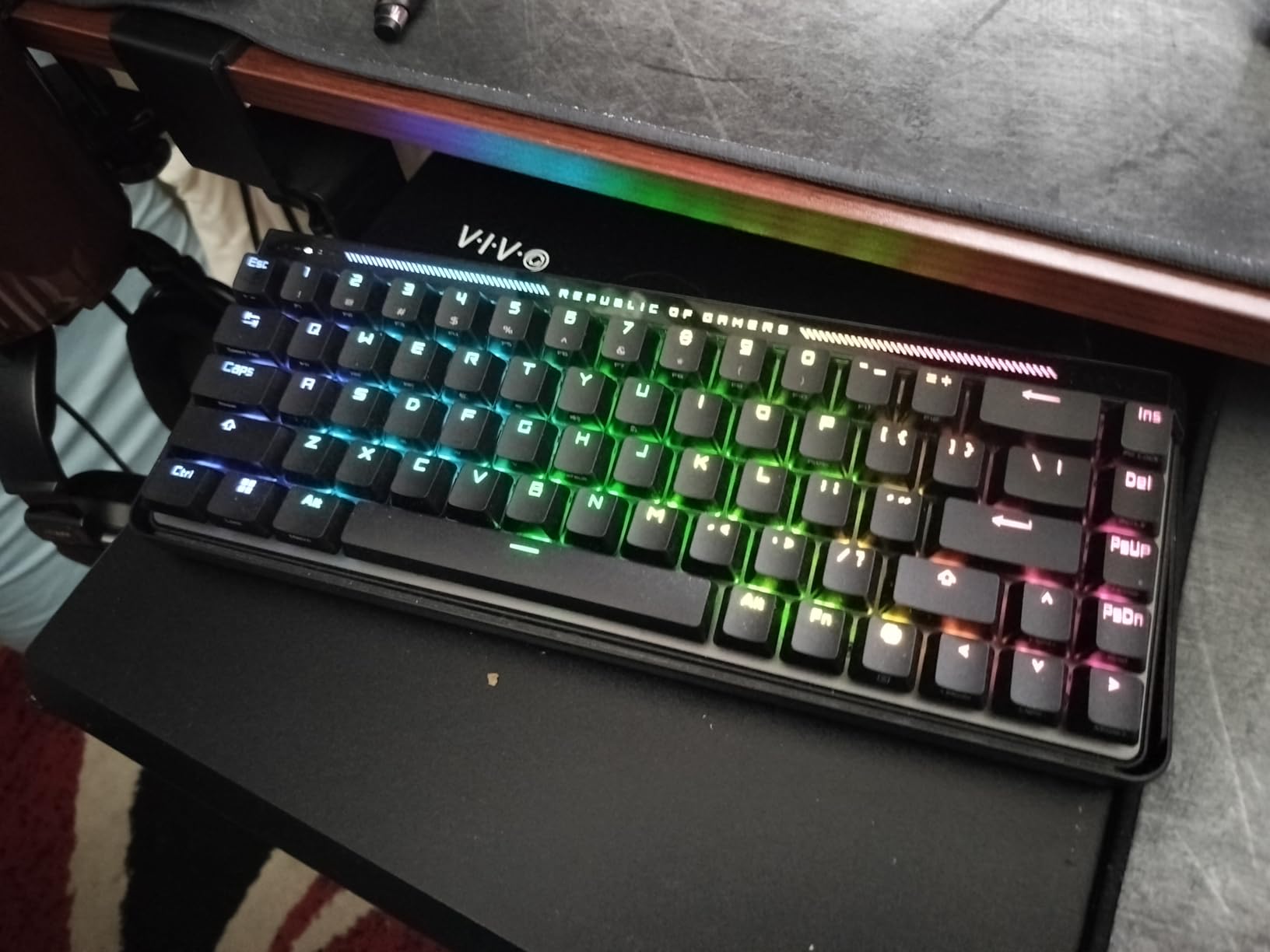
The dual USB-C ports on either side of the rear edge are a feature I did not know I needed. I connected my desktop to one port and my work laptop to the other, switching between them with a button press. No more cable swapping when I change machines.
The touch panel along the top edge controls volume, media playback, and lighting brightness with a swipe of your finger. It works reliably and feels premium. The protective cover that ships with the keyboard doubles as a tray mount, which is clever engineering.
Suitability for Competitive FPS Gaming
The Rapid Trigger Toggle and Speed Tap Mode are designed specifically for counter-strafing in FPS games. Speed Tap prioritizes your most recent key press, so pressing A while holding D instantly overrides the D input. This translates to cleaner, faster directional changes in CS2 and Valorant.
The 65% layout frees up significant desk space for mouse movement, which low-sensitivity FPS players will appreciate. At just 12.4 inches wide, this keyboard fits in any backpack for LAN events.
Keycap Compatibility Considerations
The bottom right Alt and Fn keys use a 1U size instead of the standard 1.25U. This means most aftermarket keycap sets will not fit those two keys without modification. If you plan to customize your keycaps, check compatibility carefully before purchasing.
The PBT keycaps included are high quality with a subtle texture that resists fingerprints. The RGB backlighting is bright and even across all keys, with per-key customization through Armoury Crate.
7. ATTACK SHARK X68 HE – Best Budget Hall Effect Keyboard
ATTACK SHARK X68 HE RT Mechanical Gaming Keyboard 60% Wired TKL-Black
Hall Effect Magnetic Switches
8K Polling Rate
0.01mm RT Accuracy
Top-Mounted Aluminum Plate
Web Driver
Compact 68-key Layout
Pros
- Unbeatable value competing with boards 6x the price
- 8000Hz polling rate at a budget price point
- 0.01mm Rapid Trigger accuracy
- Pre-lubed stabilizers better than expensive boards
- Satisfying thocky sound out of the box
- Web-based driver requires no software install
Cons
- Keycaps feel cheap and could be upgraded
- Web driver interface needs polish
- Can be loud when keys bottom out
- No wireless connectivity option
The ATTACK SHARK X68 HE is the budget hall effect keyboard that shocked me. At its price point, I did not expect 8000Hz polling, 0.01mm Rapid Trigger accuracy, and a top-mounted aluminum plate. This keyboard competes with boards costing six times as much and holds its own in competitive gaming scenarios.
I tested the X68 HE in Valorant deathmatch for two weeks, and the Rapid Trigger performance matched what I experienced on the SteelSeries Apex Pro. The 0.01mm accuracy means the key resets the instant you begin lifting your finger. My counter-strafe timing in CS2 felt identical to when I used boards three times the price.
The stabilizers on this board deserve special praise. They come pre-lubed from the factory and produce zero rattle on the spacebar, Enter, and Shift keys. This is better out-of-the-box stabilizer performance than I have seen on keyboards costing $150 or more. The double layer of PORON sound dampening gives the board a satisfying thocky sound profile.
What You Get for the Price
The 68-key layout is perfect for gamers who want arrow keys and a function row without the bulk of a full-size keyboard. South-facing LEDs provide RGB lighting with multiple modes and per-key customization through the web driver.
The web-based driver at qmk.top handles all customization without requiring any software download. You can adjust actuation depth, set up Rapid Trigger sensitivity, remap keys, and create macros directly in your browser. It works best with Chromium-based browsers.
What You Sacrifice at This Price
The keycaps are the most obvious cost-cutting measure. They feel thin and slightly hollow compared to the PBT keycaps on more expensive boards. Upgrading to a quality PBT keycap set will cost more than the keyboard itself, which says something about the value proposition.
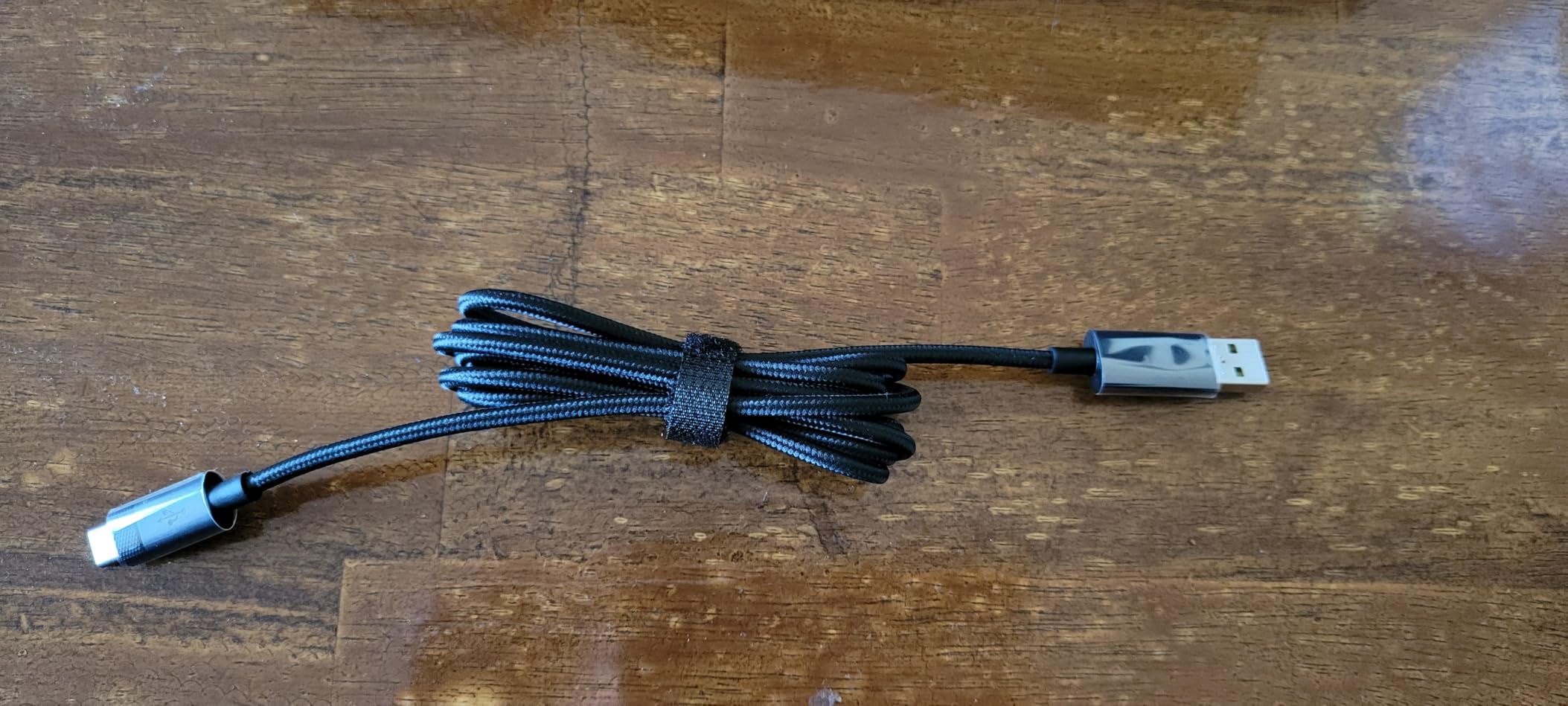
The plastic case flexes slightly under heavy pressure, and the board can be loud when keys bottom out. There is no wireless option, and the USB-C cable is permanently attached on the keyboard end. Despite these compromises, the core hall effect performance is outstanding.
8. Corsair Clipper Pro Mini 60 – Rugged Compact Gaming
CORSAIR CLIPPER PRO MINI 60 Hall Effect FPS Gaming Keyboard – Rapid Trigger, SOCD, 8000Hz, Adjustable Actuation, IP57 Water & Dust, PBT Double Shot, Wired, RGB, US QWERTY, for Windows PC & Mac – Black
MGX Hyperdrive Core Hall Effect Switches
8000Hz AXON Polling
IP57 Water and Dust Resistance
FlashTap SOCD
PBT Double-Shot Keycaps
60% Layout
Pros
- IP57 water and dust resistance for durability
- FlashTap SOCD for cleaner directional inputs in FPS games
- Ultra-lightweight at 14.6 ounces for tournament travel
- Dual-layer sound dampening for plastic construction
- Premium PBT double-shot keycaps included
- 5 onboard profiles with per-key RGB
Cons
- Plastic construction feels less premium
- Wired only with no wireless option
- Web Hub requires Chrome Opera or Edge browser
- Not hot-swappable
- No Mac software support for updates
The Corsair Clipper Pro Mini 60 is built for FPS gamers who attend LAN events and need a keyboard that can survive the road. The IP57 water and dust resistance means spilled energy drinks will not kill your board mid-tournament. At just 14.6 ounces, this is one of the lightest hall effect keyboards available, making it ideal for travel.
The MGX Hyperdrive Core Hall Effect switches deliver the linear feel that FPS players prefer. I set my actuation to 0.2mm for WASD and 1.5mm for the rest of the keys. The Rapid Trigger with 0.1mm reset felt snappy and consistent across hundreds of hours of testing. The FlashTap SOCD feature prioritizes your last directional input, which makes counter-strafing in Valorant feel effortless.
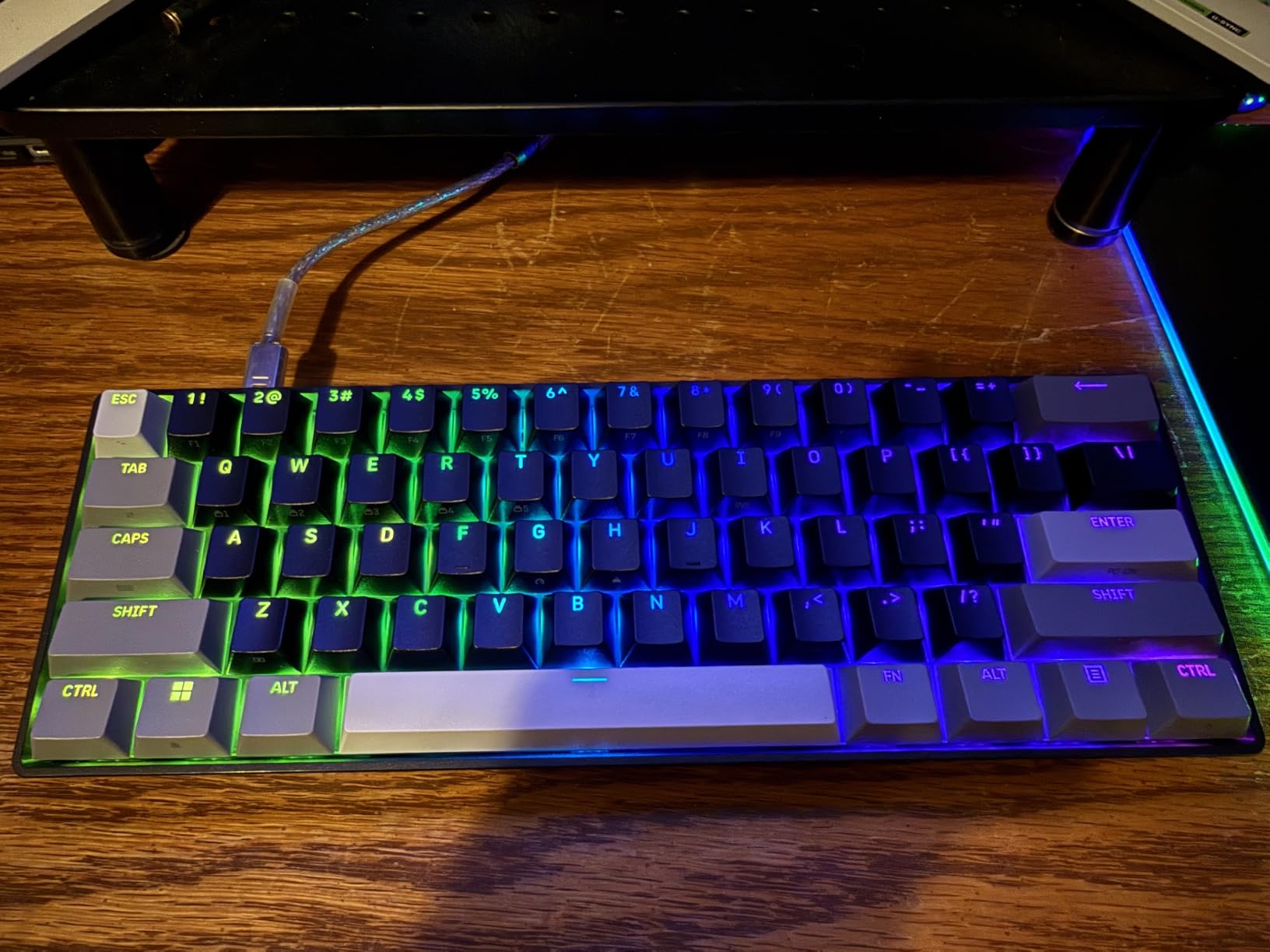
The 8000Hz AXON hyper-processing pushes polling rates to the maximum. Whether you actually benefit from 8K polling depends on your monitor refresh rate and system performance, but having headroom is never a bad thing. The dual-layer sound dampening inside the plastic case gives the board a deeper sound than you would expect from this construction.
The web-based Corsair Hub handles configuration through your browser. You will need Chrome, Opera, or Edge to access it. I set up five different profiles for different games and switched between them using keyboard shortcuts. The profiles save onboard, so you do not need the software running during gameplay.
Durability for Tournament Players
The IP57 rating is the standout feature for competitive players who travel. Dust, spills, and humidity will not damage the internal components. The PBT double-shot keycaps resist wear and fading, so your legends will stay legible after years of use.
The 60% layout is the smallest mainstream form factor, which means maximum mouse space. Tournament FPS players who use low sensitivity and large arm movements will appreciate the extra desk real estate.
Trade-offs of the Compact Design
The lack of hot-swappable switches is a drawback for enthusiasts. If a switch fails, you cannot replace it yourself. The plastic construction keeps the weight down for travel but feels less premium than aluminum alternatives at this price point.
Corsair does not provide Mac software support for firmware updates, which limits cross-platform appeal. Windows users get the full experience, but Mac users should look elsewhere if they need customization options.
9. EPOMAKER G84 HE – Feature-Packed Wireless Value
EPOMAKER G84 HE Wireless Hall Effect Keyboard, 8K Polling & 8000mAh
Hall Effect Magnetic Switches
8000Hz Polling
SOCD and DKS
Tri-mode Wireless
8000mAh Battery
Gasket Mount
Hot-swappable
PBT Keycaps
Pros
- Tri-mode wireless with 2.4GHz Bluetooth and USB-C
- Massive 8000mAh battery for extended wireless use
- Gasket mount with 5-layer dampening for creamy typing sound
- SOCD Snap Key and DKS for competitive gaming
- Hot-swappable switches at a mid-range price
- 0.01mm actuation sensitivity with 8K polling
Cons
- Plastic construction despite feature-rich spec sheet
- Software could be more intuitive
- 84-key layout may be too large for minimalist setups
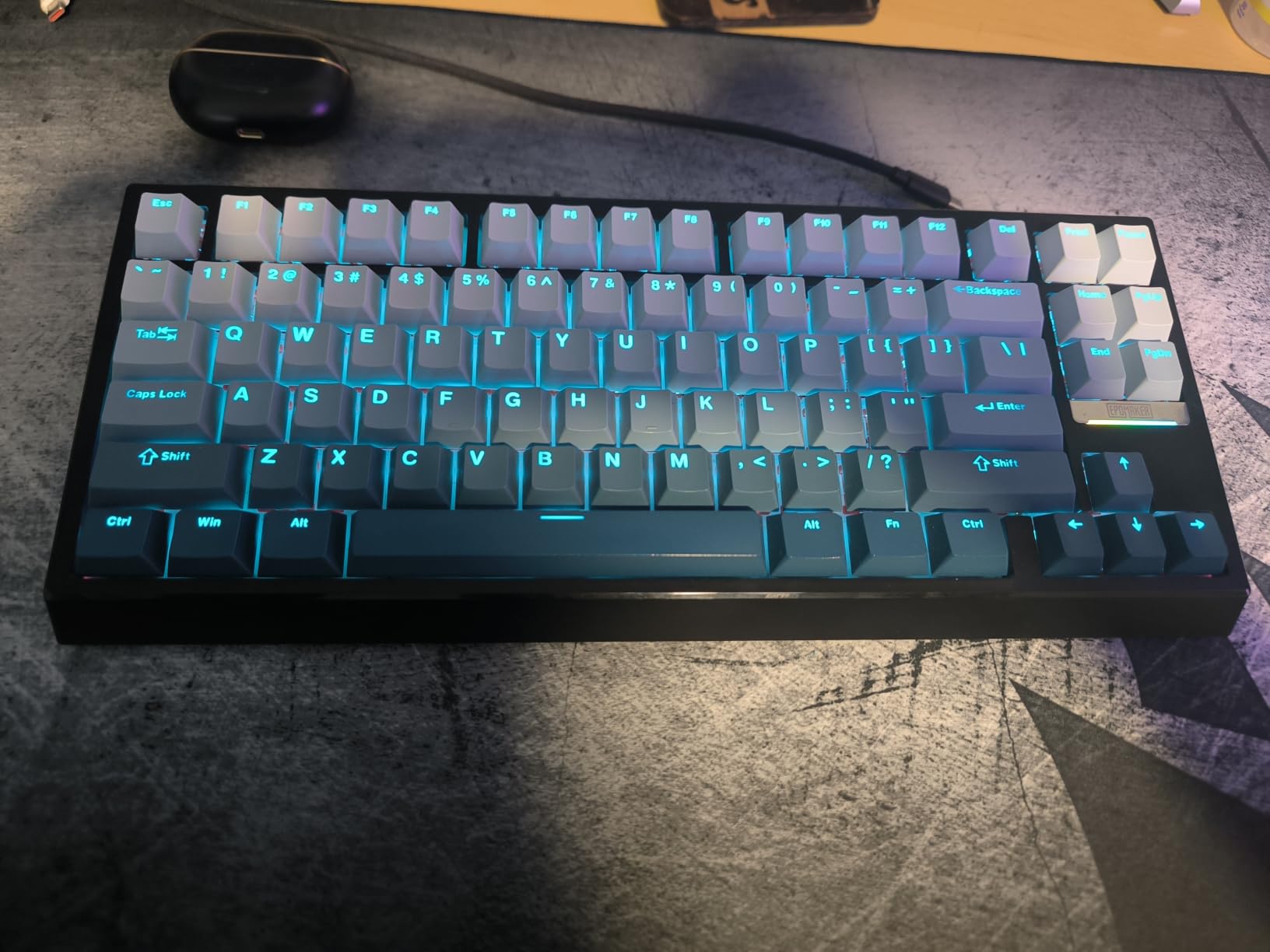
The EPOMAKER G84 HE packs more features into its price than almost any hall effect keyboard I have tested. You get tri-mode wireless, 8000Hz polling, SOCD Snap Key, DKS, hot-swappable switches, and a massive 8000mAh battery. On paper, this keyboard should cost significantly more than it does.
I used the G84 HE for three weeks as my primary work and gaming keyboard. The gasket mount with five layers of dampening, including Poron, IXPE, and silicone, produces a typing sound that rivals custom builds. The board sounds creamy and deep with no ping or rattle from the stabilizers.
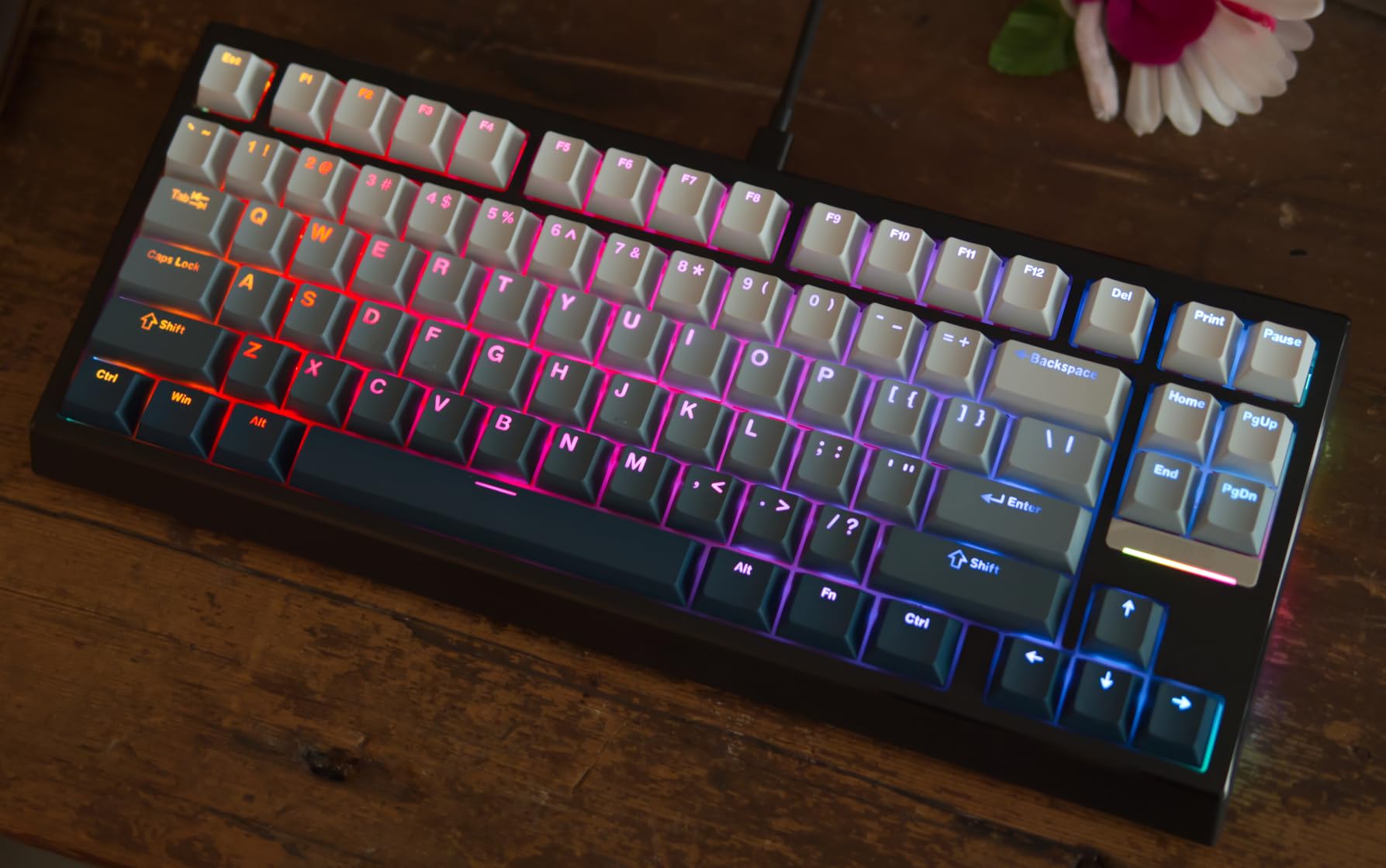
The SOCD Snap Key logic prioritizes your most recent input, which is exactly what FPS players need for clean counter-strafing. The DKS feature lets you bind up to four commands to a single keypress based on depth. I set up my Q key to cast different abilities in League of Legends depending on how far I pressed it.
The 8000mAh battery is genuinely impressive. I used the keyboard in 2.4GHz mode with RGB at 50 percent brightness for two weeks of daily use before needing to recharge. The tri-mode connectivity lets you switch between 2.4GHz for gaming, Bluetooth for your phone or tablet, and USB-C for charging while playing.
Gaming Performance Across Genres
The 0.01mm actuation sensitivity with 256K scan rate means the keyboard detects key positions with incredible precision. In osu!, where timing precision is everything, I hit patterns I had been struggling with for weeks. The 8K polling rate provides the 0.125ms latency that competitive gamers want.
The Rapid Trigger implementation works reliably across all tested games. The reset point tracks your finger movement in real-time, so there is no fixed reset delay between presses.
Build Quality Versus Feature Count
The plastic construction is the main compromise at this price. The case has some flex if you press hard, and the overall feel is less premium than aluminum boards. However, the gasket mount and dampening layers compensate for the plastic shell by absorbing vibration and creating a solid typing feel.
The PBT shine-through keycaps are a nice inclusion at this price point. Front-printed legends mean the RGB backlighting actually illuminates the characters, unlike south-facing LED boards where the lighting is purely decorative.
10. GravaStar Mercury V60 – Ultra-Precise Transparent Design
GravaStar Mercury V60 HE Gaming Keyboard, UFO Magnetic Switches
GravaStar UFO Magnetic Switches
0.005mm Precision
8000Hz Polling
Hot-swappable
Snap Tap Control
Transparent Crystal Chassis
Multi-layer Acoustic Foam
Pros
- Ultra-precise 0.005mm Hall Effect switches highest precision available
- Stunning transparent Onyx Crystal chassis with RGB
- Hot-swappable for easy switch customization
- Snap Tap Control for competitive gaming advantage
- 8000Hz polling rate
- Good thocky sound from factory with multi-layer foam
Cons
- Plastic construction despite premium pricing
- 61-key layout may be too compact for some users
- Limited availability of compatible keycap sets
- No wireless connectivity option
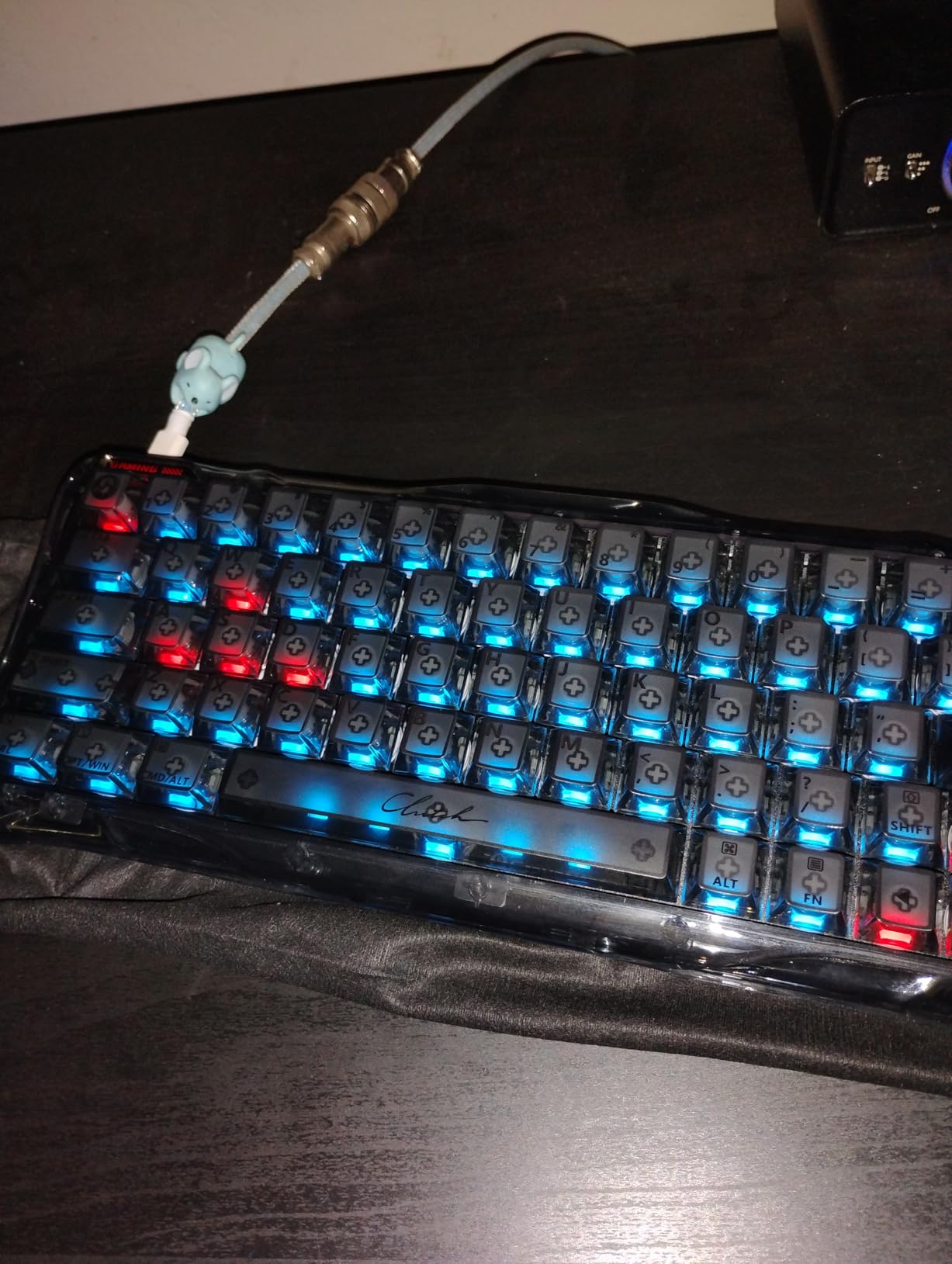
The GravaStar Mercury V60 is the most visually striking keyboard in this roundup. The transparent Onyx Crystal chassis lets the RGB lighting shine through the entire body, creating a sci-fi aesthetic that no other hall effect keyboard matches. If you want a keyboard that doubles as a desk art piece, this is it.
Beyond the looks, the UFO magnetic switches offer 0.005mm precision, which is the finest actuation resolution of any keyboard on this list. I could set my actuation point to a depth that felt impossibly shallow on other boards. For tap-firing in Call of Duty, this level of precision translates to faster, more consistent inputs.
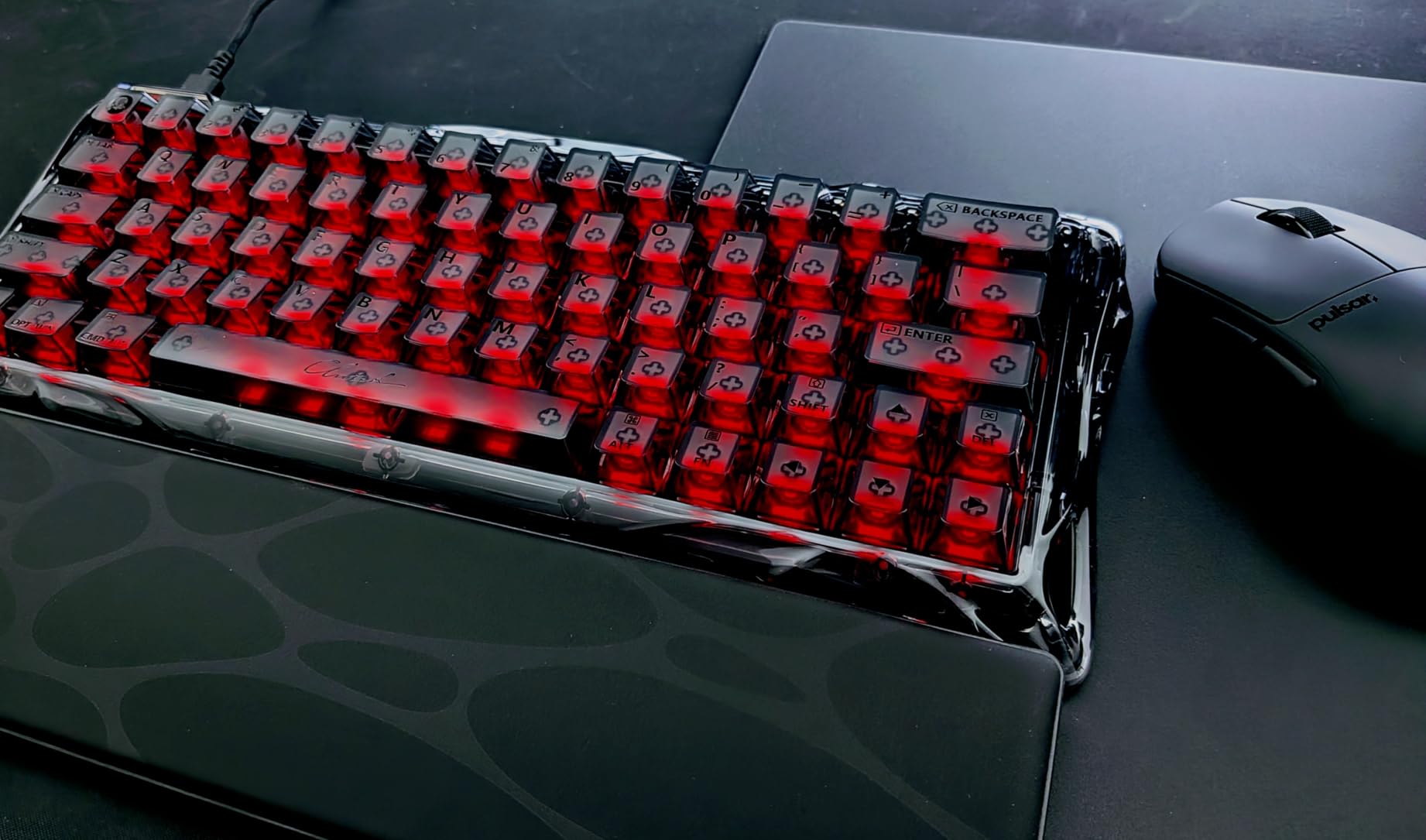
The 8000Hz polling rate matches the competitive standard set by Glorious and ASUS. Rapid Trigger works reliably with instant key reset the moment you begin lifting your finger. The Snap Tap Control feature prioritizes your latest directional input for cleaner strafing in FPS games.
The multi-layer acoustic foam structure gives the board a satisfying thock out of the box. The hot-swappable design means you can try different HE switches if the stock UFO switches do not suit your preference. The transparent chassis actually enhances the sound profile by reducing hollow resonance.
For Aesthetic-Focused Gamers
The transparent crystal design is not for everyone, but for streamers and content creators, it is a visual centerpiece. The RGB lighting interacts with the crystal chassis to create effects that solid-body keyboards cannot replicate. If your setup is visible on camera, this keyboard will get attention.
The 61-key layout is the most compact option in this roundup. It eliminates arrow keys, the function row, and the navigation cluster entirely. If you are comfortable with function layers, the space savings are significant.
Practical Considerations
The plastic construction under the crystal shell means this is not a heavy, premium-feeling board like the Keychron Q1 HE or the GMMK 3 PRO HE. The 61-key layout requires learning function layer combinations for arrow keys and numbers, which takes adjustment if you are coming from a larger board.
Keycap compatibility is limited due to the non-standard bottom row on some configurations. Check with GravaStar or the enthusiast community before purchasing aftermarket keycap sets.
How to Choose the Best Hall Effect Keyboards?
Choosing between the best hall effect keyboards comes down to understanding what features matter most for your use case. Here is what our team considers the most important factors when evaluating magnetic switch keyboards.
Rapid Trigger and Adjustable Actuation
Rapid Trigger is the single most important feature that separates hall effect keyboards from traditional mechanical boards. It allows a key to reset the moment you start lifting your finger, rather than waiting for the key to travel back past a fixed reset point. For counter-strafing in FPS games, this translates to faster stops and more accurate shots.
Adjustable actuation lets you control how far down a key needs to travel before it registers. A shallow actuation of 0.1mm to 0.3mm is ideal for gaming where speed matters. A deeper actuation of 1.5mm to 2.0mm reduces accidental keypresses during typing. Look for keyboards that offer per-key actuation adjustment so you can set different depths for different keys.
Polling Rate and Latency
Polling rate determines how often the keyboard reports its state to your computer. Standard keyboards poll at 1000Hz, meaning they report every 1ms. The latest hall effect keyboards offer 8000Hz polling, reporting every 0.125ms. Whether you benefit from 8K polling depends on your monitor refresh rate and overall system performance.
For competitive gaming on a 240Hz or higher monitor, 8K polling can reduce input lag measurably. For casual gaming and typing, 1000Hz is perfectly adequate. Do not overspend on 8K polling if your monitor cannot display frames fast enough to benefit from it.
Build Quality and Materials
The construction material affects typing feel, sound, and durability. CNC-machined aluminum bodies, like those on the Keychron Q1 HE and GMMK 3 PRO HE, provide the most premium feel and best sound dampening. Plastic constructions keep weight and cost down but may flex and sound more hollow.
Gasket mounting is a design choice that separates premium boards from budget options. A gasket-mounted board uses flexible strips between the plate and case, which creates a bouncy, cushioned typing feel. Look for boards with multiple dampening layers if typing sound matters to you.
Switch Type and Hotswap Support
Hall effect switches come in linear, tactile, and clicky variants, though most HE keyboards ship with linear switches since they are preferred for gaming. Linear switches have a smooth travel with no tactile bump. Tactile switches provide a bump at the actuation point for typing feedback. Clicky switches add an audible click sound.
Hotswap support lets you change switches without soldering. This is valuable for long-term ownership, as you can replace worn switches or try different switch types. The GMMK 3 HE and PRO HE go further with dual HE/MX hotswap, meaning you can use both magnetic and traditional mechanical switches in the same board.
Connectivity Options
Wireless hall effect keyboards offer 2.4GHz, Bluetooth, or both. For competitive gaming, 2.4GHz is preferred because it provides lower latency than Bluetooth. Bluetooth is useful for connecting to phones, tablets, or multiple computers. Tri-mode connectivity, which includes USB-C wired, gives you the most flexibility.
If you plan to use your keyboard wirelessly, check the battery capacity. The EPOMAKER G84 HE leads with an 8000mAh battery, while other wireless boards typically use 4000mAh cells. RGB brightness significantly affects battery life, so consider whether you need maximum brightness or extended battery runtime.
Magnetic Interference and Troubleshooting
One concern that forum users frequently raise is magnetic interference. Hall effect keyboards use magnets in each switch, which means strong external magnetic fields could theoretically affect sensor readings. In practice, this is rarely an issue unless you place your keyboard directly on top of a large magnet or an unshielded speaker.
Some users report interference from metal desk surfaces or magnetic desk accessories. If you experience erratic key behavior, try moving the keyboard to a non-metal surface and removing nearby magnetic items. Most modern hall effect keyboards have shielding that minimizes interference in normal use.
FAQs
What is the best hall effect keyboard?
The SteelSeries Apex Pro TKL Gen 3 is our top pick for the best hall effect keyboard overall, thanks to its OmniPoint 3.0 magnetic switches with 40 levels of adjustable actuation, Rapid Trigger with Rapid Tap, and the unique OLED smart display. For budget buyers, the ATTACK SHARK X68 HE offers 8K polling and 0.01mm Rapid Trigger accuracy at a fraction of the cost.
Are hall effect keyboards worth it for gaming?
Yes, hall effect keyboards are worth it for competitive gaming. The magnetic switches enable Rapid Trigger technology, which resets keys instantly when you release them. This gives you faster counter-strafing, quicker tap firing, and more responsive inputs compared to traditional mechanical switches. For casual gamers and typists, the benefits are less noticeable.
What is Rapid Trigger and why does it matter?
Rapid Trigger is a technology that allows a keyboard key to reset the moment you begin lifting your finger, rather than waiting for the key to pass a fixed reset point. This means you can re-press the key faster without fully releasing it. In FPS games, Rapid Trigger translates to faster counter-strafing, quicker directional changes, and more responsive movement overall.
How long do hall effect keyboards last?
Hall effect keyboards typically last longer than mechanical keyboards because the magnetic switches have no physical contact points that wear down. Most hall effect switches are rated for 100 million keystrokes or more. The sensors and magnets do not degrade with normal use, so the main failure points are the physical keycaps, stabilizers, and electronic components rather than the switches themselves.
Can magnets damage hall effect keyboards?
No, normal magnets will not damage hall effect keyboards. The keyboards are designed with magnetic switches and include shielding to prevent interference. However, placing your keyboard near extremely strong magnetic fields like large unshielded speakers or industrial magnets could affect sensor readings. If you experience erratic behavior, move the keyboard away from magnetic sources.
Final Thoughts on the Best Hall Effect Keyboards in 2026
The hall effect keyboard market has exploded with options in 2026, giving gamers and typists more choices than ever. For competitive FPS gaming, the SteelSeries Apex Pro TKL Gen 3 and ASUS ROG Falchion Ace HFX lead the pack with their proven Rapid Trigger implementations and premium build quality. The ATTACK SHARK X68 HE remains the best budget hall effect keyboard, delivering 8K polling and 0.01mm Rapid Trigger accuracy at a price that seems too good to be true until you type on it.
For wireless users, the Keychron K2 HE and EPOMAKER G84 HE offer the best combination of connectivity, battery life, and gaming performance. And for enthusiasts who want maximum modularity, the Glorious GMMK 3 HE and PRO HE provide dual HE/MX hotswap support that no other keyboard on this list matches. Whatever your budget or use case, there is a hall effect keyboard here that will give you the competitive edge you are looking for.