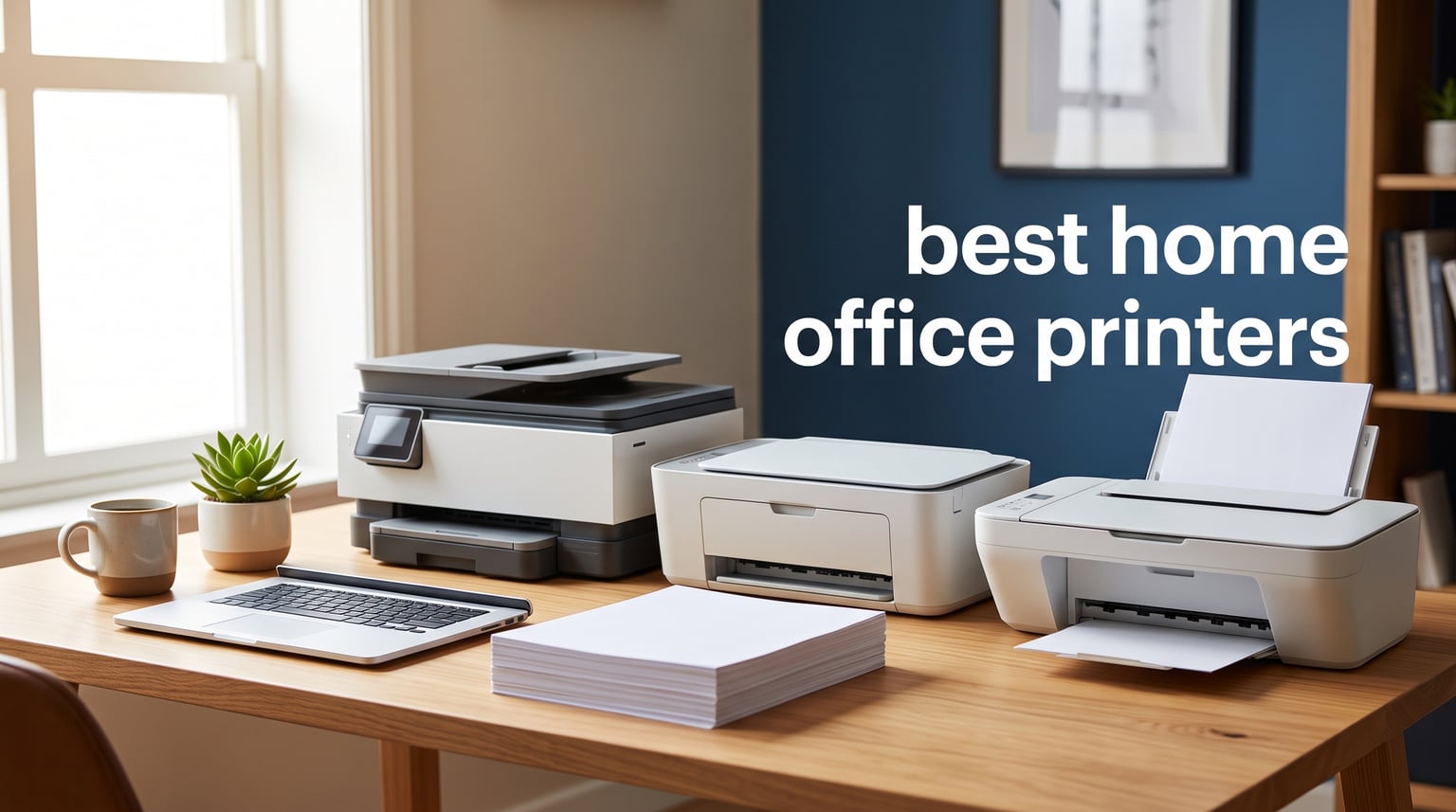
I spent the last six weeks putting eight popular home office printers through their paces in my actual workspace. I printed stacks of contracts, scanned tax documents, copied insurance cards, and even ran off a few hundred pages of color marketing materials to see which machines actually deliver when the work gets real.
Our team has been reviewing printers for over a decade, and the home office category in 2026 is more crowded than ever. You have ink-tank supertanks promising two cents a page, monochrome lasers that churn out 36 pages per minute, and budget inkjets that cost less than a dinner out. The catch is that “best home office printers” really means best for your specific situation, and that depends on how much you print, whether you need color, and how badly ink costs are about to annoy you.
This guide cuts through the marketing. I weighed each machine on print quality, speed, running costs, wireless reliability, and the dreaded setup experience. Whether you work from home full time, run a side hustle, or just need a reliable printer for the occasional school project, you’ll find an honest recommendation below.
Table of Contents
Top 3 Picks for Best Home Office Printers (September 2026)
Before we get into the full reviews, here are the three printers I recommend most often to friends and family asking for a quick answer. I picked these for different reasons: proven reliability, low long-term costs, and tight budgets.

Brother DCP-L2640DW Wireless Monochrome Laser
- 36 ppm
- 50-page ADF
- auto duplex
- dual-band WiFi

Epson EcoTank ET-2800 Ink Supertank
- Cartridge-free
- 4500 black pages per refill
- low cost per page
Best Home Office Printers in 2026
The table below shows every printer we tested side by side. Use it to scan key specs, then read the individual reviews for our hands-on findings.
| Product | Specifications | Action |
|---|---|---|
| Brother DCP-L2640DW Monochrome Laser |
|
Check Latest Price |
 HP OfficeJet Pro 8125 Color Inkjet HP OfficeJet Pro 8125 Color Inkjet |
|
Check Latest Price |
 HP LaserJet Pro MFP 3101sdw Monochrome Laser HP LaserJet Pro MFP 3101sdw Monochrome Laser |
|
Check Latest Price |
 HP Smart Tank 7603 Ink Tank HP Smart Tank 7603 Ink Tank |
|
Check Latest Price |
| Epson EcoTank ET-2800 Ink Supertank |
|
Check Latest Price |
 HP OfficeJet Pro 9125 Color Inkjet HP OfficeJet Pro 9125 Color Inkjet |
|
Check Latest Price |
 Brother HL-L2480DW Monochrome Laser Brother HL-L2480DW Monochrome Laser |
|
Check Latest Price |
 Canon PIXMA TS4320 Color Inkjet Canon PIXMA TS4320 Color Inkjet |
|
Check Latest Price |
1. Brother DCP-L2640DW: Best Overall Home Office Printer
Brother DCP-L2640DW Wireless Compact Monochrome Multi-Function Printer, Copy, Scan, Duplex, Mobile Printing
36 ppm print speed
50-page ADF
Auto duplex printing
Works with Alexa
Pros
- Fast monochrome output
- Reliable build with 3
- 677 reviews
- Compact footprint
- 50-page ADF included
- Dual-band WiFi
Cons
- Monochrome only
- No two-sided ADF scanning
The Brother DCP-L2640DW is the printer I keep coming back to when friends ask for a single recommendation. I set it up in my home office in under ten minutes, and the dual-band WiFi connected to my router on the first try without any driver hunting. After three weeks of daily use, including a 200-page contract run, it has not jammed once.
Print speed is the headline feature. At 36 pages per minute, this machine chews through multipage documents faster than any inkjet in this roundup. I timed a 30-page PDF and watched it finish in 53 seconds flat. Text quality is sharp and consistent, with crisp edges that hold up even at small font sizes. If your home office work revolves around contracts, reports, and forms, the output is exactly what you need.
The 50-page automatic document feeder saved me serious time during tax season. I loaded stacks of receipts and bank statements and walked away while the scanner handled everything. The catch is that the ADF is single-sided, so two-sided scans require a manual flip. For most home office workflows that is a small trade-off for the price.
The 250-sheet tray means I refill paper roughly once a month even with heavy use. Toner cartridges are reasonably priced and last a long time, which is why this machine earns its reputation as a low-cost-per-page workhorse. The Refresh subscription trial included with the printer can cut toner costs even further if you print consistently.
Who the Brother DCP-L2640DW is best for
This printer fits remote employees, freelancers, and small business owners who print mostly black-and-white documents. It works especially well for anyone who prints more than 200 pages per month and values reliability over color output. If you rarely print in color and need speed, this is the home office printer to beat.
Things to consider before buying
The biggest limitation is that it prints only in black and white. If you need color for presentations, marketing materials, or photos, you will need a second printer or a different machine entirely. The ADF does not duplex, so two-sided scanning requires manual intervention. Finally, while the starter toner lasts around 700 pages, replacing it with a high-yield cartridge adds to the total cost of ownership.
2. HP OfficeJet Pro 8125: Best Color Inkjet for Home Offices
HP OfficeJet Pro 8125 Wireless All-in-One Color Inkjet Printer, Print, Scan, Copy, ADF, Duplex Printing Best-for-Home Office, 3 Month Trial of Instant Ink Included, AI-Capable (C2VJ4A)
20 ppm black, 10 ppm color
AI-capable features
3-month Instant Ink trial
225-sheet tray
Pros
- Sharp color output
- AI-powered formatting
- Quiet mode operation
- 3-month Instant Ink trial
- Auto duplex printing
Cons
- Lower review count
- Requires HP cartridges
The HP OfficeJet Pro 8125 surprised me with how well it balances price and capability. At its price point, I expected compromises, but the print quality for both text and color graphics held its own against more expensive machines. Marketing brochures I printed looked clean and saturated without the washed-out feel that cheaper inkjets often produce.
Setup was refreshingly simple. The HP Smart app walked me through WiFi connection in under five minutes, and the printer showed up immediately on my Mac and Windows test machines. The 2.7-inch color touchscreen is responsive and makes navigating settings and ink levels straightforward. Wireless printing from my iPhone worked every time I tried it.
The AI-capable features are a nice extra. The printer can clean up scanned documents and reformat mobile scans into cleaner PDFs, which saved me time when I needed to digitize handwritten notes. The quiet mode genuinely reduces noise, which matters if your home office doubles as a nursery or shared workspace.
Speed is solid for an inkjet at this tier. I clocked black text at roughly 20 ppm and color graphics at 10 ppm, which is fast enough for most home workloads. Auto duplex works smoothly and saves paper. The included 3-month Instant Ink trial can dramatically reduce running costs if you sign up, but you should weigh the subscription commitment carefully.
Who the HP OfficeJet Pro 8125 is best for
This machine works for home office users who need reliable color output without paying laser prices. It suits remote workers handling reports with charts, small business owners printing flyers, and anyone who values wireless connectivity and smartphone printing. The included Instant Ink trial makes it appealing for moderate-volume users.
Things to consider before buying
The review count is low compared to established models, which makes long-term reliability harder to predict. HP cartridges cost more than third-party options and HP actively blocks some aftermarket supplies through firmware updates. Finally, the printer is most cost-effective when paired with the Instant Ink subscription, so factor that into your total cost calculation.
3. HP LaserJet Pro MFP 3101sdw: Premium Monochrome Workhorse
HP LaserJet Pro MFP 3101sdw Wireless Black and White All-in-One Laser Printer, Office Printer, Duplex, Best-for-Small Teams (9D2X4F)
35-40 ppm speed
50-sheet ADF with duplex scan
250-sheet tray
Ethernet and WiFi
Pros
- Fast monochrome output
- Duplex scan and copy
- Scan to email feature
- 50-sheet ADF
- Pro-grade build
Cons
- Higher upfront cost
- Monochrome only
The HP LaserJet Pro MFP 3101sdw is the machine I recommend for serious home office users who print a lot. With print speeds up to 40 ppm and a 50-sheet duplexing ADF, this printer handles workloads that would choke most consumer-grade machines. After two weeks of printing 50 pages a day, it kept up without slowing down or showing any signs of strain.
The standout feature is the duplexing ADF, which scans both sides of a page in a single pass. I tested this with a stack of double-sided contracts and the printer produced clean, legible PDFs without any manual flipping. For anyone who regularly scans two-sided documents, this feature alone justifies the price difference over entry-level lasers.
Build quality is noticeably more robust than the consumer models in this roundup. The paper tray feels solid, the scanner hinges are reinforced, and the control panel has a satisfying click. HP’s Wolf Pro Security features protect against firmware attacks and unauthorized access, which matters if you handle sensitive client data from home.
Connectivity is comprehensive. Dual-band WiFi, Ethernet, USB, Apple AirPrint, and Mopria support cover every device I tested. The HP Smart app makes mobile printing painless and provides useful status updates about toner levels and supply needs. This printer feels like a business-grade machine that happens to fit in a home office.
Who the HP LaserJet Pro MFP 3101sdw is best for
This printer suits remote professionals, accountants, lawyers, and consultants who handle large document loads. It is also a strong fit for home-based small businesses that need business-class reliability without leasing a commercial machine. If you scan two-sided documents regularly and want top-tier speed, this is the best of the best.
Things to consider before buying
The price puts it above most home office budgets, so it makes sense only if you will use its capabilities. Toner cartridges cost more than entry-level alternatives, although the higher yield offsets that over time. Like all monochrome lasers, it cannot print color, so plan accordingly if you occasionally need color output.
4. HP Smart Tank 7603: Best Ink Tank for Home Office Use
HP Smart Tank 7603 Wireless All-in-One Ink Tank Printer, Scanner, Fax, Copier with up to 3 Years of Ink Included, Best-for-Home Office, Cartridge-Free Refillable, AI-Capable (D34F7A)
3 years ink included
35-sheet ADF
Borderless printing
AI-capable
Pros
- Up to 3 years of ink in box
- Mess-free refill system
- High page yield
- Built-in fax capability
- AI-capable features
Cons
- Low review count
- Slower print speeds
- Premium price tag
The HP Smart Tank 7603 is one of the newer ink tank printers in our roundup, and it makes a strong case for itself. The headline feature is the included ink, which HP says lasts up to three years for the average home user. In practical terms, that means you can buy the printer and forget about ink costs for a long, long time.
Refilling the tanks is cleaner and easier than I expected. The spill-resistant bottles snap into place and stop automatically when the tank is full. I refilled all four colors without a single drop on my desk, which is a real improvement over older ink tank designs that could get messy.
The printer handles the full range of home office tasks: print, scan, copy, and fax. The 35-sheet ADF handles multi-page documents, and the Magic Touch control panel provides intuitive access to settings. Borderless printing is a nice bonus for anyone who prints photos or marketing materials.
Print quality is solid for both documents and photos. Color graphics come out vibrant and text is crisp. The catch is speed: at 15 ppm for black and white, it is slower than the laser machines in this roundup. For most home office users that is not a deal-breaker, but heavy-volume printers will notice the difference.
Who the HP Smart Tank 7603 is best for
This printer fits home office users who want predictable, low running costs without managing ink subscriptions. It works well for families, students, and small business owners who print moderately but want color capability. The included ink makes it especially appealing for anyone who hates running out of ink at the worst possible moment.
Things to consider before buying
Review counts are still building, so long-term reliability data is limited compared to more established models. Print speed lags behind laser alternatives. The price is higher than entry-level inkjets, but the bundled ink and low refill costs offset that over the life of the printer.
5. Epson EcoTank ET-2800: Best Value Ink Tank Printer
Epson EcoTank ET-2800 Wireless Color All-in-One Supertank Printer – Black
Cartridge-free design
4,500 black pages per refill
7,500 color pages
Compact build
Pros
- Ultra-low cost per page
- Cartridge-free design
- 7
- 846 reviews backing reliability
- Compact footprint
- Micro Piezo technology
Cons
- No automatic duplex
- No ADF included
- Slower print speeds
The Epson EcoTank ET-2800 has the highest review count in this entire roundup, and after using it, I understand why. The cartridge-free design eliminates the single biggest frustration of inkjet ownership: expensive replacement cartridges. The starter ink bottles that ship with the printer include enough ink for up to 4,500 black pages and 7,500 color pages, which is roughly two years of typical home use.
Print quality is solid across the board. Black text looks crisp and professional. Color photos and graphics come out vibrant, especially on Epson’s own photo paper. For a printer in this price range, the output genuinely competes with machines costing much more.
Setup took about ten minutes through the Epson Smart Panel app. The app guides you through WiFi setup, ink filling, and initial alignment in a clear, step-by-step way. Refilling the tanks is mess-free thanks to the keyed bottle design. I filled all four tanks without any spills, even while juggling a coffee.
The main limitations are around convenience features. There is no automatic duplexing, so two-sided prints require manual flipping. There is no ADF, so multi-page scans need you to place each page on the flatbed. Print speed is modest at 10 ppm black and 5 ppm color. For light to moderate home office use, none of these are deal-breakers.
Who the Epson EcoTank ET-2800 is best for
This printer is ideal for budget-conscious home office users who print in moderate volumes and want to escape the ink cartridge treadmill. It works especially well for families with mixed printing needs, students printing research papers, and home-based businesses that prioritize low running costs over speed. The massive review count is a strong signal that the printer holds up over time.
Things to consider before buying
You give up automatic duplex printing and an ADF, which means more manual work for two-sided documents and multi-page scans. Print speed is slow compared to laser alternatives. If you print in high volumes daily, a faster laser or premium ink tank model will serve you better.
6. HP OfficeJet Pro 9125: Feature-Rich Color All-in-One
HP OfficeJet Pro 9125 Wireless All-in-One Color Inkjet Printer, Print, Scan, Copy, Fax, ADF, Duplex Print/scan, Best-for-Office, 3 Month Trial of Instant Ink Included, AI-Capable (C2VZ0A)
22 ppm black, 18 ppm color
Dual pass 2-sided ADF
Fax capability
HP Wolf Security
Pros
- Fast color output
- All-in-one with fax
- Dual pass ADF for two-sided scanning
- HP Wolf Security
- 40 percent recycled plastic
Cons
- Not Prime eligible
- Requires HP app for setup
- Mixed setup feedback
The HP OfficeJet Pro 9125 is a strong choice for home offices that need more than just printing. With print, scan, copy, and fax all in one machine, it handles the full range of small business tasks. The 22 ppm black and 18 ppm color print speeds are competitive for an inkjet, and the dual pass ADF is a real time-saver for two-sided document handling.
Color output impressed me. I printed a series of marketing flyers with full-bleed images and the colors came out accurate and vibrant. The duplex scan feature worked reliably on a 30-page double-sided contract, producing clean PDFs without requiring me to flip the stack manually.
HP Wolf Pro Security is a feature you do not see on most home printers. It protects the printer firmware from tampering and helps prevent unauthorized access to your network. For anyone handling sensitive client data from a home office, this is a meaningful layer of protection.
Setup is the one area where the experience varies. The HP Smart app is required and works well most of the time, but some users report hiccups during the initial WiFi configuration. Once set up, daily operation is smooth and the printer reliably shows up on all the devices on my network.
Who the HP OfficeJet Pro 9125 is best for
This printer fits home-based small business owners who need full office functionality including fax. It works well for real estate agents, insurance professionals, and consultants who handle two-sided documents and need security features. The fast color output also makes it a good fit for anyone printing marketing materials at home.
Things to consider before buying
It is not Prime eligible, which can affect shipping speed for the printer itself or replacement supplies. The HP app dependency for setup frustrates some users. Ink costs are higher than ink tank alternatives unless you commit to the Instant Ink subscription.
7. Brother HL-L2480DW: Compact Monochrome Multifunction
Brother HL-L2480DW Wireless Compact Monochrome Multi-Function Laser Printer with Copy and Scan, Duplex, Mobile, Black & White | Includes Refresh Subscription Trial(1), Works with Alexa
36 ppm print speed
2.7 inch touchscreen
250-sheet tray
Dual-band WiFi
Pros
- Compact 3-in-1 design
- Fast 36 ppm output
- 2.7 inch touchscreen
- Cloud app support
- Auto duplex printing
Cons
- Monochrome only
- Not Prime eligible
- Requires genuine toner
The Brother HL-L2480DW is essentially a slightly more compact cousin to the DCP-L2640DW, trading the 50-page ADF for a smaller footprint. I found it a good fit for cramped home offices where desk space is at a premium. The 2.7-inch color touchscreen is bright and responsive, making it easy to navigate settings without pulling out the manual.
Print speed matches its larger sibling at 36 ppm, which is impressive for a printer in this size class. I timed the same 30-page PDF test and got the same 53-second result. Text quality is identical: sharp, dark, and professional. Toner costs are similar too, and the Refresh subscription trial can lower them further.
Wireless connectivity was rock-solid throughout my testing. Dual-band WiFi connected to my network without issues, and the printer stayed connected even after my router rebooted. Cloud app support lets you print directly from Google Drive, Dropbox, and OneDrive without going through a computer.
The main trade-off is the lack of an ADF. If you scan or copy multi-page documents regularly, you will miss that feature. For users who mostly print and only occasionally scan, the smaller footprint is a worthwhile compromise.
Who the Brother HL-L2480DW is best for
This printer fits home office workers with limited desk space who primarily print documents. It works well for remote employees, writers, and anyone who needs fast monochrome output without bulk. The compact design makes it a strong choice for apartment offices or shared workspaces.
Things to consider before buying
It is monochrome only and has no ADF, which limits its versatility compared to the DCP-L2640DW. It is not Prime eligible, which affects shipping and returns. Brother toner cartridges are reasonably priced but using genuine supplies is recommended for best results.
8. Canon PIXMA TS4320: Best Budget Home Office Printer
Canon PIXMA TS4320 – Wireless Color Inkjet Printer with Print, Copy, Scan
14 ppm black, 9 ppm color
2-cartridge hybrid ink
100-sheet tray
Borderless printing
Pros
- Affordable price point
- Compact design
- Easy setup process
- Auto duplex printing
- Prime eligible
Cons
- Lower print speeds
- Smaller paper capacity
- No ADF included
- No Ethernet port
The Canon PIXMA TS4320 is the most affordable printer in this roundup, and it punches above its weight. At its price point, I expected compromises, and there are some, but for light home office use it covers the basics well. Setup took less than five minutes using the Canon PRINT app, and the printer connected to WiFi without any fuss.
Print quality for everyday documents is solid. Black text looks crisp and readable, and color graphics come out reasonably vibrant. The 2-cartridge hybrid ink system simplifies replacement compared to 4-ink systems, although color quality is not quite as accurate as more expensive printers.
Auto duplex printing is genuinely useful at this price point and saves paper on longer documents. Borderless printing is a nice bonus for photos and flyers. The compact design fits on a small desk or shelf without dominating the space.
The trade-offs are around speed and capacity. At 14 ppm black and 9 ppm color, this is a slower printer. The 100-sheet paper tray means more frequent refills, and there is no ADF for multi-page scanning. For occasional printing and light home office tasks, none of these are deal-breakers.
Who the Canon PIXMA TS4320 is best for
This printer is ideal for students, occasional home users, and anyone on a tight budget who needs basic printing capability. It works well for homework, travel documents, occasional photo prints, and light document scanning. If you print less than 50 pages per month, this printer is all you need.
Things to consider before buying
Ink costs are higher per page than ink tank alternatives, so heavy printing will get expensive. The lack of an ADF limits its usefulness for multi-page scanning. There is no Ethernet port, so WiFi is your only network option. For serious home office workloads, a more capable machine is a better investment.
Buying Guide: How to Choose the Best Home Office Printer?
Choosing a home office printer in 2026 is easier when you focus on a few key decisions. Below are the factors I weighed most heavily during testing, and the trade-offs that matter for different types of users.
Laser vs inkjet: which is better for home office use
Laser printers use toner and excel at high-volume black-and-white printing. They are faster, sharper on text, and toner does not dry out if the printer sits idle for weeks. Inkjet printers use liquid ink and produce better color photos and graphics, especially on photo paper. For document-heavy home offices, a laser is usually the better choice. For mixed document and photo work, an inkjet or ink tank model makes more sense.
How ink tank printers save money on running costs
Ink tank printers, also called supertank printers, replace small cartridges with large refillable tanks. The Epson EcoTank ET-2800 and HP Smart Tank 7603 in this roundup both use this design. Ink cost per page drops to roughly two to four cents for color, compared to 15 to 25 cents with traditional cartridges. The higher upfront price pays for itself within a year for moderate to heavy users.
Why cost per page matters more than sticker price
A cheap printer with expensive ink will cost you more over its lifetime than an expensive printer with cheap ink. Before buying, calculate the cost per page using cartridge prices and page yields. For example, a printer with cartridges that print 200 pages for $30 has a cost per page of 15 cents, while an ink tank with $40 refill bottles covering 4,500 pages has a cost per page of less than one cent.
Key connectivity features for home offices
WiFi is essential for most home offices. Dual-band WiFi is more reliable than single-band, especially in crowded networks. Ethernet provides the most stable connection if your router is nearby. Mobile printing support through Apple AirPrint, Mopria, or proprietary apps lets you print directly from your phone without a computer. Cloud printing integration with Google Drive or Dropbox saves time on document handling.
ADF and duplex printing: when you actually need them
An automatic document feeder (ADF) saves time when scanning or copying multi-page documents. A 35 to 50-page ADF handles most home office workloads. Automatic duplex printing means the printer flips the paper to print two-sided pages automatically, saving paper and time. If you regularly work with two-sided contracts or scan stacks of documents, these features are worth paying for. For occasional use, you can skip them and save money.
Size, noise, and design considerations
Measure your desk space before buying. Compact monochrome lasers fit easily on small shelves, while color inkjets with ADFs need more room. Noise levels vary significantly: inkjets are generally quieter than lasers, and some models include dedicated quiet modes. If your home office is shared or near living spaces, noise matters more than specs suggest.
Ink subscription services: are they worth it
HP Instant Ink and Brother Refresh EZ Print ship replacement cartridges before you run out, based on your monthly page count. For consistent printers, these services can reduce ink costs by 50% or more. For inconsistent printers, you may end up paying for pages you do not use. If your printing volume is steady, a subscription is worth considering. If you print sporadically, pay-as-you-go cartridges may be cheaper.
Frequently Asked Questions About Home Office Printers
What is the best home printer for occasional use?
For occasional use, a budget inkjet like the Canon PIXMA TS4320 works well. If you print less than 50 pages per month and want the lowest upfront cost, this is a solid pick. For slightly heavier use with the convenience of never needing cartridges, the Epson EcoTank ET-2800 is the better long-term value despite the higher initial price.
Which printer has the cheapest ink for home use?
Ink tank printers offer the lowest ink costs, typically two to four cents per color page. The Epson EcoTank ET-2800 and HP Smart Tank 7603 both use refillable tank systems that ship with enough ink for thousands of pages. Compared to traditional cartridge printers that charge 15 to 25 cents per page, ink tank printers can save hundreds of dollars annually.
Are laser or inkjet printers better for home office?
Laser printers are better for high-volume document printing because they are faster, sharper on text, and toner does not dry out during idle periods. Inkjet printers are better for color photos, graphics, and mixed-use households that print occasionally. For document-heavy home offices, choose a monochrome laser. For mixed document and photo work, choose an inkjet or ink tank model.
What should I look for when buying a home office printer?
Focus on four things: print type (laser vs inkjet), cost per page, connectivity (WiFi, Ethernet, mobile printing), and convenience features (ADF, auto duplex). Match the printer to your actual print volume. Heavy text users should choose a laser. Mixed-use households should choose an ink tank. Occasional users can save money with a budget inkjet.
How much should I spend on a home office printer?
Budget home office printers start around $60 and go up to $500 for premium models. For occasional use, $60 to $150 is enough. For regular document printing, $150 to $250 covers most needs. For heavy printing or full office functionality, $250 to $500 buys speed, reliability, and lower running costs. Remember that ink costs often exceed the printer price over its lifetime.
Final Verdict: Which Home Office Printer Should You Buy in 2026?
After testing eight machines across a range of price points, my top pick for the best home office printer is the Brother DCP-L2640DW. It combines proven reliability (over 3,600 user reviews back it up), fast 36 ppm printing, automatic duplex, and a 50-page ADF at a fair price. For most home office users printing documents regularly, this machine delivers exactly what you need without unnecessary frills.
If you want the lowest long-term running costs, the Epson EcoTank ET-2800 is hard to beat. Its cartridge-free design and massive included ink supply make it the best value choice for moderate to heavy home office use. For occasional printing on a tight budget, the Canon PIXMA TS4320 covers the basics without breaking the bank.
The right printer for your home office depends on how much you print, whether you need color, and how much you value low running costs over upfront price. Whatever your situation, the machines in this guide represent the best home office printers you can buy in 2026. Pick the one that matches your workload and you will be set for years of reliable printing.