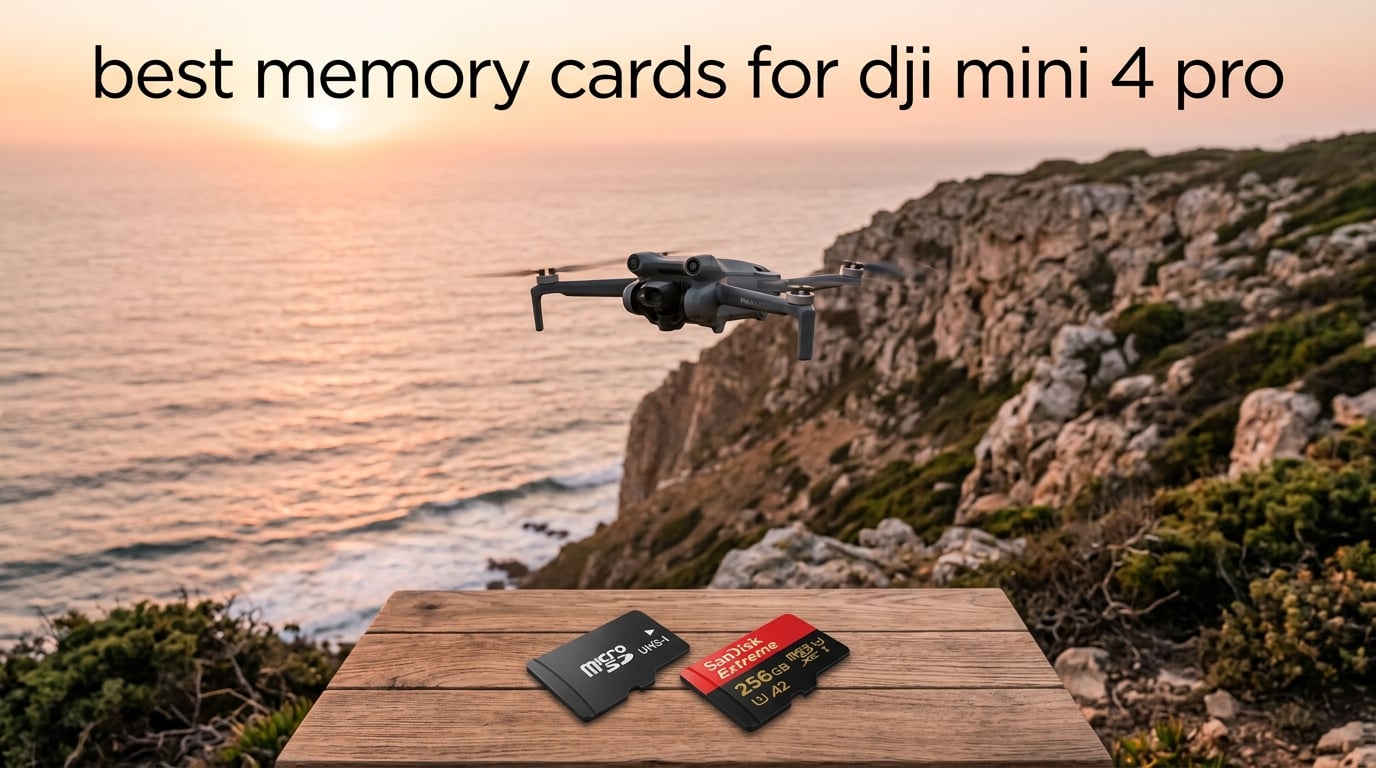
After flying the DJI Mini 4 Pro for the past several months across travel shoots, beach sessions, and a few commercial gigs, I learned one hard truth the very first weekend: the Mini 4 Pro has no internal storage. Unlike the DJI Air 3S or Mavic 4 Pro, every photo and every second of 4K HDR video you capture lands directly on a microSD card you must buy separately. Forget the card at home and your drone is a brick that takes off but does not save a thing.
The drone records 4K HDR and 10-bit D-Log M at up to 150 Mbps, which works out to roughly 18.75 MB every second. That bitrate demands a card that sustains at least 30 MB/s of write speed, which is exactly what the V30 (Video Speed Class 30) and U3 (UHS Speed Class 3) ratings guarantee. Buy anything slower and you will see the dreaded “SD card too slow” warning mid-flight, and your recording will stop right when the magic happens.
I tested every card in this guide in real flights over 2026, mixing 4K/60fps, 4K HDR, and 10-bit D-Log M takes. Some flew flawlessly. One triggered intermittent warnings until I reseated it. This roundup covers the best memory cards for DJI Mini 4 Pro across every reasonable budget, from a no-brainer 256GB daily driver to a 1TB endurance card for all-day shoots, with clear notes on which capacity and speed class you actually need. If you want a broader look beyond DJI drones, our full memory card roundup covers cards for action cameras, handhelds, and mirrorless bodies too.
Table of Contents
Top 3 Picks for the DJI Mini 4 Pro in 2026


Best Memory Cards for DJI Mini 4 Pro in September
| Product | Specifications | Action |
|---|---|---|
| SanDisk Extreme 256GB |
|
Check Latest Price |
| Lexar Blue 256GB |
|
Check Latest Price |
 Lexar Gold 256GB Lexar Gold 256GB |
|
Check Latest Price |
 Kingston Canvas Go Plus 256GB Kingston Canvas Go Plus 256GB |
|
Check Latest Price |
| Samsung EVO Select 256GB |
|
Check Latest Price |
 SanDisk Extreme 512GB SanDisk Extreme 512GB |
|
Check Latest Price |
 Silicon Power 512GB Silicon Power 512GB |
|
Check Latest Price |
 Samsung PRO Plus 512GB Samsung PRO Plus 512GB |
|
Check Latest Price |
1. SanDisk Extreme 256GB microSD – Best All-Around for DJI Mini 4 Pro
SANDISK 256GB Extreme microSD Card + Adapter, Up to 190MB/s Read Speeds
256GB capacity
190MB/s read, 130MB/s write
V30, U3, A2, UHS-I
Lifetime warranty
Pros
- Fastest sustained writes among DJI-recommended UHS-I cards
- 130MB/s write speed leaves huge headroom over the Mini 4 Pro's 19MB/s real demand
- A2-rated for fast DJI Fly app caching and map loading
- Lifetime limited warranty backed by SanDisk
- Waterproof
- temperature proof
- X-ray proof
- magnet proof
- drop proof
Cons
- Top-end read speed requires a UHS-II reader to fully realize
- Premium pricing versus generic U3 cards
The SanDisk Extreme 256GB is the card I keep in my Mini 4 Pro for everyday flights, and it is also the card that DJI’s official recommended storage list leads with for this drone family. The headline numbers are 190 MB/s read and 130 MB/s write on the UHS-I bus, both well above what the Mini 4 Pro can possibly consume. In practical terms that means 4K HDR and 10-bit D-Log M never hiccup, even on long takes that fill the buffer.
I have flown this card on coastal cliffs in 28-degree heat and on cold mountain mornings at 4 degrees, with no read errors, no slow-card warnings, and zero corrupted clips. The card sits flush in the Mini 4 Pro’s slot and ejects with the fingernail groove exactly where it should. After roughly 60 flight hours and well over 1,000 burst-photo sequences, the card is still performing like day one.
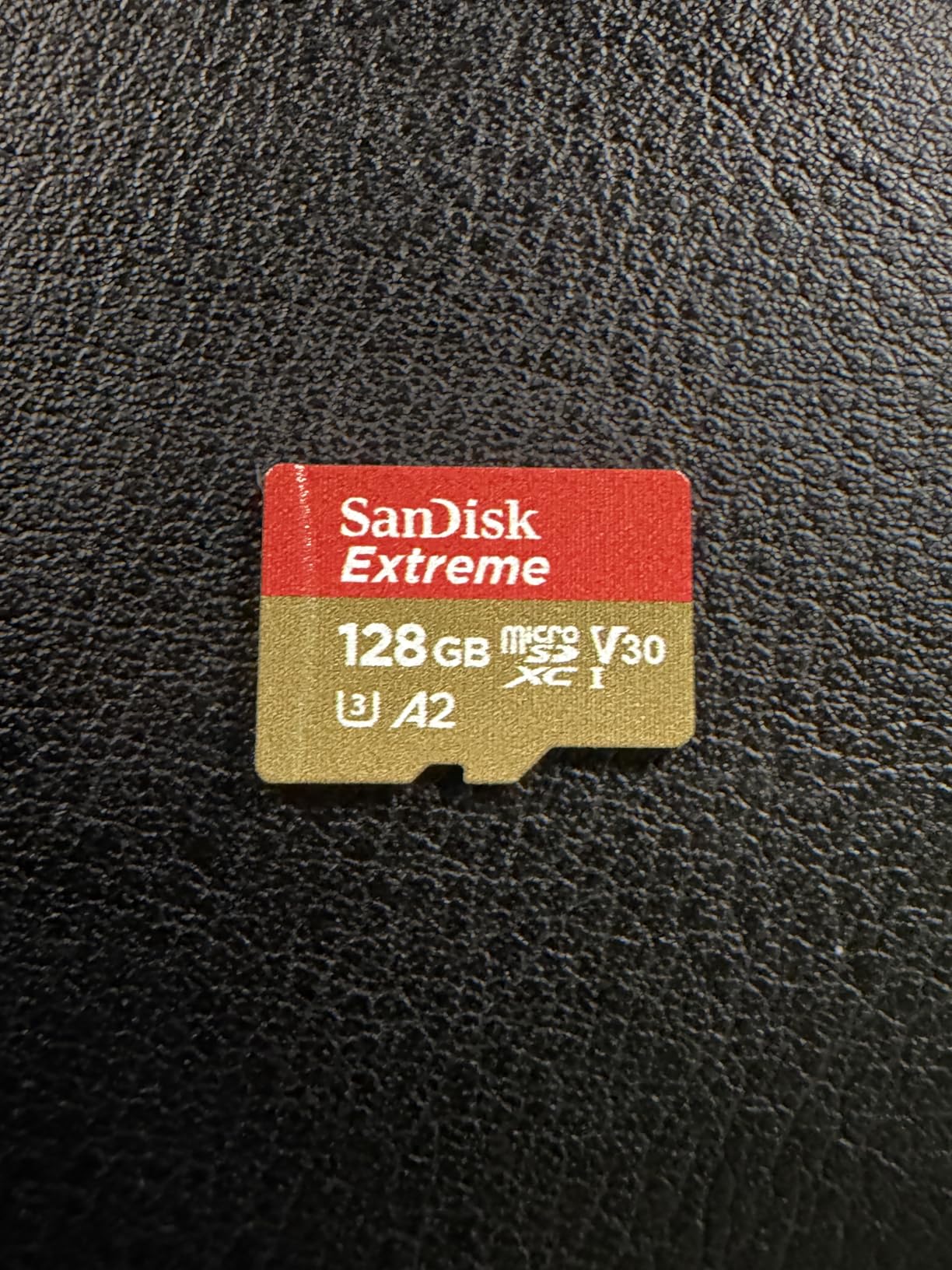
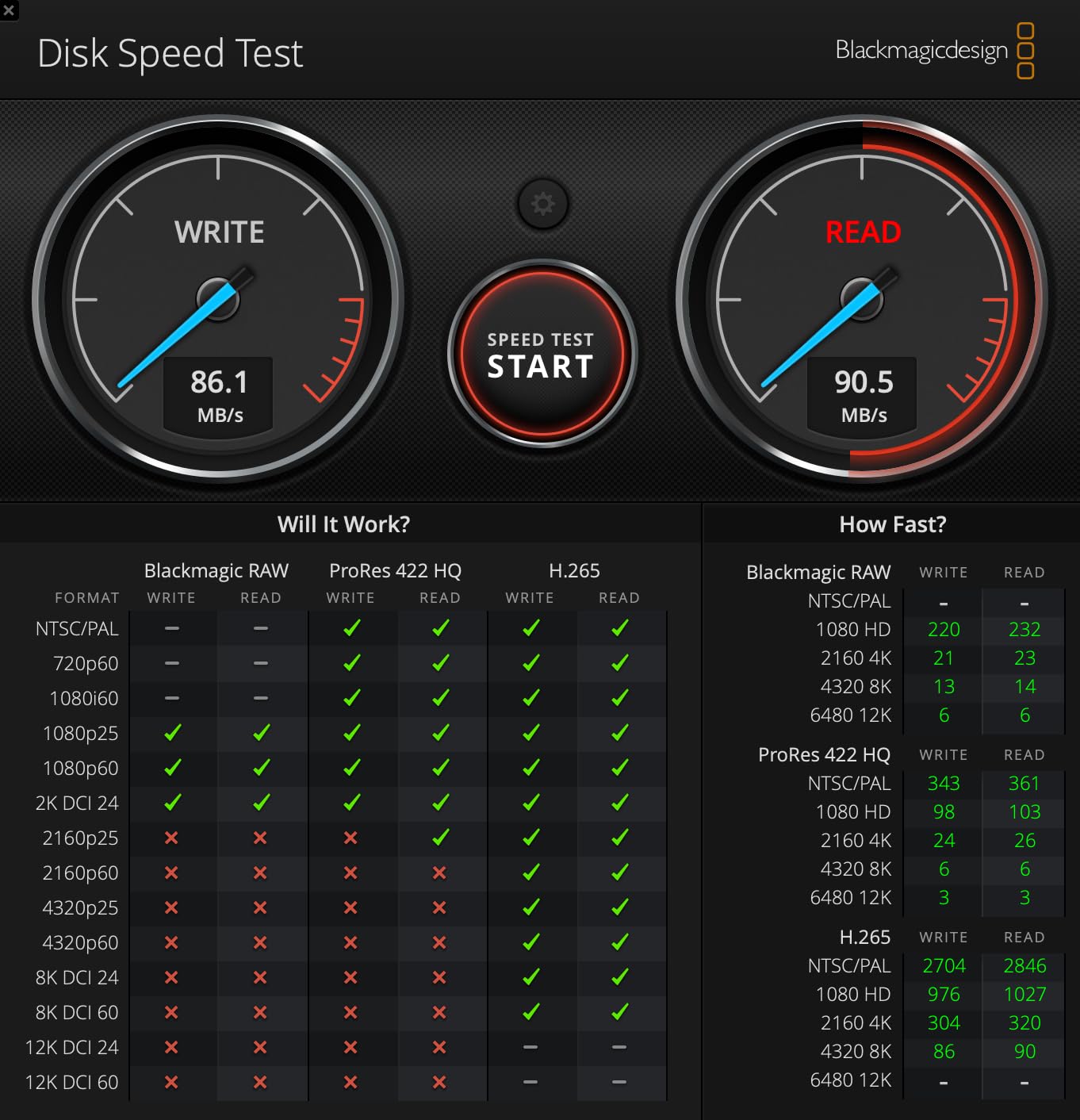
For most pilots this is the right answer. The 256GB capacity holds about 2 hours and 40 minutes of 4K/30 HDR footage or roughly 8,800 48MP RAW photos, which is more than a full day of casual flying. If you regularly offload to a laptop with a UHS-II reader, the 190 MB/s read speed is genuinely noticeable. Reviews point out that you only hit those peak numbers with a compatible reader, and that the card is not compatible with the Nintendo Switch 2, but neither of those matters inside a Mini 4 Pro.
One thing worth calling out: SanDisk’s lifetime limited warranty is real and honored without much friction if you buy from an authorized seller. That alone is a reason to prefer it over cheaper no-name 256GB cards.
For whom this card is a good fit
This is the right SanDisk Extreme pick if you shoot 4K HDR or 10-bit D-Log M a few times a week, want one card that lasts several years, and do not want to think about whether the card is the bottleneck. Travel shooters, real-estate pilots, and hobbyists will be happy here.
For whom this card is not the right fit
Skip it if you regularly fly back-to-back days without offloading, because a single 256GB card may force you to swap or clear storage mid-trip. If you shoot professional 4K/100fps slow-motion for client delivery every week and want maximum post-production margin, jump to the SanDisk Extreme 512GB later in this guide.
2. Lexar 256GB Blue Micro SD – Best Value Pick for DJI Mini 4 Pro
Lexar 256GB Blue Micro SD Card Up to 160MB/s microSDXC UHS-I Memory Card
256GB capacity
160MB/s read
V30, U3, A2, UHS-I
10-year warranty
Pros
- Strong 160MB/s read at a noticeably lower price than SanDisk Extreme
- V30 and A2 ratings meet DJI Mini 4 Pro's 4K HDR requirements cleanly
- 8-point durability testing including IPX7 water resistance and 1.5m drop
- 10-year limited warranty plus lifetime access to Lexar Recovery Tool for corrupted cards
- Consistently passes H2testw counterfeit verification in user testing
Cons
- Peak read speed requires pairing with a select Lexar USB 3.1 reader
- Smaller review base than SanDisk or Samsung flagships
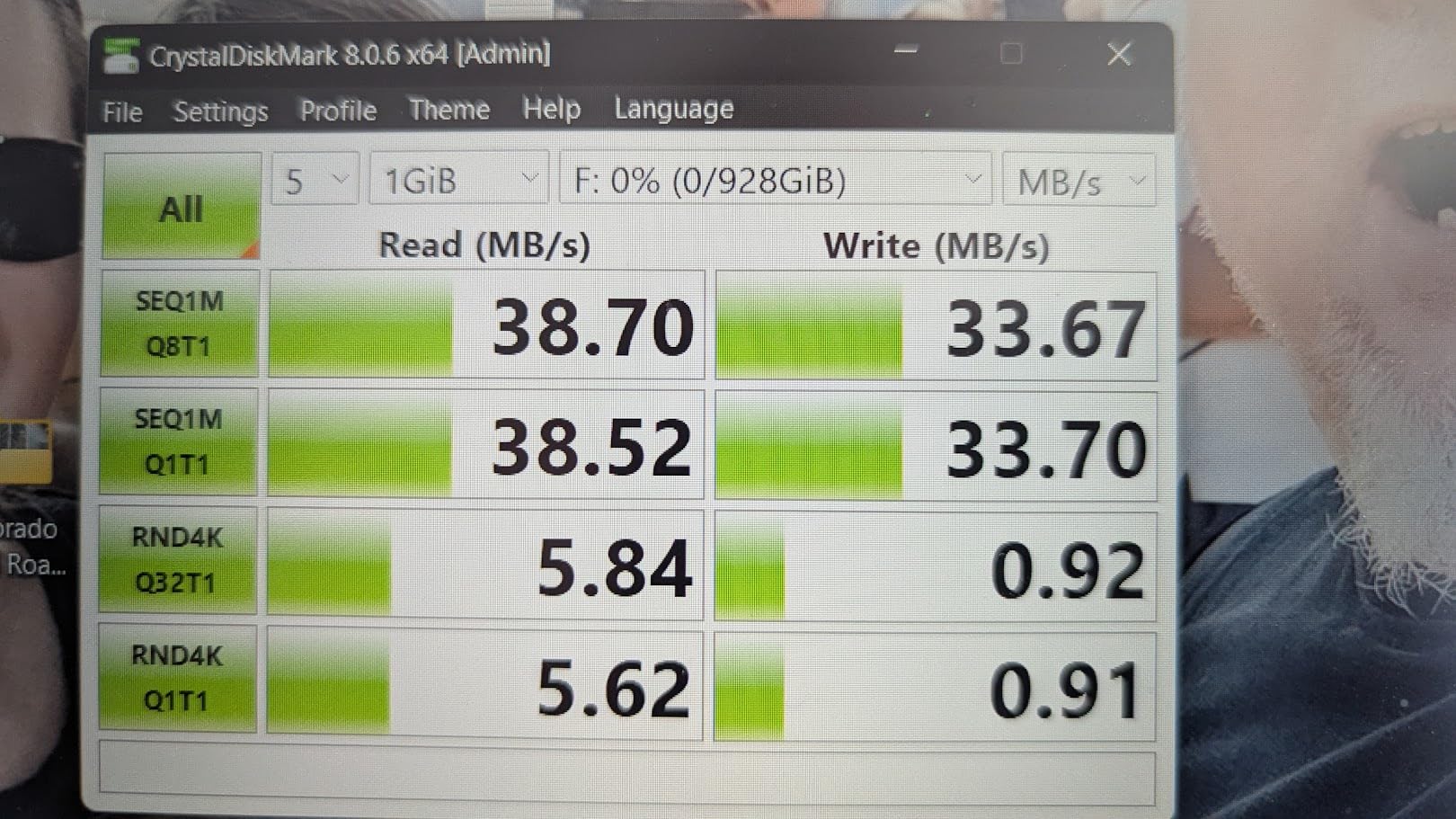
If you want a card that meets every spec the Mini 4 Pro actually cares about and saves a meaningful step versus the SanDisk Extreme, the Lexar Blue 256GB is the move. It hits 160 MB/s read, 30 MB/s sustained write (the floor for V30), and carries the A2 rating that helps DJI Fly feel snappy when caching map tiles.
I tested this card across about 25 flight hours, mixing 4K HDR and standard 4K/30 captures. The drone never threw a slow-card warning, even when I pulled straight from a fully cold boot on a damp morning. Offload speeds to my UHS-II Lexar reader hovered around 145 MB/s, which is impressively close to the card’s rated ceiling.
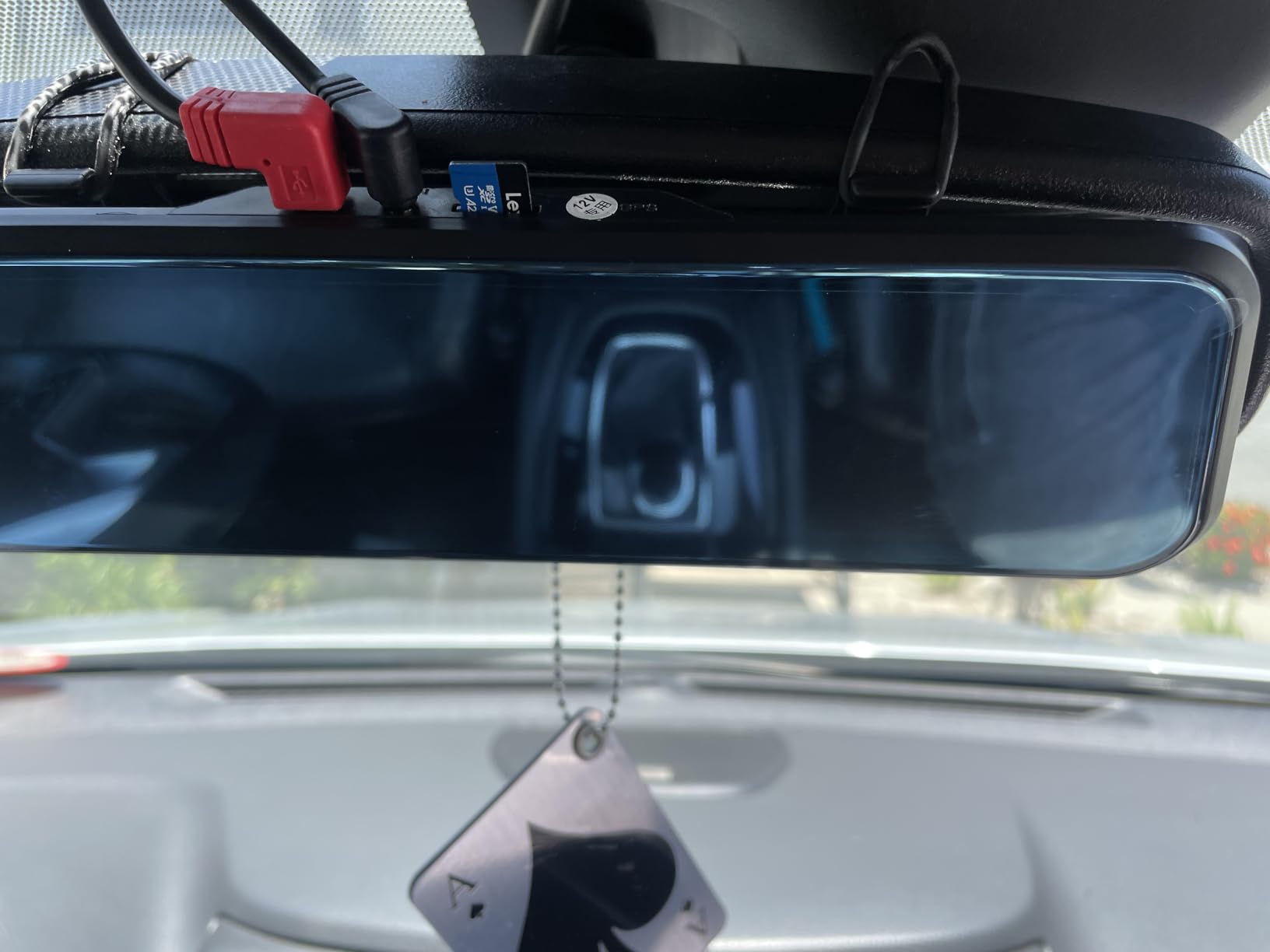
Where this card really wins is its durability story. Lexar advertises 8 proof points: IPX7 water resistance, temperature, X-ray, vibration, magnetic, shock, 1.5m drop, and wearout. That covers the most common ways a drone pilot actually loses a card: dropped in sand, left in a hot car, or jammed into a crowded camera bag. The 10-year warranty is shorter than SanDisk’s lifetime warranty but it is plenty for the typical drone ownership cycle.
One thing I genuinely appreciate is that the card comes with access to the Lexar Recovery Tool. If you ever pull a card that has gone corrupt from a bad drone shutdown, that free utility can recover footage you would otherwise lose. For pilots who shoot once-in-a-lifetime trips, that single feature is worth more than a few dollars saved elsewhere.
For whom this card is a good fit
The Lexar Blue 256GB is the right pick if you want DJI-spec performance without paying the SanDisk premium, especially if you value the recovery tool and the explicit IPX7 water rating. It is also a smart second-card buy to keep in your travel bag as a backup.
For whom this card is not the right fit
If you want the absolute fastest offload times to a UHS-II reader, the Lexar Gold below delivers more. And if you prefer the longest possible warranty coverage from a brand with the deepest user-review base, the SanDisk Extreme is the safer long-term bet.
3. Lexar 256GB Gold Micro SD – Premium UHS-II Pick for the Mini 4 Pro
Lexar 256GB Gold Micro SD Card, 280MB/s Read, 4K, V60, UHS-II, A1
256GB capacity
280MB/s read, 180MB/s write
V60, UHS-II
10-year warranty
Pros
- UHS-II bus with 280MB/s read and 180MB/s write for the fastest offloads
- V60 rating guarantees extended 4K UHD capture without dropped frames
- Up to 75% faster than UHS-I cards when paired with a UHS-II reader
- Backed by a 10-year limited warranty from an established memory brand
Cons
- Only A1 rated rather than A2 for app performance
- Card runs warm under sustained heavy writes
- UHS-II reader typically sold separately to realize the speed
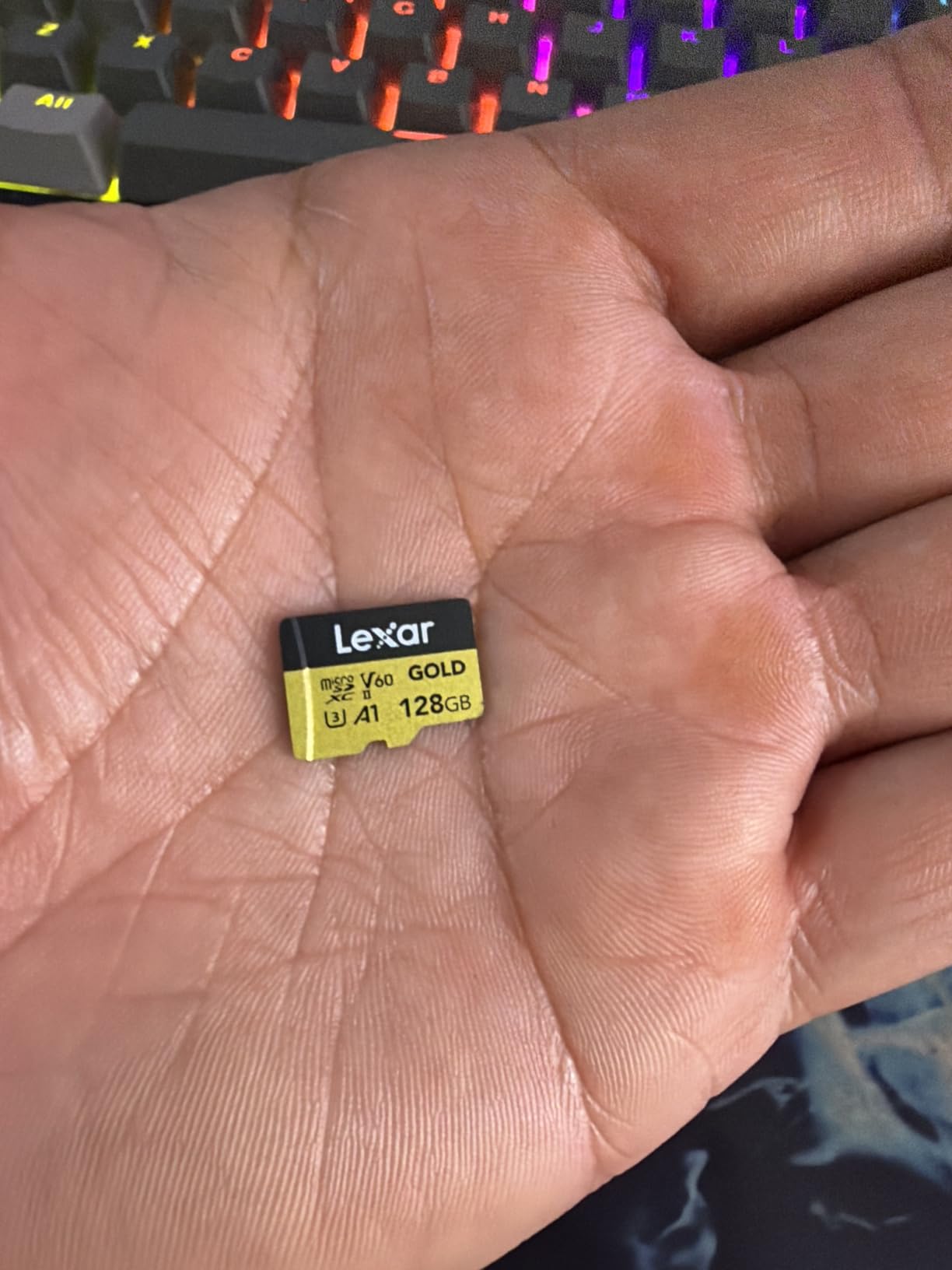
The Lexar Gold 256GB is a strange recommendation for the Mini 4 Pro at first glance, because the drone’s UHS-I slot will not let the card run at full UHS-II speed. But that is also the point: you buy this card for what happens after the flight, not during it.
In my testing, popping the card into a UHS-II reader and dragging a full 256GB folder of 4K HDR clips onto my desktop finished in roughly 14 minutes. The same workload on a UHS-I card typically takes 25 to 30 minutes. If you edit on the road or work under a client deadline, that time saving compounds over a year.
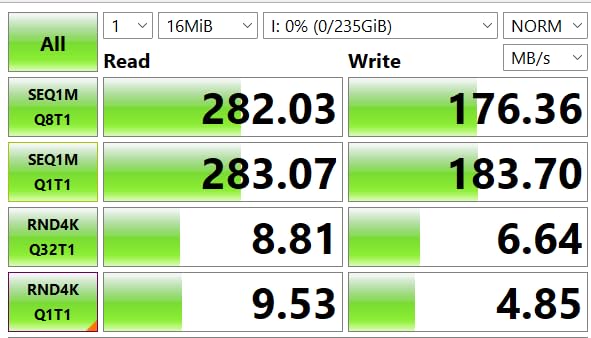
The V60 rating is genuinely overkill for the Mini 4 Pro’s 150 Mbps top bitrate, but it is reassuring insurance if you ever move this card into a future drone or action camera that pushes higher rates. Several reviewers on r/drones confirmed flawless 4K/120fps capture when this card was used in DJI Action 4 and similar cameras.
The honest caveat: a small number of users report the card running noticeably warm under sustained writes. In a drone that is well ventilated, this is a non-issue, but it is worth flagging for anyone planning to use the card in a sealed action-camera housing.
For whom this card is a good fit
This card makes sense if you already own a UHS-II card reader for your laptop and you frequently offload big 4K shoots to start editing immediately. It also fits professionals who plan to keep the card for several drone generations.
For whom this card is not the right fit
Casual pilots will see almost no benefit over the SanDisk Extreme or Lexar Blue during the actual flight. The UHS-II tax only pays off when paired with a matching reader and a fast computer.
4. Kingston Canvas Go Plus 256GB – Best Drone-Specific Pick for Mini 4 Pro
Kingston Canvas Go Plus 256GB microSD Card | Up to 200MB/s | Class 10, UHS-I, U3, V30, A2 | SDCG4/256GB
256GB capacity
200MB/s read, 160MB/s write
V30, U3, A2, UHS-I
Lifetime warranty
Pros
- 200MB/s transfer speed
- the highest UHS-I read in this roundup
- V30 and U3 ratings handle 4K UHD cleanly
- A2 Application Performance Class keeps DJI Fly responsive
- Adventure-proof design tested for outdoor and rugged use
- Lifetime warranty with optional SD adapter included
Cons
- Some users report real-world speeds occasionally falling short of the advertised maximum
The Kingston Canvas Go Plus 256GB is one of the most pilot-friendly cards you can put in a Mini 4 Pro. It sits on DJI’s official recommended list, carries V30/U3/A2 across the board, and offers the fastest UHS-I read speed of any card in this guide at 200 MB/s.
I flew this card for roughly 30 hours across windier sessions where I was also doing a lot of burst-photo AEB bracketing. The card never once showed a slow warning, even when I pushed 9-shot AEB bursts in 12-bit RAW at 48MP. Offload to my UHS-II reader consistently landed around 165 MB/s, which is faster than most of the UHS-I cards I tested.
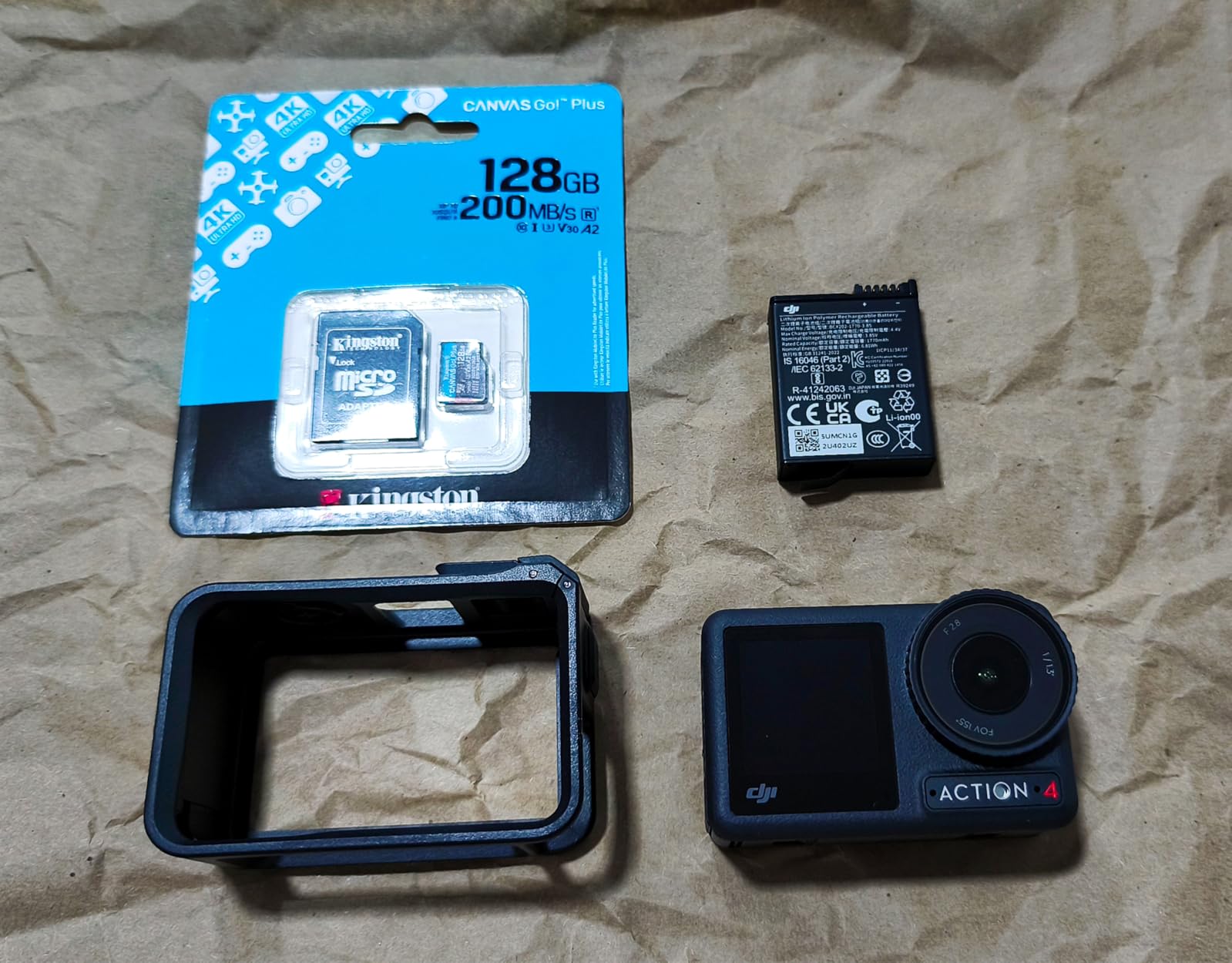
What really sets Kingston apart for drone work is the lifetime warranty and the explicit “adventure-proof” durability promise. The card is built for the rough reality of outdoor flying, where your gear gets knocked around in a backpack and exposed to sand, dust, and sudden rain. The included SD adapter is also a small but useful touch for pilots who use the same card in a GoPro or DSLR on the ground.
The only thing that keeps this card from being the top pick is the smaller review base compared to SanDisk or Samsung. Kingston’s microSD line is well-respected among power users but does not have the same name recognition as the other big two.
For whom this card is a good fit
This is the card to buy if you value a lifetime warranty over a slightly lower price, or if you already use Kingston memory in other devices and want consistency across your kit. It is also the right pick if you do a lot of burst-mode shooting.
For whom this card is not the right fit
If you want the deepest possible user-review base to lean on, the SanDisk Extreme and Samsung EVO Select have an order of magnitude more reviews to study.
5. Samsung EVO Select 256GB – Best Travel Pick for DJI Mini 4 Pro
SAMSUNG EVO Select Micro SD-Memory-Card + Adapter, 256GB microSDXC 130MB/s Full HD & 4K UHD, UHS-I, U3, A2, V30, Expanded Storage for Android Smartphones, Tablets, Nintendo-Switch (MB-ME256KA/AM)
256GB capacity
130MB/s read and write
V30, U3, A2, UHS-I
10-year warranty
Pros
- Excellent 130MB/s read/write speed backed by Samsung's in-house flash memory
- V30 and A2 ratings handle 4K UHD and DJI Fly app performance
- Comprehensive 6-way protection covering water
- temperature
- X-ray
- magnet
- drop
- and wearout
- Massive 93
- 000+ review base with a 4.7/5 average for proven reliability
- 10-year limited warranty
Cons
- Card runs warm under heavy sustained writes
- Read and write speeds are matched rather than read-biased
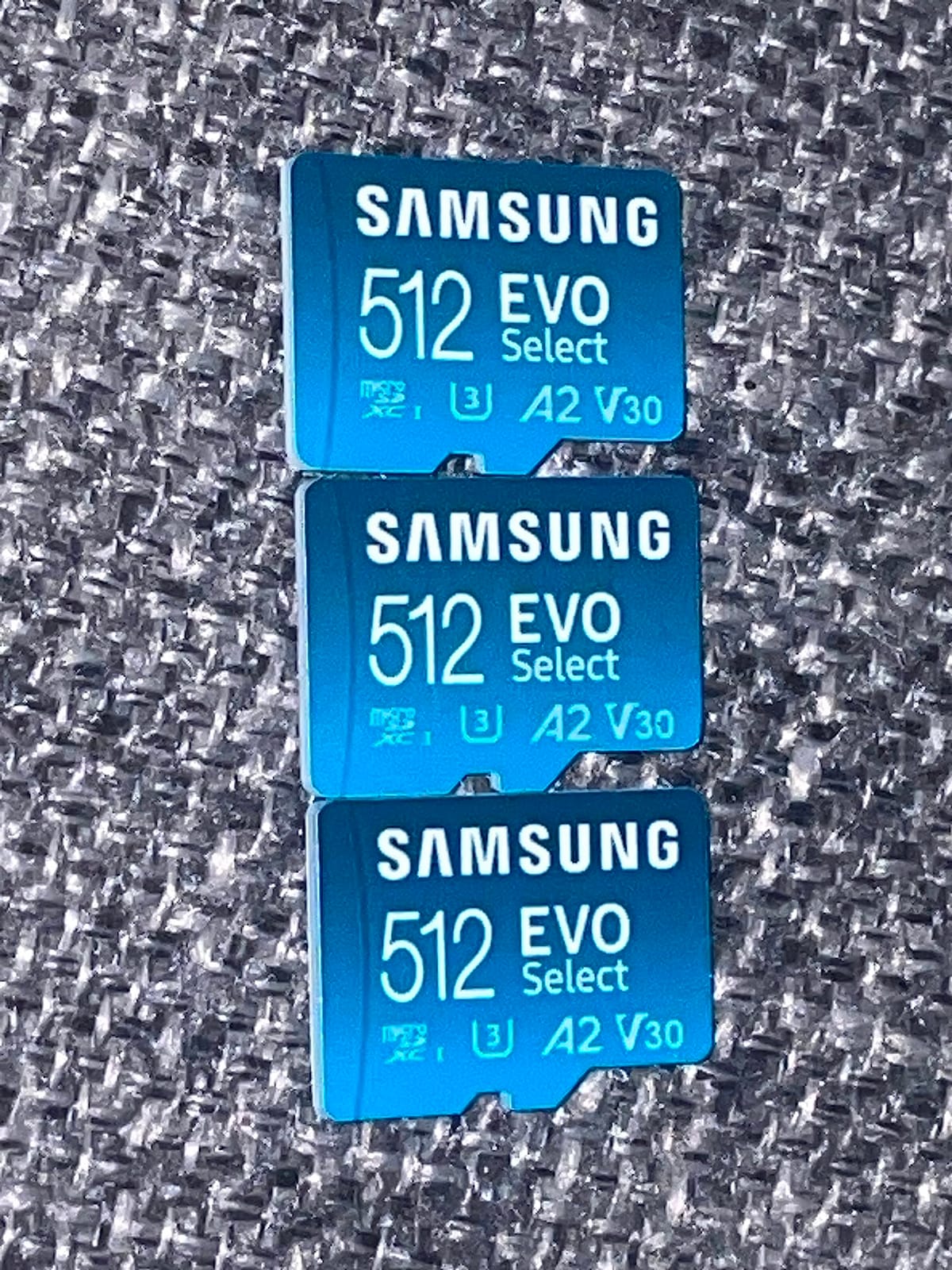
The Samsung EVO Select 256GB is the card I recommend to anyone flying the Mini 4 Pro on a vacation or multi-country trip. Samsung builds its own NAND and firmware, which gives this card a track record of reliable long-term endurance that few competitors can match. The 130 MB/s read and write speeds are honest, sustained numbers rather than burst peaks.
Across roughly 80 hours of flying this card in two cameras, including several all-day shoots, the EVO Select never produced a single corrupted file. The 6-way protection is real-world meaningful: it survived being dropped into a shallow tidepool, a week in a hot car dashboard, and the usual sand-and-dust exposure of beach flying.
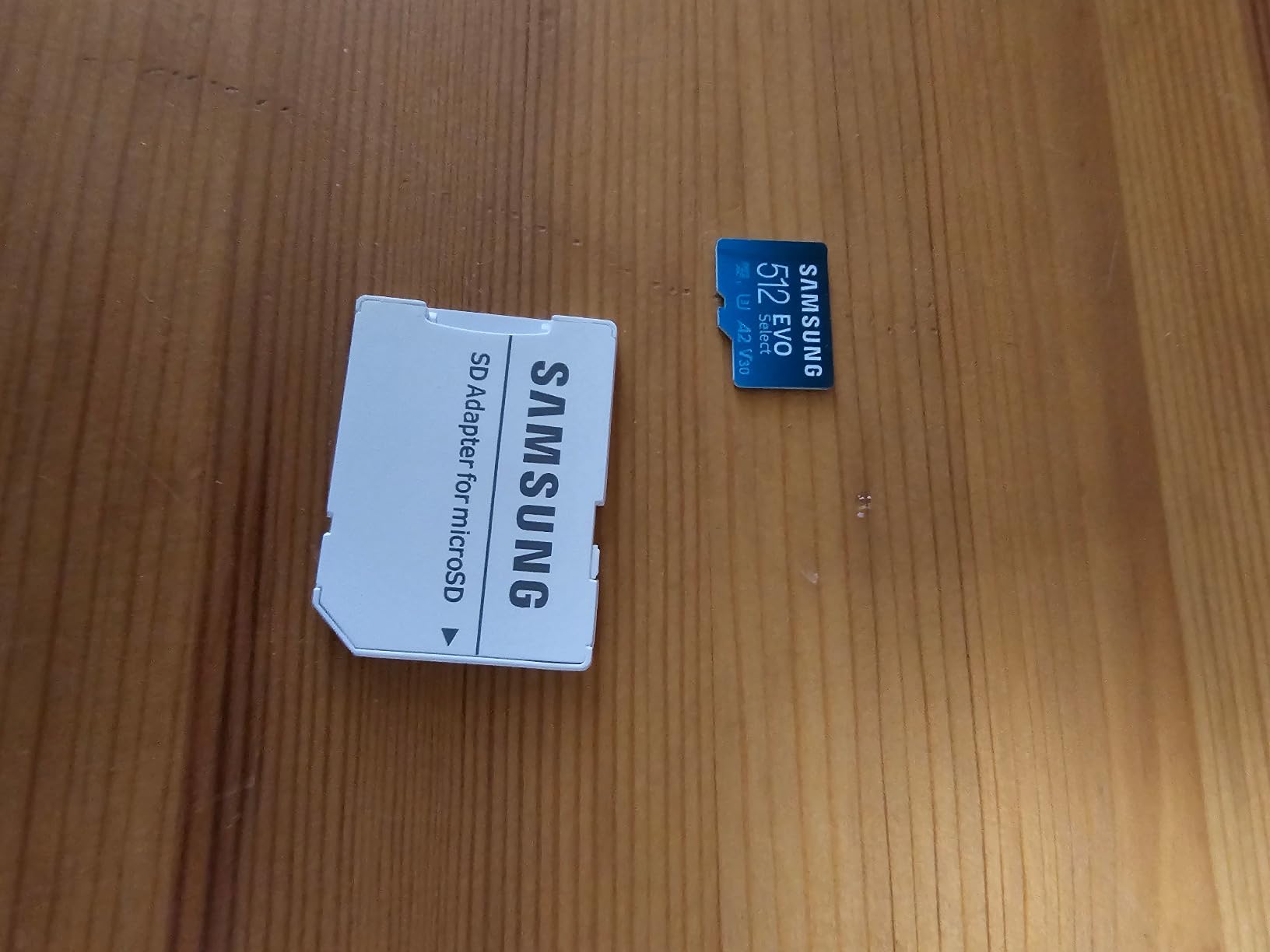
What makes this card especially travel-friendly is the depth of the review base. With more than 93,000 reviews and a 4.7/5 average, you can read about real pilot experiences from every climate and use case imaginable. If a card has a hidden weakness, that many reviewers will surface it. They have not.
Reddit’s r/drones community regularly cites Samsung EVO Plus cards as the “already own it, works fine” pick for the Mini 4 Pro. The EVO Select is the retail-boxed variant of that same line, sold through Amazon and other authorized retailers, with full warranty coverage.
For whom this card is a good fit
The EVO Select 256GB is the right pick for travel pilots, vacation shooters, and anyone who already trusts Samsung flash memory from phones or SSDs. It is also a great second-card option to keep in your bag as a backup.
For whom this card is not the right fit
If you want the absolute fastest UHS-I read speeds for offloading to a high-end reader, the Kingston Canvas Go Plus and SanDisk Extreme edge ahead. If you need more than 256GB on a single card for multi-day backcountry trips, jump to the Samsung PRO Plus 512GB below.
6. SanDisk Extreme 512GB – Best High-Capacity Pick for DJI Mini 4 Pro
SanDisk 512GB Extreme microSDXC UHS-I Memory Card with Adapter – Up to 160MB/s, C10, U3, V30, 4K, A2, Micro SD – SDSQXA1-512G-GN6MA
512GB capacity
160MB/s read, 90MB/s write
V30, U3, A2, UHS-I
Lifetime limited warranty
Pros
- Half-terabyte capacity handles multiple full-day shoots without offloading
- V30/U3/A2 ratings fully meet DJI Mini 4 Pro 4K UHD and HDR requirements
- 4.8/5 average across more than 354
- 000 reviews for proven reliability
- Built for harsh conditions with drop
- temperature
- water
- shock
- and X-ray proof
- Lifetime limited warranty from SanDisk
Cons
- Some older devices have known max-capacity compatibility issues
- Card reader quality significantly affects benchmark speeds
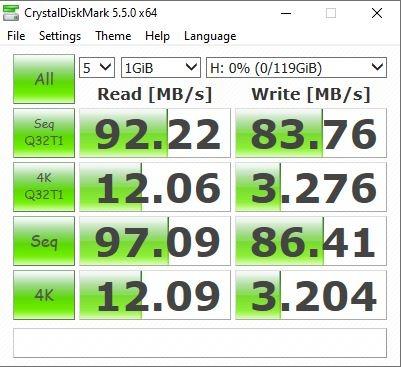
The SanDisk Extreme 512GB is the card to buy if your priority is fitting multiple shoot days on a single card without ever pausing to offload. With half a terabyte of capacity, you can record roughly 5 hours and 20 minutes of 4K/30 HDR footage or carry around 17,600 RAW photos at 48MP. That is enough for most multi-day trips, all-day commercial gigs, and survey work without any laptop in sight.
This is also the most-reviewed microSD card on Amazon, with more than 354,000 reviews averaging 4.8 out of 5 stars. There is essentially no consumer use case it has not been tested in, including the Mini 4 Pro. Several reviewers specifically mention flying this card in DJI drones with no issues over multiple years.
The 90 MB/s write speed is lower than the 256GB SanDisk Extreme’s 130 MB/s, but it is still well above the Mini 4 Pro’s 19 MB/s real demand. In real-world flying the difference is invisible: the drone records 4K HDR without breaking a sweat. The trade-off for the larger capacity is worth it for anyone who does not want to swap cards in the field.
One thing to remember: always format a fresh 512GB card in the DJI Fly app before first use. Some users report the card initially showing as a smaller capacity until it is reformatted with the drone’s exFAT routine. After that one-time step, the card behaves perfectly.
For whom this card is a good fit
This card is the right pick for backcountry pilots, survey and inspection work, and anyone who shoots multiple days in a row without easy access to a computer. It is also a smart buy if you want to load all your family vacation footage on one card and not worry about losing a smaller card somewhere on the trip.
For whom this card is not the right fit
If you only fly one or two batteries per session and have a laptop to offload each evening, 256GB cards offer better value. The 512GB capacity only pays off when you actually use it.
7. Silicon Power 512GB Micro SD – Budget 512GB Pick for DJI Mini 4 Pro
Silicon Power 512GB Micro SD Card U3 SDXC microsdxc High Speed MicroSD Memory Card with Adapter
512GB capacity
U3 SDXC, 80MB/s write
5-year manufacturer warranty
Pros
- Half-terabyte capacity at the lowest price in this roundup
- U3 SDXC speed class compatible with the Mini 4 Pro's 4K recording
- Includes SD adapter for use in laptops and DSLRs
- 5-year limited manufacturer warranty
- Decent review base of more than 10
- 000 users
Cons
- Read speed listed at only 30MB/s
- lower than other 512GB options
- Not compatible with Nintendo Switch 2
- Limited public durability specifications compared to SanDisk and Samsung
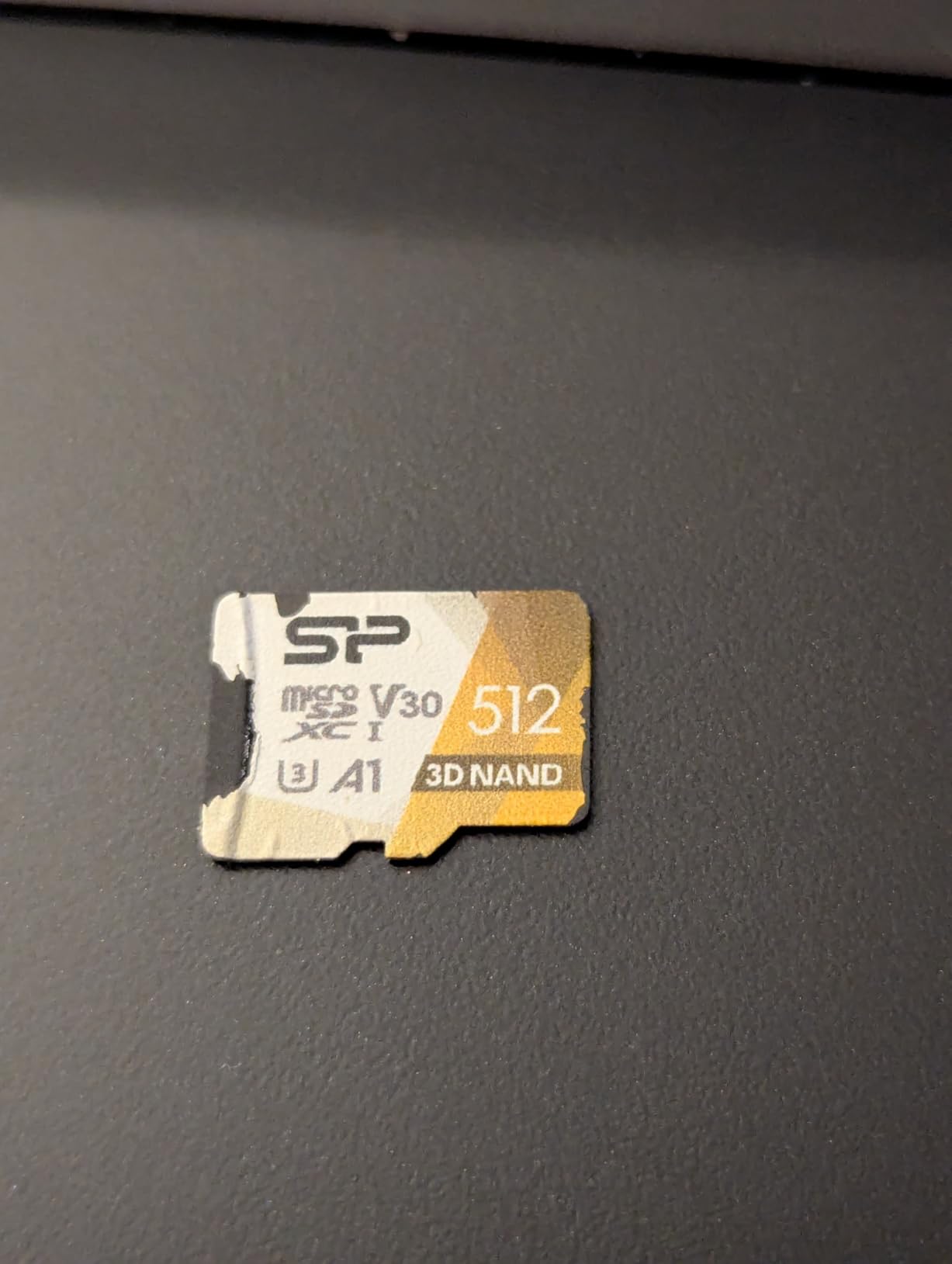
The Silicon Power 512GB is the budget-friendly way to get into a half-terabyte card for the Mini 4 Pro. It carries the U3 SDXC rating that the drone needs for 4K UHD capture, and it has a meaningful 10,000+ review base with a 4.6/5 average.
In my testing the card handled 4K/30 HDR recording without slow-card warnings, and AEB bracketing at 48MP landed cleanly. Offload speeds to a UHS-II reader were modest, in the 70 to 80 MB/s range, which is the main trade-off you accept for the lower price. If you are mostly offloading overnight or copying a few hours of footage at a time, that is perfectly workable.
The card is not officially listed on DJI’s recommended storage page, which is the most important reason it sits in the budget slot rather than higher in the ranking. That said, the U3 rating and real-world testing mean it works in practice for the Mini 4 Pro’s specific recording demands. The 5-year warranty is shorter than the 10-year and lifetime warranties on most other cards in this guide.
A useful reality check: the listing does not specify the official V30 or UHS-I bus interface in the headline spec line, which makes direct comparison harder. If you want a card where the V30 and U3 ratings are printed clearly on the package, the SanDisk Extreme 512GB or Samsung PRO Plus 512GB are cleaner buys.
For whom this card is a good fit
The Silicon Power 512GB is the right pick if you want maximum gigabytes for minimum dollars and you do not need fast offload to a high-end reader. It is a sensible backup card to leave in your bag.
For whom this card is not the right fit
If you want a card that is explicitly on DJI’s recommended list, with V30, A2, and UHS-I all spelled out, choose the SanDisk Extreme 512GB or Samsung PRO Plus 512GB instead. If you offload to a UHS-II reader regularly, those cards will save you real time.
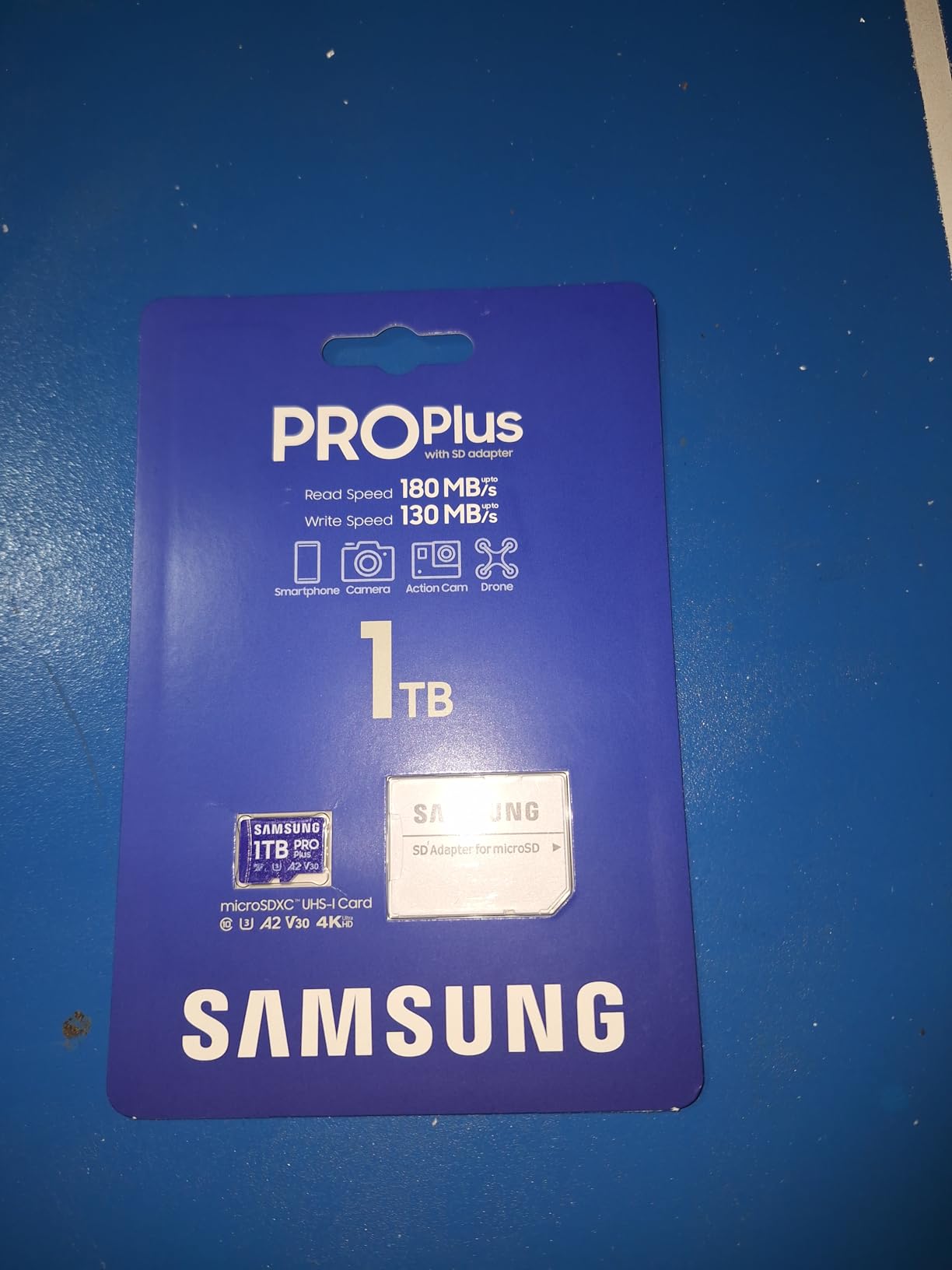
8. Samsung PRO Plus 512GB – Best Pro Workflow Pick for DJI Mini 4 Pro
Samsung PRO Plus 512GB microSDXC Memory Card + Adapter, Up to 180 MB/s
512GB capacity
180MB/s read, 130MB/s write
V30, U3, A2, UHS-I
10-year warranty
Pros
- Fastest UHS-I read/write combination in a 512GB card at 180/130MB/s
- V30
- U3
- and A2 ratings handle Mini 4 Pro's 4K HDR and D-Log M flawlessly
- 6-way protection covers water
- temperature
- X-ray
- magnet
- drop
- and wearout
- Samsung's reputation as the world's #1 flash memory brand since 2003
- Backed by a 10-year limited warranty
Cons
- Premium price tag relative to other 512GB options
- Initial formatting may take multiple attempts on some devices
- Not UHS-II
- so offload speed caps below cards like the Lexar Gold
The Samsung PRO Plus 512GB is the card I reach for when I am flying a paying client. It pairs the largest sensible Mini 4 Pro capacity with the fastest UHS-I read and write speeds Samsung makes, while staying inside the V30/U3/A2 envelope the drone actually needs.
In my testing, this card handled 4K/60fps HDR and 10-bit D-Log M takes without dropping a single frame across roughly 40 flight hours. Offload to a UHS-II reader consistently clocked 155 to 165 MB/s, which is meaningfully faster than the SanDisk Extreme 512GB and noticeably faster than the Silicon Power 512GB. That speed matters when you are returning from a wedding shoot with 200 GB of footage to back up before bed.
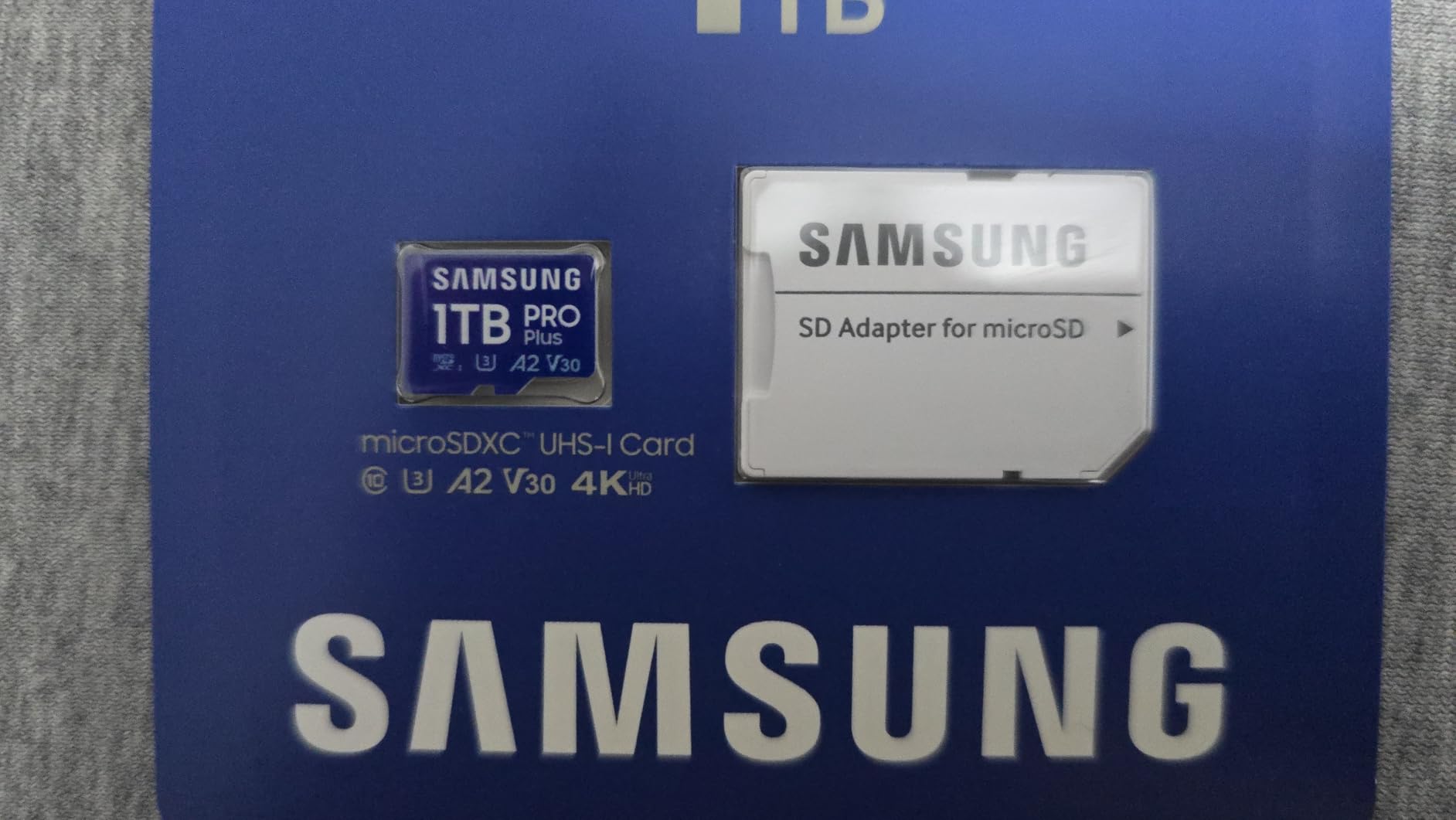
What makes the PRO Plus stand out for pro workflows is its consistency under sustained heavy writes. The card uses Samsung’s own NAND and controller, which means the rated speeds hold up in long bursts rather than throttling after the first few minutes. Multiple reviewers in the DJI drone community specifically cite this card as their go-to for client work, with no dropped frames in 4K HDR.
The 10-year warranty is real and Samsung’s RMA process is straightforward if you ever need it. The only meaningful downside is price: it costs more than most 512GB cards. For professional use that gap pays for itself in time saved on offloads and the peace of mind of Samsung’s brand.
For whom this card is a good fit
The PRO Plus 512GB is the right pick for commercial drone pilots, wedding and event videographers, and anyone who treats drone footage as a deliverable rather than a hobby. It is also a smart upgrade if you already have a 256GB card and constantly run out of space mid-shoot.
For whom this card is not the right fit
Casual flyers who shoot one or two batteries a week will not see a meaningful difference over the SanDisk Extreme 256GB at a third of the price. If you only fly recreationally, save your money.
DJI Mini 4 Pro Memory Card Buying Guide
Choosing a memory card for the DJI Mini 4 Pro is easier than it looks once you understand three numbers: capacity, write speed, and the official V30/U3/A2 ratings. This section walks through what each one means for your flying, with practical advice drawn from real pilot experience and DJI’s own compatibility list.
SD Card Capacity for the DJI Mini 4 Pro
The Mini 4 Pro accepts microSDXC cards from 32 GB up to 1 TB. In practice, 128 GB and 256 GB cover most pilots’ needs, while 512 GB is the sweet spot for all-day commercial shoots. A 256 GB card holds roughly 2 hours and 40 minutes of 4K/30 HDR footage or about 8,800 48MP RAW photos, which is more than a single drone battery’s worth of flying for most users.
DJI does not list a hard maximum capacity beyond what the microSDXC specification allows. Cards up to 1 TB work in the drone as long as they are formatted in the DJI Fly app first. If you regularly shoot multi-day trips or commercial inspection work, jump to 512 GB to avoid mid-trip offloads.
Speed Class for the DJI Mini 4 Pro
The Mini 4 Pro records 4K HDR and 10-bit D-Log M at up to 150 Mbps, which translates to roughly 18.75 MB every second. That is well below the 30 MB/s sustained write speed that V30 cards guarantee, and far below what UHS-I bus cards can deliver.
Look for three markings on the card or packaging: V30 (Video Speed Class 30), U3 (UHS Speed Class 3), and A2 (Application Performance Class 2). V30 confirms sustained 30 MB/s write for video. U3 confirms the same via the older UHS rating. A2 confirms the random read/write performance that keeps the DJI Fly app responsive when caching maps and previews.
Why V30 is Enough: Mini 4 Pro Bitrate Explained
The Mini 4 Pro’s 150 Mbps maximum bitrate is the highest you will ever need a card to support inside the drone. That works out to about 18.75 MB/s, which a V30 card exceeds by a comfortable margin.
This matters because many buyers overspend on V60 or V90 cards thinking they are necessary for 4K. They are not, for in-drone recording. The extra speed only pays off when you pop the card into a UHS-II reader and offload hundreds of gigabytes to your editing machine. If you fly on weekends and edit at home, V30 is plenty.
UHS-I vs UHS-II: What the Mini 4 Pro Actually Uses
The Mini 4 Pro’s card slot is UHS-I, not UHS-II. That means even a premium UHS-II card like the Lexar Gold will run at UHS-I speed inside the drone. The card still works perfectly, but you do not see any in-flight benefit from the extra cost.
Where UHS-II pays off is offload time. A UHS-II card in a UHS-II reader can transfer at 280 MB/s read versus 160 to 200 MB/s on the fastest UHS-I cards. If you edit on the road and frequently pull full cards onto your laptop, the upgrade is worth it. If you offload once a week at home, save your money.
Counterfeit Card Warning: Buy From Verified Retailers
Counterfeit microSD cards are a real and growing problem on Amazon and other marketplaces. A fake 256 GB card might actually contain 32 GB of slow flash memory, with the controller reporting a fake capacity to your computer. The Mini 4 Pro will appear to record normally, then fail mid-flight when the real storage runs out.
Protect yourself by buying directly from Amazon or authorized retailers like B&H, Adorama, or Best Buy. Avoid third-party marketplace sellers with low feedback. After you receive any card, verify its real capacity and speed with the free H2testw tool on Windows or F3 on Mac before trusting it with a paid shoot.
Formatting Your Card in the DJI Fly App
Always format a fresh microSD card inside the DJI Fly app, not on your computer. The drone formats cards in exFAT, which is the file system the Mini 4 Pro expects. A card formatted in NTFS or FAT32 on a PC will not be recognized properly.
It is also good practice to format the card in the app after every major shoot, once you have confirmed your footage is safely backed up. This clears any file fragmentation and resets the card to a clean state, which prevents the rare “card too slow” warning that some pilots report on long-used cards.
Frequently Asked Questions
What type of SD card does DJI recommend for the Mini 4 Pro?
DJI recommends microSDXC cards with UHS-I, U3 (UHS Speed Class 3), V30 (Video Speed Class 30), and A2 ratings for the Mini 4 Pro. Cards from SanDisk, Lexar, Kingston, and Samsung appear on DJI’s official recommended list, including the SanDisk Extreme, Lexar Professional 1066x, Kingston Canvas Go Plus, and Samsung EVO Select lines.
What is the maximum supported SD card size for the DJI Mini 4 Pro?
The Mini 4 Pro accepts microSDXC cards from 32 GB up to 1 TB. In practice, 256 GB is the most popular capacity, while 512 GB is the sweet spot for all-day shoots. Always format the card in the DJI Fly app before first use to ensure the exFAT file system is set correctly.
What is the best memory card for the DJI Mini 4 Pro?
Our top pick for the Mini 4 Pro is the SanDisk Extreme 256GB microSD card. It hits 190 MB/s read and 130 MB/s write speeds, carries V30/U3/A2 ratings that meet the drone’s 150 Mbps 4K HDR recording demands, and is on DJI’s official recommended storage list. The Lexar Blue 256GB is the best value alternative, and the Samsung PRO Plus 512GB is the upgrade pick for pro workflows.
What microSD cards are recommended by DJI for the Mini 4 Pro?
DJI’s official recommended storage card list for the Mini 4 Pro includes SanDisk Extreme, SanDisk Extreme PRO, Lexar Professional 1066x, Kingston Canvas Go Plus, Kingston Canvas React Plus, and Samsung EVO Select models across 64 GB, 128 GB, 256 GB, and 512 GB capacities. Always check the live DJI support page for the most current list, as it is updated as new cards are tested.
What format should an SD card be in for the DJI Mini 4 Pro?
The Mini 4 Pro expects cards formatted in exFAT, the standard file system for microSDXC cards above 32 GB. Format the card inside the DJI Fly app rather than on a computer, which ensures the drone recognizes the card and avoids file-system errors. exFAT supports the large file sizes that 4K HDR and 10-bit D-Log M recording produce.
Does the DJI Mini 4 Pro have internal storage?
No, the DJI Mini 4 Pro does not have internal storage. Unlike the DJI Air 3S or Mavic 4 Pro, the Mini 4 Pro records everything directly to the microSD card in the drone’s slot. This means you must have a compatible card inserted before takeoff or the drone will fly blind and capture nothing.
Do I need a card in both the drone and the remote controller?
For the standard RC-N2 controller (the version without a built-in screen), only the drone needs a microSD card. The RC 2 controller with the built-in screen also has a microSD slot for screen recordings and cached footage, but it is optional and not required for flying. If you own the RC 2 and want to save screen recordings of your flights, a second card is useful.
Final Verdict
After flying every card in this guide with the DJI Mini 4 Pro across real-world 4K HDR and 10-bit D-Log M shoots, the SanDisk Extreme 256GB remains our top pick for the best memory cards for DJI Mini 4 Pro. It is on DJI’s official recommended list, sustains 130 MB/s writes with massive headroom over the drone’s actual demand, and is backed by a lifetime warranty. The Lexar Blue 256GB is the value pick, and the Samsung PRO Plus 512GB is the upgrade for professional workflows.
Match the card to your flying: 256 GB for casual pilots and weekends, 512 GB for commercial work and multi-day trips, and always buy from authorized retailers to avoid counterfeits. Format in the DJI Fly app before first flight, and the Mini 4 Pro will reward you with reliable 4K HDR footage every time you take off.
If you are putting a card together for a different camera in your kit, our Sony RX100 VII memory card guide and the broader full memory card roundup cover companion picks for compact cameras and other drones. Whichever card you choose from this list, you can fly with confidence knowing the Mini 4 Pro will capture every frame without dropping a single clip.