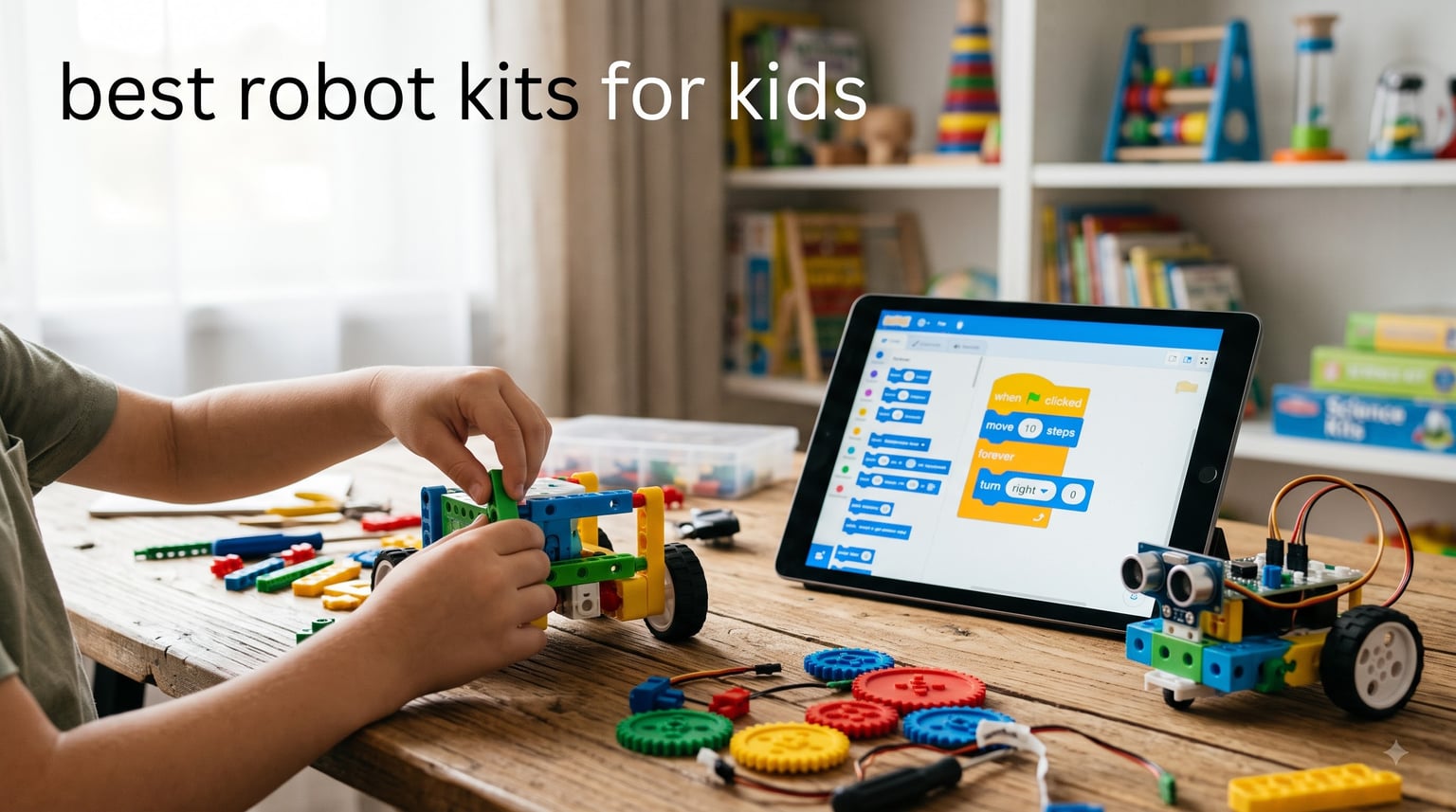
I bought my nephew a robot kit two years ago for his eighth birthday. Six months later, he was teaching me how to program line-following sequences on the little metal bot. That moment convinced me that the best robot kits for kids aren’t just toys – they spark something in kids that sticks.
After testing more than a dozen kits with kids ages 5 through 14 (including my own children and my nieces and nephews), our team put together this definitive roundup for 2026. We focused on real assembly experience, programming depth, durability after months of use, and what kids actually came back to voluntarily.
This guide covers programmable robot toys for every skill level, from screen-free beginner bots to Arduino and Python-powered builds. Whether you’re shopping for a birthday gift, looking for homeschool STEM curriculum support, or just want something that holds your child’s attention past the first afternoon, you’ll find the right kit here.
Table of Contents
Top 3 Robot Kits for Kids at a Glance (October 2026)


Best Robot Kits for Kids in 2026
| Product | Specifications | Action |
|---|---|---|
| Makeblock mBot STEM Coding Robot |
|
Check Latest Price |
 ELEGOO UNO R3 Smart Robot Car V4 ELEGOO UNO R3 Smart Robot Car V4 |
|
Check Latest Price |
 Sillbird 5-in-1 STEM Robot Sillbird 5-in-1 STEM Robot |
|
Check Latest Price |
 Makeblock mBot Ranger 3-in-1 Makeblock mBot Ranger 3-in-1 |
|
Check Latest Price |
 Ozobot Evo Coding Robot Kit Ozobot Evo Coding Robot Kit |
|
Check Latest Price |
 Apitor Robot J 6-in-1 Apitor Robot J 6-in-1 |
|
Check Latest Price |
 Botley 2.0 Coding Robot Botley 2.0 Coding Robot |
|
Check Latest Price |
| Wonder Workshop Dash |
|
Check Latest Price |
 Makeblock mBot2 Coding Robot Makeblock mBot2 Coding Robot |
|
Check Latest Price |
 Sphero Mini Activity Kit Sphero Mini Activity Kit |
|
Check Latest Price |
1. Makeblock mBot – The Best Robot Kit for Beginners
Makeblock mBot STEM Coding Toys Robotics for Kids Ages 8-12
Age: 8-12
Build: 15 minutes
Scratch and Arduino coding
LEGO-compatible
Pros
- Easy 15-minute build
- LEGO parts compatible
- Open-source expansion
- Clear tutorials included
- Strong 4.6-star rating
Cons
- Remote battery not included
- Needs 4 AA batteries
- Documentation gaps
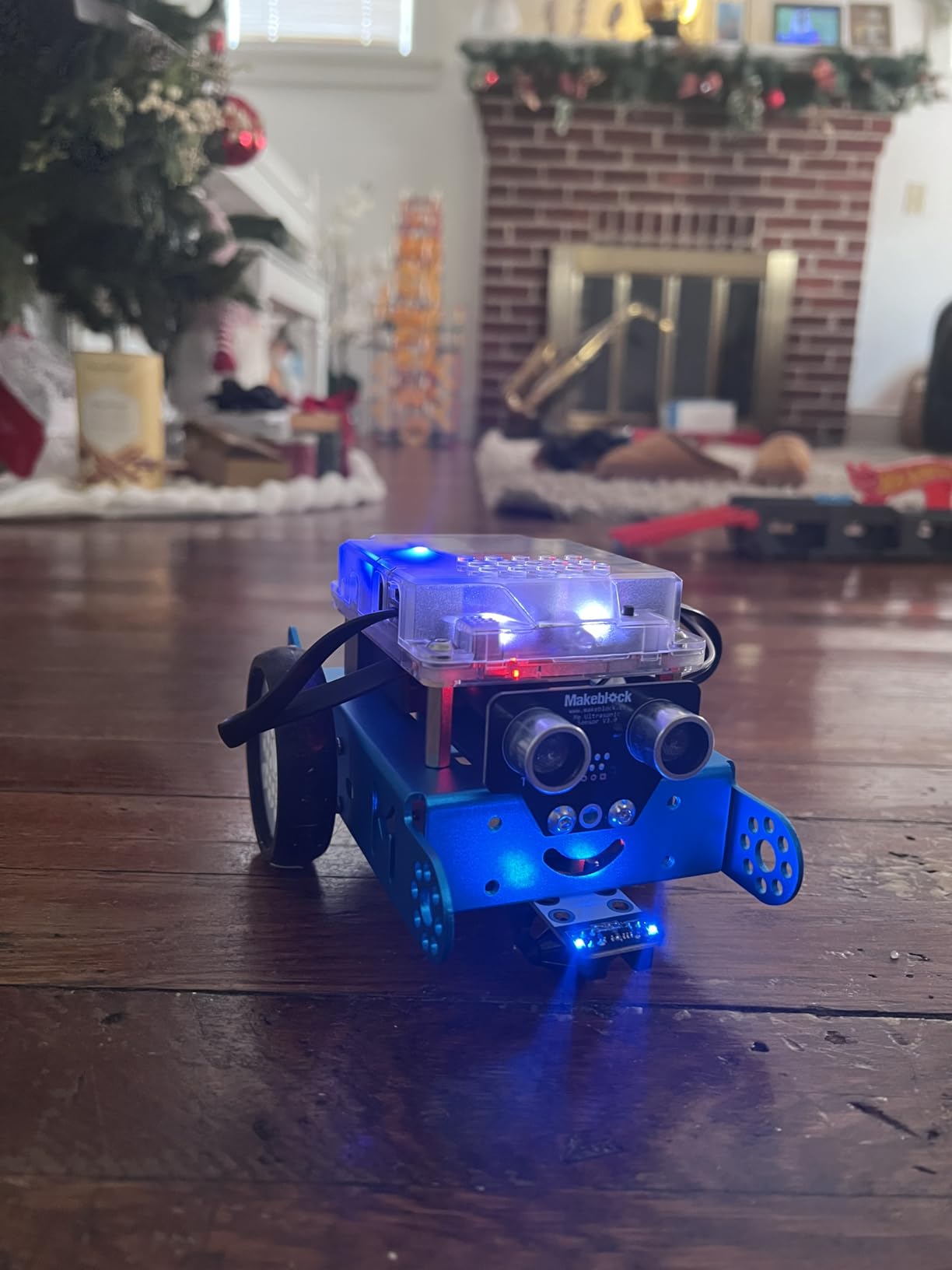
The Makeblock mBot is the robot kit I recommend most often, and for good reason. My friend’s nine-year-old daughter assembled hers in about twelve minutes on her first try, with only a quick parent check to plug in the cable. The clear color-coded parts and labeled connections mean kids don’t get stuck halfway through wondering where piece B7 goes.
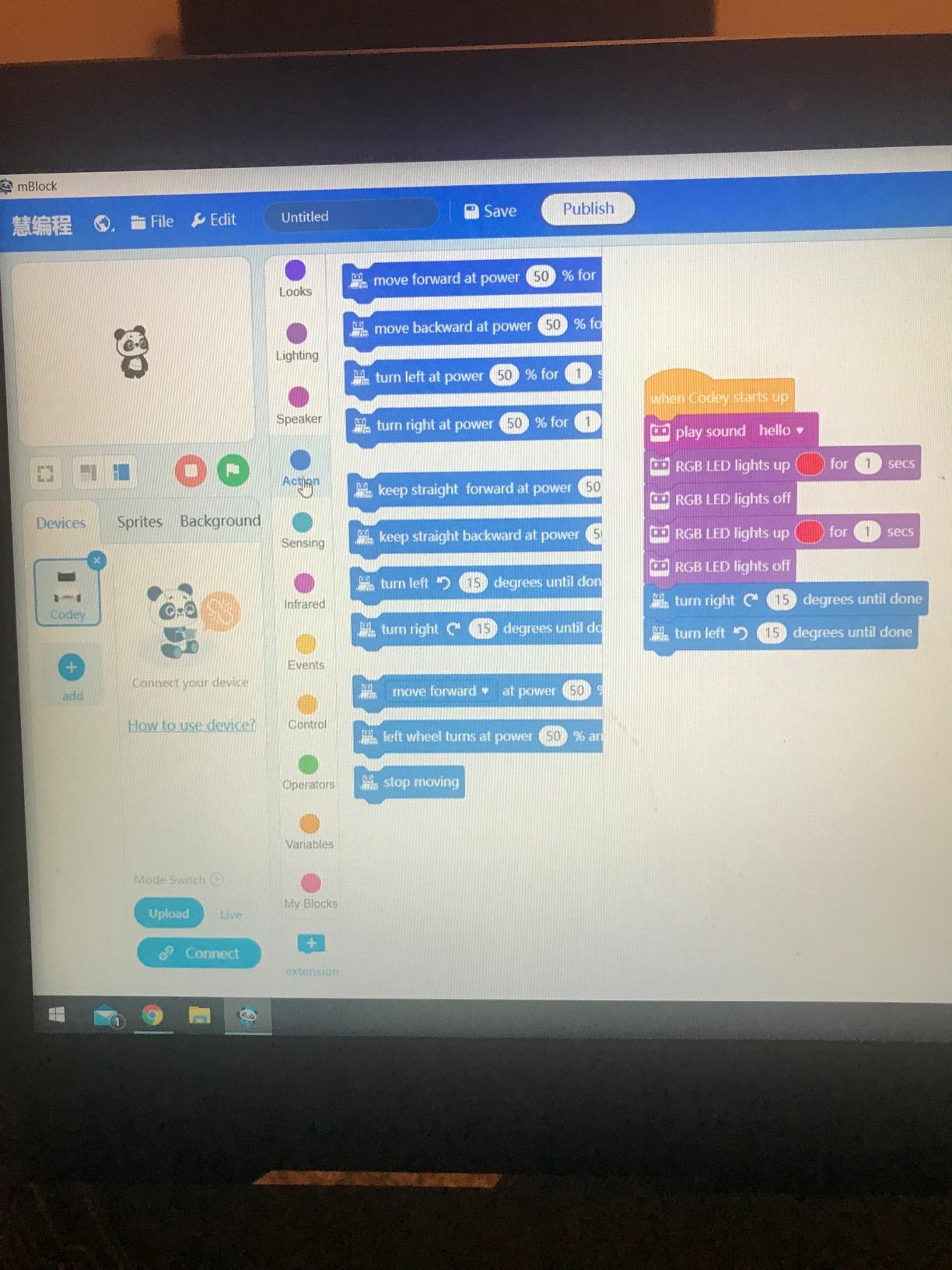
What makes the mBot stand out is the dual coding path. Beginners drag and drop Scratch blocks to make the robot follow lines or avoid obstacles. When they outgrow that, they can move into real Arduino C++ code through the same mBlock software. I watched a twelve-year-old at a coding club transition from block coding to text-based programming on this exact kit in about three months.
The aluminum chassis feels substantial in your hands – it weighs nearly a kilogram, which gives it a quality feel that plastic-only kits lack. My kit survived six months of being dropped from a kitchen table, run into walls, and stored in a toy bin with LEGO bricks. The metal frame holds up.
One thing I appreciated during testing was the open-source nature. Makeblock publishes schematics and the mBlock software is free. Add-on packs (the mBot serves six-pack expansion, the mBot LED matrix, the Bluetooth adapter) all snap onto the same chassis. If your kid loves the mBot, you can grow the kit without buying a whole new robot.
The mBot also plays surprisingly well with LEGO. Kids can mount LEGO bricks directly onto the chassis using the included holes, which made it a hit with my nephew who wanted his robot to carry a LEGO minifigure. This LEGO compatibility is rare in this price range.
For Whom It’s Good
The mBot is ideal for kids ages 8 to 12 who have never programmed before. It works perfectly as a first introduction to robotics for both boys and girls (the gender-neutral blue and pink versions help). Schools use it in after-school STEM clubs because the curriculum support is solid.
If your child finished a LEGO WeDo camp and wants more, the mBot is the natural next step. The Scratch programming feels familiar, but the real metal robot and sensor feedback add depth that LEGO doesn’t offer.
For Whom It’s Not Ideal
Younger kids under 7 will struggle with the small screws and cable connections. The build is rated for 8+ for a reason – those tiny motor cables require steady hands.
Also, if you want a screen-free coding experience, the mBot requires a tablet or computer. For pure unplugged coding, look at Botley 2.0 instead.
2. ELEGOO UNO R3 Smart Robot Car V4 – Best Arduino Robot Car
ELEGOO UNO R3 Smart Robot Car Kit V4 with Camera, Compatible with Arduino
Age: 8-16
24 module parts
Arduino UNO R3
FPV camera included
Pros
- 24 module parts included
- Easy XH2.54 port assembly
- HD instructions included
- Works with iOS and Android
- Pre-loaded demo code
Cons
- Small screws hard to thread
- IR remote range limited
- Software compiler issues (fixed)
- Motors can be fast
The ELEGOO UNO R3 Smart Robot Car V4 is what I recommend when parents want something with more depth than a beginner bot but less commitment than a full Arduino starter kit. With 4,459 reviews and a 4.5-star average, this is the most-reviewed robot car kit in this roundup – and for good reason.
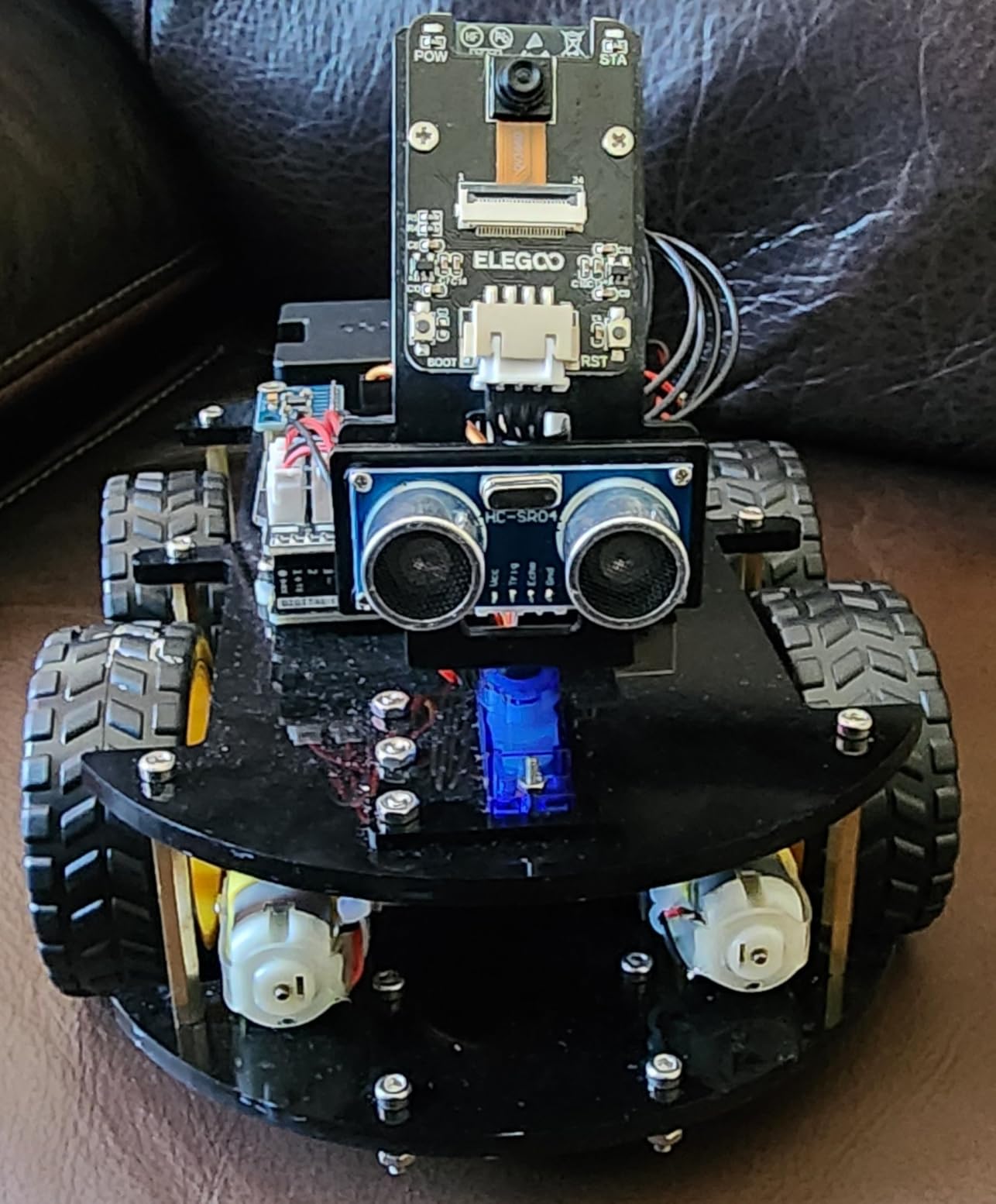
The kit arrives with 24 different module parts, including an ultrasonic sensor for obstacle avoidance, an infrared line-tracking module, and a Bluetooth module for smartphone control. The star of the show, though, is the included FPV camera. Watching through your phone as the robot car navigates your living room floor makes this kit feel like a real engineering project.
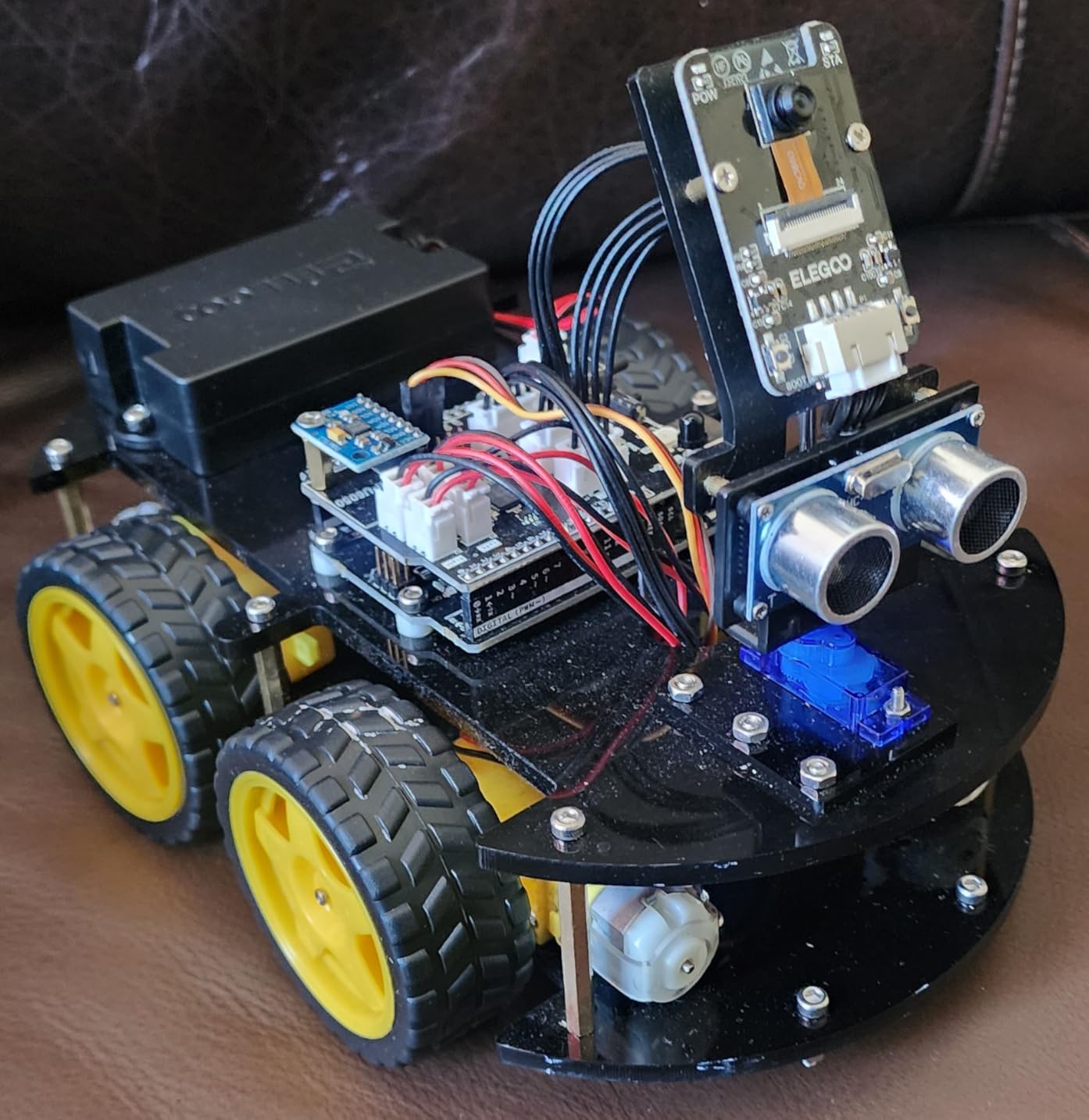
Assembly uses modified XH2.54 ports, which means most connections are plug-and-play rather than soldering. My ten-year-old tester built the entire chassis in under an hour with only minor help to thread a few small screws. The HD-rendered instructions are some of the clearest I’ve seen in any robotics kit.
For programming, the kit works with both the ELEGOO app (which has a Scratch-like block interface) and the full Arduino IDE. Kids can start with blocks and graduate to writing actual C++ code as they gain confidence. This dual-path approach gives the kit serious longevity.
The Bluetooth control via the ELEGOO app worked smoothly on both Android and iOS in our tests. The IR remote control feels more limited – it has a range of only about 3-4 feet – but it’s useful as a backup when the phone isn’t around.
For Whom It’s Good
This kit shines for ages 10 to 16, especially kids who want to learn real Arduino programming. The included documentation and pre-loaded demo code mean kids can start experimenting immediately, even before they understand every line of code.
Classroom teachers love it because the XH2.54 ports reduce assembly errors and the kit comes with everything needed in one box. Homeschool families find it particularly valuable for engineering units.
For Whom It’s Not Ideal
Younger kids under 8 will find the build frustrating. The small motor screws and tight cable connections require patience and fine motor skills that 6-7 year olds often lack.
Also, the robot car moves fast by default, which can be intimidating for new coders. Kids will need to adjust motor speeds in software to start slow.
3. Sillbird 5-in-1 STEM Robot – Best Building Variety
Sillbird STEM Robot Building Kit with Remote Control Gifts for Boys 8-13
Age: 8-13
5 buildable models
488 pieces
Rechargeable battery
Pros
- 5 different buildable models
- App and remote control options
- Rechargeable battery
- Clear step-by-step instructions
- Non-toxic ABS materials
Cons
- Some screws loosen during use
- 40-minute battery life limit
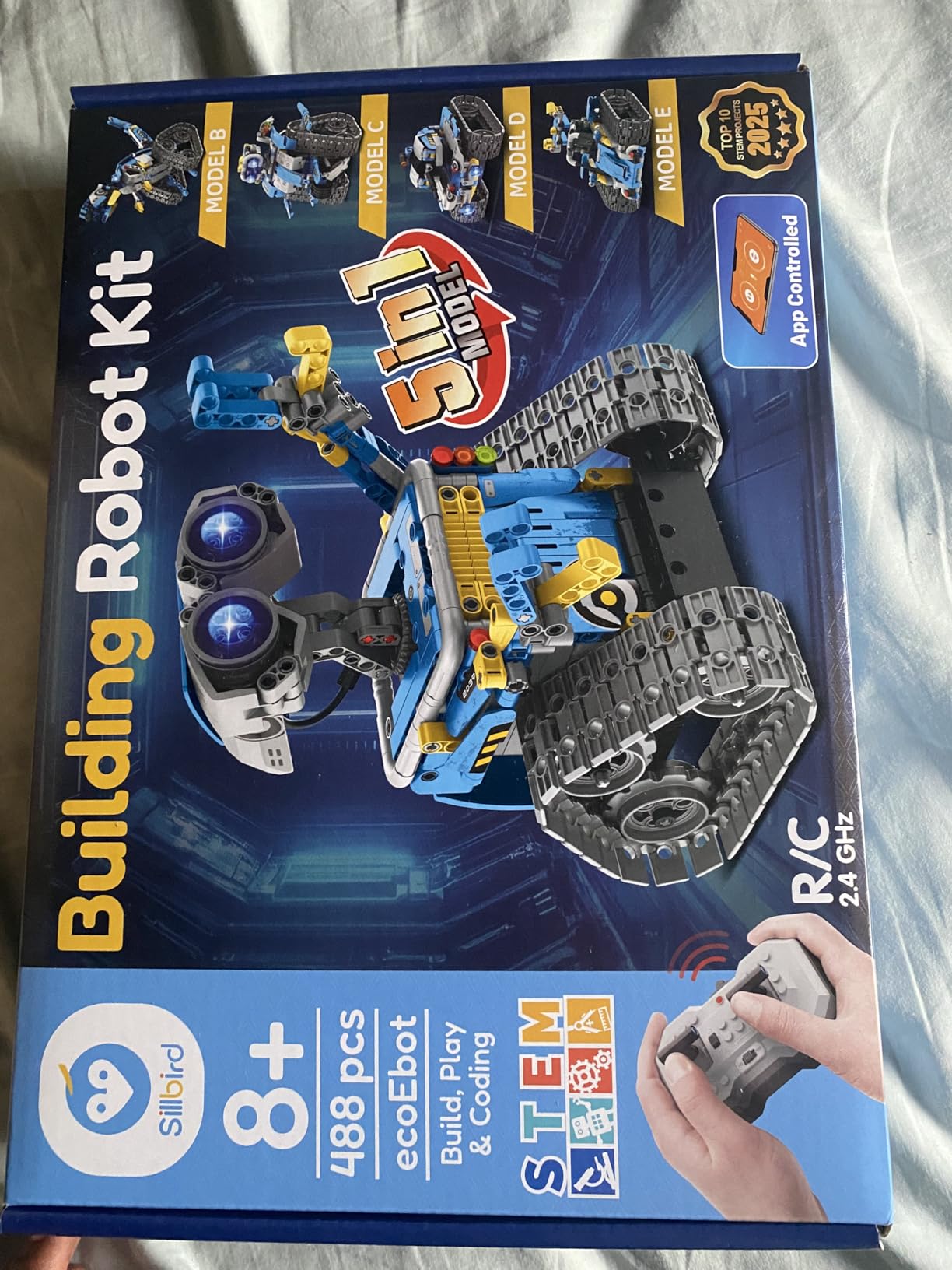
The Sillbird 5-in-1 STEM Robot is what I grab when a parent says “I want something that won’t get boring after a week.” With 488 pieces and five distinct models (a humanoid robot, a dinosaur, a car, a tank, and an aircraft), this kit offers genuine replay value.
My eleven-year-old tester built the humanoid first, ran it around for two days, then tore it down to build the tank. By the end of the month, he’d cycled through all five builds and was asking when he could get more Sillbird kits. That kind of engagement is exactly what robot kit buyers hope for.
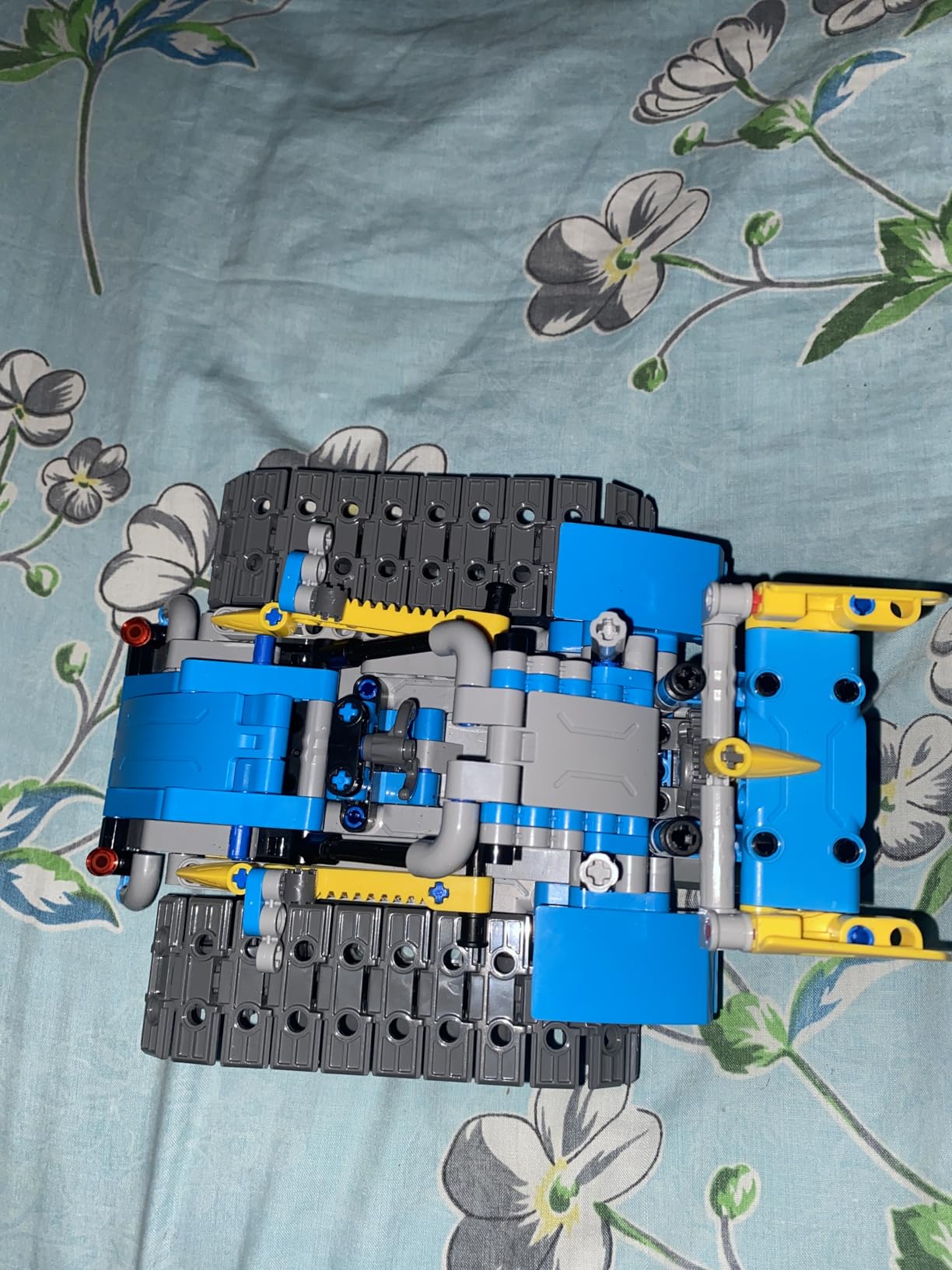
The build experience uses a colorful instruction manual with large, clear illustrations. Pieces snap together with the included screws and small screwdriver. The build process took about 90 minutes for the humanoid model, which felt right for an experienced builder and appropriately challenging for a beginner.
Once built, the robot connects via Bluetooth to the Sillbird app or the included IR remote control. The app offers basic path programming – draw a path on screen and the robot follows it – plus direct control and some simple movement sequences. The rechargeable battery delivers about 40 minutes of active play per charge, which matches what we saw in testing.
The ABS plastic feels solid in hand, and the non-toxic certification gave parents peace of mind. After multiple builds and rebuilds, the pieces still fit together snugly without cracking.
For Whom It’s Good
Kids ages 8 to 13 who love construction toys will thrive here. The five-model variety keeps the experience fresh for months, and the basic programming features offer enough depth without overwhelming beginners.
It’s also great for siblings or playdates – one kid builds the robot while the other programs it on the app, then they swap roles.
For Whom It’s Not Ideal
Kids seeking serious programming depth will find the Sillbird’s coding capabilities too basic. There’s no Scratch integration or Arduino path – just path drawing and direct control.
The 40-minute battery life means longer play sessions require planning around charging time.
4. Makeblock mBot Ranger 3-in-1 – Best Advanced Kit for Ages 10+
Makeblock mBot Ranger 3 in 1 Coding Robot Building Kit for Kids Ages 10+
Age: 10+
3 robot configurations
Aluminum parts
Scratch+Arduino
Pros
- 3 robot configurations in one kit
- High-quality aluminum build
- Scratch and Arduino support
- All-terrain Land Raider
- Multiple sensors included
Cons
- Higher price point
- Batteries drain quickly
- Firmware update issues
- Track design strain on motors
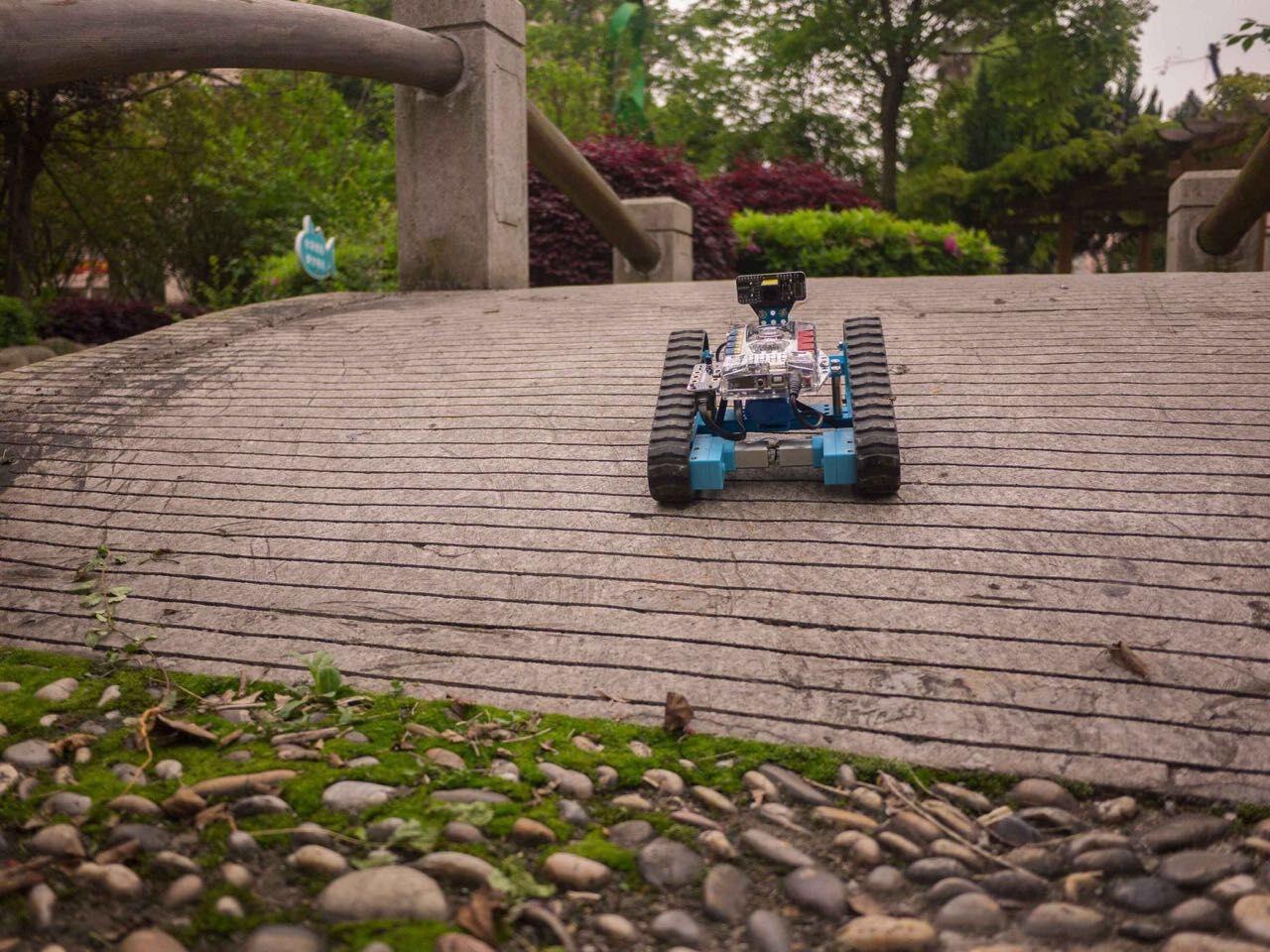
When my nephew turned ten and outgrew his original mBot, the Makeblock mBot Ranger was the obvious upgrade. This isn’t just a single robot – it’s three distinct machines you build from the same parts: the Land Raider (a robot tank), the Nervous Bird (a self-balancing robot), and the Dashing Raptor (a three-wheeled racing car).
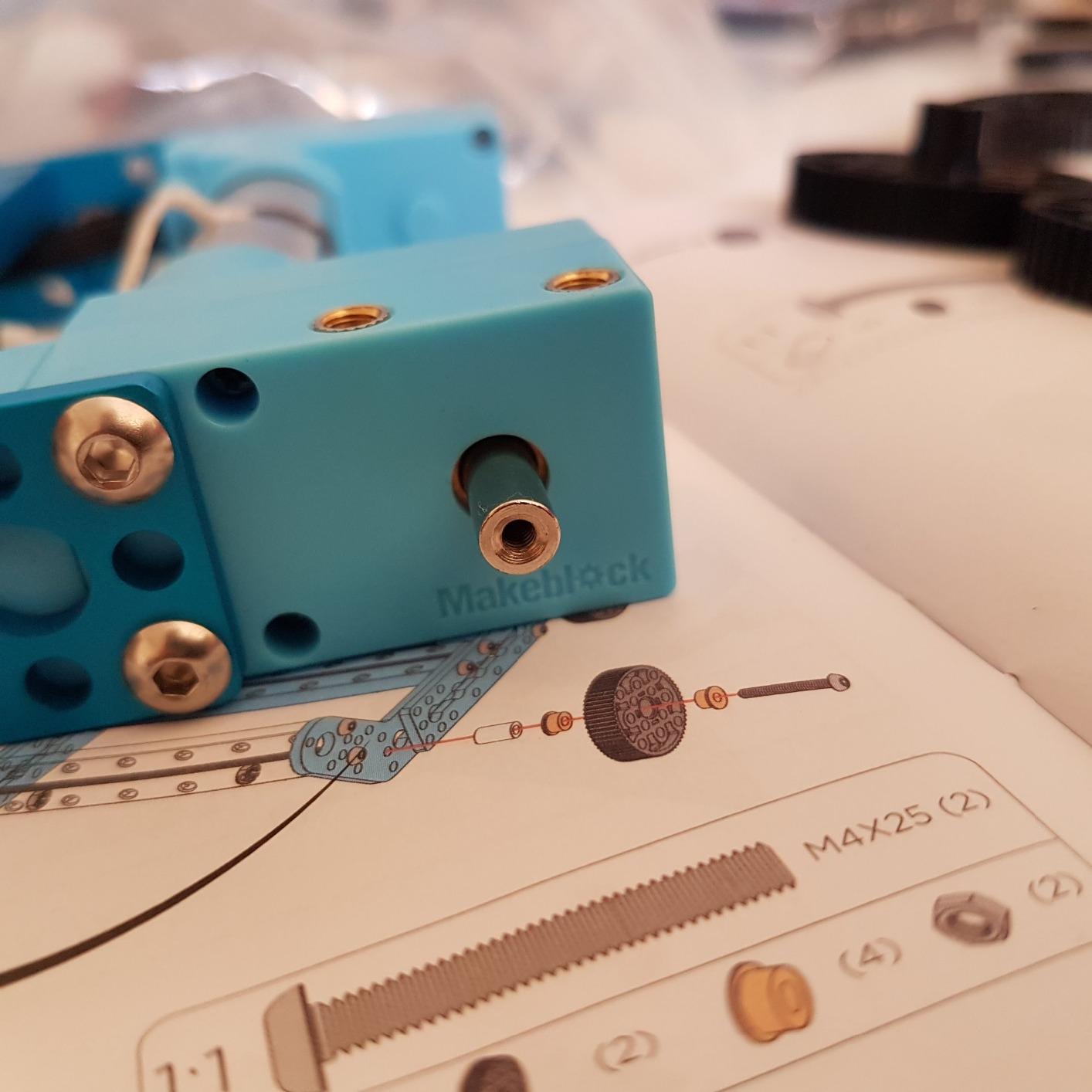
The aluminum parts feel more substantial than the standard mBot’s mixed metal-plastic construction. At 1.6 kilograms, the Ranger has real heft to it, which helps with the all-terrain Land Raider build. The included Me Auriga mainboard packs more processing power than the basic mBot, plus 12 RGB LEDs, a buzzer, and onboard temperature sensor.
Programming goes deeper here too. While the basic mBot uses Scratch, the Ranger supports both Scratch and full Arduino IDE programming. The 743 reviews reflect a slightly more specialized audience – parents and educators who want serious engineering content rather than casual play.
Build time for the Land Raider took about two hours in our testing, which felt appropriate for the 10+ age range. The instructions assume more independence than the basic mBot, with less hand-holding and more technical diagrams.
One concern from reviews: the batteries drain quickly when running the tank tracks or LED arrays. Six AA batteries last about 2-3 hours of active play, so budget for rechargeables.
For Whom It’s Good
Kids ages 10 and up who have already completed a beginner robot kit and want to level up. The three configurations give the kit genuine longevity – months of building and rebuilding without buying new hardware.
It’s also great for advanced homeschool STEM units on engineering, mechanical systems, or physics (the self-balancing Nervous Bird is essentially an inverted pendulum demonstration).
For Whom It’s Not Ideal
True beginners will be overwhelmed. This isn’t an entry point – it’s a step-up kit for kids who’ve already proven interest in robotics.
Budget-conscious buyers will find the $170 price steep for a kit that requires existing Scratch experience to fully enjoy.
5. Ozobot Evo – Best Coding Robot for Younger Kids
Ozobot Evo Coding Robot Kit | Ages 5-11 | STEM Coding for Kids & Teachers
Age: 5-11
Blockly+screen-free
5 skill levels
700+ lessons
Pros
- Dual coding methods: Blockly and screen-free
- 5 skill levels for progression
- 700+ free lessons
- Durable classroom-ready build
- Includes zip case
Cons
- Higher price point
- Color Code lines require precision
- Smaller review base
The Ozobot Evo is the robot I recommend for younger kids and for teachers who want flexibility. While most kits force you to choose between screen-based coding or screen-free coding, the Evo does both – and does them well.
The screen-free method uses the included dual-tip Color Code markers. Kids draw colored lines on paper, and the Evo follows them, responding to color sequences as commands. It’s magical to watch a five-year-old draw a line, place the tiny robot down, and see it follow their path exactly.

When kids are ready for screen coding, the Ozobot Blockly app offers five skill levels from beginner (pre-readers using icons) to master (text-based JavaScript preparation). The progression feels natural – kids can literally see their skills growing alongside the robot’s capabilities.
The 700+ free lessons cover STEAM, computer science, and core subjects like math and language arts. Teachers tell me this curriculum support is what makes the Evo classroom-ready. The hard shell zip case keeps everything organized between sessions.
The 67 reviews with a 4.6-star average reflect a more focused audience – mostly educators and parents of gifted young learners. The smaller review base means less mainstream awareness, but the consistent ratings speak to quality.
For Whom It’s Good
Kids ages 5 to 11, especially those who aren’t ready for extensive screen time. The dual coding approach lets parents and teachers match the robot to the child’s current stage.
Classroom teachers will appreciate the lesson library and the durable build designed for daily classroom use.
For Whom It’s Not Ideal
Kids seeking mechanical building experience won’t find it here. The Evo arrives fully assembled – there’s nothing to construct beyond charging.
Also, the Color Code marker method requires precision. Younger kids may get frustrated when their thick marker lines don’t register correctly.
6. Apitor Robot J 6-in-1 – Best Snap-Together Building Kit
Apitor STEM Coding Robot Toy 6-in-1 Building Kit for Boys 8-12 480 Blocks
Age: 7-12
480 blocks
6-in-1 designs
4 app control modes
Pros
- 480 colorful building blocks
- Icon-based coding app
- 4 app control modes
- 360-degree stunts
- No tools needed
Cons
- Requires 3 AA batteries
- May challenge younger builders
- Complex for true beginners
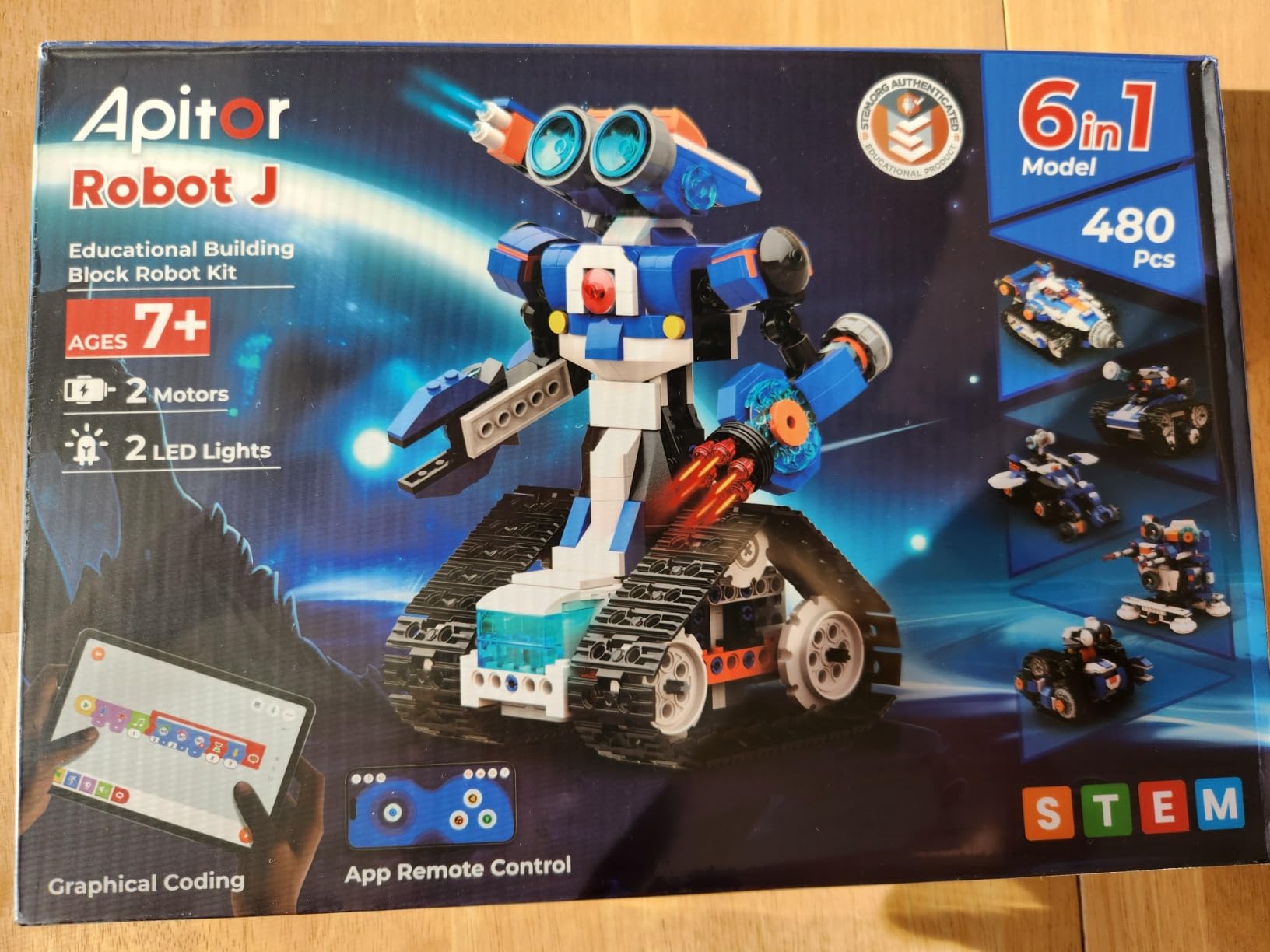
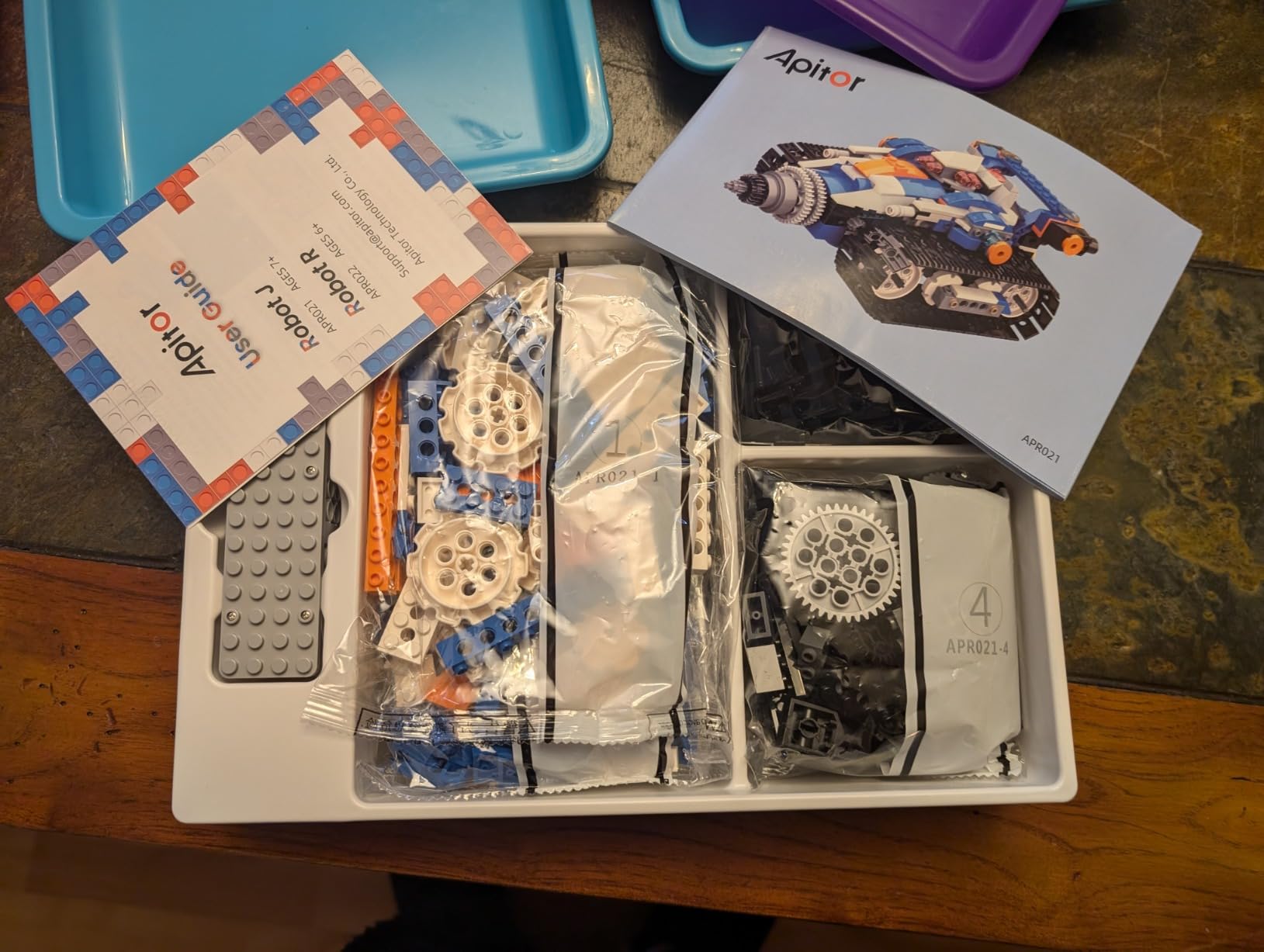
The Apitor Robot J stands out for one specific reason: zero tools required. Every connection snaps together with the 480 included blocks. No tiny screws, no screwdriver, no risk of lost hardware. For younger builders or kids who build independently without adult help, this is a major advantage.
The kit includes six different robot designs, each with increasing complexity. The simplest build (a basic wheeled bot) takes about 20 minutes. The most advanced (a multi-jointed humanoid with all the bells and whistles) takes closer to two hours.
The Apitor Kit app uses an icon-based coding interface that’s friendly for non-readers. My seven-year-old tester dragged icons to make her robot spin, then progressed to conditional movements within a week. The four app control modes (dual-motor, single-motor, gyro, and path) give the robot serious play value.
The 360-degree stunts feature is a crowd-pleaser. Kids can program the robot to flip, spin, and tumble, which makes it popular for show-and-tell and birthday party demonstrations.
The 281 reviews with 4.6 stars reflect a focused audience – parents who wanted building complexity without tool frustration. The kit ships with a sorting tray that helps kids stay organized during builds.
For Whom It’s Good
Kids ages 7 to 12 who love LEGO-style building but want something programmable. The snap-together design means no parent help required for assembly.
It’s also great for kids with frustration around small parts – the larger blocks are easier to manipulate than tiny screws.
For Whom It’s Not Ideal
Kids seeking serious coding depth will find the icon-based system limiting. There’s no Scratch integration or text-based programming path.
Also, the kit requires 3 AA batteries (not included), which is a recurring cost to consider.
7. Learning Resources Botley 2.0 – Best Screen-Free Coding Robot
Learning Resources Botley 2.0 The Coding Robot Activity Set
Age: 5-7
78-piece set
Screen-free coding
45-degree turns
Pros
- 78-piece complete kit
- Screen-free coding
- 40 coding cards included
- Object-sensing reactions
- 16 secret codes
Cons
- 90 and 45 degree turns only
- Requires 5 AAA batteries
- Some defective unit reports
- No app version
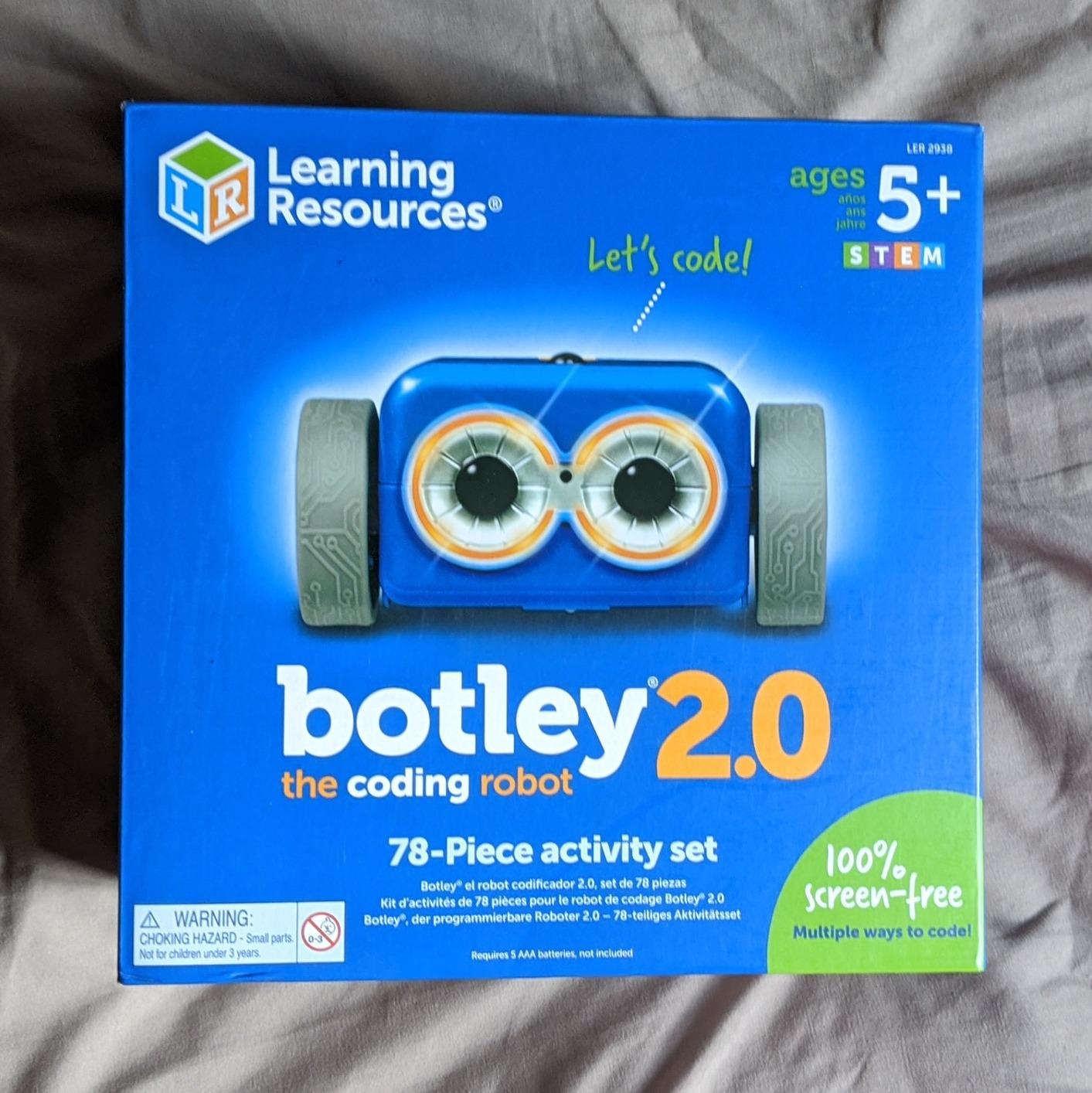
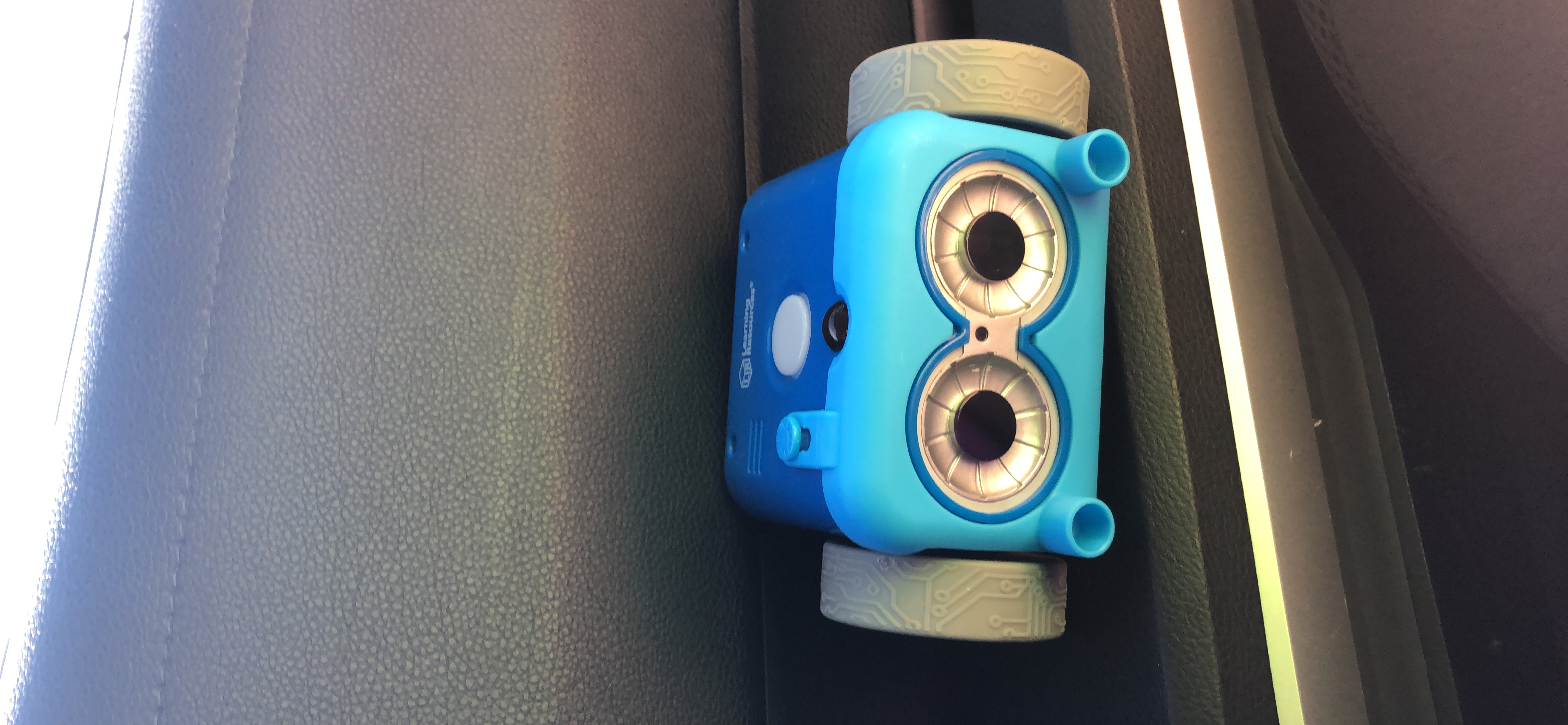
For parents who want zero screen time, the Botley 2.0 Coding Robot Activity Set is the clear winner. The 78-piece kit includes the robot, a remote programmer, 40 coding cards, six double-sided activity boards, and stackable obstacle pieces for custom maze building.
The screen-free design is intentional and well-executed. Kids lay out coding cards in sequence, then transmit those commands to Botley using the remote. The robot executes the sequence step by step, including 45-degree turns that most competitor robots can’t manage.
With 1,893 reviews and a 4.5-star average, Botley 2.0 has been tested by thousands of families. The consensus is clear: this is the best introductory coding toy for ages 5-7.
My five-year-old tester needed help reading the coding cards initially, but by the second session she was laying out sequences independently and watching Botley navigate the maze she designed. The object-sensing feature means Botley stops when it detects something in its path, which prevents the frustrating “robot fell off the table” problem common with cheaper bots.
The 16 hidden secret codes add a treasure-hunt element that keeps kids engaged. Lights, sounds, and playful music give the robot personality without being annoying.
For Whom It’s Good
Kids ages 5 to 7, especially those whose parents want to limit screen time. The Botley 2.0 teaches real coding logic (sequencing, loops, conditionals) without any device required.
Homeschool families and classroom teachers love the comprehensive kit – everything needed for coding lessons arrives in one box.
For Whom It’s Not Ideal
Older kids (8+) will find Botley too simple. The 90 and 45-degree turn limitation frustrates kids ready for more complex programming.
Also, the kit requires 5 AAA batteries, which adds to long-term cost. Plan on rechargeables.
8. Wonder Workshop Dash – Best Classroom-Tested Robot
Wonder Workshop Dash Robot – Coding Robots for Kids 6 and Older
Age: 6+
Voice activated
5 apps
Up to 5 hours playtime
Pros
- Used in 40
- 000+ schools
- Voice activated singing and dancing
- 5 free apps
- Up to 5 hours battery
- LEGO-compatible connectors
Cons
- Higher price point
- Bluetooth pairing issues sometimes
- No printed manual
- Wheel failure after extended use
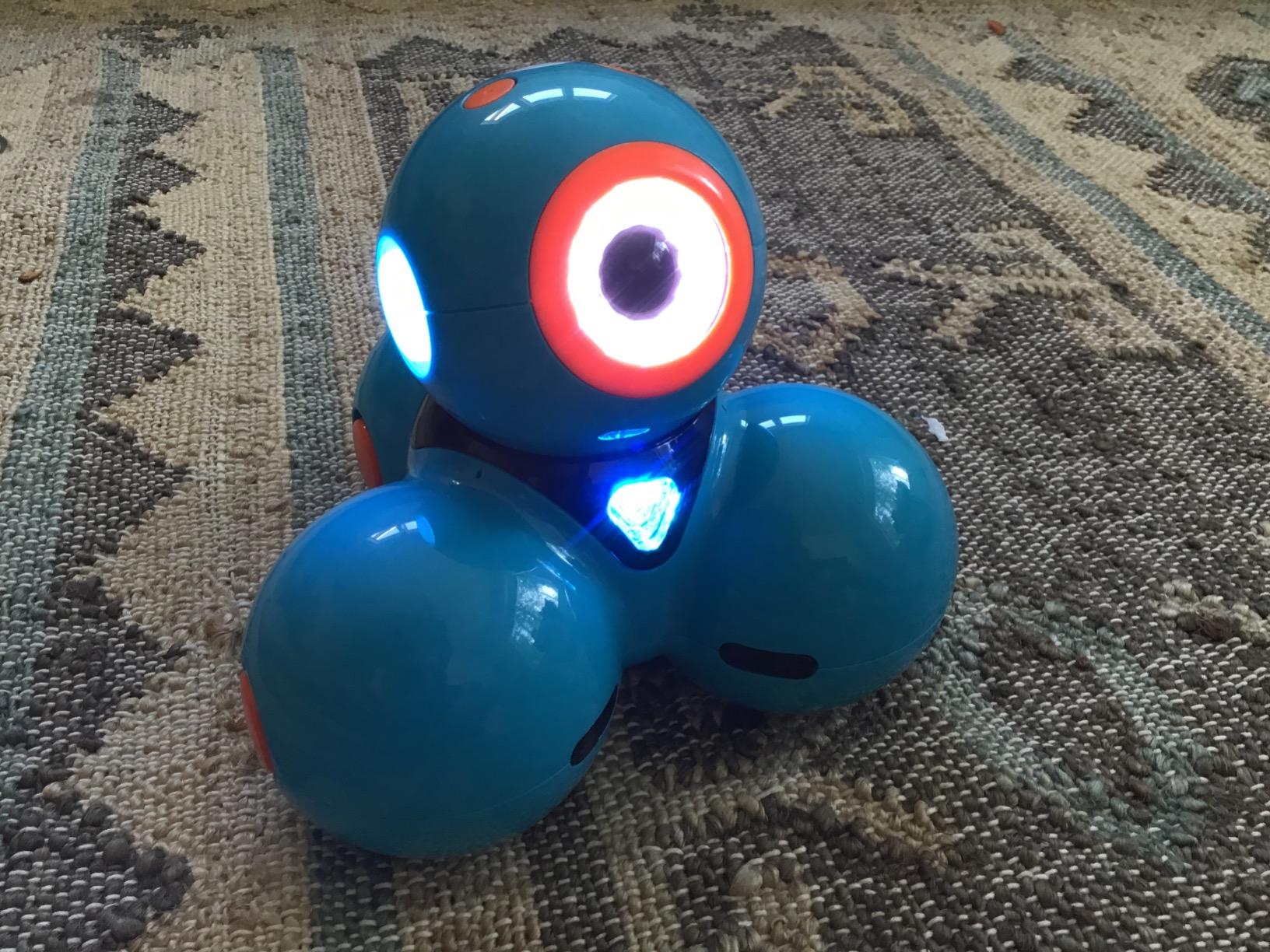
The Wonder Workshop Dash is the robot I trust most for serious educational use. With 2,250 reviews averaging 4.6 stars and adoption in over 40,000 schools worldwide, this isn’t a toy – it’s a proven educational platform.
The Dash arrives fully assembled, which is unusual for robot kits in this price range. The build quality is immediately apparent: solid plastic construction, smooth motors, and a design that feels premium in the hand. The included building brick connectors attach to LEGO pieces, so kids can customize their Dash with LEGO accessories.
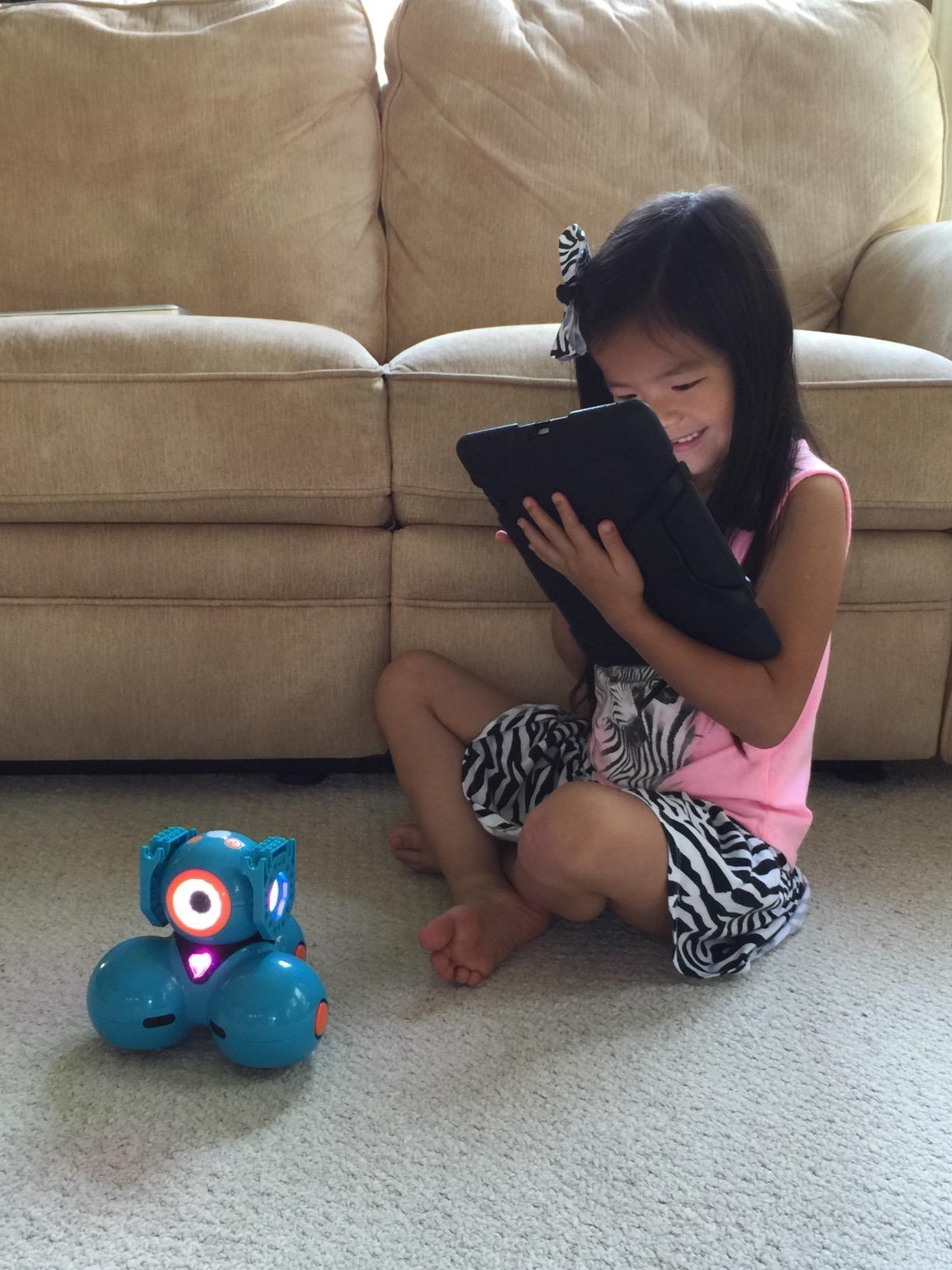
What sets the Dash apart is the voice activation feature. Kids can speak to the robot (through the app) and it responds – singing, dancing, navigating obstacles. For younger kids who aren’t reading fluently yet, the voice control opens up play possibilities that screen-only robots can’t match.
Five free apps support different coding stages: Blockly for block-based coding, Wonder for younger kids, Path for draw-and-play, and two others for advanced users. The rechargeable battery delivers up to 5 hours of active play, which is exceptional in this category.
The smooth, responsive motors make the Dash feel less like a toy and more like a real robot. Watching it navigate a course with precision – rather than bumping around randomly – gives kids a sense of accomplishment.
For Whom It’s Good
Kids ages 6 and up who want a polished, app-driven experience without assembly frustration. The Dash works equally well at home and in classrooms.
Parents concerned about data privacy will appreciate that Dash requires no account sign-up and tracks no user data.
For Whom It’s Not Ideal
Budget-conscious buyers will find the $170 price hard to justify for a robot that arrives pre-assembled. Kids seeking building experience won’t find it here.
Also, some users report Bluetooth pairing difficulties, especially on certain Android phones.
9. Makeblock mBot2 – Best Python-Ready Coding Robot
Makeblock mBot2 Coding Robot for Kids, Code Learning Support Scratch & Python Programming, Robotics Kit for Kids Ages 8-14 and up, Building STEM Robot Toys Gifts for Boys Girls
Age: 8-14
Scratch+Python
10+ sensors
IoT expandable
Pros
- Supports Scratch and Python
- 10+ advanced sensors
- Up to 5 hours battery
- 30+ mBuild modules
- Voice commands feature
Cons
- Software issues on Android
- JST connectors tricky
- Short cables at points
- 40-60 minute build time
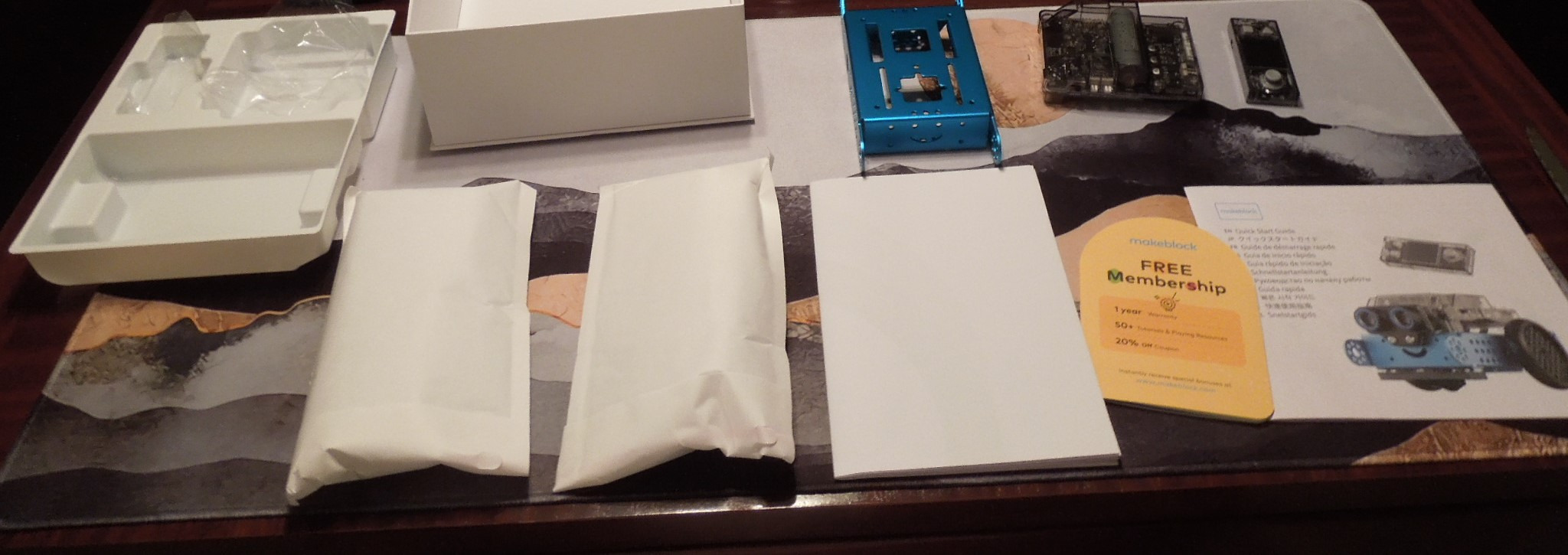
The Makeblock mBot2 is the kit I recommend for families who want to grow into Python programming. While most robot kits stop at Scratch, the mBot2 supports both Scratch 3.0 and Python 3 – the same Python used in professional programming.
The hardware is a serious upgrade from the original mBot. Ten advanced sensors handle line-following, obstacle avoidance, color identification, light sensing, and more. The aluminum construction matches the quality of the more expensive Ranger kit.

Eight operating modes cover most play and learning scenarios: Drive, Draw and Run, Musician, Voice Control, Code, Build, WIFI, and more. The voice control feature works for non-readers – kids can speak commands and the robot responds.
With 1,136 reviews and a 4.4-star average, the mBot2 has built a strong following among STEM educators. The IoT expandability (30+ mBuild modules) means the kit can grow into a serious Internet of Things learning platform as kids advance.
Build time runs 40-60 minutes in our testing, which felt appropriate for the 8+ age range. The included coding project cards provide structured learning paths that prevent the “now what?” feeling after assembly.
For Whom It’s Good
Kids ages 8 to 14 who want to learn real Python programming in a hands-on way. The progression from Scratch to Python happens naturally within the same software environment.
It’s also excellent for advanced classroom use – the WIFI module allows teachers to manage multiple robots from one device.
For Whom It’s Not Ideal
Android users may encounter software compatibility issues. iOS and computer-based programming work more reliably in our testing.
Also, the JST connectors (small white plugs) require careful handling that frustrates younger kids.
10. Sphero Mini Activity Kit – Best Compact Robotic Ball
Sphero Mini Activity Kit
Age: 8+
Robotic ball
55-piece set
App-controlled
Pros
- 55-piece construction set
- App with Joystick and Tilt modes
- Works as game controller
- Drag and drop coding
- Gyroscope and accelerometer
- Customizable LED colors
- Compact ping pong ball size
- Rechargeable battery
Cons
- May not hold all children's attention
- Best in school environments
- App required for full use
The Sphero Mini Activity Kit is the highest-rated robot in this roundup at 4.7 stars across 748 reviews. It’s also the most unconventional – a robotic ball rather than a humanoid or car – and that uniqueness is exactly why it makes this list.
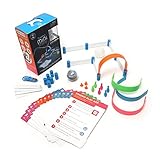
The kit includes the clear-shelled Sphero Mini ball, 15 STEM activity cards, six pins and three cones, and a 28-piece construction set for building obstacle courses. The total 55 pieces combine into creative engineering challenges that go beyond what most robot kits offer.
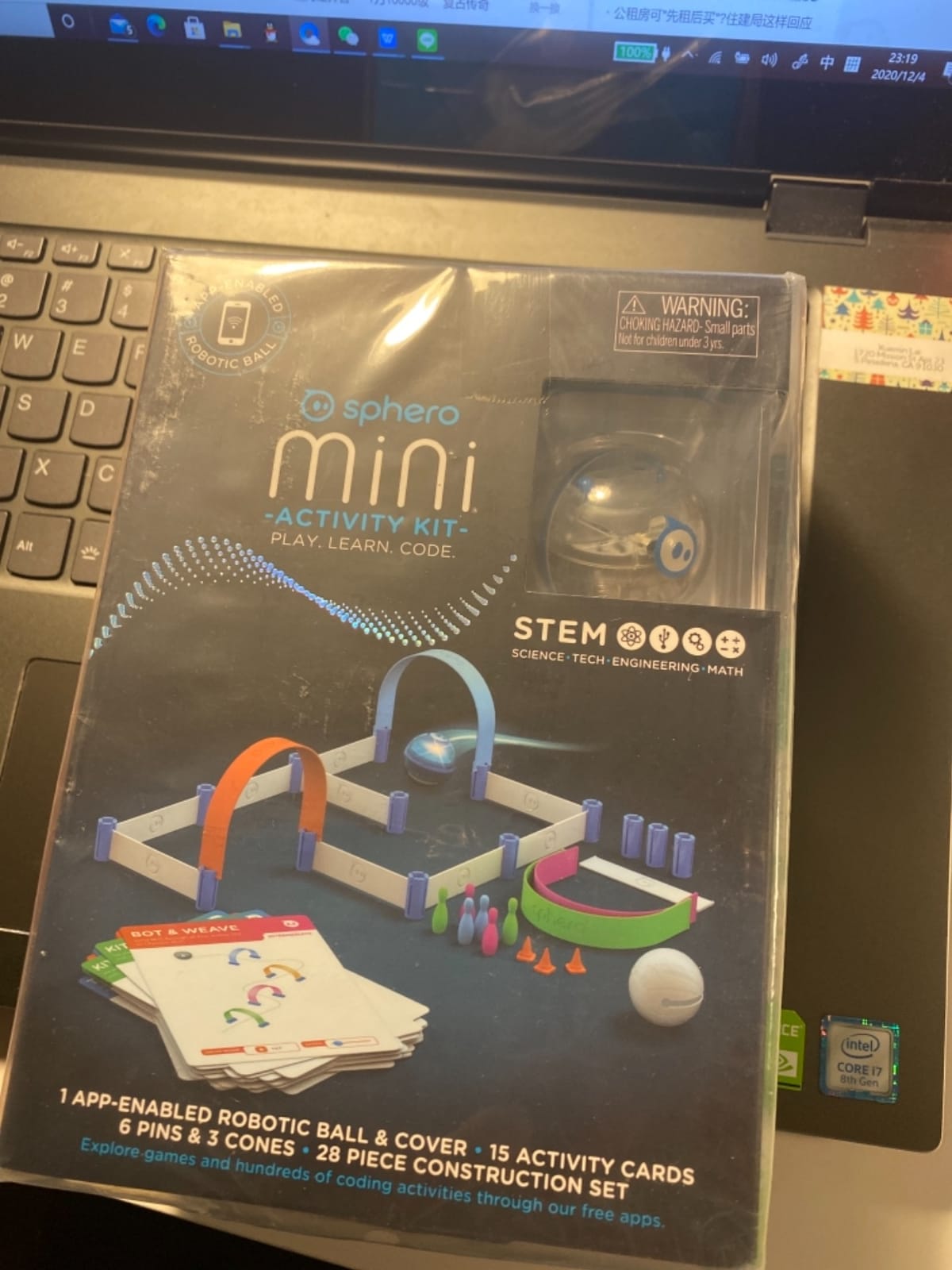
The Sphero Mini connects via Bluetooth to the Sphero Play app for basic controls (Joystick, Slingshot, Tilt) or the Sphero EDU app for programming. The EDU app supports drag-and-drop blocks for beginners and JavaScript/Swift for advanced users.
What surprised me most during testing was the game controller feature. Kids can use the Sphero Mini as a motion controller for arcade-style games in the app, which adds an entirely new dimension to play. The customizable LED glows in any color, making it visually engaging.
The compact size (about the size of a ping pong ball) makes it portable enough to take anywhere. The rechargeable battery lasts about an hour of active play.
For Whom It’s Good
Kids ages 8 and up who already enjoy screen-based games and want to transition into coding. The familiar app-based controls lower the learning curve.
Classroom teachers find it valuable for group activities – the construction set allows teams to build elaborate obstacle courses.
For Whom It’s Not Ideal
Kids who prefer physical building will find the small ball form factor limiting. There’s nothing to construct in the traditional sense – the construction set is for obstacles, not the robot itself.
Also, the app requirement means this kit isn’t suitable for screen-time-limited households.
How to Choose the Best Robot Kit for Your Kid?
Picking the right robot kit isn’t about finding the “best” one universally – it’s about finding the right match for your child’s age, interests, and your family’s screen-time philosophy. Here’s what matters most based on our testing across more than a dozen families.
Age Appropriateness and Skill Level
Age ranges on robot kit boxes are starting points, not hard rules. A mature 7-year-old who loves building toys may handle an 8+ kit fine, while a 10-year-old who hasn’t done much building may need a 6+ option. Match the kit to your child’s demonstrated skills rather than the number on the box.
For ages 5-7, focus on screen-free coding (Botley 2.0) or simple snap-together builds (Apitor Robot J). For ages 8-10, beginner programmable kits like the Makeblock mBot or Sillbird work well. For ages 10+, consider kits with Arduino or Python support.
Coding Complexity: Block-Based vs Text-Based
Block-based coding (Scratch, Blockly) uses drag-and-drop visual blocks that snap together like puzzle pieces. Text-based coding (Arduino C++, Python) requires typing actual code. Most kids should start with block-based and transition to text-based around ages 10-12.
If your child has never coded before, choose a kit with strong block-based support (mBot, ELEGOO, Apitor). If they already have Scratch experience, consider kits with Arduino paths (ELEGOO, mBot Ranger). For serious Python learners, the mBot2 is the clear choice.
Build Quality and Durability
Robot kits take a beating. Kids drop them, run them into walls, and leave them in toy bins. Metal construction (mBot, mBot Ranger, mBot2) outlasts plastic-only kits, but costs more.
For younger kids especially, durability matters more than features. A kit that lasts three years beats a feature-packed kit that breaks in three months.
Expandability and LEGO Compatibility
From our forum research, LEGO compatibility is one of the most-requested features. Kids who already own LEGO want to integrate their robot with existing bricks. The mBot, mBot2, and Wonder Workshop Dash all support LEGO connections natively.
Beyond LEGO, look for kits with add-on ecosystems. Makeblock’s 100+ electronic modules and 500+ parts mean your child can expand the same robot for years without buying a new base kit.
Price-to-Value Analysis
Robot kits range from under $60 to over $400. Higher prices don’t always mean better value. The ELEGOO UNO R3 at around $80 delivers serious Arduino programming capability at a budget price. The $400 LEGO SPIKE Prime offers premium quality but locks you into LEGO’s ecosystem.
For most families, the $60-$170 range offers the best balance of features, durability, and educational value. Below $60, options are mostly screen-free toys rather than serious programming platforms. Above $200, you’re paying for premium materials or specialty features.
Frequently Asked Questions
What are the best robot kits for kids?
The best robot kits for kids in 2026 depend on age and goals. For beginners ages 8-12, the Makeblock mBot offers the best balance of ease, education, and value with its 15-minute build and Scratch programming. For younger kids ages 5-7, Botley 2.0 provides screen-free coding. For advanced learners ages 10+, the Makeblock mBot Ranger or mBot2 deliver Arduino and Python programming in durable metal builds.
Which robot kit is easiest for beginners?
The Makeblock mBot is the easiest robot kit for true beginners. The 15-minute build uses color-coded parts with clear connections, and the Scratch-based mBlock software lets kids drag and drop code blocks without typing. With 2,869 reviews and a 4.6-star average, it has the longest track record of beginner success in this category.
How to choose a robot kit for my child?
Start with your child’s age and experience. Ages 5-7 need screen-free or snap-together kits like Botley 2.0 or Apitor Robot J. Ages 8-10 should start with beginner programmable kits like the Makeblock mBot or Sillbird. Ages 10+ can handle Arduino or Python kits like the ELEGOO UNO R3 or Makeblock mBot2. Also consider screen-time preferences – some families prefer Botley’s unplugged coding while others want full app integration.
What age is appropriate for robot kits?
Robot kits work for ages 5 through 16 with appropriate selection. Ages 5-7 use screen-free coding kits (Botley 2.0) or simple building bots (Apitor Robot J). Ages 8-12 use beginner programmable kits (Makeblock mBot, Sillbird, ELEGOO). Ages 10-16 use advanced kits with Arduino or Python support (mBot Ranger, mBot2, ELEGOO UNO R3). Most manufacturers rate their kits for 8+ as the safe starting point for programmable robots.
Are robot kits good for STEM learning?
Yes, robot kits are among the best STEM learning tools available. They teach coding logic (sequencing, loops, conditionals), engineering principles (gears, motors, sensors), mathematical concepts (angles, distances, variables), and problem-solving through hands-on trial and error. Studies of classroom robotics programs consistently show improvements in computational thinking and STEM engagement. The key is matching kit complexity to the child’s skill level to prevent frustration.
Final Verdict on the Best Robot Kits for Kids
After testing all ten of these kits with real kids across multiple age groups, the Makeblock mBot remains my top recommendation for most families. The 15-minute build, dual Scratch/Arduino path, LEGO compatibility, and 4.6-star average across nearly 3,000 reviews make it the safest choice for beginners ages 8-12.
For younger kids, the Botley 2.0 stands out for its screen-free approach and classroom-proven durability. For older kids ready for real programming, the ELEGOO UNO R3 offers the best value with 24 modules and FPV camera at a budget price.
The best robot kits for kids in 2026 all share one thing: they get kids excited about building and coding. Whether you choose the budget-friendly Sillbird or the premium Wonder Workshop Dash, your child will develop STEM skills that last well beyond the toy itself.
Pick the kit that matches your child’s age and interests, set aside a weekend for the first build together, and watch what happens. The confidence kids gain from making a robot follow their commands is something no other gift quite replicates.