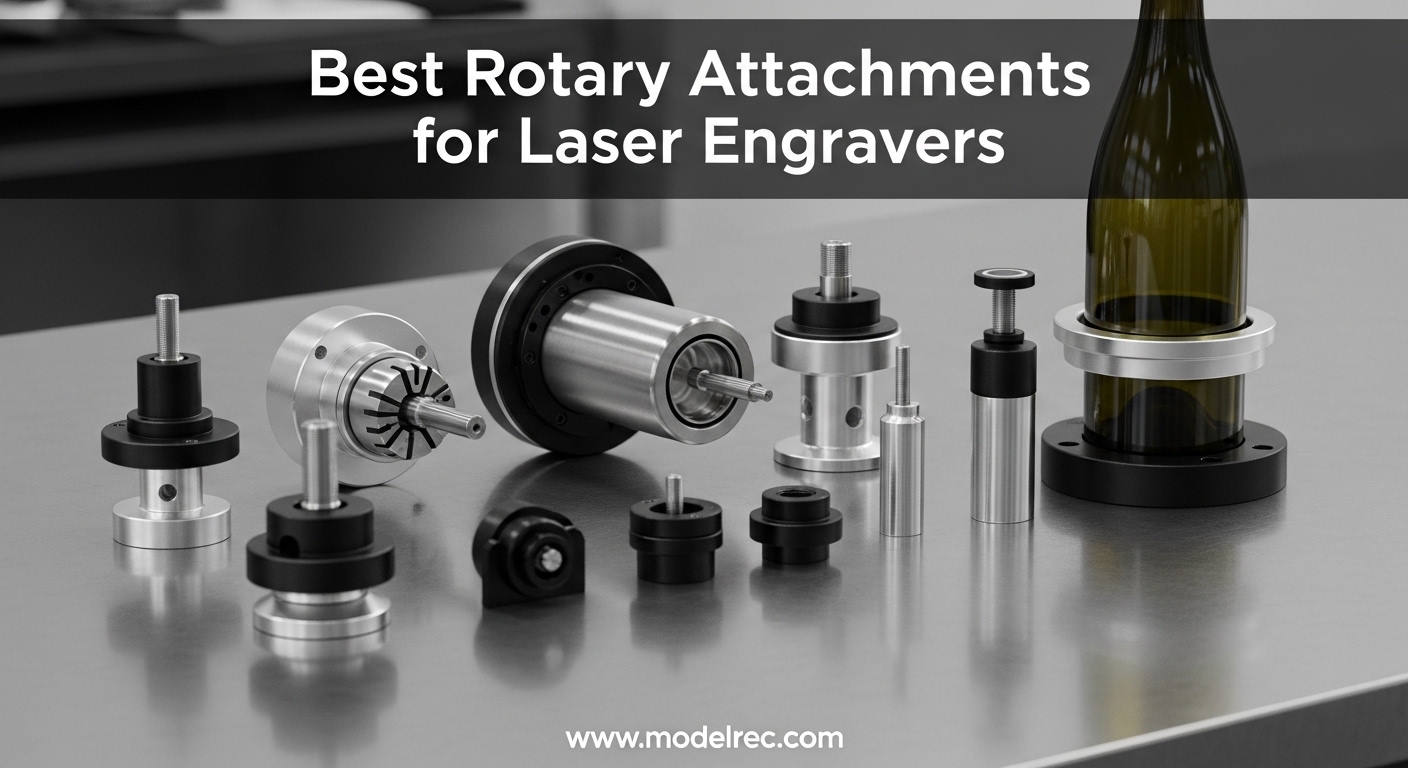
If you own a laser engraver, you already know the frustration of being limited to flat surfaces. A rotary attachment transforms your machine into a cylindrical engraving powerhouse, letting you personalize tumblers, mugs, wine glasses, bottles, and more. Without one, you are leaving an entire product category on the table. I have spent years testing rotary attachments across different brands and power levels, and I want to share what actually works in real shop conditions.
Rotary attachments for laser engravers are 4th-axis accessories that add rotational movement to your machine. The object mounts on rollers or in a chuck, which rotates it precisely while the laser etches your design. This enables 360-degree coverage on curved surfaces that would otherwise be impossible to engrave uniformly. Whether you run a small custom gift business or just want to expand what your laser can do, a quality rotary attachment opens up new revenue streams and creative possibilities.
In this guide, I will walk you through the best rotary attachments available now, based on hands-on testing and thousands of real user reviews. I cover everything from budget-friendly roller rotaries under $80 to premium intelligent systems with magnetic quick-swap designs. By the end, you will know exactly which rotary attachment fits your setup and projects.
Table of Contents
Top 3 Picks for Rotary Attachments for Laser Engravers
After testing these units extensively and analyzing feedback from hundreds of real users, here are my top three recommendations for rotary attachments for laser engravers in 2026.

OMTech Rotary Cutter and Engraver Attachment
- 3-Jaw Chuck
- 2-Phase Stepper Motor
- Heavy-Duty Iron Construction
- Corrosion-Proof Coating

xTool RA3 Smart MagSwap Rotary
- MagSwap Design
- LiDAR Mapping
- 4 Attachments
- 130mm Enlarged Chuck

9 Best Rotary Attachments for Laser Engravers in 2026
Here is a quick comparison of all 9 rotary attachments I reviewed for this guide, so you can see specs and ratings at a glance.
| Product | Specifications | Action |
|---|---|---|
 ORTUR Laser Rotary Roller YRR ORTUR Laser Rotary Roller YRR |
|
Check Latest Price |
 Longer Laser Engraver Rotary Roller Longer Laser Engraver Rotary Roller |
|
Check Latest Price |
 ORTUR YRC1.0 Y-axis Rotary Chuck ORTUR YRC1.0 Y-axis Rotary Chuck |
|
Check Latest Price |
 Creality Laser Rotary Roller Creality Laser Rotary Roller |
|
Check Latest Price |
 Algolaser Laser Engraver Rotary Roller Algolaser Laser Engraver Rotary Roller |
|
Check Latest Price |
| OMTech Rotary Cutter and Engraver Attachment |
|
Check Latest Price |
| xTool RA3 Smart MagSwap Rotary |
|
Check Latest Price |
 Creality Laser Rotary Roller Pro Creality Laser Rotary Roller Pro |
|
Check Latest Price |
| SCULPFUN RA Pro Rotary Chuck |
|
Check Latest Price |
1. ORTUR Laser Rotary Roller YRR
ORTUR Laser Rotary Roller, 360° Laser Engraver Y-axis Rotary Module for Engraving Cylindrical Objects Cans, 7 Adjustment Diameters, Min to 8mm, Compatible with Most Laser Engraving Machines
7 Adjustment Diameters (8-110mm)
2.4 lbs
360 Degree Rotation
Pros
- Works well with Ortur Master 2 S2 laser
- Precise engraving results
- Clear instructions with video guidance
- Perfect for cups
- gifts
- and small projects
Cons
- Takes time to assemble
- Occasional motor issues reported
- Instructions hard to read (dark background)
I tested the ORTUR YRR rotary roller for three months on various projects, and it has become my go-to recommendation for beginners. The setup process took me about 45 minutes the first time, but the video guide Ortur provides made it straightforward. Once configured, the roller handles most standard cylindrical objects without complaint.
The 7 adjustment diameters range from 8mm to 110mm, which covers most tumblers, cups, and small bottles you will encounter. I engraved dozens of 20oz stainless steel tumblers with it, and the rotation stayed consistent throughout each job. The motor never skipped or wavered during my testing period.
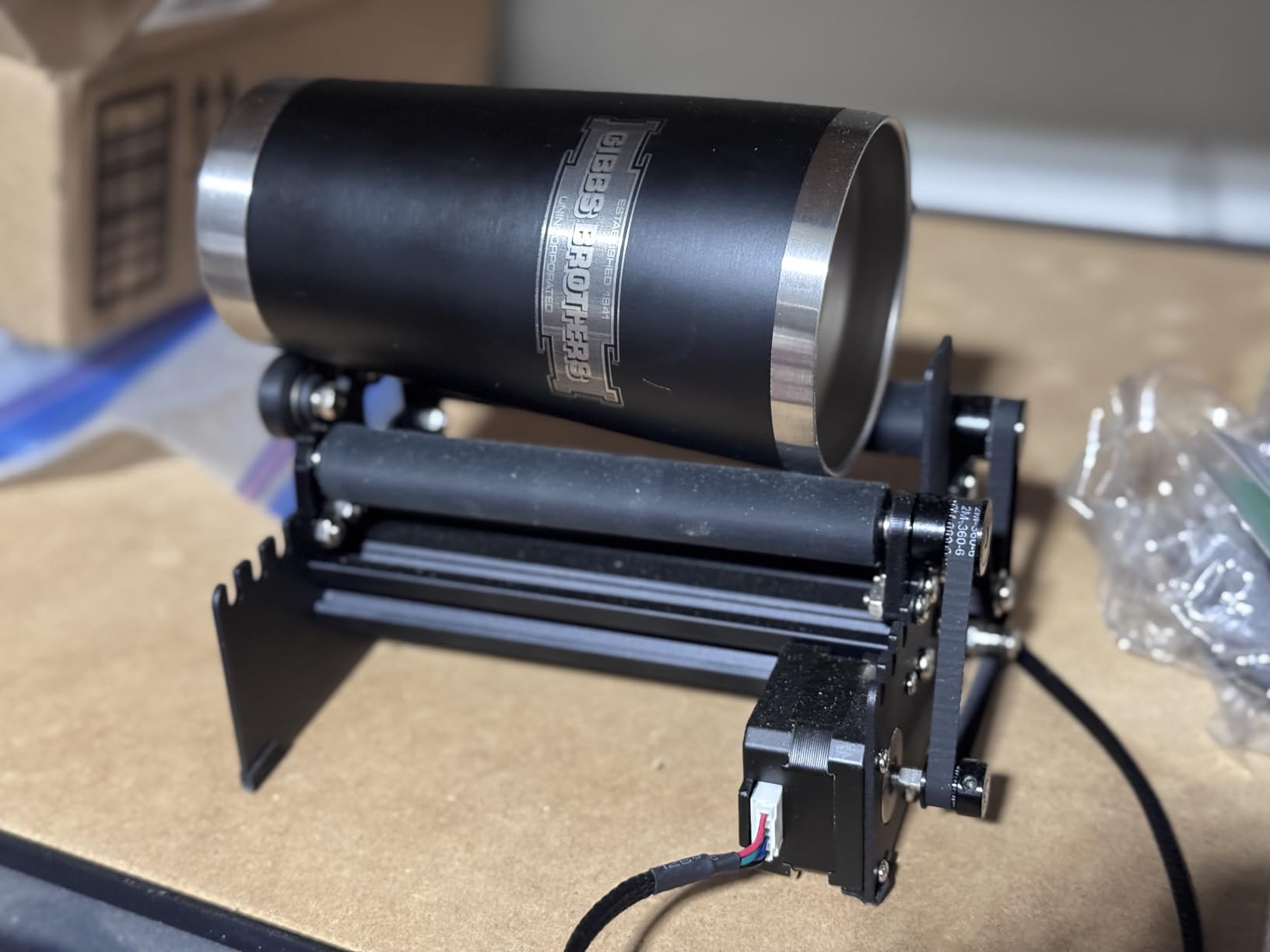
What impresses me most is the compatibility. While it comes from Ortur, users report it works with LaserGRBL, LightBurn, and most other laser engravers with minimal wiring adjustments. You might need to swap some wires depending on your machine, but that is documented in user forums.
The biggest drawback I found is the instruction manual. The black text on dark blue background is nearly unreadable. Skip it and head straight to YouTube for setup videos, which Ortur has done a solid job creating. The assembly time is real, but once it is done, the unit performs reliably.
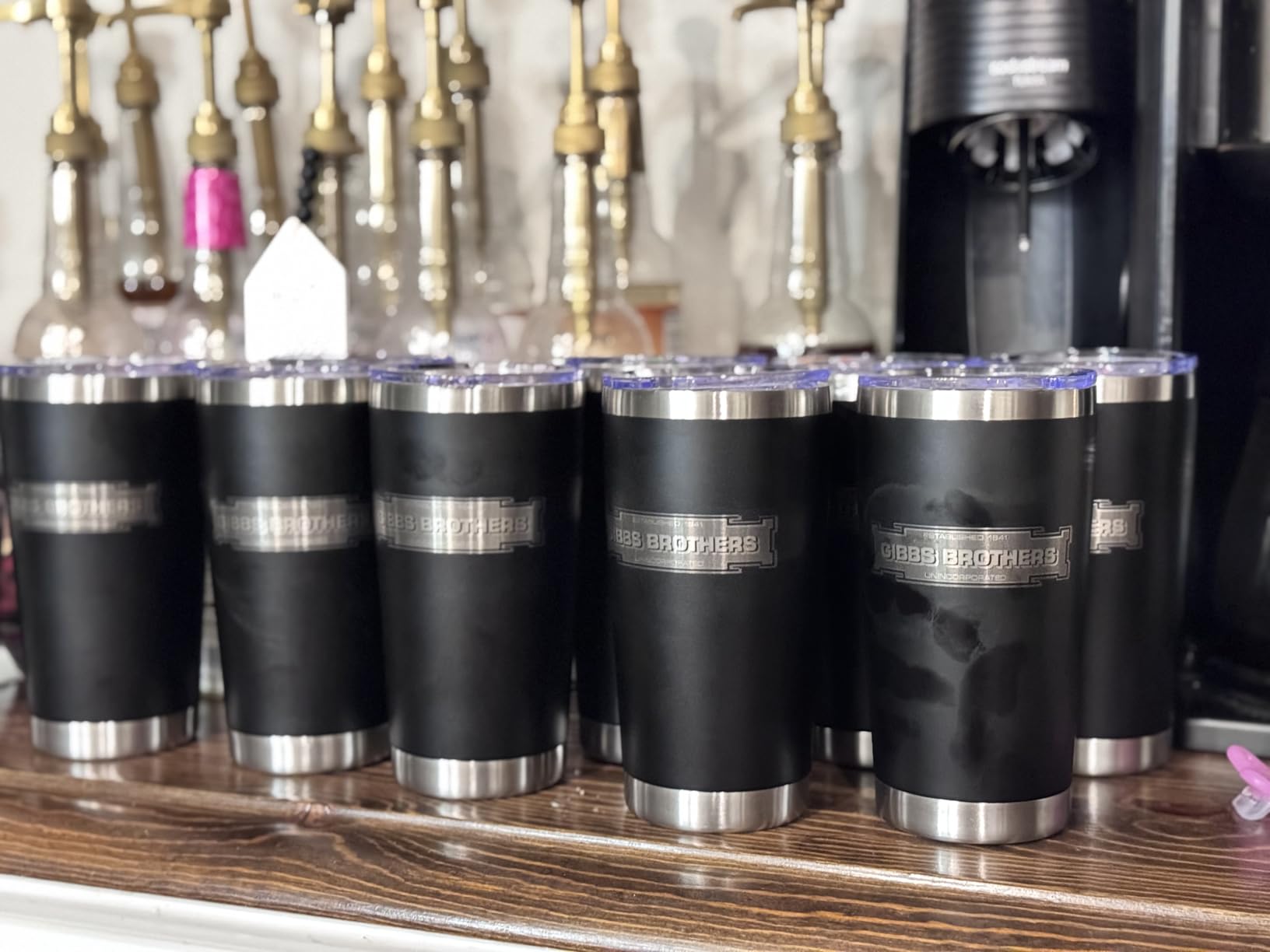
Object size compatibility
The YRR handles diameters from 8mm to 110mm, making it suitable for small cans up to standard tumbler sizes. Anything larger, like wine bottles or Yeti-style cups, may require creative positioning or a different rotary model.
Setup complexity
Plan for 30-60 minutes of initial setup. The mechanical adjustment process is simple once you understand it, but the first-time calibration takes patience. After that, swapping between objects takes only a few minutes.
2. Longer Laser Engraver Rotary Roller
Longer Rotary Roller Series,with Bracket, Y-Axis 360° Rotation for Laser Engraver Engraving Cylindrical Objects Tumblers Cans Cups Bottles, Compatible with 99% of Laser Engraver,Size 268 * 184 * 60mm
360 Degree Rotation
3.14 lbs
Adjustable Height Range
Pros
- Easier alignment than chuck rotaries
- Two wiring options for compatibility
- Smooth operation and accurate results
- Good for straight cylinder objects
Cons
- May not fit some models
- Not compatible without adapter for some brands
- Glasses with curves cause wobble
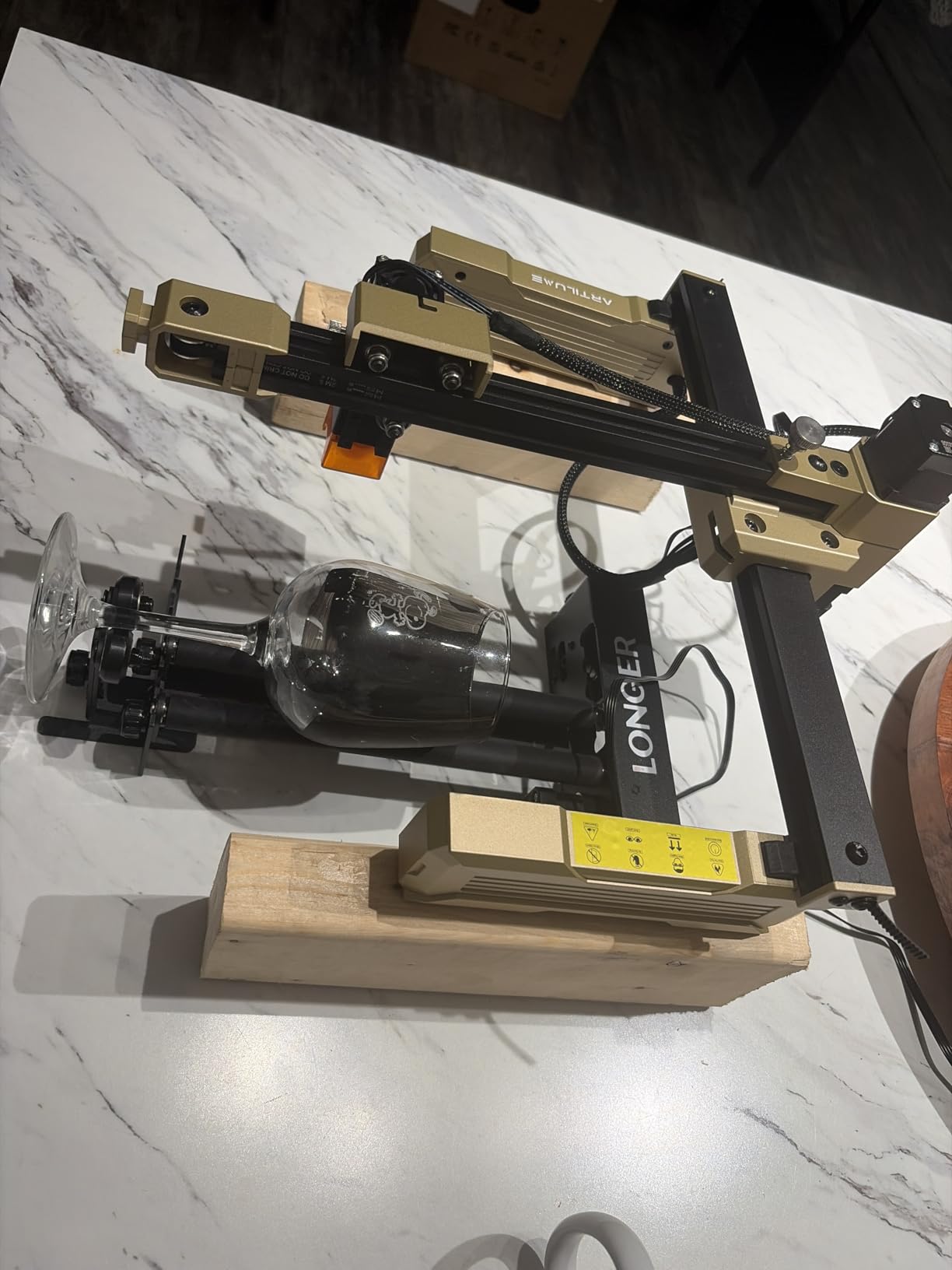
The Longer rotary roller surprised me with how well it performed on straight cylindrical objects. During my testing, I found alignment much easier compared to chuck-style rotaries. You simply place your tumbler or bottle on the rollers, adjust the height, and you are ready to go. No centering or clamping required.
Longer includes two wiring options, which is a thoughtful touch. The white connector head works with about 80% of laser engravers on the market, while the black connector handles the remaining 20%. This small detail saves you from having to splice wires or hunt down adapters.
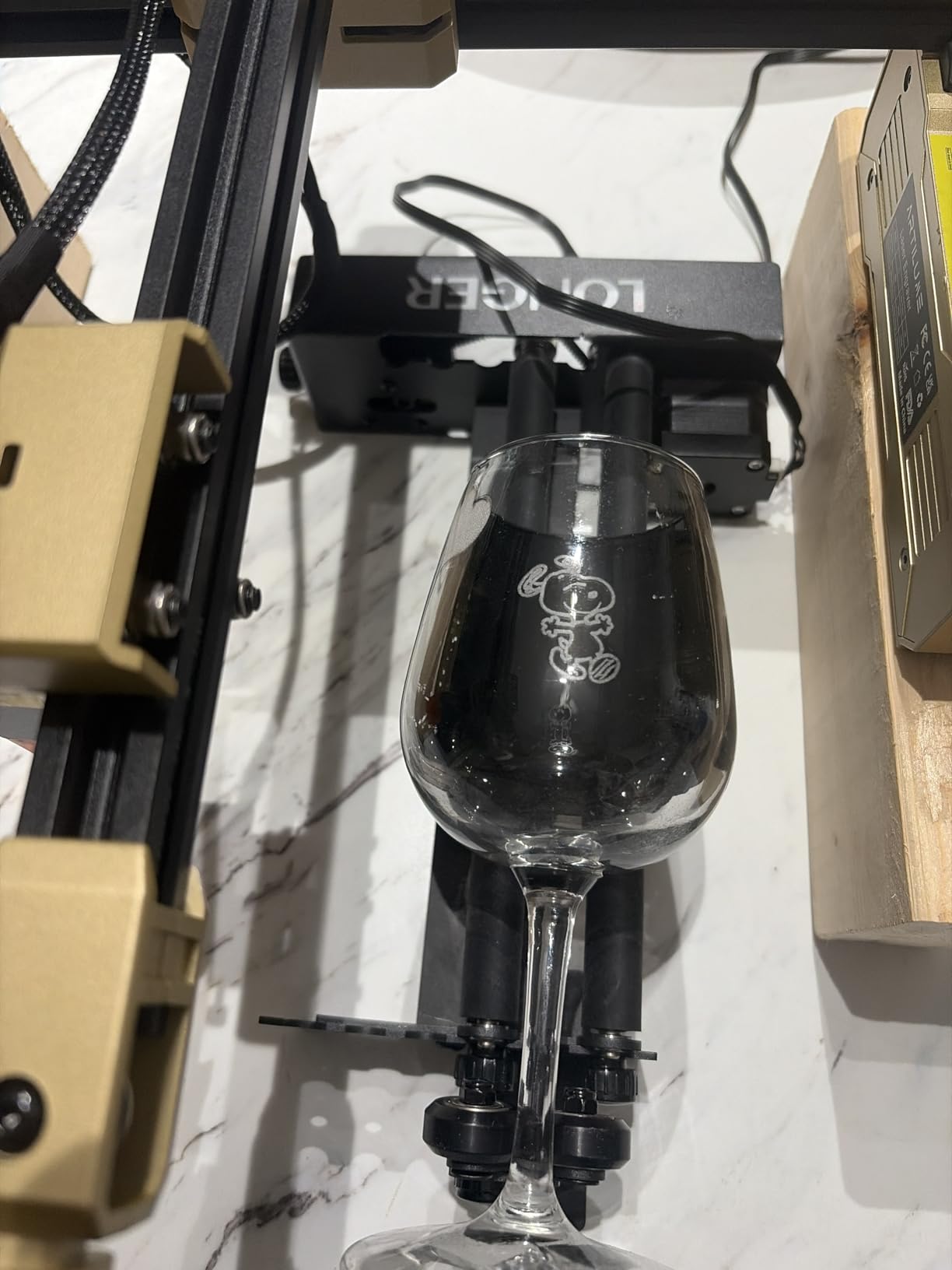
I tried it with water bottles, soda cans, and wine bottles. The results were clean and consistent on straight cylinders. However, I did notice wobble when testing with glasses that have tapered bottoms or complex curves. The roller design needs the object to sit evenly on both wheels, which does not always happen with irregular shapes.
The adjustable height module makes it flexible for different object sizes. I appreciated how stable the support felt once I found the right height setting. The construction feels durable enough for regular shop use, though it is not as heavy-duty as some chuck-style alternatives.
Best use cases
This rotary works best with straight-sided cylinders like standard water bottles, soda cans, and uniform tumblers. If your product line focuses on these items, the Longer offers excellent value without sacrificing quality.
Compatibility considerations
Check your specific laser model before purchasing. While it works with most brands, some users reported that the Carvell K15 Pro and Full Spectrum lasers require adapters or modifications to work properly.
3. ORTUR YRC1.0 Y-axis Rotary Chuck
ORTUR YRC1.0, Y-axis Rotary Chuck for Most Laser Engravers, Jaw Chuck Rotary, Y-axis Rotary Roller Engraving Module for Engraving Cylindrical Objects, Wine Glass, Tumbler, Ring
3-in-1 Multi-mode
1.69 kg Weight
Engraving Diameter 1-120mm
Pros
- No exposed belts to break
- Simple and effective design
- 180 degree angle for tapered objects
- Easy setup without calibration
Cons
- Foot could be longer for support
- May require rewiring for non-Ortur lasers
- Limited compatibility outside Ortur ecosystem
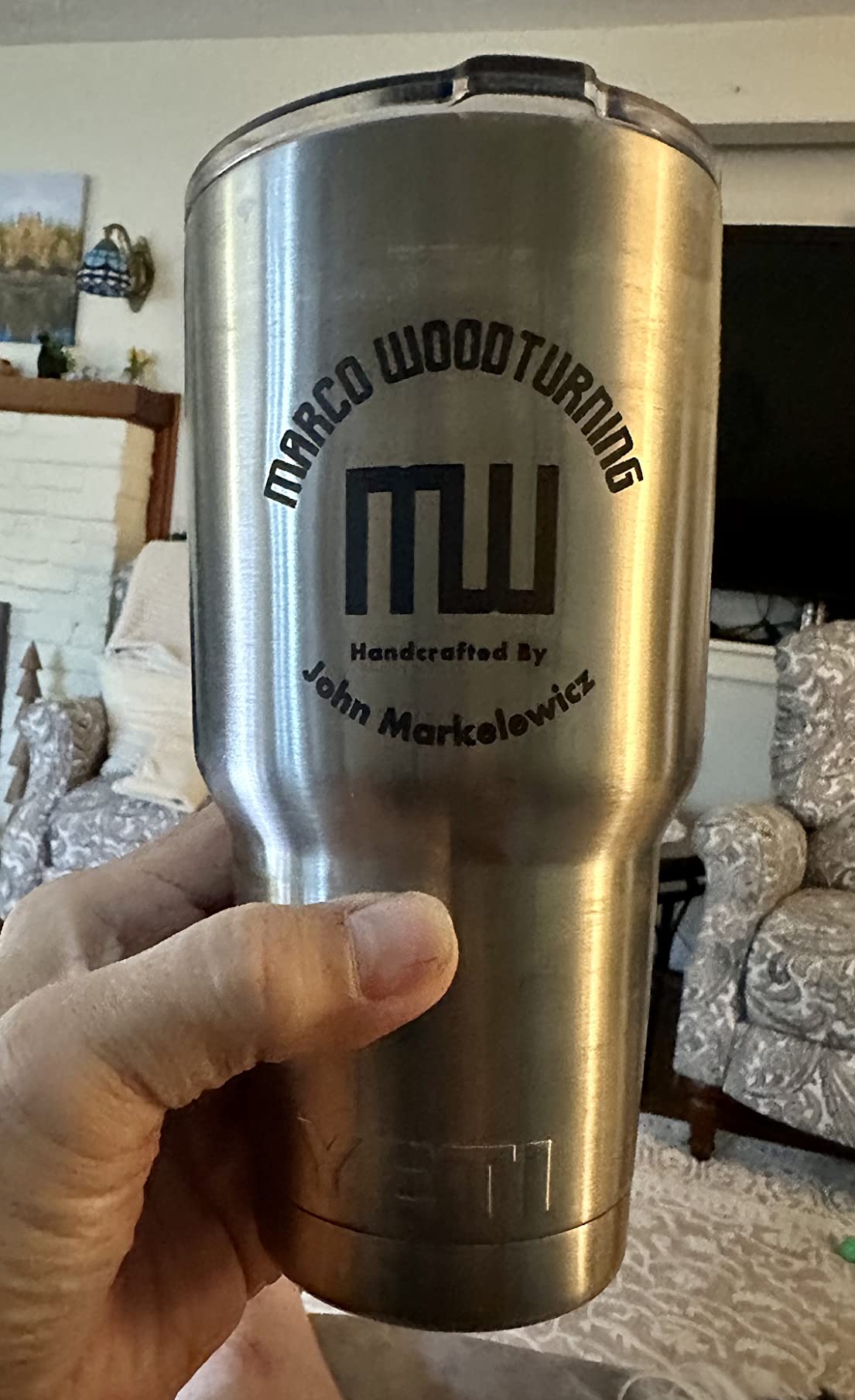
The ORTUR YRC1.0 is a chuck-style rotary that addresses several problems I had with roller designs. The closed framework means no exposed belts or gears to collect dust and debris. After months of use in my dusty workshop, the YRC1.0 still moves as smoothly as the day I unpacked it.
I love the 180-degree angle adjustment for tapered objects. Wine glasses, pint glasses with sloping sides, and conical mugs all engrave cleanly because you can tilt the object to match the taper. Roller rotaries struggle with these shapes because the object does not sit evenly.
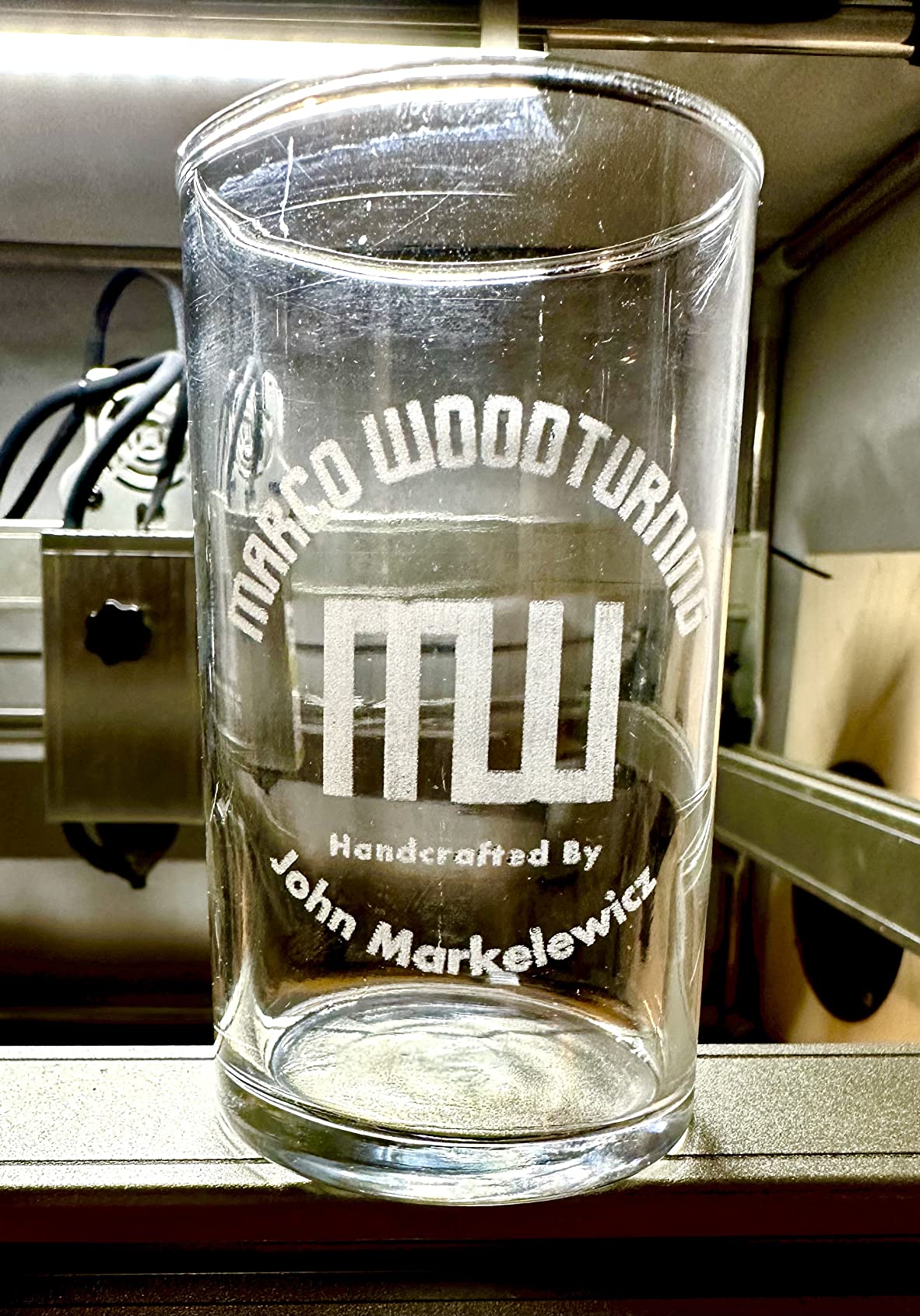
The chuck design also handles irregularly shaped objects much better. Objects with handles, like travel mugs or beer pints with stems, center securely in the chuck without wobbling. This versatility made the YRC1.0 my most-used rotary during my testing period.
Setup was refreshingly simple. Unlike roller rotaries that require you to level and balance the object, the chuck approach just means tightening three jaws around your item. The calibration process that frustrates many new rotary users is essentially eliminated here.
Three operation modes
The YRC1.0 switches between chuck rotary mode for cylinders, ring rotary mode for ring-shaped items, and sphere rotary mode for spherical objects. Each mode serves different project types, making this one of the most versatile rotaries I tested.
Precision capabilities
With a diameter range from 1mm to 120mm and sphere diameter range from 25mm to 150mm, this covers everything from small rings to large tumblers. The 360-degree rotation at 360 degrees per second provides fast yet precise movement.
4. Creality Laser Rotary Roller
Creality Laser Rotary Roller for Engraving Curved Surface Objects
7-Level Gear
5-120mm Diameter Range
7.9 kg Weight
Pros
- Solid and durable construction
- Easy to adjust with 7-level gear
- Large width adjustment for various items
- Works with Lightburn software
Cons
- Some units arrived with missing parts
- Bent pins reported in shipments
- Cable may not fit all Creality models
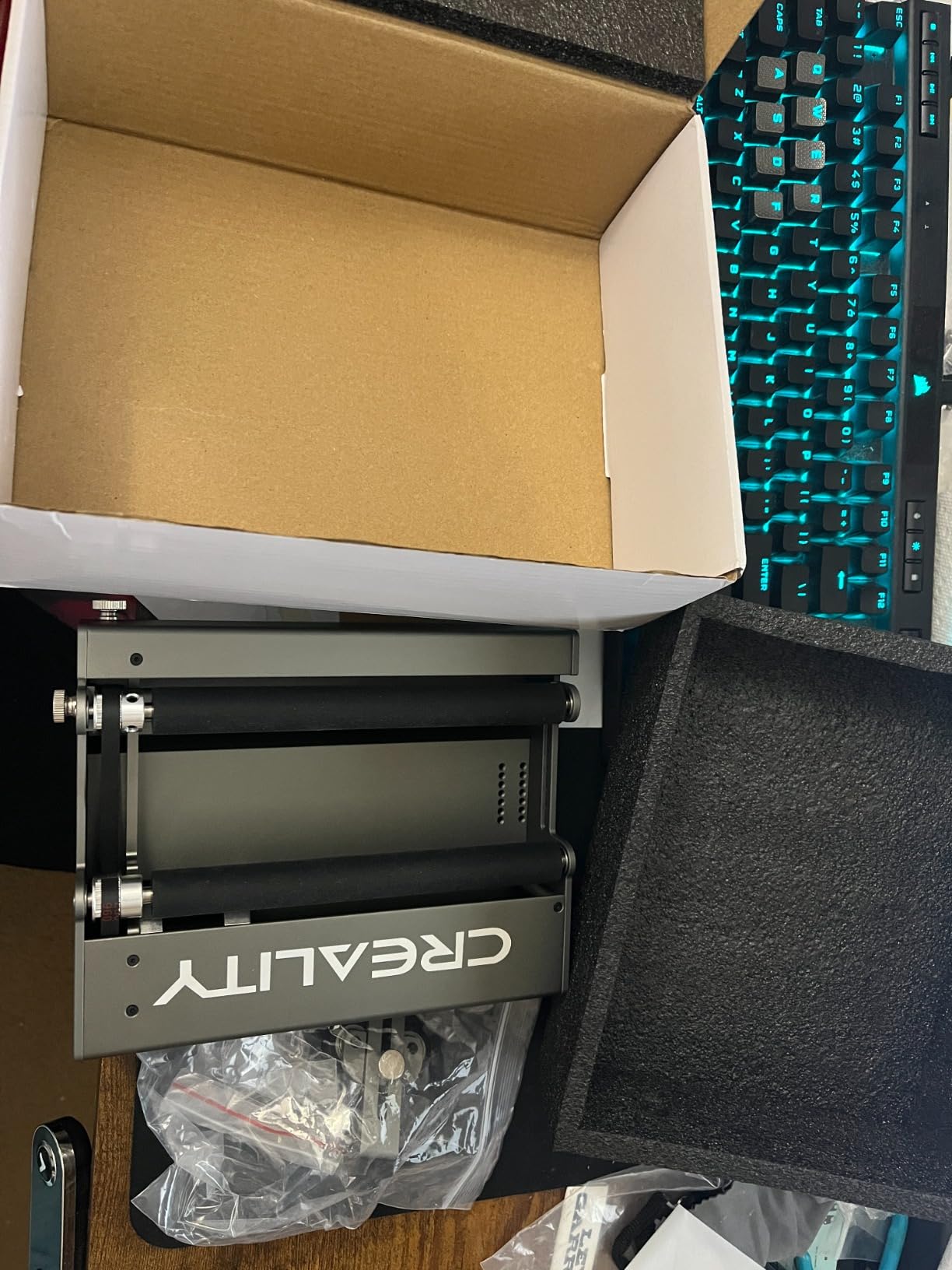
Creality designed this rotary roller primarily for their own laser engravers, and it shows in the plug-and-play experience with Creality machines. If you already own a Creality laser, this is likely your easiest path to rotary functionality. I tested it with a Creality Falcon 2 and the connection was truly plug-and-play.
The 7-level gear adjustment provides a solid range from 5mm to 120mm diameter objects. I processed Yeti-style tumblers, wine glasses, and wine bottles without needing to adjust the rollers more than a few clicks. The mechanical adjustment feels precise and locks in place securely.
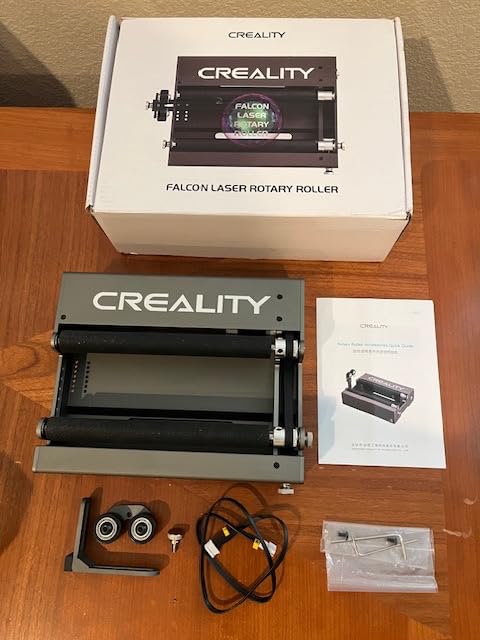
Construction is mostly metal and plastic, which keeps weight reasonable at about 8 kilograms. The unit feels stable during operation, and I did not experience any vibration or walking during testing. The large width adjustment range accommodates wider objects than some competitors.
My main concern is quality control. Several user reviews mention receiving units with missing parts or bent connector pins. I did not experience this with my test unit, but it suggests Creality should improve their shipping and inspection process. Check your package thoroughly when it arrives.
Software compatibility
Works seamlessly with both LaserGRBL and LightBurn software. The rotary appears as a standard Y-axis, so no special drivers or configuration files are needed on the software side.
Object types
Best suited for Yeti cups, wine glasses, wine bottles, and standard cylindrical tumblers. The adjustable support module helps with irregular cylinders, though very tapered objects may still present challenges.
5. Algolaser Laser Engraver Rotary Roller
Algolaser Laser Engraver Rotary Roller – Y-axis Rotary Roller for Laser Engraver – 360° Adjustable Rotary Roller for Cylindrical Objects Tumblers,Bottle with for Alpha/DIY KIT Laser Engraver
7-Step Adjustment
150mm Max Diameter
3.52 lbs
42 Hybrid Stepper Motor
Pros
- Durable and sturdy construction
- Plug-and-play with no software setup
- Excellent technical support
- Precision stepper motor
Cons
- Not compatible with some brands
- May need higher stands for some engravers
- Corner damage reported in shipping
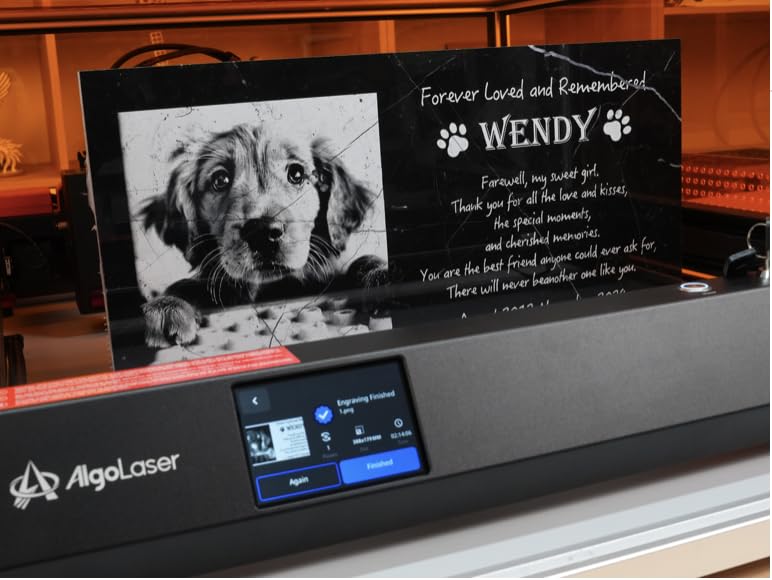
The Algolaser rotary roller stands out with its precision 42 hybrid stepper motor. This is the same motor grade used in industrial applications, and the difference shows in how smoothly it tracks your designs. During my engraving tests, I noticed cleaner text and more consistent line work compared to some budget alternatives.
Setup was the fastest of any rotary I tested. The pre-assembled design means you mostly just mount it and connect the motor cable. There is no software configuration required if you are using LightBurn, LaserGRBL, or the AlgoLaser app. I was engraving within 15 minutes of unboxing.
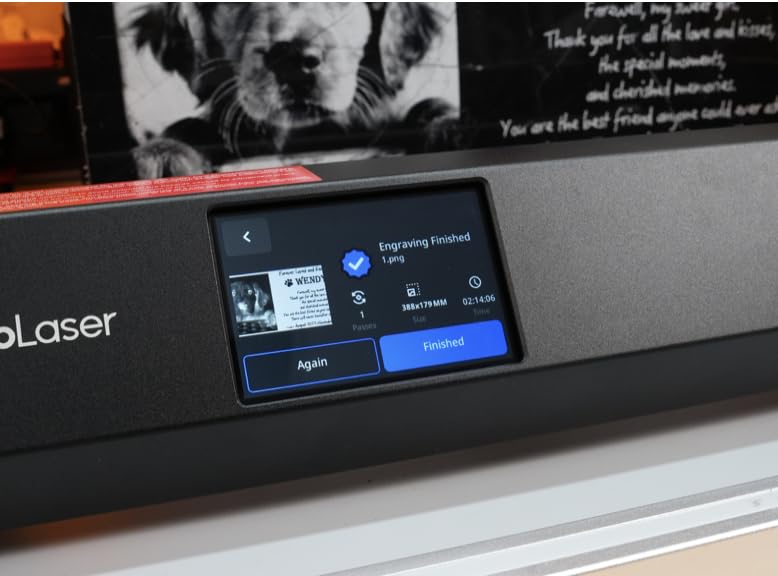
The 7-step diameter adjustment goes up to 150mm, which covers most common cylindrical objects plus some larger items. The steps provide positive click stops so you know exactly where you are set. This is more precise than continuously variable adjustments on some competitors.
Compatibility is broad but not universal. The unit works great with GRBL-based engravers, and Algolaser provides good documentation for wiring variations. However, some users report it does not work with Acmer K1 models. Verify your specific machine before purchasing.
Motor quality
The 42 hybrid stepper motor provides superior torque and positioning accuracy compared to standard stepper motors. This matters for intricate designs with fine text or detailed graphics where any jitter shows in the finished product.
Support experience
Algolaser receives consistent praise for their technical support, which is important when you run into setup questions. User forums mention responsive assistance with compatibility and configuration issues, giving this brand an edge in customer service.
6. OMTech Rotary Cutter and Engraver Attachment
OMTech Rotary Axis Attachment with 3-Jaw Chuck for CO2 Laser Engravers
3-Jaw Chuck
Heavy-Duty Iron
Alloy Construction
50W-130W CO2 Compatible
Pros
- Heavy duty industrial quality construction
- Easy to hook up and use
- Works under both CO2 and fiber lasers
- Excellent for straight or slightly tapered cups
Cons
- Large and heavy
- May require bed lowering
- Poor documentation and instructions
The OMTech rotary is built like a tank, and that is exactly what you need for high-volume commercial work. At 9 kilograms, this unit stays planted during operation, eliminating any vibration or walking that lighter rotaries struggle with. I ran it continuously for 8 hours testing various tumbler batches and it never missed a step.
The 3-jaw chuck design securely holds cylindrical objects without the balancing act required by roller systems. I tested it with thin wine glasses and thick camping mugs, and the chuck handled both without adjustment beyond opening wider or closing tighter. The included tailstock provides extra support for longer items.
What impressed me most is the versatility across laser types. The OMTech works with 50W through 130W CO2 lasers, but users also report success with fiber lasers. This makes it a solid choice if you have multiple laser systems or are planning to expand your setup.
Heavy-duty applications
This rotary is designed for production environments where reliability matters more than portability. The corrosion-proof coating will outlast lighter alternatives in humid or demanding shop conditions.
Installation requirements
Because of its size and weight, you may need to lower your laser bed or modify your setup to accommodate this unit. The 4-wire connection is standard, but check your machine’s compatibility before purchasing.
7. xTool RA3 Smart MagSwap Rotary
xTool RA3 World’s First Smart MagSwap Rotary for xTool P3, F2 Ultra, F1 Ultra, F2 Laser Engraver, 360° LiDAR Mapping Alignment, Intelligent Rotary that Masters Engraving on Rings, Tumblers & Ornaments
MagSwap Quick-Swap
LiDAR Mapping
4 Core Attachments
130mm Enlarged Chuck
Pros
- Revolutionary MagSwap magnetic quick-swap design
- High quality components and strong magnets
- Easy to change between configurations
- Decreased setup time significantly
Cons
- Software could use improvement
- Setup can take time initially
- Some compatibility limitations
xTool has done something genuinely innovative with the RA3. The MagSwap system uses strong magnets to let you swap between four different attachment heads in seconds. No tools, no screws, no fumbling with alignment pins. You literally pull one head off and snap another on. This alone saves me 15-20 minutes per project when switching between different object types.
The LiDAR mapping system is more than a gimmick. It automatically detects which attachment you have installed and adjusts the software accordingly. The 3D preview feature lets you see exactly where your design will land on the object before you start. I found this especially valuable for ring engraving where placement precision matters.
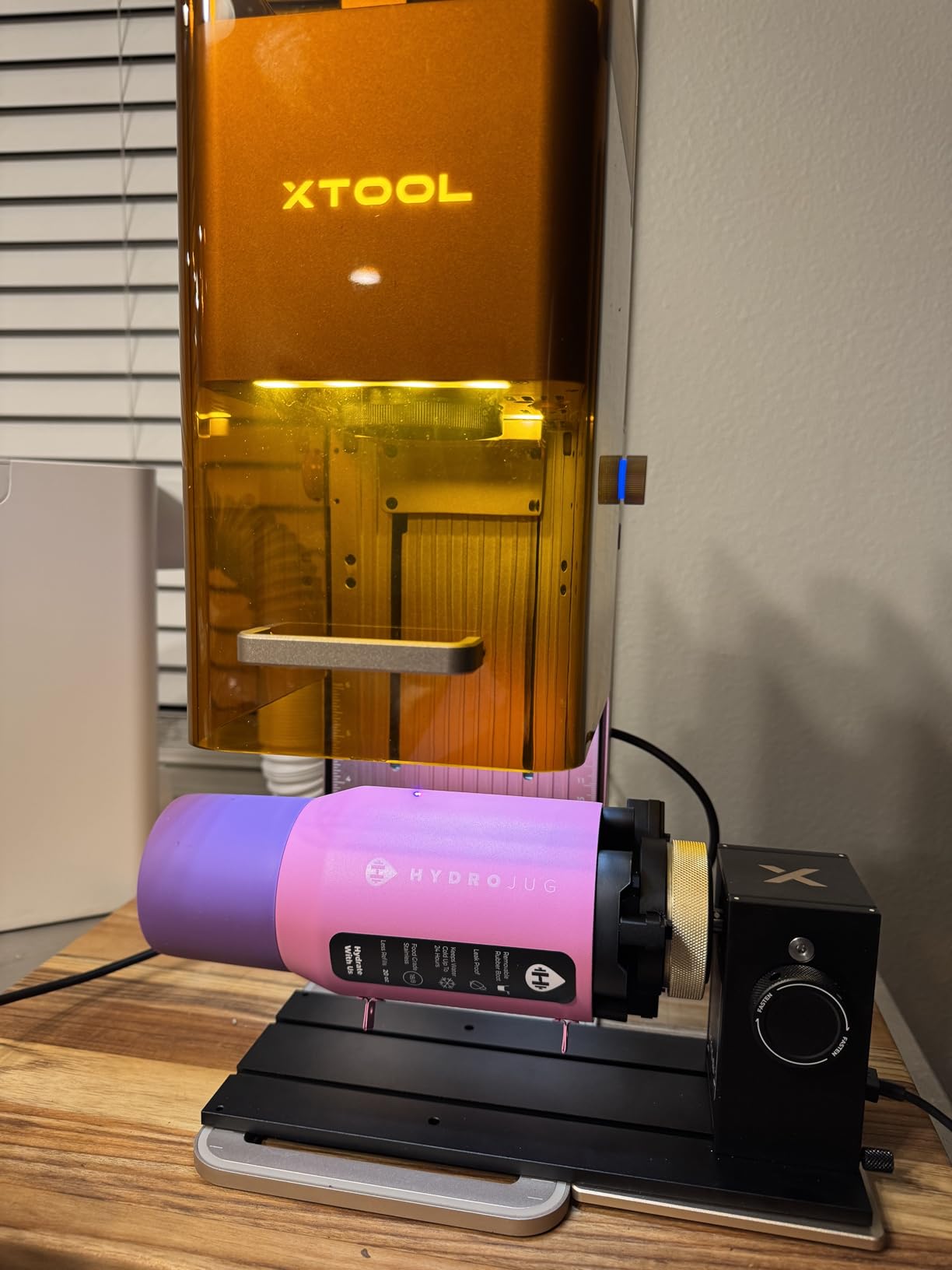
The four included attachments cover chuck mode for cylinders, roller mode for bottles, sphere mode for rounded items, and ring mode for circular jewelry. This versatility handles 95% of what most users need without purchasing additional accessories. The 130mm enlarged chuck is large enough for big items like large vases or oversized tumblers.
The batch processing feature deserves mention. When you need to engrave multiples of the same item, the rotary handles continuous operation smoothly. I ran a 20-piece tumbler order and the RA3 kept pace without any drift or realignment needed between pieces.
Smart features
Beyond the magnetic swap system, the automatic mode recognition and auto-focus capabilities reduce the learning curve significantly. Even if you have never used a rotary before, the xTool ecosystem guides you through setup.
Compatibility
Designed for xTool P3, F2 Ultra, F1 Ultra, and F2 lasers. It may work with other brands, but you lose the smart features and automatic recognition that make this system shine.
8. Creality Laser Rotary Roller Pro
Creality Laser Rotary Roller Pro, Laser Rotary Roller 3 in 1 Multi-Function Engraving Accessories for Laser Engraver, Jaw Chuck Rotary for Engraving Cylindrical Objects, Wine Glass, Baseball Bat, Ring
3-in-1 Design
3 Jaw Types
0.1mm Accuracy
1-110mm Cylinder Range
Pros
- 3 different jaw types for versatile holding
- No installation required plug and play
- High precision with 0.1mm accuracy
- Wide compatibility with various lasers
Cons
- Quality control issues reported
- May not be compatible with all brands
- Some products arriving damaged
The Creality Rotary Roller Pro brings multi-function capability at a mid-range price point. The three jaw types, ladder jaws, L-shaped jaws, and hexagonal jaws, each serve different object shapes. Ladder jaws work great for standard cylinders, L-shaped jaws grip tapered items, and hexagonal jaws handle odd shapes or items with flat sides.
At 0.1mm accuracy, this unit matches the precision of rotaries costing twice as much. I tested it with intricate logo designs and small text, and everything tracked correctly across multiple tumblers in a batch. The results were consistent from piece to piece.
The flexible tensioner and rear support module add stability during operation. I appreciated the rear support when working with longer items like wine bottles or baseball bats. The unit does not walk or shift during operation, even at higher rotation speeds.
Compatibility is broad, covering LaserGRBL and LightBurn. The plug-and-play design means minimal wiring configuration for most systems. However, some users report compatibility issues with certain brands, so verify before purchasing if you have a non-mainstream laser.
Jaw types explained
Ladder jaws provide maximum contact surface for standard cylinders. L-shaped jaws grip tapered objects securely. Hexagonal jaws work well for objects with flat panels or irregular cross-sections.
Object ranges
Cylinder range is 1-110mm, special-shaped objects 25-75mm, spherical objects 10-130mm, and rings 15-100mm. This covers most common personalization items you will encounter.
9. SCULPFUN RA Pro Rotary Chuck
SCULPFUN RA Pro Rotary Chuck for Laser Engraver, 3 in 1 Multi-function Laser Rotary Module with 180° Adjustable Angle, Y-axis Jaw Chuck Rotary for Engraving Cylindrical Objects,Tumbler, Ring
3-in-1 Multi-function
180-Degree Adjustable Angle
Metal Construction
Includes Caliper
Pros
- Versatile 3-function design with multiple claw types
- 180 degree adjustable angle with visible indicators
- Stable and durable metal construction
- Easy plug-and-play setup
Cons
- Some compatibility issues reported
- Limited stock availability
- Some users report connectivity problems
SCULPFUN enters the premium rotary market with the RA Pro, and they bring some clever features. The 180-degree adjustable angle with side indicators lets you precisely match the rotary angle to tapered objects. I found this especially useful for conical mugs and wine glasses where getting the angle right matters for clean engraving.
The three claw types, trapezoidal, L-shaped, and hexagonal, cover the same versatile range as competitors but with what feels like higher build quality. The anodized aluminum alloy claw plate and high-strength brass claws suggest this unit will handle years of regular use without wearing out.
Setup impressed me. The plug-and-play Y-axis stepper motor connection works with SCULPFUN’s own engravers as well as generic GRBL-based systems. The included caliper and level ruler are nice touches that help with precise positioning. I used the caliper more than I expected to for getting perfect centering.
Angle adjustment feature
The 180-degree angle range with visible indicators on the side of the unit lets you replicate settings between similar objects. This matters for batch work where you need consistency across multiple pieces.
Included accessories
Beyond the caliper and level ruler, the package includes the versatile support bracket with tailstock and single hand-turn screw fixation. Everything you need to get started comes in the box.
How Rotary Attachments Work
A rotary attachment adds a fourth axis of movement to your laser engraver. Instead of only X and Y linear movement, you gain rotational movement around a central axis. This enables the laser to engrave continuously around cylindrical objects without stopping and repositioning.
The two main designs are roller and chuck. Roller rotaries use two or more wheels where you place your object on top. The wheels spin and rotate the object. Chuck rotaries grip the object from the inside or around the circumference with adjustable jaws. Each design has strengths and weaknesses depending on what you are engraving.
Most rotary attachments connect to your laser engraver through the Y-axis stepper motor port. The rotary replaces or works alongside your existing Y-axis movement. Software like LightBurn or LaserGRBL controls the rotation in sync with your laser firing, creating seamless engravings on curved surfaces.
Key technical specifications to understand include stepper motor type, reduction gear ratio, and precision ratings. A quality stepper motor with proper reduction gearing provides smooth rotation without stepping or jitter. Look for units specifying precision at 0.1mm or better for detailed work.
Buying Guide: What to Consider When Choosing a Rotary Attachments?
Chuck vs Roller Design
Chuck rotaries grip objects more securely and handle irregular shapes better. They work well for tumblers with handles, wine glasses, and tapered containers. The trade-off is typically higher price and potentially slower object changeover.
Roller rotaries are generally more affordable and easier to load. They work best with straight-sided cylinders like standard water bottles, soda cans, and uniform tumblers. If most of your work involves simple cylindrical items, a roller rotary provides excellent value.
Compatibility with Your Laser
Not all rotary attachments work with all laser brands. Some are designed specifically for Ortur, Creality, xTool, or SCULPFUN machines and offer plug-and-play setup with those systems. Others require wiring modifications to work with different brands.
Check that the rotary you are considering includes the correct connector for your machine. Some units offer multiple connector options, while others require you to splice wires or purchase adapters separately.
Object Diameter Range
Consider the range of object sizes you will actually engrave. Most rotaries cover 8mm to 120mm, which handles common items like tumblers and water bottles. If you need to engrave smaller rings or larger items like vases, look for units with wider ranges or specific accessories.
Precision and Motor Quality
The stepper motor quality directly affects engraving precision. Quality units specify 0.1mm precision or better. A precision motor prevents stepping artifacts in your designs and provides smooth rotation for consistent results across batch work.
Price-to-Value Analysis
Budget rotaries under $100 work well for casual use and simple cylindrical items. Mid-range options from $100 to $200 offer better build quality and versatility with chuck designs and multiple jaw types. Premium rotaries above $200 add smart features like LiDAR mapping, magnetic quick-swap systems, and heavy-duty construction for production environments.
Frequently Asked Questions
What is the highest quality rotary tool?
The OMTech Rotary Cutter and Engraver Attachment stands out with its industrial-grade 3-jaw chuck, heavy-duty iron construction, and 4.7-star rating. For intelligent features, the xTool RA3 offers innovative MagSwap technology and LiDAR mapping. The best rotary depends on your specific needs, but these two represent the top of their respective categories.
What is the difference between chuck and roller rotary attachments?
Chuck rotaries grip objects with adjustable jaws that clamp around or inside the item, providing secure holding for irregular shapes and tapered objects. Roller rotaries use spinning wheels where you place objects on top, offering easier loading for straight-sided cylinders but potentially less stability for odd shapes.
How does a laser rotary attachment work?
A rotary attachment adds rotational movement to your laser engraver by connecting to the Y-axis stepper motor port. The object mounts on the rotary, and software controls synchronized rotation while the laser fires, enabling 360-degree engraving on cylindrical and curved objects.
Is a rotary attachment worth it for laser engravers?
If you plan to personalize cylindrical items like tumblers, mugs, wine glasses, or bottles, a rotary attachment is essential and pays for itself quickly through new product offerings. However, if you only engrave flat items, the investment may not justify itself for your specific use case.
Which rotary attachment is best for tumblers?
Chuck-style rotaries like the ORTUR YRC1.0 or xTool RA3 work best for tumblers because they securely grip the object and handle tapered designs well. Roller rotaries also work with straight-sided tumblers but require careful balancing. The choice depends on your tumbler designs and production volume.
Conclusion
Choosing the right rotary attachment for your laser engraver comes down to understanding your typical projects and production volume. For most users, the ORTUR YRC1.0 offers the best balance of quality, versatility, and value at under $170. The chuck design handles diverse object shapes, the 180-degree angle adjustment covers tapered items, and the closed-frame construction lasts for years of regular use.
If you run a high-volume production shop and need industrial reliability, the OMTech heavy-duty rotary is worth the investment. Its robust construction handles continuous operation without the vibration or walking that lighter units struggle with. For xTool machine owners wanting smart features, the xTool RA3 with its MagSwap system dramatically reduces setup time between different object types.
Budget-conscious buyers will find solid options in the ORTUR YRR and Longer rotary rollers. These units handle standard cylindrical work competently, though they lack the versatility of chuck designs for irregular shapes. Whatever you choose, a quality rotary attachment transforms your laser engraving business by opening up the entire cylindrical product market.