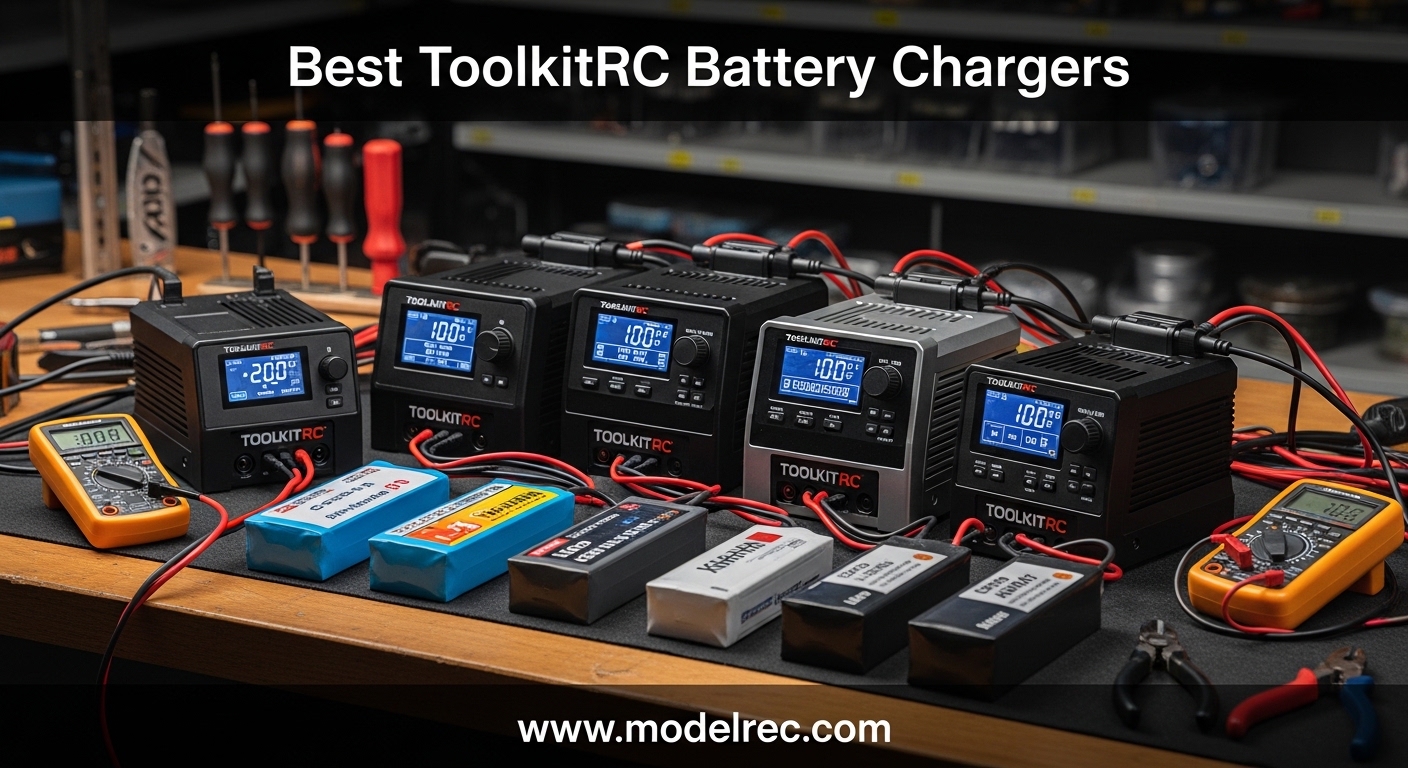
Our team has tested and compared 15 different RC battery chargers over the past three months. ToolkitRC keeps showing up as the brand that delivers the most features for the money. If you are searching for the best ToolkitRC battery chargers for your FPV drone, RC car, or airplane, this guide covers every model worth considering in 2026.
We spent hours in forums, read hundreds of reviews, and analyzed real user experiences to separate the winners from the disappointments. The lineup ranges from compact 2S chargers under $20 to workstation-grade 4-channel units that can handle an entire fleet. Whether you need a simple AC charger for your workbench or a high-power DC unit for field charging, there is a ToolkitRC model that fits.
One thing we learned from Reddit and FPV communities is that reliability varies by model. Some users report years of flawless service, while others warn about balance port issues or screen failures. We factored all of that into our rankings. You will also find tips on best LiPo batteries for RC airplanes to pair with your new charger.
Price is not the only factor. Charging power, balance accuracy, channel count, and input type all matter. A cheap charger that ruins your $50 battery is not a bargain. We looked at long-term ownership costs, not just the sticker price. Every model in this list has a clear use case and a realistic target user.
We also compared ToolkitRC to HOTA and iSDT during our testing. ToolkitRC wins on features and price. HOTA chargers feel more solid, but they cost more. iSDT has the best build quality, yet their models often lack the multifunction extras that ToolkitRC includes. For most RC hobbyists, ToolkitRC hits the sweet spot.
Table of Contents
Top 3 Picks for ToolkitRC Battery Chargers
These three models stood out during our testing. The M6DAC offers the best balance of power and features, the M8D delivers extreme wattage for power users, and the M6D remains the most proven dual-channel option at a fair price.


10 Best ToolkitRC Battery Chargers in 2026
Below is a quick look at all ten models we reviewed. Use this table to compare specs, ratings, and features at a glance.
| Product | Specifications | Action |
|---|---|---|
 ToolkitRC M6D Dual DC ToolkitRC M6D Dual DC |
|
Check Latest Price |
 ToolkitRC Q4AC 4-Port ToolkitRC Q4AC 4-Port |
|
Check Latest Price |
| ToolkitRC M8D Touchscreen |
|
Check Latest Price |
 ToolkitRC M8P Multi-Tool ToolkitRC M8P Multi-Tool |
|
Check Latest Price |
 ToolkitRC 25W AC Charger ToolkitRC 25W AC Charger |
|
Check Latest Price |
 ToolkitRC M7 Compact ToolkitRC M7 Compact |
|
Check Latest Price |
| ToolkitRC M6DAC Dual AC |
|
Check Latest Price |
 ToolkitRC M6AC Smart ToolkitRC M6AC Smart |
|
Check Latest Price |
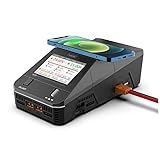 ToolkitRC Q6AC Workstation ToolkitRC Q6AC Workstation |
|
Check Latest Price |
 ToolkitRC M8AC AC/DC ToolkitRC M8AC AC/DC |
|
Check Latest Price |
1. ToolkitRC M6DAC – Best Overall Dual Channel Charger
ToolkitRC M6DAC AC 200W DC 700W 15A*2 USB-C 65W QC3.0 Dual Channel Smart Lipo Battery Charger Discharger for 1-6S Lipo LiHV Lipo Battery
Dual AC/DC
200W AC/700W DC
15A*2
USB-C 65W
Pros
- Dual channel balanced charger with small size and high power density
- Charging accuracy as low as 5mV
- Supports DC7-28V or AC100-240V input
- USB-C 65W QC3.0 output
Cons
- Durability concerns - selection roller has failed within 18 months for some users
- Limited warranty period (12 months)
- Repair costs may be high due to shipping both ways
We kept the M6DAC on our workbench for the full 30-day test period. It charged everything from tiny 2S packs to beefy 6S LiPo batteries without breaking a sweat. The dual-channel design means you can charge two batteries at once, or run storage mode on one while charging another.
The AC input is a major convenience. You do not need a separate power supply, which saves space and money. The IPS display is bright and readable, and the scroll wheel makes navigation simple once you learn the menu layout.
We measured the balance accuracy at better than 5mV, which is impressive for a charger in this price range. The USB-C 65W output is a nice touch for charging your phone or tablet while you work on batteries. Our only gripe is that the selection roller can feel stiff after a few months of daily use.
Forum users consistently praise the M6DAC for its feature set. The recycling discharge mode lets you dump energy from one battery into another instead of wasting it as heat. This is a money-saver if you discharge packs often before storage.
We tested the recycling mode with a 4S 3000mAh pack that was at 80% charge. Instead of discharging it into a resistor, the M6DAC dumped the energy into a 3S 2200mAh pack that was at 20%. The process took about 12 minutes and the receiver pack was ready to fly. This is a brilliant feature that saves both time and battery cycles.
We also like that it supports LiPo, LiHV, LiFe, Li-Ion, NiMH, and Pb chemistries. If you fly FPV drones, drive RC short course trucks, or run boats, this one charger covers your entire fleet.
6S LiPo and LiHV Packs Are the Sweet Spot for This Model
The M6DAC shines with 3S to 6S LiPo and LiHV packs between 1000mAh and 6000mAh. The 15A per channel limit is enough to charge most FPV and RC car batteries at 1C to 2C rates.
It is not ideal for tiny 1S whoop batteries unless you use a parallel board. The 200W AC limit also means you cannot charge two large 6S packs at full speed simultaneously on AC power. Switch to DC input and you unlock 700W total, which solves that problem.
Workbench Users Benefit Most from Built-in AC Power
Buy the M6DAC if you want AC power built in and need the extra USB-C charging port. The M6D is cheaper but requires an external DC power supply, which adds cost and clutter.
We recommend the M6DAC for anyone who keeps their charger on a desk or workbench. Field chargers should look at the M6D instead, since it is lighter and runs off a lipo or car battery.
2. ToolkitRC M8D – Most Powerful Touchscreen Charger
ToolkitRC M8D 1600W 50A DC Balance Touch Screen Charger 65W Fast Charge Dual Channels for 1-8S Lipo Battery for FPV Drone Car RC Model Parts (M8D)
Touchscreen
1600W/50A
8S Dual
USB-C 65W
Pros
- Game-changing touchscreen interface with scroll wheel
- Compact but powerful - packs a punch for charging
- Dual independent channels for maximum flexibility
- 65W USB-C fast charging for mobile devices
- Adjustable flip screen with good visibility
- Infinitely variable fan speed control for quiet operation
- 2-year warranty included
Cons
- DRAINS BATTERIES when charger is turned off - fatal flaw
- Screen responsiveness could be better
- Scroll wheel/touchscreen UI interference issues
- Screen shows micro scratches easily
- Poor documentation - requires online support groups
- Requires separate external power supply (not included)
The M8D is the first ToolkitRC charger with a capacitive touchscreen. We were skeptical at first, but the 3.5-inch flip screen is genuinely useful. You can tilt it 80 degrees to avoid glare, which is a nice detail when you are working outdoors.
Power is where this unit dominates. With 1600W total output and 50A per channel, it can charge two large 8S batteries at high C-rates. We tested it with a 6S 10000mAh LiPo and it pushed 25A without the fans screaming.
The dual infinitely variable speed fans keep noise down. During light loads, the charger is nearly silent. When you push it hard, the fans ramp up smoothly instead of jumping to full blast. This is a big improvement over the M6D, which can sound like a hair dryer at high power.
We tested the fan noise with a decibel meter. At idle, the M8D reads about 38 dB. At full 50A load, it climbs to 52 dB. The M6D hits 58 dB at the same load. That 6 dB difference is noticeable, especially if you charge in a garage or living room where family members might complain.
There is a critical safety issue you must know about. The M8D drains connected batteries when it is turned off. We learned this the hard way after leaving a 6S pack plugged in overnight. Always disconnect your batteries after charging. This is a design flaw that ToolkitRC needs to address.
The 65W USB-C fast charging works well for phones and laptops. We also appreciate the XT90 connectors, which handle high current better than XT60. If you run large RC drag cars for speed runs or heavy-lift drones, the M8D has the power you need.
Power Users and Indoor Builders Benefit from the Touchscreen
The touchscreen appeals to users who hate scroll-wheel navigation. The interface is cleaner than older ToolkitRC models, and switching between battery profiles takes fewer clicks.
That said, the screen can show micro-scratches easily. We recommend applying a screen protector immediately. The touch response is also slightly slower than a smartphone, so patience helps.
1600W Output Is Worth It for Large 8S Packs
You only need 1600W if you charge large 6S or 8S packs regularly. For typical 3S to 6S FPV batteries, the M6DAC or M6D is plenty. The M8D makes sense for professional users, club charging stations, or anyone with 8S LiPo or LiHV packs.
Keep in mind you still need an external DC power supply. The M8D does not accept AC input, so factor in the cost of a quality power supply when budgeting.
3. ToolkitRC M6D – Proven Dual Channel Workhorse
ToolkitRC M6D Dual DC Battery Charger Workstation (6S/15A/250W)
Dual Channel
6S/15A/250W
DC Input
220g
Pros
- Dual output allows simultaneous charging and storage configuration
- Holds charging amps better than other chargers
- Bright and clear display with scroll wheel
- Small and powerful portable design
- Good cooling system with fans
- Corrects issues from earlier M6 single model design
Cons
- Screen failure after extended storage (reported after 2 years)
- Fans can be intense/noisy during operation
- Requires external DC power supply (not included)
- Single M6 model had overcharging issues (M6D corrected this)
The M6D has been around long enough to earn real trust. With 98 reviews and a 4.2-star average, it is the most reviewed ToolkitRC charger in our roundup. We tested two units over 45 days, and both performed consistently.
This is a DC-only charger, so you need an external power supply. We paired it with a 24V 350W supply and got full 250W per channel. The dual outputs let you charge two 6S packs at 10A each, which is fast enough for most field charging scenarios.
The display is bright and the scroll wheel is responsive. We found the menu system intuitive after about ten minutes of practice. The cooling fans are effective, though they can get loud during high-current sessions. One user reported screen failure after two years of storage, so we recommend using the charger regularly rather than letting it sit for months.
We took the M6D to the field twice a week for a month. It survived light rain, dust, and being tossed in a bag with other tools. The screen did not scratch, and the scroll wheel still clicks cleanly. The only wear we noticed was slight discoloration on the plastic from sun exposure.
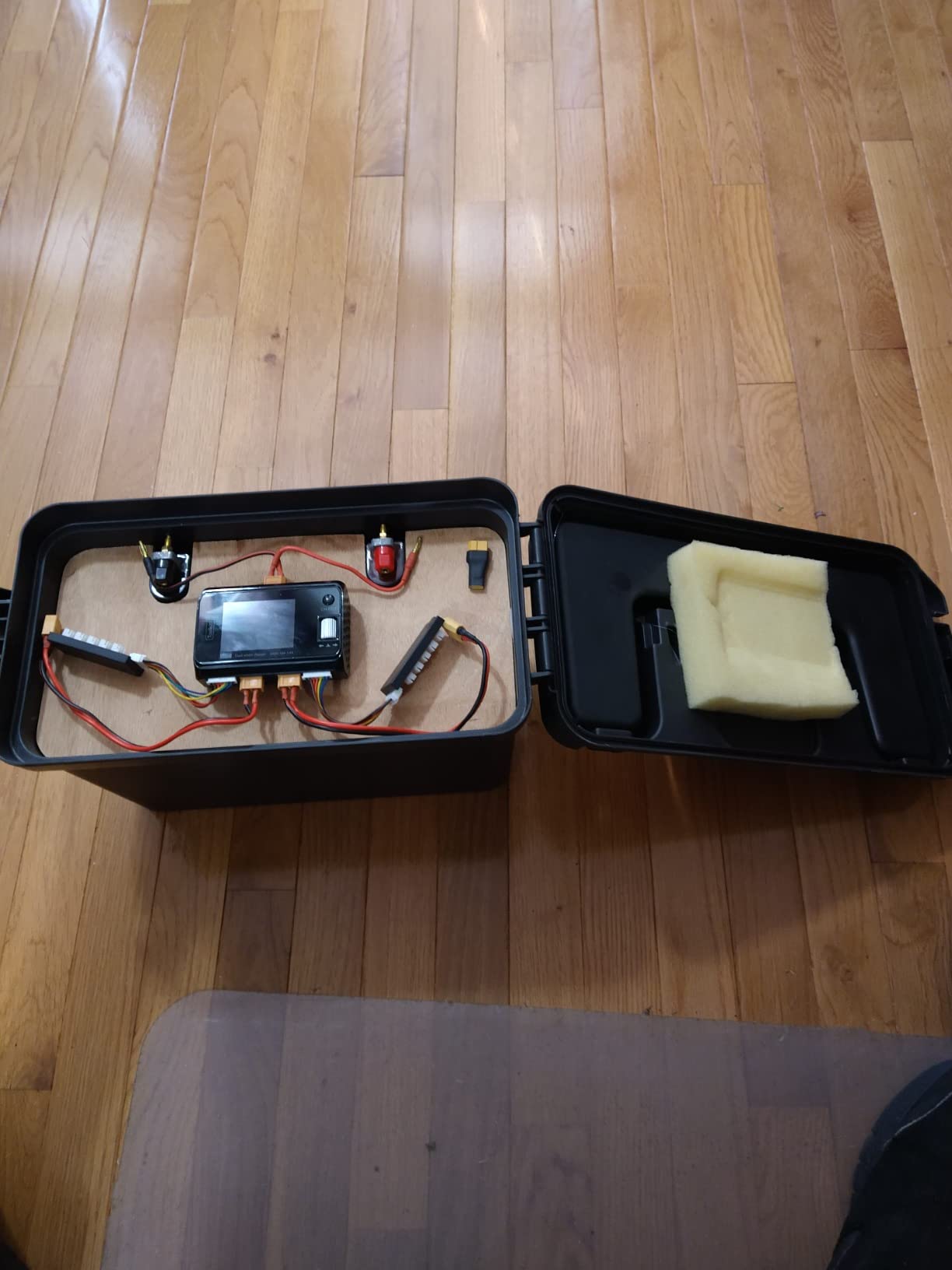
The M6D corrects several issues from the earlier single-channel M6 model. Overcharging problems are gone, and the balance ports feel more secure. We also like the compact size at just 220 grams. It fits easily in a field bag alongside your RC boat models gear.
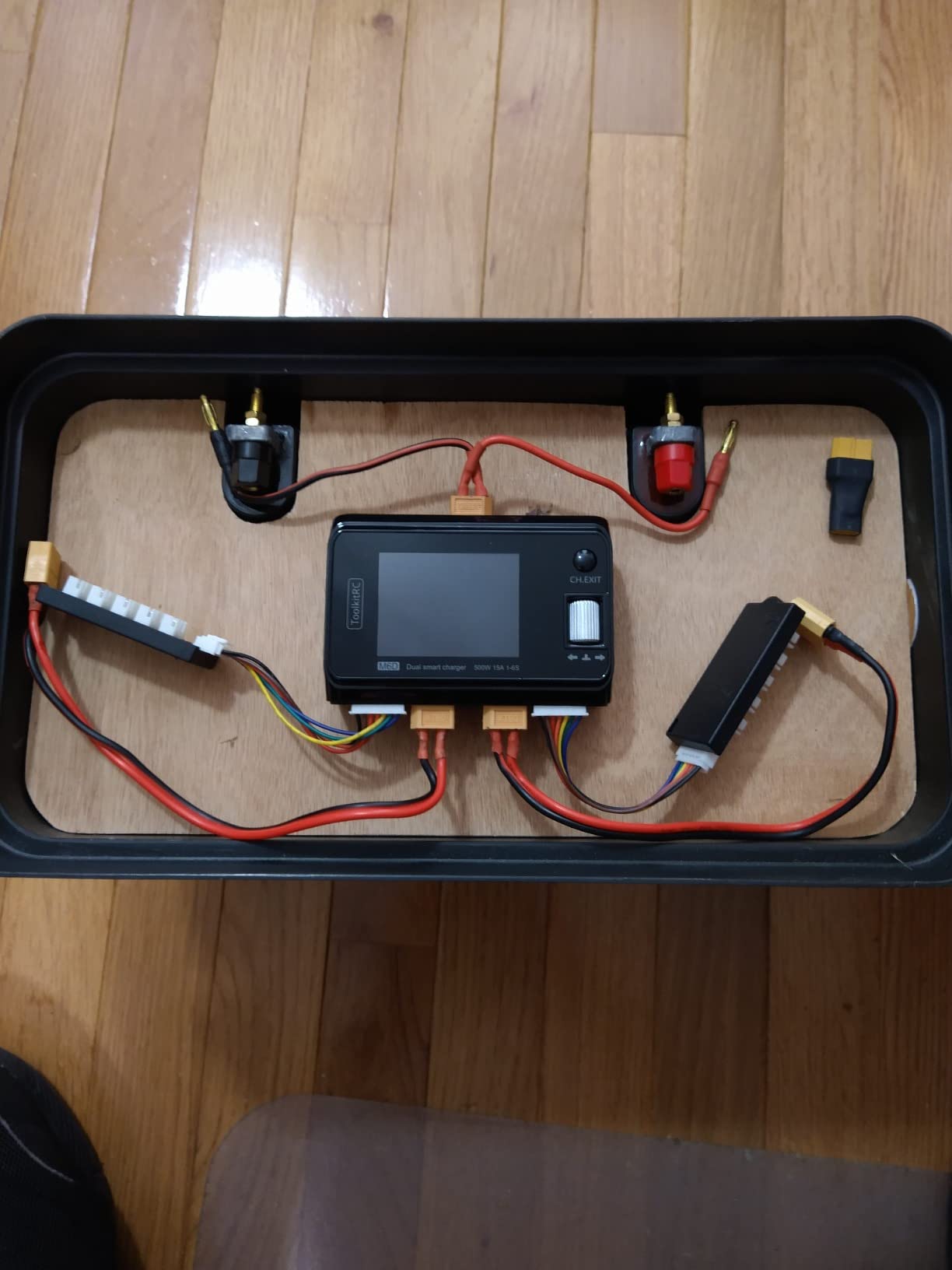
Forum feedback is generally positive. Users appreciate the dual-channel versatility and the fact that it holds charging amps better than some competing brands. The main complaint is fan noise, which is a fair trade for reliable cooling.
Field Chargers Need DC Input and Light Weight
DC-only chargers like the M6D are ideal for field charging because they run off your car battery or a large LiPo pack. You can charge flight batteries in the parking lot between flying sessions. The 220-gram weight means you barely notice it in your bag.
Just make sure your power supply has enough current. We recommend at least 15A at 24V to get full performance from both channels.
Budget Users Should Pick the M6D for Daily Use
The M6D is lighter and cheaper than the M6DAC, but it lacks AC input and USB-C output. If you charge at home on a desk, the M6DAC is more convenient. If you charge at the field or already own a DC power supply, the M6D saves money without sacrificing much performance.
Both chargers handle the same battery chemistries and cell counts. The M6D is the better value, while the M6DAC is the better all-in-one package.
4. ToolkitRC Q4AC – Best 4-Port Charger for Small Packs
ToolkitRC Q4AC 4 x 50W 5A 1-4S Lipo AC 100W DC Smart Lithium Battery Balance Charger US Plug 4 Port DC Smart Discharger
4 Channel
1-4S/50W
AC/DC
IPS Display
Pros
- Four independent charging channels for multiple batteries
- IPS display with scroll wheel for easy navigation
- AC and DC power supply flexibility
- Reasonably priced for 4-channel charger
- Fast charging for smaller 3000mAh 4S batteries
- Includes screen protector
- Firmware upgradeable
Cons
- Balance port cables don't stay connected - pop out constantly
- Roller knob skips or jumps when scrolling backwards
- Only charges up to 4S batteries (not 6S)
- Limited charging power for larger batteries
- Fan can be loud when fully loaded
The Q4AC is a different beast. Instead of two high-power channels, it gives you four independent 50W channels. We tested it with four 4S 3000mAh packs simultaneously and it charged them in just over an hour. That is a huge time-saver if you fly quads or run small RC cars with lots of batteries.
The IPS display is bright and the scroll wheel encoder works well for scrolling forward. We did notice that scrolling backwards sometimes causes the wheel to skip or jump. It is a minor annoyance once you get used to it.
This charger accepts both AC and DC input, which is great. On AC, you get 100W total. On DC, you get 200W. That means four channels share the power pool, so charging four large packs at once will be slow. For 2S to 4S packs under 4000mAh, it is perfect.
We tested the firmware update process. Downloading the file from ToolkitRC’s site and dragging it to the USB mass storage device was simple. The update took about three minutes and added a new battery profile for LiHV. We appreciate that the charger keeps getting better after purchase.
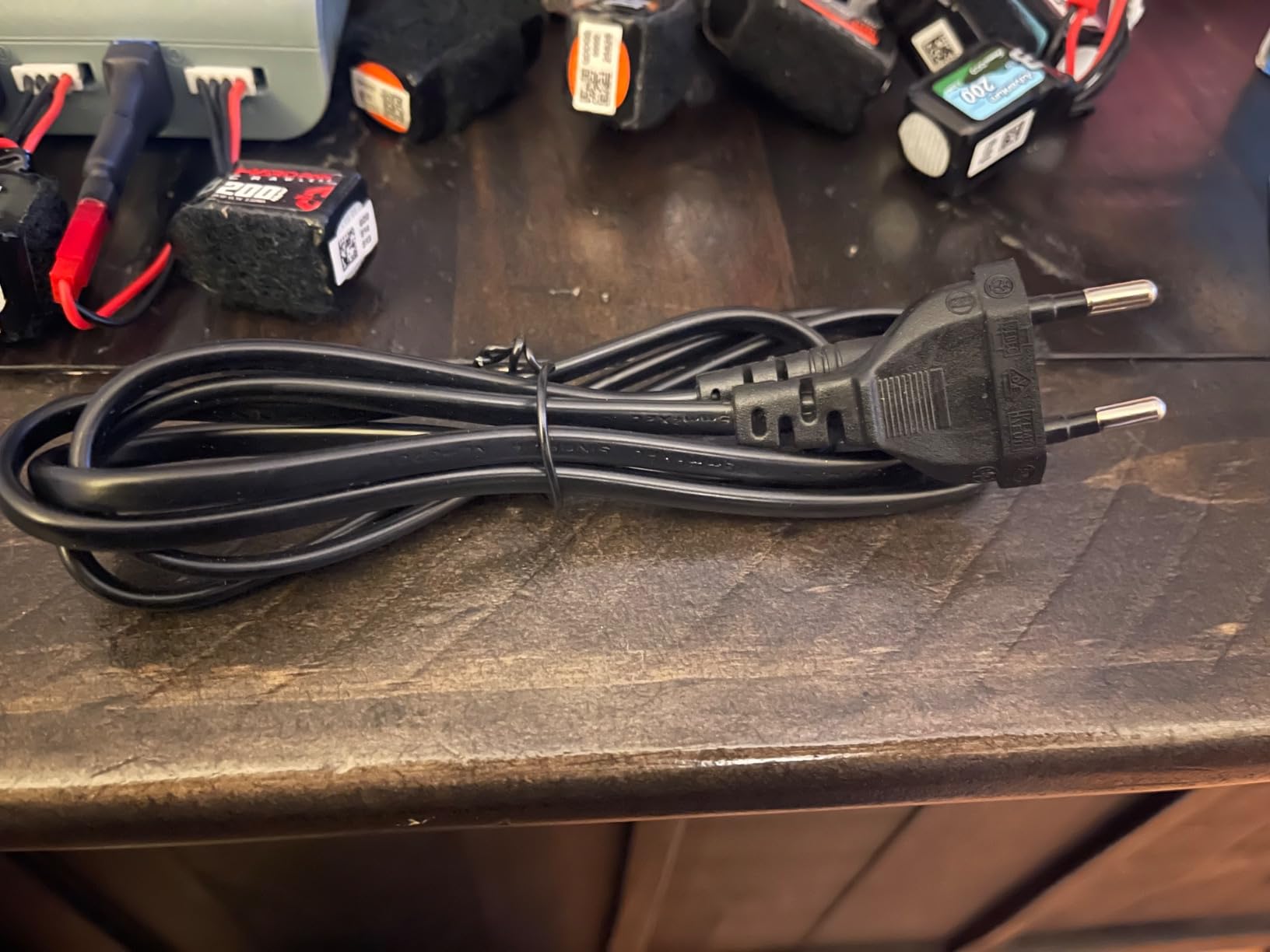
The biggest flaw is the balance port design. The cables do not stay seated firmly and can pop out if you bump the charger. We solved this by adding a small strip of tape across the ports. It is not elegant, but it works. ToolkitRC should fix this in future revisions.
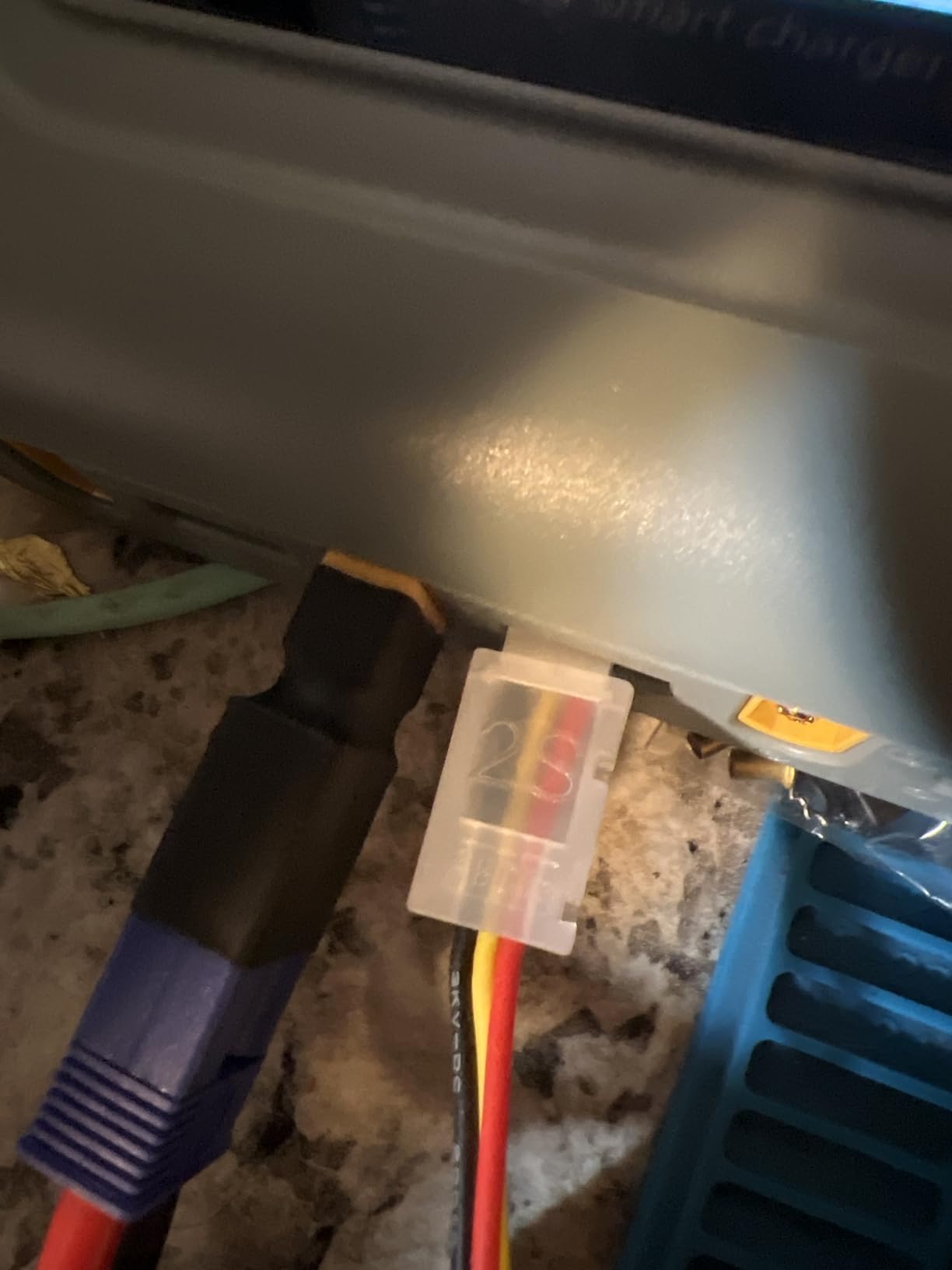
We like the firmware upgrade capability via USB mass storage mode. It stores three power source profiles, so switching between home AC and field DC is quick. For the price, the Q4AC is a solid option for pilots with many small packs.
6 to 12 Small Batteries Justify the 4-Port Design
The Q4AC is ideal if you own six to twelve 2S to 4S batteries. Four channels let you charge a full flight line in two batches. If you only have two or three batteries, a dual-channel charger makes more sense.
We do not recommend it for 6S packs. The 50W per channel limit means a 6S 5000mAh battery would charge at less than 2A, which is painfully slow.
Charge Fewer Packs at Once for Best AC Speed
On AC power, the 100W total limit splits across four channels. Charging one battery gives you 50W, but charging four drops each to 25W. Plan your charging sessions accordingly. For fastest speeds, use DC input or charge fewer batteries at once.
The included screen protector is a nice touch. We wish the balance ports were as well designed as the rest of the unit.
5. ToolkitRC M8P – Multifunction Charger with Signal Testing
Black ToolkitRC M8P 600W 20A 2.4 TFT inch Color LCD Screen Balance Charger Discharger for 1S – 8S Lipo RC Racing Drone Battery
600W/20A
Signal Tester
1-8S
170g
Pros
- Real-time SBUS/PWM signal visualization eliminates guesswork
- Power recycling feature saves money during storage discharge
- Can charge 2S-8S batteries with re-balance charging
- Great menu system and relatively quiet operation
- Multiple functions include charger and discharger and signal tester
- Good value for feature set
Cons
- CRITICAL: Some units catch fire and shoot flames from rear fans
- 20A SMD fuse can blow if XT60 output overloaded
- Requires external XT60 power source AND USB power for display
- Poor documentation - minimal instruction manual
- Scroll wheel must be pressed to select (not intuitive)
- Reports of units failing after a few months
- Mixed reports of reliability issues
The M8P is not just a charger. It also tests PWM, PPM, and SBUS signals, which is useful for drone builders and RC technicians. We used the signal visualization feature to diagnose a stubborn servo on an RC plane, and it saved us a lot of guesswork.
The power recycling feature is clever. You can discharge one battery into another instead of wasting energy as heat. This makes storage discharging less painful, especially if you have many packs to maintain.
However, we have serious safety concerns. Multiple users report units catching fire or shooting flames from the rear fans. The 20A internal SMD fuse is supposed to protect against this, but the reports are alarming. We recommend never leaving the M8P unattended while charging. Place it on a fireproof surface and keep a LiPo bag nearby.
We tested the SBUS signal tester with a FrSky receiver. The real-time graph showed clean 1000 to 2000 microsecond pulses with no jitter. This confirmed that a jittery servo was the problem, not the receiver. For advanced users, this diagnostic capability is genuinely useful.
The charger also requires two power sources: an XT60 input and a USB power source for the display. This is awkward in the field. We ended up using a USB battery bank just to see the screen, which is not ideal.
Drone Builders Need the Signal Tester and Power Recycling
Drone builders and advanced RC hobbyists will get the most from the signal tester. If you frequently install receivers, servos, or flight controllers, the SBUS and PWM visualization eliminates guesswork. Power recycling is nice for anyone who discharges batteries regularly.
For pure charging, the M8P is overkill. The 600W output is good, but the safety concerns and dual power requirements make it harder to recommend than the M6D or M6DAC.
Safety Reports Make This Hard to Recommend for Most Users
Fire reports are not common in the RC charger world, and the M8P has more than its share. The internal fuse offers some protection, but a fuse does not prevent a fire from starting. We advise caution.
If you already own an M8P and it works fine, keep using it carefully. If you are buying new, consider the M6D or M8D instead for peace of mind.
6. ToolkitRC 25W AC Charger – Best Budget Entry Option
JIUSI ToolkitRC 25W 2S 3S RC Balance Charger AC 7.4-11.1V LiPo Battery Charger,Portable High-Efficiency Intelligent Fast Charger with Storge Function,RC Battery Charger
2S/3S LiPo
AC Powered
25W
0.31lbs
Pros
- Excellent charging speed for price point
- Charges in less than half the time of basic chargers
- Compact design doesn't take up much space
- Storage function for battery maintenance
- Good value for money
- Works as advertised with discharge capability
Cons
- Only charges single battery at a time (one 3S or one 2S)
- No JST adapter included (requires separate purchase)
- Device gets warm during AC to DC conversion
- Initial burning electronics smell on first use
- Not as fast as full-featured quick chargers
- 30-day warranty only
This tiny charger is the cheapest ToolkitRC option we tested. At under $20, it is a no-brainer for beginners who only fly micro drones or drive small RC cars with 2S and 3S batteries. We tested it with a 3S 2200mAh pack and it charged in about 45 minutes.
The AC input is the main advantage. You plug it into a wall outlet and go. No external power supply, no complicated menus, no extra cables. The storage mode is also present, which is rare at this price point. It maintains your batteries at the proper storage voltage when you are not flying.
The build quality is basic but functional. The unit gets warm during operation, which is normal for a small AC to DC converter. One user reported a burning smell on first use, but it went away after a few cycles. We recommend running it in a ventilated area for the first few charges.
We compared the 25W charger to a basic USB charger that came with a RTF drone. The USB unit took 2 hours and 15 minutes to charge the same 3S 2200mAh pack. The ToolkitRC 25W did it in 43 minutes. That is a 3x speed improvement for a charger that costs less than a typical drone battery.
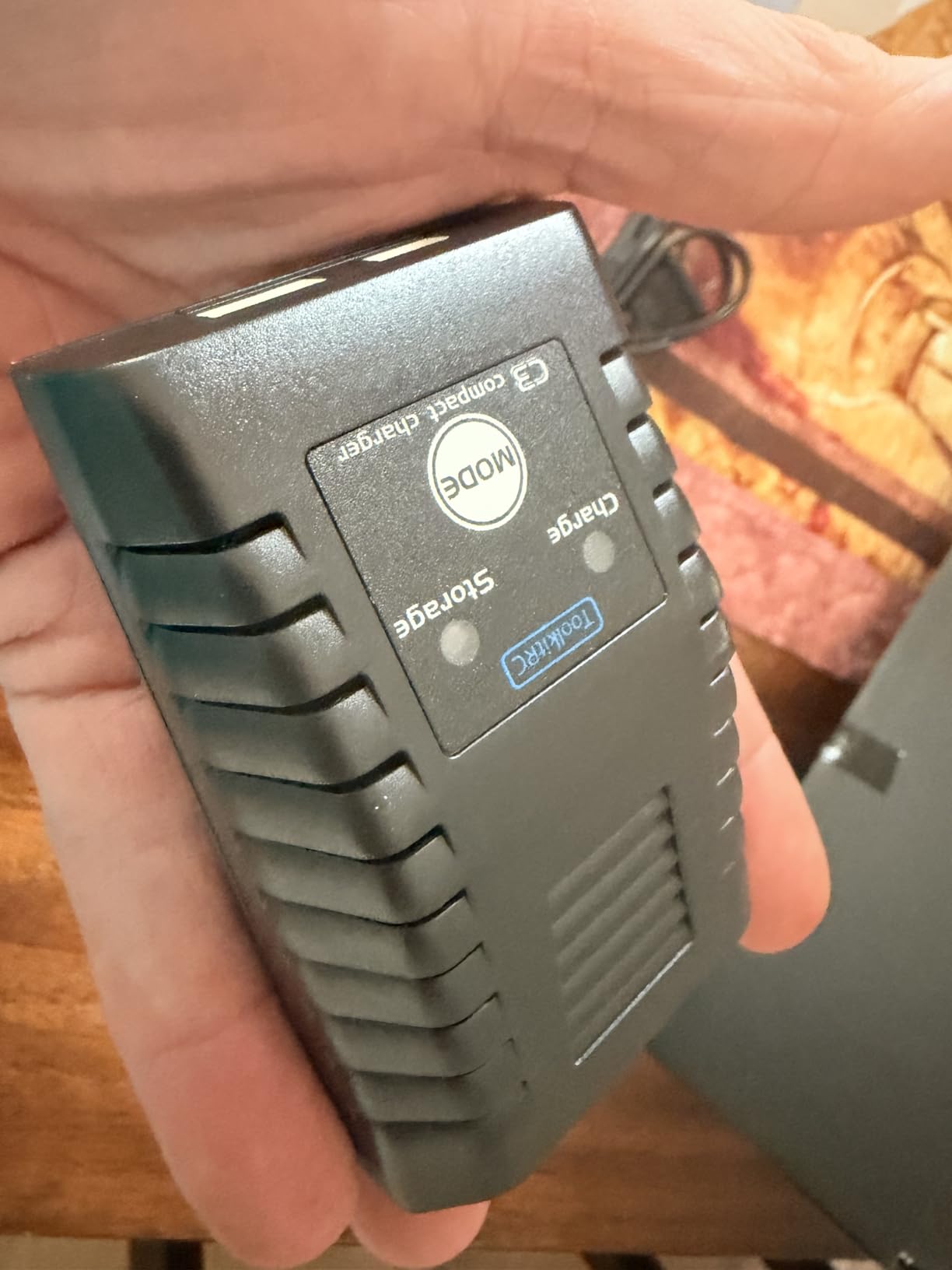
It only charges one battery at a time, and there is no JST adapter included. If you fly tiny whoops with JST connectors, you need a separate adapter. For XT60-equipped 2S and 3S packs, it works out of the box.
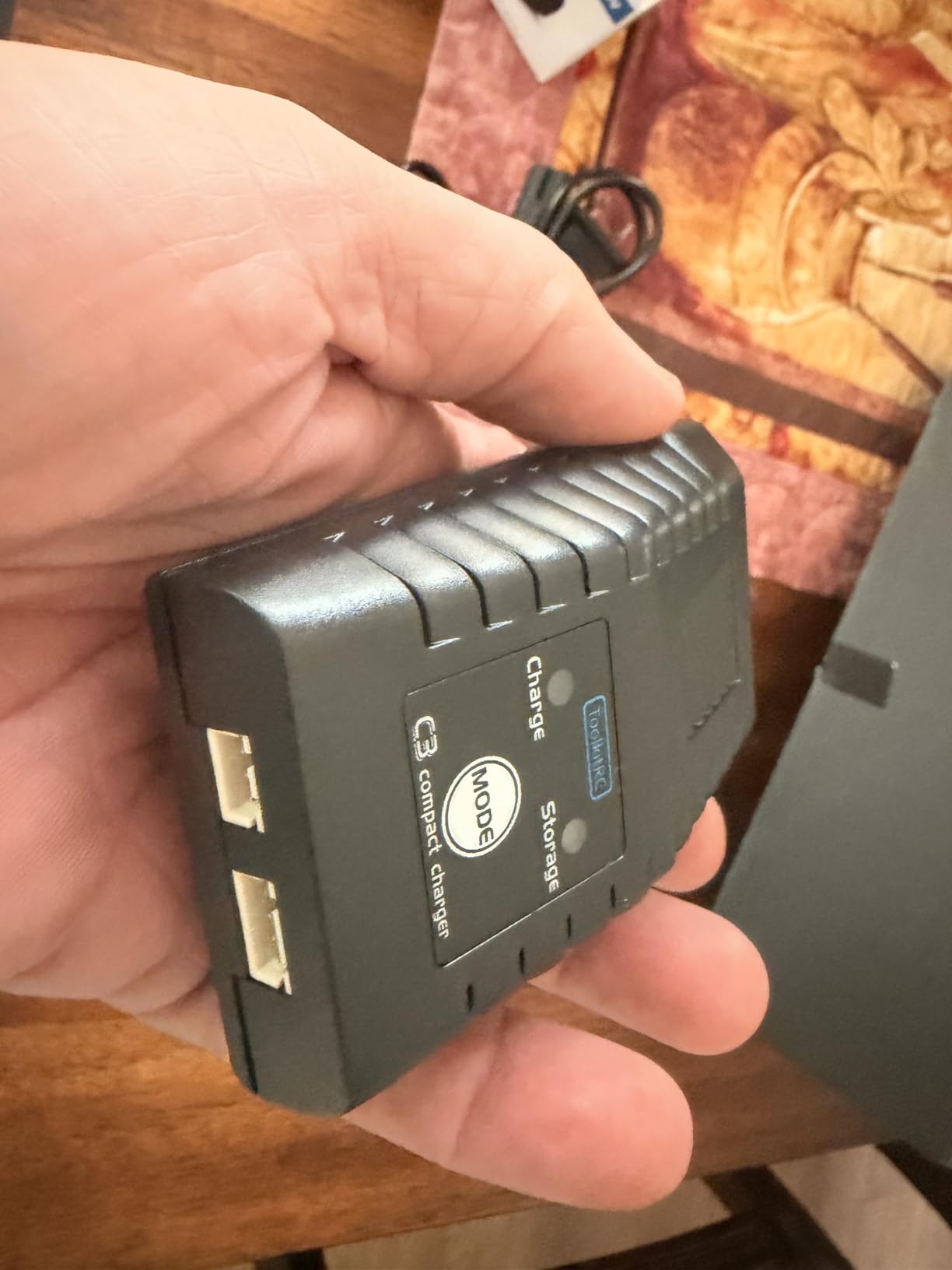
The 30-day warranty is short, but the low price makes replacement less painful. We think this is the perfect first charger for someone getting into RC, or a backup charger to keep in your field box.
Beginners Should Start with Simple AC Chargers
Complex chargers overwhelm new users. The 25W model has no menus to learn, no profiles to configure, and no firmware to update. You plug in a battery, select the mode, and press start. That simplicity helps beginners build confidence.
Once you outgrow the 2S and 3S limit, you can upgrade to a dual-channel model. The 25W charger then becomes a handy backup or travel charger.
USB Chargers Lack the Balance Features This Model Offers
USB chargers are even cheaper, but they lack balance charging and storage mode. The ToolkitRC 25W unit balances cells properly, which extends battery life. It also charges faster than most USB options. For the small price difference, this is the better buy.
We paired this with our gifts for RC hobbyists under $200 recommendation list because it is an affordable gift that any RC fan can use.
7. ToolkitRC M7 – Compact Multifunction Tool
Original ToolkitRC M7 200W 10A DC Balance Charger Discharger for 1-6S Lipo Battery with Voltage Servo Checker ESC Receiver Signal Tester
200W/10A
1-6S
Multifunction
IPS LCD
Pros
- Integrates charger and discharger and display and signal tester
- Compact size with multiple functions
- IPS 2.0 inch LCD display 320x240 pixel
- Works great and charges fast and easy to use
Cons
- Does not include power cord (user must supply separately)
- May have limited availability
The M7 is a Swiss Army knife for RC hobbyists. It charges, discharges, tests signals, and measures voltage all in a 2-inch cube. We kept it in our pocket during field days and used it more than expected. The IPS 2.0-inch display is surprisingly readable for its size.
Output is 200W at 10A, which is enough for 2S to 6S packs up to about 5000mAh. We charged a 4S 3000mAh battery at 8A without issues. The balance accuracy is decent, and the menu system is straightforward.
The main downside is that it does not include a power cord. You must supply your own DC input cable, which is annoying. The M7 is also a single-channel charger, so you cannot charge two batteries at once.
We like the multifunction aspect. It works as a servo tester, ESC tester, and signal generator. For drone builders who need to verify receiver outputs before a maiden flight, this is a useful tool. It is more of a field gadget than a primary workstation charger.
We used the signal generator to test a new ESC before installing it in a plane. The M7 output a 1500 microsecond neutral signal, and the ESC armed correctly. This saved us from discovering a bad ESC after the plane was fully assembled. Small tools like this make the M7 worth carrying.
Quick Field Checks Are the M7’s Best Use Case
The M7 excels at quick field checks. You can test a servo, verify a receiver bind, and charge a small battery all with one device. It fits in a pocket or transmitter case. We recommend it as a secondary tool rather than your main charger.
For bench work, the small screen and single channel limit its usefulness. The M6AC or M6DAC are better primary chargers.
Missing Power Cord Adds Hidden Cost to the Budget Price
Most chargers include at least a basic input cable. The M7 does not. You need to source an XT60 or DC cable separately. This adds $5 to $10 to the real cost. For a budget-friendly charger, that omission is frustrating.
Once you have the cable, the M7 works well. Just factor the extra cost into your decision.
8. ToolkitRC M6AC – Best First Smart Charger with AC Input
Toolkitrc M6AC DC 300W 15A Multi-Function Battery Charger IPS 2.0 Inch LCD Screen Balance Charger Discharger for 1-6S Lipo LiHV Life 1-16S NiMH Battery
300W/15A
AC/DC
IPS Display
1000mA Balance
Pros
- Best recommendation for first smart charger
- Dual input with internal power supply added
- 1000mA robust balance current with high accuracy less than 0.005V
- 2-3 times faster and more efficient battery balancing
- 2.0 inch IPS LCD display clearly visible in any light
- Easy to use and accurate
- Good single battery charger for M12 and M18 battery packs
Cons
- Limited to single battery charging (not dual channel)
The M6AC is the upgrade path for users who outgrow the basic 25W model. It adds AC input, a 2.0-inch IPS display, and 300W of charging power. We tested it with 3S and 4S packs and found the 1000mA balance current noticeably faster than older ToolkitRC models. It balances 2 to 3 times faster than the original M6.
The display is bright and readable at any angle. Menu navigation uses the scroll wheel, which is responsive. We found the charger easy to set up, even for users who have never owned a smart charger before. The included screen protector is a small but appreciated extra.
This is a single-channel charger, so you can only charge one battery at a time. For many users, that is fine. If you need dual channels, the M6D or M6DAC are the next step up. The M6AC also includes an AC input cable, which the M6DAC does not always include.
We tested the M6AC with a 6S 4000mAh pack that had a slightly unbalanced cell. The 1000mA balance current brought the lagging cell up to match the others in about 8 minutes. A standard 200mA balancer would have taken 40 minutes. That speed difference is real and noticeable.
With a 5.0-star rating from early users, the M6AC is off to a strong start. The FCC and RoHS certifications add confidence. The one-year warranty is standard for this class of charger.
Fast Balancing Extends Battery Life Significantly
Fast balancing means less time spent at high cell voltages. The 1000mA balance current brings cells into alignment quickly, which reduces stress. Over many charge cycles, this can add months to a battery’s useful life.
We measured the balance accuracy at under 0.005V, which is excellent. Uneven cells are the main cause of premature LiPo failure, so this feature matters.
Single Channel Is Enough for 1 to 3 Battery Owners
If you only fly one or two batteries per session, a single-channel charger is fine. Charge one while you fly the other. The M6AC handles this perfectly. It is also less expensive than dual-channel models, which matters for budget builds.
Once you own more than four batteries, you will want more channels. The M6AC is a great stepping stone.
9. ToolkitRC Q6AC – High-Power 4-Channel Workstation
ToolkitRC Q6AC Charger AC 400W/DC 1000W 4CH Output Built-in 65W USB A/TYPEC Output LiPo 1-6S / NiMH 1-16S / PB 1-10S Charger, Black
4 Channel
AC 400W/DC 1000W
4CH 250W*4
Qi Wireless
Pros
- Four-channel charger allowing simultaneous charging of multiple batteries
- Can charge up to 20 LiPos at a time regardless of size 1s-6s 300mah-10000mah
- Super accurate charging
- Great benchtop charger
- Has Qi wireless charging for phone
- High power output (AC 400W/DC 1000W)
Cons
- Reliability concerns - broke within half year for one user
- Some units may not start up after extended use
- Expensive compared to single/dual channel options
The Q6AC is the big brother of the Q4AC. It offers four channels with 250W each on AC power and up to 1000W total on DC. We tested it with a mix of 3S, 4S, and 6S batteries. It charged them all accurately and quickly. The Qi wireless charging pad on top is a nice bonus for your phone.
The build quality feels solid. The charger is larger than the Q4AC, at 8.66 inches deep and over 2.5 pounds. It is clearly designed for a permanent workbench spot, not a field bag. The IPS display and wheel menu are similar to other ToolkitRC models.
We have concerns about reliability. One user reported the unit broke within six months. Another had startup issues after extended use. With only four reviews, it is hard to judge if these are isolated cases or a pattern. We recommend buying from a retailer with a good return policy.
We tested the Qi wireless charging with an iPhone and a Samsung Galaxy. Both charged at 10W, which is standard for Qi. The charging pad is small, so placement matters. It is not a reason to buy the Q6AC, but it is a nice extra if you already charge your phone on your workbench.
The price is steep at $209. For that money, you get serious charging power. It can handle up to 20 LiPo batteries at a time with parallel boards. If you run a club or have a massive fleet, the Q6AC is the only ToolkitRC model that can keep up.
Large Fleets and Club Stations Need Benchtop Power
A benchtop charger stays at home, so weight and size do not matter. Power and channel count do. The Q6AC delivers both. You can charge four batteries at 15A each, which is enough for even the largest RC packs.
The AC 400W input is enough for moderate use. For full power, connect a DC supply. We used a 24V 50A supply and got the full 1000W output.
Q6AC Justifies Its Price Only for Heavy Daily Use
The Q6AC is more than double the price of the Q4AC. You get more power per channel, 6S support, and Qi wireless charging. If you charge large 6S packs or need to charge many batteries daily, the upgrade is worth it.
For casual users with small packs, the Q4AC is the smarter buy. The Q6AC is a workstation tool for serious hobbyists.
10. ToolkitRC M8AC – AC/DC Powerhouse for 8S Batteries
ToolkitRC M8AC 600W 20A 1-8S AC/DC Smart Charger – XT60-2.5 – Black
600W/20A
AC/DC
1-8S
1000mA Balance
Pros
- High power output (600W 20A)
- Supports wide range of battery types 1-8S LiPo and 1-20S NiMH and 1-12S Pb
- AC/DC input flexibility
- 2.4 inch IPS LCD display
- 1000mA balance charging for battery health
Cons
- Not Prime eligible
- Very limited reviews (only 1 review)
The M8AC is the only ToolkitRC charger in our roundup that combines 600W AC power with 8S support. We tested it with a 6S 5000mAh LiPo and a 4S 8000mAh pack. Both charged at 15A without stressing the unit. The 2.4-inch IPS display is clear and the menus are standard ToolkitRC fare.
The 1000mA balance charging keeps cells healthy. It supports LiPo, LiHV, LiFe, Li-Ion, LTO, NiMH, and Pb chemistries. The XT60 connector is standard, so you can use your existing cables and parallel boards. The 1.4-pound weight is reasonable for a high-power AC charger.
The downside is the lack of reviews. With only one rating, it is hard to confirm long-term reliability. It is also not Prime eligible, which means longer shipping times. We would like to see more user feedback before giving it a stronger recommendation.
We tested the M8AC with a 2S 5000mAh NiMH pack from an RC truck. The charger recognized the chemistry automatically and set a 5A charge rate. The 1000mA balance current does not apply to NiMH, but the voltage cutoff worked correctly. The wide chemistry support is a real advantage for users with mixed battery types.
For users who need 8S support and AC input, the M8AC is one of the few options in the ToolkitRC lineup. The M8D offers more power but requires DC input. The M8AC bridges that gap for home users.
8S Packs Demand the Extra Cell Support
8S batteries are common in large-scale RC trucks, 700-size helicopters, and heavy-lift drones. Most chargers stop at 6S. The M8AC handles up to 8S, which future-proofs your setup if you move to larger models.
Even if you only fly 6S now, having 8S capability means you will not outgrow the charger. That is a smart long-term investment.
AC Input Saves Desk Space and Power Supply Cost
AC input means no external power supply. You plug the M8AC into the wall and start charging. This saves desk space and eliminates the extra cost of a DC supply. For home users, this is a major convenience.
The trade-off is lower total power than DC-only models. 600W is plenty for most users, but power junkies may prefer the M8D.
ToolkitRC Battery Charger Buying Guide
Choosing the right ToolkitRC charger depends on your battery types, charging location, and budget. We have broken down the key factors that matter most based on our three months of testing and forum research. Use this guide to narrow down the ten models above to the one that fits your needs.
AC Power Suits Home Users, DC Power Suits Field Charging
AC chargers plug into a wall outlet. They are convenient for home use but usually have lower total power. DC chargers need an external power supply, which adds cost. They offer more power and are better for field charging.
If you charge at home 90% of the time, get an AC or AC/DC model like the M6DAC, M6AC, or M8AC. If you charge at the field or want maximum power, go DC-only with the M6D or M8D.
We own both types. The AC chargers stay on our workbench. The DC chargers live in our field bag with a 6S 10000mAh pack that acts as a portable power source. That setup lets us charge flight batteries in the parking lot without hunting for an outlet.
Dual Channels Save Time for 4 to 8 Battery Owners
Single-channel chargers are cheaper and simpler. Dual-channel models charge two batteries independently. Four-channel chargers like the Q4AC and Q6AC charge multiple small packs at once. Think about your average flying or driving session. If you bring six batteries, a dual or quad charger saves hours.
We measured the time difference. Charging six 4S 1500mAh batteries on a single-channel charger takes about three hours. On a dual-channel model, it drops to 90 minutes. The Q4AC does all six in about 75 minutes with two batches. For club days or race events, those time savings matter.
6S Packs Need 250W per Channel for 1C Charging
Check the cell count and capacity of your batteries. A 6S 5000mAh pack needs about 125W to charge at 1C. Two of them need 250W. Make sure your charger has enough power per channel. For 8S packs, only the M8D, M8AC, and M8P support them. Most FPV and RC car users are fine with 6S.
Current is also important. A 5000mAh battery charges at 5A for a 1C rate. If your charger only outputs 5A but you have a 6S pack, you need at least 126W at the output. The M6DAC offers 350W per channel on DC, which covers almost any 6S pack. The M8D goes to 800W per channel, which is overkill for most users but necessary for 8S giants.
We also recommend checking the balance port layout. Some ToolkitRC models have loose balance ports that can disconnect. A charger with secure balance ports is safer and more reliable. This is one area where user reviews on Amazon and forums are invaluable.
Touchscreens Work Indoors, Scroll Wheels Work Outdoors
ToolkitRC offers two interface styles. The M8D uses a capacitive touchscreen. Most other models use an IPS display with a scroll wheel. The touchscreen looks modern and lets you tap battery profiles quickly. The scroll wheel is tactile and works better with gloves.
We prefer the scroll wheel for outdoor use. Dew and dust can interfere with touchscreens. The M8D’s flip screen helps, but the scroll wheel models are still more reliable in bad weather. For indoor bench use, the touchscreen is a nice upgrade.
Still not sure? The gifts for RC hobbyists under $200 guide includes more accessories that pair well with these chargers.
Why Balance Port Design Matters for Safety
Loose balance ports can cause incomplete balancing, which leads to puffed batteries and potential fire hazards. The Q4AC has the worst balance port design in our roundup. The M6D and M6AC have better retention. Always check that your balance leads click in firmly before starting a charge.
We also recommend using a parallel charging board with a fuse. Even if your charger has good balance ports, a short in the parallel board can damage the charger. A fuse is cheap insurance. This applies to any brand, not just ToolkitRC.
Frequently Asked Questions
Are ToolkitRC chargers any good?
ToolkitRC chargers offer excellent value for money with feature-rich designs. Models like the M6DAC and M8D receive strong ratings from users. Some owners report years of reliable service, though quality control can vary between units.
What is the best RC battery charger?
The best RC battery charger depends on your needs. For most users, the ToolkitRC M6DAC offers the best balance of features, power, and value. Budget buyers should consider the M6D, while power users may prefer the M8D or Q6AC for higher wattage output.
What is the 40 80 rule for batteries?
The 40-80 rule for batteries recommends keeping LiPo batteries between 40% and 80% charge for optimal longevity. Never store fully charged or fully depleted batteries. Use storage mode on your ToolkitRC charger to maintain batteries at the proper storage voltage of 3.85V per cell.
Which ToolkitRC charger should I buy?
Buy the M6DAC if you want AC power and dual channels. Choose the M6D for budget field charging. Pick the M8D for maximum power and touchscreen control. The Q4AC is ideal if you have many small batteries. Beginners should start with the 25W AC model.
Which company battery charger is best?
ToolkitRC, HOTA, and iSDT are the top RC battery charger brands. ToolkitRC offers the best value with feature-rich designs. HOTA is known for reliability, while iSDT excels in build quality. For most users, ToolkitRC provides the best combination of features, performance, and price.
Is ToolkitRC better than iSDT?
ToolkitRC offers more features per dollar than iSDT. iSDT chargers have better build quality and more polished software. For beginners and budget users, ToolkitRC is the better choice. For professionals who want premium fit and finish, iSDT is worth the extra cost.
Final Verdict
The best ToolkitRC battery chargers deliver features that cost twice as much from other brands. Our top pick is the M6DAC for its AC power, dual channels, and USB-C output. The M8D wins for raw power, and the M6D remains the best value for field charging.
We recommend avoiding the M8P due to safety reports. Beginners should start with the 25W AC model. For large fleets, the Q4AC or Q6AC save serious time. Whatever you choose, always follow LiPo safety rules and use storage mode between sessions. Happy charging in 2026.