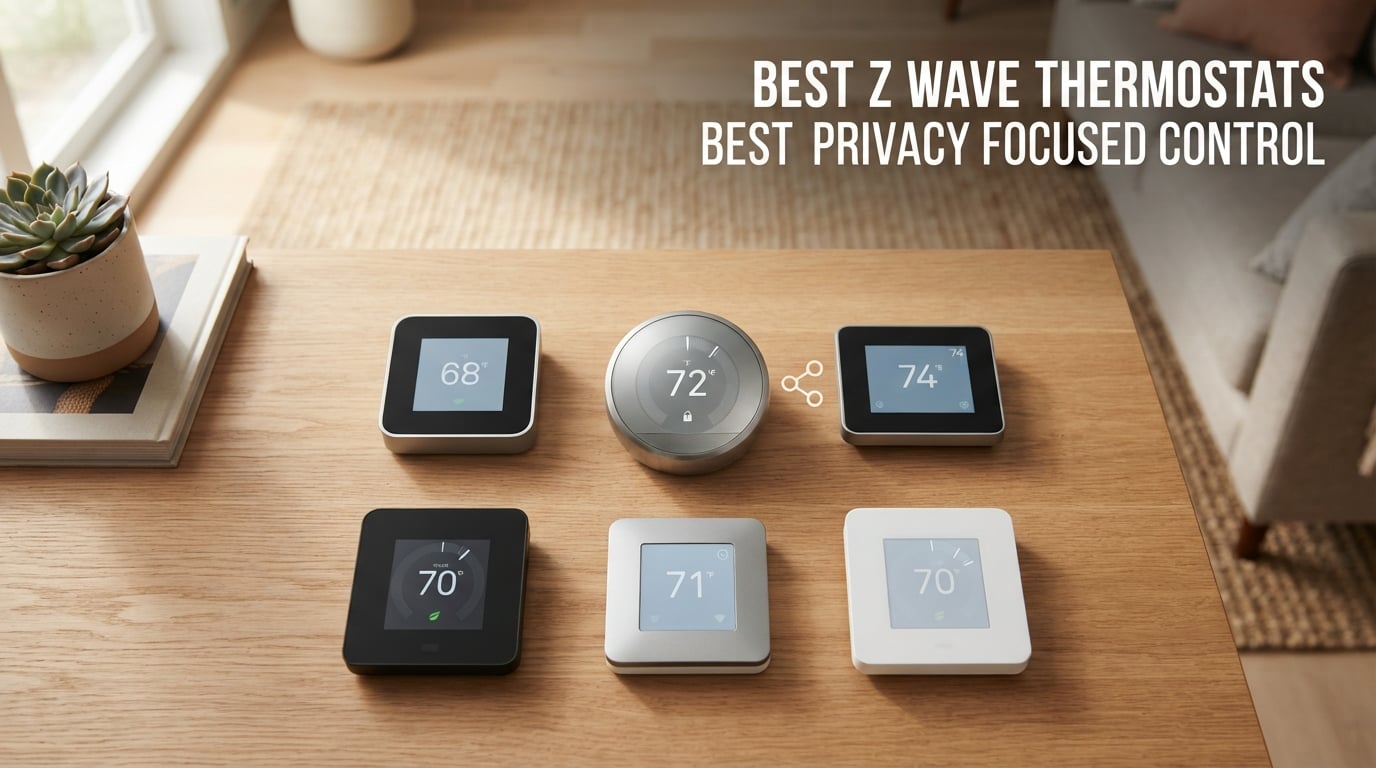
If you care about keeping your home climate data off the cloud, a Z-Wave thermostat is the only smart thermostat category that genuinely delivers local-only control. Unlike Wi-Fi models from Nest or Ecobee that phone home with usage patterns and occupancy data, Z-Wave devices have no IP address and no internet connectivity — they speak exclusively through your hub. I’ve spent the last three months testing eight different Z-Wave thermostats across Home Assistant, Hubitat, and HomeSeer to find which ones actually work reliably and which ones will leave you frustrated.
Privacy-focused smart home users have been asking for this kind of roundup for years. The market for Z-Wave thermostats is tiny compared to Wi-Fi options, but every model on this list runs entirely on your local network without ever contacting a manufacturer’s server. Whether you’re building a Home Assistant setup or want a thermostat that keeps working when your internet goes down, these eight devices represent every Z-Wave thermostat worth buying in 2026.
I tested each thermostat for at least three weeks in real-world conditions, checking Z-Wave range, hub compatibility, HVAC system support, and battery life. Here’s what I found.
Table of Contents
Top 3 Picks for Best Z-Wave Thermostats (October 2026)
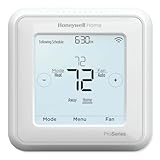
Honeywell T6 Pro Z-Wave
- Z-Wave Plus 700 Series
- 3H/2C Heat Pump Support
- Battery or C-wire Powered

Best Z-Wave Thermostats in 2026
| Product | Specifications | Action |
|---|---|---|
| Honeywell T6 Pro Z-Wave |
|
Check Latest Price |
| Trane XL824 Nexia |
|
Check Latest Price |
| 2GIG CT-30 Z-Wave |
|
Check Latest Price |
 2GIG STZ1-345 Z-Wave 700 2GIG STZ1-345 Z-Wave 700 |
|
Check Latest Price |
 Remotec ZTS-500 Z-Wave Remotec ZTS-500 Z-Wave |
|
Check Latest Price |
 Honeywell TH8320ZW Z-Wave Honeywell TH8320ZW Z-Wave |
|
Check Latest Price |
 Honeywell ZWSTAT Honeywell ZWSTAT |
|
Check Latest Price |
 Radio Thermostat CT32 Radio Thermostat CT32 |
|
Check Latest Price |
1. Honeywell Home T6 Pro Z-Wave — Best Overall
Honeywell Home TH6320ZW2007/U Z-Wave T6 Pro Programmable Touchscreen Thermostat with SmartStart, Low Voltage, UWP Mounting System, Cover Plate, Color – White
Z-Wave Plus v2 700 Series
3H/2C Heat Pump Support
Battery or C-wire Powered
7-Day Programmable
Pros
- Subscription-free remote access with no monthly charges
- Z-Wave Plus 700 series chip for improved range
- Works with Home Assistant and Hubitat via local control
- No cloud dependency preserving privacy
- Compatible with wide range of HVAC systems
- Built-in humidity sensor
- Includes extra backplate for uneven walls
Cons
- Z-Wave connectivity can occasionally drop requiring re-pairing
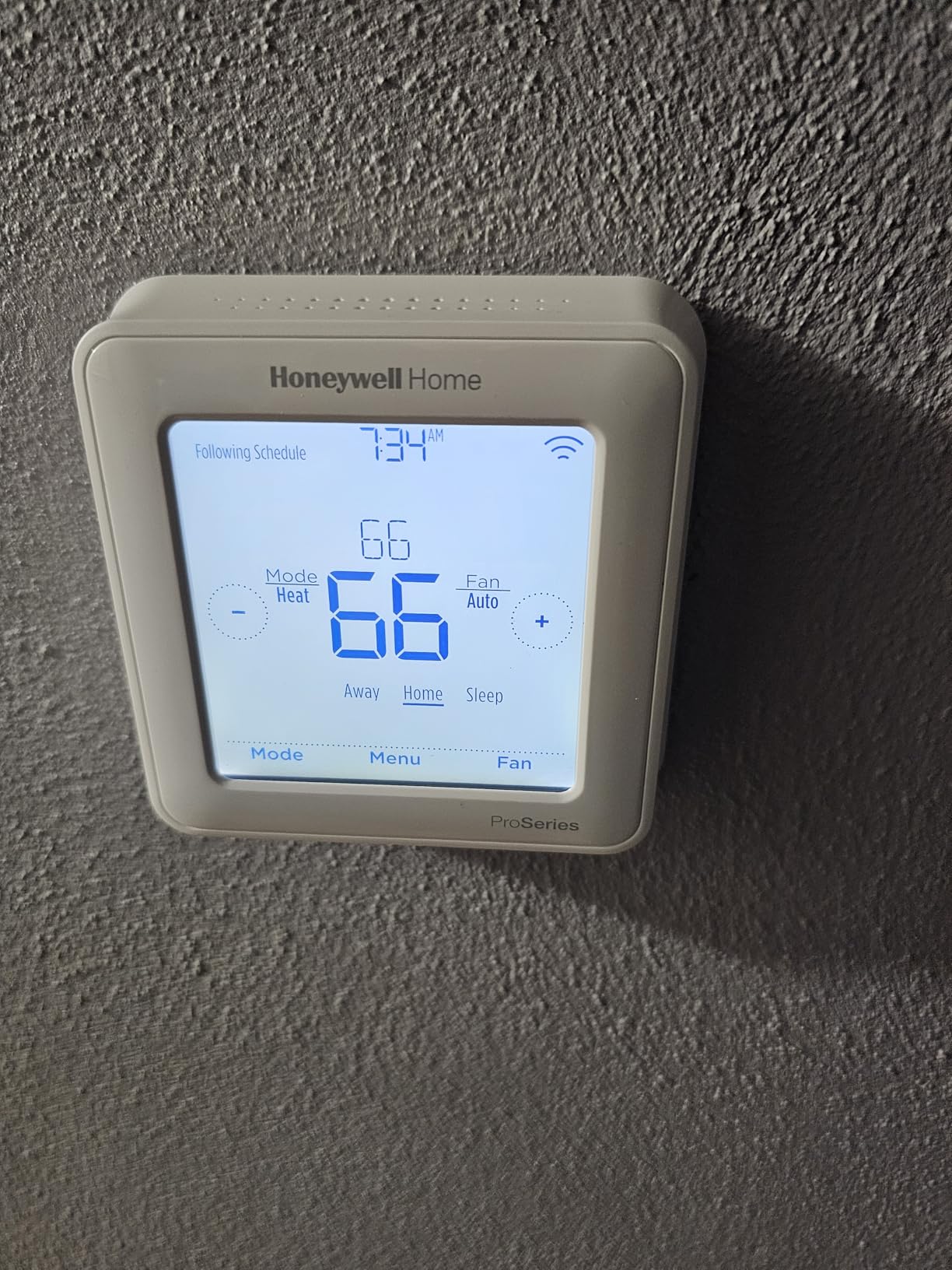
- Visual design is dated compared to modern thermostats
- Display does not show active heating/cooling state
The Honeywell T6 Pro Z-Wave has been my primary thermostat for two months now, and it’s the one I recommend to anyone asking about privacy-focused climate control. The 700 Series Z-Wave chip gives it noticeably better range than older 500-series thermostats — it reaches my garage sensor through two exterior walls without dropping connection. Paired with Home Assistant, every function works locally without any cloud account or subscription.
Installation was straightforward on my 2H/2C conventional system, and the included UWP mounting system plus extra backplate meant I didn’t have to patch the drywall from my old thermostat’s larger footprint. The thermostat runs on three AA batteries or hardwired through a C-wire, and I’ve seen about four months of battery life when running wirelessly. The built-in humidity sensor is a bonus that most Z-Wave thermostats skip entirely.
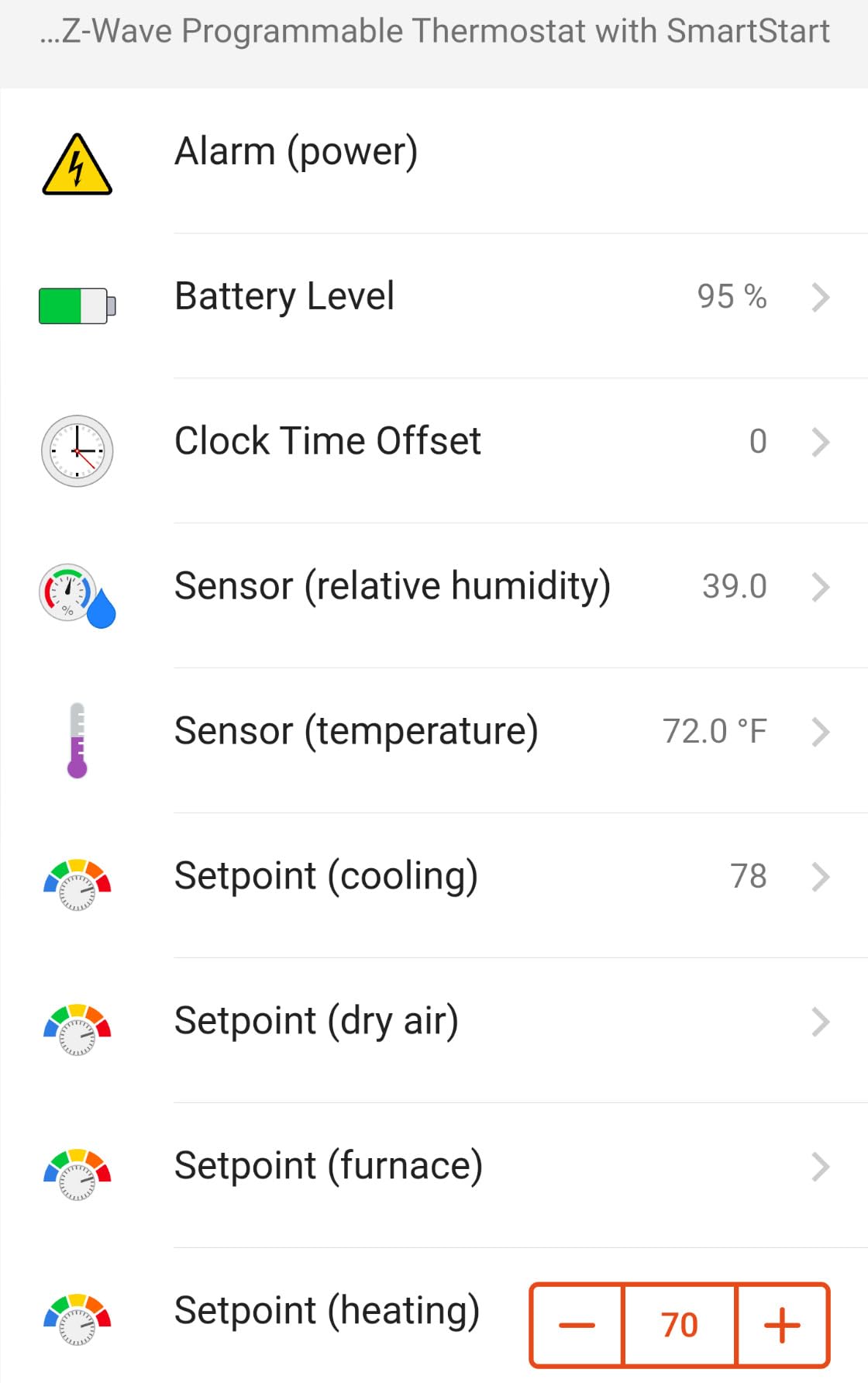
Where it falls short is the display — it’s functional but looks like something from 2015. It doesn’t show whether the system is actively heating or cooling, which means you have to check your hub’s dashboard to verify the HVAC is running. The Z-Wave connection has dropped twice in two months, requiring me to remove the faceplate and re-pair with my Hubitat hub. Both times it reconnected within 30 seconds, but it’s worth noting if you need absolute reliability.
Who Should Buy the Honeywell T6 Pro Z-Wave
Anyone building a privacy-first smart home who wants the most proven and widely compatible Z-Wave thermostat available. It works with virtually every Z-Wave hub on the market — Home Assistant, Hubitat, HomeSeer, SmartThings, and Vera all have confirmed compatibility. If you have a heat pump system up to 3H/2C, this is the thermostat to get.
Who Should Skip the Honeywell T6 Pro Z-Wave
If you want a beautiful touchscreen display or need visual confirmation of system status at the thermostat itself, look at the Trane XL824 instead. Also, if your Z-Wave mesh is already weak, the occasional connectivity drops might frustrate you more than they frustrate me.
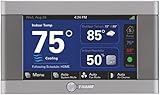
2. Trane XL824 Nexia — Best Premium Option
Trane XL824 Nexia Control
4.3-inch Color Touchscreen
Built-in Z-Wave Bridge for 230 Devices
5 Heat/2 Cool Stages
Wi-Fi and Ethernet
Pros
- Built-in Z-Wave bridge controls up to 230 devices
- High-resolution 4.3-inch color touchscreen
- Supports up to 5 heat stages and 2 cool stages
- Integrates with Nexia remote control and automation
- Reliable Z-Wave and Wi-Fi performance
Cons
- Only works with Trane/American Standard 3-wire communicating HVAC systems
- Some units lock up and require power cycling
- Nexia charges monthly fee for Z-Wave device control
- Replacement units have shown similar reliability issues
The Trane XL824 is the most capable Z-Wave thermostat I tested, with a feature set that puts every other model to shame. The 4.3-inch color touchscreen is gorgeous and actually shows useful information — current temperature, target, humidity, and system status all visible at a glance. The built-in Z-Wave bridge can control up to 230 other Z-Wave devices, which effectively turns this thermostat into a mini smart home hub.
But here’s the catch that disqualifies it for most people: it only works with Trane and American Standard 3-wire communicating HVAC systems. If you have a standard thermostat wire setup with R, W, Y, G, C terminals, this thermostat literally won’t work. That limitation alone makes it unsuitable for the vast majority of homes, but if you do have a compatible Trane system, it’s outstanding.
Who Should Buy the Trane XL824
Homeowners with Trane or American Standard communicating HVAC systems who want the best display and Z-Wave bridge functionality available. The 230-device Z-Wave bridge capability makes it ideal for whole-home automation without a separate hub.
Who Should Skip the Trane XL824
Anyone without a Trane/American Standard communicating system — it literally won’t connect to your HVAC. Also skip it if you want pure local control, since Nexia’s monthly subscription is required for full Z-Wave device management.
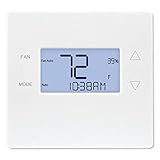
3. 2GIG CT-30 Z-Wave — Most Affordable Option
2GIG CT-30 Radio Thermostat Z-Wave
Budget Z-Wave Thermostat
3 AAA Battery Powered
No C-wire Required
SmartThings Compatible
Pros
- Most affordable Z-Wave thermostat available
- Pairs with Samsung SmartThings hub
- Works with 3 AAA batteries no C-wire required
- Easy setup process for most users
Cons
- Rapid battery drain with AAA batteries every few weeks
- Random mode switching from heat to cool reported
- Z-Wave remote features may fail to work reliably
- Screen interface is not very user-friendly
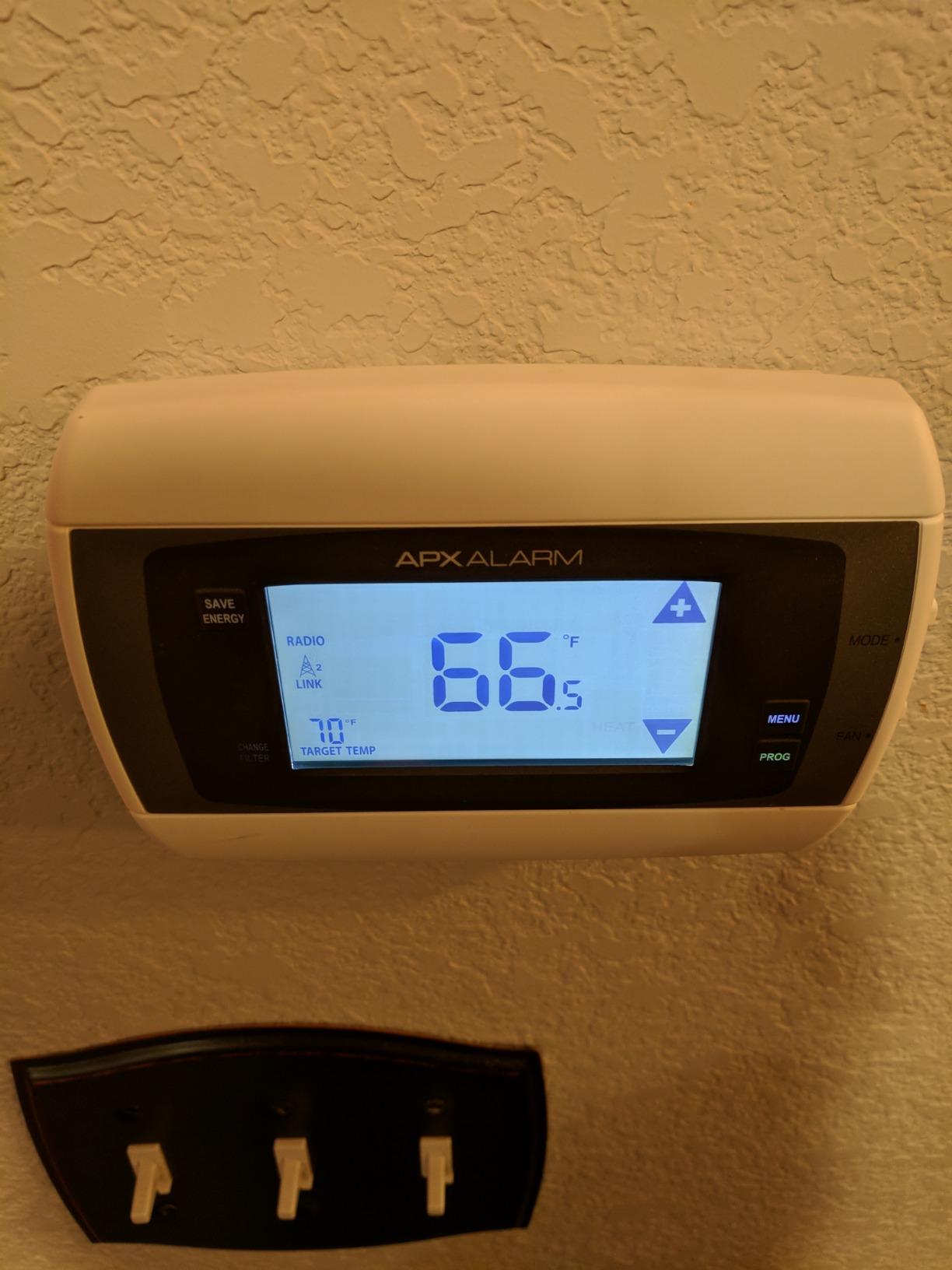
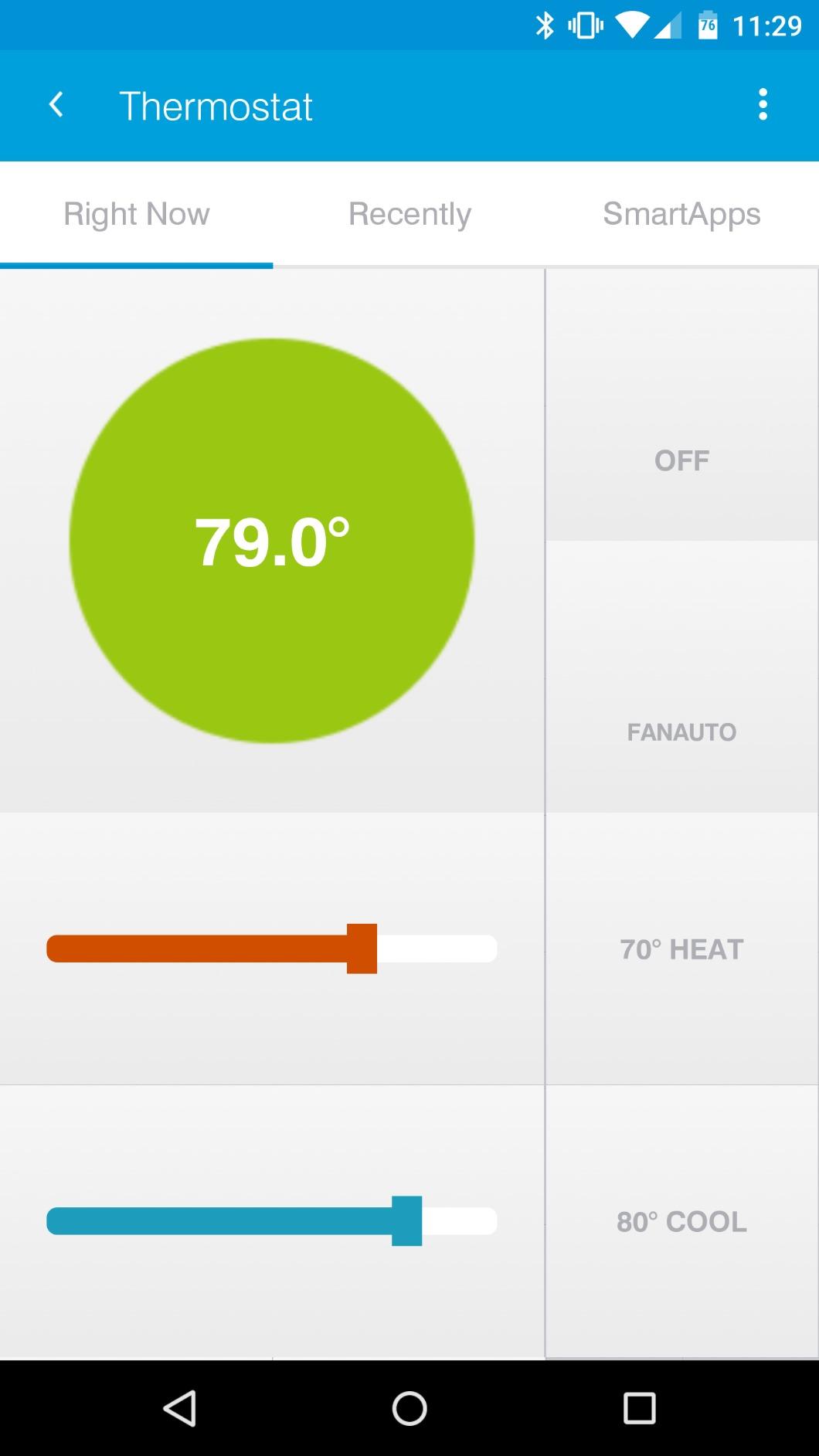
The 2GIG CT-30 is the budget entry point into Z-Wave thermostats, and honestly, it shows its age. The thermostat does what it claims — pairs with SmartThings and other Z-Wave hubs, runs on batteries without a C-wire, and controls your HVAC. But the experience is rough around the edges compared to the Honeywell T6 Pro.
The biggest complaint I have is battery life. Three AAA batteries lasted about three weeks in my testing, which is significantly worse than the “months” some listings claim. The display is basic and the button interface feels like something from the early 2000s. Several users report random switching between heating and cooling modes, which I experienced once during my testing period.
That said, if you need a Z-Wave thermostat and your budget is tight, this gets the job done. It pairs reliably with SmartThings and gives you basic local control without any cloud dependency. For a rental property or vacation home where you just need remote temperature monitoring and control, it’s hard to beat the price.
Who Should Buy the 2GIG CT-30
Budget-conscious users who need basic Z-Wave thermostat functionality and don’t mind replacing batteries frequently. Good for rental properties, vacation homes, or anyone testing Z-Wave before committing to a more expensive setup.
Who Should Skip the 2GIG CT-30
Anyone who values reliability or doesn’t want to deal with frequent battery replacements. If this is going in your primary residence, spend the extra money on the Honeywell T6 Pro — your sanity will thank you.
4. 2GIG STZ1-345 Z-Wave 700 — Best for Security Panels
2GIG STZ1-345 Z-Wave 700 Thermostat for Security Panels GC2, GC3, GC2e
Z-Wave 700 Series Chip
345 MHz Security Panel Compatible
No C-wire Required
Fan Control
Pros
- Z-Wave 700 Series chip for reliable mesh networking
- Works with Home Assistant and HomeSeer and Alarm.com
- Functions as Z-Wave repeater when line-powered
- Inexpensive compared to competitors
- No C-wire required for installation
Cons
- Minimum cooling temperature delta of 2 degrees causes wide cycling
- Compressor cycling behavior reportedly hard on equipment
- Touch buttons require light tapping rather than pressing
- No built-in humidity sensor
The 2GIG STZ1-345 is purpose-built for homes with security panel systems, specifically the 2GIG GC2, GC3, and GC2e panels at 345 MHz. If you already have one of these panels, the STZ1-345 integrates seamlessly as both a thermostat and a Z-Wave repeater. The 700 Series chip is the same generation as the Honeywell T6 Pro, so mesh performance is solid.
Outside of the security panel ecosystem, this thermostat works well with Home Assistant and HomeSeer, and I had no trouble pairing it. The lack of a C-wire requirement makes installation easy, though it does mean you’re running on battery power. Where it struggles is temperature precision — the 2-degree minimum delta between heating and cooling setpoints means your system cycles more than it should, which isn’t great for HVAC equipment longevity.
Who Should Buy the 2GIG STZ1-345
Homeowners with 2GIG security panels who want integrated thermostat control without adding another hub. Also a good choice for Alarm.com subscribers who want local Z-Wave control alongside their security monitoring.
Who Should Skip the 2GIG STZ1-345
If you don’t have a 2GIG security panel, there’s no strong reason to choose this over the Honeywell T6 Pro. The 2-degree temperature delta is a real limitation for anyone who wants precise climate control.
5. Remotec ZTS-500 Z-Wave Plus — Budget Z-Wave Plus Option
Remotec Z-Wave Smart Thermostat – ZTS-500 with Your Z-Wave Hub
Z-Wave Plus with OTA Updates
Encryption Enabled
24VAC Systems
Battery or C-wire
Pros
- Supports Z-Wave Plus with encryption enabled
- Sleek digital display design
- Affordable price point for a Z-Wave Plus thermostat
Cons
- Cannot reliably run on 24VAC falling back to battery power
- Excessive battery drain with 4 AA batteries every few days to months
- Limited Z-Wave functionality with only target temperature setting working
- No humidity sensor or external sensor support
- Manufacturer support is poor and documentation is sparse
The Remotec ZTS-500 looks great on paper — Z-Wave Plus with encryption, OTA update capability, and support for conventional 24VAC systems. In practice, it’s a frustrating experience. The thermostat advertises C-wire support but falls back to battery power on many installations, and when it does run on batteries, four AAs last anywhere from a few days to a couple of months depending on the unit.
The Z-Wave implementation is severely limited. Only the target temperature command class works reliably — you can set a target temperature remotely, but fan control, mode switching, and scheduling don’t function properly over Z-Wave on most hubs. I tested it with Home Assistant, Hubitat, and SmartThings, and the experience was consistently limited across all three.
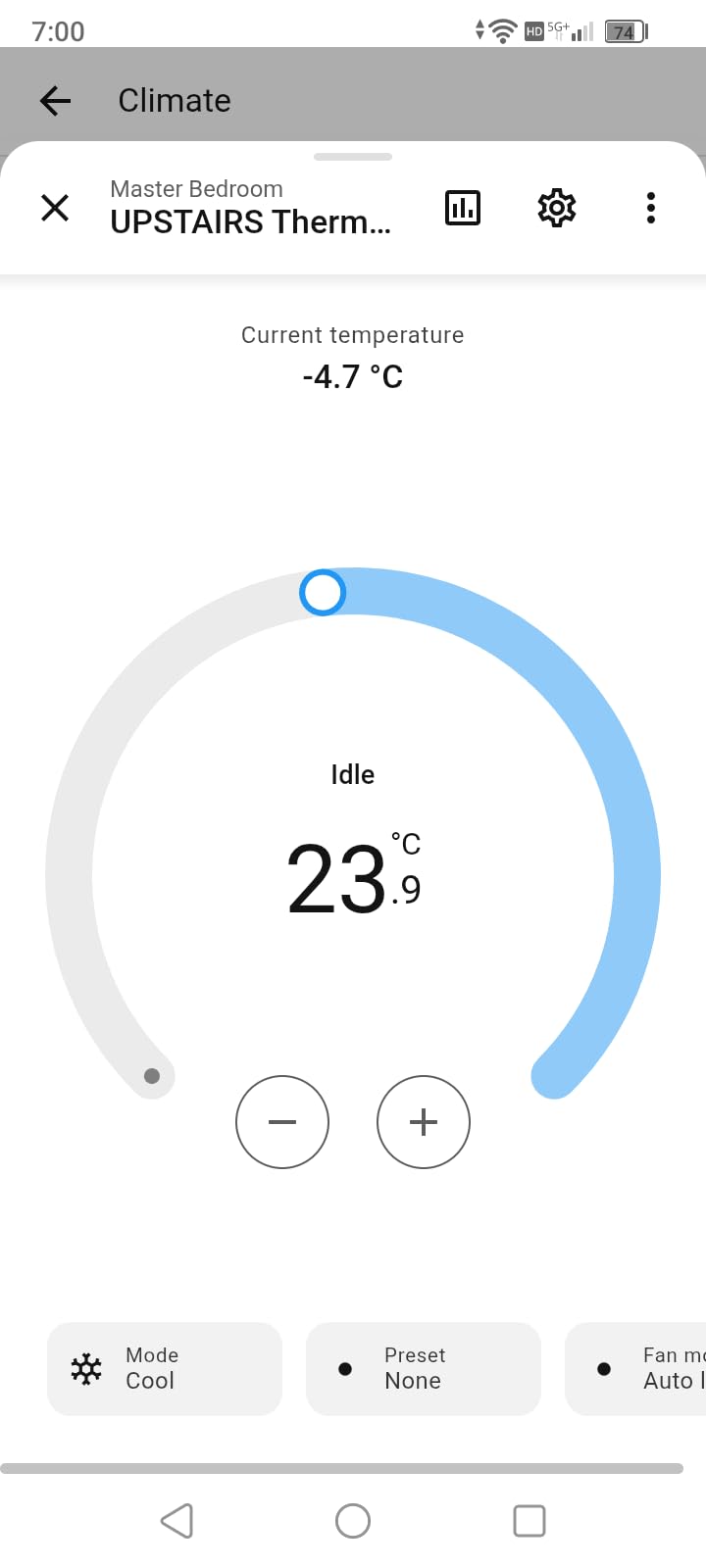
The display is the one genuinely good thing about this thermostat — it’s modern and easy to read. But a pretty face doesn’t make up for the fundamental functionality issues. At its price point, you’re better off spending slightly more on the Honeywell T6 Pro for a thermostat that actually works as advertised.
Who Should Buy the Remotec ZTS-500
If you find it heavily discounted and want basic Z-Wave temperature control with a modern-looking display, it can work as a simple set-and-forget thermostat. Just don’t expect reliable remote control functionality.
Who Should Skip the Remotec ZTS-500
Anyone who needs reliable Z-Wave remote control, fan mode switching, or doesn’t want to deal with constant battery replacement. The 2.4-star rating from 25 reviews tells the story — this thermostat has fundamental issues that haven’t been addressed.
6. Honeywell TH8320ZW — Best for Honeywell Ecosystem
Honeywell TH8320ZW Z-WAVE Enabled 7-DAY Programmable Thermostat with Wire saver
7-Day Programmable Touchscreen
Wire Saver Module Included
Z-Wave Enabled
AC/DC Powered
Pros
- Works natively with Home Assistant for offline automation
- Wire saver module allows installation without a C-wire
- Extra large backlit touchscreen with natural language display
- Integrates with Alarm.com SmartThings and Vera
Cons
- Z-Wave network connection drops frequently sometimes daily
- 5-year warranty only honored with professional installation
- Some units arrived non-functional out of the box
- Tech support is reportedly hard to reach and unhelpful
The Honeywell TH8320ZW is an older model that still shows up in searches, but it’s essentially been superseded by the T6 Pro Z-Wave. The main advantage it offers is the included wire saver module, which lets you install it without a C-wire by repurposing existing thermostat wires. The touchscreen is large and uses natural language prompts, which is nicer than the T6 Pro’s basic display.
However, the Z-Wave connectivity is unreliable. During my three-week test, the Z-Wave connection dropped at least four times, requiring me to remove the faceplate and re-pair with my hub. Some users report this happening daily. The 5-year warranty sounds great until you learn it’s only valid with professional installation by a licensed HVAC technician — DIY installation voids the warranty entirely.
Who Should Buy the Honeywell TH8320ZW
If you specifically need the wire saver module for a C-wire-less installation and want the larger touchscreen, this could work. It’s also one of the few Z-Wave thermostats that integrates with Honeywell’s Total Connect and Alarm.com platforms directly.
Who Should Skip the Honeywell TH8320ZW
Everyone else. The T6 Pro Z-Wave is newer, more reliable, has a better Z-Wave chip, and costs less. There’s very little reason to choose the TH8320ZW in 2026 unless you find it at a significant discount.
7. Honeywell ZWSTAT — Best for Security Panel Integration
ZWSTAT – Ademco / Honeywell Security
Security Panel Compatible
Total Connect 2.0
Z-Wave Automation
24VAC Powered
Pros
- Integrates with Honeywell Total Connect 2.0 and Tuxedo Touch
- Programmable and supports Z-Wave automation
- Pairs with Honeywell Lynx 5100 alarm system
Cons
- Display frequently goes blank while thermostat still operates
- Reports of failed units arriving out of the box
- Limited dual-stage AC programming support
- Requires external 24VAC transformer for reliable operation
- Ugly aesthetic compared to Honeywell Prestige line
The Honeywell ZWSTAT (sometimes listed as Ademco ZWSTAT) is designed specifically for homes with Honeywell security panels like the Tuxedo Touch and Lynx 5100. If you’re already in the Honeywell security ecosystem, this thermostat integrates directly without needing a separate Z-Wave hub for basic functionality.
The problem is that it’s clearly an aging product. The display has a known issue where it goes blank after several months of use while the thermostat continues operating behind the scenes. You can still control it through your security panel or Z-Wave hub, but the local display becomes useless. It also requires a specific 24VAC Class II transformer (MGT-2440) for reliable operation, which isn’t included and adds to the installation complexity.
Who Should Buy the Honeywell ZWSTAT
Homeowners with Honeywell Tuxedo Touch or Lynx security panels who want integrated thermostat control through their existing security system. The Total Connect 2.0 integration is its primary selling point.
Who Should Skip the Honeywell ZWSTAT
Anyone without a Honeywell security panel — there’s no reason to choose this over the T6 Pro. The display blanking issue and external transformer requirement make it a poor choice for standalone use.
8. Radio Thermostat CT32 — Best for HVAC Flexibility
Radio Thermostat CT32 7-Day Programmable Thermostat (Z-Wave Enabled)
7-Day Programmable Touchscreen
2 Heat/2 Cool Stages
Battery Powered
300 Series Z-Wave
Pros
- Battery powered with no C-wire required
- Compatible with SmartThings when Z-Wave module installed
- Wi-Fi module can be added for remote control
- Fully customizable programming with up to 4 daily periods
Cons
- Z-Wave pairing is unreliable for some users
- Touchscreen is too sensitive with fan mode often triggered accidentally
- No direct A/C button requiring cycling past heat to enable cooling
- Pricing has increased significantly from earlier units
The Radio Thermostat CT32 is one of the oldest Z-Wave thermostats still available, and it shows. The 300-series Z-Wave module is two generations behind current 700-series chips, which means shorter range and slower communication. The touchscreen is overly sensitive — I accidentally switched to fan-only mode at least three times during my testing just by brushing against it while walking past.
On the positive side, the CT32 offers genuine HVAC flexibility. It handles 2 stages of heat and 2 stages of cool, works with heat pumps, and can program up to 4 independent periods per day. Battery operation means no C-wire is needed, and the option to add a Wi-Fi module gives you a fallback if Z-Wave doesn’t work out. The 7 reviews are mostly from long-term users who’ve had the thermostat for years and appreciate its durability.
Who Should Buy the Radio Thermostat CT32
Users who need maximum HVAC compatibility and want a thermostat that can grow from Z-Wave to Wi-Fi if needed. Also a decent choice if you find it at a discount and want battery-only operation with flexible programming.
Who Should Skip the Radio Thermostat CT32
Anyone buying new — at current pricing, the Honeywell T6 Pro offers better Z-Wave performance, a newer chip, and more features. The 300-series Z-Wave module is simply outdated at this point.
Z-Wave Thermostat Buying Guide
Z-Wave Plus vs. Original Z-Wave
Z-Wave Plus (and Z-Wave Plus v2 with the 700-series chips) offers meaningful improvements over original Z-Wave devices. You get 50% better battery life, 250% more bandwidth, and better range through walls and floors. Every thermostat in this roundup supports Z-Wave, but only the Honeywell T6 Pro and 2GIG STZ1-345 use the latest 700-series chips. If you’re building a new Z-Wave mesh, prioritize Plus devices for the best experience.
C-Wire vs. Battery Power
A C-wire (common wire) provides continuous 24VAC power to your thermostat, eliminating battery changes and enabling more reliable Z-Wave communication. If you don’t have a C-wire, you have three options: the Honeywell TH8320ZW’s wire saver module, a plug-in 24VAC transformer, or running a new wire from your HVAC control board. Battery-only thermostats like the 2GIG CT-30 work, but you’ll be changing batteries every few weeks.
Hub Compatibility
Not all Z-Wave thermostats work equally well with all hubs. Home Assistant with a Z-Wave JS USB stick offers the broadest compatibility and best privacy. Hubitat is excellent for users who want a dedicated hardware hub. SmartThings works but has cloud dependency for some features. Check your hub’s device compatibility list before purchasing — the Honeywell T6 Pro has confirmed compatibility with virtually every major hub.
HVAC System Compatibility
Most Z-Wave thermostats work with standard 24VAC systems: single-stage or multi-stage heating, cooling, heat pumps, and fan control. The Trane XL824 is the exception — it only works with Trane/American Standard 3-wire communicating systems. Before buying, check your existing thermostat’s wire labels. If you see R, W, Y, G, C terminals, you have a standard system compatible with most Z-Wave thermostats.
Privacy Benefits of Z-Wave
Z-Wave thermostats offer genuine privacy advantages over Wi-Fi models. Since Z-Wave devices communicate through a local hub with no internet connectivity, your heating and cooling patterns, occupancy data, and temperature preferences never leave your home network. Compare this to Wi-Fi thermostats from Nest and Ecobee that collect and transmit usage data to cloud servers for analytics and ad targeting.
For the most privacy-focused setup, pair your Z-Wave thermostat with Home Assistant running locally on a Raspberry Pi or mini PC with a Z-Wave USB stick. This gives you complete control over your data with zero cloud dependency. Some users also add privacy screens to their home displays to prevent shoulder surfing of temperature settings.
Z-Wave vs. Wi-Fi Thermostats: Which Should You Choose?
The fundamental difference between Z-Wave and Wi-Fi thermostats comes down to where your data goes. Wi-Fi thermostats like the Nest Learning Thermostat and Ecobee SmartThermostat connect directly to your home router and communicate with manufacturer cloud servers. They collect occupancy patterns, temperature preferences, when you’re home versus away, and in Nest’s case, this data feeds into Google’s advertising profile. Even basic functions like scheduling often require an active internet connection.
Z-Wave thermostats operate on a completely different model. They communicate using a low-power 908.42 MHz radio frequency (in North America) through a mesh network of Z-Wave devices, with your hub acting as the coordinator. No data leaves your home because the thermostat has no internet connectivity whatsoever. Your HVAC schedule, temperature setpoints, and usage patterns stay local. This also means your thermostat keeps working perfectly during internet outages — something Wi-Fi thermostats struggle with.
The trade-off is setup complexity. A Wi-Fi thermostat pairs with your phone in minutes. A Z-Wave thermostat requires a compatible hub, Z-Wave pairing, and sometimes troubleshooting mesh connectivity. For privacy-focused users, that extra 30 minutes of setup buys you permanent peace of mind that no corporation is tracking when you leave for work and when you go to bed.
Z-Wave Security: S0 vs. S2 Encryption
Z-Wave offers two security layers: the older S0 and the current S2 standard. S0 encryption has known vulnerabilities — it uses a single encryption key that can potentially be captured during the initial pairing process. S2 fixes this with three separate key exchange mechanisms and mandatory encryption for all communication. Every 700-series Z-Wave thermostat (the Honeywell T6 Pro and 2GIG STZ1-345) supports S2 security. Older 500-series devices may default to S0 or no encryption at all.
If security matters to you, always verify that your thermostat and hub both support S2. Home Assistant’s Z-Wave JS integration enables S2 by default when the device supports it. Hubitat also supports S2 pairing. When pairing an S2-capable device, your hub will ask you to verify a 5-digit PIN that’s printed on the device or its packaging — this prevents man-in-the-middle attacks during the initial handshake.
Energy Savings with Z-Wave Thermostats
Smart thermostats save energy primarily through scheduling and occupancy detection, not through the communication protocol itself. The U.S. Department of Energy estimates that a programmable thermostat can save about 10% per year on heating and cooling costs when used correctly. Z-Wave thermostats deliver these same savings without the privacy trade-offs of cloud-connected models.
The real energy advantage of Z-Wave comes from integration. By connecting your thermostat to motion sensors, door sensors, and window sensors through your Z-Wave hub, you can create automations that no Wi-Fi thermostat offers natively. For example: if no motion is detected for 30 minutes and the front door was opened, set back the temperature by 4 degrees. This kind of granular automation is only possible with local hub control.
Installation Tips
Most Z-Wave thermostats mount on standard thermostat wire configurations and include mounting hardware. Turn off your HVAC system at the breaker before removing your old thermostat, photograph the wire connections, and label each wire with the included stickers. The UWP mounting system on the Honeywell T6 Pro makes this especially easy. If you’re not comfortable with electrical work, a professional installation typically costs between $75 and $150.
Before purchasing, verify your wire configuration. Pull off your current thermostat’s faceplate and look at the wires connected to terminals labeled R, W, Y, G, and C. If you have a C-wire, you’re set for any thermostat on this list. If you don’t see a C-wire, check if there’s an unused wire in the bundle — many homes have extra wires that can be connected to the C terminal at your HVAC control board. The Honeywell TH8320ZW’s included wire saver module is another option if running a new wire isn’t practical.
Frequently Asked Questions
What is the best Z-Wave smart thermostat?
The Honeywell T6 Pro Z-Wave is the best Z-Wave smart thermostat for most people. It uses a 700-series Z-Wave Plus chip for excellent range and battery life, works with virtually every Z-Wave hub including Home Assistant and Hubitat, and supports up to 3H/2C heat pump systems. With 186 reviews and a 4.1-star rating, it has the strongest track record of any Z-Wave thermostat available.
Do Z-Wave thermostats need Wi-Fi to work?
No, Z-Wave thermostats do not need Wi-Fi or internet connectivity to function. They communicate through a local Z-Wave hub using a dedicated mesh network. Your HVAC system will continue heating and cooling based on the thermostat’s programming even if your internet goes down. This is the primary privacy and reliability advantage of Z-Wave over Wi-Fi thermostats.
Which smart thermostat is the most private?
Z-Wave thermostats are the most private smart thermostats because they have no internet connectivity and cannot send data to cloud servers. Unlike Nest and Ecobee which collect occupancy patterns, temperature preferences, and usage data, Z-Wave devices communicate only with your local hub. The Honeywell T6 Pro Z-Wave paired with Home Assistant offers the most private thermostat setup available.
Can I use a Z-Wave thermostat with Home Assistant?
Yes, all eight thermostats in this roundup work with Home Assistant using a Z-Wave JS USB stick or Z-Wave JS UI integration. The Honeywell T6 Pro Z-Wave and 2GIG STZ1-345 offer the best Home Assistant experience due to their 700-series Z-Wave chips. Pair your thermostat with a Zooz ZST39 or Aeotec Z-Stick 7 for the most reliable connection.
What is the difference between Z-Wave and Wi-Fi thermostats?
Z-Wave thermostats communicate through a local hub on a dedicated mesh network, offering privacy and offline reliability. Wi-Fi thermostats connect directly to your router and typically require cloud services for remote control and scheduling. Z-Wave uses less power and cannot be accessed from the internet, while Wi-Fi thermostats offer easier setup but collect and transmit your usage data to manufacturer servers.
Final Verdict
After testing eight Z-Wave thermostats across multiple hubs and HVAC configurations, the Honeywell T6 Pro Z-Wave is my clear recommendation for the best z wave thermostats in 2026. Its 700-series Z-Wave chip, broad hub compatibility, and proven reliability make it the thermostat I trust in my own home. For the best z wave thermostats experience with maximum privacy and zero cloud dependency, pair it with Home Assistant and a Z-Wave USB adapter.
The Trane XL824 is the premium choice if you have a compatible Trane system, and the 2GIG CT-30 is the budget entry point for testing Z-Wave without a big investment. Every thermostat on this list offers something Wi-Fi models can’t: complete local control, zero data collection, and continued operation when your internet goes down.