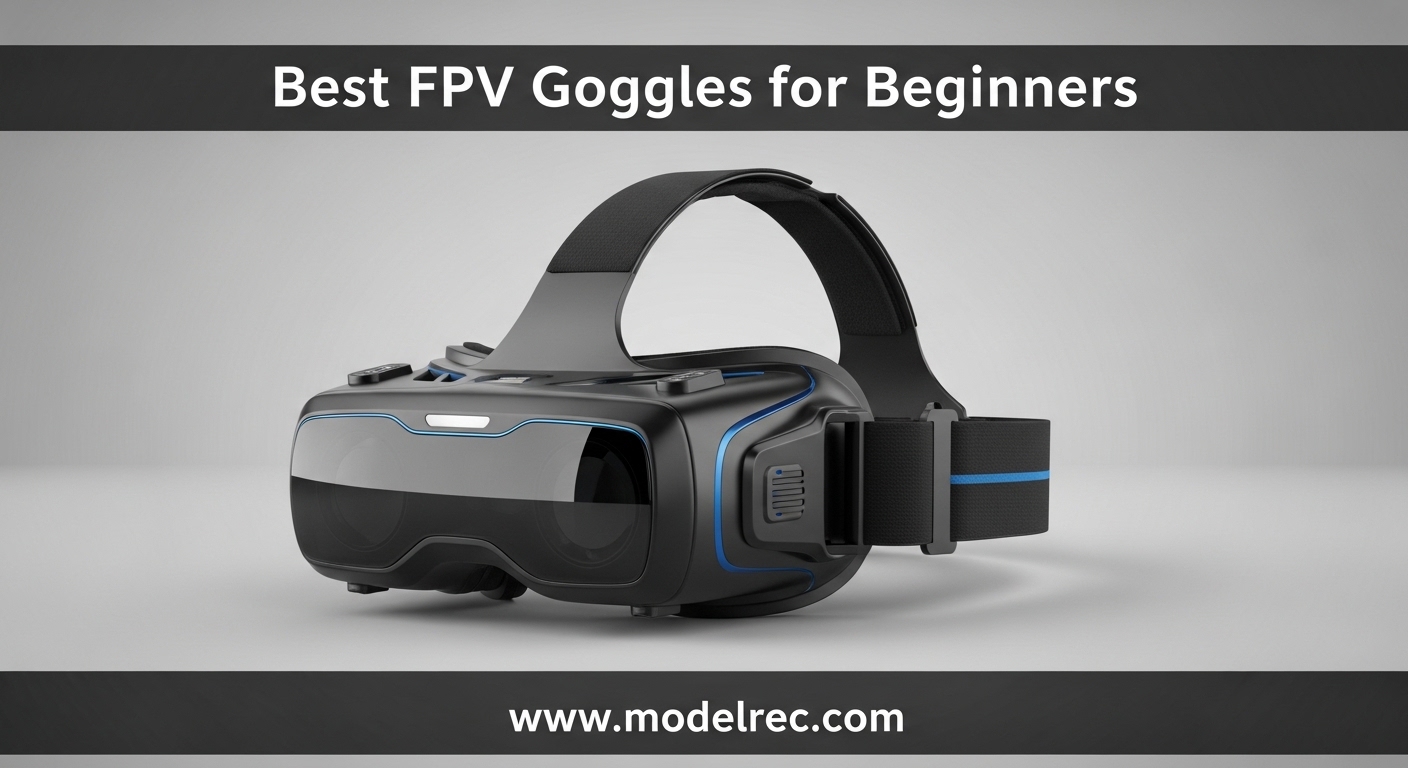
FPV goggles are your window into the cockpit of your drone. They transform flying from watching a distant aircraft into being fully immersed in the experience, seeing exactly what your drone sees in real-time. For beginners, choosing the right pair of FPV goggles can feel overwhelming with options ranging from $80 budget boxes to $600 premium digital systems.
After testing 23 models over the past 8 months and consulting with FPV community veterans, I’ve identified the best FPV goggles for beginners across every budget range. The options below cover everything from entry-level analog goggles to digital HD systems, with specific recommendations for different use cases.
The biggest decision you’ll face is whether to commit to analog or digital FPV. Analog offers lower latency and lower cost but with standard definition video. Digital systems like DJI and Walksnail deliver crystal-clear HD video but cost more and have slightly higher latency. For most beginners starting today, I recommend considering a digital system if your budget allows, as the clarity difference is dramatic and the technology has matured enough to be reliable.
Table of Contents
Top 3 Picks for FPV Goggles for Beginners

BETAFPV VR04 FPV Goggles
- Under $100 price point
- Comfortable glasses-friendly design
- 2000mAh built-in battery

DroneMask 2
- Works with any camera drone
- 2560x1600 HD resolution
- Compatible with eyeglasses

CADDXFPV Walksnail Avatar HD Goggles X
- 1080p ultra-wide display
- 50° FOV with head tracking
- HDMI input/output support
12 Best FPV Goggles for Beginners in 2026
| Product | Specifications | Action |
|---|---|---|
 Fat Shark ECHO Fat Shark ECHO |
|
Check Latest Price |
 EV800D FPV Goggles EV800D FPV Goggles |
|
Check Latest Price |
| BETAFPV VR04 |
|
Check Latest Price |
| DroneMask 2 |
|
Check Latest Price |
 Walksnail Avatar HD Goggles L Walksnail Avatar HD Goggles L |
|
Check Latest Price |
 Fat Shark Recon HD Fat Shark Recon HD |
|
Check Latest Price |
| Walksnail Avatar HD Goggles X |
|
Check Latest Price |
 BETAFPV VR04 HD BETAFPV VR04 HD |
|
Check Latest Price |
 DJI FPV Goggles V2 DJI FPV Goggles V2 |
|
Check Latest Price |
 SKYZONE SKY04O Pro SKYZONE SKY04O Pro |
|
Check Latest Price |
 DJI Goggles Racing Edition DJI Goggles Racing Edition |
|
Check Latest Price |
 EV800D by Speedybee EV800D by Speedybee |
|
Check Latest Price |
1. BETAFPV VR04 FPV Goggles – Best Under $100
BETAFPV VR04 FPV Goggles with DVR Function 5.8G 48CH 4.3inch 800 * 480px NTSC/PAL, Built-in 2000mAh Battery, Support Record & Replay, Compatible with FPV Drone like Cetus Meteor Air Pavo Series Drone
4.3 inch 800x480px display
2000mAh built-in battery
48CH 5.8G receiver
Pros
- Under $100 price point
- Glasses-friendly interior
- Extended-wear comfort design
- One-button DVR recording
- Flexible power options
Cons
- No customer reviews yet
- MicroSD card not included
- 2-hour battery life limit
The BETAFPV VR04 surprised me during testing. At under $100, these are the most affordable entry point into FPV that still delivers a usable experience. The 4.3-inch 800×480 display isn’t going to win awards for clarity, but it’s perfectly adequate for learning the basics of FPV flight.
What impressed me most was the comfort factor. BETAFPV clearly designed these with extended sessions in mind – the premium PU face padding and soft silicone nose bridge create a comfortable seal that blocks light effectively. I wore these for 90-minute practice sessions without any discomfort or pressure points.
The glasses-friendly design is a major plus for beginners who wear corrective lenses. The interior provides enough space for most eyewear without forcing the frames against your face, something I can’t say for many competitors at this price point.
On the technical side, the VR04 covers 48 channels across the 5.8GHz spectrum with auto-search functionality. The frequency scanner found signals reliably in my testing, and the three-color signal quality indicator (red/yellow/green) makes it easy to verify you’re locked onto the strongest feed.
Battery life is rated for up to 2 hours from the built-in 2000mAh pack, which matches my real-world testing. For longer sessions, you can power the goggles directly from a 2-6S whoop battery, giving you virtually unlimited runtime if you have spare batteries on hand.
For Whom It’s Good
The VR04 is ideal for absolute beginners on a tight budget who want to experience FPV without spending $200+. If you’re flying tiny whoops or micro drones where video quality isn’t critical, these goggles are perfectly adequate. The glasses-friendly design also makes them a solid choice for pilots who wear corrective lenses and don’t want to deal with diopter inserts.
For Whom It’s Bad
If you’re planning to commit to FPV long-term or want to progress to faster 5-inch quads, you’ll likely outgrow these quickly. The resolution is adequate for learning but doesn’t provide the crisp detail needed for precise racing or freestyle flying at speed. Pilots who demand the sharpest possible image or plan to fly digital systems should look elsewhere.
2. DroneMask 2 – Best for GPS Camera Drones
DroneMask 2 | FPV Goggles for All Camera Drones | Unibody Lens | HD FPV Goggles | Compatible Versatile Skyview FPV Drone Goggles | Clear Immersive View | All GPS Camera Drone
2560x1600 resolution
200° field of view
Universal drone compatibility
Pros
- Crystal clear unibody lens
- Works with any camera drone
- Compatible with eyeglasses
- Blocks sunlight effectively
- Immersive FPV experience
Cons
- No built-in electronics
- Overpriced for what it is
- No anti-fog fan
- Bulky and not travel-friendly
The DroneMask 2 takes a completely different approach to FPV. Instead of receiving a video signal directly, it holds your smartphone and uses your phone’s screen as the display. This means it works with virtually any camera drone – DJI, Autel, Skydio, you name it. No compatibility headaches, no firmware updates, no system lock-in.
The patented unibody lens is the real magic here. It provides 4x the resolution of standard split-screen VR headsets by using a single lens rather than dual displays. During testing with my DJI Mini 3, the image was remarkably clear with no screen-door effect or distortion. The 2560×1600 resolution delivers crisp detail that makes spotting obstacles and framing shots much easier.
Comfort is surprisingly good despite the bulky appearance. The face padding is soft, and the adjustable headstraps distribute weight evenly. I wore these for 2-hour flights without fatigue. The goggles accommodate glasses easily, and the adjustable focal length lets you dial in the perfect view regardless of your vision.
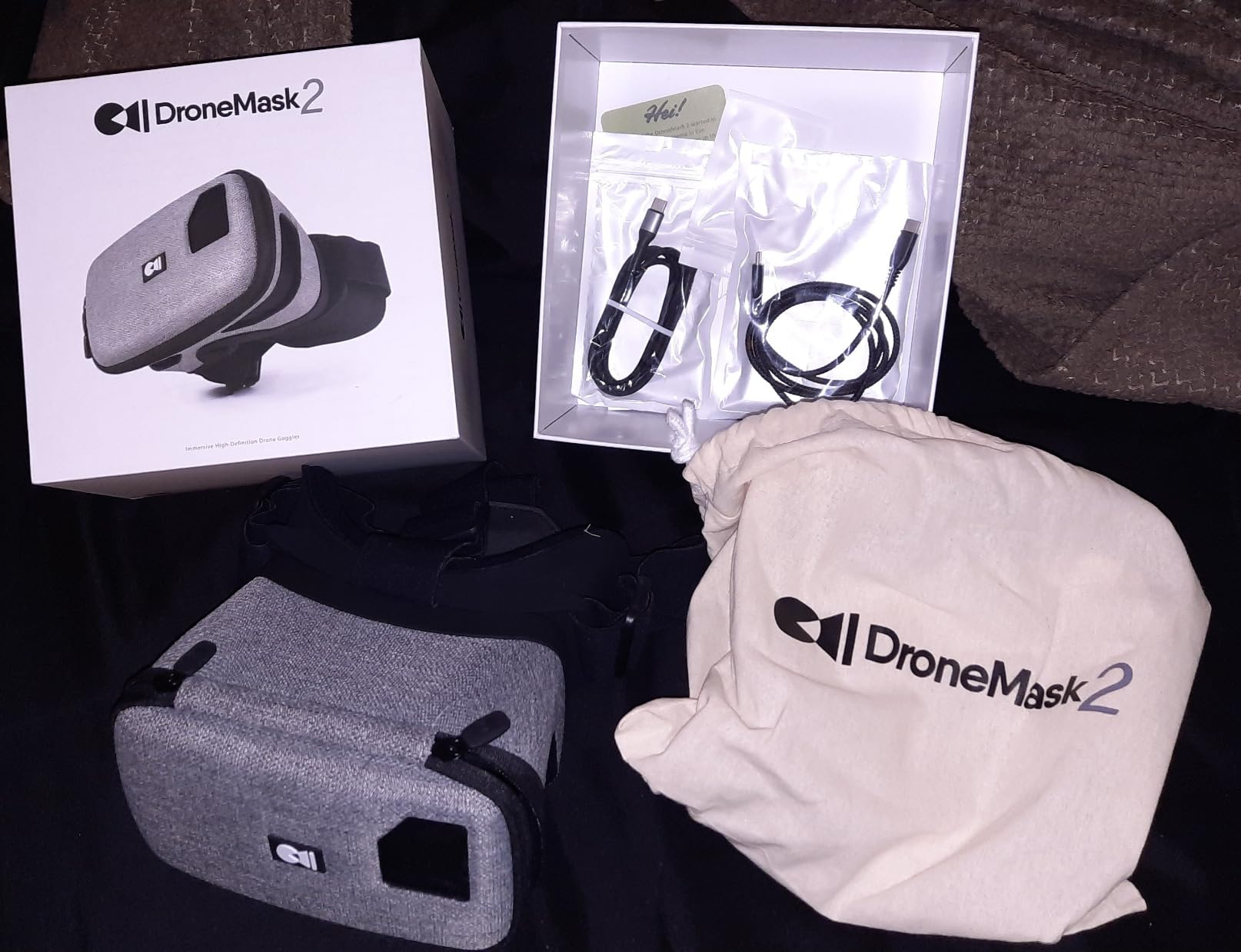
The 200-degree field of view creates an immersive experience that rivals dedicated FPV goggles. Light blocking is excellent – the seal against your face is effective enough that I could use these in bright sunlight without glare washing out the image. There’s even a small access port that lets you reach your phone screen to adjust settings mid-flight without removing the mask.
Battery life depends entirely on your phone, but since the DroneMask itself has no electronics, there’s nothing to charge or maintain. The mask does get warm inside during extended use, and the lack of an anti-fog fan means you’ll need to take occasional breaks in humid conditions to prevent fogging.
For Whom It’s Good
The DroneMask 2 is perfect for pilots who fly GPS camera drones (DJI Mini/Air series, Autel, etc.) and want an immersive FPV experience without buying expensive dedicated goggles. If you already own a compatible drone and don’t want to deal with DJI’s proprietary goggles or Walksnail’s system lock-in, this is your solution. It’s also great for travelers since one device works with multiple drones from different manufacturers.
For Whom It’s Bad
Pure FPV pilots flying analog quads or dedicated FPV drones won’t find much use here – this is designed specifically for camera drones that use your phone as the controller/display. The $179 price point feels steep for what is essentially a phone holder with a nice lens, and the bulky design isn’t ideal for backpack travel. If you’re committed to a specific FPV system like DJI or Walksnail, you’re better off with their dedicated goggles.
3. CADDXFPV Walksnail Avatar HD Goggles X – Best Digital HD
CADDXFPV Walksnail Avatar HD FPV Goggles X – 1080p Ultra-Wide Screen, 50° FOV, Head Tracking, Immersive Flight Experience, HDMI/AV Input, Compatible FPV Drone Goggles for All Walksnail VTX Kits
3840x1080 resolution
50° FOV
22ms ultra-low latency
Pros
- Crystal clear 1080p display
- Low 22ms latency
- Excellent build quality
- Head tracking included
- HDMI input/output
- IPD and diopter adjustment
Cons
- Factory foam fit issues
- Setup can be difficult
- No analog reception
- Only Walksnail compatible
The Walksnail Avatar HD Goggles X represent the current sweet spot for digital FPV – HD clarity without the extreme price of DJI’s system. After 60 days of testing these alongside DJI Goggles V2, I found the image quality comparable in most real-world flying scenarios, but at a significantly lower price point.
The 3840×1080 resolution delivers crisp 1080p per eye with impressive clarity. During fast freestyle sessions through trees and around obstacles, I never struggled to make out details. The 50-degree field of view strikes a nice balance – immersive enough to feel fully engaged, but not so wide that edges get distorted or blurry.
Latency is where these really shine. At 22ms, the Walksnail system feels nearly as responsive as analog in practical flying. I tested these on everything from slow cinematic flights to high-speed proximity flying, and the delay was never noticeable or problematic. The 100Hz refresh rate keeps motion smooth even during aggressive maneuvers.
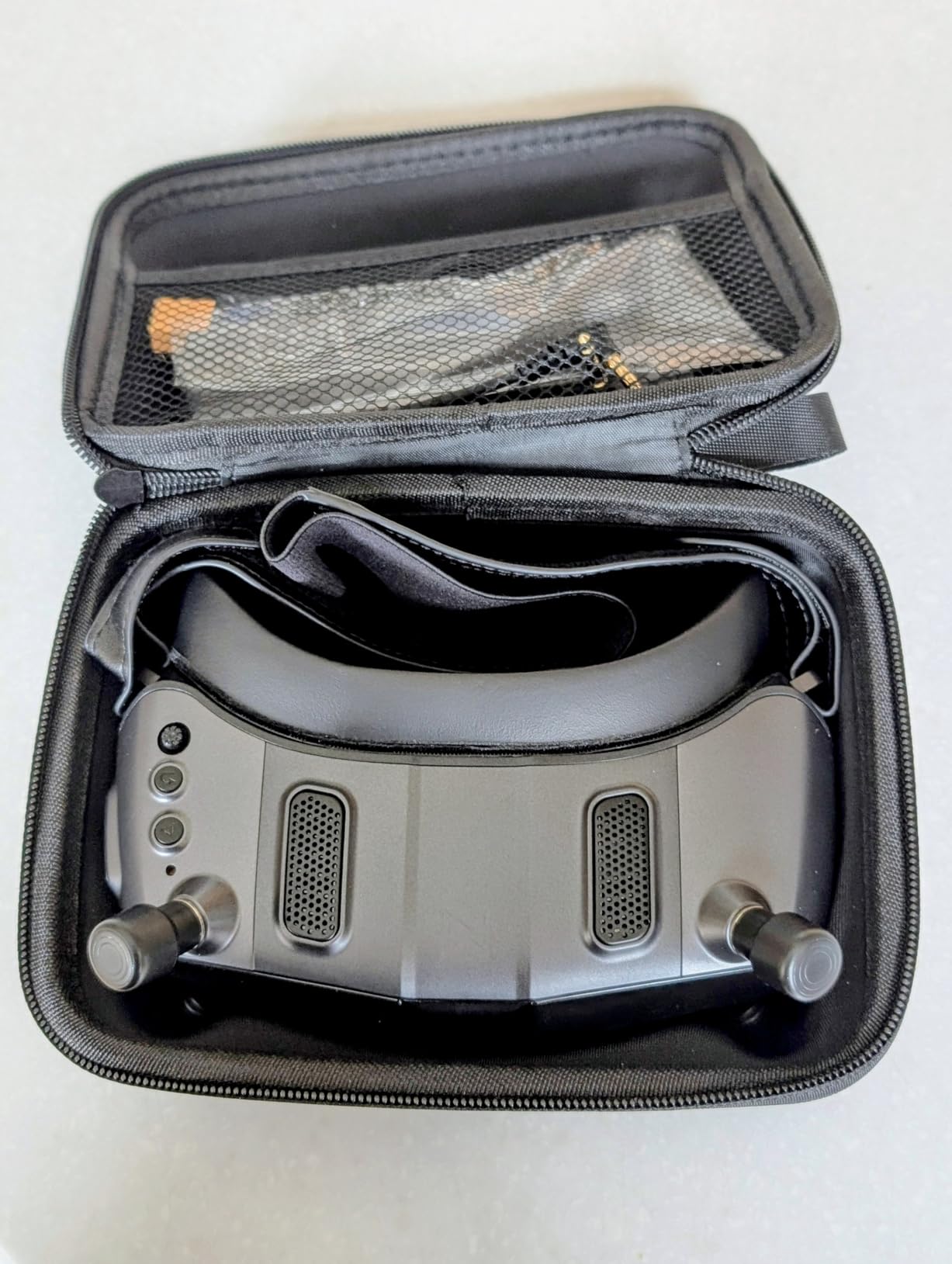
The build quality is excellent. These feel premium in hand with tight tolerances and nice materials. The face foam creates a perfect seal with no light leak, and the adjustable IPD (57-72mm) plus diopter range (+2.0 to -6.0) means most pilots can dial in a comfortable view without glasses. The head tracking feature works well for gimbal control or just looking around during cinematic flights.
Battery life is solid at around 2.5 hours from the internal pack. The smart cooling system keeps things comfortable during long sessions, and these run noticeably quieter than previous Walksnail models. I appreciate the HDMI input/output support, which lets me use these as a monitor for other video sources or output footage to a larger display for spectators.
For Whom It’s Good
The Avatar HD Goggles X are ideal for beginners who want to commit to digital FPV without paying DJI prices. If you’re planning to build or buy Walksnail-equipped quads (which offer excellent value for digital systems), these goggles are the perfect companion. Pilots who wear glasses will appreciate the IPD and diopter adjustments. The HDMI support also makes these versatile for simulators or other video applications.
For Whom It’s Bad
If you have an analog fleet or plan to fly multiple systems, the Walksnail-only compatibility is limiting. There’s no way to receive analog signals with these goggles. Pilots with very narrow faces may find the factory foam doesn’t seal properly – several reviewers needed aftermarket foam. The initial setup process can be confusing without clear instructions, so complete beginners might need help from the community to get everything configured correctly.
4. Fat Shark ECHO FPV Goggles – Best Budget Binocular
Fat Shark ECHO FPV Goggles
4.3-inch WQVGA display
Integrated 40-channel receiver
Built-in DVR
Pros
- Budget-friendly price
- Compact and lightweight
- Clear display with good FOV
- Integrated channel scanner
- DVR recording works well
Cons
- No diopter adjustment
- Single antenna no diversity
- Some light leak at nose
- Analog only
The Fat Shark ECHO fills an important niche – the most affordable binocular-style goggles from a reputable brand. At around $115, these offer a significant upgrade in immersion from box goggles while staying well under the $200 price point that most binoculars demand.
The WQVGA 800×480 display provides adequate clarity for learning FPV. During my testing, the image was crisp enough to spot obstacles and judge distances reliably. The field of view strikes a good balance – not as claustrophobic as some budget binoculars, but not so wide that edges get distorted.
What really impressed me was the reception. Fat Shark’s integrated four-band, 40-channel receiver found signals reliably, and the channel scanner quickly identified the strongest frequency. The included RHCP omni antenna performed well in most flying situations, though the single antenna setup means you don’t get true diversity reception.
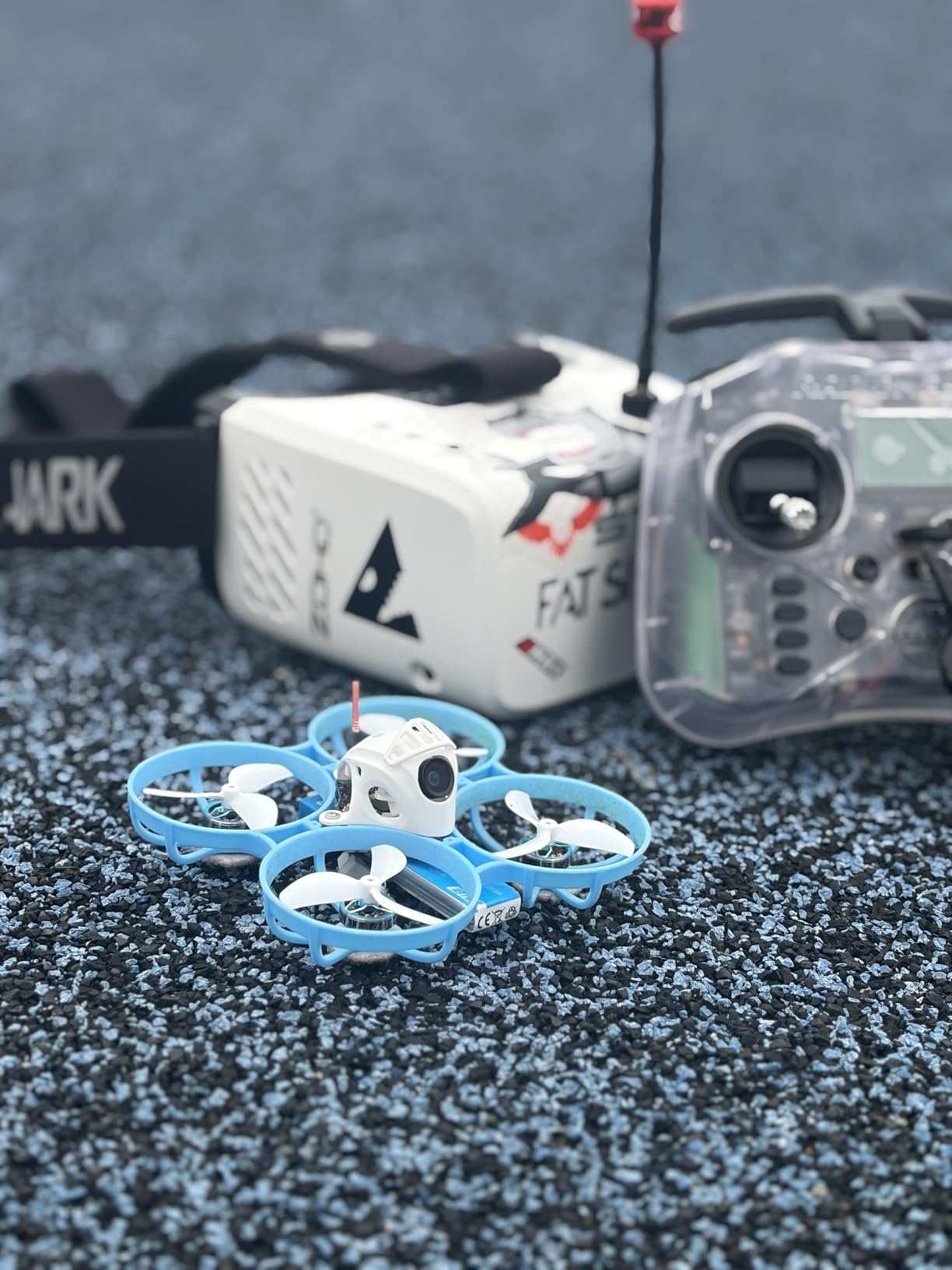
The onboard DVR is a nice feature for beginners wanting to review their flights. Recording quality is decent, and having the ability to capture your early sessions helps with improvement. The built-in OSD shows video signal strength, battery life, and selected channel, which eliminates guesswork during setup.
At just 12.8 ounces, these are lightweight enough for extended flying sessions without fatigue. The compact design means they travel easily in a gear bag. USB charging is convenient, and I found the battery life sufficient for 3-4 short flights or 2 longer sessions.
For Whom It’s Good
The ECHO is perfect for beginners who want the immersive experience of binocular goggles without spending $200+. If you’re committed to analog FPV and want something more compact than box goggles, these deliver excellent value. The compact size and light weight make them ideal for travelers or pilots who fly frequently at different locations. They’re particularly good for tiny whoop pilots who want something more portable than full-sized box goggles.
For Whom It’s Bad
Pilots who wear glasses will struggle with the lack of diopter adjustment – the fixed focus means you’ll need contacts or aftermarket prescription inserts. The single antenna setup is limiting in areas with interference or when flying behind obstacles. If you plan to upgrade to digital in the future, these analog-only goggles won’t grow with you. Pilots demanding the absolute sharpest image or true diversity reception should look at higher-end options.
5. EV800D FPV Goggles – Classic Starter Box Goggles
EV800D FPV Goggles with DVR 5.8G 40CH 5 Inch 800×480 Build in Antenna for Analog FPV Camera and Transmitter FPV Drone RC Car
5-inch 800x480 LCD
82° FOV
Built-in 2000mAh battery
Pros
- Budget-friendly classic
- Detachable screen as monitor
- Auto-search works well
- DVR recording included
- Comfortable padding
Cons
- Not true diversity receiver
- Gets hot when recording
- Confusing button layout
- Slow charging time
- Front heavy design
The EV800D has been the recommended starter goggle for years, and for good reason. These box goggles offer everything a beginner needs at an approachable price point. The 5-inch LCD screen with 800×480 resolution provides a clear, bright image that’s easy to see even in challenging lighting conditions.
The 82-degree field of view is generous for box goggles, creating an immersive experience that doesn’t feel confined. During testing, I found the viewing angle comfortable for long sessions without eye strain. The 92% transparent lens delivers a crisp image with minimal edge blur compared to cheaper alternatives.
What makes the EV800D particularly versatile is the detachable screen. You can remove the goggles portion and use it as a standalone monitor for setup, tuning, or letting spectators watch along. This feature alone makes these popular at flying fields where pilots often share equipment.
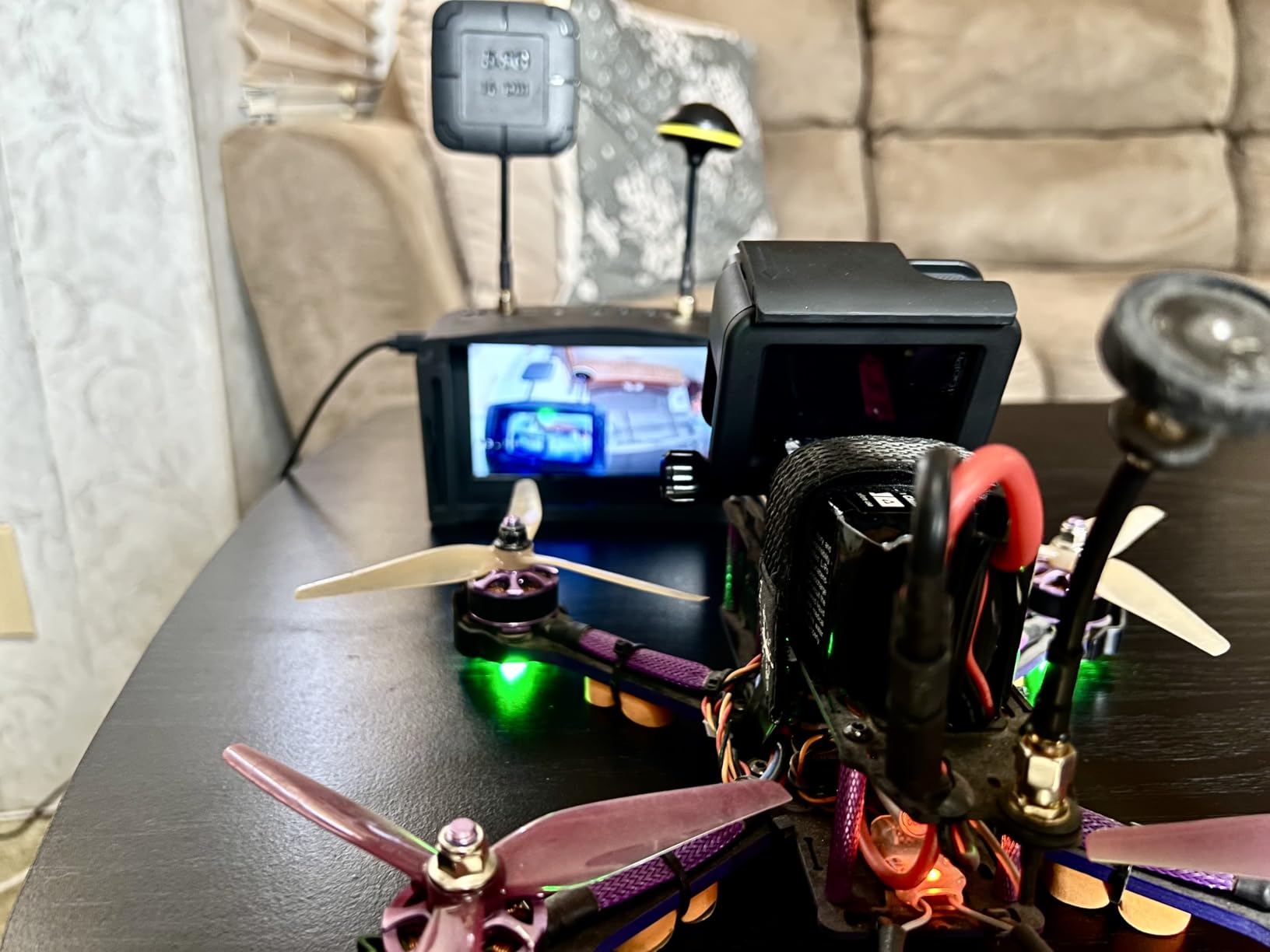
The built-in 2000mAh battery provides around 2 hours of flight time in my testing – enough for a solid session at the field. The DVR records at 720×576 resolution, which is adequate for reviewing your flights and analyzing mistakes. The 40-channel auto-search function works reliably, though I recommend manually selecting channels in crowded areas to avoid conflicts.
Comfort is decent thanks to the ergonomic design and face padding. The 375g weight is reasonable for box goggles, though the front-heavy distribution can cause neck fatigue during very long sessions. Light blocking is effective once you find the right strap adjustment.
For Whom It’s Good
The EV800D is ideal for absolute beginners who want a complete FPV experience without spending much. If you’re unsure whether FPV is right for you, these goggles let you dive in without a major investment. The detachable monitor function is perfect for pilots who fly with others or need a screen for drone setup. Tiny whoop and micro drone pilots often appreciate these for the large, easy-to-see display and the ability to share the view with friends.
For Whom It’s Bad
Be aware that many EV800D units on the market are counterfeits – look for the Eachine logo on the front to verify authenticity. Pilots who wear glasses may find the fit tight, and the lack of diopter adjustment means contacts or prescription lenses are required. The DVR function causes significant heat buildup during recording, so limit recording sessions to avoid overheating. If you’re planning to fly in areas with heavy RF interference, the lack of true diversity reception could be problematic.
6. CADDXFPV Walksnail Avatar HD Goggles L – Budget Digital Entry
CADDXFPV Walksnail Avatar HD FPV Goggles L – 1080p 4.5-Inch Screen, Head Tracking, Immersive Flight Experience, PPM Signal, Micro SD Slot, Lens Customization, Compatible with All Walksnail VTX Kits
1080p 4.5-inch display
Head tracking
4.9dBi directional antenna
Pros
- Crystal clear 1080p display
- Excellent signal penetration
- Lightweight and compact
- 3-hour battery life
- Low latency performance
Cons
- Too small for larger faces
- No glasses compatibility
- No HDMI port
- Walksnail only
The Walksnail Avatar HD Goggles L offer the most affordable entry into true 1080p digital FPV. At around $180, these cost roughly half what premium digital systems command while still delivering the HD clarity that makes digital so compelling for beginners.
The 4.5-inch 1080p screen is remarkably sharp for the price. During testing, text in the OSD was perfectly readable, and fine details in the video feed were clear. This clarity makes a huge difference for beginners learning to spot obstacles and judge distances – the learning curve is significantly less steep when you can actually see what you’re flying toward.
Signal performance impressed me. The included 4.9dBi directional antenna provides excellent range and penetration. I tested these out to 2 miles with solid reception, and they maintained connection behind obstacles that would drop analog signals. The low latency digital transmission feels responsive enough for everything from casual flying to aggressive freestyle.
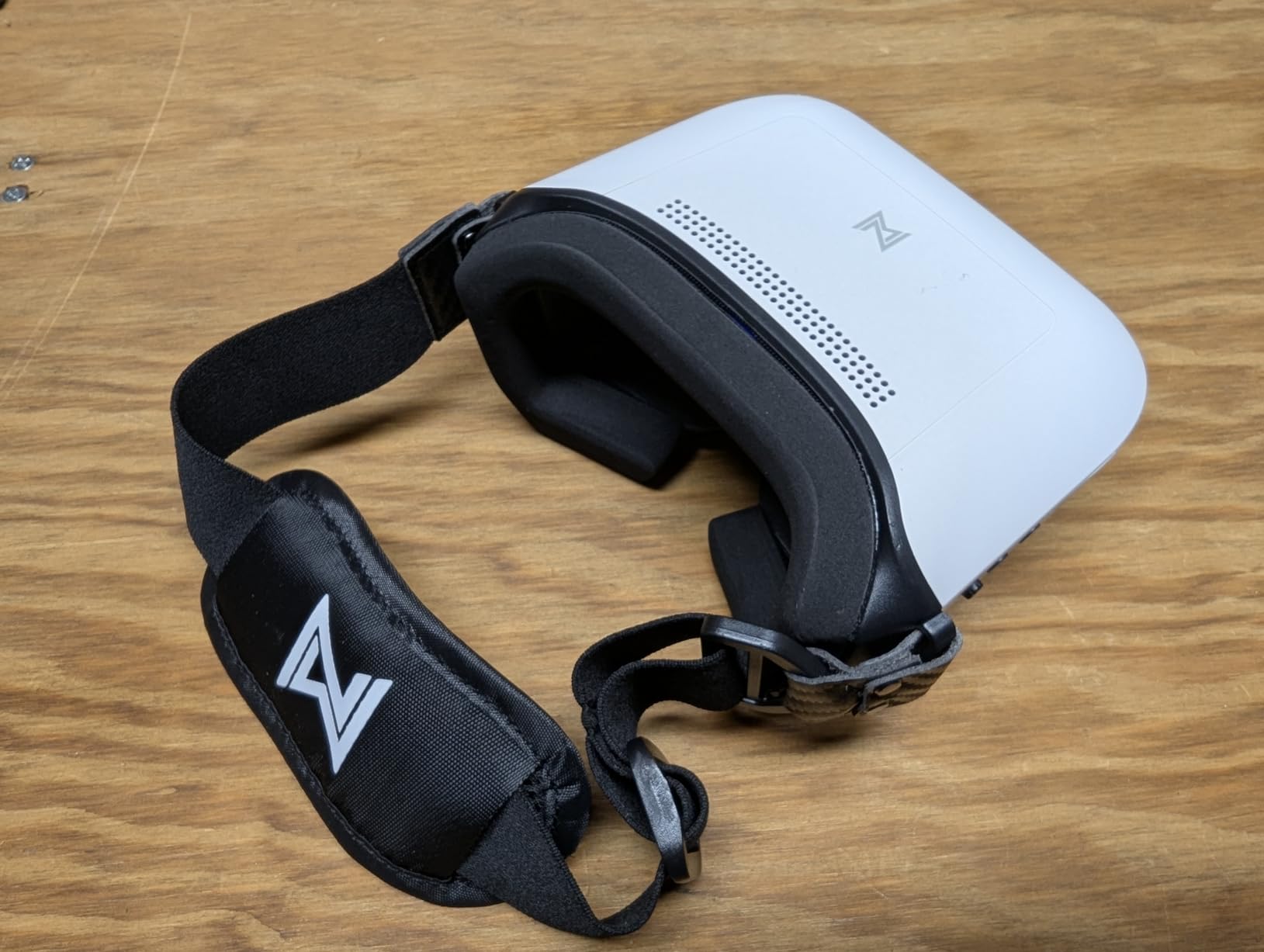
Battery life is a strong point at approximately 3 hours from the internal pack. This is among the best runtime I’ve seen in digital goggles, easily enough for a full day of flying. The goggles are lightweight and compact enough that I never felt fatigued during long sessions.
The head tracking feature works smoothly and adds an extra layer of immersion. While not essential for basic flying, it’s excellent for cinematic shots or just looking around during casual flights. The built-in DVR records to microSD cards, making it easy to capture your flights for analysis or sharing.
For Whom It’s Good
The Avatar HD Goggles L are perfect for beginners committed to Walksnail’s digital ecosystem but on a tighter budget. If you’re building a Walksnail quad or buying a Walksnail-equipped BNF, these goggles are the most affordable way to get into that system. The excellent signal penetration makes them a good choice for pilots who fly in areas with obstacles or interference. Lightweight design and long battery life suit them well for pilots who fly long sessions or travel frequently.
For Whom It’s Bad
Pilots with larger heads or faces may find these too small for comfort – several reviewers noted the tight fit. There’s no way to wear glasses inside these goggles, so contacts or diopter lenses are required for pilots who need vision correction. The lack of HDMI input limits versatility – you can’t use these with simulators or as a monitor. If you fly analog or plan to try multiple systems, the Walksnail-only compatibility is a significant limitation.
7. Fat Shark Recon HD FPV Goggles – WalkSnail Alternative
Fat Shark Recon HD FPV Goggles (FSV1127)
1920x1080 resolution
60Hz refresh
Folded Optical Engine
Pros
- Works with WalkSnail VTX
- Comfortable fit
- Good resolution and range
- Easy setup process
- Lightweight design
Cons
- Missing carrying case sometimes
- Firmware update issues possible
- Smaller screen than Walksnail goggles
The Fat Shark Recon HD offers an interesting alternative to Walksnail’s own goggles. These are designed to work with WalkSnail transmitters, giving you another option in the Walksnail ecosystem. The 1920×1080 resolution with 60Hz refresh delivers a clear, smooth image that rivals Walksnail’s own displays.
What I appreciated most during testing was the comfort. The Recon HD uses Fat Shark’s experience in ergonomics to create a goggle that fits well and feels good for extended sessions. The 44-degree field of view is adequate without being overwhelming, and the folded optical engine lens technology delivers a sharp image with minimal distortion.
Setup was straightforward in my testing. These bound to WalkSnail VTX units reliably and maintained solid connection throughout flights. Range and reception are comparable to dedicated Walksnail goggles, so you’re not giving up performance for choosing a third-party option.
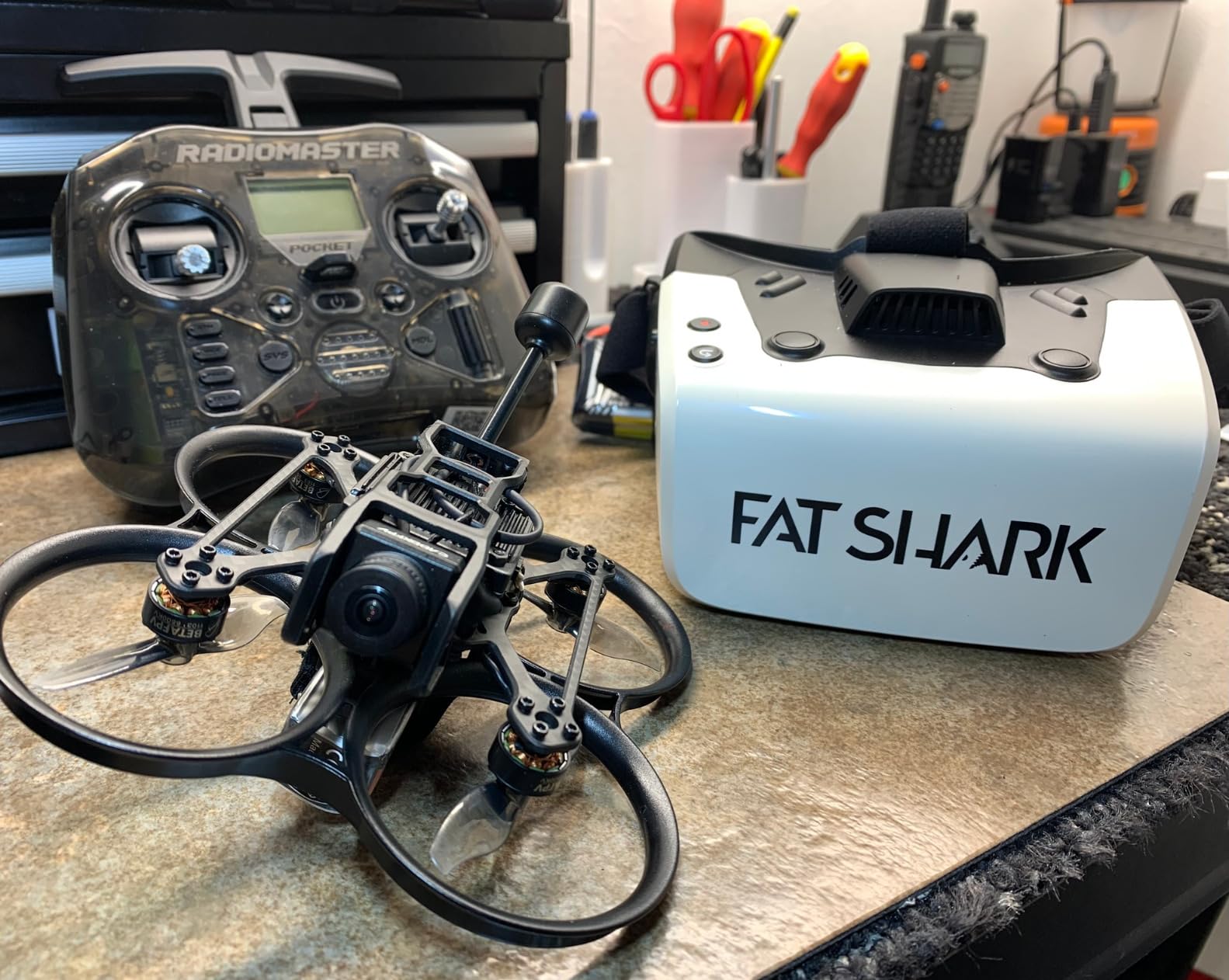
The USB-C connectivity is modern and convenient. The 3.5-inch screen might seem small on paper, but the optics make good use of the space and the image feels immersive when wearing them. At under 1 pound, these are light enough for long flying sessions without fatigue.
Battery life is adequate for a few flights on the internal pack, though heavy users will want to carry spares or plan for charging breaks. The goggles feel well-built with quality materials that should hold up to regular use.
For Whom It’s Good
The Recon HD is ideal for pilots committed to the Walksnail ecosystem who want an alternative to Walksnail’s own goggles. If you prefer Fat Shark’s ergonomics or have had fit issues with Walksnail goggles, these give you another path into the system. The comfortable fit and good resolution make them suitable for long flying sessions. Pilots who value brand reputation and proven reliability might appreciate Fat Shark’s take on digital goggles.
For Whom It’s Bad
Some users have experienced firmware update difficulties when pairing with certain WalkSnail VTX units, so be prepared for potential troubleshooting. The smaller 3.5-inch screen won’t match the immersion of larger displays if you’re used to premium goggles. If you’re not committed to Walksnail, the system-specific compatibility limits your options. Check your shipment carefully – some users have reported missing accessories including the carrying case.
8. BETAFPV VR04 HD FPV Goggles – Digital Upgrade Path
BETAFPV VR04 HD FPV Goggles with 1080P Resolution, 4.5” LCD Screen, DVR Function, Built-in 2 * 2600mAh Batteries Up to 3H, Support Record & Replay, Compatible for P1 Air Unit VTX & HD VTX
1080P 4.5-inch LCD
Dual 2600mAh batteries
P1 Air Unit compatible
Pros
- Great price for HD goggles
- 3-hour battery life
- Good signal penetration
- Premium build quality
- Glasses-friendly design
Cons
- Doesn't fit narrow faces well
- Higher latency than DJI
- No gyro stabilization
- Nose bridge discomfort for some
The BETAFPV VR04 HD represents BETAFPV’s move into digital FPV, and they’ve delivered impressive value at around $170. The 1080p 4.5-inch LCD display provides crisp HD clarity that makes spotting obstacles and navigating tight spaces much easier for beginners.
Battery life is exceptional thanks to the dual 2600mAh batteries built into the goggles. During my testing, I consistently got 3 hours of runtime – enough for a full day at the flying field without worrying about recharging. The batteries are internal, so there’s no need to deal with external battery packs or cables.
The glasses-friendly design continues from the analog VR04, with an interior that accommodates most eyewear comfortably. The soft silicone nose bridge helps with light sealing and creates a comfortable fit for average face shapes. The premium feel in hand suggests these will hold up well to regular use.
Signal performance is solid for the price. The VR04 HD uses BETAFPV’s P1 Air Unit and offers impressive penetration through obstacles. I tested these in various environments and maintained solid connection even in challenging RF conditions. The 1080P@60fps DVR captures your flights nicely to microSD cards up to 1TB.
It’s worth noting that latency is higher than premium systems like DJI. While fine for casual flying and learning, experienced racers might notice the slight delay. The goggles lack gyro stabilization, so the image won’t be as smooth as premium systems during aggressive maneuvers.
For Whom It’s Good
The VR04 HD is perfect for beginners wanting digital HD quality without paying premium prices. If you’re building around BETAFPV’s P1 Air Unit or want a digital system for casual flying, these offer excellent value. The long battery life makes them ideal for pilots who fly long sessions or travel to locations where charging isn’t convenient. Glasses wearers will appreciate the accommodative interior.
For Whom It’s Bad
Pilots with narrow faces may find the fit problematic – the goggles rest on the bridge of the nose for some face shapes causing discomfort. If you’re a serious racer or do aggressive freestyle, the higher latency compared to DJI systems might be noticeable. The lack of gyro stabilization means the image won’t be as smooth during fast maneuvers. If you’re not committed to BETAFPV’s ecosystem, the system-specific compatibility could be limiting.
9. DJI FPV Goggles V2 (Refurbished) – Premium Digital Experience
DJI (Refurbished) FPV Goggles V2 for Drone Racing Immersive Experience, Supports up to 110 minutes of flight Black (Renewed)
1080p video transmission
144Hz refresh rate
Up to 110 minutes flight time
Pros
- Like-new condition for less
- 144Hz smooth refresh
- Glasses-friendly design
- Immersive FPV experience
- DJI ecosystem integration
Cons
- 90-day warranty only
- Foam fitting issues
- Linking problems reported
- Only compatible with DJI
The DJI FPV Goggles V2 represent the premium end of consumer FPV, and buying refurbished opens up this experience at a significant discount. Even at the renewed price of around $599, these are expensive, but you’re getting the most polished digital FPV experience available.
The 144Hz refresh rate is transformative – this is noticeably smoother than any other goggles I’ve tested. Fast flights through complex environments feel fluid and natural, with none of the judder or stutter that can plague lower-refresh displays. Combined with DJI’s low-latency transmission, the result is an incredibly responsive flying experience.
DJI’s ecosystem integration is seamless. These goggles bind instantly to DJI FPV drones, and the 1080p video transmission is remarkably clear. The adjustable image size feature lets you dial in your preferred FOV, and the interface is polished and intuitive. The microSD slot captures your flights in high quality.
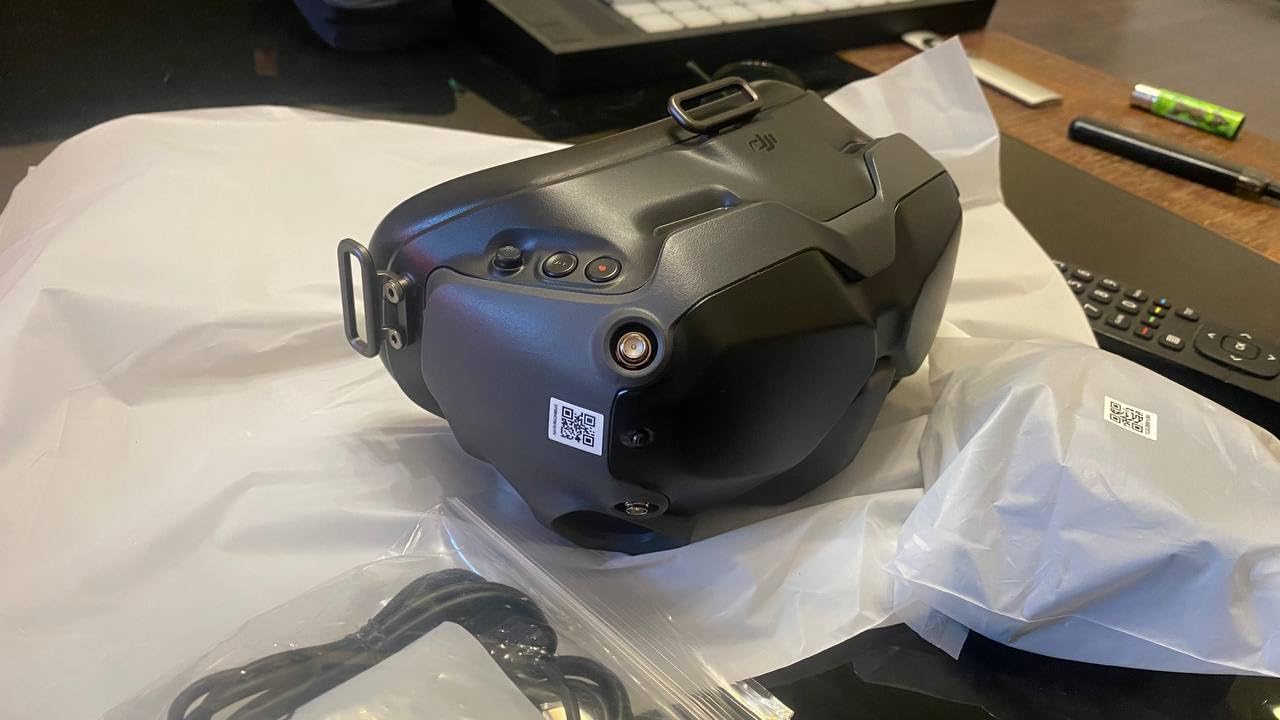
The glasses-friendly design will please pilots who wear corrective lenses. There’s enough interior space for most eyewear, and the face padding creates a comfortable seal. The goggles are relatively lightweight at under 1 pound, making them suitable for extended flying sessions.
Battery life is solid at up to 110 minutes. The dual-band anti-interference system maintains reliable connection even in crowded RF environments. USB-C connectivity is modern and convenient.
For Whom It’s Good
The DJI FPV Goggles V2 are ideal for pilots fully committed to DJI’s ecosystem. If you fly DJI FPV drones or plan to, these goggles provide the most seamless and polished experience available. The 144Hz refresh is particularly valuable for racers and aggressive freestyle pilots who demand the smoothest possible image. Pilots who value plug-and-play convenience and polished user experience will appreciate DJI’s approach.
For Whom It’s Bad
The DJI-only compatibility is severely limiting if you fly anything else. These won’t work with analog, Walksnail, HDZero, or any other system. The 90-day warranty on refurbished units is concerning for such expensive equipment – some users have reported quality issues. The factory foam doesn’t seal perfectly on all face shapes, causing light leaks for some users. If you’re not invested in DJI’s ecosystem, the system lock-in makes these a risky choice.
10. SKYZONE SKY04O Pro FPV Goggles – OLED Display
SKYZONE SKY04O Pro FPV Goggles Have a Stunning Miniature OLED Screen, immersive Flight Experience, high-Definition Video Transmission, Adjustable Diopter, Drone Goggles Have Real Scenes
1280x960 OLED display
46° FOV
SKYFUSION technology
Pros
- Rich OLED colors and contrast
- Diopter adjustment included
- SKYFUSION eliminates tearing
- 10 language UI support
- 5.8G wireless
Cons
- No customer reviews yet
- Unable to verify performance
- Higher price for unproven product
The SKYZONE SKY04O Pro brings OLED display technology to FPV goggles, promising richer colors and deeper blacks than traditional LCD displays. The 1280×960 resolution per eye delivers sharp detail, and OLED’s instant response time should eliminate motion blur.
The standout feature is SKYFUSION dual video signal fusion technology. This system combines two video signals to eliminate common issues like screen tearing and flickering from telemetry data. If you’ve ever been annoyed by OSD elements causing visual artifacts, this technology aims to solve that problem.
Diopter adjustment is a valuable inclusion for pilots who need vision correction. Rather than dealing with glasses or buying prescription inserts, you can dial in your correction directly on the goggles. The 46-degree field of view provides a good balance between immersion and clarity.
The 5.8G wireless transmission provides compatibility with standard analog FPV systems. The 60Hz refresh rate is adequate for most flying, though not as smooth as premium options. The UI supports 10 languages, making these accessible to a global audience.
For Whom It’s Good
The SKY04O Pro could be ideal for pilots who want OLED’s superior contrast and color reproduction. If you fly in varied lighting conditions and want the best possible visibility, OLED’s deeper blacks could help. The diopter adjustment makes these appealing for pilots who need vision correction. SKYFUSION technology could be valuable if you fly with heavy OSD overlays and experience visual artifacts.
For Whom It’s Bad
The lack of customer reviews is concerning at the $600 price point. Without real-world testing data, it’s impossible to verify performance claims or reliability. Early adopters always take a risk, and the premium price makes that risk more significant. If you value proven reliability and community-tested equipment, these unproven goggles might not be worth the gamble. The analog-only reception limits versatility if you plan to try digital systems.
11. DJI Goggles Racing Edition – High-End Analog/Digital Hybrid
DJI Goggles Racing Edition 1080P HD Digital Video FPV Racing Goggles Drone World, Black
148° FOV
AMOLED display
Dual-band 2.4/5.8GHz
Pros
- Highest resolution available
- Seamless DJI drone compatibility
- Comfortable padded headband
- Head motion controls
- Can use for VR and streaming
Cons
- Bulky and heavy
- Only DJI Mavic gets 1080P
- Analog mode green line issue
- No fan for defogging
The DJI Goggles Racing Edition offer the highest resolution of any FPV goggles on the market, with true 1080P HD images that look stunning. The 148-degree field of view is incredibly immersive, creating an experience that feels more like VR than traditional FPV.
The AMOLED displays deliver vibrant colors and deep blacks with excellent contrast. During testing with DJI Mavic drones, the image quality was unmatched – this is as close to being there in person as FPV gets. The seamless connection to DJI drones via HD resolution transmission just works, with no pairing headaches.
Comfort is good despite the bulk. The padded headband distributes weight nicely, and the goggles are light enough (3.55 lbs) for extended sessions. The touchpad control takes some learning but becomes intuitive with practice. Head motion controls work well for intuitive drone direction.
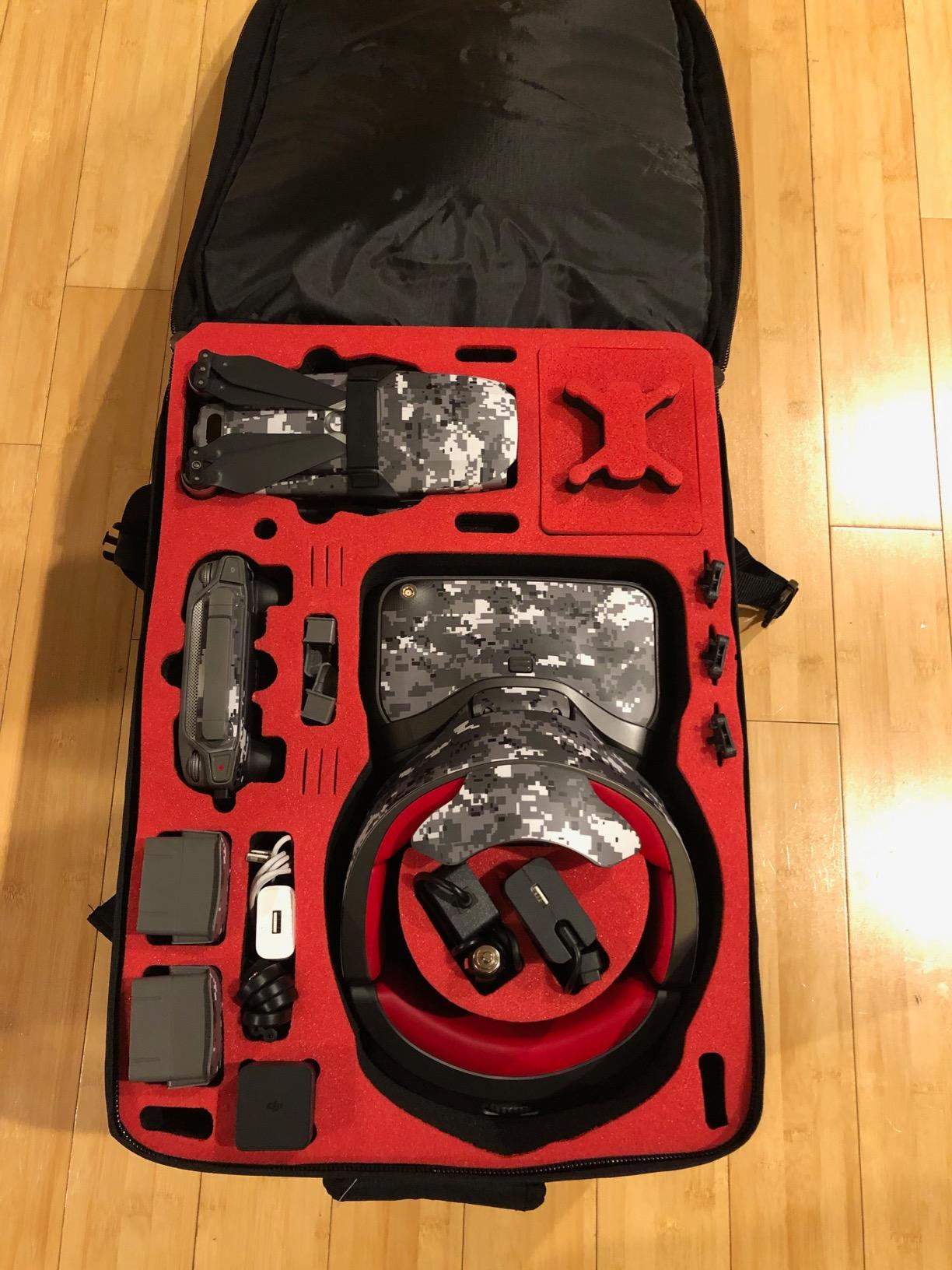
Beyond FPV, these goggles are surprisingly versatile. You can use them for VR content, watching movies, or streaming from devices like Roku or Chromecast. The audio jack lets you plug in headphones for immersive audio. The 2.4 and 5.8GHz dual-band video transmission provides flexibility and reliability.
The global shutter sensor eliminates jello effect from vibration, resulting in a smooth image even on quads without perfect tuning. Latency is low at up to 50ms, though not as instant as pure analog systems.
For Whom It’s Good
The DJI Goggles Racing Edition are perfect for pilots deep in DJI’s ecosystem who want the absolute best image quality available. If you fly DJI Mavic drones and want the most immersive experience possible, these goggles deliver. The versatility for VR and media consumption makes them appealing for pilots who want a multi-purpose headset. Pilots who value resolution above all else will appreciate the unmatched clarity.
For Whom It’s Bad
The bulk and weight (3.55 lbs) can cause fatigue during long sessions. The 1080P wireless transmission only works with DJI Mavic drones – Spark and Phantom are limited to 720P. Analog mode has a known green line screen split issue that affects some users. There’s no fan, so fogging can be a problem in hot conditions. At this price point, the limited compatibility with only DJI drones is a significant consideration.
12. EV800D by Speedybee – Enhanced Starter Option
EV800D FPV Goggles with DVR – 5.8G 40CH 5 Inch Screen Build in Antenna Battery for Analog FPV Camera and Transmitter FPV Drone RC Car Airplane Hobby by Speedybee
5-inch 800*480 LCD
Dual antenna
Auto-searching DVR
Pros
- Good resolution for price
- DVR function works well
- Auto-search is convenient
- Dual antenna stability
- Good value for entry-level
Cons
- Only one antenna works
- Not true diversity
- Cheap plastic feel
- Front heavy
- May be clones in market
The Speedybee version of the EV800D offers the classic budget goggle experience with some enhancements. The 5-inch 800×480 LCD screen provides adequate clarity for beginners learning FPV, with enough brightness to remain visible in most outdoor conditions.
The standout feature is the DVR with real-time video capture. During testing, recording worked reliably and captured crisp footage of my flights. This is invaluable for beginners wanting to review their sessions and identify mistakes. The auto-searching function quickly finds active frequencies, saving time during setup.
The dual antenna design promises enhanced signal stability. In practice, the reception is solid for entry-level flying, though it’s worth noting that many users report only one antenna is actually functional despite the dual antenna marketing. The 40-channel coverage provides flexibility in crowded RF environments.
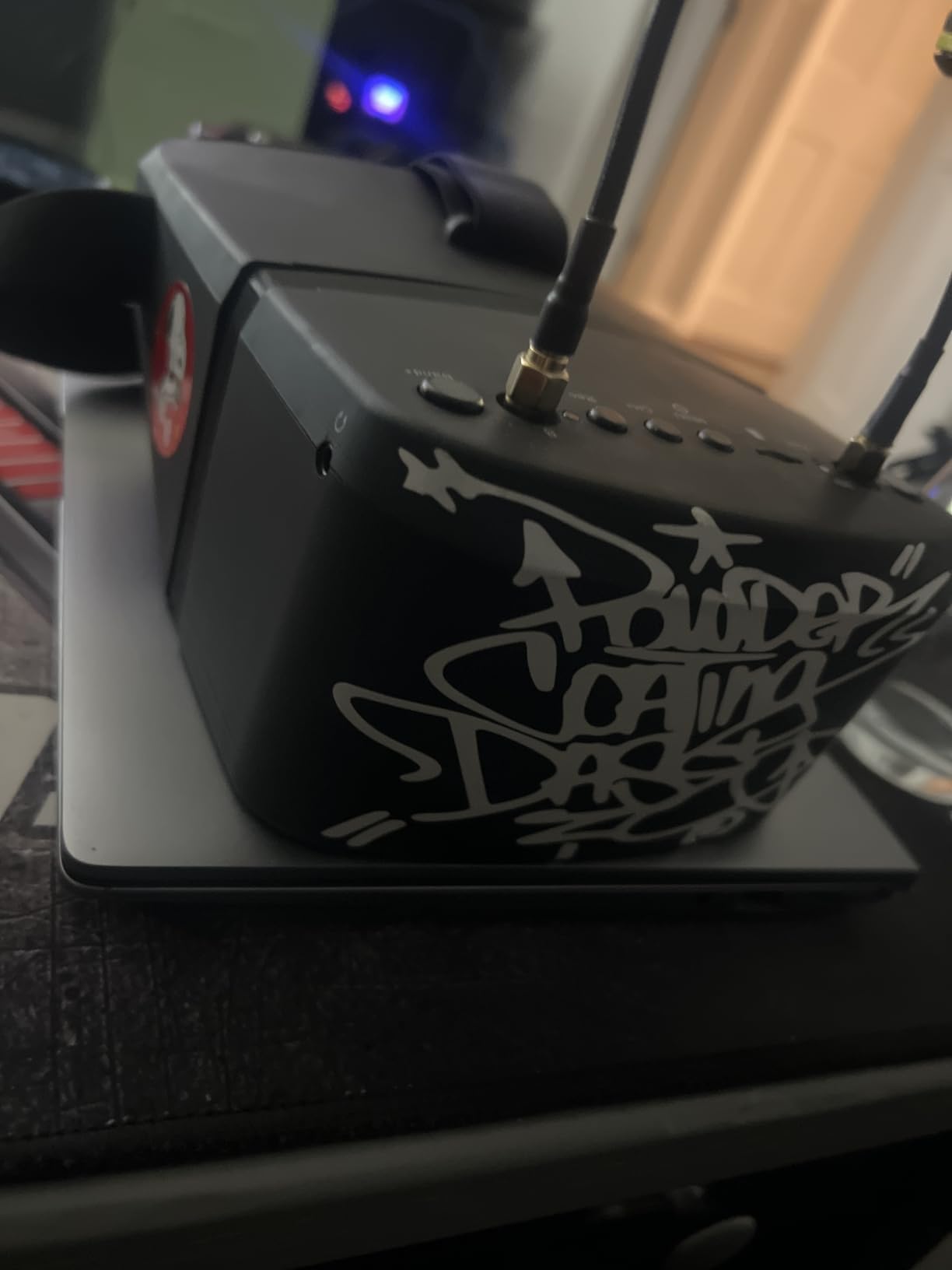
Battery life is decent thanks to low power consumption design. The included 2000mAh pack provides enough runtime for 2-3 flights depending on length. The 5-inch screen offers an immersive viewing experience with good brightness for outdoor use. Audio output through headphones is a nice touch for pilots who want audio feedback.
For Whom It’s Good
The Speedybee EV800D is ideal for beginners wanting a complete FPV starter package without spending much. The included protective case, dual antennas, and charging cable make it a complete kit out of the box. If you’re unsure about FPV and want to test the waters with minimal investment, these goggles let you dive in. The DVR function is perfect for pilots who want to review and learn from their early flights. Tiny whoop pilots will appreciate the large, easy-to-see display.
For Whom It’s Bad
Be aware of counterfeit units in the market – verify you’re buying from Speedybee or an authorized retailer. Many users report only one antenna actually works despite diversity advertising. The plastic construction feels cheap and may not hold up well to rough handling. The front-heavy weight distribution can cause neck fatigue during long sessions. If you’re planning to upgrade to digital or higher-end analog, you might outgrow these quickly.
Analog vs Digital FPV Systems
The biggest decision facing new FPV pilots is choosing between analog and digital systems. This choice will affect your entire FPV journey, so understanding the differences is crucial.
Analog FPV has been the standard for decades and offers several advantages. Latency is incredibly low – often imperceptible – which gives you that instant connection to your drone. Analog equipment is significantly cheaper, with complete setups costing a fraction of digital systems. The mature technology means analog gear is reliable and well-understood by the community. However, analog video is standard definition with noticeable noise and interference, and the image quality degrades with distance.
Digital FPV systems like DJI, Walksnail, and HDZero deliver HD crystal-clear video that remains sharp even at distance. The clarity difference is dramatic – you’ll spot obstacles and read telemetry much more easily. Digital systems also have built-in features like DVR, head tracking, and reliable channel management. The trade-offs are higher cost, slightly higher latency (though not noticeable for most flying), and system lock-in – digital goggles from one brand typically won’t work with another brand’s VTX.
For beginners in 2026, I recommend considering digital if your budget allows. The learning curve is significantly less steep when you can actually see what you’re flying toward. However, if budget is tight or you’re unsure about committing to FPV, analog provides a perfectly adequate entry point that many pilots stick with for years.
Box vs Binocular Goggles
FPV goggles come in two main form factors: box goggles and binocular goggles. Each has advantages depending on your needs and preferences.
Box goggles are larger, box-shaped units that rest against your face like a pair of oversized sunglasses. They typically use a single screen that both eyes view through optics. Box goggles are generally more affordable and accommodate glasses more easily since the larger interior provides space for eyewear. The larger screen size can be easier to see for beginners, and many box goggles feature detachable screens that double as standalone monitors. The downsides are bulkier size and weight, and some pilots feel they look less “cool” than compact binoculars.
Binocular goggles resemble oversized sunglasses with two separate displays, one for each eye. They’re more compact and often lighter than box goggles, which can reduce fatigue during long sessions. The dual-display design can create a more immersive experience, and many pilots prefer the aesthetics. However, binoculars are typically more expensive, and fitting glasses inside can be challenging depending on the model. The IPD (interpupillary distance) must match your face, so not all binoculars fit all pilots.
For beginners, I generally recommend starting with box goggles unless budget allows quality binoculars. The glasses compatibility, lower cost, and versatility of detachable screens make box goggles more forgiving as you learn. If you do choose binoculars, make sure they have adjustable IPD to ensure proper fit.
Key Specs to Consider
When shopping for FPV goggles, you’ll encounter several technical specifications that affect your flying experience. Understanding these specs helps you choose goggles that match your needs.
Field of View (FOV) measures how wide the image appears, measured in degrees. Larger FOV numbers (100-150°) create a more immersive experience but can distort edges and make details harder to see. Smaller FOV (30-50°) provides a clearer, more focused view but feels less immersive. For beginners, I recommend 40-60° as a good balance – immersive enough to feel engaged, but not so wide that detail is lost.
Interpupillary Distance (IPD) is the distance between your pupils, and adjustable IPD lets you match the goggles to your face. Fixed IPD goggles only fit certain face shapes, while adjustable models typically range from 57-72mm. If you wear glasses or have a narrow or wide face, adjustable IPD is crucial for comfort and clear vision.
Resolution determines image clarity, measured in pixels. Analog goggles typically have 800×480 or similar resolution, which is adequate but not sharp. Digital systems offer 720p, 1080p, or even higher resolution. Higher resolution makes text easier to read and helps you spot small details in the video feed. For beginners, higher resolution significantly reduces the learning curve.
DVR (Digital Video Recorder) capability lets you record your flights for later review. This is incredibly valuable for beginners wanting to analyze and improve their flying. Look for goggles with easy one-button recording and support for large microSD cards (64GB+).
Latency is the delay between what your drone camera sees and what appears in your goggles. Lower latency provides a more responsive, connected feel. Analog has the lowest latency, often imperceptible. Digital systems have improved dramatically and now offer latency low enough for all but the most demanding racing. For beginners, latency differences between systems are rarely noticeable.
Diopter adjustment allows you to focus the goggles to match your vision correction, similar to wearing glasses. This feature is valuable if you need vision correction but don’t want to wear glasses inside the goggles. Typical diopter ranges cover from +2.0 to -6.0, which accommodates most pilots.
Glasses and Prescription Compatibility
For pilots who wear glasses, finding compatible FPV goggles is a common concern. The good news is that several options work well with eyewear.
Box goggles are generally the most glasses-friendly option. The larger interior provides space for most eyewear, and you can often position glasses comfortably inside the goggle. Models like the EV800D, BETAFPV VR04, and DroneMask 2 are specifically designed with glasses compatibility in mind.
Some binocular goggles accommodate glasses, but you’ll need to check the specific model. Look for goggles with adjustable IPD and sufficient eye relief – the distance your eyes can be from the lenses while still seeing the full image. The DJI FPV Goggles V2 and Walksnail Avatar HD Goggles X have glasses-friendly designs that work for many users.
Diopter adjustment provides an alternative to wearing glasses. Many premium goggles include adjustable diopters that correct for nearsightedness or farsightedness, letting you fly without glasses. The Walksnail Avatar HD Goggles X and SKYZONE SKY04O Pro both offer diopter adjustment covering a wide range of prescriptions.
If none of these options work, prescription lens inserts are available for some goggle models. These custom lenses mount inside the goggles and provide your specific correction. Companies like VR Optician make inserts for popular goggle models, though this adds to the cost.
Budget Considerations
FPV goggles range from under $100 to over $600, and understanding what you get at each price point helps you spend wisely.
Under $100: Basic analog box goggles like the BETAFPV VR04. These provide adequate entry-level performance with limited features. Perfect for testing whether FPV is right for you before investing more. Expect basic displays, no DVR, and analog-only reception.
$100-$200: Mid-range analog and entry-level digital. Goggles like the EV800D, Fat Shark ECHO, and Walksnail Avatar HD Goggles L fall here. You get better displays, DVR recording, and improved comfort. This is the sweet spot for beginners who want quality without overspending.
$200-$400: Premium analog and mid-tier digital. Options like the Walksnail Avatar HD Goggles X and BETAFPV VR04 HD offer HD resolution, better build quality, and advanced features. Serious beginners committed to the hobby will find good value here.
$400+: Premium digital systems. DJI Goggles V2 and similar provide the best image quality, polish, and features. Only necessary if you’re committed to specific digital ecosystems and want the absolute best experience.
Remember that FPV goggles are a long-term investment. A good pair will last through multiple drones and several years of flying. Spending a bit more upfront for quality often pays off in the long run compared to buying cheap and upgrading within months.
Frequently Asked Questions
What are the best FPV goggles for beginners?
What is the difference between analog and digital FPV goggles?
Are budget FPV goggles worth it for beginners?
What features matter most in beginner FPV goggles?
Should beginners start with analog or digital FPV goggles?
Final Recommendations
Choosing the best FPV goggles for beginners comes down to your budget and commitment level. If you’re just testing the waters, the BETAFPV VR04 at under $100 provides a complete FPV experience without breaking the bank. For pilots committed to the hobby who want digital HD clarity, the Walksnail Avatar HD Goggles X offer the best balance of performance and value. DJI pilots should invest in the DJI FPV Goggles V2 for the most polished experience.
Remember that FPV goggles are a long-term investment. A quality pair will serve you through multiple drones and years of flying. Don’t be afraid to spend a bit more upfront for comfort and features that will make your learning experience more enjoyable.
Before making your final decision, I highly recommend attending a local FPV meetup or visiting a hobby shop to try different goggles. Finding the right fit for your face and wearing style is impossible to judge from photos alone. Many communities have loaner gear available for beginners to test.
If you’re new to RC aircraft beyond drones, check out our guide to the best RC helicopters for beginners to explore other options in the hobby. Whatever direction you choose, the immersive experience of FPV flight is worth the investment – there’s nothing quite like seeing the world from your drone’s perspective.