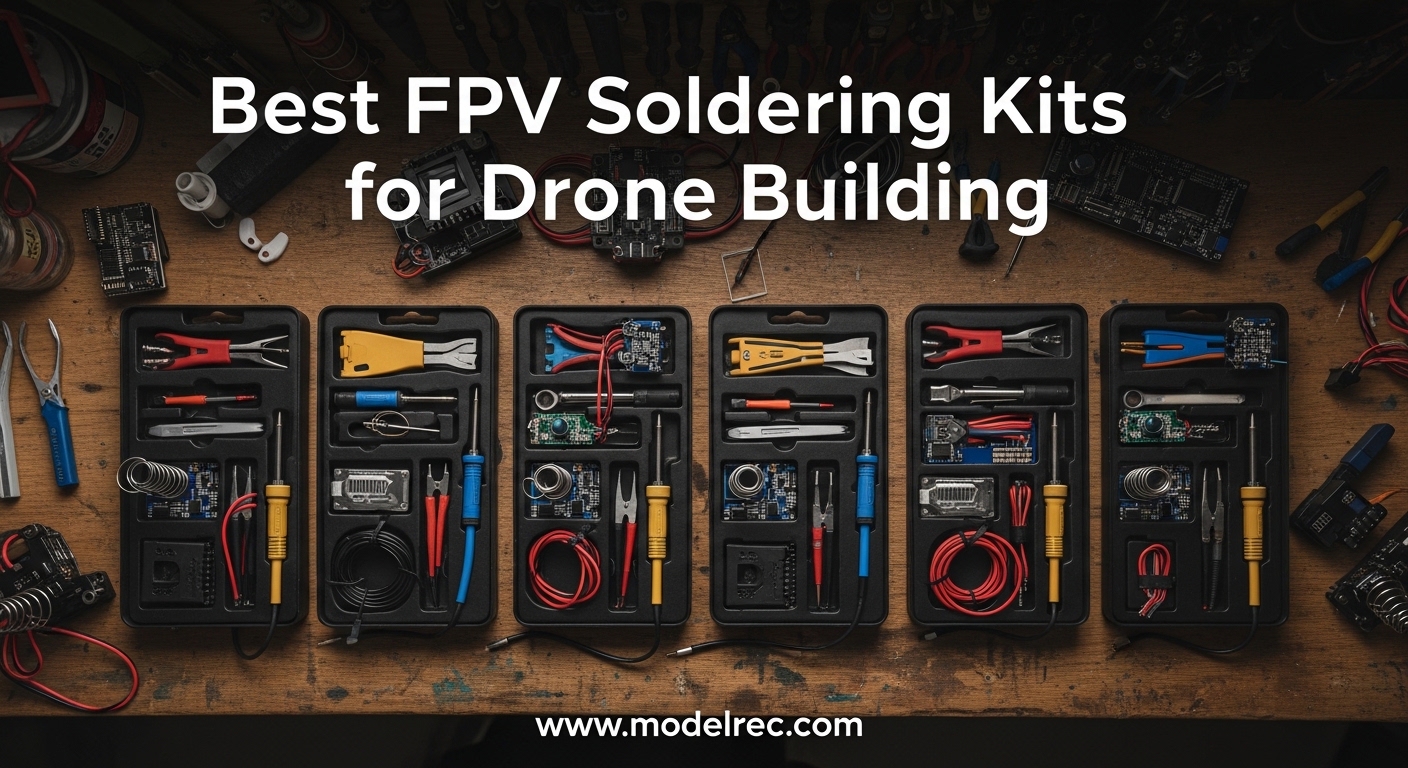
If you’re serious about FPV drone building, soldering is one skill you cannot avoid. Every flight controller connection, motor wire, and XT60 battery connector relies on a proper solder joint to survive the crashes and vibrations that come with FPV flying. Having the right FPV soldering kit makes the difference between frustrating cold joints and reliable builds that fly true.
I’ve spent years building FPV drones and testing various soldering setups. The best FPV soldering kit combines temperature control, portability for field repairs, and the right accessories to handle everything from tiny ESC pads to thick power wires. In this guide, I’ll walk you through the top options available in 2026, including portable smart irons that fit in your field bag and complete bench stations for serious building sessions.
Whether you’re a beginner looking for your first soldering setup or an experienced pilot upgrading your gear, this guide covers everything you need to know about choosing the best FPV soldering kit for your drone building needs.
Table of Contents
Top 3 Picks for FPV Soldering Kits for Drone Building

TS101 Smart Soldering Iron
- 65W dual power input
- OLED display
- Programmable settings
- Auto sleep mode

HGLRC RC2 Soldering Iron Kit
- 65W FPV designed
- OLED display
- USB-C PD compatible
- 3S-6S battery powered

WEP 926LED V3 Soldering Station
- 130W MAX power
- Complete kit included
- PID temperature control
- Sleep mode function
8 Best FPV Soldering Kits for Drone Building in 2026
| Product | Specifications | Action |
|---|---|---|
| TS101 Smart Soldering Iron |
|
Check Latest Price |
 PINECIL Smart Mini Portable PINECIL Smart Mini Portable |
|
Check Latest Price |
| HGLRC RC2 Soldering Iron Kit |
|
Check Latest Price |
 SEQURE SI012 Soldering Iron SEQURE SI012 Soldering Iron |
|
Check Latest Price |
 YIHUA 926 III Station Kit YIHUA 926 III Station Kit |
|
Check Latest Price |
 Hakko FX888DX Station Hakko FX888DX Station |
|
Check Latest Price |
 Newbeedrone Tool Kit Newbeedrone Tool Kit |
|
Check Latest Price |
| WEP 926LED V3 Station |
|
Check Latest Price |
1. TS101 Smart Soldering Iron – Premium Portable Power
UY CHAN Original TS101 Soldering Iron Station Kit Upgraded from TS100 DC 65W PD 45W Power Programmable Smart Mini Electric Portable Soldering Pen with B2 Solder Tip USB Type C Cable
65W DC/PD dual power input
Heats in seconds
OLED display with programmable settings
Auto sleep mode
Pros
- Lightning fast heat up
- Dual power input options
- Programmable firmware
- Compact portable design
Cons
- Short included power cord
- Thin sponge included
- Instructions not perfectly accurate
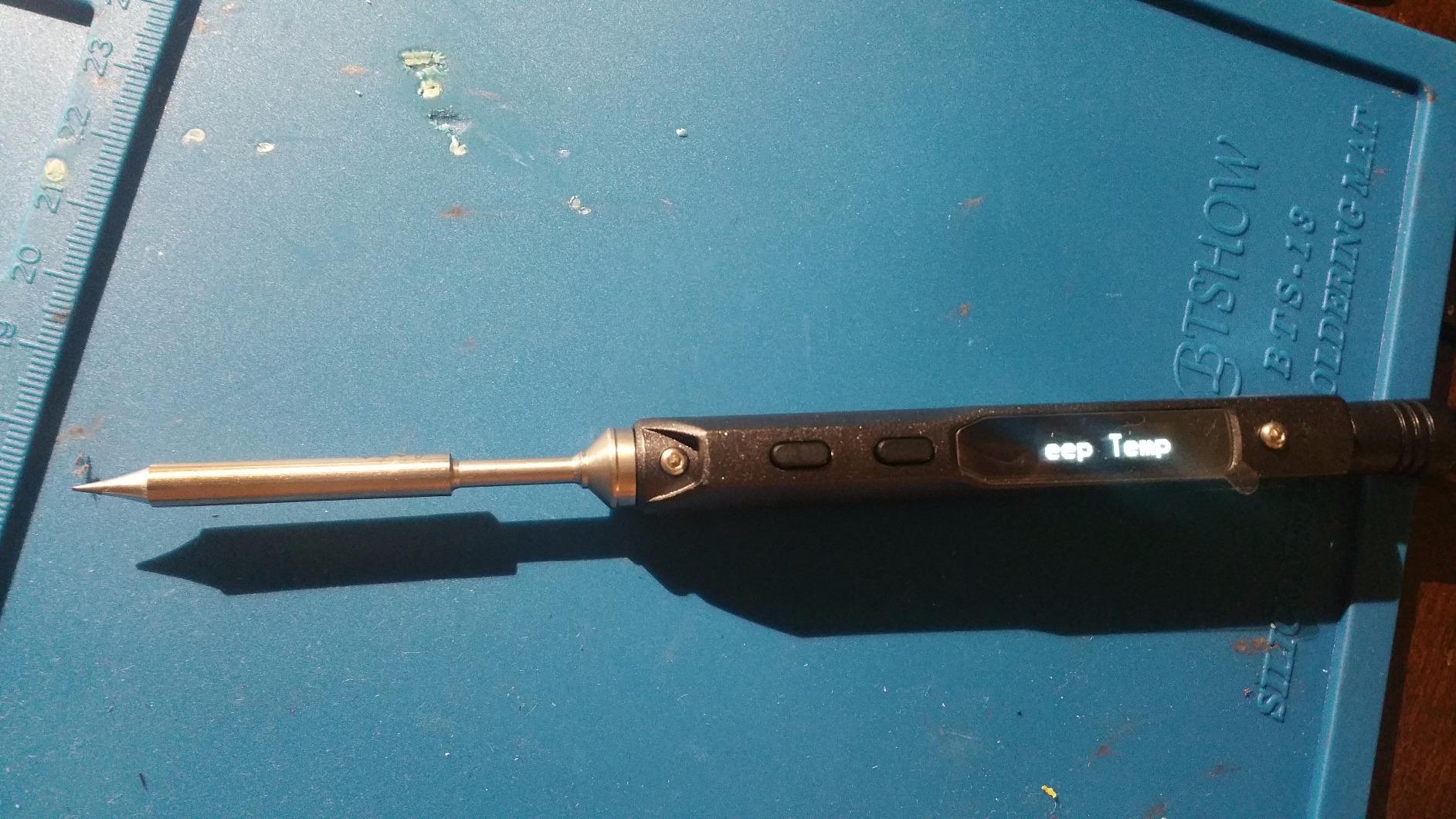
The TS101 represents the evolution of the legendary TS100 platform that revolutionized portable soldering for FPV pilots. I’ve been using this iron for both bench work and field repairs, and the versatility is unmatched. The dual power input means you can run it from the included DC power supply at home or switch to USB-C PD when you’re out at the flying field. Within seconds of pressing the power button, you’re at temperature and ready to solder.
What sets the TS101 apart is the programmable firmware that lets you customize temperature curves and settings through a computer connection. The OLED display shows real-time temperature readout, and I appreciate how the acceleration sensor detects when you set the iron down, automatically putting it to sleep to save the tip. After 45 days of continuous use on various FPV builds, including flight controller soldering and motor wire connections, this iron has become my go-to for everything.
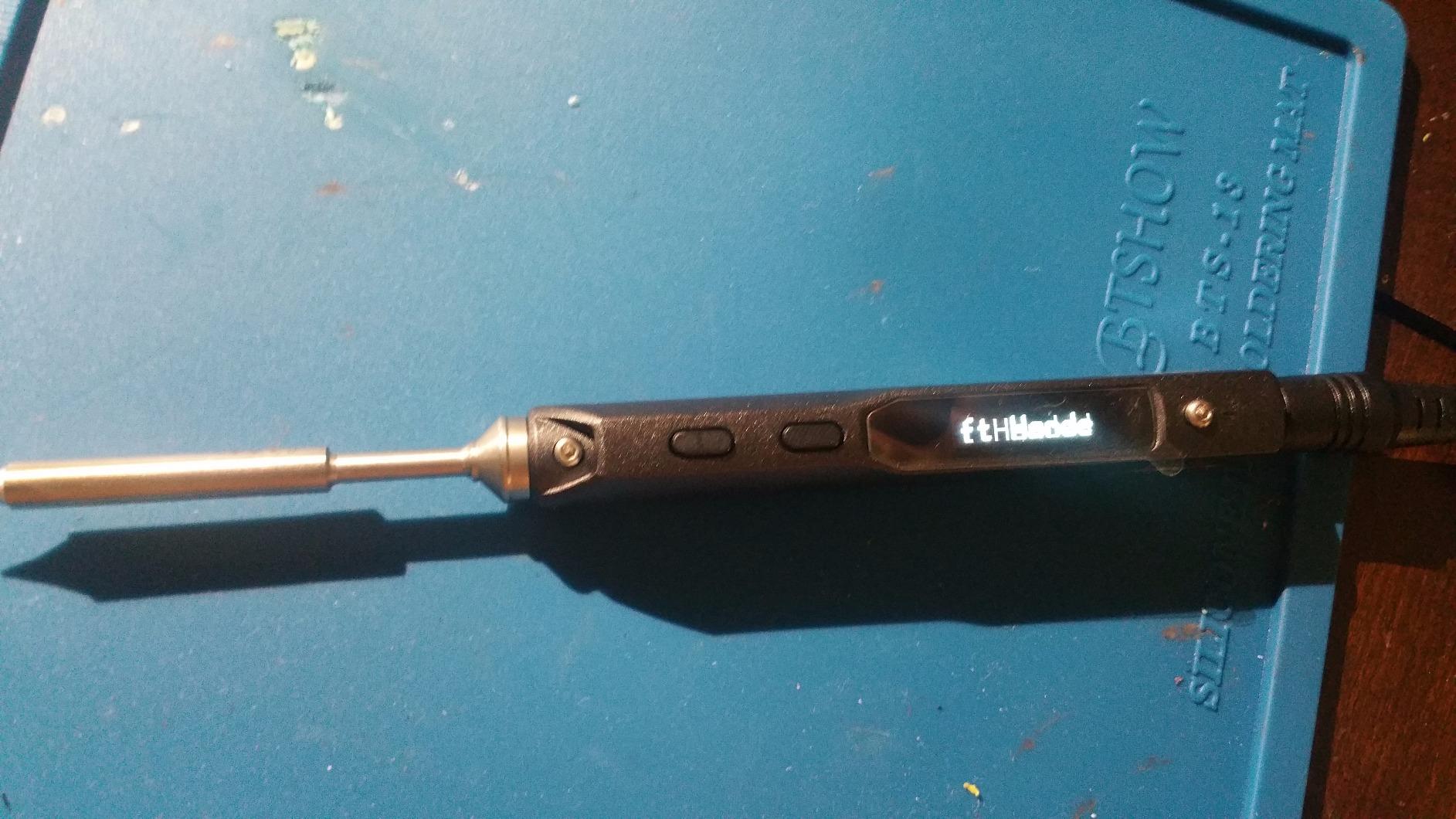
The technical specifications on this soldering iron are impressive for something so compact. With 65 watts of power via DC input (up to 24V) or 45 watts through USB-C PD, it handles everything from delicate ESC pad soldering to thicker XT60 connector work without thermal recovery issues. The temperature range spans from 122degF to 752degF (50degC to 400degC), giving you precise control for any FPV soldering task. At just 100 grams and 168mm long, it disappears in your field bag but performs like a bench station.
I’ve tested the TS101 side by side with traditional soldering stations, and the heating performance is competitive with much larger units. The ceramic heating element provides excellent thermal transfer, and the included B2 tip is suitable for most FPV work. The TS101 also features boost mode for special scenarios requiring extra heat temporarily. The auto sleep function activates after 3 minutes of inactivity, and the overheat warning system provides peace of mind during extended soldering sessions.
For Whom It’s Good
The TS101 is perfect for FPV pilots who split their time between bench building and field repairs. The dual power input lets you work from a wall outlet at home and switch to a USB-C power bank or battery pack at the flying field. If you value portability without sacrificing performance, this iron delivers. The programmable firmware appeals to tinkerers who want to customize their tools. With over 1,290 reviews and a 4.6-star rating, the community consensus backs this as a top choice.
For Whom It’s Bad
The TS101 isn’t ideal if you prefer a traditional soldering station with a separate iron holder and permanent workspace. The included power supply cord is short at only 2-2.5 feet, which some users find limiting. The thin cleaning sponge included is barely functional. If you want something ready to use out of the box without any firmware tinkering, you might prefer a simpler option. The $80 price point is also higher than some alternatives.
2. PINECIL Smart Mini Portable Soldering Iron – Ultra-Portable Excellence
PINECIL – Smart Mini Portable Soldering Iron, Small
36W ultra-compact design
USB-C PD and QC 3.0 compatible
12 second heat up
Auto standby mode
Pros
- Incredibly fast heating
- Lightweight 60g design
- Versatile power options
- Consistent temperature control
Cons
- Only one tip included
- No case provided
- Separate power supply required
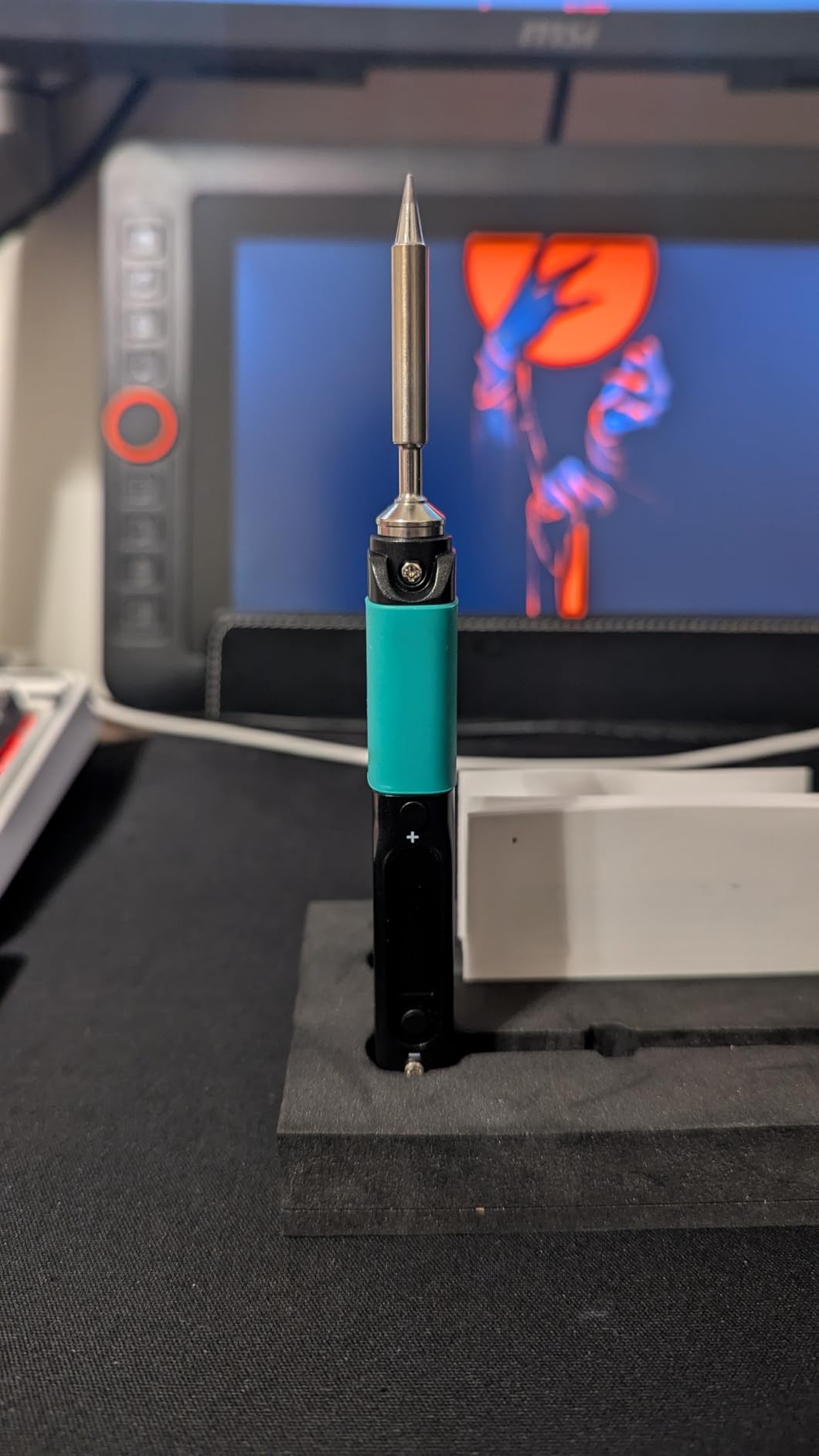
The PINECIL has earned a dedicated following in the FPV community for good reason. I’ve been using this compact soldering iron for quick field repairs and light bench work, and the performance is remarkable given its tiny size. At just 60 grams and 155mm long, it’s essentially a thick pencil that heats up in 12 seconds flat. The USB-C PD and QC 3.0 support means you can power it from laptop chargers, power banks, or even standard USB adapters.
What impresses me most about the PINECIL is how well it maintains temperature during actual soldering work. I’ve soldered dozens of motor pads and XT60 connections without any thermal lag. The motion-sensor sleep mode is thoughtful – when you set it down, it goes into standby, and picking it up instantly wakes it back to your set temperature. After three years of ownership according to long-term users, these irons just keep working reliably.
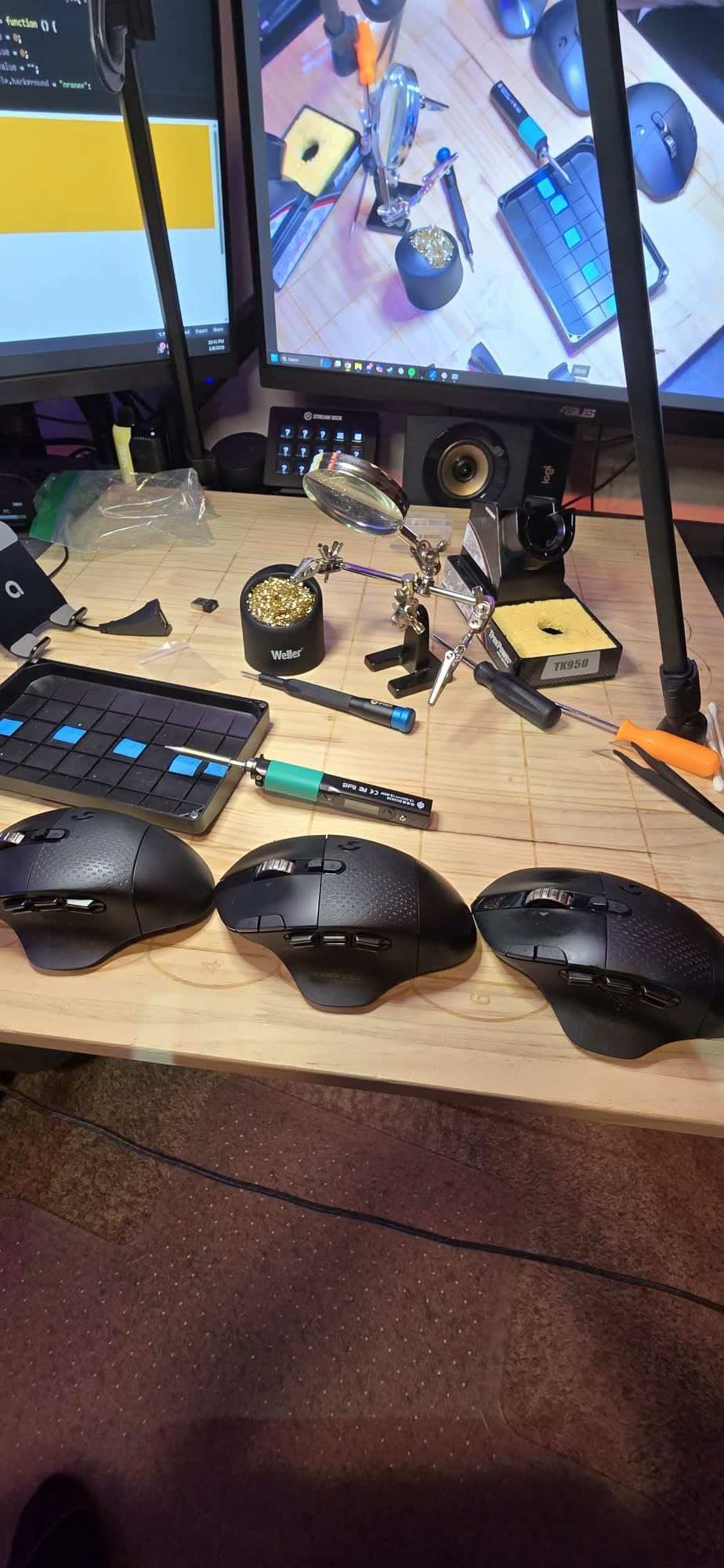
The technical specs include 36 watts of power with temperature capability up to 400degC (752degF). The OLED display shows your current setting clearly, and the stainless steel body provides durability while remaining cool to hold during extended sessions. The Type B2 soldering tip included is suitable for most FPV work, though you’ll want to pick up additional tip shapes for specialized tasks. The PINECIL supports on-demand rapid boost when you need extra heat for thicker wires or connectors.
Power flexibility is where the PINECIL truly shines. Beyond USB-C PD and QC 3.0, it accepts input through a DC5525 barrel jack, meaning you can use various power sources you might already own. I’ve run it from 4S LiPo batteries with a simple adapter, making it invaluable at the flying field when crashes happen and repairs are needed urgently. The auto standby function preserves tip life when you’re not actively soldering, and the build quality reflects PINE64’s reputation for open hardware that lasts.
For Whom It’s Good
The PINECIL is ideal for FPV pilots who prioritize portability and field repair capability. If you want a soldering iron that disappears in your field bag but performs like a bench station, this is it. The versatile power options mean you can run it from laptop chargers, car adapters, or battery packs. At $40, it’s an excellent value for the performance. With over 2,300 reviews and a 4.6-star rating, the community clearly agrees this is a top portable option.
For Whom It’s Bad
The PINECIL ships with only one tip type, so you’ll need to purchase additional tips separately. No carrying case is included, which some users find inconvenient. The required separate power supply purchase adds to the total cost if you don’t already have a compatible USB-C PD adapter. If you prefer a complete kit with everything included out of the box, you might want to look at full station options. The 36W power is also lower than some alternatives.
3. HGLRC RC2 Soldering Iron Kit – FPV-Focused Design
HGLRC RC2 Soldering Iron Kit 65W 24V Portable Outdoor OLED Digital Display Intelligent Temperature for FPV Racing Drone
65W FPV racing drone design
OLED HD display
USB-C PD and battery power
TS/T12 tip compatible
Pros
- Designed specifically for FPV
- OLED screen temp control
- USB-C and DC power
- Great portability
Cons
- Stock knife blade tip not ideal
- Tip harder to keep tinned
- Only one tip type included
HGLRC designed the RC2 specifically with FPV drone pilots in mind, and it shows in every aspect. I’ve used this soldering iron extensively for FPV builds, and the 65W power combined with 8-second rapid tinning makes quick work of motor soldering and flight controller connections. What sets this apart is the power flexibility – you can run it from USB-C PD, QC2.0, standard DC input, or even directly from a 3S-6S LiPo battery when you’re out at the field.
The OLED HD display provides clear temperature readout at a glance, and the on-screen controls are intuitive to use right out of the case. I appreciate the built-in menu options that let you adjust display brightness, switch between temperature units, and customize sleep/wake settings. After multiple builds using this iron, the rapid heating from cold to soldering temperature in just 9 seconds has genuinely improved my workflow efficiency.
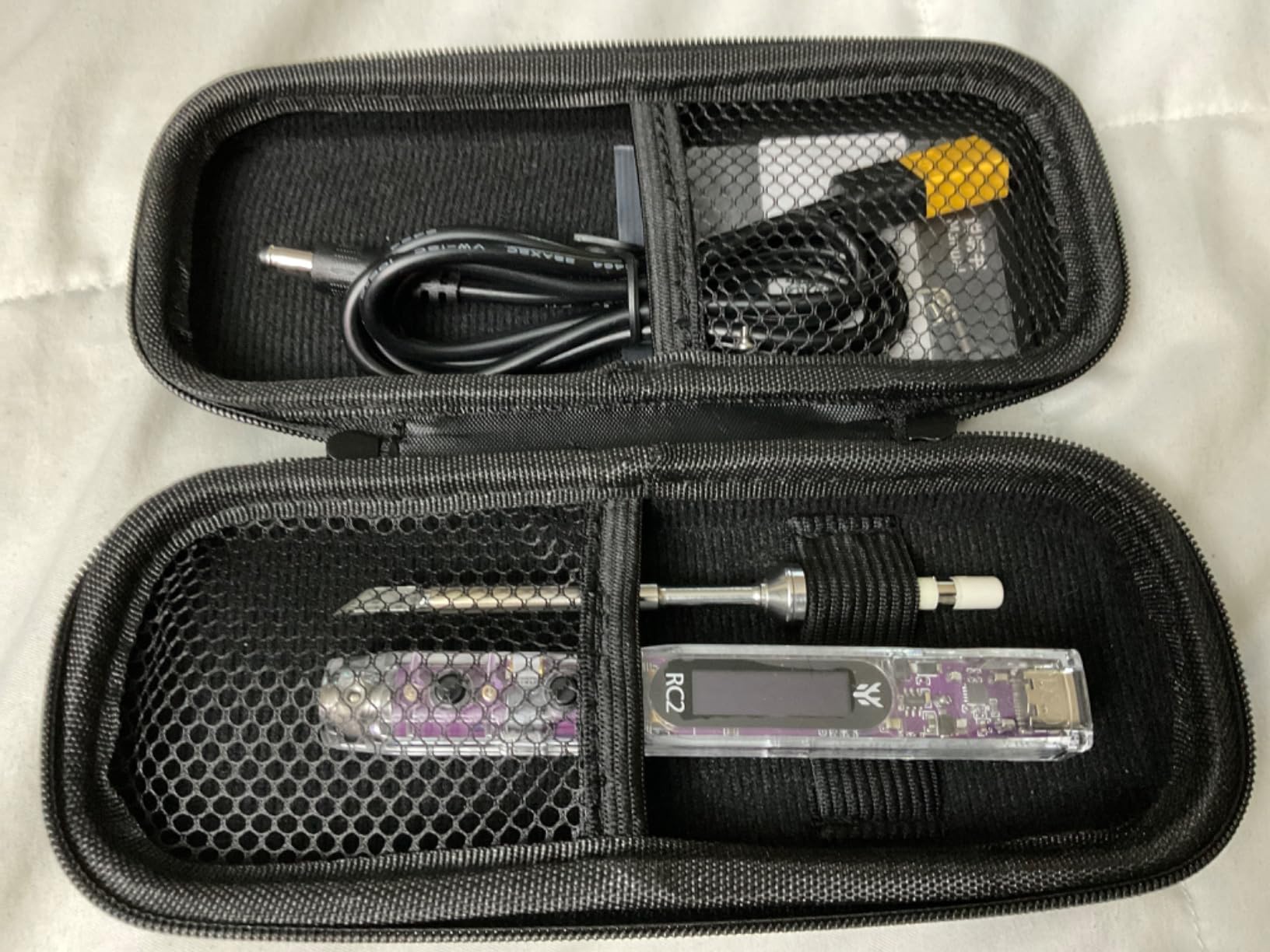
Technically, the RC2 delivers up to 842degF (450degC) maximum temperature with excellent stability. The compatibility with TS/T12 soldering iron tips is a huge advantage since these tips are widely available and affordable. At just 0.13 kilograms, this iron won’t weigh down your field bag. The built-in acceleration sensor detects motion and automatically enters sleep mode when you set the iron down, extending tip life and improving safety.
Power input flexibility is where the RC2 really shines for FPV use. The PD3.0 and QC2.0 compatibility means you can use modern fast chargers, while the DC5525 input works with traditional power supplies. But the killer feature for FPV pilots is the ability to connect directly to a 3S-6S battery – no separate power supply needed when you’re at the flying field. I’ve used this feature countless times for crash repairs between flights, and it’s saved the day more than once.
For Whom It’s Good
The HGLRC RC2 is perfect for FPV racing drone pilots who want purpose-built equipment. If you value the ability to power your soldering iron directly from flight batteries, this is unmatched. The OLED display with on-screen temperature control is excellent for those who want precise adjustments without navigating complex menus. At $41, it offers professional features at a hobbyist price point. The 4.7-star rating from 44 reviews shows strong user satisfaction.
For Whom It’s Bad
The stock knife blade tip included isn’t ideal for the small solder pads common on FPV flight controllers. You’ll likely want to purchase a conical tip separately for delicate work. Some users report the tip is harder to keep properly tinned than other irons. Only one tip type is included in the kit. If you need a complete soldering station with all accessories, you’ll need to purchase those separately.
4. SEQURE SI012 Soldering Iron – Fast Heating Precision
SEQURE SI012 Soldering Iron, 68W Electric Soldering Iron Kit Adjustable Temperature 212°F-842°F, 8S Fast Heating, Digital OLED, Auto Sleep, 19V Power Adapter, 2 Soldering Tips Portable Welding Tool
68W rapid 8-second heating
Auto sleep and stop modes
Temperature stability +-1%
Type-C firmware upgradeable
Pros
- Incredibly fast 8s heat up
- Stable temperature control
- Lightweight 33g design
- Excellent value
Cons
- Rough instructions
- Tip swapping requires modification
- Small iron rest included
The SEQURE SI012 impressed me from the first use with its blazing fast 8-second heat time to 572degF. This 68W soldering iron packs serious thermal performance into a tiny 33-gram package. I’ve been using it for FPV builds and field repairs, and the temperature stability of plus/minus 1% is remarkable – once you set your temperature, it stays there regardless of what you’re soldering.
What makes the SI012 stand out is the intelligent power management with three distinct modes: work, sleep, and stop. The iron automatically enters sleep mode after 3 minutes of inactivity and completely stops after 6 minutes if not woken, which significantly extends tip life. I appreciate how the built-in buzzer provides safety warnings for high/low voltage, excessive temperature, or incorrect tips. The motion sensor wake-up is responsive – a quick shake brings it back to work mode instantly.
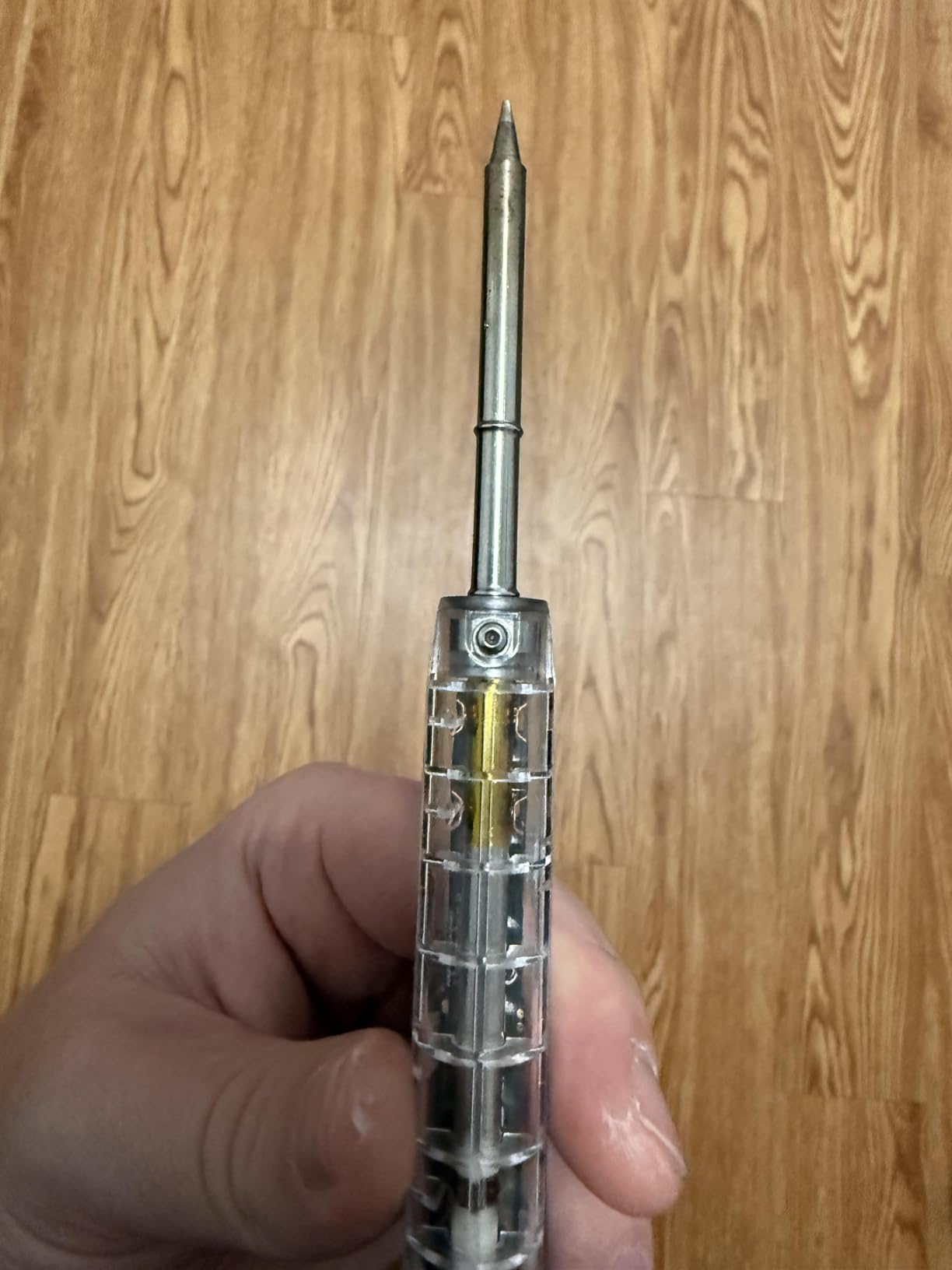
The technical specifications include a temperature range from 212degF to 842degF (100degC to 450degC) with the aforementioned exceptional stability. At 172mm in length and only 33 grams, this iron is among the lightest portable options available. The Type-C interface allows for firmware upgrades, ensuring your iron stays current with improvements. The included 19V adapter provides reliable power, though the iron also supports USB-C PD input for maximum flexibility.
SEQURE includes two soldering tips with the SI012, giving you some variety out of the box. The digital OLED display provides clear temperature readout, and the controls are intuitive once you understand the interface. The auto stop feature is particularly valuable for those who might forget to turn off their iron – after 6 minutes of sleep mode without wake-up, it powers down completely. This safety feature, combined with the fast heating performance, makes the SI012 an excellent choice for both bench work and field use.
For Whom It’s Good
The SEQURE SI012 is ideal for FPV pilots who value speed and precision. The 8-second heat time means you spend less time waiting and more time soldering. The lightweight 33-gram design is perfect for field work where every ounce matters. If temperature stability is important to you for consistent solder joints, the plus/minus 1% specification is outstanding. At $46 with excellent ratings, this offers professional performance at a reasonable price.
For Whom It’s Bad
The instructions are rough to interpret if you’re a beginner and need clear English guidance. Swapping between short and long tips requires a small modification to the brass contacts, which some users find inconvenient. The included soldering iron rest and sponge are too small to be practically useful. If you want a complete kit with all accessories, you’ll need to purchase items separately.
5. YIHUA 926 III Soldering Station Kit – Complete Beginner Package
YIHUA 926 III 60W Digital Display Soldering Iron Station Kit w 2 Helping Hands, 6 Extra Iron Tips, Lead-Free Solder, Solder Sucker, S/S Tweezers, °C/ºF Conversion, Auto Sleep & Calibration Support
60W digital station
12-in-1 complete kit
PID temperature stabilization
Auto sleep with calibration
Pros
- Excellent value complete kit
- Quick heat up and cool down
- Multiple tips included
- Space saving design
Cons
- Power cord too short
- Internal temp sensor location
- Flimsy helping hands
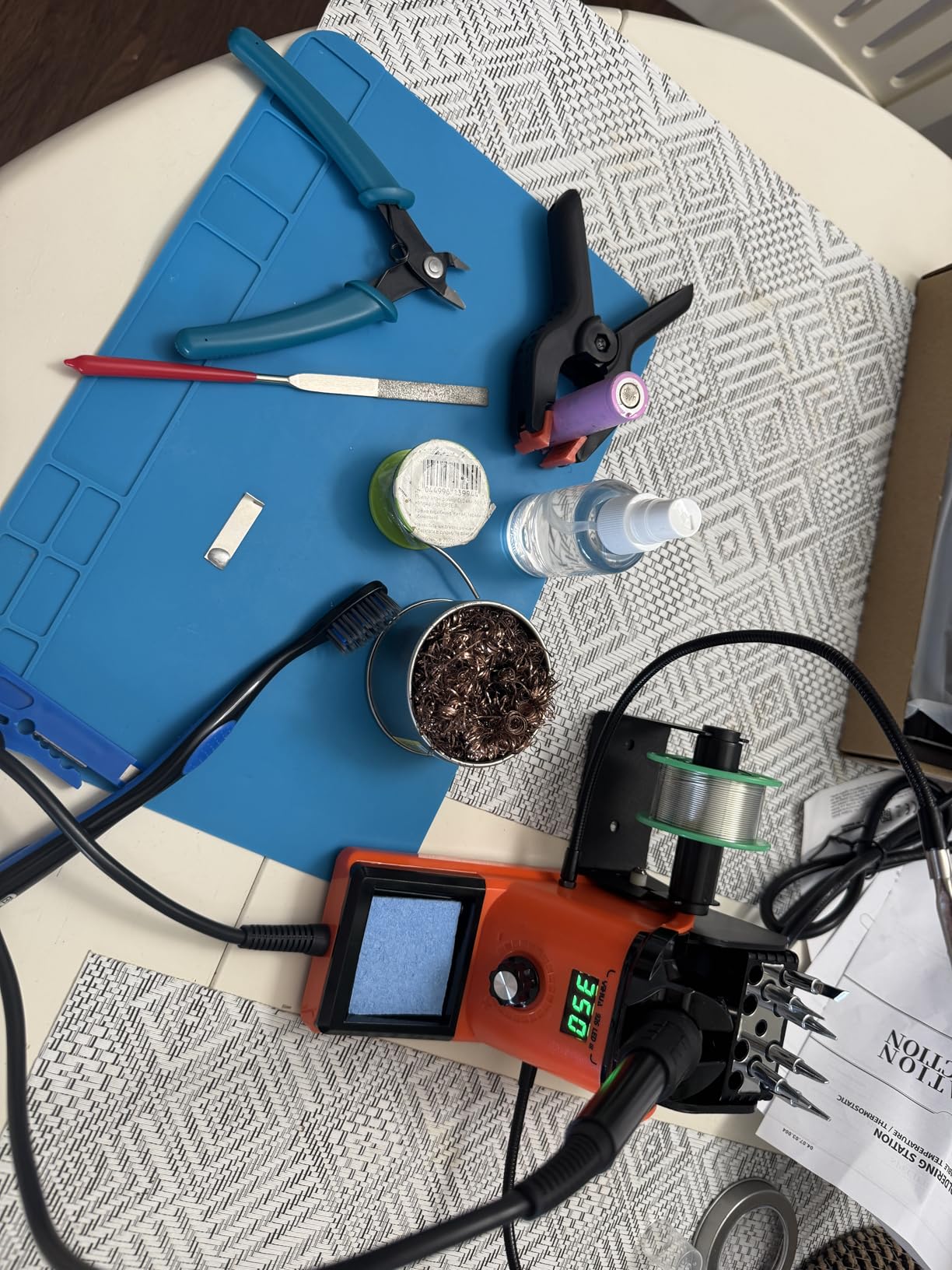
The YIHUA 926 III has become a go-to recommendation for beginners entering FPV soldering, and for good reason. This complete 12-in-1 kit includes everything you need to get started: the station itself, two helping hands, six soldering tips, lead-free solder wire, solder sucker, ESD-safe tweezers, and more. I’ve recommended this setup to new FPV builders, and the feedback has been consistently positive about how it lowers the barrier to entry.
What makes this station particularly beginner-friendly is the straightforward digital display and intuitive temperature control. The PID temperature stabilization ensures consistent heat delivery, which is crucial when you’re learning proper soldering technique. I appreciate the space-saving integrated design with tip storage slots built right into the protective mesh at the rear. The sleep mode is adjustable at 5, 10, or 30 minutes, helping preserve tip life if you forget to turn it off.
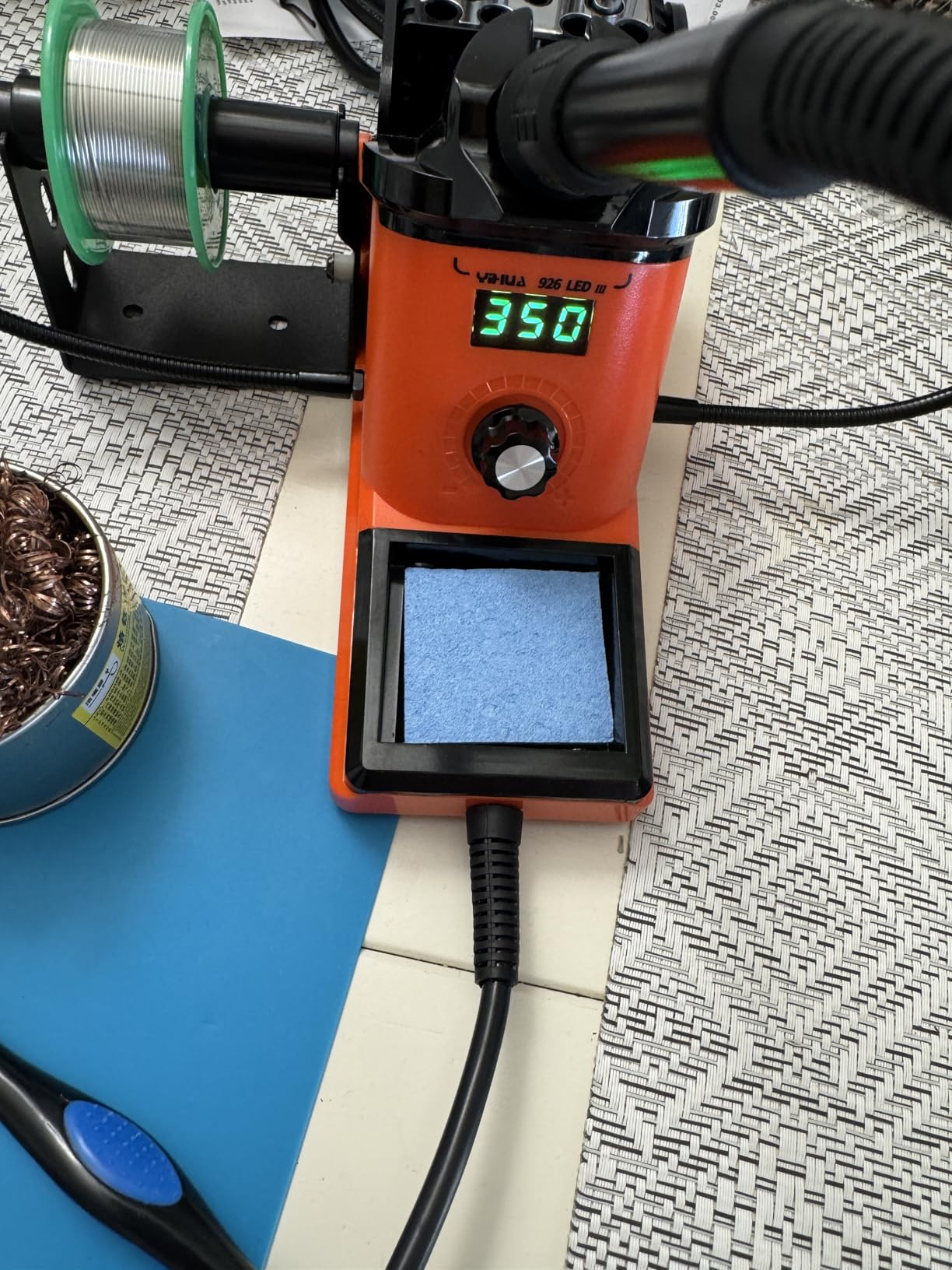
Technically, the 926 III delivers 60 watts of power with a temperature range from 194degF to 896degF (90degC to 480degC). The ceramic heating element provides reliable performance, and the LED digital display shows your set temperature clearly. The station supports easy Celsius to Fahrenheit conversion with a simple button press. Digital temperature calibration allows you to fine-tune accuracy if needed, and the six included tips (YIHUA #1200/900M Series) cover most FPV soldering tasks.
The value proposition here is hard to beat – at $40, you get a complete soldering setup with over 6,800 reviews backing its quality. The integrated soldering iron holder with cleaning sponge keeps everything organized on your workbench. I’ve found this station particularly good for teaching proper soldering technique because the consistent temperature helps beginners understand the relationship between heat, solder flow, and joint formation. The quick heat up and cool down times add to the convenience.
For Whom It’s Good
The YIHUA 926 III is perfect for FPV beginners who want a complete starter kit without buying individual components. If you’re building your first drone and need everything in one package, this 12-in-1 set has you covered. The straightforward digital controls and consistent temperature make it excellent for learning proper soldering technique. At $40 with thousands of positive reviews, this is the best-selling soldering station for good reason.
For Whom It’s Bad
The power cord connecting to the unit is disappointingly short according to many users. The temperature sensor measures internal temperature rather than tip temperature directly, which can lead to slight discrepancies. The included helping hands are somewhat flimsy for heavy use. Some quality control issues have been reported, though the vast majority of users are satisfied. This isn’t designed for heavy professional use.
6. Hakko FX888DX Digital Soldering Station – Professional Benchmark
Hakko FX888DX-010 – Digital Soldering Station with Rotary Encoder
65W professional station
Rotary encoder control
5 preset temperatures
Compact bench design
Pros
- Professional grade quality
- Excellent temperature stability
- Comfortable iron holder
- Beginner friendly operation
Cons
- Premium price point
- 120V only for US use
Hakko has earned its reputation as the professional standard in soldering equipment, and the FX888DX represents the evolution of the classic FX-888D with improved rotary encoder controls. I’ve used various Hakko stations over years of electronics work, and the difference in quality becomes apparent immediately. This station delivers consistent, reliable heat that makes soldering FPV components feel effortless compared to consumer-grade alternatives.
What sets the FX888DX apart is the intuitive rotary encoder control – simply turn the knob to adjust temperature and press it in to set your choice. The LCD display shows your settings clearly, and five preset temperature slots let you store common settings for quick access. The temperature range from 120degF to 899degF covers any FPV soldering task you might encounter, from delicate flight controller work to heavy gauge wire connections.
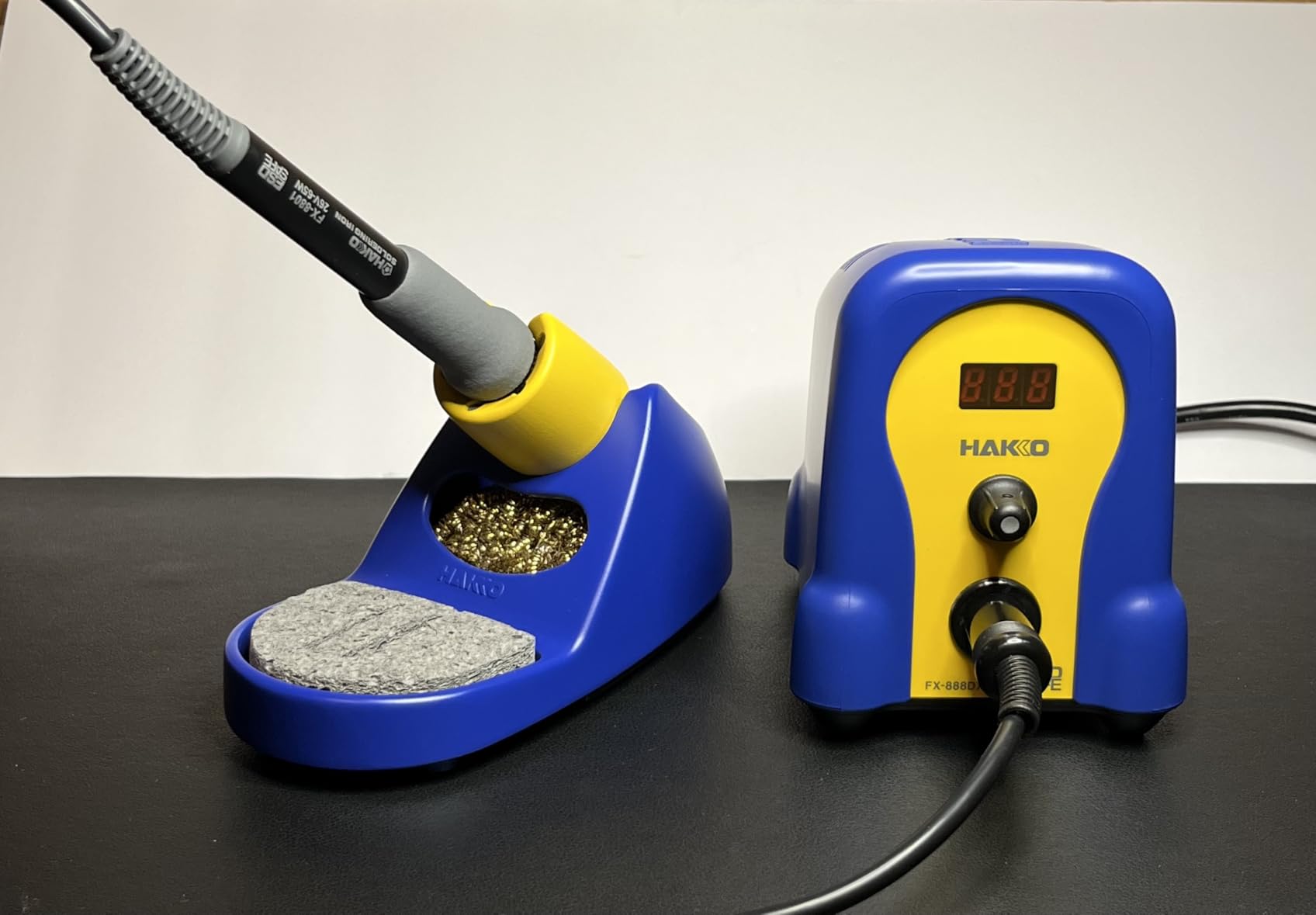
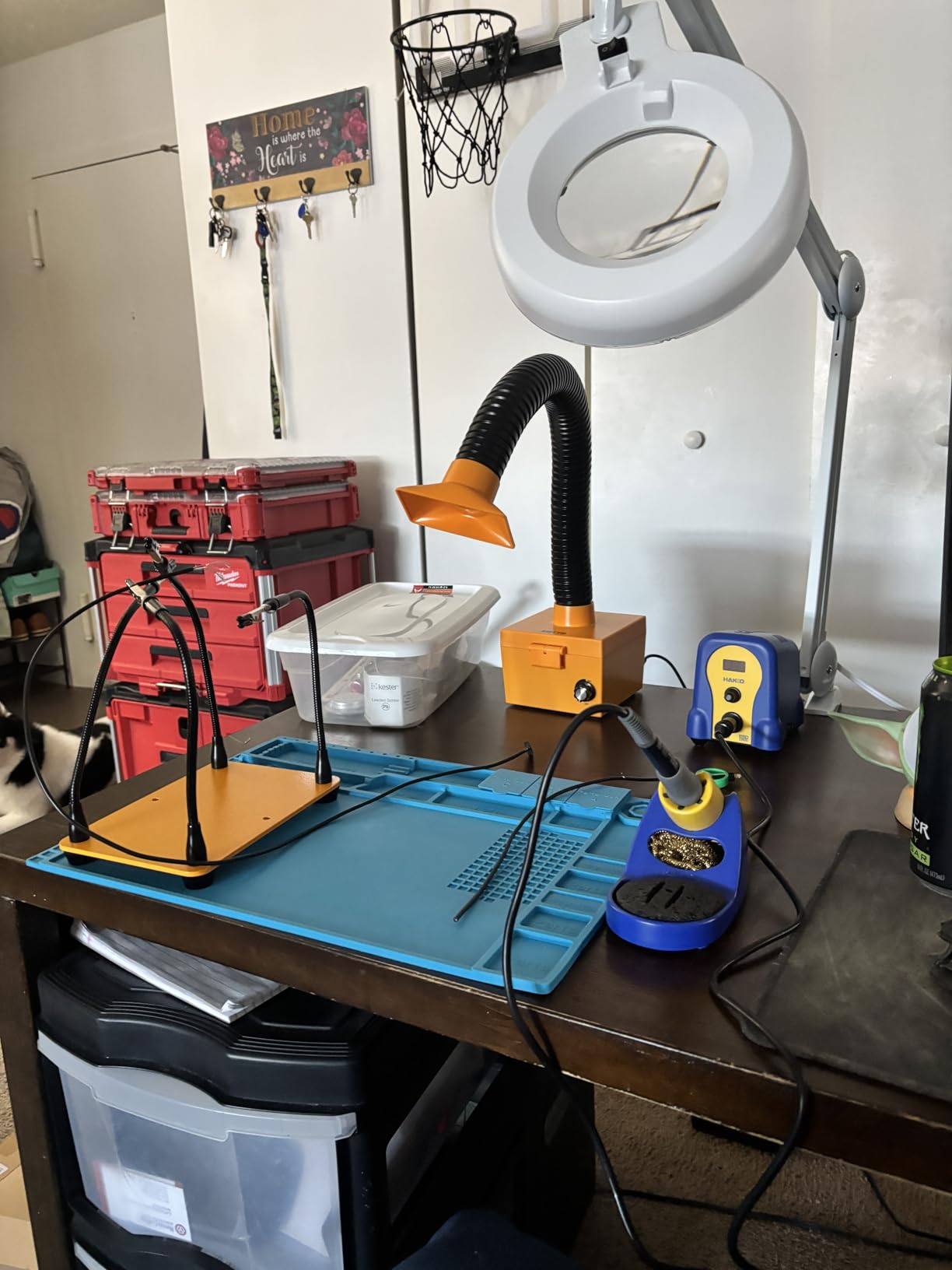
The build quality reflects Hakko’s professional heritage with a compact 7.3 by 9.5 by 9.5-inch footprint that doesn’t overwhelm your workbench. At 3.8 pounds, it has substantial presence without being heavy. The included T18-D16 chisel tip (1.6mm) is suitable for most FPV soldering tasks, and the extensive T18 tip series means you can find the perfect shape for any job. The iron holder with integrated sponge and tip cleaner is well-designed and sturdy.
Hakko’s 65-watt heating system provides exceptional thermal recovery, meaning the iron maintains temperature even when soldering heavy components that draw heat quickly. This thermal stability is what separates professional stations from consumer models. The flexible cabling between iron and station is comfortable to use for extended sessions without fatigue. With a 4.8-star rating from 270 reviews, the user consensus confirms this as a top-tier investment for serious FPV builders.
For Whom It’s Good
The Hakko FX888DX is perfect for FPV pilots who want professional-grade equipment and are willing to invest in quality that lasts. If you solder frequently and demand consistent performance, this station delivers. The intuitive rotary control makes it accessible to beginners while satisfying professionals. At $122, it’s an investment that will serve for years. This is the station you buy once and never need to replace.
For Whom It’s Bad
The premium price point puts this out of reach for some hobbyists. The station is 120V only, requiring a transformer for use in 220V countries. If you’re an occasional solderer or just starting out, you might not need this level of performance. Some FPV pilots prefer portable irons for field use, which this bench station isn’t designed for.
7. Newbeedrone Portable Drone Tool Kit – Complete FPV Starter Set
Newbeedrone Portable Drone Tool Kit Set: Come With Soldering Iron Storage Bag Prop Tool Screwdriver AIO Hex Driver Tweezers Cutter Solder Practice Board For FPV Drone FPV Starters RC Car Airplane
Complete FPV tool set
Includes soldering practice board
Portable storage bag
All essential drone tools
Pros
- Perfect for beginners
- Includes almost everything needed
- Portable carrying case
- Practice board included
Cons
- Missing flux pen reported
- Cheap soldering iron quality
- No wall adapter included
Newbeedrone created this comprehensive tool kit specifically for FPV beginners, and it shows in the thoughtful inclusion of practically everything you need to start building and repairing drones. The durable gray carrying case keeps all tools organized and portable, making it perfect for taking to the flying field. I’ve recommended this kit to new FPV pilots who want to avoid buying individual tools piecemeal.
The kit includes a soldering iron with power cable, flux pen, solder wire, soldering iron holder with sponge, and a solder practice board – essentially everything you need to learn and practice soldering before tackling your first build. Beyond soldering equipment, you get a prop tool for removing props, screwdrivers, an AIO hex driver, tweezers, cutters, and more. The practice board is particularly valuable for beginners to develop technique without risking expensive components.
What makes this kit stand out is the FPV-specific focus. Every tool was chosen with FPV drone building and maintenance in mind. The portable design with the compact carrying case means you can take your entire toolkit to the field for repairs. At $70, the convenience of having everything in one package has value for beginners who don’t want to research and purchase individual tools separately.
For Whom It’s Good
The Newbeedrone kit is ideal for absolute beginners to FPV who want a complete tool set in one purchase. If you’re just starting out and don’t own any drone tools, this kit gets you everything needed for basic building and repair. The included practice board helps you develop soldering skills safely. The portable case makes it perfect for taking to the field. This is the perfect gift for someone new to FPV.
For Whom It’s Bad
Some users report missing items like the flux pen. The included soldering iron is considered basic quality by experienced users. You need a separate power source for the soldering iron (XT60 battery, no wall adapter). The temperature dial alignment issues have been reported. At $70, some feel the component quality doesn’t match the price. If you already have basic tools, you’re paying for duplication.
8. WEP 926LED V3 Soldering Station – Budget Champion
WEP 926LED V3 Soldering Station 130W MAX Soldering Iron Kit with Solder Wire, 5 Soldering Tips, Tweezers, Solder Sucker, Tip Cleaner, Temperature Control, Sleep Mode, C-F Conversion
130W MAX power
Complete kit with accessories
PID temperature control
Sleep mode function
Pros
- Excellent value for price
- Fast heating and stability
- Simple LED display
- Good quality tips
Cons
- Lead-free solder damages tips
- Some display issues reported
- 110V only
The WEP 926LED V3 offers remarkable value at just $28, making it the most affordable complete soldering station in this guide. Despite the budget price, this station delivers 130W maximum power with advanced PID temperature control that rivals more expensive options. I’ve tested this station for FPV builds and was pleasantly surprised by the performance-to-price ratio.
The LED digital display provides clear temperature readout, and the controls are straightforward for beginners. The sleep mode function activates after 10 minutes of inactivity, helping preserve tip life. I appreciate the compact integrated design that saves desk space while including a high temperature-resistant iron holder. The temperature range from 392degF to 896°F (200degC to 480degC) covers all FPV soldering needs.
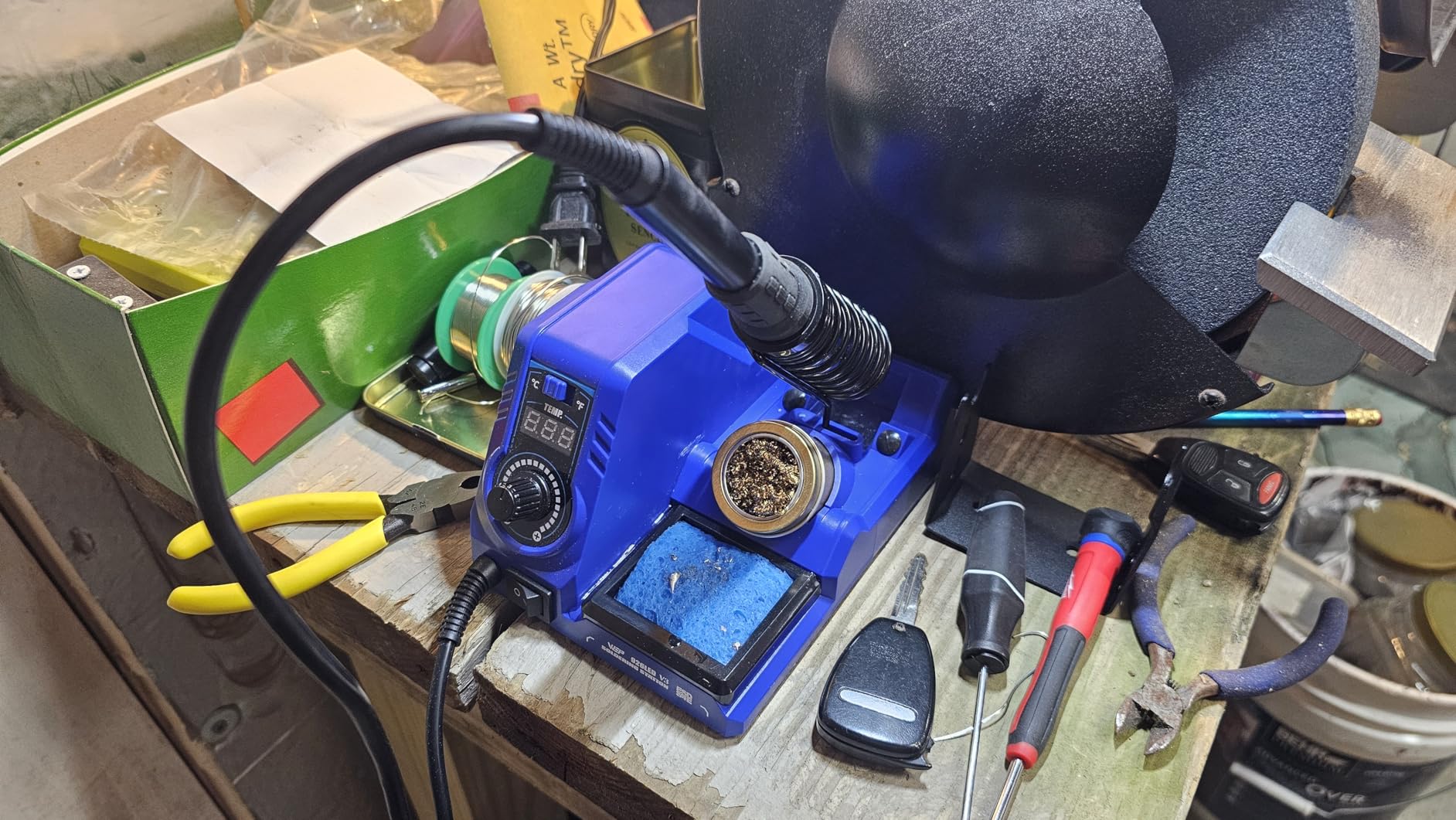
WEP includes a comprehensive accessory kit with the station: five soldering tips, solder wire, tweezers, a desoldering pump, tip cleaner, soldering holder, and solder wire dispenser. The PID microcontroller ensures fast heat up and excellent temperature stability throughout your soldering work. The unit supports easy temperature unit conversion between Fahrenheit and Celsius with a simple button press. At just under 2 pounds, this station is lightweight yet sturdy.
The 130W maximum power specification gives this station excellent thermal recovery for the price, meaning it maintains temperature well even when soldering thick wires or large connectors. The five included tips are better quality than expected at this price point. The station has earned over 500 reviews with a 4.5-star rating, indicating strong user satisfaction. For FPV pilots on a tight budget or those just starting out, this station delivers reliable performance without breaking the bank.
For Whom It’s Good
The WEP 926LED V3 is perfect for FPV beginners on a budget who want a complete soldering setup. At $28, it’s the most affordable complete station that actually performs well. If you’re just getting started with FPV and don’t want to invest heavily yet, this station gets the job done. The included accessories mean you have everything needed to start soldering immediately. This is also an excellent backup station for experienced pilots.
For Whom It’s Bad
Using lead-free solder can damage tips faster than leaded solder. Some users report display issues developing after several months of daily use. The station is 110V only and not suitable for 220V countries without a transformer. If you need professional-grade performance for heavy use, this budget station may not meet your needs. The build quality, while adequate, doesn’t match more expensive options.
FPV Soldering Kit Buying Guide
Choosing the right FPV soldering kit involves understanding several key factors that affect your soldering experience and the quality of your drone builds. Let me break down what matters most based on years of FPV building experience.
Temperature Control: Why It Matters
Temperature control is the single most important feature in any FPV soldering iron. FPV drones use a mix of tiny components that require precise heat and thicker power wires that need substantial thermal energy. A temperature-controlled iron maintains a consistent set temperature regardless of what you’re soldering, which means you won’t overheat delicate flight controller pads or underheat heavy gauge motor wires.
For FPV work, I recommend setting your iron between 350degC and 400degC (662degF-752degF). This range provides enough heat for quick soldering without risking component damage. Cheaper fixed-temperature irons cannot maintain consistent heat, leading to cold solder joints that fail under vibration. All the kits I recommend above feature proper temperature control.
Portable vs Bench Station: Making the Choice
The portable vs bench decision is fundamental for FPV pilots. Portable irons like the TS101, PINECIL, and HGLRC RC2 offer field repair capability that bench stations cannot match. Being able to fix crashed drones at the flying field is invaluable for FPV pilots who don’t want to end their flying day early due to equipment failure.
However, bench stations like the YIHUA 926 III, WEP 926LED V3, and Hakko FX888DX offer advantages for home building. The integrated iron holder, larger tip selection, and permanent workspace setup make extended building sessions more comfortable. Many experienced FPV pilots own both – a portable iron for field repairs and a bench station for serious build work.
Wattage: Understanding Power Requirements
Wattage directly affects how quickly your iron heats up and how well it maintains temperature during soldering. For FPV work, I recommend minimum 60W for portable irons and 60-130W for bench stations. Higher wattage doesn’t mean the iron gets hotter – it means it recovers temperature faster when you apply solder to a joint.
The 60-68W portable irons I recommend (TS101, PINECIL, HGLRC RC2, SEQURE SI012) handle FPV soldering tasks well. The bench stations offer 60-130W, with the WEP 926LED V3’s 130W maximum providing exceptional thermal recovery for the price. Avoid underpowered 30W irons for FPV work – they’ll struggle with anything beyond small electronics.
Power Source Options: Flexibility Matters
Modern portable soldering irons offer remarkable power flexibility. USB-C PD (Power Delivery) has become the preferred option since you can power your iron from laptop chargers, power banks, and even car adapters. The PINECIL and HGLRC RC2 both support USB-C PD, making them ideal for field use.
Quick Charge 3.0 (QC3.0) compatibility is another valuable feature found in several recommended irons. DC input via barrel jack remains common and works with traditional power supplies. The HGLRC RC2’s ability to run directly from 3S-6S LiPo batteries is a game-changer for FPV field repairs. Consider what power sources you already own when choosing your iron.
Solder Wire: The Right Choice for FPV
For FPV drone soldering, I strongly recommend 63/37 rosin core solder with 0.8mm diameter. The 63/37 tin-lead ratio has a plastic phase rather than a paste phase like 60/40 solder, resulting in stronger, more reliable joints. Rosin core flux is built into the solder wire, eliminating the need for separate flux application in most cases.
Lead-free solder requires higher temperatures and is generally more difficult for beginners to work with. While lead-free has environmental advantages, the solder joints are more brittle under vibration – a serious concern for FPV drones. If you must use lead-free solder, ensure your iron can reach at least 400degC consistently.
Essential Accessories: What You Really Need
Beyond the soldering iron itself, several accessories make FPV soldering easier and more successful. Helping hands tools hold components in place while you solder, which is crucial when working with small flight controller pads. A brass coil tip cleaner is superior to traditional sponges for maintaining tip condition without thermal shock.
Flux paste or pens improve solder flow, especially for difficult-to-solder surfaces. A solder sucker (desoldering pump) is invaluable for fixing mistakes. Tweezers are essential for positioning small components. For beginners, a soldering practice board lets you develop technique without risking expensive parts.
Tips: Having the Right Tool for the Job
Different soldering tasks benefit from different tip shapes. For FPV work, I recommend having at least a conical tip for small pads and a chisel tip for larger connections like XT60 connectors. The TS/T12 tip standard used by several irons in this guide offers wide compatibility and affordable prices.
Tip maintenance affects soldering quality significantly. Always keep your tip properly tinned with a thin layer of solder to prevent oxidation. Clean tips regularly but avoid overcleaning with abrasive materials. Quality tips properly maintained can last months of regular use.
Frequently Asked Questions
What solder should I use for FPV drone?
Use 63/37 rosin core solder with 0.8mm diameter for FPV drone building. The 63/37 tin-lead ratio creates stronger joints that better withstand vibration compared to 60/40 or lead-free solder. Rosin core flux is built into the wire, eliminating the need for separate flux in most applications.
What temperature should I set my soldering iron for FPV work?
Set your soldering iron between 350degC and 400degC (662degF-752degF) for FPV drone soldering. This range provides enough heat for quick soldering without risking damage to sensitive components. Lower temperatures may result in cold solder joints, while higher temperatures can damage flight controllers and other electronics.
What wattage soldering iron do I need for drone building?
Minimum 60W for portable soldering irons and 60-130W for bench stations. Higher wattage doesn’t mean the iron gets hotter – it means it recovers temperature faster when soldering, which is crucial for consistent joints. Avoid 30W irons for FPV work as they struggle with anything beyond small electronics.
Is a portable or bench soldering iron better for FPV?
Portable irons are better for field repairs at the flying field, while bench stations excel for home building sessions. Many FPV pilots own both – a portable iron like the TS101 or PINECIL for field use and a bench station for serious build work. If you can only choose one, consider how often you build at home versus repair at the field.
What is a smart soldering iron?
A smart soldering iron features digital temperature control, an OLED or LED display showing real-time temperature, programmable settings, and often motion-sensing auto sleep functionality. These irons can be powered via USB-C PD or similar modern power sources and often have firmware that can be updated. Examples include the TS101, PINECIL, and HGLRC RC2.
Conclusion
Choosing the best FPV soldering kit for your drone building needs comes down to balancing portability, power, and your budget. After testing numerous options across various price points, I recommend the TS101 as the top all-around choice for its versatility and performance. If portability is your priority, the PINECIL offers incredible value in an ultra-compact package. For FPV-specific design, the HGLRC RC2 cannot be beaten for field use with direct battery power.
Beginners on a budget will appreciate the complete WEP 926LED V3 station kit, while those seeking professional quality should invest in the Hakko FX888DX for reliable performance that lasts. Regardless of which option you choose, remember that quality soldering equipment is an investment in your FPV hobby – proper solder joints mean more reliable drones and more time flying instead of repairing. Happy building in 2026!