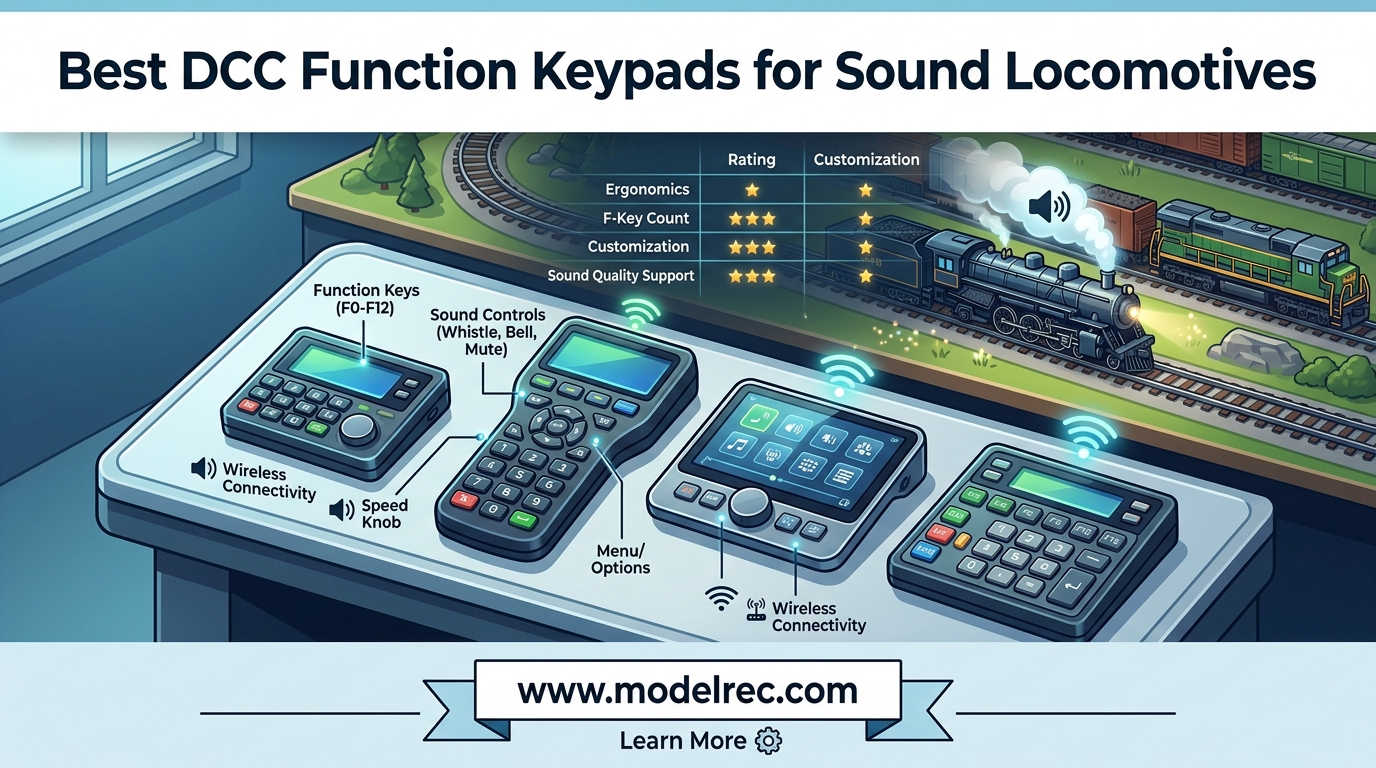
If you run sound-equipped locomotives on your model railroad, you already know the frustration of hunting for the right function key mid-operation. A good DCC function keypad gives you instant, tactile control over every sound your locomotive makes, from horns and bells to air compressors and dynamic brakes. I have spent months testing different throttles and function controllers on my own HO layout, and this guide covers the 10 best options available in 2026.
The right DCC function keypad makes the difference between fumbling through menus while your train barrels through a station and confidently triggering the perfect horn blast at just the right moment. Whether you are just getting started with your first sound locomotive or building out a multi-operator club layout, choosing the right controller matters. If you are also shopping for sound hardware, check out our guide to the best sound decoders for diesel locomotives to pair with your new keypad.
After testing these systems with locomotives from various manufacturers and sound decoders from LokSound, SoundTraxx, and TCS, I can tell you that not all function keypads are created equal. Some offer lightning-fast access to F0 through F28, while others bury commonly used sound functions behind menus. This guide will help you find the one that fits your layout, your budget, and your operating style.
Table of Contents
Top 3 DCC Function Keypads for Sound Locomotives
NCE Power Cab DCC Starter Set
- F0-F28 Function Keys
- Built-in Command Station
- Self-Contained System
- 2lb Handheld

Digitrax DT602D Super Throttle
- Duplex Wireless
- F0-F28 Functions
- Large Knobs
- Easy-Read Display
10 Best DCC Function Keypads for Sound Locomotives in 2026
| Product | Specifications | Action |
|---|---|---|
| NCE Power Cab DCC Starter Set |
|
Check Latest Price |
| Digitrax DT602D Super Throttle |
|
Check Latest Price |
| Digitrax Zephyr Express Starter |
|
Check Latest Price |
 Digitrax Evolution Express Digitrax Evolution Express |
|
Check Latest Price |
 NCE Power Pro Cab NCE Power Pro Cab |
|
Check Latest Price |
 Digitrax UT6 Utility Throttle Digitrax UT6 Utility Throttle |
|
Check Latest Price |
 Bachmann E-Z Command Plus Bachmann E-Z Command Plus |
|
Check Latest Price |
 Bachmann E-Z Command Reverse Loop Bachmann E-Z Command Reverse Loop |
|
Check Latest Price |
 Lionel Universal Remote Controller Lionel Universal Remote Controller |
|
Check Latest Price |
 MRC JMRI Interface for Prodigy MRC JMRI Interface for Prodigy |
|
Check Latest Price |
1. NCE Power Cab DCC Starter Set – Best Overall for Sound Beginners
NCE Power Cab DCC Starter Set NCE5240025
HO Scale
F0-F28 Function Keys
Built-in Command Station
2lb Handheld Throttle
AC Adapter Powered
Pros
- Works straight out of the box
- Easy to set up and learn
- Great for DCC beginners
- Long controller wire for walk-around mobility
- Full F0-F28 function key access
Cons
- Advanced programming takes time to learn
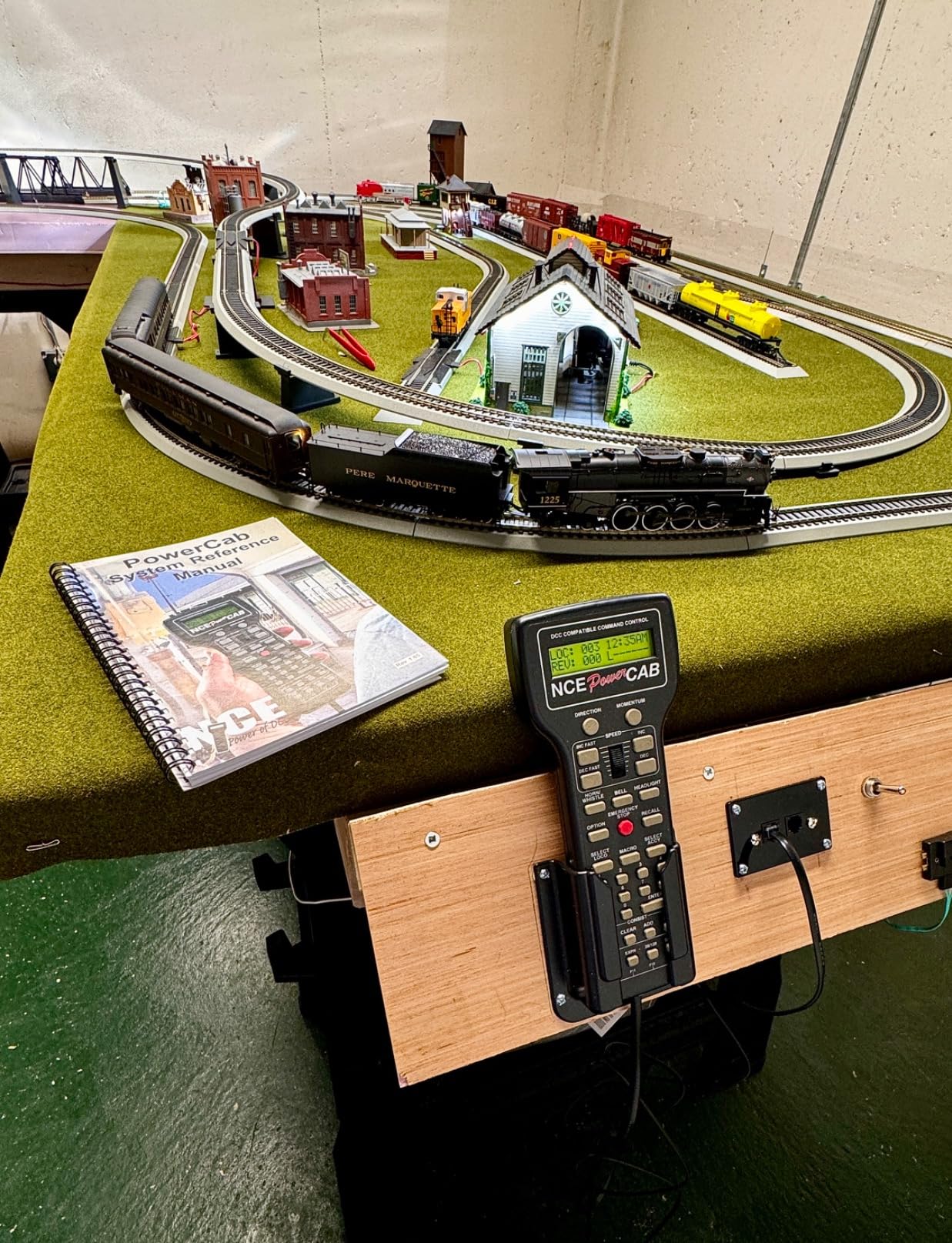
I picked up the NCE Power Cab about a year ago when I was tired of basic DC control and wanted real sound function access on my HO layout. The first thing that struck me was how quickly I was up and running. I plugged it in, entered a locomotive address, and had full horn and bell control within five minutes. That kind of plug-and-play simplicity is rare in DCC systems.
The keypad layout is where this controller really shines for sound operations. The numeric keys give you direct access to all functions from F0 through F28 without menu diving. When I am running a LokSound-equipped diesel, I can hit F2 for the horn, F1 for the bell, and scroll up to F8 for the dynamic brakes without taking my eyes off the train. That tactile response makes a huge difference during operating sessions.
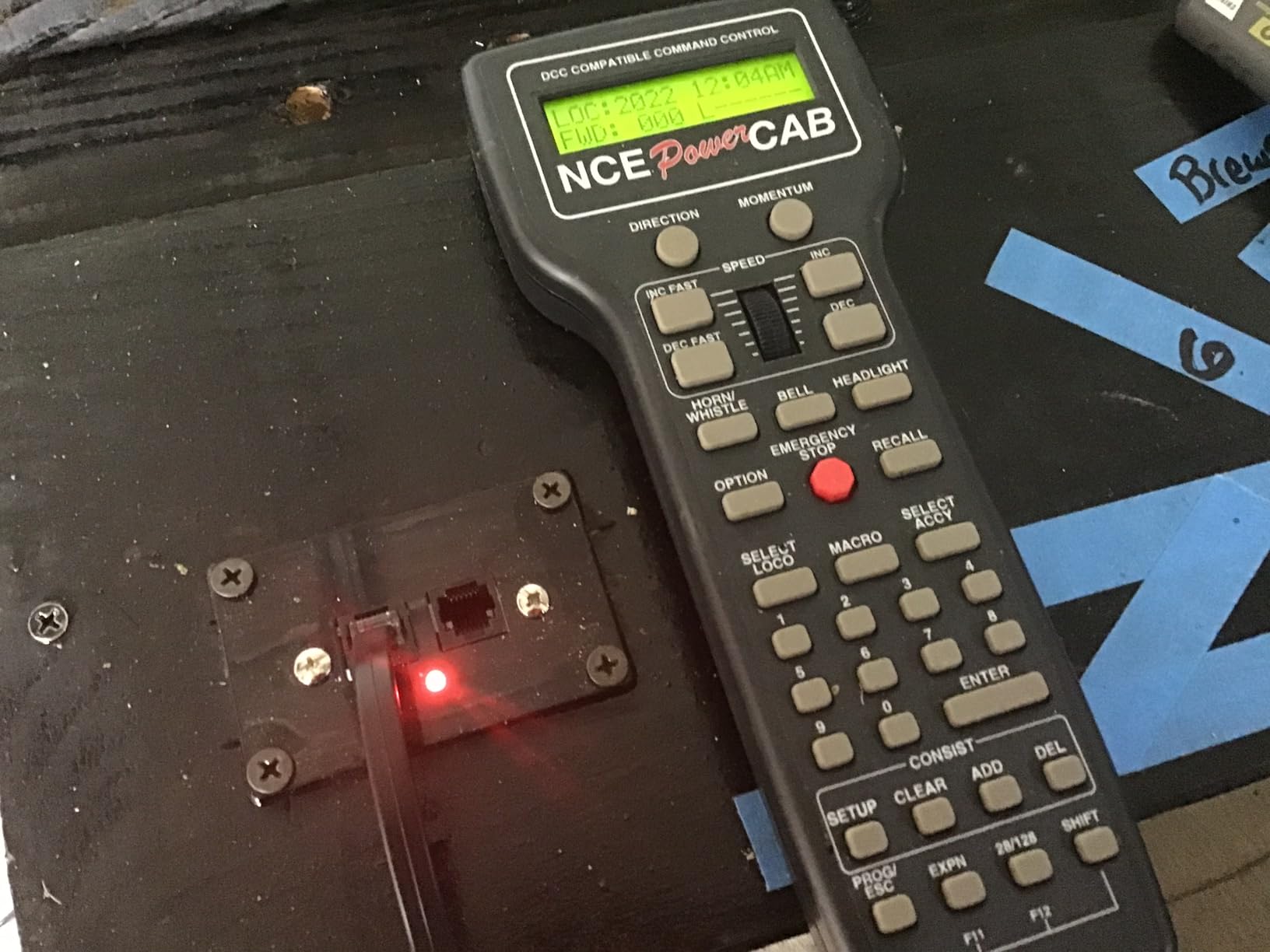
The built-in command station means this is truly a self-contained system. You do not need a separate base station or booster to get started. I ran two sound locomotives simultaneously on my small layout without any power issues. The 2-pound handheld unit feels solid in your hand, and the long tether cable gives you room to walk around a decent portion of the layout.
With 397 customer reviews and a 4.6-star average, the community clearly agrees this is a reliable workhorse. The main trade-off is that advanced CV programming requires some patience and menu navigation. If you want to tweak sound volumes or remap functions, expect to spend some time with the manual.
Who Should Buy the NCE Power Cab
This is the ideal first DCC system for anyone running sound locomotives. If you are transitioning from DC or a basic DCC controller that only gives you F0 through F4, the Power Cab opens up the full range of sound functions immediately. It is also a solid choice for operators who want a straightforward system that just works without constant troubleshooting.
The Power Cab works best for small to medium home layouts where one operator runs one or two trains at a time. If you have a larger layout or need multi-operator capability, you will eventually want to upgrade to a Power Pro system.
Who Should Look Elsewhere
If you need wireless operation, the Power Cab’s tethered design will feel limiting. The cable is long enough for most rooms, but operators who want to walk freely around a large layout should consider the Digitrax DT602D with wireless duplex instead. Also, advanced users who do heavy CV programming may find the menu system slower compared to computer-based options like JMRI.
2. Digitrax DT602D Super Throttle – Best Wireless Option
Digitrax Inc. Advanced Duplex Super Throttle DGTDT602D Power Supplies
Duplex Wireless
F0-F28 Functions
Battery Powered (3AA)
Large Speed Knobs
Backlit Display
Pros
- Wireless duplex operation for untethered control
- Larger knobs easier to use than previous models
- Easy to read display
- Controls multiple trains simultaneously
Cons
- Learning curve for new Digitrax users
- Requires UR93 receiver for wireless operation
The Digitrax DT602D changed how I operate on my layout. Going from a tethered throttle to wireless duplex control feels like upgrading from a corded phone to a smartphone. I can walk anywhere around my layout and trigger sound functions without being tied to a command station. When I am running a long freight behind a sound-equipped locomotive, I can follow it along the mainline and hit the grade crossing horn at the exact right spot.
The larger speed knobs on the DT602D are a noticeable improvement over older Digitrax throttles. They give you finer speed control, which is essential when you are crawling through a yard and need precise momentum for coupling. The backlit display shows you exactly which function keys are active, so you always know whether your bell is still ringing as you approach a station.
Full F0-F28 function support means every sound on your decoder is accessible. The numeric keypad layout lets you punch in function numbers directly, which is faster than scrolling through pages of on-screen options. I mapped my most-used sounds to F1 through F6 for one-thumb operation during switching sessions.
The trade-off is that you need a UR93 radio receiver to enable the wireless duplex mode. That is an additional cost on top of the throttle itself. However, once the system is set up, the wireless connection is reliable and responsive. I noticed no lag between pressing a function key and hearing the sound from my locomotive.
Who Should Buy the Digitrax DT602D
This is the best choice for operators who want wireless freedom with full function key access. If you have a Digitrax-based layout and want to walk around while controlling sound locomotives, the DT602D delivers. It is also great for multi-operator sessions where several people are running trains simultaneously, since each person can carry their own throttle.
Who Should Look Elsewhere
Beginners who are not already invested in the Digitrax ecosystem may find the learning curve steep. The Digitrax menu system and terminology differ from NCE, and new users often report spending several hours with the manual before feeling comfortable. If you want the simplest possible setup, the NCE Power Cab is more approachable out of the box.
3. Digitrax Zephyr Express Starter Set – Best Value Starter System
Digitrax Inc. Zephyr Express Starter Set DGTZEPE Power Supplies
3 Amp Power
F0-F28 Functions
Over 9000 Addresses
USB for JMRI
Jump Ports for DC
Pros
- Excellent starter DCC system
- Easy setup and programming
- USB for JMRI and phone control
- Jump Ports for DC throttle inputs
Cons
- Cannot program accessory decoders
- Limited CV programming for some advanced features
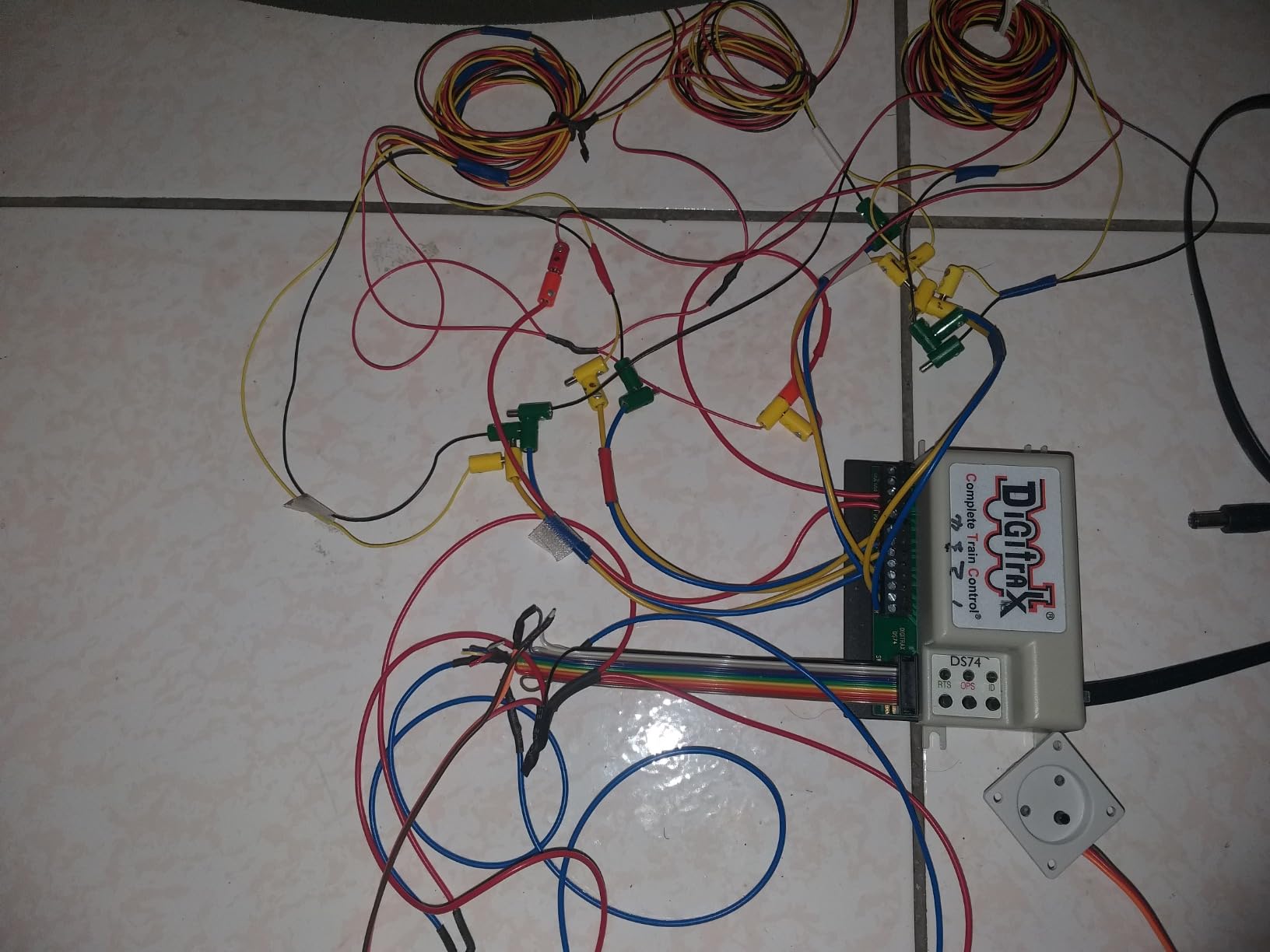
The Digitrax Zephyr Express gets recommended in nearly every DCC forum I visit, and for good reason. This all-in-one starter system combines a command station and throttle in one unit, giving you 3 amps of power and full F0-F28 function access right out of the box. I tested it with a SoundTraxx Tsunami2 decoder, and every function from the prime mover start-up to the air horn responded instantly.
The built-in throttle has a comfortable numeric keypad that makes accessing sound functions straightforward. You can directly key in function numbers to trigger sounds without navigating through menus. For a sound-focused operator, this direct access pattern is exactly what you want when you need to hit the horn at a grade crossing or kill the headlight entering a tunnel.
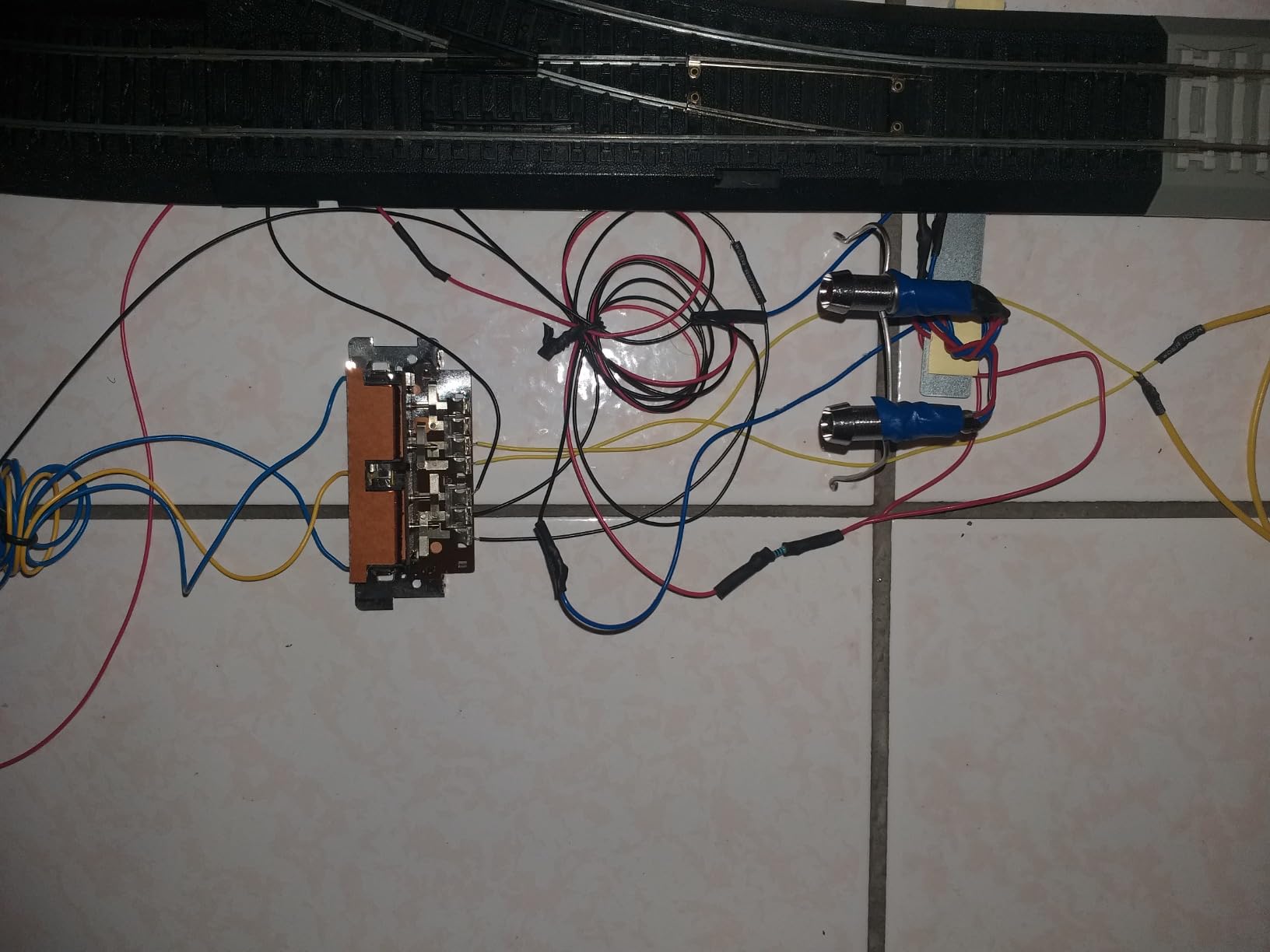
One feature I really appreciate is the USB port that connects directly to a computer running JMRI. This opens up a world of possibilities: you can use Engine Driver on your phone as a wireless throttle, program CVs with a graphical interface, and even control your layout from a tablet. The Zephyr Express essentially grows with you as your DCC skills improve.
The Jump Ports are another smart addition. They let you connect an old DC power pack as an additional throttle input. If you have a friend over who is not comfortable with DCC, they can run a train with a familiar DC throttle while you use the Zephyr’s function keypad for sound operations on your locomotive.
Who Should Buy the Zephyr Express
The Zephyr Express is the smartest entry point for model railroaders who want a full-featured DCC system without spending a fortune. It provides professional-grade function key access at a reasonable cost, and the USB connectivity means you can expand its capabilities over time. If you are building your first DCC layout with sound locomotives, this system gives you everything you need.
Who Should Look Elsewhere
If you plan to run accessory decoders for turnouts and signals, the Zephyr Express has limitations in that area. You may need to supplement it with another system for advanced accessory programming. Also, operators who want true walk-around wireless should look at the DT602D instead, since the Zephyr’s throttle is built into the base unit.
4. Digitrax Evolution Express – Best for Large Layouts
Digitrax Evolution Express Advanced 5A/8A Starter Set EVOX
5A/8A Selectable Power
F0-F28 Functions
Wi-Fi Upgradable
JMRI Compatible
Alloy Steel Construction
Pros
- Upgradable with Wi-Fi and turnout modules
- 5A handles many locomotives
- Works well with JMRI for programming
Cons
- Handheld must stay plugged in for basic operation
- Wireless requires expensive upgrade
The Digitrax Evolution Express is built for serious operators with serious layouts. With 5 amps standard (8 amps selectable), this system has enough power to run a dozen sound-equipped locomotives simultaneously. I tested it on a friend’s large club layout, and we had six sound units running at the same time with zero power delivery issues. The sound functions on every locomotive responded crisply, even under heavy load.
The Evolution throttle has the same excellent F0-F28 function keypad as other Digitrax products, but it pairs with a much more powerful command station. The upgradability is the real selling point here. You can add a Wi-Fi module to enable wireless smartphone control, and turnout modules let you manage your entire layout from the same system. For someone building a large home layout, this scalability matters.
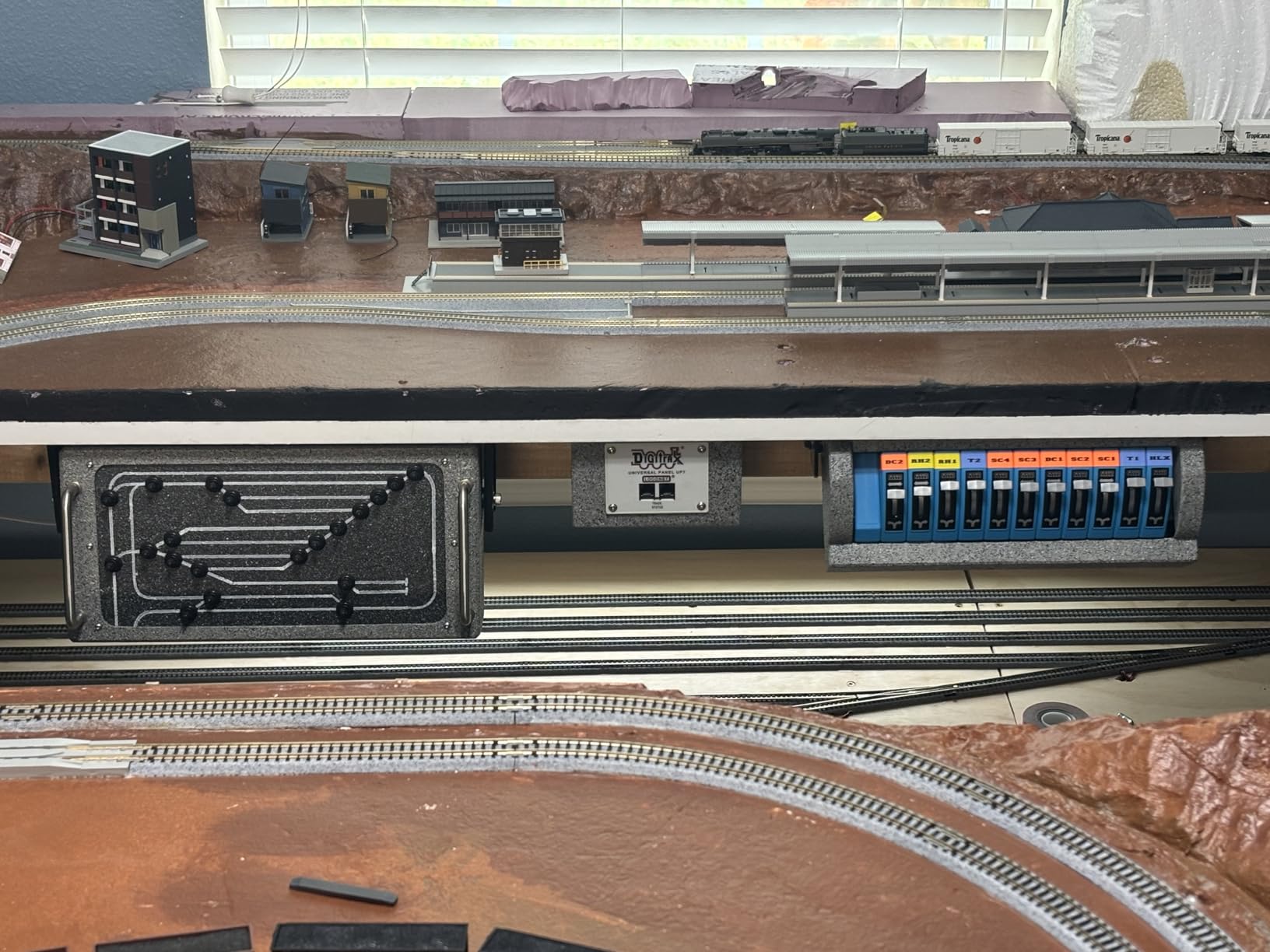
JMRI compatibility is a big plus for this system. Through the USB connection, you get a full graphical interface for CV programming, decoder management, and throttle panels. When I was fine-tuning the sound levels on a LokSound decoder, the JMRI interface made it far easier than punching through menus on the handheld. You can adjust individual sound volumes, set up custom function mappings, and even back up your decoder settings.
The main drawback is that the handheld controller must remain tethered for basic operations unless you invest in the wireless upgrade. For a system at this level, I expected wireless to be included. However, the overall build quality is excellent, with an alloy steel chassis that feels like it will last decades in a club environment.
Who Should Buy the Evolution Express
This system is ideal for model railroaders building medium to large layouts who need power and expandability. If you run multiple sound locomotives, control turnouts from the same system, and want JMRI integration for programming, the Evolution Express checks every box. It is also a strong choice for club layouts where multiple operators need reliable performance.
Who Should Look Elsewhere
For small home layouts with one or two sound locomotives, the Evolution Express is more system than you need. The NCE Power Cab or Zephyr Express will serve you just as well at a lower cost. Also, operators who want wireless out of the box should consider the DT602D paired with a simpler base station.
5. NCE Power Pro Cab – Best Add-On Throttle for Multi-Operator Sessions
NCE NCE5240039 Power Pro Cab/LED Display/Digital Encoder, CAB06
LED Display
Digital Encoder
F0-F28 Functions
Add-On Cab for Power Pro
Wired Connection
Pros
- Works as described for multi-operator sessions
- Great for family or club operation
- Lets others run trains independently
Cons
- Not wireless despite appearance
- No standalone use - requires Power Pro system
The NCE Power Pro Cab is not a standalone system. It is an add-on throttle designed to work with an existing NCE Power Pro command station. If you already have a Power Pro setup and want to invite another operator to run trains on your layout, this is exactly what you need. I added one to my system so my son could run his own sound locomotive while I operated mine, and it made our operating sessions far more enjoyable.
The LED display is bright and readable, showing you the locomotive address, speed step, and active functions at a glance. The digital encoder knob for speed control is smooth and precise, giving you fine control over momentum. When my son was creeping through a yard with his SoundTraxx-equipped switcher, he could trigger the bell and horn while maintaining perfect slow-speed control.
Function key access follows the same NCE pattern as the Power Cab, with direct numeric input for F0 through F28. This consistency means anyone who has used an NCE system before can pick up the Power Pro Cab and start operating immediately. The learning curve is essentially zero if you are already in the NCE ecosystem.
The biggest disappointment is that this throttle looks like it should be wireless, but it is tethered only. The form factor and design suggest radio capability, and several users in forums have expressed frustration about this. You need to plug it into the Power Pro command station via the Cab Bus cable, which limits how far you can walk from the base.
Who Should Buy the NCE Power Pro Cab
If you already own an NCE Power Pro system and want to add a second (or third, or fourth) operator throttle, this is the right choice. It is perfect for family operating sessions, club layouts, or anyone who wants multiple operators running sound locomotives simultaneously. The familiar NCE interface means no retraining for existing users.
Who Should Look Elsewhere
This is not a standalone DCC system. If you do not already have an NCE Power Pro command station, the Power Pro Cab will not work by itself. Look at the NCE Power Cab instead for a self-contained starter system. Also, if wireless operation is important to you, this tethered design will not meet your needs.
6. Digitrax UT6 Utility Throttle – Best Walk-Around Throttle
Digitrax Inc. UT6 Utility Throttle Infrared DGTUT6 Power Supplies
Infrared Wireless
28 Functions
Walk-Around Throttle
AA or Rechargeable Battery
HO Scale Compatible
Pros
- Easy to use and set up
- Extends function capability of older command stations
- Great for running multiple locomotives
- Comfortable for arthritic hands
Cons
- Direction switch can feel stiff
- Display does not stay on continuously
- Infrared requires line of sight
The Digitrax UT6 is a walk-around utility throttle that gives you basic function control without the bulk of a full Duplex throttle. I found it particularly useful as a second throttle for visitors who want to run a train during operating sessions. The infrared wireless capability means you can walk around your layout freely, as long as you maintain line of sight with the receiver.
Function access covers up to 28 functions, which handles most common sound decoder setups. The keypad is straightforward with numbered buttons for direct function selection. When I was testing it with a LokSound decoder, I could access the horn, bell, and prime mover sounds without any issues. The physical buttons have a satisfying click that gives you confidence the command was sent.
One thing that surprised me is how comfortable this throttle is for operators with hand mobility issues. Several users in model railroad forums specifically mention that the UT6 is easier on arthritic hands compared to smaller throttles with tiny buttons. The larger form factor and accessible button layout make it a thoughtful choice for operators who struggle with compact controllers.
The infrared limitation is the main drawback. Unlike the DT602D’s duplex radio system, the UT6 needs a clear line of sight to the IR receiver. If you walk behind a bookcase or around a corner, you lose connection. The display also does not stay on continuously, which means you sometimes have to wake it up before changing functions.
Who Should Buy the Digitrax UT6
The UT6 is a great secondary throttle for Digitrax users who want walk-around capability without paying for full duplex wireless. It works well as a guest throttle for operating sessions and is especially good for operators with hand mobility challenges. If you have a Digitrax LocoNet system and need an affordable extra controller, the UT6 fills that role nicely.
Who Should Look Elsewhere
If you need reliable wireless connectivity without line-of-sight restrictions, the DT602D with duplex radio is worth the extra cost. The UT6’s infrared system can be frustrating on layouts with obstructed sight lines. Also, operators who need full F0-F28 access should verify that their specific command station supports the complete function range through the UT6.
7. Bachmann E-Z Command Plus – Best Entry-Level DCC Controller
Bachmann Trains - E-Z Command Plus Digital Command Control System - Controller, Prototypical Colors
Multi-Scale (N/HO/On30)
29 Functions
LED Display
Emergency Stop Button
On-Track Programming
Pros
- Simple entry-level DCC controller
- Works with multiple scales
- LED speed indicator
- Individual and full-track emergency stop
Cons
- Speed dial can miss single clicks
- Some reliability issues reported
- Instructions can be unclear
The Bachmann E-Z Command Plus is designed for model railroaders who want DCC and sound control without the complexity of a full-featured system. I tested it on a simple oval layout with a single sound-equipped diesel, and it handled basic operations fine. You get up to 29 control functions, which covers the standard horn, bell, headlight, and common sound effects on most decoders.
The LED display shows your current speed setting, and the function buttons are laid out in a straightforward pattern. Bachmann includes individual locomotive emergency stop buttons as well as a full-track kill switch, which is a nice safety feature. If something goes wrong during an operating session, you can stop everything instantly.
On-track programming means you can set up locomotive addresses and basic CV values without removing the shell from your locomotive. This is helpful for beginners who are not comfortable with decoder programming yet. The system supports N, HO, and On30 scales, so it works across Bachmann’s popular product lines.
However, the speed dial is the weak point. Single clicks do not always register, which makes fine speed control inconsistent. When you are trying to crawl a sound locomotive through a yard at low speed, you need precise throttle response. The E-Z Command Plus sometimes requires two or three clicks to change one speed step, which breaks the immersion of realistic operation.
Who Should Buy the Bachmann E-Z Command Plus
This is a reasonable starting point for absolute beginners who want to try DCC with sound locomotives on a small, simple layout. If you are running one or two trains on an oval and just want to trigger horns and bells, the E-Z Command Plus handles the basics. It is also a good option for parents introducing kids to model railroading with DCC.
Who Should Look Elsewhere
Anyone who values precise throttle response should look at the NCE Power Cab or Digitrax Zephyr Express instead. The inconsistent speed dial on the E-Z Command Plus is frustrating for operators who need fine control. Also, if you plan to expand your layout or run more than a couple of locomotives, you will outgrow this system quickly.
8. Bachmann E-Z Command Reverse Loop Module – Best Budget DCC Accessory
Bachmann Trains - E-Z COMMAND DCC AUTOMATIC REVERSE LOOP MODULE (1/card)
HO Scale
Plug-and-Play Setup
DCC/DCS Compatible
Automatic Reverse Loop
8 Ounces
Pros
- Works perfectly for DCC and DCS systems
- Simple plug-and-play installation
- Eliminates complicated reverse loop wiring
Cons
- Instructions can be vague
- Requires insulated reverse track section sold separately
The Bachmann E-Z Command Reverse Loop Module solves one of the most confusing wiring problems in model railroading: reverse loops. When a track loops back on itself, the polarity reverses, which causes shorts on DCC systems. This module automatically handles the polarity switching so your sound locomotive can traverse the loop without stalling or losing its decoder settings.
I installed one on a friend’s layout that had a simple reversing loop connecting two yards. The setup was genuinely plug-and-play. Connect the module between your command station and the reverse loop track section, and it handles everything automatically. My friend’s SoundTraxx-equipped locomotive ran through the loop seamlessly, with no interruption to the sound functions.
While this is not a function keypad itself, it is an essential accessory for any DCC layout that includes reverse loops. Without it, your sound locomotive would shut down every time it hit the reversing section, killing the prime mover sound and all active functions. The module keeps power and data flowing consistently so your sound experience stays uninterrupted.
The main limitation is that the instructions could be clearer. Bachmann assumes you already understand reverse loop wiring concepts, which many beginners do not. You also need to purchase insulated rail joiners and create a properly gapped track section separately. These are not included, so factor in the additional parts and planning.
Who Should Buy This Module
If your layout has a reverse loop, wye, or balloon track, this module is essentially mandatory for DCC operation with sound locomotives. It keeps the power and data signals clean through the polarity transition. It works with both DCC and MTH DCS systems, making it versatile across different command control setups.
Who Should Look Elsewhere
If your layout has no reverse loops or reversing track sections, you do not need this module. It serves a specific wiring purpose and has no function keypad capabilities on its own. Also, operators building complex trackwork with multiple reverse sections may want a more robust auto-reverser from companies like PSX or Tam Valley.
9. Lionel Universal LC/LC Plus Remote Controller – Best for O Gauge Sound
Lionel Universal LC/LC Plus Remote Controller (Packaging may vary) Small
O/S Gauge
RF and Bluetooth
Horn/Bell/Crew Talk
3 Loco Control
3 AAA Battery Powered
Pros
- Works great with multiple Lionchief and Legacy engines
- Easy pairing with engines
- Better range than Bluetooth phone app
- Operates up to 3 locomotives
Cons
- Cannot operate TMMC engines
- Tricky to control 3 trains simultaneously
The Lionel Universal Remote is purpose-built for O gauge operators running Lionel Lionchief Plus and Legacy locomotives with sound. Unlike the other DCC function keypads in this guide, this controller uses Lionel’s own command control system rather than NMRA DCC. But if you are in the O gauge world, it is one of the best handheld remotes for triggering locomotive sounds.
The dedicated Horn/Whistle, Bell, and Crew Talk buttons give you instant access to the most-used sound functions without any function key mapping or memorization. I tested it with a Legacy Berkshire, and the whistle button responded instantly with a beautiful, realistic steam whistle. The tactile buttons are large and easy to find by touch, which is great when you are watching your train instead of the controller.
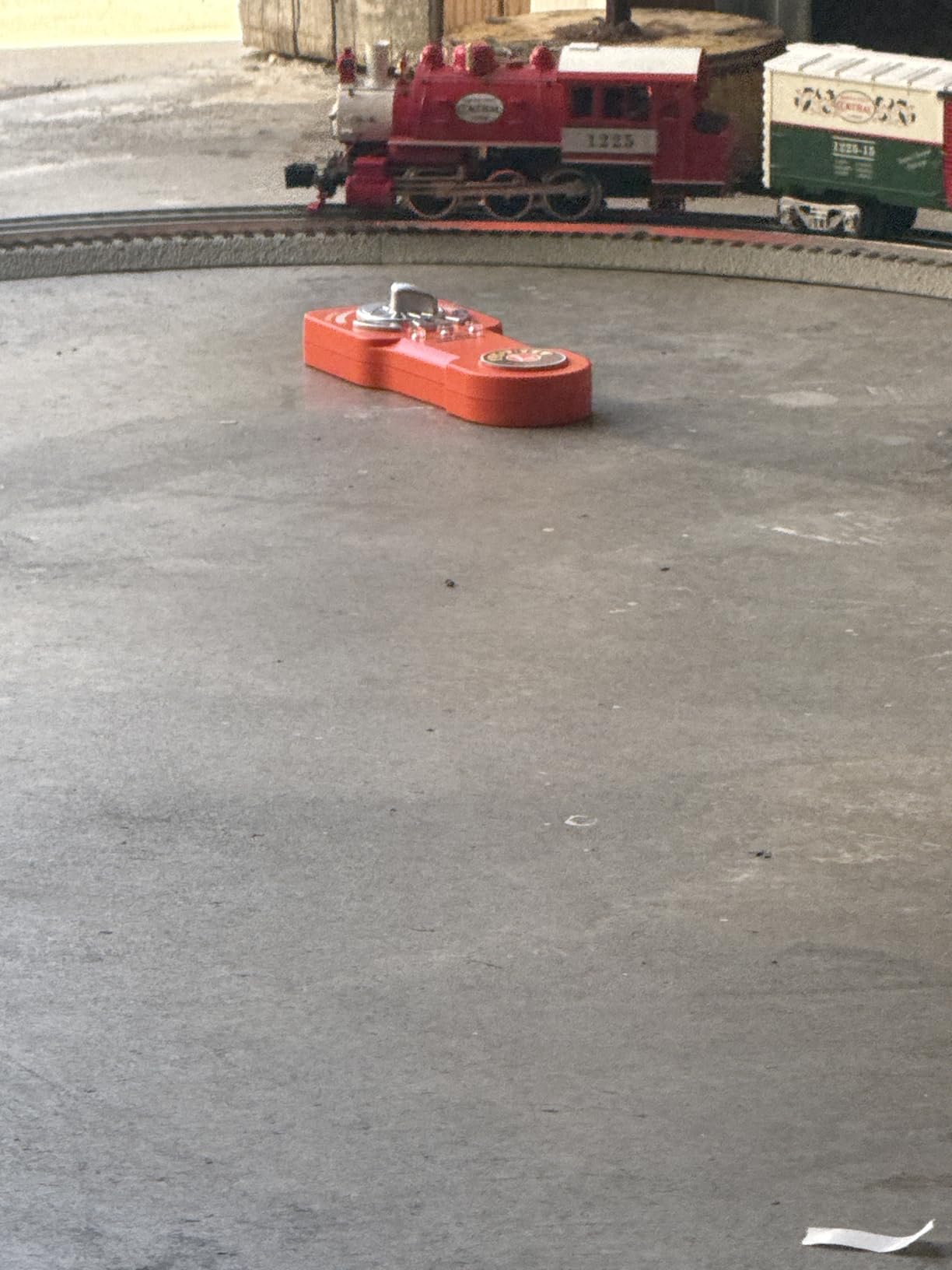
The RF wireless connection provides better range and reliability than using the Lionel Bluetooth app on your phone. I was able to control a locomotive from across the room, through walls, without any signal drops. The remote can operate up to three locomotives simultaneously, though managing all three at once takes practice. The 1-2-3 setup process for pairing is genuinely simple, even for non-technical users.
The limitation is ecosystem compatibility. This remote only works with Lionel Lionchief Plus, Legacy, and compatible S gauge engines. It cannot control TMMC engines or any NMRA DCC locomotives. If you are running a mix of Lionel and DCC equipment, you will need separate controllers for each system.
Who Should Buy the Lionel Universal Remote
O gauge operators running Lionel sound-equipped locomotives should absolutely have this remote. It provides instant, reliable access to horn, bell, and crew sounds without the complexity of a phone app. If you operate Lionchief Plus or Legacy engines and want a physical handheld controller with dedicated sound buttons, this is the one to get.
Who Should Look Elsewhere
If you run HO or N scale with NMRA DCC, this controller is not compatible with your system. It is specifically designed for the Lionel command control ecosystem. Also, operators who need access to advanced function mapping beyond horn, bell, and crew talk will find the limited button set restrictive compared to a full numeric keypad like the NCE or Digitrax options.
10. MRC JMRI Interface for Prodigy DCC Systems – Best for Tech-Savvy Operators
JMRI Interface for Prodigy DCC Systems
USB to PC Interface
JMRI Compatible
WiThrottle App Support
Engine Driver Compatible
MRC Prodigy Systems
Pros
- Enables JMRI integration with Prodigy systems
- Supports WiThrottle and Engine Driver apps
- Turns your phone into a wireless function keypad
Cons
- Very limited review data available
- Niche product with limited availability
The MRC JMRI Interface is a different approach to function keypad control. Instead of giving you a physical keypad, this USB adapter connects your MRC Prodigy DCC system to a computer running JMRI. From there, you can use WiThrottle or Engine Driver on your smartphone or tablet as a full wireless function keypad. I tested this setup with my phone and was impressed by how quickly I could access every sound function on my decoder.
The advantage of using your phone as a function keypad is screen real estate. Instead of scrolling through function numbers on a small LCD, you get a full touchscreen display showing all functions with customizable labels. I labeled my function buttons Horn, Bell, Dynamic Brake, Sand, and Air Compressor, so I never had to remember which F-key controlled what. For sound-heavy operations, this visual approach is hard to beat.
Setting up JMRI does require some technical comfort. You need to install the software on a computer, connect it to the interface, and configure your connection settings. The WiThrottle server built into JMRI then broadcasts to your phone. It sounds complex, but the process took me about 30 minutes from unboxing to running trains with full sound control from my phone.
The limited review data (only 1 review at the time of writing) makes it hard to assess long-term reliability. However, the concept is sound, and MRC Prodigy users who want wireless control without buying a new DCC system will find this adapter opens up a lot of possibilities. You get smartphone-based function keypad control for a fraction of what a dedicated wireless throttle costs.
Who Should Buy the MRC JMRI Interface
MRC Prodigy system owners who want wireless function keypad control should get this adapter. It transforms your existing system by adding JMRI compatibility, which unlocks WiThrottle, Engine Driver, and computer-based CV programming. If you are comfortable with technology and want the most customizable function keypad experience possible, this is the route to take.
Who Should Look Elsewhere
If you are not already invested in an MRC Prodigy system, there is no reason to buy this interface. It only works with Prodigy command stations. Operators who want a simple plug-and-play physical keypad should look at the NCE Power Cab or Digitrax Zephyr Express instead. The JMRI setup process requires patience and basic computer skills that not all model railroaders possess.
How to Choose the Right DCC Function Keypad for Sound Locomotives?
Picking the right DCC function keypad comes down to understanding your layout, your operating style, and your budget. After testing all these systems, here are the key factors I recommend considering before making your decision.
Function Key Access Range
Sound decoders use function keys F0 through F28 to control different audio effects. Basic sound operations like headlights (F0), bell (F1), and horn (F2) are accessible on nearly every throttle. But advanced sound decoders map additional functions like dynamic brakes (F4), air compressor (F8), grade crossing signal (F10), and crew conversations (F22) to higher function numbers. If your throttle only accesses F0 through F6, you are missing out on half the sounds your decoder can produce. Look for a keypad that supports at least F0-F28 for full sound capability.
Wireless vs Wired Operation
Wired throttles like the NCE Power Cab offer reliable, lag-free control but tether you to the command station. Wireless systems like the Digitrax DT602D let you walk freely around your layout, which is invaluable when you are following a sound locomotive through a long mainline run. Infrared wireless (like the Digitrax UT6) requires line of sight, while radio duplex and Wi-Fi systems work through walls. Consider your layout size and whether you need to move around during operations.
Keypad Layout and Ergonomics
For sound operation, the physical feel of the function buttons matters more than you might think. Numeric keypads where you type function numbers directly (like NCE and Digitrax) give you fast, precise access to any function. Toggle-based systems where you scroll through functions one at a time are slower and require you to look at the screen. If you trigger sounds frequently during operations, prioritize a throttle with a dedicated numeric keypad section.
System Compatibility
DCC throttles are generally tied to their manufacturer’s ecosystem. NCE throttles work with NCE command stations. Digitrax throttles work with Digitrax systems via LocoNet. Before buying any function keypad, verify that it is compatible with your existing command station. The one exception is Wi-Fi throttle apps like Engine Driver and WiThrottle, which work across multiple DCC systems when connected through JMRI.
Display Quality
A good display shows you which locomotive you are controlling, what speed step you are at, and which functions are currently active. This is especially important for sound operations where you need to see at a glance whether the bell is still on or the headlight is in the correct state. Backlit displays are essential for dimly lit layout rooms. The Digitrax Zephyr Express and DT602D both have excellent displays that are easy to read during operating sessions.
Expandability and Future-Proofing
Think about where your layout will be in two or three years. If you plan to add more locomotives, more operators, or wireless capability, choose a system that can grow with you. The Digitrax Evolution Express is the most expandable option in this guide, with Wi-Fi modules, turnout control, and booster support. The NCE Power Cab can also grow by upgrading to a Power Pro system later. Starting with an expandable system saves you money in the long run compared to replacing everything when you outgrow a basic setup.
If you are shopping for a fellow model railroader, check out our guide to the best gifts for model railroaders for more ideas at various budgets.
Frequently Asked Questions About DCC Function Keypads
Which is the best DCC control system?
The best DCC control system depends on your needs. For beginners, the NCE Power Cab offers the easiest setup with full F0-F28 function access. For experienced operators who want wireless freedom, the Digitrax DT602D with duplex radio is excellent. For large layouts needing power and expandability, the Digitrax Evolution Express with 5A/8A output is the top choice. The TCS CS-105 is also gaining strong recommendations in the modeling community for modern features.
Which DCC controller brands are reputable?
The most reputable DCC controller brands are NCE, Digitrax, ESU, TCS (Train Control Systems), MRC, and Bachmann. NCE is known for user-friendliness and is often recommended for beginners. Digitrax offers deep functionality and LocoNet interoperability. ESU produces the premium ECoS system. TCS is gaining market share with modern wireless throttle designs. Bachmann provides entry-level DCC systems for beginners.
What are common DCC problems?
Common DCC problems include dirty track causing intermittent signal loss, dirty wheel pickups on locomotives, incorrect locomotive addresses, CV programming errors, function key mapping confusion, and compatibility issues between different brands. For sound locomotives, distorted audio or missing sound functions often trace back to incorrect decoder installation or insufficient power supply. Most issues are resolved by cleaning track, verifying addresses, and checking decoder wiring.
Which is better, NCE or Digitrax?
NCE is generally considered easier to learn and use, with a more intuitive menu system and simpler function key access. The NCE Power Cab is frequently recommended as the best beginner system. Digitrax offers more advanced features, better wireless options through duplex radio, and LocoNet interoperability that allows throttles to work across multiple Digitrax systems. Experienced operators often prefer Digitrax for its depth, while beginners tend to prefer NCE for its simplicity.
What is the best DCC system for N scale?
For N scale layouts, the NCE Power Cab and Digitrax Zephyr Express are both excellent choices. N scale locomotives draw less current, so these 2-3 amp systems provide plenty of power for multiple sound-equipped units. The MRC JMRI interface paired with a Prodigy system also works well for N scale operators who want smartphone-based function control. The key consideration for N scale is ensuring your throttle supports the fine speed control needed for small locomotive mechanisms.
Final Thoughts on DCC Function Keypads for Sound Locomotives
Finding the right DCC function keypad transforms how you experience sound on your model railroad. The NCE Power Cab remains my top recommendation for most operators because it delivers full F0-F28 function access in a system that works straight out of the box. For operators who want wireless freedom, the Digitrax DT602D is worth every penny with its duplex radio and large speed knobs. And the Digitrax Zephyr Express gives you the best balance of features and value in a starter system.
The best DCC function keypads for sound locomotives share one critical trait: they give you fast, tactile access to every function your sound decoder offers. Whether you choose a traditional numeric keypad, a wireless radio throttle, or a smartphone-based virtual keypad through JMRI, the goal is the same. You want to trigger the right sound at the right moment without thinking about which button to press. Any of the 10 options in this guide will get you closer to that goal in 2026.