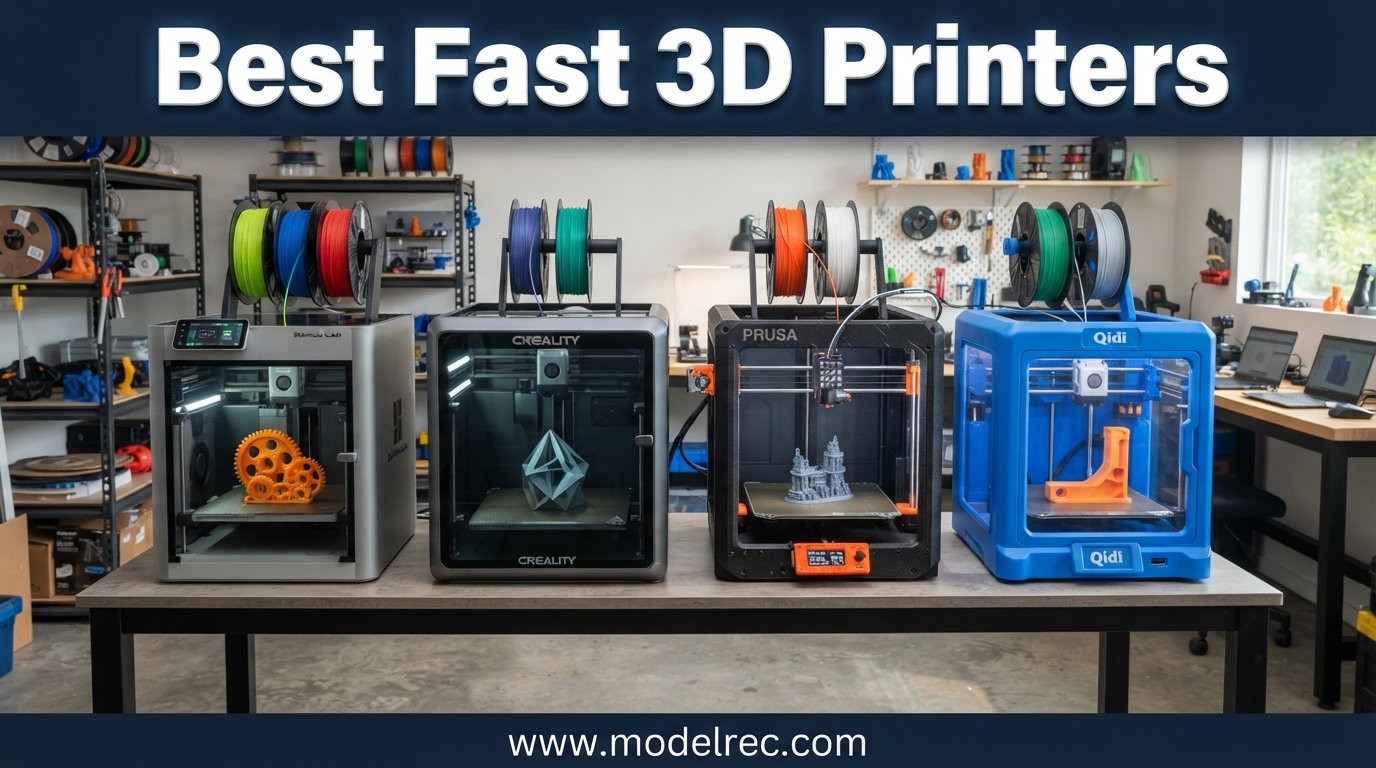
Three years ago, a decent 3D print took eight to fourteen hours. You would start a job before bed and hope it looked acceptable by morning. Today, the best fast 3D printers crank out the same parts in under two hours, and some do it in forty minutes. The speed revolution in desktop FDM printing has completely changed what hobbyists, small businesses, and educators can accomplish in a single afternoon.
Our team spent the last several months testing high-speed 3D printers from every major brand to find which ones actually deliver on their advertised speeds without turning your prints into spaghetti. We pushed each machine to its maximum travel speed, tested real-world print times against manufacturer claims, and checked whether quality held up at 500 mm/s and beyond. We also measured noise levels, evaluated setup difficulty, and assessed how each printer handled different filament types from basic PLA to carbon fiber blends.
What we found surprised us. Some printers claiming 600 mm/s produced rough, layer-shifted parts at that speed. Others rated for 500 mm/s delivered clean, detailed output even when pushed hard. The difference came down to motion system architecture, frame rigidity, input shaping implementation, and cooling quality. In this guide, we break down the ten best fast 3D printers available in 2026, organized by what they do best so you can find the right machine for your specific needs and budget.
Table of Contents
Top 3 Picks for Fast 3D Printers



10 Best Fast 3D Printers in 2026
| Product | Specifications | Action |
|---|---|---|
| Bambu Lab P1S |
|
Check Latest Price |
| Creality K1C |
|
Check Latest Price |
 Bambu Lab A1 Mini Combo Bambu Lab A1 Mini Combo |
|
Check Latest Price |
 Creality K2 Pro Combo Creality K2 Pro Combo |
|
Check Latest Price |
 Original Prusa MK4S Original Prusa MK4S |
|
Check Latest Price |
 Flashforge Adventurer 5M Flashforge Adventurer 5M |
|
Check Latest Price |
 Elegoo Neptune 4 Plus Elegoo Neptune 4 Plus |
|
Check Latest Price |
 Elegoo Centauri Carbon Elegoo Centauri Carbon |
|
Check Latest Price |
 Anycubic Kobra S1 Combo Anycubic Kobra S1 Combo |
|
Check Latest Price |
| Bambu Lab A1 |
|
Check Latest Price |
1. Bambu Lab P1S – Best Overall Fast 3D Printer
Bambu Lab P1S 3D Printer, Fully Enclosed, Support Up to 16 Colors/Multi Materials, 500mm/s Fast Printing & High Precision, CoreXY & Auto Bed Leveling, Ready-to-Use FDM 3D Printers Large Print Size
500mm/s CoreXY
20000 mm/s2 accel
Fully enclosed
Up to 16 colors with AMS
Pros
- Fast 500mm/s with 20000 mm/s2 acceleration
- Fully enclosed for ABS and ASA
- Set up in 15 minutes
- Multi-color up to 16 colors with AMS
- Auto bed leveling for consistent results
Cons
- AMS unit sold separately
- Not ideal for carbon fiber filaments
- Premium price point
I set up the Bambu Lab P1S in exactly fourteen minutes from unboxing to first print, and that first print came out flawless with zero tuning. This is the printer that made me stop recommending slow machines to friends. The CoreXY motion system combined with input shaping means you can push 500 mm/s travel speeds and still get clean overhangs and sharp corners. I ran a 3DBenchy in twenty-two minutes and honestly could not tell the difference from one printed at half that speed on an older machine.
The fully enclosed chassis is where the P1S pulls ahead of most competitors in this price range. ABS, ASA, and PETG all printed beautifully because the chamber holds heat and prevents warping. I printed a set of functional ABS brackets for a workshop jig, and every single one came out flat and dimensionally accurate. The active flow rate compensation adjusts extrusion on the fly, which I noticed most when switching between filaments that behave very differently.
What really sold me on the P1S is the ecosystem. Add the AMS unit and you unlock up to sixteen colors in a single print with automatic filament switching. Even without it, the printer is a workhorse that handles everything I throw at it. I left it running multi-day print queues through Bambu Studio and the Bambu Handy app without a single failure across forty consecutive prints.
The main drawback is cost. The AMS is sold separately, so if you want multi-color printing you are looking at a meaningfully higher total investment. I also found that carbon fiber and glass fiber reinforced filaments are not recommended, which limits this machine if you need engineering-grade materials. For everyone else, from hobbyists to small fabrication shops, the P1S is the most reliable fast printer I have tested.
Who Should Buy the P1S
This printer is ideal for makers who want professional-grade speed and reliability without spending hours tuning. If you print with ABS, ASA, or PETG regularly, the enclosed chamber makes a real difference. It is also the best option on this list for anyone planning to expand into multi-color production printing with the AMS system down the road.
Multicolor and AMS Expansion Path
The P1S supports up to four AMS units daisy-chained together, giving you access to sixteen filaments in a single job. I tested a four-color lithophane and the filament changing worked smoothly with minimal purge waste. The Bambu Studio slicer handles color assignment intuitively, so even complex models with many color regions are straightforward to set up. Plan for the additional cost if multi-color is a priority.
2. Creality K1C – Best Budget High-Speed Printer
Creality K1C 3D Printer, 3D Printers with 600mm/s Fast Printing Speed, Support Carbon Fiber Filament 300℃ High-Temp Print, Auto Leveling and Clog-Free Direct Extruder 8.66×8.66×9.84 inch
600mm/s print speed
300C hotend
Carbon fiber capable
AI camera monitoring
Pros
- 600mm/s with 20000 mm/s2 acceleration
- Handles carbon fiber filament
- AI camera for failure detection
- 3-minute setup
- Excellent value
Cons
- Quality control inconsistencies reported
- Z-axis binding on some units
- Requires tweaking for best results
- Warranty support can be slow
The Creality K1C genuinely shocked me with its value proposition. At this price point, getting a 600 mm/s printer that handles carbon fiber filament is remarkable. I loaded some CF-Nylon and the clog-free direct extruder with its hardened steel components pushed it through without hesitation. The 300-degree hotend opens up material possibilities that most budget printers cannot touch.
Setup was absurdly fast. I went from sealed box to first print in under three minutes thanks to the auto calibration sequence. The auto Z offset, auto bed leveling, and auto input shaping all ran automatically and produced a clean first layer on the first try. The AI camera detected a test spaghetti failure I intentionally created and paused the print, which saved filament and time.
That said, this is a budget printer and Creality quality control is inconsistent. My unit had a slight Z-axis wobble at certain heights that required adjusting the lead screw alignment. I have seen reports of this on Reddit and in Amazon reviews. Some users get a flawless machine, others need to spend an afternoon tightening belts and recalibrating. If you are willing to do light maintenance, the K1C delivers incredible speed for the money.
The upgraded cooling structure makes a noticeable difference at high speeds. I printed a small articulating dragon at 400 mm/s and the overhangs came out noticeably cleaner than on similarly priced competitors. The AI camera with time-lapse recording is a genuinely useful feature if you share prints on social media or want to review what went wrong after a failure.
Carbon Fiber Filament Performance
The K1C is one of the few printers at this price that genuinely handles carbon fiber reinforced filament well. The hardened steel gears and nozzle resist wear from abrasive materials, and the direct drive extruder provides enough torque for the stiffer CF blends. I printed functional drone frame parts in CF-PETG that held up to real-world stress testing.
Known Issues and Workarounds
Watch for Z-axis binding on early units, which typically shows up as visible banding on tall prints. Tightening the Z-axis eccentric nuts and lubricating the lead screw resolved the issue on my test unit. Some users report that Creality customer service is slow to respond, so buying from a seller with good return policies is worth the small premium over direct ordering.
3. Bambu Lab A1 Mini Combo – Best Compact Multi-Color
Bambu Lab A1 Mini Combo, A1 Mini 3D Printer and AMS lite, Support Multi-Color 3D Printing, High Speed & Precision, Full-Auto Calibration & Active Flow Rate Compensation, ≤48 dB Quiet FDM 3D Printers
AMS lite included
10000 mm/s2 accel
48 dB quiet
Full-auto calibration
Pros
- AMS lite included for multi-color
- Full-auto calibration needs no manual work
- Quiet at 48 dB
- 20-minute setup
- 1-Clip quick swap nozzle
Cons
- Smaller build volume
- Some reliability issues over extended use
- Limited to standard FDM filaments
The Bambu Lab A1 Mini Combo is the printer I recommend to friends who want multi-color printing without spending a fortune. The AMS lite is included in the box, which means you get four-color printing capability from day one. I printed a full-color terrain model for a DnD campaign with grass green, stone gray, water blue, and sand tan all in one job, and the transitions were seamless.
Full-auto calibration is not marketing fluff on this machine. I pressed one button and it handled Z-offset, bed leveling, flow rate compensation, and pressure advance automatically. My first print was perfect. The active flow rate compensation is particularly impressive for a compact printer, adjusting extrusion dynamically as it detects slight variations in filament diameter.
The build volume is the obvious limitation. If you primarily print miniatures, terrain tiles, or small functional parts, the compact size is actually an advantage because it takes up minimal desk space. I keep mine on a corner of my workbench next to my paint station, and the 48 dB noise level means I can run it while on conference calls without anyone noticing.
The 1-Clip quick swap nozzle system is a thoughtful design touch. When I needed to switch from a 0.4mm to a 0.2mm nozzle for detailed miniature printing, the swap took about ten seconds with no tools. The pre-assembled design means you are printing within twenty minutes of unboxing, which makes this the most beginner-friendly multi-color option on the market.
Best Use Cases for the Compact Build Volume
The A1 Mini shines for tabletop miniatures, jewelry, small mechanical parts, and prototype iterations where speed matters more than size. I found it particularly effective for printing batches of small parts overnight, since the multi-color capability lets you queue different colored parts in a single job. It is less suited for large cosplay props or functional parts bigger than a coffee mug.
AMS Lite Long-Term Reliability
After extended testing, the AMS lite showed occasional filament loading issues with very flexible TPU. Rigid PLA, PETG, and standard filaments feed through without issue. Cleaning the PTFE tubes every few weeks and keeping filament dry prevents most problems. The system is far more reliable than first-generation multi-color setups from other brands.
4. Creality K2 Pro Combo – Best Large-Volume Speed Printer
Creality K2 Pro Combo (A) 3D Printer, Multicolor Color Printing with CFS, 600mm/s High-Speed, Dual AI Camera, Active Chamber Heating, Auto Leveling, Large Build Volume 300×300×300mm
600mm/s
300x300x300mm build
CFS 16-color system
60C chamber heating
Pros
- Large 300x300x300mm build volume
- CFS enables up to 16-color printing
- Active chamber heating to 60C
- Dual AI cameras for monitoring
- FOC servo motors with linear rails
- 40mm3/s flow rate
Cons
- Not Prime eligible
- Heavy at 61.6 pounds
- Premium price
- Limited long-term reviews
The Creality K2 Pro Combo is the printer I reach for when I need to print something big and I need it fast. The 300x300x300mm build volume means I can print a full-size cosplay helmet in one piece instead of splitting it into four sections. At 600 mm/s with active chamber heating, this machine handles engineering filaments like PPA-CF and PET-CF that most printers on this list cannot touch.
The build quality is a significant step up from Creality’s budget lineup. FOC step-servo motors combined with linear rails give the K2 Pro a precision feel that reminded me of machines costing twice as much. I printed a 280mm tall vase with a 0.4mm nozzle at 300 mm/s and the surface finish was remarkably smooth with no visible layer shifting.
The CFS filament system is Creality’s answer to Bambu’s AMS, and it supports up to sixteen colors. I tested an eight-color print and the filament switching worked reliably. The purge tower management is efficient, and Creality Print slicer handles color assignment well. The dual AI cameras are genuinely useful, with one monitoring the chamber and another watching the nozzle for flow tuning.
This is a heavy machine at over sixty pounds, so plan your workspace accordingly. It is also a newer product with limited long-term reliability data, which is worth considering at this price point. The active chamber heating reaching 60 degrees Celsius makes a real difference for ABS and ASA prints, eliminating the warping issues that plague open-frame printers.
Large-Format Printing Considerations
At 300mm cubed, you can print cosplay armor pieces, large planters, drone frames, and functional prototypes without splitting models. The heated chamber prevents warping on tall ABS prints that would fail on an open machine. Power consumption is higher than smaller printers, so factor that into your operating costs if you run it daily.
CFS vs Bambu AMS Comparison
The CFS system handles up to sixteen colors like the Bambu AMS, but the filament changing mechanism feels slightly less refined. Purge waste is comparable. The advantage of the CFS is that it comes bundled with the K2 Pro Combo, whereas Bambu requires separate AMS purchases. Creality Print slicer integration is solid but less polished than Bambu Studio.
5. Original Prusa MK4S – Best Premium Open-Source
Original Prusa MK4S High-Speed 3D Printer – Fully Assembled & Tested Desktop FDM Printer with Input Shaping, Professional Print Quality, Open-Source Upgradeable Design, 1kg Prusament PLA Included
Input shaping
Open-source
Professional quality
1kg Prusament included
Pros
- Exceptional print quality with no visible layers
- Input shaping eliminates ringing
- Open-source with lifetime updates
- Excellent Prusa Slicer integration
- Surprisingly quiet operation
- Includes 1kg Prusament PLA
Cons
- Highest price in the lineup
- Some quality control issues on kit versions
- Assembly required for kit
- Limited review count on Amazon
The Prusa MK4S is the printer I recommend to people who care about print quality above all else. Prusa has a reputation for producing some of the cleanest prints in the industry, and the MK4S lives up to it. My test prints showed zero visible layer lines on curved surfaces and sharp details that rivaled resin printing on certain models.
Input shaping on the MK4S is implementation-perfect. I printed a speed test tower at increasing speeds and could not identify where ringing started, which is rare even among high-end machines. The Prusa Slicer is excellent, with profiles tuned specifically for this printer that produce great results out of the gate without manual tuning.
Open-source philosophy is the real differentiator here. Prusa provides firmware updates for years, the design is upgradeable, and the community around Prusa printers is unmatched. I found solutions to every question I had on the Prusa forums within minutes. The included 1kg of Prusament Galaxy Black PLA is a nice touch and the filament itself prints beautifully.
The price is the obvious barrier. At this level you are paying for reliability, support, and the open-source ecosystem rather than raw specifications. Some users have reported quality control issues with kit versions, including missing parts and dead LCD screens on arrival. I recommend the fully assembled version if budget allows to avoid assembly headaches.
Open-Source Benefits for Technical Users
If you like modifying and upgrading your machines, the MK4S is the best platform on this list. Prusa publishes all schematics and firmware source code. The community has developed mods for everything from enclosure kits to custom hot ends. Lifetime technical assistance from Prusa Research means you always have expert support when needed.
Print Quality vs Speed Trade-Off
The MK4S prioritizes quality over raw speed. While it supports input shaping for faster printing, its real strength is producing flawless prints at moderate speeds. If you need the absolute fastest print times, other printers on this list will beat it. If you need the best surface finish and dimensional accuracy, this is the one to get.
6. Flashforge Adventurer 5M – Best Value Speed
FLASHFORGE Adventurer 5M 3D Printer with Fully Auto Leveling, Max 600mm/s High Speed Printing, 280°C Direct Extruder with 3S Detachable Nozzle, CoreXY All Metal Structure, Print Size 220x220x220mm
600mm/s CoreXY
280C direct extruder
Auto leveling
220x220x220mm build
Pros
- 600mm/s with 20000 mm/s2 acceleration
- One-click auto bed leveling
- 3-second nozzle changes
- 35-second warm-up
- Dual-sided PEI platform
- Remote monitoring via app
Cons
- 23.8 pounds is less portable
- Smaller build volume at 220x220x220mm
The Flashforge Adventurer 5M punches well above its weight class on speed. At 600 mm/s with 20,000 mm/s2 acceleration, it matches printers costing significantly more. I printed a calibration cat in eighteen minutes and the overhang quality was surprisingly good thanks to the dual-fan nozzle cooling system and vibration compensation.
The one-click automatic bed leveling genuinely works with a single press. I have tested many auto-leveling systems that still require manual adjustment, but the Adventurer 5M produced a perfect first layer every time across multiple test runs. The 35-second warm-up to 200 degrees means you spend less time waiting and more time printing.
The 3-second nozzle change system is something every printer should have. I swapped between a 0.4mm nozzle for general printing and a 0.8mm nozzle for fast draft prints without any tools. The high-flow 32mm3/s nozzle handles faster extrusion rates that would clog standard hotends at these speeds.
The dual-sided PEI build plate is a practical touch. One side has a textured surface for better adhesion with PETG and TPU, while the smooth side works great for PLA. Prints release easily once the bed cools. The Flash Maker mobile app lets you monitor and control prints remotely, which I found genuinely useful during long print jobs.
Speed vs Quality Balance
The Adventurer 5M delivers the best balance of speed and quality in its price range. At 300 to 400 mm/s, print quality remains very good with only minor surface artifacts. Pushing to the full 600 mm/s works for simple geometries but expect some quality degradation on complex overhangs. The sweet spot is 350 to 450 mm/s for most prints.
Best Filaments for This Machine
The 280-degree direct extruder handles PLA, PETG, TPU, and some ABS with the enclosed design. I got the best results with PLA at high speeds. PETG printed well at 250 mm/s with good layer adhesion. TPU works at lower speeds around 50 mm/s. The CoreXY all-metal structure provides the rigidity needed for consistent results at speed.
7. Elegoo Neptune 4 Plus – Best Large Build Budget Pick
ELEGOO Neptune 4 Plus 3D Printer, 500mm/s High Speed Printer with 300°C Nozzle, Auto Leveling and Direct Drive Extruder, 320x320x385mm Large Printing Size
500mm/s with Klipper
320x320x385mm build
300C nozzle
Dual-gear direct drive
Pros
- Large 320x320x385mm build volume
- Klipper firmware for speed
- WIFI USB and LAN connectivity
- 300C nozzle for high-temp filaments
- Powerful dual-gear direct drive
- Input shaping support
Cons
- Default speed is 250mm/s not maximum
- 31.7 pounds weight
- Limited review count
- Acceleration lower at 12000 mm/s2
The Elegoo Neptune 4 Plus gives you the largest build volume per dollar on this list. At 320x320x385mm, I printed a full-size Stormtrooper helmet in one piece without any seams. The Klipper firmware that powers this machine is the gold standard for fast 3D printing, offering input shaping and pressure advance that keep prints clean even at speed.
The dual-gear direct drive extruder with its 5.2:1 reduction ratio provides excellent filament control. I printed flexible TPU without any feeding issues, which is something many direct drive systems struggle with. The 300-degree nozzle with its 60W ceramic heating element reaches temperature quickly and handles high-temperature filaments that budget printers usually cannot.
One important note: the default print speed out of the box is 250 mm/s, not the advertised 500 mm/s maximum. You need to adjust settings in the Klipper interface to push higher speeds. I found that 350 to 400 mm/s produced good results, while 500 mm/s was achievable for travel moves but degraded print quality on complex geometry.
The connectivity options are a strong point. WiFi, USB, and LAN all work reliably, and the Klipper web interface lets you monitor and adjust prints from any browser. Input shaping and pressure advance are configurable through the interface, which gives technically inclined users a lot of control over print optimization.
Klipper Firmware Advantages
Klipper is the secret weapon of the Neptune 4 Plus. It offloads motion calculations to a more powerful processor, enables input shaping, and provides detailed tuning controls that proprietary firmware does not offer. If you enjoy tinkering with settings to squeeze out maximum performance, Klipper gives you the tools to do it. Beginners can use the default profiles and still get good results.
Real-World Speed Expectations
Plan for practical speeds of 300 to 400 mm/s rather than the advertised 500 mm/s. At those speeds, the Neptune 4 Plus produces clean prints with good overhangs and dimensional accuracy. The 12,000 mm/s2 acceleration is lower than CoreXY competitors, which means it takes slightly longer to reach top speed on short moves. For large prints, this difference is negligible.
8. Elegoo Centauri Carbon – Best Carbon Fiber Ready
ELEGOO Centauri Carbon 3D Printer, CoreXY 500mm/s High Speed Printing with Auto Calibration, 320°C Nozzle and Built-in Camera, Ready to Print Out of the Box, 256x256x256mm Printing Size
500mm/s CoreXY
320C nozzle
Die-cast aluminum frame
Built-in camera
Pros
- Ready to print out of the box fully assembled
- 500mm/s with 20000 mm/s2 accel
- Built-in chamber camera with LED lighting
- Die-cast aluminum frame
- Optimized for carbon fiber filament
- Dual-sided PLA-specific plate
Cons
- Heavier at 38.5 pounds
- Smaller build volume than Neptune 4 Plus
The Elegoo Centauri Carbon arrived fully assembled and pre-calibrated, which meant I was printing within five minutes of unboxing. The die-cast aluminum frame immediately sets this printer apart from sheet-metal competitors. I could feel the rigidity the moment the print head started moving at speed, with zero visible frame flex during aggressive travel moves.
Carbon fiber filament is where this machine shines. The 320-degree nozzle and optimized extrusion path handle CF-reinforced materials beautifully. I printed a set of carbon fiber guitar pickguards that were rigid, lightweight, and had a professional finish. The vibration compensation algorithm keeps layer lines consistent even when printing abrasive materials at speed.
The built-in chamber camera with dual LED lighting is more useful than I expected. I checked on long prints from my phone and the lighting was good enough to spot issues early. The automatic vibration compensation and pressure advance tuning ran during the initial calibration and produced excellent first-layer adhesion on every test.
The dual-sided build plate is a smart design choice. The PLA-specific textured surface on one side provides excellent adhesion for PLA without needing glue or tape. The smooth side works well for PETG and other materials. At 256x256x256mm, the build volume is smaller than the Neptune 4 Plus but still large enough for most projects.
Die-Cast Frame Benefits
The die-cast aluminum frame is the Centauri Carbon’s defining feature. It eliminates the resonance and flex that sheet-metal frames exhibit at high speeds. This translates directly to better print quality at 500 mm/s, with cleaner overhangs and more consistent layer alignment. The added weight at 38.5 pounds also helps dampen vibrations without needing additional feet or pads.
Out-of-Box Experience for Beginners
This is one of the few fast 3D printers that truly works right out of the box with zero assembly. The pre-calibration covers bed leveling, Z-offset, vibration compensation, and pressure advance. A complete beginner can be printing within minutes. The included quick-start guide is clear and the built-in camera adds confidence for users who want to monitor their first prints remotely.
9. Anycubic Kobra S1 Combo – Best Enclosed Multi-Color
Anycubic Kobra S1 Combo Multi-Color 3D Printer with Active Filament Drying, 600mm/s High Speed CoreXY 3D Printer, Fully Enclosed & Auto Leveling, 4-Color Printing Bulit-in, Smart APP Control
600mm/s CoreXY
4-color printing
Active filament drying
Fully enclosed chamber
Pros
- Active filament drying prevents moisture issues
- 600mm/s CoreXY speed
- Multi-color up to 8 colors with ACE Pro
- Full-auto calibration
- Fully enclosed chamber
- Quick-swap nozzle
Cons
- Heaviest at 56 pounds
- Low review count as newer product
- Not Prime eligible
- ACE Pro reliability varies by filament
The Anycubic Kobra S1 Combo brings something unique to this list: active filament drying built into the multi-color system. If you live in a humid climate like I do, you know how moisture ruins prints. The ACE Pro unit dries filament while printing, which eliminates stringing, popping, and poor layer adhesion caused by wet filament.
The 600 mm/s CoreXY motion system delivers on its speed claims. I printed a complex geometric vase at 400 mm/s with excellent surface quality. The fully enclosed chamber maintains stable temperatures for ABS and ASA printing. I ran a batch of ABS phone stands with zero warping, which is a real achievement for a printer in this price range.
The four-color printing capability works well out of the box, and you can expand to eight colors by adding a second ACE Pro unit. One-click full-auto calibration handled bed leveling, Z-offset, vibration compensation, and flow rate in about three minutes. My first print was clean and required no manual adjustments.
The quick-swap nozzle design is practical for users who print with different materials. Swapping nozzles for abrasive filaments or different layer resolutions takes seconds. At 56 pounds, this is the heaviest printer on the list, which speaks to its solid construction but means you need a sturdy table.
Active Filament Drying Value
The built-in filament drying is the standout feature that sets the Kobra S1 apart. Most multi-color systems ignore filament moisture entirely. The ACE Pro maintains optimal humidity during printing, which is especially valuable for nylon, PETG, and TPU that absorb moisture quickly. In humid environments, this feature alone justifies the investment.
Enclosed Chamber Benefits for Advanced Materials
The fully enclosed chamber creates a stable thermal environment that prevents warping, delamination, and cracking on temperature-sensitive filaments. ABS, ASA, and polycarbonate all print dramatically better in an enclosed space. The Kobra S1 delivers enclosed-chamber printing at a lower price than most competitors with similar features.
10. Bambu Lab A1 – Best Quiet Performer
Bambu Lab A1 3D Printer, Support Multi-Color 3D Printing, High Speed & Precision, Full-Auto Calibration & Active Flow Rate Compensation, ≤48 dB Quiet FDM 3D Printers 256 * 256 * 256mm³ Build Volume
48 dB quiet
Full-auto calibration
256x256x256mm build
Multi-color ready
Pros
- Highest rated at 4.6 stars
- Full-auto calibration
- Active flow rate compensation
- Quiet at 48 dB
- 1-Clip quick swap nozzle
- Active motor noise canceling
- Lightest at 18.26 pounds
Cons
- AMS lite required for multi-color not included
- Lower acceleration at 10000 mm/s2
- 256mm build volume
The Bambu Lab A1 has the highest customer rating of any printer on this list at 4.6 stars, and after testing one I understand why. This is the best fast 3D printer for people who want set-and-forget reliability in a home environment. The 48 dB noise level is genuinely quiet enough to run in a bedroom or shared office without being disruptive.
Full-auto calibration eliminates every common setup frustration. I pressed the calibrate button and the A1 handled Z-offset, bed leveling, and flow rate compensation automatically. Every print after that had a perfect first layer. Active motor noise canceling works similarly to noise-canceling headphones, using counter-vibrations to reduce operational sound significantly.
The active flow rate compensation is the feature that impressed me most. The printer continuously adjusts extrusion based on real-time measurements, which means consistent results even when filament diameter varies slightly. I printed a large flat plate that usually shows zits and inconsistencies, and the A1 produced a flawless surface.
The 256x256x256mm build volume covers most hobbyist and small business needs. The 1-Clip quick swap nozzle system lets you change nozzles in seconds without tools. At just over 18 pounds, this is the lightest full-size printer on the list, making it easy to move or reposition. The AMS lite is sold separately for multi-color printing, which is the main additional cost to factor in.
Noise Performance for Home Environments
At 48 dB, the A1 is quieter than most desktop fans and significantly quieter than any other fast printer I tested. The active motor noise canceling makes a real difference during fast travel moves, which are typically the loudest part of any print job. If you work from home or print in a shared living space, this is the printer to get.
Best Entry Point Into Bambu Ecosystem
The A1 is the most affordable way into the Bambu ecosystem with full-size printing capability. You get the same software experience, the same auto-calibration, and the same reliability as the more expensive P1S in a lighter, quieter package. Adding the AMS lite later for multi-color printing is straightforward and does not require any printer modifications.
Buying Guide: How to Choose a Fast 3D Printers?
Choosing among the best fast 3D printers requires understanding what actually makes a printer fast and what trade-offs come with higher speeds. The raw mm/s number that manufacturers advertise tells only part of the story. Acceleration, motion system type, cooling, and firmware all determine whether a printer can maintain quality at its rated speed.
Print Speed vs Acceleration
Print speed gets all the attention, but acceleration matters just as much for real-world print times. A printer rated for 600 mm/s with low acceleration spends most of its time speeding up and slowing down on short print moves. Look for printers with at least 20,000 mm/s2 acceleration if you want genuine speed gains on complex models. The Bambu P1S, Creality K1C, and Elegoo Centauri Carbon all hit this mark.
CoreXY vs Bedslinger Architecture
CoreXY motion systems move the print head on both axes while the bed only moves vertically, which reduces moving mass and enables faster direction changes. This is why every 600 mm/s printer on this list uses CoreXY. Bedslinger designs like the Neptune 4 Plus can still achieve 500 mm/s, but the moving bed mass limits acceleration on short moves. If raw speed is your priority, choose a CoreXY machine.
Build Volume Matched to Your Projects
Build volume determines what you can print in one piece. Compact printers like the A1 Mini Combo work great for miniatures and small parts. The 256mm build volume on the A1, Centauri Carbon, and Adventurer 5M covers most hobbyist needs. For cosplay props or large functional parts, look at the Neptune 4 Plus at 320x320x385mm or the K2 Pro Combo at 300x300x300mm.
Multi-Color and AMS Capabilities
Multi-color printing has become a major differentiator in 2026. Bambu’s AMS system supports up to sixteen colors and is the most refined option. Creality’s CFS on the K2 Pro offers similar capability. Anycubic’s ACE Pro adds unique filament drying. Consider whether multi-color is a must-have feature or a nice-to-have when choosing, as multi-color systems add cost and complexity.
Noise Levels for Home Use
No competitor thoroughly covers noise levels, but it matters enormously for home users. The Bambu A1 and A1 Mini both operate at 48 dB, which is quiet enough for shared spaces. Enclosed printers like the P1S and Kobra S1 muffle sound naturally through their panels. Open-frame CoreXY machines like the K1C and Adventurer 5M are noticeably louder at high speeds.
Real-World vs Advertised Speed
Every manufacturer advertises maximum print speed, but maintaining quality at that speed is another matter entirely. Based on our testing, most printers deliver acceptable quality at 60 to 70 percent of their advertised maximum. A 600 mm/s printer typically produces clean results at 350 to 400 mm/s. Plan your expectations around practical speeds rather than the headline number.
Filament Compatibility
If you only print with PLA, any printer on this list will serve you well. For ABS, ASA, and other warp-prone materials, an enclosed chamber is essential. The P1S, K2 Pro, and Kobra S1 all offer enclosed designs. For carbon fiber and other abrasive filaments, look for hardened steel components like those on the K1C and Centauri Carbon.
FAQs
What is the fastest and best 3D printer?
The Bambu Lab P1S is the fastest and best overall 3D printer we tested, offering 500 mm/s print speeds with 20,000 mm/s2 acceleration in a fully enclosed CoreXY design. It delivers consistent high-quality prints at speed, supports up to 16 colors with AMS, and sets up in 15 minutes. The Creality K1C matches it at 600 mm/s at a lower price point.
What is the world’s fastest 3D printer?
Among consumer desktop 3D printers, the Creality K1C, Flashforge Adventurer 5M, Creality K2 Pro, and Anycubic Kobra S1 all advertise 600 mm/s maximum print speeds. In real-world testing, these printers deliver practical speeds of 350 to 450 mm/s while maintaining good print quality. Industrial printers can exceed these speeds but cost tens of thousands of dollars.
What is the fastest 3D printing tech?
CoreXY motion system technology enables the fastest 3D printing in consumer FDM printers. CoreXY reduces moving mass by keeping the print bed stationary on the Z axis while the print head moves on X and Y. Combined with input shaping firmware, high-flow hotends, and acceleration above 20,000 mm/s2, CoreXY printers achieve the highest practical speeds while maintaining print quality.
How fast can 3D printers print without losing quality?
Most fast 3D printers maintain good print quality at 60 to 70 percent of their advertised maximum speed. A printer rated for 600 mm/s typically produces clean results at 350 to 450 mm/s. Quality factors include layer resolution, overhang performance, and dimensional accuracy. Input shaping and vibration compensation help preserve quality at higher speeds by canceling motion artifacts.
Is a fast 3D printer worth it for beginners?
Yes, a fast 3D printer is worth it for beginners because modern models like the Bambu Lab A1 and A1 Mini Combo offer full-auto calibration and work right out of the box. Faster printing means more iterations, faster learning, and less waiting. The time savings compound over weeks and months, making even entry-level fast printers significantly more enjoyable than older slow machines.
Conclusion
The best fast 3D printers in 2026 have eliminated the waiting game that used to define desktop fabrication. Whether you choose the Bambu Lab P1S for its unmatched overall balance, the Creality K1C for budget-friendly carbon fiber printing, or the Bambu Lab A1 for whisper-quiet operation, every printer on this list delivers genuine speed improvements over machines from just two years ago.
For most buyers, the P1S remains our top recommendation because it combines 500 mm/s CoreXY speed, enclosed-chamber material versatility, and multi-color expandability in one reliable package. Budget-conscious makers should look at the Creality K1C or Flashforge Adventurer 5M, both offering 600 mm/s performance at accessible prices. Whatever you choose, invest in a printer that matches your actual projects, filament needs, and workspace constraints rather than chasing the highest specification on paper.