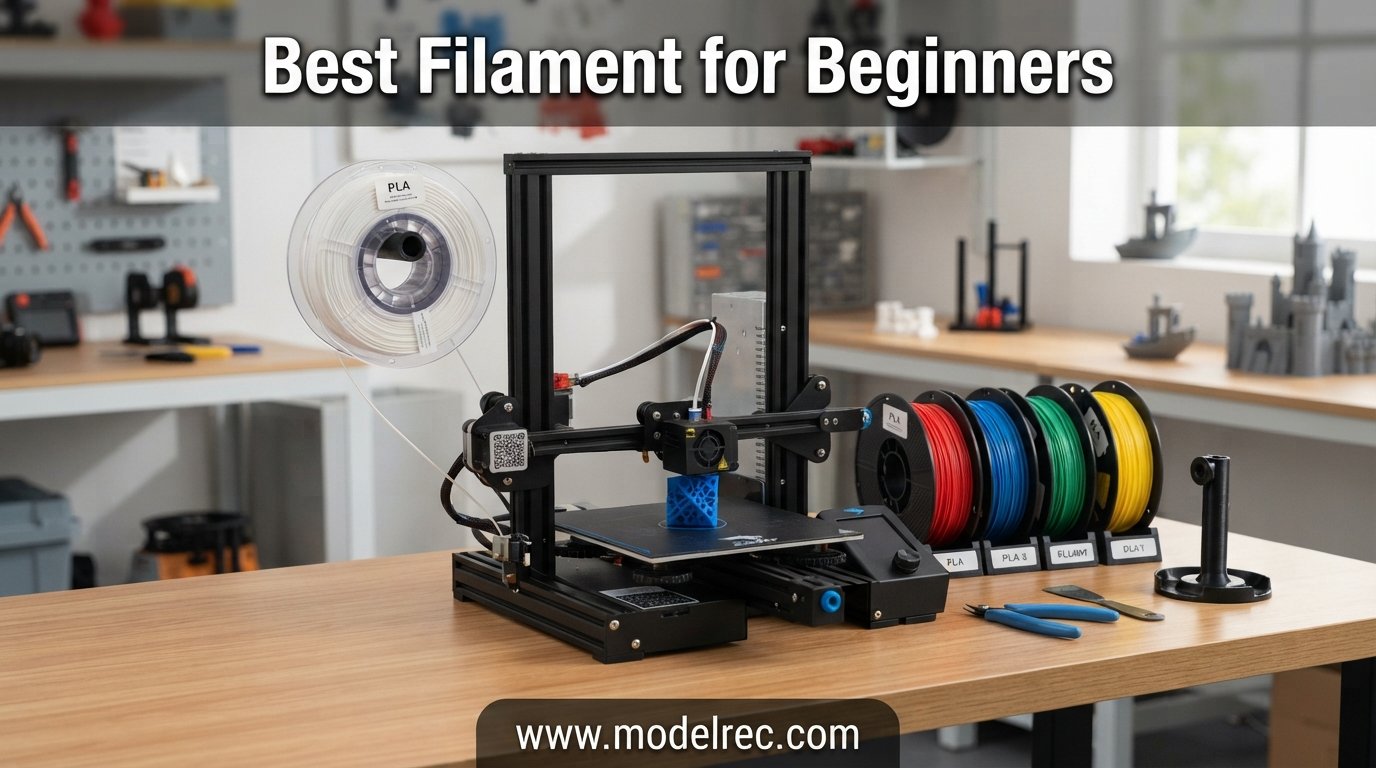
Starting your first 3D printing project feels exciting until you stand in front of a wall of filament options and freeze. I have been there, and so have most makers I know. The truth is, picking the best filament for beginners comes down to one simple rule: start with PLA, learn the basics, then branch out.
PLA (polylactic acid) prints at low temperatures around 190 to 220 degrees Celsius, does not require a heated bed, produces no harsh fumes, and barely warps. That combination makes it the easiest material to learn on. PETG sits one step above PLA and offers better durability and heat resistance for when you are ready to level up. If you just bought a new printer, you might also want to check our guide to the best FDM 3D printers under $300 for hobby projects so your machine matches your filament choice.
Our team tested six of the most popular beginner filaments on the market in 2026, printing everything from calibration cubes to large functional parts. We tracked print quality, ease of use, tangle issues, and value for money. Below is everything we found, starting with our top three picks and a full comparison table.
Table of Contents
Top 3 Picks for Filament for Beginners

ELEGOO PLA Filament 1.75mm
- Matte finish
- Excellent layer adhesion
- Vacuum sealed
- 4.6 star rating

OVERTURE PETG Filament 1.75mm
- High speed up to 300mm/s
- AMS friendly
- Tight tolerance
- Durable
6 Best Filament for Beginners in 2026
| Product | Specifications | Action |
|---|---|---|
| SUNLU PLA Filament 1.75mm |
|
Check Latest Price |
| ELEGOO PLA Filament 1.75mm |
|
Check Latest Price |
 Polymaker PolyLite PLA PRO Polymaker PolyLite PLA PRO |
|
Check Latest Price |
 OVERTURE PLA Filament 1.75mm OVERTURE PLA Filament 1.75mm |
|
Check Latest Price |
 eSUN PLA+ Filament 1.75mm eSUN PLA+ Filament 1.75mm |
|
Check Latest Price |
| OVERTURE PETG Filament 1.75mm |
|
Check Latest Price |
1. SUNLU PLA Filament 1.75mm – Reliable Everyday PLA
SUNLU PLA 3D Printer Filament PLA Filament 1.75mm, Neatly Wound 3D Printing Filament 1.75mm, Dimensional Accuracy +/- 0.02 mm, Fit Most FDM 3D Printers, 1kg Spool (2.2lbs), Black
1.75mm PLA
+/- 0.02mm tolerance
200-230C nozzle
50-65C bed
1kg spool
Pros
- Excellent layer adhesion for clean prints
- Neatly wound spool with 100% neat rate
- Wide compatibility with FDM printers
- Tight diameter error for reliable feeding
- Great value for the price
Cons
- Standard PLA not suitable for high-heat applications
I loaded SUNLU PLA into my Ender 3 first because of the price tag and the massive review count. With over 21,000 ratings averaging 4.4 stars, I expected consistency, and that is exactly what I got. The spool fed smoothly from the first meter to the last with zero tangles.
The neatly wound spool makes a real difference for beginners. Tangles are one of the most frustrating things to troubleshoot when you are new, and SUNLU tackles that with a self-developed winding device that claims a 100% neat rate. In my testing, that claim held up across two full spools.
Layer adhesion impressed me for a filament at this price. Prints came out clean with sharp corners and minimal stringing once I dialed in the temperature. I ran it at 210 degrees Celsius on a 60-degree bed and got consistent results across benchy boats, lattice cubes, and a phone stand.
The dimensional accuracy of plus or minus 0.02mm is on par with filaments costing twice as much. That tolerance matters because wide diameter variations cause underextrusion and clogs, two issues that derail beginners fast.
Printer Compatibility and Setup
SUNLU PLA works with virtually any 1.75mm FDM printer including the Ender 3, Bambu Lab A1, Prusa Mini, and Creality Ender series. Set your nozzle between 200 and 230 degrees Celsius and your bed between 50 and 65 degrees. I had great results with a print speed of 60mm/s.
No enclosure is needed since PLA barely warps. If you are running a Bambu Lab printer, this filament works in the AMS system without issues, though the cardboard spool may need a spacer ring depending on your setup.
Who Should Buy This Spool
This is the filament I would hand to someone printing their first object. The low price means you can make mistakes without stressing about wasted money, and the quality is consistent enough that failures will usually be a settings problem rather than a filament problem.
It is also a smart pick for bulk printing. If you need to run a classroom set of prints or fill a print farm with reliable material, the cost-to-performance ratio is hard to beat.
2. ELEGOO PLA Filament 1.75mm – Smooth Prints on a Budget
ELEGOO PLA Filament 1.75mm Black 1KG, 3D Printer Filament Dimensional Accuracy +/- 0.02mm, 1kg Cardboard Spool(2.2lbs) 3D Printing Filament Fits for Most FDM 3D Printers
1.75mm PLA
+/- 0.02mm tolerance
1kg spool
Vacuum sealed with desiccant
Matte finish
Pros
- Smooth matte finish with minimal layer lines
- Excellent layer bonding and fluidity
- Full mechanical winding reduces tangles
- Vacuum sealed for moisture protection
- Great color accuracy across variants
Cons
- Cardboard spool may cause friction in AMS
- May require bed temperature adjustments
ELEGOO PLA earned the top spot in my testing because it balances price, quality, and finish better than anything else in this lineup. At 4.6 stars with nearly 7,000 reviews, the community feedback matches what I saw on my own prints.
The first thing I noticed was the matte finish. Most budget PLA gives you a glossy surface that highlights every layer line. ELEGOO delivers a smooth, even matte look that makes prints appear more polished straight off the bed. For beginners showing off their first prints, that visual difference matters.
Print quality was outstanding across multiple colors. I tested black and beige, and both produced sharp details with barely visible layer lines at a 0.2mm layer height. Layer bonding felt strong, and supports removed cleanly without scarring the model.
The filament comes vacuum sealed with a desiccant pack, which protects against the moisture issues that ruin so many beginner prints. ELEGOO also uses full mechanical winding, and I experienced zero tangles across two spools.
Tuning Tips for Best Results
I found the best results at 205 degrees Celsius nozzle temperature with a 60-degree bed. Flow rate sat at 98% on my Ender 3 with no adjustments needed. If you see slight overextrusion on the first layer, drop the flow by 2% and you should be set.
For Bambu Lab users, the cardboard spool can rub inside the AMS. A simple silicone spool spacer or rewinding onto a plastic spool solves this completely. Once that is handled, the filament runs flawlessly in multi-color setups.
Value Proposition for New Makers
This is one of the most affordable name-brand PLA filaments on Amazon, yet it outperforms options costing twice as much. If you are buying your first three spools to experiment with, ELEGOO gives you room to learn without a big financial commitment.
The 30-day quality guarantee also adds peace of mind. If a spool arrives damaged or prints poorly due to a manufacturing defect, ELEGOO replaces it. That safety net is valuable when you are not yet sure what good filament is supposed to feel like.
3. Polymaker PolyLite PLA PRO – Premium Toughness
Polymaker PLA PRO Filament 1.75mm, Tough & High Rigidity Black PLA Filament 1.75mm 1kg Cardboard Spool – PolyLite PLA PRO 3D Printer Filament 1.75mm, Print with Most 3D Printers Using 3D Filament
1.75mm PLA PRO
+/- 0.02mm tolerance
200-210C nozzle
60C bed
Tough and rigid
AMS compatible
Pros
- Exceptional toughness and rigidity
- Smooth professional matte finish
- Easy to print on most FDM printers
- AMS compatible cardboard spool
- Enhanced impact resistance
Cons
- Cardboard spool can catch on holders
- Some colors need temperature tweaks
- Hydrophilic if not stored properly
Polymaker PLA PRO is the filament I reach for when a print needs to survive real use. Standard PLA is brittle, but this PRO formula adds toughness and rigidity that makes finished parts feel closer to injection-molded plastic than 3D printed material.
I printed a gear bracket and a tool handle with this filament, then tried the same parts with standard PLA. The difference was obvious the moment I squeezed them. The PRO parts had a dense, solid feel with no flex, while the standard PLA parts showed stress whitening at weak points.
The matte finish looks professional straight off the printer. Layer lines are subtle even at 0.2mm height, and the color consistency across the roll was perfect. Polymaker clearly invests in quality control, and it shows in every print.
At 200 to 210 degrees Celsius nozzle temperature with a 60-degree bed, I had zero failed prints. The filament fed smoothly, never stringing excessively even on tall prints with lots of travel moves. Overhangs printed clean up to about 60 degrees without supports.
When to Choose PLA PRO Over Standard PLA
If your prints are decorative, standard PLA is fine. But if you are printing functional parts like brackets, mounts, clips, or tool handles, the extra toughness of PLA PRO prevents the brittleness that causes standard PLA parts to snap under load.
I also recommend PLA PRO for anyone printing miniatures or models with thin features. The added rigidity keeps delicate parts from breaking during cleanup and painting.
Storage Recommendations
Polymaker PLA PRO ships vacuum sealed, but it is more moisture-sensitive than basic PLA. Store it in an airtight container with desiccant packs between print sessions. I keep mine in a dedicated storage bin with a rechargeable dehumidifier, and even spools months old print like new.
If you notice popping sounds during printing or increased stringing, dry the filament at 45 degrees Celsius for 4 to 6 hours in a filament dryer. That simple step restores print quality almost instantly.
4. OVERTURE PLA Filament 1.75mm – Clog-Free Reliability
OVERTURE PLA Filament 1.75mm, Neatly Wound 3D Printer Filament 1kg Spool (2.2lbs), Dimensional Accuracy +/- 0.02 mm, Fit Most FDM 3D Printers (Black 1-Pack)
1.75mm PLA
+/- 0.02mm tolerance
1kg spool
Clog-free formula
1-year warranty
Pros
- CCD camera monitored extrusion for precision
- Patented clog-free formula
- 24-hour pre-drying before packaging
- Vacuum sealed packaging
- Larger inside diameter spool for smooth feeding
Cons
- Standard PLA limitations for high-heat use
OVERTURE PLA stands out because of how it is manufactured. The company uses CCD cameras and closed-loop controls to monitor filament diameter in real time during extrusion. That means diameter variations get caught and corrected before they reach your spool.
I tested two spools back to back and experienced zero clogs, zero bubbles, and zero feeding issues. For a beginner who has never cleared a nozzle jam, that reliability is worth its weight in gold. The patented clog-free formula seems to work as advertised.
Every spool is dried for 24 hours before packaging and then vacuum sealed. That extra step matters because moisture in filament causes steam bubbles during extrusion, which leads to rough surfaces and weak layer adhesion. OVERTURE takes that variable off the table.
The spool design uses a larger inside diameter hub, which reduces friction on the spool holder and lets the filament unwind smoothly. I noticed less tugging on the extruder gear compared to tighter-hub spools, especially on long prints.
Print Settings and Performance
I ran OVERTURE PLA at 210 degrees Celsius with a 60-degree bed and got excellent results. Print speed of 70mm/s worked perfectly with no loss in quality. The filament produces a clean, glossy finish that looks great on decorative prints.
Layer adhesion was strong across all my test prints, including a 15-hour vase that came out flawless. Supports broke away cleanly, and bridging performed well up to about 30mm spans without sagging.
Warranty and Support
OVERTURE backs this filament with a 1-year warranty and dedicated technical support. If you are a beginner and run into issues, you can contact their support team for help with settings and troubleshooting. That is a level of service most budget filament brands do not offer.
The warranty covers manufacturing defects including diameter inconsistency, tangles caused by winding errors, and packaging failures that let in moisture. Keep your receipt and the original packaging in case you need to file a claim.
5. eSUN PLA+ Filament 1.75mm – Stronger Than Standard PLA
eSUN PLA+ Filament 1.75mm, 3D Printer Filament PLA Plus, Dimensional Accuracy +/- 0.03mm, 1KG Spool (2.2 LBS) 3D Printing Filament for 3D Printers, Black
1.75mm PLA Plus
+/- 0.03mm tolerance
1kg spool
Enhanced strength
Plant-based materials
Pros
- Higher strength and toughness than standard PLA
- Low shrinkage with no deformation
- Excellent for high-speed printing
- Consistent feeding with minimal warping
- Good layer bonding for functional parts
Cons
- Slightly looser tolerance at +/- 0.03mm
- May need flow adjustments per color
eSUN PLA+ is the filament I recommend to beginners who want stronger prints without the learning curve of PETG. The plus formula adds impact modifiers to standard PLA, giving you parts that bend slightly before breaking instead of snapping.
With over 17,500 reviews, eSUN PLA+ is one of the most popular filaments on Amazon. That popularity exists for a reason: it prints almost as easily as standard PLA but produces parts that hold up to real-world use.
I tested it on a Bambu Lab A1 at high speed and on an Ender 3 at standard speed. Both machines handled it without issue. Layer adhesion was excellent, and parts felt noticeably tougher than identical prints in standard PLA from other brands.
The low shrinkage formula means minimal warping even on larger prints. I printed a 200mm enclosure panel that came out perfectly flat, which is not something I can say for every PLA I have tested.
High-Speed Printing Performance
eSUN PLA+ is rated for high-speed printing and works well with fast printers like the Bambu Lab X1, P1P, A1, Creality K1, and AnkerMake M5. I ran it at 200mm/s on the A1 with only minor surface quality reduction, which is impressive for a budget filament.
If you are printing on a slower machine, you will not see the full benefit of the high-speed rating, but the filament still produces excellent results at standard speeds. It is a no-compromise option.
Choosing Between PLA and PLA+
PLA+ costs slightly more than standard PLA but the strength difference is real. If you are printing parts that will be handled, dropped, or placed under stress, the upgrade is worth it. For purely decorative prints, standard PLA is fine.
I recommend PLA+ for anyone printing phone cases, tool holders, drone frames, or any part that needs to survive daily use. The small price difference pays for itself in fewer broken prints.
6. OVERTURE PETG Filament 1.75mm – Your Next Step Up
OVERTURE PETG Filament 1.75mm, High Speed 3D Printer Filament, Neatly Wound & Clog-Free, 1kg Spool (2.2lbs) Rapid PETG, Dimensional Accuracy +/- 0.02mm, Fit Most FDM Printers (Black (1-Pack))
1.75mm PETG
+/- 0.02mm tolerance
230-260C nozzle
65-70C bed
Up to 300mm/s print speed
AMS friendly
Pros
- High-speed printing up to 300mm/s
- Excellent layer bonding at speed
- Tight +/- 0.02mm tolerance
- AMS friendly tangle-free winding
- Good bed adhesion and easy removal
- Zero color difference across batches
Cons
- PETG is more challenging than PLA for beginners
- May require fine-tuned settings
OVERTURE PETG is the filament I recommend once you have mastered PLA and want to print durable, heat-resistant, and slightly flexible parts. PETG sits between PLA and ABS in terms of difficulty, making it the natural next step for growing beginners.
This particular PETG is engineered for speed. Rated up to 300mm/s, it works with modern fast printers without underextrusion or delamination. I tested it at 150mm/s on a Bambu Lab P1S and the results were clean and consistent.
PETG offers real advantages over PLA. It handles higher temperatures without deforming, resists impacts better, and has slight flexibility that prevents brittleness. If you are printing parts for a car interior, outdoor use, or anything exposed to heat, PETG is the right choice.
The AMS-friendly winding means this filament works well in multi-material setups on Bambu Lab printers. I ran it alongside PLA in a dual-color print without feed issues, which is not something every PETG can claim.
PETG vs PLA for Beginners
PETG requires higher temperatures than PLA. You will need a nozzle setting of 230 to 260 degrees Celsius and a bed temperature of 65 to 70 degrees. It also prints better at slower speeds for the first layer to ensure adhesion.
PETG is more prone to stringing than PLA, so you will want to tune your retraction settings. Once dialed in, it produces durable, glossy parts that outperform PLA in functional applications. Start with PLA, then add PETG to your shelf once you are comfortable.
Best Use Cases for This PETG
I recommend OVERTURE PETG for mechanical parts, outdoor items, planters, and anything that needs to survive heat or moisture. The tight tolerance and consistent color make it reliable for repeat prints where dimensional accuracy matters.
Print farm operators and multi-material users will appreciate the speed rating and AMS compatibility. At this price point, it is one of the best value PETG filaments available for makers ready to move beyond PLA.
How to Choose the Best Filament for Beginners?
Choosing your first filament does not need to be complicated. Here are the key factors our team considers when recommending filament to new 3D printer owners.
Start With PLA
PLA is the undisputed champion for beginners. It prints at low temperatures (190 to 220 degrees Celsius), does not require a heated bed, produces no toxic fumes, and resists warping. Almost every print failure that terrifies new makers is caused by using a harder material too early. PLA removes those variables.
Once you can consistently print clean PLA parts, you can graduate to PETG for durability or PLA+ for added strength. Skip ABS and TPU until you have at least 50 hours of printing experience.
Check Dimensional Tolerance
Dimensional tolerance is the variation in filament diameter from the target 1.75mm. A tolerance of plus or minus 0.02mm is the gold standard. Cheaper filaments may have 0.05mm or worse, which causes underextrusion, clogs, and inconsistent prints.
All six filaments in this guide meet the 0.02mm standard (eSUN PLA+ sits at 0.03mm, which is still acceptable). If you shop for other brands, always check the tolerance spec before buying.
Look for Vacuum-Sealed Packaging
Filament absorbs moisture from the air, and wet filament causes stringing, bubbling, weak layer adhesion, and rough surfaces. Quality brands vacuum seal their spools with desiccant packs to prevent this. Every product in our list ships vacuum sealed.
Once you open a spool, store it in an airtight container with desiccant. For long-term storage, a filament dryer or a sealed bin with a rechargeable dehumidifier keeps filament fresh for months.
Consider Spool Material
Cardboard spools are eco-friendly but can cause friction in automatic filament systems like the Bambu Lab AMS. Plastic spools feed more smoothly but generate more waste. If you use an AMS, look for filaments specifically labeled as AMS-friendly or buy a silicone spool spacer.
Brand Consistency Matters
The 3D printing community on Reddit consistently recommends brands like Overture, eSUN, Polymaker, and ELEGOO for one reason: consistency. A cheap filament that produces a great spool once and a terrible spool the next time costs you more in failed prints than buying a reliable brand.
Stick with established brands until you develop the skills to diagnose filament-related issues. Once you can tell the difference between a settings problem and a filament problem, you can experiment with lesser-known options.
Frequently Asked Questions
Is PLA or PETG better for beginners?
PLA is better for beginners because it prints at lower temperatures, does not require a heated bed, produces no fumes, and resists warping. PETG is the natural next step once you have mastered PLA and need stronger, more heat-resistant parts.
Is PLA or ABS better for beginners?
PLA is significantly better for beginners than ABS. ABS requires a heated bed and enclosure to prevent warping, produces toxic fumes during printing, and needs higher nozzle temperatures. ABS should only be attempted after you are comfortable with PLA and PETG.
Which filament is the easiest to print?
PLA is the easiest filament to print. It works at nozzle temperatures of 190 to 220 degrees Celsius, does not require a heated bed, barely warps, and produces no odor. Standard PLA is the most forgiving material for new 3D printer users.
What is safer, PLA or PETG?
Both PLA and PETG are considered safe to print indoors without an enclosure. Neither produces toxic fumes like ABS. PLA is made from plant-based materials and is biodegradable. PETG is food-safe in some formulations. Both are good choices for home printing environments.
Conclusion
Finding the best filament for beginners in 2026 comes down to starting simple and buying from brands that deliver consistency. ELEGOO PLA earned our top pick for its unbeatable combination of price, print quality, and matte finish. SUNLU PLA offers the best value for bulk printing, and OVERTURE PETG gives you a reliable path forward once you are ready for stronger parts.
Buy one spool, print a benchy, and learn what good filament looks like. Once you know what success feels like, you will have the confidence to explore every material the 3D printing world has to offer.