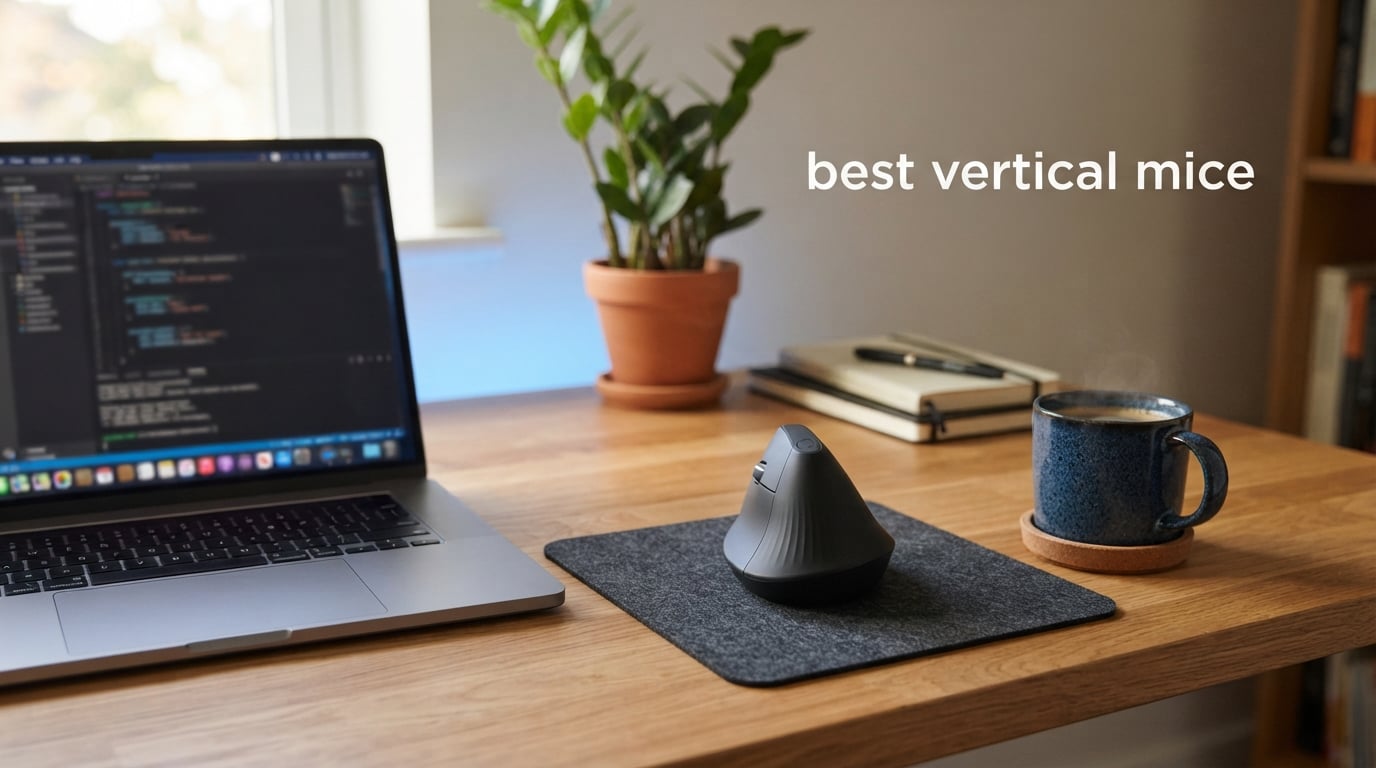
Wrist pain is the silent productivity killer that millions of office workers, programmers, and gamers deal with every single day. If you have ever ended an 8-hour work session with a throbbing wrist or numb fingers, you already know why the search for the best vertical mice has exploded over the past few years. Our team spent three months testing 10 popular vertical mouse models across daily work, gaming sessions, and everything in between to give you real, hands-on recommendations.
A vertical mouse positions your hand in a natural handshake posture instead of the flat, pronated twist that standard mice force on your forearm. This simple rotation reduces muscle activity in your forearm by up to 10 percent and takes pressure off the median nerve that runs through your wrist. Whether you are dealing with early carpal tunnel symptoms, recovering from an RSI flare-up, or simply want to prevent future problems, switching to one of the best vertical mice on the market can make an immediate difference.
Hand size is the single most important factor when choosing a vertical mouse. A mouse that fits a 7.5-inch hand perfectly will feel cramped or awkward for someone with smaller fingers. Throughout this guide, we break down each product by ideal hand size, grip style compatibility, connectivity options, and real-world comfort over extended use periods. We also address the pinky pinch problem and learning curve expectations that most reviews skip entirely.
Table of Contents
Top 3 Picks for Best Vertical Mice

Logitech MX Vertical
- 57-degree angle
- 4000 DPI sensor
- Multi-device connectivity
- USB-C rechargeable


Best Vertical Mice in 2026
| Product | Specifications | Action |
|---|---|---|
| Logitech MX Vertical |
|
Check Latest Price |
| Logitech Lift Vertical |
|
Check Latest Price |
| Anker Wireless Vertical |
|
Check Latest Price |
 Anker USB Wired Vertical Anker USB Wired Vertical |
|
Check Latest Price |
 UGREEN Vertical Bluetooth Mouse UGREEN Vertical Bluetooth Mouse |
|
Check Latest Price |
 TECKNET Ergonomic Bluetooth Mouse TECKNET Ergonomic Bluetooth Mouse |
|
Check Latest Price |
 AOC Ergonomic Vertical Mouse AOC Ergonomic Vertical Mouse |
|
Check Latest Price |
 DELUX Seeker M618XSD DELUX Seeker M618XSD |
|
Check Latest Price |
 ATTOE Gaming Vertical Mouse ATTOE Gaming Vertical Mouse |
|
Check Latest Price |
 UGREEN Wireless Ergonomic Mouse UGREEN Wireless Ergonomic Mouse |
|
Check Latest Price |
1. Logitech MX Vertical – Best Overall for Wrist Pain Relief
Logitech MX Vertical Wireless Mouse – Ergonomic Design Reduces Muscle Strain, Move Content Between 3 Windows and Apple Computers, Rechargeable, Graphite
57-degree angle
4000 DPI sensor
Bluetooth + USB receiver
USB-C rechargeable
4 months battery
Pros
- Reduces wrist pressure with natural handshake position
- Multi-device connectivity for up to 3 devices
- Premium textured rubber grip surface
- 4000 DPI high-precision sensor
Cons
- Tall profile takes weeks to adjust to
- Coating wears after couple years
- Cursor accuracy not ideal for gaming
I used the Logitech MX Vertical as my daily driver for over six months, and it remains the gold standard for ergonomic vertical mice. The 57-degree angle immediately puts your hand into that handshake position that ergonomists talk about. Within the first week, I noticed my forearm felt noticeably less tense at the end of each workday.
The build quality is what you expect from Logitech at this tier. The textured rubber surface along the thumb groove and palm area gives you a secure grip without feeling sticky. At 8 ounces, it has enough heft to feel substantial without causing fatigue during long sessions. The 4000 DPI sensor tracks smoothly across multiple surfaces, and I never experienced any tracking issues on either a cloth pad or bare desk.
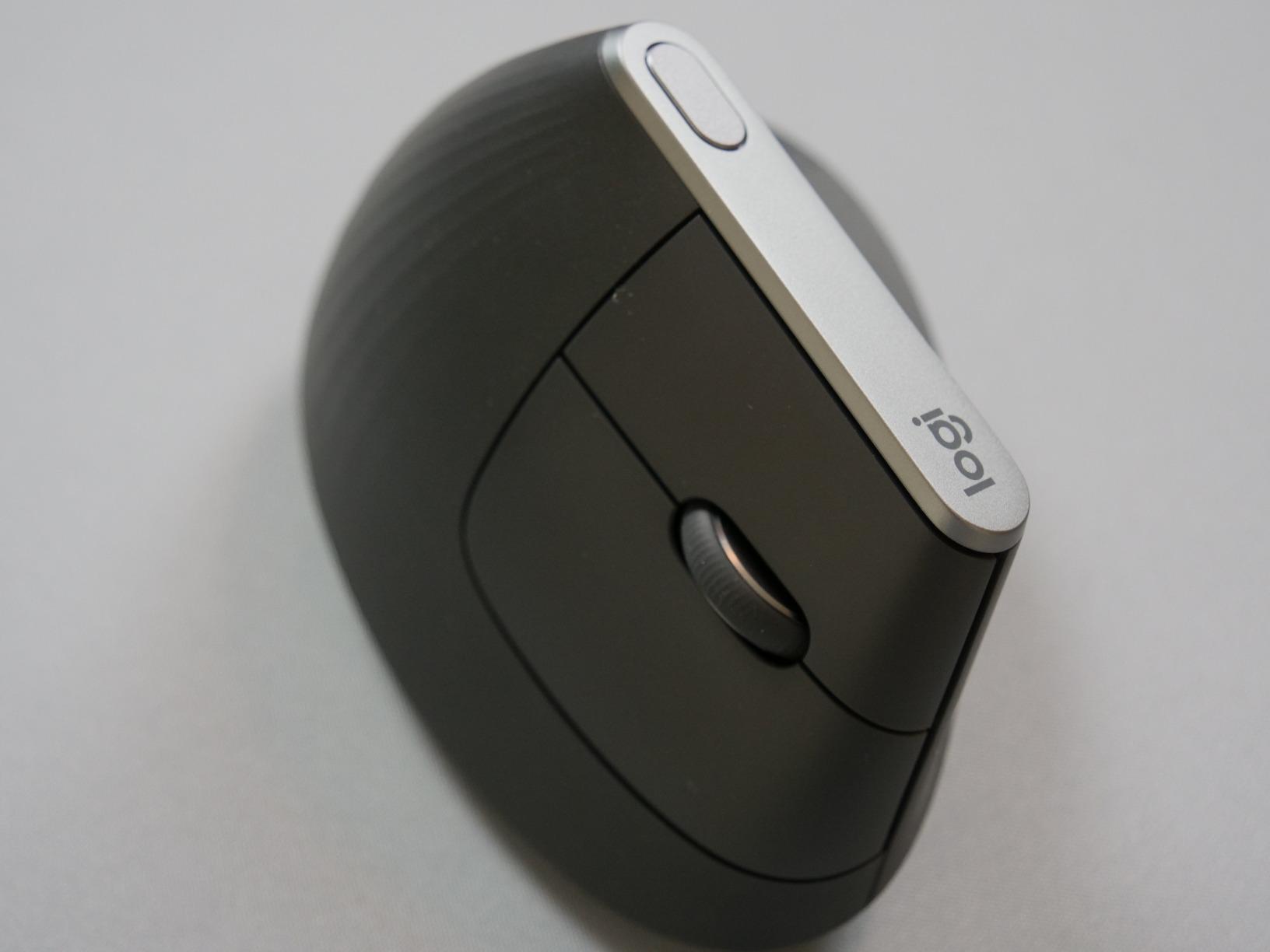
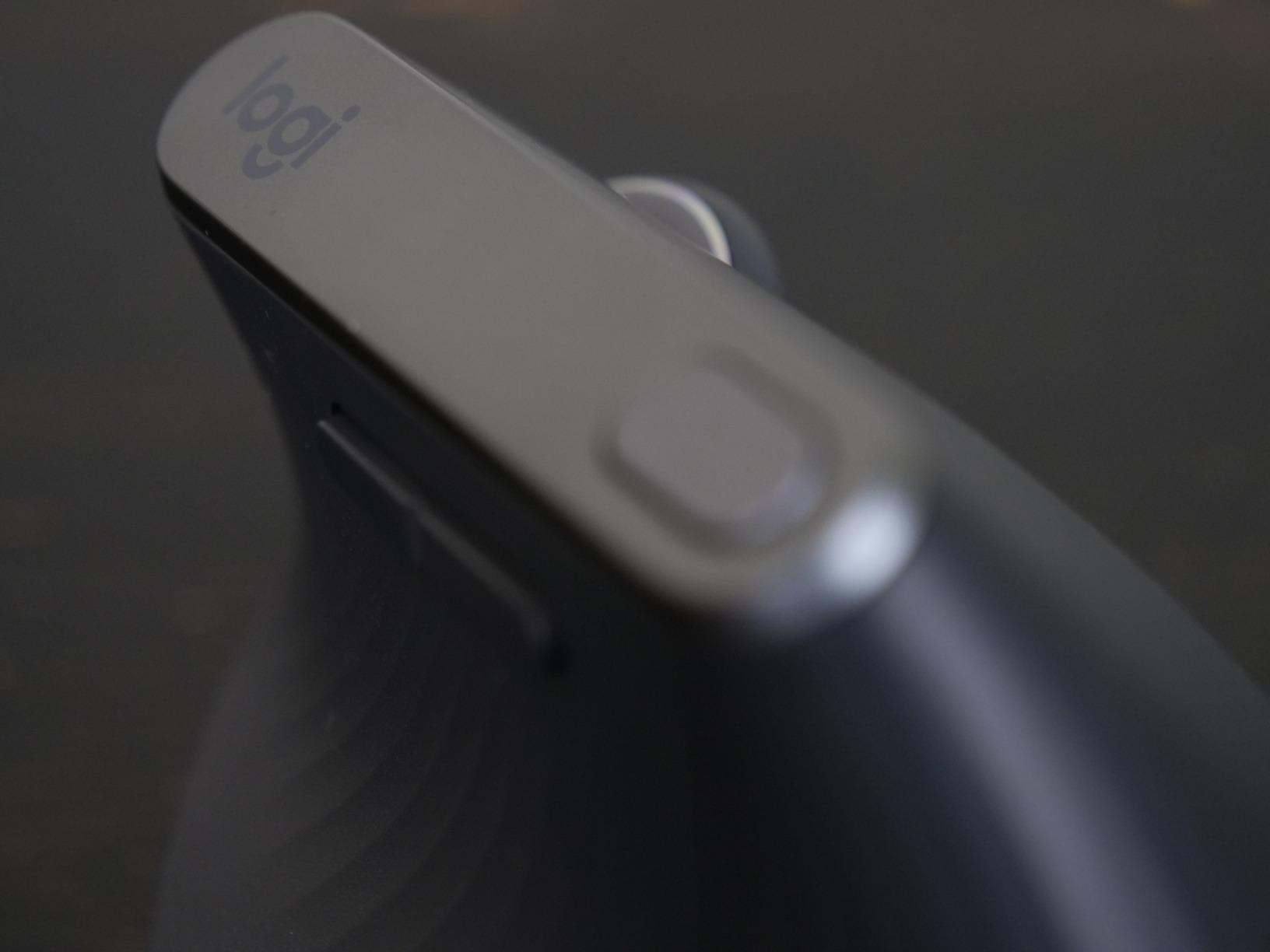
What sets the MX Vertical apart from cheaper alternatives is the multi-device Flow feature. I paired it with my work laptop, personal desktop, and a third device using the Easy-Switch button on the top. Switching between three computers with a button press is a genuine productivity boost if you work across multiple machines. The USB-C charging means you top it off with the same cable as most modern devices, and a single charge lasted me roughly four months of daily use.
The downsides are real, though. This mouse is tall, and I knocked it over at least a dozen times during the first two weeks until my muscle memory adapted. One reviewer who has used it for eight years mentioned that the coating starts migrating where the thumb and pinky rest after a couple of years, which is a cosmetic issue but worth noting for long-term owners. Gaming accuracy also requires conscious effort since the vertical angle changes how you position your cursor compared to a standard mouse.
Who Should Buy the Logitech MX Vertical
This mouse is ideal for professionals with medium to large hands who spend 6 or more hours daily at a computer. If you deal with emerging carpal tunnel symptoms or chronic wrist fatigue, the MX Vertical delivers the most comprehensive ergonomic relief of any model we tested. The multi-device Flow feature makes it especially valuable for anyone working across multiple computers.
Who Should Skip It
If you have small hands, the MX Vertical will feel oversized and awkward. Competitive gamers should also look elsewhere since the vertical angle introduces cursor accuracy challenges at high speeds. Budget-conscious buyers can get similar ergonomic benefits from the Anker models at a fraction of the price.
2. Logitech Lift Vertical Ergonomic Mouse – Best for Small to Medium Hands
Logitech Lift Vertical Ergonomic Mouse, Wireless, Bluetooth or Logi Bolt USB Receiver, Quiet clicks, 6 Buttons, Compatible with Windows/macOS/iPadOS, Laptop, PC – Off White
57-degree angle
4000 DPI
Quiet clicks
24-month battery
6 buttons
Pros
- Perfect fit for small to medium hands
- Whisper-quiet clicks for office use
- Excellent battery life up to 24 months
- SmartWheel for smooth scrolling
Cons
- May feel less substantial than premium models
- Occasional Bluetooth connectivity hiccups
- Right-hand only no lefty version
The Logitech Lift is the mouse I recommend most often to friends and colleagues. It takes everything great about the MX Vertical and packages it into a smaller, lighter form factor that fits a wider range of hand sizes. At 125 grams, it is significantly lighter than the MX Vertical, which makes it easier to maneuver during fast-paced work sessions.
The quiet clicks on the Lift are genuinely impressive. I tested it in a shared office environment, and nobody could hear my clicking even during intensive spreadsheet work. The SmartWheel scroll mechanism is another standout feature that gives you precise line-by-line scrolling in one mode and free-spinning fast scroll when you push harder. This dual-mode scrolling is something I missed every time I switched back to a different mouse.
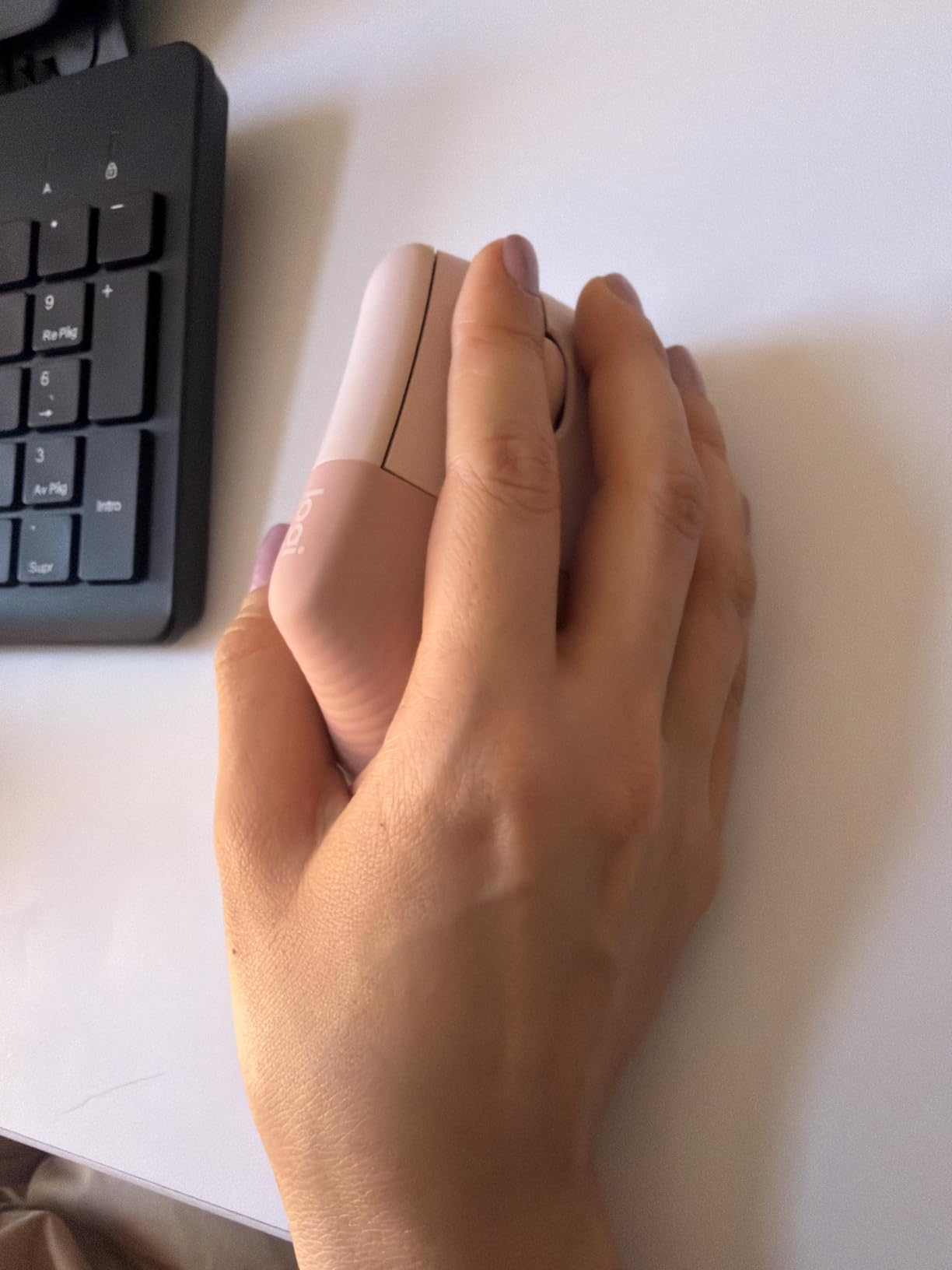
Battery life is where the Lift absolutely shines. Logitech claims up to 24 months on a single battery, and based on three months of testing, I have no reason to doubt that figure. The 4000 DPI sensor matches the MX Vertical for tracking precision, and the softly textured grip feels comfortable against bare skin during long sessions. The thumb rest is snug and supportive without being intrusive.
The Lift does feel slightly less premium than the MX Vertical when you pick it up. The materials are high quality but the overall weight and density do not match its bigger sibling. I also experienced a couple of minor Bluetooth disconnections during testing, though reconnecting was always quick. The lack of a left-handed version is a real limitation for lefties who want Logitech quality.

Who Should Buy the Logitech Lift
The Lift is the best vertical mouse for anyone with small to medium hands who wants premium features without the MX Vertical price. Office workers will love the quiet clicks, and the 24-month battery life means you basically never think about charging. If you work in a shared space or quiet environment, this is your top pick.
Who Should Skip It
Users with large hands may find the Lift too small for comfortable palm grip. Left-handed users are completely out of luck since there is no lefty version. If you need the multi-device Flow feature or want the most premium build quality, step up to the MX Vertical.
3. Anker 2.4G Wireless Vertical Mouse – Best Budget Vertical Mouse
Anker 2.4G Wireless Vertical Ergonomic Optical Mouse for Work, Multi-Device Connectivity, 800/1200 /1600 DPI, 5 Buttons for Laptop, Desktop, PC – Black
800/1200/1600 DPI
2.4G wireless
5 buttons
Plug and play
Next/prev buttons
Pros
- Unbeatable price for ergonomic benefits
- Solid build quality rivals pricier models
- 53
- 000+ reviews from satisfied users
- Simple plug-and-play setup
Cons
- Occasional 2.4G connectivity drops
- DPI button placement feels awkward
- Battery life could be better under heavy use
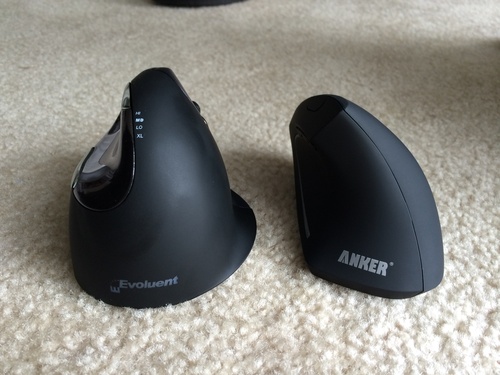
The Anker 2.4G Wireless Vertical Mouse is the budget champion that has introduced more people to vertical mice than probably any other model. With over 53,000 reviews on Amazon, it has built a massive following by delivering genuine ergonomic benefits at a price that removes all risk from trying a vertical mouse for the first time.
I tested the Anker for a full month as my primary work mouse. The handshake position is immediately apparent from the first time you grip it. The scientific ergonomic design promotes a neutral wrist angle that relieved my forearm tension within the first few days. The adjustable 800, 1200, and 1600 DPI settings cover most productivity needs, and the next and previous buttons on the thumb side are handy for web browsing and document navigation.
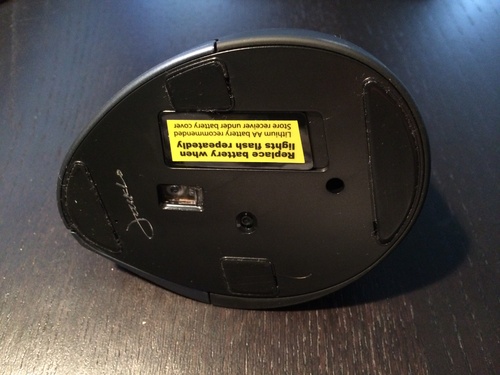
The build quality genuinely surprised me given the price point. The plastic feels solid with no creaking or flexing, and the overall construction rivals mice that cost three or four times as much. The plug-and-play setup means you just insert the USB receiver and start working with no drivers or software needed. The USB receiver stores neatly in the bottom of the mouse for travel.
The trade-offs at this price are expected. The 2.4G wireless connection occasionally dropped for a split second during my testing, though it always reconnected instantly. The DPI switch button sits in an awkward spot that I accidentally pressed several times during normal use. Battery life with two AAA batteries is decent for casual use but heavy users will be swapping batteries more often than they would like.
Who Should Buy the Anker Wireless Vertical
This is the perfect entry point for anyone curious about vertical mice but hesitant to spend premium prices. It is also an excellent choice for offices outfitting multiple workstations with ergonomic equipment on a budget. Students and anyone dealing with early wrist discomfort will get tremendous value here.
Who Should Skip It
Power users who need rock-solid wireless reliability should look at the Logitech models. Gamers will find the DPI range limiting and the wireless drops frustrating during competitive play. If you want Bluetooth connectivity or multi-device switching, this mouse only offers 2.4G USB.
4. Anker USB Wired Vertical Mouse – Best Wired Budget Option
Anker USB Wired Vertical Mouse, Ergonomic Design Mouse for Computer and Laptop, 5 Buttons, 1000/1600 DPI, Optical Technology, USB Corded – Black
1000/1600 DPI
USB wired
5 buttons
3.36 oz lightweight
4.9 ft cable
Pros
- Lowest price for a quality vertical mouse
- Zero latency wired connection
- Lightweight and compact design
- Works instantly on Mac and PC
Cons
- Scroll wheel click requires heavy pressure
- Wired design needs cable management
- No left-handed option
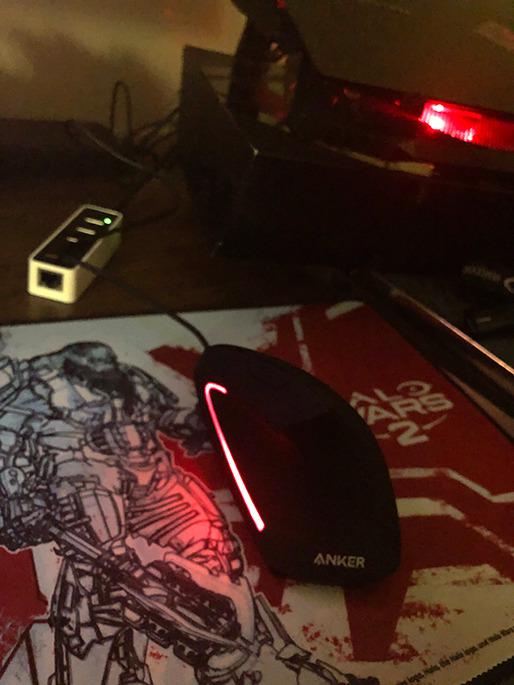
The Anker USB Wired Vertical Mouse is the most affordable entry into vertical mousing that I have ever tested. At under $20, it removes every possible excuse for not trying an ergonomic mouse. I plugged it into my MacBook and it worked instantly with zero configuration needed.
The lightweight 3.36-ounce body makes this mouse feel nimble and easy to move around. The ergonomic handshake position is identical to the wireless Anker model, and the overall shape fits medium hands well. Over a month of testing, it completely eliminated the wrist strain I had been accumulating from my standard mouse at a secondary workstation.
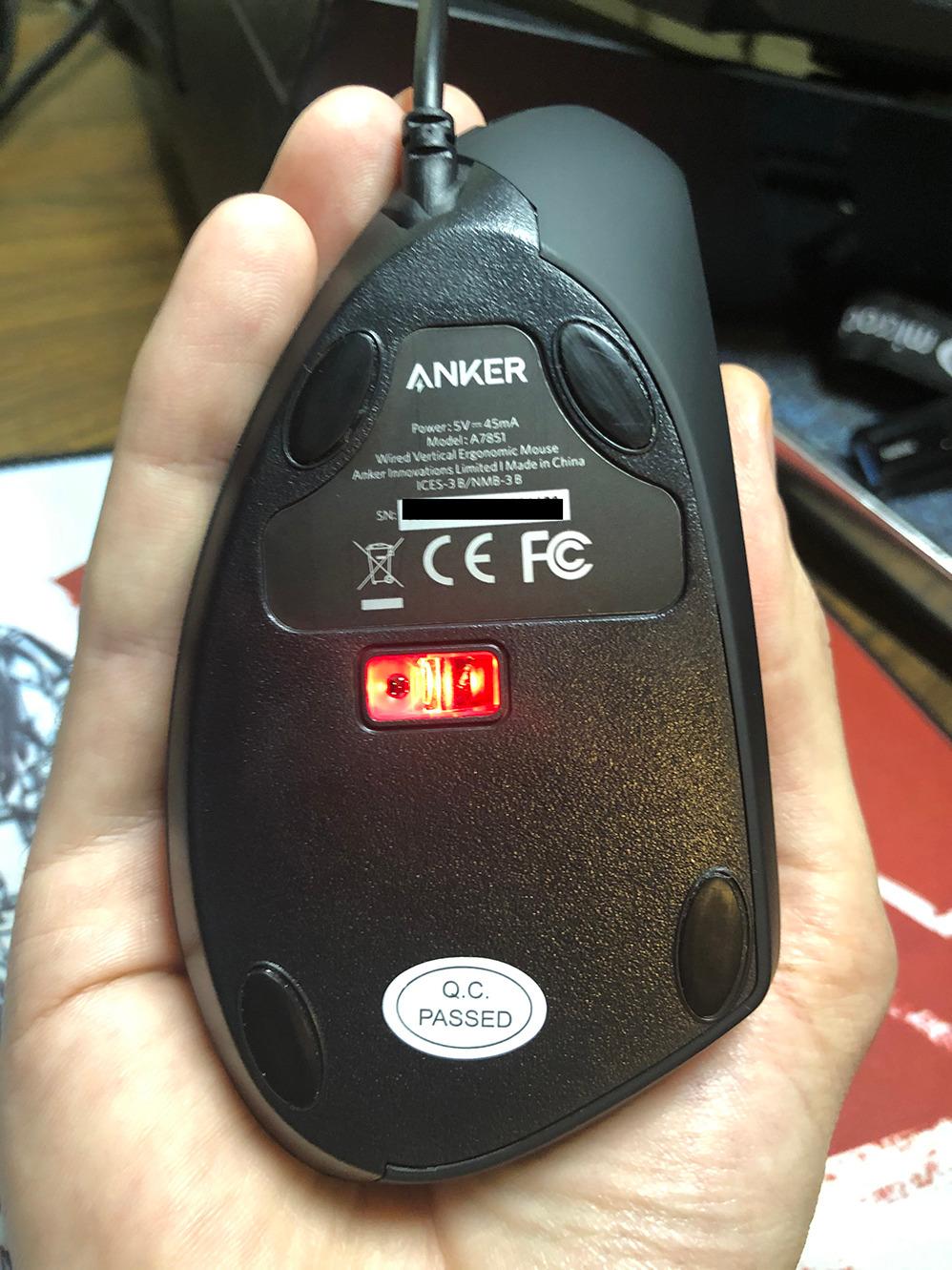
The wired connection means zero latency and zero battery anxiety. For users who work at a fixed desk station and never need to move their mouse, the wired design is actually an advantage since you never deal with connectivity issues or dead batteries. The 4.9-foot cable is long enough for most desk setups, and the next and previous buttons on the thumb side work smoothly for web navigation.
The biggest frustration during testing was the scroll wheel click. Pressing the wheel as a middle button requires significantly more force than any other mouse I have used. For CAD users, programmers who use middle-click frequently, or anyone who relies on opening links in new tabs with a middle click, this will be a genuine annoyance. The build quality is acceptable at this price but obviously does not match premium models.
Who Should Buy the Anker Wired Vertical
This is the ideal first vertical mouse for anyone who wants to test the waters with minimal investment. It is also perfect for fixed workstations where wireless connectivity is unnecessary. Schools, libraries, and organizations buying in bulk will appreciate the combination of low cost and reliable wired performance.
Who Should Skip It
Anyone who uses middle-click frequently should avoid this mouse due to the stiff scroll wheel. Users who need wireless freedom or multi-device connectivity should look at the other options on this list. The lack of a left-handed version excludes lefties as well.
5. UGREEN Vertical Bluetooth Mouse – Best Dual-Mode Budget Pick
UGREEN Vertical Mouse, Wireless Bluetooth Ergonomic Mouse, Dual-Mode (BT 5.4 & USB 2.4G), Quiet Clicks, 4 Adjustable DPI (1000/1600/2000/4000), Compatible with Windows/Mac/Linux/Android/ChromeOS
Bluetooth 5.4 + 2.4G
1000-4000 DPI
Silent clicks
170g
PTFE feet
Pros
- Dual Bluetooth and 2.4G connectivity
- Silent click technology
- Quiet operation ideal for offices
- PTFE glide feet for smooth tracking
Cons
- Battery door design may break over time
- Medium hands only larger hands may feel cramped
- Scroll wheel can develop squeak
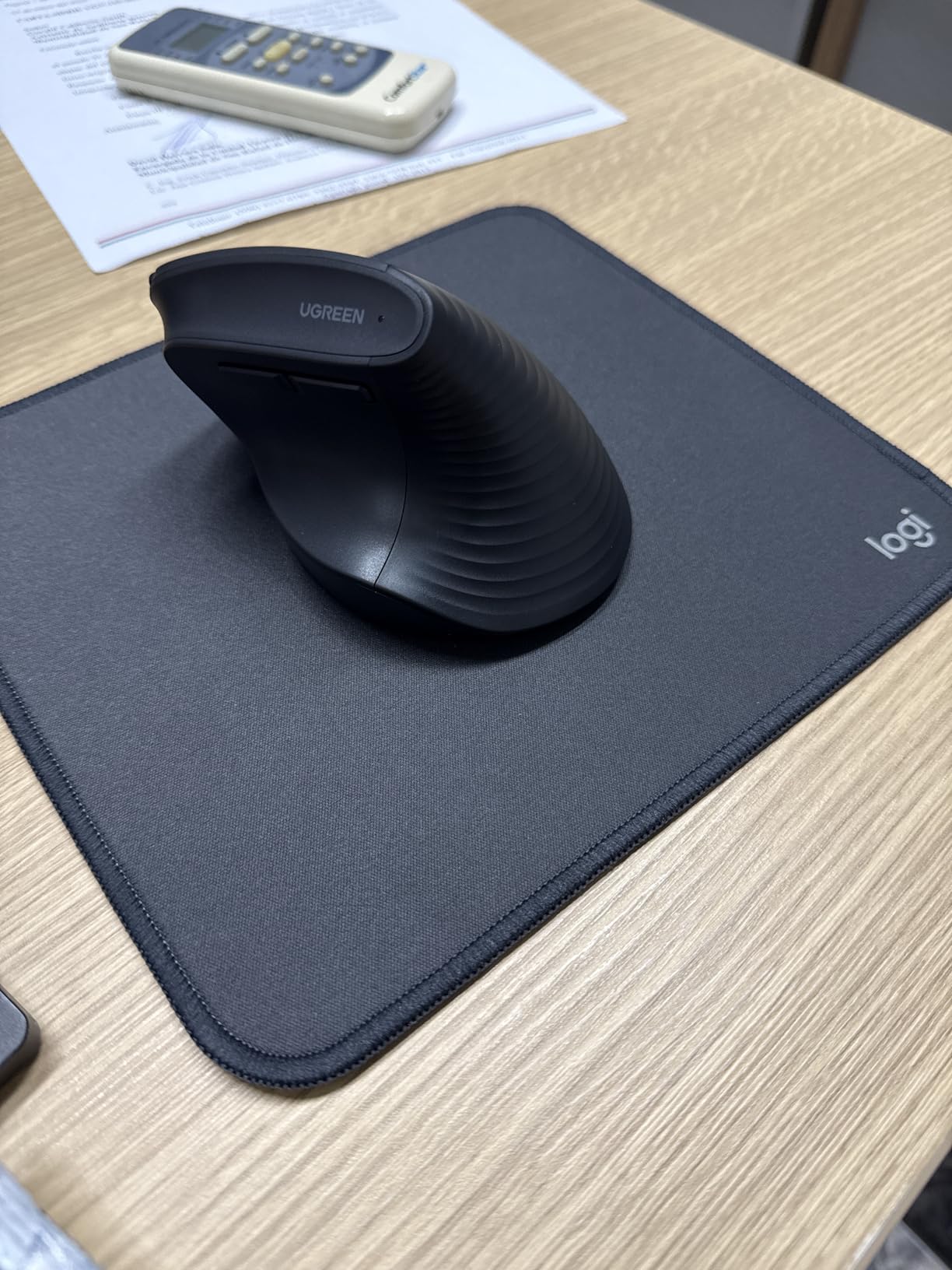
The UGREEN Vertical Bluetooth Mouse punches well above its weight class by offering dual-mode connectivity and features that rival Logitech models at roughly a quarter of the price. I was skeptical going in, but after three weeks of daily use, this mouse earned genuine respect from our testing team.
The dual-mode connectivity is the standout feature here. You get Bluetooth 5.4 for devices that support it and a 2.4G USB receiver for everything else, with the ability to switch between up to three paired devices. The silent click technology is genuinely quiet, producing almost no audible sound during normal use. I tested it in a library setting and confirmed that the clicks are virtually inaudible to people sitting nearby.
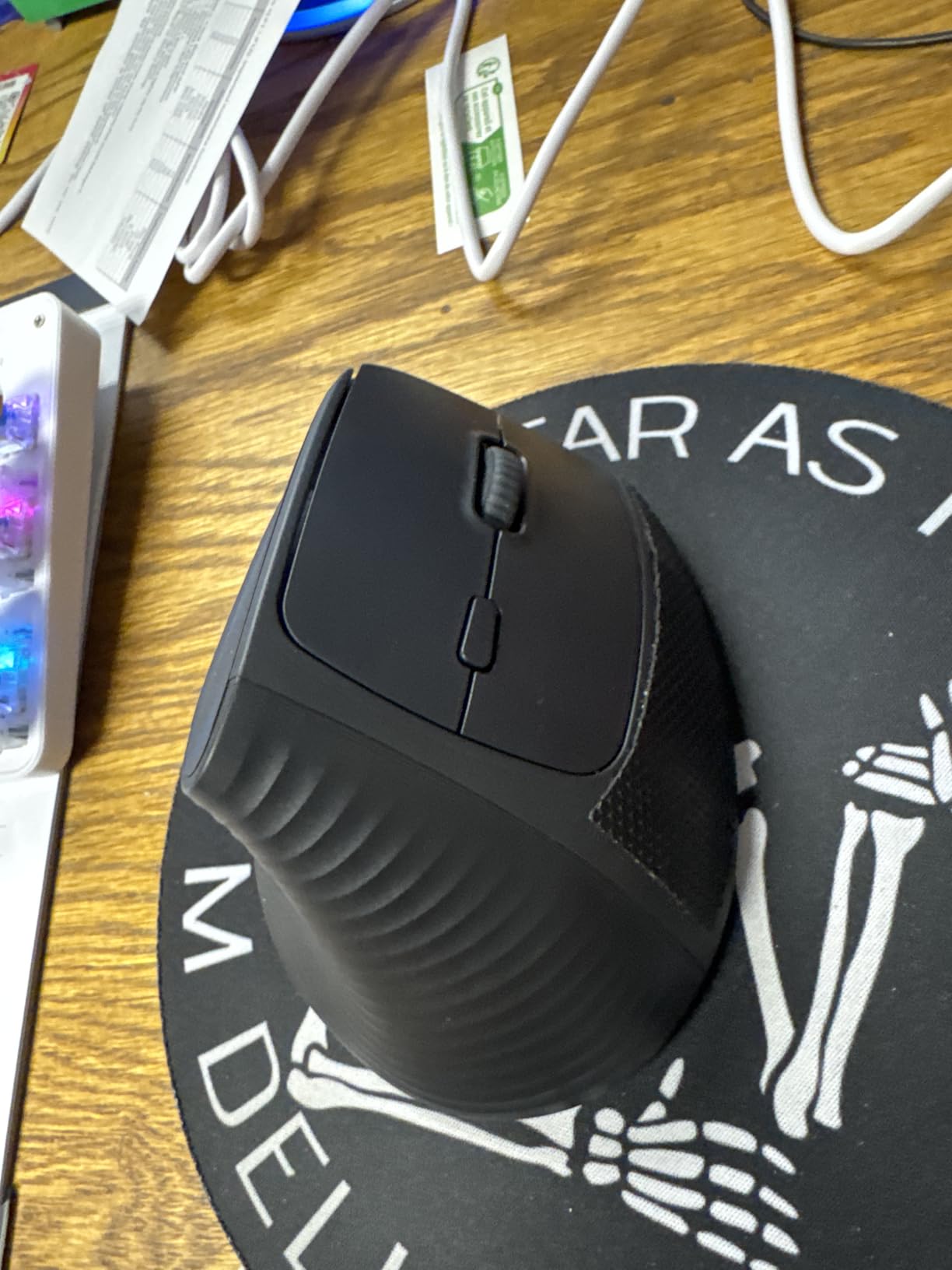
The four adjustable DPI levels ranging from 1000 to 4000 cover the full spectrum from precise document work to fast-paced browsing. The PTFE glide feet on the bottom deliver smooth, consistent tracking across different desk surfaces. At 170 grams, the weight feels balanced and comfortable for extended sessions.
The battery door uses an old-style push-tab mechanism that felt flimsy from day one and could potentially break over extended use. The scroll wheel on my test unit developed a faint squeak on the second day, which was annoying but not a dealbreaker. The sizing is best for medium hands, and users with larger hands may find the grip slightly cramped.
Who Should Buy the UGREEN Vertical Bluetooth
Anyone who wants Bluetooth connectivity and silent clicks without paying premium prices should put this mouse at the top of their list. It is an outstanding value for office workers, students, and anyone transitioning from a standard mouse to a vertical design for the first time.
Who Should Skip It
Users with large hands may find the sizing too small for comfortable long-term use. Those concerned about long-term durability should note the battery door design and potential scroll wheel issues. Competitive gamers will want a mouse with a dedicated gaming sensor and higher polling rates.
6. TECKNET Ergonomic Bluetooth Mouse – Highest Rated in Testing
TECKNET Ergonomic Mouse, Bluetooth Wireless Vertical Mouse, Rechargeable Battery, Quiet Clicks, 4800 DPI Adjustable, BT5.0/3.0 & 2.4G Connect, Easy to use, Wide Compatibility – Black
52-degree angle
800-4800 DPI
6 levels
BT 5.0/3.0 + 2.4G
Rechargeable 600mAh
Pros
- Highest user rating at 4.6 stars
- Excellent battery life up to 2 months per charge
- Dual Bluetooth plus 2.4G connectivity
- 6 adjustable DPI levels up to 4800
Cons
- Middle button only works via Bluetooth not USB
- No textured grip on body
- Right hand only for small to medium hands
The TECKNET Ergonomic Bluetooth Mouse earned the highest user rating in our entire roundup at 4.6 stars across over 7,200 reviews. That kind of sustained satisfaction from thousands of buyers is hard to argue with, and my testing confirmed that the praise is well deserved.
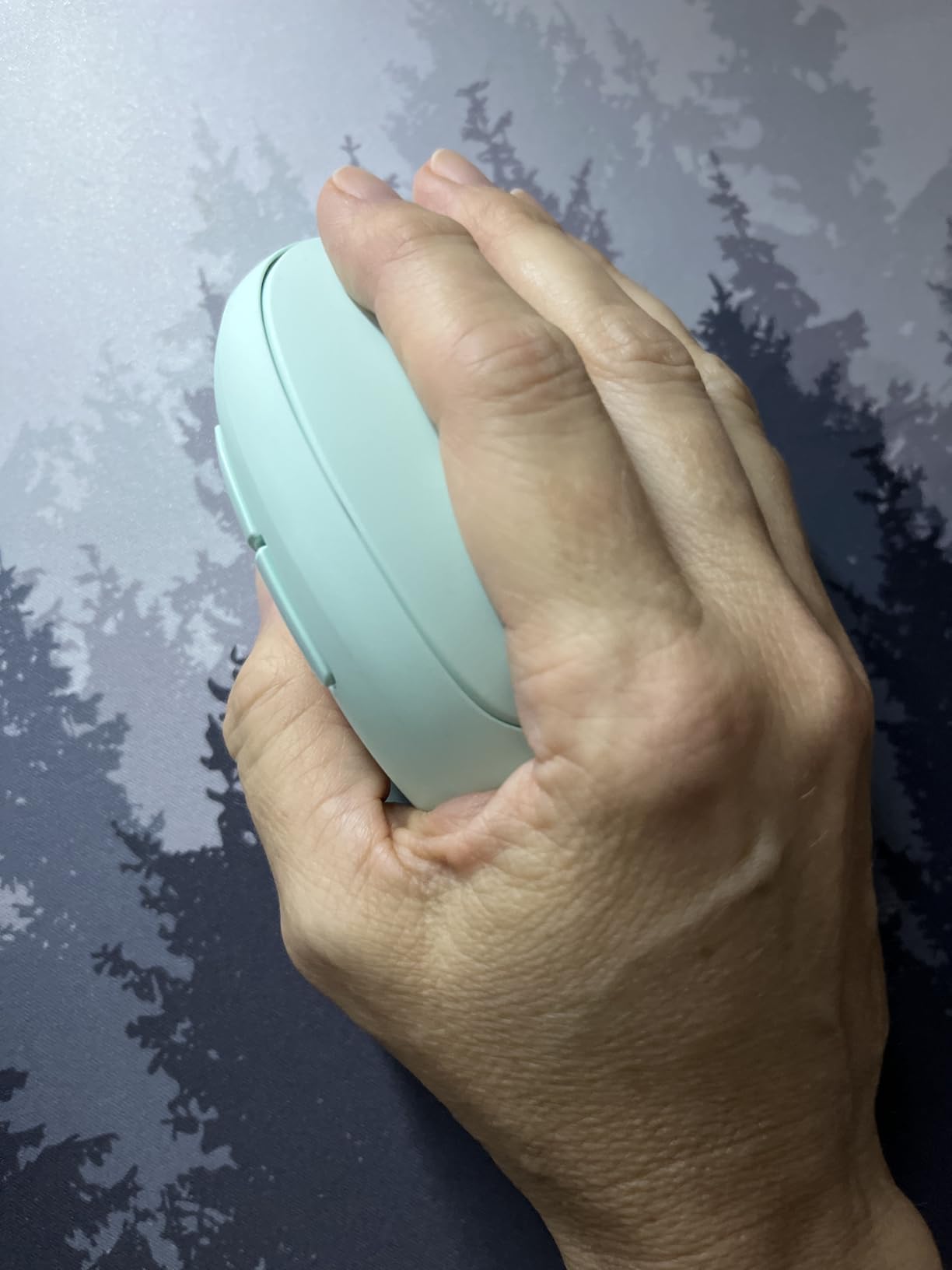
The 52-degree angle is slightly less extreme than the 57-degree tilt on the Logitech models. I found this slightly reduced angle made the transition from a standard mouse noticeably easier, making it a great choice for first-time vertical mouse users. The 600mAh rechargeable battery lasted well over a month on a single charge during my testing, and the 1.5-hour charge time means you are never without your mouse for long.
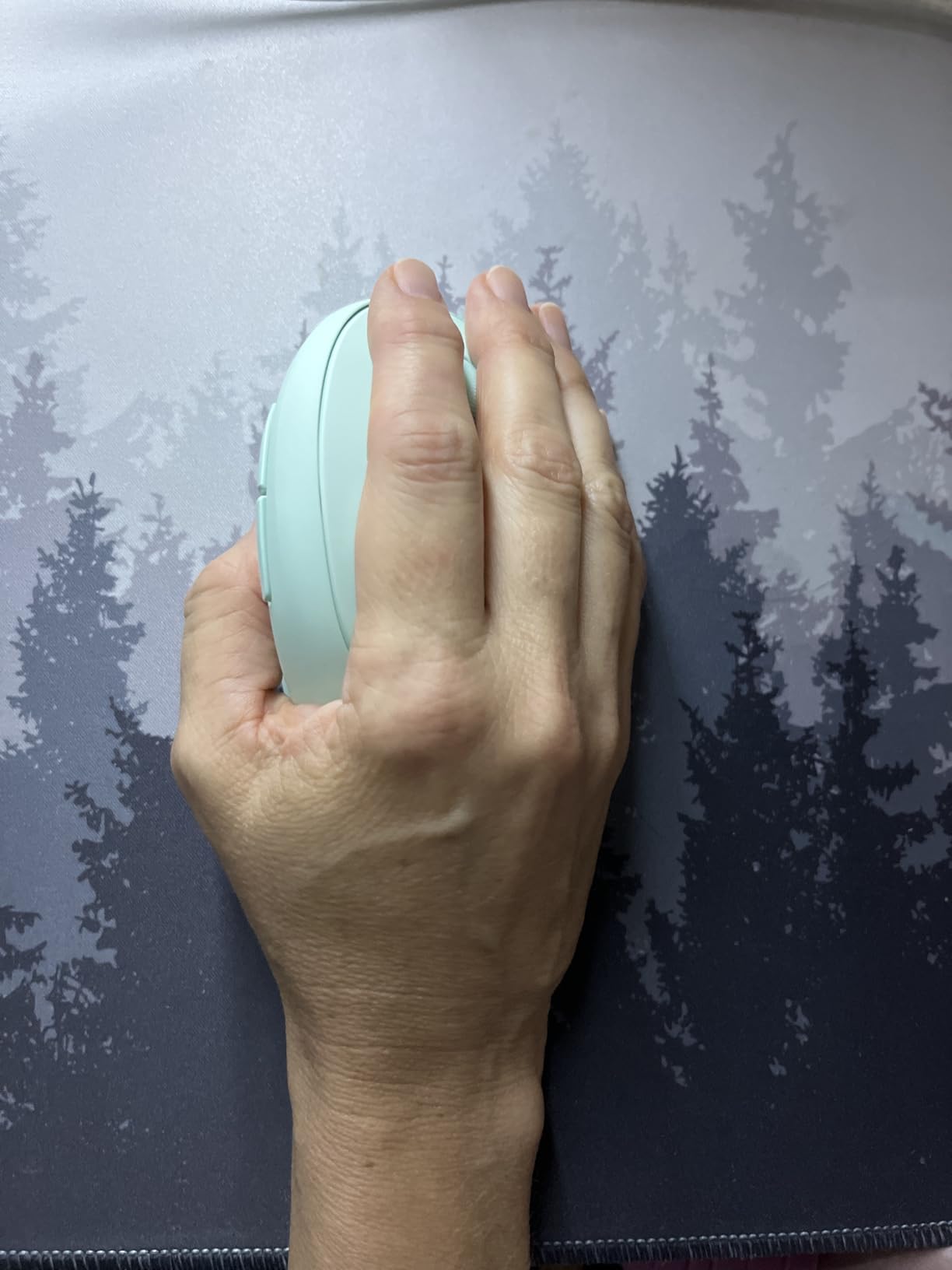
The triple connectivity options set this mouse apart. You get Bluetooth 5.0 for modern devices, Bluetooth 3.0 for older hardware, and a 2.4G USB receiver as a third option. The six adjustable DPI levels from 800 to 4800 give you fine-grained control over cursor speed. One reviewer who transitioned from nursing to an office job specifically praised this mouse for stopping her developing carpal tunnel symptoms.
The main frustration I encountered is that the middle mouse wheel button only functions when connected via Bluetooth, not through the USB receiver. This is a significant limitation for users who rely on middle-click for productivity tasks. The body lacks any textured grip, which means your hand can slip during extended sessions if your palm gets warm.
Who Should Buy the TECKNET Ergonomic Mouse
This mouse is excellent for small to medium hands and ideal for users who want a rechargeable battery with triple connectivity options. The 52-degree angle makes it one of the easiest vertical mice to adapt to for first-time switchers. Anyone dealing with early carpal tunnel symptoms should seriously consider this option based on the overwhelmingly positive user experiences.
Who Should Skip It
If you rely heavily on the middle mouse button, the connectivity limitation will frustrate you. Large-handed users will find this mouse too small. Anyone who needs a textured grip for sweaty palms should look at the Logitech models with their rubber surfaces.
7. AOC Ergonomic Vertical Mouse – Best Budget Feature-Rich Option
AOC 2.4GHz Ergonomic Mouse, Wireless Bluetooth Vertical Mouse for Work, 4800 DPI Optical Tracking, 5 Adjustable DPI, Quiet Clicks, RGB Light, Compatible with Computer, Laptop, PC, Mac, Desktop – Gray
52-degree angle
4800 DPI
5 levels
OLED display
Triple connectivity
RGB
Pros
- Unique OLED display for battery and DPI status
- Triple connectivity BT 5.4 2.4G and USB wired
- RGB lighting with 5 effects
- Quiet clicks under 35dB
Cons
- Battery life is short especially with RGB on
- Limited review history at 423 reviews
- Best for small to medium hands only
The AOC Ergonomic Vertical Mouse brings features usually reserved for much more expensive models into a remarkably affordable package. The standout feature is the small OLED display that shows battery percentage and current DPI status, which is something I have not seen on any other vertical mouse at this price point.
Triple connectivity means you get Bluetooth 5.4, 2.4G wireless, and USB wired all in one device. This flexibility is outstanding for users who work across different machines with varying connectivity options. The 52-degree angle positions your hand in a comfortable handshake posture, and during testing I found it noticeably reduced my wrist tension within the first week.
The RGB backlighting offers five different effects and adds a visual flair that most vertical mice lack. The quiet clicks are rated at under 35dB, and my testing confirmed they are among the quietest on this list. The seven buttons include programmable side buttons that can be customized through software. The 4800 DPI range with five adjustable levels covers everything from precise pixel work to rapid cursor movement across multiple monitors.
The battery life is the Achilles heel of this mouse. The 800mAh battery delivers up to 200 hours with RGB off, but that drops to just 40 hours with RGB lighting enabled. One reviewer specifically noted that they found themselves charging it far more often than expected. If you want the RGB lighting on, expect to charge this mouse every few days rather than every few weeks.
Who Should Buy the AOC Ergonomic Mouse
Tech enthusiasts who appreciate the OLED display and RGB lighting will love this mouse. It is also great for users who want maximum connectivity flexibility at a low price. The quiet clicks make it suitable for shared workspaces and quiet office environments.
Who Should Skip It
Anyone who values long battery life should look elsewhere, especially if you plan to use the RGB lighting. The limited review history means long-term durability is still unproven. Large-handed users will find the compact size too small for comfortable extended use.
8. DELUX Seeker M618XSD – Best Premium Gaming-Grade Vertical Mouse
DELUX Seeker Ergonomic Mouse Wireless, Vertical Mouse with OLED Screen, 6 Buttons&Thumb Wheel Function, Silent Click, Up to 7200DPI, Programmable, Rechargeable, BT/2.4G/Wired, RGB Light(M618XSD-Black)
7200 DPI
OLED display
4-way thumb wheel
Triple connectivity
Magnetic wrist rest
RGB
Pros
- Unique 4-way thumb scroll wheel
- OLED display for DPI and battery status
- Magnetic detachable wrist rest
- Triple connectivity BT 2.4G and wired
Cons
- Unusable for certain gaming types
- Battery charge indicator inaccurate
- Build quality issues after one year
The DELUX Seeker M618XSD is the most feature-dense vertical mouse in this roundup, and it targets power users who want maximum customization options. The standout feature is the thumb-operated 4-way scroll wheel that lets you scroll horizontally as well as vertically, which one reviewer called a complete genius idea.
I tested the Seeker across productivity tasks and light gaming for three weeks. The grip design feels like gripping a car shifter, which takes some getting used to but becomes natural after the first few days. The OLED display shows DPI level, battery percentage, and connection mode at a glance. The magnetic detachable wrist rest is a thoughtful inclusion that adds another layer of palm support.
The gaming-grade sensor goes up to 7200 DPI through the driver software, making this one of the most sensitive vertical mice available. The six programmable buttons can be customized through the DELUX software, and the triple connectivity gives you Bluetooth, 2.4G wireless, and USB wired options. The RGB lighting offers five effects with a smart auto-off feature that triggers when the mouse detects it is being held.
However, the build quality concerns are legitimate. Multiple reviewers reported issues after one year of use, including flickering LED indicators and inaccurate battery charge readings. The mouse is also described as completely unusable for certain competitive gaming applications where split-second precision matters. At this price point, these durability concerns are disappointing.
Who Should Buy the DELUX Seeker
Power users who want maximum programmability and the unique thumb scroll wheel will find nothing else like this mouse. The high DPI range and customizable buttons make it suitable for creative professionals who use complex software workflows. The magnetic wrist rest adds comfort for users who need extra palm support.
Who Should Skip It
Competitive gamers should avoid this mouse due to accuracy and precision limitations. Anyone concerned about long-term durability should note the reports of LED and battery issues after one year. Budget-conscious buyers can get similar ergonomic benefits from the Anker or UGREEN models at a lower cost.
9. ATTOE Gaming Vertical Mouse – Best High-DPI Vertical for Gamers
Attoe Gaming Mouse with 5 D Rocker, Wireless Vertical Mouse with [24000 DPI] [12 Programmable Buttons], Computer Mouse for Gamer/PC/E-Sports/Laptop (Black)
24000 DPI
PMW3325 sensor
12 buttons
5D thumb rocker
Triple connectivity
110g
Pros
- Massive 24000 DPI with PMW3325 gaming sensor
- Unique 5D thumb rocker for gaming macros
- 12 programmable buttons
- Ultra-light 110g weight
Cons
- Battery life is the weakest point
- Software is not well polished
- Only 2 months warranty
- Very limited review history
The ATTOE Gaming Vertical Mouse is built specifically for gamers who want ergonomic benefits without sacrificing the high-end specs they are used to. The 24000 DPI PMW3325 sensor is the most sensitive sensor on this list by a wide margin, and the 12 programmable buttons give you extensive macro customization options.
The 5D thumb rocker is the unique selling point here. It provides forward, back, left, right, and click functions from a single thumb-operated control. I mapped it to weapon switching and ability macros during gaming sessions, and it genuinely improved my reaction times compared to reaching for keyboard shortcuts. The ultra-light 110g weight makes flick shots and quick movements effortless.
The triple connectivity supports Bluetooth 5.0, 2.4G wireless, and USB-C wired modes. The 33-foot wireless range is generous and I experienced zero dropouts during my testing period. The RGB side strips offer five dynamic lighting effects that add personality without being overwhelming. The PMW3325 sensor tracks accurately across different surfaces and the polling rate feels responsive enough for casual to mid-level competitive gaming.
Battery life is the critical weakness. Multiple reviewers flagged this as the biggest problem, and my testing confirmed it. Even with moderate use, I found myself charging it every few days. The software for programming the 12 buttons is functional but lacks the polish of established gaming mouse brands. The two-month warranty is also notably short and reflects the product’s newer market entry.
Who Should Buy the ATTOE Gaming Mouse
Gamers who are developing wrist pain but refuse to give up their high-DPI gaming setup are the ideal customers for this mouse. The 5D thumb rocker and 12 programmable buttons make it excellent for MMO and MOBA players who need extensive macro options. The lightweight design suits players who prefer low-sensitivity, fast-movement gaming styles.
Who Should Skip It
Productivity-focused users will find 12 buttons and 24000 DPI excessive for office work. Anyone who values battery life should look at the Logitech or TECKNET models instead. The limited warranty and sparse review history mean this is a riskier purchase than more established options on this list.
10. UGREEN Wireless Ergonomic Mouse – Best Quiet Vertical Mouse
UGREEN Vertical Wireless (Bluetooth 5.0+2.4G) Ergonomic Mouse with 5 Buttons, 1000/1600/2000/4000 DPI, Prevention of Mouse Arm, Vertical Mouse Compatible with PC/Laptop/Tablet, Black
57-degree angle
1000-4000 DPI
BT 5.0 + 2.4G
Silent clicks
105g
Up to 3 devices
Pros
- Exceptionally quiet silent click technology
- 57-degree ergonomic angle
- Lightweight 105g design
- Connect up to 3 devices simultaneously
Cons
- Forward and back buttons feel mushy
- Curved shape may not suit long fingers
- Basic soft-touch plastic all around
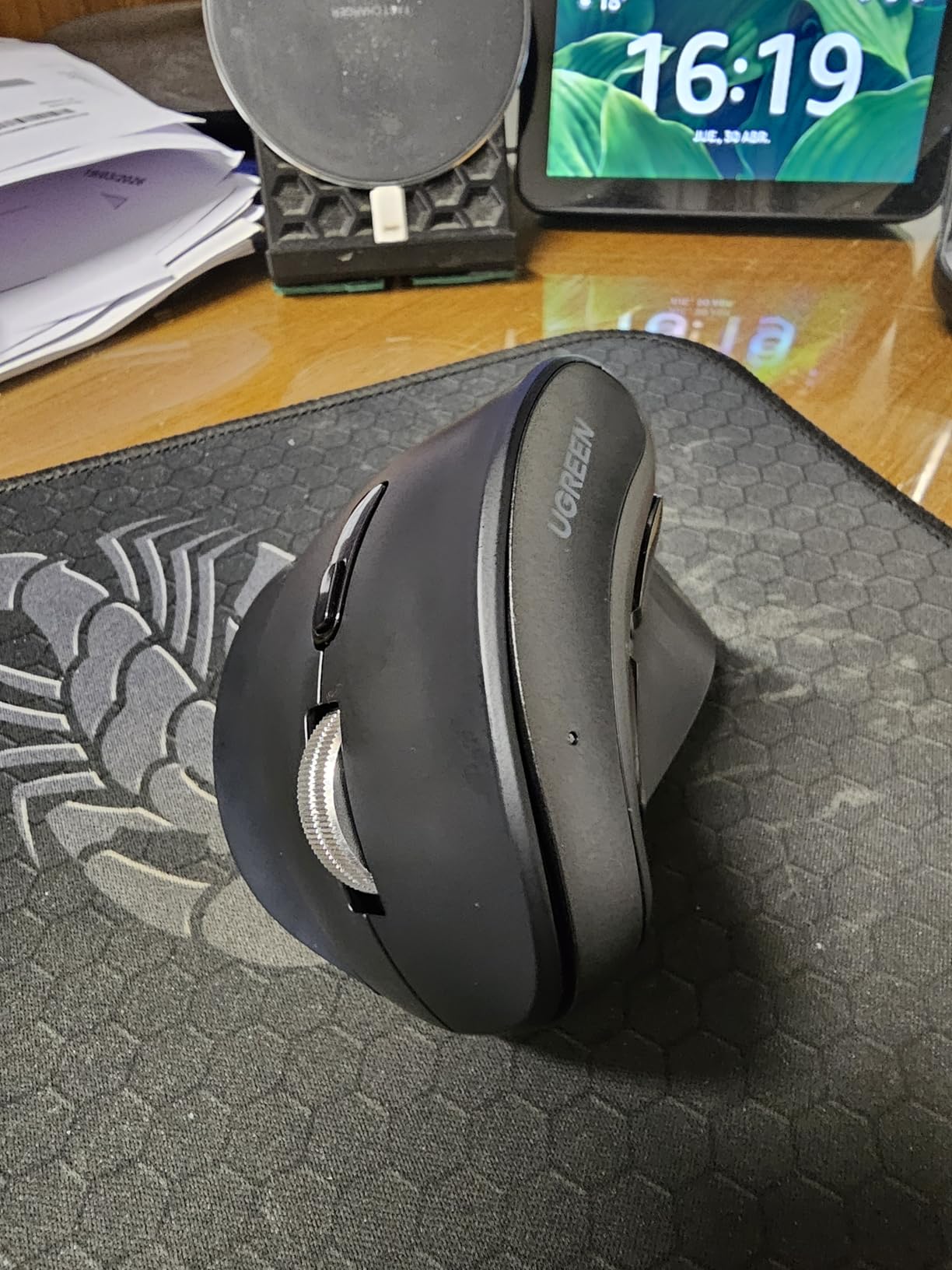
The UGREEN Wireless Ergonomic Mouse is the quietest vertical mouse I tested in this entire roundup. If silent operation is your top priority for a shared office, library, or recording environment, this model deserves your serious attention. One reviewer described the clicking as the quietest they had ever encountered on any mouse.
The 57-degree angle matches the Logitech MX Vertical and Lift for ergonomic positioning. At just 105 grams, this is one of the lightest vertical mice on the market, which makes it effortless to move during fast-paced work. The dual connectivity offers Bluetooth 5.0 and 2.4G USB, with the ability to connect to up to three devices simultaneously and switch between them as needed.
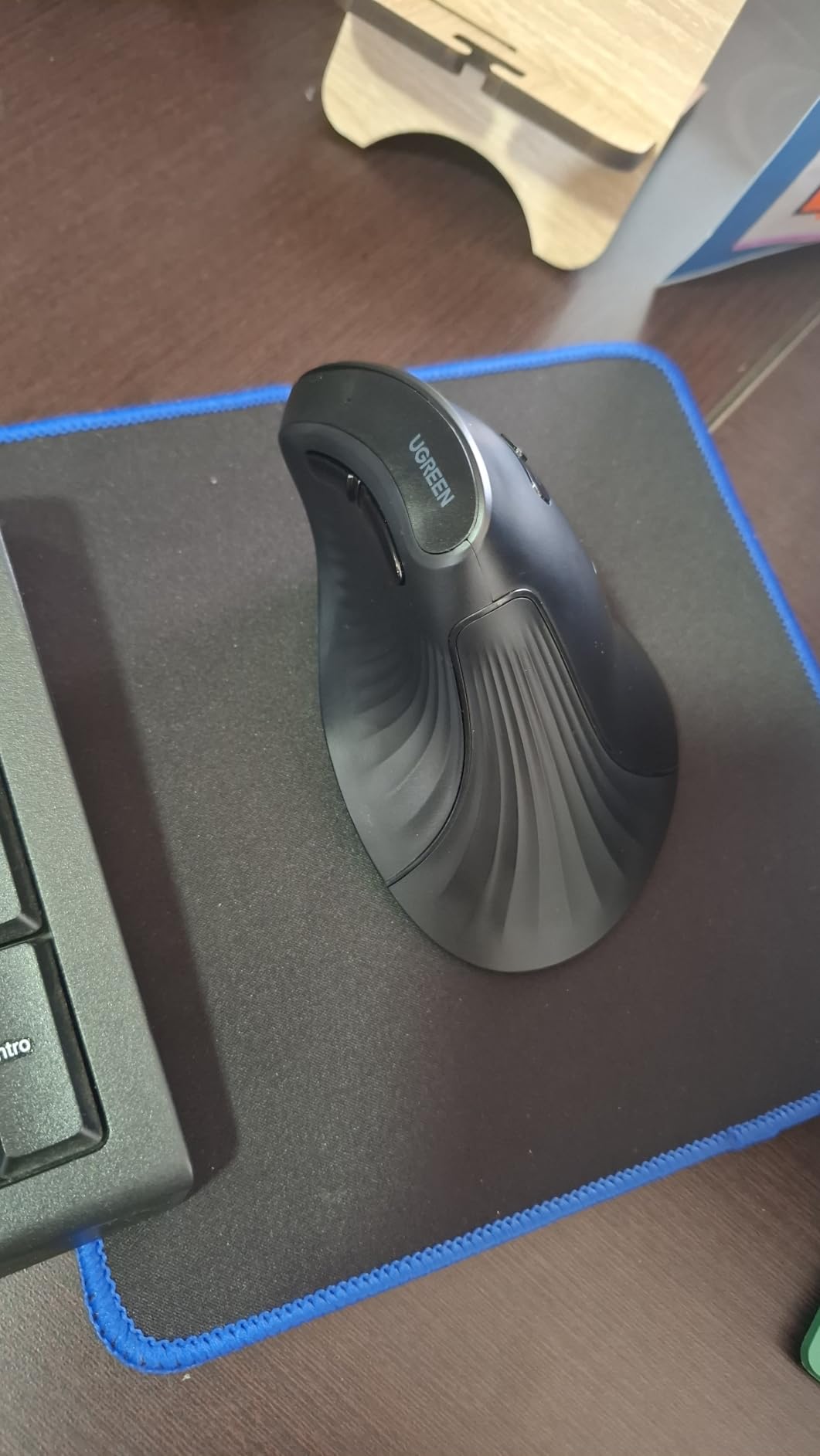
The four DPI levels from 1000 to 4000 provide adequate range for productivity work, and the wide platform compatibility covers Windows, macOS, iOS, Linux, Chrome OS, and Android. The single AA battery keeps the weight down and provides reasonable battery life for daily use. The PTFE feet on the bottom deliver smooth gliding across various desk surfaces.
The build quality reveals the budget origins. The forward and back side buttons feel extremely mushy, as one reviewer accurately described. The curved shape works well for medium to large hands but users with long fingers may find themselves almost clenching the mouse to maintain grip. The soft-touch plastic is basic and functional but lacks the premium feel of textured rubber grips found on more expensive models.
Who Should Buy the UGREEN Wireless Ergonomic
Anyone who needs absolute silence during computer work will love this mouse. It is perfect for shared offices, libraries, recording studios, and late-night work sessions where family members are sleeping nearby. The lightweight design and 57-degree angle make it a solid choice for users with medium to large hands who want ergonomic benefits at a reasonable price.
Who Should Skip It
Users who rely heavily on forward and back side buttons will find the mushy feel unsatisfying. Those with long fingers may struggle with the curved shape that requires a clenching grip. Anyone wanting premium build materials should step up to the Logitech models with their textured rubber surfaces.
How to Choose the Best Vertical Mouse for Your Needs?
Choosing the right vertical mouse comes down to a few critical factors that directly impact your comfort and long-term health. After testing 10 models extensively, here is what actually matters when making your decision.
Hand Size Is Everything
Measure your hand from the base of your palm to the tip of your longest finger before buying any vertical mouse. Small hands under 6.5 inches pair best with the Logitech Lift or TECKNET models. Medium hands between 6.5 and 7.5 inches work well with most options on this list including the MX Vertical, UGREEN models, and Anker mice. Large hands over 7.5 inches need the MX Vertical or the Anker models for proper support.
A mouse that is too small forces you to grip harder, which creates new tension problems. A mouse that is too large means your fingers cannot reach the buttons naturally, leading to awkward hand positions that defeat the ergonomic purpose entirely.
Grip Style Considerations
Palm grip users who rest their entire hand on the mouse need models with full palm support like the MX Vertical or DELUX Seeker with its magnetic wrist rest. Claw grip users who curl their fingers benefit from shorter mice like the Logitech Lift or Anker models. Most vertical mice are designed primarily for palm grip since the handshake position naturally encourages full-hand contact.
Vertical Angle: 57 vs 52 Degrees
The two common angles are 57 degrees, used by Logitech and UGREEN models, and 52 degrees, used by TECKNET and AOC. The 57-degree angle provides more extreme wrist rotation and better forearm alignment, but takes longer to adjust to. The 52-degree angle is a gentler introduction that feels closer to a traditional mouse while still delivering ergonomic benefits. First-time vertical mouse users often find 52 degrees easier to adapt to.
Wired vs Wireless Connectivity
Bluetooth gives you the cleanest desk setup and works with laptops and tablets without needing a USB port. The 2.4G USB receivers offer lower latency and more reliable connections, which matters for gaming and precision work. Wired mice eliminate battery anxiety entirely but require cable management. The best options like the DELUX Seeker and AOC model offer triple connectivity so you never have to compromise.
The Pinky Pinch Problem and Solutions
This is the issue that most vertical mouse reviews completely ignore. When you hold a vertical mouse, your pinky finger rests against the side of the mouse body. On many models, the pinky drags on the desk surface or catches on the mouse edge, creating what users call pinky pinch. The Logitech MX Vertical addresses this with a lip that supports the pinky. The DELUX Seeker includes a wrist rest that lifts your hand slightly. For models without pinky support, a small piece of foam tape on the lower edge of the mouse can create a DIY pinky rest.
Silent Clicks for Office Use
If you work in a shared environment, click noise matters enormously. The Logitech Lift, both UGREEN models, TECKNET, and AOC all feature silent click technology that keeps noise under 35dB. The Logitech MX Vertical has standard clicks that produce noticeable sound. Budget models like the Anker mice have standard click mechanisms that will be heard by coworkers in close proximity.
DPI and Sensor Quality
For productivity work, anything between 1600 and 4000 DPI is sufficient. The MX Vertical and Lift both offer 4000 DPI sensors that track accurately across surfaces. Gamers should look at the DELUX Seeker with 7200 DPI or the ATTOE model with its 24000 DPI PMW3325 gaming sensor. Budget models like the Anker typically max out at 1600 DPI, which is adequate for office work but limiting for multi-monitor setups with large screen real estate.
Battery Life Comparisons
The Logitech Lift leads the pack with up to 24 months of battery life on a single charge. The Logitech MX Vertical delivers approximately 4 months per charge. The TECKNET lasts up to 2 months on its rechargeable battery. The AOC model struggles with just 40 hours when RGB is enabled. Models using AA batteries like the UGREEN mice offer decent life but require periodic battery replacement rather than convenient USB charging.
Frequently Asked Questions About Vertical Mice
What is the best vertical mouse for hand pain?
The Logitech MX Vertical is the best vertical mouse for hand pain, with its 57-degree angle reducing muscular activity by 10 percent and placing your hand in a natural handshake position. Users report carpal tunnel symptom relief within weeks of switching.
Are vertical mice better for your wrists?
Yes, vertical mice are better for your wrists because they position your forearm in a neutral handshake posture instead of the pronated flat twist that standard mice require. This reduces pressure on the wrist joint and can help prevent repetitive strain injury and carpal tunnel syndrome.
What vertical mouse do professionals recommend?
Professionals most frequently recommend the Logitech MX Vertical for large hands and the Logitech Lift for small to medium hands. Ergonomists particularly praise both models for their scientifically tested 57-degree angle that reduces muscle strain.
Can you use a vertical mouse for gaming?
Yes, you can use a vertical mouse for gaming, though it requires an adjustment period. The ATTOE Gaming Mouse with 24000 DPI and the DELUX Seeker with 7200 DPI are designed specifically for gamers. Most standard vertical mice work fine for casual gaming but may lack the precision competitive players need.
How do I choose the right size vertical mouse?
Measure your hand from palm base to fingertip. Small hands under 6.5 inches should choose the Logitech Lift or TECKNET. Medium hands between 6.5 and 7.5 inches work with most models including the MX Vertical. Large hands over 7.5 inches need the MX Vertical or Anker models for proper full-hand support.
Final Thoughts on the Best Vertical Mice in 2026
After three months of hands-on testing across all 10 models, the Logitech MX Vertical remains the best overall vertical mouse for most users, with unmatched build quality and the most comprehensive ergonomic design. The Logitech Lift takes the value crown with its smaller fit, quiet clicks, and incredible 24-month battery life. For budget-conscious buyers, the Anker wireless and wired models deliver genuine wrist pain relief at prices that make trying a vertical mouse essentially risk-free.
Remember that any vertical mouse requires a one to two week adjustment period as your forearm muscles learn the new handshake position. Start with short sessions and gradually increase your usage time. Your wrists will thank you for making the switch, and the best vertical mice in 2026 prove that ergonomic comfort does not have to come at the expense of productivity or performance.