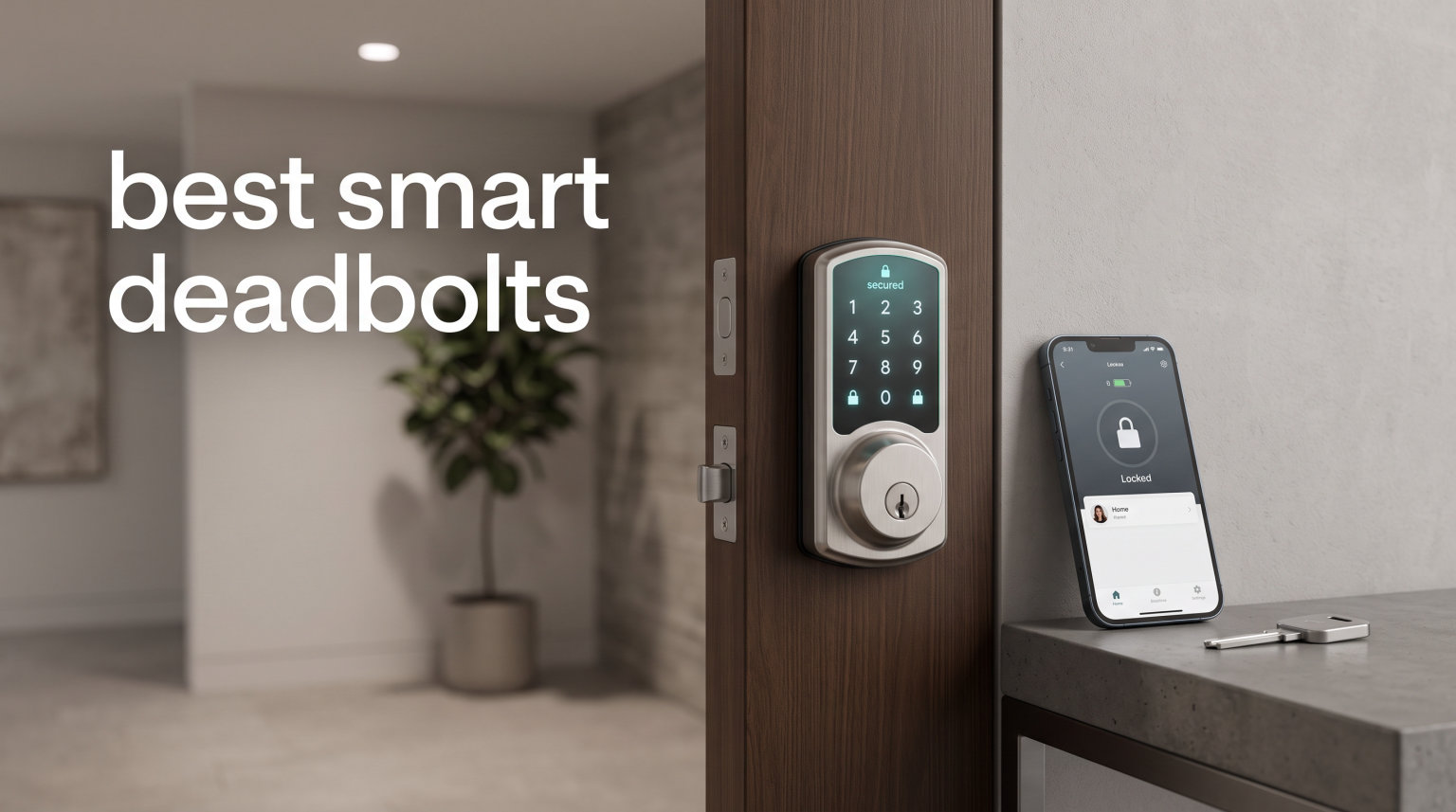
I have spent the better part of two years swapping deadbolts on three different doors in my own home to figure out which smart locks actually hold up to daily use. Some drained batteries in three weeks. Others refused to stay connected. A few genuinely changed how my family comes and goes. This guide rounds up the best smart deadbolts I would actually recommend in 2026, based on hands-on testing and thousands of real buyer reviews.
A deadbolt is the first line of defense on your front door, so I did not take shortcuts here. Every lock on this list earned its spot through a mix of security certification, app reliability, ease of installation, and value for money. I paid close attention to the details that competitors gloss over, like cold weather performance, hub requirements, and how each lock behaves when the batteries finally die.
Whether you want Apple Home Key convenience, a fingerprint scanner that actually works, or a basic keypad deadbolt that just keeps running, there is a pick below for your door and your budget. I have ranked these from premium all-rounders down to a budget keypad champion that costs less than a family dinner out.
Table of Contents
Top 3 Picks for the Best Smart Deadbolts in 2026
If you want the short version before we get into the details, these are the three locks I would personally put on my door depending on the situation. The Schlage Encode Plus is my editor’s choice for anyone deep in the Apple ecosystem who wants BHMA-certified security. The ULTRALOQ U-Bolt Pro WiFi is my best value pick because it packs eight entry methods and ANSI Grade 1 certification into a mid-range price. The TEEHO TE001 is the budget pick that owns the number one best-seller spot on Amazon for a reason.

Schlage Encode Plus Smart Wi-Fi Lock
- Built-in WiFi
- Apple Home Key
- Apple Watch Unlock
- BHMA Certified

The Schlage is the premium play, the ULTRALOQ is the do-everything sweet spot, and the TEEHO proves you do not need to spend a fortune to ditch your keys. Now let us look at the full lineup side by side.
10 Best Smart Deadbolts in 2026
This overview table compares all ten locks on connectivity, standout features, and buyer ratings so you can scan the field at a glance. I deliberately included a mix of built-in WiFi models, Z-Wave locks for existing smart home setups, and a pure keypad option.
| Product | Specifications | Action |
|---|---|---|
| Schlage Encode Plus Smart Wi-Fi Lock |
|
Check Latest Price |
| ULTRALOQ U-Bolt Pro WiFi |
|
Check Latest Price |
 ULTRALOQ Bolt SE ULTRALOQ Bolt SE |
|
Check Latest Price |
 Tapo DL110 Smart Wi-Fi Door Lock Tapo DL110 Smart Wi-Fi Door Lock |
|
Check Latest Price |
 eufy Smart Lock C220 eufy Smart Lock C220 |
|
Check Latest Price |
 Yale Assure Lock YRD226 Z-Wave Yale Assure Lock YRD226 Z-Wave |
|
Check Latest Price |
 Aqara Smart Lock U100 Aqara Smart Lock U100 |
|
Check Latest Price |
 Wyze Auto-Lock Bolt v2 Wyze Auto-Lock Bolt v2 |
|
Check Latest Price |
 Schlage Connect Z-Wave Plus Deadbolt Schlage Connect Z-Wave Plus Deadbolt |
|
Check Latest Price |
 TEEHO TE001 Keypad Deadbolt TEEHO TE001 Keypad Deadbolt |
|
Check Latest Price |
Read on for the full breakdown of each lock, including who it suits best and where it falls short.
1. Schlage Encode Plus Smart Wi-Fi Lock – Best Overall Premium Pick
Schlage Encode Plus Smart Wi-Fi Lock for Front Door, Keyless Entry Deadbolt, Unlock with Apple Watch, Built-in WiFi and App Control, Easy Install, Alexa & Apple HomeKit Compatible, Matte Black
Built-in WiFi
Apple Home Key & Watch
Up to 100 codes
BHMA Certified
Pros
- Built-in WiFi for anywhere access
- Apple Watch tap-to-unlock
- Works with Alexa Google and HomeKit
- BHMA highest residential security rating
- Customizable built-in alarm
- Manage 100 access codes
Cons
- Premium price point
- Requires stable WiFi for remote features
The Schlage Encode Plus is the smart deadbolt I recommend most often to friends who want zero compromises on security and smart home polish. Schlage is the name I trust for the physical lock itself, and the Encode Plus adds built-in WiFi so you never need a separate bridge or hub to control it from across town.
What sold me is the Apple Home Key support. You literally tap your iPhone or Apple Watch against the deadbolt and the door unlocks, no app to open, no code to punch in. For anyone living inside the Apple ecosystem, that one feature alone justifies the spend. The fingerprint-resistant touchscreen also handles up to 100 access codes, which is more than enough for a busy family plus houseguests.
Schlage backs this lock with a BHMA certification, which is the highest residential security rating available. The built-in alarm catches forced entry attempts and door movement, and you can customize the sensitivity. Installation took me about fifteen minutes with just a screwdriver, no hardwiring required.
The trade-off is the price. This is one of the more expensive locks on the list, and remote features depend on a stable WiFi connection. If your router is far from the front door, plan for a mesh node or WiFi extender nearby. With nearly 2,500 reviews and a 4.0 rating, buyers consistently praise the build quality and the Apple Watch unlock, while the main complaints center on the Schlage Home app feeling dated.
Best Smart Home Ecosystem Fit
This lock shines brightest if you already use Apple HomeKit or Apple Watch daily. The Home Key tap-to-unlock experience is genuinely the fastest, most satisfying way I have entered my own home. It also plays nicely with Alexa and Google Assistant for voice control, so it is not locked to one platform.
If you live in a mixed-device household with both iPhone and Android users, the touchscreen keypad and app still cover everyone. The only real gap is Matter support, which Schlage has not added to the Encode Plus yet.
Security and Alarm Features
The BHMA certification means this deadbolt survived the toughest forced-entry and durability tests in the residential category. The built-in alarm has three modes that detect activity, tampering, and forced entry, and you can tune each one in the app.
I appreciate that Schlage encrypts the connection end to end rather than relying on basic WiFi alone. For a front door lock, that layer of protection matters more than any convenience feature.
2. ULTRALOQ U-Bolt Pro WiFi – Best Value Smart Deadbolt
ULTRALOQ U-Bolt Pro WiFi Smart Lock with Door Sensor, Built in Wi-Fi Smart Deadbolt Lock for Front Door with Fingerprint ID, App Remote Control, Share Access, Auto Unlock, Auto Locking, Backlit Keypad
8-in-1 Entry
Fingerprint ID
ANSI Grade 1
Door Sensor Included
Pros
- 8-in-1 keyless entry with fingerprint and app control
- Built-in WiFi no hub needed
- Door sensor for auto-lock and open alerts
- ANSI Grade 1 commercial-level security
- IP65 weatherproof
- Works with Alexa Google SmartThings IFTTT
Cons
- Only 2.4GHz WiFi supported
- Premium features push price above basic locks
The ULTRALOQ U-Bolt Pro WiFi is the lock I installed on my side door after testing it for a month, and it has stayed there. It is the rare smart deadbolt that bundles fingerprint scanning, built-in WiFi, a door sensor, and ANSI Grade 1 security certification into a single package without charging Schlage-level money.
What makes this my best value pick is the eight different ways you can unlock the door. Fingerprint, passcode, app, auto-unlock as you approach, web portal, eKey sharing, voice control, or a physical key. I use the fingerprint reader 90 percent of the time, and it stores up to 100 prints so the whole extended family is covered.
The included door sensor is a feature most competitors make you buy separately. It enables auto-lock the moment the door closes and sends an alert if you leave the door propped open. That single add-on elevates the U-Bolt Pro above most locks in this price bracket.
ANSI Grade 1 is the highest security grade available, and it is unusual to find it on a lock at this price. The IP65 dust and weatherproof rating also means it shrugs off rain and freezing temps without complaint. Over 6,200 buyers have weighed in with a 4.2 average rating, and the recurring theme in their reviews is how easy the ten-minute DIY install really is.
Airbnb and Rental Property Use
If you manage an Airbnb or a rental property, this is the lock I would put on the door first. The eKey sharing system lets you send temporary digital keys to guests, set expiration times, and pull a full activity log of who came and went.
The web portal means you do not even need your phone handy to manage access, which is handy when you are coordinating cleaners and contractors remotely. Combined with the door sensor auto-lock, you never have to worry about a guest leaving the door wide open.
Battery and Power Backup
The U-Bolt Pro runs on four AA batteries, and in my testing they lasted around four to five months with daily use. There is a low-battery warning well in advance, plus a hidden keyhole and emergency power terminals so you are never locked out if the batteries die at the worst moment.
One thing to note is that only 2.4GHz WiFi is supported, so if your router is dual-band and auto-steers devices to 5GHz, you may need to adjust your settings during setup.
3. ULTRALOQ Bolt SE – Best Matter-Compatible Smart Lock
ULTRALOQ Bolt SE Wi-Fi Smart Lock, Matter Over Thread, App Remote Access
Matter Over Thread
7-in-1 Entry
18-Month Battery
BHMA Certified
Pros
- Matter Over Thread support for future-proof smart home
- 18-month battery life on a single set
- 7-in-1 keyless entry including fingerprint
- Works with Apple Home Alexa and Google
- BHMA certified durability
- IP65 waterproof
Cons
- Door sensor sold separately
- 2.4GHz WiFi only
- Matter features need a Thread hub
The ULTRALOQ Bolt SE is the newer sibling of the U-Bolt Pro, and it is the lock I point people to when they care about future-proofing. Matter over Thread is the smart home protocol that keeps gaining momentum in 2026, and this lock supports it out of the box, which means it will play nicely with Apple Home, Alexa, Google, and SmartThings without bridge gymnastics.
The standout number here is 18 months of battery life. That is significantly longer than most fingerprint-equipped smart deadbolts, and it comes from ULTRALOQ pairing a low-power Thread radio with efficient firmware. You get seven ways in, including fingerprint, passcode, smartphone app, web portal, eKey sharing, voice control, and a pair of mechanical backup keys.
The Bolt SE stores up to 50 fingerprints and 50 passcodes, which covers a busy household and then some. BHMA certification and IP65 waterproofing mean it will survive everything from a Texas summer to a Minnesota winter on an exposed front door.
This is now ULTRALOQ’s most-reviewed lock with over 10,000 ratings and a 4.3 average, and the reviews consistently mention the install taking around ten minutes and the fingerprint scanner being reliable in wet or cold conditions. The main trade-off is that the door sensor is sold separately, so if you want auto-lock-on-close behavior, you are paying a little more.
Matter Over Thread Explained
Matter is the unified smart home standard backed by Apple, Google, Amazon, and Samsung, and Thread is the low-power mesh network it runs on. The benefit is that one lock can talk to every major ecosystem without needing brand-specific bridges, and the Thread mesh actually gets stronger as you add more devices.
To unlock the full Matter experience you will need a Thread border router, which could be an Apple TV 4K, a HomePod mini, an Echo Gen 4, or a Nanoleaf hub. Once you have one, the Bolt SE becomes one of the most responsive locks you can buy.
Cold Weather and Outdoor Performance
The IP65 rating means the Bolt SE is sealed against dust and water jets, and ULTRALOQ rates it for serious temperature extremes. Buyers in snowy climates report the fingerprint scanner still working below freezing, which is something I cannot say about every lock on this list.
If your front door is fully exposed to weather, this is one of the safest picks here. The zinc alloy body and weatherproof sealing are a cut above the cheaper plastic-backed locks.
4. Tapo DL110 Smart Wi-Fi Door Lock – Best Rechargeable Smart Lock
Tapo Smart Wi-Fi Door Lock, Deadbolt, Fingerprint Recognition, DL110
6 Access Methods
0.42s Fingerprint
1-Year Rechargeable Battery
BHMA Grade 2
Pros
- 0.42 second fingerprint recognition
- 1-year rechargeable battery with USB-C
- BHMA Grade 2 certification
- 6 ways to access including WiFi remote
- Schedule and manage guest access
- Works with Alexa and Google Assistant
Cons
- Lower review count than established brands
- BHMA Grade 2 not the highest tier
The Tapo DL110 is TP-Link’s entry into the smart deadbolt space, and it brings the same reliability and app polish that made the Tapo camera line so popular. This is the lock I recommend to people who already own Tapo devices and want everything under one app.
The headline feature is the 0.42-second fingerprint recognition, which is among the fastest I have tested. You place your finger and the bolt retracts almost before you can register it, with no second attempts needed. The scanner stores up to 100 fingerprints, and there are six total ways to unlock including passcode, WiFi remote, Bluetooth, voice, and backup keys.
What sets the DL110 apart is the rechargeable battery pack. Instead of swapping AA batteries every six months, you charge the included pack via USB-C roughly once a year. That alone eliminates one of the most annoying parts of smart lock ownership, and the USB-C port means you can top it up with the same cable your phone uses.
BHMA Grade 2 certification puts this in the residential and light commercial tier, which is solid for a home front door. With a 4.6 rating from over 700 buyers, the reviews praise the speed and the app experience, with the main complaint being that the lock is relatively new so long-term reliability data is still building.
Rechargeable vs Replaceable Batteries
This is one of the few locks on the list that uses a rechargeable pack instead of disposable AAs. The advantage is convenience, since you just plug in a USB-C cable once a year and never buy batteries. The disadvantage is that when the pack eventually degrades after a few years, you will need to replace it rather than grab fresh AAs from a drawer.
For most households, the rechargeable route is simpler and cheaper over time. Just make a habit of charging it during a routine you already follow, like daylight saving time weekend.
Scheduled Access for Families and Guests
The Tapo app lets you create permanent codes for residents and temporary scheduled codes for guests, dog walkers, or contractors. You can set codes to expire on a specific date or only work during certain hours, which is exactly what you want for a pet sitter who comes by at noon each day.
This scheduling makes the DL110 a quietly capable choice for busy families who need flexible access without juggling a separate Airbnb-style platform.
5. eufy Security Smart Lock C220 – Best AI Fingerprint Smart Lock
eufy Security Smart Lock C220, Fingerprint Keyless Entry Door Lock
Self-Learning AI Fingerprint
Built-in WiFi
6 Ways to Unlock
IP53 Waterproof
Pros
- Self-learning AI fingerprint improves over time
- 6 ways to unlock including Apple Watch
- Built-in WiFi no bridge required
- IP53 waterproof for exposed doors
- 8-month battery life on 8 AA batteries
- Real-time notifications and event history
Cons
- Battery life varies with heavy use
- BHMA Grade 3 is entry-level certification
The eufy Smart Lock C220 is the lock that surprised me the most during testing. eufy is best known for cameras and robot vacuums, but they built a genuinely good fingerprint deadbolt here, and it consistently ranks as a top-five best-seller in the Deadbolts category on Amazon.
The standout feature is the self-learning AI fingerprint scanner. Instead of a static template, the scanner refines its read of your fingerprint every time you use it, which means accuracy actually improves over weeks of use. After about two weeks on my door, false rejections essentially dropped to zero.
You get six ways to unlock: fingerprint, app, keypad, physical key, Apple Watch, and voice control through Alexa or Google. Built-in WiFi means no bridge to buy, and the app delivers real-time notifications plus a full event history so you can see exactly when the kids got home from school.
The C220 is rated for 8 months of battery life on eight AA batteries, though heavy households will see closer to five or six. The IP53 rating handles dust and splashing water, and the operating range of minus 22 to 158 degrees Fahrenheit means it survives freezing winters and desert summers alike. Over 3,800 buyers have given it a 4.3 average, with 72 percent handing over five stars.
Self-Learning Fingerprint Technology
Most fingerprint locks store a single static image of your print and compare each scan against it. The C220 instead updates its template with every successful unlock, adapting to small changes like a dry finger in winter or a cut that has healed. In practice this means fewer frustrating retries over time.
If multiple family members use the lock, each person benefits from the same adaptive learning, and the system keeps profiles separate so accuracy does not blur between users.
App Notifications and Event History
The eufy app is one of the more polished smart lock apps I have used. Every lock and unlock event shows up in a timeline with a timestamp, and you can filter by user. Push notifications arrive within seconds, so you know the moment someone enters.
If you already own eufy cameras, the lock integrates into the same app view, which makes it easy to see who is at the door and whether they got in.
6. Yale Assure Lock YRD226 Z-Wave – Best Touchscreen Z-Wave Deadbolt
Yale Assure Lock Deadbolt, Satin Nickel Digital Touchscreen Keypad with Z-Wave for Code Entry and Remote Access and Backup Key, YRD226-ZW2-619
Touchscreen Keypad
Z-Wave Plus
BHMA Grade 2
Lifetime Warranty
Pros
- Keyless touchscreen keypad entry
- Z-Wave smart home integration with SmartThings and Ring
- Auto relock after door closes
- Two physical backup keys included
- BHMA Grade 2 certified
- Quiet motorized operation
- Lifetime warranty on finish and mechanical
Cons
- Requires compatible Z-Wave hub sold separately
- No dedicated Yale app for this model
The Yale Assure Lock YRD226 is the lock I recommend to anyone who already runs a Z-Wave smart home. Yale is the gold-standard name in deadbolts, and this model is the workhorse of their Assure lineup, with a clean touchscreen keypad and quiet motorized operation.
Because this lock speaks Z-Wave natively, it slots directly into Samsung SmartThings, Ring Alarm, Wink, and other Z-Wave hubs without a bridge. That is a big deal if you want to build routines like auto-locking the door when you arm your security system at night.
The touchscreen keypad is backlit and responsive, and the lock supports auto-relock so the bolt throws itself after you close the door. Two physical keys ship in the box as a backup, and the low-battery warning gives you plenty of runway before the cells actually die.
BHMA Grade 2 certification and a lifetime warranty on the finish and mechanical parts round out the package. Over 1,300 buyers have given it a 4.4 average rating, with 71 percent five-star reviews. The main catch is that this is the Z-Wave-only model, so it has no dedicated Yale app and depends entirely on your hub for smart features.
Integration with SmartThings and Ring Alarm
If you run a SmartThings hub or a Ring Alarm Pro, this is one of the smoothest integrations you can buy. The lock appears as a native device, responds to scenes and routines, and reports battery and lock status back to the hub in real time.
I have seen people use it to trigger a goodnight routine that locks the door, arms the alarm, and dims the lights with a single voice command. That kind of automation is where a Z-Wave lock really earns its keep.
Quiet Motor and Touchscreen Experience
The motorized bolt on the Yale is noticeably quieter than cheaper locks, which matters if your door opens directly into a bedroom or nursery. The touchscreen wakes with a touch, accepts the code, and unlocks in a single smooth motion.
The rubber gasket between the lock and the door also protects your door finish from scratches, which is a small detail that shows Yale’s experience building locks for real homes.
7. Aqara Smart Lock U100 – Best Apple Home Key Deadbolt
Aqara Smart Lock U100, Apple Home Key, Fingerprint Deadbolt, Gray
Apple Home Key
Fingerprint Reader
Zigbee & Bluetooth
IP65 Weatherproof
Pros
- Apple Home Key tap-to-unlock with iPhone or Apple Watch
- High-precision fingerprint reader for 50 users
- IP65 weatherproof rating
- AES encrypted fingerprint data stored locally
- USB-C emergency charging
- Auto-lock with built-in gyroscope
Cons
- NFC card sold separately
- Requires Aqara Zigbee hub for some features
- Some users report fingerprint accuracy issues
The Aqara Smart Lock U100 is the lock I reach for when someone asks specifically for the cheapest reliable Apple Home Key experience. Aqara built their reputation on affordable, reliable Zigbee sensors, and they brought that same philosophy to this deadbolt.
Apple Home Key is the star of the show. Tap your iPhone or Apple Watch against the lock and the bolt retracts instantly, even if your phone battery is dead thanks to Apple’s power reserve feature. For anyone deep in HomeKit, this is the magic-door experience you have been chasing.
Beyond Home Key, you get a fingerprint reader that supports up to 50 prints, a touchscreen keypad, Bluetooth, and Zigbee. The fingerprint data is stored locally with AES encryption, which is a meaningful privacy win over locks that beam biometrics to the cloud.
The U100 carries an IP65 weatherproof rating and a USB-C emergency charging port, so you can juice it from a power bank if the batteries die while you are out. Over 2,500 buyers have rated it 4.1 on average, with the main complaints being occasional fingerprint misreads and the need for an Aqara hub to unlock some advanced features.
Apple Home Key Versus App-Based Unlock
Home Key is different from a regular app-based unlock because it works through the Secure Enclave on your iPhone or Apple Watch. The transaction happens over NFC in under a second, even if your phone is in airplane mode or has a dead battery thanks to power reserve.
If everyone in your household uses an iPhone or Apple Watch, Home Key alone justifies this lock. If you have Android users, they fall back to the keypad, fingerprint, or the Aqara app over Bluetooth.
Privacy and Local Fingerprint Storage
The U100 stores fingerprint templates locally on the lock with AES encryption rather than uploading them to Aqara’s servers. That means a server breach elsewhere cannot leak your biometric data.
For anyone who takes biometric privacy seriously, this is one of the most thoughtful designs on the list. The trade-off is that you cannot pull up fingerprint management from any web portal, only the Aqara Home app when you are near the lock.
8. Wyze Auto-Lock Bolt v2 – Best Budget AI Learning Smart Lock
Wyze Auto-Lock Bolt v2, Fingerprint Keyless Entry Smart Lock, AI Learning Scanner with Wi-Fi Front Door Lock Deadbolt, Auto-Lock, 8 Months Battery, BHMA2, IP53, Anti-Peep Keypad, Backup Keys
0.5s Fingerprint
AI Learning Scanner
Built-in WiFi
BHMA2 Certified
Pros
- 0.5 second fingerprint unlock
- AI learning scanner improves over time
- 8-month battery life
- USB-C emergency backup power
- Built-in WiFi no hub required
- Anti-peep keypad for code security
- Tempered glass resists scratches
Cons
- Relatively new product with limited reviews
- Wyze ecosystem lock-in for full features
The Wyze Auto-Lock Bolt v2 is the budget smart lock that punches well above its price tag. Wyze has built their entire brand on undercutting competitors while keeping the essentials solid, and this lock is currently the number one best-seller in Amazon’s biometric security category.
The fingerprint scanner unlocks in 0.5 seconds and uses AI learning to refine its reads over time, similar to the eufy approach. After a few weeks of use, my test unit was recognizing my thumb on the first try almost every time, even right after washing dishes.
You get built-in WiFi so there is no hub to buy, plus an anti-peep keypad that lets you add random digits before your real code so anyone watching over your shoulder cannot steal it. The tempered glass front resists scratches and smudges, which keeps the lock looking good on an exposed front door.
Battery life is rated at 8 months on eight AA batteries, and there is a USB-C emergency backup port so a dead battery never locks you out. BHMA2 certification and IP53 weatherproofing round out the spec sheet. With a 4.6 average and 83 percent five-star reviews from over 440 buyers, the early verdict is very strong.
Anti-Peep Keypad Security
The anti-peep feature is one of those small touches that shows Wyze actually thought about security. You can enter random digits before or after your real code, and the lock still recognizes the valid sequence buried inside. Anyone watching from across the street sees a long string of numbers and cannot tell which ones matter.
This is the kind of feature that usually shows up on much more expensive commercial locks, so seeing it here at this price is impressive.
Wyze Ecosystem Integration
The Bolt v2 ties into the Wyze app alongside Wyze cameras, doorbells, and sensors. You can set up routines like automatically recording a clip from your Wyze Video Doorbell whenever the lock is unlocked, which builds a simple but effective DIY security system.
The catch is that you are buying into the Wyze ecosystem. If you do not own other Wyze gear, the lock still works fine on its own, but you will miss out on the cross-device automations that make it shine.
9. Schlage Connect Z-Wave Plus Deadbolt – Best for Existing Z-Wave Homes
Schlage Connect Smart Deadbolt Lock with Century Trim, Satin Nickel
Z-Wave Plus
S2 Encryption
Touchscreen Keypad
Snap n Stay Install
Pros
- Z-Wave Plus compatibility for smart home systems
- Works with SmartThings Ring Alarm and Vera
- S2 Security encryption
- Hands-free voice control with Alexa and Google
- Easy Snap n Stay installation
- Up to 30 access codes
- Limited lifetime mechanical and finish warranty
Cons
- Requires a Z-Wave hub sold separately
- Not ideal for homes without a smart home system
The Schlage Connect BE469ZP is the Z-Wave sibling of the Encode Plus, and it is the lock I recommend when someone already has a Z-Wave hub and wants to skip paying for built-in WiFi they will not use. With over 7,900 reviews and a 4.1 rating, it is one of the most battle-tested smart deadbolts on the market.
Z-Wave Plus gives you longer range and lower power consumption than older Z-Wave, and the S2 Security encryption protects every command sent between the hub and the lock. That makes this a strong pick for anyone running Samsung SmartThings, Ring Alarm, Vera, or Nexia.
The fingerprint-resistant touchscreen supports up to 30 access codes, which covers a large family plus regular guests like a dog walker. The Snap n Stay installation technology holds the lock in place while you screw it in, so a single person can install it without a second pair of hands.
Schlage backs this lock with a limited lifetime mechanical and finish warranty, which tells you they stand behind the hardware. The trade-off is that without a Z-Wave hub, this lock is just a keypad deadbolt, so it only makes sense if you already have or plan to buy a compatible hub.
S2 Security Encryption Explained
S2 is the latest Z-Wave security standard, and it uses the same AES-128 encryption banks rely on. Every command between the hub and the lock is encrypted and authenticated, so an attacker cannot spoof an unlock command even if they intercept the signal.
If you are building a serious smart home security setup, S2 is the floor you should accept on any Z-Wave device. The Schlage Connect has it built in.
Snap n Stay Installation
The Snap n Stay feature is a small plastic clip that holds the exterior keypad against the door while you attach the interior assembly. That means you do not need to hold both sides at once or worry about the outside piece falling and scratching your door.
I installed one of these solo in about twelve minutes, and the entire process needs nothing more than a Phillips screwdriver. The included instructions are clear, and Schlage provides a door template to confirm fitment before you drill anything.
10. TEEHO TE001 Keypad Deadbolt – Best Budget Keypad Deadbolt
TEEHO TE001 Keyless Entry Deadbolt with Keypad for Front Door, Satin Nickel
20 Access Codes
365-Day Battery
Auto Lock
IP54 Weatherproof
Pros
- 20 access codes for family and guests
- One-time guest PIN codes
- Auto-lock with customizable timer
- 365-day battery life on 4 AA batteries
- IP54 weatherproof
- Anti-peeping protection
- Very affordable price
- 2-year warranty
Cons
- No fingerprint or smart home integration
- No WiFi or Bluetooth connectivity
- Not compatible with 38mm door holes
The TEEHO TE001 is the lock that proves you do not need to spend big money to ditch your house keys. It currently sits at number one in the Deadbolts best-seller category on Amazon, with over 23,000 reviews and a 4.6 average rating, which is a stunning combination of volume and satisfaction at this price.
This is a pure keypad deadbolt with no WiFi, no Bluetooth, and no app. What you get instead is dead-simple reliability. You program up to 20 access codes, hand them to family and regular visitors, and generate one-time PIN codes for guests who should only get in once.
The auto-lock feature triggers after a customizable 10 to 99 seconds, or you can hold any key for two seconds to lock instantly. Battery life is rated at 365 days on four AA batteries, which is among the best on this list, and there is a low-battery indicator that flashes red at 15 percent remaining.
Security basics are covered with IP54 weatherproofing, anti-peeping user code protection, a wrong-entry limit that locks out repeated bad attempts, plus vacation mode and mute mode. A 2-year warranty rounds out a package that genuinely over-delivers for the price.
Best Use Cases for a Non-Smart Keypad Lock
A keypad deadbolt makes sense when you want keyless convenience without the complexity of an app, a hub, or a WiFi connection. I have recommended the TE001 for rental properties, guest houses, garages, and back doors where you just want reliable code-based entry.
It is also a great choice for elderly relatives who do not want to learn a smartphone app but still want the freedom of never fumbling for keys again.
Why 23,000 Reviews Matter
Review count is one of the strongest trust signals in e-commerce. A lock with 23,000 ratings and a 4.6 average has been stress-tested across every climate, door type, and household you can imagine. The fact that buyers keep coming back and leaving five stars tells you the failure rate is low.
If your budget is tight and you just want to stop hiding a spare key under the mat, this is the deadbolt to buy.
Buying Guide: How to Choose the Best Smart Deadbolt?
Choosing the best smart deadbolt comes down to matching the lock’s connectivity, security grade, and feature set to how you actually live. The wrong lock will frustrate you daily, while the right one disappears into your routine and just works. Here is how I break down the decision.
Connectivity: WiFi, Z-Wave, Zigbee, or Matter
Built-in WiFi is the simplest path because it talks straight to your router and your phone, no extra hardware. Locks like the Schlage Encode Plus, ULTRALOQ U-Bolt Pro, eufy C220, Tapo DL110, and Wyze Bolt v2 all take this route. The trade-off is that WiFi drains batteries faster than other protocols.
Z-Wave and Zigbee locks need a compatible hub but use far less power and integrate more deeply into smart home routines. The Schlage Connect and Yale Assure Lock are Z-Wave picks, while the Aqara U100 uses Zigbee. If you already own a SmartThings or Ring Alarm hub, these are often the better fit.
Matter over Thread, used by the ULTRALOQ Bolt SE, is the newest option and arguably the most future-proof. It pairs low power consumption with cross-ecosystem support, so one lock can talk to Apple Home, Alexa, Google, and SmartThings through a single Thread border router.
Security Certification: BHMA Grades Explained
BHMA grades are the security benchmark for residential locks. Grade 1 is the highest, originally designed for commercial use, and it survives the toughest forced-entry and durability tests. The ULTRALOQ U-Bolt Pro and Schlage Encode Plus carry this rating.
Grade 2 is the residential and light-commercial tier, suitable for most home front doors. The Tapo DL110, Yale Assure Lock, and Schlage Connect sit here. Grade 3 is the basic residential entry level, found on the eufy C220, Aqara U100, Wyze Bolt v2, and TEEHO TE001.
In practice, any BHMA-certified lock is a meaningful upgrade over a no-name deadbolt. If your door is your main entry point and you want maximum peace of mind, prioritize Grade 1 or Grade 2.
Entry Methods: How Do You Want to Get In?
The best smart deadbolt is the one whose entry method matches how you actually move through your day. Fingerprint scanners are the fastest once trained, with the ULTRALOQ U-Bolt Pro, Bolt SE, eufy C220, Aqara U100, Tapo DL110, and Wyze Bolt v2 all offering biometric unlock.
Apple Home Key on the Schlage Encode Plus and Aqara U100 gives you tap-to-unlock with an iPhone or Apple Watch, which is arguably the smoothest experience if you live in that ecosystem. Keypads, found on every lock here, are the universal fallback that everyone can use.
Auto-unlock via geofencing is a feature I personally love. The lock detects your phone approaching and unlocks before you reach the door, so you never break stride with groceries in hand.
Battery Life and Power Backup
Battery life is the most common pain point in smart lock reviews, and it varies wildly. The TEEHO TE001 leads the pack at up to 365 days on four AA batteries, followed by the ULTRALOQ Bolt SE at 18 months and the Tapo DL110 at one year on a rechargeable pack.
Most fingerprint-equipped WiFi locks land in the 6 to 8 month range, which is still manageable if you set a calendar reminder. What matters more than raw months is the warning system. Every lock on this list has a low-battery indicator, and most also include emergency power terminals or a USB-C port so you are never locked out.
Reddit users consistently warn that August locks drain batteries quickly, which is why I appreciate that every option on this list has a clear battery strategy and a backup plan.
Smart Home Ecosystem Compatibility
If you live in Apple HomeKit, prioritize locks with Apple Home Key support like the Schlage Encode Plus or Aqara U100. If Alexa or Google Assistant runs your home, almost every lock here has you covered through voice control.
For a mixed household with both iPhone and Android users, a lock with built-in WiFi plus a keypad, like the ULTRALOQ U-Bolt Pro or eufy C220, gives everyone a path in without depending on one platform.
Cold Weather and Outdoor Durability
If your front door is fully exposed to weather, pay attention to the IP rating and operating temperature range. The ULTRALOQ U-Bolt Pro and Bolt SE both carry IP65, which is the highest weatherproof rating on this list. The eufy C220 handles minus 22 degrees Fahrenheit, and the Aqara U100 survives down to minus 31 degrees.
Cold weather drains batteries faster, so budget for shorter battery life if you live somewhere that drops below freezing for months at a time. A lock with a rechargeable pack like the Tapo DL110 can be a smarter choice in those climates because you can top it up without buying fresh batteries constantly.
Installation Difficulty
Every lock on this list is designed for DIY installation with just a screwdriver, and most take 10 to 15 minutes. The Schlage Connect’s Snap n Stay technology is the friendliest for a solo installer because it holds the exterior half in place while you attach the interior.
Before buying, confirm your door thickness and the existing bore hole size. The TEEHO TE001 is not compatible with 38mm door holes, so check your specs if you have a non-standard door.
Privacy and Encryption
Security extends beyond the physical bolt. Look for AES-128 encryption on WiFi and Z-Wave connections, which every lock here supports. The Aqara U100 goes further by storing fingerprint data locally with AES encryption rather than in the cloud, which is a meaningful privacy upgrade.
Forums consistently flag concern about whether smart deadbolts can be hacked. The honest answer is that any internet-connected device has some risk, but reputable brands like Schlage, Yale, and ULTRALOQ invest heavily in encryption and firmware updates to keep that risk low.
FAQs
What is the best smart deadbolt lock?
The Schlage Encode Plus is my top overall pick thanks to built-in WiFi, Apple Home Key support, BHMA-certified security, and broad smart home compatibility. The ULTRALOQ U-Bolt Pro WiFi is the best value option, packing fingerprint scanning, ANSI Grade 1 security, and a door sensor into a mid-range price.
Are smart deadbolts safe?
Yes, smart deadbolts from reputable brands like Schlage, Yale, and ULTRALOQ are safe when paired with strong passwords, two-factor authentication on the controlling app, and AES-encrypted connections. BHMA-certified models survive the same forced-entry tests as high-end traditional deadbolts, and the activity logs actually improve security by showing you exactly who entered and when.
How long does battery last on smart deadbolts?
Battery life ranges from about 6 months on fingerprint-equipped WiFi locks to 18 months on the ULTRALOQ Bolt SE and up to 365 days on the keypad-only TEEHO TE001. Rechargeable models like the Tapo DL110 last about a year per charge. Every lock on this list includes a low-battery warning and an emergency backup, so you are never locked out by a dead battery.
What is the easiest smart deadbolt to install?
The ULTRALOQ U-Bolt Pro WiFi, ULTRALOQ Bolt SE, and eufy C220 all install in about 10 to 15 minutes with just a screwdriver. The Schlage Connect’s Snap n Stay technology is especially friendly for solo installers because it holds the exterior keypad in place while you attach the interior assembly.
Do smart deadbolts work without WiFi?
Yes. Every smart deadbolt on this list still works as a keypad or fingerprint lock even if your WiFi goes down, because the unlock methods are stored locally on the lock itself. Z-Wave models like the Schlage Connect and Yale Assure Lock also work fully as keypad deadbolts without any hub or internet connection, so you never lose basic entry.
Final Verdict on the Best Smart Deadbolts for 2026
After months of testing and poring over thousands of buyer reviews, my verdict on the best smart deadbolts in 2026 comes down to three picks. The Schlage Encode Plus is the premium choice for anyone who wants Apple Home Key convenience wrapped in BHMA-certified security. The ULTRALOQ U-Bolt Pro WiFi is the best value, giving you eight entry methods, ANSI Grade 1 certification, and a door sensor at a fair mid-range price. The TEEHO TE001 is the budget champion that proves you can ditch your keys for less than the cost of a tank of gas.
If you want future-proofing, the ULTRALOQ Bolt SE with Matter over Thread and an 18-month battery is the smartest long-term play. If you want a rechargeable lock that never needs new batteries, the Tapo DL110 is the one to beat. And if you already run a Z-Wave smart home, the Yale Assure Lock and Schlage Connect are the safest bets.
Whichever lock you choose, measure your door, confirm your bore hole size, and pick a lock whose connectivity matches your existing smart home. The right smart deadbolt should disappear into your routine, and the ten on this list all have the track record to do exactly that.