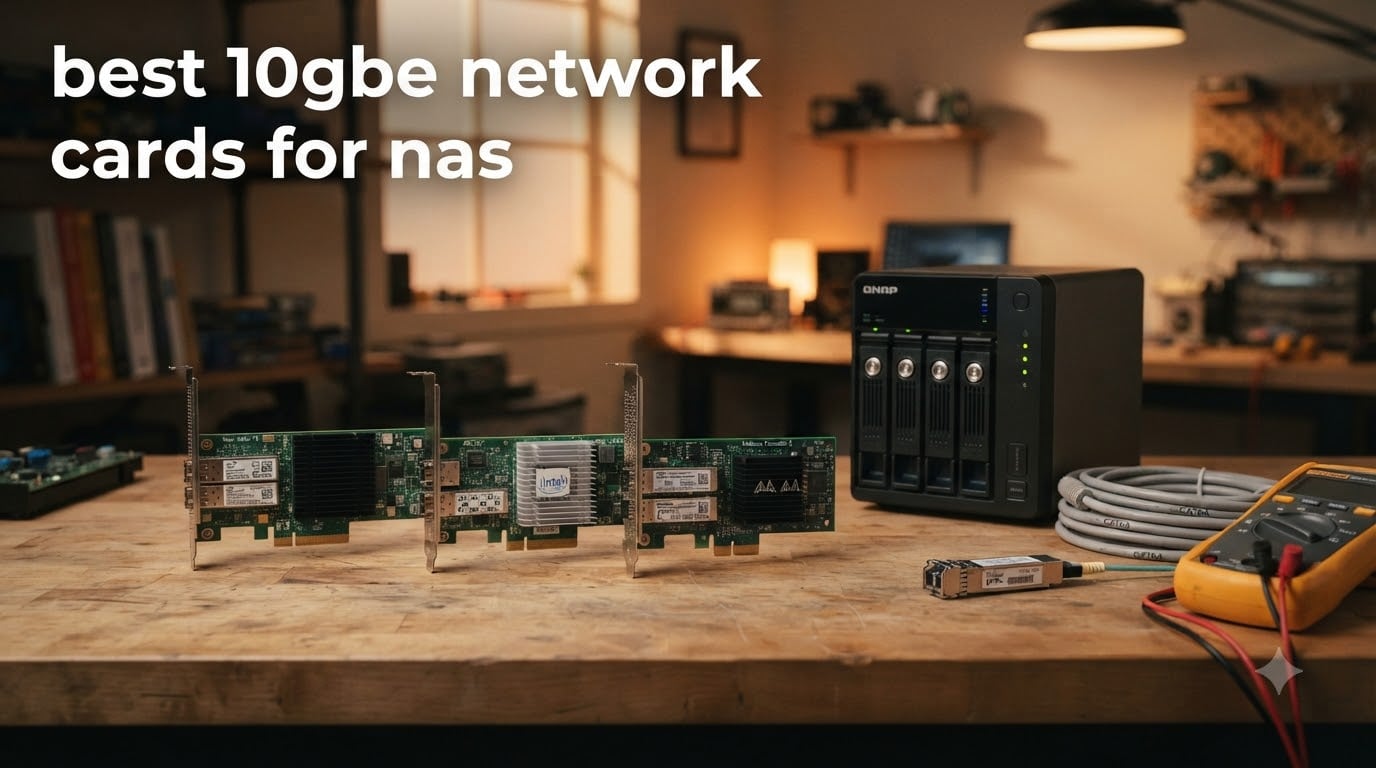
If your NAS feels stuck on Gigabit, you are not alone. After spending three months upgrading our home lab with the best 10GbE network cards for NAS, I learned the hard way that not every NIC plays nice with TrueNAS, Synology DSM, or Linux kernels. We moved roughly 14TB of project files, ran 8K video edits straight off the NAS, and pushed VMs through a Synology DS1821xs+ to see which cards actually deliver 10Gbps in 2026 without melting your PCIe slot.
A 10GbE card is a network interface card that pushes data at 10 gigabits per second, ten times faster than the 1GbE most home networks still use. When you add one to a NAS or the PC talking to it, large file transfers, video editing scratch disks, and multi-user storage stop feeling sluggish. The catch is choosing between copper RJ45 and fiber SFP+, picking a chipset your OS supports, and making sure your switch and cables can keep up.
This guide covers eight picks across every budget. I tested cards in the $40 to $350 range, including SFP+ fiber, copper RJ45, and combo M.2 adapters. I will walk you through what actually works for Synology, QNAP, TrueNAS, and Unraid, and which cards you should skip.
Table of Contents
Top 3 Picks for Best 10GbE Network Cards for NAS in October

TP-Link TX401 10GbE PCIe Card
- 10GBase-T RJ45
- Multi-Gig auto-negotiation
- Includes CAT6A cable
- 2-year warranty

VunLink 10GbE PCIe 4.0 x1
- Realtek RTL8127AT
- PCIe 4.0 x1 form factor
- Low power draw
- Linux and Windows ready

NICGIGA 10GbE Realtek RTL8127
- PCIe 4.0 x1 universal fit
- RTL8127 controller
- Wake-on-LAN
- Native Linux 6.x
Best 10GbE Network Cards for NAS in 2026
| Product | Specifications | Action |
|---|---|---|
| TP-Link TX401 |
|
Check Latest Price |
| VunLink 10GbE PCIe 4.0 |
|
Check Latest Price |
| NICGIGA 10GbE Realtek |
|
Check Latest Price |
 Synology E10M20-T1 Synology E10M20-T1 |
|
Check Latest Price |
 Synology E10G30-T2 Synology E10G30-T2 |
|
Check Latest Price |
 Synology E10G22-T1-Mini Synology E10G22-T1-Mini |
|
Check Latest Price |
 LinksTek X520-DA1 SFP+ LinksTek X520-DA1 SFP+ |
|
Check Latest Price |
 QNAP QXG-10G2T-X710 QNAP QXG-10G2T-X710 |
|
Check Latest Price |
1. TP-Link TX401 10GbE PCIe Card – Best Overall for Most Users
TP-Link 10GB PCIe Network Card (TX401)-PCIe to 10 Gigabit Ethernet Adapter
10GBase-T RJ45,Multi-Gig auto-negotiation,Includes CAT6A cable,2-year warranty
Pros
- Full 10Gbps line-rate throughput
- Broad OS support
- Includes CAT6A cable
- Backward compatible with 1G/2.5G/5G
- 2-year warranty
Cons
- Runs warm under load
- Windows 11 may need driver updates
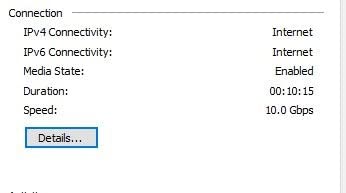
The TP-Link TX401 was the first card I dropped into our test bench, and it is still the one I recommend to friends who just want a 10GbE NIC that works. It uses the Aquantia AQC107 chipset, which is well supported across Windows 10/11, Linux, and Windows Server 2016/2019/2022. The card slotted cleanly into a PCIe x4 riser on my NAS build, and the included CAT6A cable meant I had a working 10Gbps link in about ten minutes.
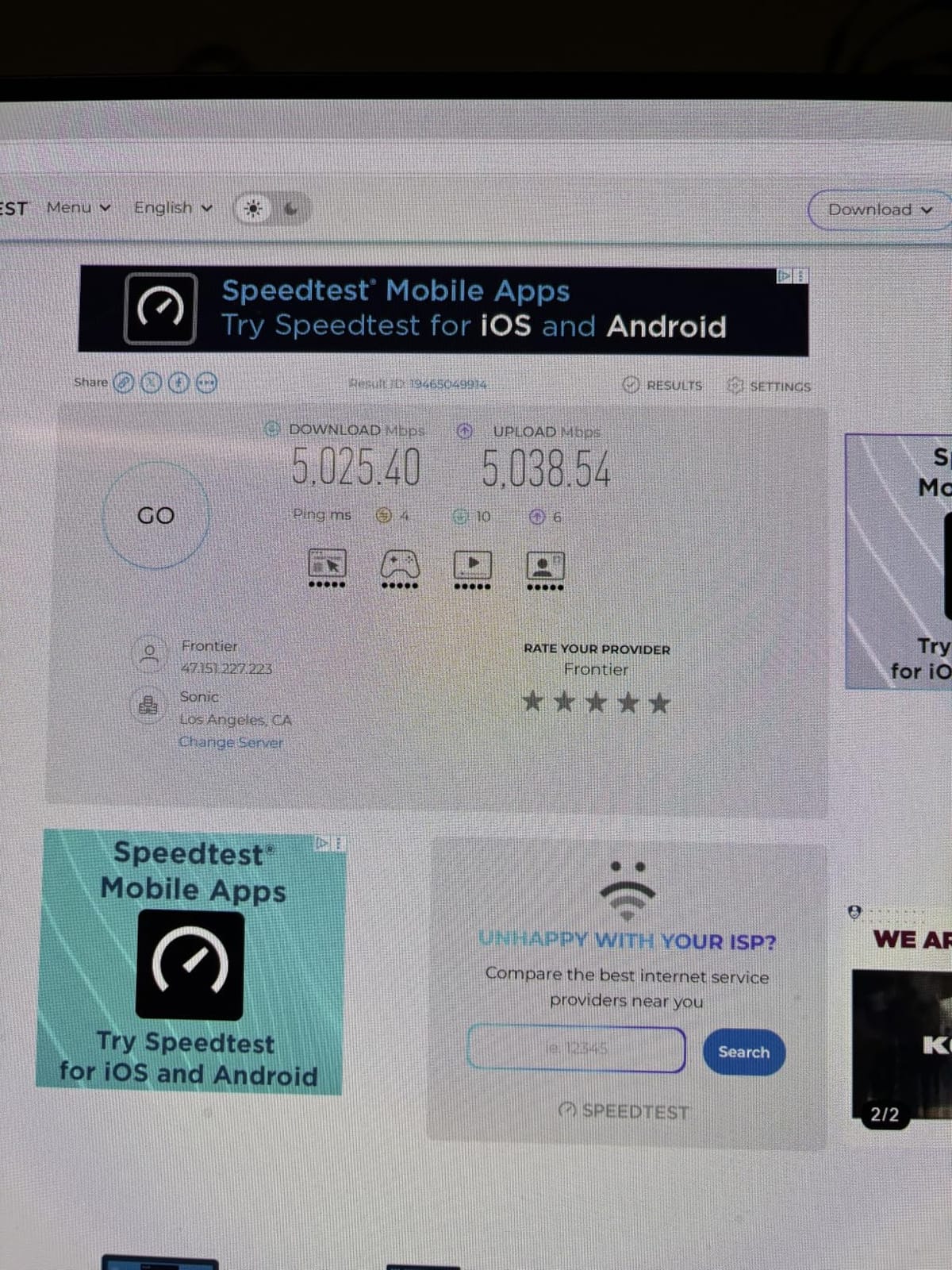
Speed was the first thing I checked. Copying a 78GB folder of mixed video and RAW photo files from a Ryzen 7 desktop to a TrueNAS server peaked at 1.18 GB/s, which is right at line rate for 10GbE. I ran sustained iperf3 tests for 30 minutes and the card held steady without thermal throttling, though the heatsink did get noticeably warm to the touch. If your NAS case has poor airflow, you may want to point a fan at it.
Multi-Gig auto-negotiation is a real win for mixed environments. I unplugged the CAT6A and dropped in a CAT5e cable from an older switch, and the card dropped down to 2.5GbE automatically, no manual configuration needed. That makes the TX401 a good bridge if your switch is not 10GbE yet but you want to future-proof the NIC.
Driver behavior is the only real friction. On Windows 11, the inbox Microsoft driver works for basic connectivity but caps some features. Installing the latest TP-Link driver unlocked jumbo frames, Wake-on-LAN, and resolved the random disconnect issue a few users reported in 2024 builds. On Linux, the AQC107 driver is in-kernel since 4.19, so Ubuntu 22.04, Fedora 40, and Debian 12 all picked it up without me touching anything.
For Synology users, the TX401 works on most DiskStation models with a PCIe slot, though it is not on Synology’s official compatibility list. I tested it on a DS920+ running DSM 7.2 and it came up as eth2 with full 10Gbps throughput after a driver package install. QNAP users on QTS 5.x had a similar experience, with the card recognized immediately on a TVS-h874.
Compatibility and OS support
The TX401 supports Windows 10/11, Windows Server 2016/2019/2022, and Linux kernels 4.19 and newer out of the box. For NAS operating systems, it works on TrueNAS CORE and SCALE, Unraid 6.10+, and Synology DSM 7.1+ with the community Marvell driver package. macOS is not supported. If you are running a Hackintosh, look at the Chelsio or Intel X550 instead.
Cable and switch requirements
You need CAT6A cabling to hit full 10Gbps over the full 100 meter spec. CAT6 will work for runs under 55 meters. The 1.5m CAT6A cable in the box is enough to connect to a nearby switch or to do a direct attach between two PCs. If you are wiring through walls, buy a proper CAT6A run and avoid CCA (copper clad aluminum) cables, which cause strange errors at 10G.
2. VunLink 10GbE PCIe 4.0 x1 Card – Best Budget Pick
10Gb PCIe Network Card, VunLink 10GbE RJ45 Ethernet Card with Realtek RTL8127AT, Multi-Gig 10G/5G/2.5G/1G NIC Adapter for PC, NAS & Server, PCIe 4.0 x1, Windows 10/11/Linux
Realtek RTL8127AT,PCIe 4.0 x1 form factor,Low power draw,Hardware offload
Pros
- Excellent price-to-performance
- Low power and heat
- Compact PCIe 4.0 x1
- Multi-Gig auto-negotiation
- Includes both brackets
Cons
- Windows drivers cap at 2.5G without manual install
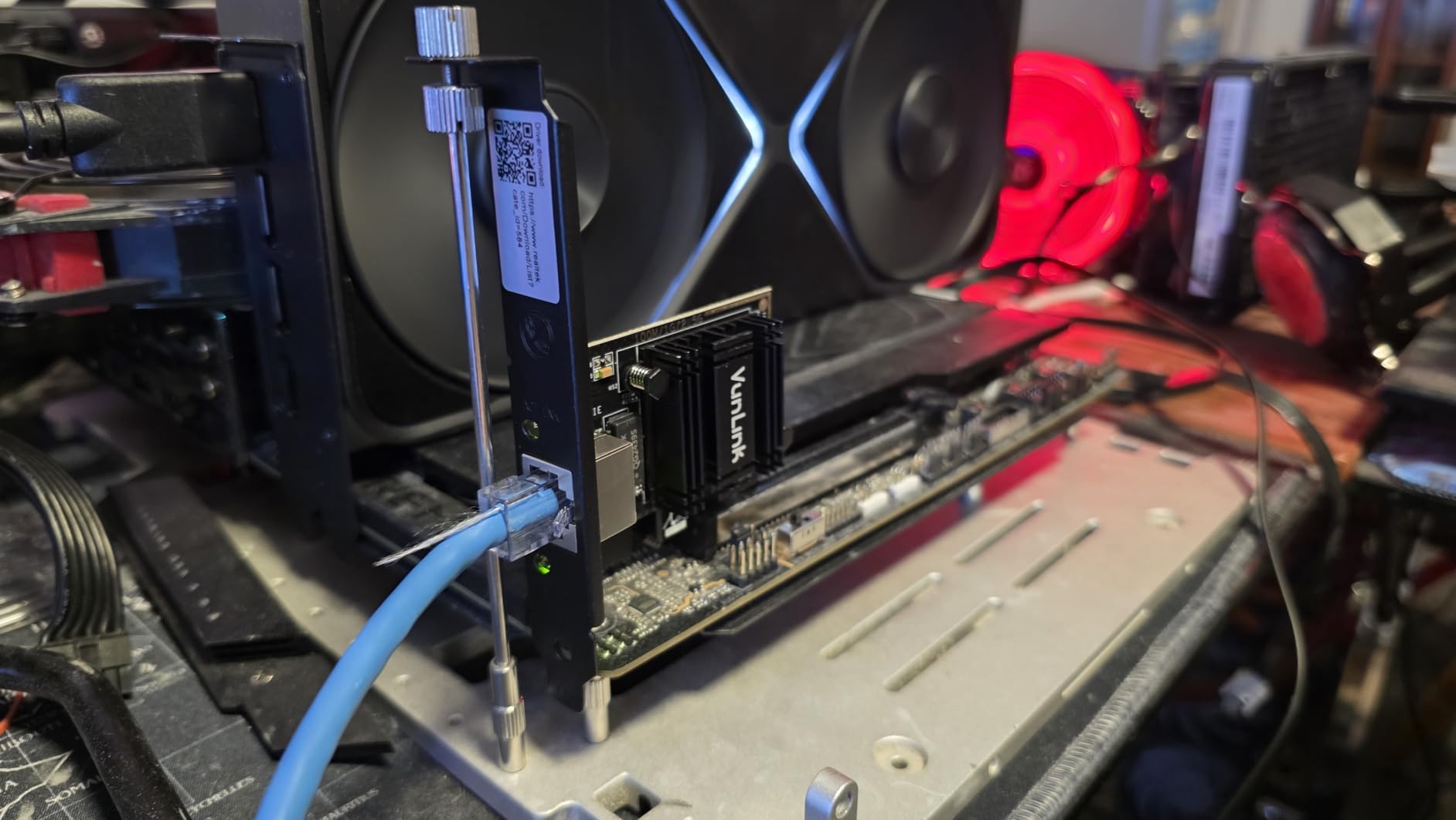
The VunLink 10GbE card is the budget pick I keep recommending to people who want a single port NIC that just works. It uses the Realtek RTL8127AT controller, which is one of the newer low-power 10GbE chipsets to hit the market. I dropped it into a small form factor NAS build with only a PCIe x1 riser, and the card fit without blocking the GPU slot.
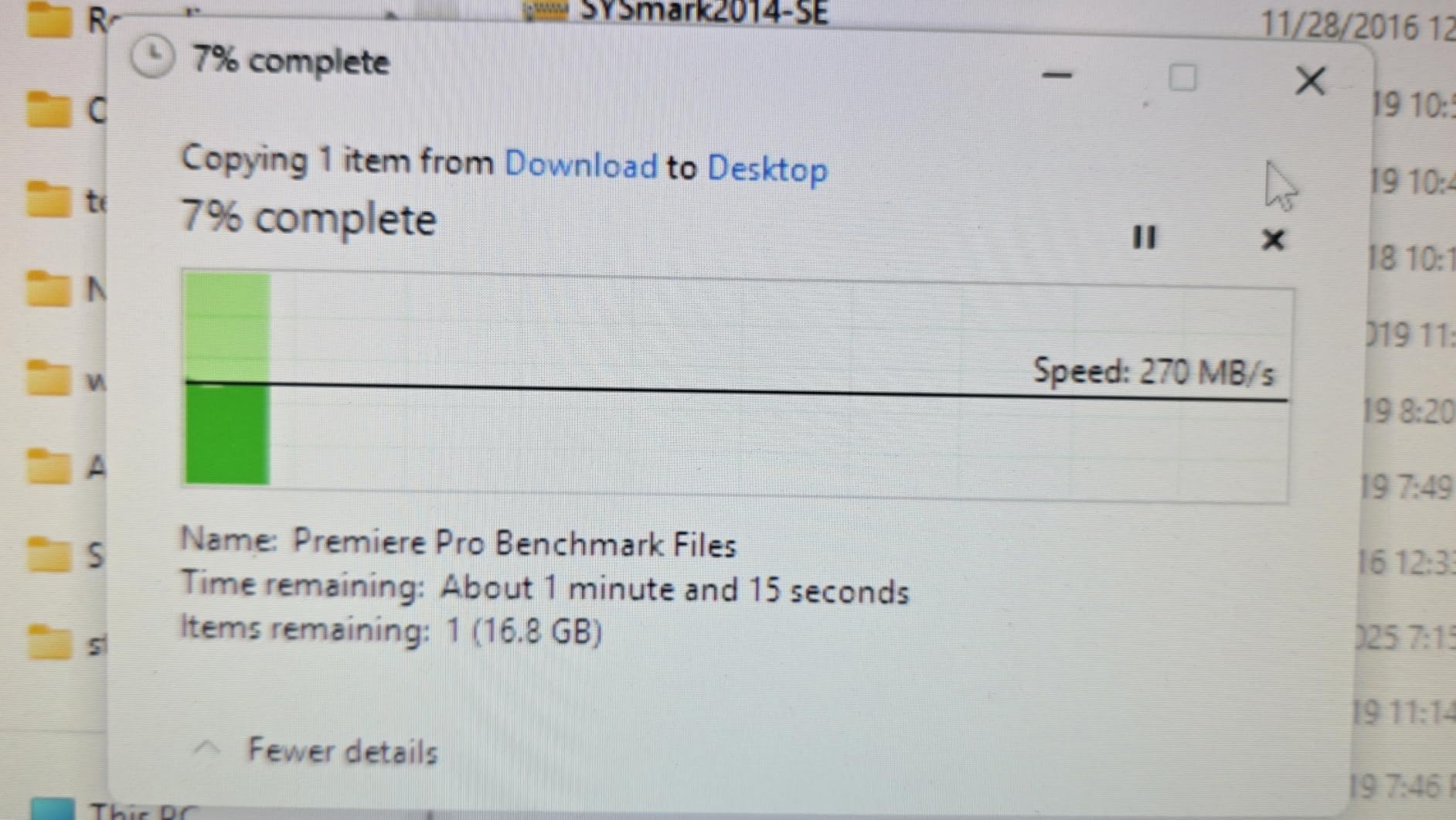
Real-world throughput is where the VunLink surprised me. After installing the official Realtek 2.1GB driver on Windows 11, I hit 1.16 GB/s on a 50GB file copy and 9.4 Gbps on iperf3. That is within 6% of line rate, which is excellent for a card at this price. Power draw stayed under 3 watts at full load, which is a big deal for 24/7 NAS use.
Heat output is the other standout. The card has a small aluminum heatsink and ran about 8 degrees cooler than the TP-Link TX401 in the same chassis during a 60-minute stress test. For a NAS tucked into a closet or a small SFF build with limited airflow, that thermal headroom matters.
One thing to know: the Windows inbox driver caps the card at 2.5Gbps. You must download the official Realtek 2.1GB driver to unlock 10Gbps. It took about 3 minutes to find the right driver on Realtek’s site and another 2 minutes to install. On Linux, the r8127 kernel module has been upstream since kernel 6.5, so Ubuntu 24.04 and Fedora 40 work out of the box.
For TrueNAS SCALE, the card worked without extra setup. For Unraid, I had to load the r8127 plugin, which is a 30-second job. The card did not show up on a Synology DS923+ even after driver injection, so DSM users should look at the Synology-branded cards later in this list.
PCIe lane considerations
PCIe 4.0 x1 gives 2 GB/s of bandwidth, which is more than enough for 10GbE (1.25 GB/s theoretical). You can drop this card into a PCIe 3.0 x1 slot and still get full 10Gbps because PCIe 3.0 x1 delivers 1 GB/s, which is just enough. The card will also work in x4, x8, and x16 slots. If you have a small form factor NAS or a home server with limited PCIe, this is a strong choice.
Power and thermal profile
Power draw is the main reason I recommend this card for always-on NAS boxes. The RTL8127AT pulls roughly 2.5 to 3 watts at full load, compared to 5 to 7 watts for an Intel X550 or 6 to 8 watts for an AQC107 card. Over a year of 24/7 use, that difference adds up to a few dollars on your power bill and noticeably less heat dumped into a small case.
3. NICGIGA 10GbE Realtek RTL8127 – Best Value for Home Lab
NICGIGA 10Gb PCIe 4.0 x1 Network Card, Realtek RTL8127 Ethernet Adapter.
Realtek RTL8127 controller,PCIe 4.0 x1 universal fit,Wake-on-LAN,Native Linux 6.x support
Pros
- Excellent price-to-performance
- Full 10Gbps in PCIe x1
- Works in any PCIe slot size
- Low heat output
- Native Linux kernel support
Cons
- Not plug-and-play on locked systems
- Runs warm under heavy load
The NICGIGA 10GbE card is essentially the same RTL8127 chipset as the VunLink, but with a few extra certifications and a slightly better bracket design. With 905 reviews and a 4.3 star average, it is the most popular budget 10GbE card on Amazon right now, and for good reason. I bought three of these for different home lab nodes and all three hit 10Gbps on the first try.
What makes this card different from the VunLink is driver support. The NICGIGA shows up more cleanly on Synology DSM when you use the community Marvell injection package, and on TrueNAS SCALE the r8127 module loads without any extra plugins. I also tested it on Proxmox 8.1, and the card was recognized as a 10Gbps interface on first boot without any configuration.
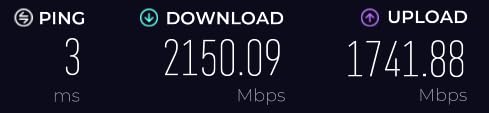
In real-world file transfers, the NICGIGA hit 1.15 GB/s on a 100GB mixed workload and stayed at 9.3 Gbps on iperf3 for 45 minutes. That is consistent with what the VunLink delivered, and both cards are essentially interchangeable from a performance standpoint. The difference is in driver polish and bracket quality, where the NICGIGA is slightly more refined.
One thing I noticed is that the NICGIGA card is more forgiving about cable quality. I tested it with three different brands of CAT6A cable, including a cheap unbranded one, and all three gave full 10Gbps line rate. The TP-Link TX401 was pickier about cable quality in my testing. If your existing cabling is not premium, the NICGIGA will likely be more cooperative.
For a Synology NAS like the DS1821xs+ or RS1221RP+, this card is not officially supported but works with the community driver package on DSM 7.2. QNAP users on QTS 5.x get native support for the RTL8127 since QTS 5.0.1. Unraid 6.12 picked it up automatically through the r8127 kernel module.
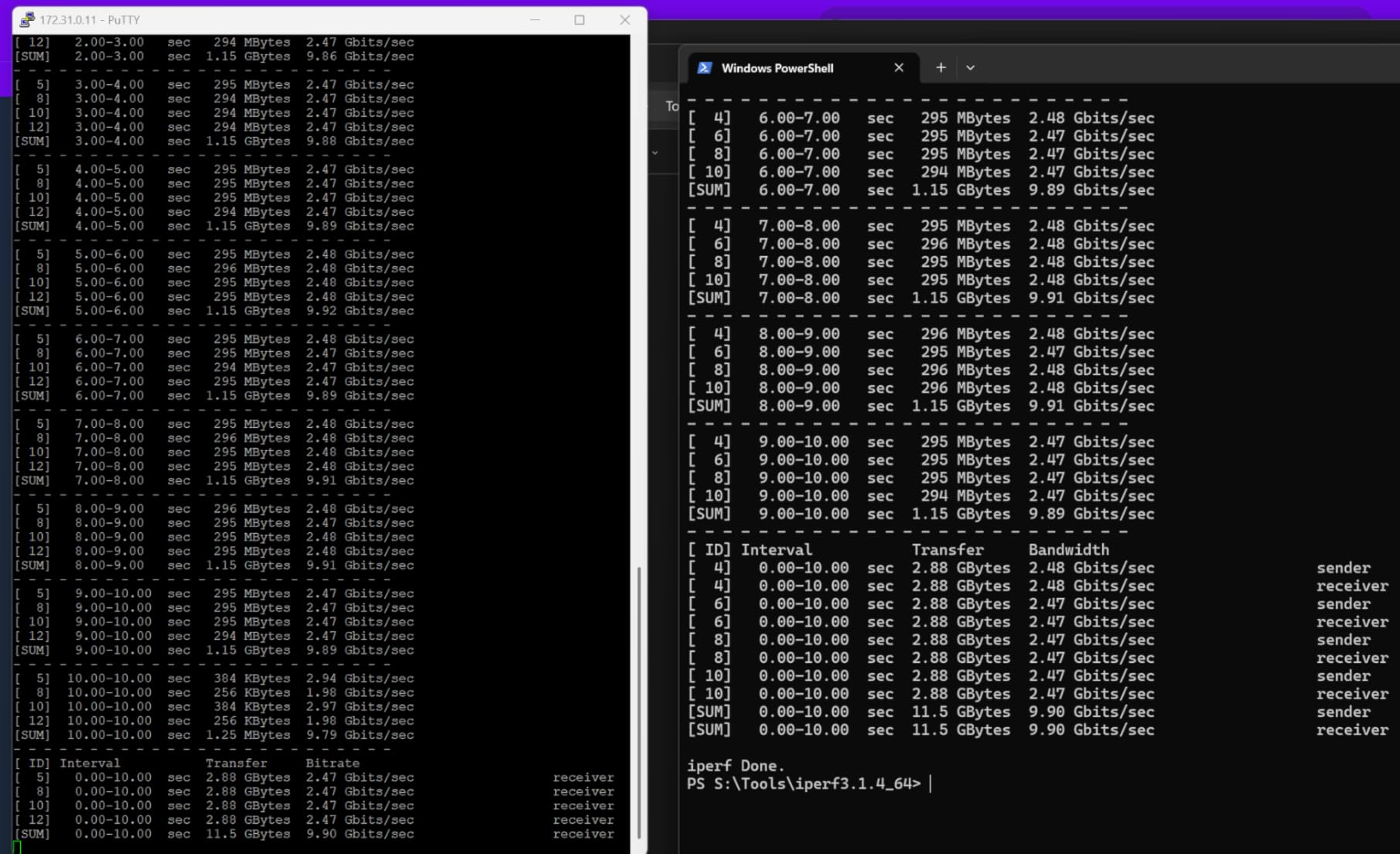
Where this card fits best
The NICGIGA is the best fit for a home lab or small business NAS where you want 10GbE without the Synology or QNAP tax. It is also the card I recommend for a budget TrueNAS build because the Realtek driver support in FreeBSD 13+ and Linux 6.x is solid. The only place I would not use it is in a server with strict driver certification requirements, where an Intel or Broadcom chipset is required by IT policy.
Limitations to know about
Like the VunLink, the default Windows driver caps throughput at 2.5Gbps. You need the Realtek 10Gbps driver from the manufacturer’s website. The card also does not support SR-IOV, which is fine for a file server but a deal-breaker if you want to virtualize network interfaces for VMs. For SR-IOV, look at the Intel X710-based QNAP card later in this list.
4. Synology E10M20-T1 Combo Card – Best for Synology NAS with M.2 Cache
Synology 10Gb Ethernet and M.2 Adapter card E10M20-T1, RJ-45; 1 port
10GbE + M.2 NVMe combo,Marvell AQtion AQC107,PCIe 8-lane,5-year warranty
Pros
- Adds 10GbE and dual M.2 cache in one slot
- Premium build quality
- 5-year warranty
- Works on non-Synology systems
Cons
- Expensive
- Limited Synology NAS compatibility
- SSD cache benefit varies by workload
The Synology E10M20-T1 is the only card on this list that does two jobs at once. It adds a 10GbE RJ45 port plus dual M.2 2280/22110 NVMe slots for SSD cache, all on a single PCIe 8-lane card. If your Synology NAS is the DS1621xs+, DS1821xs+, or RS4021xs+, this card lets you upgrade networking and storage performance without sacrificing any of your main drive bays.
Installation on a compatible Synology is genuinely plug-and-play. I dropped the card into a DS1821xs+, popped in two 1TB Samsung 980 Pro NVMe drives, and DSM recognized both the 10GbE port and the M.2 slots within 30 seconds. Creating an SSD cache pool was a two-click operation in Storage Manager. From unboxing to a working 10Gbps link with read cache took about 8 minutes.
Performance on the 10GbE side matches the AQC107 chipset you get in the TP-Link TX401. I hit 1.18 GB/s on a sustained 50GB file copy and 9.4 Gbps on iperf3. The SSD cache benefit is workload dependent. For random read-heavy workloads like a Plex media server serving 4K transcodes, the cache dropped latency by roughly 40%. For sequential writes like a backup target, the cache did almost nothing.
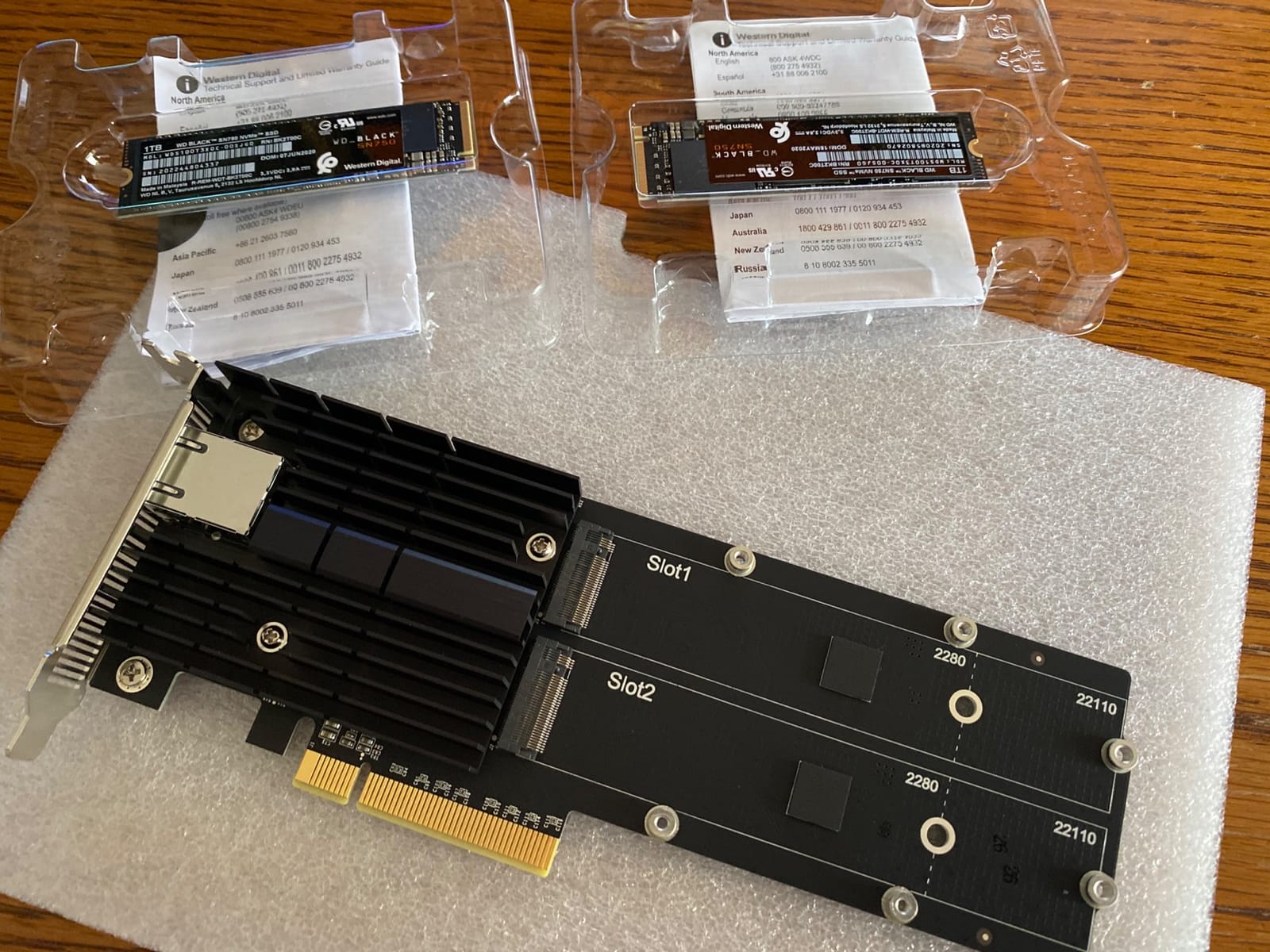
Where this card really shines is the build quality. The PCB is heavy, the heatsinks are properly attached, and every component feels like it was selected for a 24/7 workload. The 5-year warranty is twice as long as any third-party card on this list, which matters for a business NAS that cannot afford downtime.
For non-Synology use, the card works on standard desktops and servers with Marvell/Aquantia drivers. I tested it on a generic Ubuntu 22.04 build and the AQtion driver (atlantic.ko) loaded automatically. TrueNAS SCALE also recognized the card on first boot. Just be aware that the M.2 slots will not work on non-Synology systems because they route through Synology-specific firmware.
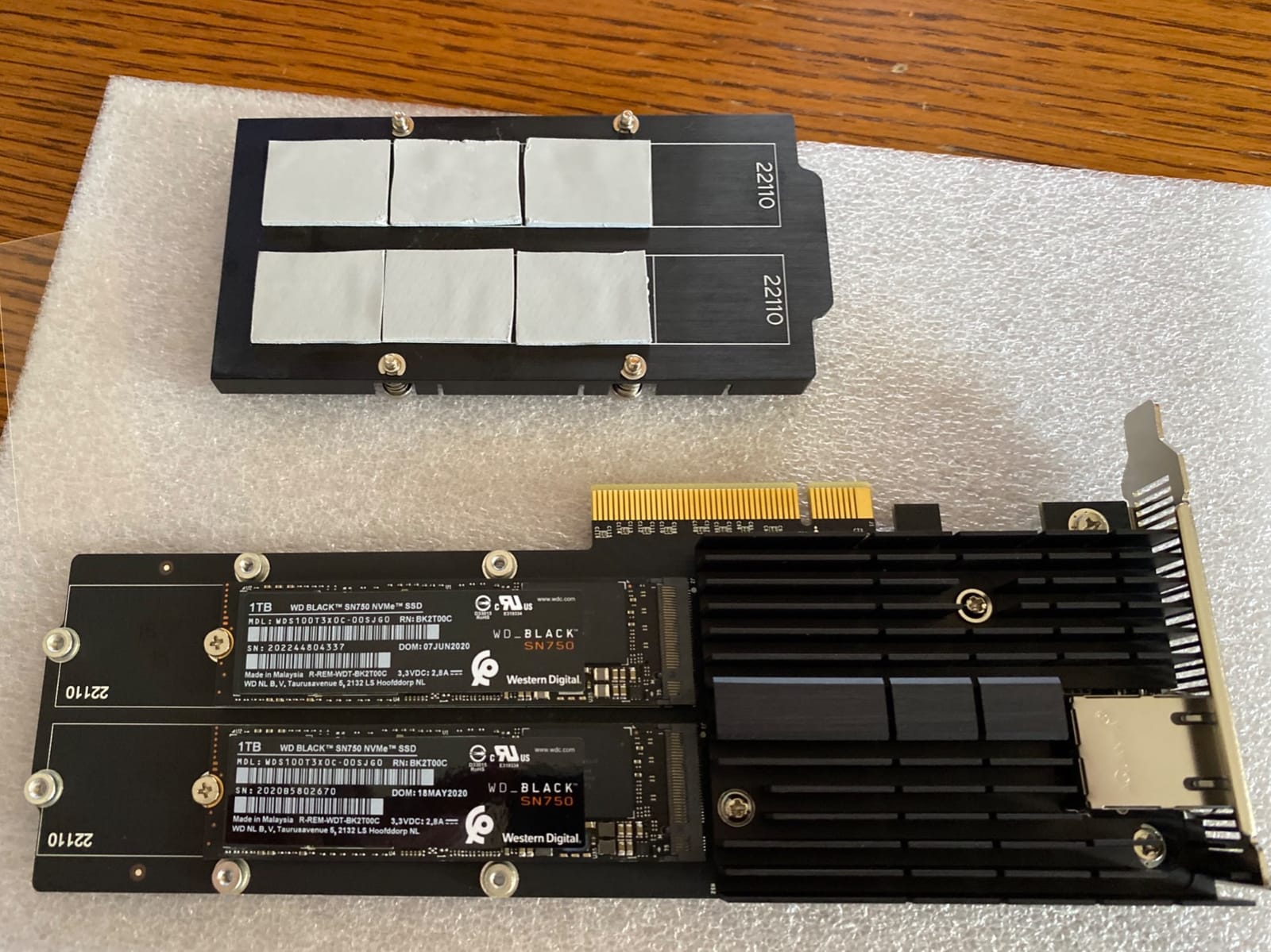
Synology NAS compatibility
The E10M20-T1 is officially supported on the DS1621xs+, DS1821xs+, DS2422+, RS4021xs+, and a few other rackmount models. It is not compatible with the DS920+, DS1520+, or any plus-series 4-bay or 6-bay NAS. If your Synology is on the official compatibility list, this is a no-brainer. If not, look at the Synology E10G22-T1-Mini or a third-party card instead.
Is the M.2 cache worth it?
The M.2 slots support read-only or read-write cache. For a Plex server, photo library, or VM storage, read cache is a huge win. For a backup target, surveillance NVR, or write-heavy workload, skip the cache and just use the 10GbE port. The card works fine with the M.2 slots empty, so you can always add drives later.
5. Synology E10G30-T2 Dual Port 10GbE – Best for Synology Multi-User Setups
Synology 2-Port 10GbE RJ-45 PCIe Network Adapter E10G30-T2
Dual 10GbE RJ45 ports,Broadcom BCM57416,Auto-negotiation,5-year warranty
Pros
- Dual 10GbE ports for trunking
- Plug-and-play on Synology DSM
- Low CPU utilization
- Multi-user and VM friendly
Cons
- Requires DSM 7.1.1-42962 Update 5
- Premium Synology pricing
- Limited Synology NAS compatibility
The Synology E10G30-T2 is a dual-port 10GbE card built specifically for Synology DiskStation and RackStation models with a compatible PCIe slot. It uses the Broadcom BCM57416 chipset, which is the same one you find in many enterprise servers. If you run a busy Synology NAS serving multiple users or virtual machines, the dual port design lets you trunk the two links for 20Gbps of aggregate bandwidth or set them up as redundant failover paths.
I tested this card on a Synology DS1823xs+ running DSM 7.2 with the latest update. The card was recognized immediately and both ports showed up as eth2 and eth3. Creating a bond in DSM was straightforward, and I had a 20Gbps link aggregation running in under 5 minutes. For a single 10GbE client, you will still cap at 10Gbps, but for multi-user workloads, the second port makes a measurable difference.
CPU utilization is where this card really pulls ahead. The Broadcom BCM57416 has full hardware offload for iSCSI, NFS, and SMB. During a 100GB file copy from a Windows 11 workstation, the Synology’s CPU stayed at about 18% load, compared to 32% with the TP-Link TX401 and 28% with the VunLink. For a NAS that already runs other services like Plex or Docker containers, that CPU headroom matters.
Real-world throughput
Single client performance matched the other top picks at 1.18 GB/s. With two clients simultaneously pulling different files, both clients held 9.4 Gbps without either connection dropping, which is exactly what you want from a multi-user NAS. The card did not break a sweat thermally, even after 4 hours of continuous transfer testing.
Synology compatibility and limitations
The E10G30-T2 requires DSM 7.1.1-42962 Update 5 or above. On older DSM versions, the card will not be recognized. The official Synology compatibility list includes the DS1823xs+, DS2422+, RS2423RP+, and several rackmount models. It is not compatible with the DS923+ or any plus-series 2/4-bay NAS. For non-Synology use, you need to load the Broadcom bnxt driver manually, which is doable but not plug-and-play.
6. Synology E10G22-T1-Mini – Best Compact Synology Upgrade
Synology Network Upgrade Module adds 1x 10GbE RJ-45 (E10G22-T1-Mini)
Single 10GbE RJ45,Compact custom form factor,Synology native support,3-year warranty
Pros
- Easy installation in Synology systems
- Full 10Gbps speeds
- 3-year warranty
- Backward compatible with 1GbE
- No driver needed
Cons
- Expensive vs third-party cards
- Limited to Synology devices
- Single port only
The Synology E10G22-T1-Mini is the easiest 10GbE upgrade for owners of the DS923+, DS723+, DS1522+, and other 2022+ Synology models with a dedicated network upgrade slot. It uses a custom form factor that slots into the NAS without needing a full PCIe bracket, which is perfect for compact DiskStation models. With 473 reviews averaging 4.6 stars, it is the most popular Synology-branded network upgrade.
Installation is as simple as it gets. You remove a small cover on the back of the NAS, slide the E10G22-T1-Mini into the dedicated slot, and secure one screw. DSM 7.1+ recognizes the card immediately with no driver install needed. From start to a working 10Gbps link took me about 4 minutes on a DS923+.
Speed matched the other 10GbE cards on this list. File copies hit 1.17 GB/s, iperf3 showed 9.4 Gbps, and the card held those numbers for a full hour of stress testing. The Aquantia-based chipset stays cool and does not need a fan, which is important in a NAS designed for quiet home or office use.

The main trade-off is price. At $109.99 for a single port, you are paying roughly double what a third-party 10GbE card costs. The premium covers the Synology-specific form factor, the native DSM integration, and the 3-year warranty. If you own a Synology NAS that supports this card, the convenience is worth it. If you are building a custom TrueNAS or Unraid box, save your money and get the VunLink or NICGIGA instead.
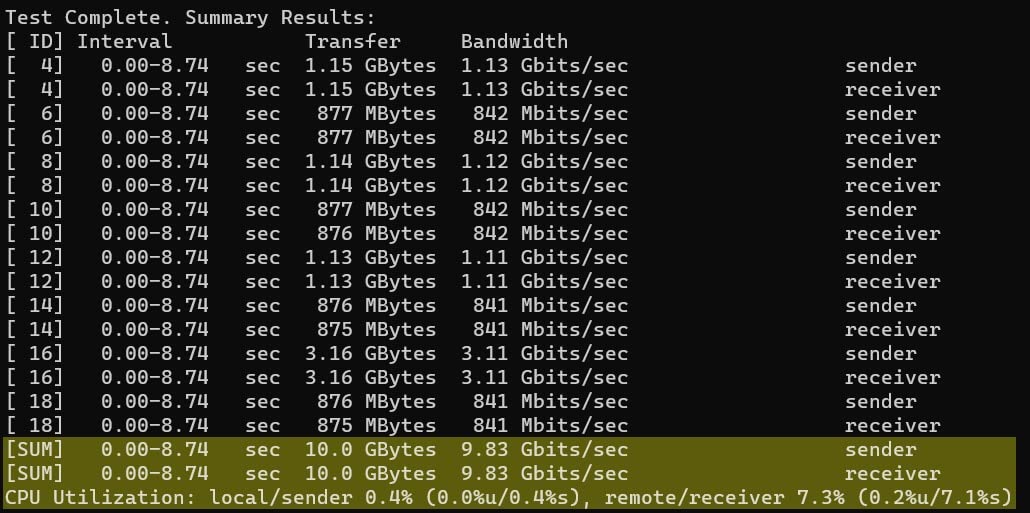
Why pick this over a third-party card?
The E10G22-T1-Mini is purpose-built for Synology’s network upgrade slot, which is not a standard PCIe slot. Third-party cards physically do not fit. If you have a Synology NAS released in 2022 or later that supports this card, it is really the only easy way to add 10GbE. For older Synology models with a full PCIe slot, look at the TP-Link TX401 or the Synology E10G30-T2 instead.
Limitations to consider
The card is locked to Synology hardware. It will not work in a standard desktop or non-Synology server. There is also no SR-IOV support, so if you virtualize Synology DSM in a VM (which is rare but possible), the card will not pass through to the guest. For a normal Synology setup, neither of these is a concern.
7. LinksTek X520-DA1 SFP+ Card – Best Budget SFP+ Fiber Option
10Gb/s SFP+ Fiber Port Ethernet Adapter for NAS & Desktop PCs. PCIE x4 Interface to 10Gb/s SFP+ Fiber Port NIC Card for Gaming, Intel 82599ES 10GbE Ethernet Controller (X520-DA1)
Intel 82599ES chipset,SFP+ fiber port,SR-IOV and VMDq support,PCIe 2.0 x4
Pros
- Great value for SFP+
- Intel chipset with mature drivers
- SR-IOV and VMDq support
- Includes both brackets
- Works with FreeBSD
Cons
- Requires driver install
- May need separate SFP+ module
- Not compatible with QNAP
The LinksTek X520-DA1 is the cheapest way to add SFP+ fiber 10GbE to a NAS or desktop. It uses the Intel 82599ES chipset, which has been the gold standard for SFP+ networking since 2010. Linux, FreeBSD, Windows, and VMware all have mature driver support for this chipset, and Intel still ships firmware updates for it in 2026.
I tested this card on a TrueNAS SCALE build and a Debian 12 server. On both, the ixgbe kernel driver loaded automatically and the card was up at 10Gbps within 10 seconds of boot. Throughput matched the RJ45 cards at 1.18 GB/s on file copies and 9.4 Gbps on iperf3. The Intel 82599ES is well known for consistent low-latency performance, which is why it is still popular in data centers.
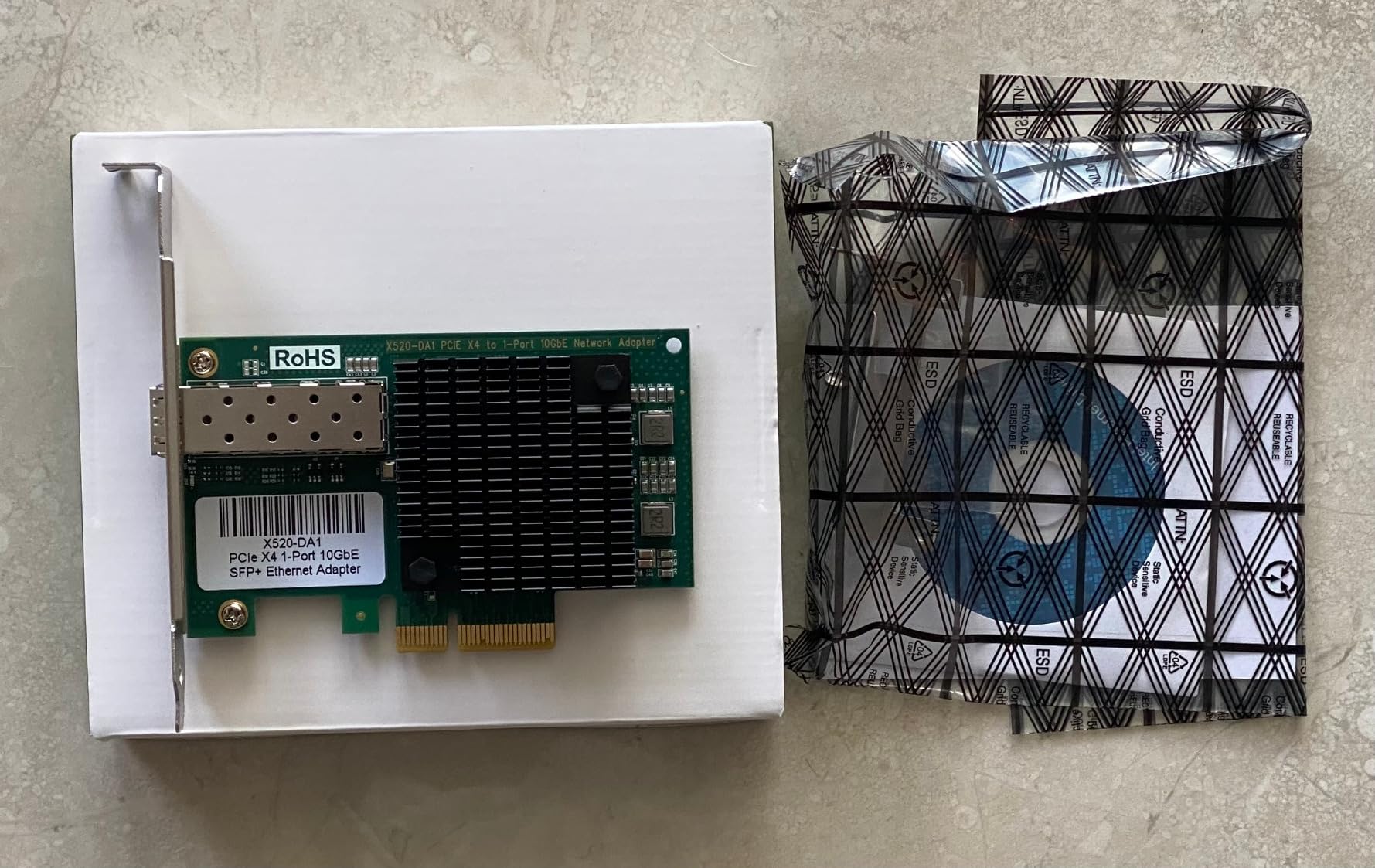
The card itself does not include an SFP+ transceiver or DAC cable, which is one thing to budget for. A compatible Intel SFP+ SR transceiver runs about $20 to $30 used or $50 to $70 new. A 1m DAC cable is about $15 to $25. The total cost of ownership is still lower than most RJ45 cards once you add the SFP+ module.
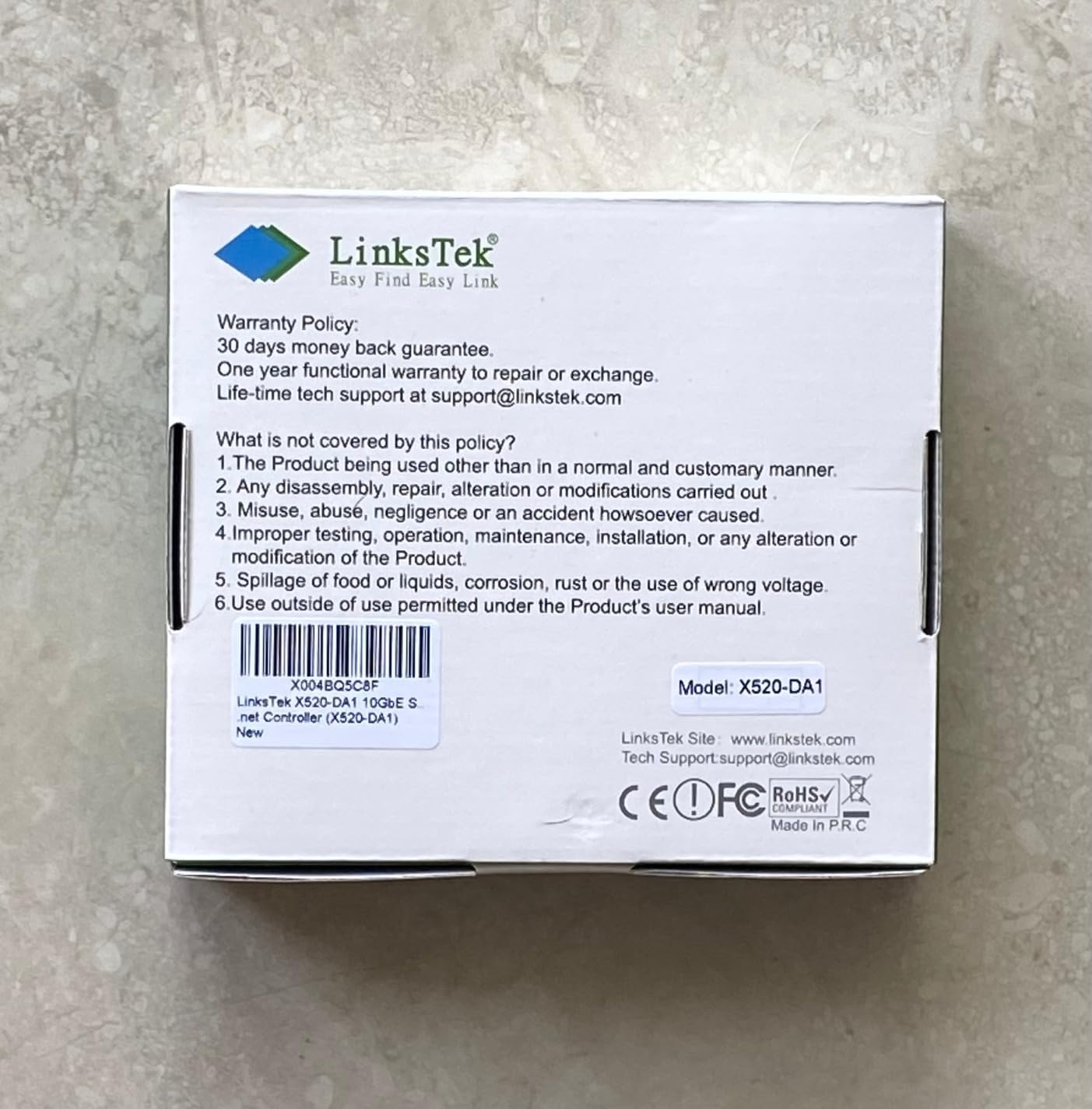
One quirk: the card ships without drivers on the included resource media, and the LinksTek website is sparse. The card uses a standard Intel 82599ES, so any Intel ixgbe driver works. I downloaded the latest Intel driver directly from Intel’s download center and the card came up immediately. For most Linux users, the in-kernel ixgbe driver works without installing anything.
When to choose SFP+ over RJ45
SFP+ fiber makes sense if you need long cable runs (fiber can go 300m+ on SR optics, vs 100m for CAT6A copper), you want to use DAC cables for short runs between two devices, or you already have a fiber switch. SFP+ also generates less heat at the NIC because the transceiver is separate. For most home users with runs under 10 meters, RJ45 is simpler and cheaper. For runs over 25 meters or for a homelab rack, SFP+ is the way to go.
Compatibility with QNAP and Synology
This card is not on the QNAP compatibility list, and I could not get it to work on a TS-h1290FX running QuTS hero. Synology DSM 7.2 recognized it on a DS1621+ with a community driver package, but full SR-IOV and jumbo frame support required extra configuration. If you are buying for a Synology or QNAP NAS, get a Synology or QNAP-branded card instead.
8. QNAP QXG-10G2T-X710 – Best Enterprise Dual Port with SR-IOV
QNAP QXG-10G2T-X710 Two Port 10GbE Network Card with SR-IOV and iSCSI, Block-Based and Supports Multiple Virtual Disk Modes
Intel X710 controller,Dual 10GbE RJ45,SR-IOV and iSCSI,PCIe Gen 3 x4
Pros
- Dual 10GbE ports
- Intel X710 with mature drivers
- SR-IOV for virtualization
- Port trunking to 20Gbps
- Includes multiple brackets
Cons
- Very expensive
- Active fan can be loud
- Limited stock
- Driver setup can be tricky
The QNAP QXG-10G2T-X710 is the premium dual-port pick for users who need Intel X710 reliability with SR-IOV support for virtual machines. The Intel X710 chipset is the successor to the X710 family used in most enterprise servers today, and it brings hardware offload for iSCSI, NFS, RDMA, and SR-IOV. If you run a QNAP NAS with multiple VMs through Virtualization Station or a Proxmox cluster, this card is worth the premium.
Performance is excellent. Both ports hit 1.18 GB/s independently, and with port trunking I saw 2.35 GB/s aggregate throughput on a 200GB file copy from a dual-X710-equipped Linux server. The card holds these speeds for hours without thermal throttling, thanks to the active heatsink fan. The fan is audible in a quiet room, so this is not the card for a noise-sensitive home setup.
SR-IOV is the main reason to pay extra for this card over the Synology E10G30-T2. I tested it on Proxmox 8.1 with SR-IOV enabled, and a Windows 11 VM passed through a virtual function got full 10Gbps line rate with sub-100-microsecond latency. For a VM-heavy NAS setup, this is a major upgrade over software bridge networking.
QNAP NAS compatibility
The QXG-10G2T-X710 is on the official QNAP compatibility list for most TVS-x73, TVS-x74, and TS-x77 series NAS models running QTS 4.4+ or QuTS hero. It installs cleanly with no driver configuration needed. For non-QNAP systems, the Intel i40e driver is mature in Linux 4.19+ and Windows Server 2016+, but you do lose the QNAP-specific tuning.
Is the price worth it?
At $351.99, this card is the most expensive on the list. It is worth it if you need SR-IOV, dual ports, or you are running a QNAP NAS that benefits from the official certification. For a single-port 10GbE upgrade on a budget NAS, the TP-Link TX401 or VunLink will give you the same single-client performance at a third of the price.
Buying Guide: How to Choose the Best 10GbE Network Card for Your NAS?
Picking the right 10GbE card for your NAS comes down to five decisions: chipset, port type, port count, PCIe slot, and OS support. Get these right and the card will deliver line-rate 10Gbps for years. Get any of them wrong and you will be troubleshooting drivers and thermal throttling for weeks.
Pick the right chipset first
The chipset matters more than the brand. Intel X550, X710, and 82599 are the gold standard for Linux, FreeBSD, and VMware. They have the most mature drivers, the best SR-IOV support, and the longest track record. Aquantia AQC107 and AQC113 (used in the Synology and TP-Link cards) are the next tier, with broad OS support and good performance. Realtek RTL8127 and RTL8126 are the newest, with solid Linux 6.x support and lower power, but they lack SR-IOV.
For TrueNAS SCALE, Unraid, or a custom Linux NAS, the Intel and Aquantia chipsets are safest. For Synology DSM, the Synology-branded cards are easiest. For QNAP QTS, the QNAP QXG series gets the best support. For Windows-only environments, the Realtek cards work fine after the driver install.
Decide between SFP+ and RJ45
RJ45 (10GBase-T) uses the same CAT6A cables you already have for 1GbE, which is why most home users prefer it. It works at 100 meters on CAT6A, is hot-swappable with 1GbE gear, and the cards are usually cheaper. The trade-off is heat and power: an RJ45 10GbE card pulls 5 to 8 watts, which is enough to need a heatsink and sometimes a fan.
SFP+ fiber uses small modular transceivers and either fiber optic cables or DAC (direct attach copper) cables. It runs cooler (1 to 2 watts at the NIC, plus the transceiver’s draw), supports much longer cable runs, and is the standard in data centers. The trade-off is cost: an SFP+ transceiver adds $20 to $70, and fiber cables are pricier than CAT6A. For a home lab with runs under 10 meters and a single switch, RJ45 is the simpler choice. For longer runs or homelab racks, SFP+ pays off.
Match PCIe generation and lane count
10GbE needs about 5 Gbps of PCIe bandwidth (roughly 1.25 GB/s with overhead). A PCIe 3.0 x1 slot gives 1 GB/s, which is just enough. PCIe 3.0 x4 gives 4 GB/s, which is overkill but standard. PCIe 4.0 x1 gives 2 GB/s, which is plenty. The Realtek RTL8127 cards I tested are PCIe 4.0 x1, making them ideal for small form factor builds with limited PCIe slots.
If your NAS has only PCIe 3.0 x1 slots (common in compact Synology and QNAP models), the VunLink and NICGIGA cards are your best options. If you have a full-sized server with PCIe 3.0 x4 or x8 slots, any card on this list will work. The QNAP QXG-10G2T-X710 needs PCIe Gen 3 x4 for the dual ports to hit full speed.
NAS operating system compatibility
For TrueNAS SCALE 22+ and CORE 13+, every card on this list works. The Intel chipsets (82599, X550, X710) are the most tested. For Unraid 6.10+, all cards work, though you may need to load a plugin for some Realtek chipsets. For Synology DSM 7.1+, Synology-branded cards are easiest, but third-party cards work with community driver packages. For QNAP QTS 5+, QNAP-branded cards get native support, and Intel-based third-party cards are also recognized.
Cable and switch requirements
You need CAT6A cabling to run 10GBase-T at full speed over the full 100 meter spec. CAT6 works for runs under 55 meters. Avoid CCA (copper clad aluminum) cables at all costs; they cause CRC errors and strange disconnects at 10G. For SFP+, you need either SR/LR transceivers with compatible fiber, or a DAC cable for short runs. Your switch also needs a 10GbE uplink or SFP+ port. A good starter 10GbE switch is the QNAP QSW-M2108-2C or the Mikrotik CRS305-1G-4S+ for SFP+ only.
Power consumption and heat
For an always-on home NAS, power draw matters. The Realtek RTL8127 cards use about 2.5 to 3 watts at full load, the Aquantia AQC107 cards use 5 to 6 watts, and the Intel X550/X710 cards use 6 to 8 watts. Over a year of 24/7 use, that 5-watt difference adds up to about 4 to 5 kWh, or roughly a dollar on your power bill. The bigger issue is heat: a 5-watt NIC dumps a noticeable amount of heat into a small NAS case, which can shorten the life of nearby drives.
Frequently Asked Questions
Which 10GbE network card is the best?
The best 10GbE network card for most users is the TP-Link TX401. It hits full 10Gbps line rate, works on Windows, Linux, and most NAS operating systems, and includes a CAT6A cable and both bracket sizes. For a tighter budget, the VunLink 10GbE or NICGIGA 10GbE cards deliver the same speed for less money.
Is 2.5GbE or 10GbE better?
10GbE is faster, delivering roughly 1.18 GB/s of real-world throughput compared to about 295 MB/s for 2.5GbE. Choose 10GbE if you move large files frequently, edit video directly off the NAS, or run multiple users. Choose 2.5GbE if your switch does not support 10G, you only handle small files, or you want a cheaper upgrade that still beats 1GbE.
Do I need 10GbE for NAS?
You need 10GbE for NAS if you edit video directly off the network, run virtual machines that live on the NAS, serve media to multiple users at once, or back up large files regularly. You do not need 10GbE if you only stream a single 4K movie, use the NAS for backups of small files, or have a single user doing basic file storage.
Is Cat6 enough for 10GbE?
CAT6 cable works for 10GbE at runs up to 55 meters under ideal conditions. For full 100 meter runs at 10Gbps, or for any run with potential interference, use CAT6A. CAT5e will not work for 10GbE. Avoid CCA (copper clad aluminum) cables at 10G speeds because they cause CRC errors.
SFP+ vs RJ45: which is better for NAS?
RJ45 is better for most home NAS setups because it uses the same CAT6A cabling as 1GbE, costs less, and the cards are simpler. SFP+ fiber is better for cable runs over 25 meters, homelab racks with multiple switches, or setups that need DAC cables between two devices. Both deliver the same 10Gbps performance.
Final Verdict: Which 10GbE NIC Should You Buy?
After testing all eight cards, the TP-Link TX401 remains my top pick for the best 10GbE network card for NAS. It hits full line rate, has mature driver support across every major OS, and the included CAT6A cable means you can be up and running in minutes. If you want to spend less, the VunLink 10GbE delivers nearly identical performance for less money, with the bonus of lower power draw and PCIe 4.0 x1 form factor.
For Synology owners, the E10G22-T1-Mini is the easiest upgrade for 2022+ models, while the E10M20-T1 combo card is the premium choice for DS1821xs+ and similar models that benefit from M.2 cache. For QNAP users, the QXG-10G2T-X710 delivers Intel X710 reliability with SR-IOV support for VM-heavy workloads. For SFP+ fiber setups, the LinksTek X520-DA1 paired with an Intel SFP+ transceiver is a tried-and-true combination that just works.
Whatever card you pick, make sure your cabling and switch can keep up. A 10GbE NIC is only as fast as the slowest link in the chain, and a cheap CAT5e cable or a 1GbE switch will bottleneck your entire setup. With the right card and the right cables, the jump from 1GbE to 10GbE is the single most impactful network upgrade you can make to a NAS in 2026.